10 Best Internal Link Tools to Automate & Boost Your SEO (2026 Review)

On your website, you have many different pages. An internal link is a link that goes from one page on your site to another page on your site. This is different from external links, which go to other websites.

Your internal linking is very important. It helps people find related content and stay on your site longer. It also helps search engines like Google find all of your pages and know which ones are the most important pages.

A good internal linking structure guides both users and Google. But building this link structure by hand takes a lot of time. This is why many people use an internal link tool to help. This guide will show you the best tools and how to use them.

What is an Internal Link Tool & Why Do You Need One?

What is an Internal Link Tool & Why Do You Need One?

An internal link tool is a piece of software that helps you manage your internal linking strategy. It scans your entire website to find internal link opportunities. It can find pages that need more links and suggest relevant pages to link to.

This is much faster than looking for link opportunities yourself. These tools can save website owners and SEO professionals countless hours.

The Problem With Manual Internal Linking

Doing your internal linking by hand is hard.

  • It takes too much time: If you have hundreds of pages, finding every good linking opportunity is almost impossible. You have to check all your existing content every time you write new content.
  • You miss pages: It is easy to forget about older posts. This creates orphan pages, which are pages with no internal links pointing to them. Search engines have a hard time finding orphan pages, so they often don’t show up in Google search results.
  • It’s hard to track: Do you know all your anchor texts (the clickable words in a link)? Are you linking to your important pages enough? Without a tool, it’s hard to see your internal link structure clearly.

Key SEO Benefits: How Internal Linking Tools Help

Using an internal link tool helps your SEO performance in big ways:

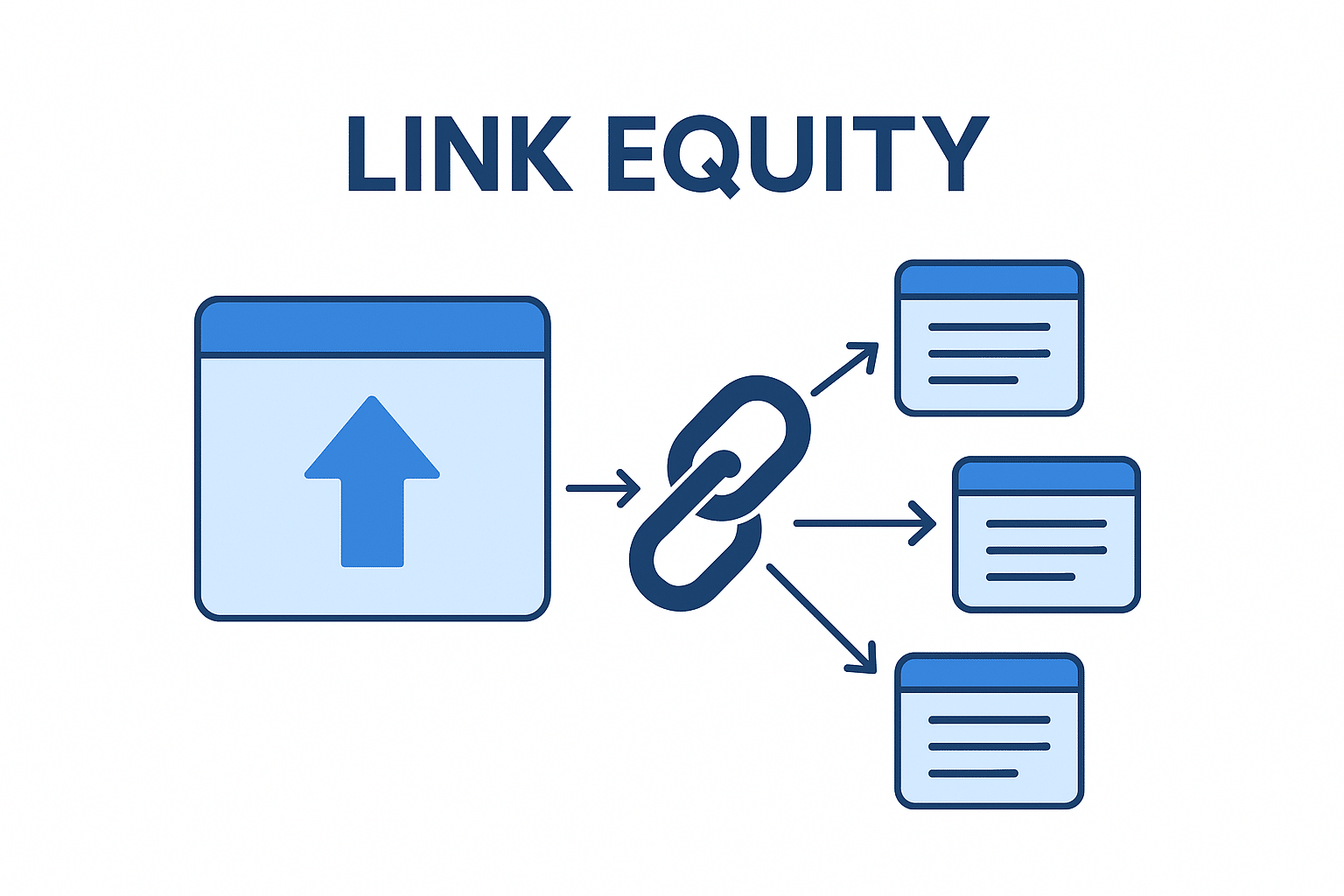
  • Passes “Link Juice“: Every page has link equity, also called link juice. When you link from one page to another, some of this “juice” flows to the new page. This tells Google that the linked page is also important. A good internal linking structure spreads this link juice to all your important pages.
  • Helps Google Find Content: A tool helps you fix orphan pages. This makes sure Google can crawl your entire site and find all your relevant content.
  • Improves User Experience: When you provide relevant internal links, you help visitors find more related content. This makes them stay on your site longer and lowers bounce rates.
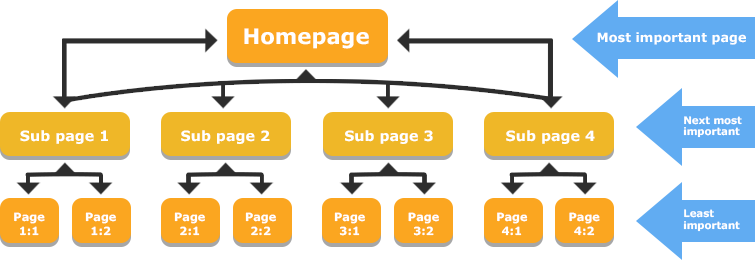
  • Builds Topical Authority: You can use tools to build topic clusters. This is when you link many related articles to one main “pillar” page. This shows Google you are an expert on that topic, which helps your search engine rankings.

How These Tools Work (AI Suggestions Vs. Automation)

Internal linking tools work in a few different ways.

  • Rule-Based Tools: Some tools follow simple rules you set. For example, “Every time I write the words ‘SEO strategy’, link to my ‘SEO Strategy Guide’ page.” This can be fast but is not very smart.
  • AI Suggestions: A modern ai internal linking tool is much smarter. It uses natural language processing (NLP). This means it reads your new content like a human. It uses semantic analysis to find relevant keywords and topics. Then, it suggests contextual links to your existing content that are truly relevant. This is much better for user experience and SEO performance.

Key Features to Look For in an Internal Link Tool
Key Features to Look For in an Internal Link Tool

When you look for the best internal link tool, here are the advanced features you should check for.

AI-Powered Contextual Link Suggestions

This is the most helpful feature. An AI internal linking tool will read your post as you write it. It will find relevant pages and related posts on your own site to link to. This is much better than just matching keywords. It finds links that are actually helpful.

Orphan Page & Broken Link Reports

A good tool must be ableP to scan your entire site and find problems.

  • Orphan Page Reports: It must show you a list of all orphan pages. You should be able to quickly add internal links to these pages so they get found.
  • Broken Link Reports: The tool should also find broken internal links. These are bad for user experience and waste link juice.

Anchor Text Management & Reporting

The anchor text is the clickable text of a link. You don’t want all your links to have the same anchor texts. A good tool will show you a report of all the anchor texts used for different pages. This helps you make your linking structure look natural.

Bulk Linking & Automation Rules

For a large website, you need speed. Some tools let you add relevant internal links to many pages at once. For example, you could add a link to your new blog post from 10 old, related posts with just a few clicks. This saves a lot of time.

CMS Integration (WordPress, Shopify, etc.)

Your internal link tool must work with your website. If you have a WordPress site, you will want a WordPress plugin like Link Whisper or Rank Math. These tools work right inside your editor, making the internal linking process very easy.

The 10 Best Internal Link Tools to Scale Your SEO in 2026

Best Internal Link Tools to Scale Your SEO

Here are 10 great tools that SEO professionals and website owners use.

Link Whisper

Link Whisper

Think of Link Whisper as a very smart link assistant that sits inside your WordPress site. It’s a special WordPress plugin built only for internal linking. As you write new content, Link Whisper uses AI to read your words.

It then looks at all your existing content and suggests relevant internal links for you to add. This makes the internal linking process so much faster. It’s a true ai internal linking tool because it suggests contextual links (links that make sense in the sentence) to relevant pages.

It is also amazing at finding orphan pages—those lonely pages with no links pointing to them. You can easily add links from other posts and choose your anchor texts. This tool saves website owners countless hours and helps you build a smart internal link structure that search engines love.

AIOSEO (All in One SEO)
AIOSEO

AIOSEO is a popular SEO plugin for WordPress that helps with many parts of your SEO strategy. It has a special feature called “Link Assistant” which acts as your internal link tool. This tool scans your entire website and gives you a big report.

This report shows you all the internal linking opportunities you missed. It will point to an old post and suggest you add a link to your new content, or find related content that should be linked together. It’s great for fixing your site structure because you can see your whole linking structure clearly. You can see the anchor texts you are using and find related pages to link to. This helps you build a better internal linking strategy without ever leaving your WordPress dashboard, which helps both user experience and your search rankings.

Ahrefs
Ahrefs

Ahrefs is a giant, powerful tool that SEO professionals use for their whole SEO strategy.

It is not just an internal link tool, but its “Site Audit” feature is one of the best for this job. You tell Ahrefs to scan your entire site. It will crawl all of your internal pages just like search engines do. Then, it gives you a detailed report on your site architecture. It will find every single orphan page you have. It also shows you how link equity (or link juice) flows through your website.

You can see which important pages have a lot of page authority and which ones need more relevant links. It’s a very technical tool, but it gives you complete control over your internal linking structure and is perfect for fixing problems on large websites to improve SEO performance.

Internal Link Juicer
Internal Link Juicer

The Internal Link Juicer is a WordPress plugin that is all about automation. This is a great internal link tool if you want to “set it and forget it.” Here is how it works: You tell the plugin what your specific keywords are for your important pages.

Then, whenever you write those relevant keywords in other posts, the plugin automatically adds a link to that important page. This is a very fast way to build your internal link structure and pass link juice to your main pages.

It’s especially useful for building topic clusters, as you can make sure all your related posts link back to your main pillar page. It also has a good free version to help you start improving your site structure and get relevant links to your relevant pages right away.

Yoast SEO (Premium)
Yoast SEO

Many people use the free version of the Yoast SEO plugin.

The premium (paid) version of Yoast SEO includes a helpful internal linking feature. It is simpler than other tools, but very useful. As you are writing a post, Yoast SEO will show you a box with a list of related posts from your own site.

It scans all your existing content to find relevant content that matches your new post. This makes it easy to find good link opportunities without having to search your own site. This helps you guide users to related pages and improves your user experience.

It also makes sure your internal pages are connected, which is good for your site structure and helps search engines understand your content. It’s a great, simple way to find internal linking opportunities and boost your search engine rankings.

LinkStorm

LinkStorm

LinkStorm is a newer and very smart ai internal linking tool. It is not a plugin. It is a web tool that focuses on one big thing: building topic clusters. You use it when you have new content ready to publish. You give your new article to LinkStorm, and it uses semantic analysis (a smart way of understanding topics, not just keywords) to scan your entire website.

Then, it gives you a list of the best existing content to link from. It helps you build topical authority by showing Google you have many pages on one topic, all linked together. It’s a powerful tool for a modern SEO strategy because it creates smart contextual links that help you own a topic. It’s a great way to plan your internal linking strategy and show search engines you are an expert.

Linkilo

Linkilo

Linkilo is another strong ai internal linking tool that works as a WordPress plugin. It is packed with advanced features.

Like other tools, it suggests internal link opportunities as you write. But Linkilo has a special trick: it can connect to your Google Search Console data. This helps it find relevant pages that are already getting some traffic, so you can link from them. It also gives you great suggestions for your anchor texts. Its best feature for website owners with big sites is “bulk linking.” You can add one new contextual link to dozens of your old posts with just a few clicks. This part of its internal link building system can save you countless hours.

It’s a very fast way to improve your internal link structure and get your pages to rank better in search results.

LinkActions

LinkActions

LinkActions is an internal link tool that works a bit differently. It is a “cloud-based” tool, which means it’s a website you log into.

It works for any kind of website, not just WordPress. You connect your site, and LinkActions scans your entire website to understand your site structure. Its main job is to find problems and give you a simple “to-do” list.

It will find all your orphan pages and show you which important pages need more link juice.

It gives you clear internal link opportunities to work on. This is great for website owners who want a clear plan. By following its suggestions, you can build topical authority, fix your linking strategy, and improve your SEO performance and search rankings step by step.

Rank Math
Rank Math

Rank Math is a very popular SEO plugin for WordPress that has grown fast. It is an “all-in-one” WordPress plugin that helps with your entire SEO strategy. Its internal linking features are built right in.

As you write, Rank Math suggests relevant content from your existing content to link to. This makes it very easy to add relevant internal links as part of your writing process. The premium version of this internal link tool is even more powerful, helping you track your internal link structure to make sure your most important pages are getting links. Even the free version of Rank Math gives you some help.

It’s a great choice if you want one powerful SEO plugin that helps you build topic clusters and manage all your on-page SEO in one place.

Screaming Frog SEO Spider
Screaming Frog SEO Spider

Screaming Frog SEO Spider is the classic internal link tool for SEO professionals. This is not a simple plugin. It is a powerful program you run on your computer. You tell it your website address, and it “crawls” your entire site just like Google.

It gives you huge spreadsheets of data. You can use it to find every single orphan page, all your broken internal links, and see a map of your entire site architecture. It shows you how link equity flows and helps you spot big problems in your internal link structure.

This tool is very technical and takes time to learn, but it gives you complete control and more data than any other tool. If you want to do a deep, technical audit to improve your SEO performance, this is the tool to use.

Internal Linking Tools For WordPress: What Works Best?
Internal Linking Tools For WordPress: What Works Best?

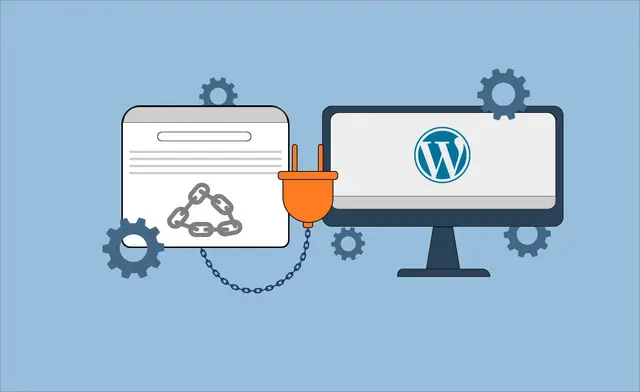
For a WordPress site, your best choice is a WordPress plugin. This is because the tool works inside your writing editor, making the internal linking process fast.

  • For AI Suggestions: Link Whisper is a top choice. It is built just for internal linking and does it very well. Its suggestions for contextual links are excellent.
  • For an All-in-One Plugin: If you want one SEO plugin to do everything, Rank Math or AIOSEO are great. Their internal link tool features are strong and part of a bigger package.
  • For Automation: If you want to “set it and forget it,” Internal Link Juicer is good. Its ability to automatically link specific keywords helps build topic clusters quickly.
  • For Simple Helpers: Yoast SEO Premium offers good, basic suggestions for related posts if you don’t need all the advanced features.

Are Free Internal Link Tools Worth It?
Are Free Internal Link Tools Worth It?

What about a free internal linking tool?

A free internal linking tool can be useful. For example, the free version of Internal Link Juicer offers good automation for a small site. The free version of Rank Math also gives you some basic help.

However, most free internal link tool options are limited. They might not use AI, or they might not find orphan pages.

They usually don’t have reports for anchor texts or bulk linking. Often, a free trial of a paid tool is a better idea. This lets you try the advanced features and see how much time they can save you. For most serious website owners, a paid internal link tool is a good investment.

How to Effectively Use Your New Internal Link Tool?

How to Effectively Use Your New Internal Link Tool?

Getting a new internal link tool is the first step. Here is how to use it right.

  • Step 1: Running Your First Site Audit – Start by running a full audit of your entire website. Let the tool scan all your internal pages. This will create a map of your current internal linking structure. The tool will find all your broken links and, most importantly, your orphan pages.
  • Step 2: Prioritizing Orphan Pages – Your first job is to fix orphan pages. These pages are invisible to search engines and users. Go through the report and add at least one or two relevant internal links to every orphan page. This gets them into your site structure so they can start getting link juice and ranking in search results.
  • Step 3: Building Topical Clusters – Now, think about your SEO strategy. You want to build topic clusters. Pick your most important pages (your “pillar” pages). Use your internal link tool to find all the smaller, related posts and related pages on that topic. Link all of them to the pillar page. This builds topical authority and tells Google you are an expert.
  • Step 4: Setting Up Automation Without Spamming – If your tool has automation, use it carefully. Don’t just link the same specific keywords 100 times. This looks bad to users and search engines. Set up rules that feel natural. Use the AI internal linking tool features to find contextual links that are truly helpful. Always follow SEO best practices and focus on user experience.

FAQ’s:

What Exactly Does an Internal Link Tool Do?

An internal link tool scans your entire website to find internal linking opportunities. It helps you find orphan pages, suggest relevant links between different pages, manage your anchor texts, and fix your site architecture.

Is an Internal Link Tool Necessary For SEO?

For a very small site (less than 20 pages), you can probably manage your internal linking by hand.

But for any growing website, an internal link tool is a huge help. It saves countless hours and helps you build a much better linking strategy, which is key to improving your search engine rankings.

Can Internal Linking Tools Fix Broken Links Automatically?

No. Most internal linking tools will find your broken internal links and show you where they are. But they cannot fix them automatically. You still need to go to the page and update the link yourself.

Can These Internal Linking Tools Handle Large Websites?

Yes, many of these tools are built for large websites. Tools like Ahrefs and Screaming Frog SEO Spider are designed for SEO professionals managing sites with thousands of pages. A WordPress plugin like Link Whisper or Rank Math can also handle a large WordPress site very well.

Conclusion

A strong internal linking structure is a key part of any good SEO strategy. It guides users to relevant content, helps search engines find your pages, and passes link equity to your most important pages.

While you can do it by hand, an internal link tool makes the internal linking process much faster and more effective. A good tool helps you find orphan pages, get smart AI link suggestions, and build topic clusters that improve your search rankings.

But a tool is just one piece of the puzzle. A tool can suggest links, but building a powerful linking strategy that drives real results for SaaS is different. That requires expert guidance.

At VH-info, we are a SaaS link building agency. We don’t just build external links; we help SaaS companies create a complete linking strategy. This includes building a smart internal linking structure to win in Google search.

While these tools are great for your internal link building, a partnership with an expert can take your SEO strategy to the next level.
Link Building Pricing: What Does It Cost In 2026?

Do you want more people to visit your website? If yes, you need to think about link building. Many site owners know that getting other websites to link to them is key for search rankings. But there is one big question: what is the real link building cost? Finding the right link building pricing can be hard. Some SEO agencies charge a lot of money. Others offer cheap prices but give you bad links.

At VH Info, we believe in being open and helpful. We want you to know exactly where your money goes.

In this guide, we will look at the average price of link building services. We will check real rates from top companies and compare them. We will also share how you can get quality backlinks without spending too much.

Whether you have a small link building budget or a big one, this guide is for you. Let’s find the best way to grow your organic traffic today.

How Our Link Building Pricing Compares to Top Competitors?

How Our Link Building Pricing Compares to Top Competitors?

When you look for best link building help, you will see many prices. It is smart to compare. We checked the pricing model of top agencies to show you the difference.

LinkBuilder.io Vs. Our Rates

LinkBuilder.io is a popular agency. They have different plans. Their “Startup” plan costs $2,999 per month. For this price, you get about 8 links. This means you pay around $375 for one link. Their “Pro” plan is $5,999 per month for 16 links.

At VH Info, we want to give you higher quality at a fair price. Our standard plan gives you 10 links for $2,500 per month (and often less with our deals). That is $250 per link. You get links from sites with good domain authority (DR 50-80).

We help you get more links for your money.

uSerp Vs. Our Rates

uSerp is known for working with big brands. Their prices are very high. Their “Startup” plan costs $10,000 per month. For that huge amount, you only get 11 to 13 links. That is almost $800 or more per link.

If you look at VH Info, our link-building campaigns are much more affordable.

For a link-building budget of roughly $3,600 (our 15-link plan), you get more link placements than uSerp’s $10,000 plan. We focus on quality links that help your search engine rank without the crazy high costs.

Page One Power Vs. Our Rates

Page One Power is another big name. They often make custom plans. Their typical campaigns start around $3000+ per month.

Comparing this to VH Info, you can see the value. We provide manual outreach and content creation for a lower price. We help business goals by saving you money. You can use that saved money for other SEO services or content marketing.

Factors That Influence SEO Link Building Pricing

Factors That Influence SEO Link Building Pricing

Why do some links cost $100 and others cost $1,000? Many things change the price. Here is what you need to know.

  1. Link Type: The types of links you choose matter. A simple link insertion (adding a link to an old post) might cost less. But a full guest post costs more because someone has to write a new article. Editorial backlinks from big news sites are the most expensive premium links.
  2. Domain Authority and Site Quality: Websites with a high domain rating (DR) are harder to get. A site that has millions of monthly visitors knows its value. Building links on these authoritative websites costs more. But these quality backlinks are very strong for your SEO strategy.
  3. Industry/Niche Competitiveness: Some areas, like finance or insurance, are very hard. Many companies are fighting for the top spot. In these competitive niches, link builders have to work harder. This makes the link-building cost go up.
  4. Outreach and Content Creation Costs: To get a good link, you need good content. Content quality is huge for Google. If an agency writes long, helpful blog posts for you, it takes time and money. This content creation is part of the total price. Also, talking to site owners (outreach) takes a lot of time.

Affordable Link Building Pricing: The Best Ways to Get High-Quality Links For Less

Affordable Link Building Pricing: The Best Ways to Get High-Quality Links For Less

You do not always need a huge budget. There are smart ways to get quality link building done for less money.

Guest Post Outreach: Securing Authoritative Links On A Budget

Guest posting is one of the most famous ways to get links without spending a fortune.

Think of it like being a guest speaker at another school. You write a helpful article for someone else’s blog, and in return, they let you put a link back to your own website. This is a fair trade. You give them quality content for their readers, and they give you a backlink.

This method is great because it helps you reach new people who might click on your link, which brings referral traffic.

If you write the articles yourself, you save money on content creation. You just need to find reputable sites that fit your topic. When you share good advice, site owners are happy to work with you. This helps your domain authority grow steadily over time.

HARO (Help A Reporter Out) Link Building For Cost-Effective Authority

HARO is a smart tool where reporters ask questions for their news stories.

If you give them a good answer, they might use it and link to you. This is a powerful way to get editorial links from very big news websites that are usually hard to get. These are high-quality links that tell search engines your site is trusted.

The best part is that joining HARO is free. You do not need a big link-building budget. You just need to know your topic well and answer quickly. When a big news site links to you, it boosts your brand mentions and makes your site look important. It takes some time to write the answers, but the results are worth it. It is a favorite method for SEO professionals who want strong results for less money.

Link Insertions (Niche Edits) For Affordable Relevance

Link insertions, also called niche edits, are different from guest posts.

Instead of writing a whole new article, you find a blog post that already exists. You ask the owner to add your link to that old post. This is often cheaper because nobody has to spend time writing new blog posts. The content is already there, sitting on Google.

This is a very fast way to get link placements. Since the page is already older and has history, the link can help your search rankings quickly. You just need to make sure the link makes sense in the sentence. It should be helpful for the reader.

Many link builders love this because it focuses on relevance. It is a simple way to improve your link profile without a lot of extra work.

Resource Page Link Building At Low Cost

Some websites have special pages called “Resource Pages.” These are lists of helpful tools, guides, or websites for their readers.

For example, a cooking blog might have a list of “Best Baking Tools.”

If you have a great tool or guide, you can ask them to put you on that list. This is a very natural link-building technique. Getting on these lists is often free or very low-cost. You are helping the site owners make their list better for their visitors.

It connects you with authoritative websites that people trust. Because these pages are made to share links, the owners are usually friendly when you ask. It is an easy way to build quality backlinks that bring people to your site who are actually looking for what you offer.

Digital PR Campaigns Tailored For Small Budgets

Digital PR sounds like it is only for big companies, but you can do it too.

It means sharing a cool story or interesting facts about your business with the news. If people find your story interesting, they will write about it and link to you. You do not need to pay for these links; you earn them by being interesting.

For a small budget, you can do a simple survey or share a unique tip. If a blogger or journalist likes it, they give you a brand mention and a link. This can get you many premium links at once from just one good story. It helps your organic traffic explode because news sites have many readers. It is a creative way to run link-building campaigns without spending thousands of dollars.

Broken Link Building: High-Quality Links Without High Prices

Broken link building is a clever trick. You look for links on other websites that do not work anymore. These are called broken links or 404 errors. When you click them, they lead to nowhere. This is bad for the website owner. You can help them by telling them about the broken link. Then, you suggest they replace that bad link with a link to a similar page on your own website. You are solving a problem for them, so they are often happy to say yes. This gets you a high quality link for free. You just need to spend time finding the broken links. It is a win-win situation. You get a quality link building result, and they get a fixed website. It is one of the smartest link building strategies to use.

Directory Submissions For Local SEO Value

If you have a local business, like a shop or a service in a specific city, directories are very important.

These are sites like Yelp, Yellow Pages, or local business lists. Adding your name and website to these lists helps your local SEO value. It tells search engines exactly where you are located. Most of these directories are free to join.

They provide simple types of links that help people find you in search results. While they might not be as strong as a news link, they are very good for trust. They help build a solid base for your backlink profile. It is an easy first step for any business.

Skyscraper Technique For Efficient Link Acquisition

The Skyscraper Technique is about making something better than what is already out there.

First, you find a popular article in your industry that has many links.

Then, you write a new article that is longer, newer, and better. Once your amazing content is ready, you show it to the people who linked to the old article. You ask them to link to your new, better version instead.

Because your content quality is higher, many people will swap the link. This helps you steal links from your competitors. It takes work to write great content, but it is a very efficient way to get link acquisition. You are using quality content to prove you deserve the spot.

Collaboration With Niche Bloggers and Influencers

Working with other people is a fun way to get links. You can team up with bloggers or influencers in your space. Maybe you do a project together, or you interview each other. When you collaborate, they will usually link to your site from their blog or social media.

This builds a natural connection. This is great because it puts you in front of their audience. It creates genuine link opportunities that look very natural to Google. You do not always have to pay money; sometimes you can trade skills or content.

Building relationships with niche bloggers is a long-term link building strategy. It helps you get editorial backlinks from real people who like your work. It is about making friends who help each other grow.

Strategic Content Marketing For Natural Backlinks

Content marketing is the best way to get links without asking. If you write guides, research, or articles that are super helpful, people will want to share them. They will link to you because your information is good. This attracts natural backlinks.

This method focuses on quality over quantity. When you publish great stuff, other site owners use your site as a reference. This boosts your domain rating significantly. You do not have to send thousands of emails. You just focus on creating value.

Over time, this brings steady organic traffic and makes your site an authority. It is the safest and most powerful way to build a strong link profile for the future.

Detailed Link Building Pricing Breakdown By Tier

Detailed Link Building Pricing Breakdown By Tier

At VH Info, we keep things simple. We have packages for every stage of business.

Starter Package Costs

Our starter options are for new sites. For around $2,500, you get 10 links. This helps you start your link profile. We focus on quality content and safe sites. This is perfect for testing the waters.

Growth & Scaling Costs

If you want to grow fast, you need more links. Our middle tier offers 15 links for $3,600. This lowers the price per link. It is great for SaaS companies wanting more organic traffic. We handle the manual outreach for you.

Enterprise Custom Pricing

Big companies need big results. We offer custom plans for seo professionals and large brands. If you need 50 or 100 links, we offer a special price. We ensure every link meets strict domain rating goals.

Why We Offer Better Value Per Link?

Why We Offer Better Value Per Link?

You might ask, How is VH Info cheaper than others?

  1. No High Agency Retainers: Many link-building agencies charge a monthly fee just to talk to you. We do not. You pay for the links and the work, not for a fancy office. We put your budget into link acquisition.
  2. Direct-to-Publisher Relationships: We have spent years talking to website owners. We have direct contacts. We do not need middlemen. This saves costs. We pass these savings to you. It makes our link-building services very efficient.
  3. Transparent Reporting & Metrics: We show you everything. You see the anchor text, the domain authority, and the traffic. We use a Google spreadsheet so you can check anytime. You know you are getting quality backlinks.

How to Choose the Right Link Building Service?

How to Choose the Right Link Building Service?

Choosing the right partner is important for your business goals.

What to Look For in an Agency Or Provider

When you are looking for a link-building agency, you must be careful. You want a partner who is honest and open.

Look for an agency that explains its process clearly. They should tell you exactly how they get the links. A good provider will talk about manual outreach and building real relationships, not using robots. Ask them to show you examples of their work.

They should have case studies that show how they helped other businesses. Look for a team that cares about content quality. They should write good articles that people actually want to read. A good agency focuses on your specific business goals, not just selling you random links.

They should act like a partner who wants you to succeed in the search engine results.

Red Flags and Warning Signs

There are some bad signs you should watch out for.

If an agency promises you “#1 rankings overnight,” run away. SEO services take time to work. Also, be careful of very cheap prices. If a link costs $10 or $20, it is likely from a link farm. These are bad websites that exist only to sell links, and Google hates them.

Avoid anyone who uses “black-hat” tricks or spam. These can hurt your website and get you banned. If they refuse to show you the link placements before you pay, that is a warning sign. You have a right to know where your link is going. Transparency is key.

If they hide things from you, they are probably not doing quality link building. Stick to agencies that use safe, white-hat methods.

Checklist: Questions to Ask Before Hiring

Before you hire anyone, you should ask them some hard questions. This checks if they are good SEO professionals.

Ask them: “Do you do manual outreach or do you own the sites?” You want them to do outreach to real sites. Ask: “Can I see a sample report?” This shows you if they are organized. You should also ask about the link building cost. Make sure there are no hidden fees.

Ask them: “Do you write the content for the guest posts?” Content is important, so you need to know who is writing it. Finally, ask: “What metrics do you use?” They should talk about domain authority (DA) or domain rating (DR) and organic traffic.

This checklist ensures you spend your link building budget on a service that actually helps you grow.

FAQ’s:

What Is A Link-Building Service, and Why Do I Need It?

A link-building service is when a team of experts helps you get backlinks from other websites to your own website.

You need this because Google views these links as votes of trust, which helps your site climb higher in search rankings. Without quality links, it is very hard for people to find you online. It is the best way to boost your organic traffic and build a strong online reputation.

What is the Average Cost For Link-Building Services?

The average price usually falls between $250 and $600 per link, but this changes based on quality. Factors like high domain authority and the cost of content creation play a big role in the final price.

At VH Info, we offer high-quality links starting around $250, which is a very fair deal.

Be careful of very cheap options, as they are often low-quality link farms that can hurt your site.

How Can I Tell If A Link-Building Agency Uses Safe (White-Hat) Strategies?

You should ask if they use manual outreach to talk to real site owners instead of using software. A safe agency focuses on content quality and writing helpful blog posts rather than spamming. If they provide transparent reporting and avoid shady tricks, they are using white-hat methods. Good agencies care about protecting your link profile and following Google’s algorithm to keep you safe.

Is Using A Link-Building Service Still Safe in 2026?

Yes, using a service is very safe in 2026 if they prioritize quality link building over just getting big numbers. As long as the agency builds editorial links through real relationships and content marketing, search engines will like it. You must avoid cheap shortcuts and focus on reputable sites that fit your specific niche. This ensures your SEO strategy stays strong and your website keeps growing without risks.

Is Buying Links Worth It For SEO?

Paying for a link-building campaign is definitely worth it if you want to compete for the top spots in search results. It saves you a lot of time on manual outreach and guarantees you get quality backlinks from strong websites. These links improve your domain rating, which helps you rank for many more keywords. It is a smart investment for your business goals because it brings steady visitors to your shop for years.

How Long Does It Take to See Results From Link Building?

SEO is not instant, so you usually start seeing real changes in 3 to 6 months. It takes time for search engines to find the new links and update your search rankings accordingly. Consistent building of links month after month works best to steadily grow your organic traffic.

If you are patient and focus on quality content, you will see a big difference in how many people visit you.

What Works Best For Agencies With Lots Of Clients?

For agencies managing many accounts, link insertions and guest posting work very well because they are easy to scale. Working with a partner like VH Info helps handle the heavy outreach and content creation for all your clients at once. This ensures every client gets higher-quality links without your team getting overwhelmed. It keeps the link-building cost down while delivering great results for everyone.

How Many Backlinks Does My Website Really Need?

The number of links you need depends on how hard your competitors are fighting for the same spot. You should look at your top competitors and see how strong their backlink profile is to know where to start. For most sites, getting a steady flow of 10 to 15 quality links per month is a perfect plan. Consistency is much more important than getting hundreds of bad links at once for your SEO services.

How Do You Measure ROI For Link-Building Campaigns?

You measure success by watching the growth in your organic traffic and your positions in search rankings.

If your website moves up and you get more referral traffic, the campaign is doing its job.

Ultimately, you want to see if these new visitors are helping you reach your business goals, like making more sales. A good link-building strategy always pays for itself by bringing in more customers over time.

Conclusion

Understanding link-building pricing helps you make smart choices. You don’t have to pay $800 per link to get results.

VH Info proves that you can get high-quality links for a fair price.

Remember, the bottom line is quality. One link from a good site is better than 100 bad ones. Focus on content quality, reputable sites, and consistent effort. Whether you choose guest blogging, digital pr, or niche edits, stick to your plan.

We hope this guide helps you understand the cost of link building. If you are ready to grow your search engine presence, we are here to help.

Let’s build a strong backlink profile together!

StreamEast Links: Your Ultimate Guide to Finding Working URLs For Live Sports

Many sports fans want to watch live sports online. You might be looking for live sports streams of your favorite teams or big sporting events.

In this search, you may have heard of a site called StreamEast. People look for StreamEast links because they want free sports and free live sports. Finding working sports streams for live events can be hard. This article is a guide. We will talk about StreamEast links.

We will explain what StreamEast is and why its links keep changing. We will talk about the big security risks and legal risks of using these illegal streaming sites. We will show you how to find legal alternatives to watch your favorite sports.

Our goal is to give you clear, helpful facts so you can make safe choices. Watching sports content should be fun, not risky.

What is StreamEast?

What is StreamEast?

StreamEast is a popular website known for free streaming of live sports events. It became a top choice for many sports enthusiasts because it offers a wide range of sports for free. Users search for Streameast links to get free access to live coverage of games they might otherwise have to pay for. The site often provides live streams in HD quality, which gives a good viewing experience.

It covers many different sports channels and live matches from around the world, making it a one-stop shop for sports coverage. But it is important to know that StreamEast is not an official or legal broadcaster.

It provides illegal sports streams, which is why it operates in a gray area of the internet.

Key Features of the StreamEast Platform

People like StreamEast for a few reasons.

The main one is that it is free. You do not need a subscription or to pay money. It offers a wide range of sports, so you can find almost any major sport you want. The stream quality is often good, with many live streams available in HD quality.

This makes watching live sports events more enjoyable. The website is often simple to use. You can find the game you want and start the live streaming quickly. It also shows live scores and schedules for upcoming live matches.

These features make it popular, but they do not make it safe or legal.

Popular Sports Covered (NFL, NBA, MMA, Soccer)

StreamEast is known for its huge sports coverage. It streams major leagues from the United States and international sports.

You can find live sports streams for:

  • NFL: This includes regular season NFL games, playoffs, and the Super Bowl. Fans often look for Sunday Night Football and other big matchups. It’s a popular alternative to the official NFL Network.
  • NBA: You can watch many professional basketball games.
  • MMA (UFC) and Boxing: It is a common place to find combat sports events, which are often expensive pay-per-view events.
  • Soccer: This includes top leagues like the Premier League, La Liga, and the Champions League.

It also covers many niche sports, meaning it has one of the widest ranges of free sports content available on one platform. This wide range of sports is what draws so many sports fans to look for streameast links.

How to Find Official StreamEast Links & Mirrors?

How to Find Official StreamEast Links & Mirrors?

If you have tried to find StreamEast, you know it’s not easy. You cannot just type it into Google and find a stable, official site. You are often looking for mirror sites or new URLs.

Why Do StreamEast Links Change So Often?

The reason streameast links change so often is simple: the site is illegal.

It streams sports content without permission from the owners, like the NFL, NBA, or Fox Sports. This is a violation of copyright laws. Because it is an illegal streaming site, law enforcement agencies and companies that own the sports channels are always trying to shut it down.

When one link gets shut down (you might even see a warning from Homeland Security Investigations), the people running StreamEast quickly create a new one. This new link is a “mirror link” or a “mirror site.” It is the same website but with a different name.

This cat-and-mouse game is why sports fans are always searching for the new, working link.

Checking Verified Social Media Accounts

Sometimes, the people who run StreamEast might have social media accounts to share their new links. They might post the new URL when an old one is shut down. However, these accounts also get shut down often.

It is also hard to know which account is “verified” or real. Many fake accounts exist to trick you.

Using Community Forums (Like Reddit) Safely

Many sports fans go to community forums like Reddit to find updated StreamEast URLs. There are special groups (called subreddits) where users share new Streameast links as soon as they find them.

But you must be very careful. Not everyone on these forums is trying to help. Some people will post fake links. These links can send you to websites with malware and malicious ads. When using forums, never click a link you do not trust.

Look for comments from other users. Do they say the link works? Or do they warn about viruses? It is a big security risk.

The Difference Between A Main Site and A Mirror Link

The main site is the original website. For a legal streaming service like YouTube TV, there is only one main site. For a site like StreamEast, the “main site” is just the link everyone was using before it got shut down.

A “mirror link” or “mirror site” is a copy of that website at a new address.

The people running StreamEast set up many mirror sites at once. They do this so if one link is taken down, another one is ready to go. For the user, the mirror site looks and works just like the old one. But all of them are still illegal streaming sites and carry the same legal risks.

The Risks & Legality of Using StreamEast Links

The Risks and Legality of Using StreamEast Links

The promise of free live sports is tempting. But using StreamEast links comes with very real dangers. You need to know about these security risks and legal issues before you click.

Understanding Copyright and ISP Warnings

Watching illegal sports streams is against copyright laws.

The live coverage of NFL games or Premier League matches is owned by companies. They pay billions of dollars for the right to show those games. When you watch on a free streaming site, you are watching stolen content.

Your Internet Service Provider (ISP)—the company you pay for internet—can often see what you are doing online. They may send you a warning letter if they see you using illegal streaming sites. These letters can warn you to stop. In some cases, they might slow down your internet or even shut it off. While it is rare for a single user to get a big fine, it is not impossible. The legal risks are real.

The Dangers of Malware and Malicious Ads

This is one of the biggest security risks. Free streameast sites do not make money from subscriptions. They make money from ads. And these are not normal, safe ads. These sites are full of intrusive ads. Pop-up windows will cover your screen.

Some ads are fake, telling you that your computer has a virus and you need to download a “fix.” This “fix” is the virus. This is called malware. This harmful software can steal your passwords, bank information, or lock up your computer and demand money.

Clicking on the wrong ad or even just visiting the site can put your computer or mobile devices at risk.

How to Protect Yourself: The Importance of a VPN

If you are going to visit these types of websites, you must protect yourself. The most important tool is a Virtual Private Network (VPN).

A VPN is a service that hides your online activity. When you use a VPN, your internet connection is sent through a different server. This does two things:

  • It hides your IP address. Your IP address is like your home address on the internet. A VPN makes it look like you are in a different city or country. This makes it much harder for your ISP or anyone else to see what you are doing.
  • It encrypts (scrambles) your connection. This means even if someone could see your data, they could not read it.

A good Virtual Private Network is a must-have for privacy. It is a key tool for staying safer on the internet, especially if you visit any website that is in a gray area.

Identifying Fake Vs. Functional Links

It is very hard to tell a fake link from a “functional” (working) one. As we said, even the working streameast links are dangerous. But fake links are even worse. They are made only to trick you into downloading malware.

  • Look for strange endings: If a link ends in .xyz or .zip or a bunch of random letters, be very careful.
  • Avoid links that ask you to download: A streaming site should stream in your browser. If a site says you must download a “video player” or “codec” to watch, it is a trick. Do not download it.
  • Trust your gut: If a website looks strange or your browser gives you a security warning, close the tab. It is not worth the risk.

Why is StreamEast Shut Down?

Why is StreamEast Shut Down?

StreamEast gets shut down over and over for one reason: it is illegal. In the United States and most other countries, copyright laws are very clear. You cannot show or share content you do not own.

Official broadcasters (like Fox Sports, ESPN, or the NFL Network) pay huge amounts of money for the exclusive rights to air live sports events. Sites like StreamEast take these live sports streams and give them away for free. This is theft.

Law enforcement agencies, including Homeland Security Investigations (HSI), work with these companies to find and shut down illegal streaming operations. They seize the website domains. This is why you will sometimes see an official-looking warning on a link that used to work. They are always hunting for new mirror sites, and StreamEast is a big target.

Top Legal Alternatives to StreamEast Links

Top Legal Alternatives to StreamEast Links

The best and safest way to watch your favorite sports is to use legal alternatives. Many of these offer a great viewing experience, HD quality, and work on your smart TVs and mobile devices without security risks. Here are some of the best streameast alternatives.

Official Broadcasters For the NFL

To watch NFL games, you have great, safe options.

  • YouTube TV: This streaming service carries many live channels, including those you need for NFL games like CBS, FOX, and ESPN. They also have the NFL Network and the popular NFL RedZone.
  • Hulu + Live TV: Another great choice that includes live TV channels for live coverage of Sunday Night Football and other games.
  • Paramount+: This service streams the NFL games shown on CBS.
  • Peacock: This is the home for Sunday Night Football games.

Legal Streaming Services For the NBA

For basketball sports enthusiasts, you can watch live matches legally.

  • NBA League Pass: This is the NBA’s own streaming service. You can watch almost every game for all teams.
  • Sling TV: This service offers packages that include ESPN and TNT, which show many national NBA games.
  • YouTube TV and Hulu + Live TV: Both also carry the TV channels you need for live NBA coverage.

Where to Watch MMA (UFC) and Boxing Officially

For combat sports, it is best to use the official sources.

  • ESPN+: This is the official home for the UFC. You can stream fight nights and buy the pay-per-view events all in one place.
  • DAZN: This streaming service focuses heavily on boxing and combat sports. They have many exclusive fights.
  • Showtime: This network often has big boxing events, and you can subscribe through their mobile app or other services.

Free-to-Air Sports Streaming Options

Not all legal alternatives cost money. Some live events are shown on free, over-the-air TV channels.

  • Local Channels: Using an antenna, you can often get your local FOX, CBS, ABC, or NBC channels for free. These channels show many big sporting events, including the Super Bowl and the NBA Finals.
  • Free Trials: Many of the paid streaming service options we listed (like YouTube TV) offer a free trial. You can sign up, watch your game, and cancel before you have to pay.

Using these top alternatives means you get great stream quality, no intrusive ads or malware, and you are not breaking any copyright laws.

How to Stay Safe While Using StreamEast Alternatives?

How to Stay Safe While Using StreamEast Alternatives?

Even when you use legal streaming service sites, it is smart to be safe online.

  • Use Strong Passwords: When you sign up for a free trial or a new service, use a long, unique password.
  • Be Careful on Public Wi-Fi: Do not sign in to your accounts or enter credit card information when you are on free Wi-Fi at a coffee shop or airport. Hackers can steal your information.
  • Watch for Phishing Emails: Scammers send fake emails that look like they are from services like YouTube TV. They ask you to “update your password” or “fix a billing problem.” These are tricks to steal your login. Always go directly to the website yourself; do not click links in emails.

FAQ’s:

What is the Current Official StreamEast Link?

There is no “official” StreamEast link. The site is not an official, legal business. It is an illegal streaming site. Because of this, its links are constantly being shut down, and new mirror sites pop up. There is no single, stable link.

Any link you find is a “mirror” that could be gone tomorrow and carries security risks.

Are StreamEast Links Legal to Use?

No. Using StreamEast links to watch live sports streams is not legal.

The sports content is being streamed without permission from the owners (like the NFL or Premier League). This breaks copyright laws. While law enforcement usually targets the people who run the site, viewers can still face legal risks, such as warnings from their ISP or worse.

Are StreamEast Links Safe to Use in the US?

No, they are not safe to use in the United States or anywhere else. There are two types of risks:

  • Legal Risks: Streaming copyrighted sports content is illegal in the United States.
  • Security Risks: These sites are full of malware and malicious ads. They are a big threat to your computer’s safety. Using them without a Virtual Private Network (VPN) and an ad-blocker is very dangerous.

Where Can I Find Updated StreamEast URLs Without Risk?

You cannot find updated StreamEast URLs without risk.

Any place that shares these links (like forums or social media) is also a place where scammers post fake links. There is no “safe” way to find or use illegal sports streams. The only way to watch sports coverage without risk is to use one of the legal alternatives.

What Are the Legal Risks of Streaming Sports Via StreamEast?

The main legal risks for a viewer are from your Internet Service Provider (ISP).

They can see your online activity. If they detect that you are using sites like free streameast, they can send you copyright infringement notices. These notices may warn you to stop. If you continue, they could slow down your internet speed or even stop your service.

While rare, there is also a small risk of fines, as you are technically breaking copyright laws.

Conclusion

Finding live sports streams can feel hard, and the promise of free streaming from sites like StreamEast is very tempting for sports fans.

However, the truth is that streameast links are not worth the trouble. They come with serious legal risks and even bigger security risks from malware and malicious ads. You could harm your computer just trying to watch NFL games or combat sports.

The best choice is to use the many legal alternatives available. Services like YouTube TV, ESPN+, and others offer high-quality, safe, and reliable live coverage of all your favorite sports. Many even offer a free trial.

Enjoying live events through these top streameast alternatives lets you have an excellent viewing experience while avoiding all associated risks.

At VH Info, we are experts in helping SaaS businesses build trust and authority. We do this by creating high-quality, helpful articles—just like this one. Guiding users through complex topics clearly and honestly is the best way to build a reputation.

This trustworthy content is the foundation of a strong link-building strategy, which helps great companies get found online. Choose safety and quality, both in how you watch live sports and in the content you trust.

How to Search For Sites That Link to a URL & Securing Backlinks

Do you want to know how to search for sites that link to a URL? It’s a great question. A link, also called a backlink or an inbound link, is when another website puts a link on one of its web pages that points to your website.

Think of these links as “votes” for your site. Search engines, like Google, see these votes.

The more good votes you have, the more they trust your site. This is a very big part of search engine optimization (SEO), which is the job of helping your site show up higher in search results. These links from other sites are called external links.

They are different from internal links, which are links that just go from one page to another inside your own website.

Knowing who links to you is super important. It helps you see who your fans are, what people like about your site, and how to get more links. This guide will show you exactly how to find every website that links to you, using both free and paid methods.

Why You Should Search For Sites That Link to Your URL?

Why You Should Search For Sites That Link to Your URL?

Looking at your links isn’t just for fun. It’s a key job for improving your SEO performance. When you do a backlink analysis (a big check-up on your links), you get valuable insights that help your site grow.

Here’s why it’s so important.

To Analyze Your Link Profile

Your link profile (or backlink profile) is the full list of all links pointing to your entire website. It’s like a report card.

By checking it, you can answer important questions:

  • Are the sites linking to me good and trustworthy?
  • Are they related to my website’s topic?
  • Do I have a small number of backlinks or a lot?
  • Are the links coming from many unique domains (different websites) or just a few?

A healthy link profile tells search engines that your site is a great resource.

To Find Link Building Opportunities

When you see who already links to you, you can find patterns. Maybe a lot of food blogs link to your SaaS company’s guide on “team lunches.” This tells you that food bloggers like your content. You can then find more food blogs and share your content with them.

This is a smart way to find new link-building opportunities.

At VH-info, this is a key part of our SaaS link-building strategy. We find what’s working and help you get more of those good links. For example, we might find a new place for you to write a guest post, which is an article you write for another site that includes a link back to yours.

To Monitor Competitor Backlinks

This is a big trick that SEO expert teams use. In the same way you check your own site, you can check your competitor’s target website.

You can see exactly who links to them.

  • Did they get a link from a big news site?
  • Are they getting links from a list of “best software“?
  • What anchor text (the clickable words in the link) are they using?

When you find their best links, you can try to get similar links for your own site. If a website links to your top 3 competitors, but not you, that’s a perfect opportunity to reach out to them.

To Identify and Disavow Toxic Links

Not all links are good. Some links, often called bad links or unnatural links, come from spammy or low-quality sites. These sites might be trying to hurt your search rankings, or they might be part of a link scheme.

Too many of these bad links can damage your site’s reputation with Google. When you search for sites that link to your URL, you can find these toxic” links. Once you find them, you can ask those website owners to remove the link. If they don’t, you can use a special tool from Google to “disavow” them, which tells Google, “Please ignore these links; they are not from me.”

How to Search For Sites That Link to A URL Using Free Tools?

How to Search For Sites That Link to A URL Using Free Tools?

You don’t have to spend money to start finding your links. There are some great free tools available.

Method 1: Using Google Search Console

This is the best and most accurate free tool for checking your own website’s links. Google Search Console (GSC) is a free service from Google. If you are a website owner, you must set this up.

Inside Search Console, there is a “Links” report in the menu. This report shows you:

  • External links: All the links it knows about from other sites.
  • Top linking sites: The referring domains that link to you the most.
  • Top linking text: The most common anchor text people use.
  • Internal links: How you link to your own pages.

Google Search Console gives you a list of URLs that you can export.

It shows you the target page on your site and who is linking to it. This link data comes right from Google, so you can trust it. It’s the best free backlink checker for your own property. You can even connect it with Google Analytics for more data.

Method 2: Using Google Search Operators

This is a quick, but less accurate, way to find links or mentions. You can use the main Google search bar.

There used to be a command link:yourwebsite.com, but Google has said this is no longer very reliable.

A better way is to search for your website’s name in quotes. For example, a search for “vh-info.com” in the Google search results will show pages that mention that exact text. They might not all be links, but it’s a good way to see who is talking about you.

Method 3: Using Free Online Backlink Checkers

Many websites offer a free backlink checker service. You just type in a domain name or a specific target URL, and their link checker will show you some data. A free backlink checker tool is a good starting point.

However, these tools usually have a very limited free version. They might only show you the top 100 links or hide important data. They do this to get you to sign up for a free account or, even better, buy their paid plan to get full access to all their data and advanced features.

How to Search For Sites That Link to A URL With Advanced SEO Tools?

How to Search For Sites That Link to A URL With Advanced SEO Tools?

To get a complete picture, especially for competitor research, you need to use paid SEO tools. These are the powerful tools that professional SEO expert teams and agencies like VH-info use every day to build winning strategies.

These tools don’t just show data from Google. They have their own “robots” (like an SEO spider) that crawl the entire internet, 24/7, to find all web pages and the links between them. They give you a much bigger list of links.

These tools are not just a backlink checker tool; they are a full analysis tool. You can see data from Bing Webmaster Tools (also called Bing Webmaster), check your SE Ranking (a term for your position in search), and do a full site audit.

Using Ahrefs Site Explorer

Ahrefs

Ahrefs is one of the most popular SEO tools. Its “Site Explorer” tool is amazing for backlink analysis. You put in any target website (yours or a competitor’s), and it gives you a huge report.

It shows you:

  • Your backlink profile score (Domain Rating).
  • The total number of backlinks.
  • The number of referring domains (how many different sites link to you).
  • All the new links you just got.
  • The exact anchor text used.
  • Which of your individual web pages get the most links.

Using Semrush Backlink Analytics

Semrush

Semrush is another top-tier backlink analysis tool. Its “Backlink Analytics” is very powerful. You can type in any domain name and see its full link profile.

It’s great for seeing:

  • Your competitor’s inbound links.
  • Your own site’s outgoing links (also called outbound links) are links from your site to other sites.
  • It helps you find “toxic” links that could be hurting your search engine rankings.
  • You can easily compare the link data of several competitors at once.

Using Moz Link Explorer

Moz

Moz is another well-respected name in SEO. Their “Link Explorer” tool is excellent. Moz is famous for creating a metric called “Domain Authority,” which is a score from 1-100 that estimates how strong a website is.

With Moz, you can:

  • See all the links to a specific page.
  • Find broken links (links that go to a 404 error page).
  • See dofollow links (the “voting” links) separately from nofollow links.
  • See additional details that free tools just don’t have.

These advanced tools are necessary for large websites or any business serious about beating competitors in search engine optimization.

What to Do After You Find Sites That Link to Your URL?

What to Do After You Find Sites That Link to Your URL?

Finding the links is just step one. The real magic happens when you use that data to make smart decisions. This link data gives you valuable insights to improve your SEO performance and get more organic traffic (visitors from search, not ads).

Evaluating the Quality of Linking Sites

Don’t just count your links. Look at the quality. A single link from a very trusted, famous website is worth more than 1,000 links from spammy, unknown sites.

Ask these questions for each link:

  • Is this website well-known and respected?
  • Is the content on that site related to my business?
  • Does the site look professional and give a good user experience?

It is always a good idea to aim for quality links over a high quantity of bad ones.

Replicating Your Competitors’ Best Links

This is a powerful strategy. Look at the list of links your competitor has. Find their best ones. Then, ask yourself, “How can I get a link from that same site?

  • If they got a link by writing a guest post, you can pitch a guest post idea, too.
  • If they are listed in a “Top 10” article, you can contact the website owners and ask them to consider adding your site.
  • This is also a great time to try broken link building. You can use a link checker tool to find a broken link on a site (a link that goes to a dead page). Then, you email the site owner, let them know about the broken link, and helpfully suggest your page as a replacement.

Reaching Out For Link Removal (Disavow)

As you check your links, you will find bad links. These unnatural links from low-quality sites can hurt your search rankings.

Your first step is to contact the website owners of the spammy site and ask them to remove the link. Most of the time, they will ignore you.

In this case, you use Google’s Disavow tool. This tool lets you upload a list of website domains or individual web pages that you want Google to ignore when it looks at your link profile. This is an advanced step, so be careful, but it’s very useful for cleaning up a “toxic” backlink history.

FAQ’s:

What Is A Backlink and Why Is It Important For SEO?

A backlink is a link from one website to another. Search engines use backlinks as a signal of trust. If a great website links to you, it’s like a “vote of confidence.” More good votes help improve your search rankings, which means more people will find your site.

Can I Search For Sites That Link to A Competitor’s URL?

Yes. You cannot see their private Google Search Console data. But you can use any of the paid SEO tools like Ahrefs, Semrush, or Moz. Just type your competitor’s target website address into their search bar, and you can see their entire backlink profile.

Why Don’t All My Backlinks Show Up In Google Search Console?

Search Console is amazing, but it doesn’t show you every single link on the internet. It shows you a large sample of your links—the ones Google thinks are most important. Paid backlink checker tool platforms often find more links because they crawl the web differently and save everything they find.

Is There A Way to Find New Backlinks As They Appear?

Yes. The advanced features of paid SEO tools include “new link” alerts. You can set them up to send you an email every time your target URL (or a competitor’s) gets new links.

How Often Should I Check For New Sites Linking to My URL?

This is a good idea to do regularly. If you are actively doing link building, you might check every week.

For most businesses, checking your link profile once a month is a great habit. It helps you monitor your SEO performance, catch any bad links early, and see what’s working. You can also use Google Analytics to see which referring domains are sending you the most visitors.

What is the Difference Between A “Dofollow” and “Nofollow” Link?

This is a key technical point.

  • A dofollow link is a normal link. It passes “link juice” (or “voting power”) from one site to another. These are the links that help your search engine rankings the most.
  • A nofollow link has a special bit of code called a nofollow tag. This tag tells search engines, “Don’t count this link as a vote.” You’ll see both dofollow links and nofollow links in your profile.

Conclusion

Now you know how to search for sites that link to a URL. It’s a key part of any smart search engine optimization plan.

You can start for free using Google Search Console to get accurate link data for your own site. Then, you can use paid SEO tools to get advanced features and see the backlink profile of any website, including your competitors.

Looking at this data helps you understand your site’s strength, find new links, and spot trouble like unnatural links. All of this work leads to a better user experience, more trust from Google, and a higher SE ranking in search results.

For many SaaS companies, this is a full-time job. A single SEO expert can get overwhelmed by the amount of data.

At VH-info, our team lives and breathes SaaS link building. We handle the deep backlink analysis, find opportunities, and build the high-quality links that grow your business, so you can focus on your product.

#1 Guide to SERP Metrics: How to Track & Improve Your SEO Ranks?

Do you want more people to find your website on a search engine like Google? Of course you do. But how do you know if your SEO efforts are working? How can you tell if you’re getting more visitors, or if you’re just guessing? This is where SERP metrics come in.

Think of SERP metrics as a report card for your website. They are numbers that tell you exactly how your web page is doing in Google search results. They show you what’s working, what’s broken, and where you need to improve. Without tracking these numbers, you are working in the dark. You won’t know if your content strategy is helping you get organic traffic, or if your competitors are leaving you behind.

In this guide, we will explain what SERP metrics are.

We will show you the core numbers you must track, the advanced numbers for competitor analysis, and the new SEO metrics that matter in a world with AI Overviews. We will give you the actionable insights you need to improve your search performance.

What Are SERP Metrics? (And Why They Are Critical For SEO)

What Are SERP Metrics?

Let’s start with the basics. “SERP” stands for “Search Engine Results Page.” This is the page of links and answers you see after you type a search query into the search bar. SERP metrics are simply the numbers you use to measure your website’s performance on that page.

Defining SERP Metrics: Beyond Just Rankings

For a long time, search engine optimization was only about one thing: being number one. But the SERP is much more complex today.

It’s not just 10 blue links. The search results now include featured snippets, “People Also Ask” boxes, videos, maps, and AI Overviews.

Because the SERP has changed, just tracking your ranking position is not enough. You also need to know:

  • How many people see your site?
  • Do they click your link?
  • Are you appearing in special SERP features?

True SERP analysis means looking at the whole picture, not just the keyword ranking. This data is vital for a strong SEO strategy.

The Connection Between SERP Metrics, User Behavior, and Revenue

Why do we care about these numbers? Because they tell us about people.

SERP metrics are a direct link to user behavior. They show us what people are looking for (their search intent or user intent) and whether or not they think our web page is a good answer.

Here’s how it works:

  • A user has a problem and types a search query into Google.
  • They see your site on the search engine results page.
  • A good title and meta description (a short summary) makes them click your link. This click is a SERP metric.
  • They arrive on your site, which provides a great user experience and answers their question.
  • This organic traffic is now on your site, where they can become a customer.

Your SEO performance is the starting point for all your online sales. Bad SERP metrics mean you have a “leak” at the very first step. Good SERP metrics mean you are successfully turning searchers into visitors.

Core Vs. Vanity Metrics: What Really Matters?

In search engine optimization, it’s easy to get lost in numbers. Some numbers look good, but don’t actually help you make smart decisions. These are called “vanity metrics.”

  • Vanity Metric Example: “We got 10,000 more impressions this month.” This sounds great! But if no people clicked, it didn’t help your business at all.
  • Core Metric Example: “Our Click-Through Rate (CTR) went up by 2%.” This is a core metric. It means the impressions you are getting are becoming more effective. This is an actionable insight that shows your titles or meta descriptions are improving.

Real SEO success comes from tracking the core SEO metrics that are tied to your business goals. At VH-info, we focus on the SEO data that leads to real growth—more organic clicks, better leads, and a stronger marketing strategy for your SaaS.

The 5 Core SERP Metrics Every Marketer Must Track

Core SERP Metrics Every Marketer Must Track

To get started, you don’t need to track 100 different things. You just need to master these five core metrics. You can find most of them for free inside your Google Search Console account.

Organic Rankings (Keyword Position)

This is the most famous SERP metric.

Organic rankings, or keyword position, tell you where your web page appears for a particular keyword. Are you on the first page (the Top 10 positions)? Are you in the Top 3? Or are you lost on page 10? Your ranking position is the foundation. If you aren’t ranking, you can’t get impressions or clicks. This metric helps you check your progress for every target keyword in your SEO strategy.

Click-Through Rate (CTR)

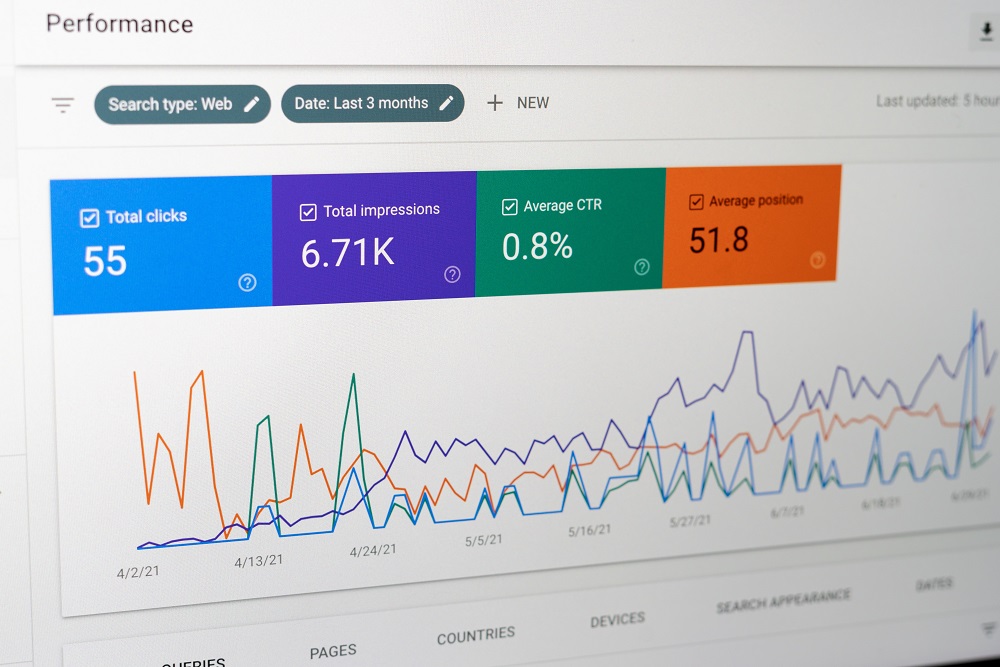
Click-through rate (CTR) is one of the most important SERP metrics. It is the percentage of people who saw your site in the search results and then clicked on it.

Formula: (Total Clicks / Total Impressions) * 100 = CTR

A high CTR means your page’s title and meta description are very good at grabbing attention and matching the search intent.

A low CTR is a huge red flag. It tells you that people are seeing you but choosing to click on a competitor’s organic result instead. Improving your CTR is one of the fastest ways to get more organic traffic without even changing your SERP position.

Impressions (Search Visibility)

Impressions count how many times your web page was shown to a user in the search engine results. This is your basic search visibility.

You can’t get clicks if you don’t get impressions first. If your impressions are low for a target keyword, it probably means:

  • You are ranking too low (on page 5, for example).
  • People are not searching for that keyword (it has low search volume).

Tracking impressions helps you know how big your potential audience is.

Organic Clicks & Traffic

This is the payoff. Organic clicks are the total number of people who clicked your link from the organic search results (not from Google Ads). This is your organic traffic, or search traffic. These are the real human visitors coming to your site. This metric is your primary goal. More organic clicks mean more people are visiting your store, reading your blog, or signing up for your service.

It’s a direct measure of your SEO performance.

Keyword Ranking Distribution (Top 3, Top 10, etc.)

One or two good keyword ranking positions are great, but you need to see the big picture. Keyword Ranking Distribution looks at all your relevant keywords at once.

It answers questions like:

  • How many specific keywords do we have in the Top 3?
  • How many are on the first page (Top 10)?
  • How many are on page 2 or 3 (positions 11-30)?

This SERP metric is perfect for seeing your overall search performance grow over time. A successful content strategy will slowly move more and more keywords from page 2 onto the first page, and from the first page into the Top 3.

Advanced SERP Metrics For A Deeper Competitive Analysis

Advanced SERP Metrics For A Deeper Competitive Analysis

Once you have mastered the core metrics, you can move on to more advanced SERP analysis. These metrics are often found in professional SEO tool platforms and are amazing for competitive analysis.

Measuring Search Visibility & Share of Voice (SOV)

This is a more powerful version of tracking impressions. Share of Voice (SOV) is a SERP metric that measures your search visibility compared to your competitors.

It asks: “For all the most important keywords in our industry, what percentage of the total clicks or impressions are we winning?”

If your SOV is 25%, it means you are getting one-quarter of all the attention for your industry’s main topics, and your competitors get the other 75%. Tracking this shows if you are gaining or losing ground in your market.

Tracking SERP Feature Ownership (Featured Snippets, PAA, Local Pack)

The modern SERP is full of special boxes called SERP features. The most valuable ones include:

  • Featured Snippets: The answer box at the very top (position zero).
  • People Also Ask (PAA): A set of drop-down questions and answers.
  • Local Pack: The map with 3 local businesses shown (for “near me” searches).
  • Video Carousels: A row of video results.

SERP Feature Ownership” is a metric that tracks how often your web page is the one Google chooses to show in these special spots. Owning a featured snippet can get you a huge number of clicks, even if you aren’t the #1 organic result.

Analyzing SERP Volatility and Rank Fluctuations

Volatility” is a fancy word for “shakiness.” The search rankings can change every day. SERP volatility is a metric that tracks how much the search results for a particular keyword are “shaking up.”

  • Low Volatility: The same 10 pages are always in the Top 10. This SERP is stable and hard to break into.
  • High Volatility: The search rankings change wildly every day. This SERP might be easier to rank in, but it’s also harder to keep your SERP position.

This analysis helps you set your marketing strategy.

Branded Vs. Non-Branded Keyword Metrics

This is a simple but powerful way to split your SEO data.

  • Branded Keywords: People who search for your company name (e.g., “VH-info,” “VH-info link building”). These people already know you.
  • Non-Branded Keywords: People who search for what you do (e.g., “SaaS link building,” “best SEO tool for startups). These people are new customers.

You must track both. Branded searches show your brand strength. Non-branded searches show how well your search engine optimization and content strategy are at finding new people. A good SEO strategy grows both.

New SEO Metrics That Deserve Attention Now

New SEO Metrics That Deserve Attention Now

The search landscape is changing fast, mostly because of AI. Google Search is now showing AI Overviews (the big AI-generated answers) at the top of many search results. This change means we need new SERP metrics to track our performance.

  1. AI Brand Mentions: An AI Brand Mention is when your brand or company name is mentioned in the text of an AI Overview, even if there is no link. This is valuable for building brand awareness. It shows that the AI associates your brand with a particular keyword or topic.
  2. AI Linked References: This is even better. An AI Linked Reference is when the AI Overview not only mentions your brand but also includes a clickable link to your web page. This is a powerful new type of backlink profile signal. It sends you high-quality, relevant organic traffic from the very top of the SERP.
  3. AI Overview Visibility: This is a new SERP metric that is like the new Share of Voice. It tracks how often your domain appears in AI Overviews for your list of target keyword queries. Are you being cited as a source? Is your content being used to build the AI answer? This is the new frontier of search visibility.
  4. Conversion Influence: This is an advanced idea. How many people see your brand in an AI Overview, don’t click the link, but then search for your brand later and become a customer? This is called “Conversion Influence.” It’s harder to track, but it’s very real. Seeing your name in a trusted AI answer builds authority.
  5. AI Citations Link Destination: When an AI Overview does link to a site, where does that link go? This metric tracks which of your pages are being used as AI Citations Link Destinations. This gives you valuable insights into what type of content the AI trusts most. You can then use this knowledge to do more content optimization.
  6. Platform-Specific Performance: This metric reminds you to look beyond just Google Search. Your audience might be asking questions on social media, Quora, or Reddit. Tracking your performance and mentions on these platforms is also important for a complete marketing strategy, as this content often appears in search results, too.

Tracking these new AI-driven SEO metrics is a new challenge. Most traditional SEO tool platforms are still learning how to track them. This is where the expertise of a dedicated partner like VH-info becomes so important. We help SaaS companies build the high-authority external links and content quality that earn these AI Brand Mentions and AI Linked References, keeping your SEO strategy ahead of the curve.

How to Effectively Track and Analyze Your SERP Metrics?

How to Effectively Track and Analyze Your SERP Metrics?

You know what to track. Now, how do you do it?

Using Google Search Console: Your Primary Source of Truth

The most important tool for tracking your own site’s SERP metrics is Google Search Console (GSC). It is 100% free and gives you SEO data straight from Google.

Inside GSC’s “Performance” report, you can see the four core metrics:

  • Organic Clicks
  • Impressions
  • Average CTR
  • Average Keyword Position

You can see this data for every search query, web page, country, and device. It is the best place to find valuable insights and identify technical issues with your ranking pages.

The Best 3rd-Party Tools For Monitoring SERP Metrics (Semrush, Ahrefs, etc.)

Google Search Console is perfect for your own site, but it tells you nothing about your competitors. For that, you need a 3rd-party SEO tool.

Tools like Semrush, Ahrefs, and Moz are industry standards. They help you:

  • Do keyword research to find new relevant keywords.
  • Estimate the search volume and keyword difficulty for any search query.
  • Run a full competitor analysis to see what keywords they rank for.
  • Analyze your backlink profile and find new link building opportunities.

Most of these tools offer a free trial, so you can test them to see which one works best for you.

Creating A SERP Metric Dashboard For Reporting

It’s easy to get lost in all this SEO data. A “dashboard” is a simple, one-page report that shows you only the most important numbers.

You can use a free tool like Google Looker Studio to connect to your Google Search Console and Google Analytics data. In a few clicks, you can build a report that shows your organic traffic, keyword performance, and CTR, all in one place.

This makes it easy to see your SEO performance at a glance.

How to Turn SERP Metric Data Into Actionable Insights?

Numbers are just numbers. You need to turn them into actionable insights. This is the key to a smart SEO strategy.

  • If your Impressions are low, your keyword position is too low. You need to improve your content quality, fix technical SEO issues like Core Web Vitals, or build more external links.
  • If your CTR is low, your ranking position is good, but your title and meta description are weak. You need to do content optimization to make them more compelling.
  • If your Bounce Rate is high, people are clicking your link but leaving right away. This means your web page has a poor user experience or doesn’t match the user intent.
  • If your Organic Clicks are high, you’re doing a great job! See what ranking pages are working best and create more content like them.

This process of “data -> insight -> action” is the heart of search engine optimization. For many SaaS teams, this is a full-time job. That’s why many choose to partner with an agency like VH-info. We handle the SERP analysis and link building so you can focus on your product.

FAQ’s:

What is the Most Important SERP Metric?

This is a common question! There is no single “most important” metric because they all work together. However, many experts would say Organic Clicks & Search Traffic are the most important, as they measure real visitors.

A high Click-Through Rate (CTR) is also very important because it shows your listing is doing its job.

How Do I Check My SERP Metrics For Free?

The best and easiest way is to use Google Search Console. It’s a free tool from Google. You just need to verify you own your website, and it will start showing you detailed SEO data about your impressions, clicks, CTR, and keyword position.

What is the Difference Between Impressions and Clicks?

It’s simple:

  • Impressions: Someone saw your website listed in the search results.
  • Clicks: Someone clicked on your website from the search results.

You always want more clicks from your impressions.

What Is A “Good” CTR As A SERP Metric?

A “good” CTR changes a lot. It depends on your industry, the particular keyword, and your ranking position. The #1 serp position will almost always have the highest CTR. In general, a CTR of 3-5% is considered average, but this can vary. A branded search query (when someone searches for your name) should have a very high CTR (30%+). The best practice is to always try and improve your current CTR.

Conclusion

Tracking your SERP metrics is not an optional task for a modern SEO strategy; it is the only way to know if your SEO efforts are paying off.

These numbers are the pulse of your search performance. They give you valuable insights into your customers, your content, and your competition. By tracking your organic rankings, CTR, and organic traffic, you can stop guessing and start making data-driven decisions.

As the search landscape changes with AI Overviews, the metrics we track will also change. Staying on top of your organic search results, from keyword ranking to new metrics like AI Brand Mentions, is the key to long-term SEO success.

This is what we focus on at VH-info. We provide the expertise in link building and SERP analysis that SaaS companies need to grow. Use these metrics, turn them into actionable insights, and watch your organic traffic reach new heights.

Link Equity Manager: Beginner’s Guide to Maximizing SEO Authority

Do you want your website to show up first in Google search results? To get to the top, a search engine like Google needs to see that your site is important and trusted. One of the main ways it figures this out is by looking at the links pointing to your site. Think of links as “votes.”

When one website links to another, it’s like casting a vote, telling Google, “Hey, this other site is good!” This system of votes is called link equity. But what happens when you have thousands of votes?

Some votes are strong, some are weak, and some might even be bad. What about the “votes” you give to your own pages? Managing all of this “link power” is a big job. It’s too much for most people to handle while also running a business.

This is where a link equity manager comes in. This guide will explain what a link equity manager is, what they do, and why they are a key part of any serious search engine optimization (SEO) strategy.

Getting this right is how you build a strong website that attracts more organic traffic and beats your competition in the search results.

What Is A Link Equity Manager?

What Is A Link Equity Manager?

A link equity manager is an expert or a special tool focused on managing your website’s link equity. Their main job isn’t just getting new links; it’s about protecting, guiding, and using all the “link power” your site already has to improve your search engine rankings.

They act like a plumber for your website. If link equity is water (“juice”), the manager makes sure the pipes (links) are all connected, sends the water to the most important pages (like your product or service pages), and stops any leaks (broken links) that waste that power.

Defining Link Equity (Vs. “Link Juice” and PageRank)

You will hear a few terms that mean similar things:

  • Link Equity: This is the professional term. It’s the value of a link that is passed from one page to another. A link from a trusted, authoritative website (like a major news site) passes a lot of link equity. A link from a small, unknown blog passes very little.
  • Link Juice: This is a casual, popular nickname for link equity. It helps people picture the concept—like juice flowing from one page to the next.
  • PageRank: This was the original name for Google’s system of counting links as votes. While the formula is now much more complex, the main idea is the same: links pass authority.

When a page links to you, it gives your page a “vote of confidence.”

This vote increases your page authority (the strength of that one page) and your domain authority (the strength of your whole website). A link equity manager works to get as many good votes as possible and uses them wisely.

Key Responsibilities: More Than Just Link Building

Many people think SEO is just about link building—the act of getting new external links (also called inbound links or backlinks). A link equity manager does that, but their job is much bigger.

Their key responsibilities include:

  • Auditing the Backlink Profile: Looking at every single link pointing to your site to find good ones, bad ones, and lost ones.
  • Optimizing Internal Linking: Controlling how “link juice” flows inside your own site. This is a huge part of the job.
  • Managing Site Changes: Protecting link equity when you move your site, delete pages, or redesign.
  • Cleaning the Link Profile: Getting rid of spammy links that could be hurting your site.
  • Strategy: Deciding which pages need more link power and creating a plan to get it there.

They look at the entire site structure and link profile to make sure every drop of “juice” improves your SEO performance and supports a good user experience.

Link Equity Manager: Human Expert Vs. Software Tool

A link equity manager can be two things:

  • A Human Expert: This is an SEO specialist who has deep knowledge of how links work. They create SEO strategies, analyze data, and make decisions. They use various SEO tools to do their job, but the strategy comes from their brain.
  • A Software Tool: This is a program designed to do the work of a manager. These advanced SEO tools can audit your backlink profile automatically, find broken links, and show you how your internal linking structure is set up.

In reality, the best setup is a human expert using powerful software. An expert needs a tool to find the problems, and a tool needs an expert to decide what to do. At VH-info, our tools are built to give you the power of an expert manager. They help you see where your link equity is going, find opportunities, and fix problems, making it much easier to manage your site’s authority.

How A Link Equity Manager Strategically Boosts Your SEO?

How A Link Equity Manager Strategically Boosts Your SEO?

A link equity manager doesn’t just guess. They use proven strategies to directly improve your search visibility and search rankings.

Preserving Link Equity During Site Migrations and Redesigns

This is one of the most important jobs for a link equity manager. Imagine you move your website to a new address (a new domain) or just change the design.

  • The Problem: If you just move or delete web pages, all the quality backlinks you earned over the years will break. They will point to pages that no longer exist (a 404 error). All that amount of link equity is instantly lost. Your search engine rankings can drop overnight.
  • The Solution: A manager uses 301 redirects. A 301 redirect is a permanent “moved” note. It tells both users and the search engine that the old page has moved to a new page. This automatically sends almost all the link equity from the old page to the new one, saving your rankings. They also fix any new broken links that pop up.

Optimizing Internal Linking to Distribute Authority

How you link your own pages together is just as important as the links you get from other sites. This is your internal linking structure.

  • The Problem: Many websites have “orphan pages” (pages with no internal links pointing to them) or send all their link power to unimportant pages. Their homepage might have a high domain authority, but their product pages have weak page authority.
  • The Solution: A manager maps out the flow of “juice.” They use contextual links (links within your main content) from high-authority pages (like a popular blog post) to your important pages (like a “buy now” page). They use smart anchor text (the clickable text you see) based on keyword research to tell Google what the target page is about. This guides both users and link equity to where they need to go.

Reclaiming Lost Link Equity (Broken Links and 404s)

Over time, other external websites that link to you might make a mistake. They might misspell your page’s URL or link to a page you deleted years ago.

  • The Problem: These broken links lead to 404 error pages. The value of a link stops flat. It’s like a “vote” that doesn’t get counted. You earned that link equity, but it’s being wasted.
  • The Solution: A link equity manager uses tools like Google Search Console to find these broken inbound links. Then, they fix them. They might contact the other website and ask them to fix the link. Or, more commonly, they will set up a 301 redirect on their own site to send that “juice” from the broken URL to a live, relevant content page. An expert agency like VH-info specializes in this process, using a suite of tools and expertise to reclaim the lost SEO value.

Auditing and Sculpting the External Backlink Profile

Not all links are good for you. Some links are “toxic.”

  • The Problem: Spammy links (also called toxic backlinks) come from bad neighborhoods on the web (like link farms or scam sites). If you have too many of these, Google might think you are trying to cheat the system, and your search rankings can suffer.
  • The Solution: A manager regularly audits your entire backlink profile. They check the quality of links and the relevance of the link to your site. They work hard to get new quality backlinks from authoritative sites. At the same time, they find the toxic backlinks and tell Google to ignore them using a disavow” file. This cleans up your link profile and protects your site.

Key Strategies Used by an Expert Link Equity Manager

Key Strategies Used by an Expert Link Equity Manager

A professional link equity manager uses a specific set of technical skills to control the flow of “juice” and maximize your SEO performance.

Conducting A Comprehensive Link Equity Audit

The first step is always a full check-up. This audit looks at every link related to your site.

  • Inbound Links: Where is your “juice” coming from? They check the quality of links, the number of links, and which of your pages they point to.
  • Outbound Links: Where are you sending your “juice“? Outgoing links (or outbound links) to other sites are normal, but a manager checks that you aren’t linking to spam or passing too much equity to other sites unnecessarily.
  • Link Types: They check for Dofollow links (which are follow links that pass link equity) and Nofollow links (which tell Google not to pass equity). A good profile has a natural mix of both.

This audit gives them a complete map of your site’s authority and shows them exactly where the problems and opportunities are.

Mastering Redirects (301, 302) and Canonical Tags

A manager needs to be an expert at giving directions to a search engine.

  • 301 Redirect: As we covered, this is a permanent “moved” signal. It’s the best way to pass link equity from an old page to a new target page.
  • 302 Redirect: This is a temporary redirect. It tells Google, “This page has moved for a short time, but the original linking page is still the main one.” This is used for things like A/B testing or site maintenance and does not pass link equity in the same way.
  • Canonical Tags: Sometimes, you might have two pages with very similar main content (like a product page that has a separate version for “blue shirts” and “red shirts”). This is “duplicate content.” A canonical tag is a piece of code that tells Google, “Of these similar pages, this one is the main, or ‘canonical,’ version.” This stops Google from getting confused and combines the link equity of all the similar pages into one strong page.

Identifying and Disavowing Toxic Backlinks

When a manager finds toxic backlinks during an audit, they must act.

If your link profile has many spammy links from low-quality or irrelevant sites, it’s a risk. A manager will first try to get these links removed by contacting the other site. But most of the time, these bad sites won’t respond.

The next step is to “disavow” them. The manager creates a list of all the bad links and submits it to Google through the Disavow Tool. This is a direct message to Google that says, “I don’t trust these links. Please don’t count them when you judge my site.

This can help a site recover from a penalty or prevent one from happening, protecting its search traffic.

Using Deep Links For Maximum Impact

A “deep link” is any link that points to a specific page on your website that is not your homepage.

Many people make the mistake of pointing all their new external links to their homepage. The homepage ends up with all the page authority, while the important product and service pages get none.

An expert link equity manager knows this is wrong. When they are doing link building, such as writing guest posts (also called guest blogging) for other authoritative websites, they make sure the links point deep into the site.

They get relevant links to point directly to the most relevant content page that will help the target audience. This spreads the link equity around your whole site, making all your important pages stronger.

FAQ’s:

What is Link Equity?

Link equity (or link juice) is the value or authority that passes from one page to another through a link. Think of it as a “vote” that helps the linked page rank higher in search engine rankings.

Why is Internal Link Equity Important?

Internal link equity is how you spread that “vote” power around your own site. It helps Google find your important pages, shows Google which pages are most important, and improves the user experience by guiding visitors through your site structure.

How Do Internal Links Affect Link Equity?

Internal links pass the amount of link equity they receive. A linking page with high authority (like your homepage) can pass a lot of equity to a linked page (like a new product page), helping it get seen and ranked by Google faster.

They also show the topical relevance between pages.

Can Internal Links Pass More Equity Than External Links?

No. External links (especially from high authority sites) are what bring new link equity (new “juice”) into your website. Internal links don’t create new equity; they just distribute the equity you already have from your number of links and their quality.

How Does A 301 Redirect Affect Equity?

A 301 redirect passes almost all (90-99%) of the link equity from the old page to the new one. It’s the best practice for permanently moving a page so you don’t lose your hard-earned page authority.

How Does Link Equity Affect New Pages and Their Rankings?

A new page starts with zero link equity. It has no votes.

By using strong internal links from your other pages, you give that new page its first boost of equity. This helps Google find it (index it) and gives it a starting push in the search rankings, improving its search visibility. It’s a key ranking factor.

How Is A Link Equity Manager Different From A Standard Link Builder?

A link builder is focused on one thing: getting new external links.

A link equity manager has a much bigger, more strategic job. They manage the entire backlink profile (including cleaning up bad links), optimize the internal linking structure, and protect all link value during site changes. Link building is just one part of their job.

What Are The Most Common Tools A Link Equity Manager Uses?

Experts use a full set of SEO tools.

The most common are Google Search Console (to see how Google views your site and find broken links), Ahrefs, Semrush, or Moz (to analyze the backlink profile of any site), and site crawlers like Screaming Frog (to audit internal links). This is where partnering with a specialized agency like VH-info comes in. We handle the complex task of managing these tools and strategies for you.

Can Poor Link Equity Management Hurt My Website’s rankings?

Yes, absolutely. If you let broken links build up, you waste your authority. If you don’t fix spammy links, you risk a Google penalty. If you have a bad internal linking structure, your important pages will be weak.

All of this can seriously harm your search rankings and lower your organic traffic.

What Are the Best Ways to Maximize Link Equity On My Site?

The best practices are:

  • Earn quality backlinks from authoritative websites in your niche.
  • Build a smart internal linking structure that sends power to your most important pages.
  • Regularly find and fix all broken links (both internal and external).
  • Point deep links to relevant content, not just your homepage.
  • Clean up toxic backlinks from your link profile.

Conclusion

A link equity manager is a vital part of any advanced search engine optimization plan. They are the guardians of your website’s authority, which is one of the most important factors in how Google ranks your site. They do more than just link building.

They are technical experts who audit, clean, protect, and guide your link equity to get the maximum possible SEO value from every single link. They make sure that all the hard work you put into your content marketing, guest blogging, and social media pays off in the search engine results. Managing all your inbound links, outbound links, internal links, and redirects is a complex, ongoing job.

But it’s what separates a site that struggles from a site that dominates the search results.

At VH-info, our SaaS link-building agency helps you implement the strategies of an expert link equity manager. We do the heavy lifting—finding your best link opportunities, fixing your worst problems, and building the right SEO strategies—to grow your organic traffic.

Fat Head Keywords: Complete Guide to High-Volume Search Terms

When you want to find something on the internet, you use a search engine like Google.

The words you type into the search bar are called search queries. For any business wanting to be found online, search engine optimization (SEO) is a must. A big part of SEO efforts is picking the right keywords. But not all keywords are the same. There are different types of keywords. You may have heard SEO experts talk about long tail keywords. But what about their big, popular brother?

This article is all about fat head keywords. We will explain what they are, the good and bad parts of using them, and how they fit into your digital marketing plan. Knowing how to use fat head keywords is a key part of a good content strategy.

What Are Fat Head Keywords? (And Why They Matter)

What Are Fat Head Keywords?

Defining Fat Head Keywords (Also Known As Short-Tail Keywords)

Fat head keywords, also called head keywords or head terms, are very short search terms. They are usually only one or two words long. Think of them as the big, main topics in any subject. They are the opposite of long, specific phrases.

Because they are so short, they are very broad.

Core Characteristics: High Volume, High Competition, Broad Intent

Fat head keywords have three main features:

  • High Search Volumes: This is their biggest appeal. “High volume” means a lot of people are searching for this search term every month. We are talking thousands, or even millions, of searches. They have the highest search volume of all types of keywords.
  • High Competition: Because so many people search for them, everyone wants to be on the first page of the search results for these terms. This means you are competing against big, rich, old companies with very strong websites.
  • Broad Intent: This is the most important part. When someone searches for a fat head keyword, we don’t really know what they want. Their search intent (or user intent) is not clear.

For example, if someone types “coffee” into Google:

  • Are they looking to buy coffee beans?
  • Are they looking for a coffee shop near them?
  • Are they looking for general information on the history of coffee?
  • Are they looking for a “coffee” table?

We just don’t know. The user intent is very broad.

Examples Of Fat Head Keywords (E.g., “Shoes,” “SEO,” “Coffee”)

Here are some classic examples of fat head keywords to make it clearer:

  • “shoes”: This term is searched millions of times. But what kind of shoes? For men? For women? For running? For winter? The search intent is a mystery.
  • “SEO”: Someone searching this might want to know “What is search engine optimization?” Or they might be looking to hire a company for SEO services.
  • “coffee”: As we said, this could mean anything.
  • “SaaS”: A person might be looking for a definition, a list of companies, or news about the industry.

These head terms cover huge, different categories of information.

The Pros and Cons of Targeting Fat Head Keywords

The Pros and Cons of Targeting Fat Head Keywords

Chasing fat head keywords can feel like chasing a movie star. It’s exciting if you catch them, but it’s very hard.

Let’s look at the good and the bad.

The Advantages: Massive Traffic Potential and Brand Visibility

The main reason anyone targets fat head terms is for the huge amount of organic traffic.

If your website could rank #1 in the search engine results for “shoes,” you would get millions of visitors.

This massive traffic makes your brand look like a big, important leader in your field. It builds brand visibility. When people see your name at the top of the search results for a big term, they start to trust you. You look like the expert.

The Disadvantages: Fierce Competition and Low Conversion Rates

Now for the bad parts. As we said, the competition is fierce. You are not just fighting other small businesses. You are fighting Amazon, Wikipedia, Forbes, and other giant websites that have very high domain authority.

(A website’s domain authority is like its reputation or strength in Google’s eyes. Older, bigger sites have more.)

Even if you do get the traffic, it often doesn’t lead to sales. This is called a “low conversion rate.” Why? It goes back to search intent.

Understanding Search Intent: Why Fat Head Keywords Rarely Convert?

People who use fat head keywords are usually “just looking.” They are at the very top of the sales funnel. They are looking for general information. They are not ready to buy.

Someone searching for “SEO” is probably not ready to pay $5,000 for SEO services. They are likely just starting their keyword research.

Someone searching for “shoes” is probably just browsing, like window shopping.

Potential customers who are ready to buy use much more specific keywords. These specific phrases show they know what they want. For example, a person searching “buy men’s red Nike running shoes size 10” is ready to pull out their credit card.

The fat head searcher is just starting. The long tail searcher is at the finish line. Because fat head searchers are not ready to buy, they don’t “convert” into customers very often.

Fat Head Keywords Vs. Long-Tail Keywords: A Strategic Comparison

Fat Head Keywords Vs. Long-Tail Keywords

You cannot talk about fat head keywords without talking about long tail keywords. A good content marketing strategy needs both.

Defining Long-Tail Keywords (E.g., “men’s brown leather running shoes size 10”)

Long-tail keywords are the opposite of fat head keywords. They are long, specific phrases that people type into a search engine. They are usually three or more words long.

  • Fat Head: “shoes”
  • Long-Tail: “men’s brown leather running shoes size 10”
  • Fat Head: “SEO”
  • Long-Tail: “best SEO agency for SaaS startups”
  • Fat Head: “coffee”
  • Long-Tail: “how to make cold brew coffee at home”

Key Differences: Volume, Competition, and Specificity

Let’s break down the main differences:

Feature Fat Head Keywords Long-Tail Keywords
Length Very short (1-2 words) Very long (3+ words)
Search Volume High search volumes Low search volume / Lower search volume
Competition Extremely high Less competition
Search Intent Broad (not clear) Specific (very clear)
Conversion Rate Very low Very high

The “Chunky Middle”: Finding A Balance

Between the fat head and the long tail, there is another group. SEO experts sometimes call these middle keywords or “chunky middle keywords.”

These are the 2-3 word phrases that are more specific than a fat head term, but not as specific as a long tail term.

  • Fat Head: “shoes”
  • Chunky Middle: “men’s running shoes”
  • Long-Tail: “men’s brown leather running shoes size 10”

These chunky middle keywords are often a great place to focus your SEO efforts. They have good search volume but less competition than the fat head keywords.

Which Keyword Type Is Right For Your Strategy?

Here is the simple answer: You need all three types of keywords.

  • You use long tail keywords for your blog posts and articles to attract potential customers who are ready to buy or learn something specific.
  • You use chunky middle keywords for your main category pages or service pages.
  • You use fat head keywords for your homepage and your biggest, most important pillar web pages.

A smart content strategy uses all different types of keywords to build a strong website.

How to Strategically Use Fat Head Keywords In Your SEO?

How to Strategically Use Fat Head Keywords In Your SEO?

So, fat head keywords are not bad. You just have to be smart about how you use them.

When to Target Fat Head Keywords (New Vs. Established Sites)

  • If your site is new, do not target fat head keywords. You will not rank. You will waste time and money. Your new site has low domain authority. Focus 100% on long-tail keywords and chunky middle keywords. You can win those.
  • If your site is established, if your site is a few years old, has a high domain authority, and lots of good content, you can start to compete for fat head keywords.

At VH-Info, we help SaaS companies build their domain authority with link building. This is the work that makes it possible to one day rank for these huge head terms.

Using Fat Head Keywords For Top-of-Funnel Content

The best way to use fat head keywords is for “top-of-funnel” content.

This is a type of content that gives general information. It’s not trying to sell anything. Let’s say your fat head keyword is “link building.”

You would write a giant, amazing, 5,000-word guide called “The Ultimate Guide to Link Building.” Your goal is not to sell SEO services. Your goal is to be the best keywords resource on the internet for that topic. This builds trust.

People who read your guide will remember your brand.

On-Page SEO: Optimizing Your Homepage and Core Service Pages

Your homepage and main service landing pages are the right place to target a fat head keyword.

For example, our homepage at VH-Info might target “SaaS link building.” A general search engine marketing agency might target “SEO.”

This means your fat head term should be in your page title, your main heading, and your meta description (the little summary that shows up in search results). But be careful! Do not use the term over and over. This is called keyword stuffing.

Keyword stuffing is when you write “We are the best SEO services for SEO services in New York” on a page. It sounds fake and search engines will punish you for it. It’s a bad user experience.

Building Content Hubs Around A Central Fat Head Term

This is the most powerful strategy. It’s called “topic clusters.”

  1. Pick your Fat Head Keyword. Let’s use “Content Marketing.” This is your “Hub.” You will create a main, central page about it.
  2. Do Keyword Research. Find all the long-tail keywords related to it.
    • How to write good blog posts
    • content marketing strategy for beginners
    • How to promote your content
  3. Write Articles. Write a separate blog post for each of those long tail terms. These are your “Spokes.”
  4. Link Them. In each long-tail article, add internal links pointing back to your main “Content Marketing” hub page.

This strategy builds topic clusters. It shows the search engine that you are an expert on the entire topic of “Content Marketing,” not just one particular keyword. Your supporting articles should target long tail versions of that term, not just an exact match of the fat head keyword.

This “hub” strategy is something we use often. Building topic clusters shows Google you are an expert. VH-Info specializes in building the links to those hub pages to give them real power and raise your search engine rankings.

Analyzing and Measuring Your Fat Head Keyword Performance

Analyzing and Measuring Your Fat Head Keyword Performance

How do you know if your SEO efforts are working? You have to track your performance.

Key Metrics to Track (Rank, Traffic, Bounce Rate)

For fat head keywords, you need to look at these metrics:

  • Rank: Where do you show up in the search engine results? Are you on page 1? Or page 10?
  • Traffic: How many people are visiting your page from that keyword search?
  • Bounce Rate: This is when a person visits your page and leaves right away without clicking anything. For fat head terms, your bounce rate might be high. People are just looking for general information. This isn’t always bad.

Tools For Researching and Monitoring Your Keywords

You cannot guess. You must use a keyword research tool.

These tools help you do thorough keyword research. They show you search volumes, how much competition there is, and new keyword ideas.
  • Google Keyword Planner: This is a free tool from Google. It’s a good place to start to find keyword ideas.
  • Google Trends: This free tool shows you if a search term is becoming more or less popular over time.
  • Premium Tools (like Ahrefs, Semrush): These tools (which we use at VH-Info) give you much more detail. They help you find related searches, see what your competitors are doing, and track your search engine rankings every day.

A good keyword research tool is vital. After your research, VH-Info can help with the next step: building the high-quality backlinks you need to rank for those target keywords.

When to Pivot: Recognizing When the Competition is Too High?

You must be realistic. Sometimes, a fat head keyword is just too hard.

If you have been trying to rank for “insurance” for two years and your domain authority is still much lower than the top 10 results, it is time to pivot. You are not giving up; you are being smart. Focus your SEO efforts on the chunky middle keywords and long tail wins.

These will bring you real value and potential customers who are ready to convert.

FAQ’s:

What is an Example Of A Fat Head Keyword?

Examples are short, one- or two-word terms with high search volumes, like “shoes,” “insurance,” “software,” or “SEO.”

Are Fat Head Keywords Good For SEO?

Yes and no. They are good for getting massive organic traffic and building your brand. They are bad for getting sales quickly because they have broad search intent. They are one part of a complete search engine optimization strategy, not the only part.

Are Fat Head Keywords Harder to Rank For Than Long-Tail Keywords?

Yes. They are much, much harder to rank for. They have the most competition from the biggest and oldest websites on the internet. Long-tail keywords have less competition.

Should I Use Fat Head Keywords In My Blog Posts?

Yes, but carefully. You can use fat head keywords as the main topic for a very big, helpful guide (a “top-of-funnel” article or content hub). But for most of your regular blog posts, you should target long-tail keywords and chunky middle keywords.

Never use keyword stuffing.

How Can I Identify Fat Head Keywords For My Niche?

Use a keyword research tool like Google’s Keyword Planner. Look for terms with just one or two words that have very high search volumes (thousands or millions of searches per month). Those are your fathead keywords.

Conclusion

Fat head keywords are the “superstars” of the world of SEO. They are the short, popular terms that get all the attention and all the organic traffic. But they are not the only types of keywords.

A smart content strategy uses a mix of all three:

  • Fat head keywords for your main pages and content hubs to build a brand.
  • Chunky middle keywords for your category pages to get interested buyers.
  • Long-tail keywords for your blog posts to answer specific questions and get high-quality leads.

Doing thorough keyword research is the first step. Getting the right keywords for your content marketing is key.

But to rank for any keyword, especially the competitive fat head terms, your website needs authority. You get that authority by earning high-quality backlinks. At VH-Info, we specialize in helping SaaS brands build that authority through strategic link building.

Once you know your target keywords, we can help you build the power to rank for them.

Would you like to learn more about how link building can help you rank for your most important keywords?

Allintitle Search: The ONLY Needed Guide to Powerful SEO Operator

Getting your website to the top of Google search results is the main goal of search engine optimization (SEO).

A big part of this job is keyword research. This means finding the words and phrases people type into a search engine. But how do you know which relevant keywords are good to target? Many people just guess, or they look at search volume and stop there. This is a mistake.

A smart SEO strategy goes deeper. You need to know how many other web pages are also trying to rank for that exact search term. This is where a powerful advanced search tool comes in. It’s not a fancy, expensive program.

It’s a simple command you can type directly into the Google search box. This command is called the allintitle search.

At VH-Info, we use simple, effective methods like this to build powerful link-building strategies for SaaS companies. We believe in breaking down complex digital marketing topics into clear, helpful advice.

This guide will teach you how to use allintitle to improve your search engine optimization and find low-competition target keywords. We will explain what allintitle is and show you how to use this search operator to make smarter choices for your blog posts and website content.

What Is an Allintitle Search? (And Why It Matters For SEO)

What Is an Allintitle Search?

Before you can use this command, you need to know what it is and why it helps. It’s one of the most useful advanced Google search operators for content creators and site owners.

Defining the “Allintitle:” Search Operator

The allintitle search is a special command, also known as a Google search operator. You type it into the search bar to give Google very specific instructions. When you type allintitle: followed by a search phrase, you are telling Google:

“Show me only the web pages where all of the specific words I typed are in the page title.”

The page title (or title tag) is the blue, clickable headline you see in a search result. It’s one of the most important parts of a page for SEO. If your keyword phrase is in the title tag, it’s a very strong signal to Google that your page is about that topic.

The Key Difference: Allintitle Vs. Intitle

People often get confused between allintitle: and another advanced search operator called intitle:. The difference is simple but important.

  • intitle:: This operator finds pages with at least one of your specified words in the title.
    • Example: intitle:best saas tools might show pages titled “Best CRM Tools” or “Useful SaaS Products.”
  • allintitle:: This operator allintitle is much stricter. It finds pages that have all of your specified words in the title, in any order.
    • Example: allintitle:best saas tools will only show pages that have “best,” “saas,” AND “tools” in their title, like “The Best SaaS Tools of 2025” or “Tools for SaaS: Our Best Picks.”

For keyword research, allintitle: gives you a much clearer picture of your direct competition.

How Google Interprets an Allintitle Query?

When you use a normal Google search, the search engine looks for your search queries all over the page—in the text, in the headings, in the internal link structure, etc. It tries to find relevant pages based on hundreds of factors.

But when you use an allintitle search, you force Google to ignore almost everything else. It narrows its focus to just one thing: the page title.

This filters out all the pages that just mention your specific keywords and shows you only the pages that are directly targeting your exact phrase or keyword set. The number of results you see on the search page is a key piece of data.

How to Use the Allintitle Search Command (Step-by-Step)

How to Use the Allintitle Search Command?

Now for the practical part. Using this command is easy. Here is how to use allintitle in your own keyword research.

Basic Syntax and Correct Formatting

The format is the most important part. If you get it wrong, it won’t work.

  1. Open your browser and go to the Google search box.
  2. Type the command allintitle: (all one word, with a colon at the end).
  3. Do not put a space after the colon.
  4. Type your keyword phrase immediately after the colon.
  • Correct: allintitle:saas link building strategies
  • Incorrect: allintitle: saas link building strategies (This space breaks the command).

You don’t need to use quotation marks unless you are looking for that exact phrase within the title, but it’s usually not necessary with allintitle:. This command is one of many advanced operators you can use.

Examples: Finding Keyword Competition

Let’s see this in action. Imagine your target keywords are “project management tools for small business.”

  • Step 1: Normal Search
    • Type project management tools for small business into the Google search bar.
    • Look at the number of results. You will probably see hundreds of millions. This number is big and scary, but it’s not very helpful. It includes every page that even mentions these words.
  • Step 2: Allintitle Search
    • Now, type allintitle:project management tools for small business into the search box.
    • Look at the number of results again.
    • This number will be much smaller. It might be 5,000, or 500, or even just 50.

This second number is your real competition. These are the web pages that have all those words in their title tag. They are your direct competitors. A low number of Google search results here means you have a much better chance of getting organic traffic.

Common Mistakes to Avoid (Like Using Spaces)

Using advanced Google search operators can be tricky. Here are the most common mistakes to avoid:

  1. The Space After the Colon: As mentioned, allintitle: keyword is wrong. The space makes Google treat it as a normal search. It must be allintitle:keyword.
  2. Using it for One Word: allintitle:seo is pointless. It does the same thing as intitle:seo. The “all” part of allintitle is only useful for two or more specific words.
  3. Confusing it with site:: The site: operator (like site:vh-info.com) searches a specific website. The allintitle: operator searches the entire internet. You can combine them, but they do very different jobs.
  4. Misinterpreting the Results: A low allintitle count is good, but it’s not everything. You still need to make sure people are actually searching for that term (i.e., it has decent search volume). A count of 0 might mean nobody is searching for it.

Using Allintitle Search For Advanced Keyword Research

Using Allintitle Search For Advanced Keyword Research

This is where the allintitle search command really shines. It moves you from basic keyword research to a more comprehensive keyword research process.

Gauging “True” Keyword Competition

Most keyword research tools (and there are many best tools out there) will give you a “keyword difficulty” score. This score is just an estimate. The allintitle search is a great way to get a real-world, live number from Google itself.

Why does this matter? Let’s say you have two keyword phrases:

  • Keyword A: 1,000 searches/month, allintitle results: 2,000
  • Keyword B: 800 searches/month, allintitle results: 50

A beginner might choose Keyword A because it has a higher search volume.

But a smart SEO (like the team at VH-Info) would see that Keyword B is the real opportunity. With only 50 competing pages, it will be much easier to rank and get that organic traffic. This is a core part of a smart seo strategy.

Understanding the Keyword Golden Ratio (KGR)

This method of “gauging ‘true’ keyword competition” was popularized by a concept called the Keyword Golden Ratio (KGR). While it sounds complex, the KGR formula is a simple way to find low-competition, long-tail keywords.

The KGR formula is:

KGR = Number of Allintitle Results / Monthly Search Volume

Here’s the rule for this golden ratio:

  • If the KGR is less than 0.25: This is a fantastic keyword. It means the number of direct competitors is extremely low compared to the number of people searching for it.
  • If the KGR is between 0.25 and 1.00: This is still a good, low-competition keyword.
  • If the KGR is over 1.00: This is a very competitive keyword.

Example:

You find a keyword “how to track saas churn” with a search volume of 300.

You do an allintitle search: allintitle:how to track saas churn

The number of results is 15.

KGR Formula: 15 / 300 = 0.05

This KGR of 0.05 is way under 0.25. This is a golden ratio keyword! You should write a blog post on this topic immediately.

Finding Low-Competition, Long-Tail Keywords

You don’t have to follow the KGR formula exactly. The main idea is to use the allintitle search to find low-competition, long-tail keywords. Long-tail keywords are longer, more specific search queries (usually 3+ words).

When you do content research, think of a few search phrase ideas. Check the allintitle count for all of them.

The one with the lowest count is often your best bet. This helps content creators focus their efforts on topics they can actually win. You’re looking for topics where the search intent (what the user wants) is clear, but the competition is low.

Allintitle Search For Competitor & Content Analysis

Allintitle Search For Competitor & Content Analysis

This google search operator isn’t just for keyword research. It’s also a powerful tool for competitor research and finding content gaps.

How to Analyze Your Competitors’ Title Tags?

Want to know what target keywords your competitors are focused on? You can use allintitle: combined with the site: operator.

  • Command: site:competitor.com allintitle:keyword
  • Example: site:hubspot.com allintitle:saas metrics

This search will show you all the pages on HubSpot’s specific website that have “saas” and “metrics” in the page title.

This is an easier way to see their content strategy than clicking through their whole site. You can analyze the titles they use, which relevant keywords they include, and how they frame the topic.

Identifying Content Gaps In Your Niche

A “content gap” is a topic that people are searching for, but that no one has written a good article about. The allintitle search is perfect for this.

Let’s say you’re doing content research for your SaaS blog. You have an idea: “best crm for saas startups.

  • allintitle:best crm for saas startups
  • You search this and find 1,500 results. This topic is very competitive.

You have another idea: “how to connect crm to slack.

  • allintitle:how to connect crm to slack
  • You search this and find only 30 results.

You just found a content gap! People are likely searching for this, but very few site owners have created content that directly targets it in the title. This is a huge opportunity. This also helps you avoid creating duplicate content that 100 other sites have already published.

Combining Allintitle With Other Search Operators

This is where Google Advanced Search gets really fun. The allintitle: operator can be combined with other special commands to get very specific results.

  • Find Guest Post Opportunities: allintitle:"write for us" saas or allintitle:"guest post" link building. This finds pages that are about SaaS or link building and have “write for us” in their title. This is a tactic we use at VH-Info to find guest post opportunities.
  • Exclude Your Site: allintitle:saas marketing -site:vh-info.com. This finds all pages with “saas” and “marketing” in the title, except for pages on our own site.
  • Find Specific File Types: allintitle:saas kpi report filetype:pdf. This finds PDF reports with “saas,” “kpi,” and “report” in the title.
  • Search Other Google Tools: These advanced search operators can sometimes work in Google News or Google Scholar for academic or news-based research.
  • Find Related Sites: While related: is its own operator (e.g., related:vh-info.com), you can use allintitle: to find lists of sites, like allintitle:best saas blogs.
  • Advanced Combinations: You can even use the minus sign to exclude words (allintitle:saas tools -free) or look for a range of numbers (allintitle:best crm 2024..2025). You can even use it to find local content by adding a zip code to your query.

This is much more powerful than just scrolling through social media or looking at a cached version of a web page. It’s active, focused research.

FAQ’s:

What is the Difference Between Intitle: and Allintitle:?

intitle: finds pages with at least one of your words in the title. allintitle: (or operator allintitle) is stricter: it finds pages with all of your words in the title. For keyword research, allintitle: is almost always more useful.

Can You Combine Allintitle: With Other Search Operators?

Yes. This is one of its most powerful features. You can combine this advanced search operator with site:, filetype:, the minus sign (-) to exclude terms, and others to make your google advanced search queries very precise.

How Accurate is Allintitle For Determining Keyword Competition?

It is one of the most accurate free methods available.

The number of results comes directly from Google’s index. It’s not an estimate from a third-party tool. However, it’s just one piece of data. You should always use it along with search volume data from keyword research tools.

It’s one of the best seo tips for a quick, real-world check.

Can I Use Allintitle For Long-Tail Keyword Research?

Yes, it is perfect for this. It is one of the best ways to find low-competition, long-tail keywords. Using the Keyword Golden Ratio (KGR) method is a great, structured way to do this.

What Should I Avoid When Conducting Allintitle Searches?

  • Avoid the space: Don’t type allintitle: keyword. It must be allintitle:keyword.
  • Don’t rely on it alone: It’s a tool for measuring competition, not demand. You still need search volume.
  • Don’t use it for one word: It’s pointless. Use intitle: or just a normal search.

Following these best practices will make your comprehensive keyword research much more effective.

Conclusion

The allintitle search command is a simple, free, and incredibly powerful tool in your search engine optimization kit. It cuts through the noise of massive search engine results and shows you the real number of direct competitors for any keyword phrase.

With this tool, you’re empowered to move away from guesswork and toward decisions backed by data; it enables you to identify long-tail keywords with low competition, uncover content gaps within your niche, and examine the SEO tactics employed by your competitors.

At VH-Info, our entire focus is on building effective SaaS link-building strategies.

This starts with smart content research and competitor research. Tools like the allintitle search are a great way to find opportunities that others miss, from finding the right target keywords to identifying the best sites for a guest post. A successful SEO strategy isn’t just about one thing—it’s about using the best tools and best practices for everything from keyword research to your internal link and anchor text structure.

Adding this advanced Google search operator to your process is a simple step that can lead to big results.

The Ultimate Guide to Curated Links & How to Get Them (2026)

Getting your website to show up on the first page of Google is a big goal for any business.

One of the most important parts of your SEO strategy is called link building. This just means getting other websites to link to your website.

When search engines like Google see that many quality links point to your site, they think your site must be important and helpful. There are many ways to get links. You can write new content and hope people link to it. You can share your blog posts on social media.

But one very smart and effective method is building curated links.

Here at VH-Info, we help SaaS (Software as a Service) companies with their SEO strategy every day. We know that building high-quality, curated backlinks is a powerful way to improve search engine rankings.

This guide will explain what curated links are, why they work so well, and how you can get them for your own site.

What Are Curated Links (And Why Do They Matter For SEO)?

What Are Curated Links?

Let’s break down this important link building method. It might sound fancy, but the idea is very simple.

Defining Curated Links: Beyond the Buzzword

A curated link is a link to your website that gets added to an old piece of content on someone else’s site.

Think about it this way: Someone wrote a helpful blog post three years ago. You have a new content page on your site that adds more value to that old topic. You contact the owner of that old post and suggest they add your link to make their article even better for readers.

When they add your link to that existing blog post, you have earned a curated link. This is also called a niche edit or a link insertion. It’s a contextual link because it’s placed right inside a sentence where it makes sense.

How Curated Links (Or Niche Edits) Work?

The process for getting a niche edit is pretty straightforward.

  1. Find: You look for a relevant blog post on a good website. The article should be related to your business or product.
  2. Check: You make sure this relevant content is high-quality and gets visitors.
  3. Outreach: You contact the site owners or editors. This step is called manual outreach.
  4. Suggest: You show them your target website page and explain why adding your link would make their old article more helpful.
  5. Place: If they agree, they edit their existing page and add your link.

This manual outreach process takes a lot of time and skill. You have to find the right person to email and say the right thing. This is why many businesses use link-building services, like the team here at VH-Info, to handle this work.

We already have relationships with thousands of reputable websites.

Curated Links Vs. Guest Posts: Understanding the Key Differences

People often mix up curated links and guest posts. They are both part of link building, but they are very different.

  • Guest Posting: This is when you do content creation from scratch. You write a whole new content article (called a guest post) and give it to another website to publish. Your link is inside the new article.
  • Curated Links: This is when you do not write a new article. You find an existing page that is already popular and has authority. You just asked for a link placement in that old article.

A guest post starts with zero power. It has to earn its own page authority over time. A curated link is placed on a page that already has power. This means the benefit to your site can be much faster. You get to share in the “link juice” that the old page has already built up.

The Top 3 SEO Benefits of Curated Links

So, why should you focus on getting curated backlinks? They have some big benefits for your SEO results.

  1. Instant Authority: As we just said, you are placing your link on an existing blog post that search engines already trust. That page might already have a high page authority and good search rankings. Your link gets a share of that power, or link juice, right away. This is a great way to build your own site’s domain authority.
  2. Looks Natural: To Google, a link insertion often looks very natural. It makes sense that a website owner would go back and update an old piece of content with a new, helpful resource. It shows they care about keeping their content fresh. This is very different from low-quality tactics.
  3. Highly Relevant: The best curated links are powerful contextual backlinks. This means your link (and its anchor text) is surrounded by relevant content. This tells Google exactly what your page is about. If you get a link from an article about “Best Software for Teams” to your team software page, that’s a perfect match. This helps you rank for those specific keywords.

A Strategic Approach to Building Curated Links

A Strategic Approach to Building Curated Links

You can’t just ask every website for a link. You need a smart link-building strategy.

Step 1: Setting Clear Goals For Your Link Curation Campaign

First, know what you want to achieve. What is your goal?

  • Do you want to get more organic traffic to your whole site?
  • Do you want one specific page to rank on the first page of Google?
  • Are you trying to beat a competitor for important search rankings?

Setting goals helps you focus your SEO efforts. At VH-Info, we start every campaign by identifying key pages on our client’s site and the keywords they need to rank for. This guides our entire curated link-building process.

Step 2: Identifying High-Quality Target Pages

This is a very important step. You only want links from high-quality pages on reputable websites. Look for sites that:

  • Write about your industry or topic. These are relevant websites.
  • Have a good domain authority (DA) or Domain Rating (DR).
  • Get real organic traffic from search results.
  • Look professional and are trusted, reputable sources.

Finding pages with high domain authority is key. A link from a strong, trusted site is worth much more than 100 links from weak, spammy sites.

Step 3: Finding the Right Content & Link-Worthy Assets

Before you ask for a link, you need a great page on your own site for the link to point to. This is called a “link-worthy asset.”

You can’t ask someone to link to a boring sales page. You need to offer them a link to amazing quality content. This could be:

  • A very helpful blog post that answers a question.
  • An original content research report or case studies.
  • A helpful free tool or guide.

Your piece of content must be good enough to deserve a link. It must add value to the relevant content in their article.

Step 4: Mastering the Art of Outreach For Curated Links

Once you have your target page and your link-worthy asset, it’s time for manual outreach. This is also called blogger outreach.

You need to find the email address of the website owner or editor. Then, you write them a polite, personal email.

  • Tell them you liked their relevant blog post.
  • Point out your helpful page (your asset).
  • Suggest how their article could be even better for their readers by adding your link.

Good outreach is hard. You have to sound helpful, not like you’re just begging for links. The goal is to improve their user experience and your SEO at the same time. This is an art, and the VH-Info team has perfected it over years of building relationships.

How to Vet & Qualify Your Curated Links For Quality?

How to Vet & Qualify Your Curated Links For Quality?

Not all curated links are good. Some can even hurt your website rankings. You must know how to check a link placement for quality.

Red Flags: How to Spot A Bad Link Placement

If you see these signs, stay away. This is a low-quality link.

  • Too Many Links: The page is just a long list of outbound links. It doesn’t have any real content.
  • Wrong Topic: The website has nothing to do with your business.
  • Spammy Look: The site is full of ads, pop-ups, and poorly written curated content.
  • No Traffic: The site has a high domain authority score but gets zero visitors. This is often a sign of a fake site.

These types of backlinks can damage your backlink profile.

The “Good Link” Checklist: Relevance, Authority, and Traffic

Here is what you want to see in a quality backlink:

  • Relevance: The relevant blog post and the whole website should be about your topic. This is the most important factor.
  • Authority: The site should have a good reputation and a strong link profile of its own. It should be a high authority site.
  • Traffic: The page should get real visitors from Google. This means the link can send you referral traffic (real people clicking the link) as well as SEO power.

Analyzing A Site’s Authority (DA, DR, and Beyond)

Many people use tools to check scores like Domain Authority (DA) or Domain Rating (DR). These scores try to guess how strong a website is.

A high domain authority is usually good. But scores are just one part of the story. You must also look at the page authority of the exact page where your link will be. A link from a strong page on a medium-authority site can be better than a link from a weak page on a high-authority site.

At VH-Info, we look beyond simple scores. Our team checks the site’s link profile, traffic patterns, and content quality to make sure it’s a reputable source and a truly high-quality opportunity.

The Importance of Contextual Relevance and Anchor Text

Where your link is placed matters. A contextual link is a link that is placed inside a sentence.

This is much better than a link just sitting in a list at the bottom of the page. The clickable words of the link are called the anchor text. The anchor text should be natural and give a hint about what the page you are linking to is about.

For example, if your page is about “dog training tips,” a good anchor text might be “this guide on training your dog.”

This contextual relevance helps search engines connect your page to those keywords, which can help you show up in search results.

Are Curated Links A White Hat Or Black Hat Tactic?

Are Curated Links A White Hat Or Black Hat Tactic?

This is a common question. Is this kind of link building “safe“?

Navigating Google’s Guidelines

Google’s main rule is that links should be “earned” naturally. They do not like any link building strategy that tries to cheat the system.

  • Black Hat SEO: This is cheating. A black hat tactic would be using software to put thousands of low-quality links on spammy sites. This is dangerous and will get your site penalized.
  • White Hat SEO: This is the safe, good way to do SEO. A white hat strategy focuses on quality and the user experience.

A good curated link is a white hat tactic. Why? Because you are finding an old piece of content and making it better by adding a helpful, relevant link. You are helping the website owner and their readers.

How to Keep Your Curated Link Strategy Safe and Effective?

To keep your SEO efforts safe, you must follow these best practices:

  • Focus on Relevance: Only get links from pages that are about your topic.
  • Focus on Quality: Only get links from reputable websites that you would be proud to be on.
  • Don’t Overdo It: Build links slowly and steadily. A natural backlink profile grows over time.
  • Vary Your Anchor Text: Don’t use the same anchor text for every link. Keep it natural.

The Risks of Low-Quality Niche Edit Services

Be very careful when you hire a curated links service. Many “cheap” services sell low-quality niche edit links.

They might place your link on “link farms“—websites that exist only to sell links. These sites have no real readers and are toxic. Getting links from them is a black hat tactic that will hurt your search visibility.

This is why choosing a trusted partner like VH-Info is so important. We are a 100% white hat agency. We focus on high-quality, manual outreach to secure quality links that are safe and effective for your SEO results.

FAQ’s:

Are Curated Links A Safe and Google-Compliant Strategy?

Yes, curated links are a safe and effective white hat strategy when done correctly. The key is to focus on getting high-quality, relevant links from good websites. The link must add value to the page and improve the user experience.

How Can I Identify Trustworthy Curated Link Services?

Look for a curated links service that is open about its process. They should talk about manual outreach, quality content, and finding reputable sources. Ask to see case studies or examples of their work. If a service, like VH-Info, emphasizes quality and relevance, that’s a good sign.

What Should I Expect After Adding Curated Links to My Website?

SEO results take time. You will not jump to the first page overnight. After getting good curated links, you should see a slow and steady improvement in your search engine rankings and organic traffic over the next few weeks and months.

What is the Main Difference Between Curated Links and Guest Posts?

The main difference is in content creation. For guest posts, you must write a new blog post. For curated links (or niche edits), your link is added to an old, existing blog post.

Are Curated Links Safe For SEO?

Yes, high-quality curated links are very safe for SEO. They are one of the safest types of backlinks because they appear as a natural update to an existing page. Low-quality, spammy links are not safe.

How Much Do Curated Links Cost?

The cost changes a lot. A link from a very high authority website with a high domain authority and lots of traffic will cost more than a link from a smaller blog. You are paying for the quality and power of the link placement.

Why Are Curated Links Often More Effective Than Guest Posts?

Curated links are often more effective because they give you power faster.

The existing blog post already has age, trust, and page authority. Your link gets to benefit from that right away. Guest post links are placed on a new content page, which starts with zero authority and has to build it up.

Conclusion

Curated links are a smart and powerful part of any modern SEO strategy. They are a great way to get quality backlinks that search engines love. This method, also called niche edit or link insertion, helps you get link juice from pages that are already strong.

Unlike traditional link-building methods like broken link building or guest posting, this tactic uses existing, relevant content to boost your site. Building a strong link profile with curated backlinks is a key part of your digital marketing and content marketing.

It takes time and effort to find the right sites and do manual outreach, but it is worth it for your website rankings.

If you run a SaaS company and want to improve your search rankings with a safe, effective, and high-quality link-building strategy, VH-Info is here to help. We specialize in building the quality links you need to grow.

Would you like to learn more about how VH-Info can build high-authority, curated links for your website?

The Ultimate Link Building Black Friday Offer [2025] Is Here!

This is the most wonderful time of year for digital marketing professionals. Why? Because the holiday season brings the best Black Friday deals.  Many SEO professionals look for deals on SEO tools or annual plans for software. You might see ads for a Black Friday VPN or Black Friday VPN deals. But the smartest SaaS companies know the best investment is not just in tools, but in building real authority.

This year, VH-Info is doing something special. We are not a tools company. We are a SaaS link-building agency.  We help you get powerful links that make your website show up higher in Google search results. We are launching our first-ever link-building Black Friday offer.

This is a great opportunity to build your brand’s trust and win big in 2026. Forget sorting through dozens of SEO toolkit promos.

This Black Friday deal is focused on one thing: getting you high-quality backlinks that grow your organic traffic. This is the ideal time to plan your content strategy and link building for the next year. Don’t miss this limited-time offer.

What’s Inside Our 2025 Link Building Black Friday Offer?

What’s Inside Our 2025 Link Building Black Friday Offer?

We wanted to make our Black Friday campaign simple and powerful.

At VH-Info, we believe in giving you real value that lasts. This isn’t just a small discount. It’s a chance to lock in expert help at a price you will not see again. This Black Friday and Cyber Monday, we are helping new customers set up their SEO strategies for success.

25% Off All Link building Packages (Lifetime Same Prices)

This is the main event. When you sign up during our Black Friday sale, you get 25% off any Link building package. But here is the best part: this price is locked in for life. As long as you are a VH-Info client, you will always pay this low price.

Your competitors will be paying more next year, but you won’t. This helps your small business or SaaS company have a clear budget. These exclusive discounts are our way of saying thank you. You can use this promo code to secure your spot.

Our customer support team is ready to help you choose the best plan.

Limited-Time Bonus: Free 1-Hour SEO Strategy Call

Because we want you to succeed, we are adding a huge bonus.

Everyone who buys a package with this Black Friday deal also gets a free 1-hour strategy call with one of our senior team members.

This is not a sales call. This is a deep dive into your website. We will talk about your business goals. We will look at your current backlink analysis and competitor analysis. We can review your keyword research, your website content, and your internal linking structure. We will help you build a real plan to get more online visibility. This call alone is a huge value, and it’s free with our link-building Black Friday offer.

Why This Link Building Black Friday Offer Will Explode Your 2026 Rankings?

Why This Link Building Black Friday Offer Will Explode Your 2026 Rankings?

Getting a discount is nice. But why is this Black Friday deal so important for your business? It’s because link building is the key to long-term search engine rankings. Search engines like Google see links as votes of trust. Our job at VH-Info is to get you the best votes.

This is more than just a purchase. It’s a head start. While your competition is busy with PPC campaigns or social media buzz that fades, you will be building a strong foundation. This Black Friday SEO deal is a great way to invest in your future.

Secure High-Authority Backlinks At Our Best-Ever Price

Good links are not cheap. It takes a lot of work to find good sites, talk to content creators, and write great articles. We do all that work for you.

With this link building Black Friday offer, you get our expert service at the lowest price we have ever offered. This means you can get more links for your budget. More links from good websites tell search engines that you are an expert. This helps you climb in the search results for the keywords that matter to your business. This is your chance to build link equity (link power) for a fraction of the cost.

Build Trust and Credibility With Real, White-Hat Links

At VH-Info, we only follow best practices. We never use tricks or shortcuts. This is called “white-hat” SEO.

It means we build links that are safe and will help you for a long time. We build links by writing helpful blog posts (guest posts) and placing them on real, respected websites in your industry. This not only builds your search rankings but also builds your brand’s trust. People will see your name on other expert sites, which grows your online visibility. This is a key part of any good digital PR and content strategy.

Get A Head Start On Your Competitors For the New Year

The end of the year is the perfect time to plan. Most companies slow down during the holiday season.

But smart SEO professionals use this time to get ahead.

By securing your Black Friday link-building package now, you are telling us to start working. We can begin your competitor analysis and outreach right away. By the time January 2026 arrives, you will already have new, powerful links working for you. Your competitors will be just starting their planning, while you will already be seeing your rank tracking improve. This is how you win in the search engine results.

Our Process: Quality, Transparency, and Results

How do we do it? Our process is built on what SaaS companies need.

  1. Strategy: We start with your business goals. We do keyword research to find what your customers are searching for. We look at your search intent and find the best pages on your site to build links to. This might be a landing page or a key blog post.
  2. Outreach: Our team members find the best websites. We look for sites with real organic traffic, not just a high score from SEO tools. We build real relationships.
  3. Content: We have expert content creators who write high-quality articles. The website content is helpful, gives relevant information, and fits the other site’s audience.
  4. Placement: We place your link naturally inside this helpful content. This improves your user experience and gives you strong link equity.
  5. Reporting: You see everything. We show you every link we build. You can check our work and see your search rankings climb.

This clear process is why so many SaaS brands trust VH-Info. We are not just a vendor; we are your link-building partner.

How to Claim Your Link Building Black Friday Offer (Ends Cyber Monday!)

How to Claim Your Link Building Black Friday Offer?

Getting this Black Friday deal is very simple. 

But remember, this offer is for a limited time and is strictly limited to the first 30 qualifying companies that sign up. This great opportunity starts on Black Friday and ends at midnight on Cyber Monday—or as soon as all 30 spots are filled.

  • Step 1: Browse Our Link building Packages – Visit our VH-Info website to see our Link building packages. All our standard plans are included in this Black Friday link-building offer. We have plans perfect for a small business just starting out or for large SaaS companies that need to scale fast. This is the ideal time to review your website content and see which package fits.
  • Step 2: Email Megan to Claim Your Deal – Choose the package that fits your business goals. To get your discount, you must email our sales strategist, Megan, directly at megan@vh-info.com. Please use the subject line: “Inquiry for VH-info’s black friday offer” to ensure you are fast-tracked. You don’t need any other special promo code. Megan’s team will manually apply your 25% lifetime discount to the invoice. This is one of the best Black Friday discounts you will find for a high-value service.
  • Step 3: Our Team Will Contact You For Onboarding – Once your purchase is complete, you are all set! One of our expert team members will contact you right away to welcome you as one of our new customers. We will schedule your free 1-hour SEO strategy call. We will get to know your business, learn your goals, and start building your custom link-building plan. Our customer support is here to make it easy.

See What Our Clients Say (Real Results From Our Links)

We are not just selling link building. We are delivering real growth. At VH-Info, we are proud of the results we get for our SaaS clients. Our white-hat SEO strategies get real, measurable results. Don’t just take our word for it. Look at the organic traffic growth we have delivered.

Case Study: How A Social Media Marketing Agency Grew Traffic by 670%

A client in the very crowded social media marketing space came to us. Their website content was good, but they had no online visibility. They were stuck on page 5 of Google search. We built a custom content strategy and link building plan.

We focused on getting them links from top marketing and business blogs. The Result: In 18 months, their organic traffic grew by 670%. They now rank on page 1 for their most important keywords, bringing in new customers every day.

Case Study: How an Email & SMS Marketing Tool Grew Traffic by 280%

We worked with a SaaS company from Lithuania that had a great Email & SMS Marketing tool.

Their goal was to get more US and UK customers. They needed to strengthen their blog posts and product pages. We started a 24-month project. We did deep competitor analysis and outreach. We built 450 high-quality links from sites with strong US/UK traffic.

The Result: Their organic traffic more than doubled, from 74,000 to over 158,000 visitors a month. Their Domain Rating (a trust score) went from 74 to 81. They told us our team gave them a clear plan and “delivered both predictable and reliable results.

Case Study: How an Email Delivery Service Grew Traffic by 185%

An email delivery service (a technical SaaS) needed to build trust. Their customers are developers who need relevant information. Generic links would not work. We needed to get them links on technical blogs and developer forums.

Our team’s digital PR skills helped get them mentioned on very specific, high-authority sites. The Result: Their organic traffic from developers grew by 185%. More importantly, their bounce rate went down because the traffic was so relevant.

Case Study: How A Development Team’s Provider Grew Traffic by 335%

This client provides development teams to other companies. This is a high-value, low-search-volume industry.

Our keyword research focused on very specific, high-intent phrases. We built links on business, tech, and startup websites.

We helped them with content optimization on their main landing page. The Result: A 335% jump in organic traffic. They now get steady leads from search engine results, not just from PPC campaigns. This Black Friday SEO deal can get you started on a similar path.

FAQ’s:

What Makes Your Link-Building Services Safe and “White-Hat”?

This is a great question. “White-hat” means we follow all of Google’s rules. At VH-Info, we do this by:

  • Never buying links from “link farms” or private blog networks (PBNs).
  • Always writing 100% original, helpful website content for each guest post.
  • Only placing links on real websites that have real readers and real organic traffic.
  • Making sure the link is helpful and makes sense in the article.

This builds real trust with search engines and users.

Do Black Friday Link Building Deals Really Help Improve SEO Rankings?

Yes, if you buy from a trusted agency like VH-Info. A Black Friday deal is just a great opportunity to get a high-quality service at a lower price.

The links we build for you with this Black Friday offer are the same high-quality links we build all year. Getting this deal helps you build more links for your budget. More good links, built steadily over time, are the number one way to improve your SEO rankings.

It’s the ideal time to start.

How Long Does It Take to See Results From This Black Friday Offer?

SEO and link building are a long-term strategy. You will not be number one on Google overnight. Anyone who promises that is not being honest.

You will start to see your search rankings move in as little as 2-3 months. You will see real, strong growth in 6-12 months. The work we start for you this Black Friday and Cyber Monday will pay off for all of 2026 and beyond. Good links keep working for you forever.

When Do the Best Black Friday Link Building Discounts Usually Become Available?

Right now! Most Black Friday and Cyber Monday deals from digital marketing agencies start the week of Thanksgiving. The best Black Friday deals for services, like our link-building Black Friday offer, are often for a very limited time.

Many, like ours, end on Cyber Monday. Don’t wait until last year’s deals are all gone.

Are There Any Extra Bonuses Included in Black Friday Link Building Promotions This Year?

Yes! With the VH-Info link building Black Friday offer, you get two big things:

  • 25% OFF all packages.
  • A FREE 1-Hour SEO Strategy Call with our expert team to help you review content optimization, internal links, schema markup, local SEO strategies, and build a plan.

This bonus call is not something we offer any other time of year. It’s only for our Black Friday and Cyber Monday new customers.

Conclusion

This holiday season, don’t just buy more SEO tools or annual plans that you might not use. Make a real investment in your website’s authority. This Black Friday, VH-Info is giving you the chance to get premium, white-hat link building from a trusted SaaS agency at our best-ever price. This link building Black Friday offer is a great way to get a head start on 2026. You will secure powerful backlinks, build brand trust, and get a free, 1-on-1 strategy call to plan your success. This is a limited time offer. It ends on Cyber Monday.

Take this great opportunity to partner with VH-Info and watch your organic traffic and search engine rankings grow.