#1 Guide to Getting Free YouTube Backlinks (That Actually Works)

Every video creator wants more views. You spend hours filming and editing. You upload your work to your YouTube channel. But then, the views just do not come. It can feel very frustrating. You might wonder how famous content creators get so much attention. 

The answer is often simple: they have a strong link-building plan.

At VH-info, we know that building links is the key to growing online. We help SaaS companies build real authority every day. We know that the same rules apply to video.  You need free YouTube backlinks to show search engines that your content is good.

When other websites point to your YouTube video, it acts like a vote. It tells Google and YouTube that your video is special. This helps you climb up the search engine rankings.

In this guide, we will show you exactly how to get these links. We will look at safe ways to grow. We will also look at the phrase “1000000 free backlinks for YouTube videos” and what it really means for you. We will keep it simple and safe.

What Are Free YouTube Backlinks (And Why Do They Matter?)

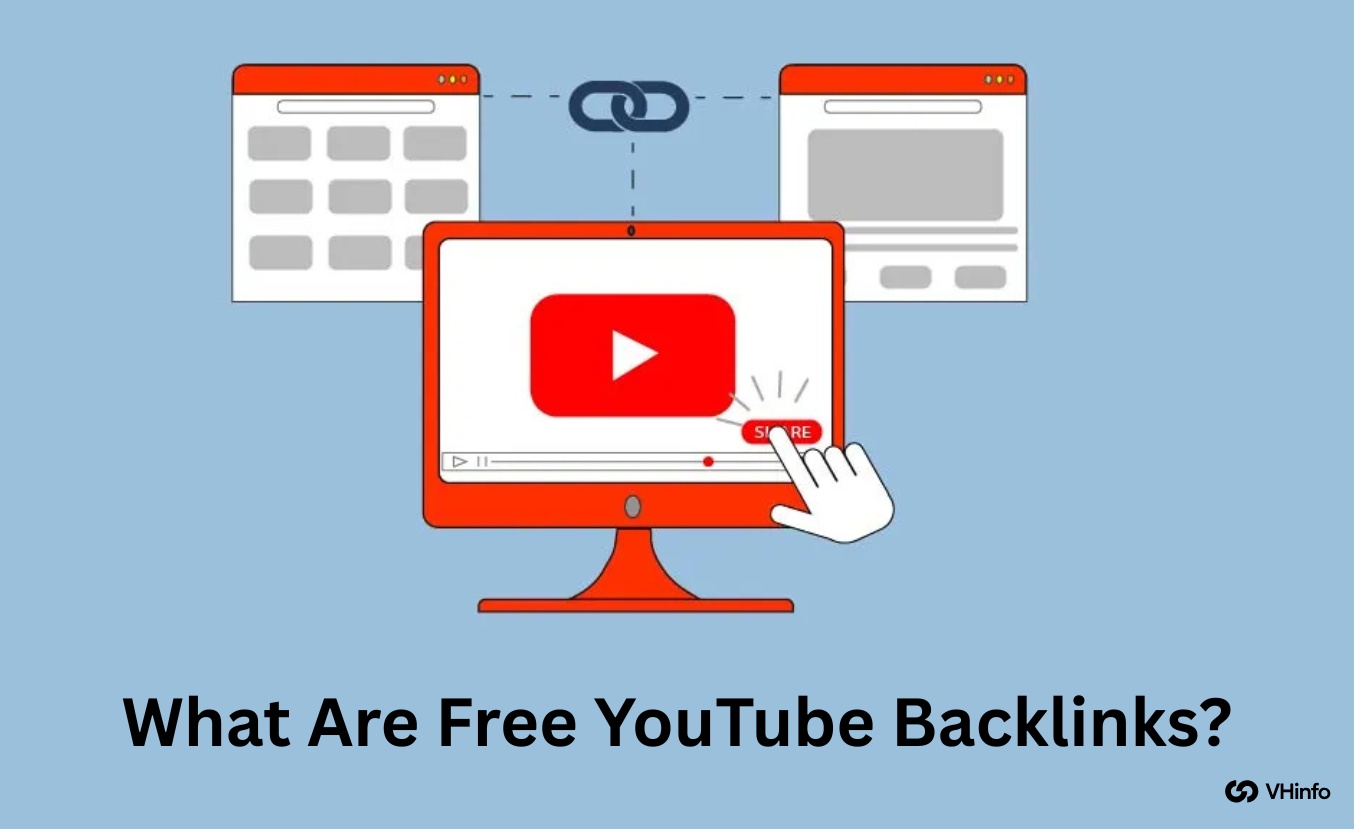
What Are Free YouTube Backlinks?

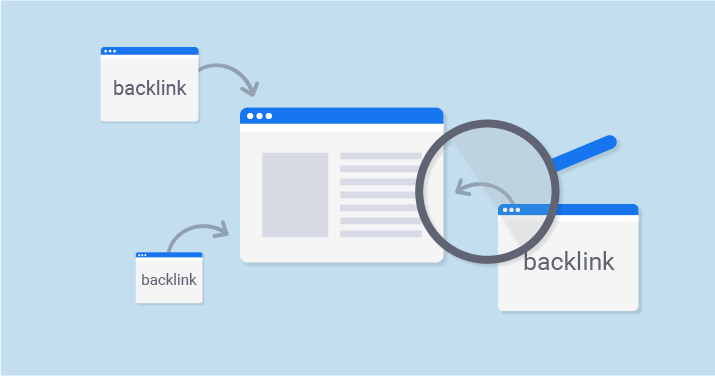
A backlink is just a link. It connects one webpage to another. When we talk about YouTube backlinks, we mean a link on a website that takes a user to your video. Think of the internet like a big school. If the most popular kid in school talks about you, everyone listens.

If a popular website links to your video, search engines like Google pay attention. This helps your online visibility.

Understanding the Two Types of YouTube Backlinks

Not all links are the same. At VH-info, we like to keep things organized. There are two main buckets for these links. Knowing the difference helps you make a better SEO strategy.

On-Platform Links: Linking From Your YouTube Channel

These are links you create inside YouTube itself. You control these. You can link from one video to another. You can link from your profile to your website. These are the easiest free backlinks to get because you do not need to ask anyone for permission.

They help keep people watching your content for a longer time.

Off-Platform Links: Building Links to Your YouTube Videos

These are links that come from outside of YouTube. Examples include:

  • A blogger writing about your video.
  • Someone sharing your link on social media platforms.
  • A news site featuring your content.

These are very powerful. They bring in organic traffic from new places. Getting these requires more work, but the results are worth it.

The Core Benefits: More Traffic, Higher Rankings & Better Authority

Why do we do this? It is not just for fun. It is for growth.

  • More Traffic: Links bring people to your video. This means more views.
  • Higher Rankings: Search engine results favor videos with many links. You might appear on the first page of Google.
  • Better Authority: When reputable websites link to you, you look like an expert.

How to Get Free Backlinks From Your YouTube Channel?

How to Get Free Backlinks From Your YouTube Channel?

You should start with what you can control. Your own channel is a goldmine for links. Many people forget to use their own space properly.

Here is how to set up your YouTube channel for success.

Optimize Your Channel Profile Link

Your channel homepage has a spot for links. This is in the “About” section or the channel banner. Do not leave this empty. Put a link to your website or blog here. If you have a YouTube Shorts strategy, you can link to a playlist of your best shorts.

This is a valuable resource for new viewers. It helps them find more of your work fast.

Add Strategic Links to Your Video Descriptions

The description box is very important. Do not just write “New video.” Write a full summary of the video.

Inside this text, put links.

  • Link to related videos you made.
  • Link to your website.
  • Link to the products you mention.

This helps YouTube SEO. It creates a web of content that keeps viewers busy. Make sure the links are relevant. Relevant backlinks are always better than random ones.

Use Pinned Comments For A High-Visibility CTA

Comments are great for talking to fans. But you can also use them for links. Write a comment on your own video. Put a link in it. Then, “pin” that comment. This keeps your comment at the very top. Every person who scrolls down will see it.

It is a great place to put a YouTube video link to your next episode. It creates a smooth path for the viewer.

Use YouTube End Screens & Cards

Have you seen those boxes that pop up at the end of a video? Those are End Screens. You can click them to see another video.

Cards are the little “i” icon in the corner during the video.

These are internal links. They tell YouTube which of your videos connect to each other. This helps the algorithm understand your content. It boosts your online presence within the app.

Create A Memorable Custom Channel URL

When you get enough subscribers, you can pick a custom name for your channel link. Instead of a long string of random letters, it can be youtube.com/YourName. This counts as a link optimization. It is easier for people to remember. It is easier for people to type.

When people share your link, it looks clean and professional. It helps website owners trust the link enough to put it on their pages.

How to Acquire 1000000 Free Backlinks For YouTube Videos?

How to Acquire 1000000 Free Backlinks For YouTube Videos?

Okay, let’s talk about the big number: 1000000 free backlinks for YouTube videos. Is it possible? Yes, but usually through viral sharing, not by clicking a button 1 million times. At VH-info, we value honesty. Getting one million links takes time or a viral hit.

But you can get many links by working smart. Here is the plan to get massive numbers of links over time.

Share Your Videos Across All Social Media Platforms

Social media is the fastest way to get links. Every time you post your video on Facebook, Twitter, or LinkedIn, that is a backlink. Do not just post the link. Write a story about it. Ask a question. When people share your post, you get even more links.

This exposes your video to a wider audience. It sends strong signals to major search engines.

Embed Your YouTube Videos in Your Blog Posts

Do you have a blog? You should. Writing a blog post about your video topic is a smart move.

Take the “embed code” from your video. Paste it into your blog post. Now, your video is also available on your website. This counts as a high-quality backlink. It turns your web page readers into video watchers. This connects your text content with your YouTube content.

Collaborate With Other Creators (Guest Blogging)

This is what we do best at VH-info: outreach. Find other blogs in your niche. Ask if you can write an article for them.

In that article, include your video. This is called guest posts. It puts your video in front of a new group of people. It gives you a link from a new site. This is one of the most effective strategy methods for long-term growth.

Engage in Niche Forums & Q&A Sites (Quora, Reddit)

People ask questions all the time. Sites like Quora and Reddit are full of people looking for answers.

Find a question that your video answers. Write a helpful reply.

Then, say, “If you want to see more, watch this video.” Paste your link. This is organic. It is helpful. It brings valuable backlinks from high-traffic sites. Just be sure to answer the question honestly first. Do not just spam.

Submit Your Videos to Relevant Web 2.0 Sites & Directories

There are sites like Medium, Tumblr, or specific video directories. You can create accounts there for free. You can post your content there. These are often called Web 2.0 sites. They allow you to create your own mini-pages.

Posting your video here creates more paths for people to find you. It increases the number of backlinks pointing to your channel.

Repurpose Your Video Into Other Content Formats (Infographics, Slides)

Take the main points of your video. Turn them into a picture (infographic) or a slide deck. Upload these to sites like Pinterest or SlideShare. In the description of the picture, put your YouTube video link. Now you have links from image search sites too.

This helps you dominate search results in different ways.

Use SEO Tools

There are many SEO tools that help you find where people are linking. You can see where your competitors get their links. Once you know where they get links, you can try to get them too. This is a standard part of a good SEO strategy. It removes the guessing game.

Run Contests and Giveaways

Everyone loves free stuff. Run a contest. To enter, tell people they must share your video on their blog or social media. This creates a flood of shares. It can create hundreds of links in a few days. It is a quick way to boost online visibility.

Create Compelling Titles and Thumbnails

People only link to things that look good. If your title is boring, no one shares it. If your thumbnail is dark, no one clicks. Make your content look exciting. This is part of content creation. High-quality packaging makes people want to share your work.

When they share, you get organic backlinks.

Use Guest Posting to Link Back to Your Video

We mentioned this briefly, but let’s go deeper. Guest posts are when you write for others.

When you write, you can use specific words as the link. This is called anchor text. Using the right anchor text (like “how to fix a car” linking to your car repair video) tells Google exactly what your video is about. This is better than just pasting the raw URL.

A Warning: The Dangers of “Free YouTube Backlink Generators”

A Warning: The Dangers of "Free YouTube Backlink Generators"

You might search for a backlink generator tool or a YouTube backlink generator. You might see promises of instant fame.

At VH-info, we must warn you. Be very careful.

Why Most Automated Tools Are Bad For Your Channel?

A free YouTube backlink generator often places your video on spammy websites.

These sites are low quality. Using these tools can lead to a violation of applicable laws regarding spam. It often breaks YouTube’s Terms of Service. These tools might post your link on sites with unauthorized content or inappropriate behavior.

If YouTube sees your video on bad sites, they might think you are a spammer. They could delete your video.

Quality Over Quantity: The Only Link-Building Rule That Matters

One link from a good news site is better than 1,000 links from a backlink generator. Quality backlinks are hard to get, but they are safe. A backlink maker that creates 500 links in one second is not doing real work. It is just spamming. Search engines are smart.

They ignore these junk links. In the worst cases, they punish you for them.

How to Spot and Avoid Spammy Link-Building Tactics?

Stay away from any online tool that asks for:

  • Your password.
  • Personal information.
  • Access to your private account data.

You must respect the privacy of other users. Some tools use your account to comment on other videos without you knowing. This is unwanted activity. Also, ensure you respect copyright and intellectual property rights. Bad tools often steal content.

If a tool promises “instant rankings,” run away. Real SEO efforts take time.

If you use a tool and see weird activity, look for a feedback option to report it, or just delete your account immediately. Stick to manual, safe methods to ensure an efficient environment for your channel’s growth.

Bad tools can get you in trouble with federal laws regarding digital spam in some regions.

FAQ’s:

Do Links in the YouTube Description Help With SEO?

Yes. Links in the description help users navigate. They keep people on your content longer. This signals to YouTube that your video is good. It helps with YouTube SEO and improves user experience.

Are Free YouTube Backlink Generators Safe to Use?

Mostly, no. A YouTube backlinks generator often creates low-quality links. It can look like spam to Google. It is better to build links manually to ensure optimal performance and safety.

How Many Free Backlinks Do I Need For My YouTube Video?

There is no magic number. You do not strictly need 1000000 free backlinks for youtube videos. Even 10 or 20 quality backlinks from reputable websites can boost your rankings significantly. Focus on quality first.

What is the Easiest Way to Get A Free Backlink For My Video?

The easiest way is to share your video on social media platforms. Also, embed the video on your own website or blog. These are instant, free, and safe.

Conclusion

Getting free YouTube backlinks is a smart move. It helps you get more views and better rankings. But you must do it the right way.

Avoid the temptation of a spammy backlink generator.

Instead, focus on creating great content. Share your videos on social media. Write guest posts. engage in forums.  Use the YouTube shorts strategy to drive traffic. Building organic backlinks takes work, but the results last a long time. 

It builds a real business entity online that people trust. At VH-info, we believe in doing things right. We hope this guide helps you understand how to build links safely. Keep creating, keep sharing, and watch your channel grow.

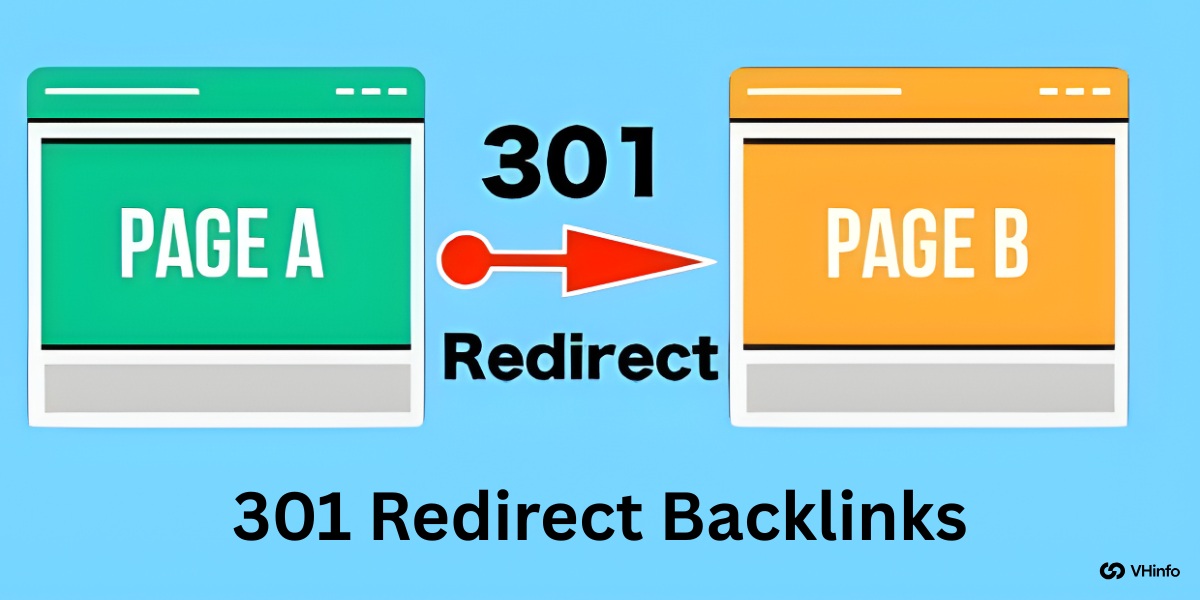
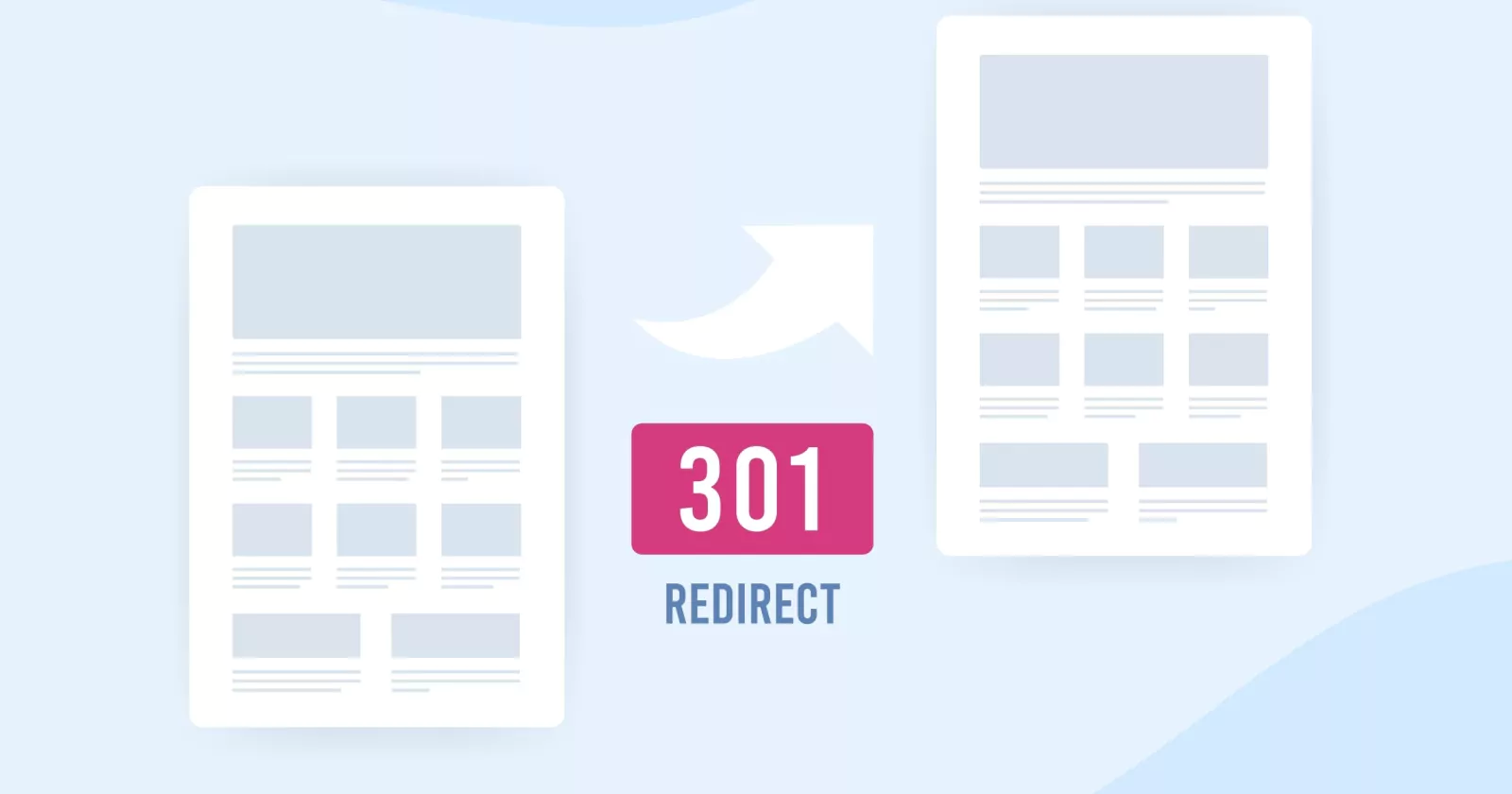
301 Redirect Backlinks: What Are They? How Do They Affect SEO?

Imagine you move to a new house. If you don’t tell the post office your new address, you will lose all your mail. Your friends won’t know where to find you. A 301 redirect works the same way for websites.

It is a permanent sign that tells search engines and visitors, “I have moved to a new location.”

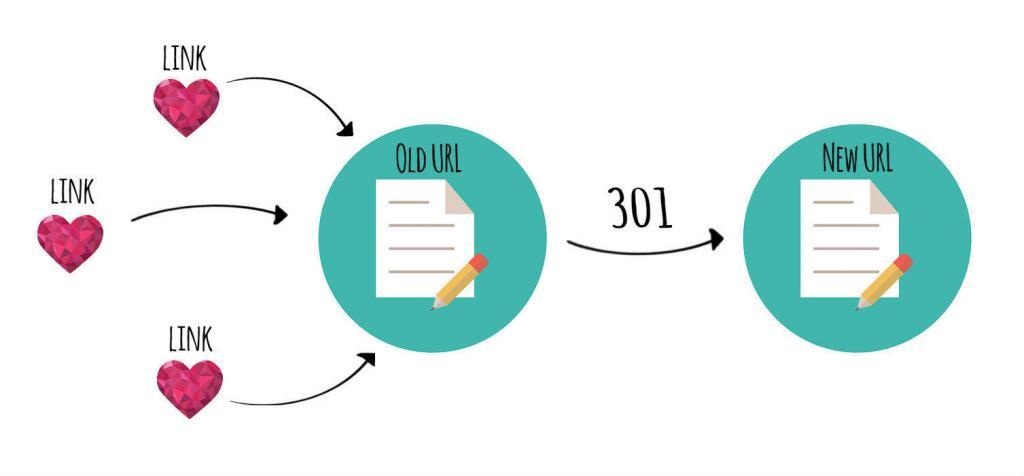
When you move a web page or a whole site, you want to keep the good reputation you built. This reputation is often referred to as link equity or link juice. If you change your URL without a plan, you lose that value. This can hurt your organic traffic and your business.

At VH-info, we help SaaS companies grow through link building. We know that getting links is hard work. You do not want to waste that effort by breaking them. This guide will teach you how to handle 301 redirect backlinks the right way. We will explain everything in simple words so you can protect your site’s SEO. Whether you are fixing broken links or moving to a new domain, this guide is for you.

Understanding 301 Redirect Backlinks and Their Impact on SEO

Understanding 301 Redirect Backlinks and Their Impact on SEO

To fix SEO problems related to moving pages, you must understand what is happening behind the scenes.

What Is A 301 Redirect? (Permanent Vs. Temporary)

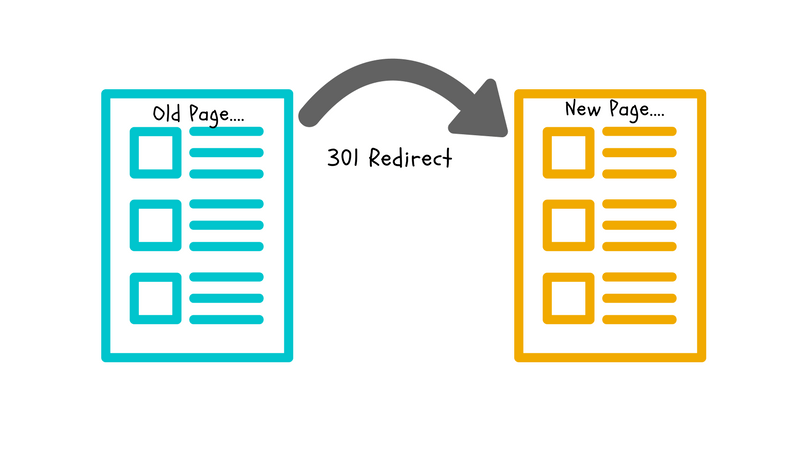
A 301 redirect is a specific HTTP status code. When a browser or a search engine tries to visit an old URL, the web server checks its list. If it sees a 301 code, it sends the visitor to the new URL immediately. The number “301” stands for “Moved Permanently.”

This is a permanent redirect or permanent redirection. It tells Google that the old page is gone forever and will not come back. Because it is permanent, Google knows to update its index. It stops showing the old address and starts showing the new page in search results.

This is different from a temporary move. A permanent move passes the credit to the new spot. It ensures that the user experience remains smooth. No one likes clicking a link and seeing an error.

What Are Backlinks and Why Do They Matter?

External links pointing from other websites to your site are called backlinks. Think of them as votes. When a high-quality site links to you, it tells Google that your content is good. This helps your search engine rankings.

However, these votes are tied to a specific URL. If you change that URL without a redirect, the vote counts for nothing. It hits a dead end.

By using 301 redirect backlinks, you make sure those votes count for the new location.

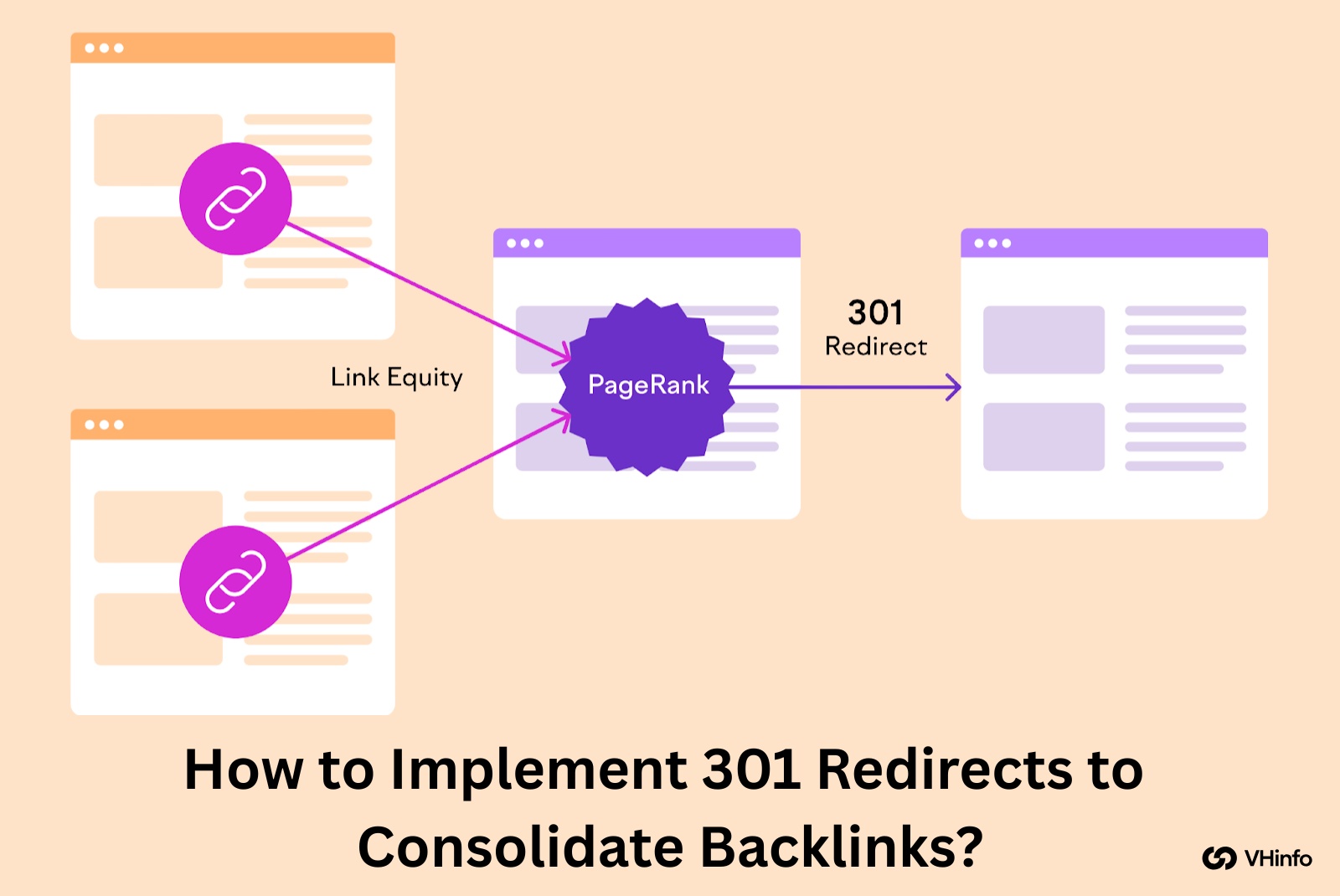
How Do 301 Redirects Pass Link Equity (PageRank)?

Link equity, also known as link juice, is the value that a backlink passes to your site. In the past, people worried that redirects caused you to lose some of this value. Today, Google has stated that a 301 redirect passes 100% of the link equity.

This is great news for website owners. It means if you have a page with great authority, and you move it to a new URL, you keep that power. The SEO benefits transfer over. This helps maintain your SEO performance even after big changes.

301 Vs. 302 Redirects: The Critical Difference For Backlinks

It is very important to choose the right type of redirect. The two most common types are 301 and 302.

  • 301 Redirect: This is a permanent move. It passes link authority and tells Google to index the new page.
  • 302 Redirect: This is a temporary redirect. It tells Google, “I am using a different page for a short time, but I will go back to the old one soon.”

A 302 redirect does not pass link equity effectively. If you use a 302 by mistake, your SEO efforts will suffer. The search engines will keep the old URL in their index, and your new page won’t get the boost it needs.

Always use a 301 for permanent changes to keep your backlinks valuable.

When to Use 301 Redirects For Backlink Management?

When to Use 301 Redirects For Backlink Management?

You don’t need to use redirects all the time. Here are specific times when business owners should use them.

During A Full Website Migration (e.g., HTTP to HTTPS)

Security is a best practice for every website. Moving from HTTP to HTTPS makes your site secure. This is a type of website migration. Even though the content is the same, http://vh-info.com and https://vh-info.com are seen as different URLs by search engines.

You must redirect every HTTP page to its HTTPS version. This ensures all your backlinks pointing to the insecure version count toward your secure site. It also protects your search rankings.

When Changing Domain Names

Sometimes a company changes its name. You might move from old-business.com to new-business.com. This is a huge change. If you just launch the new domain without redirects, you start from zero. All your domain authority stays on the old site.

You must set up redirects from every page on the old domain to the corresponding page on the new domain. This tells Google that the original page has moved to a new home. It transfers the reputation to the new brand.

Consolidating Or Merging Similar Content Pages

Sometimes you might have two blog posts that talk about the same thing. This causes keyword cannibalization. This means your own pages compete against each other in google search.

To fix this, you should choose the best page. This is your “winner.” Then, take the duplicate content or weaker page and redirect it to the winner. This combines the link juice of both pages into one strong page. It creates a better resource for readers and usually ranks higher.

Handling 404 “Page Not Found” Errors With High-Value Backlinks

An error page or 404 code happens when a page is broken or deleted. If a page has zero backlinks, it is okay to let it be a 404.

But if that page has external links pointing to it, you are wasting SEO value.

You should redirect that broken URL to a relevant page. Do not just redirect every 404 to your homepage. That is bad for user experience. If the old page was about “blue shoes,” redirect it to the category page for “shoes,” not the homepage. This saves the link value.

After Acquiring A New Website Or Domain

Some companies buy other websites to grow. This is a smart strategy.

If you buy a competitor, you can redirect their site to yours. This passes their domain authority to you.

At VH-info, we often see this happen in the SaaS world. When you redirect an acquired site, make sure you map the pages correctly. The content should match. This helps your online presence grow much faster than starting from scratch.

How to Implement 301 Redirects to Consolidate Backlinks (A Step-by-Step Guide)

How to Implement 301 Redirects to Consolidate Backlinks?

Setting up redirects might sound technical, but it is a standard process. Here is a comprehensive guide on how to do it.

Step 1: Identify All Backlinks to Your Old URLs (Using SEO Tools)

First, you need to know which pages have links.

You can use tools like Ahrefs, Semrush, or Google Search Console. Look for the “Links” report. This will show you which pages on your site are getting traffic and votes from other sites. Make a list of your old URLs that have backlinks.

These are the most important ones to save. Losing these would hurt your site’s SEO performance.

Step 2: Map Old URLs to New, Relevant URLs

Now, create a spreadsheet. In column A, list the old URL. In column B, list the new URL where it should go.

This is called mapping. The rule is relevance. The new page must be very similar to the old page. If the content is totally different, Google might treat it as a “soft 404” and ignore the redirect. The goal is to help the user find what they were looking for.

Step 3: Implementing 301 Redirects Via .htaccess

If your website runs on apache servers, you can use a file called .htaccess. This is a powerful configuration file. You can add rules here to tell the server where to send people. A simple code looks like this: Redirect 301 /old-page.html /new-page.html Be careful. One wrong character can break your site. Always back up your file before changing it. This method is fast and good for the web server performance.

Step 4: Implementing Redirects Via CMS Plugins (e.g., WordPress)

If you use WordPress, you don’t need to touch code. You can use plugins. A popular choice is the Redirection plugin or the premium version of Yoast SEO. These tools make the redirect process easy. You just paste the original URL in one box and the target URL in the other.

The plugin handles the http status for you. This is the best method for beginners.

Step 5: Testing and Verifying Your Redirects Are Working

After you set them up, you must test them. Click on the old link. Does it take you to the correct new location? You can also use a browser extension or a tool like “httpstatus.io” to check the status code. It should say “301 Moved Permanently.”

If it says 302 or 404, you need to fix it. Checking ensures your link building efforts are preserved.

Advanced Strategies Using 301 Redirect Backlinks

Advanced Strategies Using 301 Redirect Backlinks

Once you know the basics, you can use redirects to boost your SEO strategy.

The “Merger Method”: Acquiring Expired Domains For Their Backlinks

This is a powerful technique. Sometimes, good websites expire. The owner stops paying for the domain name.

These domains might still have thousands of great backlinks. You can buy this old website and redirect it to your site. This is called the Merger Method. However, the topics must be related. If you are a SaaS company and you buy a cooking blog, Google will see this as spam.

But if you buy a smaller software blog, the link authority will help you.

Broken Link Building and 301 Redirects

Broken links are annoying for the web. They lead to dead ends. You can find broken links on other websites that relate to your industry. Reach out to the site owner. Tell them, “Hey, you have a broken link here. I have a similar article on my site.”

Sometimes, you can recreate the missing content on your own site. This helps you gain a new backlink. While this isn’t a direct 301 on your site, it fixes the web’s broken 301s and 404s to your advantage.

Consolidating Multiple Domains Into One Authority Site

If you own three small websites about similar topics, it is hard to rank all of them. It splits your SEO efforts.

It is often better to merge them into one big “Authority Site.” Use 301 redirect backlinks to point everything to one main domain. This combines all the traffic and link power. A single strong site usually ranks better than three weak ones.

This improves your online presence and makes management easier.

Common Mistakes to Avoid with 301 Redirects and Backlinks

Common Mistakes to Avoid with 301 Redirects and Backlinks

Even experts make mistakes. Here are things you should not do.

Creating Redirect Chains or Loops

A redirect chain happens when Page A goes to Page B, and then Page B goes to Page C. This makes the browser work harder. It slows down your site. Speed is important for user experience. A redirect loop is even worse. Page A goes to Page B, and Page B goes back to Page A.

The browser gets stuck and shows an error. Always redirect A directly to C. Avoid the middle steps.

Redirecting to Irrelevant Pages (Losing Relevancy)

Do not redirect a deleted page to a random page just to save the link.

If the original URL was about “Link Building” and you redirect it to “Email Marketing,” the user is confused. Google is smart. If the content is not similar, it may stop passing the link equity. It treats the redirect as a mistake.

If you don’t have a relevant page, it is sometimes better to let it be a 404 or create a new single page that explains the content is gone.

Forgetting to Update Internal Links to the New URL

301 redirects handle external links from other sites. But you also have links on your own site. These are internal links.

If you redirect Page A to Page B, go through your website and change your internal links to point directly to Page B. If you rely only on the redirect, you create unnecessary load on your server. Keeping your URL structure clean is a best practice.

Using 302s (Temporary) by Mistake

We mentioned this before, but it is the most common error. Many servers default to a 302. You must verify that you are using a permanent redirect. A 302 tells Google to wait. It does not pass the SEO value you want. Always double-check your settings.

FAQ’s:

Do 301 Redirects Pass 100% of Link Juice (PageRank)?

Yes. Google has confirmed that 301 redirects pass full link juice. There is no longer a penalty or “tax” for redirecting. It is the best way to move a page.

How Long Should I Keep A 301 Redirect in Place?

You should keep it for at least one year. This gives Google enough time to update its index entirely. However, for important pages with many backlinks, it is best to keep the redirect forever.

What’s the Difference Between A 301 Redirect and A Canonical Tag For Backlinks?

A 301 redirect forces the user to a new page. A canonical tag is a suggestion. It tells Google, “This page is a copy, please give credit to the other one,” but the user stays on the page. For moving sites, a 301 is better.
Can 301 Redirect Backlinks Hurt My SEO?

Only if done poorly. If you buy spammy domains and redirect them, or if you redirect to irrelevant content, it can look manipulative. But if you use them to help the user find the right content, they are very good for SEO.

How Can I Check If My 301 Redirects Are Working Correctly?

You can use google search console. Look at the “Coverage” or “Pages” report. You can also use simple online tools where you paste the URL and it shows the http status.

Conclusion

Mastering 301 redirect backlinks is essential for any SEO strategy. They act as the bridge between your old hard work and your new success.

Proper implementation guarantees that all the trust your site has gained remains secure; it safeguards your link equity, enhances user experience, and assists search engines in comprehending any updates or changes to your site.

The steps remain consistent no matter if you’re simply repairing several broken links or handling a large-scale website migration—stay cautious, ensure relevance, and consistently verify your work.

At VH-info, we understand how technical and time-consuming this can be. Our mission is to make link building easier for SaaS businesses. While we don’t sell tools, our team of experts knows exactly how to build and protect your links.

If you want to focus on your product while we handle the complex world of backlinks and SEO, we are here to help. A strong redirect strategy is just one part of building a powerful online presence. Let’s build something great together.

The Zero Backlink Experiment: Can New Site Ranks In 2026? (Case Study)

Every website owner wants more organic traffic. We all want to see our pages sitting at the top of Google search results. Usually, experts tell you that the only way to get there is through link building. They say you need other sites to point to yours. But is that truly the only way?

At VH Info, we help SaaS companies grow by building links. We understand the importance of high-quality backlinks. However, we are also curious. We wanted to see what happens if you stop building links completely. Can you still rank? Can quality content win on its own?

We decided to run a zero backlink experiment. This means we built a new website and published articles without asking for a single link. We did not do guest posts. We did not ask for shout-outs on social media. We just wrote. This case study shares our story.

We will show you our search engine rankings, our Google Analytics data, and the truth about ranking in 2025.

Whether you are new to digital marketing or an expert, this experiment has some good news and some hard truths.

What Is A “Zero Backlink Experiment” and Why Try It?

What Is A "Zero Backlink Experiment" and Why Try It?

A zero backlink experiment is exactly what it sounds like. You create a website and attempt to rank it on search engines without acquiring any external links. Most people think this is impossible. We wanted to test that idea.

Defining the Hypothesis: Testing Google’s Reliance on Links

Our big question was simple: Does Google still care about links as much as it used to?

Google says that content quality is the most important ranking factor. They tell us to focus on the user experience. So, our hypothesis (or guess) was this: If we create the best pieces of content on the web, Google should rank us high, even without external links.

We wanted to see if valuable content and great on-page SEO could beat competitors who had lots of links but bad articles.

The Problem With Traditional Link Building

Building links is hard work. It takes a lot of time. Sometimes, people try to cheat.

They buy low-quality links or spam the internet. This can hurt your domain authority in the long run. For many new site owners, getting quality links feels scary. They don’t know how to send emails or where to start. We wanted to see if there was a different path for them.

Our Goals & What We Hoped to Prove

We had three main goals for this zero backlink experiment:

  • Prove the Power of Topical Authority: Can we rank by writing a lot about one specific topic?
  • Test Technical SEO: Does site speed and structure matter more than links?
  • Validate Our Agency Work: At VH Info, we build links for SaaS brands. If this experiment failed, it would prove that our clients need our services to compete for competitive keywords.

Setting Up Our Zero Backlink Experiment: Methodology

Setting Up Our Zero Backlink Experiment

We did not just write random words. We had a strict plan. Here is how we set up our test site.

Step 1: Niche Selection & Keyword Research

You cannot pick a hard topic like “insurance” or “credit cards” for this. You will fail without links. We needed a niche with low competition.

We used keyword research tools to find questions people ask. We looked for long-tail keywords. These are longer phrases that are very specific. We looked for target keywords where the current search results were weak.

We looked for keywords where forums or bad websites were on the first page. This gave us a chance to win with unique content.

Step 2: The “No-Link” Content Strategy (Topical Authority)

Since we could not use link authority from other sites, we had to build authority inside our site. This is called topical authority.

We picked one main topic and wrote 50 blog post articles about it. We covered every single question a user might have. We wanted Google to see us as the expert on this tiny topic.

We used internal linking heavily. Internal links connect one page on your site to another page on your site. This helps search engine bots crawl your site. It also keeps visitors reading longer. We made sure every article linked to at least three other articles.

Step 3: Perfecting On-Page & Technical SEO

Since we had no links, our site had to be technically perfect. We focused on technical SEO.

  • Core Web Vitals: We made sure the site passed Google’s speed tests.
  • Page Speed: We optimized images so pages loaded fast.
  • Schema Markup: We added code that helps Google understand our content.
  • Title Tag & Meta Descriptions: We wrote catchy titles to get people to click.

We focused heavily on search intent. If a user asked a question, we gave a short answer right at the top. We made the text easy to read. We added a table of contents and visual content, such as charts, to keep people engaged.

The Tools We Used to Track Our Progress

To measure our success, we used standard SEO tools:

  • Google Search Console (GSC): To check impressions and clicks.
  • Google Analytics: To see organic traffic and bounce rate.
  • Rank tracking software to see our Google rankings.

We checked these tools every day to see if our hard work was paying off.

The Results of Our 6-Month Zero Backlink Experiment

We ran this test for six months. Here is what happened.

Month 1-2: Indexing and Initial Impressions

The first two months were very quiet. This is normal for new content. Google takes time to trust a new site.

We submitted our sitemap to Google Search Console. Slowly, we saw our pages getting indexed. We started getting a few “impressions.” This means our site appeared in search, but maybe on page 5 or 6. We had almost zero clicks.

Month 3-4: The First Signs of Organic Traffic

By month three, things changed. We started to see clicks. Because we targeted very specific questions, we started popping up on the first page for weird, small questions. Our internal linking strategy was working. Google was finding all our pages.

We saw that our user experience was good. People stayed on the page to read. This sent good signals to Google.

Month 5-6: Did We Hit Our Target Rankings? (The Big Reveal)

By month six, the site had real traffic. We were ranking for about 400 keywords. However, we noticed a pattern. We ranked #1 for questions that very few people search for. But for our main target keyword? We were stuck on page 2 or 3.

We could not break into the top 3 spots for the bigger terms. The sites above us had quality backlinks. We did not.

Key Data: Traffic, Rankings, and Surprising Wins

  • Total Organic Traffic: 1,500 visitors per month.
  • Keywords on Page 1: 65 keywords.
  • Referral Traffic: Zero (because we had no outside links).

The surprising win was that content optimization works very well for small terms. If you write the best answer, you can rank without links for small things.

Analysis: What Our Experiment Proves About Modern SEO?

Analysis: What Our Experiment Proves About Modern SEO?

So, what did we learn? Is link building dead? Definitely not.

The True Power of E-E-A-T and Content Quality

This experiment proved that E-E-A-T (Experience, Expertise, Authoritativeness, and Trustworthiness) is real. By writing great content that showed expertise, we earned traffic. Google is smart. It can read text and see if it offers real value.

If you answer the user intent perfectly, Google will give you a chance.

Where Did We Struggle? (The Limits of This Strategy)

Here is the limit: Competitive keywords.

When we tried to rank for terms that other businesses want, we failed. Our content quality was better than the competitors, but they had high domain rating scores. They had hundreds of external links.

In the eyes of a search engine, links are like votes. Our competitors had thousands of votes. We had zero. No matter how good our writing was, we could not beat the sites with strong link authority. This confirms what we tell our clients at VH Info.

If you are in SaaS, you are in a competitive space. You cannot rely only on content. You need a strategy for building links.

Is This A Viable Strategy For Your Website?

If you are starting a hobby blog about a tiny topic, yes. You can use a zero backlink experiment style. But if you are a business, a SaaS company, or want to make money? No. It is too slow. You will hit a glass ceiling.

To get higher rankings for terms that bring in customers, you need more power.

Conclusion: The Final Verdict on the Zero Backlink Strategy

Our six-month journey taught us a lot about the search engine results pages.

Key Takeaways From Our Experiment

  • Content is the Foundation: You cannot rank without quality content. It is the base.
  • Technical SEO Matters: Good site speed and schema markup helped us get indexed fast.
  • Links represent Growth: To move from 1,500 visitors to 50,000 visitors, we need links.
  • Internal Links Help: Proper internal linking passed our small authority around the site effectively.

Our Recommendations For New Site Owners

Start with content. Spend your first two months writing valuable content. Make sure your on-page SEO is perfect. Do your keyword research to find the right keywords. Once you have a solid base of articles, you must start link building. Do not wait. As a SaaS link building agency, VH Info sees this every day. The sites that combine great content with quality backlinks are the ones that dominate the market.

The Future: Will We Continue This Experiment?

We are stopping the “zero link” rule now. Why? Because we want this site to grow!

The next phase is to apply VH Info’s strategies. We will start getting guest posts and quality links to these pages. We expect to see our rankings jump from page 2 to page 1 very quickly.

FAQ’s:

What Is A “Zero Backlink Experiment” In SEO?

It is a test where you try to rank on Google search without asking for any external links from other websites.

In this case study, you do not do any link building or guest posts. Instead, you rely 100% on writing quality content and good on-page SEO to please the search engine. It helps us see if content quality alone is enough to win.

Can A Site With Zero Backlinks Make Money Online?

Yes, it is possible!

If you pick topics with low competition, you can get enough organic traffic to make money from ads. However, without quality backlinks, it is very hard to sell expensive products or compete with big brands. You need to publish many pieces of content to make this work.

Can You Really Rank On Google With Zero Backlinks?

You can definitely reach the first page for small, specific questions. Our experiment showed that Google search results like unique content that helps people. But for big, popular topics, it is very hard to get high search engine rankings.

For those, you usually need the power of building links.

Which Niches Are Easiest For Zero Backlink Strategies?

Topics that are very specific or local work best, like strange hobbies or local seo questions. If few people are writing about it, your new content can rank easily. But if you pick a topic full of expert digital marketers, you will struggle without link authority to back you up.

If You Don’t Build Backlinks, What Should You Focus On Instead?

You must focus on user experience and writing great content that answers questions perfectly. Use internal linking to connect your pages so Google Search Console can find them easily. Also, pay attention to technical SEO and site speed so your readers stay happy and don’t leave.

How Long Does It Take to See Results With A No-Backlink Strategy?

It takes a lot of patience and hard work. Usually, you have to wait 6 to 8 months to see real search rankings. Because you don’t have referral traffic or quality links speeding things up, the search engine takes its time to trust your domain authority.

Is the Zero Backlink Strategy Good For Competitive Keywords?

No, it is not a good SEO strategy for popular terms. Competitive keywords are controlled by big websites with high domain rating scores. To beat them, you need content optimization plus strong quality backlinks. Without links, you will likely stay stuck on page 2 or 3.

Conclusion

The zero backlink experiment was a fun challenge. It showed us that Google respects hard work and unique content. We managed to get first-page rankings just by being helpful.

However, if you want to build a serious business, especially in SaaS, you cannot ignore links. They are the fuel for your engine. Search engine optimization is a puzzle. Content is one piece, and links are the other.

At VH Info, we specialize in that second piece. We help you get the quality links you need so your great content gets the attention it deserves. If you have the content but not the rankings, it might be time to stop experimenting and start building.

Complete Guide to Using Nofollow Backlinks Checker in 2026

Every website owner wants to see their site at the top of search results.

To get there, you need good votes of confidence from other websites. In the world of SEO, these votes are called backlinks. However, not all links are the same. Some are strong votes, and some are quiet nods. This is where the concept of a nofollow link comes in.

If you are serious about your SEO strategy, you cannot ignore Nofollow backlinks.

They are a huge part of your website’s link profile. But how do you find them? You cannot just look at a webpage and know if a link is nofollow. You need the right nofollow backlinks checker to see what is happening behind the scenes.

At VH Info, we know that data is only half the battle. We help SaaS companies take backlink data and turn it into real growth. While we provide the expert strategy, you need reliable SEO tools to gather the facts.

This guide will explain what nofollow links are and list the best tools to find them.

What Are Nofollow Backlinks (And Why Do They Matter)?

What Are Nofollow Backlinks?

When one website links to another, it usually passes “authority” or “power.”

Think of it like a recommendation. However, sometimes a website wants to link to you without passing that power. They use a special tag to tell search engines like Google not to count the link as a vote. This is a nofollow link.

Understanding these links is vital for your backlink analysis. If you have too many or too few, it might look strange to Google.

Understanding the Nofollow Attribute (rel=”nofollow”)

To see a nofollow link, you have to look at the html code. You don’t need to be a coder to understand this.

A normal link looks like this in the page source: <a href=”https://example.com”>Click Here</a>

A nofollow link looks like this: <a href=”https://example.com” rel=”nofollow”>Click Here</a>

That little piece of text, rel=”nofollow”, is a signal. It tells search engine bots specifically: “Do not follow this link to the next page and do not pass authority.” Even though the seo value (often called link juice) is stopped, humans can still click it. It still brings referral traffic.

Dofollow Vs. Nofollow Links: The Key Difference

The difference between dofollow backlinks and nofollow links is simple.

  • Dofollow Link: This is the default. It tells Google, “I trust this site.” It helps increase your domain authority and search rankings.
  • Nofollow Link: This tells Google, “I am linking here, but I don’t want to pass a vote of credit.”

Most SEO professionals chase Dofollow links because they directly boost SEO performance.

However, a healthy link profile needs both types of links. If you only have Dofollow links, Google might think you are buying them or doing unnatural link building. A mix makes your site look real and trusted.

How Nofollow Links Impact Your SEO Strategy?

Many people think Nofollow links are useless. This is wrong. Even if they don’t directly boost your domain rating, they are still valuable backlinks. Here is why they matter for your SEO strategy:

  • Traffic: A link on a popular site like Wikipedia or Forbes is usually Nofollow. But, thousands of people might click it. That referral traffic is potential business.
  • Trust: Search engines see Nofollow links from big sites as a trust signal.
  • Diversity: A natural backlink profile must have Nofollow links.
  • Future Links: People see your site through nofollow links. If they like your content, they might link to you later with a dofollow link from their own blog.

At VH Info, we look at the whole picture. We don’t just count links; we look at how they help your business grow.

The 10 Best Nofollow Backlinks Checker Tools For Your Website

Best Nofollow Backlinks Checker Tools

To check your inbound links, you need a backlink checker tool. There are many options. Some are free tools, and some are paid.

Here are the best ones to help you get actionable insights.

Ahrefs

Ahrefs

Ahrefs is one of the most famous SEO tools in the industry. It has a massive index of live links. When you use their backlink checker, you get detailed reports on your link profile.

  • Key Feature: It clearly shows the referring domain and whether the link is “dofollow” or “nofollow” right in the main dashboard.
  • Why use it: It gives you the domain rating (DR) of the site linking to you. This helps you judge quality fast.
  • VH Info Note: We often use Ahrefs data to benchmark client success because their crawler is very fast at finding new backlinks.

Semrush

Semrush

Semrush is a complete marketing suite. Their Semrush backlink analytics tool is powerful. It allows you to check your own site or a competitor’s site.

  • Key Feature: The authority score metric helps you see how strong a linking site is. You can filter specifically for nofollow links to see where they are coming from.
  • Why use it: It is great for finding toxic links. These are bad links that might hurt your site. Semrush helps you find them so you can remove them.

Majestic

Majestic

Majestic is purely focused on link analysis. It is famous for its “Trust Flow” and “Citation Flow” metrics.

  • Key Feature: It maps out your link profile in a visual graph. You can easily see the balance of your links.
  • Why use it: If you want deep technical data about backlink history, Majestic is excellent. It helps you separate high-quality referring domains from low-quality ones.

Moz

Moz

Moz created the metric called domain authority (DA). This score is used by SEO professionals everywhere.

  • Key Feature: The spam score. This tells you if a nofollow link comes from a shady website.
  • Why use it: It is very easy to use. You type in the URL, and it shows you the inbound links and clearly labels the nofollow ones.

BuzzSumo

BuzzSumo

BuzzSumo is mostly for content, but it is great for checking who is sharing and linking to your content.

  • Key Feature: It focuses on social engagement. You can see which content gets the most links.
  • Why use it: It helps you find valuable insights on what topics attract links. Even if the links are nofollow (like from social media), knowing this helps your content strategy.

SE Ranking

SE Ranking

SE Ranking is an all-in-one SEO platform that is budget-friendly.

  • Key Feature: It has a backlink monitor. You can add specific links to a list, and the tool checks if they are still there and if they are still nofollow or dofollow.
  • Why use it: It is great for tracking the status of your new links over time.

Google Search Console

Google Search Console

Google Search Console is a free backlink checker provided directly by Google. It is the most accurate source for what Google actually “sees.”

  • Key Feature: The “Links” report. It shows external links and internal links.
  • Why use it: It is free. While it doesn’t always explicitly label “nofollow” in a simple column like paid tools, you can download the data and inspect the linked page list. It gives you the total number of backlinks Google counts.

Ubersuggest

Ubersuggest

Created by Neil Patel, Ubersuggest is a very user-friendly backlink analysis tool.

  • Key Feature: It shows the domain authority score and gives you a list of links. You can filter by “nofollow” with one click.
  • Why use it: It is cheaper than Ahrefs or Semrush and gives you the basic backlink data you need. It is often the easiest way for beginners to start.

Backlinko

Backlinko

Backlinko is a huge educational resource for SEO. While primarily known for training, the methods and templates provided by Backlinko (and their association with Semrush tools) guide you on how to audit links manually or using specific checkers.

  • Key Feature: Using Backlinko’s strategies, you learn how to evaluate the quality of a link beyond just the “nofollow” tag.
  • Why use it: It teaches you the “why” behind the data. Following their guides helps you understand if a nofollow link is actually helping your organic traffic.

RankWatch

RankWatch

RankWatch is another solid tool for checking search rankings and backlinks.

  • Key Feature: It analyzes the anchor text used in your backlinks. This is the clickable text of a link.
  • Why use it: It helps you see if your nofollow links are using safe, natural text or spammy keywords.

How to Check Nofollow Backlinks? Step-by-Step

How to Check Nofollow Backlinks?

Checking your links doesn’t have to be hard. You can do it using a free backlink checker tool or a paid one. Here is the easiest way to do it.

Step 1: Choosing Your Nofollow Backlinks Checker

First, pick a tool from the list above. If you are just starting, Google Search Console or a limited free version of Ahrefs (Ahrefs Webmaster Tools) is a good choice. For deeper actionable insights, you might want a paid tool like Semrush.

Step 2: Running Your Domain (Or A Competitor’s)

Go to the tool and find the search bar.

Enter your domain name (like yourwebsite.com). You can also enter a specific web page URL if you only want to check links to one blog post. Click the “Search” or “Analyze” button. The tool will scan the web to find all external links pointing to you.

Step 3: Filtering and Identifying Nofollow Links

Once the report loads, you will see a lot of numbers. Look for a section called “Backlinks” or “Inbound Links.”

Most tools have filters. Look for a filter button that says “Link Type” or “Attribute.” You will usually see options like:

  • All
  • Dofollow
  • Nofollow

Click on “Nofollow.” The tool will now hide the dofollow links and only show you the nofollow backlinks. This list is your target.

Step 4: Exporting Your Link Data

If you have a lot of links, it is hard to read them all on the screen. Look for an “Export” button. This will save the data as a CSV or Excel file. Now you have a list of every nofollow link. You can see the referring domain, the anchor text, and the page authority of the source.

At VH Info, we use these exports to build a custom plan for our clients.

How to Analyze Your Nofollow Backlink Profile?

How to Analyze Your Nofollow Backlink Profile?

You have the list. Now, what does it mean? Just having the data isn’t enough. You need to analyze your website’s backlink profile to improve your SEO performance.

What Is A “Natural” Nofollow-to-Dofollow Ratio?

There is no perfect number. However, if 100% of your links are dofollow, Google gets suspicious. It looks fake. If 100% are nofollow, you might struggle to rank high in search engine results.

A natural profile usually has a good mix. Many big sites have 20%, 30%, or even 40% nofollow links. This happens naturally because people share links on social media, forums, and blog comments (which are usually nofollow).

Don’t worry about the exact percentage. Worry about the quality.

Identifying Spammy Nofollow Links

Not all nofollow links are safe. Sometimes, spam sites link to you.

Look at your list. Do you see:

  • Links from gambling or adult sites?
  • Links with weird anchor text (like “cheap pills”)?
  • Links from sites in languages you don’t target?

These can be toxic links. Even if they are nofollow, having too many can look bad. You might need to use a “Disavow Tool” to tell Google to ignore them completely.

Finding Opportunities From Your Nofollow Links

This is a pro tip from VH Info. A Nofollow link is a relationship starter.
If a high-quality website mentions you but uses a Nofollow link, they already know who you are. You can contact them. You can say, “Thank you for the mention!” Sometimes, you can suggest a collaboration or a guest post that might result in a Dofollow link later. Also, check the anchor text. Is it relevant? Does it make people want to click? If the link sends you referral traffic, it is a winner, no matter the tag.
FAQ’s:

Are Nofollow Backlinks Bad For SEO?

No, they are not bad. They are actually helpful. They diversify your link profile, bring organic traffic, and build brand awareness. A profile without them looks unnatural to search engines.

How Can I Check My Nofollow Backlinks For Free?

You can use Google Search Console. It is completely free. You can also use the free versions of Ubersuggest or the Ahrefs free backlink checker. These free tools give you a quick look at your backlink data.

Can Free Tools Accurately Check Nofollow Backlinks In Bulk?

Most free tools have limits. They might only show you the top 100 links. If you have thousands of links, you will need a paid backlink analysis tool to see the total number of backlinks.

Is It Possible to Get Alerts For New Nofollow Backlinks Automatically?

Yes. Tools like Ahrefs, Semrush, and SE Ranking have alert features. They can email you whenever you get new backlinks, telling you if they are Dofollow or Nofollow.

What Is A Good Dofollow Vs. Nofollow Link Ratio?

There is no magic number. Focus on getting relevant backlinks from real sites. If you build links naturally, the ratio will take care of itself. Avoid buying links to force a specific ratio.

What Does the Rel=”Nofollow” Tag Mean and How Does It Affect Rankings?

The rel=”nofollow” tag in the HTML code tells search engines not to pass authority. It generally does not improve search rankings directly as a dofollow link does, but it helps with trust and traffic.

Can A Nofollow Link Still Send You Traffic?

Yes! This is one of the best things about them. A link on a high-traffic site like Wikipedia is nofollow, but it can send thousands of visitors to your site. This referral traffic is often more valuable than the link juice itself.

Conclusion

Checking your nofollow backlinks is an important part of maintaining a healthy website. It helps you understand who is talking about you and keeps your backlink profile safe from spam. Using the right nofollow backlinks checker makes this job easy.

Whether you use a free tool or a premium one like Ahrefs, the goal is the same: visibility.

Keep in mind that while tools provide you with data, it’s essential to have a strategic plan for that information.

At VH Info, our expertise lies in transforming backlink analysis into successful strategies, as we work with SaaS businesses to establish genuine authority by cultivating valuable relationships instead of relying on arbitrary links.

Don’t ignore the “nofollow” tag. Embrace it as part of a natural, strong SEO foundation. Start checking your links today, clean up the spam, and look for the hidden opportunities in your list.

Bad Backlinks Checker: How to Find and Remove Toxic Links Easily?

Imagine you wake up one morning, check your website stats, and see a big red line going down. Your organic traffic has dropped. Your search rankings are gone. You panic. What happened? Sometimes, the problem is not the content you wrote.

The problem is who is linking to you. In the eyes of search engines like Google, your website is judged by the company it keeps. If lots of spammy, unsafe, or strange websites link to you, Google might think your site is bad, too. These are called bad backlinks.

To fix this, you need to look at your backlink profile. This is the full list of every site pointing to yours. But looking at thousands of links by hand is impossible. That is why you need a bad backlinks checker.

At VH-info, we spend every day working on SaaS link building. We know that building quality backlinks is only half the job. You also must protect your site from toxic links. We act as your guide to help you keep your site healthy.

In this article, we will explain how to use a toxic backlink checker, how to read a website toxicity score checker, and how to clean up your site so you can grow again.

What is the Backlink Checker?

What is the Backlink Checker?

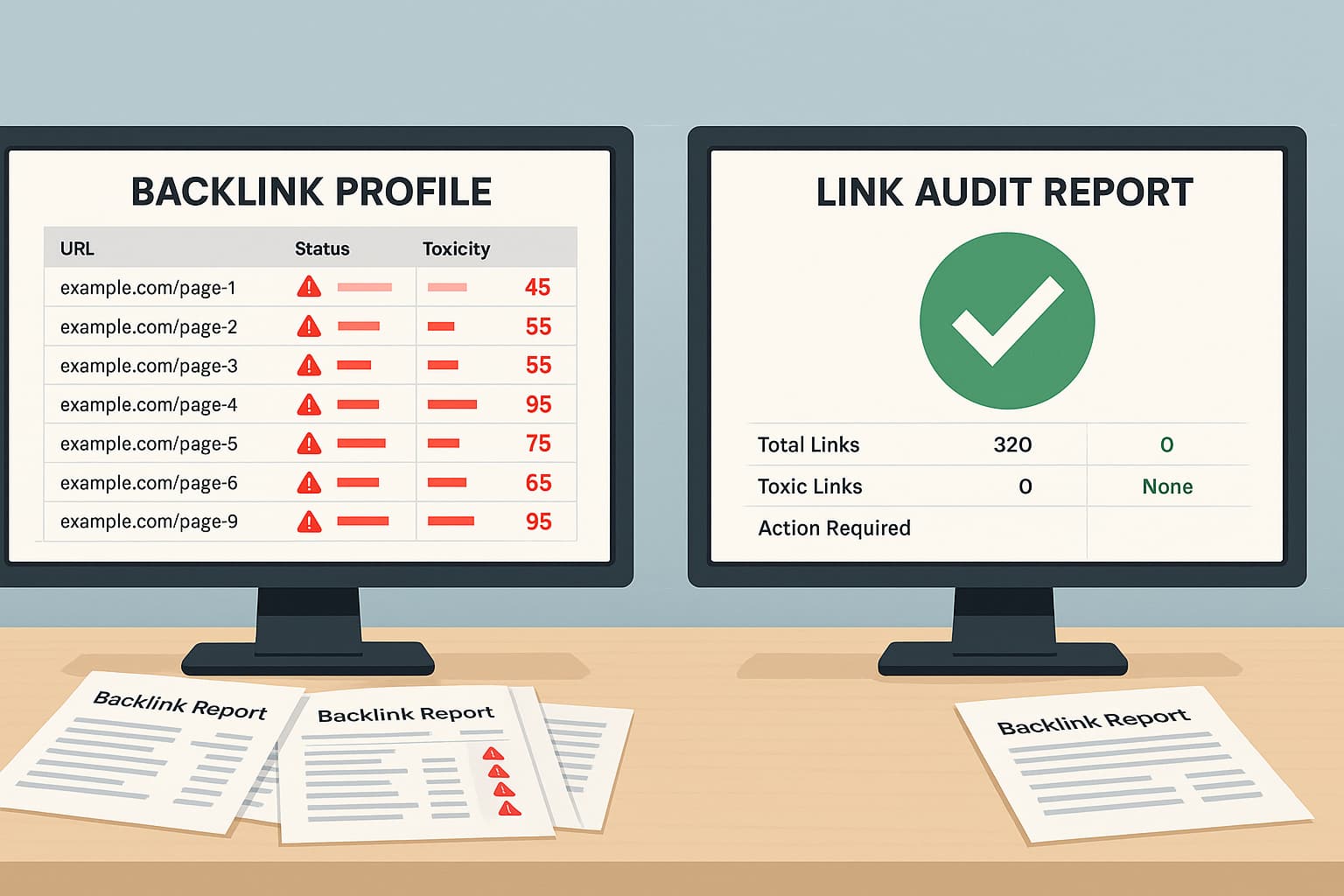
A backlink checker is a software tool that scans the internet to find every link pointing to your domain name. Think of it like a security camera for your website. It looks at all the external links coming in and tells you where they come from. When you run a backlink audit, the tool collects data. It tells you the total number of backlinks, which websites are sending them, and if those websites are safe.

For SEO professionals and business owners, this tool is a must-have. You cannot improve your SEO performance if you do not know who is linking to you. A backlink checker tool gives you the map you need to see your link profile clearly. At VH-info, we use advanced tools to help our clients. However, you can also find a free backlink checker online to get a quick look at your data.

What Information Can I Find With the Backlink Checker?

What Information Can I Find With the Backlink Checker?

When you use a backlink checker, you get a lot of data. Here is the most important information you will see:

  • Total Backlinks: The sheer count of inbound links pointing to your site.
  • Referring Domains: This is the number of unique websites linking to you. If one website links to you 100 times, that is 100 backlinks, but only one referring domain.
  • Anchor Text: This is the clickable text in a link. If the anchor text looks strange (like gambling words or random letters), that is a bad sign.
  • Domain Authority (DA) or Authority Score: This score predicts how well a website might rank on search engine results. High domain authority usually means a good link.
  • Spam Score: This tells you if a website looks like a spam site. A high spam score suggests the link might be toxic.
  • Link Quality: The tool will often categorize links as healthy, suspected, or toxic.
  • First Seen/Last Seen: When the link first appeared, and if it is still there.

By looking at this data, you can tell if your link-building efforts are working or if you are under attack from negative SEO.

What Are Bad Backlinks (And Why Do They Hurt Your SEO)?

What Are Bad Backlinks?

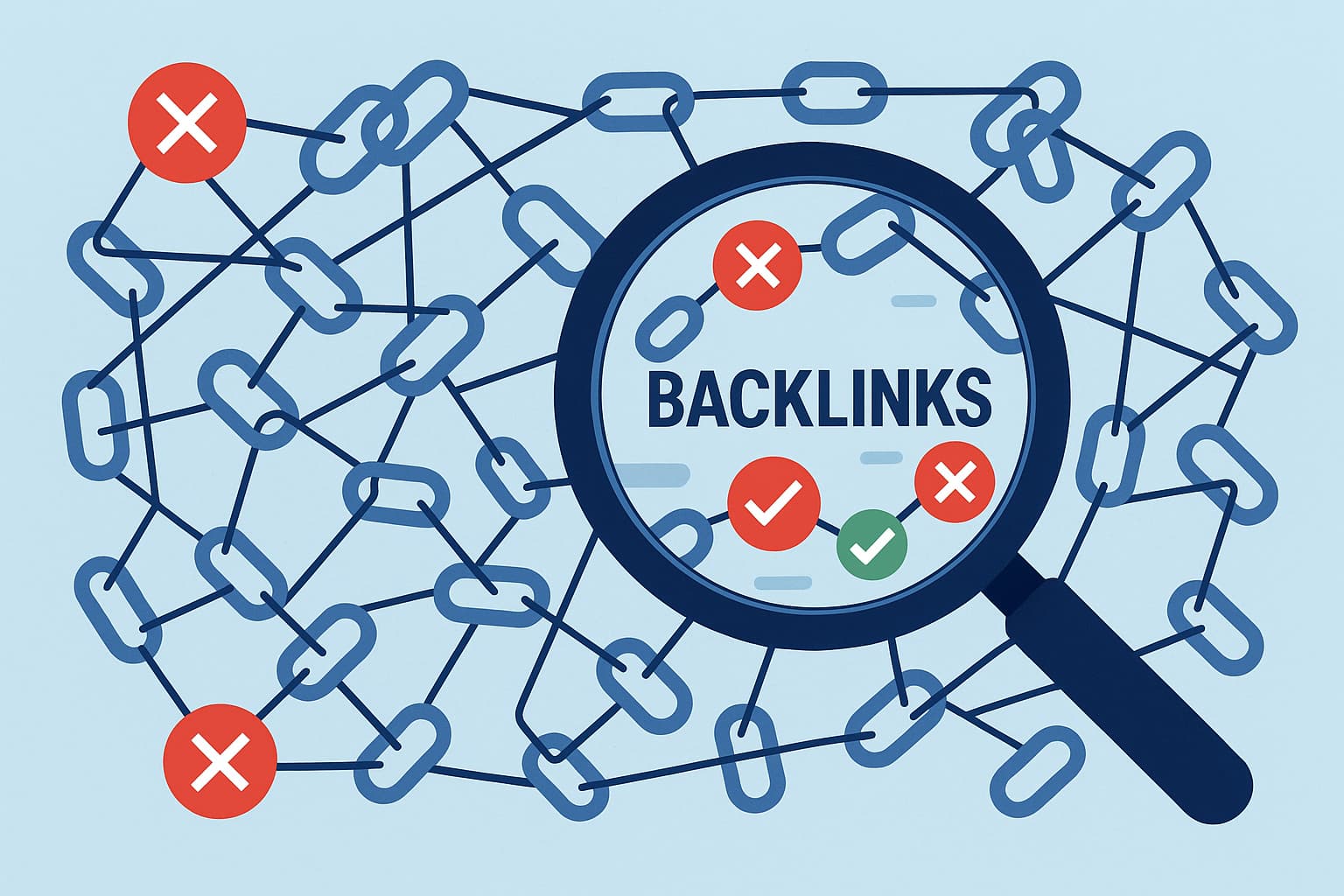
Bad backlinks, also called toxic backlinks, are links from low-quality, suspicious, or spammy websites. Google wants to show users the best answers. If your site is connected to “bad neighborhoods” on the web, Google loses trust in you.

When you have too many toxic links, your search engine rankings suffer. It acts like a heavyweight tied to your leg. No matter how fast you run with great content, the weight pulls you down.

Common Examples Of Toxic Or “Bad” Backlinks

Not all links are good links. Here are the types you need to avoid:

  • Link Farms: These are groups of websites created only to link to each other. They provide no value to humans. They exist just to trick search engines.
  • Gambling and Adult Sites: If you run a software company, you should not have links to betting sites. These are irrelevant and look suspicious.
  • Spammy Directory Links: Being listed in a high-quality business directory is fine. But being listed in thousands of low-quality directories automatically is bad.
  • Paid Links (Link Schemes): Google hates it when you buy links just to pass link equity (also known as link juice). If they catch you, it is trouble.
  • Blog Comment Spam: Links posted by bots in the comment sections of random blogs. These usually have nonsense anchor text.
  • Foreign Language Sites: If your site is in English, but you have thousands of links from Russian or Chinese sites that have nothing to do with your topic, this looks like link spam.

How Bad Backlinks Can Lead to Google Penalties?

Google has a strict set of rules. If you break them, you might get a Google penalty. There are two main types:

  • Algorithmic Devaluation: This is not a formal message. The Google computer simply decides your inbound links are worthless. You do not get banned, but your rankings drop because those links lose their SEO value.
  • Manual Action: This is serious. A human at Google reviews your backlink profile. If they see unnatural links, they hit a button. You will get a message in Google Search Console saying you have a manual action. Your site might be removed from search results entirely until you fix it.

Signs You Might Have A Bad Backlink Problem

How do you know if you need a toxic backlink checker? Look for these signs:

  • Sudden Traffic Drop: Your organic traffic falls off a cliff overnight.
  • Keyword Drop: You used to rank on page 1, and now you are on page 50.
  • Warning Messages: You see alerts in Google Search Console.
  • Strange Anchor Text: You check your links and see weird words that have nothing to do with your business.

How to Use A Bad Backlinks Checker: A Step-by-Step Guide

How to Use A Bad Backlinks Checker?

Cleaning up your website’s backlink profile takes time, but it is worth it. Here is a simple guide on how to do it.

Step 1: Finding A Reliable Backlink Audit Tool

The first step is choosing your tool. There are many options.

Some are paid, like Semrush or Ahrefs, which act as a powerful toxicity score checker. Others offer a free trial or a limited free version. You want a tool that has a large database of links. If the tool cannot find the links, it cannot help you.

Look for a toxic backlink checker that specifically highlights spammy links.

Step 2: Running Your Domain Through the Bad Backlinks Checker

Once you have a tool, enter your website URL. Click “Search” or “Audit.”

The tool will crawl the web to find your external links. Depending on the number of backlinks you have, this might take a few minutes. The tool is gathering all the data on anchor text, referring domain quality, and trust flow.

Step 3: Analyzing Your “Toxicity Score” Or “Spam Score”

Most tools give you a summary score. This might be called a “Toxicity Score” or “Spam Score.”

  • Low Score (0-30): Usually safe. These are likely valuable backlinks.
  • Medium Score (31-60): Be careful. You should review these.
  • High Score (61-100): These are dangerous. These are likely toxic backlinks that can hurt your SEO strategy.

Sort your list so the highest toxicity score is at the top. This helps you focus on the worst offenders first.

Step 4: Manually Reviewing Potentially Harmful Links

A tool is just a robot. It can make mistakes. You must look at the links yourself.

Click on the links that have a high spam score. Ask yourself:

  • Is this a real website?
  • Is the content related to my site?
  • Does the anchor text make sense?

If the answer is “no,” mark it as a bad backlink. At VH-info, we always do this manual check. We want to make sure we never remove relevant backlinks by mistake.

Key Features to Look For In A Bad Backlinks Checker Tool

Key Features to Look For In A Bad Backlinks Checker Tool

Not all SEO tools are the same. When choosing a backlink checker, look for these features to ensure you get the best results.

  1. Integration With Google Search Console & Analytics: Your tool should connect with Google Search Console. This allows the tool to see the exact links Google sees. It makes your backlink analysis much more accurate. It combines data from the tool’s database with Google’s own data.
  2. Accurate Toxicity and Spam Scoring: You need a tool that updates its scores often. The internet changes fast. A good site can become a bad site if it gets hacked. The toxicity score checker should be able to spot link farms and link networks quickly.
  3. Automated Disavow File Generation: After you find the bad links, you need to tell Google to ignore them. This is done with a disavow file. A good tool will let you click a button to “Disavow” a link and then automatically create the text file you need to upload to Google. This saves you hours of typing.
  4. Real-Time Alerts For New (and Bad) Links: You cannot check your links every hour. Good tools send you an email if you get a new, suspicious link. This helps you stop negative SEO attacks before they do damage.

What to Do After Identifying Bad Backlinks?

What to Do After Identifying Bad Backlinks?

You found the toxic links. Now, you must get rid of them to save your search rankings. You have two main options.

Option 1: Manual Link Removal Outreach (With Templates)

The best way to remove a link is to ask the owner of the website. This is hard work, but Google likes it when you try.

Find the contact page on the bad website. Send a polite email. Keep it simple. Say: “Hello, please remove the link to my site from this page.” Sadly, many spam sites will not reply. Or they might ask for money to remove the link (do not pay them).

If you cannot get the link removed manually, you move to the next step.

Option 2: How to Create and Submit A Google Disavow File

If you cannot remove the link, you must disavow it. The disavow tool is a feature in Google Search Console.

  • Export your list of bad backlinks from your checker tool.
  • Format the file as a .txt file. It must look like this: domain:badwebsite.com.
  • Go to Google’s disavow tool page.
  • Upload the file.

This tells Google: “I know this link exists, but I did not ask for it. Please do not count it when calculating my search rankings.”

Disavow Vs. Removal: Which Method Is Best?

Removal is better because the link is truly gone. Disavowing is a signal to Google to ignore it. You should try to remove harmful links first. But since spammers rarely listen, the disavow file is your best shield. Be careful, though.

If you disavow valuable backlinks by mistake, you will lose link juice and your rankings will drop. This is why an expert review is so important.

Best Practices For Ongoing Backlink Profile Monitoring

Best Practices For Ongoing Backlink Profile Monitoring

SEO is not a one-time job. You must watch your backlink profile all the time.

How Often Should You Check For Bad Backlinks?

You should use a bad backlinks checker at least once a month. If you are a large site or are doing a lot of link building, check every week.

Regular checks help you spot broken links and toxic links early. This keeps your healthy backlink profile safe.

Preventing Negative SEO Attacks

Negative SEO is when a competitor sends thousands of spammy links to your site to hurt your rankings. If you monitor your links, you can spot a spike in the number of backlinks. If you see 1,000 new links from a gambling site overnight, you can disavow them immediately.

Building A Healthy, High-Quality Backlink Profile

The best defense against bad links is having lots of good links. Google looks at your overall backlink profile.

If you have 90% quality backlinks from relevant websites, a few bad links won’t hurt you as much. Focus on getting links from high authority score sites. Use strategies like guest blogging on reputable sites. Create great content that people want to share.

At VH-info, we specialize in getting these relevant backlinks for SaaS companies. We ensure your link profile grows with high trust flow domains, so you rank higher safely.

FAQ’s:

What Is Considered A “Bad Backlink”?

A bad backlink comes from a spammy, irrelevant, or low-quality website. Examples include link farms, gambling sites, and sites with a high spam score. These links violate Google’s guidelines.

Can Bad Backlinks Really Hurt My Website’s Rankings?

Yes. Search engines may lower your rankings if they think you are trying to cheat with link schemes. In severe cases, you can get a google penalty and disappear from search results.

How Can I Check For Bad Backlinks For Free?

You can use Google Search Console to see your links for free. Other tools offer a free toxic backlink checker version or a free trial that lets you scan your site for toxic backlinks.

What Is A Google Disavow File?

A disavow file is a simple text file you upload to Google. It contains a list of bad links or domains you want Google to ignore. It protects your site from negative SEO.

Can Broken Links Negatively Impact My SEO?

Yes. Too many broken links (links that don’t work) make for a bad user experience. While not as dangerous as toxic links, they waste your crawl budget and should be fixed.

How Often Should I Use A Toxic Backlink Checker to Audit My Site?

It is best to run a backlink audit once a month. This helps you maintain a healthy backlink profile and react quickly to any new spam links.

Will Google Penalize Me For Links I Didn’t Build?

It is possible. This is why negative SEO is a risk. Even if you didn’t build the links, Google’s algorithm sees them pointing to you. You must use a backlink checker to find and disavow them.

Conclusion

Your backlink profile is the foundation of your SEO success. Good links push you up; bad backlinks pull you down.

Using a bad backlinks checker is the only way to know what is happening behind the scenes of your website. By regularly checking for toxic links, analyzing your spam score, and using the disavow tool correctly, you protect your hard-earned search rankings.

At VH-info, we know that link building is about quality, not just quantity. We help SaaS businesses build valuable backlinks that drive real results. While tools are helpful, having a clear SEO strategy and expert guidance makes all the difference.

Don’t let spammy links ruin your organic traffic. Take the next step today: audit your links, clean your profile, and focus on building connections with relevant websites. Your SEO will thank you.

The Ultimate Free Backlink Quality Checker (Audit Your Link Profile)

Imagine your website is a candidate in a big election. In this election, the votes are linked from other websites. If a lot of people vote for you, you win. In the world of the internet, winning means showing up at the top of search engines like Google. But here is the catch: not all votes are equal. Some votes count for more, and some votes can actually hurt you. This is why you need a backlink quality checker.

At VH-info, we know that link building is the most important part of growing a SaaS business.

But you cannot just get any link. You need quality backlinks. A backlink quality checker helps you see which links are good and which ones are bad. It looks at your backlink profile to make sure your site is healthy.

If you have many bad links, Google might think your site is bad, too. This article will guide you on how to check your links.

We will explain anchor text, domain authority, and how to check your backlink data easily. We want to be your trusted partner in this process. We will break down complex SEO tools into simple steps that anyone can understand. Let us fix your SEO strategy together.

Why You Must Use A Backlink Quality Checker?

Why You Must Use A Backlink Quality Checker?

You might wonder, “Why do I need to check my links?” Think of it like a health checkup for your website. You go to the doctor to make sure your body is working right. A backlink quality checker does the same for your website.

It checks the quality of backlinks pointing to your pages.

If you ignore your backlink profile, you are flying blind. You might have thousands of links, but if they are from bad places, your organic traffic will drop. Search engine rankings care deeply about link quality. Using a backlink checker tool is the best way to see what is happening behind the scenes. It gives you the power to improve your search results and beat your competition.

How Low-Quality Links Hurt Your SEO?

Not all links are friends. Some are enemies. A low-quality link comes from a spammy or unsafe website. When search engines crawl the web, they look at who is linking to you. If they see a referring domain that looks suspicious, they might think your website is suspicious, too.

These bad links are like bad neighbors. If you hang out with them, people think you are one of them. This can ruin your SEO performance.

Your search rankings will fall, and people will stop finding your site. Low-quality links stop the flow of link juice, which is the power that helps you rank higher. Instead of helping, they act like an anchor, dragging your web page down in the search engine results.

Identifying Toxic Links Before A Penalty

The scariest thing for a website owner is a Google penalty. This happens when Google decides your site is breaking the rules. Often, this is because of toxic backlinks. These are links from sites that exist only to spam or trick search engines.

A backlink quality checker works like a security guard. It spots these toxic links before they cause real trouble. You need to find spammy links early. If you wait too long, Google might remove your site from the search results entirely. That means zero visitors.

By analyzing your backlink data, you can spot danger signs. You can see if a referring page is unrelated to your topic or if it looks fake.

Catching these early saves your SEO efforts.

Understanding Your Full Link Profile

Your link profile is the collection of all links pointing to your site. It includes good links, bad links, nofollow links, and follow links.

To have a strong SEO strategy, you need to understand the whole picture.

A backlink analysis shows you the total number of backlinks. But numbers are not everything. You need to know where they come from.

Are they from relevant websites? Do they come from news sites or blogs? A backlink quality checker helps you see the mix. It shows you the anchor text distribution, which describes the words people use to link to you. It also checks the domain rating of the sites linking to you.

Knowing your full profile helps you plan how to get more valuable backlinks in the future.

How to Use Our Backlink Quality Checker Tool?

How to Use Our Backlink Quality Checker Tool?

At VH-info, we believe in making things simple.

While we are a SaaS Link Building Agency that focuses on expert services, we know that using a free backlink checker is often the first step for our clients. We want to show you how a standard backlink checker tool works so you can understand the data we analyze for you.

Using a backlink analysis tool does not have to be hard. It is usually just three simple steps. Whether you are using a free tool or a paid one, the process is very similar. Here is how you can start checking your website’s backlink profile.

Step 1: Enter Your Domain or URL

The first step is very easy. You will see a search box. In this box, you need to type your website address. You can enter your main homepage (like vh-info.com) or a specific page you want to check.

Make sure you type it correctly. Once you enter the URL, you might need to select if you want to check the whole domain or just that exact URL. Then, click the button that usually says “Check” or “Analyze.”

The backlink checker will then start scanning the internet. It looks for every time another website mentions your URL. This is the start of your backlink audit. It might take a few seconds to gather all the inbound links.

Step 2: Analyzing Your Results Dashboard

After the scan is done, you will see a dashboard. This is where all the backlink data lives. It can look like a lot of numbers at first, but do not worry. We will help you read it. Look for the total number of backlinks. This tells you how many times people linked to you.

Next, look at the number of referring domains. This is often more important. If one website links to you 100 times, it is not as good as 100 different websites linking to you once. You will also see metrics like domain authority or authority score.

These numbers tell you how strong your backlink profile is. You can also see a list of the actual links. You can click on them to see the referring page. This helps you see if the quality of your backlinks is high or low.

Step 3: Exporting Your Backlink Report

Once you see the data, you will want to keep it. Most SEO tools allow you to export the report. This usually means downloading a file, like a spreadsheet. Why should you do this? Because backlink analysis is something you should do regularly.

By saving the report, you can compare it later. You can see if you have gained new backlinks or lost old ones. This file is also very useful for SEO professionals like us at VH-info. When we work with you, we look at this data to build a custom plan. We use the list to find broken link opportunities or to spot toxic links that need removal. Exporting your data is a smart habit for better search engine optimization.

Key Metrics Our Backlink Quality Checker Analyzes

Key Metrics Our Backlink Quality Checker Analyzes

When you look at the results from a backlink quality checker, you will see specific terms. These are SEO metrics. Understanding them is the key to fixing your search rankings. Let’s break down the most important ones.

Domain Authority (DA) and Page Authority (PA)

Think of Domain Authority (DA) as a reputation score for your whole school. Page Authority (PA) is the reputation score for just one student in that school. These scores usually go from 1 to 100. A higher number is better. Search engines trust websites with high DA more.

If a website with a high DA links to you, it passes a lot of trust to your site. This helps your page authority go up. When we do link building at VH-info, we try to get links from high DA sites. This is the best way to boost your SEO performance.

However, do not obsess over the number too much. Focus on getting quality links from real businesses.

Spam Score / Toxicity Risk

This is a very important metric. The backlink quality checker will look at the sites linking to you and give them a “Spam Score” or “Toxicity Score.” This score tells you how dangerous a link is. If a site has a high spam score, it means Google likely does not trust it.

It might be a site full of ads, viruses, or stolen content. These are toxic backlinks. You want this score to be low. If you see a lot of links with high toxicity, your search engine rankings are at risk. We use this metric to decide which links we need to clean up to protect your website.

Anchor Text Distribution

Anchor text is the clickable word in a link. For example, if a link says “click here,” the anchor text is “click here.” If it says “best shoes,” the anchor text is “best shoes.” Google looks at these words to understand what your page is about. This is called anchor text distribution.

If 100% of your links use the same keyword, like “cheap pizza,” Google thinks you are cheating. That looks unnatural.

A healthy backlink profile has a mix. You want some brand names (like “VH-info”), some generic words (like “visit website”), and some target keyword terms. The backlink checker tool shows you this mix so you can see if it looks natural.

Referring Domains and IP Addresses

A referring domain is the website that the link comes from.

If cnn.com links to you, that is one referring domain. The tool also checks IP addresses. Every website lives on a server with an IP address. If you have 100 links, but they all come from the same IP address, it looks suspicious.

It looks like one person owns all those sites and is trying to trick the system. You want links from many different referring domains and many different IP addresses. This proves to search engines that many different people all over the world trust your content.

Follow Vs. Nofollow Link Ratio

There are two main types of links: “Dofollow” and “Nofollow.”

A “Dofollow” link tells Google, “I trust this site, give them some of my power.” This passes link juice. A nofollow link tells Google, “I am linking to this site, but I do not vouch for them.” Nofollow links do not help your rankings as much, but they are still natural.

A natural backlink profile has both.

If you only have Dofollow links, it looks fake. You often get nofollow links from social media or blog comments. The backlink quality checker shows you the ratio. We check this to make sure your profile looks organic and safe for google search.

What to Do After Using A Backlink Quality Checker?

What to Do After Using A Backlink Quality Checker?

So, you used the backlink checker and you have your data. Now what? Checking is only the first step. The real work begins now. This is where SEO professionals really help. At VH-info, we take this data and turn it into action. Here is what you should do next.

Creating A Disavow File For Google

If you found toxic backlinks or spammy links in your report, you need to tell Google to ignore them. You do this with a “Disavow File.”

A Disavow File is just a text list of the bad domains. You upload this file to Google Search Console. It is like giving Google a list of people you do not want to be friends with. Once you upload it, Google will stop counting those bad links against you.

This can help recover your search rankings if they dropped. Be careful, though. If you disavow good links by mistake, you can hurt your SEO performance. This is why expert backlink analysis is so important before you upload anything.

Manual Link Removal Outreach

Sometimes, disavowing is not enough. You might want to try to get the link removed completely. This is called manual outreach.

You have to find the contact email of the website owner who linked to you. You send them a polite email asking them to remove the link. This takes a lot of time. Many people will not reply. However, cleaning up your website’s backlinks is worth the effort.

It makes your site stronger in the long run.

Building A Strategy For High-Quality Links

Removing bad links is defensive. You also need to play offense. You need to build new backlinks that are high quality. This is the core of what we do at VH-info. Use your backlink audit to see what is missing.

We can help you look at your competitor analysis, too. We see where your rivals are getting links and help you get them too. By focusing on building links from trusted sites, you will increase your domain authority and get more referral traffic.

FAQ’s:

What Is A Backlink Quality Checker?

A backlink quality checker is a tool that scans the internet to find all the links pointing to your website. It evaluates the quality of backlinks by looking at metrics like domain authority, toxicity, and relevance. It helps you understand your backlink profile.

Why Is Checking Backlink Quality So Important?

Checking backlink quality is vital because search engines like Google use links as a major ranking factor. Good links boost your search engine rankings, while toxic links can cause penalties and drop your traffic. You need to know what links you have to protect your SEO efforts.

How Often Should I Check My Backlinks?

You should check your backlinks regularly. For a small site, once a month is good. For a large site, you might want to check every week. Link building is an ongoing process. New backlinks appear all the time, and you need to monitor them to keep your link profile healthy.

What Makes A Backlink “Low-Quality” Or “Toxic”?

A backlink is “low-quality” or “toxic” if it comes from a spammy site, a gambling site, or a site that has nothing to do with your topic. Links from sites with a high spam score or those that sell links are also considered toxic. These hurt your quality links ratio.

Conclusion

Using a backlink quality checker is one of the smartest moves you can make for your website. It gives you the vision you need to succeed in Google search. By understanding your backlink data, checking for toxic links, and monitoring your anchor text, you take control of your SEO strategy. Remember, the goal is not just to have a high number of links. The goal is to have quality backlinks that build trust.

Search engine optimization is a long game. It requires patience, quality content, and smart analysis.

At VH-info, we are experts in interpreting this data. We do not just look at the numbers; we build a plan to help you grow. Whether it is through guest blogging, fixing broken link issues, or strategic outreach, we are here to help you get the search rankings you deserve.

Start by analyzing your profile today, and let’s build a stronger web presence together.

Backlink Database: Essential Tool For Links (From 5+ Sources)

Imagine you are trying to find a specific book in a library that has millions of books, but there is no catalog. You would never find what you are looking for, right? The internet is just like that giant library.

There are billions of websites, and finding the right ones to help your business grow can feel impossible without a map. This is where a backlink database comes in. It is the map of the internet.

If you are a site owner, you know that getting other websites to link to you is very important. These links are called backlinks. When a high-quality website links to you, it tells search engines like Google that your site is trustworthy. This helps you climb the search engine rankings.

But how do you find these link-building opportunities? You cannot just guess. You need a tool that has a list of all the links on the web. At VH-Info, we help SaaS companies grow by building these links every day.

We use these powerful databases to find the best spots for our clients.

In this ultimate guide, we will explain what a backlink database is in very simple words. We will look at the best tools for 2026 and show you how to use them to get more organic traffic. We want to make link building easy for you to understand.

What Is A Backlink Database (And How Is It Built)?

What Is A Backlink Database?

Defining A Backlink Database Vs. A Simple Backlink Checker

A lot of people think a backlink database and a backlink checker are the same thing, but they are quite different.

Think of a simple backlink checker like a flashlight. It can shine a light on one specific spot. You can put in a website address, and it will show you a list of links for that one page. It is useful for a quick look at a link profile, but it does not see the whole picture.

A backlink database is like the sun. It shines light on everything at once. It is a massive storage system that holds information about trillions of links across the entire internet. It remembers which page links to which page, what words they used, and when the link was made.

When SEO professionals want to build a real SEO strategy, they need the full database, not just a quick checker. They need to see the number of backlinks across the whole web to understand who is winning the race.

How Search Engines and SEO Tools Crawl the Web to Build Their Index?

Have you ever wondered how these tools find all this information? They use something called “crawlers” or “spiders.”

Imagine a tiny robot spider that visits a website. It reads the text on the page and looks for links. When it finds a link, it clicks on it and travels to the next page. Then it reads that page and finds more links. It keeps doing this all day, every day, visiting billions of pages.

This process is called “crawling.”

The search engines (like Google) and SEO tools (like Ahrefs or Semrush) have armies of these robot spiders. They bring all the data back home and save it in a giant list called an “index.”

This index is the backlink database. It tells us:

  • Source URL: Where the link is coming from.
  • Target URL: Where the link is going.
  • Anchor Text: The clickable words used in the link.

Without these crawlers working hard to find new backlinks, we would have no backlink data to analyze.

Key Metrics You’ll Find in Every Backlink Database (DA/DR, Anchor Text, Link Type)

When you look inside a database, you will see a lot of numbers and terms.

Here are the most important ones you need to know to measure quality backlinks:

  • Domain Authority (DA) or Domain Rating (DR): Think of this as a score from 0 to 100. A site with a score of 90 is very famous and powerful (like a major newspaper). A site with a score of 10 is usually new or small. High authority sites pass more power to your website. We call this power link equity.
  • Anchor Text: This is the clickable text you see in a link. For example, if a link says “click here,” the anchor text is “click here.” If it says “best pizza,” the anchor text is “best pizza.” This tells Google what the linked page is about.
  • Link Type (Dofollow vs. Nofollow): A Dofollow link is a vote of confidence. It tells Google, “I trust this site, please count this vote.” A Nofollow link tells Google, “I am linking to this, but do not count it as a vote.” For SEO success, you usually want more Dofollow links.

Why A Powerful Backlink Database Is Your Most Critical SEO Asset?

Why A Powerful Backlink Database Is Your Most Critical SEO Asset?

Spying on Your Competition’s Link Building Strategy

If you are playing a game, you want to know what the winner is doing, right? A backlink database lets you see exactly what your competitors are doing. You can type your competitor’s website into the tool, and it will show you their entire backlink profile.

You can see who is linking to them. Did they get a guest post on a popular blog? Did they get mentioned in the news?

By seeing their external links, you can figure out their secret strategy. If they are getting quality links from technology blogs, maybe you should try to get links from those blogs too. This gives you valuable insights that you cannot find anywhere else.

Discovering Thousands of New Link Opportunities

Finding places to get links is the hardest part of link building. You cannot just ask everyone. You need to ask the right people. A database helps you find these link-building opportunities quickly. You can search for websites that talk about your topic, but do not link to you yet.

For example, if you sell dog food, you can search the database for blogs that use the specific keywords “healthy puppy snacks.” The tool will give you a list of hundreds of quality websites. Then, you can reach out to them and ask if they would like to see your product.

This turns a hard search into an easy list of targets.

Auditing Your Own Backlink Profile For Toxic Links

Not all links are good links. Some links can actually hurt your website. These are called “toxic links” or “spam.”

Bad links usually come from spammy websites, gambling sites, or sites that have been hacked. If you have too many of these, Google might think you are trying to cheat. This can lower your search rankings.

A good database lets you perform a backlink audit. You can look through your own list of links and find the bad ones. Most tools will even give you a spam score to help you spot them. Once you find them, you can tell Google to ignore them. This keeps your website healthy.

Understanding Your Website’s True Authority

How do you know if your SEO is working? You can look at your organic traffic, but that changes every day.

A more stable way to measure your success is by looking at your authority score. Your domain authority goes up when you get more inbound links from good sites. By checking your score in a backlink database every month, you can see if you are growing.

At VH-Info, we track this for our clients to prove that our link building strategies are working. It is like a report card for your website.

The Best Backlink Database Tools Compared 2026

The Best Backlink Database Tools Compared 2026

Ahrefs: The Largest and Freshest Backlink Database?

Ahrefs

Ahrefs is one of the most famous names in the world of SEO. It is very popular because its robot crawlers are incredibly fast.

In fact, Ahrefs says they are the second most active crawler on the internet, right after Google! This means their backlink database is updated very often. If you get a new link today, Ahrefs might find it within a few hours.

For a site owner, this speed is great because you can see your new backlinks almost instantly.

Ahrefs also gives you very clear metrics like Domain Rating (DR). The charts are easy to read, so you can see if your organic traffic is going up or down. They have a huge index of live links, making it a favorite for finding link opportunities.

However, it is not cheap, so it is mostly used by SEO professionals who need the best data every single day.

SEMrush: The All-in-One Marketing Toolkit

SEMrush

Semrush is not just a database for links; it tries to do everything.

It is a complete digital marketing suite. While its backlink database is massive and claims to have over 43 trillion links, people love it because it connects that data to other things. It helps with keyword research, social media, and even paid ads.

If you want to see how your keywords rankings connect to your links, Semrush is very helpful. It has a great tool called “Backlink Gap” which shows you which websites link to your competitors but not to you.

It also has a very strong backlink audit tool that helps you find toxic links that could hurt your SEO performance. It is a great choice if you want one tool to handle your SEO strategy, content marketing, and social media all in one place. It offers a lot of deep insights for the price.

Majestic: The Specialist’s Link Intelligence Database

Majestic

Majestic is different because it only focuses on links. It does not do keyword research or ads. It is a pure backlink checker and map maker. because they specialize, they have created some unique ways to measure links that no one else has.

They use terms like “Trust Flow” and “Citation Flow.”

Trust Flow” is really cool. It creates a map of trust. If a trustworthy site links to you, your Trust Flow goes up. This helps you separate high-quality links from just “popular” links. Majestic also has a “Historic Index,” which is like a time machine.

It remembers links from many years ago, even if they are gone now. This is great for SEO professionals who want to analyze the history of a website. It might look a bit complicated for a beginner (5th or 6th grade), but the data is very powerful if you want to check link equity.

Moz: The Power of Domain Authority and Link Explorer

Moz

Moz is the company that invented the term Domain Authority (DA). Almost everyone in the SEO industry uses DA to talk about how strong a website is. Their tool, called “Link Explorer,” is very friendly for beginners. It is easy to look at and understand.

Moz has worked hard to make their backlink database bigger and fresher in recent years. They are very good at filtering out spam, so the lists you see are usually quality websites. They also have a “Spam Score” that is very famous. It tells you if a site is safe or dangerous.

If you are just starting with search engine optimization and want a tool that feels like a helpful teacher, Moz is a great pick. It guides you to make the right choices for your link profile. It is a very trusted tool for checking the authority score.

Are Free Backlink Database Options Worth Using?

You might be wondering, “Can I get this data for free?” There are some free backlink checker tools out there.

Ahrefs and Semrush even have free versions, but they are very limited. A free tool might show you the top 10 or 100 links to your site, but it will hide the rest. It is like seeing only the first page of a book. You cannot see the full story. For a small website owner or a student, a free tool is okay to just check your number of links or see your top anchor text. However, for real SEO success, free tools are usually not enough.

They won’t let you export data, they won’t show you all your link building opportunities, and they might not update often. If you are serious about growing, you usually need a paid tool or an agency like VH-Info to help you see the full backlink data.

Step-by-Step: How to Use A Backlink Database For Link Building?

How to Use A Backlink Database For Link Building?

Now that we know what the tools are, let’s talk about how to use them. At VH-Info, we follow steps like these to help our clients win.

Step 1: Performing A “Link Gap” Analysis

This is the smartest way to start. Most databases have a “Link Gap” tool. You put your website in one box, and two or three of your competitors in the other boxes. The tool will look at all the databases and compare them.

It will show you a list of websites that link to your competitors but do not link to you. Why is this good?

Because these websites already link to businesses like yours. They are much more likely to say “yes” if you ask them for a link. It is like finding a group of friends who already like your type of music.

Step 2: Finding Your Competitors’ Most Authoritative Links

You don’t need every link your competitor has. You only want the best ones. Go to the database and look at your competitor’s backlink profile.

Sort the list by Domain Authority (or DR). Look at the top of the list. These are their most powerful inbound links. If they have a link from a big site like Forbes or TechCrunch, click on it to see how they got it. Did they write a guest post? Did they give a quote for an article?

Once you understand how they got the link, you can try to do the same thing. This helps you build high authority links that boost your rankings.

Step 3: Filtering the Database For “Dofollow” & Contextual Links

When you download a list of link opportunities, it will be very long. You need to clean it up. Use the filters in the database tool.

First, filter for dofollow links. Remember, these are the ones that pass value to your site. Next, look for “contextual” links. These are links that are inside the paragraphs of an article, not in the footer or sidebar. Google loves links that are inside real sentences. By filtering, you save time. You stop wasting energy on weak links and focus only on quality backlinks that will improve your search engine rankings.

Step 4: Finding Broken Link Building Opportunities At Scale

This is a classic trick. Websites change all the time. Sometimes pages get deleted, but other people still link to them. These are called “broken links.” You can use a backlink database to find broken links on a topic you know about.

  • Search for a big website in your niche.
  • Use the tool to find their “Broken Pages” (pages that show a 404 error).
  • See who is linking to those broken pages.

Now, you can write an email to those site owners: “Hey, I saw you have a broken link on your page. I have an article that is very similar and is working perfectly. Want to swap it?” This helps the site owner fix their error, and you get a free link. It is a win-win for user experience.

Step 5: Identifying Resource Pages and Link Roundups

Some pages exist just to list helpful links. These are called “Resource Pages.” You can use the database keyword research tool to find them.

Search for terms like:

  • “Best [Your Topic] tools”
  • “[Your Topic] resources”
  • “Weekly roundup”

The database will show you pages that list many resources. If you have a great tool or article, you can ask to be added to the list. Since these pages are designed to link out, the user intent is perfect for link building.

FAQ’s:

How Do Backlink Databases Improve Website SEO and Rankings?

They improve rankings by giving you the data you need to find quality links. Without a database, you are blind. With one, you can see where to get links that increase your authority score and help you rank for specific keywords.

Which SEO Tool Has the Biggest Backlink Database?

It is a close battle. Ahrefs and Semrush both claim to be the biggest. Ahrefs is often praised for having the freshest data (finding new backlinks fast), while Semrush often claims the highest total number of links.

For most users, both are big enough to be excellent SEO software.

Can I Access A Backlink Database For Free?

Yes, but it is limited. Tools like Ahrefs Webmaster Tools or the free version of Semrush let you see some data for your own site. But to see full data for other websites or to see deep insights across the web, you usually have to pay.

Can I Access Backlink Data For Any Website Using These Tools?

Yes, mostly. You can enter any URL—like a competitor or a famous blog—and see their backlink analytics. However, you cannot see data for private pages that are password-protected. You can only see what the “crawlers” can find publicly on the google search results.

Conclusion

A backlink database is not just a tool for computer experts. It is the most valuable asset for anyone who wants to succeed online. It helps you understand your backlink profile, spy on competitors, and find the best places to grow.

Whether you use Ahrefs, Semrush, or Moz, the goal is the same: to build high quality connections that tell Google your website is important.

We know that looking at millions of rows of SEO data can be tiring. It takes a lot of time to filter, analyze, and reach out to people. That is why VH-Info exists. We are a SaaS Link Building Agency. We have the tools, the experts, and the experience to handle the database work for you.

We use these link building strategies every day to help our clients get more referral traffic and better rankings. If you want the results without the headache of learning the software, we are here to help. Let’s build your authority together!

Backlink Spy: The Ultimate Guide to Analyzing Competitor Links

Imagine you are in a race. To win, you need to know the path ahead. You need to know where the shortcuts are and where the rocky roads hide. In the world of websites and Google, this race is real. Everyone wants to be at the top of the search results.

But how do some websites get there while others stay behind? The answer often lies in a secret weapon: being a backlink spy.

At VH-info, we help SaaS companies grow every day. We know that looking at what your competitors are doing is one of the smartest moves you can make. You do not have to guess what works. You can look at the backlink profile of the winners and learn from them.

This is not about copying everything they do. It is about finding the best opportunities for your own site.

This guide will teach you how to spy on competitor backlinks like a pro. We will explain everything in simple words. We will look at the right tools, the steps to take, and how to use this data to boost your search engine rankings.

Let’s get started on your journey to becoming a link detective.

What Is a “Backlink Spy” (And Why You Need to Be One)?

What Is A Backlink Spy?

Being a backlink spy does not mean you are doing something bad. It simply means you are looking at the public information of other websites to understand why they are popular. When a website links to another website, it is like a vote of confidence. These votes are called backlinks.

Google sees these votes and thinks, “Wow, this page must be good!

If your competitor has many quality backlinks, they will likely rank higher than you. A backlink spy looks at who is voting for the competition.

Defining Competitor Backlink Analysis

Competitor backlink analysis is a fancy term for a simple process. It means using a backlink checker to see the list of backlinks pointing to another website. You are studying their “report card” to see how they got high grades.

When you do this, you look at many things. You check the total number of backlinks. You check if the links come from authoritative sites. You also look at the anchor text, which are the clickable words in the link. This helps you understand their link building strategy.

It gives you a clear picture of what you need to do to beat them in the search rankings.

The Top 3 Benefits of Spying on Your Competition’s Links

Why should you spend time on this? Here are three big reasons:

  • It Saves You Time: You do not have to invent a new strategy from scratch. Your competitors have already done the hard work. You can see what SEO efforts are working for them and do the same for your web page.
  • Find New Opportunities: You might find websites you never knew existed that are willing to link to software like yours. These are link-building opportunities waiting for you.
  • Avoid Bad Mistakes: Sometimes, you will see that a competitor has toxic links or spammy links. You can learn from their bad choices and keep your backlink profile clean.

What You Can Learn From A Competitor’s Backlink Profile?

A competitor’s backlink profile is like an open book. It tells you a story. First, it tells you about their content. If they have many links to a specific blog post, that topic is popular. You can create something even better.

Second, it tells you about their relationships. Are they getting editorial links from news sites? Are they getting links from guest posts?

Third, it shows you their domain authority. This is a score that predicts how well a website will rank. If their score is high, you know they have many valuable backlinks. By studying this backlink data, you can set realistic goals for your SEO strategy.

The Best Backlink Spy Tools to Uncover Their Secrets

The Best Backlink Spy Tools to Uncover Their Secrets

Since VH-info is an agency, we do not have our own tool. Instead, we use the best software in the industry to help our clients. To be a good spy, you need the right tools. You cannot do this by hand because there are millions of pages on the web.

Here are the best tools to help you see the backlink data of your rivals.

Ahrefs (The Industry-Standard Link Database)

Ahrefs

Ahrefs is one of the most famous names when it comes to SEO tools. Many SEO professionals consider it the very best choice because its database is huge. It crawls the web constantly to find new backlinks almost as soon as they appear.

When you use Ahrefs, you can type in any website address, and it will show you a massive list of backlinks pointing to that site.

It is very easy to read the data on Ahrefs. It tells you the domain rating of the sites linking to your competitor. This helps you know if a link is powerful or weak. It also shows you if the links are dofollow links (which pass power) or nofollow links (which usually do not).

For a backlink spy, Ahrefs is like having a super-powered telescope. You can see exactly where every link comes from, which helps you plan how to get those same links for your own site.

Semrush (The All-in-One SEO & Backlink Spy Suite)

Semrush

Semrush is another giant tool that does almost everything. It is not just a backlink checker; it is a complete suite for marketing.

Semrush is great because it combines keyword research with backlink analysis. This means you can see which keywords your competitors are ranking for and which backlinks are helping them rank for those specific words.

One of the best features of Semrush is the “Backlink Gap” tool. This feature lets you compare your website directly with up to four competitors at the same time. It will show you a list of websites that link to your competitors but do not link to you yet.

This is pure gold for your link-building strategy. It gives you a clear list of targets to reach out to. The tool also analyzes the authority metrics of links, so you know you are chasing quality backlinks that will actually help your organic traffic grow.

Moz Pro (Using Link Explorer For Authority Metrics)

Moz Pro

Moz Pro is a classic tool in the SEO world. They are actually the ones who invented the term Domain Authority (DA). This metric is used by almost everyone to measure how strong a website is.

When you use the “Link Explorer” tool inside Moz Pro, you can check the page authority and domain authority of any site. This is very helpful when you want to judge the quality of your backlinks or your competitor’s links. Moz helps you see the spam score of a website too.

This is important because you do not want links from “bad” neighborhoods on the internet. As a backlink spy, you can use Moz to find valuable links that are safe and strong. It makes the data very simple to understand, even if you are new to search engine optimization.

It helps you focus on getting links from authoritative sites rather than just getting a high number of links that might not help.

Majestic (The Specialist For Link Intelligence)

Majestic

Majestic is a little different from the others because it focuses almost 100% on backlinks. It calls itself a “link intelligence” tool. Majestic has its own special way of measuring links called Trust Flow and Citation Flow.

Trust Flow measures how trustworthy a site is based on who links to it. Citation Flow measures how influential a site is based on how many links it has. As a backlink spy, you want to see a good balance between these two numbers.

If a competitor has a high Citation Flow but a low Trust Flow, it might mean they have a lot of low-quality or spammy links. Majestic paints a map of the internet called the “Link Graph.” This helps you visualize the network of links.

It is a powerful tool for digging deep into historical data to see how a link profile has changed over the last five years.

Ubersuggest (A User-Friendly & Affordable Option)

UberSuggest

Ubersuggest was created by a famous marketer named Neil Patel. It is a great option if you are just starting out or if you have a smaller budget. It is known for being very easy to use. While it is more affordable, it still offers a powerful backlink checker tool.

You can enter a domain, and Ubersuggest will show you the total number of backlinks, the domain authority, and the referring domains. It creates a simple list that shows you the exact source of the links. It also allows you to filter the results.

For example, you can choose to only see dofollow links. It gives you a clear view of the anchor text used by your competitors. If you are looking for a free version or a cheap trial to start your journey as a spy, Ubersuggest is a fantastic starting point.

It removes the confusion and gives you the raw data you need to improve your SEO performance.

SE Ranking (The Complete Competitor Analysis Tool)

SE Ranking

SE Ranking is a tool that offers excellent value for money. It gives you advanced features without being too expensive or too hard to learn. It is a strong competitor analysis tool that checks backlinks very well.

With SE Ranking, you can monitor your backlink profile and spy on others.

It rates every link to tell you if it is good or if it might be a toxic link. It breaks down the anchor text distribution so you can see if your competitors are using too many exact keywords or if they are keeping it natural.

It also provides detailed reports on referring domains. This helps you spot patterns.

For example, you might see that a competitor gets many links from blogs in the tech industry. SE Ranking presents this info clearly. It helps website owners make smart decisions based on data rather than guesses. It is a solid choice for building a comprehensive link analysis plan.

Your 5-Step “Backlink Spy” Strategy

Your 5-Step Backlink Spy Strategy

Now that you know the tools, how do you actually do the work? At VH-info, we follow a strict process. You can use this same process.

Step 1: Identify Your True SEO Competitors

Your true competitors are the websites that rank on the first page of Google for your target keywords. They might not be the biggest companies in the world, but if they are stealing your search results spots, they are your rivals.

Go to Google search and type in the main keywords you want to rank for. Look at the top 5 results.

These are the websites you need to spy on. Make a list of these URLs.

Step 2: Use A Backlink Spy Tool to Export Their Data

Take the URLs from Step 1 and put them into your chosen backlink checker. Whether you use Ahrefs, Semrush, or a free backlink checker, the goal is the same. You’d like to get the full report. Most tools have an “Export” button that lets you download the data as a file.

This file will contain the list of backlinks for that competitor. Do this for each competitor on your list.

Step 3: Analyze Their Link Profile For Patterns & Strengths

Now, look at the list. You are looking for trends.

  • Are they getting links from news sites?
  • Do they have many links from “resource pages” or “best of” lists?
  • What is the anchor text they use most often?

This step helps you understand the quality of these links. If you see they have hundreds of links from one specific directory, that is a pattern you can copy.

Step 4: Find Their High-Authority, Replicable Links

Not every link can be copied. Some links happen because the website owner is famous or lucky. You want to find replicable links. These are links that you can also get.

Look for:

  • Guest posts (where they wrote an article for another site).
  • Business directories.
  • Forum comments (if they are high quality).
  • Resource pages where they list helpful tools.

If a high domain authority site linked to them, they might link to you, too, if your content is good.

Step 5: Create A “Link Gap” Action Plan

This is the most important step. Compare your links to theirs. The links they have but you do not are called the “Link Gap.” Make a list of the websites that link to your competitors but not to you. This is your “Hit List.”

Your link building strategy for the next few months should be contacting these website owners to ask for a link.

What to Look For When Spying on Backlinks?

What to Look For When Spying on Backlinks?

When you are looking at thousands of rows of data, it can get confusing. To make your SEO efforts count, focus on these four specific things.

Finding “Linkable Assets” and Popular Content

Look at the pages on your competitor’s site that have the most backlinks. These are called “Linkable Assets.”

It might be a free calculator, a big guide, or a research study.

If you see that a competitor’s guide on “Email Marketing” has 500 backlinks, you know that people love linking to that topic. You can create a better, more up-to-date guide on the same topic to attract those valuable links.

Identifying Guest Post Opportunities

If you see a link coming from an article that says “Written by [Competitor Name],” that is a guest post.

This is great news! It means that the website accepts articles from outside writers. You can contact that website and say, “I saw you published a great post by [Competitor]. I have a similar topic that your readers would love.”

This is a classic way to build new backlinks.

Spotting Directory and Resource Page Links

These are the easiest wins. A resource page is a page that lists helpful links, like “The Best SEO Tools for 2025.” If your competitor is on that list and you are not, you are missing out. Usually, you just need to email the owner of the site and ask nicely to be added.

Since they already link to similar tools, they will likely say yes. This improves the number of backlinks to your site quickly.

Understanding Their Link Velocity and Anchor Text Strategy

Link velocity is the speed at which a site gets new links.

If a competitor gains 100 links a month, and you only gain 5, you will likely not catch them. You need to match their speed.

Also, look at their anchor text. Are they using their brand name (like “VH-info”) or keywords (like “SaaS link building)? A natural profile usually has a mix. If they use too many keywords, Google might punish them.

Copy the anchor text distribution of the top-ranking sites to stay safe.

FAQ’s:

What is the Best Backlink Spy Tool?

There is no single “best” tool, but Ahrefs and Semrush are the most popular among seo professionals because they have the most data. For beginners or those on a budget, Ubersuggest or SE Ranking are great choices.

Is It Legal to Spy On Competitor Backlinks?

Yes, absolutely. Competitor backlinks are public information. You are just analyzing data that is already on the internet. It is a standard part of market research and digital marketing.

Can I Be A “Backlink Spy” For Free?

Yes, you can use a free backlink checker tool like the limited versions of Ahrefs or Ubersuggest. However, the free version usually hides some data. To get the full list of backlinks, you usually need a paid subscription.

What Is A “Link Gap” Analysis?

A link gap analysis is when you compare your site to your competitors to see which websites link to them but not to you. It helps you find the missing links you need to rank higher in search engine results.

What Should I Do After I Find My Competitors’ Backlinks?

Once you find them, filter them to find the quality backlinks. Then, reach out to those websites. You can offer to write a guest post, ask to be added to a resource page, or show them your best content.

Conclusion

Becoming a backlink spy is one of the most effective ways to improve your website’s authority and traffic. It removes the guesswork from SEO. Instead of hoping for links, you go out and find exactly where to get them.

Link building is an ongoing process. It takes time, patience, and hard work to reach out to website owners and build relationships. If this process sounds like a lot of work, that is because it is.

Many SaaS founders prefer to focus on their product rather than chasing links. That is where VH-info comes in. We are experts at reading the data and doing the heavy lifting for you. We help you build the valuable insights and quality backlinks you need to win the race.

Start spying today, or let us handle the strategy for you. The top of the search results is waiting!

Will It Check The Entire Site For Broken Links? Find Out!

Have you ever clicked on a link and seen a message that says “404 Not Found“? That’s an error page.

It means you found a broken link, which is also called a dead link. It’s frustrating, right? This bad user experience is not just annoying for people visiting a website. It’s also bad for the site itself. A search engine, like Google Search, sees these bad links as a sign that a website is old or not taken care of. As a website owner, you need to find and fix these dead links. To do this, you might use a broken link checker.

But this brings up a big question we hear a lot of time at VH-info: Will it check the entire site for broken links? Keeping your website in top shape is a key part of search engine optimization.

Let’s look at the answer and find out how you can make sure you find every broken link on your site.

Understanding “Will It Check The Entire Site For Broken Links?”: The Short Answer

Understanding "Will It Check The Entire Site For Broken Links?": The Short Answer

The Short Answer: It Depends on the Tool

The simple, direct answer is: it depends.

Not all broken link checker tool options are a great job at scanning everything. A free version of a free broken link checker will almost certainly have limits. It might only check a small number of pages. Powerful, paid SEO tools are much more likely to check the entire site, but even they can have limits. The tool you choose, and the settings you use, will decide if your entire site gets checked for bad links.

There isn’t one simple “yes” or “no” answer for all the tools out there.

What “The Entire Site” Really Means (Crawlable Vs. Non-Crawlable)

What do we mean by “the entire site“? You might think it means every single file and page you have. But to a link checker, it means “every crawlable page.” A link checker uses a robot, often called an SEO spider or HTTP server spider, to “crawl” your site. It starts on your homepage and follows every single link it finds. It goes from Page 1 to Page 2, and from Page 2, it follows links to Pages 3, 4, and 5.

  • Crawlable pages are the web pages this spider can find and follow.
  • Non-crawlable pages are pages the spider can’t reach. This might be because no other page links to them (they are individual webpages floating alone), or they are blocked on purpose.

So, when a tool says it checks the “entire site,” it really means “all the crawlable parts of the site.”

Why A Full Site Check is Critical For SEO and User Experience?

Finding every broken link is very important.

  • First, think about your visitors. A good user experience is key. If people keep clicking links that lead to an error page, they will get frustrated and leave. They won’t trust your site.
  • Second, think about Search Engine Optimization (SEO). Google Search wants to give people the best, most helpful search results. If your site is full of dead links and bad links, Google thinks your site is not helpful. This can hurt your search engine rankings, making it harder for people to find you.

This problem is often called link rot, which just means links breaking over time. Doing regular broken link checking finds these issues. It checks both your internal links (links on your own site) and external links (links to other sites, also called outbound links).

A full site check is the only way to find all the dead links and keep your site healthy.

Broken Link Checker Tools

Broken Link Checker Tools

There are many SEO tools that can help you find a broken link. Some are simple free SEO tools, and others are big, paid programs.

Here’s a breakdown of the best broken link checker options.

Ahrefs

Ahrefs

Ahrefs is a very large and powerful SEO tool. It is not just a broken link checker; it is famous for helping with keyword research and seeing who links to your site. It has a feature called “Site Audit” that will crawl your entire site.

This audit finds all internal broken links and broken external links. It’s not a free link checker—it costs money. But it is very strong and gives you a list of all bad links and their response codes (like 404).

Many professional internet projects use Ahrefs to find every invalid URL. It does a great job of scanning big websites.

Semrush

Semrush

Semrush is another famous, professional SEO tool, very similar to Ahrefs. It is also not a free broken link checker. It has a “Site Audit” tool that does a deep broken link check. This tool scans all your web pages for bad links that could be hurting your search engine optimization.

A website owner can use Semrush to get a full report on dead links, internal links, and outbound links. It is a heavy-duty tool and might be confusing for a first use of this website. However, it is very good at doing a full broken link checking scan on the entire site.

Google Search Console

Google Search Console

This tool is a must-have for every website owner. Google Search Console is a free service from Google. It’s not a link checker you “run” on demand. Instead, it shows you what Google’s own SEO spider finds when it crawls your site.

It has a “Pages” report that will show you all the “Not Found (404)” errors. This means Google tried to find a page but found a broken link. This is an invaluable addition to your toolbox because it’s 100% free and shows you exactly what the world’s biggest search engine sees.

Screaming Frog

Screaming Frog SEO Spider

This is a very popular SEO spider tool. You download the Screaming Frog SEO Spider to your computer (it works on any operating system). You type in your website, and this HTTP server spider crawls your site just like Google does.

It has a free version that is excellent, but it has a limit of 500 URLs.

If your site is bigger, you need the paid version, which has higher limits. This Frog SEO Spider is a favorite for technical SEO experts because it finds everything: internal broken links, bad external links, response codes, and more.

It is one of the best broken link checker tools for a deep, technical check.

Dead Link Checker

Dead Link Checker

This is a good example of a simple online tool.

As the name suggests, this dead link checker is a free website scanner. You go to the website, type in your site’s URL, and it starts checking. This free URL checker tool will scan your web pages and give you a report of any dead weblinks it finds.

Because it’s a free service, it might have limits. It might not check thousands of pages. But for a small WordPress site or for a quick scan, this kind of online broken link checker can be a great little tool.

Online Broken Link Checker

Online Broken Link Checker

This is another name for a simple online tool. Just like the Dead Link Checker, Online Broken Link Checker is often a free link checker website. You do not need to download anything. These free features are very handy for a quick broken link check.

You paste in your URL, and it gives you a list of bad links. This type of excellent tool is great for a fast checkup, but it may not be the best broken link checker for a very large or complex entire site. It’s a good place to start if you just need to check a few individual webpages.

Sitechecker

Sitechecker

Sitechecker is another online tool that helps with search engine optimization.

It is more than just a free broken link checker; it is a full SEO tool that can audit your entire site. It looks for broken link problems, issues with internal links and external links, and many other SEO problems.

It helps you keep your site in top shape. It is not a free version for its most powerful free features, but it gives you a clear report. It helps you find and fix bad links that hurt your user experience and search engine rankings.

W3C Link Checker

W3C Link Checker

The W3C is a group that helps make standards for the internet.

They offer a free service called the W3L Link Checker. This is a very technical online tool. It is great for checking individual webpages one by one. It’s not really designed to scan an entire site all at once. But it is very thorough. It checks every single anchor text and link on a page.

It can be a bit slow, but it’s a good, free way to do a deep dead link checker scan on your most important pages.

Common Reasons A Tool Might Not Check the Entire Site

Even if you use the best broken link checker, it might miss parts of your site. Here are the common reasons.

Crawl Depth and Page Limits

Think of your site as a tree with branches. The homepage is the trunk. The links are branches.

Crawl depth” is how many branches deep the SEO spider will go. A free version of a link checker might have a “crawl depth” of 3. It will check the homepage, all links on the homepage, and all links on those pages.

But if you have pages 10 “clicks” deep, the tool will never see them. Also, many free SEO tools have a page limit, like 500 web pages.

If your site has 5,000 pages, the tool stops long before it has checked the entire site.

Restrictions From Your robots.txt File

Your website has a file called “robots.txt“. This file gives rules to “robot” crawlers, like the Screaming Frog SEO Spider or Google Search. You might use this file to block robots from “staff only” parts of your site. A good broken link checker tool will obey these rules.

This means it will not check any pages or folders you have blocked, even if they have a broken link.

Pages Behind A Login Or Paywall

If a visitor has to type a password to see a page, your link checker cannot see it either.

The SEO spider is not a person; it cannot log in. It will stop at the login page. This means your broken link check will completely miss any internal links or external links on your “members only” pages.

JavaScript-Rendered Links

This is a technical one. Some websites use a code called JavaScript to make links appear on a page.

Many simple html crawlers or a basic http server spider cannot “see” these links. They only read the simple HTML code. More advanced SEO spider tool options (like the paid Screaming Frog SEO Spider) can be set to “render” JavaScript.

This means they act like a real person’s browser and can see these links. A free link checker almost never does this.

“Noindex” Or “Nofollow” Directives

These are small code instructions on your web pages. “Noindex” tells a search engine, “Please don’t put this page in your search results.” “Nofollow” tells a spider, “Please don’t follow any of the outbound links on this page.”

Some link checker tools will obey these commands.

If a page has a “nofollow” tag, the crawler might stop right there, missing a broken link on the very next page.

How to Ensure You Check Your Entire Site For Broken Links?

How to Ensure You Check Your Entire Site For Broken Links?

So, how do you make sure you find every dead URL? Here are a few expert tips.

Configuring Your Crawler Settings

When you use a powerful SEO spider tool like Screaming Frog, don’t just use the default settings.

Go into the settings (the “configuration”). You can tell it to ignore robots.txt, to follow nofollow” links (for your own site check), and to render JavaScript. You can set the crawl depth to “unlimited” and give it higher limits for memory.

This tells the Frog SEO Spider to be as aggressive as possible in finding every invalid URL.

Using Multiple Tools For Cross-Verification

Do not rely on just one broken link checker tool. The best plan is to use a few.

  • Use a fast online broken link checker for a quick scan.
  • Use your Google Search Console report. This is not optional! It’s what Google sees.
  • Use a deep SEO spider like the Screaming Frog SEO Spider (even the free version is great for small sites).

If one tool misses a broken link, another one will catch it. This fixes the problem of a lack of adequate problem detection tools in any single free version.

Creating and Submitting an XML Sitemap

An XML sitemap is a list of all the pages on your website, made just for search engines. It’s like a map for your entire site. You should create one (most WordPress site platforms do this for you) and submit it to Google Search Console. This helps Google find all your pages.

This is also helpful for your broken link check. Many advanced tools (like Screaming Frog) let you start a crawl from a sitemap. This tells the tool, “Here is a list of all my pages. Please check every single one,” making it less likely to miss individual webpages.

FAQ’s:

Why Are Broken Links Bad For My Website?

Broken links are bad for two main reasons.

  • People: When a person clicks a link, they want to find an answer. A dead link takes them to an error page. This is a very bad user experience. It makes them mad, and they will leave your site.
  • Search Engines: Google Search wants to show its users the best websites. A site with many bad links looks old and messy. This can hurt your search engine rankings over time.

How Often Should I Check My Site For Broken Links?

This depends on your site. If you have a big WordPress site and you add new blog posts every day, you should do a broken link check more often, like once a month. If you have a small site that doesn’t change much, checking every 3-6 months is probably fine.

Setting up a regular check is a key part of keeping your site in top shape.

What’s the Difference Between an Internal and an External Broken Link?

An internal link (or internal broken links) is a link from one page on your site to another page on your site. A broken link here is 100% your fault, and you must fix it. An external link (or outbound link) is a link from your site to a different website.

These can also break if the other site moves or deletes a page. These are also bad for user experience. You should remove them or update them. (You can use the Wayback Machine to see what used to be on that dead URL and try to find a new link for it.)

Will Fixing Broken Links Improve My Google Ranking?

Yes, it can help. Fixing bad links is partly important for basic website health.

Google likes to see that a website owner is taking care of their site. While it won’t make you the #1 result overnight, having a site full of dead links will definitely hurt your search engine rankings. Fixing them is a smart and necessary part of good search engine optimization.

Conclusion

So, back to our big question: will it check the entire site for broken links? As we’ve learned, the answer is “it depends.”

A simple free broken link checker is a good start, but it will almost certainly miss things. A powerful SEO spider tool like the Screaming Frog SEO Spider can get much closer, but only if you set it up correctly. Your best plan is to use multiple tools. Check your Google Search Console reports, use a deep SEO spider tool, and do a quick scan with an online tool. This combination will help you find almost every dead link.

At VH-info, we know that keeping your site healthy is a big job. We’ve seen clients do a great job cleaning up their bad links, and it makes a real difference. Finding every dead URL takes a lot of time, but it’s the foundation for a strong site.

Fixing broken links is like cleaning your house before you throw a party. Once your site is in top shape, the next step is to invite people in. That’s where broken link building and SaaS link building come in. We are experts at building your site’s authority by getting high-quality links to your site. A clean site is the first step. Growing your authority is the next. If you’re ready for that next step, VH-info is here to help.

What Are External Backlinks? How to Get Them & Increase Traffic

Have you ever been on a website and clicked a link that took you to a completely different website? That link is external. Now, let’s flip that. When another website puts a link on its page that sends people to your website, that is called an external backlink.

These website links are a very important part of search engine optimization (SEO). SEO is the practice of helping your website show up higher in search results on search engines like Google. In this article, we will explain what external backlinks are.

We’ll talk about the external links’ meaning, why they matter so much for your SEO strategy, and how they help your search engine rankings. We will also show you how to get external links to my website using safe and effective link-building methods.

What Are External Backlinks?

What Are External Backlinks?

Let’s break down the external links meaning even more. An external backlink is a link from a page on one website to a page on a different website. They are also called “inbound links” or simply “backlinks.”

Think of the internet as a very big city.

  • Your website is your house.
  • An internal link is like a hallway connecting your living room to your kitchen. It keeps people inside your own website.
  • An external backlink is like a road that a different person built from their house straight to your front door.

Here is an example of an external link: Imagine a popular food blog writes a blog post about the best cookie recipes. In that post, they say, “For the best chocolate chip recipe, check out this great site!” and they link to your recipe page.

You just earned an external backlink!

For the food blog, that link is an outbound link (it’s going out from their site). For your site, it’s an inbound link (one that points to your site). Both terms describe the same link, just from different points of view. These types of links are the main focus of link building.

Why Are External Backlinks Important?

Why Are External Backlinks Important?

So, are external links good for SEO?

Yes! Quality backlinks are one of the most powerful ranking signals that search engines use. When another website links to you, it’s sending a signal to Google that your content is valuable.

Think of it this way: When a website links to your linked page, it is telling its own visitors, “Hey, this other site has relevant content and is a valuable resource! You should go check it out.

Search engines see these links as “votes.” The more good votes your site gets, the more trustworthy and important it looks.

A strong link profile (the collection of all external backlinks pointing to your site) signals to search engines that your site is an authority on its topic. This leads directly to higher search engine rankings, which means more people will find your site when they use Google. This free traffic from search engine results is called organic traffic.

Why What You Do With External Backlinks Matters For SEO?

Why What You Do With External Backlinks Matters For SEO?

Your external linking strategy is a huge part of your SEO efforts. It’s not just about getting any link; it’s about getting the right kind of links. What you do with links, both coming in and going out, has a big effect.

External Backlinks As “Votes of Confidence”

As we said, the best way to think about external backlinks is as “votes of confidence.”

But not all votes are equal.

  • A vote (link) from a very popular, trusted, and well-known website (like a major news site or a top university) is a very powerful vote.
  • A vote (link) from a small, brand-new, or unknown site is still a vote, but it doesn’t carry as much weight.

Search engines count all these votes to see how popular and important your web pages are. More high-quality votes mean your own website is more likely to show up at the top of the search results.

Building Domain Authority and Trust

Domain Authority” is a score (from 1 to 100) that tries to predict how well a website will rank.

While Google doesn’t use this exact score, the idea is real. Your website’s authority is built on the quality and number of your external backlinks. When you get a link from one of these authoritative sources, some of that trust passes from their site to yours.

In the digital marketing world, this is often called “link equity” or “link juice.”

This passing of trust helps build up your domain authority and your page authority (the authority of one specific page). A higher website’s authority makes it easier for all your different pages to rank well.

Driving Referral Traffic

Backlinks are not just for search engine optimization. They also bring real people to your site!

When a person is reading a blog post on another different domain and sees a link to your related content, they might click it because they want to learn more. This is called “referral traffic.”

These visitors are often very interested in your topic because they came from a source that was already talking about it. This traffic can turn into new readers, new customers, or new fans of your brand.

Risks: Understanding “Bad” Or “Toxic” External Backlinks

This brings up a very important question: is external website safe to get a link from?

Not always. Not all external backlinks are good. Some are “bad,” “spammy,” or “toxic.”

These bad links often come from low-quality external sites. These can include:

  • Websites created only to post links.
  • Websites that have been hacked or contain viruses.
  • Spammy comment sections or forums.
  • Link schemes.

Link schemes are plans to trick search engines. This includes buying or selling Dofollow links, or trading links with hundreds of sites that are not related to you. Getting too many of these bad website links can seriously hurt your search engine rankings.

Google might think you are trying to cheat the system and give your site a penalty.

This is why it’s so important to build a natural and healthy link profile. You can use SEO tools to check who links to you. The Google Search Console is a free tool that shows you many of the external links pointing to your site.

How Search Engines (Like Google) View External Backlinks?

How Search Engines (Like Google) View External Backlinks?

Search engines are like robot librarians for the entire internet. Their job is to find, read, and organize all the web pages in the world so they can give you the best answer when you search for something.

They use website links to do two main jobs:

  • To find new pages: When Google “crawls” a website, it knows it follows all the external links and internal links on that page to find new pages it has never seen before.
  • To decide how to rank pages: This is where external backlinks are so important. Google sees a link from Site A to Site B as a signal that Site A trusts and recommends Site B.

Google also looks very closely at the anchor text of the link.

The anchor text (or link text) is the clickable text you see in a link.

  • Bad Anchor Text: “click here”
  • Good Anchor Text: “a helpful guide to SaaS link building”

When the anchor text is “a helpful guide to SaaS link building” and it links to your blog post, Google learns that your page is probably a good resource about “SaaS link building.” This helps your page rank for that keyword.

This is why descriptive anchor text is one of the best practices for SEO.

External Backlinks Vs. Internal Links: What’s the Difference?

External Backlinks Vs. Internal Links: What's the Difference?

This is a simple but important difference for your SEO strategy.

  • External Links: These links connect different websites (on different domains). As we’ve discussed, a link from another site to you is an external backlink (or inbound link). A link from your site to another site is an outbound link (or outgoing link).
  • Internal Links: These links connect two different pages on your own website. For example, a link from your homepage to your “About Us” page, or from one blog post to another related content post on your same site.

Both types of links are very important.

  • Internal linking helps search engines find all the pages on your site. It also helps spread link equity (that “link juice”) around your own website, making all your pages stronger.
  • External linking (getting backlinks) builds your site’s overall trust and authority with search engines.

A good user experience and SEO plan uses both internal links and external links smartly.

The Main Types of External Backlinks

The Main Types of External Backlinks

Not all external backlinks are created equal. When you start your link building journey, you’ll hear about these main types of links.

Do-Follow Vs. No-Follow Links

By default, almost every link you make is a “dofollow link.” This is the standard type of link. Dofollow links are the ones that pass the “vote” or “link equity” to the target page. These are the links that directly help boost your website’s authority and search engine rankings.

A “nofollow link” is a special type of link. It has a small piece of code in it (called a nofollow attribute) that tells search engines: “See this link? Don’t count it as a vote. Don’t pass any link juice.

Nofollow links were created to help stop spam. Site owners use them for links they don’t fully control or endorse, such as:

  • Links in blog comments
  • Links in forum posts
  • Links on social media profiles
  • Any paid or sponsored link

Nofollow links don’t directly help your SEO efforts, but they are not bad! They can still send you valuable referral traffic. A natural link profile has a mix of both dofollow links and nofollow links.

Editorial Or “Natural” Links

These are the best quality backlinks you can possibly get.

An editorial or “natural” link is one that a site owner, journalist, or blogger gives to you just because they think your content is great.

They found your valuable resource and wanted to share it with their readers. You didn’t ask for it. You didn’t pay for it. It happened naturally because your linked content was “link-worthy.” These links carry the most weight with search engines.

Guest Post Backlinks

This is a very common link building technique. This is when you write a blog post for another website (a “guest post) in your industry.

In return for giving them a free, high-quality article, the site owner will usually let you include a link back to your own website.

This link is often in your author bio (e.g., “Jane Doe is a writer at https://www.google.com/search?q=MySaaSSite.com”) or sometimes within the blog post itself, pointing to a relevant content page.

When done on reputable sources, this is a great way to get a quality backlink and get your brand in front of a new audience.

User-Generated Links (E.g., Comments, Forums)

These are links that people add to websites themselves. Think of a link you post in a blog comment, a forum signature, or a social media update. In the past, people spammed these places with website links to try to build links quickly.

Because of this, almost all of these types of links are now nofollow links. They are not very useful for your SEO strategy but can be fine for digital marketing if you are genuinely part of a conversation.

How to Get More External Backlinks to Your Site?

How to Get More External Backlinks to Your Site?

This is the big question: how to get external links to my website?

This is the work of link building. It takes time, patience, and a smart external linking strategy. Here are the best practices to follow.

Avoid Link Schemes

First, what not to do. Stay far away from link schemes. This means:

  • Do not buy external backlinks.
  • Do not do large-scale link “trades” or “exchanges” with random sites.
  • Do not use automated software to post your link on hundreds of websites.

These “black-hat” tactics are a quick way to get a penalty from Google. This can cause your search engine rankings to disappear. It is not worth the risk.

Use Nofollow Links Appropriately

This tip is about the outgoing links on your site. When you link out to external websites, use the Nofollow attribute if the link is sponsored, paid, an advertisement, or points to a site you don’t fully trust. This is part of being a good, trustworthy website yourself.

Optimize Your Anchor Text

When you do get the chance to control the anchor text (like in a guest post you write), make it descriptive.

  • Instead of: “Click here”
  • Use: “our guide on link building”

This descriptive anchor text tells Google exactly what the linked page is about. But keep it natural. If all of your links have the exact same keyword in the anchor text, it can look spammy and unnatural to search engines.

Guest Blogging on Reputable Sites

We mentioned this earlier, but it’s a core part of link building.

  • Find reputable sources and authoritative sources in your field.
  • See if they accept guest posts.
  • Send the site owner a friendly email with a great blog post idea.
  • Write a high-quality article that gives additional value to their readers.
  • Include a helpful link back to a relevant content page on your own website.

Broken Link Building

This is a very smart link-building tactic. Here’s how it works:

  • You find broken links on other external websites. A broken link is a link that goes to a 404 “Page Not Found” error.
  • You email the site owner and politely say, “Hi, I was reading your great article on [Topic] and noticed that this outbound link (link to [Broken Page]) is no longer working.
  • Then, you helpfully add, “By the way, I have a great piece of related content on that same topic here: [Your Link]. It might be a good replacement.

You are helping them fix their website (which creates a better user experience) and getting a quality backlink at the same time.

Creating High-Quality, “Link-Worthy” Content

This is the most important link building and SEO strategy of all.

If you want people to link to you, you must create content that is worth linking to. This is the only way to earn those “natural” editorial links.

Link-worthy” content can be:

  • Original research, case studies, or data reports.
  • The best, most complete “how-to” guide on a topic.
  • A free tool, calculator, or template.
  • A blog post with a unique opinion that starts a conversation.
  • Helpful infographics or videos.

You can use keyword research to find topics people are searching for that don’t have a good answer yet. Then, you can create that answer. When your linked content is a truly valuable resource, people will link to it on their own.

Open External Links In A New Tab

This is a small but important tip for the outgoing links on your own site. When you add an outbound link to additional resources or a different website, set it to open in a new tab in the browser. This way, when a user clicks it, they can see the additional information, but your website stays open in their browser. This creates a better user experience and keeps people on your site longer.

Reaching Out to Be Included in Resource Pages

Many external websites (like universities, libraries, and industry blogs) have “Resource” or “Links” pages. These pages list valuable resources and website links for their readers.

If you have a great guide, tool, or blog post that fits their list, send a friendly email to the site owner.

  • Introduce yourself.
  • Tell them you appreciate their resource page.
  • Politely ask if they would consider adding your website as an additional resource for their audience.

FAQ’s:

How Many External Links Should I Include In My Content?

This question is about outgoing links (linking from your site). There is no magic number. You should link out to reputable and authoritative sources whenever it adds additional value for your reader. If you state a fact or statistic, link to the source.

If you mention a tool, link to it. Linking to additional resources shows you did your research and adds to the credibility of your content.

Are All External Backlinks Good For SEO?

No. We answered this before, but it’s important: are external links good for seo? Only the good ones. Quality backlinks from trusted, relevant content sites are fantastic for SEO. Toxic or spammy links from low-quality external sites can hurt your search engine rankings.

How to Find External Links For A Website?

You can use SEO tools to see your link profile or your competitor’s.

  • Google Search Console: This free tool from Google will show you many of the website links that point to your own website.
  • Professional SEO Tools: To see the external backlinks of other websites (like your competitors), you need a professional SEO tool. While VH-info does not offer these tools directly, we do use the most advanced industry tools, combined with our deep expertise, to help you analyze competitor link profiles. As a specialized SaaS link-building agency, VH-info turns that raw data into actionable strategies, finding new link-building opportunities for your own SaaS that you wouldn’t find alone.

Is It Okay to Buy External Backlinks?

No. Buying or selling dofollow links just to try and improve your page rank is a direct violation of Google’s rules. It is a link scheme. If (and when) Google catches you, your site’s ranking can drop fast, or your site could even be removed from the search engine results entirely.

Do not do it.

Can External Links Hurt My SEO?

Yes. A large number of low-quality, “toxic” external backlinks can definitely hurt your SEO efforts. This is why it’s a good idea to check your link profile every few months. If you see a lot of spammy external sites linking to you, you can use Google’s “Disavow Tool.”

This tool tells Google to ignore those specific bad links when it looks at your site.

Conclusion

External backlinks are a foundational part of search engine optimization. They are the “votes” that tell search engines your website is trustworthy, authoritative, and provides value.

A healthy link profile full of quality backlinks is one of the strongest ranking factors. It helps you build domain authority, climb the search engine rankings, and get more organic traffic to your site.

Building a strong backlink profile takes time, but it’s one of the best long-term investments you can make for your website’s success.

Here at VH-info, we specialize in developing advanced SEO strategies and executing professional link building to make this entire process clearer and more effective for SaaS businesses.