User Centered Design: A Guide to Creating Products that Delight Customers

The user experience is one of the most important considerations when designing software. Despite this, user-centered design (UCD) is often overlooked, leading to lost revenue and leads—even for great software solutions.

Below, we’ll dive into the key tenets of user-centered design. We’ll also show you how to implement UCD into your product without breaking a sweat.

Introduction to user-centered design

As its name implies, user-centered design prioritizes the user’s needs. This consideration means that your pages should be intuitive and suit the needs of people who use your software, even if it takes extra time to design your pages.

User-centered design shows that your business cares about (and understands) the needs of its customer base. This makes people believe in your SaaS product. Because, let’s face it, if you’re a tired business owner in a fast-paced industry looking for a software solution and can’t easily navigate the demo for it, you’re probably not going to go with it.

Another big reason user-centered design matters is that business owners often need to train their teams to use new software. This training takes time, but software with a user-centered design will be easier to train people on—and, therefore, will be a better investment than software that’s hard to use. This consideration is key for B2B SaaS businesses and will lay the path for your success.

Key principles of user-centered design

User-centered design may feel all-encompassing, so we’ve broken it down into three key principles. All together, these principles work to create a luxury experience for the customer:

Empathy: Understanding the user’s perspective

The first step to UCD is to put yourself in a user’s shoes. Consider who your primary users are, especially what their day-to-day looks like and their place on the team. For instance, is this a fast-paced business that needs an exceptionally clean interface? Or are there lots of small details this business needs to handle? Factors like these will inform what they’re looking for in a software and what UCD tweaks you’ll need to make.

Remember not to cater solely to business owners or upper management if your product is meant for use across business teams. Doing so will frustrate others in the same company and may drive the whole business away from your product.

Buyer personas can help you empathize with segments of your audience—more on that a little later.

Usability: Creating intuitive experiences

You never want to use software that feels like a chore, and you can avoid this by keeping usability in mind. Intuitive experiences are going to depend on what industry you’re building your software for, but here are a few places to start:

  • Put buttons in easy-to-find places
  • Keep color choices in mind—if it’s hard to read, people will likely skip it
  • Label everything accordingly for easy navigation
  • Have good page flow—going over any page in your software should feel effortless and intuitive

Usability isn’t just based on color choices and button placement—you’ll want to make sure that your text uses language that everyone can understand. Avoid complicated jargon if you can help it (or at least include explanations for terms if you can’t avoid it).

Usability means efficiency, and this is always a good thing for businesses. If your software boosts efficiency, it’ll boost your business too.

Iterative design: Continuous improvement

If you’re in the business of SaaS, you’ll want to plan on continuous updates as new technology gets into play. You’ll also want to improve based on user feedback. Daily users will be the experts on what needs to change in your software, so follow their lead. 

Periodically send surveys to collect data and create a data catalog on what bugs you need to work out or what features your audience wants to see. This is super valuable information that most people invested in your product will want to give you, so it’s important that you listen.

Improving your software frequently and adjusting features to customer satisfaction will encourage retention and boost engagement with your product.

Implementing UCD in B2B SaaS development

gp21

Source: https://unsplash.com/photos/person-holding-pink-sticky-note-WC6MJ0kRzGw 

Now that you understand core UCD principles, here are ways to incorporate them into your product plan.

Conducting user research

If you already have an established audience, you’ll want to look at the segments you’re successfully reaching and the audience you want to reach. (Focus groups can help with this.) If you’re starting a brand new business, focus on your ideal audience segments.

Buyer personas can help emulate different portions of your target audience and make it easier to reach those segments meaningfully. If you have an established customer base, you’ll want to start with personas that reflect your current audience—who they are, their priorities, and what your software is doing to keep them coming back.

Think about your users’ goals, both broadly and singularly. For example, if your product is for restaurants, your users will likely prioritize POS functions that are easy to use to get through lunch rushes quickly. Buyer personas can narrow these pictures even more. For instance, if your demographic includes restaurateurs transitioning from analog systems to digital ones, consider thorough yet easy-to-understand onboarding tutorials that you can switch off to accommodate the more tech-savvy segments of your audience.

If you already have an established customer base, you’ll want to reach out to repeat customers—they can give you insight into what you’re doing right to keep them coming back. Their input on tweaks to make your product more user-friendly is super valuable.

Finally, combine your user and marketing research to get the most value for your money. They go hand in hand, anyway!

Prototyping and usability testing

When formulating your prototypes and conducting usability tests, it’s a good idea to have a large, ideally diverse, pool of people test your software improvements. A large pool of test users will ensure you target items like accessibility that you may not consider otherwise.

Prototype pages can be a great thing to also show focus groups if you can get in touch with some at a reasonable cost. After gathering and implementing feedback, you may even want to call some of the same people back to see if you’ve improved.

As we’ve mentioned, following up with test users with surveys that target the areas you’re experimenting with and inviting independent feedback will give you a good picture of how your software is received.

If you’re unsure which direction to go in when you’re looking at creating prototypes, you can try A/B testing on incongruent feature tweaks. When you A/B test, you’ll want potential and returning customers to try out different solutions to UX problems you’re running into. This combination will give you a better picture of how your prototypes are received.

You should note that A/B testing usually takes more time. However, if you’re having trouble adequately targeting what in your design needs to be fixed, it can be a valuable tool and worth the extra time.

Incorporating user feedback

Now, it’s time to analyze your feedback and decide how to incorporate it best.

Remember that you don’t have to incorporate every single comment that every user makes. If you’re testing a wide pool of people, it may even be impossible.

What you want to do is look at trends in the feedback, and don’t just be literal with this. For example, if one user mentions not liking the scroll bar, and no one else mentions visual issues, don’t give it too much thought. However, if one user doesn’t like the scroll bar but ten other users mention having trouble with the background color against the other page colors, you’ll want to give all your page contrast choices a once-over.

Take note of all the features and factors that users have feedback on, then look at your page and decide how to proceed while keeping your branding intact. It’s helpful to decide on any non-negotiables ahead of time (for instance, if you hired a photographer to take your “About” page photo and don’t want to give it up), but they should be relatively few.

Then, either work with a web page designer or make tweaks yourself to see how they work with your pages. Consider tools like automation and AI that streamline the design process if you’re doing this alone, or if it’s just your development team. For teams looking to build scalable, user-friendly web applications from the ground up, it also helps to work with experienced developers who understand both design and backend architecture. Many businesses choose to hire Laravel developers from Acquaint Softtech, who bring hands-on expertise in building clean, maintainable applications that support iterative UCD practices from day one.

Measuring the impact of UCD (information gain opportunity)

Probably the biggest key performance indicator (KPI) you can consider is the average amount of time spent on a task and the average task success rate. Looking more closely at where users are slowing down or tripping up completely can give you valuable, objective feedback about where to direct your attention for tweaks.

You’ll also want to have a group of users run through the System Usability Scale—a 10-question questionnaire that gets into how easy a system is to use for the average user. This scale can give you a good idea of where you’re doing well and where you may need to change some items.

Finally, your overall customer satisfaction rate is another KPI to consider. Targeted feedback accrual, like surveys, will give you more specific areas to work on, but it’s important to know how satisfied customers are with your product.

Case studies of successful UCD in SaaS

Now that we understand the basics of user-centered design, let’s examine a couple of success stories that show why UCD is so important.

Real-world example 1: How UCD improved product adoption

gp31

Source: https://slack.com/media-kit 

Slack is the poster child for growth through improved UCD. When it first emerged, its team anticipated more users than they were seeing and got to work figuring out how to boost their numbers. They devised a UX overhaul plan that saw major results, making Slack ubiquitous as workplace chat software.

Among the changes that the old Slack saw were the simplification of sending messages and creating channels—things that users expected to use often. In addition to addressing these pain points, the Slack UX plan also enabled users to customize their color and theme, making them feel more at home and catered to (which also boosted engagement).

Slack also focused on the mobile app, making it easier for users to interact with colleagues on the go. A good mobile app caters to busy users’ needs and users who primarily work from their phones, tablets, or other mobile devices.

Finally, Slack centered its users by adding a host of potential integrations with other software. This focus on integration is fantastic for business owners who want to keep all their information easily accessible in one place. It also serves as a great example of features that boost return on investment (ROI), despite not being ad-driven.

With a more streamlined look and the ability to integrate with a plethora of other applications, Slack saw a massive boost in product adoption—as well as a boost in engagement from customers already using their app.

Real-world example 2: ROI through better user experience

Mailchimp is one of the best examples of ROI through better user experience. When Mailchimp first came out, the scene was already dominated by the giant known as Constant Contact.

However, Mailchimp’s owners had an advantage because it was a small business—there were fewer steps between them and their customer base. This proximity allowed them to keep their finger on the pulse of what their customers wanted, add features, and complete tweaks accordingly. This made Mailchimp grow, massively, into the force it is today.

Mailchimp is still growing and is consistently named as a great platform for small to medium-sized businesses to use for email marketing campaigns. This focus on their audience shows that improving users’ experiences and keeping an eye on what customers want pays off big time.

Real-world example 3: Improving user adoption in payroll management platform

A payroll management platform like Thera, is designed with the HR manager, finance team, and everyday employees in mind. Rather than burying payroll reports and timesheet approvals in complex menus, the software’s dashboard showcases these features front-and-center—offering quick links to core tasks like running payroll and generating pay stubs. 

This approach drastically reduces the learning curve and minimizes errors by guiding users through essential steps (e.g., data verification, tax calculations, and benefits deductions) in a logical sequence. 

By incorporating direct feedback from HR teams—who requested an at-a-glance view of staff overtime, pending approvals, and the latest compliance updates—the software becomes a time-saver rather than a time sink. 

Over time, iterative design cycles invite employees to share frustration points (such as confusing tax forms or unclear error messages), and developers update the interface to address these issues. As a result, payroll processing runs more smoothly, error rates drop, and user satisfaction climbs, underscoring the tangible power of user-centered design in even the most data-intensive applications.

Conclusion 

Knowing where to start with user-centered design implementation can be challenging, but it doesn’t have to be. Whether you have a product out that you’d like to improve or you’re in the middle of your software build, it’s not too late to incorporate UCD and set your business up for long-term success!

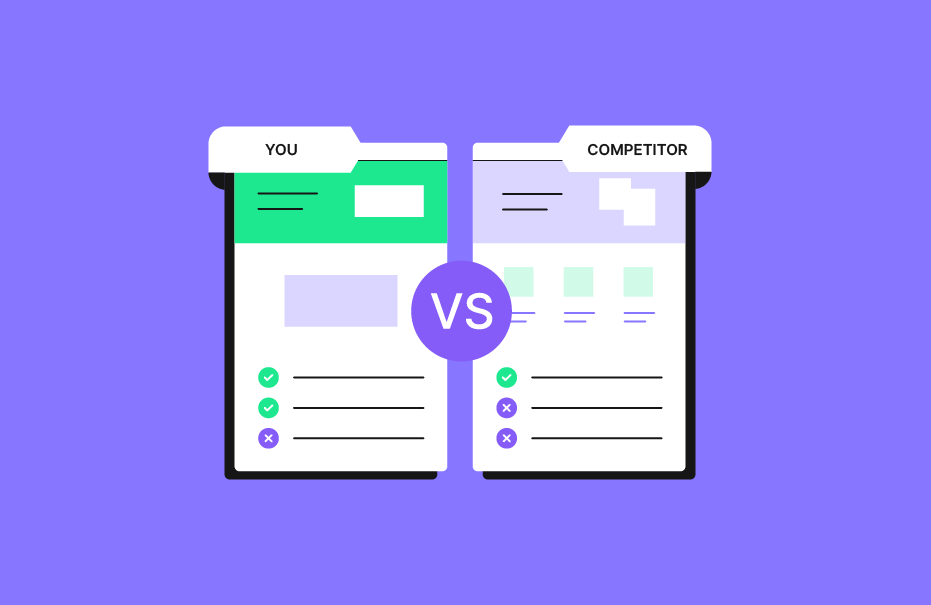
Competitor Comparison Landing Pages: SaaS Best Practices & Tips

In the competitive SaaS landscape, competitor comparison landing pages are a powerful tool to attract potential customers and drive conversions. These pages allow SaaS companies to highlight their unique features, address pain points, and position their product as the superior choice.

Using comparison tables, customer testimonials, and strategic content can significantly boost organic traffic and improve your search engine optimization (SEO) efforts.

This guide will break down everything you need to know about creating impactful competitor comparison landing pages.

What is a Competitor Comparison Landing Page?

What is a Competitor Comparison Landing Page?

A competitor comparison landing page is a dedicated web page that provides a direct comparison between your product and your competitors’ offerings. These pages aim to help potential buyers make informed decisions by showcasing the key differences in features, pricing, and benefits. They often include elements like a feature comparison table, pricing breakdowns, and user testimonials, making it easier for visitors to evaluate your product against others.

Essential Elements of a Competitor Comparison Landing Page

Essential Elements of a Competitor Comparison Landing Page

Feature Comparisons

A feature comparison is the backbone of any competitor comparison landing page. It highlights the key features of your product alongside your competitor’s product, helping potential buyers see the advantages of your SaaS solution.

Using a feature comparison table ensures clarity and makes it easy for visitors to identify how your product addresses their pain points better.

Pricing Breakdown

A transparent pricing breakdown is essential to address budget-related concerns.

Showing a clear comparison of costs, along with what’s included at each price point, helps customers understand the value of your product. This approach also positions your SaaS solution as the best choice for cost-conscious buyers.

Customer Testimonials

Including customer testimonials on your comparison page builds trust and provides strong social proof. Real feedback from satisfied users reassures potential customers, showing how others have benefited from your product.

This is especially impactful when paired with case studies or a high team member satisfaction score.

Visuals and Charts

Engaging visuals like graphs, icons, and charts make complex data easier to digest.

A well-designed comparison chart enhances the overall user experience, helping visitors quickly grasp the differences between products. These design features also improve the page’s readability and keep visitors engaged.

Why Competitor Comparison Landing Pages Matter For B2B?

Why Competitor Comparison Landing Pages Matter For B2B?

Control the Narrative

A competitor comparison landing page allows you to shape how your product is perceived in the market.

Highlighting your strengths and addressing common objections helps you take control of the conversation. This ensures that visitors see why your SaaS product is the superior choice.

Improve SEO

These pages are a great way to target high-intent keywords like “best [product category” or “[competitor name alternatives.”

Optimizing them for relevant keywords helps improve your rankings on search engines, driving more targeted traffic to your site and boosting organic search performance.

Additionally, using professional services like SaaS Link Building Service can further enhance your SEO strategy by building high-quality backlinks that improve domain authority and organic visibility.

Address Objections

Many customers hesitate because they have unanswered questions or doubts about pricing, features, or usability. A well-structured comparison landing page directly addresses these concerns, helping visitors feel confident in choosing your SaaS solution over a competitor’s product.

Provide Objective Information

Offering balanced, factual comparisons builds credibility with your audience. A fair assessment that includes both strengths and limitations makes it easier for potential buyers to trust your brand and see the value in choosing your product.

Differentiate Your Product

A competitor comparison page is an opportunity to show what sets you apart from major brands or other SaaS companies in your niche. Whether it’s unique features, better customer support, or competitive pricing, these pages highlight why you’re the best product for their needs.

Who Are Competitor Comparison Landing Pages For?

Who Are Competitor Comparison Landing Pages For?

These pages are ideal for:

  1. SaaS companies targeting specific niches.
  2. Businesses looking to attract high-intent traffic.
  3. Teams aiming to convert undecided leads into paying customers.
  4. Companies seeking to position themselves as an alternative to major brands in their industry.

How to Create an Effective Competitor Comparison Landing Page?

How to Create an Effective Competitor Comparison Landing Page?

Creating a landing page that compares competitors and gets good results requires careful planning. Follow these steps:

Identifying Key Competitors

Start by identifying which competitors are most relevant to your target audience. Focus on those offering similar SaaS products or targeting the same use cases. Understanding your competitors’ strengths and weaknesses helps you create a comparison landing page that highlights your competitive advantage.

Conducting Keyword Research

Use tools like Google Keyword Planner to find relevant keywords with high search volume, such as “[Competitor Name vs [Your Brand Name.” Targeting these keywords ensures your page aligns with user search intent, helping it rank higher in organic search and attract the right potential customers. For startups looking to refine their SEO strategy, resources like SEO for Startup provide actionable insights and tailored approaches to optimize keyword targeting and drive sustainable growth.

Structuring Your Content

Organize your content so it’s easy to read and navigate. Start with a concise headline, introduce the purpose of the page, and use a clear comparison table to highlight the key differences between products. End with a strong call-to-action, like encouraging visitors to sign up for a free trial or contact customer support for more details.

What to Avoid When Building Competitor Comparison Pages?

Competitor comparison pages can be great for attracting potential customers.

However, there are some things you should avoid to make them really work.

Remember – It’s Not About You

Focus on solving the customer’s problems rather than just promoting your product. Address their pain points and provide useful information that helps them make an informed decision. Avoid making the page feel like a sales pitch.

Trashing the Competition is a No-Go

Avoid criticizing or badmouthing your competitors. Instead, focus on showcasing your product as the best choice by emphasizing its unique features, strong customer support, and better value. A professional tone builds trust with your audience.

Low-Quality Pages – Avoid ’em

A poorly designed or incomplete page can harm your credibility. Ensure your page includes high-quality content, clear visuals like a comparison chart, and accurate information. A well-created page improves the overall user experience and boosts your conversion rate.

No Internal Linking

Failing to include internal links is a missed opportunity to guide visitors to other important pages, like case studies, an FAQ section, or related blog posts. Internal linking improves navigation, keeps visitors on your site longer, and supports your overall digital marketing strategies.

Not Creating Them At All

Not having a competitor comparison landing page means you’re missing out on valuable traffic from users searching for comparisons online. These pages are a great way to attract high-intent visitors, address their objections, and position your SaaS solution as the superior choice in the market.

Tips For Designing a Conversion-Driven Competitor Comparison Landing Page

Tips For Designing a Conversion-Driven Competitor Comparison Landing Page

Pick the Comparison Content Properly

Focus on the most important aspects that matter to your potential customers, such as key features, pricing, and customer support. Avoid overwhelming visitors with unnecessary details. Highlighting the right content ensures your comparison landing page addresses their pain points effectively.

Including a Competitor Comparison Table

A well-organized competitor comparison table is essential for clarity. It allows visitors to quickly see the key differences between your product and your competitor’s product. Use this table to emphasize your unique features and why your product is the best choice for their needs.

Utilize the Right Social Proof

Include customer testimonials, case studies, or awards to build trust and credibility. This social proof reassures visitors that others have benefited from your product, making it easier for them to see it as the superior choice.

Address the Right Questions

Answer the most common questions your audience might have, such as pricing, ease of use, or support options. Addressing these concerns directly on your page helps reduce doubts and improves your conversion rate by guiding visitors toward their next step.

Create Multiple Comparison Pages

If you have multiple competitors, create separate pages tailored to each one. This approach allows you to target specific search intent and relevant keywords, improving your search engine optimization (SEO) and attracting more targeted traffic.

Do It Advertorial Style

Present your content in an informative yet persuasive tone that feels helpful rather than pushy.

Use clear visuals like a comparison chart, concise headlines, and actionable language to guide visitors toward making a decision—whether it’s signing up for a free trial or exploring more about your SaaS product.

Competitor Comparison Page Examples

Competitor Comparison Page Examples

Example #1: Gusto

Gusto’s competitor comparison landing pages are simple yet highly effective. They include comparison tables that highlight key features and pricing differences between Gusto and competitors like ADP.

The tables are designed with clean visuals, alternating row colors, and collapsible headings to make the content easy to digest.

Gusto also uses tooltips to provide additional details without cluttering the page, ensuring a smooth user experience. These pages are optimized for search intent, helping Gusto attract potential customers looking for HR software comparisons.

Their clear structure and transparency make them a great way to drive conversions.

Example #2: Podia

Podia excels in creating a hub of comparison landing pages, each targeting specific competitors like Teachable or Gumroad.

These pages use tailored comparison tables to emphasize Podia’s strengths, such as no transaction fees and an all-in-one platform for online courses. Each page includes targeted customer testimonials from users who switched from competitors, reinforcing strong social proof.

Podia also engages visitors with interactive elements like pop-up questions to start conversations about their needs. This strategy not only addresses customer pain points but also converts visitors into trial users at an impressive rate of over 10%.

Their approach is a prime example of how SaaS companies can use digital marketing strategies to stand out.

FAQ’s:

Why Should I Create a Competitor Comparison Landing Page?

A competitor comparison landing page helps you attract potential buyers who are actively searching for alternatives to your competitors. It allows you to highlight your unique features, address customer pain points, and position your product as the best choice. These pages also improve your conversion rate by providing clear, actionable information.

How Do I Choose Which Competitors to Compare?

Focus on competitors that target the same audience or offer similar SaaS products. Look at major brands in your niche or those with high search volume for comparison-related keywords. Choosing the right competitors ensures your page aligns with user search intent and attracts the most relevant traffic.

How Often Should Competitor Comparison Pages Be Updated?

Update your comparison landing pages regularly—at least every 3-6 months or whenever there are changes in features, pricing, or market trends. Keeping the content fresh ensures accuracy, improves user experience, and helps maintain strong rankings in organic search.

Can Competitor Comparison Pages Improve SEO Rankings?

Yes, these pages are optimized for high-intent keywords like “[Competitor Name vs [Your Brand Name,” which helps them rank well on search engines. Targeting relevant keywords and providing valuable information helps drive more organic traffic and improve your overall search engine optimization (SEO) strategy.

Conclusion

Competitor comparison landing pages are a great way to attract potential customers, address their pain points, and position your SaaS product as the superior choice.

These pages combine elements like comparison tables, customer testimonials, and clear visuals to create a compelling and informative experience.

When done right, these pages help you control the narrative, differentiate your product, and guide visitors toward their next step, such as signing up for a free trial.

Avoid common mistakes like low-quality content or trashing competitors, and focus on providing balanced, objective information.

At VH Info, we believe that well-created competitor comparison landing pages are an essential part of any successful SaaS marketing strategy, helping you build trust and drive conversions effectively.

Footer Links: Meaning, Importance, Types & How To Optimize It?

Footer links are an essential yet often underestimated part of a website’s structure. They reside at the bottom of a page, providing valuable information, navigation links, and SEO benefits.

For SaaS companies and website owners, understanding the use of footer links is important for enhancing user experience, improving SEO strategy, and ensuring that important pages are easily accessible to website visitors.

This article will explore the importance of footer links, how to optimize them intelligently, and best practices for designing a website footer.

What Are Footer Links?

What Are Footer Links?

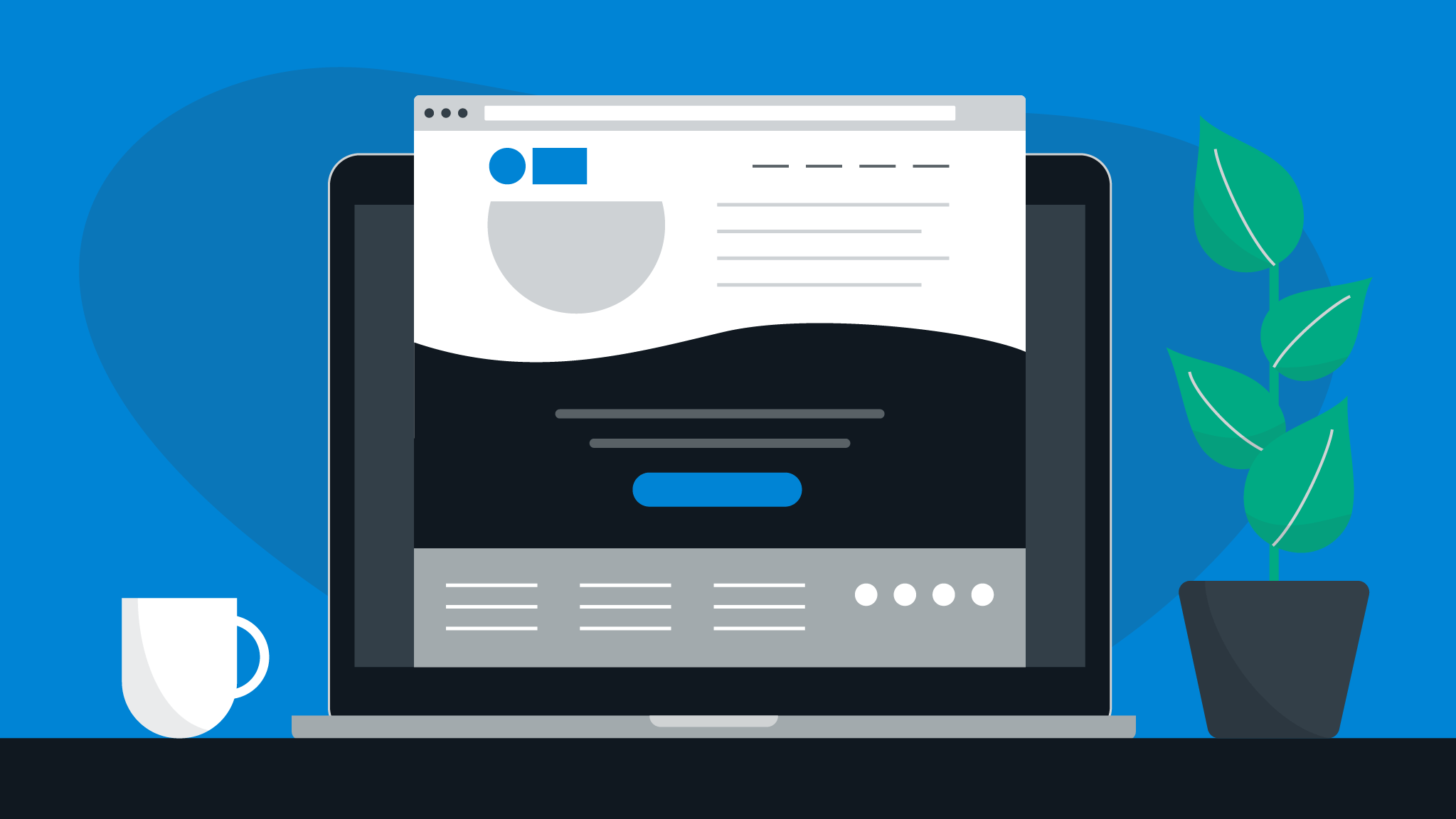
Footer links are hyperlinks placed in the footer section of your website. Found at the bottom of every page, these links often direct users to important pages such as “About Us,” “Terms of Use,” “Privacy Policy,” or contact information. They can include internal links that guide users to sections of your website or external links that lead to other relevant resources.

These boilerplate links serve multiple purposes:

  • Enhancing user navigation by guiding visitors to specific information.
  • Supporting SEO purposes by improving internal linking and providing valuable real estate for keywords.
  • Offering quick access to legal or customer service pages.

Importance of Footer Links

Footer links play a vital role in both web design and SEO strategy.

Here’s why they matter:

  1. Improved User Navigation: They help website visitors find specific information quickly without scrolling through the main content.
  2. SEO Benefits: Footer links contribute to internal linking, which helps search engines understand the structure of your site.
  3. Highlighting Important Pages: They ensure that critical pages like terms of service, privacy policy, or sitemap are always accessible.
  4. Supporting Branding: By including elements like social media icons or your logo, footers reinforce brand identity.

4 Things You Need To Know About Footer Links

Things You Need To Know About Footer Links

Choosing which links to add to your site footer is important for your SEO strategy. However, you should also think about user experience.

Keep these four points in mind.

  1. External Footer Links May Get Devalued By Google: Google tends to devalue external footer links because they often appear less relevant compared to main navigation links. Website owners should limit the number of external links in the footer to avoid potential penalties. However, while external footer links often get devalued by Google, strategic partnerships with reliable SaaS Link Building Service can help agencies manage high-quality backlinks without compromising SEO value.
  2. Footer Links Usually Get Very Low CTRs: While footer links provide valuable information, they typically receive low click-through rates (CTRs). This is because users prioritize main content over navigation at the end of a page.
  3. Footer Links Can Take Your Pages Beyond A “Healthy” Link Total: Overcrowding your footer with too many links can dilute link equity and confuse search engines. Focus on adding only the most important elements.
  4. Organizing Footer Links Can Be A Time Suck: Structuring a good footer requires careful planning. Website owners must balance functionality with aesthetics while ensuring all relevant information is included.

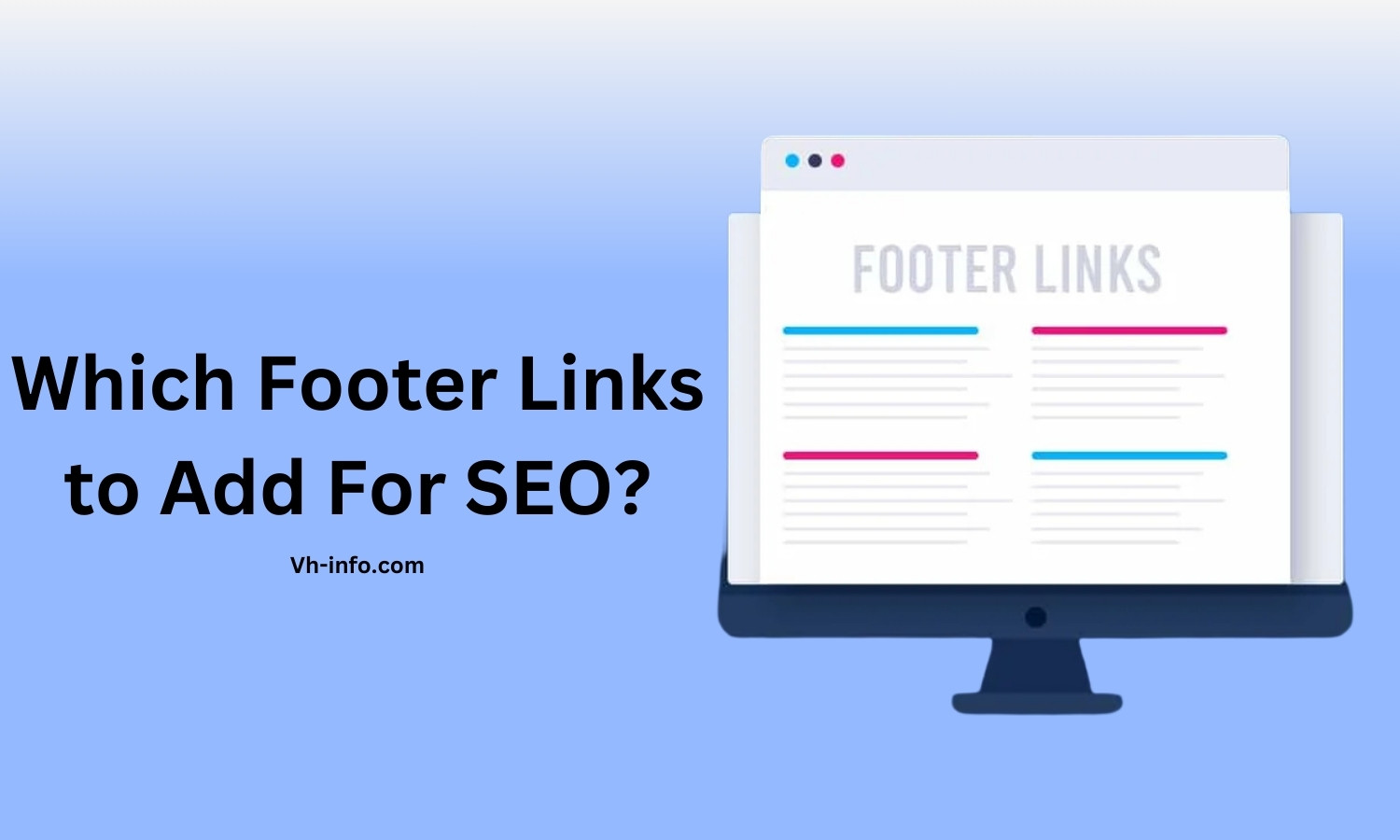
Which Footer Links to Add For SEO?

Which Footer Links to Add For SEO?

To make the most of your footer section for SEO purposes and improve user navigation, you should include the following types of links. These links not only enhance the user experience but also help search engines understand your site better by connecting important pages.

About Us

The “About Us” link in the footer of a website helps website visitors learn more about your company, its mission, and values.

This link is especially useful for potential customers who want to understand the story behind your brand. It also adds valuable information for search engines, making it an essential part of good footer content.

Locations

If your business operates in multiple locations, adding a “Locations” link is a great way to guide users to specific information about where to find you. This is particularly helpful for online stores or SaaS companies with physical offices or service areas.

Including this link in the footer improves user navigation and supports SEO strategy by targeting location-based keywords.

Privacy Policy

A “Privacy Policy” link is important for legal compliance and building trust with website visitors.

It provides specific information about how user data is collected and used on your site. Search engines also prioritize sites with clear privacy practices, so this link benefits both SEO purposes and user confidence.

Customer Reviews

Adding a “Customer Reviews” link in the footer allows potential customers to read testimonials or feedback from existing users.

This type of social proof builds credibility and enhances the user experience by providing relevant information. It’s also a great way to highlight customer satisfaction, which can indirectly boost your SEO strategy.

Terms of Use

The “Terms of Use” link leads to a page outlining the legal terms governing how users interact with your site.

This is one of the most important pages for transparency and customer service. Including this link in your footer ensures that it’s easily accessible while also meeting best practices for web design and SEO.

What to Put in a Site Footer?

A well-structured footer of a website ensures that website visitors can access important pages, contact details, and other relevant information easily. Below are the key elements you should include in your footer section to improve user navigation, SEO, and overall user experience.

Copyright Notice

A copyright notice is a simple line of text that includes the copyright symbol, the current year, and your company name. It protects your content legally and assures users that your site is up-to-date. Placing this at the bottom of every page is a best practice for professional web design.

Privacy Policy Link

Adding a “Privacy Policy” link in your footer is essential for legal compliance and transparency.

It provides specific information about how your site collects, stores, and uses user data. This link also improves trust with website visitors while supporting SEO purposes by linking to an important page.

Sitemap

A sitemap link in the footer helps both users and search engines navigate through sections of your website.

For website visitors, it acts as a guide to finding specific information, while for search engines, it improves indexing. Including an XML sitemap in your footer supports a good SEO strategy.

Logo

Adding your company logo to the footer reinforces branding and gives your site a professional touch.

It reminds website visitors of your identity even at the bottom of every page. A logo in the footer also enhances web design by tying together the overall look of your site.

Contact Information

Your footer should include basic contact details like a phone number, email address, or a link to a contact form.

This ensures that potential customers or users can easily reach out for customer service inquiries. Including contact information improves user experience and adds valuable information for visitors.

Social Media Icons

Social media icons in the footer provide quick links to your social profiles on platforms like Facebook, Twitter, or LinkedIn.

This encourages website visitors to connect with you across different channels. Adding these icons also supports content marketing efforts and enhances user engagement.

Email Sign-up Form

An email sign-up form in the footer allows potential customers to subscribe to newsletters or updates.

It’s an effective way to capture leads while offering valuable information to users who want to stay connected with your brand. This element is particularly useful for SaaS companies or online stores looking to grow their audience.

Including these elements in the footer section ensures that your site provides valuable real estate for navigation links, legal pages like terms of use, and branding elements.

A good footer not only enhances user navigation but also supports SEO purposes while improving the overall user experience on your site.

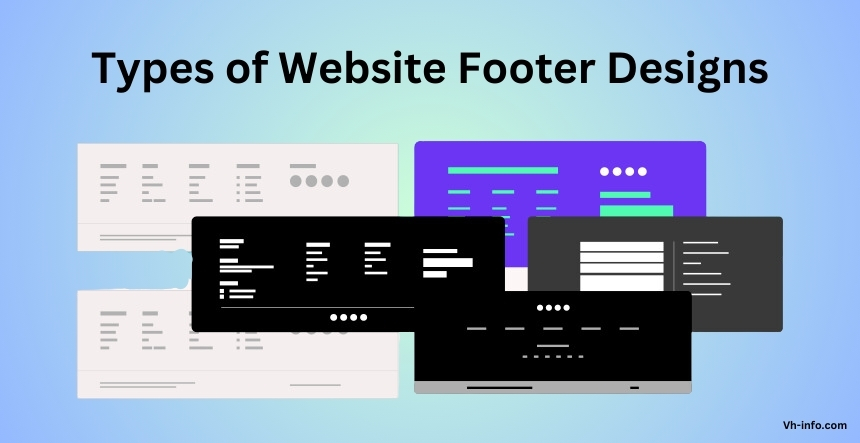
Types of Website Footer Designs

Types of Website Footer Designs

Website footers come in various styles, each designed to serve specific purposes.

Below are the main types of footer designs, explained in simple terms to help you decide which one suits your site best.

Fat Footer

A fat footer is packed with a lot of valuable information, including navigation links, contact details, social media icons, and links to important pages like terms of use or privacy policy.

This type of footer is ideal for websites with extensive content, such as SaaS companies or online stores. By organizing links into categories, fat footers make it easy for website visitors to find relevant information while improving user navigation and SEO.

Narrow Footer

A narrow footer is a minimalist design that includes only the most essential elements, such as contact information, social media links, and a copyright notice. This type of footer is perfect for websites that want to maintain a clean and simple look without overwhelming users. It’s a good footer option for smaller sites with fewer navigation links or pages.

No Footer

Some websites opt for no footer at all, especially if they are focused on showcasing their main content or maintaining a sleek web design.

However, even with no footer, it’s important to include basic elements like copyright information or terms of service at the bottom of every page. This approach works well for creative or one-page websites but may not be suitable for sites with many navigation needs.

Product Footer

A product footer is tailored for businesses that sell products or services online. This type of footer focuses on showcasing product pages or features first, making it easier for potential customers to explore offerings.

It’s an excellent choice for SaaS companies or e-commerce websites where driving users to product-specific pages is a priority.

Legalese Footer

A legalese footer contains legal disclaimers and important pages like terms of use and privacy policy.

It’s commonly used by companies that need to display detailed legal information, such as Apple’s website. While this type of footer can be combined with others (like fat or narrow footers), it’s essential for ensuring transparency and compliance.

CTA Footer

A CTA (Call-to-Action) footer encourages website visitors to take specific actions, such as signing up for a newsletter, filling out a contact form, or following social media profiles.

This type of footer is highly effective for boosting conversions and engaging users who scroll to the bottom of a page.

Site Index Footer

A site index footer includes all the links on your website in an organized format, acting as a mini sitemap. This is particularly useful for larger websites with extensive content or sections.

Providing comprehensive navigation at the bottom of every page, this design enhances user experience and ensures visitors can find what they’re looking for easily.

Each type of footer serves different needs based on your site’s goals and audience.

Whether you choose a fat footer for its extensive navigation capabilities or a CTA footer to drive conversions, designing an effective website footer ensures a better user experience and supports your SEO strategy.

How to Optimize Your Website Footer?

How to Optimize Your Website Footer?

A well-designed footer is more than just the bottom of a page—it’s valuable real estate that can improve user navigation, boost SEO, and enhance the overall user experience.

Follow these eleven simple tips to create a good footer that works for both website visitors and search engines.

  1. Think About Your Links: Carefully choose the types of links to include in your footer. Focus on internal links leading to important pages like your privacy policy, terms of use, or sitemap. Avoid overcrowding the footer with too many navigation links, as this can confuse users and dilute SEO benefits.
  2. When in Doubt, Go Small: If you’re unsure how much information to include, keep your footer simple. A narrow footer with only essential elements—like a copyright notice, contact information, and social media links—ensures a clean and professional web design without overwhelming visitors.
  3. Let Your Footer Fade Into the Background: Your footer should complement the main content without drawing too much attention. Use subtle colors and fonts that blend with your site’s design while still making the footer section easy to read. This improves user experience by keeping the focus on your main navigation.
  4. Don’t Forget Your Contact Info: Always include basic contact details like a phone number, email address, or a link to a contact form in your footer. This ensures that potential customers or website visitors can easily reach out for customer service inquiries. It’s also a best practice for building trust and credibility.
  5. Make Room For Fine Print: The footer is the perfect place for fine print like legal disclaimers, copyright information, privacy policies, and terms of service. These boilerplate links are essential for transparency and compliance while keeping them out of the way of your main content.
  6. Consider Adding a Search Bar: Adding a search bar in your footer can improve user navigation by helping visitors find specific information quickly. This feature is especially useful for larger websites with extensive content or multiple sections.
  7. Add Social Proof: Social proof elements like customer reviews, testimonials, or awards can be included in your footer to build trust with potential customers. Highlighting certifications or achievements adds credibility and supports content marketing efforts.
  8. Highlight Certifications: If your business has certifications or partnerships with trusted organizations, showcase them in your footer. This not only enhances your brand’s reputation but also provides relevant information that reassures website visitors about your credibility. For startups aiming to establish a strong online presence, using expert services like SEO for Startup can help optimize visibility and build trust effectively.
  9. Include a Call-To-Action: A call-to-action (CTA) in the footer encourages users to take specific actions like signing up for an email newsletter or following your social media profiles. It’s an effective way to engage potential customers who scroll to the bottom of every page.
  10. Bring in Your Branding: Include branding elements like your logo, tagline, or company colors into the footer design. This reinforces brand identity and ensures consistency across all pages of your site while improving user experience.
  11. Keep SEO in Mind: Optimize your footer for SEO purposes by including keywords strategically in navigation links and anchor text. Avoid stuffing it with too many external links or irrelevant information, as this can harm your search engine rankings. Focus on internal linking to important pages and creating valuable information for users.

How To Use Footer Links Intelligently?

Using footer links wisely can improve both user experience and SEO purposes.

The key is to ensure that the footer section contains relevant information and is well-organized to help website visitors navigate your site effortlessly. Avoid overcrowding the footer with too many navigation links, as this can dilute their value.

Instead, focus on internal linking to important pages like privacy policies, terms of use, or a sitemap. External footer links should be used sparingly and only when they add value, such as linking to social profiles or trusted third-party resources.

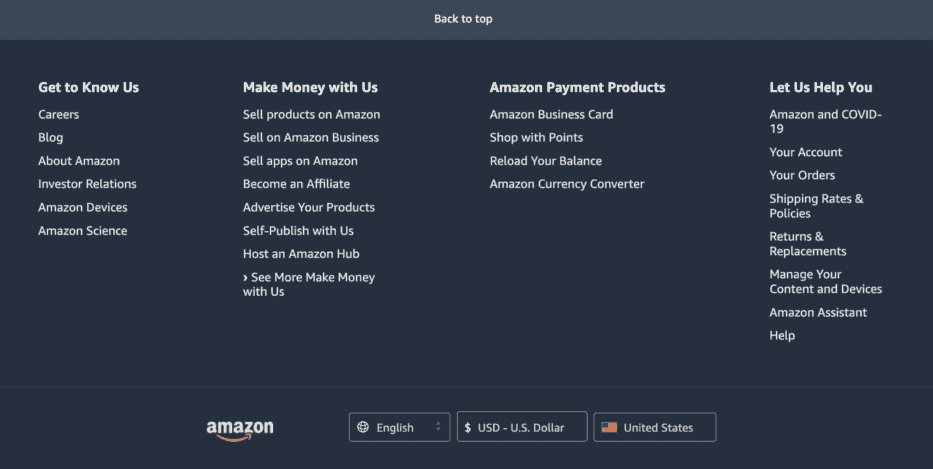
Footer Links Example #1: Amazon

Footer Links Example #1: Amazon

Amazon’s website footer is a great example of how to manage a large number of links without overwhelming users:

  1. Organized Sections: Amazon divides its footer into clear categories like “Get to Know Us,” “Make Money with Us,” and “Amazon Payment Products,” helping users find specific information quickly.
  2. User-Focused Links: Priority is given to essential links like account management, orders, and return policies, addressing common customer service needs.
  3. Global Reach: The footer includes links to Amazon’s regional websites, catering to their international audience.
  4. Mobile Apps: Links to mobile apps are prominently displayed, recognizing the importance of mobile user experience.

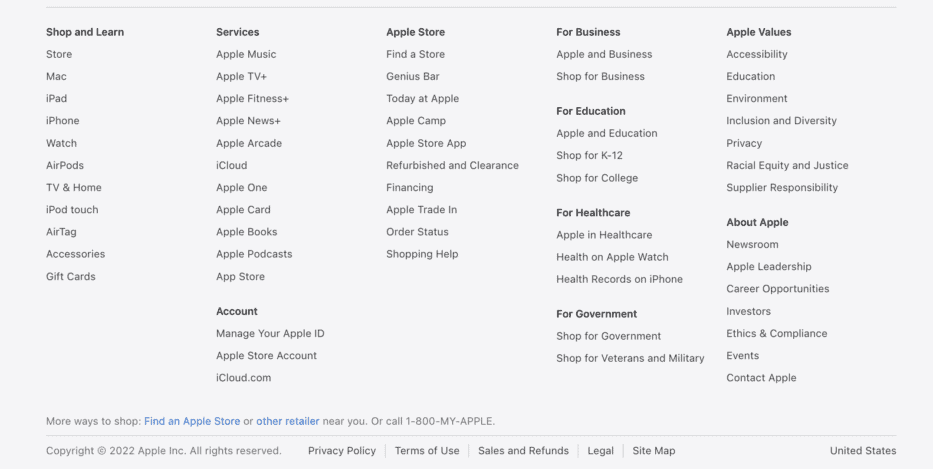
Footer Links Example #2: Apple

Footer Links Example #2: Apple

Apple’s footer design reflects its brand’s simplicity and focus on user needs:

  1. Minimalistic Design: Apple avoids clutter by including only essential navigation links, making the footer easy to navigate.
  2. Support Links: Prominent placement of support-related links like “AppleCare” ensures users can quickly find help.
  3. Corporate Information: Apple includes links to leadership details and career opportunities, reinforcing its industry authority.
  4. Product Ecosystem: The footer subtly promotes Apple services like Apple Music and the App Store, integrating content marketing into the design.

What Are The Most Used Footer Links?

The most commonly used types of footer links are those that enhance navigation and provide essential information for website visitors.

These include:

  1. Privacy Policy: A legal requirement for most websites that builds trust by explaining data usage.
  2. Terms of Use/Service: Outlines the rules for using your site and ensures transparency.
  3. Contact Information: Includes phone numbers, email addresses, or a contact form for customer service inquiries.
  4. Sitemap: Helps users and search engines navigate your site structure easily.
  5. Social Media Icons: Links to social profiles allow users to connect with your brand on different platforms.

These types of links ensure a good user experience while supporting SEO strategy by improving internal linking and accessibility.

Do Footer Links Still Matter?

Do Footer Links Still Matter?

Yes, footer links still matter for both SEO purposes and user navigation. While search engines like Google may not value them as highly as links in the main content, they remain an important part of web design.

Footer links help users find important sections like privacy policies or contact information quickly, enhancing user experience. They also contribute to internal linking by connecting important pages across your site.

When used thoughtfully, footer links can still offer significant benefits for both website visitors and search engines.

FAQ’s:

What Makes a Footer Link Essential For Website Navigation?

A footer link is essential for website navigation when it directs users to important pages like the privacy policy, terms of use, or contact information. These links help website visitors find valuable information quickly, especially when they scroll to the bottom of a page. Footer links also improve user navigation by connecting sections of your website that may not be included in the main navigation.

How Frequently Should I Update My Website Footer?

You should review and update your website footer at least every few months or whenever there are changes to your site.

For example, if you add new social media profiles, update your terms of service, or change your contact details like phone numbers or email addresses, make sure the footer reflects these updates. Keeping it current ensures a good user experience and accurate information.

Is There a Maximum Number of Links I Should Have in My Footer?

Yes, it’s best to limit the number of links in your footer to avoid overcrowding. Focus on adding only the most important links, such as internal links to key pages and a few external links like social media icons. A good footer balances functionality with simplicity, ensuring users can easily navigate without feeling overwhelmed.

Can Footer Links Affect Mobile User Experience?

Absolutely! Footer links can significantly impact mobile user experience if they are not optimized for smaller screens. Ensure the footer section is responsive, with clear navigation links and enough spacing for easy tapping. Including essential elements like contact information and social media links in a mobile-friendly way improves usability for mobile website visitors.

Conclusion

Footer links are an important part of any website, offering both functional and SEO benefits. They enhance user navigation by providing quick access to important pages like the privacy policy, terms of use, and contact information. A well-designed footer section also supports SEO purposes by improving internal linking and helping search engines understand your site structure.

Whether you choose a fat footer for extensive navigation or a narrow footer for simplicity, the key is to include relevant information without overcrowding the bottom of a page.

Adding elements like social media icons, a sitemap, and a copyright notice ensures a good user experience and reinforces branding.

For SaaS companies, online stores, or any website owner, optimizing footer content is essential for balancing aesthetics with functionality. When thoughtfully designed, the footer of a website becomes valuable real estate that serves both website visitors and search engines effectively.

Link Building Campaign Mastery: #1 Guide to Drive Traffic & Rank

In the competitive world of digital marketing, a well-executed link-building campaign is a cornerstone for improving search engine rankings and driving organic traffic.

For SaaS companies, building quality links is not just about boosting visibility—it’s about establishing authority and creating valuable connections with relevant audiences.

At VH Info, we specialize in crafting actionable strategies that help SaaS businesses achieve sustainable growth through effective link-building. This guide will walk you through everything you need to know to start and optimize your link-building efforts.

What is a Link Building Campaign?

What is a Link Building Campaign?

A link building campaign is a strategic effort to acquire hyperlinks from external websites to your own. These hyperlinks, often referred to as backlinks, act as endorsements that signal to search engines like Google that your web page is credible and valuable. The ultimate goal of such campaigns is to enhance your site’s domain authority, improve search engine rankings, and drive referral traffic.

Unlike random link acquisition, a campaign focuses on targeted efforts using specific tactics such as guest posting, broken link building, and digital PR. By aligning these efforts with your SEO goals, you can secure links that genuinely add value to your site.

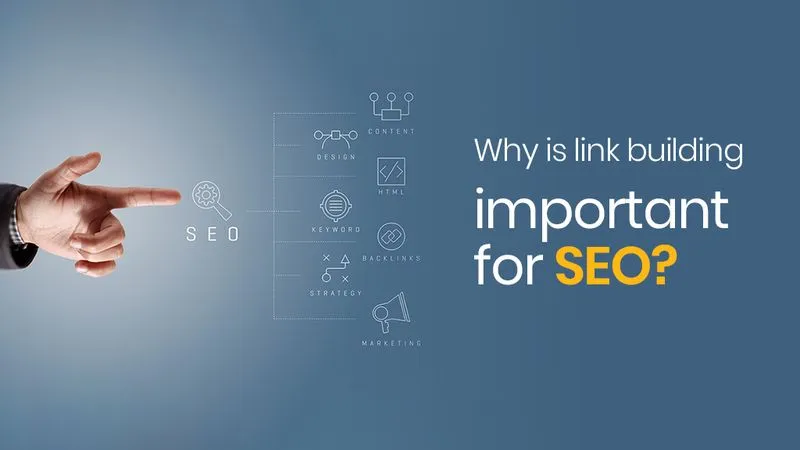
Why is Link Building Important For SEO?

Why is Link Building Important For SEO?

Link building is vital for SEO because search engines use backlinks as one of the most significant ranking factors.

Here’s why it matters:

  1. Improves Search Engine Rankings: High-quality links from authoritative sites signal trustworthiness and relevance to search engines.
  2. Drives Organic Traffic: Links from reputable sources can bring in referral traffic from users genuinely interested in your content.
  3. Enhances Domain Authority: A strong backlink profile improves your domain authority, making it easier for your pages to rank higher.
  4. Supports Content Marketing: Quality links amplify the reach of your content marketing efforts by connecting them with the right audience.
For businesses, especially SaaS companies, building quality backlinks can be challenging yet rewarding. Utilizing a professional SaaS Link Building Service can help streamline this process, ensuring scalable and sustainable results.

How to Start a Link Building Campaign? Step-By-Step

How to Start a Link Building Campaign?

Building a successful link building campaign requires careful planning and execution. Below, we break down each step to help you secure quality links, improve your backlink profile, and boost your search engine rankings.

Set Up Your Link-Building Campaigns Goals

  1. Understand the Why: Before starting, know the purpose of your link building campaign. Are you trying to rank higher for a target keyword, drive organic traffic, or improve your domain authority? Having a clear reason ensures your efforts align with your business goals. For startups looking to establish a strong foundation in SEO, using expert guidance can make all the difference. SEO for Startup services provide tailored strategies to help new businesses achieve sustainable growth through effective SEO practices.
  2. Choose What Pages You’ll Build Links To: Decide which web pages need backlinks. Focus on high-priority pages like blog posts, product pages, or landing pages that can benefit from better search engine rankings and referral traffic.
  3. Be Specific: Set specific goals for your campaign. For example, aim to acquire 20 quality links for a blog post or improve page authority for a resource page link. Specificity helps you measure success effectively.
  4. Set Short-Term and Long-Term Goals: Combine quick wins with long-term strategies. For instance, secure new links through guest posting in the short term while building relationships with industry experts for future collaborations.

Identify Your Linkable Assets

  1. Identify What You Already Have: Audit your existing content to find linkable assets like original research, infographics, or high-quality blog posts. These pieces of content can naturally attract backlinks from external websites.
  2. Research What Works in Your Niche: Analyze your competitors’ backlink profiles using tools like Ahrefs or Google Search Console. Identify which types of content are earning them quality links and use this as inspiration for your strategy.
  3. Create High-Quality Content: Content creation is key to link building success. Develop great content such as guides, case studies, or original data that provide value to your audience and make it easy for others to link back.

Choose The Proper Link Acquisition Technique

Different tactics work for different types of campaigns. Use methods like broken link building to replace outdated links with yours, guest blogging on high domain authority sites, or resource page link building to secure links from curated lists.

Find Quality Link Prospects

  1. Analyze Your Competitors’ Backlink Profile: Study where your competitors are earning their backlinks using tools like SEMrush or Moz. This helps you identify potential websites that might be a good fit for your outreach strategy.
  2. Harness Google Advanced Search Operators: Use search operators like “intitle:resources + [your niche” to find resource page links or guest posting opportunities relevant to your industry.
  3. Use Link Prospecting Tools: Tools like BuzzStream and Hunter.io simplify finding external websites that align with your goals and help manage outreach emails effectively.

Find The Right Contact Info

Once you’ve identified potential link prospects, the next step is finding accurate contact information to ensure your outreach emails reach the right person.

Here’s how you can effectively gather contact details:

  1. Start With the Website’s Contact Page: The easiest way to find an email address is by visiting the website’s “Contact Us” page. Many websites list generic emails or forms here, which can still lead you to the right person responsible for link building or content partnerships.
  2. About Page & Author Bio: Check the “About Us” page or author bios on blog posts. These sections often include direct email addresses or links to social media profiles of key individuals like content managers or editors.
  3. Use Email Finding Tools: Tools like Hunter.io, Voila Norbert, and Snov.io are excellent for finding email addresses associated with a domain. Simply input the company name or individual’s name, and these tools will generate potential contact details.
  4. Use Social Media: Platforms like LinkedIn and Twitter are great for connecting with decision-makers. LinkedIn, in particular, allows you to find roles like Content Marketing Manager or Editor and sometimes provides email addresses in profiles.
  5. Check Out WHOIS: Perform a WHOIS lookup for domain-based emails. This database often contains registrant information, including email addresses, especially for smaller websites without privacy protection.
  6. Don’t Forget The Power of Networking: Use your existing network to find mutual connections who can introduce you to the right person. Networking not only builds relationships but also increases your chances of getting a positive response.

Start Outreaching

With your list of contacts ready, it’s time to create personalized outreach emails that grab attention and foster collaboration.

  1. Create a Killer Subject Line: Your subject line should be short yet compelling enough to make the recipient open your email. For example: “Quick Question About Your Resource Page.”
  2. Personalize Your Pitch: Tailor each email to show genuine interest in their content. Reference specific articles or sections on their website that align with your pitch.
  3. Be Concise But Clear: Keep your message short while clearly explaining how your piece of content adds value to its audience. Avoid overwhelming them with too much information.
  4. Show Your Credibility: Highlight your expertise by mentioning relevant achievements, original research, or high-quality content that supports your request.
  5. Use a Friendly Sign-off: End your email on a positive note with a polite call-to-action (e.g., “Would you consider adding my article as a resource?”) and a friendly closing.

Follow Up

Following up is important in link building outreach, but it must be done respectfully and strategically.

  1. Timing is Everything: Wait 3-5 days before sending a follow-up email. This gives recipients enough time to review your initial message without feeling pressured.
  2. Keep it Short and Sweet: A follow-up should be brief—remind them about your first email without repeating everything. For instance: “Just checking if you had a chance to review my earlier message.”
  3. Add a Gentle Nudge: Politely reiterate why linking to your content benefits them and their audience. For example: “I believe this could be a great fit for your readers.”
  4. Don’t Overdo It: Limit follow-ups to two attempts at most. Too many emails can harm your response rate and make you appear spammy.
  5. Be Gracious Regardless of the Outcome: Thank them even if they decline your request. A respectful approach leaves the door open for future opportunities and builds goodwill.

Track & Measure Your Results

Tracking the performance of your link building campaign is essential to understanding its success. By monitoring key metrics like backlinks, organic traffic, and keyword rankings, you can identify what’s working, improve weak areas, and demonstrate the ROI of your efforts.

Here’s how to effectively track and measure your results:

  1. Stay Organized With a Tracking System: Use a tracking system like a spreadsheet or tools like BuzzStream or Ahrefs to keep all your data in one place. Record details such as outreach emails sent, response rates, secured links, and the domain authority of linking websites. Staying organized ensures you don’t lose track of progress and helps you analyze trends over time.
  2. Monitor Your Backlinks: Regularly check the backlinks you’ve acquired to ensure they remain active and come from high-quality sites. Tools like Google Search Console or Ahrefs can help you monitor your backlink profile and identify any broken links or spammy links that need attention.
  3. Analyze Traffic and User Behavior: Look at referral traffic from external websites linking to you. Use tools like Google Analytics to see how users interact with your site after clicking on these links. This data helps you determine whether your link building efforts are driving meaningful engagement or just traffic.
  4. Track Keyword Rankings: Monitor how your target keywords are performing in search engine rankings over time. Tools like SEMrush or Moz can show whether the new links are helping improve rankings for specific pages. Higher rankings for important keywords indicate the success of your campaign.
  5. Assess Brand Visibility: Check if your link building efforts are improving brand awareness. Look for mentions of your business on external websites, blogs, and social media platforms. A strong backlink profile often leads to increased visibility and credibility within your niche.
  6. Keep An Eye On ROI: Evaluate the return on investment by comparing the resources (time and money) spent on link building with the benefits gained, such as organic traffic growth or higher conversions. This helps justify your efforts and refine future campaigns.
  7. Iterate and Adjust: Based on the data you gather, tweak your strategies to improve results. For example, if guest blogging is bringing in quality links but broken link building isn’t yielding much success, focus more on guest posting opportunities. Continuous adjustments ensure long-term success in building relationships and securing quality links.

Strategies For Effective Link Building

Strategies For Effective Link Building

Building quality links requires using ethical and proven strategies that not only improve your backlink profile but also enhance your website’s search engine rankings.

Here are some effective link building strategies:

Creating High-Quality Content

High-quality content is the foundation of any successful link building campaign. Great content, such as in-depth guides, original research, or infographics, naturally attracts backlinks from external websites. When you create valuable pieces of content that solve problems or provide unique insights, other websites are more likely to link to you.

Guest Blogging and Outreach

Guest blogging is a great way to secure quality links while building relationships with industry experts. Write guest posts for high-domain authority websites in your niche and include relevant anchor text linking back to your site. Combine this with outreach emails to pitch your ideas to the right people and increase your chances of success.

Using Social Media For Backlinks

Social media platforms like LinkedIn, Twitter, and Facebook are excellent tools for promoting your content and earning backlinks. Share your blog posts or original research on social media to reach a broader audience. When your content gains traction, it can attract organic links from other websites.

Directory Submissions and Listings

Submitting your website to trusted directories is an easy way to secure new links. Focus on niche-specific directories or listings that align with your industry. This tactic not only helps with link building but also improves brand visibility and referral traffic.

Influencer Collaborations

Collaborating with influencers in your industry is an effective way to secure quality links. Influencers often have high domain authority websites or social media platforms where they can share your content. Building relationships with them can lead to guest posting opportunities, mentions, or endorsements that boost your organic rankings.

Common Challenges in Link Building and How to Overcome Them?

Common Challenges in Link Building and How to Overcome Them?

Like any digital marketing strategy, link building comes with its challenges. Recognizing these issues and addressing them effectively is key to long-term success.

Avoiding Spammy Practices

One of the biggest challenges in link building is avoiding spammy practices like buying links or using automated tools to generate backlinks.

These black-hat SEO tactics can harm your site’s domain authority and lead to penalties from search engines like Google. Instead, focus on ethical link building strategies such as resource page link building, broken link building, and guest posting for high-quality links.

Handling Rejections in Outreach

Rejections are common in email outreach campaigns, especially when reaching out to high domain authority sites.

To overcome this challenge, personalize your outreach emails by showing genuine interest in their content and explaining how linking to your piece of content benefits their audience.

Be persistent but respectful—follow up politely without overdoing it, and always thank them for their time regardless of the outcome.

Tools and Resources For Link Building

Tools and Resources For Link Building

In today’s digital marketing landscape, using the right tools can simplify your link building efforts, help you find quality opportunities, and track your progress effectively.

Best Tools For Finding Backlink Opportunities

  1. Ahrefs: Ahrefs is a comprehensive SEO tool with features like the “Link Intersect” tool, which helps identify websites linking to your competitors but not you. It also provides backlink analysis, anchor text insights, and domain authority metrics to refine your strategy.
  2. SEMrush: SEMrush offers a robust backlink database and tools like the Backlink Gap tool to compare your backlink profile with competitors. It also includes outreach management features, making it easy to find prospects and track campaigns.
  3. Majestic: Known for its Trust Flow and Citation Flow metrics, Majestic helps assess link quality and discover mutual links between domains. Its “Link Context” feature provides insights into the surrounding content of backlinks.
  4. BuzzStream: This tool is perfect for managing outreach campaigns. It helps you find contact details, send personalized emails, and track responses efficiently.
  5. Moz Link Explorer: Moz provides detailed insights into spam scores, anchor text analysis, and broken links. It’s great for identifying link building opportunities and monitoring your backlink profile.

Tracking and Monitoring Your Links

  1. Google Search Console: A free tool that tracks backlinks to your site and identifies any harmful links that may need to be disavowed.
  2. Linkody: Tracks new and lost backlinks daily, provides detailed reports on anchor text usage, and integrates with Google Analytics for enhanced insights.
  3. SEMrush Backlink Audit Tool: Monitors toxic links, tracks new and lost backlinks, and keeps you updated with notifications when changes occur in your backlink profile.
  4. Ahrefs Backlink Checker: Offers historical data on backlinks, monitors referring domains, and helps identify broken links that can be reclaimed.

Is Link Building Still Relevant in 2025?

Is Link Building Still Relevant in 2025?

Yes, link building remains an important part of SEO in 2025. Search engines like Google use links as a signal of trustworthiness and authority.

High-quality backlinks from authoritative websites help improve search engine rankings, drive organic traffic, and enhance domain authority. While tactics may evolve (e.g., focusing more on content relevance or ethical practices), the importance of building quality links has not diminished.

How Many Links Do I Need to Rank Higher?

How Many Links Do I Need to Rank Higher?

The number of backlinks required depends on several factors:

  1. Competition in Your Niche: Competitive industries may require hundreds of high-quality links.
  2. Domain Authority: Websites with higher domain authority need fewer links compared to newer or less authoritative sites.
  3. Quality Over Quantity: Focus on earning high-quality backlinks from relevant websites rather than just increasing the number of links.

As a general rule:

  • A homepage may need 40–50 quality backlinks.
  • Individual pages often require 0–100 links depending on their target keyword difficulty.

FAQ’s:

What Makes a Good Link Building Campaign?

A good link building campaign focuses on acquiring high-quality links from relevant and authoritative external websites. It involves strategies like creating great content, using ethical outreach methods, and targeting sites with high domain authority. The campaign should also prioritize relevance, ensuring that the links come from websites related to your niche, and use natural anchor text to improve search engine rankings.

How Long Does It Take to See Results From Link Building?

Seeing results from link building can take anywhere from 3 to 12 months, depending on factors like your website’s domain authority, the quality of acquired links, and competition in your niche.

High-quality backlinks from trusted sources may show faster results, while low-authority sites might take longer to impact rankings. Patience is key, as link building is a long-term strategy that gradually improves organic traffic and search engine visibility.

Can Link Building Hurt My Site’s SEO?

Yes, link building can hurt your SEO if done incorrectly. Practices like acquiring backlinks from spammy or irrelevant websites, over-optimizing anchor text, or buying links without proper “rel” attributes can lead to penalties from Google.

To avoid harm, focus on ethical link building strategies like guest blogging, broken link building, and securing links from high-quality, relevant sites.

Conclusion

A successful link building campaign requires strategic planning, consistent execution, and ongoing optimization.

Focusing on quality content creation, ethical practices, and relationship-building efforts can help you secure valuable backlinks that enhance both visibility and credibility in search engine results pages (SERPs).

At VH Info, we’re here to guide you every step of the way—helping you achieve sustainable growth through proven link building strategies tailored specifically for SaaS businesses!
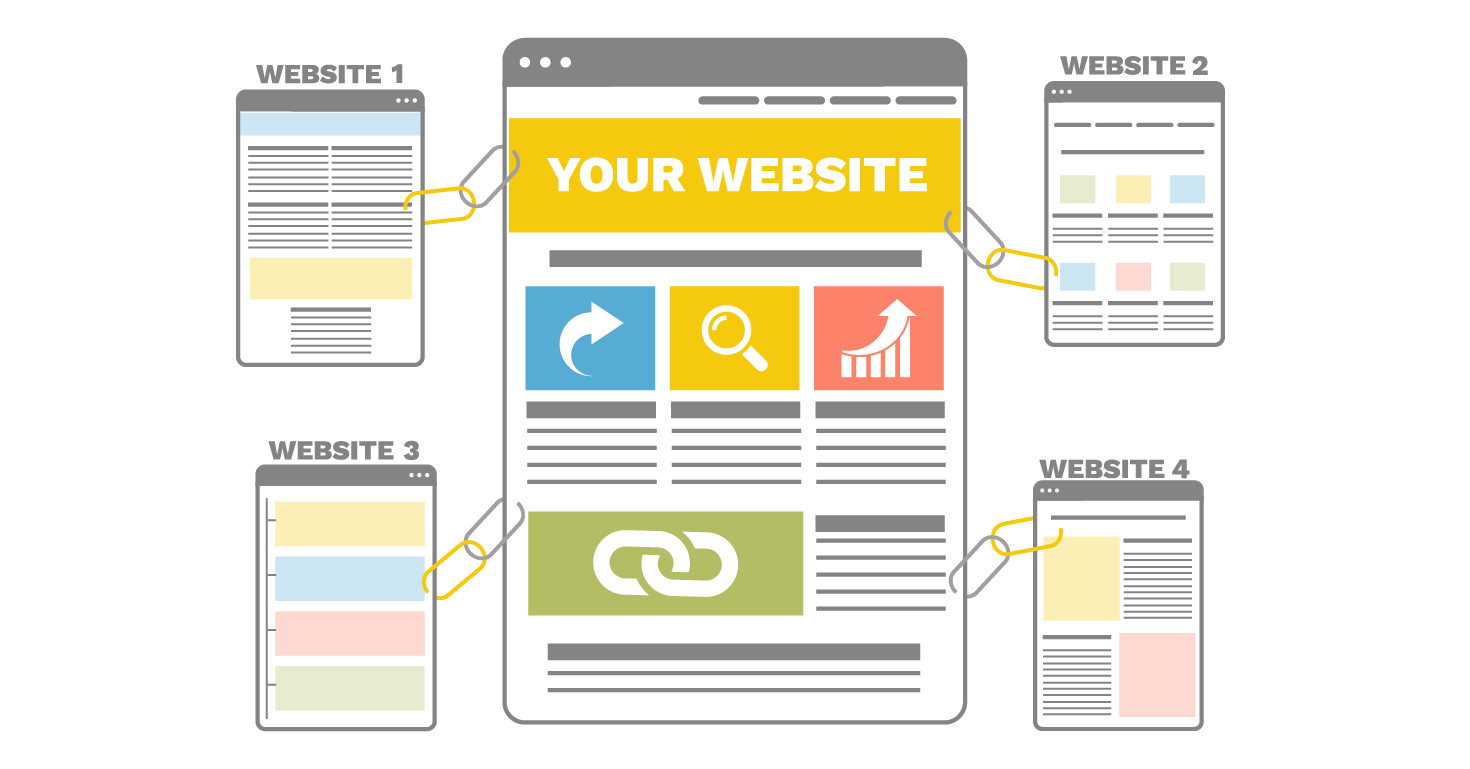
Link Building Agency vs. Freelancer: Who Should You Hire?

The debate between hiring a freelancer or an agency is common, especially in link building. Both options come with their strengths, making the decision far from straightforward.

Freelancers and agencies each bring their advantages to the table, but the right choice can depend on factors like project scope, budget, and long-term strategy. It’s not always easy to weigh the pros and cons.

In this article, we’ll explain the differences between agencies and freelancers and the key factors to consider when choosing the right specialists for your link building.

Link Building Agency vs. Freelancer: Breaking Down The Key Differences

Deciding between a freelancer and an agency can be challenging. Before deciding on one of the options, it’s important to understand what SEO link building is and how it can help scale your business.

Let’s break down the basics to understand the differences and unique advantages both models provide.

What Is a Freelancer?

A freelancer is an independent professional working on a project-by-project basis. They handle everything from finding clients to delivering the final result.

Freelancers often specialize in areas like copywriting, design, or link building. Their appeal lies in offering a personalized and flexible approach with lower wages.

According to predictions for the following years, freelancing is rising, and businesses can tap into a larger pool of specialized talent.

What Is a Digital Agency?

A digital agency brings together a team of experts to handle projects. They typically offer web development, social media management, and marketing services.

Agencies operate in a more structured environment, with teams working on various parts of a project. This setup can smoothly manage complex tasks that require multiple skill sets.

However, agencies often have higher overhead costs. An agency might be the better fit if your project needs multiple services or a larger team.

Freelancer vs. Agency: Weighing the Pros and Cons

When deciding between whether to hire freelancers or an agency for your link building, weighing each option’s benefits and drawbacks is important. Both offer many advantages, but your choice depends on your specific needs.

image2

  • Skills and Expertise

Agencies bring a team of experts with diverse skills. They can handle complex projects that require multiple areas of expertise, such as social media management, design, or marketing, all under one roof. Using professional services automation tools, they can also streamline project workflows tips, track progress efficiently, and ensure consistent delivery across all service areas.

In an agency, you are typically unable to choose the specialists for your project; project managers assign them the tasks. 

Freelancers are usually specialists in their field. Many have honed their skills while working for larger companies before transitioning to independent work. 

Whether you need SEO, link building, or content creation, freelancers can provide focused expertise. However, their skills might not be sufficient for complex and long-term projects. 

  • Flexibility and Personalization

Agencies operate with a structured team and established processes. It can be an advantage if you need multiple services managed efficiently. But, you might not always get the same personal touch or flexibility as with a freelancer.

Freelancers offer flexibility that’s hard to match. They can adapt to your schedule and provide personalized attention. Since they manage their own workload, you often get more direct communication and control over the project.

Freelancers’ work is not as structured as that of agencies, which might be a problem in more extensive projects. 

  • Cost and Payment

Cost is a crucial factor. Agencies tend to charge more due to their higher operating costs, but they offer a more comprehensive range of services in return. 

You’re paying for a team’s collective expertise, which can be invaluable for more complicated projects. Agencies typically offer clear contracts and more flexible payment options. 

Freelancers typically charge less than agencies since they have lower overhead. They may work on a per-project or per-hour basis, making them a more budget-friendly option for smaller businesses. 

Many use a freelance invoice template that simplifies the payment process, ensuring payments stay on track. Freelancers might have tighter payment requirements in comparison to agencies. 

  • Accountability and Communication

Agencies offer formal communication channels and typically have a project manager who ensures everything stays on track. This can be beneficial if you prefer scheduled updates, but the agency’s team may not always be as accessible as a freelancer.

Freelancers rely on their reputation for future work and are often highly motivated to deliver results. However, communication and availability can vary because they work independently, especially when juggling multiple clients.

Who Should You Hire for Your Next Project?

Now, it’s time for a summary to help you make an informed decision. Whether you choose a freelancer or an agency, understanding their strengths and limitations is critical to selecting the right partner for your link building efforts.

The chart below concisely compares the pros and cons of hiring freelancers versus an agency.

Aspect Agency Pros Agency Cons Freelancer Pros Freelancer Cons
Skills and Expertise Multiple skill sets obtained by the team of experts Often unable to choose specific specialists. Specialized expertise Limited skills for complex tasks
Flexibility and Personalization Quick adjustments to deadlines and changes due to a larger team Standard business hours, less personal touch Flexible schedule, personalized attention Lack of structure for large work-scope projects
Cost and Payment Clear contract monthly-based or project-based, flexible payment options Higher cost due to overhead Lower cost, often cost per project Tighter payment terms
Accountability and Communication Structured processes and formal communication. Unable to communicate with specialists directly  Direct, personal communication May not be available due to multiple clients and projects

Based on this summary, we recommend carefully assessing your project’s needs, complexity, budget, and long-term goals.

If you need a team that can handle complex, long-term projects, an agency might be the better fit. Agencies bring together experts from different fields, ensuring all parts of your project are covered. This makes them ideal for businesses looking to scale quickly.

On the other hand, freelancers offer flexibility, a personal touch, and cost savings. However, if your project requires a wide range of skills, you might need more than one freelancer. It might become time-consuming because you must coordinate communication with each of them individually.

In the end, the decision comes down to what your business needs explicitly. Choose wisely to ensure your project gets the attention it deserves.

What to Look for When Choosing a Freelancer or an Agency

Choosing the right freelancer or agency can make or break your project. What key factors should you consider? 

First, experience matters. Does the freelancer or agency have expertise in your industry or niche? Check their portfolio and see if they’ve worked with brands similar to yours. They might struggle to deliver the best results if they lack industry knowledge.

Another critical factor is performance. Can they show you tangible data from previous projects? For freelancers, this might be case studies or client feedback. Agencies may offer more detailed metrics, showing how their strategies improved clients’ outcomes.

Remember to check reviews and recommendations. How do others describe working with the agency or freelancer? Were they responsive and reliable? Honest customer feedback or reviews give insight into what to expect, especially in high-pressure situations.

Finally, make sure payment terms are clear. For freelancers, using invoicing software helps to keep payments organized. Agencies usually provide structured contracts, but reviewing the terms is still important.

Whether you choose a freelancer or an agency, these factors will guide you to the best fit for your project.

image3

Conclusion

Choosing between a freelancer and an agency comes down to what your project needs. Are you looking for a personalized, flexible approach, or do you need a team with diverse expertise to tackle complex tasks? It’s important to consider your budget, the scope of your project, and the level of communication you prefer.

Freelancers offer a cost-effective and hands-on solution for smaller projects, while agencies bring structure and resources for more significant, long-term goals.

At VH Info, we specialize in helping businesses grow through tailored link building strategies. Whether you need personalized service or an entire team of experts, we can guide you to the right solution for your business.

New Link Building Techniques & Strategies That Work in 2025

Link building is an essential component of any successful search engine optimization (SEO) strategy.

For SaaS companies, link building plays an important role in improving search engine rankings, driving organic traffic, and establishing authority in competitive industries. With evolving algorithms and market dynamics, adopting new link-building techniques is vital to staying ahead.

This guide will explore actionable strategies for building quality backlinks and enhancing your website’s visibility.

Importance of Link Building in SEO

Importance of Link Building in SEO

Link building is the backbone of SEO. Search engines like Google use backlinks as a ranking signal to evaluate the credibility and relevance of a website. High-quality backlinks from authority sites help:

  • Improve domain authority.
  • Increase organic traffic.
  • Enhance search engine rankings.
  • Build brand awareness.

For SaaS businesses, effective link building can drive targeted traffic, boost conversions, and position your brand as an industry leader.

New Link Building Techniques

New Link Building Techniques

  1. Keyword Research and Anchor Text Optimization: Keyword research is the first step in any link building campaign. Using exact match anchor text strategically ensures your links are relevant and valuable to search engines. Tools like Ahrefs or SEMrush can help identify high-performing keywords that align with your SaaS product or service.
  2. Regular Link Building Practices: Consistency is key in link building. Regularly reaching out to relevant sites, maintaining relationships with webmasters, and focusing on white hat techniques ensure long-term success.
  3. Building Links From Relevant Websites: Targeting industry-relevant websites is one of the best ways to secure quality backlinks. These links not only improve SEO but also drive referral traffic from audiences genuinely interested in your SaaS solutions. For SaaS companies looking to scale their link-building efforts, utilizing a reliable SaaS Link Building Service can help streamline the process and ensure high-quality results.
  4. Creating Infographics and Visual Content: Infographics are a great way to earn passive links. Creating visually appealing and informative content can encourage other sites to share your work while linking back to your site.
  5. Developing Share-Worthy Content: High-quality content creation is at the heart of link building strategies. Blog posts, case studies, and ultimate guides that provide value to readers are more likely to attract backlinks naturally. For startups aiming to build a strong online presence, using tailored SEO for Startup strategies can help ensure their content reaches the right audience and attracts valuable links.

Advanced Strategies

Advanced Link Building Strategies

To take your link building efforts to the next level, advanced strategies can help you secure quality backlinks, improve brand visibility, and boost your search engine rankings.

Let’s break down four effective methods:

Influencer Marketing For Backlinks

Influencer marketing is a powerful link building tactic where you collaborate with influencers in your niche to generate quality backlinks.

Influencers can mention your website in their blog posts, social media content, or reviews, providing valuable links that enhance your domain authority. These backlinks act as endorsements, signaling to search engines that your content is credible and relevant.

Additionally, influencer collaborations increase brand awareness and drive organic traffic from their engaged audience.

Using Guest Blogging Opportunities

Guest blogging, also known as guest posting, involves writing valuable content for other websites in exchange for a backlink to your site. This strategy helps you secure links from authority sites while positioning yourself as an expert in your industry.

Targeting blogs and publications with high domain authority can help diversify your backlink profile and reach new audiences. Make sure your guest posts include optimized anchor text and provide actionable insights to the target audience for maximum impact.

Local SEO and Mobile Optimization

Local SEO focuses on acquiring backlinks from geographically relevant sources like local directories, community websites, or news outlets.

These links boost your visibility in location-based searches on platforms like Google Maps. Mobile optimization complements this by ensuring your website is user-friendly for mobile devices, which is important since most local searches are performed on smartphones.

Together, these strategies improve local rankings, increase foot traffic to physical locations, and enhance user engagement.

Hosting Competitions and Giveaways

Competitions and giveaways are an engaging way to attract backlinks while building excitement around your brand. Hosting contests on social media or your website can encourage participants to share the event or link back to your site.

This generates organic traffic and improves SEO metrics like click-through rates (CTR). Additionally, giveaways can help you collect email addresses for future outreach campaigns, strengthening relationships with potential customers.

These advanced strategies are not just about acquiring links—they’re about creating meaningful connections with the right people, enhancing brand authority, and driving sustainable growth for your website.

Placing Links in Existing Helpful Content

Placing Links in Existing Helpful Content

Adding links to content that already exists is a smart way to build quality backlinks without creating new material.

Here are three effective methods:

  1. Link Insertion: Link insertion involves adding your piece of content as a helpful resource in an already published blog post or article on another site. This works best when your content is a good fit and provides additional value to the readers. Outreach emails to website owners or editors with relevant suggestions can help you secure these quality links. It’s an easy way to boost your link building campaign by using existing authority sites.
  2. Unlinked Mentions: Unlinked mentions occur when other websites mention your brand, product, or service but don’t include a backlink. Reach out to these sites and request a link to your own website. This process, known as link reclamation, is one of the simplest ways to gain relevant links while strengthening your online presence. Tools like Ahrefs or Google Search can help you find these opportunities.
  3. Resource Page Link Building: Resource pages are lists of helpful tools, guides, or articles curated by websites for their audience. Getting your content added to a resource page is a great way to earn high-quality backlinks. To succeed, pitch your content as a valuable addition that aligns with the page’s theme. This tactic is especially useful for SaaS companies offering great content or tools that solve specific problems for users.

These methods ensure you’re building links in a targeted, efficient way while improving your site’s authority and visibility in search results.

Internal Linking Strategies

Internal Linking Strategies

Internal linking is about connecting pages within your website to improve navigation, user experience, and SEO. It helps search engines understand the structure of your site and boosts the authority of important pages.

  1. Finding Pages With External Links: Pages on your site that already have quality backlinks from external sites carry more authority. Use tools to identify these pages and add internal links from them to other important pages on your site, such as product pages or blog posts. This strategy spreads link equity across your site and improves search engine rankings.
  2. Evaluating and Updating Contextual Links: Regularly review your internal links to ensure they are relevant and use optimized anchor text. Update outdated links or add new ones to connect related pieces of quality content. This improves user experience by guiding visitors to helpful resources while signaling to search engines that your site is well-structured.

Exchanging Links With Other Sites

Link exchange involves collaborating with other websites to share backlinks. When done ethically, it can help you secure relevant links while building relationships with other site owners.

Two-Way Link Exchange

Two-Way Link Exchange

In a two-way link exchange, you and another website agree to link to each other.

For example, you could link to their blog post while they link back to your piece of content. While this can be a great way to gain links, it should be done sparingly and only with authority sites that are a good fit for your audience.

Three-Way Link Exchange

Three-Way Link Exchange

A three-way link exchange is a more advanced tactic where three websites are involved.

For instance, Site A links to Site B, Site B links to Site C, and Site C links back to Site A. This avoids direct reciprocity, making it less likely for search engines to flag it as manipulative. It’s an effective way to build quality backlinks while maintaining compliance with white hat practices.

Both internal linking and link exchanges are essential parts of any comprehensive link building strategy, helping improve visibility in search results and driving more organic traffic.

What is a Good Link Building Strategy?

What is a Good Link Building Strategy?

A good link building strategy focuses on creating quality backlinks that improve your website’s search engine rankings and drive organic traffic. Start by producing valuable content like blog posts, case studies, or infographics that other websites will want to link to.

Use techniques like guest blogging to secure links from relevant sites and practice broken link building by replacing outdated links with your resources. Optimize anchor text for better SEO and target authority sites for high-value links.

Additionally, use digital PR campaigns, collaborate with influencers, and engage in ethical link exchanges like two-way or three-way linking. Consistency, relevance, and a focus on white hat practices are key to long-term success in any link building campaign.

FAQ’s:

How Can I Ensure My Link Building Strategy is Effective?

To make your link building strategy effective, focus on earning quality backlinks from relevant sites. Create valuable content that others want to link to, such as guides, case studies, or infographics.

Use strategies like guest blogging and broken link building to secure links ethically. Regularly monitor your backlinks using tools to ensure they are from trusted sources and maintain a natural mix of anchor text. Consistency and targeting the right audience are key.

What Are Some Common Mistakes to Avoid in Link Building?

Avoid targeting irrelevant or low-quality websites for backlinks, as this can harm your SEO. Overusing exact match anchor text or relying only on dofollow links creates an unnatural backlink profile. Ignoring the importance of valuable content and placing links in unrelated contexts can weaken your efforts. Always focus on relevance, user intent, and ethical practices to avoid penalties from search engines.

How Does Influencer Marketing Contribute to Link Building?

Influencer marketing helps build quality backlinks by using the credibility of influencers in your niche. Influencers can place your links in their blog posts, social media content, or reviews, driving organic traffic and boosting your search engine rankings.

This strategy also enhances brand awareness as their audience trusts their recommendations, making it a win-win for both SEO and visibility.

How Does Link Building Influence SEO and Website Authority?

Link building improves your website’s domain authority and page authority, signaling trustworthiness to search engines. High-quality backlinks from authority sites enhance your rankings for competitive keywords. They also drive referral traffic and increase visibility in search results.

Associating relevant keywords with your content through optimized links strengthens your website’s credibility and relevance.

How Can Small Businesses Compete With Larger Enterprises in Link Building?

Small businesses can compete by focusing on niche-specific strategies like local SEO, creating valuable content, and using community connections. Use cost-effective methods like guest posting on smaller but relevant sites or collaborating with local businesses for backlinks.

Engaging with local news outlets or running contests can also help build quality backlinks. Speed and adaptability give small businesses an edge over larger enterprises with complex processes.

Conclusion

Effective link building is a cornerstone of any successful SEO strategy.

Combining foundational techniques like guest blogging, broken link building, and keyword research with advanced methods such as influencer marketing, resource page outreach, and digital PR campaigns can help you secure high-quality backlinks that improve your website’s authority and visibility.

Internal linking strategies, such as updating contextual links and using pages with existing backlinks, further strengthen your site structure. Small businesses can compete with larger enterprises by focusing on niche-specific tactics like local SEO and creating valuable content.

Remember, the key to success lies in consistency, targeting the right people, and adhering to white hat practices. With these strategies, you can drive more organic traffic, build brand awareness, and achieve long-term growth for your website.

Link building is an essential component of any successful search engine optimization (SEO) strategy.

For SaaS companies, link building plays an important role in improving search engine rankings, driving organic traffic, and establishing authority in competitive industries. With evolving algorithms and market dynamics, adopting new link-building techniques is vital to staying ahead.

This guide will explore actionable strategies for building quality backlinks and enhancing your website’s visibility.

Link Building Popularity: Meaning, Importance, Strategies & Mistakes

Link building remains the undeniable cornerstone of effective search engine optimization (SEO) in the competitive realm of digital marketing. For SaaS companies and online businesses looking to scale, capitalizing on link-building popularity is the most proven method for increasing domain authority, driving sustainable website traffic, and dominating higher search engine rankings. This guide delivers a detailed exploration of link building, breaking down its significance and providing actionable strategies to harness its potential effectively.

What is Link Building Popularity?

What is Link Building Popularity?

Link building popularity refers to the measure of both the quantity and quality of links pointing to a website. It is a critical metric in SEO, as search engines like Google use these links as indicators of a site’s credibility and relevance. The more high-quality external links a site has, the more popular it is deemed by search engines, which can significantly impact its visibility in search results.

How Do Search Engines Use Link Popularity?

How Do Search Engines Use Link Popularity?

Search engines utilize link popularity to assess a website’s authority and relevance.

They consider factors such as the number of backlinks, the quality of backlinks, and the diversity of linking domains.

High-quality links from authoritative websites are seen as votes of confidence, enhancing a site’s reputation and potentially boosting its google rankings in search engine results pages (SERPs).

This process involves complex algorithms that evaluate both the quantity and quality of inbound links.

Why is Link Building Important For SEO?

Why is Link Building Important For SEO?

Link building is very important for a good SEO plan.

Boosting Website Authority and Rankings

Link building is integral to increasing a website’s authority. Acquiring links from high authority websites can help a site improve its domain rating and page authority, which are crucial metrics for SEO success. These SEO metrics influence how search engines perceive a site’s brand awareness, trustworthiness and relevance, directly impacting its rankings.

Improving User Trust Through Quality Links

Quality backlinks not only enhance SEO but also build user trust.

When users see links from reputable sites pointing to your content, it signals credibility and reliability. This trust can lead to increased engagement, longer dwell times, and ultimately, better conversion rates. For startups aiming to establish a strong online presence, focusing on customized strategies like SEO for startups can provide a competitive edge by driving targeted traffic and improving search visibility.

Key Metrics For Measuring Link Popularity

Measuring how well your link building strategy is working for your target audience is very important. You want to make sure you are heading in the right direction. It is not just about getting any links; it is about getting good links that help you reach your SEO goals.

Some key metrics can help you see how successful your link building is and help you plan for future campaigns.

Link Authority

Link authority measures the strength of a backlink based on the linking site’s authority. Tools like Moz’s Domain Authority or Ahrefs’ Domain Rating provide insights into this metric, helping SEO professionals gauge the impact of specific backlinks on their site’s ranking potential.

Anchor Text Distribution

The anchor text used in backlinks plays a significant role in SEO. It helps search engines understand the context of the linked content. A diverse and relevant anchor text distribution can improve keyword rankings and enhance link profile quality.

Number of Linking Domains

The anchor text used in guest posting plays a significant role in SEO. It helps search engines understand the context of the linked content. A diverse and relevant anchor text distribution can improve keyword rankings and enhance link quality.

Strategies to Build Link Popularity

Strategies to Build Link Popularity

  1. Creating High-Quality Content: Quality content is the foundation of successful link building. Creating informative, engaging, and shareable content naturally attracts backlinks from other sites looking to reference valuable resources.
  2. Using Content Marketing and Outreach: Content marketing combined with strategic outreach can significantly boost link popularity. By promoting content through email campaigns or social media, businesses can reach wider audiences and encourage organic link acquisition. Using a specialized SaaS link building service can streamline your outreach efforts, ensuring high-quality backlinks that enhance domain authority and search engine rankings.
  3. Building Relationships For Natural Links: Establishing relationships with industry influencers or authoritative sites can lead to natural backlink opportunities. Networking within your niche helps in gaining valuable links that enhance your site’s credibility.
  4. Using Resource Pages and Directories: Submitting your site to relevant directories or getting featured on resource pages can be an effective way to gain high-quality backlinks. These platforms often have high domain authority, providing substantial SEO benefits.
  5. Reciprocal Links: Reciprocal linking, where two websites agree to link to each other, can be a part of a comprehensive link building strategy. However, it’s crucial to ensure that reciprocal links are relevant websites and from trustworthy sources to avoid any negative impact on SEO efforts. Balancing reciprocal links with other strategies like content marketing and relationship building is key to maintaining a healthy link profile.

Best Practices For Link Building

Best Practices For Link Building

  1. Focus On Quality Over Quantity: Prioritizing high-quality links over sheer numbers is essential. Links from credible sources carry more weight than numerous low-quality ones, which could harm your SEO efforts.
  2. Ensure Contextual Relevance of Links: Links should be contextually relevant to your content. Search engines favor links that naturally fit within the content’s topic, enhancing their value in ranking algorithms.
  3. Use Descriptive and Natural Anchor Text: Natural anchor text that accurately describes the linked content improves user experience and helps search engines understand page relevance.
  4. Avoid Black Hat Techniques: Engaging in black hat techniques like buying links or using link farms can lead to penalties from search engines. Ethical link building practices ensure long-term SEO success.

Common Mistakes to Avoid in Link Building

Common Mistakes to Avoid in Link Building

Navigating link building can be tough. Even experienced marketers can make mistakes that hurt their progress.

  1. Overloading With Low-Quality Links: Acquiring too many low-quality links can dilute your link profile’s effectiveness and potentially lead to penalties.
  2. Ignoring the Diversity of Linking Domains: Relying on a limited number of domains for backlinks reduces your site’s perceived authority across different sectors or topics.
  3. Using Spammy or Irrelevant Anchor Text: Spammy anchor texts can trigger penalties from search engines. It’s important to maintain relevancy and avoid over-optimization.

FAQ’s:

What is the Difference Between Link Building and Link Popularity?

Link building is the process of acquiring inbound links to your website from other sites, while link popularity measures the total number of quality backlinks and their influence on your site’s domain authority.

Essentially, link building is the action, and link popularity is the result that impacts your search engine ranking.

How Does Link Popularity Affect My Website’s Rankings?

Higher link popularity can boost your website’s rankings by increasing its authority score in search engines.

When your site has more quality links from authoritative websites, it signals to search engines that your content is trustworthy and relevant, improving its position in search engine results.

Can Link Building Improve Website Traffic Organically?

Yes, effective link building strategies can enhance organic traffic by improving your site’s visibility in search engine results. Quality backlinks from relevant sites not only boost rankings but also drive direct referral traffic from users clicking those links.

What Are the Best Tools For Tracking Link Popularity?

Tools like Ahrefs, Moz, and SEMrush are popular among SEO professionals for tracking link popularity. These tools provide insights into your site’s backlink profile, including metrics like domain rating, anchor text, and the total number of links.

How Long Does it Take to See Results From Link Building Efforts?

Typically, it takes several months to see significant results from a link building campaign. This is because search engines need time to index new links and adjust your site’s rankings based on changes in its link profile and page authority.

What is an Example of Link Popularity?

An example of strong link popularity would be a website with numerous backlinks from high-authority sites like news outlets or industry leaders. This indicates a robust online presence and can significantly enhance the site’s visibility in search engine rankings.

Conclusion

Link building remains an indispensable part of SEO strategy. As a team at VH Info, we’re passionate about helping businesses thrive through effective SaaS Link building ServiceWhite lable Link building service and SEO for Startups.

Focusing on quality over quantity, ensuring topical relevance, doing digital pr, and adhering to ethical practices can significantly enhance businesses’ site link popularity.

This not only improves search engine rankings but also builds trust with users, driving sustainable organic traffic growth.

For SaaS companies looking to excel in digital marketing, mastering these aspects of link building is important for long-term success in an increasingly competitive online environment.

Quality Links: Meaning, Importance, Strategies, Mistakes & Tools

In the competitive landscape of digital marketing, link building remains a cornerstone of effective SEO strategy.

For SaaS companies, securing quality links can significantly enhance search engine visibility and drive organic traffic. VH Info, a leader in SaaS link building, emphasizes the importance of high-quality backlinks to improve your site’s authority and search rankings.

What Are Quality Links?

What Are Quality Links?

Quality links are backlinks from reputable websites that enhance your site’s credibility and authority.

These links are characterized by their relevance, authority, and the value they provide to users. They are integral to a robust SEO strategy, serving as endorsements from other sites that your content is trustworthy and valuable.

Importance of Quality Links in SEO

Importance of Quality Links in SEO

Quality links, particularly in terms of the quality of backlinks, are vital for improving your website’s position in search results. They act as a significant ranking signal, influencing how search engines perceive your site. High-quality backlinks from authority sites can boost your site’s domain authority, making it more likely to appear at the top of search results for relevant keywords.

Characteristics of High-Quality Links

Characteristics of High-Quality Links

High-quality links possess several key characteristics:

  1. Relevance: Links should come from sites related to your industry.
  2. Authority: The linking site should have a high domain rating.
  3. Natural Placement: Links should be integrated naturally within the content.
  4. Diversity: A varied link profile with links from different types of content enhances credibility.

What Are the Differences Between a High-Quality Link and a Low-Quality Link?

What Are the Differences Between a High-Quality Link and a Low-Quality Link?

Aspect

High-Quality Link

Low-Quality Link

Source Authority

From reputable, high-authority sites

From spammy or low-authority sites

Relevance

Relevant to the content and industry

Irrelevant or unrelated

Placement

Naturally integrated within valuable content

Forced or placed in unrelated contexts

Impact on SEO

Positive influence on rankings

Potentially harmful, may lead to penalties

Can the Quality of a Link Affect SEO? If So, How?

Can the Quality of a Link Affect SEO? If So, How?

Yes, the quality of a link can significantly affect SEO. High-quality links improve your site’s visibility in search engines by enhancing its perceived authority and trustworthiness.

Conversely, low-quality or spammy links can harm your SEO efforts, leading to penalties from search engines like Google.

How Can I Determine the Credibility of a Link?

To assess link credibility:

  • Check the linking site’s domain authority using tools like Ahrefs or Moz.
  • Evaluate whether the link is contextually relevant.
  • Ensure the link is not from a site known for distributing spammy content.

Strategies to Build Quality Links

Strategies to Build Quality Links

  1. Content Creation and Promotion: Creating great content that is informative and engaging encourages other sites to link back naturally. Use original research and comprehensive guides to establish authority.
  2. Guest Blogging and Contributions: Contributing guest posts to high-authority blogs can secure valuable backlinks while expanding your reach.
  3. Using Online Mentions: Monitor online mentions of your brand using tools like Google Alerts and convert them into backlinks by reaching out to site owners.
  4. Broken Link Building Techniques: Identify broken links on reputable sites related to your industry and offer your content as a replacement.
  5. Competitive Analysis For Link Opportunities: Analyze competitors’ backlink profiles to identify potential link opportunities that you can use for your site.

Using professional services like VH Info’s SaaS Link Building Service can help streamline your link-building efforts by providing high-quality, industry-specific backlinks customized to your needs.

How Can I Identify and Remove Low-Quality Links From My Website?

How Can I Identify and Remove Low-Quality Links From My Website?

To identify and remove low-quality links from your website, start by using SEO tools like Ahrefs, Moz, or SEMrush to conduct a backlink audit.

These tools help flag potentially toxic links by analyzing metrics such as domain authority, anchor text patterns, and the domain rating of linking sites. Look for links from spammy websites, sites with low authority, or those using unnatural anchor text.

Once identified, compile a list of these links.

Next, attempt to remove these links by contacting the website owners and requesting removal. If this is not possible, use Google’s Disavow Links tool to submit a list of these low-quality links for Google to ignore.

This process helps protect your site’s SEO efforts by ensuring that spammy links do not negatively impact your link profile. Regularly auditing your backlink profile is important for maintaining a healthy SEO strategy and avoiding penalties from search engines like Google.

Common Mistakes to Avoid in Link Building

Common Mistakes to Avoid in Link Building

Link building is very important, but it can be risky if you are not careful.

Overuse of Manipulative Tactics

Using manipulative tactics in link building can lead to serious penalties from search engines like Google.

These tactics often involve creating links solely to manipulate search engine rankings rather than providing value to users. Examples include using automated software to generate links, participating in private blog networks, and posting links on low-quality article directories.

Such practices can result in a temporary boost, but they ultimately harm your site’s reputation and may lead to being demoted or removed from search results.

Ignoring Relevance and Context

Relevance is important in link building because it ensures that the links are contextually appropriate and beneficial to users. When links are irrelevant or out of context, they can confuse readers and degrade the user experience.

For instance, a link about car maintenance in an article about coffee beans is irrelevant and likely to frustrate users. Search engines prioritize relevant links because they enhance the credibility and authority of a website within its niche.

Ignoring this can lead to poor engagement and lower rankings.

Excessive Focus On Quantity Over Quality

Focusing too much on the number of backlinks rather than their quality can be detrimental.

While having many links might seem beneficial, links from spammy websites or sites with low domain authority can harm your SEO efforts. Quality backlinks from reputable sites are more valuable as they improve your site’s authority and trustworthiness.

A strategy that emphasizes quantity over quality risks accumulating low-value links that do not contribute positively to your SEO goals. Balancing quality with quantity is essential for sustainable SEO success.

Should You Hire a Professional to Develop High-Quality Links?

Hiring a professional for link building can be a smart move, especially if you lack the time or expertise to handle it yourself. Professionals bring valuable experience and can develop a strategic link-building strategy tailored to your business needs.

They have access to networks and resources that might not be available to you, helping secure high-quality backlinks from authority sites. Additionally, they stay updated with Google’s guidelines, ensuring that your link-building efforts are ethical and effective.

For startups and businesses looking to scale effectively, VH Info offers specialized SEO for Startup solutions, ensuring tailored strategies that align with your growth objectives.

How Can I Assess the Value of a Link?

How Can I Assess the Value of a Link?

To assess the value of a link, consider factors like the linking site’s domain authority, relevance, and the context in which the link appears.

Use SEO tools like Ahrefs or Moz to check the site’s metrics, such as its domain rating and spam score. A valuable link typically comes from a site related to your industry and is placed naturally within valuable content.

Also, evaluate the anchor text used, ensuring it is relevant and not overly optimized. High-value links contribute positively to your site’s SEO by enhancing its credibility and visibility in search results.

Do No-Follow Links Provide Any Value?

Yes, no-follow links can still provide value even though they don’t pass link juice directly.

These links can drive traffic to your site, increase brand awareness, and improve your overall online presence. They are often found in places like comments sections or social media platforms where users discuss your content.

While they may not directly impact your search rankings, they contribute to a diverse link profile and can lead to natural link-building opportunities as more people discover and share your content.

How Does the Quality of a Link Affect User Experience?

The quality of a link significantly affects user experience by guiding users to relevant and trustworthy resources. High-quality links enhance credibility, making users more likely to trust the information on your site.

When users click on a link expecting valuable information but find irrelevant or low-quality content instead, it can lead to frustration and reduced engagement.

Ensuring that links are contextually appropriate and lead to reputable sites helps maintain user trust and encourages longer site visits, which can positively impact your SEO efforts.

Are There Any Tools or Techniques For Analyzing the Quality of a Link?

Are There Any Tools or Techniques For Analyzing the Quality of a Link?

Several tools can help analyze the quality of a link, such as Ahrefs, Moz, and SEMrush.

These tools provide insights into metrics like domain authority, page authority, and spam score, helping you evaluate potential link opportunities effectively. Techniques include checking the contextual relevance of the linking page’s content and examining the anchor text used.

Regularly auditing your backlink profile with these tools ensures that you maintain high standards for link quality and avoid potential penalties from search engines.

Best Practices For Building High-Quality Backlinks

Best Practices For Building High-Quality Backlinks

  1. Create Great Content: Focus on producing high-quality, informative, and engaging content that naturally attracts links from reputable websites. When your content provides valuable information or insights, other sites are more likely to link to it as a valuable resource, enhancing your site’s credibility and authority.
  2. Engage in Guest Posting: Write guest posts for relevant blogs within your industry. This not only helps you gain exposure to a new audience but also secures high-quality backlinks from authority sites. Ensure that your guest posts are well-written and provide genuine value to the host site’s readers.
  3. Utilize Broken Link Building Techniques: Identify broken links on reputable sites related to your niche and offer your content as a replacement. This technique helps site owners fix broken links while providing you with an opportunity to earn a backlink. It’s an effective way to build links while helping others improve their sites.
  4. Build Relationships with Industry Influencers: Networking with influencers in your industry can lead to organic link opportunities. When influencers share or link to your content, it can significantly boost your site’s visibility and authority. Building genuine relationships can also open doors for collaborations and further link-building prospects.
  5. Regularly Audit Your Backlink Profile: Use tools like Ahrefs or Moz to conduct regular audits of your backlink profile. This helps ensure that your links are from high-quality sources and comply with Google’s guidelines. Maintaining a clean and authoritative link profile helps protect your site from potential penalties and supports sustainable SEO success.

FAQ’s:

What Makes a Backlink High Quality?

A high-quality backlink typically comes from a reputable website with high domain authority.

It should be contextually relevant, meaning the content of the linking page is related to your site’s content. Additionally, the link should be placed naturally within the text, not forced or in irrelevant sections.

The anchor text used should also be relevant and varied to avoid appearing manipulative. These factors together help enhance your site’s credibility and improve its ranking in search results.

How Often Should I Audit My Site’s Backlink Profile?

The frequency of auditing your site’s backlink profile depends on several factors such as site size, update frequency, and potential risks.

For most sites, a quarterly audit is sufficient to maintain a healthy link profile. However, if your site is large or frequently updated, consider monthly audits to quickly address any issues with low-quality links or changes in domain authority.

Regular audits help ensure compliance with Google’s guidelines and protect against potential penalties.

Can the Quality of a Link Affect the Loading Speed of a Webpage?

The quality of a link itself does not directly affect the loading speed of a webpage.

However, if a page has numerous outbound links leading to resource-heavy sites, it could impact performance indirectly by increasing load times when users navigate away.

Ensuring that linked pages are optimized for speed can help maintain a positive user experience and reduce bounce rates. Fast-loading sites generally perform better in search rankings and conversion rates.

How Many Quality Links Do I Need For SEO Success?

The number of quality links needed for SEO success varies by industry and competition level. Generally, having 300-500 high-quality backlinks can significantly boost rankings for most niches.

For local businesses with less competition, 20-30 quality links might suffice. The focus should be on acquiring links from authority sites that are relevant and provide genuine value rather than just aiming for high numbers. Quality often outweighs quantity in effective SEO strategies.

Conclusion

Building quality links is an essential aspect of any successful SEO strategy.

Focusing on creating valuable content, engaging in ethical outreach, and maintaining a diverse yet relevant backlink profile can significantly enhance your site’s authority and visibility.

VH Info stands ready as your trusted partner in navigating these complexities with expertise tailored for SaaS businesses.

Link Reclamation: Meaning, Importance, Causes, Challenges & Tools

In the competitive landscape of Search Engine Optimization (SEO), link reclamation is a pivotal strategy.

It involves identifying and fixing broken or lost links to enhance your website’s authority and search engine ranking. This process is important for maintaining the integrity of your backlink profile and ensuring that your site continues to benefit from previously earned links.

What is Link Reclamation?

What is Link Reclamation?

Link reclamation is the process of finding and restoring broken or lost backlinks that once pointed to your website. These can be internal links within your site or inbound links from external sites. By reclaiming these links, you preserve valuable link equity, improve user experience, and maintain your site’s authority in search engine rankings.

Why is Link Reclamation Important?

Why is Link Reclamation Important?

Link Reclamation is important due to the following reasons:

  1. Retaining Link Equity (Link Juice): Link reclamation helps restore lost link equity, which is important for maintaining your site’s SEO value. When high-authority sites link to your content, they pass on “link juice,” enhancing your site’s credibility and ranking potential.
  2. Impact On SEO Rankings: Reclaiming lost links can significantly boost your SEO without the need to acquire new backlinks. This process ensures that search engines recognize the full breadth of sites endorsing your content, thereby improving your visibility and authority.
  3. Enhancing User Experience: Broken links lead to poor user experiences by directing visitors to 404 error pages. By fixing these links, you ensure a seamless navigation experience, which can enhance user satisfaction and engagement.

How Can Link Reclamation Benefit Your SEO?

How Can Link Reclamation Benefit Your SEO?

Link reclamation can improve your site’s organic traffic by restoring valuable backlinks. This process not only enhances your site’s authority but also increases referral traffic from previously linked pages.

Maintaining a robust backlink profile can help you achieve higher search engine rankings and better visibility.

If you are looking for a specialized approach to enhance your backlink profile, consider using a SaaS Link Building Service to streamline and scale your link-building efforts.

Common Causes of Lost or Broken Links

Common Causes of Lost or Broken Links

Lost or broken links can happen for several reasons. Some of which are as follows:

  1. Website Redesigns Or URL Changes: When a website undergoes a redesign or changes its URL structure, links can become broken if they are not updated to reflect the new paths. This often happens when pages are moved or renamed without implementing proper redirects, leading to 404 errors and a loss of link equity.
  2. Deleted Pages Or Expired Content: Pages that are deleted or content that expires often result in broken links. If these links are not removed or redirected, users will encounter 404 errors. This not only disrupts the user experience but also wastes valuable link juice that could have been preserved through proper link reclamation efforts.
  3. Incorrect URLs Or Redirect Issues: Typos or incorrect formatting in URLs can lead to broken links, resulting in 400 bad request errors. Additionally, improper redirects can cause client errors, preventing users from reaching the intended destination and negatively impacting SEO by creating crawl errors.
  4. Competitor Outreach Replacing Your Links: Sometimes, competitors may engage in link outreach efforts to replace your links with theirs on third-party sites. This can lead to lost backlinks, reducing your site’s referral traffic and overall domain authority. Regular monitoring of brand mentions and external backlinks can help identify and address such issues.

How to Identify Lost Or Broken Links?

How to Identify Lost Or Broken Links?

  1. Using SEO Tools: SEO tools like Ahrefs and SEMRush are invaluable for finding lost or broken links. These tools allow you to conduct a backlink audit, identifying links that lead to 404 errors or client errors. By analyzing your backlink profile with these tools, you can quickly spot broken URLs and take steps to reclaim them, ensuring your site maintains its link equity and SEO value.
  2. Monitoring Brand Mentions: Tracking brand mentions is another effective way to identify unlinked mentions or broken links. Tools like Google Alerts or Brand24 can notify you whenever your brand is mentioned online. If these mentions do not include a link back to your site, you have an opportunity to reach out and request a link, converting these mentions into valuable inbound links that enhance your site’s authority and referral traffic.
  3. Auditing Internal Links: Performing an internal linking audit helps you find broken internal links within your website. Using web crawling tools like Screaming Frog’s SEO Spider, you can identify 404 errors and redirect issues that disrupt user experience. Regular audits ensure that internal links point to relevant pages, optimizing the flow of link juice across your site and improving search engine ranking.

Steps to Reclaim Lost Links

Steps to Reclaim Lost Links

Once you find lost or broken links, it’s time to act and get their value back. You need to take a systematic approach to fix them well.

Step 1: Audit Your Backlink Profile

Start by conducting a thorough backlink audit using tools like Ahrefs Site Explorer or SEMRush.

This helps you identify lost backlinks and broken external links that need attention. By understanding your link profile, you can prioritize which links to reclaim, ensuring you focus on those that offer the most SEO value and link equity.

Step 2: Fix Internal Link Issues

Next, address any broken internal links on your website.

Use tools like Screaming Frog’s SEO Spider to find broken URLs and fix them by updating links or setting up proper redirects. This step ensures a smooth user experience and maintains the flow of link juice within your site, enhancing its overall SEO strategy.

Step 3: Reach Out to Webmasters

For external links, contact the site owners or webmasters of the linking pages.

Politely request them to update or fix the broken links pointing to your site, providing them with the correct URLs. This outreach is important for reclaiming lost backlinks and restoring referral traffic from these external backlinks.

Step 4: Set Up Redirects

Finally, implement 301 redirects for any permanently moved or deleted pages. This ensures that any incoming links pointing to old links are redirected to relevant pages on your site. By doing so, you preserve link equity and prevent loss of SEO value due to broken URLs.

Best Practices For Link Reclamation Outreach

Best Practices For Link Reclamation Outreach

  1. Personalize Your Communication: When reaching out to site owners or webmasters, tailor your messages to show genuine interest and understanding of their content. A personalized approach increases the likelihood of getting a positive response and having your links updated.
  2. Provide Clear Instructions: Make it easy for webmasters to update the links by providing clear instructions and even HTML snippets. This reduces their effort and increases the chances of your request being fulfilled, helping you reclaim lost backlinks effectively.
  3. Highlight Mutual Benefits: Explain how updating the links can benefit both parties, such as improving user experience and maintaining site authority. This creates a win-win situation, encouraging webmasters to act on your request. Startups can particularly benefit from strategic SEO practices tailored to their growth stage. Learn more about effective SEO for Startup strategies to build a strong online presence.
  4. Be Polite and Professional: Maintain a respectful tone in your communications, even if you need to follow up. A professional approach reflects well on your brand and keeps the door open for future link-building opportunities.
  5. Follow Up Strategically: If you don’t receive a response initially, send a polite follow-up after a reasonable period. Persistence can pay off, but it’s important not to be overly aggressive or pushy.

Challenges in Link Reclamation

Challenges in Link Reclamation

  1. Difficulty in Contacting Webmasters: Finding the right contact information for webmasters can be challenging. Many websites don’t have clear contact details, making it hard to reach the person responsible for updating links.
  2. Time-Consuming Process: Link reclamation requires significant time and effort, from auditing your link profile to conducting outreach. It’s a meticulous process that demands patience and persistence to see results.
  3. Potential Refusal to Update Links: Some site owners may refuse to update or fix broken links, especially if they have switched to competitor links. This can limit your ability to reclaim lost link equity from certain sites.
  4. Technical Issues with Redirects: Setting up redirects can sometimes lead to technical challenges, such as incorrect implementation or server errors. These issues need careful handling to ensure that link juice is preserved effectively.
  5. Keeping Up with Continuous Changes: Websites frequently change their structure or content, leading to new broken links over time. Continuous monitoring and regular audits are necessary to keep up with these changes and maintain a healthy backlink profile.

Best Tools For Link Reclamation

Having the right tools can help you a lot in improving your link reclamation process. This makes it faster and easier. Many SEO tools have special features. They can find broken links, look at your backlink profile, and even help you reach out to others.

Some of the best tools are as follows:

Ahrefs

Ahrefs

Ahrefs is a comprehensive SEO tool known for its powerful Site Explorer feature, which helps you find lost and broken links.

By entering your domain, you can view all backlinks, including those that are no longer active. The tool highlights lost links, allowing you to prioritize which ones to reclaim based on their SEO value.

Ahrefs also provides insights into anchor texts and link errors, making it an essential tool for maintaining a healthy backlink profile and reclaiming valuable link equity.

SEMRush

SEMRush

SEMRush offers a robust Backlink Audit Tool that helps identify lost or broken backlinks to your site. This tool evaluates the quality of your backlinks and flags those that need attention, such as links leading to 404 errors.

SEMRush also facilitates outreach by providing contact details for webmasters, making it easier to request link updates. This makes SEMRush an excellent choice for managing your link reclamation process and enhancing your site’s search engine optimization.

Moz

Moz

Moz is another popular SEO tool that aids in link reclamation by analyzing your site’s domain authority and backlink profile. It helps identify broken links and provides metrics to assess the quality of these links.

Moz’s tools are particularly useful for filtering out low-quality backlinks and focusing on those that can boost your site’s domain authority and organic traffic. This makes Moz a reliable choice for maintaining a strong and effective link profile.

BuzzStream

BuzzStream

BuzzStream is primarily an outreach tool that simplifies the process of contacting webmasters for link reclamation. It allows you to manage communications efficiently by storing contact information and tracking interactions with site owners.

BuzzStream also integrates with other tools like Ahrefs to import lists of lost links, streamlining the outreach process. Its ability to manage relationships makes it invaluable for successful link reclamation efforts.

BuzzSumo

BuzzSumo

BuzzSumo excels in identifying content with high social shares, which often correlates with strong backlink potential. Its backlink analysis tool helps uncover sites linking to your content, providing opportunities for reclaiming lost links.

Additionally, BuzzSumo offers insights into social engagement, helping you target content that could attract new backlinks. This dual focus on backlinks and social shares makes BuzzSumo a versatile tool for boosting both SEO and content visibility.

Real-World Example of Link Reclamation

Real-World Example of Link Reclamation

To see the real benefits of link reclamation, let’s look at an example.

A SaaS company experienced a decline in organic traffic to a popular blog post about project management tools. Upon investigation, they found that several high-authority backlinks were pointing to a URL that had been deleted.

To address this, the SEO team restored the original blog post with updated content and used tools like Hike SEO to identify all the broken backlinks. They then reached out to the webmasters of the linking pages, providing the updated URL and requesting them to fix the links.

As a result, traffic to the blog post recovered within weeks, and it regained its position at the top of search engine results pages (SERPs), demonstrating the effectiveness of strategic link reclamation efforts in restoring lost link equity and improving search engine optimization.

FAQ’s:

What is the Difference Between Link Reclamation and Building New Links?

Link reclamation involves restoring existing but lost or broken links to your site, whereas building new links focuses on acquiring fresh backlinks from different sources. Reclamation is about recovering lost link equity while building links aims to expand your backlink profile and improve domain authority.

How Often Should I Perform a Link Reclamation Audit?

It’s advisable to perform a link reclamation audit every three to six months. Regular audits help you quickly identify and fix broken links, ensuring your site maintains its SEO value and continues to benefit from all potential inbound links.

Can I Automate Link Reclamation?

While some parts of link reclamation, like identifying broken links with SEO tools, can be automated, the outreach process often requires a personal touch. Tools like BuzzStream can help manage communications, but personalized emails are usually more effective for successful link reclamation efforts.

Can I Reclaim Links From Low-Quality Websites?

Reclaiming links from low-quality websites is generally not recommended, as they might not contribute positively to your site’s SEO. Focus on high-quality backlinks that enhance your domain authority and provide valuable referral traffic.

What if the Linking Site Refuses to Update the Link?

If a site owner refuses to update a broken link, consider setting up redirects on your site to capture any remaining link juice. Alternatively, focus on acquiring new backlinks from other reputable sources to compensate for the loss.

Should I Reclaim Low-Quality Backlinks?

Reclaiming low-quality backlinks is usually not beneficial, as they can harm your site’s SEO rather than help it. Prioritize reclaiming high-quality backlinks that positively impact your search engine ranking and organic traffic.

Does Link Reclamation Work For Small Websites?

Yes, link reclamation can be very effective for small websites. By recovering lost backlinks, small sites can improve their search engine visibility and organic traffic without needing to invest heavily in building new links.

What Are the Risks of Not Reclaiming Lost Links?

Failing to reclaim lost links can lead to diminished link equity and lower search engine rankings. This can result in decreased organic traffic and reduced online visibility, ultimately impacting your site’s overall SEO performance.

Conclusion

Link reclamation is an integral part of a comprehensive SEO strategy.

Proactively identifying and fixing broken or lost backlinks helps preserve valuable link equity, enhance user experience, and maintain competitive search engine rankings. Regular audits and strategic outreach are key components of successful link reclamation efforts.

20 Innovative SaaS Newsletter Examples to Boost Engagement

In the competitive SaaS landscape, email newsletters are a cornerstone of effective communication. They help SaaS companies connect with their audience, share valuable content, and drive engagement.

Whether you’re a startup or an established SaaS business, creating a well-structured and engaging newsletter can significantly impact your business goals.

This guide will explore actionable insights into creating impactful SaaS newsletters, their importance, and examples from industry leaders to inspire your next campaign.

What Are SaaS Newsletters?

What Are SaaS Newsletters?

A SaaS newsletter is a type of email marketing tool designed to engage subscribers by delivering valuable content directly to their inbox. These newsletters often include product updates, educational content, case studies, blog posts, and special offers tailored to the target market. Using this format, SaaS businesses can nurture relationships with their audience while showcasing their expertise in the industry.

Importance of SaaS Newsletters For Business Growth

Importance of SaaS Newsletters For Business Growth

For SaaS companies, newsletters are more than just an email—they’re a direct line to customers and prospects.

Here’s why they matter:

  1. Customer Retention: Regular communication through newsletters keeps your SaaS product top-of-mind for existing customers.
  2. Lead Nurturing: Newsletters help convert leads into paying customers by providing actionable insights and free trials.
  3. Brand Authority: Sharing unique content like customer success stories and industry news establishes your company as a thought leader.
  4. Revenue Growth: With clear CTAs promoting upgrades or new features, newsletters can directly influence sales and subscriptions.

Key Elements of a Successful SaaS Newsletter

Key Elements of a Successful SaaS Newsletter

  1. Creating Engaging Subject Lines: Your subject line is the first thing recipients see. Make it concise, relevant, and intriguing to increase open rates. For example: “Unlock New Features in [Your Product This Week!
  2. Writing Effective Preview Texts: Preview texts should complement the subject line by summarizing the email’s value. Think of it as a teaser that convinces readers to open the email.
  3. Structuring the Main Body Content: Organize your content into digestible sections with clear headers. Use bullet points for readability and ensure the most important information appears at the top.
  4. Including Clear Call-to-Actions (CTAs): Every newsletter should have a purpose—whether it’s driving traffic to a blog post, encouraging sign-ups for webinars, or promoting free ebooks. Use prominent CTAs like “Start Your Free Trial” or “Read the Case Study.”

Types of SaaS Newsletters

Types of SaaS Newsletters

Digest Newsletters

Digest newsletters are perfect for SaaS companies looking to share multiple content pieces in a single email.

They typically include a mix of blog posts, industry news, social media updates, and case studies. For SaaS companies exploring digital publishing, newsletters can even highlight trends in news app development. This type of newsletter is ideal for business owners who want to keep their audience informed without overwhelming them.

For example, you can highlight the latest industry news, link to a free ebook, or share actionable insights from your blog. Digest newsletters work well for weekly newsletters as they provide a snapshot of valuable content in one place.

Personal Narrative Newsletters

These newsletters take a more conversational approach, often written in the style of a personal email.

They allow SaaS businesses to share behind-the-scenes stories, customer success stories, or insights from the team. This type of content builds trust and creates a stronger connection with your audience.

For example, a founder might share how new features were developed or lessons learned from customer feedback. Personal narrative newsletters humanize your SaaS product and make your brand relatable to subscribers.

Recurring Educational Content

Educational newsletters focus on delivering unique content that helps your audience solve problems or learn something new. SaaS companies can include tutorials, webinars, or tips on using their product effectively.

For instance, an email might feature a blog post on improving productivity with your app or a link to an upcoming webinar about digital marketing strategies.

This type of newsletter positions your SaaS business as an expert in the field while providing real value to your target market.

Product-Focused Newsletters

Product-focused newsletters are all about keeping users informed about updates and features related to your SaaS product. These emails can include announcements about new features, pricing changes, or product updates.

For example, you might highlight how recent changes improve customer service or offer a free trial for an upgraded plan. Focusing on the benefits of your SaaS product, these newsletters help retain existing customers and encourage upgrades or purchases.

Blended Newsletters

Blended newsletters combine various types of content into one email for a well-rounded approach. They might include educational content like blog posts, product updates, special offers such as free trials, and even customer success stories.

For example, you could share tips on using your app more efficiently while also promoting a free ebook or highlighting social proof through testimonials. This type of newsletter appeals to different segments of your mailing list by addressing multiple interests in one email while maintaining consistent branding throughout the message.

Best Practices For SaaS Newsletter Design

Best Practices For SaaS Newsletter Design

Using Visuals Effectively

Visuals are a powerful way to grab attention and enhance your newsletter’s readability. High-quality images, infographics, and videos can simplify complex information and make your newsletter content more engaging.

For example, product images or customer success stories can highlight key features of your SaaS product while maintaining brand consistency.

Visuals like icons and graphics can guide readers through the email, breaking up text-heavy sections and improving overall user experience. Don’t forget to make sure your visuals load quickly on mobile devices so your audience doesn’t get too frustrated.

Optimizing For Mobile Devices

With over 70% of users checking emails on mobile devices, ensuring your SaaS newsletter is mobile-friendly is critical. Use a responsive design that adapts seamlessly to different screen sizes, maintaining readability across smartphones, tablets, and desktops.

Stick to a single-column layout for simplicity, use large, clickable buttons for CTAs, and avoid overly long content pieces that could overwhelm the reader. Always preview and test your newsletter on multiple devices to ensure consistent performance.

Maintaining a Consistent Theme and Style

Consistency in design reinforces your brand identity and builds trust with your audience. Use the same color scheme, fonts, and layout in every email newsletter to create a cohesive look.

For example, include your SaaS business logo in the header and maintain uniformity in button styles and text formatting. A consistent theme not only makes your email visually appealing but also helps subscribers instantly recognize your brand in their inbox.

This approach reduces distractions and ensures a polished, professional appearance.

20 Best SaaS Newsletter Examples For Better Campaigns

Best SaaS Newsletter Examples For Better Campaigns

These 20 SaaS newsletter examples use different strategies and eye-catching designs.

Buffer

Buffer

Buffer’s newsletters focus on providing actionable insights for social media marketers. They share blog posts, industry news, and tips on improving social media strategies, all tailored to their target market.

The email design is clean, with clear CTAs like “Learn More” or “Try This Tip,” making it easy for readers to engage. Buffer uses its newsletter to promote its SaaS product while educating its audience on effective social media practices.

Grammarly

Grammarly

Grammarly’s newsletters are a mix of personalized stats, writing tips, and product updates. They often include educational content, such as tutorials on improving grammar and style, while promoting new features like AI-powered tools.

By showcasing user progress and offering actionable advice, Grammarly keeps its subscribers engaged and encourages them to explore the full potential of its SaaS product.

Typeform

Typeform

Typeform’s newsletters highlight creative use cases for their forms and surveys. They often feature customer success stories, tutorials, and blog posts that teach users how to create engaging forms for their businesses. The design is visually appealing, with clear CTAs guiding readers to explore more about the SaaS product and its applications in real-world scenarios.

Moosend

Moosend

Moosend’s monthly newsletter includes email marketing tips, templates, and updates about their platform’s features.

The content is designed to educate subscribers on improving their email campaigns while promoting Moosend’s SaaS tools. With a simple layout and vibrant CTAs like “Start Your Free Trial,” Moosend ensures its newsletter is both informative and actionable for business owners.

Canva

Canva

Canva’s newsletters inspire creativity by sharing design tutorials, user-generated content pieces, and free resources like templates or ebooks.

The emails are visually stunning, reflecting Canva’s brand identity while promoting its SaaS product as an essential tool for marketers and designers. Subscribers are encouraged to explore new features or try out design tips directly through the newsletter’s CTAs.

Box

Box

Box uses its newsletters to inform users about new integrations, security updates, and product features relevant to cloud storage solutions.

The content is concise and organized into sections with short descriptions and clickable CTAs like “Learn More.” This approach ensures that business owners can quickly grasp the value of Box’s latest updates without being overwhelmed by too much information.

Later

Later

Later’s newsletters focus on social media scheduling tips and updates about their platform’s features. They often include blog posts on content marketing strategies or links to free trials of their SaaS product.

Later uses screenshots of their app in action to visually demonstrate how it can help marketers achieve their goals more effectively.

Intercom

Intercom

Intercom’s newsletters emphasize customer service strategies and product updates that enhance communication with customers. They share links to webinars, blog posts, and tutorials that teach subscribers how to use Intercom’s tools effectively.

The emails are simple yet professional, making them easy to read while showcasing the value of Intercom’s SaaS solutions for improving customer service experiences.

Trello

Trello

Trello’s newsletters share productivity hacks and creative ways to use their project management app across various industries. They feature customer success stories alongside links to blog posts that demonstrate how teams can collaborate more effectively using Trello boards.

This mix of content helps users see the practical benefits of the SaaS product in action.

Slack

Slack

Slack’s newsletters focus on team collaboration by sharing case studies and productivity tips tailored for businesses of all sizes. They often highlight new integrations or features that make communication smoother within teams.

With clear CTAs like “Try It Now,” Slack encourages users to explore these updates directly from the email newsletter itself.

Workable

Workable

Workable’s newsletters combine hiring tips with updates about their recruitment software features. They share blog posts on HR strategies or links to free resources like templates for job descriptions or interview questions.

These emails provide valuable content while subtly promoting Workable’s SaaS tools as essential for streamlining recruitment processes in businesses of all sizes.

Asana

Asana

Asana’s newsletters focus on project management strategies tailored for different industries such as tech startups or marketing teams. They include blog posts, case studies, or links to free ebooks that highlight how Asana helps achieve business goals efficiently.

The clean design ensures readers can quickly find relevant information about the SaaS product’s capabilities without distractions.

Invision

InVision’s newsletters deliver design inspiration through customer success stories and free resources like templates or guides for UI/UX designers.

The emails also promote webinars or podcasts featuring industry experts discussing trends in digital marketing or product design strategies, positioning InVision as a thought leader in the tech space while showcasing its SaaS offerings effectively.

Semrush

Semrush

Semrush’s newsletters are highly educational, focusing on SEO, content marketing, and social media strategies.

They share in-depth guides, case studies, and actionable insights to help marketers improve their rankings and content strategies. Subscribers also get access to webinars, tutorials, and updates about new features in the Semrush tool suite.

By including success stories like how companies used tools like the Keyword Magic Tool, Semrush combines social proof with valuable content that resonates with marketers and SaaS business owners.

Freshbooks

Freshbooks

Freshbooks’ newsletters cater to small business owners by sharing practical tips on managing finances, invoicing, and cash flow. They include blog posts, free ebooks, and customer success stories that highlight how the SaaS product solves real-world problems.

Freshbooks also uses its email newsletter to announce product updates and upcoming events, making it a well-rounded resource for its audience. The addition of fun elements like memes keeps the tone light while still delivering valuable content.

SurveyMonkey

SurveyMonkey

SurveyMonkey’s newsletters focus on helping users create better surveys and collect actionable data.

They offer templates for various use cases—like customer feedback or market research—that can be customized to fit specific needs. The newsletters often highlight product updates, tips for improving survey responses, and links to insightful blog posts or webinars.

Addressing customer pain points directly, SurveyMonkey ensures its SaaS email provides both educational content and practical solutions for business owners and marketers alike.

Slidebean

Slidebean

Slidebean’s newsletters are tailored for startups and entrepreneurs looking to create effective pitch decks. They share templates inspired by successful startups like Airbnb or Uber and provide design tips for creating visually appealing presentations.

Additionally, they include blog posts on storytelling techniques and case studies of how companies secured funding using Slidebean’s tools.

By focusing on niche needs like investor presentations, Slidebean positions itself as an essential SaaS product for startups aiming to achieve their business goals.

PandaDoc

PandaDoc

PandaDoc’s newsletters are designed to keep users informed about document automation and e-signature solutions. They often include monthly updates about new features, productivity tips, and integrations with other SaaS tools like CRM or project management apps.

The emails also promote webinars and tutorials to help users maximize their efficiency when using PandaDoc’s features.

This approach ensures that the newsletter serves as both a guide for existing customers and a marketing email for potential subscribers interested in streamlining their workflows.

Zenefits

Zenefits

Zenefits’ newsletters focus on HR solutions by sharing tips on workforce management, compliance updates, and employee benefits optimization.

They include links to blog posts, upcoming webinars, and case studies that demonstrate how businesses have successfully used Zenefits’ SaaS product to improve their HR processes.

The newsletter also highlights product updates that simplify tasks like payroll or benefits administration, making it a valuable resource for HR professionals looking to enhance their operations efficiently.

Todoist

Todoist

Todoist’s newsletters are minimalist yet impactful, focusing on productivity tips for individuals and teams using their task management app.

They often share year-in-review emails that showcase user achievements or highlight new features added throughout the year. The emails also include links to blog posts about time management strategies or integrations with other SaaS tools like Slack or Asana.

By blending personal insights with actionable advice, Todoist’s newsletters keep subscribers engaged while promoting its app as an essential productivity tool for business owners and individuals alike.

FAQ’s:

What Makes a SaaS Newsletter Engaging?

An engaging SaaS newsletter provides valuable content that addresses the pain points of its target market. It includes actionable insights, such as product tips, case studies, or curated industry news, to keep readers interested.

Personalization, clear CTAs, and visually appealing designs also play a big role in capturing attention and driving interaction. Adding elements like customer success stories or exclusive updates about your SaaS product can further enhance engagement.

How Often Should I Send a SaaS Newsletter?

Consistency is key when deciding how often to send your SaaS newsletter. Most SaaS companies find that sending a weekly or monthly newsletter works best to maintain a balance between staying top-of-mind and avoiding subscriber fatigue.

Sending fewer than one email per month risks losing relevance, while more than one per week may overwhelm your audience. Always test and adjust based on engagement metrics like open rates and unsubscribes.

What Content Should Be Included in a SaaS Newsletter?

A SaaS newsletter should include a mix of content tailored to its audience. This could be blog posts, product updates, customer success stories, educational content like how-to guides, or even social media posts.

Including special offers like free trials or ebooks can drive conversions, while curated industry news and actionable tips establish your brand as an authority. Always ensure the content is relevant and adds value to the reader.

How Many CTAs Should I Include in My Newsletter?

A good rule of thumb is to include 1–3 CTAs in your SaaS newsletter to avoid overwhelming readers. Each CTA should align with the newsletter’s goals, whether it’s driving traffic to a blog post, encouraging sign-ups for a free trial, or promoting new features.

Use visually distinct buttons or links with persuasive language to guide readers toward taking the desired action while maintaining focus on the most important CTA at the end of the newsletter.

Conclusion

SaaS newsletters are a powerful tool for building relationships, driving engagement, and achieving business goals.

Whether you’re a startup or an established SaaS company, creating an email newsletter with valuable content like product updates, customer success stories, and educational resources can significantly boost retention and conversions.

Including clear CTAs, optimizing for mobile devices, and maintaining a consistent theme can help your newsletters stand out in crowded inboxes. The examples from industry leaders like Semrush, Freshbooks, and Canva showcase how diverse strategies—ranging from sharing actionable insights to promoting free trials—can resonate with different audiences.

Blending unique content with visually appealing designs, these SaaS companies demonstrate how to keep subscribers engaged while showcasing their products’ value. At VH Info, we understand the importance of effective email marketing in the SaaS landscape.

Applying these best practices and drawing inspiration from successful email newsletter examples can help you create campaigns that not only drive results but also strengthen your brand’s authority in your niche.