
B2B SaaS Marketing Channels : A to Z (Complete Beginner’s Guide)

In the competitive landscape of B2B SaaS businesses, using the right marketing channels is essential for success. Choosing effective marketing channels for B2B can significantly impact lead generation, brand awareness, and overall growth.

This guide delves into the most effective b2b saas marketing channels, providing actionable insights to help your saas business thrive.

What Are B2B SaaS Marketing Channels?

What Are B2B SaaS Marketing Channels?

B2B SaaS marketing channels are the various platforms and strategies SaaS companies use to reach and engage their target audience. These channels facilitate customer acquisition, nurture relationships, and drive customer lifetime value. Integrating multiple channels helps SaaS companies create a comprehensive marketing plan that addresses different stages of the marketing funnel.

Popular B2B SaaS Marketing Channels

Popular B2B SaaS Marketing Channels

Navigating B2B SaaS marketing is about knowing which channels connect best with your target audience. These channels are not just for sharing your message. They help deliver value at every interaction.

Effective B2B SaaS marketing depends on using multiple channels together in a smart way. This can start by grabbing attention with great content. Then, you can build relationships through email campaigns. Let’s look at some of the most popular avenues.

Content Marketing
Content Marketing

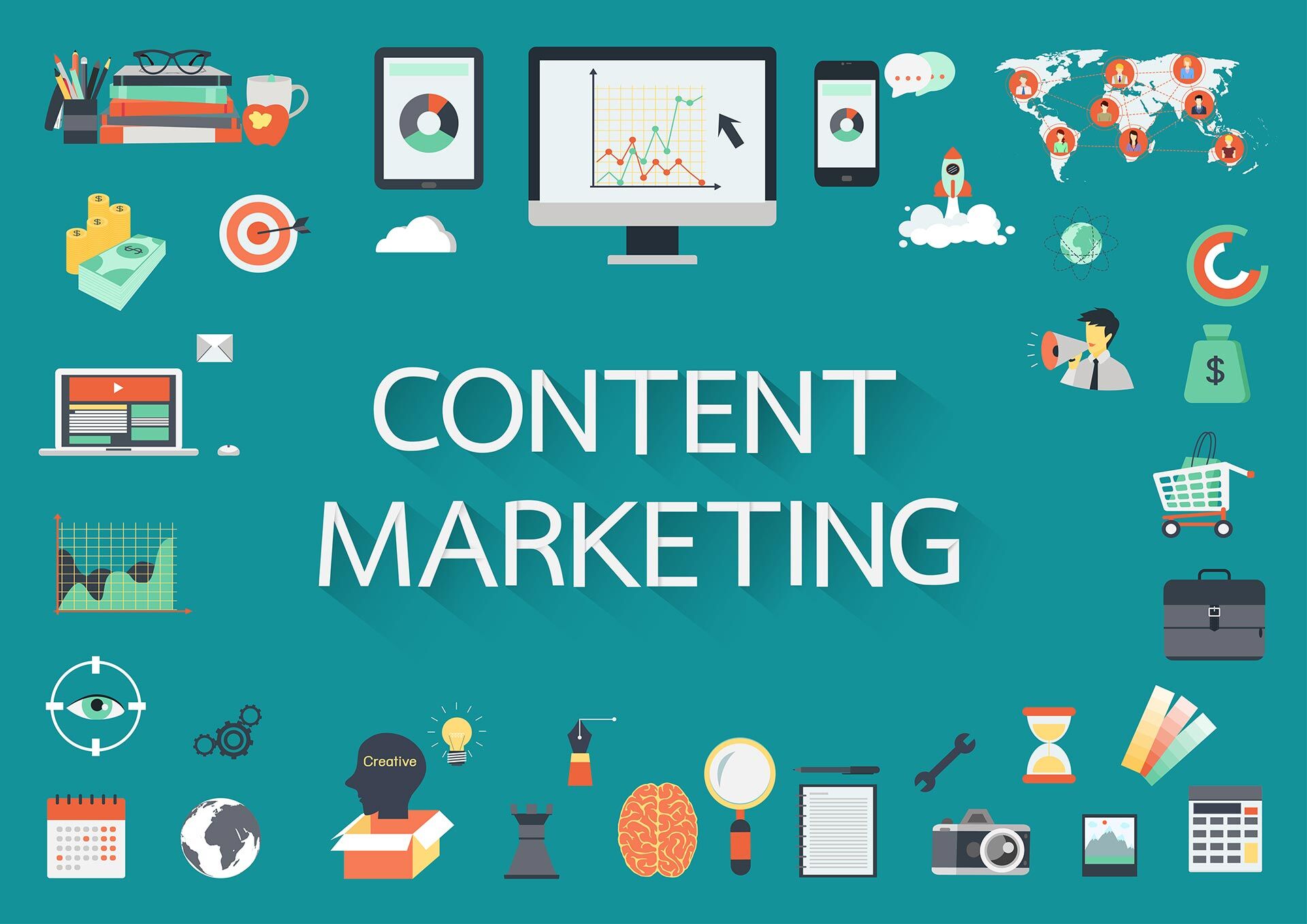
Content marketing is a powerful approach to connect with your target audience by providing thought leadership content and educational content.

For a saas business, writing a blog post, creating videos, or sharing case studies helps demonstrate your saas product in real-world scenarios.

This marketing channel is also a great way to drive organic traffic by optimizing each content strategy for search engine results. Focus on your customer journey, and address pain points that prospective buyers may have.

Doing so builds trust, improves brand awareness, and enhances lead generation. An impactful content marketing plan aligns with ongoing marketing efforts to generate new leads efficiently.

SEO (Search Engine Optimization)
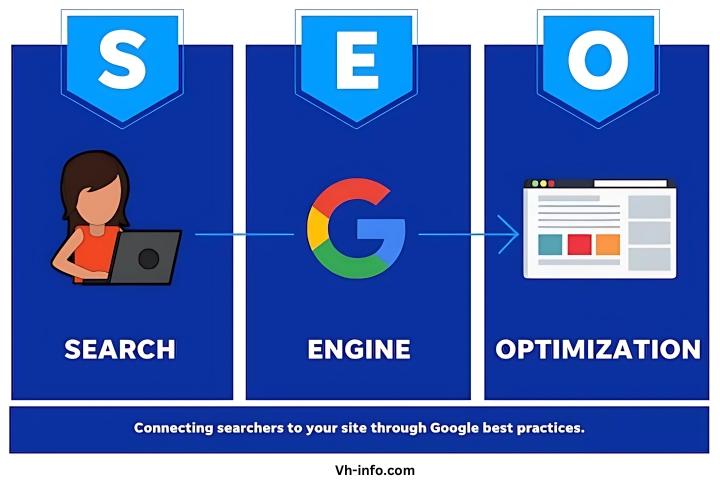
SEO (Search Engine Optimization)

Search engine optimization is essential in raising your organic search visibility.

Tweaking your website’s web design, using structured data, and understanding search intent can help you rank higher in search results. This improves marketing funnel effectiveness by attracting prospects who are actively researching solutions.

Tools like google analytics help analyze visitor behavior, track conversion rate, and identify keywords that match what your potential clients are looking for.

Integrating best practices in technical SEO also ensures that marketing strategies for B2B SaaS products are set up for long-term success. It’s an investment that pays off in lower customer acquisition cost over time.

PPC (Pay-Per-Click) Advertising
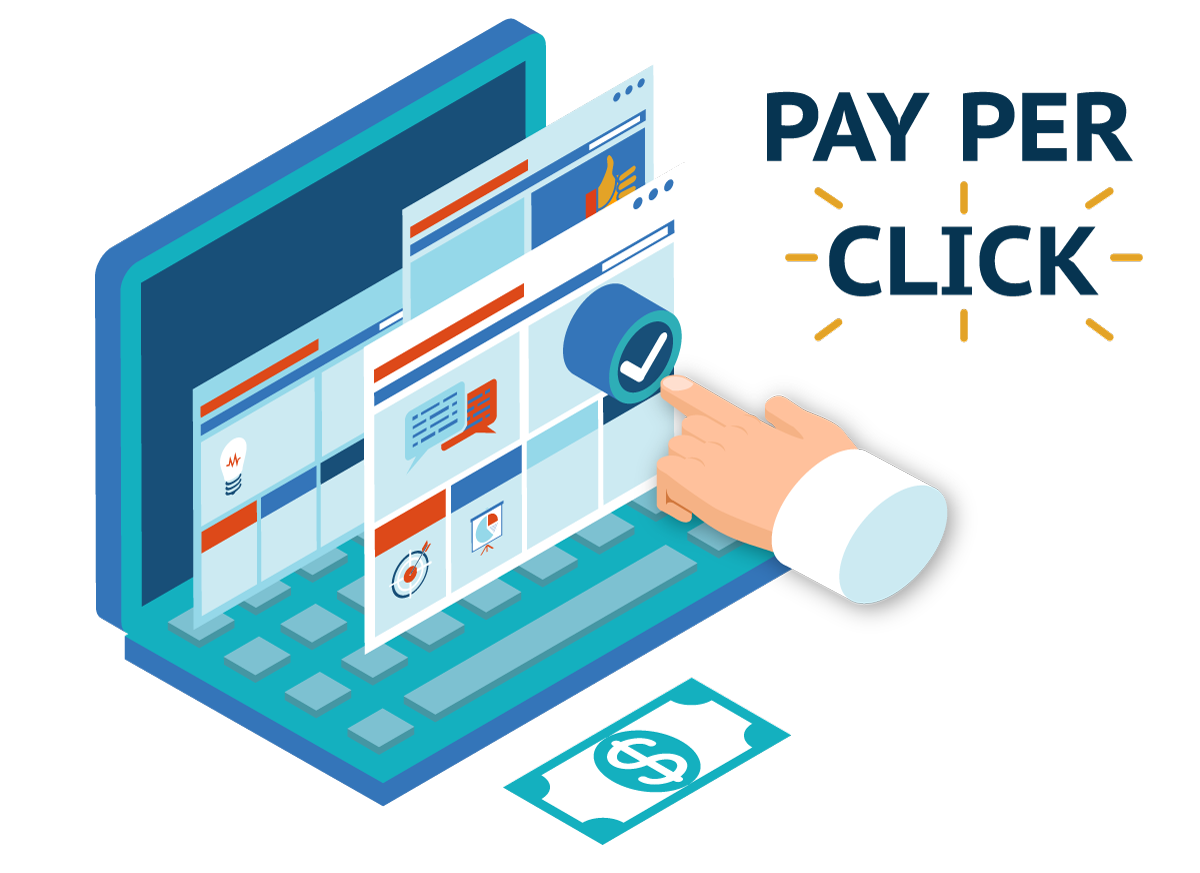
PPC (Pay-Per-Click) Advertising

PPC advertising involves placing paid ads on platforms like google ads, facebook ads, or linkedin ads. You manage bids on specific keywords, and you pay only when someone clicks. This approach allows precise targeting and quick demand generation.

For B2B SaaS, a well-structured ppc advertising campaign can provide immediate lead generation while your seo strategy matures. You can segment ads by target audience and track data closely with google analytics, helping you adjust messaging, budget, or targeting.

Closely monitoring conversion rate can help you improve marketing ROI and achieve sustainable growth for your saas business.

Email Marketing
Email Marketing

Email marketing is a straightforward way to share educational content, product upgrades, and announcements. It fosters direct contact with prospective clients and existing customers.

Segmenting your list allows you to send personalized email campaigns, like an email newsletter or a new product update. Automation tools help set up triggers for upselling or drip sequences to guide readers through the sales funnel.

This is a marketing channel that supports sustained brand awareness, especially when you frequently refine your approach based on metrics from email marketing campaign performance. A clear focus on customer experience and relevant offers drives conversion rate.

Social Media Marketing
Social Media Marketing

Social media marketing uses platforms such as LinkedIn, Twitter, and Facebook.

For B2B SaaS, LinkedIn often yields strong results due to its professional user base. You can share thought leadership content, address pain points, and keep your target audience up to date on product changes.

You can also use paid ads to boost your posts and reach specific demographics. This approach enriches the marketing plan by widening your social media presence, drawing new leads, and guiding them toward the marketing funnel.

Additionally, focusing on various social media platforms strengthens brand credibility and engages existing or potential clients directly.

Influencer Marketing
Influencer Marketing

Influencer marketing in B2B SaaS involves collaborating with experts, bloggers, or industry thought leaders who have a loyal following and credibility in your niche.

Partnering with influencers can help amplify your saas product to a target audience that respects the influencer’s recommendations, aiding in lead generation. This marketing channel is effective because the influencer’s endorsement carries authenticity.

Whether hosting a podcast interview or co-creating an email newsletter, harnessing influencer reach can significantly boost brand awareness. A relevant influencer often conveys valuable insights, addresses pain points, and helps shape purchase decisions in a crowded digital marketing environment.

Video Marketing
Video Marketing

Video marketing showcases your saas marketing messages visually, offering interactive demos, customer testimonials, and product walkthroughs. Platforms such as YouTube or embedded videos on a blog post can build brand awareness by illustrating product benefits better than static text can.

For B2B SaaS, videos serve as a great way to enhance the user experience, explaining complex features in a simpler manner. This approach augments your marketing strategies, whether you’re highlighting a new product or upselling features to existing clients.

Affiliate Marketing
Affiliate Marketing

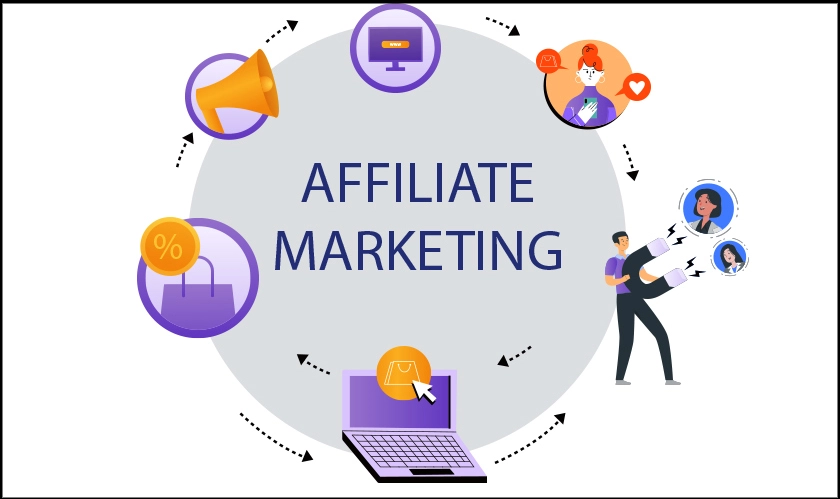
Affiliate marketing relies on third parties (affiliates) to promote your SaaS solution in exchange for a commission.

This is a marketing channel that extends your reach by tapping into an affiliate’s audience, driving potential clients to learn about your saas product faster. Affiliates might use their websites, newsletters, or social media platforms for promotion.

Implementing robust tracking allows you to measure affiliate performance in terms of visits, sign-ups, and conversions.

This extends your pipeline for lead generation while managing customer acquisition cost effectively. A carefully designed commission model benefits both your saas business and the affiliate promoter in the long run.

Event Marketing

Event Marketing

Event marketing can encompass webinars, conferences, and trade shows.

For B2B SaaS, events allow direct interaction with prospective clients and existing customers. Hosting a webinar on best practices or conducting an interactive session at a conference helps you showcase your saas product and gather genuine feedback.

This marketing channel also strengthens trust, as face-to-face encounters or live online presentations demonstrate your brand’s credibility. You can record event sessions and repurpose educational content in blog posts or product demonstrations.

Integrating event leads into your marketing automation system ensures a consistent flow of new leads into your marketing funnel.

Direct Mail Marketing

Direct Mail Marketing

While digital promotions dominate, direct mail remains a niche but rewarding approach for some B2B SaaS brands. Sending targeted parcels or letters to decision-makers can help you cut through inbox clutter, introducing high-value prospects to your marketing campaign.

You can highlight key features, share a personal note, or invite recipients to an exclusive online demo. This marketing channel can add a tactile dimension often missing in digital marketing. Combining direct mail with an email marketing follow-up optimizes customer touchpoints.

Although it can be costlier, when done with proper targeting, it can deliver substantial conversion rate and strong ROI.

Partnership Marketing

Partnership Marketing

Partnership marketing involves two or more companies collaborating for mutual growth. For B2B SaaS, you might partner with complementary saas companies or solutions that address related pain points.

For instance, a web analytics tool can pair with a CRM platform to provide an integrated experience. Such a partnership serves as a great way to pool marketing budget and harness combined audiences, reducing customer acquisition cost.

This marketing channel can also yield case studies, co-hosted events, or co-branded educational content. An aligned partner can help you expand your demand generation funnel and lock in valuable relationships within your industry.

Account-Based Marketing (ABM)
Account-Based Marketing (ABM)

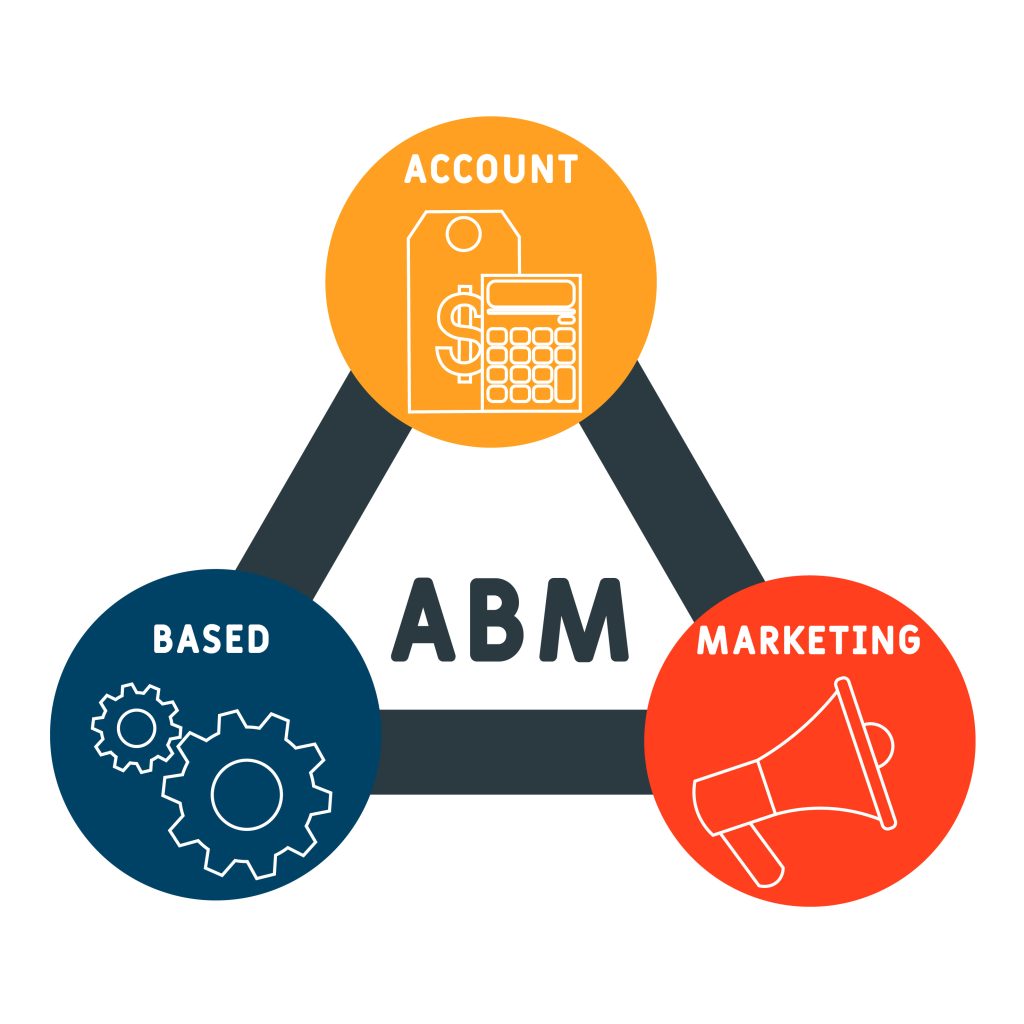
Account-Based Marketing (ABM) focuses on key accounts that fit your ideal customer profile, personalizing outreach to maximize the customer lifetime value. This marketing channel involves curating specialized content strategy, events, or email campaigns for high-potential targets.

Personalized touches, such as dedicated demos or whitepapers, often lead to faster back-and-forth, improving the conversion rate.

Aligning ABM with marketing automation tools ensures prospects receive precise information at the right stage of their sales funnel. B2B SaaS companies often find ABM beneficial for growing revenue from larger establishments with longer decision cycles and higher stakes.

Community Building

Community Building

Community building is about convening users, partners, and potential clients in a shared space—online forums, Slack channels, or specialized groups—allowing them to connect around your saas business.

Encouraging questions, success stories, and thought leadership content fosters genuine relationships. This marketing channel also gives you an insider view of user satisfaction and pain points.

Plus, community members may spontaneously create word of mouth marketing (womm) by referring your service. Over time, a thriving community can reduce customer acquisition cost, boost brand awareness, and supply user-driven ideas for a new product roadmap.

Public Relations (PR)

Public Relations (PR)

Public relations (PR) aims to shape favorable perceptions of your saas product, brand, and successes in the market.

This involves building connections with media outlets, marketing agency influencers, and industry analysts who can offer coverage of important milestones, such as new leads or a big partnership.

You can also publish press releases and guest articles, or appear as a keynote speaker at industry events.

Aligning PR with marketing strategies ensures consistent messaging across various channels. Effective PR can slice through noise, highlight your solution’s worth, and amplify the synergy of your digital marketing campaigns, sustaining interest in your brand.

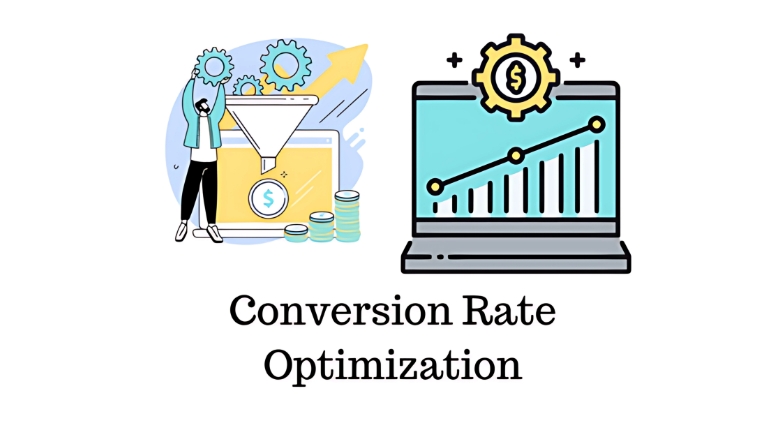
Conversion Rate Optimization (CRO)
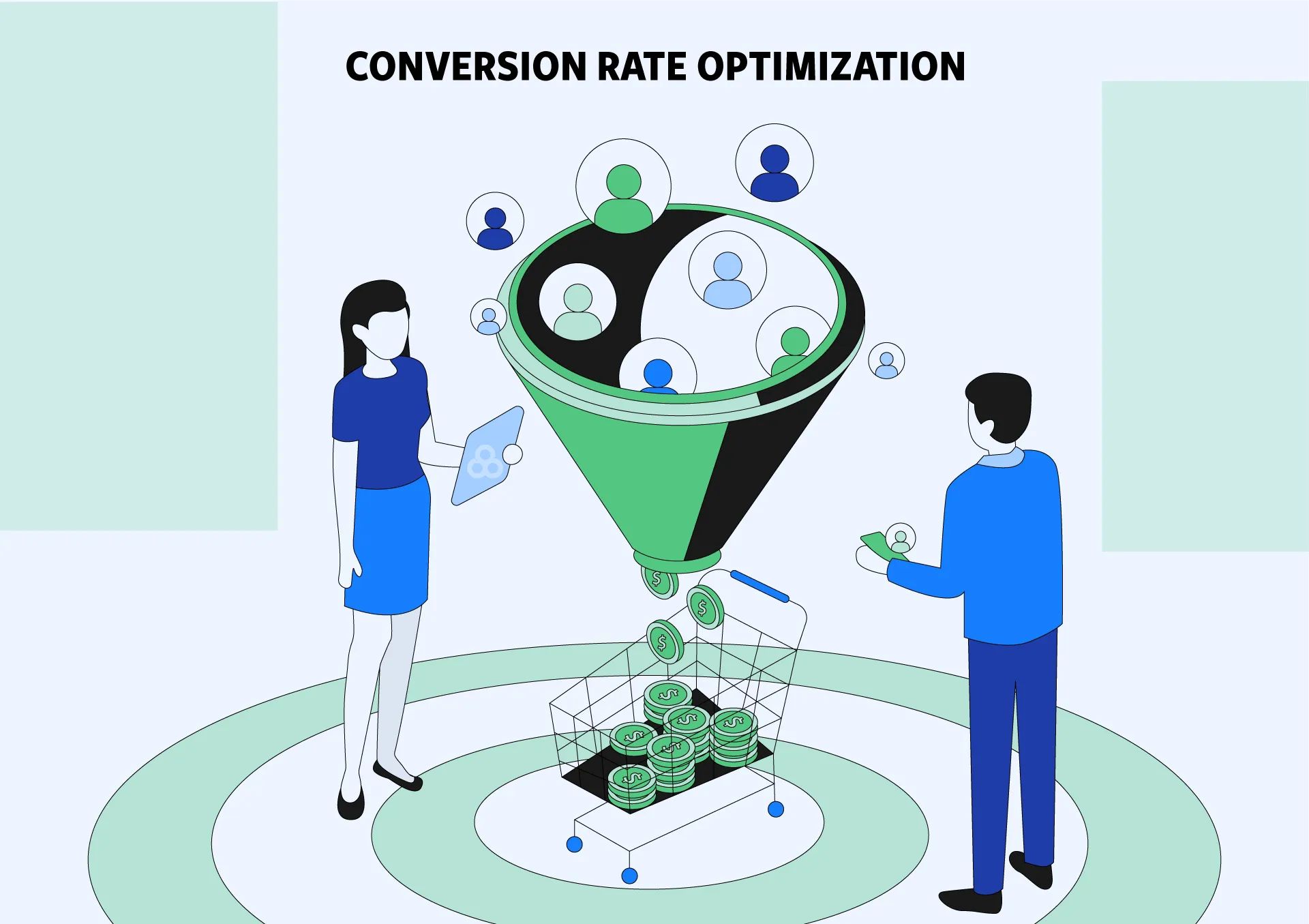
Conversion Rate Optimization (CRO)

Conversion rate optimization is a systematic approach to enhancing your site or landing page performance, so more visitors become leads or paying customers. For B2B SaaS, CRO often involves refining web design, user flows, and calls-to-action.

Reviewing analytics from a tool like google analytics reveals pages with high bounce rates or friction in the sales funnel. A/B testing headlines, adjusting forms, or improving the user experience can vastly increase marketing campaign effectiveness.

Referral Marketing
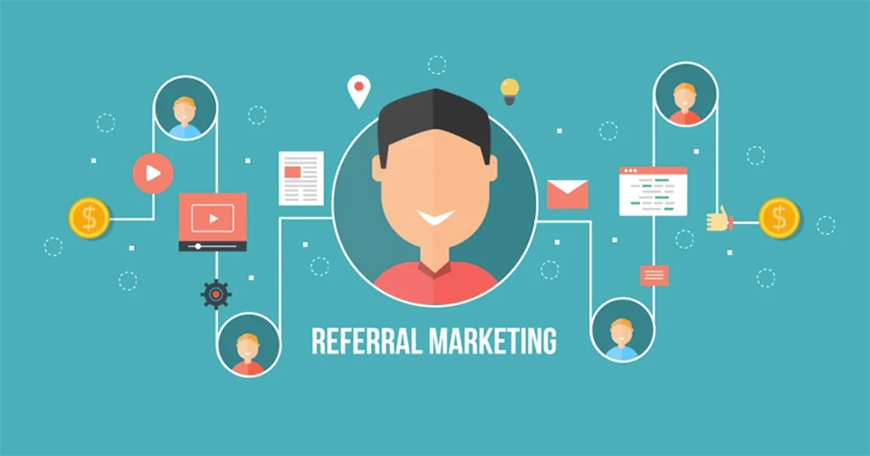
Referral Marketing

Referral marketing uses existing clientele to introduce potential clients. This channel encourages current users to share a unique link or code with their network. Many B2B SaaS brands give incentives like a month free or a discount, keeping the entire process simple.

This type of inbound marketing thrives on the trust users place in recommendations from a known source.

Viral Marketing
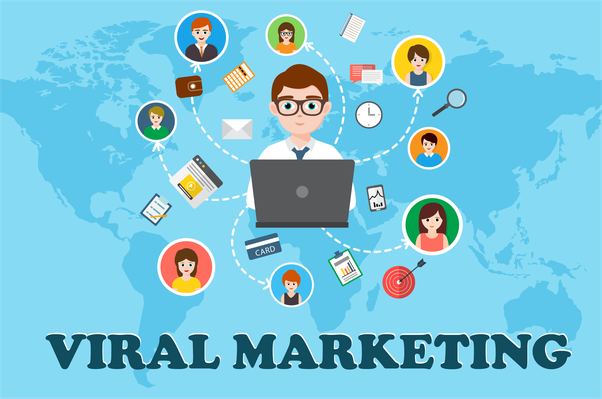
Viral Marketing

Viral marketing centers on creating material that rapidly spreads through social media platforms and peer-to-peer sharing. For B2B SaaS, making content that resonates with professionals can be tricky, but it’s rewarding if executed correctly.

Short videos, memes, or infographics tailored to common B2B challenges can catch attention—especially if they address a timely issue. If the content is widely shared, you’ll see an expansion in brand awareness and gain numerous new leads.

This aids the marketing team in forging relevant conversations. A successful viral piece can also feed longer campaigns, turning bursts of interest into sustained marketing efforts.

Outbound Marketing
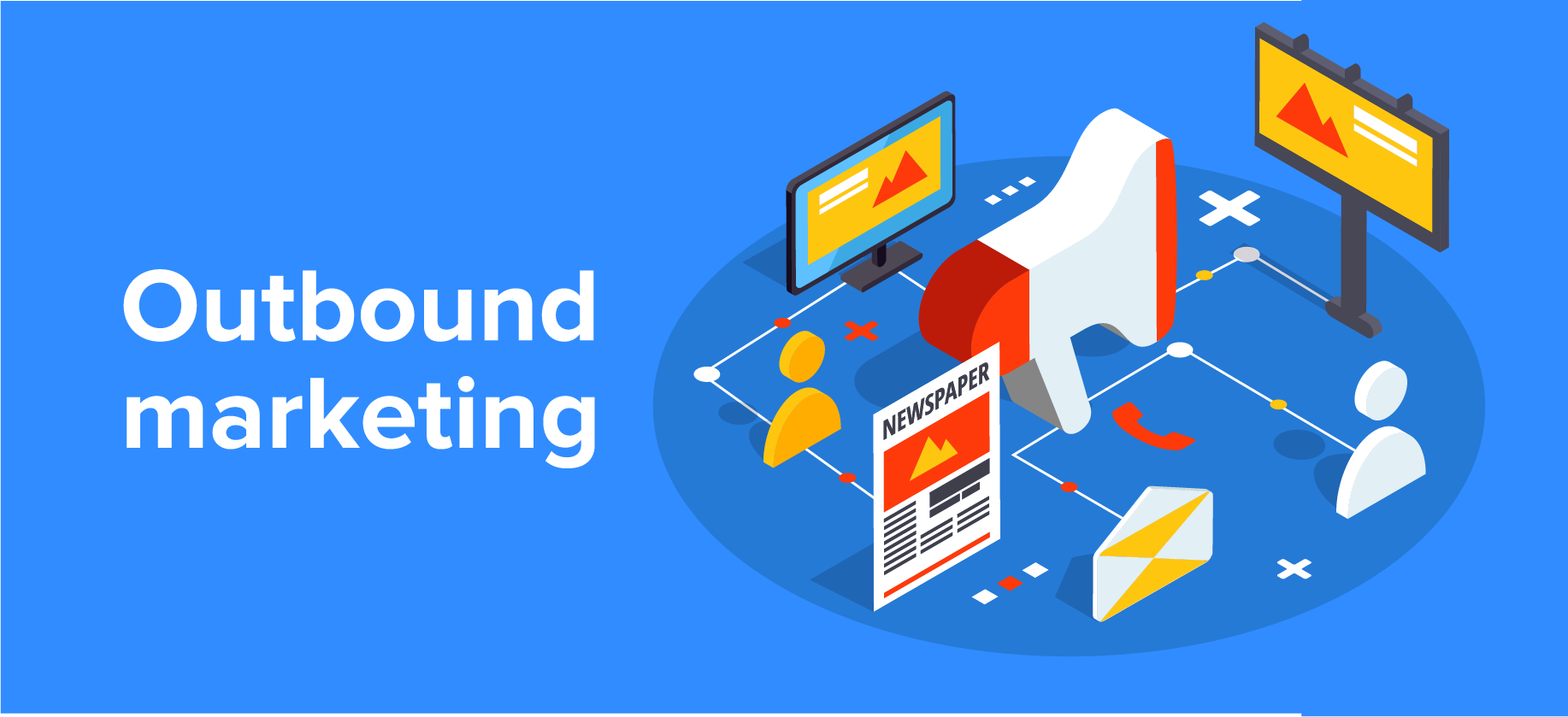
Outbound Marketing

Outbound marketing involves direct outreach, such as cold emails, phone calls, or direct paid placements. Instead of waiting for inbound customers, you reach out to potential clients who match your ideal profile.

Personalization is important for B2B SaaS so that recipients understand the unique ways your solution addresses their business pain points.

Pairing outbound marketing with inbound marketing can produce a well-rounded approach, ensuring you capture all relevant leads in your marketing funnel.

Data from your outreach can also inform future content marketing, highlight new segments, or align better with your marketing plan.

Partnership Marketing

Partnership Marketing

Although partnership marketing was mentioned earlier, it’s worth emphasizing that forging strategic alliances is a great way to open fresh streams of revenue. Different saas companies can form synergy if their solutions solve adjacent issues for the same target audience.

For example, co-marketing content and events can reduce marketing budget since costs are shared. You can also combine lead intelligence, awarding each partner extended reach while controlling customer acquisition cost. Such partnerships often include product bundles or joint promotions.

Podcast Marketing

Podcast Marketing

Podcast marketing has gained prominence as a direct channel to inform and engage listeners. B2B SaaS organizations might launch their own podcasts or sponsor relevant ones, discussing educational content, industry insights, marketing best practices, or success stories.

Because podcasts are often consumed during commuting or other tasks, they provide an extended window to share important details about your saas product. Inviting industry specialists can enhance your brand’s credibility and sharpen your marketing strategies.

Plus, you can repurpose transcripts into a blog post or email newsletter, boosting the life of each recording and attracting varied audience segments.

Word of Mouth Marketing (WOMM)

Word of Mouth Marketing (WOMM)

Word of Mouth Marketing (WOMM) harnesses the informal dialogue that arises when satisfied customers share their experiences. This is a potent approach for B2B SaaS, where procurement teams often seek referrals or unbiased opinions before purchasing.

Positive experiences, combined with top-notch customer experience, drive organic social media mentions, referral marketing, and brand loyalty. WOMM can flourish if you address real pain points thoroughly and show consistent reliability.

Encouraging customers to post reviews on industry forums or sharing user success in an email marketing sequence can amplify this channel’s outcome. WOMM keeps your brand top-of-mind as a proven, trustworthy option.

Choosing the Right B2B SaaS Marketing Channels

Choosing the Right B2B SaaS Marketing Channels

Factors to Consider (Target Audience, Budget, ROI)

Selecting the right marketing channels for B2B depends on several factors:

  • Target Audience: Understand where your potential clients spend their time and what channels they prefer.
  • Budget: Allocate resources efficiently by prioritizing channels that offer the best ROI.
  • ROI: Assess the effectiveness of each channel in generating leads and driving conversions.

Testing and Measuring Channel Effectiveness

Regularly testing and measuring the performance of your marketing channels ensures that you invest in the most effective strategies. Utilize tools like Google Analytics to track organic traffic, conversion rates, and other key metrics.

Challenges in B2B SaaS Marketing

Challenges in B2B SaaS Marketing

The world of B2B SaaS marketing has its challenges which are as follows:

  1. High Competition in the Market: The SaaS industry is highly competitive, making it challenging to stand out. Establishing a unique value proposition and using multiple marketing channels can help differentiate your product and attract prospective clients.
  2. Long Sales Cycles: B2B SaaS sales cycles are typically longer, requiring sustained lead nurturing and consistent engagement. Implementing strategies like account-based marketing and email marketing can keep your brand top-of-mind throughout the decision-making process.
  3. Generating Qualified Leads: Attracting high-quality leads is important for success. Focus on targeted content marketing and SEO to attract leads that are more likely to convert. Utilizing marketing automation tools can also streamline lead scoring and qualification.
  4. Maintaining Consistent Engagement: Keeping leads engaged over time is essential for conversion. Use a mix of content marketing, social media, and email campaigns to maintain regular touchpoints and provide ongoing value to your audience.

Best Practices For Using B2B SaaS Marketing Channels
Best Practices For Using B2B SaaS Marketing Channels

  1. Personalization and Targeting: Personalize your marketing messages to address the specific needs and pain points of your target audience. Tailored content and targeted ads can significantly improve engagement and conversion rates.
  2. Automation Tools For Efficiency: Use marketing automation tools to streamline your campaigns and improve efficiency. Automation can handle repetitive tasks, allowing your marketing team to focus on strategic initiatives and creative content creation.
  3. Integrating Multiple Channels: Integrate various marketing channels to create a cohesive and unified marketing strategy. Combining inbound marketing with outbound marketing enhances overall effectiveness and ensures that your message reaches your audience through multiple touchpoints.

Conclusion

Navigating the array of marketing channels for B2B SaaS companies can be challenging, but understanding and implementing the right strategies can drive significant growth.

Focusing on content marketing, SEO, PPC advertising, and other effective channels can help SaaS businesses enhance their lead generation, brand awareness, and customer acquisition.

Embrace personalization, use automation tools, and maintain a cohesive marketing plan to stay ahead in the competitive SaaS landscape.

Remember, the key to successful saas marketing lies in selecting the right marketing channels that align with your business goals and resonate with your target audience.

B2B SaaS Metrics: Meaning, Importance & Key B2B SaaS Metrics to Track

B2B SaaS companies must maintain stable recurring revenue, keep customers satisfied, and maintain strong growth. Because competition is tight, measuring the right metrics is key to making better decisions.

At VH Info, we share straightforward steps for B2B SaaS marketing and link-building, focusing on metrics like monthly recurring revenue, churn rate, and net promoter score. These indicators direct your marketing plans, refine your sales process, and enhance product adoption.

Tracking them properly uncovers how to improve budgets, address user needs, and boost long-term performance. In this guide, we show you how to manage these metrics so your company makes smarter moves in a changing market.

What Are B2B SaaS Metrics?

What Are B2B SaaS Metrics?

B2B SaaS metrics are key performance indicators that help SaaS companies measure their business health, growth, and customer satisfaction. These metrics focus on recurring revenue, customer churn, total number of users, and operational efficiency.

Metrics like monthly recurring revenue (MRR) and annual recurring revenue (ARR) track predictable income, while churn rate and net promoter score (NPS) highlight customer retention and satisfaction.

Analyzing these numbers can help businesses improve their cash flow, optimize marketing efforts, and align strategies for sustainable growth over a given time period.

Key B2B SaaS Metrics to Track

Key B2B SaaS Metrics to Track

Financial Metrics

Financial metrics confirm whether your recurring revenue model can sustain growth. They focus on revenue churn, total revenue, acquisition cost, and lifetime value, among other indicators.

Monthly Recurring Revenue (MRR)

Monthly recurring revenue is the average revenue generated by your total number of customers on a monthly basis.

This metric filters out one-time charges and focuses only on predictable subscription income. MRR serves as a pillar for B2B SaaS companies because it immediately shows the monthly revenue potential. A consistent uptick in this metric indicates a healthy, expanding customer base.

When the marketing team runs campaigns, MRR is used to interpret if those efforts help bring in more recurring revenue. The sales funnel also depends on MRR to determine how many new customers you need in a given month to sustain growth.

Annual Recurring Revenue (ARR)

Annual recurring revenue is the total revenue a SaaS company can predict it will earn each year from subscriptions.

ARR shows how much money you can expect over a larger period of time, factoring in any expansions or contractions that may happen among your customer base. This measure is often favored by investors looking for stable returns.

The ARR is simply your MRR multiplied by 12, adjusted for upgrades, downgrades, and churn. It helps you plan your budget, forecast cash flow, and set marketing expenses more accurately.

ARR also indicates whether you have enough momentum to lower your overall customer acquisition cost because an expanding ARR typically correlates with improved brand recognition.

Customer Lifetime Value (LTV)

Customer lifetime value (often abbreviated as CLV or LTV) measures the total amount of money an average customer will contribute to your SaaS business over their entire subscription. It blends monthly recurring revenue, average revenue per user, and churn rate to gauge how profitable each relationship can be across a given period.

When LTV is high, it’s often easier to justify higher spending on customer acquisition cost.

In other words, if your average customer contributes significant recurring revenue, you can afford more aggressive marketing efforts. A strong LTV also indicates that your customer success and customer support initiatives are effectively boosting retention and driving expansions or upsells.

Customer Acquisition Cost (CAC)

Customer acquisition cost weighs how much money you spend to draw in a new customer through marketing channels, social media, paid ads, lead generation campaigns, or sales outreach.

It’s the total cost over a time period divided by the number of new customers acquired in that window.

CAC ratio becomes essential for measuring whether your marketing team and sales team spend is justified.

If your CAC is too high relative to your customer lifetime value, you’re bleeding cash flow too quickly. On the other hand, a lower acquisition cost signals effective targeting, a refined sales process, and well-executed marketing efforts.

Gross Margin

Customer acquisition cost weighs how much money you spend to draw in a new customer through marketing channels, social media, paid ads, lead generation campaigns, or sales outreach.

It’s the total cost over a time period divided by the number of new customers acquired in that window.

CAC ratio becomes essential for measuring whether your marketing team and sales team spend is justified. If your CAC is too high relative to your customer lifetime value, you’re bleeding cash flow too quickly.

On the other hand, a lower acquisition cost signals effective targeting, a refined sales process, and well-executed marketing efforts.

Customer Retention Metrics

Customer retention metrics indicate how well you’re holding onto your customer base. These metrics shape your long-term strategies and can predict future churn or expansions.

Churn Rate

Churn rate is the percentage of customers who leave your SaaS product in a given month (or any defined time period).

A high churn rate usually underscores issues with your product’s user experience, the effectiveness of customer support, or possibly misaligned marketing messaging.

Lowering customer churn helps you retain a stable foundation of monthly recurring revenue.

This is vital because acquisition cost for a new customer can be steep. When you reduce churn rate, you free up resources to direct toward new feature development or marketing expansions instead of constantly replacing lost customers.

Net Revenue Retention (NRR)

Net revenue retention (NRR) tracks how the total revenue from your existing customers changes as they upgrade, downgrade, or churn over a period. If your NRR is above 100%, it means the expansions and upsells outweigh any lost revenue, indicating healthy business growth.

Companies with a high NRR thrive because their existing client base is generating revenue growth without needing consistent influx of new customers. This is especially beneficial when you factor in the total number of users who not only stay but also purchase more products or move to higher-tier subscriptions.

Customer Retention Rate (CRR)

Customer retention rate (CRR) measures the percentage of customers you keep over a given period, excluding new customer acquisitions. CRR focuses on the existing customer base, making it an essential counterpart to churn rate.

A solid CRR often mirrors robust product adoption, strong customer success programs, and an active user community. SaaS marketing strategies that address pain points and provide continued value often see an uptick in retention.

Engagement Metrics

Engagement metrics reveal how frequently and effectively customers are using your SaaS product after purchase, which informs your user experience improvements.

Net Promoter Score (NPS)

Net promoter score measures how likely your customers are to recommend your SaaS product to others. It’s calculated by subtracting the percentage of detractors from the percentage of promoters. An NPS score is a quick reference point for overall customer satisfaction.

If your NPS score is high, it generally signals strong word-of-mouth marketing, which helps reduce the personal acquisition cost for new leads. If your score declines, you might have a product issue or insufficient customer support that needs immediate remediation.

Daily Active Users (DAU) / Monthly Active Users (MAU)

Daily active users (DAU) and monthly active users (MAU) track the total number of users accessing your product daily or monthly. These metrics are especially useful for products that rely on continuous usage, such as SaaS platforms with day-to-day workflow features.

When you see dips in active users, it could point to poor adoption or a lack of user experience enhancements. On the flip side, steady active users indicate a thriving product that can attract more qualified leads.

Adoption Rate

Adoption rate measures the speed at which new or existing customers adopt specific features of your SaaS product. For instance, if you introduced automation functionality, the adoption rate would indicate how many users include it into their workflow.

A strong adoption rate suggests you’ve successfully communicated the value of new features, while a sluggish adoption rate might require additional marketing efforts or in-app guides.

Feature Usage

Feature usage tracks how often customers use particular functions within your SaaS product. It highlights which aspects of the product deliver the most value and which features need refinement.

If a certain feature sees consistently low usage, doubling down on user education or adjusting the feature for clarity could boost the average customer’s satisfaction. The right moves at the feature level can also enhance retention and reduce the churn rate.

Growth Metrics

Growth metrics prove whether your SaaS business model has enough traction. By monitoring expansions, you can optimize how the sales team and marketing team deploy resources.

Customer Monthly Growth Rate (CMGR)

Customer monthly growth rate measures the percentage increase (or decrease) in your total number of customers from one month to the next. This metric can help you project upcoming revenue growth and highlight potential dips in acquisition patterns.

If your CMGR is trending upward, your product is attracting a healthy inflow of new customers. A downward trend might point to inefficiencies in your sales process or the need for new “hooks” in the marketing funnel.

Expansion Revenue

Expansion revenue represents the additional recurring revenue you earn from existing customers.

This can happen through upselling to a higher plan or cross-selling complementary products. A steady stream of expansion revenue hints at customer satisfaction and an enthusiastic user base open to deeper product engagement.

As expansion revenue grows, your CAC ratio becomes more favorable because the customers you acquired some time ago continue adding net value without incurring more acquisition cost.

Operational Metrics

Operational metrics cover the internal mechanics that keep your SaaS business running smoothly. They include burn rates, time to value, and other measures that reflect overall business health.

Burn Rate

Burn rate measures how much money your SaaS company spends beyond what it generates in a given month. Tracking this helps plan how many months of runway remain before you need to raise funds or cut costs.

If your burn rate is too high, you may need to re-evaluate your marketing expenses or focus on retaining existing customers to maintain a positive cash flow. Sometimes, it might require shifting budget away from less impactful marketing efforts to more profitable channels.

Time to Value (TTV)

Time to value (TTV) is how long it takes for a new customer to see meaningful benefits from your SaaS product. A shorter TTV often correlates with higher satisfaction, quicker adoption, and a reduced churn rate.

When TTV is minimal, your funnel metrics improve because new leads convert more quickly into loyal customers. Coupling a shorter TTV with in-app guidance and robust customer success programs typically results in better retention and more referrals.

Why is Tracking B2B SaaS Metrics Important?

Why is Tracking B2B SaaS Metrics Important?

Tracking B2B SaaS metrics is a direct method for gauging business health and guiding strategic decisions. Without insight into which funnel metrics or growth metrics need improvement, you risk flying blind.

Here are some of the biggest reasons metric tracking is indispensable:

  1. Better Budgeting: You can see if your total revenue justifies marketing expenses or if you’re spending too much money for too little return.
  2. Alignment Across Teams: Metrics tie your sales process, product development, and marketing efforts together around common goals.
  3. Investor Relations: Key SaaS metrics for investors (such as annual recurring revenue) can secure better funding terms if your numbers show promise.
  4. Customer Retention: Monitoring churn rate and net promoter score helps you refine the user experience and ensure long-term satisfaction.
  5. Growth Forecasting: Metrics like CMGR, NRR, and expansion revenue offer important data for strategic planning.

Consistent metric analysis also keeps the marketing team and sales team on the same page. Whether focusing on number of leads or looking at net promoter score trends, everyone works toward improving a complementary set of data points.

How to Track Your B2B SaaS Metrics?

How to Track Your B2B SaaS Metrics?

  1. Define Clear Goals: Before you record any funnel metrics or measure monthly recurring revenue, define what your SaaS business aims to accomplish within a set time period. Are you looking to improve the number of new customers each month, drive business growth with expansions, or reduce your churn rate? Having these goals sharpens your focus.
  2. Choose Relevant Metrics: Not every business needs to track every single metric. A smaller SaaS company might prioritize monthly recurring revenue and churn rate, while a more mature brand might look beyond that to net revenue retention and the number of active users. Pick the metrics that align best with your current goals.
  3. Use Analytics Tools: Software solutions like Mixpanel and Chartmogul can aggregate data on average customer behavior, MRR, and churn. With these platforms, you track multiple data points in real-time. They highlight changes in monthly revenue or customer churn rate, helping you respond quickly to dips in performance.
  4. Set Up Accurate Tracking: If your data isn’t accurate, your efforts to reduce your acquisition cost or optimize your marketing budget won’t be reliable. Ensure you integrate data from each channel—social media, email campaigns, paid ads, referral traffic—so you have a complete overview of your lead generation pipeline.
  5. Monitor and Analyze Regularly: Mark a schedule to analyze your metrics consistently. Reviewing them once a quarter might be too infrequent if you’re in a fast-scaling phase. Weekly or monthly reviews are more typical for B2B SaaS marketing metrics.
  6. Share Insights With Stakeholders: The best approach to data involves transparency. Everyone should have access to the same performance snapshots, whether it’s your marketing team, sales team, or top management. Sharing these insights fosters quick alignment on issues like rising churn rates or lower NPS scores.
  7. Optimize Based On Data: Use the insights from these metrics to adjust your product, refine your sales funnel, or create different marketing tactics. If you see that the average revenue per user is flat, for instance, you may test a new subscription tier. Likewise, if your CAC ratio gets out of control, reevaluate your campaigns to identify channels that secure the highest conversion rate.

Challenges and Common Mistakes in B2B SaaS Metrics

Challenges and Common Mistakes in B2B SaaS Metrics

Misinterpreting Metrics: Sometimes, the same data can be viewed from multiple angles. For instance, a slow or declining number of users might not be alarming if you’ve recently pivoted to a higher-value segment. Always frame your metrics within the context of your business model and strategic shifts.

  1. Focusing On Vanity Metrics: A large total number of users might look impressive, but if few of those users become paying subscribers or generate high monthly revenue, that figure means little for real business growth. Focus on metrics that connect directly to profitability, retention, or expansions.
  2. Ignoring Customer Feedback: Metrics such as net promoter score (NPS) only tell part of the story. The direct feedback behind those scores often highlights where to make immediate changes. Not listening to detractors may drive them to churn, hurting your total revenue in the long run.
  3. Not Aligning Metrics With Business Goals: If your main objective is to improve annual recurring revenue, but your marketing team measures success by the number of leads generated, you could see a mismatch that doesn’t translate to more sales or customer retention. Make sure your funnel metrics and financial metrics map to the same strategic vision.
  4. Over-Reliance On a Single Metric: B2B SaaS companies sometimes emphasize one metric, such as MRR, at the expense of other measures like churn rate or NPS score. This shortsighted view could hide serious weaknesses in customer success or user experience. It’s better to track a handful of carefully chosen indicators covering multiple facets of business health.
  5. Not Regularly Reviewing and Updating Metrics: Metrics that were vital during an early product stage might lose relevance later. As you grow and add different subscription tiers, new metrics like annual contract value become more relevant. Update your data-tracking priorities to reflect your product’s lifecycle.

How to Improve B2B SaaS Metrics?

How to Improve B2B SaaS Metrics?

To Improve B2B SaaS Metrics follow these:

Improve Customer Acquisition Cost (CAC) With Product Analytics

One tactic is to refine marketing expenses based on deeper insights from product analytics. Look at which features spark consistent active users or lead to certain upsells. Target your qualified lead segments more precisely to reduce acquisition cost.

By effectively reading your funnel metrics, you can bring in the right number of leads without paying too much money for each.

Use Secondary Onboarding to Retain Existing Customers

A second or ongoing onboarding process helps ensure current customers are fully equipped to use your SaaS product. This practice taps into user experience improvements and fosters higher lifetime value.

Existing users often get overlooked, which can cause them to churn. Secondary onboarding keeps them engaged and lifts the average revenue by introducing them to advanced features.

Use Modals to Prompt Users to Upgrade Their Accounts

Well-placed pop-up modals can highlight relevant subscriptions or higher-tier options. This approach encourages the new customer or existing subscriber to see additional benefits, potentially boosting your expansion revenue.

Ensure these prompts are contextually triggered to maintain a helpful tone.

Use Tooltips to Drive Users to the Activation Points

Modals aren’t the only in-app feature that can guide behavior.

Tooltips placed on essential features reveal how to extract deeper value from your platform. These prompts help new users adopt key functionality and enhance the net promoter score if they realize your SaaS product’s full benefit quickly.

Offer in-App Self-Service Support to Reduce Churn Rate

Self-service resources like knowledge bases, chatbots, or tutorial videos often prove invaluable for lowering your customer churn rate. When users can solve minor problems without lengthy support tickets, they’re more inclined to remain loyal over a longer time period.

Launch NPS Survey to Find Detractors and Act On

An NPS survey can identify users who feel dissatisfied or borderline about your product.

Reaching out to these detractors to learn more helps you fix pressing concerns and reduce your revenue churn rate. Small improvements may convert them into promoters, amplifying the positive word-of-mouth among your total number of customers.

Best Tools to Track B2B SaaS Metrics

Best Tools to Track B2B SaaS Metrics

Userpilot

Userpilot

Userpilot helps SaaS businesses create seamless in-app experiences. With triggers, tooltips, and analytics, you see how many active users explore each feature, which fosters strong retention and lowers churn. Its step-by-step guidance allows you to shape user flows around relevant adoption triggers, ultimately aiding your marketing team and product team in offering data-backed improvements.

Mixpanel

Mixpanel

Mixpanel is a robust platform for analyzing product usage, tracking funnel metrics, and understanding how different user segments behave over a given period. Through event-based tracking, Mixpanel reveals which steps in the sales funnel or onboarding process lose the highest number of leads. This data helps your sales process and marketing efforts become more efficient.

Chartmogul

Chartmogul

Chartmogul focuses on recurring revenue analytics. It helps you track monthly recurring revenue, annual recurring revenue, net revenue retention, and more. This tool makes it easier to measure changes in churn rate and average revenue per user. It also consolidates financial data from multiple payment gateways, giving you a full picture of your business growth.

FAQ’s:

What Is Needed To Be Successful in the B2B SaaS Marketing Space?

A refined sales funnel, strong lead generation strategies, alignment between marketing team and product team, and a thorough approach to collecting data on net promoter score, MRR, and other metrics.

By staying aware of your total number of customers and the monthly recurring revenue generated, you can distribute resources more accurately. Maintaining a healthy cash flow and consistent user experience is also vital.

What Are The Most Critical B2B SaaS Metrics For Startups?

Startups typically keep a close eye on churn rate, customer acquisition cost, monthly recurring revenue, and the total number of users.

Tracking growth metrics like CMGR and net revenue retention also supports strategic decisions early on. If you’re a new SaaS company, you need these metrics to confirm product-market fit and see if your marketing expenses produce a desired return.

Can Customer Feedback Play a Role in Metric Analysis?

Yes. Feedback often clarifies why metrics shift.

For example, an NPS survey might reveal friction in your user experience, causing the number of leads converting to drop. Feedback also guides improvements for average customer lifetime value if you address pain points that drive cancellations.

Listening to user comments can yield actionable fixes for your monthly revenue or net promoter score.

Conclusion

Monitoring B2B SaaS metrics is vital for sustaining recurring revenue, keeping a strong client base, and maintaining adequate cash flow.

Concentrating on monthly recurring revenue, annual recurring revenue, churn rate, and expansions gives you a concrete view of performance and where to refine strategies. This data-driven approach helps marketing, sales, and product teams collaborate around shared goals, ensuring proactive responses to shifts in customer behavior or market conditions.

Tracking metrics like CAC ratio, net promoter score, and retention indicators equips you to spot bottlenecks and make fast improvements to user experience and conversion funnels. Observing these numbers regularly highlights where budget can be redirected or where a new feature might boost average revenue per customer.

Each metric clarifies a different part of the journey, helping you stay one step ahead of churn and strengthen total revenue.

Through a methodical review process, you also gain better alignment across departments, reducing unnecessary costs and miscommunication. VH Info offers focused guidance on applying these insights, pushing your B2B SaaS platform toward long-term success.

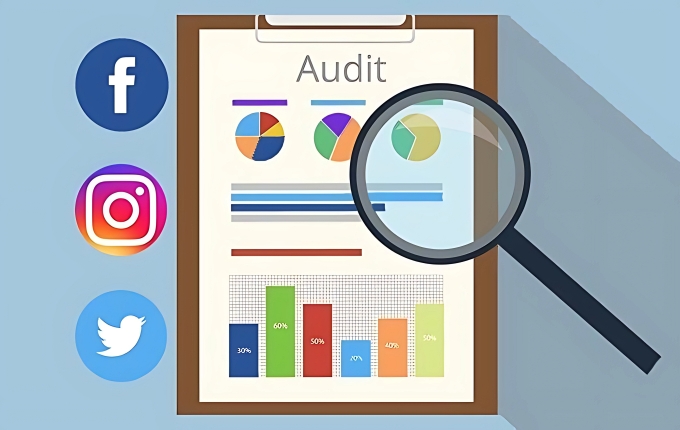
SaaS Marketing Audit: Meaning, Importance, Challenges & Tools

In the competitive landscape of Software as a Service (SaaS), staying ahead requires more than just offering a superior product.

A comprehensive SaaS marketing audit is essential for understanding your current marketing efforts, identifying areas for improvement, and aligning your strategies with business goals.

This audit process evaluates various aspects of your marketing strategy, from SEO performance to user experience, ensuring that your SaaS business effectively reaches and engages its target audience.

What is a SaaS Marketing Audit?

What is a SaaS Marketing Audit?

A SaaS marketing audit is a thorough evaluation of your marketing strategies and tactics tailored specifically for SaaS companies. It involves analyzing multiple facets of your marketing efforts, including content performance, SEO, user experience, and more.

The goal is to assess the effectiveness of your current strategies, identify strengths and weaknesses, and provide actionable insights to enhance your overall marketing performance.

Importance of a SaaS Marketing Audit

Importance of a SaaS Marketing Audit

Conducting a SaaS marketing audit is important for several reasons:

  1. Improved SEO Performance: Optimizing your search engine presence is vital for attracting organic traffic. A marketing audit assesses your SEO strategies, including keyword research and technical SEO, ensuring your content ranks well in search results and reaches potential customers.
  2. Enhanced User Experience: A seamless user experience is key to retaining customers and reducing churn rates. The audit examines your website’s design, navigation, and overall usability, identifying areas where user engagement can be improved.
  3. Increased Conversion Rates: Understanding how users interact with your website and content helps in optimizing your marketing funnel. By analyzing conversion paths and user behavior, the audit provides insights to increase conversion rates and generate more qualified leads.
  4. Strategic Insights: A marketing audit offers valuable insights into your market trends, competitor strategies, and customer preferences. These insights enable you to refine your content marketing strategy and align your efforts with business objectives for sustained growth.

Key Components of a SaaS Marketing Audit

Key Components of a SaaS Marketing Audit

A comprehensive SaaS marketing audit encompasses several key components:

  1. Brand Positioning and Messaging: Evaluate how your brand is positioned in the market and the clarity of your messaging. Ensure that your value proposition resonates with your target audience and effectively communicates the value of your product.
  2. Website and User Experience: Assess the design, functionality, and usability of your website. A well-optimized user experience enhances user engagement and supports higher conversion rates.
  3. Search Engine Optimization (SEO): Analyze your SEO strategies, including keyword research, on-page and off-page optimization, and technical SEO. Effective SEO improves your visibility in search engines, driving more organic traffic to your site.
  4. Content Strategy and Quality: Review your content marketing efforts, including the quality and relevance of your saas content. Conduct a content audit to evaluate content performance, identify gaps, and ensure your content creation aligns with your business objectives.
  5. Marketing Funnel Analysis: Examine each stage of your marketing funnel, from lead generation to customer acquisition and retention rates. Identify bottlenecks and opportunities to enhance customer journey and customer retention.
  6. Analytics and Data Insights: Utilize analytics tools to gather data on your marketing performance. Analyze performance metrics and user feedback to gain insights into what’s working and what needs improvement.

How to Conduct a SaaS Marketing Audit?

How to Conduct a SaaS Marketing Audit?

Follow these steps to perform an effective SaaS marketing audit:

  1. Define Goals and Objectives: Start by outlining the business goals and objectives you aim to achieve through the audit. Clear goals help in focusing your efforts on areas that align with your overall business growth strategy.
  2. Gather Data and Insights: Collect data from various marketing channels, including your website, social media, email campaigns, and SEO tools. Include customer feedback and analytics to gain a comprehensive view of your marketing performance.
  3. Analyze Current Performance: Evaluate the collected data to assess the effectiveness of your current marketing strategies. Identify patterns, strengths, and weaknesses in areas such as content performance, SEO, and user engagement.
  4. Identify Gaps and Opportunities: Pinpoint gaps in your marketing efforts and explore opportunities for improvement. This could involve enhancing your content library, optimizing your website, or refining your marketing strategies to better target your audience.
  5. Prioritize and Plan Improvements: Rank the identified opportunities based on their potential impact and feasibility. Develop a strategic plan to address the most critical areas first, ensuring a structured approach to improving your marketing efforts.
  6. Implement Changes and Monitor Results: Execute the planned improvements and continuously monitor their impact. Use A/B testing and other evaluation methods to measure the effectiveness of changes and make necessary adjustments to optimize performance.

Common Challenges in SaaS Marketing Audits

Common Challenges in SaaS Marketing Audits

Conducting a SaaS marketing audit can present several challenges:

  1. Data Overload: Managing and making sense of large volumes of data can be overwhelming. It’s essential to focus on the most relevant metrics that align with your goals.
  2. Resource Constraints: Limited time and budget can hinder the audit process. Prioritizing key areas and using efficient tools can help mitigate this issue.
  3. Keeping Up With Trends: The dynamic nature of the SaaS market requires staying updated with the latest trends and best practices to ensure your marketing strategies remain effective.

Tools For SaaS Marketing Audits

Tools For SaaS Marketing Audits

Using the right tools can streamline your audit process:

  1. Website Analytics Tools (E.g., Google Analytics): Tools like Google Analytics provide valuable insights into website traffic, user behavior, and conversion rates, helping you evaluate the effectiveness of your marketing efforts.
  2. SEO Tools (E.g., Ahrefs, SEMrush): SEO tools offer comprehensive analysis of your search engine optimization strategies, including keyword performance, backlink profiles, and competitive analysis, essential for improving SEO performance.
  3. Content Management Systems’ (CMS) Insights: Utilize the analytics features of your Content Management System (CMS) to assess content quality, content inventory, and content performance, ensuring your content marketing strategy is effective.

FAQ’s:

How Often Should a SaaS Business Conduct a Marketing Audit?

A SaaS business should conduct a marketing audit at least annually or whenever there are significant changes in the market, business goals, or marketing strategies. Regular audits help in maintaining alignment with business objectives and adapting to evolving market trends.

Can I Conduct a SaaS Marketing Audit Internally, Or Should I Hire An Expert?

While it is possible to conduct a SaaS marketing audit internally, hiring an expert can provide an unbiased perspective and specialized knowledge. Experts bring valuable insights and can identify areas that may be overlooked by an internal team.

What Are The Key Metrics to Track During a Marketing Audit?

Key metrics include organic traffic, conversion rates, customer acquisition cost, retention rates, user engagement, and SEO performance. Tracking these metrics provides a comprehensive view of your marketing effectiveness and helps in making informed decisions.

Conclusion

A SaaS marketing audit is a vital tool for any SaaS company aiming to optimize its marketing strategies, enhance user experience, and drive business growth.

Systematically evaluating your content strategy, SEO performance, and overall marketing funnel can help you gain valuable insights that support informed decision-making and strategic planning.

Embrace the audit process to ensure your marketing efforts are aligned with your business goals, effectively reaching your target audience, and contributing to sustained success.

Website Audit Checklist: A Comprehensive Beginner’s Guide

A website is the cornerstone of any SaaS business’s digital presence. To ensure it performs optimally, regular audits are essential. A website audit checklist helps identify potential issues, improve user experience, and boost search engine rankings.

This guide will walk you through actionable steps to conduct a successful site audit and maintain a high-performing website.

What is a Website Audit?

What is a Website Audit?

A website audit comprehensively evaluates your site’s performance, covering technical aspects, SEO elements, content quality, and user experience. It identifies areas for improvement to enhance organic traffic, conversion rates, and overall functionality.

What is a Technical Audit of a Website?

A technical audit focuses on the technical SEO and backend structure of your site. It examines elements like page speed, core web vitals, XML sitemap, canonical tags, and schema markup to ensure your site is optimized for search engines like Google.

Why Conduct a Website Audit?

Why Conduct a Website Audit?

Conducting a site audit is critical for maintaining your website’s health. Here’s why:

  1. Improve search engine rankings by addressing SEO issues.
  2. Enhance user experience with better navigation and faster load times.
  3. Identify and fix broken links that harm credibility.
  4. Ensure compliance with Google’s guidelines using tools like Google Search Console.
  5. Optimize your content strategy to target keywords and increase visibility.

Types of Website Audits

Types of Website Audits

Technical SEO Audit

Technical SEO Audit

A technical SEO audit focuses on the backend and structural aspects of your website to ensure it works smoothly for both users and search engines.

It includes checking for site speed, core web vitals, proper implementation of an XML sitemap, and resolving indexing issues using tools like Google Search Console. The audit also looks at technical elements such as canonical tags, structured data, and schema markup to improve visibility in search engine results.

Fixing these technical issues ensures that your website is easy to crawl, loads quickly, and provides a seamless user experience.

On-Page SEO Audit

On-Page SEO Audit

An on-page SEO audit evaluates the content and SEO elements on individual web pages. It checks for optimized meta tags (title tags and meta descriptions), proper usage of alt text for images, and strategic placement of keywords.

This audit also ensures that your content is high-quality, free from duplicate content, and aligned with your overall content strategy. Additionally, it reviews internal linking, ensuring that important pages are easily accessible.

By optimizing these elements, you can improve your site’s relevance and rank higher in search engine results.

Backlink Audit

backlink audit

A backlink audit assesses the quality and quantity of links pointing to your site, which are important for building a strong backlink profile. It identifies toxic or spammy links that could harm your rankings and ensures that external links come from credible sources.

This audit also evaluates the relevance of anchor text used in backlinks, as well as the total number of backlinks you have. A healthy backlink profile strengthens your site’s authority, boosts organic traffic, and enhances your overall SEO efforts.

Conversion Rate Optimization (CRO) Audit

Conversion Rate Optimization (CRO) Audit

A CRO audit focuses on improving the actions users take on your site, like signing up for a free trial or making a purchase.

It examines elements such as CTAs (calls-to-action), forms, landing pages, and user behavior metrics like bounce rate. The audit also looks at technical aspects like page load time and mobile compatibility to ensure a smooth user experience.

By addressing these factors, you can increase conversions and make the most out of the traffic coming to your site.

Social Media Audit

Social Media Audit

A social media audit evaluates how effectively your social media channels drive traffic to your website and contribute to your digital marketing goals. It reviews metrics like engagement rates, referral traffic, and the presence of tracking pixels (e.g., Facebook Pixel).

This type of audit helps align social media efforts with website goals by ensuring consistent branding, optimized posts, and integration with tools like Google Analytics to track performance.

Competitor Audit

Competitor Audit

A competitor audit compares your website’s performance with that of competitors in your industry. It looks at their keyword rankings, backlink profiles, social media strategies, and overall web design to identify gaps in your approach.

This audit also evaluates competitor content quality, site structure, and user experience to uncover actionable steps for improvement. Understanding what works for competitors can help you refine your strategy to gain an edge in search engine rankings and attract more organic traffic.

Website Audit Checklist Steps

Website Audit Checklist Steps

Step 1: Check Google Analytics Setup

  • Check Google Analytics Tracking Code: Ensure the Google Analytics tracking code is correctly installed on all pages of your website. Without it, you won’t be able to track important metrics like organic traffic, bounce rate, or user behavior. Verify that the code is firing properly and is not duplicated, as errors can lead to inaccurate data in your reports.
  • Check Events and Goals Setup: Set up events and goals in Google Analytics to track specific actions like form submissions, purchases, or button clicks. These are critical for measuring your conversion rate and understanding how users interact with your site. Ensure all key actions are being tracked accurately.

Step 2: Check Google Analytics Traffic Trends

Analyzing traffic trends in Google Analytics helps you understand how users interact with your site and where they come from. Start by reviewing key metrics like traffic sources, session duration, and bounce rate.

For example, a drop in organic traffic could indicate issues with your SEO strategy, while high bounce rates might suggest poor user experience or irrelevant content. Use the “Acquisition” > “Overview” report to break down traffic by channel (e.g., organic search, paid ads, social media). Dive deeper into the “Traffic Acquisition” report to identify which pages are performing well and which need optimization.

Additionally, compare year-over-year or month-over-month trends to detect seasonal patterns or anomalies like sudden drops or surges in traffic. This analysis helps refine your content strategy and marketing efforts.

Step 3: Check Mobile Compatibility

Mobile compatibility is a critical ranking factor for search engines like Google. Use tools such as Google’s Mobile-Friendly Test to evaluate whether your website is optimized for mobile devices.

Ensure your site design is responsive, meaning it adapts seamlessly to different screen sizes without compromising functionality or readability. Pay special attention to elements like navigation menus, buttons, and forms—these should be easy to use on smaller screens.

Check for slow load times on mobile devices using tools like PageSpeed Insights, as mobile users are less likely to wait for pages to load. A mobile-friendly site not only improves user experience but also boosts your chances of ranking higher in search engine results.

Step 4: Assess On-page SEO

On-page SEO focuses on optimizing individual web pages for better visibility in search engines.

Start by reviewing title tags, meta descriptions, and headers to ensure they are concise, keyword-rich, and aligned with user intent. Evaluate the placement of keywords in the content while avoiding overstuffing, as this can harm your rankings.

Check that all images have descriptive alt text, which improves accessibility and helps search engines understand image content. Review internal linking to ensure it directs users to the most important pages, enhancing both navigation and SEO value.

Finally, ensure that all pages provide quality content that addresses user needs and aligns with your overall content strategy.

Step 5: Check For Indexing Issues

Indexing issues can prevent your website from appearing in search engine results, limiting your visibility.

Use Google Search Console to identify pages that are not indexed or flagged with errors. Common problems include blocked pages in robots.txt files, missing canonical tags, or duplicate content that confuses search engines.

Ensure all critical pages are crawlable and indexed correctly by submitting an updated XML sitemap through the Search Console.

Fix any errors flagged under the “Coverage” report, such as “Excluded” or “Error” statuses. Addressing indexing issues ensures that search engines can efficiently crawl and rank your site’s content.

Step 6: Run Page Speed Tests

Page speed directly impacts both user experience and SEO rankings. Use tools like PageSpeed Insights or GTmetrix to measure your website’s load time on both desktop and mobile devices. Slow load times can lead to higher bounce rates and lower engagement levels.

Optimize large images by compressing them without sacrificing quality, reduce server response times, and enable browser caching for returning visitors. Additionally, check for render-blocking resources like JavaScript or CSS files that delay page loading.

Improving page speed not only enhances the overall user experience but also aligns with Google’s focus on core web vitals, which are key ranking factors in search engine algorithms.

Step 7: Perform a Content Review

  • Keyword Usage and Keyword Density: Ensure that primary keywords are used effectively in titles, headers, and throughout the content without keyword stuffing. This helps improve visibility in search engine results.
  • Behavior On Site: Analyze user behavior metrics such as time spent on pages and click-through rates to understand how visitors engage with your content. High engagement often indicates quality content.
  • Qualitative Feedback: Gather feedback from users about whether the content is helpful and relevant. This can highlight areas where updates or improvements are needed.

Step 8: Assess User Experience

  • Information Architecture (Website Navigation): Check if your website navigation is intuitive and leads users to the most important pages easily. A well-organized structure improves usability and keeps visitors engaged longer.
  • Layout and Design: Evaluate the overall layout and design of your site for readability and accessibility. Ensure it aligns with modern web design standards while maintaining fast load times.

Step 9: Do a Competitor Analysis

Competitor analysis is essential for understanding how your website performs compared to others in your niche. Start by identifying your key competitors using tools like SEMrush or Ahrefs. Analyze their keyword rankings to see which terms drive the most organic traffic to their sites.

Examine their backlink profiles to identify high-authority domains linking to them, which can help you refine your link-building strategy. Review their web design, content quality, and social media integration to spot gaps in your approach.

This process helps you uncover actionable insights, such as missing keywords or untapped content opportunities, to enhance your SEO efforts and user experience.

Step 10: Identify Any Broken Links

Broken links, whether internal or external, harm both user experience and SEO. They lead visitors to dead-end pages (404 errors), increasing bounce rates and reducing session duration.

Use tools like Screaming Frog, Ahrefs, or Google Search Console to locate broken links on your website. Once identified, replace or redirect these links to relevant pages.

For external links pointing to removed resources, either update the link or remove it altogether. Fixing broken links ensures smooth navigation for users and improves crawlability for search engines, helping distribute link juice effectively across your site.

Step 11: Check Keyword Rankings

Monitoring keyword rankings is important for tracking the success of your SEO strategy. Use tools like SEMrush, Ahrefs, or Google Search Console to see how well your target keywords perform in search engine results.

Pay attention to the total number of keywords you rank for and any fluctuations in rankings over time.

If rankings drop for important terms, analyze potential issues like content quality, competition, or changes in search engine algorithms. Regularly updating and optimizing content based on keyword performance helps maintain visibility and drive consistent organic traffic.

Step 12: Check For Social Pixels and Tags

Social media tracking pixels, such as Facebook Pixel or LinkedIn Insight Tag, are essential for measuring the effectiveness of social campaigns. Verify that these tags are installed correctly on your site using tools like Facebook Pixel Helper or Google Tag Manager.

Ensure they track key events such as purchases, sign-ups, or page views accurately. Properly configured pixels enable retargeting campaigns and help optimize ad performance by providing valuable data about user behavior on your site.

This step is critical for aligning social media efforts with broader digital marketing goals.

Step 13: Audit All 3rd Party Technologies

Third-party integrations like chatbots, CRMs, analytics tools, or plugins can enhance functionality but may also slow down your website if not managed properly.

Use tools like GTmetrix or PageSpeed Insights to evaluate the impact of these technologies on your site’s load time and performance.

Outdated or poorly optimized third-party scripts can cause technical issues or security vulnerabilities. Regularly audit these integrations to ensure they serve their purpose without degrading user experience or site speed.

Step 14: Audit URLs and Site Structure

A well-structured URL system is vital for both search engines and users. Ensure URLs are clean, descriptive, and include relevant keywords (e.g., “example.com/seo-tips”).

Avoid long strings of random characters that confuse users and crawlers alike. Evaluate your site’s overall structure by grouping related pages logically under categories and subcategories.

Tools like Screaming Frog or Google Analytics can help assess whether important pages are easily accessible through intuitive navigation menus and internal links. A clear site structure improves crawlability, enhances user experience, and boosts search engine rankings by making it easier for both users and bots to find valuable content.

What Are The Best Website Audit Tools?

What Are The Best Website Audit Tools?

Here are five excellent website audit tools that can help you identify and fix issues affecting your site’s performance, SEO, and user experience:

  1. Semrush Site Audit Tool: Semrush is an all-in-one digital marketing platform offering a powerful site audit feature. It scans your website for over 140 potential issues, including missing meta tags, duplicate content, and crawlability errors. The tool provides a detailed audit report with actionable recommendations and tracks your site’s core web vitals over time. With its intuitive dashboard, you can compare past audits to measure improvements in your SEO efforts.
  2. Screaming Frog SEO Spider: Screaming Frog is a desktop-based tool designed for technical SEO audits. It crawls your entire website to identify issues like broken links, duplicate content, and missing metadata. It also checks your XML sitemap, response codes, and URL structure. Screaming Frog is ideal for advanced users who want granular insights into their website’s technical health, making it a great way to address complex site audit needs.
  3. Ahrefs Site Audit: Ahrefs is known for its comprehensive capabilities in analyzing a website’s SEO performance. Its site audit feature uncovers technical issues like crawl errors, slow load times, and content quality problems. Ahrefs also excels in backlink analysis, helping you maintain a healthy backlink profile. The tool integrates with Google’s PageSpeed Insights, making it easier to optimize your site for better rankings in search engine results.
  4. Google Search Console: Google Search Console is a free tool provided by Google to monitor and maintain your site’s presence in search results. It identifies indexing issues, tracks keyword rankings, and provides insights into your site’s performance on mobile devices. You can also use it to submit an updated XML sitemap, check for crawl errors, and analyze impressions and clicks from Google Search.
  5. SE Ranking: SE Ranking offers a versatile SEO site audit tool that evaluates on-page SEO elements, technical aspects, and backlinks in one platform. It provides clear data visualizations and allows you to group audits by project or URL. The tool also monitors changes in page performance over time, helping you track improvements in metrics like bounce rate and load time. Its user-friendly interface makes it accessible even for beginners. These tools are highly effective for conducting thorough audits of your website’s technical health, content quality, and overall user experience—key factors in improving rankings and driving more organic traffic.

How Often Should I Perform a Website Audit?

The frequency of website audits depends on your site’s size, complexity, and industry. For most websites, quarterly audits are a good rule of thumb to ensure your site remains optimized and issue-free.

However, monthly audits are recommended for dynamic sites like e-commerce platforms or those in competitive industries to monitor SEO efforts, core web vitals, and user experience regularly.

Smaller or less active websites may only need comprehensive audits once or twice a year, but immediate audits are necessary after major updates, traffic drops, or algorithm changes.

Regular audits help identify broken links, fix technical issues, and maintain strong search engine rankings.

How Can I Ensure My Website Remains Optimized After an Audit?

How Can I Ensure My Website Remains Optimized After an Audit?

To keep your website optimized after an audit, regularly monitor performance metrics using tools like Google Analytics and Google Search Console. Update your website content frequently to maintain relevance and improve content quality.

Address technical issues like slow site speed, broken links, or indexing errors as soon as they arise. Continuously optimize SEO elements such as meta tags, alt text, and keyword usage to align with search engine updates.

Additionally, track your core web vitals, ensure mobile compatibility, and review your backlink profile to maintain strong rankings and a smooth user experience.

Website Audit Example

Website Audit Example

Here’s an example of what a website audit might uncover:

  1. Technical Issues: Pages with slow load times due to unoptimized images affecting page speed.
  2. SEO Problems: Missing or poorly written meta descriptions and duplicate content hurting rankings.
  3. Content Quality: Outdated blog posts with low engagement metrics needing updates.
  4. Broken Links: Internal links lead to 404 errors disrupting the user journey.
  5. Mobile Compatibility Issues: A non-responsive design causes poor navigation on mobile devices.
  6. Backlink Profile Review: Toxic backlinks from spammy sites negatively impact your domain authority.

By addressing these issues, the site can improve its search engine rankings, enhance the overall user experience, and drive more organic traffic.

FAQ’s:

Can I Run a Website Audit For Free?

Yes, you can run a website audit for free using tools like Google Search Console and Google Analytics, which help identify indexing issues, traffic trends, and site performance. Additionally, free versions of tools like Screaming Frog or Ahrefs offer limited but useful insights into SEO elements, broken links, and site structure. While free tools provide a good starting point, premium tools often offer more detailed reports and advanced features for a comprehensive site audit.

What is a Content Audit of a Website?

A content audit is the process of reviewing all the pages on your website to assess their content quality, relevance, and performance. It helps identify outdated or duplicate content, gaps in your content strategy, and opportunities to target new keywords.

By analyzing metrics like engagement, bounce rate, and user behavior, you can improve your website content to better meet user needs and boost organic traffic.

Can a Website Audit Improve SEO Rankings?

Yes, a thorough website audit can significantly improve your SEO rankings by identifying and fixing issues that affect your site’s performance. Addressing problems like slow site speed, missing meta tags, or poor mobile compatibility enhances your site’s visibility in search engine results. Additionally, optimizing your backlink profile, fixing broken links, and improving your user experience make your website more appealing to both users and search engines, driving more traffic and better rankings.

Conclusion

A website audit is a vital process for maintaining your site’s health and ensuring it performs well in search engine rankings while providing a great user experience.

Following a comprehensive website audit checklist can help you identify and fix technical issues, optimize SEO elements, and improve content quality. Regular audits help you address potential problems like broken links, slow site speed, or poor mobile compatibility, which can negatively impact your site’s visibility and engagement.

Using tools like Google Search Console, Google Analytics, and third-party platforms ensures that your site remains optimized for both users and search engines.

Whether it’s refining your backlink profile, enhancing your site structure, or updating outdated content, audits are key to driving more organic traffic and achieving long-term success.

Consistently monitoring and improving your website can help you stay ahead in the competitive digital landscape.

SaaS Buyer Personas: What Are They & Why Should You Care?

In the competitive SaaS industry, understanding your audience is pivotal to creating impactful marketing strategies. A well-defined SaaS buyer persona acts as a compass, guiding your marketing, sales, and product development efforts.

This article delves into the concept of buyer personas, their importance, and actionable steps to create and utilize them effectively for your SaaS business.

What Are SaaS Buyer Personas?

What Are SaaS Buyer Personas?

A SaaS buyer persona is a semi-fictional representation of your ideal customer, built using data such as demographics, behavior, goals, and challenges. Unlike general buyer personas, SaaS personas often account for multiple stakeholders in the buying process—decision-makers like CTOs, end-users, and influencers within organizations. These personas help SaaS companies tailor their marketing strategies, improve the sales process, and align their product development with customer needs.

Importance of Buyer Personas in SaaS

Importance of Buyer Personas in SaaS

Buyer personas are indispensable for SaaS companies because they:

  1. Provide insights into customer pain points, enabling tailored solutions.
  2. Improve conversion rates by aligning marketing messages with audience needs.
  3. Help segment the target audience for personalized campaigns.
  4. Enhance collaboration between the sales team and marketing team.
  5. Guide product teams in developing features that resonate with real users.

How Are Buyer Personas Different For SaaS Companies?

How Are Buyer Personas Different For SaaS Companies?

Buyer personas in SaaS differ due to the industry’s unique characteristics:

  1. Multiple Decision-Makers: The buying process often involves roles like the Chief Technology Officer (CTO) or Chief Marketing Officer (CMO).
  2. Recurring Revenue Model: Understanding long-term customer needs is important for retention.
  3. Complex Buying Journey: SaaS buyers evaluate features, pricing models, and support extensively before committing. Given the complex buying journey in SaaS, businesses often require targeted strategies to reach decision-makers effectively. Using a SaaS Link Building Service can help improve search visibility and attract relevant stakeholders during their extensive evaluation process.

How Can a SaaS Business Create a Buyer’s Persona?

How Can a SaaS Business Create a Buyer’s Persona?

Creating a SaaS buyer persona involves understanding your ideal customer deeply. Two critical steps in this process are conducting customer interviews and assessing the price sensitivity of personas.

Conducting Customer Interviews

Customer interviews are one of the most effective ways to gather insights about your potential customers. These interviews allow you to hear directly from real people about their goals, challenges, and expectations when using a SaaS product.

Here’s how to approach it:

  1. Ask Open-Ended Questions: Focus on their pain points, desired features, and how they evaluate solutions during their buying process.
  2. Involve Multiple Teams: Your sales team, customer service reps, and even product managers can help identify recurring themes from customer feedback.
  3. Capture Behavioral Insights: Understand how customers interact with your product or similar tools in the market.
  4. Use Data for Persona Profiles: Combine interview insights with user data from surveys or analytics to create detailed profiles that reflect real customer needs. For startups aiming to refine their buyer personas and improve their online visibility, using resources like SEO for Startup can help attract the right audience and gather actionable insights during customer interviews.

For example, if you’re targeting a social media management software audience, interviews can reveal specific challenges like managing multiple social media networks or optimizing social media posts. This information helps build personas that align with your marketing strategies.

Price Sensitivity of Personas

Price sensitivity refers to how much a customer’s purchasing decision is influenced by the cost of your SaaS product. This is important because different personas have varying budgets and perceptions of value.

Here’s what to keep in mind:

  1. Understand Market Segments: Some personas, like a price-sensitive startup founder, may prioritize affordability, while others, like a Chief Technology Officer (CTO), may focus on advanced features over cost.
  2. Use Pricing Models: Tools like the Price Sensitivity Meter (PSM) or Price Laddering can help you test different price points and understand how changes in pricing affect demand.
  3. Tailor Pricing Strategies: For highly price-sensitive personas, offering options like a free trial or tiered pricing can make your solution more appealing. On the other hand, less price-sensitive personas might respond better to premium plans with added value propositions.
  4. Avoid One-Size-Fits-All Pricing: Each persona sees your product differently—what’s affordable for one might be too expensive for another. Segmenting your audience ensures pricing aligns with their expectations.

For instance, if you’re targeting small businesses, understanding their budget constraints can help you design pricing that feels like the best solution without compromising on perceived value.

By combining insights from customer interviews and price sensitivity analysis, SaaS companies can create actionable buyer personas that guide everything from digital marketing campaigns to product development.

These steps ensure you’re addressing the unique needs of each audience segment while maximizing revenue potential.

How to Create Effective SaaS Buyer Personas?

How to Create Effective SaaS Buyer Personas?

Creating effective SaaS buyer personas is essential for tailoring your marketing strategies, improving the sales process, and aligning your product development with customer needs.

Identifying Target Audience

The first step is to define who your ideal customer is. Start by analyzing your target market and understanding the specific needs of potential customers.

Use tools like Google Analytics, CRM platforms, or social media insights to gather data on demographics, behaviors, and preferences.

For example, a SaaS company offering social media management software might target small businesses or marketing teams looking to streamline their social media posts.

By identifying the right audience segments, you can focus on those who are a good fit for your SaaS product.

Conducting Market Research

Market research helps you uncover valuable insights about your audience and competitors. Use surveys, focus groups, and interviews to gather qualitative data about customer pain points and expectations.

Additionally, analyze industry reports and trends to understand where your product fits within the SaaS industry.

For instance, if you’re targeting chief marketing officers or product managers, research their challenges with current tools and highlight how your solution addresses these gaps.

Combining primary (direct feedback) and secondary (existing reports) research ensures a well-rounded understanding of your audience.

Analyzing Customer Data

Customer data provides actionable insights into user behavior and preferences. Look at patterns such as feature usage, login frequency, or feedback from support tickets.

For example, if your SaaS platform offers a free trial, analyze how users interact with it—what features they use most or where they drop off.

This data helps refine your understanding of audience segments and informs decisions about marketing messages, pricing models, or feature prioritization. Tools like HubSpot or Salesforce can help in tracking and analyzing such data effectively.

Developing Persona Profiles

Once you’ve gathered all the information, it’s time to create detailed profiles for each persona.

Assign relatable names like “Tech-Savvy CTO” or “Budget-Conscious Startup Founder” to humanize them. Include details such as job roles, company size, goals, challenges, and preferred communication channels (e.g., email marketing or social media networks).

For example, a persona for a growth-focused marketing director might emphasize their need for analytics tools that enhance campaign performance. These profiles act as guides for tailoring your marketing content, sales pitches, and even product features.

By following these steps—identifying your audience, conducting thorough research, analyzing user data, and building detailed profiles—you can create effective buyer personas that drive better engagement and conversion rates for your SaaS business.

Things to Remember When Creating a Buyer Persona

Things to Remember When Creating a Buyer Persona

Creating a buyer persona requires careful consideration of various factors to ensure it accurately represents your target audience. Here are four essential points to keep in mind, which are as follows:

  1. Keep Demographics in Mind: Demographics are the foundation of any buyer persona. They include details like age, location, income, gender, and company size. For example, knowing whether your potential customers are small business owners or enterprise-level executives helps tailor your marketing strategies. Demographics also reveal purchasing power and preferences, enabling you to create targeted marketing messages that resonate with specific audience segments.
  2. Consider Their Goals and Objectives: Understanding what your ideal customer wants to achieve is key to creating a persona. For instance, a chief marketing officer might aim to increase brand awareness or improve campaign performance, while a social media manager might focus on managing multiple social media networks. Align your SaaS product with these goals to position it as the best solution. This ensures your product development and messaging address their objectives effectively.
  3. Understand Their Pain Points: Pain points are the challenges or problems your audience faces. Identifying these helps you highlight how your product solves their issues. For example, if your audience struggles with managing customer data or automating workflows, emphasize how your SaaS tool simplifies these tasks. Collaborate with teams like customer service or sales to gather insights into common complaints and frustrations during the buyer’s journey.
  4. Think About Their Buying Process: Mapping out the buying process helps you understand how customers make decisions. Consider questions like: Do they consult reviews? Are they influenced by free trials or case studies? For example, a busy VP of Sales might look for quick demos or testimonials to make faster decisions. Understanding these steps allows you to create tailored strategies for each stage of the funnel—from awareness (ToFu) to decision-making (BoFu). By focusing on demographics, goals, pain points, and the buying process, you can create specific buyer personas that guide your marketing efforts, improve conversion rates, and enhance the overall customer experience.

How to Use Buyer Personas For SaaS Products?

How to Use Buyer Personas For SaaS Products?

Using buyer personas effectively allows SaaS companies to refine their marketing strategies, improve the sales process, and create products that resonate with their target audience.

Here’s how you can use them across different areas:

  1. Targeting: Buyer personas help SaaS companies pinpoint the right audience segments for their campaigns. By understanding the demographics, behaviors, and preferences of your ideal customer profile, you can focus your efforts on those most likely to benefit from your SaaS product. For example, a persona like “Tech-Savvy CTO” might guide you to target enterprise-level decision-makers through LinkedIn ads or industry-specific forums.
  2. Personalization: Personas enable tailored marketing messages that speak directly to the needs and goals of your audience. For instance, if a persona values cost-effectiveness, you can highlight pricing benefits like a free trial. Personalization extends to email marketing, social media posts, and landing pages, ensuring that each touchpoint feels relevant and engaging for your potential customers.
  3. Engagement and Conversion: By aligning content and campaigns with specific personas, you can boost engagement and improve conversion rates. For example, if your persona is a busy VP of Sales, create concise case studies or testimonials that address their pain points quickly. This approach ensures your content resonates with their needs during their buying process.
  4. Customer Lifetime Value (CLV): Buyer personas help identify strategies to maximize the customer lifetime value. For instance, offering upsells or cross-sells based on persona-specific needs can enhance retention. If a persona values ongoing support, focus on providing exceptional onboarding and regular updates. CLV-focused personas also guide pricing models to ensure long-term profitability.
  5. Pricing: Personas play a critical role in shaping pricing strategies. For price-sensitive personas like small businesses or startups, consider tiered pricing or discounts. On the other hand, enterprise-level personas may prioritize advanced features over cost, allowing you to offer premium plans with added value propositions.
  6. Design: Your SaaS platform’s design should reflect the preferences of your personas. A persona like “The Hands-On CEO” might appreciate a clean, intuitive interface with detailed analytics dashboards. Including persona insights into design ensures a better customer experience and reduces churn rates.

Adopting a Full-Funnel Approach (ToFu, MoFu, BoFu)

Personas guide content creation for every stage of the funnel:

  1. ToFu (Top of Funnel): Create blog posts or social media content addressing general pain points to attract new leads.
  2. MoFu (Middle of Funnel): Share detailed case studies or webinars tailored to personas evaluating solutions.
  3. BoFu (Bottom of Funnel): Offer free trials or personalized demos to help personas make final decisions.

Common Mistakes to Avoid With Your Buyer Persona

Common Mistakes to Avoid With Your Buyer Persona

When creating buyer personas, it’s easy to fall into traps that lead to inaccurate or ineffective profiles. Below are common mistakes explained, along with how to avoid them:

Relying Solely On Assumptions

Building personas based on guesses or stereotypes instead of real customer data is a major mistake.

For example, assuming all small businesses prioritize cost without conducting customer interviews can lead to flawed personas. Instead, use data from surveys, focus groups, and analytics to ensure your personas reflect actual behaviors and needs, not just gut feelings.

Over Generalizing

Creating overly broad personas dilutes their usefulness. For instance, grouping all social media managers into one persona ignores the unique challenges faced by those managing different social media networks.

To avoid this, segment your target audience based on specific pain points, goals, and industries for more precise targeting.

Creating Too Many Personas

Having too many personas can overwhelm your marketing team and confuse your messaging.

For example, trying to cater to 10 different personas might dilute your efforts. Focus on 2-3 key personas that represent your ideal customer profile. You can always expand later if needed.

Not Involving Cross-Functional Teams

Personas created in isolation by the marketing team often miss valuable insights from other departments like sales or customer service.

For example, sales reps may know more about objections during the sales process, while support teams understand customer pain points better. Collaborate across teams to create well-rounded personas.

Lacking Empathy

If your personas lack empathy, they may feel like lifeless profiles instead of representations of real people.

For example, focusing only on demographics like age or income misses deeper insights into their motivations and struggles. Include psychographics such as values and pain points to make your personas relatable and actionable.

Being Too Static

A persona that isn’t updated regularly becomes outdated as markets evolve.

For instance, if you created a persona before new technologies like AI tools became popular in the SaaS industry, it might no longer reflect current customer needs. Revisit and refine your personas periodically using fresh user data,

Ignoring Negative Personas

Focusing only on ideal customers while ignoring negative personas—those who aren’t a good fit for your product—can waste resources.

For example, targeting users who want free solutions when your product is premium-priced leads to poor ROI. Identifying these “bad fits” helps you avoid spending time and money on unqualified leads.

By avoiding these mistakes—such as relying on assumptions, overgeneralizing, or failing to update—you can create accurate and effective buyer persona profiles.

These profiles will better guide your marketing strategies, improve the sales process, and help you connect with the right target customers.

Tips to Create and Effectively Target Buyer Personas For Your SaaS Business

Tips to Create and Effectively Target Buyer Personas For Your SaaS Business

Creating and targeting SaaS buyer personas effectively requires a structured approach that combines research, data analysis, and continuous refinement.

Here’s a breakdown of key steps:

Conduct In-Depth Research to Identify Your Target Audience

Start by gathering as much information as possible about your target audience. Use tools like Google Analytics, Facebook Audience Insights, or customer feedback to understand their demographics, behaviors, and challenges.
For example, if you’re targeting small businesses, research their pain points, such as limited budgets or the need for automation tools. This research helps you identify who your ideal customer profile is and what they need from your SaaS product.

Analyze The Data (Audience Segmentation)

Once you’ve collected data, segment your audience into smaller groups based on shared characteristics like company size, industry, or behavior.

For instance, you might find that chief marketing officers prefer detailed analytics tools, while social media managers look for easy-to-use scheduling features.

By segmenting your audience, you can tailor marketing messages and product features to address specific needs more effectively.

Create SaaS Buyer Personas

After segmenting your audience, create detailed buyer persona profiles for each group.

Give them relatable names like “The Growth-Focused Marketing Director” or “The Price-Sensitive Startup Founder.” Include details such as their goals, pain points, preferred communication channels (e.g., email marketing), and decision-making process.

These personas help you create personalized strategies that resonate with real people rather than generic groups.

Focus Your Ad Campaigns With Targeted Messaging and Retargeting Tools

Use the insights from your buyer personas to create highly targeted ad campaigns.

For example, if one persona values affordability, emphasize discounts or a free trial in your ads. Retargeting tools can help re-engage users who visited your website but didn’t convert. Tailoring campaigns to specific personas ensures higher engagement and better conversion rates.

Nurture Personas With Relevant Offers and Updates

Keep your personas engaged by offering them value over time. Share relevant updates, case studies, or special offers based on their needs.

For example, if a persona values new technologies, provide early access to beta features of your software. This approach builds trust and improves the overall customer experience, increasing loyalty and retention.

Refine Your SaaS Buyer Personas Over Time

Buyer personas aren’t static—they need to evolve as market trends and customer needs change. Regularly review customer data from surveys, feedback forms, or analytics to update your personas.

For instance, if a new competitor enters the market or customer pain points shift due to technological advancements, adjust your personas accordingly to stay relevant in the competitive SaaS industry.

By conducting thorough research, segmenting audiences effectively, creating detailed profiles, and continuously refining them over time, SaaS companies can better align their marketing efforts, improve their sales process, and deliver solutions that truly resonate with their target customers.

Buyer Persona Examples For SaaS Startups

Buyer Persona Examples For SaaS Startups

Creating clear buyer personas is essential for SaaS startups to understand their target audience, align their marketing strategies, and create products that solve real problems.

Below are five examples of SaaS buyer personas:

The Price-Sensitive Startup Founder

This persona represents small business founders or entrepreneurs who are highly budget-conscious. They are often looking for a SaaS product that offers maximum value at a minimal cost.

For example, they might prioritize features like a free trial or affordable pricing tiers over advanced functionalities. Their main goal is to manage costs while scaling their business, making them a good fit for tools that offer flexibility and scalability without breaking the bank.

The Tech-Savvy CTO

The Chief Technology Officer (CTO) is a decision-maker with deep technical expertise.

This persona values innovation, security, and scalability in a SaaS product. They are likely to evaluate your tool based on its ability to integrate with existing systems and support long-term growth.

For instance, a tech-savvy CTO might look for cutting-edge features or robust APIs in tools like social media management software. Their focus is on aligning technology with the company’s strategic goals while ensuring it meets technical standards.

The Busy VP of Sales

The VP of Sales is focused on driving revenue, meeting quotas, and improving the performance of their sales team. This persona values tools that can streamline the sales process, such as CRM software or lead generation platforms.

They are often short on time and prefer solutions that provide quick, tangible results—like dashboards showing real-time pipeline health or automated follow-ups.

Highlighting how your product improves efficiency and boosts conversion rates will resonate strongly with this persona.

The Hands-On CEO

This persona represents CEOs who are deeply involved in every aspect of their business, from strategy to execution. They want tools that give them direct control and valuable insights into operations, making them ideal users of analytics platforms or project management tools.

A hands-on CEO is likely to value clear reporting features, easy-to-use dashboards, and seamless collaboration across teams like marketing, sales, and customer service. They rely on data-driven decisions to grow their business efficiently.

The Growth-Focused Marketing Director

This persona is responsible for generating leads, driving sales, and enhancing brand awareness. They are always on the lookout for new technologies that can optimize marketing campaigns or improve audience targeting.

For example, a growth-focused marketing director might prioritize tools that offer advanced audience segmentation or support multi-channel campaigns across email marketing and social media networks.

Their goal is to maximize ROI by aligning marketing efforts with customer needs. These examples illustrate how different personas have unique goals, challenges, and preferences when it comes to adopting SaaS solutions.

By tailoring your marketing messages, pricing models, and product features to these personas, you can better address their needs and position your SaaS startup as the best solution.

FAQ’s:

What is a B2B Buyer Persona?

A B2B buyer persona is a detailed profile of your ideal customer in a business-to-business context. It includes information like job roles, company size, industry, goals, and challenges of key decision-makers or influencers within an organization.

For SaaS companies, these personas help tailor marketing strategies to address the specific needs of stakeholders like Chief Technology Officers or VPs of Sales, enabling more personalized and effective communication.

Should I Consider Demographics and Psychographics When Creating a Buyer Persona?

Yes, both are essential. Demographics provide basic details like age, location, income, and job role, while psychographics delve into values, interests, and motivations.

For example, knowing that your ideal customer is a 35-year-old product manager who values efficiency and innovation helps you align your marketing messages with their priorities.

Combining these insights ensures your personas reflect both who your customers are and why they make purchasing decisions.

What Are Key Questions to Ask Prospects When Creating a SaaS Buyer Persona?

When creating a SaaS buyer persona, ask questions like:

  • What are your main goals or challenges at work?
  • How do you evaluate new tools or software?
  • What features or benefits matter most to you? These questions help uncover customer pain points, decision-making processes, and preferences for tools like social media management software or CRMs. Use this information to refine your personas and align your product with their needs

Should I Conduct Surveys Or Call My Customers?

Both methods are valuable. Surveys provide quantitative insights from a large group, while customer calls offer qualitative depth by uncovering personal experiences and pain points.

For instance, a survey might reveal that many customers value automation, while calls can explain why it’s critical for their workflow. Combining both approaches ensures you gather comprehensive data for creating accurate buyer persona profiles.

How Often Should I Update the Created Personas?

You should update your buyer personas every 6 to 12 months or whenever there are significant changes in customer behavior, market trends, or product offerings.

For example, if new technologies emerge in the SaaS industry, revisit your personas to ensure they remain relevant. Regular updates keep your marketing strategies aligned with evolving customer needs and preferences.

These FAQs highlight the importance of creating detailed and dynamic personas to improve targeting, personalization, and overall customer engagement in the SaaS space.

Conclusion

Creating effective SaaS buyer personas is a critical step in ensuring your marketing strategies, sales process, and product development align with the needs of your target audience.
Focusing on real data through customer interviews, market research, and user data analysis helps you build detailed profiles that reflect the goals, pain points, and preferences of your ideal customers.

These personas help SaaS companies personalize their marketing messages, improve conversion rates, and enhance the overall customer experience. Avoiding common mistakes like overgeneralizing or relying on assumptions ensures your personas remain accurate and actionable.

Additionally, regularly updating your personas keeps them relevant amidst evolving market trends and customer behaviors.

With well-created personas, SaaS startups can effectively target their audience, nurture relationships, and position their solutions as the best fit in a competitive market.

SaaS Infographic: Best Things to Know in 2025

In the competitive world of SaaS (Software as a Service), effective communication is key to standing out. SaaS infographics have emerged as a powerful tool to simplify complex data, boost brand visibility, and drive user engagement.

This article explores the value of SaaS infographics, their benefits, challenges, and best practices while providing actionable insights for creating and promoting them effectively.

What is SaaS Infographic?

What is SaaS Infographic?

A SaaS infographic is a visual representation of information tailored specifically for SaaS companies. It combines design, data visualization, and concise text to communicate intricate concepts like cloud computing, scalability, or SaaS applications in an easily digestible format. These infographics are particularly useful for simplifying technical data related to SaaS products and public cloud services.

Why Do We Use Infographics in SaaS?

Infographics are indispensable in SaaS marketing because they transform complex ideas into visually engaging content that resonates with diverse audiences. Whether explaining the scalability of cloud services or showcasing the benefits of SaaS apps, infographics make data accessible and memorable.

Benefits of SaaS Infographics

Benefits of SaaS Infographics

Simplifying Complex Data

SaaS applications often deal with intricate concepts like cloud computing, scalability, and AI-driven tools. Infographics transform these complex ideas into easy-to-understand visuals using charts, icons, and diagrams.

For example, a SaaS company offering public cloud services can use an infographic to explain how their architecture optimizes scalability and ensures greater efficiency. This approach makes technical data more accessible to both experts and non-technical audiences alike.

Enhancing User Engagement

Infographics are inherently more captivating than plain text. They combine visually appealing elements with concise information, encouraging users to spend more time interacting with the content.

For SaaS companies, this means higher engagement rates on platforms like social media or blogs. Infographics also help communicate the value of SaaS products by presenting key benefits, such as improved SEO or streamlined workflows for SaaS apps, in an engaging way.

Boosting Brand Visibility

A well-designed infographic not only educates but also promotes brand recognition.

Including consistent color schemes, typography, and branding elements, SaaS companies can position themselves as industry leaders. Infographics are highly shareable across digital platforms, increasing the reach of your content and driving traffic back to your website.

For instance, showcasing how your SaaS product enhances cloud services or improves customer workflows can elevate your brand’s authority in the market.

Additionally, using a SaaS Link Building Service can amplify your reach by building high-quality backlinks that drive traffic and improve search engine rankings.

How to Create an Effective SaaS Infographic?

How to Create an Effective SaaS Infographic?

Creating a successful SaaS infographic requires thoughtful planning, a clear structure, and attention to design details.

Let’s break it down into three key steps:

Planning Your Content

Before you start designing, focus on the core message you want your SaaS infographic to convey.

Identify the most critical data points about your SaaS applications, cloud computing features, or scalability benefits. Organize this information logically, ensuring it aligns with your audience’s needs.

For example, if your target is SaaS companies, highlight how your SaaS products improve greater efficiency or SEO performance. Use reliable sources for data and avoid overloading the infographic with unnecessary details.

This step ensures that your infographic remains focused and delivers value.

Choosing the Right Layout

The layout of your infographic determines how easily users can follow the information.

Select a layout that suits the type of data you’re presenting—timelines for product evolution, comparison charts for SaaS apps, or statistical visuals for public cloud services. Use wireframes to plan the structure and ensure a logical flow.

For instance, if explaining AI integration in SaaS products, use a step-by-step layout to guide readers through the process. A clean and organized layout prevents confusion and keeps the focus on your key message.

Including Visual Hierarchy

Visual hierarchy is essential for guiding viewers’ attention through your infographic. Use size, color, and contrast to emphasize important elements like headings or key statistics about cloud services or SaaS applications.

For example, larger fonts can highlight benefits like scalability or consistency in SaaS products. Group related content using boxes or sections to maintain clarity.

Arranging elements strategically, you can ensure that viewers quickly grasp the most important points without feeling overwhelmed.

Why Creating SaaS Infographics Can Be Challenging?

Creating SaaS infographics comes with unique challenges due to the complexity of the SaaS industry and its data-driven nature.

One major hurdle is simplifying intricate concepts like cloud computing, scalability, or AI-driven SaaS applications into digestible visuals without losing essential details. Designers must ensure that the infographic communicates effectively while remaining visually appealing.

Another challenge is maintaining consistency in branding, such as using uniform color schemes and typography that align with the SaaS company’s identity. Additionally, presenting data accurately is important, as even minor errors can harm credibility. Balancing aesthetics with functionality is also tricky—infographics should look good but not overwhelm users with excessive information.

Lastly, creating infographics that are optimized for different platforms, such as social media or blogs, requires careful planning to ensure readability and accessibility across devices.

How to Promote Your SaaS Infographics?

How to Promote Your SaaS Infographics?

Promoting SaaS infographics effectively involves strategic sharing and optimization to maximize their reach.

Start by choosing the right platforms where your target audience is active, such as LinkedIn for B2B SaaS companies or Twitter for tech-savvy users.

Optimize your infographic for SEO by including relevant keywords like “cloud services,” “scalability,” and “SaaS applications” in its title, description, and alt text to improve visibility on search engines.

For startups, using tailored strategies like SEO for Startup can help improve visibility, attract quality traffic, and maximize the impact of your infographic promotions. Add social sharing buttons to your website or blog post to encourage easy sharing across platforms.

Collaborate with influencers in the SaaS industry who can amplify your reach by sharing your infographic with their audience. Use email marketing campaigns to showcase your infographic in a visually appealing format and drive traffic back to your site. Additionally, embed codes can make it easier for others to share your infographic on their websites or blogs.

Finally, track performance metrics such as views, shares, and engagement using analytics tools to refine your promotion strategy over time.

Key Strategies For Effective SaaS Infographic Design

Key Strategies For Effective SaaS Infographic Design

Focus On The Essential Message

The core of any SaaS infographic is its main message. Begin by identifying the most important point you want to communicate, such as the benefits of scalability in cloud computing or the efficiency of SaaS applications.

Avoid cramming too much information into one infographic—stick to one key idea or theme. For example, if showcasing how SaaS products improve SEO, focus only on relevant metrics and processes.

This clarity ensures that your audience can quickly grasp the information without feeling overwhelmed. Simplifying complex data into concise visuals helps make your infographic impactful and easy to understand.

Make It Visually Engaging Without Overwhelming

A visually appealing infographic grabs attention but should not confuse viewers with excessive elements. Use clean designs, consistent color schemes, and readable typography to maintain balance.

For instance, when explaining public cloud services, use icons and charts to highlight key points instead of long paragraphs. Include white space strategically to give the design breathing room and avoid clutter.

Tools like Canva or Adobe Illustrator can help create polished visuals that present data attractively while keeping it simple. Remember, an effective infographic is one that looks great but also communicates clearly.

Ensure It Aligns With Your Brand

Consistency with your brand identity is important for building trust and recognition. Use your brand’s color palette, fonts, and logo in the infographic design to reinforce familiarity.

For SaaS companies, this could mean using colors that reflect your cloud services or SaaS apps’ themes while ensuring typography matches your website or other marketing materials.

Aligning with your brand ensures that the infographic not only educates but also strengthens your company’s image.

For example, a SaaS company emphasizing AI-driven solutions can use futuristic design elements that resonate with their innovative positioning. This approach ties the visual content back to your overall branding strategy effectively.

How Effective SaaS Infographics Works?

SaaS infographics are powerful tools that simplify complex data and make it visually appealing, helping SaaS companies communicate effectively with their audience.
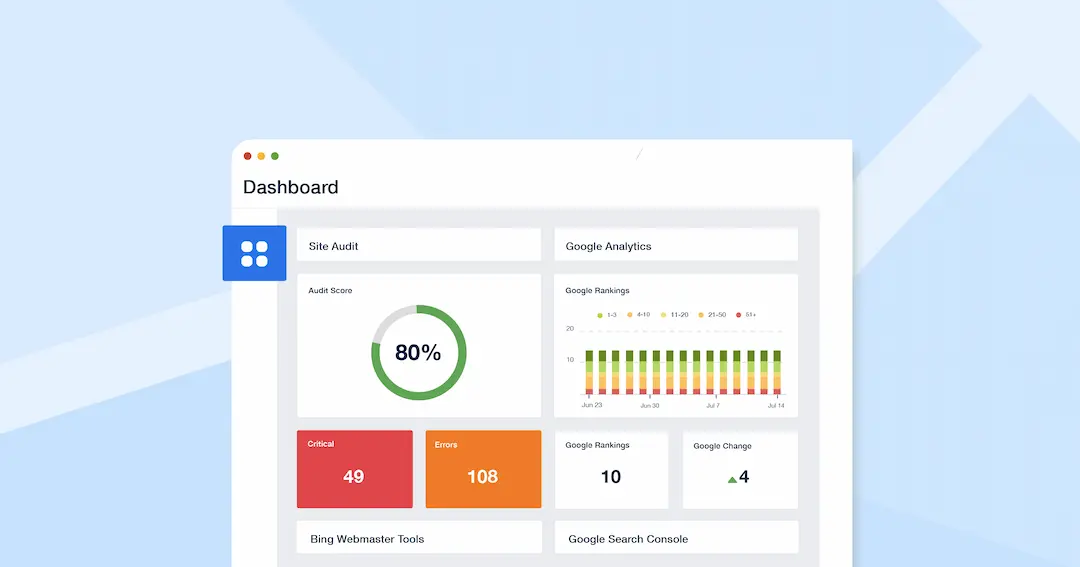
They work by condensing intricate concepts like cloud computing, scalability, or AI-driven SaaS applications into easy-to-understand visuals such as charts, graphs, and diagrams. This makes technical information more accessible to both technical and non-technical users.

Infographics capture attention quickly with their visual appeal, keeping viewers engaged longer compared to plain text.

For SaaS companies, this means better communication of features like public cloud services or SaaS apps’ benefits. They also enhance understanding and retention by presenting data in a structured, logical format.

Moreover, SaaS infographics boost brand visibility by being highly shareable on social media and other platforms.

Their SEO-friendly nature allows the inclusion of keywords like “cloud services” or “infographic template,” which improves search engine rankings and drives traffic.

Types of SaaS Infographics


Comparison Infographics

Comparison infographics are designed to highlight the differences and similarities between SaaS products, services, or features.

These visuals are especially useful for SaaS companies to help prospects make informed decisions by comparing key aspects like pricing, scalability, or performance of cloud services.

For example, a SaaS company could use a comparison infographic to showcase how their SaaS applications outperform competitors in terms of greater efficiency or AI integration.

Timeline Infographics

Timeline infographics are perfect for showcasing the evolution of a SaaS product, company milestones, or the development stages of cloud computing solutions. They visually map out events in chronological order, making it easier for audiences to understand progress over time.

For instance, a SaaS company could use a timeline infographic to demonstrate how their public cloud services have scaled over the years or how their SaaS apps have integrated advanced AI features.

These infographics not only tell a story but also build credibility by showing consistent growth and innovation.

Statistical Data Visualizations

Statistical data visualizations focus on presenting numbers and metrics in an engaging and digestible way.

They are ideal for showcasing key performance indicators (KPIs) like user adoption rates, customer retention, or the impact of SaaS products on SEO. By using charts, graphs, and icons, these infographics make complex data easier to interpret.

For example, a SaaS company could create a statistical infographic to highlight how their cloud services improve scalability and reduce costs for clients. These visuals help communicate data-driven insights effectively while supporting informed decision-making for stakeholders.

Best Practices For SaaS Infographic Design

Best Practices For SaaS Infographic Design

To make your SaaS infographic more powerful and effective, it’s important to follow design best practices.

Balancing Visual Elements

Balancing visual elements ensures your SaaS infographic looks organized and appealing. Use a mix of colors, shapes, and text to create harmony without overwhelming the viewer.

For example, when presenting data about cloud services or SaaS applications, distribute visuals like icons and graphs evenly across the design. Include white space to give the content breathing room and avoid clutter.

Whether using symmetrical balance (equal weight on both sides) or asymmetrical balance (dynamic placement), the goal is to guide the viewer’s eye naturally through the infographic. A balanced design helps communicate your message clearly while maintaining visual interest.

Ensuring Readability

Readability is important for making your SaaS infographic effective. Use clean, standard fonts instead of decorative ones to ensure text is easy to read.

Adjust line spacing and font sizes appropriately, especially when explaining technical concepts like scalability or AI-driven SaaS products. Avoid overcrowding text; instead, break information into small sections with headings and bullet points.

For example, when detailing SEO benefits of SaaS apps, use concise phrases supported by visuals like charts or icons. Ensuring readability makes it easier for audiences to quickly understand complex data without feeling overwhelmed.

Using Consistent Color Schemes and Typography

Consistency in color schemes and typography strengthens your brand identity and makes your infographic more professional. Stick to your brand’s colors and fonts across all infographics to maintain familiarity with your audience.

For instance, if your SaaS company focuses on public cloud services, use colors that reflect trust and innovation, such as blues or greens. Limit the number of colors used—typically two or three main colors with accents for emphasis.

Consistent typography ensures uniformity in headings, subheadings, and body text, helping viewers focus on the content rather than the design inconsistencies. This approach builds trust and reinforces your brand’s credibility.

Tools For Designing SaaS Infographics

Tools For Designing SaaS Infographics

  1. Canva: Canva is a popular and user-friendly tool for creating visually appealing SaaS infographics. It offers a vast library of infographic templates, icons, and images that can be easily customized to fit your brand. With drag-and-drop functionality, even beginners can design professional-looking infographics that showcase SaaS applications, cloud services, or scalability benefits. Canva also supports collaboration, allowing teams to work on designs in real time. Its free plan is great for basic needs, while paid plans unlock advanced features like custom fonts and branding options.
  2. Venngage: Venngage specializes in infographic creation with over 100 customizable templates tailored for different data types, such as comparison charts or statistical visuals. This tool is ideal for SaaS companies looking to present complex data like AI-driven SaaS products or SEO metrics in an engaging way. Venngage allows users to add text, images, and charts seamlessly while maintaining consistency with their brand colors and typography. It’s suitable for both beginners and professionals, with pricing plans ranging from free to premium.
  3. Piktochart: Piktochart is another excellent tool for designing SaaS infographics, offering a clean interface and a variety of templates for timelines, reports, and more. It’s particularly useful for visualizing data about SaaS apps or public cloud services with its drag-and-drop editor and access to a library of icons and images. Piktochart’s features include interactive maps and resizable canvases, making it versatile for different infographic types. Paid plans provide additional customization options like uploading custom fonts and removing watermarks.
  4. Visme: Visme is a powerful design tool that combines infographic creation with advanced data visualization features. It allows SaaS companies to create interactive infographics by integrating live data from sources like Google Sheets. This makes it perfect for presenting real-time metrics about SaaS products or cloud computing performance. Visme also supports animations and effects to make infographics more dynamic. With its free plan and affordable paid options, it’s suitable for businesses of all sizes.
  5. Infogram: Infogram is ideal for creating data-driven SaaS infographics focused on statistics or KPIs like user adoption rates or scalability improvements. It offers templates specifically designed for charts, graphs, and maps, making it easy to turn complex data into engaging visuals. Infogram’s standout feature is its ability to connect with live data sources, ensuring your infographic stays up-to-date. The tool also provides sharing options like embedding on websites or exporting as high-quality images.

Examples of Successful SaaS Infographics

  1. HubSpot’s Marketing Metrics Infographic: HubSpot created an infographic showcasing key marketing statistics relevant to SaaS companies. It used clean visuals and concise text to explain how their tools improve SEO and customer engagement. This example highlights the importance of presenting data in a structured format that resonates with the audience.

  2. Dropbox’s Cloud Security Overview: Dropbox designed an infographic to explain the security features of their cloud services. By using icons and simple diagrams, they effectively communicated complex technical details about encryption and scalability without overwhelming viewers.
  3. Slack’s Productivity Benefits Infographic: Slack used an infographic to demonstrate how their SaaS app enhances team productivity through integrations with other tools and streamlined communication workflows. The design emphasized key benefits like greater efficiency using bold headings and visual hierarchy.
  4. Zapier’s Automation Workflow Infographic: Zapier created an infographic illustrating how their automation workflows simplify repetitive tasks across various SaaS applications. They used flowcharts and step-by-step visuals to make the process easy to understand while reinforcing their brand identity.
  5. MailChimp’s Year in Review Infographic: MailChimp shared an annual infographic summarizing user statistics like email campaigns sent and open rates achieved through their platform. The design combined engaging visuals with statistical data to showcase their impact on businesses using their SaaS products effectively.

FAQ’s:

What’s The Best Format For a SaaS Infographic?

The best format for a SaaS infographic is typically vertical, as it allows for logical flow and is easy to scroll through on digital platforms.

This format works well for presenting data like SaaS applications’ benefits, cloud services, or scalability metrics. Ensure the infographic is optimized for web use, with dimensions around 800 pixels wide and adjustable lengths to fit the content.

A clean design with sections for headings, visuals, and concise text makes it more effective and shareable.

How Long Should a SaaS Infographic Be?

A SaaS infographic should be long enough to convey its message but not so lengthy that it overwhelms viewers. Ideally, keep it under 2,000 pixels in height to maintain readability and engagement.

For example, if you’re showcasing SaaS products or public cloud services, focus on key points like greater efficiency or SEO benefits without adding unnecessary details. Shorter infographics are more likely to retain attention and be shared across platforms.

How Can I Measure the Success Of My SaaS Infographic?

The success of a SaaS infographic can be measured using metrics like website traffic, social media shares, and engagement rates. Tools like Google Analytics can track how many users view or interact with the infographic on your site.

Additionally, monitor SEO performance by checking if keywords like “cloud computing” or “infographic template” drive organic traffic. High shares and backlinks indicate that your infographic resonates with your audience and boosts brand visibility.

Should I Use Animations in SaaS Infographics?

Animations can enhance a SaaS infographic by making it more dynamic and engaging, especially when explaining complex concepts like AI or scalability in cloud services.

However, use animations sparingly to avoid distracting viewers from the main message.

For example, subtle hover effects or animated charts can highlight key benefits of SaaS apps while keeping the design professional. Ensure animations are compatible across devices for better accessibility.

What Makes an Infographic Successful in the SaaS Industry?

A successful SaaS infographic combines clarity, relevance, and visual appeal. It simplifies complex data about topics like public cloud services or SaaS applications into digestible visuals while aligning with your brand identity.

Consistent color schemes, readable typography, and strategic use of icons or charts make it visually attractive. Additionally, focusing on one main idea—such as scalability or SEO improvements—ensures the infographic is easy to understand and shareable across platforms.

Conclusion

SaaS infographics are a powerful way for SaaS companies to communicate complex ideas like cloud computing, scalability, and AI-driven solutions in a simple and engaging format.

They help break down intricate data into visually appealing content, boosting user engagement and improving brand visibility.

Following best practices such as balancing visual elements, ensuring readability, and maintaining consistency in design can help SaaS companies create infographics that resonate with their audience.

Tools like Canva, Venngage, and Visme make it easier to design professional infographics tailored to SaaS applications and public cloud services. When promoted effectively through SEO optimization and social sharing, these infographics can drive greater efficiency in marketing efforts and establish your brand as an industry leader.

With the right strategies, SaaS infographics can be a valuable asset for educating audiences and showcasing the unique value of your SaaS products.

The Secret Ingredient Behind a Successful App Marketing Strategy: MMP

The mobile applications world is rapidly evolving, and it is not about making a blockbuster app but knowing, monitoring, and maximizing the performance of every part of the app. As a great example of an MMP, Approve mobile measurement partner has distinguished itself as a mobile analytics player game-changing how app developers and marketers traverse the intricacies of mobile app analytics.

Navigating a Crowded Market

It’s a crowded mobile app market. Launching is just not good enough with millions of apps competing for user attention. Actionable insights are needed by marketers and developers to drive growth, retention, and revenue. A comprehensive management system helps consolidate these insights, allowing marketers and developers to make informed decisions for driving growth and retention.

The Importance of Performance Tracking

Mobile app performance tracking certainly isn’t a luxury, it’s a necessity. The scope of mobile app analytics is the fine details of user behavior, acquisition channels, engagement patterns, and conversion rates. Without these insights, the marketing strategies are back to pure wild guesses. Use of knowledge on how users interact with the app to make targeted improvements in app users and app performance and development.

Enhancing Marketing Efficiency

The companies have also enabled precise tracking that enables marketers to know exactly how much their advertising spend is worth and allocate their budget more efficiently. The top-of-the-line MMPs like Apptrove mobile measurement partner provide more than simple metrics; they track performance. They provide a 360-degree view of app performance, delivering consistent and comprehensive insights across multiple platforms.

Real-Time Insights and Fraud Prevention

Mobile app marketing with real-time reporting is a game changer. This is an agile marketing strategy that enables performing quick pivots based on soon insights. Marketing investment is protected by advanced fraud detection algorithms that identify and prevent fraudulent activities, allowing for effective spending of every dollar over marketing. Leveraging fraud prevention software enhances this protection by offering automated, scalable tools to detect suspicious behavior across campaigns in real time.

Clarity in User Attribution

With sophisticated mobile measurement solutions, user attribution becomes crystal clear. Now marketers can precisely identify which marketing channels are performing, calculate the true cost per acquisition, and optimize their marketing spend to an accuracy level previously unreachable. With this level of insight, we can create personalized user experiences and create target retention strategies.

Consequences of Poor Analytics

Comprehensive mobile app analytics is essential to avoid the costs and risks associated with operating without them. Apps that don’t track are facing some challenges including wasted marketing budgets, not retaining users, not actually understanding the preferences of the users, and therefore not taking advantage of optimization opportunities. In contrast an informed approach can enhance the app performance and user engagement in the hands of millions of people very effectively.

Easy Implementation of MMP Solutions

It turns out that implementing a mobile measurement partner is easy. The normal process involves creating a signup account, then installing the SDK in the app, defining tracking parameters, and collecting analytics. But these insights can change things—specifically, how we develop marketing strategies and move forward with app development.

The Future of Mobile App Marketing

With the increase in complexity of mobile ecosystems, mobile measurement partners will continue to have an important role to play. Pushing boundaries, the most innovative solutions are the difference between developers and marketers seeing cutting-edge insights that can make the difference between an app that exists and one that takes off.

Conclusion

Today’s app marketplace is about more than a great product. Deep actionable insights require a mature mobile measurement partner. Approve mobile measurement partner is a premier solution and provides complete mobile measurement solutions, turning data into a strategic advantage.

Understanding Cloud Security: A Primer for Marketers

Cloud security may sound like a techie’s concern, but it directly impacts marketers too. This is because handling data securely, whether it’s customer insights or ad campaign details, is the best way to keep customer trust intact.

Understanding the basics is necessary irrespective of whether you’re directly responsible for implementing security measures. Cyber threats never sleep, so the last thing you want is to find that weak spots in the cloud systems you use have been targeted.

Knowing what to look out for helps you collaborate with IT teams better and safeguard valuable marketing assets. Stick around to learn how practical strategies keep your campaigns safe without you needing to be a cybersecurity expert.

How Cloud Security Directly Impacts Marketing Campaigns

Marketers rely on cloud platforms for almost everything. From managing email campaigns to running analytics, these tools store sensitive customer data and campaign details. Weak security can disrupt your marketing efforts and erode trust.

Cloud security plays a role in campaigns by:

  • Protecting customer information that builds brand loyalty
  • Keeping proprietary campaign strategies confidential
  • Ensuring compliance with privacy laws like GDPR or CCPA

A breach hurts IT departments and affects you too. It could result in losing access to ad accounts right before a launch, or worse, leaked customer data damaging your reputation.

Securing the cloud keeps campaigns running smoothly while maintaining trust in your brand’s commitment to safety. Understanding this connection lets you proactively safeguard marketing outcomes and client confidence. Plus, enhance your defense against threats by strengthening the DNS layer to keep marketing tools running smoothly. To understand which solution fits best, check out the comparison of Cloudflare vs DNSFilter, where you’ll find insights on performance, filtering accuracy, and ease of use.

The Most Common Risks Marketers Face in the Cloud

Cloud tools simplify marketing, but they come with risks. Being aware of these helps you protect your work and your reputation.

Common risks include:

  • Unauthorized access through weak passwords or stolen credentials
  • Data breaches exposing customer information or campaign strategies
  • Misconfigured settings leaving cloud storage open to public access
  • Malware attacks targeting cloud applications you rely on daily

Marketers often use third-party apps that connect to cloud platforms. Another key risk is unauthorized access to privileged accounts—accounts with higher levels of control over cloud systems and marketing tools. Privileged Access Security (PAS) helps ensure that only the right people have access to critical data, reducing the risk of breaches and insider threats. If not vetted carefully, these integrations can create additional vulnerabilities. Even something as simple as shared logins among team members can lead to security gaps. To better manage these challenges, ITSM software can help standardize processes for access control, incident management, and third-party integrations, reducing the chances of misconfigurations or security lapses.

Familiarizing yourself with these risks means recognizing potential threats before they impact your campaigns or clients’ trust. When you’re mindful of what could go wrong, working alongside IT teams for a secure system becomes easier while continuing creative workflows uninterrupted. 

Practical Tips for Securing Your Marketing Data in the Cloud

Protecting your marketing data doesn’t require deep technical knowledge. Simple, consistent actions help prevent security problems.

Some effective tips are:

  • Enabling two-factor authentication on all cloud platforms
  • Regularly updating passwords and avoiding shared login credentials
  • Reviewing access permissions to ensure only necessary users have rights
  • Using encrypted tools for storing sensitive customer information

Also, by using VPN for PC systems you can add another layer of protection when accessing cloud resources remotely. This reduces the risk of exposing data over unsecured networks.

Frequent audits of connected third-party apps also help catch vulnerabilities early. Staying proactive with these steps helps keep your marketing operations secure without adding unnecessary complexity to daily tasks. Safeguarding data ensures smoother collaboration between teams and greater trust from clients or customers who rely on you to handle their details responsibly.

Choosing the Right Tools to Strengthen Your Security Posture

Not all cloud tools offer equal protection. Picking secure platforms ensures better safeguarding of your marketing efforts and data.

Look for tools with features including:

  • Built-in encryption for storing and transferring data
  • Regular security updates to address vulnerabilities promptly
  • Detailed user permission settings for controlled access levels
  • Compatibility with multi-factor authentication methods

Activity monitoring tools also help track suspicious behaviours, such as unexpected logins or unauthorized downloads. Using third party hybrid cloud monitoring tools to track performance alongside security is also advised. Meanwhile, platforms that comply with major privacy regulations like GDPR provide added assurance they handle sensitive information responsibly.

While flashy features might be tempting, prioritize tools designed around robust security practices. Choosing carefully vetted platforms lets you reduce risks without compromising functionality in daily operations.

Collaboration Between IT and Marketing Teams for Better Protection

Marketing and IT teams share responsibility for cloud security. Working together creates a stronger defense against potential risks.

Effective collaboration includes:

  • Communicating regularly about the tools marketers use in their workflows
  • Training marketers on recognizing phishing attempts or weak password practices
  • Involving IT when connecting third-party apps to cloud platforms
  • Setting up clear protocols for responding to security breaches

IT teams have technical expertise, while marketers understand the specific needs of their campaigns. Aligning these perspectives ensures tools are both functional and secure.

Having open communication prevents misunderstandings, like configuring settings improperly or skipping updates that patch vulnerabilities. Collaborative efforts help protect not just sensitive data but also campaign success by reducing downtime caused by preventable issues. Security Awareness Training also plays a key role in helping teams stay vigilant and informed. Together, these teams create a balanced approach to keeping marketing activities secure without adding unnecessary hurdles.

Considering Regulations Relevant to Marketers Using Cloud Platforms

Compliance with privacy laws is more than a legal obligation. It protects customer trust and keeps marketing operations smooth. Marketers must stay aware of relevant regulations when using cloud platforms.

Key areas to consider include:

  • Ensuring data collection aligns with laws like GDPR or CCPA
  • Verifying third-party apps follow proper compliance standards
  • Avoiding the storage of sensitive information in unsecured systems
  • Being transparent about how customer data is used and shared

Non-compliance can lead to fines, reputational damage, or disrupted campaigns. Working with IT teams helps ensure your tools meet necessary standards while maintaining functionality. Implementing solutions that highlight server side tracking benefits can also strengthen compliance by reducing reliance on client-side scripts and offering more secure, privacy-conscious data collection methods.

Cloud providers often share responsibility for meeting these requirements, but marketers remain accountable for how they handle data. Staying informed allows you to proactively align processes without waiting for issues or audits to arise unexpectedly within your workflows.

Real-World Examples of Cybersecurity Breaches Impacting Marketing

Cyber breaches can severely affect marketing operations and brand trust. Learning from real incidents highlights the importance of strong security practices.

Notable examples include:

  • The Adobe breach in 2013 exposed data of 38 million users, including encrypted credit card details, damaging customer trust in the brand
  • Canva faced a data breach in 2019 where hackers accessed account details for over 137 million users, leading to immediate reputational harm despite their quick response
  • Insecure cloud storage mismanagement led to sensitive Facebook user records being publicly accessible in 2019 through third-party apps

These cases show how vulnerabilities affect not only IT but also marketing teams that rely on these platforms for campaign management or customer insights.

Implementing basic measures like regular audits and limiting access helps prevent similar outcomes. Securing your tools keeps your campaigns running smoothly and customers’ confidence intact.

The Role of Artificial Intelligence in Cloud Security for Marketers

Artificial intelligence (AI) benefits the businesses that implement it, and cloud security is a great fit for this tech. Its ability to analyze data quickly and identify threats helps marketers protect their operations more effectively.

AI enhances cloud security by:

  • Detecting unusual login patterns that may signal unauthorized access attempts
  • Automating threat detection to respond faster than manual monitoring systems
  • Analyzing user behavior to identify risky activities within marketing platforms
  • Predicting vulnerabilities before they are exploited based on historical trends

For example, AI-powered tools like Darktrace have successfully identified early-stage cyberattacks using machine learning, allowing companies time to mitigate damage. Platforms like Microsoft Azure use AI to enforce stricter compliance with privacy regulations automatically. Platforms like Microsoft Azure use AI to enforce stricter compliance with privacy regulations automatically. If you’re concerned about digital security, it’s also important to know if your phone is being tracked and take necessary precautions. 

Incorporating these technologies into your workflow doesn’t require deep technical knowledge. Leveraging built-in AI features on trusted platforms strengthens your overall security posture while keeping marketing operations smooth and efficient.

Educating Your Team on the Basics of Cyber Hygiene

A well-informed team is the antidote to security threats. Educating marketers on cyber hygiene ensures they can avoid common pitfalls and help maintain secure operations.

Key topics to cover include:

  • Recognizing phishing emails that target login credentials or sensitive data
  • Using strong, unique passwords for each platform to minimize risks from breaches
  • Avoiding public Wi-Fi when accessing cloud platforms without a VPN in place
  • Logging out of accounts after use, especially on shared devices

Real-world training exercises, like simulated phishing campaigns, reinforce lessons and identify areas needing improvement. Regular refresher courses also keep teams up-to-date with evolving threats. As the cost of coping with cybercrime is expected to top $13 trillion by 2028, it really is an arms race you cannot afford to ignore.

Finally, creating awareness among all users limits vulnerabilities caused by human error. Simple practices go a long way in keeping marketing tools and customer data safe while fostering accountability across your team members’ daily activities.

The Bottom Line

In short, cloud security directly impacts the tools, data, and strategies marketers rely on daily. Staying informed about risks helps you safeguard both your campaigns and customer trust.

Simple steps like enabling two-factor authentication or using encrypted platforms reduce vulnerabilities without requiring technical expertise. Collaboration with IT teams ensures marketing workflows stay functional yet secure.

Moreover, prioritizing education, compliance, and the right technologies means marketers can protect their operations against growing threats. A proactive approach keeps cloud systems reliable, allowing marketers to focus on creating impactful campaigns with peace of mind for their team and audience.

How Do SaaS Companies Build Trust Through Secure Online Practices?

SaaS companies thrive on customer trust, but they must also address constant challenges to security to earn and maintain this trust.

In this industry niche, building trust hinges on implementing secure online practices that protect sensitive data and demonstrate transparency. Customers want assurance that their information is in safe hands.

With that in mind, let’s get into the specifics of how SaaS companies achieve this balance between security and customer confidence.

Understanding Customer Concerns About Data Security

Customers worry about data breaches and misuse of their sensitive information. SaaS companies need to address these fears by being proactive, or else they could face a reputation crisis.

Customers’ biggest concerns include:

  • Unauthorized access to personal or financial data
  • Lack of transparency about how data is stored and shared
  • Risks from weak security measures, like poor encryption

To tackle these worries, businesses should prioritize communication. Provide clear details on how user data is protected. Avoid complicated language in privacy policies so that users feel informed without needing a legal background.

Additionally, showcasing third-party verifications helps build confidence. Customers trust external certifications more than internal assurances.

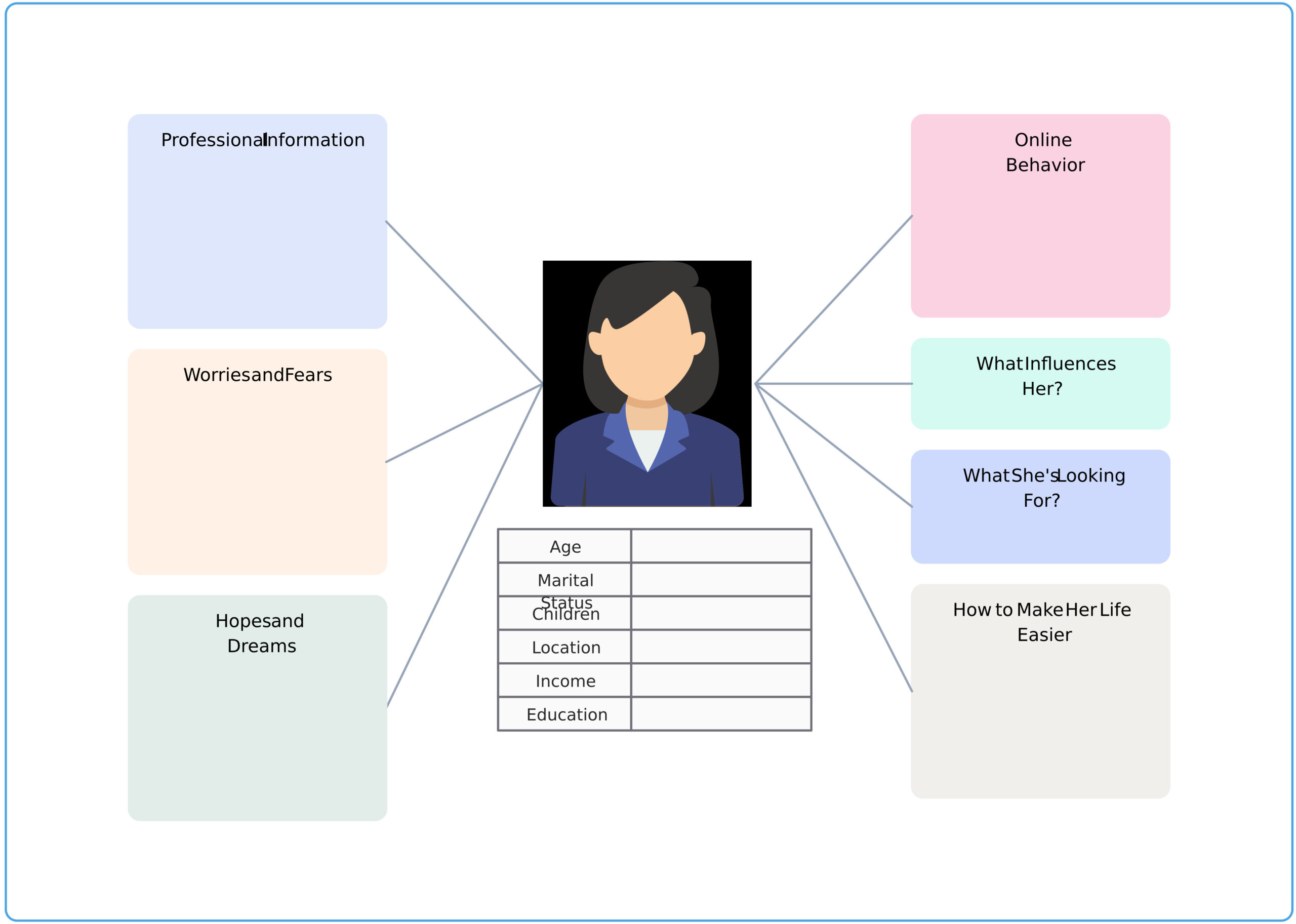
Taking time to understand customer expectations is beneficial and necessary for building long-term relationships built on trustworthiness in SaaS platforms.

Building that trust also depends on following data security best practices that protect user data and reduce security risks.

Best Practices for Transparent Privacy Policies

A clear, easy-to-understand privacy policy goes a long way in gaining customer trust. Users want to know their data is handled responsibly without wading through complex legalese.

It must cover:

  • How the company collects and uses customer information
  • Whether data is shared with third parties, and why
  • Steps taken to secure stored user data

It’s also important to keep policies up-to-date as laws or practices evolve. Notify users regularly about any changes instead of burying updates on obscure pages. Transparency builds confidence by making customers feel like partners rather than just accounts in a system.

Lastly, offer FAQs alongside the policy for commonly asked questions about security practices and compliance standards. This small effort helps reinforce clarity while demonstrating accountability directly to your audience.

Role of VPNs in Business-Grade SaaS Security

VPNs provide an added layer of protection by encrypting data traffic, which safeguards sensitive information from prying eyes. Additionally, ensuring virus protection for Mac is crucial for SaaS companies, they are a simple yet powerful tool to ensure secure connections for their users and internal teams alike.

Key benefits include:

  • Protecting data during remote work or while using public networks
  • Reducing exposure to potential cyberattacks like man-in-the-middle threats
  • Ensuring compliance automation with security protocols across global operations

For businesses testing these solutions, a VPN free trial lets you evaluate how effectively it secures communications without upfront commitments. It’s a practical way to see the value before investing in larger-scale deployment.

Incorporating VPNs into everyday practices ensures that customer interactions and company operations stay private and reliable. This strengthens trust while delivering peace of mind. For teams managing social platforms securely on a budget, choosing the cheapest VPN for Instagram helps protect account access while maintaining safe and reliable connections.

Multi-Factor Authentication as a Simple Way to Boost Confidence

Adding multi-factor authentication (MFA) is an effective way to protect accounts and reassure customers about security. It adds extra steps for access, making unauthorized logins far more difficult.

Benefits include:

  • Preventing breaches even if passwords are compromised
  • Giving users control over who accesses their accounts
  • Showing commitment to protecting customer data beyond basic measures

MFA methods range from SMS codes and authenticator apps to biometric verification like fingerprints or facial recognition. Integrating an authentication API can streamline the implementation of these MFA methods, allowing developers to securely verify user identities without reinventing the wheel. These biometric methods create a digital fingerprint unique to each user, enhancing security. The flexibility allows SaaS companies to cater options based on user preferences without adding unnecessary complexity.

Educating users on how MFA works and encouraging its use creates a stronger bond of trust between the company and its audience. Customers feel reassured knowing that security isn’t just a passive promise but an active priority in your service offerings.

Compliance with Industry Standards and Certifications

Meeting industry security standards reassures customers that their data is handled responsibly. Certifications signal a commitment to best practices, building credibility for SaaS companies.

Key compliance measures include:

  • Adhering to GDPR or CCPA regulations for user privacy rights
  • Obtaining ISO 27001 certification for information security management
  • Meeting SOC 2 requirements focused on protecting customer data. 

Displaying these certifications prominently shows transparency and accountability. Customers recognize the effort behind meeting these benchmarks, which builds trust.

Regularly updating policies and processes ensures continued compliance as standards evolve over time. Beyond ticking boxes, it proactively keeps sensitive information secure within an ever-changing digital landscape.

Moreover, compliance is fundamentally a financially savvy step. The largest fines for breaching GDPR exceed $1.2 billion, so reputational damage is just one consequence of falling short.

How Regular Audits Strengthen Customer Trust in SaaS Companies

Frequent security audits help identify vulnerabilities before they become problems. They show customers that your business takes a proactive approach to safeguarding their data.

Benefits of regular audits include:

  • Identifying weaknesses in systems or processes early
  • Ensuring compliance with evolving regulations and standards
  • Demonstrating an ongoing commitment to secure operations

Independent third-party auditors add extra credibility, providing unbiased reviews of your security measures. Sharing audit results openly, without exposing sensitive details, can reassure users about the robustness of your practices.

Audits also create opportunities for improvement. Acting on findings quickly helps reinforce trust by showing dedication to addressing potential risks immediately. It can even combat data sprawl, which is another security snafu waiting to happen.

Making auditing part of routine operations keeps companies ahead of threats while maintaining transparency with their audience. These are key factors for earning long-term loyalty in a competitive market like SaaS.

Incident Response Plans That Protect and Reassure Users

No system is immune to cyberattacks, and PwC research suggests 36% of companies have suffered a breach that cost over $1 million. This makes having a strong incident response plan critical. SaaS companies can mitigate damage and maintain customer trust by responding swiftly and effectively.

Key components of an effective plan include:

  • Clearly defined steps for identifying breaches or attacks
  • Rapid communication with customers about incidents in plain language
  • Procedures for containing the threat and minimizing data loss

Testing response plans regularly ensures they work when needed. Simulated scenarios help teams stay prepared while uncovering areas for improvement.

Being transparent during a crisis shows accountability, not weakness. Providing regular updates reassures customers that your company is actively working to resolve issues.

Having a solid incident response strategy isn’t just about reducing technical risks; it’s about proving that you value customer trust even in challenging moments. This resilience strengthens your reputation over time.

The Role of End-to-End Encryption in Securing User Data

End-to-end encryption (E2EE) ensures that only the sender and recipient can access the information being shared. This technology is crucial for SaaS companies to protect sensitive data from interception or misuse.

Advantages of E2EE include:

  • Preventing unauthorized parties, including service providers, from viewing customer data
  • Ensuring secure communication channels for messages or file transfers
  • Building confidence by guaranteeing privacy at every stage of data handling

Implementing E2EE also protects against external breaches, making it a vital safeguard in industries like finance or healthcare, where compliance is strict.

When companies openly communicate about their use of end-to-end encryption, they show users a clear commitment to protecting personal and business information.

Building Trust Through Secure Software Development Practices

Security starts with software development. Adopting secure coding practices and frameworks minimizes vulnerabilities from the outset. SaaS companies gain trust by prioritizing safety throughout their development lifecycle.

Key practices include:

  • Conducting regular code reviews to identify potential flaws early
  • Using automated tools for vulnerability scanning during development
  • Incorporating penetration testing to simulate real-world attacks

Secure software development also means integrating security checks into continuous deployment pipelines. This approach allows teams to address risks without slowing down updates or releases.

When businesses demonstrate commitment to building strong foundations in their software, users feel more confident using the platform, knowing it was designed with protection in mind from day one.

Limiting Access Control to Minimize Internal Risks

 Not all data should be accessible to everyone within an organization. Implementing strict access controls, such as Privileged Access Management, protects sensitive customer information and reduces internal risks. Utilizing an employee text messaging system can facilitate secure, real-time communication, ensuring that employees are promptly informed of any security changes or breaches.

Best practices for limiting access include:

  • Assigning permissions based on job roles and responsibilities
  • Using the principle of least privilege to restrict unnecessary data exposure
  • Regularly reviewing and updating user access rights as roles change

Once again, multi-factor authentication comes into play. Implementing it for administrative accounts adds another layer of protection, guaranteeing that only authorized personnel can make critical changes.

Monitoring access logs is equally important. Identifying unusual activity early prevents misuse or breaches before they escalate.

Taking these measures shows customers you value their trust by prioritizing responsible handling of their information across every level of your business operations.

Wrapping Up

As we’ve established, building trust through secure online practices is essential for SaaS companies. Customers need reassurance that their data is safe and handled responsibly. Implementing these measures strengthens relationships by showing your dedication to protecting user information.

From encryption to audits, each step you take builds confidence and creates transparency. Clear communication about security efforts further closes the gap between company practices and customer expectations.

In a competitive market, prioritizing security safeguards data and sets your business apart as reliable and trustworthy. These actions help build loyalty while positioning your SaaS platform as a leader in delivering secure services.

Top Strategies for Cash Flow Business Management: Proven Tips to Keep Your Finances Healthy

Smooth cash flow is what helps a business survive and expand. Without proper finance management in business, not even the finest projects can bloom. Now, we shall have a closer look at strategies to get your cash inflow growing and your bottom line whetting. If you are in a keen perspective to keep your enterprise financially and ready to pursue an opportunity open, here is a set of tips.

Introduction

Every business, whether big or small, needs to manage its money wisely. Business cash flow is the movement of money in and out of your company. It covers everything from paying bills to investing in new opportunities. Poor cash flow can cause missed payments, increased debt, and even business closure.

On the other hand, strong cash flow management will guarantee that your business can meet its obligations and thrive. The U.S. Bank says in a study that 82% of small businesses fail due to cash flow problems; this calls for a need to master how to manage cash flow to keep your business running as smoothly as possible.

It helps a business operate on a day-to-day basis and also is a ground for long-term success. By understanding and implementing the proper steps, you might confidently overcome challenges and direct your business to sustained growth.

Cash Flow in Your Business

Before getting into strategies, it is important to understand what cash flow is and why it is so crucial for your business. For more engaging content on this topic, keep reading.

What is Cash Flow?

Cash flow is the money coming in minus the money going out of your business. Positive cash flow means that more money is coming in as opposed to going out. You can reinvest in your business, pay debts owed, and save for future needs. Negative cash flow, on the other hand, means there is more money leaving your business than is coming into it. Obviously, this might spell financial troubles.

Let’s begin with simple things and categorize cash into three main types. The first is operating cash flow, which refers to money made via your main business operations, such as sales of products or services. The second is investing cash flow, which means using cash for or deriving it from investments in assets, such as buying equipment or financing new startups. The last type is financing cash flow-that’s money received from or paid to investors and creditors, including loans and repayments.

Well, you are able to analyze where your money is going and how to optimize each aspect with this knowledge.

Why Does Cash Flow Matter?

Effective financial management has ample liquidity to pay all expenses, chances for growth, and contingencies. In fact, 61% of small business owners consider cash flow a major source of stress in their business, as a QuickBooks survey shows.

Effective CF management offers operation stability whereby you can give a salary to your employees on time, pay suppliers, and other transactions on time. It allows growth opportunities since you can use the same cash to put the money in new projects or equipment for the expansion plan. It helps you manage and reduce your debt, which is accrued as a result of timely payment without suffering from exorbitant rates. Lastly, it prepares you for any sudden bills that appear without necessarily compromising business operations.

How Poor Cash Flow Impacts Your Life 

Poor CF management could affect your business in the following ways:

  •   Missed payments. The inability to pay suppliers or employees will hurt the relationships and, therefore, your business reputation.
  •   Increased indebtedness. Resorting to high-interest loans to bridge the shortfall may spiral into a debt trap, hard to come out of.
  •   Stunted growth. Lack of free funds may prevent taking advantage of chances, such as expansion of the product line or reaching new markets.
  •   Stress and burnout. Financial instability raises the level of stress in the employer and employees, and also affects productivity and morale in general.

Stress-Free Strategies to Maintain Financial Stability

Maintaining financial stability requires continuous effort. Here are some stress-free strategies to keep your cash flow healthy:

Business Budgeting Techniques

Budgeting is the only way to keep your business finances in order. Zero-based budgeting ensures that each dollar of your income is assigned some form of expense or savings, hence getting rid of wasteful use and making sure resources are put to good use. In the same vein, ensuring that expenses such as rent, salaries, and even specific fees like those needed to manage US expat taxes are factored into your budgeting can further safeguard your cash flow. This kind of budgeting makes you account for every expense; hence, it’s a disciplined way of spending.

Shania Brenson, a leading financial strategist at 15M Finance, emphasizes that a well-planned budget not only helps track your spending but also identifies areas where you can save and invest more effectively. Her insights highlight the importance of meticulous budgeting in maintaining a healthy cash flow and achieving financial stability.

Flexible budgeting allows for the budget to actually change based on actual income and expenses. It provides much more flexibility when dealing with the shifting sands of business conditions. This kind of flexibility ensures that your budget is realistic and responsive to changes in revenue or unforeseen costs without denting financial stability. Incremental budgeting involves gradually increasing your budget allocations as your business grows and revenues increase, allowing your financial plans to keep pace with your business.

Cash Flow Optimization

Smoothing a business’s cash flow requires adjusting many factors. Diversifying sources of income, such as through the offering of new products or services, may greatly improve your cash flow. Finding sources of revenue that will buffer against your main source can smooth out the volatility of your income streams. Additionally, leveraging marketing intelligence can help identify profitable customer segments and market trends, allowing businesses to adjust their strategies proactively for better financial stability.

Receivables management improvement by establishing appropriate processes to reduce receivables outstanding is important. That also means establishing clear payment terms, sending timely reminders, and following up on invoices well in time when payments become overdue to ensure that you get paid without unnecessary delay.

Of course, payables control is equally important: negotiating the best payment terms with your suppliers means you can extend your payables without penalty, thereby managing your cash outflows. Effective payable management means you can have good relations with your suppliers while optimizing your cash flow-a balanced approach to handling your liabilities.

Make Processes with Money Automated

Automate your savings and investments to consistently build your financial reserves. Set up automatic transfers from your checking account to your savings or investment accounts so saving becomes effortless and regular. Note that when you invest wisely, you grow your financial reserves over time and get a source of funds for future needs.

Let’s Plan for Your Business

You need to plan your finances for sustained cash flow management. First of all, set specific purposes, both short-term and long-term, to get a direction in your efforts. Then, develop a plan that contains the steps needed to achieve these goals so you could make progress.

For instance, you wish to buy a new technical car, then calculate how much and how often you should save. Update the plan when you feel that the business can now reach more. Such planning requires identifying the resources and actions to achieve them, so your business stays agile and active. If you’re unsure where to start, a business coach can help clarify your financial goals and keep you on track.

Financial Management for Business

Financial management for business involves four actions: plan, organize, control, and monitor. Good financial management practices will help you maintain a healthy cash flow.

Budgeting

It’s the first step when you decide to manage a CF. Budgeting helps you plan how you will distribute your funds and find areas to cut costs. Well, to develop a budget, you should:

  1. Check your transactions. Also, monitor fixed and variable costs to know where your money is. Fixed costs include things, such as rent bills, salaries, and utilities, while other costs cover things, such as raw materials and marketing expenses.
  2. Put in place viable goals based on your data and needs. It is easy to measure progress and focus on the results if your purposes are clearly stated.
  3. Adjust regularly. Periodically reassess your budget to accommodate changes in your business environment. Flexibility in budgeting allows you to respond effectively to challenges not foreseen.
  4. Involve your team. Engage key team members in the budgeting process for different perspectives, a sense of ownership, and responsibility.

Using Tools

​​Manage your cash flow with financial management software. Tools such as QuickBooks, Xero, and FreshBooks will help you manage your invoices, track your expenses, and prepare your financial reports. Such tools will better the process with the following capabilities:

  •   Automated invoicing. Save your time by automating your billing processes; hence, be assured that your invoices would be in time and timely.
  •   Track expenses. Easily track and categorize your expenses to gain insight into spending habits and identify areas to cut costs.
  •   Financial reporting. Provide multi-dimensional reports of performance for in-depth financial analysis that leads to valid and fact-based decision-making.
  •   Integration capabilities. Most of these financial tools have integration with other business applications, including CRM systems and payroll services; this makes one huge ecosystem of financial management.

Dave Ramsey, a well-known financial advisor, states that you must know where you stand financially before you can make a plan to get where you want to be. Utilizing the right tools can provide the clarity and control needed to manage your finances effectively.

Providing Reviews

Regular financial reviews are important, so you could know your business stays alive with its financial goals. A monthly or quarterly review enables you to know how to:

  •   Find trends. Observe the negative and positive trend of your cash flow that helps in reconsidering your strategies.
  •   Catch issues early. The early detection of problems in your finances gives an opportunity to nip them before they start turning into big issues.
  •   Measure performance. Understand how your business is performing against its financial targets to form the basis for planning and decisions in the future.
  •   Increase accountability. Frequent review builds accountability for all team members for the financial outcomes of the business.

Accomplishing the mentioned good habits within your regular financial management can enable making more relevant decisions, efficient usage of resources, and improvement in the overall financial health of your business.

How to Improve Cash Flow

Improving your business cash flow means managing your money better. Good invoicing can help you get paid on time. Send your bills right after you send your products to customers. There’s less waiting time for payment. Then, let your customers pay in various ways, such as with credit cards, transfers, or online payment services. This makes it easier for them to pay you.

Moreover (!), let your customers know when the payment is due. You can also offer a discount if they pay early or charge a fee if they pay late. It encourages them to pay on time. If a bill is late, have a plan to remind your customers. You will get your money as soon as possible.

Manage Inventory

It means keeping just the right amount of stock. Well, we’ve prepared a few simple tips to make it easier:

  •   Order only what you need and buy inventory only when it’s required. It helps reduce costs and prevents having too much stock.
  •   Use inventory software to monitor it better, predict how much you’ll need, and know when to reorder.
  •   Watch your sales trends and look at your sales data to understand how much inventory you need. You will avoid having too much or too little stock.
    Check your inventory regularly, review your stock to find items that aren’t selling well or are outdated. Offer discounts to sell the extra stock.

Don’t Spend on Unnecessary Things

You know that your business can have more money for things that truly matter. Firstly, look at all your subscriptions and services. Cancel any that you aren’t using or that don’t add value to your business. Next, talk to your suppliers and try to get better prices or terms.

Build good relationships with them to receive discounts and better deals. Encourage energy-saving and find more ways to run your operations. Simple changes, such as optimizing how you ship products, can save a lot of money. Moreover, give tasks that are not central to your business to outsource employees, such as IT support or marketing.

Business Finance Tips from Experts

Suze Orman, a popular financial advisor, talks about maintaining a strong cash reserve, meaning that the key to wealth is not in income but in cash flow. Building a cash reserve provides help and supports your business’s long-term stability.

Experts agree that a well-maintained cash reserve can make the difference between weathering financial storms and facing insolvency. Alright, businesses with a cash reserve of at least three months of operating expenses are more likely to survive economic downturns. If you integrate expert advice into your CF management, you can get information and proven techniques for you.

Final Thoughts

Alright, the fundamental thing of your business’s success is creating and maintaining a healthy CF. By implementing effective financial management for business to improve cash flow, your business becomes financially stable and ready for growth. Start by developing a detailed budget, optimizing your invoicing processes, and managing your debts wisely.

Business finances management is a long process, and you have to be vigilant and active. Follow the guide and build a great safety net that protects your business from urgent challenges!