9 Background Removal Tools Every DIY Marketer Should Know About

Removing a photo’s background used to mean firing up Photoshop, carefully tracing around your subject with the pen tool, and hoping the edges didn’t look jagged. For marketers without design skills, it meant sending the job to a freelancer and waiting a day or two for results.

Thankfully, that’s changed. AI-powered background removal tools now handle the process in seconds, and most of them work right in your browser. Upload a photo, wait a moment, and download a clean cutout with a transparent background. The quality is surprisingly good, even with tricky edges like hair or fine details.

This list covers nine background removal tools worth trying. Each one takes a slightly different approach, so the best pick depends on what you’re already using in your workflow and how often you need this kind of edit.

1. Adobe Express Background Remover

Adobe Express includes a background remover as one of its free Quick Action tools. Upload a JPG or PNG, and the AI isolates your subject automatically. The output downloads as a transparent PNG ready for use in other projects.

The real advantage here is what happens after the background is gone. Since the tool lives inside Adobe Express, you can immediately drop your cutout into a template, add text, swap in a new background from Adobe Stock, or apply filters without leaving the app. For marketers who already use Adobe Express for social content or flyers, this keeps the whole process in one place.

The background remover works on desktop and mobile. Adobe Express has a free plan that includes the tool along with thousands of templates and design assets. A Premium plan unlocks additional features and more generative AI credits.

2. Vecteezy AI-Powered Background Remover

Vecteezy is better known as a stock asset library, but its background removal tool is a solid standalone feature. Upload a JPG or PNG (up to 5MB), and the AI strips the background and delivers a clean transparent PNG.

The free plan allows up to 20 background removals per day with no account required, and no watermarks on the finished images. That daily limit is generous enough for most marketers handling routine edits, making this one of the best free tools for background removals. Images are processed securely and automatically deleted from Vecteezy’s servers after processing.

For anyone already using Vecteezy for stock vectors, photos, or video assets, the background remover adds extra value without requiring another subscription. Pro subscribers get unlimited usage and full commercial rights on all Vecteezy assets.

3. Remove.bg

Remove.bg is one of the most well-known names in background removal, and it earned that reputation by doing one thing well. Upload a photo and the background disappears in about five seconds. The AI handles people, products, animals, and cars with solid accuracy, and the edge detection is reliable even around hair and fur.

Where Remove.bg stands out for marketers is its workflow integration. It connects directly with Figma, Photoshop, and Zapier, so background removal can fit into an automated pipeline instead of being a manual step. Bulk editing is available too, processing up to 500 images per minute for product catalog work or large campaigns.

There’s a free tier with limited resolution on downloads. Full-resolution exports and API access require a paid plan. A desktop app and mobile app are also available.

4. Canva Background Remover

Canva’s Background Remover works inside its editor. Select an image, click the tool, and the background is gone in seconds. It handles people, animals, and objects, and accepts JPG, PNG, HEIC, and HEIF uploads. If you need a transparent logo, Canva’s Logo Background Remover easily removes the white or colored background from your logo, allowing you to seamlessly place the logo on presentations, websites, social media graphics, and other branded designs without distracting borders.

The tool is free to try once. After that single free use, unlimited background removal requires a Canva Pro subscription. That’s worth noting upfront, because the free tier is essentially a demo. But for teams already paying for Canva Pro, it’s a natural addition to the workflow. You can erase the background, drop in a new one from Canva’s stock library, and finish the design without switching apps.

You also get manual refinement options to erase or restore portions of the background after the AI does its initial pass. Pro subscribers get access to Video Background Remover as well.

5. Pixlr Remove BG

Pixlr’s Remove BG tool is completely free and runs entirely in the browser. Upload your image in JPEG, PNG, or BMP format, and the AI handles the rest. What sets Pixlr apart is its batch processing capability. You can upload over 100 images at once and get clean cutouts for all of them, which makes it especially useful for e-commerce sellers or anyone managing a large product catalog.

After the initial AI removal, Pixlr gives you fine-tuning tools to clean up any imperfections. The Draw Tool lets you manually restore or remove sections. The Magic Tool handles quick fixes with a single click based on color and tone detection. And the Lasso Tool lets you trace specific areas for the AI to adjust. You can also choose between transparent, white, or black backgrounds before downloading.

Output quality goes up to 4096×4096 pixels, and the Auto Crop feature helps center your subject for consistent framing across product shots. For a free tool, it’s remarkably full-featured.

6. Photoroom Background Remover

Photoroom positions itself as an AI product photography tool, and background removal is the starting point. Upload a JPEG or PNG and the AI removes the background automatically. From there, you can keep it transparent, switch to a white or colored backdrop, or replace it entirely with an AI-generated studio setup or lifestyle scene.

The tool is built with e-commerce in mind. Photoroom includes features like Product Staging (which places items in realistic scenes), Virtual Model (for showing products on AI-generated models), and Product Beautifier (which enhances lighting and color automatically). The batch processing option and API support make it practical for sellers managing large catalogs across multiple marketplaces.

Photoroom works on both desktop and mobile. You can get started for free with access to basic background removal. Upgrading unlocks higher-resolution exports and the full suite of AI editing tools.

7. Erase.bg

Erase.bg focuses on delivering high-resolution background removal without requiring an account. Upload an image in PNG, JPG, JPEG, WEBP, or HEIC format, and the AI processes it automatically. The tool supports images up to 10,000 x 10,000 pixels and outputs at the original resolution, which is a notable advantage over tools that downscale free results.

The interface is minimal. Upload, wait a few seconds, preview the result, and download. You can export as PNG with a transparent background or choose a custom background color before saving. Erase.bg also supports video background removal, which is a newer addition.

For developers, Erase.bg offers API access through its parent platform Pixelbin, making it possible to integrate background removal into apps and websites. Free users get 3 credits per day on the website. Commercial and bulk use is available through Pixelbin’s subscription plans.

8. Fotor Background Remover

Fotor’s background remover is part of its broader photo editing platform. Upload an image and the AI detects the subject, removes the background, and delivers a clean PNG cutout. It works across a wide range of image types, including portraits, product photos, cars, animals, real estate images, and even handwritten signatures.

After the background is removed, Fotor gives you several editing options. You can change the background color, swap in a pre-designed scene, or use AI to generate a custom replacement background from a text prompt. The Magic Brush tool offers manual control for restoring or erasing portions of the background, and there’s a background blur option for keeping the original backdrop with a depth-of-field effect.

Fotor’s free plan includes access to the background remover with HD-quality exports. The platform also includes a full photo editor, design templates, and AI-powered retouching tools, so marketers who need more than just background removal can handle multiple tasks in one place.

9. Retoucher

Retoucher is a straightforward background removal tool built with product photography in mind. Upload a photo and the AI removes the background automatically. From there, you can keep a transparent background, add a white or solid-color backdrop, or upload a custom replacement image.

The built-in editor includes options for adding shadows, adjusting colors, cropping, and choosing your preferred image format (PNG or JPG). No account is required for basic use. Retoucher also offers a business version with team collaboration features, batch image processing, brand template management, and API access for larger workflows.

Desktop apps for Windows and Mac are available alongside the browser-based tool. For marketers who need a simple, no-frills option for cleaning up product shots or preparing images for listings, Retoucher covers the essentials without overcomplicating things.

Finding the Right Fit

Each of these tools handles the core task well. The differences come down to what happens around that core task. Some plug into a broader design platform. Others focus purely on speed and simplicity. And a few offer batch processing or API access for teams managing high volumes of images. The best approach is to try a couple that align with tools you already use, and see which ones you like the best.

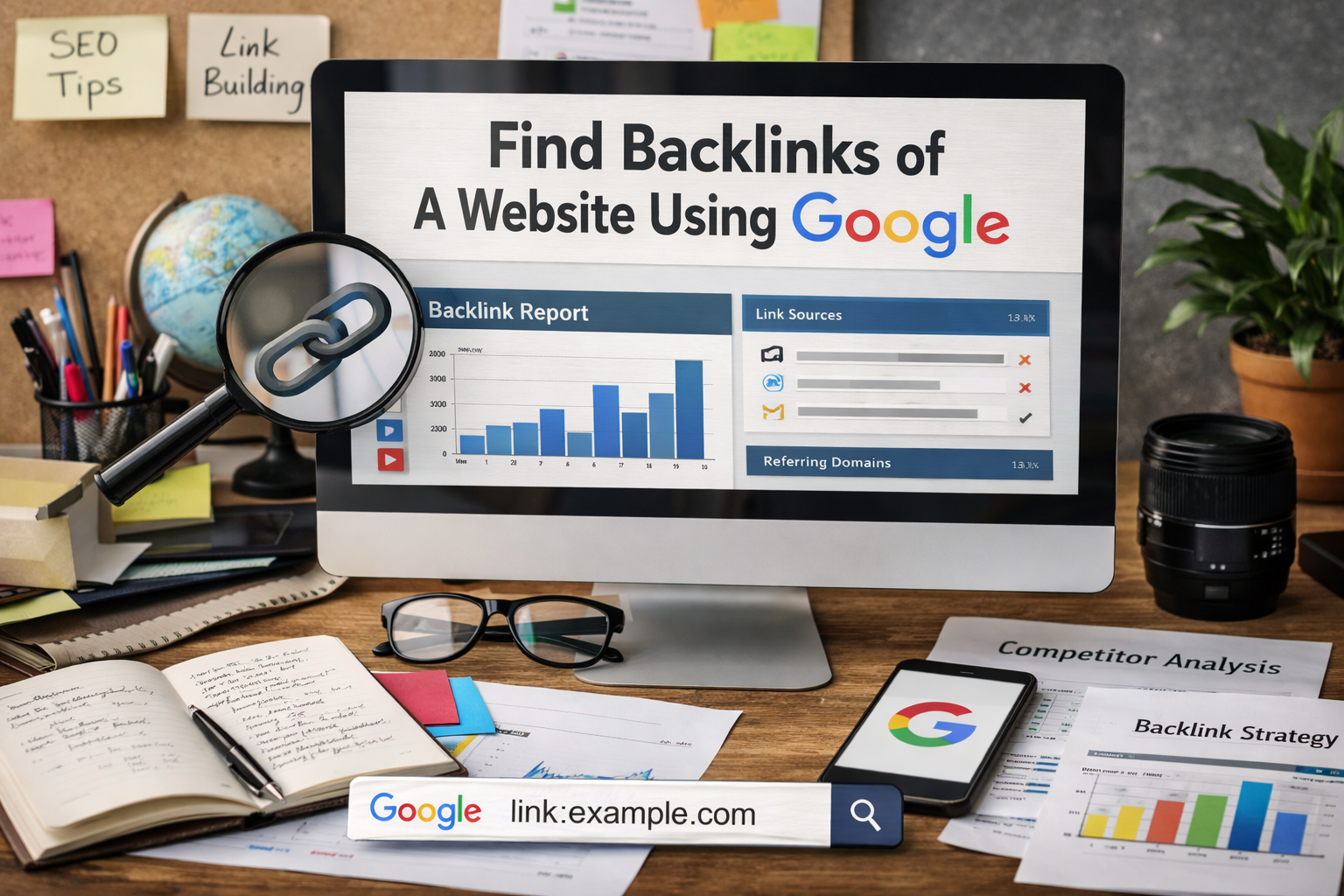
A Step-by-Step Guide on How to Find Backlinks Of A Website Using Google in 2026

Links are like votes on the internet. When one site points to another, it gives a vote of confidence. We call these votes inbound links. They help your site grow. Many site owners want to know how to find backlinks of a website using Google.

It is a very common question for anyone who makes a web page. At VH-info, we are a SaaS link-building agency.

We do not have any software tools of our own, but we use our expert skills to help companies get more links. We know that getting quality backlinks takes a lot of time and hard work. Before you start building new links, you must know what links you already have.

This article will teach you how to look at your link profile. You do not always need to pay for an expensive backlink checker right away.

You can start with a free tool from Google.

In this guide, we will look at different ways to check your backlink data. It is important to know your website’s performance. You will learn to see your list of backlinks quickly. You will also see how to check external websites that link to you.

Let’s look at the exact steps to do this. We will make everything very easy to read.

Even if you are a beginner, you will learn how to find this data. Knowing your links is the best way to make your website better and stronger. It helps you get more people to visit your site. Let us start with the very first and easiest method to find this important information.

The Best Methods on How to Find Backlinks of A Website Using Google

The Best Methods on How to Find Backlinks of A Website Using Google

We will look at three great methods today. These methods show you how to find backlinks of a website using Google step by step.

The first method looks at your own site. The second method looks at other sites. The third method helps you catch new links when they happen in real time. All of these use a free tool that anyone can get.

Method 1: Use Google Search Console For Your Own Site

Google Search Console is the best free tool for your own site. It gives you detailed information about your website from the eyes of search engines. Every site owner should have a Google Search Console account. This tool talks directly to search engines to get the facts.

It shows you the exact number of backlinks you have on your whole site. It also shows you your internal links.

Internal links are links that go from one page on your site to another page on your site. You can also clearly see your external links.

External links come from outside your site. When you want to see the backlinks of a website, this is the very first step. You get to see your top linking sites. These are the websites that link to you the most often. You can also see your anchor text.

Anchor text is the clickable word that holds the link. If you want a comprehensive backlink analysis of your own site, this tool is perfect. It gives you a complete backlinks report. We always tell our clients at VH-info to check this data often.

As a SaaS link building agency, we know how much this backlink data helps you make a good SEO strategy.

When you click on these links, they take you to another site. Google counts this. Every time a new site links to you, your number of backlinks goes up. You want this number to go up. But you only want it to go up with good links. Checking this data helps you stay safe and strong.

Method 2: Try Google Search Operators For Competitor Sites

You cannot look at a competitor’s Google Search Console account. That is private for the site owner. But, you can still find out who links to them. You can do this right in the normal google search bar. You just type special commands called search operators.

Advanced search operators tell Google exactly what to look for on the internet. They help you filter the google search results perfectly.

For example, you can search for the competitor’s brand name. You can tell Google to ignore the competitor’s own website URL. This leaves you with external websites that talk about the competitor. This is a very smart way to get valuable insights into what others are doing.

You can see their guest posts easily. You can see where they get their referring domains. You get a good idea of their link profile. It helps you see their quality backlinks. It is not exactly a backlink checker tool, but it works very well. You can find a lot of additional information this way. When you know what search operators to type, you become very fast. It is like having a secret code to the search engines.

You can find exactly what you want. You do not have to click through hundreds of pages. The google search results become very clean.

They only show you the exact things you asked for. This saves you many hours of hard work.

Method 3: Set Up Google Alerts For New Links

Google Alerts is another wonderful free tool. It helps you track your online presence easily. You can tell Google to send you an email every time someone mentions your brand. When someone writes your brand name on a new web page, Google finds it for you.

Often, when people mention your name, they give you a link too. This helps you watch your new inbound links every single day. It is a very easy way to keep track of your backlink data. You do not have to run a new google search every day. The detailed information comes straight to your email inbox. You can set google alerts for your own brand. You can also set google alerts for your competitors.

This shows you how they build their list of links. It is a great habit for good link building. You can choose how often you get these emails. You can get them once a day. You can get them once a week. It is a very peaceful way to check your links.

You just open your email and read the list of links. You can see if a very famous website linked to you today. If they did, you can send them a polite thank you message. This builds good relationships with other site owners.

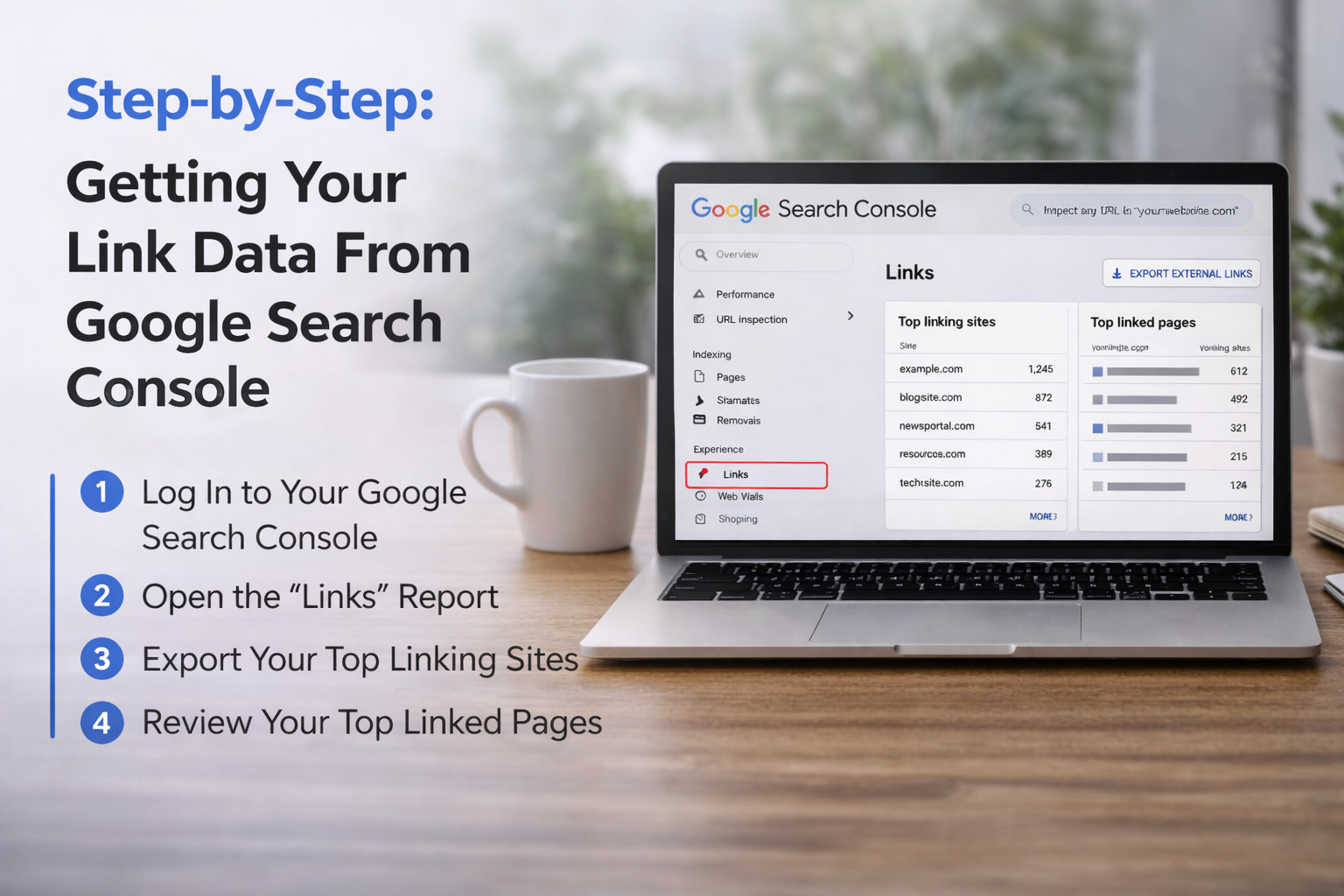
Step-by-Step: Getting Your Link Data From Google Search Console

Step-by-Step: Getting Your Link Data From Google Search Console

Let’s talk about the exact steps you need to take right now. Getting your link data is very easy. You just need to look in the right place. We will walk through the whole process together. These simple steps will show you how to get your links report.

The links report has all the detailed information you need to succeed. You will see your top linking sites. You will see the total number of links. You will see your anchor text very clearly. Let’s start with the first step right away.

Step 1: Log Into Your Dashboard

The first step is to log into your Google Search Console account. This free tool helps website owners check their website’s performance and organic traffic easily. Just put in your website URL to prove you are the site owner.

Then, the dashboard opens so you can start looking at your backlink data.

Step 2: Open the “Links” Report

Look at the menu on the left side and click on the links section to open your full links report.

Here, you will see a full list of backlinks and your internal links right in the eyes of search engines. You can easily check the total number of backlinks and see the external websites that link to you. It is the best place to check your link profile.

Step 3: Export Your Top Linking Sites

To make your comprehensive backlink analysis simple, you can download your backlinks report to your computer. Just click export to save your list of links directly into google sheets. This lets you sort your referring domains and look closely at your anchor text.

You can then easily find your top linking sites and organize all the detailed information.

Step 4: Review Your Top Linked Pages

Click on “Top linked pages” to see which target page gets the most inbound links from other places.

If a particular page has many high quality links, it will bring you more referral traffic. You can also check for broken links or bad backlinks that might hurt your site. Always focus on building quality backlinks to help your website’s SEO grow stronger.

Finding Competitor Backlinks with Google Search Tricks

Finding Competitor Backlinks with Google Search Tricks

We looked at your own site. Now, let’s look at other sites on the internet. You might ask, how to find backlinks of a website using google when you do not own the site? You cannot use a google search console account for this. You need different ways to look. You can use the normal google search for this. You just need to know how to type the right things in the search bar. We call these tricks search operators.

They change how the search engines work for you. They help you find specific things. Let’s look at some best practices for doing this today.

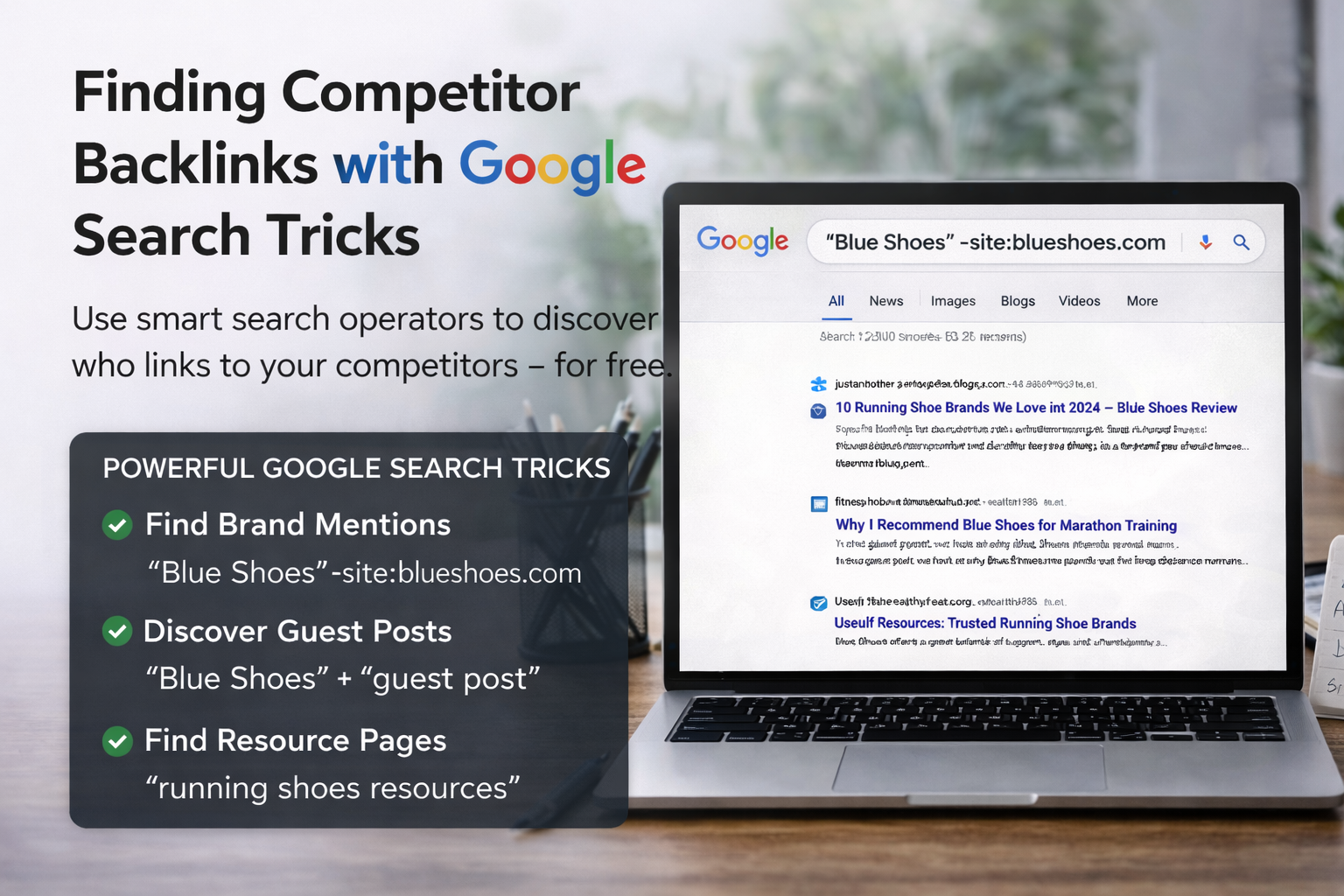
How to Search For Exact Brand Mentions

You can use advanced search operators to find brand mentions online. A brand mention is when someone writes a company’s name.

Let’s say your competitor is named “Blue Shoes“. You can type “Blue Shoes” in the google search bar. You must use the quote marks.

This tells Google to find those exact words only. But, this will show the competitor’s own website URL too. You do not want that. You want to see external websites. So, you use the minus sign. You type: “Blue Shoes-site:blueshoes.com. This removes their own web page from the Google search results completely. Now, you will only see other sites talking about them. You can click on these search results.

You can read the linked page. You can see if they have a link. This is a great way to manually check a competitor’s list of backlinks. It shows you their referring domains. It helps you see their online presence. It is a slow process, but it works like a free backlink checker.

You can also try different words in the search bar. You can search for the names of the people who work at the competitor’s company. Sometimes, the company name is not mentioned. But the owner’s name is mentioned. This is another way to find hidden inbound links.

It is a very clever trick. Always try many different words in the search bar. The more you try, the more detailed information you will find.

Finding Guest Posts and Resource Pages

Another great trick is finding guest posts. Guest posts are articles you write for someone else’s blog. They are great for your SEO strategy. You can find where your competitors write guest posts.

In the search bar, type your competitor’s name and the words “guest post“. You can also type “written by” and their name. The search engines will show you their articles on other sites. You can also find resource pages this way.

A resource page is a web page that lists helpful links for people. Type your competitor’s topic and “resources” or “useful links“. You can see if your competitor is on that list of links. If they are, you can ask the site owner to add you too. This is a very smart way to get high-quality links.

It improves the quality of backlinks pointing to you. It will also help your website’s SEO. When you get links from these pages, it acts as a strong vote of confidence. You can reach out to the site owner easily. You can send them a nice email. You can say you like their web page.

Then, you can ask if they will add your link too. Many times, they will say yes. This is how you grow your number of links. It is a very friendly way to do link building. It helps everyone. They get a good link for their page, and you get a vote of confidence.

Free Google Tools Vs. Paid SEO Software

Free Google Tools Vs. Paid SEO Software

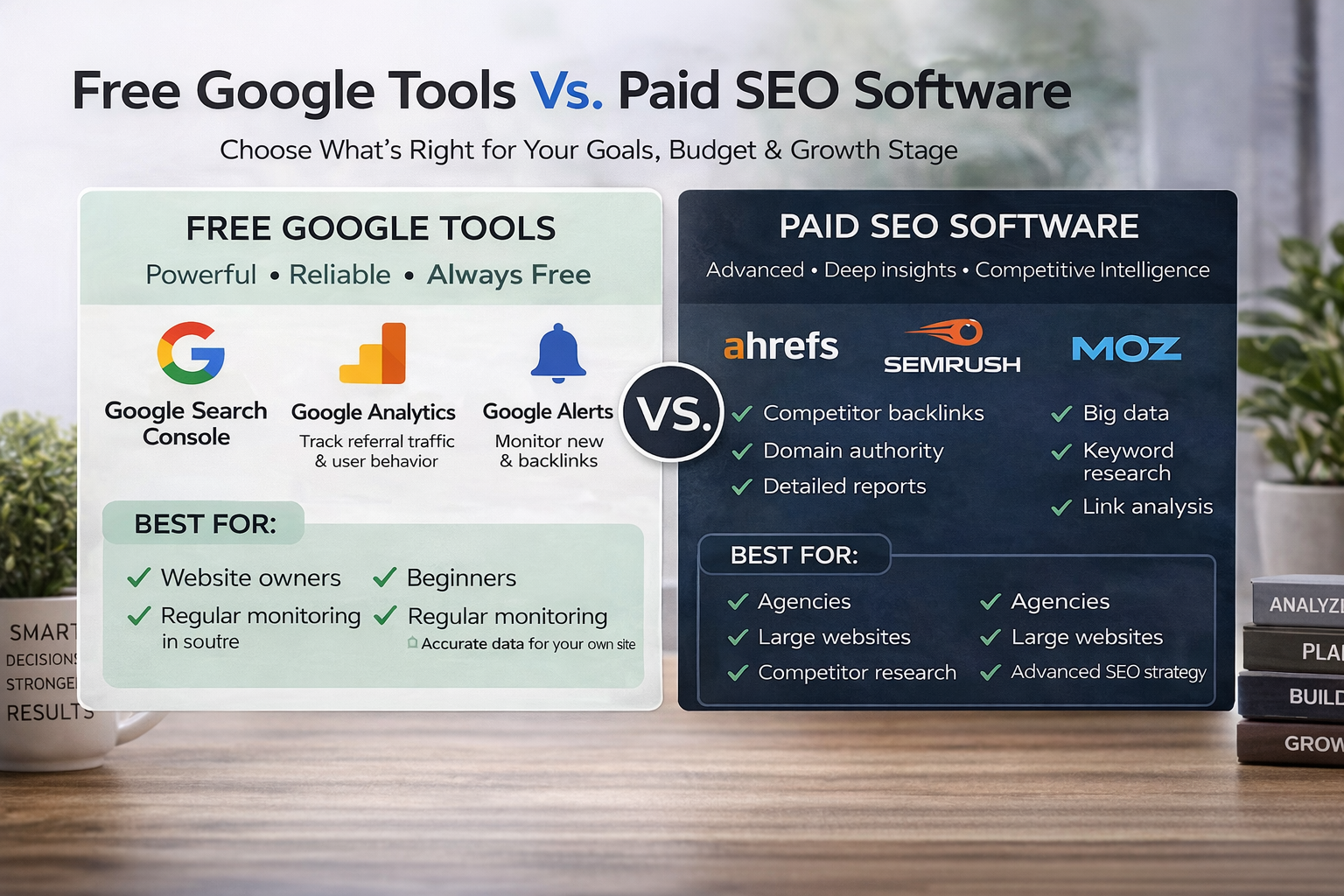
There are many SEO tools out there for you to try. Some are a free tool. Some cost a lot of money every month. You must choose what is best for you and your budget. Google gives you many free tools to use.

Google Analytics and Google Search Console are completely free. Paid tools like Ahrefs or Semrush are very expensive.

Let’s look at the big differences. Let’s see what you really need for a comprehensive backlink analysis.

When to Stick with Free Google Tools

If you are just starting, free tools are the very best. They give you the basic backlink data you need to learn.

Google Search Console is the most accurate tool for your own site. It gives you the exact number of backlinks Google sees. It shows your true link profile. You can also use Google Analytics. In Google Analytics, you can look at the default channel group.

This shows your referral traffic very clearly. It shows you exactly which external websites bring you real visitors. You can see the session source to know exactly where people come from.

For most small website owners, this is enough data. You get valuable insights without paying any money. You can track your organic traffic. You can monitor your website’s performance easily. You can check your social media traffic too.

You do not need to spend hundreds of dollars. Google Analytics shows you your default channel group perfectly. It shows you the session source for every single person who visits your site. You can see if they came from Google. You can see if they came from a link on another site.

This is real data. It is not a guess. It is the exact truth about your website’s performance. For a small site owner, this truth is all you need.

When You Might Need Advanced SEO Software

Sometimes, you need a lot more detailed information. Free tools cannot show you a competitor’s exact number of links. They cannot easily show the domain authority of an external web page. Domain authority is a score that guesses how strong a site is.

Paid SEO tools show you all of this big data. They work like a massive backlink checker for the whole internet. They show you nofollow links very clearly. Nofollow links are links that do not pass much power to you. Paid tools help you deeply check the quality of backlinks pointing to any site in the world. If you want to beat big competitors, you might need this data.

However, at VH-info, we know how hard this can be. We are a SaaS link building agency. We do not sell any tools.

We use our own deep expertise to build links for our clients. If you hire an agency like us, you do not need to buy expensive software. We handle the SEO strategy for you. We find the top linking sites for your niche. We help you build a strong online presence.

These big tools give you numbers like domain authority. Domain authority is just a guess, but it is a helpful guess. It tells you if a site is strong or weak. Free tools cannot do this easily. But remember, tools are just tools. They do not do the work for you. You still have to talk to people.

You still have to write good things. At VH-info, we do all this hard work for you.

FAQ’s:

Can I See A Competitor’s Backlinks For Free Using Google?

You cannot see a complete list of links for a competitor inside Google’s free tools. Google Search Console only shows data for a site you own, not someone else’s. But, you can use the google search bar to find many of their links for free. You do this by typing their brand name and taking away their website URL with a minus sign. This smart trick will show you many external websites that mention them and link to them.

What is the Best Google Tool to Check My Own Backlinks?

The very best tool for your own site is Google Search Console. It is completely free to use for any website owner. It gives you a dedicated links report that shows your internal links and external links clearly. You can see exactly which target page gets the most links from other people.

It is the most trusted source because the data comes straight from Google itself. This means you can trust the backlink data completely.

Is Google Search Console the Most Accurate Way to Find All Backlinks?

For your own website, yes, it is the most accurate source you can look at today. It shows you the links that Google actually knows about and counts for your website’s SEO. Sometimes, paid SEO tools show links that Google ignores or throws away. So, looking at your Google Search Console account tells you exactly what matters in the eyes of search engines. It is the truest view of your link profile.

Does the Old “Link:” Search Operator Still Work in Google?

Many years ago, you could type “link:” and a website URL into the search bar to see all its links easily. Sadly, Google turned this feature off a long time ago. It does not work anymore to give you a reliable list of backlinks. You must use other advanced search operators or a proper backlink checker tool to get that kind of detailed information today. It is better to use the new ways we talked about.

How Often Does Google Update Its Backlink Data?

Google is always crawling the internet to find new pages and new links every single minute. They update the information in your links section very often, usually every few days. When you get a new link, it might take a little time to show up in your backlinks report.

You just need to be patient and check your data every week to see the changes. The number of backlinks will slowly go up.

Can I Find Backlinks For Any Website, Not Just My Own, Using Google?

You cannot get a full backlinks report for just any site using Google’s free tools easily. To see every single link a competitor has, you usually need a paid backlink checker tool. But you can still do a lot of manual research using Google search results to find their biggest mentions.

You can look at their social media and see where they post links. This takes time, but it gives you good ideas.

Why Do Some Of My Backlinks Not Show Up In Google Search Console?

Sometimes Google has not crawled the linked page yet, so it does not know the link exists. Other times, Google might think the link is from a very low-quality site, so they ignore it completely. If you have nofollow links, they might still show up, but they will not pass a vote of confidence to your site. You only want to worry about high quality links that help your organic traffic grow.

Conclusion

Learning how to find backlinks of a website using google is a very good skill to have. It helps you see how well your site is doing on the internet. You can look at your backlink profile to see your daily growth. The best way to start is with your own Google Search Console account.

It gives you all the basic facts about your inbound links for free. You can see your top linking sites easily. You can study your anchor text.

You can make a smart plan to get better links. You can also use the google search bar to look at other companies. You can see what different ways they use to get links. Always focus on getting high quality links from good places. Do not waste time on bad backlinks.

Link building takes a lot of hard work and time. It is a slow process to build trust with search engines. If you need help with this hard work, remember VH-info. We are a SaaS link building agency. We do not have our own tools, but we have the amazing skills to help you grow.

We can plan your SEO strategy for you. We can help you build an amazing online presence. We focus on real results that bring you more referral traffic. Start checking your links today. Look at your backlinks of a website closely.

Then, make a plan to make your website’s SEO even stronger tomorrow.

Voice Search Optimization: What, Why, & How + Strategies & Expert Tools

At VH Info, we know how important it is to keep up with new ways people look for things online. As a SaaS link-building agency, our main goal is to help your website show up at the very top of search engine results.

Today, many people do not type their questions on a keyboard anymore. Instead, they just talk to their phones or smart speakers. This new habit means you need a strong plan for voice search optimization.

If you want to stay ahead, you have to think about voice search optimization in digital marketing. When someone asks a question out loud, they use natural language. They speak in full sentences. Your website needs to match this way of talking.

If your website only matches typed words, you might lose out on a lot of new visitors.

We are here to help you learn what voice search optimization is and how to make it work for your business. We write in a conversational tone because we want this to be easy to read and simple to act on. At VH Info, we build high-quality links for SaaS businesses.

While we focus heavily on link building, we also know that having great website content is the first step to success. You need strong content that answers questions, and then you need strong links pointing to that content.

This guide will show you how to set up your pages so that voice assistants can find you fast.

What is Voice Search Optimization?

What is Voice Search Optimization?

You might be asking, what is voice search optimization?

In simple terms, it is the process of fixing your website so that it shows up when people use voice search. When someone asks their phone a question, the search engine looks for the best, most direct answer to read back out loud.

If you want your website to be that answer, you need to use the right words and fix your pages. Voice search optimization is a big part of any modern SEO strategy. It helps you get more organic traffic from people who talk to their devices instead of typing.

At VH Info, we help SaaS companies get better search engine results by building strong links to these well-set-up pages.

How Virtual Assistants (Siri, Alexa, Google Assistant) Work

To get good at this, you need to know how virtual assistants work. Tools like Siri, Alexa, and Google Assistant are very smart. When you speak to them, they use speech recognition to turn your spoken words into text. This is how they figure out what you are saying.

After that, they use natural language processing to figure out what you actually mean. This helps the assistant know the search intent behind your words. Once the assistant knows what you want, it looks through the internet to find the best answer. It looks closely at structured data to find facts quickly. If your website is set up right, the assistant will read your information out loud to the person asking.

The Difference Between Voice Search and Text Search

There is a big difference between voice search and text search. When people type on a computer, they use short words. They might type “weather New York.” This is how traditional search works. But when people use voice search, they speak normally. They ask full questions.

They might say, “What is the weather like in New York today?” These are called conversational queries. Because the words are different, traditional SEO is not always enough. You need to use conversational language on your website to match how people actually talk.

Voice queries are almost always longer than typed text, so your website content must sound like a real person talking.

Why Voice Search Optimization Matters For Your Business?

Why Voice Search Optimization Matters For Your Business?

You might wonder why you should care about this. The truth is, the digital landscape is changing very fast.

If you ignore people who speak to their phones, you will miss out on a lot of website visitors. Adding voice search to your plan gives you a competitive edge over other businesses.

At VH Info, we help SaaS companies get an online presence that stands out. We know that as more people change how they search, your plans must change too. You want to make sure your site is always ready to answer the questions people ask every single day.

The Continued Rise of Smart Speakers and Mobile Voice Usage

More and more people are buying smart speakers for their homes. They keep them in the kitchen, the living room, and the bedroom.

At the same time, almost everyone has a smartphone. People use mobile devices all day long to find fast facts.

Because mobile voice usage is going up, voice search traffic is also going up fast. People use voice commands while driving, cooking, or walking. They want hands-free help. If your website is set up for mobile optimization, you have a much better chance of getting these visitors.

You must keep an eye on search trends to see how fast this is growing.

Impact on Local Business Discovery

If you run a business that serves people in a specific town, voice search is a huge deal.

Many voice search users are looking for things right near them. They might ask for a coffee shop, a plumber, or a store nearby. This means voice search optimization has a massive impact on local business discovery. This is where local SEO becomes very important.

People often search with local intent, meaning they want to find places close to their current location. They use local keywords to find what they need. If you set up your google business profile the right way, your local business will show up when people ask for places nearby.

These local searches can bring paying customers straight to your front door.

How Voice Search Improves Accessibility and User Experience

Voice search is not just a neat trick. It actually makes life much easier for many people. It improves the user experience for everyone. Some people have a hard time typing on small screens. Others might have poor eyesight.

When you make your site ready for voice, you help these people find answers easily.

A good user experience keeps people on your site longer. Search engines notice this and might rank you higher. Making your site easy to read and easy to hear is just good practice. It helps you reach a bigger target audience and builds trust.

Proven Strategies For Effective Voice Search Optimization

Proven Strategies For Effective Voice Search Optimization

Now let us talk about how to actually do this. You need a solid plan to get the best search results. At VH Info, we always tell our SaaS link-building clients that good content is the foundation. We build links to pages, but those pages must be set up correctly first.

Here are some of the best practices you should follow to win at voice search SEO.

Target Conversational, Long-Tail Keywords

First, you need to change the words you target. Stop focusing only on short, two-word phrases. You need to target conversational, long-tail keywords. Think about the questions people actually ask out loud.

People use conversational keywords when they talk to their phones. You should write your website content to match these longer phrases. Instead of just writing “SaaS software,” write “What is the best SaaS software for small businesses?

By matching their conversational language, you have a much better chance of showing up in the results.

Optimize For “Near Me” and Local SEO Queries

As we talked about before, many people look for things close to them. You need to optimize for “Near Me” and local SEO queries. Even if you are a SaaS business, you might want to hire local people or attract local partners.

To do this, make sure your business information is correct everywhere online. Claim your google my business listing.

Fill out your google business profile with your exact address, phone number, and open hours. When someone asks their google assistant for a business near them, your google business listing needs to be perfectly clear so the assistant picks you.

Win the Featured Snippet (Position Zero)

One of the biggest secrets to voice search optimization is the featured snippet. This is the box of text that shows up at the very top of google search. It is also known as Position Zero.

When you ask a smart speaker a question, it almost always reads the text from featured snippets.

To win this spot, you must provide direct answers to specific questions. Keep your answers short and clear, usually around 40 to 50 words. If you can get your website content into that top box, voice assistants will read your site to millions of users.

Structure Content with FAQ Pages

A very smart way to get noticed is to create FAQ pages. FAQ stands for frequently asked questions. Since voice search relies heavily on questions, having a page full of questions and answers is a great idea.

Write down the most common questions your customers ask. Then, write simple, direct answers for each one.

Try to use bullet points when you can. Bullet points make it very easy for a search engine to read your page. When you structure your content this way, you make it super simple for voice assistants to find the exact answer they need.

Implement Schema Markup (Structured Data)

This part sounds a little technical, but it is very important. You need to implement schema markup on your website.

Schema markup is a type of code you put on your website to help search engines read it better.

This code is also called structured data. It acts like a giant label for your content. It tells the search engine exactly what a page is about.

For example, it can say, “This is a recipe,” or “This is a software review.” When you use structured data, the search engine does not have to guess. It knows exactly what you offer, which makes it much more likely to pick your site for voice answers.

Maximize Mobile Friendliness and Page Speed

Most voice searches happen on mobile devices. Because of this, your website must look great and work perfectly on a phone. You must have a responsive design that fits any screen size. Mobile optimization is no longer optional; it is required.

At the same time, page speed is hugely important. When someone asks a question out loud, they expect a fast answer. If your site speed is slow, the search engine will skip your site and find a faster one. You must fix your site speed so that pages load in just one or two seconds.

Fast pages keep both users and search engines very happy.

Tools to Help with Voice Search Optimization

Tools to Help with Voice Search Optimization

To do all this work, you need the right help. There are many voice search optimization tools out there that can show you what people are searching for. At VH Info, we are a SaaS link-building agency. We do not sell software tools ourselves.

However, we do offer voice search optimization services tied to our link-building campaigns to help your great content rank higher. If you want to know what words to write on your pages, you need to use other tools.

Here are the types of tools you should look for to help build your plan.

Keyword Research Tools For Question-Based Queries

You must know what questions your audience is asking. To find this out, use keyword research tools. Tools like Ahrefs, Semrush, or AnswerThePublic are great for this. They show you exactly what words people type and speak into search engines.

You should also look at google search console. Google search console is a free tool from Google that shows you how people already find your website. Look at the search queries inside the console. If you see long questions, those are likely voice queries.

Use this data to write better, more helpful content.

Local Listing Management Platforms

If you have a physical office or store, you must keep your business information correct on every website. This can take a lot of time.

To make it easier, you can use local listing management platforms.

These platforms let you type in your details once, and then they update your business profile on dozens of different websites. This makes sure your google business details match your Yelp details, your Facebook details, and more.

When search engines see that your information is the same everywhere, they trust you more. This trust helps your local SEO.

Future Trends in Voice Search Optimization

Future Trends in Voice Search Optimization

Technology changes every single day. The way we use voice search today will probably look very different in a few years. It is smart to look ahead at the future of voice search.

As a SaaS link building agency, VH Info always watches search trends to keep our clients ahead of the pack. Search engine optimization is always moving forward. Knowing what comes next helps you keep your organic traffic flowing safely.

Here are two big trends to watch closely.

Multimodal AI and Voice Assistants

The future is not just about voice alone. It is about mixing voice with pictures and screens. This is called multimodal AI.

Soon, voice assistants will do more than just speak back to you. They will show you things at the same time.

For example, you might ask your phone to find a new pair of shoes. The phone will speak to you and show you pictures of the shoes on the screen at the exact same time. This changes user behavior.

Websites will need to have great pictures, fast page speed, and great spoken words, all working perfectly together.

Hyper-Personalized Voice Results

Search engines are getting better at knowing who is talking. In the future, voice search results will be hyper-personalized. This means two people asking the same question might get two completely different answers.

The search engine will look at the user’s past habits, their exact location, and their social media likes. It will use all of this to give a custom answer. This means your website content must be very clear about who it helps.

The better you know your target audience, the better you can match their exact needs.

FAQ’s:

How is Voice Search Different From Traditional Text Search?

Voice search uses spoken words instead of typing on a keyboard.

When people speak, they use full sentences and natural language, asking long questions. Traditional text search usually just involves typing two or three short words into a box. Voice search needs answers that sound like normal conversation.

What Types of Keywords Are Best For Voice Search Optimization?

The best keywords to use are long, conversational phrases that sound like real questions.

You should focus on words that start with who, what, where, when, why, and how. These conversational keywords match exactly how a person speaks to their smart device, bringing you better results.

Does Voice Search Optimization Impact Local SEO?

Yes, it has a massive impact on local searches. Many people speak to their phones to find businesses right near them. If you set up your local keywords and fix your business profile online, you will get much more foot traffic from people asking for local help.

How Do Featured Snippets Relate to Voice Search?

Featured snippets are the short text boxes that show up at the very top of Google. Voice assistants almost always read the answers directly from these snippets. If you provide direct answers on your site and win the top spot, the assistant will read your site aloud to the user.

Do I Need Schema Markup For Voice Search?

Yes, I recommend using schema markup. This structured data acts like a clear label for search engines, telling them exactly what facts are on your page. When search engines can easily read your facts, they are much faster to pick your site to answer a spoken question.

How Long Does It Take to See Results From Voice Search Optimization?

Like all search engine optimization, it takes a little bit of time. Usually, you might start seeing changes in a few months. You have to wait for search engines to read your new conversational content and notice the new links VH Info builds for you before your traffic really starts to grow.

Conclusion

Getting ready for voice search is one of the smartest things you can do for your business right now.

More people use voice search every single day. They ask their phones for help, they talk to smart speakers in their homes, and they expect fast, accurate answers. If you take the time to answer their common questions with simple, natural language, you will win more visitors.

Remember to fix your site speed, use structured data, and keep your local business details up to date. These steps will make a huge difference in your search engine results. Write content that sounds like a real human is talking, and aim to win those featured snippets.

At VH Info, we are always ready to help SaaS companies grow. We know that great content needs strong backing. Our SaaS link-building services help push your fully optimized pages to the top of the search results.
If you are ready to get more traffic and beat your competitors, let us help you build the strong links you need.

SEO OG Tags: The Simple Guide to Better Social Sharing

Have you ever pasted a link to your brand new blog post on Facebook, only to see a blank box, a weird picture, and cut-off text? You worked so hard on that post, but the link looks broken. When your links look bad, nobody wants to click on them.

This happens when your web pages are missing something very important: SEO OG tags.

Here at VH-info, we are a SaaS link-building agency. We spend all day helping software companies get great links from other websites.

But getting a link is only half the job. When people share those links on social media, you want the links to look perfect. You want a big, clear picture and a catchy title. That is exactly what Open Graph tags do.

They control how your links look when people share them on different platforms.

In this easy guide, we will talk about what these tags are, how they help your digital marketing, and how you can fix them. We will talk about tools like an Open Graph tags generator and an Open Graph checker to make your life easier.

We will keep things simple, so you can quickly set up your tags and get back to growing your business.

What Are SEO OG Tags?

What Are SEO OG Tags?

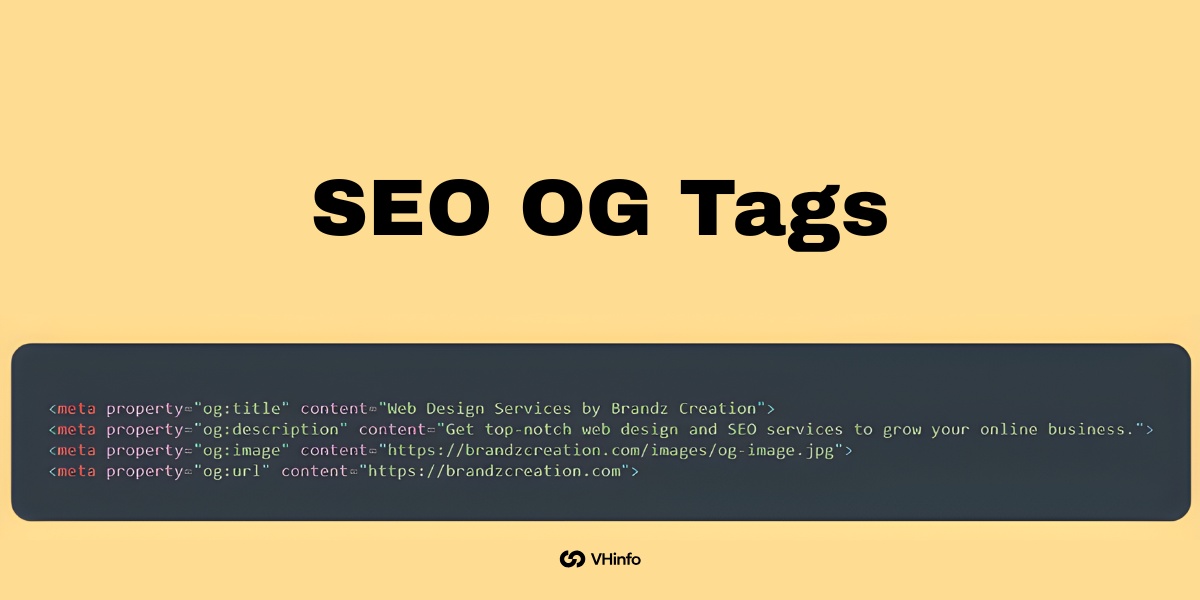
SEO OG tags are tiny pieces of HTML code that sit hidden behind the scenes of your website. You do not see them when you read a page, but social media sites see them when you share a link. These tags act like an instruction manual.

They tell sites like Facebook, LinkedIn, and X (formerly Twitter) exactly which picture, title, and short description to show to the world.

Understanding the Open Graph Protocol

To really know how this works, we need to talk about Facebook’s open graph protocol. Many years ago, Facebook created the open graph protocol so that websites could talk to Facebook more easily. Facebook wanted a way to turn a normal HTML page into a rich, clickable card.

They called this a rich object in a social graph. Soon, other major platforms saw how great this was.

Now, almost all social media platforms use open graph meta tags to pull information from a website. When you add the necessary open graph code to the head section of a webpage, you are speaking the exact language that these social networks want to hear.

How Open Graph Tags Differ From Standard Meta Tags

You might already know about regular SEO tags, like a normal title tag or a basic meta tag. You use these for search engine optimization. A regular title meta tag tells a search engine like Google what your page is about. Google uses that information to rank you in search results.

Open graph tags are different. While standard SEO tags talk to a search engine, open graph meta talks to various social media platforms.

For example:

  • Your regular page’s title might be super long to help you rank on Google.
  • Your OG tags title might be shorter and punchier to get people to click on Facebook.

They do two different jobs. Both are highly needed for your site. The regular tags help your technical SEO, while the graph tags help your social media previews.

Why SEO OG Tags Are Important For Your Website?

Why SEO OG Tags Are Important For Your Website?

At VH-info, we help SaaS companies build strong links to grow their business. But what good is a link if it looks ugly when someone shares it? Having the right snippets of code set up means your links look professional.

Let us look at the big reasons why you need these tags on every single page.

Skyrocketing Social Media Click-Through Rates (CTR)

The biggest reason to use open graph tags is to get more clicks. When a link has a great picture, a bold title, and a clear description, it grabs attention. People scrolling on their phones will stop and look at it. This leads to higher user interaction.

If you share a product page without these tags, the social platform might just grab a random logo or even a picture of a blank space. It might grab the wrong text. People do not click on confusing links. By taking control of your social sharing cards, you make the links highly clickable.

This directly increases your social media traffic.

The Indirect Impact on SEO and Brand Visibility

Do SEO OG tags directly improve your search engine rankings? No. Google has clearly stated that they do not use social graph tags to rank web pages.

However, they do have a massive indirect impact on your SEO performance. Here is how it works:

  1. You use an open graph tags generator to create perfect social media snippets.
  2. You share the link.
  3. Because it looks great, tons of people click on it and read your amazing content.
  4. Because more people read it, more website owners might link to it from their own blogs.
  5. Those new backlinks are exactly what improve your SEO rankings!

Plus, clean and professional links simply look better. They increase your brand visibility and make your company look like a trusted expert. This creates a better user experience for everyone who finds you online.

The Core SEO OG Tags Every Page Needs

The Core SEO OG Tags Every Page Needs

You do not need to be a computer genius to use these tags. There are only a few main pieces of HTML code that you really need to care about.

Here are the core tags for strong content optimization.

og:title (Creating the Perfect Headline)

The og:title tag is the headline of your social card. It acts just like the title of the page.

When you set this tag, you are telling the social platform exactly what to print in bold letters. You want this title to be catchy and easy to read. Do not just stuff it with keywords. Write it for human beings. Keep it under 60 characters so it does not get cut off on smaller phone screens.

This is your one chance to make a great first impression.

og:description (Hooking the Reader)

Next is the og:description tag. This is a short description of the content of the page. Think of it as a tiny summary. It sits right under the title on your social card. You should write one or two sentences that tell the reader exactly why they should click.

Make it exciting. You do not need to worry about keyword stuffing here either, because this tag does not affect your SEO performance on Google. Focus purely on getting the reader interested in what you have to say.

og:image (Making A Visual Impact)

The og:image is an image tag that is arguably the most important tag of all. A picture is worth a thousand words.

If your link has a bright, clear, and relevant picture, your social media engagement will skyrocket.

You must provide a direct image URL so the platform knows exactly where to find the picture. Always use a high-quality picture. The recommended image size is 1200 x 630 pixels. This size looks perfect on almost all different platforms, from Facebook to LinkedIn.

og:url (Setting the Canonical Link)

The og:url tag tells the social platform the main, official web address for your page.

Sometimes, your website might have different links that point to the same page. This tag tells the system which link is the “boss.” It keeps all your social likes, shares, and comments tied to one single address.

This keeps your data clean and helps prevent any confusing syntax errors when the platform tries to read your page.

og:type (Categorizing Your Content)

The og:type tag tells the platform what type of content you are sharing. Is it a standard website? Is it a video? Is it a specific product page?

For most pages, you will simply use “website.” But if you wrote a great new article, you can set the type to “article.” This helps the platform know how to display your link properly. It is a very basic tag, but it keeps things organized in the social graph.

How to Implement SEO OG Tags Across Different Platforms?

How to Implement SEO OG Tags Across Different Platforms?

Now that you know what these tags are, how do you put them on your site? At VH-info, many of the SaaS clients we build links for use tools to make this easy. You usually do not have to write the code yourself.

Setting Up OG Tags in WordPress (Using Yoast Or RankMath)

If you use WordPress, you are in luck. You do not need to mess with any raw code. You can use popular SEO plugins. Yoast SEO and Rank Math are two of the best plugins out there.

Here is how you do it with Yoast SEO:

  1. Open the post you want to edit.
  2. Scroll down to the Yoast box.
  3. Click on the “Social” tab.
  4. You will see boxes to type in your Facebook title, description, and an upload button for your image. Fill them in!

If you use Rank Math:

  1. Open your post.
  2. Click the Rank Math button in the top right corner.
  3. Click the “Social” tab.
  4. Fill in your details. You can even see a live preview of how it will look.

Both plugins act as a great markup generator tool built right into your site.

Adding OG Tags in Shopify

If you run an online store on Shopify, things are also quite simple. Most modern Shopify themes automatically pull your product titles, descriptions, and main product images to create Open Graph tags for you.

To make sure it looks right:

  1. Go to your Shopify admin panel.
  2. Click on “Online Store” and then “Preferences.”
  3. Look for the “Social sharing image” section.
  4. Upload a great image of your logo or store banner. This will be the fallback image if a specific product does not have one.

Shopify handles the rest of the social previews automatically.

Manual HTML Implementation For Custom Sites

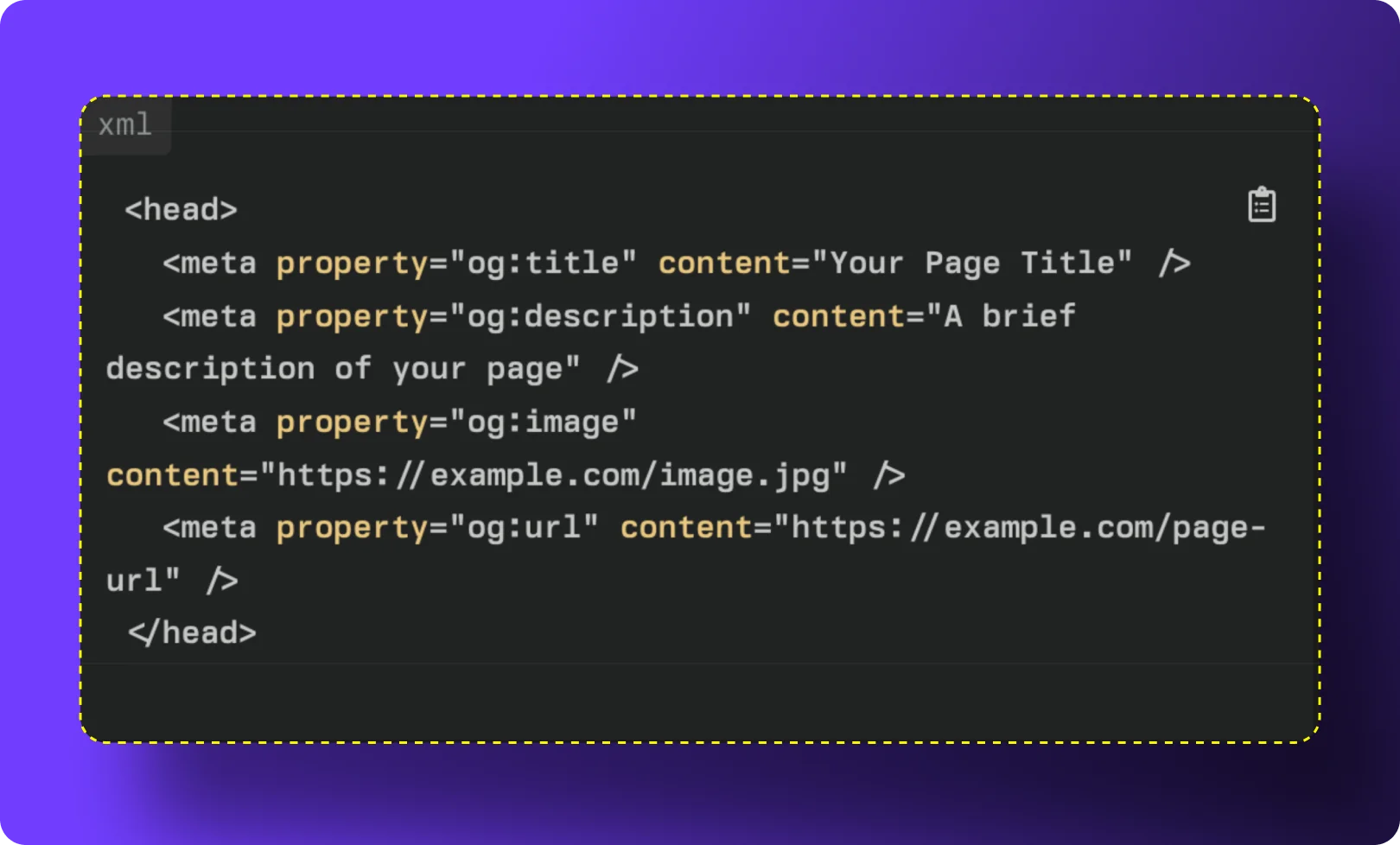
If you have a completely custom website built from scratch, you might need to add the code manually. You will go into the <head> section of a webpage and add the tags.

It looks like this:

  • <meta property="og:title" content="Your Catchy Title Here" />
  • <meta property="og:description" content="Your short description goes here." />
  • <meta property="og:image" content="https://www.yourwebsite.com/image.jpg" />
  • <meta property="og:url" content="https://www.yourwebsite.com/page" />

If you are not sure how to write the code, you can search for a free open graph tags generator online. You just type in your text, and the tool writes the code for you to copy and paste.

Best Practices For Optimizing Your SEO OG Tags

Best Practices For Optimizing Your SEO OG Tags

Knowing how to add the tags is a great start. But you also need to know how to use them well. Follow these simple tips to get the best results.

The Ideal OG Image Size and Format

As we mentioned before, your image tag needs the right picture.

If the picture is too small, it will look blurry. If it is too big, the platform might shrink it and make it look weird.

The best recommended image size is 1200 pixels wide and 630 pixels tall. Save your image as a JPEG or PNG file. Keep the file size under 5MB so it loads fast. A fast-loading, clear picture creates a better user experience when people are scrolling through their feeds.

Character Limits For Titles and Descriptions

Keep your words short and sweet. If you write too much, the social platform will cut your words off with three little dots ().

  • For your og tags title, try to stay between 40 and 60 characters.
  • For your description, try to stay between 50 and 90 characters.

Get straight to the point. Tell the reader exactly what they will get when they click your link.

Keeping Brand Consistency Across Platforms

When you share your link on Facebook, LinkedIn, or other social media sites, you want your brand to look the same. Use the same colors and fonts in your images. Use the same site name.

Some platforms also use Twitter cards. X (Twitter) has its own special tags called Twitter card tags. Luckily, if you do not have specific Twitter cards set up, X will normally just read your standard Open Graph meta tags.

By keeping your tags clean and simple, you ensure your SaaS brand looks highly professional everywhere.

Top Tools to Test and Debug SEO OG Tags

Top Tools to Test and Debug SEO OG Tags

Sometimes, you do all the work, but the link still looks wrong when you share it. Maybe there is an old picture stuck in the system. To fix this, you need to use a tool to check your links before you post them. There are many great web code tools available.

Facebook Sharing Debugger

Facebook Sharing Debugger

Facebook has an amazing, free tool called the Sharing Debugger. It is the most popular open graph debugger on the internet.

You simply paste your link into the tool and click “Debug.” The tool will show you exactly what Facebook sees.

If it sees the wrong picture, you can click a button that says “Scrape Again.” This tells Facebook to look at your site fresh and update its memory. It also warns you if you have any syntax errors in your code.

LinkedIn Post Inspector

LinkedIn Post Inspector

LinkedIn has its own version of an open graph checker. It is called the Post Inspector. Since LinkedIn is a very important place for business and SaaS companies, you always want your links to look perfect here.

Paste your link into the Post Inspector. It will show you a big preview. If something is missing, it will tell you exactly which tag you need to fix.

X (Twitter) Card Validator

X (Twitter) Card Validator

If you want to make sure your links look good on X, you should use their Twitter card validator.

This tool acts as an open graph tester specifically for X. Just like the other tools, you paste your link. The validator will read your Twitter card tags or your regular open graph tags and show you a preview. If your image is not showing up, the validator will help you figure out why.

You can also look for a handy Chrome extension that lets you check tags right from your browser window!

FAQ’s:

Do SEO OG Tags Directly Impact Google Search Rankings?

No, they do not directly change where you rank on Google. Google mostly looks at normal SEO tags and schema markup for rankings. However, good OG tags get you more social clicks, and that extra attention can lead to more people linking to your site, which does help SEO.

What is the Best Image Size For an SEO OG Tag?

The best size is 1200 pixels wide and 630 pixels tall. This size works perfectly on almost all major platforms like Facebook, X, and LinkedIn. It makes sure your picture looks big, sharp, and highly professional without getting stretched.

How Often Should I Update My OG Tags For SEO?

You only need to update them when you change the main information on your page. If you write a new headline or create a better main picture for a blog post, you should update the tags to match. Otherwise, you can just set them once and leave them alone.

Do I Need Twitter Cards If I Already Have SEO OG Tags?

Not always. X (Twitter) is smart enough to read your standard open graph meta tags if you do not have specific Twitter card tags set up. But, if you want total control over how things look on X, setting up both is a very good idea.

How Do I Fix A Broken Thumbnail When Sharing My Link on Social Media?

First, check that your image URL is correct and the picture is the right size. Then, run your link through an Open Graph checker like the Facebook Sharing Debugger. Click the “Scrape Again” button to force the platform to find your new, fixed picture.

Are SEO OG Tags Required For Every Single Page On My Website?

Yes, it is highly recommended to have them on every page. You never know when a happy customer might decide to share one of your web pages on social media. If every page has rich snippets ready to go, you will always look great.

Which Tools Are Best For Checking and Generating Open Graph Tags?

For checking, the Facebook Sharing Debugger and the Twitter Card Validator are the absolute best free tools. For generating them, using WordPress plugins like Yoast SEO or Rank Math is the easiest way. You can also search for a free online Open Graph tags generator.

Conclusion

Making sure your links look great when shared is a huge part of your digital success.

By setting up your SEO OG tags, you tell social platforms exactly how to display your hard work.

You get better pictures, cleaner titles, and a lot more clicks. More clicks mean more traffic and better chances to grow your SaaS business. Take a few minutes to check your site with an open graph checker, update your images, and watch your social engagement grow!

How to Build the Perfect SEO Agency Dashboard For Clients Today

When you help businesses grow online, you need a clear way to show them your hard work.

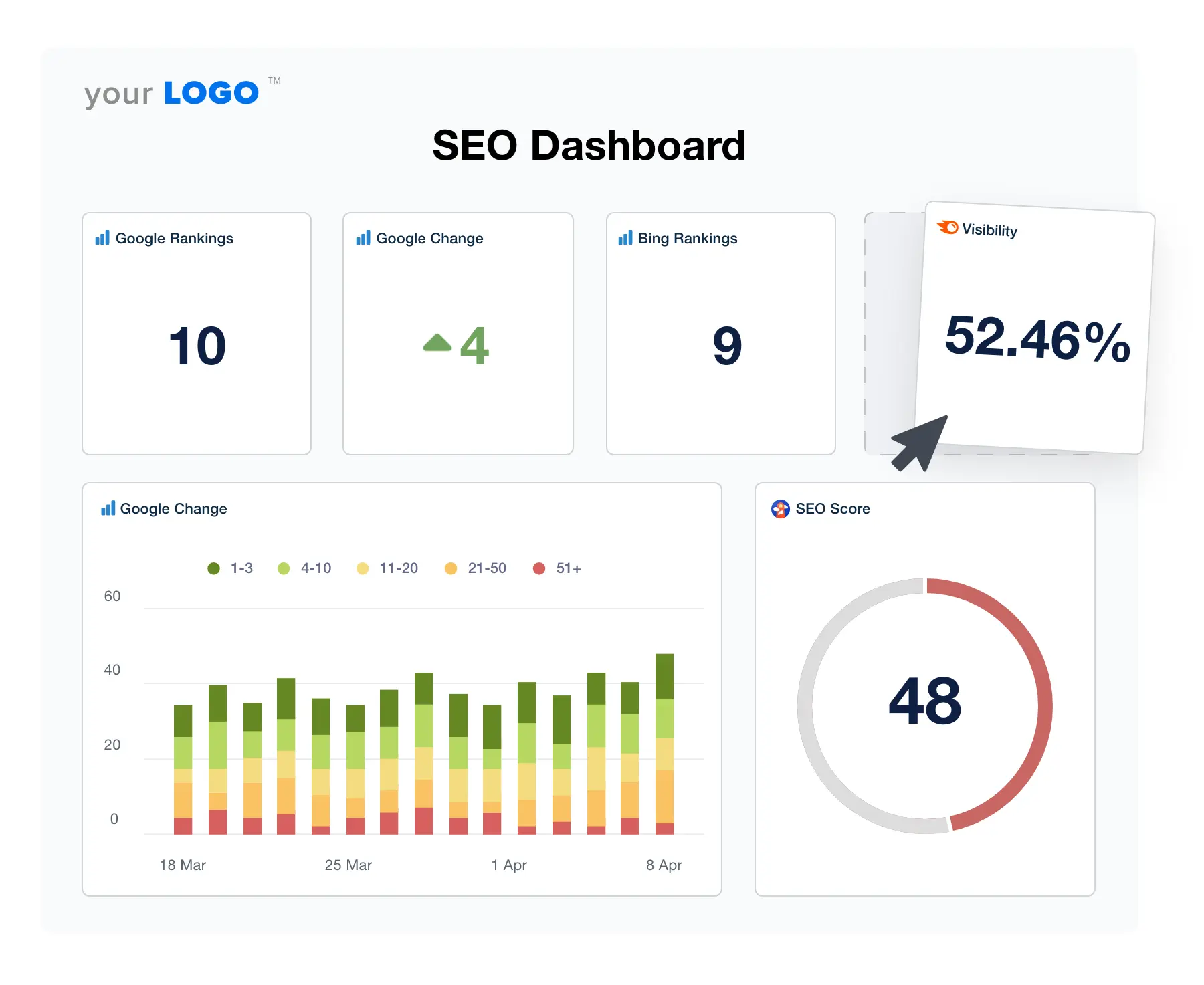
This is where an SEO agency dashboard comes in handy. It is a visual report that shows all your important SEO performance numbers in one place. As an agency, you want to prove that your digital marketing work brings real results. A clear SEO dashboard makes this very easy.

Here at VH Info, we specialize in SaaS link building. We help businesses get strong links to rank higher. We know that getting great results is only half the job. The other half is showing those results to your clients.

A good dashboard takes complex data and turns it into simple, actionable insights. In this guide, we will show you how to set up the best SEO reports. You will learn how to track website traffic, organic search traffic, and much more. We will keep everything very simple and clear.

Let’s get started on building a dashboard that your clients will love to read.

What Exactly is an SEO Agency Dashboard?

What Exactly is an SEO Agency Dashboard?

An SEO agency dashboard is like the dashboard in your car, but for a website. Instead of showing your speed or gas, it shows SEO metrics.

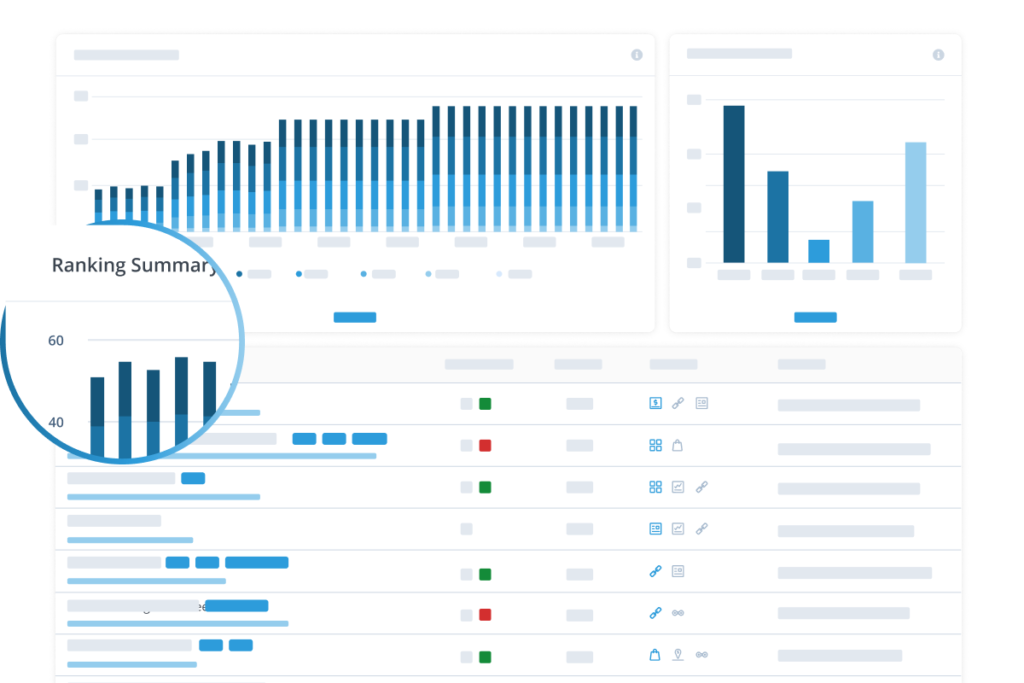
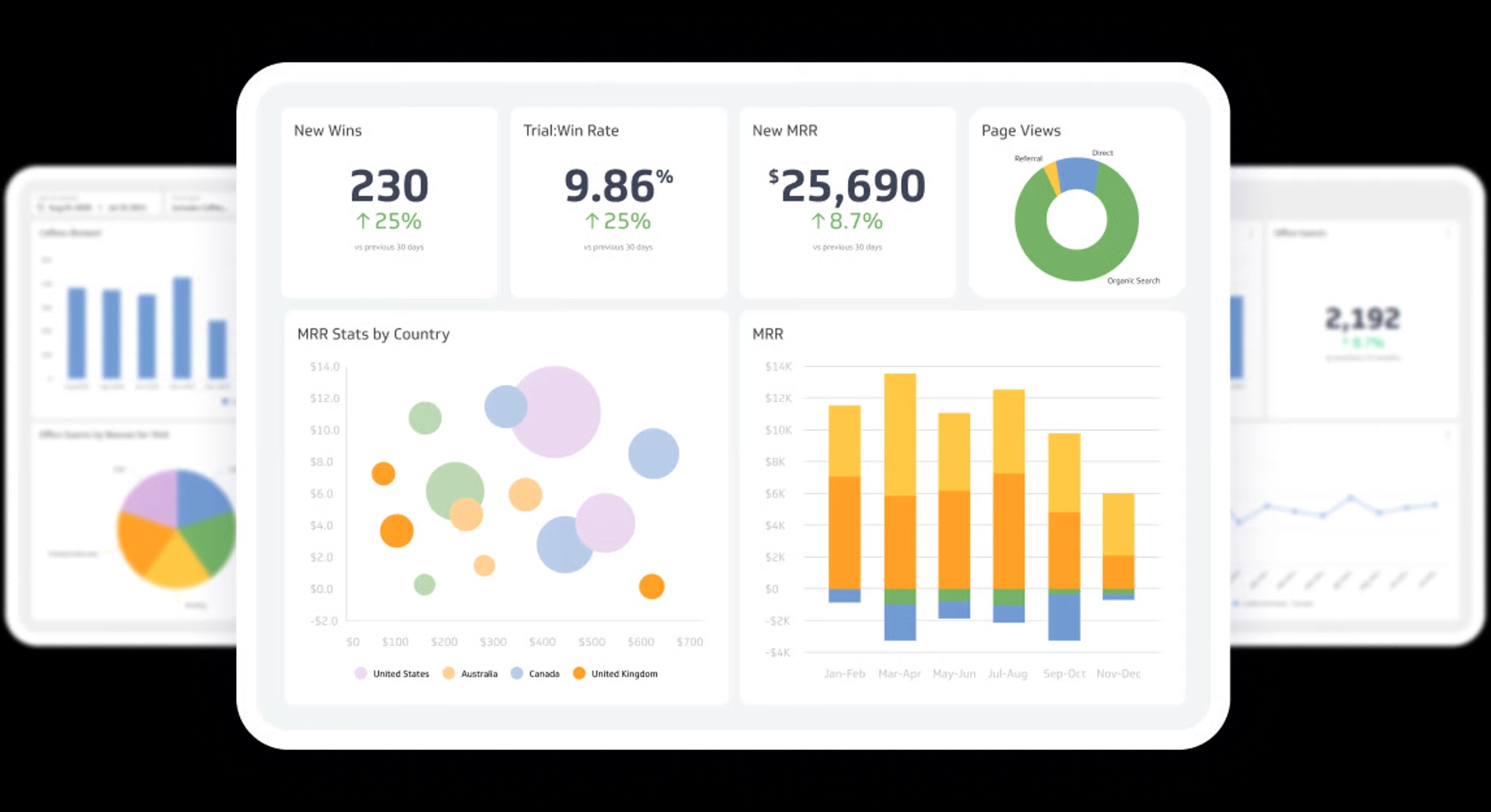
It gathers data from different places, like Google Analytics and Google Search Console. Then, it puts all that SEO data into simple charts and graphs. This process is called data visualization. This visual layout helps you and your clients see what is working well.

You can see how many people visit the site, what they read, and if they buy anything. It takes all the guesswork out of your SEO strategy.

The Evolution of Client Reporting

A long time ago, people used to send messy spreadsheets to their clients. They would spend hours typing numbers into google sheets. This manual work took a lot of time. Also, clients hated reading endless rows of numbers.

It was hard to find any key features or meaning in those old reports. Today, things are much better.

We now have bright, colorful client dashboards. Tools like google data studio (now looker studio) have changed everything. They pull data automatically. Now, creating a beautiful SEO report takes just a few clicks instead of a few days.

Internal Vs. Client-Facing Dashboards

You can use dashboards in two main ways. First, you have internal dashboards. These are just for your team members.

An internal dashboard shows very detailed data points. Your team looks at it to fix problems and plan the next SEO strategy. It tracks many small performance metrics. Second, you have client-facing dashboards. These are simpler. Clients only want to see the big picture.

They want to know if their business outcomes are getting better. A client dashboard highlights key SEO metrics like lead generation and revenue. Most agencies also set up a secure agency dashboard login so clients can check their numbers anytime.

Top Benefits of Using A Dedicated SEO Agency Dashboard

Top Benefits of Using A Dedicated SEO Agency Dashboard

Using a dedicated dashboard brings many great benefits to your agency. It makes your daily work smoother. It also keeps your clients happy. Let’s look at the biggest reasons why you need one.

Saving Time with Automated Reporting

Reporting can eat up hours of your week. Without a dashboard, you have to log into many different data sources. You have to check google ads, social media, and your main SEO tools.

Then you have to copy all those numbers by hand. A dedicated SEO agency dashboard stops this manual work. It connects to all your marketing platforms at once. The data collection happens automatically. The numbers update on their own.

This saves you so much time. You can spend that saved time doing actual SEO efforts, like planning a new campaign.

Increasing Client Retention and Trust

Clients stay with agencies they trust. When you share clear SEO analytics, you build that trust. A dashboard gives them actionable insights they can actually read. When they see their organic search performance going up, they feel happy.

They can see their search visibility improving over time. Clear data proves your worth. If a client can log in through their agency dashboard login and see their keyword rankings growing, they will not leave you.

At VH Info, we always tell our clients to watch their backlinks and organic search traffic grow. Clear proof keeps clients around for a long time.
Scaling Your Agency Operations

If you want your agency to grow, you need good systems.

You cannot take on more clients if reporting takes up all your time. A ready-to-use SEO dashboard template lets you add new clients fast. When a new client signs up, you just copy the dashboard template. You plug in their google search console and other tools.

Within minutes, their dashboard is ready. This kind of fast setup is very important for marketing agencies. It lets you scale up your business without working late every night. You can manage more clients with the same number of team members.

Essential Metrics to Include in Your SEO Agency Dashboard

Essential Metrics to Include in Your SEO Agency Dashboard

You have many numbers you can track. But you should only show the most important ones. Too many numbers will confuse your clients.

Let’s look at the key metrics you must include in your client dashboards.

Organic Traffic and User Engagement

Organic traffic is the number of people who find the site through a search engine. It is the most basic sign of good SEO performance. You must show this number clearly. But traffic alone is not enough. You also need to show user behavior. How long do people stay on the site?

Do they look at many pages? This is where you look at website performance and bounce rate. A high bounce rate means people leave right away. Tracking landing pages helps you see which pages get the most love. You can get all this info from google analytics.

Keyword Rankings and Visibility

Clients love to see their website at the top of google search. You need to show them their keyword rankings. This tells them which words bring people to their site. You should track keyword rankings to see if your work is paying off.

Show them their average position in the search results.

Also, show the search volume for those keywords. High search volume means many people are looking for those words. Tools like google search console help you find these numbers. Tracking these SEO metrics proves that your search engine optimization is actually working.

Backlink Profile and Domain Authority

Search engines like websites that have good links from other sites. This is exactly what we do at VH Info. Our SaaS link-building services help you get these strong links. You should always show your backlink numbers on your SEO dashboard.

Show how many new links the site got this month.

Show the domain authority of the sites giving those links. Good links mean better search visibility. When you share this data, you show the client that their site is becoming more popular and trusted. We know firsthand how powerful this is for a good SEO strategy.

Conversions, Leads, and ROI

Traffic and links are great, but clients really care about money. They want to see business goals met. Your dashboard must show conversion rates. A conversion happens when a visitor buys a product or fills out a form. This leads to lead generation.

You need to link your SEO efforts directly to these business outcomes. Show them how much organic search brings in compared to Facebook ads or Google ads. When a client sees that your SEO work brings them real leads and sales, they will love your work.

How to Choose the Best Software For Your SEO Agency Dashboard?

How to Choose the Best Software For Your SEO Agency Dashboard?

There are many marketing platforms out there. Picking the right one can feel hard. You need a tool that handles complex data but looks very simple. Here is what to look for when picking the software to build your dashboard.

Important Data Integrations (Google Analytics, Search Console, Ahrefs, etc.)

Your dashboard software must talk to other tools. It needs to pull data points from everywhere. At the bare minimum, it must connect to Google Analytics and Google Search Console. It should also connect to your favorite SEO tools to pull keyword and backlink data.

If you run local SEO campaigns, it needs to connect to Google Business Profile (formerly Google Business). If you also run ads, it should connect to Facebook Ads and Google Ads. Good integrations mean less manual work for your team members.

Everything stays in one neat place.

White-Labeling Capabilities

When you send an SEO report to a client, it should look like it comes from you. This is called white label.

The best software lets you put your own logo and agency colors on the dashboard. You can remove the software company’s name completely. You can even set up a custom link for the agency dashboard login.

This makes your agency look very professional. White label link building service helps build your brand name. Every time the client checks their campaign performance, they see your agency’s logo staring back at them.

Ease of Use and Customization

The software must be easy to use. You do not want to spend weeks learning how to build a chart. Look for software that offers a simple SEO dashboard template. A good template gives you a head start. You should also be able to change things easily.

If a client cares more about local SEO, you should be able to move those charts to the top. If another client cares about content performance, you can highlight their top blog posts. The tool should make data visualization fun and easy, not a headache.

Pricing and Scalability

Software costs money. You have to find a tool that fits your budget. Some tools charge you a flat fee.

Others charge you for every client you add. Think about your long-term business goals. If you plan to add fifty new clients this year, a per-client fee might get too expensive.

Many marketing agencies start with free tools like Google Data Studio (now Looker Studio). It is free and handles SEO data very well. As you grow, you might switch to paid software that offers better white-label options and faster customer support.

Step-by-Step Guide to Setting Up Your SEO Agency Dashboard

Step-by-Step Guide to Setting Up Your SEO Agency Dashboard

Now you know what to look for. It is time to build. Setting up your SEO dashboard does not have to be hard.

Follow these simple steps to create a layout that works perfectly.

Step 1: Define Client Goals and KPIs

Do not just throw every number on the screen.

First, talk to your client. Ask them what matters most to their business. Do they want more phone calls? Do they want to sell more shirts online? Once you know their business goals, you can pick the right key metrics.

If they want to sell shirts, focus on conversion rates and website traffic. If they want local visits, focus on google business profile clicks. Picking the right goals makes your SEO reporting much sharper and more useful.

Step 2: Connect Your Data Sources

Next, you need to plug in the data. Open your dashboard software. Look for the connections page. Link your Google Analytics account. Then, link your google search console. If you track competitor analysis or backlinks, connect your other SEO tools.

If you use looker studio, you just authorize Google to share the info. Make sure all the data sources are pulling correctly. Check a few numbers on the dashboard to see if they match the numbers in your actual tools. This step makes sure your SEO analytics are correct.

Step 3: Design For Readability

A good SEO agency dashboard is easy to read. Put the most important numbers at the very top.

Usually, these are organic traffic, total leads, and conversion rates. Below that, add colorful charts showing traffic over time. Use green arrows to show numbers going up. Use clear labels. Do not use confusing words.

Instead of saying “SERP features,” say “Search Results Appearance.” The data visualization should guide the client’s eyes naturally down the page. Remember, simple is always better. A fifth-grader should be able to look at it and say, “Oh, the numbers are going up!

Step 4: Automate the Delivery Schedule

The last step is to automate the sending of the report. You should not have to email the client manually every month.

Most dashboard tools have a schedule button. You can tell the system to send an email with the new SEO report on the first day of every month. You can also give the client an agency dashboard login so they can check it whenever they want.

Automating the delivery saves you time and ensures the client always gets their updates on time.

FAQ’s:

What is an SEO Agency Dashboard?

It is a visual screen or report used by marketing agencies. It gathers complex data from different places and shows it in simple charts. This helps agencies easily show their clients how well their website is performing.

Which Tools Are Best For Building an SEO Agency Dashboard?

Many agencies love using looker studio because it is free and connects easily to Google tools. Other paid platforms are great too because they offer complete white label features. The best tool is one that connects to all your data sources easily.

Should I Share the Live SEO Agency Dashboard With My Clients?

Yes, sharing a live view is a very good idea. Giving clients an agency dashboard login builds trust because they can see the data anytime. Just make sure the live view only shows the simple, big-picture metrics they care about.

How Often Should Data on the Dashboard Be Updated?

Most good dashboards update their numbers every single day automatically. However, you only really need to talk to your clients about the numbers once a month. Daily updates just ensure the data is always fresh when they look.

Can I Customize Or White-Label an SEO Agency Dashboard?

Yes, almost all good dashboard tools let you do this. You can add your agency logo and change the colors to match your brand. This makes the report look like it was built entirely by your own company.

What Are the Differences Between A Custom Dashboard and A Ready-Made Template For Agencies?

A ready-made dashboard template is very fast to set up and includes standard metrics like traffic and rankings. A custom dashboard takes more time to build. But, a custom one lets you pick exact data points for very specific client needs.

How Do I Set Up Agency Dashboard Login Access For Multiple Users?

Inside your dashboard software, go to the settings or team members page. You can type in the email address of your client or team member. The system will then send them a special link and password to log in.

Are There Any Free SEO Dashboard Solutions Suitable For Small Agencies?

Yes, google data studio (which is now called looker studio) is totally free. You can connect it to google search console and google analytics for free. It is the best starting point for a small agency with a tight budget.

Conclusion

Building an SEO agency dashboard is one of the smartest things you can do for your business. It takes away the pain of manual reporting and replaces it with beautiful data visualization. By sharing key metrics clearly, you prove your value every single month. Your clients will clearly see the growth in their organic search traffic and keyword rankings. They will trust your work more and stay with you longer.

At VH Info, we know that a great SEO strategy needs solid proof. Our SaaS link-building services help push your clients higher in the search results. When you combine our powerful link building with a clear, honest dashboard, your clients will see massive success.

Start today by grabbing a simple SEO dashboard template. Connect your data sources, set up your layout, and share it with your clients. You will save time and look like a true marketing pro.

SEO Traffic Generator Guide: Get Real Views in 2026

Every website wants more visitors. If you own a business, write a blog, or sell things online, you need people to see your pages.

But getting those people is not always easy. Many people look for an SEO traffic generator to help them get fast results. They want to see their website traffic go up right away. However, it is very important to do this the right way.

At VH Info, we help SaaS companies grow. We do this through smart, safe link building. We know that a true SEO traffic generator is not a magic button that sends fake bots to your site.
Instead, a real traffic generator is a mix of smart strategies, free tools, and hard work that brings real users to your site. You want people who care about your message. You want people who will read your blog posts and buy your items.

In this guide, we will look at how to get more organic traffic. We will show you how to climb higher in the search engine rankings. We will talk about tools that help you build a strong online presence.

We will also warn you about bad tools that send fake clicks. Finding the best free website traffic generator means finding safe, helpful ways to grow. We will break it all down in very simple words. Let us start making your site better today!

What Exactly is an SEO Traffic Generator?

What Exactly is an SEO Traffic Generator?

When people hear the words SEO traffic generator, they sometimes think of a secret machine.

They imagine pushing a button and getting thousands of clicks. But a safe and real SEO traffic generator is different. It is a set of SEO tools and habits that help you win on a search engine like Google.

A good web traffic generator helps you find the right words to write about. It helps fix broken parts of your website. It makes sure that when someone types a question into a Google search, your site pops up. It brings you free website traffic because you did a good job answering their question. It is about building a system that keeps generating traffic week after week. At VH Info, we build these systems by getting other good websites to link to you. Those links act like a natural traffic generator because they send real people your way.

The Difference Between Organic SEO Tools and Bot Traffic

There is a very big difference between safe organic SEO tools and bad bot traffic.

Safe free SEO tools help you look at your traffic data. They show you what people want to read. They help you get organic search clicks from real humans. These tools help you build long-term search visibility.

On the other hand, a bad traffic generator uses fake software programs called bots. These bots pretend to be humans. They visit your landing pages, stay for one second, and leave. This fake web traffic does not help you at all.

Fake bots do not buy things. They do not sign up for email marketing lists. They just mess up your traffic metrics. A free traffic generator that promises overnight success is usually just sending bots. You always want tools that help you reach a real target audience.

Why Quality Always Beats Quantity in Website Traffic?

Having one thousand fake visitors is useless.

Having fifty real users who love your site is amazing. This is why quality is better than quantity. When you get good organic traffic, your user engagement goes up. People stay on your page longer. They click on different links. They read your whole article.

If a fake website traffic generator sends bots, your bounce rate will go very high. A high bounce rate means people leave your site right away without clicking anything. Google sees this and thinks your site is bad. This will hurt your search engine rankings.

At VH Info, our SaaS link-building work focuses on high-quality links. We want to bring you visitors who care. Getting the right number of visitors is much better than getting a huge traffic volume of fake clicks. Good visitors bring you real success.

SEO Traffic Generator Tools to Consider in 2026

SEO Traffic Generator Tools to Consider in 2026

You need the right tools to build a strong website. Good tools act like a map for your digital marketing journey.

Here is a list of the best tools to help you become your own SEO traffic generator.

Semrush

Semrush

Semrush is a very powerful tool that many website owners love. It is not just a simple website traffic checker; it provides deep, valuable insights. You can use Semrush to do great keyword research and find what words your buyers type into a search engine.

It tells you the exact search volume for those words. This means you know exactly how many people search for a topic each month.

Semrush also lets you view your competitors’ traffic sources. It tracks your keyword rankings so you can see if your site is moving up or down. While it has paid plans, they often offer a free trial so you can test its advanced features before spending money.

Ahrefs

Ahrefs

Ahrefs is another huge name in search engine optimization.

At VH Info, Ahrefs is one of our favorite tools for SaaS link building because it shows exactly who is linking to you.

Getting good backlinks is a great way to build your online presence. Ahrefs gives you detailed traffic metrics and helps you fix your content strategy. You can see which of your blog posts get the most page views. It helps you find clear keyword ideas so you can write better articles.

Ahrefs shows you your true search engine visibility across the whole internet. It is an amazing tool to help you act as a real organic traffic generator. It gives you all the data you need to reach higher rankings.

Google Search Console (GSC)

Google Search Console

Google Search Console is completely free and comes straight from Google. Every person who owns a website must use it.

It acts like a direct phone line to the search engine. GSC shows you exactly how your pages perform in the google search results. It tells you which words bring people to your site, making it a powerful free traffic generator tool.

You can check your site for errors to improve user experience.

GSC also helps you track your search visibility over time. If your site breaks, GSC will send you a message. It is the best place to get accurate traffic data straight from the source. You do not need a credit card to sign up; it is one of the best free tools available today.

Screaming Frog

Screaming Frog

Screaming Frog is a very smart tool used for technical SEO. It acts like a little robot that crawls all over your website to find problems.

It checks your website performance to make sure pages load fast and links work correctly. Good technical SEO is super important if you want higher rankings. If your site is broken, a search engine will not send you any organic search clicks.

Screaming Frog helps you fix broken links, missing titles, and bad images. By fixing these things, you naturally boost your search engine results. It ensures your site is ready for real people to visit. Many experts use it to make sure their website traffic stays steady and safe.

Surfer SEO

Surfer SEO

Surfer SEO is a very cool tool that helps you write the best content. It looks at the top google search results and tells you exactly what words to include in your blog posts. It helps you build a winning content strategy.

Surfer tells you how long your article should be and how many pictures to add. When you write with Surfer, you create a natural SEO traffic generator because your page matches exactly what Google wants.

It improves your on-page SEO so your landing pages rank higher. This tool takes the guesswork out of writing. It helps your website traffic metrics grow because you are giving the target audience exactly what they are looking for.

Claude

Claude

Claude is a very smart artificial intelligence tool. It helps you with your traffic generation by writing clear and helpful content. You can ask Claude to help you brainstorm new keyword ideas or write outlines for your landing pages. It saves you a lot of time.

Having fresh content is a great way to get more web traffic. Claude can write in a very human tone, which improves your user engagement. When people like reading your site, your bounce rate stays low. Claude helps you keep your online presence active and updated.
It is like having a smart assistant to help you build a safe, free traffic generator through fast, high-quality content creation.

AnswerThePublic

AnswerThePublic

AnswerThePublic is one of the coolest free tools for finding out what people are asking online. You just type in a word, and it shows you a big wheel of questions that people type into a Google search. This is a fun and easy way to do keyword research.

It gives you amazing, valuable insights into your target audience. When you know their exact questions, you can write answers on your website. Answering real questions is a fantastic organic traffic generator. It helps you get lots of referral traffic and page visits.

AnswerThePublic helps you focus on user behavior so your SEO performance gets better every single day.

ChatGPT

ChatGPT

ChatGPT is a famous AI tool that many people use for digital marketing. It is a strong partner for creating a free website traffic plan. You can use it to map out your social media platforms or plan your weekly email marketing blasts.

ChatGPT can write fast summaries, fix your grammar, and even code simple scripts for your website. This saves you time so you can focus on search engine optimization. It helps you manage your social media presence, which drives extra social media traffic back to your site.

You do not need a credit card for the basic version, making it an amazing free SEO tools option to help build your traffic sources.

How A Legitimate SEO Traffic Generator Can Skyrocket Your Rankings?

How A Legitimate SEO Traffic Generator Can Skyrocket Your Rankings?

A real, safe SEO traffic generator is simply a good system. When you use smart tools and good plans together, your site will grow fast. This section explains how doing the right things makes your search engine rankings fly up. Let us look at three smart ways to make this happen.

Automating Keyword Research and Topic Clustering

Finding the right words to write about takes a lot of time.

But smart tools can do this for you very fast. They look at the huge search volume of words and tell you which ones are best for your site. This is called keyword search. When you group similar words together, it is called topic clustering.

This tells a search engine that you are an expert on that subject. When Google sees you as an expert, your search engine results get much better. This smart content strategy brings a steady stream of SEO traffic to your pages.

Identifying On-Page SEO Errors and Opportunities

Sometimes, your website has invisible problems. Maybe a picture is too big, or a link is broken. These problems hurt your website’s performance. A good tool will scan your site and find these errors. This is a big part of technical SEO.

Fixing these little mistakes gives your site a huge boost in search visibility.

A fast, working website provides a great user experience. When visitors are happy, your user behavior stats look great. This shows Google that your site is worth visiting, bringing you even more organic traffic.

Streamlining the Backlink Outreach Process

Backlinks are links from other websites that point to your site. They are very important.

At VH Info, we focus on SaaS link building because we know backlinks act as a powerful traffic generator. They bring referral traffic from other places. Good tools help you find websites that might want to link to you.

They track your email marketing messages so you can talk to other website owners easily. Getting strong links from sites in different countries helps build your global online presence. A steady flow of good links will always push you to higher rankings.

The Dark Side: Are Automated SEO Traffic Generators Safe?

The Dark Side: Are Automated SEO Traffic Generators Safe

We have talked about safe tools. Now we must talk about the bad tools. Some websites promise you a magic website traffic generator that gives you one million clicks in a day. These are usually fake bots. Using them is very dangerous for your site.

Understanding Google’s Stance on Artificial Traffic

Google is very smart. The search engine knows when real people visit your site and when fake bots visit.

Google wants to show safe and helpful google search results to its users.

If you use a fake traffic generator, Google will catch you. They will punish your website. Your search engine rankings will drop to the bottom. Your site might even be completely removed from the search results.

Trying to trick Google never works for very long. It is always better to build organic traffic with honest hard work and safe SEO tools.

The Hidden Risks of Black-Hat Traffic Bots

Black-hat bots are fake visitors sent by a bad web traffic generator. They might make your traffic volume look big for one day, but they cause huge problems. First, they make your bounce rate shoot up because they do not click on anything. Second, they mess up your traffic data in Google Analytics. You will not know if a real person visited or a fake bot. This means you lose all your valuable insights. Plus, these bots never sign up for your social media or buy your products. They just waste your time and put your website traffic metrics at risk.

How to Spot A Scam Traffic Generator Service?

It is easy to spot a bad SEO traffic generator if you know what to look for.

First, they promise fast, guaranteed results. Nobody can guarantee exact search engine rankings.

Second, they often ask for your credit card right away without offering a safe free trial.

Third, they do not talk about getting real users or building a good user experience. They only talk about fake numbers. If a service says it can send you instant website traffic for five dollars, it is a scam. Always trust safe, well-known free SEO tools instead.

Top Strategies to Act As Your Own SEO Traffic Generator

Top Strategies to Act As Your Own SEO Traffic Generator

You do not need to buy fake clicks. You can be your own traffic generator. By using good habits, you can build a site that naturally pulls in real people. Here are the best ways to get real, lasting website traffic.

Mastering Search Intent to Capture High-Converting Visitors

Search intent means knowing why someone typed a word into a google search. Do they want to buy shoes, or do they just want to look at pictures of shoes? When you know what they want, you can give it to them on your landing pages. This brings in high-converting visitors, which means people who will actually buy from you or sign up for your emails. Giving people exactly what they want lowers your bounce rate.

It keeps user engagement very high. Knowing your target audience is the best way to improve your SEO performance.

Creating Pillar Pages to Dominate Niche Topics

A pillar page is one giant, super-helpful page on your website that covers a big topic.

For example, a big guide on “How to Play Baseball.” Then, you write smaller blog posts that link back to this big page. This forms a strong content strategy. It helps organize your website so a search engine can read it easily.

When Google sees your well-organized pillar pages, your search engine visibility grows. This structure acts like an amazing SEO traffic generator because you capture many different keyword ideas all at once.

Using Local SEO For Targeted Foot Traffic

If you have a real store in a town, local SEO is very important. You want people in your city to find you. You can set up a free Google Business profile to show up in local Google search results.

You can ask your happy customers to leave reviews. This brings you free traffic from people walking nearby with their phones. Local SEO is a great way to get highly targeted organic traffic. It helps build a strong online presence right in your own neighborhood.

Measuring the Success of Your SEO Traffic Generator Campaigns

Measuring the Success of Your SEO Traffic Generator Campaigns

After you do all this hard work, you need to see if it is working. You need to look at the numbers. Checking your numbers helps you see if your traffic sources are growing. Let us look at how to check your success.

Essential Key Performance Indicators (KPIs) to Track

KPIs are special numbers that tell you if you are winning. You should look at your total number of visitors.

You need to track your organic traffic to see how many people come from a search engine. You should watch your bounce rate to make sure people are staying on your pages. You should also look at your page views and page visits. Tracking these website traffic metrics gives you valuable insights. It tells you if your content strategy is working or if you need to fix something.

Decoding Your Data in Google Analytics and Search Console

Google Analytics and Google Search Console are the best tools for reading your data. In Google Analytics, you can see where your real users live. You can see if they come from social media platforms or from a normal google search. This helps you know your best traffic sources.

In Google Search Console, you can see your exact keyword rankings. You can see which words give you the best search engine visibility. Looking at these tools every week acts as your personal website traffic checker. It helps you keep your website performance very strong.

FAQ’s:

Do SEO Traffic Generators Actually Work?

Yes, safe tools help a lot. Good tools like Semrush and Ahrefs help you find the right keywords. They act as a safe SEO traffic generator by helping you create great content. But fake bot generators do not work and will only hurt your site.

Will A Bot-Based SEO Traffic Generator Get My Website Penalized?

Yes, using fake bots is very bad. A search engine like Google is smart enough to see fake web traffic. If you use a bot traffic generator, Google will push your site down. Your search engine rankings will drop heavily.

Can I Use an SEO Traffic Generator For Free?

Yes, there are many safe and free tools you can use. Google Search Console and AnswerThePublic are totally free. They help you find keyword ideas and check your traffic data without needing a credit card.

How Long Does It Take to See Results From an Organic SEO Traffic Generator?

Getting good organic traffic takes time and patience. It usually takes three to six months to see your search engine results grow. Safe search engine optimization is a slow but very strong process.

Are Free Traffic Generator Tools Effective For SEO in the United States?

Yes, good tools work perfectly everywhere. Whether you want visitors from the United States or different countries, safe tools help you grow. They focus on finding the exact target audience you need.

Can I Safely Use A Traffic Generator With My WordPress Website?

Yes, as long as it is a real tool. Safe SEO tools like Surfer SEO or Ahrefs connect easily to any website. They help you improve your blog posts and boost your pure organic search numbers safely.

Do SEO Traffic Generators Help Improve SERP Rankings and CTR?

Yes, legitimate tools help you write better titles and fix your site. This improves your search visibility on the results page. When your site looks good, more real people will click on your link.

What is the Best SEO Traffic Generator For Beginners?

Google Search Console is the best starting point. It gives you free and clear valuable insights straight from Google. It is the safest website traffic checker to help you start generating traffic.

Conclusion

Getting more eyes on your website is an exciting journey. We have learned that a true SEO traffic generator is not a shady machine that sends fake bots. Instead, it is a smart mix of powerful SEO tools, great writing, and honest hard work.

By using tools like Google Analytics, Semrush, and Ahrefs, you can build a system that brings in steady organic traffic. Always focus on your target audience and give them the best answers to their questions.

At VH Info, we know that true growth comes from building trust. As a SaaS link-building agency, we see every day how strong links and good content act as a natural web traffic generator. Stay away from quick tricks and fake bots that ruin your bounce rate.

Keep your focus on providing a great user experience for real users. If you work hard, track your traffic metrics, and use safe, free tools, your search engine rankings will rise. Start applying these simple steps today, and watch your website traffic grow naturally and safely!

B2B SEO Solutions: Drive Organic Growth | Qualified Leads Strategy

If you run a business that sells to other businesses, you know how hard it is to find the right buyers. You want other companies to find your website, read your content, and buy your software or services. This is where B2B SEO solutions come in.

When you use smart SEO strategies, you help your website show up higher on Google and other places. People type a question into a search engine, and your website appears in the top search results. This brings organic traffic to your pages.

But you do not just want anyone visiting your site. You want qualified leads. You want people who are ready to buy what you sell.

At VH-info, we work as a SaaS Link Building Agency. We know how to build a strong online presence for your business.

Good SEO services help you connect with your true target audience. Getting more eyes on your site is a big part of digital marketing. If you want better lead generation, you need a clear plan. Let’s look at how search engine optimization helps you grow your business step by step.

What Are B2B SEO Solutions?

What Are B2B SEO Solutions?

B2B SEO solutions are special plans to help a business-to-business company rank higher in search engine results.

A normal person buys a shirt in five minutes. A large company takes months to buy new software. Because of this, selling to a business is very different. You need a specific marketing strategy to reach business leaders. A good SEO plan looks at the exact words these leaders type into Google. It focuses on bringing quality traffic to your landing pages. Your goal is to give them the exact answers they need.

The Difference Between B2B and B2C SEO

Selling to a business (B2B) is not like selling to a regular shopper (B2C).

B2C SEO wants to reach as many people as possible. B2B SEO has a much smaller, specific target audience. Business buyers face unique challenges. They have to ask their bosses for money. They have to make sure the new tool works with their old tools.

Because of this, your content marketing must be very smart. You cannot just write funny social media posts.

You need valuable content that proves your product works. Your potential clients are looking for hard facts, data, and proof. This makes your organic search plan highly detailed. You must use the exact search terms that a manager or a boss would use.

Navigating Long and Complex Sales Cycles

When businesses buy things, they take their time. These are called longer sales cycles. A company might spend six months looking at different tools before they buy one. Your SEO must help them during this whole time.

First, they look for basic answers. Then, they compare different brands.

Finally, they ask for a price. This journey is the sales funnel. Your content strategy must have a good piece of content for every step of the funnel. You want to keep these buyers moving down your sales pipeline. By answering their questions early, you match their search intent.

This keeps them coming back to your site month after month until they are ready to buy.

Why Your Company Needs Tailored B2B SEO Solutions?

Why Your Company Needs Tailored B2B SEO Solutions?

Every business needs a strong online visibility. But a generic plan will not work for you. You need customized SEO solutions to reach the right managers and directors.

Generating High-Quality, High-Intent Leads

Your main goal is generating leads. But you do not want bad leads. You want people who actually need your software. This means you want qualified traffic. When you use the right relevant keywords, you bring in buyers who have high intent.

High intent means they are ready to fix a problem right now. If your website gives them the answer, they will fill out your contact form. These become your potential customers. Focusing on high-intent buyers improves your conversion rates very fast.

Establishing Industry Authority and Trust

To sell big software or services — including specialized solutions like AI procurement software — people must trust you. You build trust by showing you know the industry trends. When you share deep knowledge, this is called thought leadership.

A great way to show this is through content creation. When your SEO team writes helpful guides, buyers see you as a wise guide. Pairing this approach with a structured competitive intelligence program ensures your content stays aligned with real market developments and the evolving questions your buyers are asking. If your site has lots of quality content, other websites will notice. This makes your brand look very strong. People buy from companies they trust.

Lowering Customer Acquisition Costs (CAC) Over Time

Running paid ads is very expensive. Every time someone clicks your ad, you pay money. If you stop paying, the traffic stops.

With good SEO efforts, you earn your organic traffic for free. Yes, you pay an SEO company or an SEO agency to do the work at first. But once your pages rank high, the clicks do not cost you extra money. Over time, your cost to get a new customer drops way down.

This brings you high SEO success and saves your business a lot of money.

Core Components Of A Winning B2B SEO Strategy

Core Components Of A Winning B2B SEO Strategy

To win on Google, you need to do many things right. Here are the main parts of a great plan.

Deep-Dive Technical SEO For Enterprise Sites

Your website must work perfectly. This is called technical SEO. Search engines send robots to read your website.

If your site has broken links or is hard to read, the robots leave. You must fix all technical issues.

Your page speed and site speed must be very fast. If a page takes too long to load, business buyers will leave. As your organic traffic scales, executing a secure cloud migration ensures your technical infrastructure can handle enterprise-level loads while keeping page speeds lightning-fast. Your site also needs mobile responsiveness. This means it must look good on a phone or a tablet.

You should also do regular SEO audits to find hidden problems. Things like schema markup help search engines read your data better. A good internal linking setup helps robots find all your pages easily. A fast, clean website creates a great user experience.

Bottom-of-the-Funnel (BOFU) Keyword Research

Keyword research is how you find the words your buyers type. You want to focus on Bottom-of-the-Funnel (BOFU) keywords. These are words people type when they are ready to buy.

For example, “what is software” is a top-funnel keyword.

Best link-building software for SaaS” is a BOFU keyword. You must find these target keywords. Ranking for these BOFU words is the fastest way to get qualified leads. Good search rankings for these exact words will change your business.

Creating Thought Leadership Content

You need to write things that help your buyers. A strong content strategy includes blogs, whitepapers, and guides. Make sure every page has good title tags and clean meta descriptions. These small details tell Google what your page is about.

Today, AI is also changing how people search. This is called generative engine optimization. You need to write clear facts so AI tools can read your work and share it with searchers. Focus on best practices for writing so both humans and robots love your pages.

Strategic B2B Link Building and Digital PR

Links from other websites act like votes. When a big website links to you, Google thinks you are important. This is called link building.

At VH-info, we are a SaaS Link Building Agency. We do not use software tools to build links. We use real human outreach to get you the best links. A strong link profile boosts your online presence. When you have good links, your pages jump to the top of the search engine results.

We help SaaS companies get the exact links they need to beat their rivals.

How to Choose the Right Agency For B2B SEO Solutions?

How to Choose the Right Agency For B2B SEO Solutions?

Finding the right marketing agency is hard. You want a team that gets you real results. Here is what to look for when you hire someone for SEO services.

  1. Evaluating Case Studies and Past Performance: Do not just trust what an agency says. Ask to see their case studies. A case study shows how they helped another business grow. Look at their past performance and SEO performance. Did they bring in real qualified leads? Did their SEO strategies actually work? Proof is the most important thing.
  2. Assessing Their Understanding of Your Niche: Your agency must know your industry. If you sell big software, they must know how to talk to software buyers. Sometimes, you also need local SEO if you serve a specific city. Ask them how they track new industry trends. The right SEO team will ask you lots of questions about your target audience.
  3. Transparency in Reporting and ROI Tracking: A good agency is honest. They should show you clear reports every month. You should see your search rankings go up. They should use tools like Google Analytics to show you the data. Good reporting gives you measurable results. You should always know what your SEO company is doing for you.

Measuring the Success of Your SEO Investment

Measuring the Success of Your SEO Investment

You are spending money on marketing services, so you need to know if it works. Here is how you measure your SEO success.

Moving Beyond Traffic: Tracking Conversions and MQLs

Getting more organic traffic is nice, but traffic does not pay the bills. You need to track your conversion rates. How many visitors filled out a form? How many became a Marketing Qualified Lead (MQL)? Look at your search engine results to see which pages bring the best buyers.

Focus on pages that actually give you a high number of qualified leads.

Utilizing CRM Integrations For Closed-Loop Reporting

To really see your measurable results, connect your website to your sales software. This uses marketing automation.

When a lead comes from Google, your system should track them all the way until they buy. This shows you exactly how much money your digital marketing made for the company. It proves that your SEO efforts are working.

FAQ’s:

How Is B2B SEO Different From B2C SEO?

B2B SEO focuses on selling to businesses, which means a smaller audience and a longer buying process. B2C SEO tries to sell quickly to normal shoppers. Business buyers need lots of details and facts before they spend company money.

How Long Does It Take to See Results From B2B SEO Solutions?

Usually, it takes about three to six months to see real changes in your traffic. SEO is a slow process because search engines need time to trust your website. Once the results start, they keep growing for a long time.

What is the Average ROI Of A B2B SEO Campaign?

The return on investment (ROI) is often very high because organic traffic is free once you rank. Most companies see a huge drop in how much they spend to get a new customer. It pays off heavily over a few years.

Can We Handle B2B SEO In-House, Or Do We Need an Agency?

You can do it in-house if you have a team of writers, tech experts, and link builders. However, most companies hire an agency because it is cheaper than hiring five different experts full-time. Agencies also know the best tricks to win fast.

How Do B2B SEO Agencies Measure Campaign Effectiveness and ROI?

Good agencies look at how many people fill out forms on your site. They use tools like Google Analytics to track where the best leads come from. They focus on the money you make, not just the clicks you get.

What Common Mistakes Should B2B Companies Avoid When Implementing SEO Solutions?

Many companies focus too much on simple keywords and forget about the deep, technical content buyers need. Another mistake is ignoring website speed and technical issues. A slow website will push all your buyers away to your rivals.

What Metrics Should We Track to Measure B2B SEO Success?

You should track your conversion rates, the number of qualified leads, and how many pages rank on page one. It is also smart to watch your organic traffic growth over time. Connecting your leads to your actual sales is the best metric.

Conclusion

Getting noticed by big companies online is hard work. But with the right b2b SEO solutions, you can make it happen.

By fixing your website, writing valuable content, and getting strong links, you will see your organic traffic grow. Always remember to follow best practices and keep your site fast and clean. Look closely at your data and adjust your plan as you go.

At VH-info, our SaaS Link Building Agency focuses on getting you the powerful links that push your website to the top. We help you build a brand that buyers trust.

Top 10 SEO Text Generator Tools to Boost Your Rankings in 2026

Are you looking for an easy way to speed up your content creation?

An SEO text generator can make this happen. When you need to rank high on search engines, writing lots of blog posts takes a lot of time. This is where an SEO text generator steps in to help. It helps you make SEO content fast. Doing all the work yourself is hard.

This tool makes it easy.

At VH-info, we know that getting eyes on your website is hard work. As a SaaS link-building agency, we help brands get more organic traffic through smart link building. But before you build links, you need high-quality content on your pages.

Our goal is to help you build a strong content strategy. A good text generator takes away the heavy lifting.

It helps you keep your brand voice clear and strong. Plus, it gives you a solid starting point for every new piece of content. In this guide, we will look at how an artificial intelligence writer can boost your search engine rankings and make your content production much simpler.

What Exactly is an SEO Text Generator?

What Exactly is an SEO Text Generator?

An SEO text generator is a smart AI tool made to write things that search engines love. You type in a target keyword, and it gives you related content back. It is not just a random paragraph generator. It is built strictly for search engine optimization.

It looks at what Google wants and gives you the exact words to match.

How AI and Machine Learning Drive Content Creation

These tools work so well because of machine learning and artificial intelligence. They learn from millions of web pages every day. When you ask them to write ad copy or marketing copy, they know what words fit best. They look at what ranks well right now.

Then, they use generative AI to write fresh, new sentences. This helps content creators save hours of hard work. Instead of typing every single word, the computer does the hard part for you. It gives you generated content that fits your exact needs.

The Difference Between Standard AI Writers and SEO-Specific Generators

A standard AI writer is good for basic, everyday tasks. It can write emails or simple product descriptions very quickly.

But an AI SEO content generator does much more than that. It focuses heavily on keyword optimization and deep SERP analysis.

It makes sure you do not do bad things like keyword stuffing. Instead, it places relevant keywords in the best possible spots. It cares deeply about search intent. A normal writing tool just writes words on a page. An SEO content generator writes to help you win on Google search.

Top Benefits of Using an SEO Text Generator For Your Business

Top Benefits of Using an SEO Text Generator For Your Business

When you use an SEO text generator, it brings many perks to your business. It changes your entire content creation process for the better.

Here is how it helps.

Drastically Reduces Content Creation Time

Writing a long blog post can take days to finish. A good content generator turns those days into just a few minutes.

It gives you a fast and strong starting point. You can get 2,000 words in a flash. This speeds up your whole content marketing plan. You can publish new pages more often, which is a great move for your SEO strategies. Fast content writing means more time for other business tasks.

Overcomes Writer’s Block Instantly

Sometimes, you just sit and stare at a blank computer screen. An SEO text generator fixes this problem fast. You just give it a short prompt, and it starts typing right away. It sparks your own human creativity. You can use its fresh ideas to build a truly great piece of content.

You never have to sit and wait for a good idea again. The AI does the brainstorming for you.

Ensures Consistent Keyword Density and Placement

If you want to rank high, you must use your target keyword the right way.

A smart text generator does this job for you. It checks the word count and places related keywords perfectly throughout the text. It helps you build topical authority in your niche. Your writing style stays very natural, but the search engines still see exactly what the page is about.

Essential Features Every Great SEO Text Generator Should Have

Essential Features Every Great SEO Text Generator Should Have

When you pick an AI tool, it needs specific parts to work well. Here are the main things you must look for in a good AI content generator.

Natural Language Processing (NLP) Capabilities

A top tool must have strong natural language processing. This means it writes just like a real person.

It reads user intent and matches it perfectly. The sentences flow well and make perfect sense. This keeps your target audience happy and reading longer. Good NLP helps improve the user experience because the text is very easy to read.

Built-In Plagiarism and AI Detection Checkers

You always want original content on your site. A safe AI SEO content generator will check for copying automatically. It ensures your text is completely new. It also checks if the text sounds too robotic or fake.

This keeps your content quality very high and keeps you safe from bad marks by Google. Quality content is a must for good rankings.

Competitor Content Analysis

A good tool looks at what your rivals do online. It does a deep SERP analysis before it writes a single word. It tells you what subheadings to use. It shows you the content structure that works best for your topic. This way, your relevant content beats what is already out there.

It gives you an unfair advantage.

Seamless CMS Integration (WordPress, Shopify, Etc.)

Ease of use is a very big deal.

You want a tool that sends your finished blog posts right to your website. If you use WordPress or Shopify, the generator should connect to it quickly. This saves you from copying and pasting text all day. It makes your daily content production much smoother and faster.

How to Write Ranking Content with an SEO Text Generator?

How to Write Ranking Content with an SEO Text Generator?

You cannot just click a button and be done. You need a solid plan. Here are the best practices to use for success.

Step 1: Conduct Thorough Keyword Research First

Always start with deep keyword research. You need to know exactly what your target audience is looking for. Find a good target keyword and many related keywords. An SEO text generator needs these specific words to do its job well.

If you skip this step, your SEO content will fail to get traffic.

Step 2: Feed the Generator Highly Specific Prompts

Do not just give the tool one word. Tell the AI writer exactly what you need.

Share your consistent brand voice rules. Tell it the exact word count you want. Give it the exact content structure you expect. The more details you share, the better your generated content will be. Use all the customization options to get the perfect fit for your website.

Step 3: Always Edit and Add the “Human Touch”

AI content is a great start, but it really needs you. Read through the text carefully.

Fix the writing style so it sounds just like you. Add your own personal stories. Human creativity makes the text special and unique. We at VH-info always say that tools help, but the human brain brings the real magic. This ensures top content quality for your readers.

Step 4: Optimize Meta Tags and Image Alt Texts

Your work is not done when the article is written. You must check your meta titles and meta descriptions. Make sure they use relevant keywords. Also, add alt text to your images. These small steps help your search engine optimization efforts a lot.

Best AI SEO Text Generator Tools in 2026

Best AI SEO Text Generator Tools

There are many tools out there right now. We picked the best ones for your content marketing needs.

Here is a close look at the top choices for 2026.

Jasper AI

Jasper

Jasper AI is a top SEO text generator for any business looking to grow. It helps you speed up your content creation process very fast.

If you need marketing copy or long blog posts, Jasper is a great choice. It has a special feature that learns your exact brand voice. This means the AI content it writes will sound just like your company. It keeps a consistent brand voice across every piece of content you make.

Jasper also works well with other SEO optimization tools to help your search engine rankings climb. The ease of use is simply great, and it offers many customization options. You can write product descriptions, ad copy, and social media posts easily.

For content creators looking to boost organic traffic, this AI writer is a very strong option to try out. Content writing is much easier when you have a tool like this. It is truly a great piece of content maker. You will love the results.

Copy.ai

Copy AI

Copy.ai is a very popular AI tool for fast content generation today. It is built to help you write social media posts, ad copy, and landing pages quickly. It does the heavy lifting so you do not have to stare at a blank screen anymore. This text generator is known for its high ease of use.

You just type what you need, and it gives you relevant content back in seconds. It is a smart AI writer that helps you keep a consistent brand voice. If you want to improve your content marketing, Copy.ai gives you a great starting point. It offers a free trial so you can test its features first. Many content creators use it to speed up content production and ensure high quality text. It is a great asset for your content strategy.

Your content writing tasks will finish much faster. This gives you more time for other tasks. Quality content is always the goal.

Writesonic

Writesonic

Writesonic is a powerful AI SEO content generator made for people who want to rank high on Google search.

It uses sharp artificial intelligence to create long blog posts and product descriptions that search engines love. This tool does a great job at true keyword optimization. It places your target keyword and related keywords in the best spots to help you get massive organic traffic.

Writesonic also uses natural language processing to make sure the writing style is smooth and easy to read. It helps you build topical authority very quickly. The content structure it provides is very clear, giving a great user experience.

If you need original content fast, this content generator is a smart choice. You can easily do your keyword research and let Writesonic do the writing work for you. The content writing is superb. Your content strategy will thank you. Producing quality content is simple here.

SeoWriting.ai

SeoWriting.ai

SeoWriting.ai is an amazing writing tool built just for search engine optimization.

It makes the entire content creation process so much easier. You can generate entire blog posts with just one click of a button. It is a fantastic paragraph generator that focuses deeply on search intent. When you use this AI tool, it handles all the SEO strategies for you.

It prevents bad keyword stuffing and places relevant keywords perfectly. It helps you hit the exact word count you need to rank high in search results. SeoWriting.ai also helps you write great meta titles and meta descriptions. It is perfect for content creators who want high-quality text without spending hours typing. It is a true game-changer for any content strategy aimed at boosting organic traffic.

You will notice a huge jump in your content quality. It makes content writing fun again. Quality content brings readers back.

Surfer AI

Surfer AI

Surfer AI is a super smart SEO text generator. It looks at the top pages on Google search and tells you exactly how to beat them.

It does a very deep SERP analysis for you. Then, this AI writer creates a piece of content that matches the best practices perfectly. It tells you the exact word count, headings, and related keywords to use. This AI content is built for strong search engine optimization.

It ensures your user intent matches what people actually want to read. The content optimization is done in real time while it writes.

Surfer AI takes away the guesswork from your SEO strategies. It is a top choice for content marketing teams who want to build topical authority and drive massive organic traffic to their landing pages. It changes how you view content writing.

Creating quality content is its main job. You will see great results.

Eesel AI

Eesel AI

Eesel AI is a very helpful text generator that fits right into your daily work.

It connects directly to your company documents to learn your exact brand voice. This makes the AI content it writes sound very natural and real. It is a great AI tool for drafting marketing copy, daily emails, and blog posts. Eesel AI focuses heavily on ease of use and user experience.

It gives you a strong starting point for any piece of content you need. The machine learning behind it ensures high-quality results every single time. It is a handy writing tool that supports your whole content strategy.

Whether you are writing social media updates or long product descriptions, Eesel AI helps your content creators work much faster. It is a great way to handle your daily content production. Good content writing needs a tool like this. Quality content is guaranteed.

It fits your content marketing perfectly.

Frase

Frase

Frase is a very smart AI SEO content generator that helps you research and write at the exact same time. It is built to answer the questions your target audience is asking right now. Frase does great SERP analysis to show you exactly what to write about.

This helps you build strong topical authority fast. It is a powerful AI writer that gives you a detailed content structure before you even start.

It focuses heavily on user intent and search intent to make sure your relevant content ranks well. You can use it to optimize your landing pages and blog posts easily. Frase also helps with keyword optimization, ensuring you use the right target keyword without any keyword stuffing. It is an amazing tool for any content marketing plan looking for better search engine rankings.

Content writing takes less effort. Producing quality content is fast. Your search results will show the difference.

RankIQ

RankIQ

RankIQ is an AI tool made specifically for bloggers and small businesses. It takes all the stress out of keyword research and content creation.

It gives you a special list of related keywords that are very easy to rank for. Then, its AI content generator helps you write a blog post that covers everything search engines want to see. The ease of use is simply fantastic, especially for new content creators.

It gives you a clear word count goal and tells you exactly what to put in your meta descriptions and meta titles. RankIQ focuses on best practices to ensure your piece of content is truly high quality.

It is a perfect writing tool if you want to get more organic traffic without doing all the heavy lifting yourself. It is a big help for content writing.

Your blog posts will be full of quality content. You will see more clicks.

SEO.AI

SEO.AI

SEO.AI is a very advanced generative AI tool designed strictly to boost your search engine rankings. It uses strong machine learning to do keyword research and write full articles for you. This AI SEO content generator makes sure your text has the perfect keyword optimization.

It is great at reading user intent and matching it with highly relevant content. It helps you write clear ad copy and long blog posts in minutes.

SEO.AI gives you great customization options to fit your exact writing style. It focuses heavily on natural language processing, so the text sounds totally human. It helps you avoid keyword stuffing while keeping your topical authority very high.

If you want a tool that handles the whole content creation process from start to finish, SEO.AI is a fantastic choice with a free trial option. This tool changes content writing. You will produce quality content daily. It is great for any content strategy.

Koala AI

Koala AI

Koala AI is a wonderful SEO text generator that works very fast. It is great for writing affiliate articles and long blog posts. It connects directly to the internet to find real time facts for your generated content. This ensures your piece of content is fully accurate and helpful.

Koala AI keeps a consistent brand voice and handles content optimization very well. It gives you a great content structure and uses your target keyword naturally. It is a highly respected AI writer because it saves so much time during content production.

The user experience is very simple and clean. It also helps you write strong meta titles and meta descriptions.

For anyone focused on SEO strategies and gaining organic traffic, Koala AI is a top writing tool to consider today. Fast content writing is what it does best. You get quality content without the wait. It is a fantastic option.

Are There Any Drawbacks to Relying on an SEO Text Generator?

While an AI tool is great, it is not perfect. You must be careful when you use artificial intelligence for your content creation.

The Risk of Generic Or Repetitive Content

Sometimes, generative AI writes things that sound boring.

It might repeat the same facts over and over again. If you do not edit it, your target audience will get bored. You need human creativity to make the text pop. Make sure your relevant content is truly original content and not just a direct copy of other web pages.

Fact-Checking and Accuracy Concerns

Machine learning can make mistakes. An AI content generator might write something that is simply not true. You must always check the facts. If you post wrong info, your brand voice and trust will suffer a lot. Always read your generated content to ensure top content quality.

FAQ’s:

Will Google Penalize Content Created by an SEO Text Generator?

Google does not punish you just for using an AI tool. They care about high-quality and helpful text. If your generated content is useful to the target audience, it can rank well. You just need to avoid spam and keyword stuffing. Always add your own human touch to make it special.

Can an SEO Text Generator Completely Replace Human Writers?

No, a text generator cannot replace a real person. An AI writer is a great writing tool, but it lacks real feelings and human creativity. Content creators are still needed to share real stories and check facts. The AI just speeds up the content creation process.

Does an SEO Text Generator Optimize For Long-Tail Keywords?

Yes, a smart AI SEO content generator is great at this.

It will naturally place long-tail and related keywords into your blog posts. This helps you meet specific search intent easily. Good keyword optimization with these tools can really boost your search engine rankings and organic traffic.

How Do I Know the Facts Generated by the AI Are Accurate?

You must always read and verify the generated content yourself.

Artificial intelligence pulls data from many places, and some of it might be old or wrong. Take the time to double-check names, dates, and numbers. High-quality relevant content always needs human fact-checking to be safe.

Are There Free SEO Text Generators Available?

Yes, there are a few options out there today. Many top tools offer a free trial so you can test their customization options. Some have basic free plans, but they might limit your word count. For the best SEO optimization and features, paid versions are usually much better.

Conclusion

To wrap things up, an SEO text generator is a powerful way to change how you write.

It makes content creation much faster and helps you target the right search engines. Whether you write blog posts, product descriptions, or ad copy, these tools do the heavy lifting for you. They use natural language processing to give you a great starting point.

At VH-info, our SaaS link building agency knows that great links start with great text. When you use an AI tool to build high quality pages, our link building strategies work even better.

Remember to mix the speed of artificial intelligence with your own human creativity. Always focus on user intent and keep your consistent brand voice strong. If you follow these best practices, your content marketing plan will drive amazing organic traffic to your site.

Fresh Link Finder Guide: Spot New Links & Boost Your SEO Fast

If you want more people to visit your website, you need good links pointing to it. This process is called link building. It is a big part of search engine optimization. When other sites link to your site, search engines see your site as trusted and important.

However, finding out who is linking to you can take a long amount of time. This is where a fresh link finder comes in.

A fresh link finder is a special tool that tells you exactly when you get a new link. It spots these new backlinks very fast. Many website owners use a standard link checker tool, but those tools can be slow. A fresh link finder gives you the data you need right away.

This early information is a great help for your whole SEO strategy.

At VH Info, we are a SaaS link-building agency. We do not sell software tools. Instead, we use the very best SEO tools on the market to build high-quality links for our clients. We know what works and what does not work.

In this article, we will show you how a fresh link finder works, why it matters, and how it leads to better rankings for your website. We will keep everything very simple so you can learn how to grow your site today.

What Is A Fresh Link Finder?

What Is A Fresh Link Finder?

A fresh link finder is a program that watches the internet for new links.

Every day, thousands of new pages are made. When a new page includes a link to your website, you want to know about it. A normal link checker might take weeks to show you this new link. A fresh link finder finds it almost instantly.

It acts like a fast news reporter for your website. It tells you exactly who is talking about you and linking to you right now. For SEO professionals, this fast information makes a huge difference. You can see your wins quickly.

You can also spot any bad links before they cause problems.

Understanding Backlink Freshness and Discovery Rates

Think about going to the store to buy fruit. You always want to buy fresh produce.

If you want sweet citrus fruits from a farm in Washington, you want them delivered fast. You do not want fruit that has been sitting in a truck for weeks. Backlink freshness works the exact same way. You want your data while it is fresh.

When we talk about freshness in links, we mean how fast a crawler finds a new link on the internet. A crawler is an automated robot that reads web pages. Good fresh link finder tools have very fast crawlers. They scan the web on a daily basis.

This means the tool can show you new incoming links on the exact same day they are made.

Why Real-Time Link Tracking Matters For SEO?

Why do you need to see your links so fast? Search engine rankings change all the time.

Google and other major search engines look at your backlink profile every day. If you get a great new link, you want to make sure the anchor text is correct. Anchor text is the visible word that people click on. If you wait too long to check your links, you might miss important changes.

Maybe a big site linked to you, but they linked to an error page. If you track links in real-time, you can email them right away to fix it.

Knowing your link data on a daily basis keeps your SEO efforts strong and focused.

Top Benefits Of Using A Fresh Link Finder Tool

Using a tool that finds new links fast gives you many advantages. It makes your daily work easier. It also protects your website from harm.

Here are the top benefits of checking your new backlinks quickly.

Rapid Competitor Analysis and Reverse Engineering

If you want better rankings, you must look at your rivals. A fresh link finder lets you watch the incoming links of your competitors. When your rival gets a new link, the tool tells you. You can then try to get a link from that same website. This is a very smart SEO strategy.

By seeing their new backlinks, you can understand their plan. Are they writing guest posts? Are they fixing dead links? You can see their exact moves. At VH Info, we always watch what the top websites are doing. This backlink analysis helps us build better campaigns for our clients.

You can copy the successful moves of your rivals and get ahead of them.

Early Detection and Disavowal of Toxic Spam Links

Not all backlinks are good. Sometimes, bad links point to your website. These toxic links come from spam websites or very low-quality pages.

If you get too many bad links, Google might lower your search engine rankings. A fresh link finder helps you spot these bad links right when they appear. You do not have to wait a month to find out your site is in danger. Once you see the bad links, you can tell Google to ignore them.

This action protects your hard work. Watching your backlink profile carefully is the best way to keep your site safe from penalties.

Capitalizing on Unlinked Brand Mentions Instantly

Sometimes, a website will write the name of your brand but they will not add a link. This is called an unlinked brand mention.

If you wait weeks to contact them, they might forget who you are. They might ignore your message.

With a fresh link finder, you see these mentions right away. You can send a quick, polite message the very next day. You can ask them to turn that mention into a real link. Because the article is still new, webmasters are much more likely to say yes and add the link for you.

How to Choose the Best Fresh Link Finder For Your Website?

There are many SEO tools on the market today. It can be hard to pick the right one. Since VH Info is a service agency, we have tested many different tools for our clients. Here is what you need to look for when choosing the best fresh link finder for your website.

Evaluating Database Size and Crawler Update Frequency

The most important part of any link checker tool is its database. The database is where the tool stores all the link data.

A good tool must have a very large database. It must scan billions of pages. You also need to check the crawler update frequency.

This means how often the robot searches the internet. You want a tool that updates on a daily basis. If the tool only updates once a week, it is not a truly fresh link finder. Always check these metrics before you pay for a tool. Good metrics mean you get accurate and fast results.

UI/UX and Integration with Existing SEO Workflows

The tool must be easy to use. The UI, or user interface, is how the tool looks on your screen. When you open the tool in your browser, it should be clean and simple. You should not have to guess where to click.

The functionality of the tool should match your daily work. It should connect well with the other programs you use. If you work with a team of SEOs, the tool must let you share reports easily. A simple design saves you a large amount of time every single week.

Pricing Tiers Vs. Value For Money

Cost is always an important thing to think about. Most tools have different pricing tiers. A basic tier gives you simple features. A high tier gives you everything. You must look at the value for money.

If a tool is very cheap but has a slow crawler, it is not a good deal.

If a tool is expensive but gives you perfect backlink analysis, it is worth the money. Think about your budget. Remember, you do not have to buy every tool. If you hire an agency like VH Info, we already pay for the best tools, so you do not have to buy them at all.

Step-By-Step Guide: Setting Up Your Fresh Link Finder Campaign

Setting up your tool correctly is very important. If you set it up wrong, you will get bad data.

Here is a simple, step-by-step guide to help you start your link tracking campaign today.

Defining Your Target Domains and Competitors

The first step is to tell the tool what to watch. You need to type in your own website URL. This tells the tool to track all incoming links to your site. Next, you need to add your top competitors. Put their URLs into the tool as well.

You can also add specific keywords related to your business. This helps the tool find mentions of your brand across the web. Setting up your target domains carefully ensures the tool watches the right places.

Configuring Email Alerts and Daily Reports

You do not want to check the tool manually every single hour. That takes up too much time.

Instead, you must set up email alerts. Most fresh link finder tools let you choose when you want to get messages. You can ask for a daily report or a weekly report. Every time the tool spots new backlinks, it sends a message straight to your email.

This functionality lets you focus on other important parts of your business while the tool does the watching for you.

Analyzing and Exporting Your First Batch of Fresh Links

After a few days, the tool will gather a list of new links. Now you need to look at the data. Open the tool and review the list. Check the anchor text of each link. Make sure none of the links are pointing to an error page on your site.

Once you finish your review, you should save the data. Most tools let you download the list. You can save it as a CSV file. A csv file opens easily in spreadsheet programs. Keeping a saved record of your fresh links helps you track your progress over many months.

Fresh Link Finder Alternatives Vs. Dedicated Tools

You might wonder if you really need to buy a special fresh link finder. There are other ways to check your links.

Let us compare a dedicated fresh link finder with some other common options.

Google Search Console (GSC) Link Reports

Google Search Console is a free tool made by Google. Every website owner should use it. It gives you a lot of information about your site.

GSC does have a section that shows your links. However, GSC is not a fresh link finder. It can be very slow to show new links.

Sometimes it takes weeks to show a link that another tool finds in one day. GSC is a great help for checking basic health, but it is not fast enough if you want real-time data. Webmasters should use GSC alongside a faster tracking tool.

All-In-One SEO Suites (Ahrefs, Semrush, Moz)

Many people use a suite of SEO tools like Ahrefs, Semrush, or Moz. These are very powerful platforms.

They do keyword research, site audits, and backlink analysis. These big tools do have link checker features. Their crawlers are very fast. For most people, a big suite of SEO tools works just as well as a dedicated fresh link finder.

They show you new backlinks very quickly. The only problem is that they can be very expensive. At VH Info, we use these premium suites to manage our clients’ campaigns so they get the fastest data possible.

FAQ’s:

What is the Exact Difference Between A Standard Backlink Checker and A Fresh Link Finder?

A standard backlink checker looks at all your historical links, but it might take weeks to show a brand new one. A fresh link finder focuses only on speed and new data. It updates on a daily basis so you see new links the very same day they appear on the internet.

Do I Need an Account to Use All Features of Fresh Link Finder?

Yes, almost all good tools require you to make an account. Having an account lets the tool save your specific URL and keywords. It also allows the tool to send a report directly to your email inbox so you never miss an update.

How Often Do Fresh Link Finders Update Their Databases?

The best tools update their databases continuously throughout the day. Their fast crawlers scan the web without stopping. This means you get the most accurate metrics and freshness available to SEO professionals today.

Can Using A Fresh Link Finder Help Me Avoid Google Penalties?

Yes, it is a great help for avoiding penalties from search engines. Because the tool shows you bad links instantly, you can react fast. You can block those harmful links before Google decides to lower your search engine rankings.

Is Fresh Link Finder Suitable For Monitoring Backlinks on Small Business Websites?

Yes, small business websites benefit greatly from fast link tracking. Even if you only get a few links a month, knowing exactly when they arrive helps you plan better. It allows small website owners to thank other sites and build strong relationships.

What Types of Reports Can I Access With Fresh Link Finder?

You can access daily summaries, reports on specific anchor text, and alerts for broken links. You can also see graphs showing your growth over an amount of time. You can easily download these reports as a CSV file to share with your team.

Are There Any Free Fresh Link Finder Tools Available?

There are a few free tools, but they usually have strict limits on functionality. They might only let you check a few links per day or they might have very slow databases. For serious search engine optimization, paid tools or premium agency services provide much better results.

How Does Finding Fresh Links Actually Improve My Website’s SEO Ranking?

Finding links fast lets you fix mistakes like dead links or wrong outbound links immediately. It also lets you spot when competitors try a new SEO strategy. This fast reaction keeps your site healthy, which leads directly to better rankings.

Conclusion

Knowing who is linking to your website right now is a powerful advantage.

A fresh link finder gives you the speed and freshness you need to stay ahead. It helps you find good links, fix broken links, and stop bad links from hurting your site. Checking your backlink profile on a daily basis is a smart move for any business.

You must decide if you want to manage these tools yourself or get expert help. At VH Info, we are a dedicated SaaS link building agency.

We do not sell tools; we deliver results. We handle the hard work of broken link building, checking outbound links, and tracking your incoming links. If you want a hands-off approach to search engine optimization, let our experts manage your link building campaigns for you.

Top Programmatic SEO Tools For Scaling Traffic In 2026

Do you want more people to visit your website? A strong digital marketing plan can help.

At VH-Info, we work as a SaaS Link Building Agency. Our goal is to help you grow your search visibility.

Today, we will talk about programmatic SEO tools. These special tools let you make many pages very fast. When you use the best programmatic SEO tools, you can get more organic traffic from the search engine.

We will show you how to start your programmatic SEO strategy. It is not too hard when you have the right tools.

What Are Programmatic SEO Tools?

What Are Programmatic SEO Tools?

Programmatic SEO tools are software programs that help you build many web pages at once. Instead of writing one page at a time, you use a page template. Then, you fill that template with large datasets. This helps you get more search results and reach a bigger target audience.

The Role of Automation in Modern SEO

Automation is a big part of digital marketing today. It helps you save time on your SEO efforts.

With programmatic SEO, you do not have to do the same task over and over. You can use tools to make dynamic content quickly. This means you can create large volumes of SEO pages in just a few clicks. It also gives you more time to think about your SEO strategy.

Core Components of a Programmatic Campaign

A good programmatic SEO campaign needs a few main parts.

First, you need good keyword research to find specific keywords. Next, you need a large list of data. You also need a page template to show your relevant content. Finally, you need CMS platforms to publish your unique pages to the web.

Essential Programmatic SEO Tools to Scale Your Traffic

Essential Programmatic SEO Tools to Scale Your Traffic

Ahrefs

Ahrefs

Ahrefs is a great tool for keyword research. When you want to build your programmatic pages, you must know what people look for on the search engine. Ahrefs helps you find the right search volume for different terms.

It is very good for competitive analysis because it shows what your rivals do. You can see their organic traffic and find specific keywords they try to rank for. With Ahrefs, you can plan your SEO strategy and get actionable insights.

Finding a good head term is easy with this tool. Ahrefs does not have a free plan, but it gives you large datasets. It is a big help for SEO professionals who want to grow their online presence. If you want to rank higher, Ahrefs helps you track your SEO performance.

SEMrush

SEMrush

SEMrush is another top tool for SEO professionals. It gives you deep data analysis for your programmatic SEO tools setup.

You can look at many search queries and plan your SEO content. SEMrush has many key features that make competitor analysis very easy. You can see how other sites get their search visibility. It also helps you look at your own SEO performance.

When you need actionable insights, SEMrush gives you a clear path. It shows you the best practices for content marketing. You can even check your technical SEO to make sure your site runs fast. It does not have a completely free plan for heavy work, but it is worth the cost.

SEMrush is very helpful for your long-term programmatic SEO strategy.

AnswerThePublic

AnswerThePublic

AnswerThePublic is very good at showing you exactly what people ask on a Google search.

This tool helps you see the real search intent of your target audience. When you type in a head term, it gives you a big map of questions. This helps you make quality content that answers real problems. If you want to build programmatic content, you need to match user intent.

AnswerThePublic helps you find the right topics for your landing pages. It gives you many ideas for your content creation process. Even small businesses can use this tool to grow their online presence. Knowing what people ask helps you avoid making useless pages.

This tool makes it easy to write relevant content that people want to read.

Keyword Surfer

Keyword Surfer

Keyword Surfer is a very handy extension for Google search. It lets you see the search volume for specific keywords right on your screen.

When you type a word, it shows you data next to the search results. This is one of the best tools if you want a free plan to start.

It helps you pick the right head term for your page template. Keyword Surfer gives you quick, actionable insights without a steep learning curve. You can do your keyword research very fast. It is great for looking at user intent and finding good ideas for your programmatic pages.

If you want to boost your organic traffic, this tool helps you find words that matter. It is a smart pick for any programmatic SEO campaign.

Zapier

Zapier

Zapier is like a digital bridge. It connects different programmatic SEO tools.

You can link your Google Sheets to your CMS platforms without any coding. This makes your SEO efforts much faster. When you want to create pages in large volumes, Zapier does the heavy lifting. You can set it up to move data from one place to another automatically.

This is a big part of a good programmatic SEO strategy. Zapier helps you manage your dynamic content and keep everything in sync. It is very good at moving data analysis reports into your workspace. When you have the right tools connected, your content generation flows perfectly.

Zapier helps you save time so you can focus on building quality content.

Airtable

Airtable

Airtable looks like a spreadsheet, but it acts like a smart database. It is much stronger than simple google sheets. You can store large datasets in Airtable for your programmatic pages. It lets you use custom fields to organize all your SEO content. You can add text, images, and links.

When you have lots of data, Airtable makes data analysis simple. You can connect it to your page template to make unique pages. It is one of the best programmatic SEO tools for content management.

Even though it is very powerful, it has a gentle learning curve. Many SEO professionals use Airtable to track their digital marketing work. It helps you keep all your specific keywords and user intent notes in one neat place.

Sitebulb

Sitebulb

Sitebulb is a top tool for checking your technical SEO. When you make pages in large volumes, you might make mistakes.

Sitebulb crawls your site to find errors. It looks for duplicate content and broken links. It helps you keep your SEO performance very high. You need human oversight, but Sitebulb does the hard checking for you. It gives you a clear report on your internal linking and meta tags.

If you want to improve your user experience, Sitebulb shows you exactly what to fix. It provides great actionable insights for your whole website. Keeping your site healthy is very important for search visibility.

Sitebulb helps you follow the best practices for traditional SEO and programmatic SEO alike.

Byword.ai

Byword

Byword.ai is a fast tool for content generation. It uses smart tech to write SEO content for your programmatic pages.

When you need to create pages quickly, Byword.ai can handle large volumes. You just give it a head term and specific keywords. It will then write relevant content that matches search intent. This tool is very good at scaling your content creation.

It helps you get more organic traffic by filling your page template with words. However, you still need human oversight to make sure the quality content is perfect. Byword.ai makes the writing part of your programmatic SEO strategy much easier.

It is a great help for digital marketing teams who want to grow their search results fast.

Bardeen AI

Bardeen AI

Bardeen AI is a great tool for web scraping and saving time. It can pull data from websites and put it into your google sheets or Airtable.

This is very helpful when you need large datasets for your programmatic pages.

Bardeen AI can look at a site and grab the text, links, and pictures you need. It helps you do data analysis without copying and pasting all day.

This tool connects well with other programmatic SEO tools.

It makes your digital marketing tasks much faster. If you want to build a page template based on real data, Bardeen AI gets that data for you. It is a smart way to power your content strategy and boost your online presence without hard work.

WordPress (WP All Import)

WordPress

WordPress is one of the most popular CMS platforms in the world. To make programmatic pages on WordPress, you need WP All Import.

This plugin takes your large datasets and turns them into unique pages. You can upload an XML or CSV file, and WP All Import does the rest. It maps your custom fields to your page template. This makes content management very easy.

You can build hundreds of SEO pages in minutes. It is a key part of your programmatic SEO strategy if you use WordPress. It helps you set up your meta tags and meta descriptions for every page.

WP All Import is very reliable and follows best practices for creating large volumes of relevant content.

GrowthBar

GrowthBar

GrowthBar is a helpful tool for content creation and planning. It helps you write quality content that appeals to your target audience. You can use it to make a strong content strategy for your programmatic SEO.

GrowthBar gives you tips on specific keywords and internal linking as you write. It shows you the best ways to improve your SEO performance. You can look at what works in the search results and copy those best practices.

It gives you clear, actionable insights for your SEO pages.

GrowthBar is very friendly for beginners and has a short learning curve. If you want to increase your organic traffic, GrowthBar helps you make pages that the search engine likes. It is a great addition to your list of SEO tools.

ChatGPT

ChatGPT

ChatGPT is a very famous tool for content generation. You can ask it to write dynamic content for your programmatic pages. It is very smart and can match the search intent of your target audience. You give it a prompt with your specific keywords, and it gives you relevant content.

Many SEO professionals use ChatGPT to write meta descriptions and meta tags in bulk. It is great for brainstorming ideas for your digital marketing plan. Please use human oversight to ensure the facts are correct. ChatGPT can help you write a page template that sounds like it was written by a real person. It is a very flexible tool that fits perfectly into any modern programmatic SEO strategy.

Google Sheets

Google Sheets

Google Sheets is a free and simple tool for keeping your data safe.

Almost everyone knows how to use it, so there is no learning curve. You can store large datasets here before you send them to your CMS platforms. It is very easy to share your Google Sheets with your team for human oversight.

You can use it to organize your specific keywords, head term lists, and custom fields. It is a basic but very powerful part of your programmatic SEO tools. Google Sheets connects easily with Zapier and WP All Import to create pages fast.

If you are doing a small programmatic SEO test, Google Sheets is the best place to start your data analysis and content management.

Outscraper

Outscraper

Outscraper is a strong tool for web scraping. It helps you pull public data from the internet to use in your programmatic content.

For example, if you work in real estate, you can scrape data about houses and neighborhoods. Small businesses can use this data to make helpful local pages. Outscraper is very good at gathering large datasets quickly.

You can then put this data into your Google Sheets to plan your SEO strategy. Having real, fresh data is a great way to improve your user experience. Outscraper gives you the raw facts you need to build a smart page template.

It is an excellent tool for competitive analysis and finding unique info for your target audience.

Frase

Frase

Frase is a smart tool for content optimization. After you write your programmatic pages, Frase helps you make them better. It compares your text to the top search results to see what you missed. This helps you hit the right user intent and improve your search visibility.

Frase gives you actionable insights on which specific keywords to add. It makes sure your quality content is ready for the search engine. Using Frase is a great way to boost your SEO performance. It helps you plan your content strategy and organize your internal linking.

When you want to beat the competition, Frase gives you the exact steps to follow. It is one of the best tools for finishing your seo content.

Key Features to Look For In A Programmatic SEO Tool

Key Features to Look For In A Programmatic SEO Tool

Scalability and Automation Capabilities

When you pick programmatic SEO tools, you need them to grow with you.

Scalability means the tool can handle large volumes of data without breaking. Automation means the tool does the work for you. You want a tool that can create pages fast. This gives you more time to work on your digital marketing plan.

Integration with Content Management Systems

Your tools must talk to your CMS platforms easily. If they do not, you will spend a lot of time copying and pasting. Good tools connect directly to WordPress, Webflow, or others. This makes content management very simple. It helps your programmatic SEO run smoothly.

Data Import and Export Flexibility

You will work with large datasets. Your tools must let you bring data in and take data out with no trouble. You should be able to use CSV files, XML files, or connect to Google Sheets. This flexibility makes data analysis and moving info to your custom fields much easier.

How to Choose the Right Programmatic SEO Tools For Your Workflow?

How to Choose the Right Programmatic SEO Tools For Your Workflow?

  1. Assessing Your Technical Expertise (No-code Vs Code): Think about what you know. If you do not know how to code, pick no-code tools like Zapier and Airtable. They have a short learning curve. If you know how to write code, you can use more complex web scraping tools. Pick the right tools that fit your skills so you do not get stuck.
  2. Budget and Scalability Considerations: Money is important. Some tools have a free plan, but others cost a lot. Small businesses should start with cheap or free tools. As your organic traffic grows, you can buy bigger tools. Make sure the tools you buy can handle large datasets as your online presence gets bigger.

Programmatic SEO in 2026: What’s Changing?

Programmatic SEO in 2026 What's Changing?

AI Detection is Real

In 2026, the search engine is very smart.

It can spot lazy content generation. You cannot just spin words anymore. You must provide real value. This means human oversight is more important than ever. You must edit your dynamic content so it reads well and helps the user. Quality content always wins.

Visual Differentiation Matters More

Pages that look exactly the same do not rank well. Your page template must be flexible. You should show different pictures, tables, and layouts on your unique pages. This stops your site from looking like it has duplicate content.

A good user experience keeps people on your site longer.

User Experience Beats Quantity

Making a million bad pages will hurt your SEO performance. It is better to make one thousand very good pages. The search engine looks at how people use your site. If they leave fast, your search visibility drops. Focus on matching search intent and giving the best answers.

Should You Do Programmatic SEO?

Should You Do Programmatic SEO?

Yes, if you have a lot of good data. Programmatic SEO is a great way to scale your search results.

It takes some time to set up, but the rewards are big. At VH-Info, we know that a strong online presence needs smart planning. If you want to target many specific keywords, this method is perfect for you. Just remember to use the right tools and keep your quality high.

FAQ’s:

What is the Difference Between Traditional SEO and Programmatic SEO?

Traditional SEO focuses on making one page at a time for a big keyword. It takes a lot of manual work and time. Programmatic SEO uses a page template to make hundreds of pages at once. Both ways aim to increase your organic traffic and improve your search visibility.

Are Pages Created With Programmatic SEO Tools Penalized By Google?

No, the search engine does not punish the method itself. It only punishes thin pages or bad duplicate content. If your programmatic pages have real data and high-quality content, they will rank well. You just need to match user intent and follow best practices.

Do I Need to Know How to Code to Use Programmatic SEO Tools?

No, you do not need to be a coder today. Many tools like Zapier and google sheets are no-code and easy to use. They have a very simple learning curve for beginners. You can build a great programmatic SEO strategy with just logic and clicking.

Which Programmatic SEO Tools Are Best For Beginners?

For beginners, Google Sheets and WP All Import are very easy to start with. You can also use AnswerThePublic for simple keyword research. These tools help you learn content management without stress. They are great for small businesses testing their first SEO efforts.

How Do Programmatic SEO Tools Help Scale Website Traffic?

They help you target thousands of long-tail search queries at the same time. Instead of catching one big fish, you cast a giant net. This brings in lots of highly targeted organic traffic. It boosts your SEO performance across your whole target audience.

How Long Does It Take to See Results From A Programmatic SEO Campaign?

It usually takes a few months to see big results. The search engine needs time to crawl and index your large volumes of pages. You can check your progress using Google Search Console and Google Analytics. If you do it right, the wait is worth the steady traffic.

Conclusion

Building a massive website is totally possible when you have a good plan.

By picking the right programmatic SEO tools, you can turn a small site into a big traffic magnet.

Always focus on your target audience and make sure your data is clean. Clean data leads to great programmatic pages. At VH-Info, as a dedicated SaaS Link Building Agency, we are always ready to help you grow your brand.

We hope this guide makes your digital marketing path clear.