Top 8 3D Design Software 2024

Introduction

The 3D design software market is vast, with a wide range of options available to suit different needs and budgets. Here, we’ll explore eight of the most popular and powerful 3D design software programs in 2024.

According to a recent Grand View Research report, the global 3D CAD software market size was valued at USD 10.38 billion in 2022 and is expected to grow at a compound annual growth rate (CAGR) of 6.7% from 2023 to 2030. This significant growth highlights the increasing importance of 3D design across various industries.

Software 1: Blender

[caption id=”attachment_12741″ align=”aligncenter” width=”1733″Blender - 3D Software Blender – 3D Software[/caption

Introduction and History

Blender is an open-source 3D creation suite that has gained immense popularity due to its versatility and robust features. Initially released in 1995, Blender has evolved significantly, becoming a powerful tool for modeling, animation, rendering, and more.

Key Features

  • Modeling: Advanced modeling tools including sculpting, retopology, and modifiers.
  • Animation: Comprehensive animation toolset with rigging, non-linear animation, and simulation.
  • Rendering: Cycles and Eevee render engines for high-quality and real-time rendering.
  • Scripting: Python scripting for customization and automation.

Technical Specifications

  • Platforms: Windows, macOS, Linux
  • File Formats: Supports various formats including OBJ, FBX, STL, and more.
  • Hardware Requirements: Moderate to high, depending on project complexity.

Applications

Blender is used in various industries, including film, gaming, architecture, and product design. Its versatility makes it suitable for creating detailed models, animations, visual effects, and interactive applications.

Benefits

  • Cost-effective: Being open-source, Blender is free to use.
  • Community Support: A large community provides tutorials, add-ons, and support.
  • Frequent Updates: Regular updates and new features.

Challenges and Limitations

  • Learning Curve: Steep learning curve for beginners.
  • Resource Intensive: High system requirements for complex projects.

Latest Innovations

Recent updates have introduced features like improved sculpting tools, enhanced rendering capabilities, and better animation tools. The integration of USD (Universal Scene Description) support has also been a significant addition.

Future Prospects

Blender’s future looks promising with continuous development and a growing user base. Future updates are expected to focus on enhancing performance, adding new features, and improving user experience.

User Guides and Tutorials

Blender’s community offers a plethora of tutorials and guides. Websites like Blender Guru and BlenderNation provide resources for users of all levels. Additionally, Blender’s official website offers documentation and tutorials.

Software 2: Autodesk Maya

[caption id=”attachment_12742″ align=”aligncenter” width=”1811″Autodesk Maya- 3D Software Autodesk Maya- 3D Software[/caption

Introduction and History

Autodesk Maya is a leading 3D modeling and animation software known for its powerful features and widespread use in the film and gaming industries. First released in 1998, Maya has become a standard in the industry for creating high-quality 3D content.

Key Features

  • Modeling: Polygonal modeling, NURBS modeling, and sculpting.
  • Animation: Advanced animation tools including rigging, keyframing, and motion capture.
  • Rendering: Arnold renderer for high-quality rendering.
  • Simulation: Cloth, hair, fluid, and particle simulation.

Technical Specifications

  • Platforms: Windows, macOS, Linux
  • File Formats: Supports a wide range of formats including OBJ, FBX, and Alembic.
  • Hardware Requirements: High, suitable for professional workstations.

Applications

Maya is extensively used in film production, video game development, and television for creating 3D characters, environments, and visual effects.

Benefits

  • Industry Standard: Widely recognized and used in the industry.
  • Extensive Features: Comprehensive toolset for all aspects of 3D creation.
  • Professional Support: Access to Autodesk’s professional support and resources.

Challenges and Limitations

  • Cost: High subscription cost.
  • Complexity: Can be overwhelming for new users.

Latest Innovations

Recent updates include improvements in animation and rigging tools, enhanced USD support, and performance enhancements. Maya also continues to integrate AI and machine learning features for more efficient workflows.

Future Prospects

Autodesk Maya remains a cornerstone in the industry, with future developments likely focusing on further integration of AI, improved user experience, and enhanced collaboration tools.

User Guides and Tutorials

Autodesk provides extensive documentation and tutorials. Platforms like Pluralsight and LinkedIn Learning offer courses, and numerous online communities provide additional support and resources.

Software 3: Autodesk 3ds Max

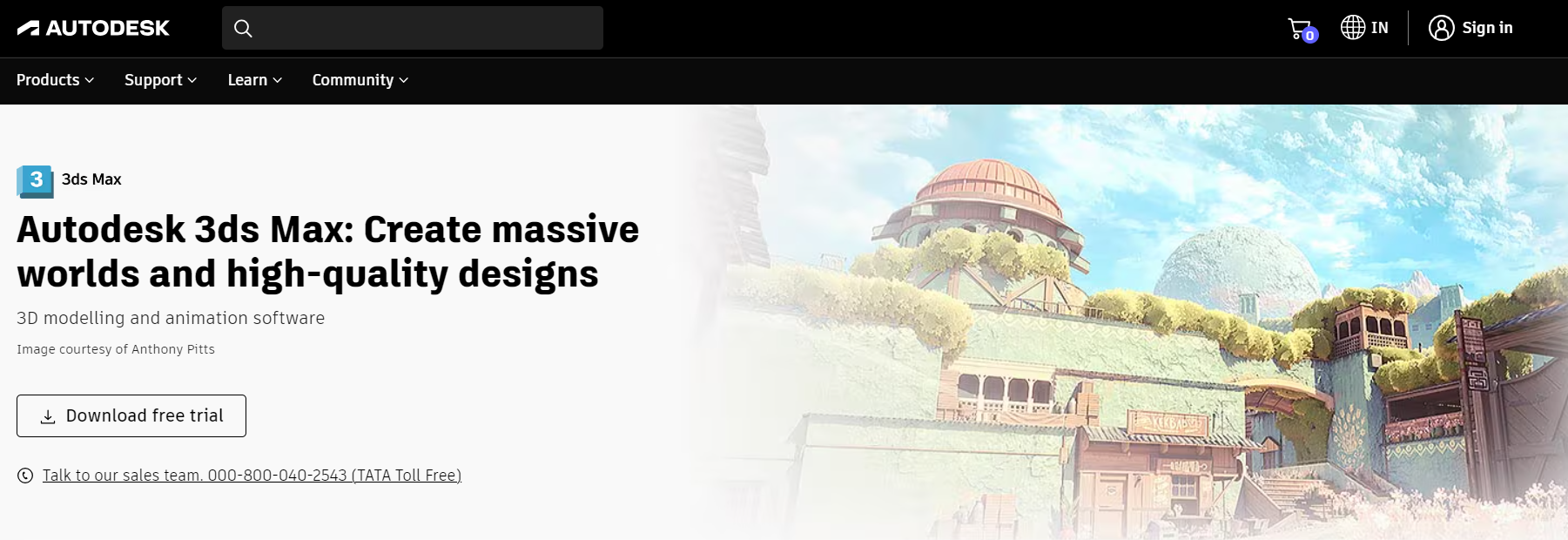
[caption id=”attachment_12743″ align=”aligncenter” width=”1801″Autodesk 3ds Max - 3D Software Autodesk 3ds Max – 3D Software[/caption
Introduction and History

Autodesk 3ds Max is a professional 3D modeling, animation, and rendering software used primarily in architecture, manufacturing, and game development. Released in 1996, 3ds Max is known for its powerful modeling capabilities and ease of use.

Key Features

  • Modeling: Polygonal and spline-based modeling.
  • Animation: Character animation, rigging, and non-linear animation.
  • Rendering: Arnold and V-Ray renderers for high-quality visualizations.
  • Simulation: Hair, cloth, and particle systems.

Technical Specifications

  • Platforms: Windows
  • File Formats: Supports a variety of formats including OBJ, FBX, and DWG.
  • Hardware Requirements: Moderate to high, depending on project requirements.

Applications

3ds Max is widely used in architectural visualization, game design, and product modeling. Its strong modeling tools make it ideal for creating detailed and realistic 3D models.

Benefits

  • Ease of Use: User-friendly interface with extensive documentation.
  • Integration: Seamless integration with other Autodesk products.
  • Powerful Tools: Robust toolset for modeling and rendering.

Challenges and Limitations

  • Cost: High subscription fee.
  • Platform Limitation: Only available on Windows.

Latest Innovations

Recent updates include enhanced modeling tools, improved performance, and better integration with other Autodesk software. The addition of new plugins and scripts continues to expand its capabilities.

Future Prospects

3ds Max is expected to remain a key player in architectural visualization and game development, with ongoing improvements in rendering, modeling, and simulation tools.

User Guides and Tutorials

Autodesk offers comprehensive documentation and tutorials. Online learning platforms like Udemy and Coursera provide courses, and community forums offer additional support.

Software 4: Cinema 4D

[caption id=”attachment_12744″ align=”aligncenter” width=”1871″Cinema 4D - Software Cinema 4D – Software[/caption

Introduction and History

Cinema 4D, developed by Maxon, is a professional 3D modeling, animation, and rendering software known for its intuitive interface and powerful features. Launched in 1990, it has become a favorite among motion graphics artists and designers.

Key Features

  • Modeling: Advanced polygonal and procedural modeling tools.
  • Animation: Character animation, motion graphics, and dynamics.
  • Rendering: Physical and Redshift render engines.
  • Integration: Seamless integration with Adobe After Effects.

Technical Specifications

  • Platforms: Windows, macOS
  • File Formats: Supports a wide range of formats including OBJ, FBX, and Alembic.
  • Hardware Requirements: Moderate to high, depending on project complexity.

Applications

Cinema 4D is widely used in motion graphics, broadcast, advertising, and visual effects. Its robust features and integration with other software make it ideal for creating complex animations and visualizations.

Benefits

  • User-Friendly: Intuitive interface and easy learning curve.
  • Motion Graphics: Powerful tools for creating motion graphics.
  • Integration: Excellent integration with Adobe products.

Challenges and Limitations

  • Cost: Subscription model can be expensive.
  • Resource Intensive: High system requirements for complex projects.

Latest Innovations

Recent updates have introduced features like field forces, new modeling tools, and enhanced rendering capabilities. The integration with Redshift has significantly improved rendering speed and quality.

Future Prospects

Cinema 4D is expected to continue its dominance in motion graphics and visual effects, with future developments focusing on performance enhancements and new features.

User Guides and Tutorials

Maxon provides extensive documentation and tutorials. Websites like Greyscalegorilla offer specialized tutorials, and numerous online courses are available for all skill levels.

Software 5: ZBrush

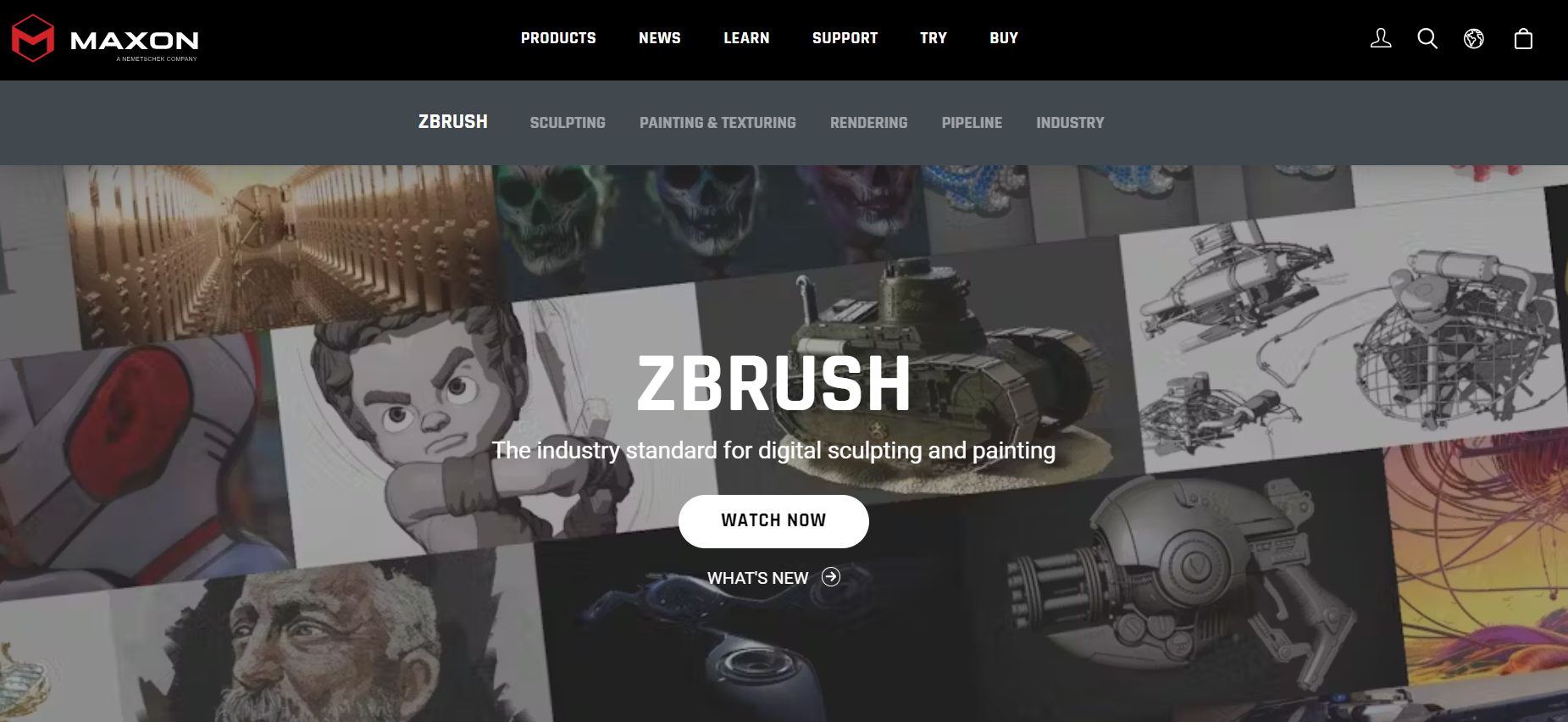
[caption id=”attachment_12745″ align=”aligncenter” width=”1851″ZBrush - 3D Software ZBrush – 3D Software[/caption
Introduction and History

ZBrush, developed by Pixologic, is a digital sculpting tool that combines 3D modeling, texturing, and painting. First released in 1999, ZBrush has become a go-to tool for artists in the film, game, and illustration industries.

Key Features

  • Sculpting: Advanced sculpting tools with customizable brushes.
  • Texturing: Polypainting and UV mapping tools.
  • Rendering: BPR (Best Preview Render) for high-quality previews.
  • ZRemesher: Automated retopology tool for creating clean meshes.

Technical Specifications

  • Platforms: Windows, macOS
  • File Formats: Supports various formats including OBJ, FBX, and STL.
  • Hardware Requirements: Moderate to high, depending on project complexity.

Applications

ZBrush is extensively used in character design, concept art, and detailed modeling for films and games. Its sculpting capabilities allow for the creation of highly detailed and intricate models.

Benefits

  • Detail: Ability to create extremely detailed models.
  • Efficiency: Tools like ZRemesher streamline the workflow.
  • Community: Large community with extensive resources and support.

Challenges and Limitations

  • Learning Curve: Can be challenging for beginners.
  • Cost: Higher initial cost compared to some other software.

Latest Innovations

Recent updates have introduced new sculpting brushes, improved performance, and enhanced texturing tools. The addition of new plugins continues to expand its capabilities.

Future Prospects

ZBrush is expected to remain a leader in digital sculpting, with future updates likely focusing on performance improvements and new features to enhance the sculpting experience.

User Guides and Tutorials

Pixologic provides extensive documentation and tutorials. Websites like ZBrushCentral offer community support and resources, and numerous online courses are available for all skill levels.

Software 6: Rhino

[caption id=”attachment_12746″ align=”aligncenter” width=”1860″Rhino - 3D Software Rhino – 3D Software[/caption

Introduction and History

Rhino, developed by Robert McNeel & Associates, is a 3D modeling software known for its precision and versatility. First released in 1998, Rhino is widely used in architecture, industrial design, and jewelry design.

Key Features

  • Modeling: NURBS modeling for creating precise and complex surfaces.
  • Rendering: Integrated rendering tools and support for various render engines.
  • Scripting: Python and RhinoScript for customization and automation.
  • Compatibility: Supports numerous file formats for interoperability.

Technical Specifications

  • Platforms: Windows, macOS
  • File Formats: Supports a wide range of formats including OBJ, FBX, and DWG.
  • Hardware Requirements: Moderate to high, depending on project complexity.

Applications

Rhino is extensively used in architecture, product design, and jewelry design for creating precise models and prototypes. Its versatility makes it suitable for a wide range of applications.

Benefits

  • Precision: High level of accuracy for detailed models.
  • Versatility: Suitable for various industries and applications.
  • Community: Large user base with extensive resources and support.

Challenges and Limitations

  • Learning Curve: Can be challenging for beginners.
  • Cost: Higher initial cost compared to some other software.

Latest Innovations

Recent updates have introduced new modeling tools, improved performance, and better integration with other software. The addition of new plugins continues to expand its capabilities.

Future Prospects

Rhino is expected to remain a key player in precision modeling, with future developments likely focusing on performance enhancements and new features to improve the user experience.

User Guides and Tutorials

Robert McNeel & Associates provides extensive documentation and tutorials. Online platforms like Rhino3D.com offer resources and community support, and numerous online courses are available for all skill levels.

Software 7: SolidWorks

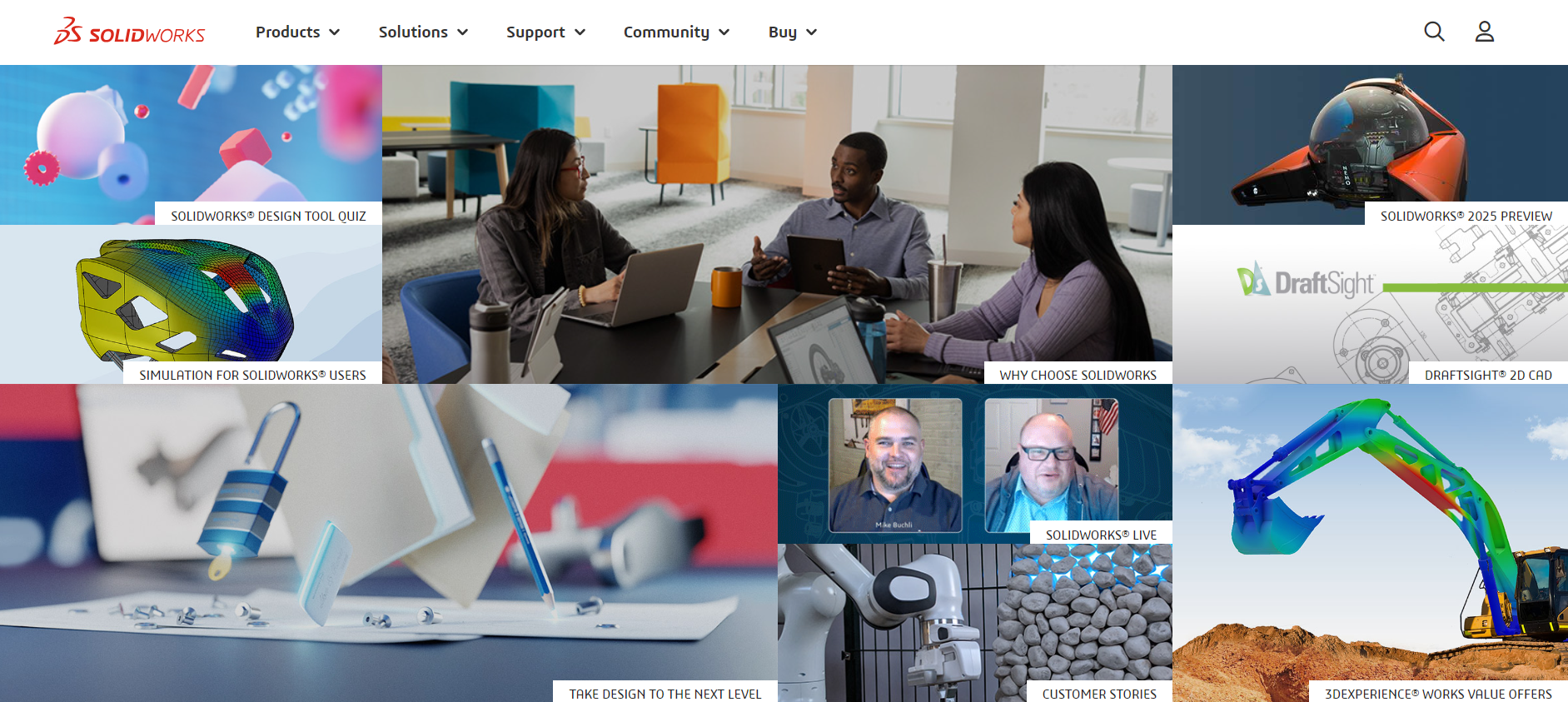
[caption id=”attachment_12747″ align=”aligncenter” width=”1883″SolidWorks - 3D Software SolidWorks – 3D Software[/caption
Introduction and History

SolidWorks, developed by Dassault Systèmes, is a solid modeling computer-aided design (CAD) and computer-aided engineering (CAE) software. Released in 1995, SolidWorks is widely used in engineering, manufacturing, and product design.

Key Features

  • Modeling: Parametric and solid modeling tools.
  • Simulation: FEA (Finite Element Analysis) and CFD (Computational Fluid Dynamics) simulations.
  • Rendering: Integrated rendering tools for realistic visualizations.
  • Collaboration: PDM (Product Data Management) tools for team collaboration.

Technical Specifications

  • Platforms: Windows
  • File Formats: Supports various formats including STEP, IGES, and STL.
  • Hardware Requirements: High, suitable for professional workstations.

Applications

SolidWorks is extensively used in engineering and manufacturing for designing and testing products. Its simulation tools allow for thorough analysis and optimization of designs.

Benefits

  • Comprehensive: Extensive toolset for design and simulation.
  • Collaboration: Strong collaboration tools for team projects.
  • Industry Standard: Widely recognized and used in engineering.

Challenges and Limitations

  • Cost: High subscription fee.
  • Platform Limitation: Only available on Windows.

Latest Innovations

Recent updates include enhanced simulation tools, improved performance, and better integration with other Dassault Systèmes products. The addition of new features continues to expand its capabilities.

Future Prospects

SolidWorks is expected to remain a leading software in engineering and manufacturing, with future developments likely focusing on performance improvements and new features to enhance the user experience.

User Guides and Tutorials

Dassault Systèmes provides extensive documentation and tutorials. Online platforms like MySolidWorks offer resources and community support, and numerous online courses are available for all skill levels.

Software 8: SketchUp

[caption id=”attachment_12748″ align=”aligncenter” width=”1687″SketchUp - 3D Software SketchUp – 3D Software[/caption

Introduction and History

SketchUp, developed by Trimble Inc., is a 3D modeling software known for its ease of use and quick learning curve. First released in 2000, SketchUp is widely used in architecture, interior design, and construction.

Key Features

  • Modeling: Intuitive and easy-to-use modeling tools.
  • Rendering: Support for various render engines through plugins.
  • Scripting: Ruby API for customization and automation.
  • Library: 3D Warehouse for downloading and sharing models.

Technical Specifications

  • Platforms: Windows, macOS
  • File Formats: Supports various formats including OBJ, FBX, and DWG.
  • Hardware Requirements: Moderate, suitable for most modern systems.

Applications

SketchUp is extensively used in architecture, interior design, and construction for creating conceptual models and detailed designs. Its intuitive interface makes it suitable for beginners and professionals alike.

Benefits

  • User-Friendly: Easy learning curve and intuitive interface.
  • Community: Large user base with extensive resources and support.
  • Cost-Effective: Affordable subscription model.

Challenges and Limitations

  • Complexity: Limited capabilities for complex modeling compared to other software.
  • Rendering: Requires plugins for advanced rendering features.

Latest Innovations

Recent updates have introduced new modeling tools, improved performance, and better integration with other Trimble products. The addition of new plugins continues to expand its capabilities.

Future Prospects

SketchUp is expected to remain a popular choice for architecture and design, with future developments likely focusing on performance enhancements and new features to improve the user experience.

User Guides and Tutorials

Trimble Inc. provides extensive documentation and tutorials. Websites like SketchUp School offer specialized tutorials, and numerous online courses are available for all skill levels.

Comparative Analysis

Comparison of Features

Each software offers unique features tailored to specific needs. Blender and Maya are known for their comprehensive animation toolsets, while 3ds Max and SolidWorks excel in modeling for architecture and engineering, respectively. Cinema 4D is favored for motion graphics, and ZBrush is unparalleled in digital sculpting.

Comparison of Applications

Blender and Maya are versatile, used across various industries, while Rhino and SketchUp are more focused on architecture and design. SolidWorks is the go-to for engineering and manufacturing, and ZBrush dominates in character and concept art.

Cost Comparison

Blender is the most cost-effective, being free and open-source. Other software like Maya, 3ds Max, and SolidWorks have high subscription fees, while SketchUp offers an affordable subscription model.

User Experience Comparison

Cinema 4D and SketchUp are known for their user-friendly interfaces, making them ideal for beginners. Blender and ZBrush have steeper learning curves but offer extensive community support. Maya and 3ds Max, while powerful, can be complex and resource-intensive.

Future Trends in 3D Design Software

AI and Machine Learning Integration

The integration of AI and machine learning is expected to revolutionize 3D design, making workflows more efficient and enabling new creative possibilities.

Cloud-Based Solutions

Cloud-based solutions are becoming more prevalent, allowing for remote collaboration and access to powerful computing resources.

VR and AR Capabilities

The incorporation of VR and AR capabilities will enhance visualization and interaction, providing more immersive experiences.

Collaboration and Remote Working Features

With the rise of remote working, collaboration tools are becoming increasingly important, enabling teams to work together seamlessly from different locations.

Conclusion

The landscape of 3D design software is vast and diverse, with each tool offering unique features and benefits. Blender, Autodesk Maya, Autodesk 3ds Max, Cinema 4D, ZBrush, Rhino, SolidWorks, and SketchUp each have their strengths and are suited to different applications and industries. As technology continues to advance, these tools will evolve, offering even more powerful and innovative features to meet the growing demands of 3D design professionals.
Competitor Links: What Are They, How to Find Them & Best Strategies

In the competitive world of SaaS, a strong backlink profile is important for improving search engine rankings and driving organic traffic.

One of the most effective ways to do this is by analyzing your competitors’ backlinks to identify highly valuable link-building opportunities.

In this comprehensive guide, we’ll explore the importance of competitor link analysis and provide actionable steps to help you outrank your rivals in search engine results.

What Are Competitor Links?

What Are Competitor Links?

Competitor links refer to the exact backlinks pointing to your competitor’s websites. These are the inbound links that help boost their search engine rankings and drive highly-targeted referral traffic. Analyzing these links, you can gain valuable insights into their link-building strategies and identify untapped opportunities to acquire similar high-quality links for your own website.

Why Do Competitor Links Matter For SEO?

Why Do Competitor Links Matter For SEO?

Backlinks are a key factor in search engine optimization (SEO).

They act as votes of confidence, signaling to search engines that other websites find your own content valuable and relevant. The more relevant and high quality backlinks you have, the higher your website is likely to rank in search engine results.

By studying your competitors’ backlinks, you can:

  • Identify link opportunities you may have missed
  • Discover new content ideas and strategies
  • Improve your link building efforts
  • Boost your search engine rankings and organic traffic

Two Types of Competitors

Two Types of Competitors

When analyzing competitor links, it’s important to consider two types of competitors:

  1. Domain-Level Competitors: These are websites that compete with you for overall search visibility in your niche. They may offer similar products or services and target the same audience.
  2. Page-Level or Keyword Competitors: These are websites that rank for specific keywords or topics you’re targeting. They may not be direct business competitors, but they compete with you for search rankings on particular pages or pieces of content.

How to Find Your Competitors’ Backlinks?

How to Find Your Competitors' Backlinks?

Follow these steps to uncover your competitors’ backlinks:

1) Find Your Competitors

Start by identifying your main competitors. Divide them into two groups:

  • Group One: Page-Level Competitors: Use a keyword research tool to find websites ranking for your target keywords. Look at the top search results for your main keywords and note down the domains.
  • Group Two: Domain-Level Competitors: Identify businesses offering similar products or services in your niche. You can use industry reports, social media, or simply search for “[your niche + competitors.”

2) Perform a Competitor Backlink Analysis

Use a backlink checker tool like Ahrefs, SEMrush, or Moz to analyze your competitors’ backlink profiles.

Look at metrics such as:

This will give you an overview of their link-building strategies and the types of websites linking to them.

3) Discover Competitor Link Strategies

Dive deeper into your competitors’ backlinks to identify patterns and strategies they use to acquire links.

Some common tactics include:

  • Expert Roundups: Participating in or creating expert roundups on relevant topics.
  • Niche Edits: Adding links to existing content on relevant websites.
  • Blog Roundups: Getting featured in weekly or monthly blog roundups in your niche.
  • Guest Posts: Publishing guest posts on relevant, authoritative websites as a part of your outreach campaign.
  • Find Guest Post Opportunities: To find guest post and backlink opportunities: Search for “[your niche + write for us” or “[your niche + become a contributor” and Check your competitors’ author bios and look for sites they’ve written for.
  • Pitch Your Ideas: Reach out to website owners with personalized, value-added guest post ideas.
  • Directories and Forums: Getting listed in niche-specific directories or participating in relevant forums.
  • Use This Information to Inform Your Strategy: Analyze which tactics are working well for your competitors and consider including them in your link-building strategy.

4) Do a Reverse Image Search

Use Google’s reverse image search to find websites using your competitors’ images, infographics, or charts. Reach out to these websites and offer them your valuable visual content in exchange for a link.

5) Narrow Down Your Targets by Focusing on Quality Websites

Not all backlinks are created equal. Prioritize acquiring links from high-authority, relevant websites in your niche.

Look for websites with:

  • High domain authority
  • Relevant content and audience
  • Engaged readers and social media followers
  • Regular updates and high-quality content

How to Evaluate Competitor Backlinks?

How to Evaluate Competitor Backlinks?

When analyzing competitor backlinks, consider the following factors:

  1. Backlink Quality: Focus on links from authoritative, relevant websites. Avoid spammy or low-quality links that could harm your SEO.
  2. Backlink Placement: Links within the main content are generally more valuable than those in the footer or sidebar.
  3. Backlink Relevance: Links from websites and pages related to your niche are more valuable than those from irrelevant sources.
  4. Backlink Count: While the number of backlinks is important, quality should always take precedence over quantity.

Competitor Backlink Strategies

Competitor Backlink Strategies

Now that you’ve identified valuable competitor backlinks, it’s time to acquire similar links for your website.

Here are some effective link building strategies:

  • Broken Link Building: Find broken links on websites linking to your competitors. Reach out to the website owner and offer your type of content as a replacement.
  • Unlinked Brand Mentions: Monitor the web for mentions of your brand or products without a link. Contact the website owner and request a link to be added.
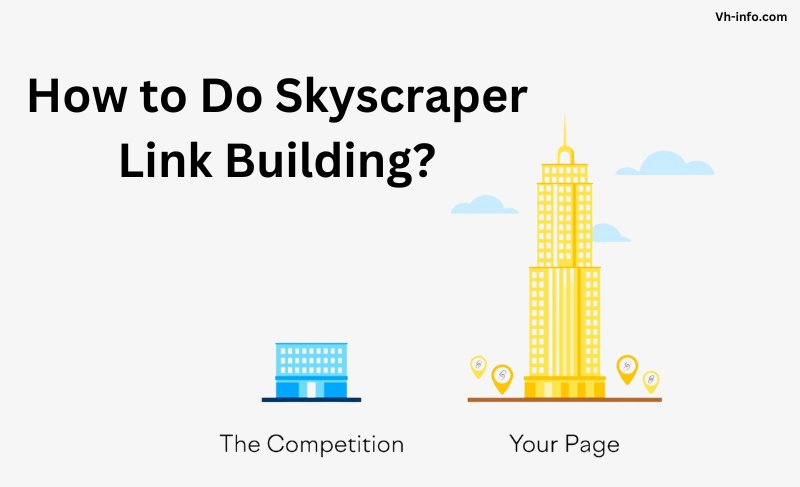
  • Skyscraper Technique: Find popular content in your niche and create an even better, more comprehensive version. Reach out to websites linking to the original content and ask them to link to your improved version.
  • Guest Posting on Linking Sites: Identify websites that frequently link to your competitors and pitch them high-quality guest post ideas.
  • Resource Link Building: Create valuable resources like guides, tools, or templates and promote them to websites in your niche. Offer them as a helpful addition to their existing website’s content.

Monitoring Competitor Backlinks Over Time

Competitor link analysis is an ongoing process, not a one-time task. To stay ahead of the curve, regularly monitor your competitors’ new backlinks and adjust your strategy accordingly.

  • Set Up Backlink Alerts: Use SEO tools like Ahrefs, Google Alerts, or any other backlink analysis tool to get automatically notified whenever your competitors acquire new backlinks.

  • Identify Trends and Patterns: Look for patterns in your competitors’ fresh backlinks. Are they suddenly focusing on specific types of content, digital PR, or new websites?

  • Adapt Your Link-Building Strategy: Based on your ongoing findings, continuously refine your link-building strategy to stay highly competitive and acquire fresh, high-quality links.

FAQ’s:

How Often Should I Analyze My Competitors’ Backlinks?

It’s recommended to conduct a thorough competitor backlink analysis at least once a quarter. However, setting up backlink alerts can help you stay informed about new links in real time.

What Are The Benefits of Analyzing Competitor Backlinks?

Analyzing competitor backlinks helps you identify valuable link opportunities, discover new content ideas, and refine your link building strategy to improve your search engine rankings.

Can I Replicate My Competitor’s Backlink Profile?

While it’s not advisable to copy your competitor’s backlink profile exactly, you can use their links as inspiration to identify similar opportunities and acquire high-quality links from relevant websites.

What Metrics Should I Look At When Evaluating Competitor Backlinks?

Focus on metrics such as domain authority, relevance, placement, and anchor text when evaluating competitor backlinks. Prioritize links from high-quality, relevant websites.

What Should I Do if I Can’t Acquire Similar High-Quality Links?

If you struggle to acquire links from the same websites as your competitors focus on creating unique, valuable content that attracts links naturally. Explore alternative link-building strategies tailored to your niche and target audience.

How Can I Prioritize Which Competitor Backlinks to Pursue First?

Prioritize backlinks from high-authority, relevant websites that are likely to drive targeted traffic to your website. Consider the effort required to acquire each link and start with the most feasible opportunities.

Is it Possible to Have Too Many Backlinks From The Same Sources As My Competitors?

While it’s important to acquire backlinks from similar high-quality sources as your competitors, avoid overreliance on the same websites. Diversify your backlink profile to maintain a natural, balanced link distribution.

What Are Some Quick Wins in Competitor Link Building?

Some quick wins include broken link building, unlinked brand mentions, and resource link building. These strategies can help you acquire valuable links with minimal effort.

How to Maintain Your SEO Growth Through Continuous Competitor Analysis?

To maintain your SEO growth, regularly monitor your competitors’ backlinks, identify new opportunities, and adapt your link building strategy accordingly. Stay proactive in your approach and continually seek out high-quality link opportunities.

Conclusion

Competitor link analysis is a powerful tool in your SaaS SEO arsenal.

By understanding your competitors’ backlink profiles and strategies, you can identify valuable link opportunities, refine your approach, and ultimately boost your search engine rankings.

Remember to focus on quality over quantity, regularly monitor your competitors, and adapt your strategy as needed.

With a data-driven, proactive approach to competitor link building, you’ll be well on your way to outranking your rivals and driving sustainable organic growth for your SaaS business.

Latent Semantic Indexing: What is it, How It Works, Benefits

As a SaaS company, you know the importance of driving organic traffic to your website through search engine optimization (SEO).

But with the ever-evolving landscape of search algorithms, it can be challenging to keep up with the latest techniques and strategies. That’s where latent semantic indexing (LSI) comes in.

At VH-info, we specialize in helping SaaS brands like yours leverage LSI to boost your search rankings and attract more qualified leads.

In this comprehensive guide, we’ll dive deep into what LSI is, how it works, and most importantly – how you can harness its power to take your SEO game to the next level.

What is Latent Semantic Indexing (LSI)?

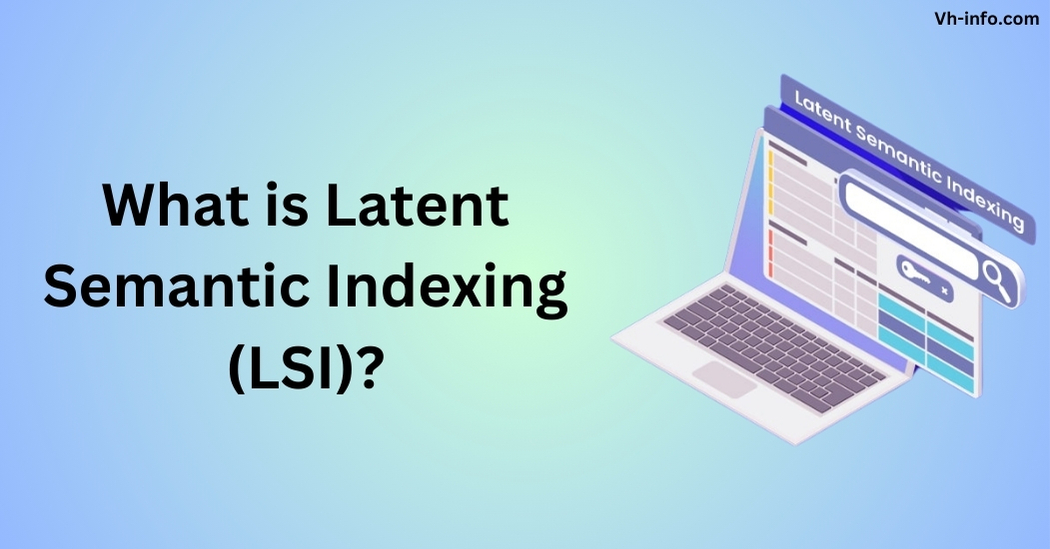
What is Latent Semantic Indexing (LSI)?

Latent semantic indexing (LSI) is a mathematical method used by search engines to determine the relationships between terms and concepts within a set of documents. It’s a natural language processing technique that analyzes the latent (hidden) semantic structure of a text.

In simpler terms, LSI helps search engines understand the overall topic and context of a piece of content, rather than just individual keywords. By identifying semantically related terms, LSI enables search engines to deliver more relevant results to users.

How Does Latent Semantic Indexing Work?

How Does Latent Semantic Indexing Work?

At its core, latent semantic indexing relies on a mathematical technique called singular value decomposition (SVD). SVD is used to reduce the dimensions of the word frequency matrix while preserving the similarity structure among terms.

Here’s a step-by-step breakdown of how LSI works:

  1. The search engine analyzes a large set of documents and builds a term-document matrix, with rows representing unique words and columns representing each document.
  2. SVD is applied to the matrix, identifying a smaller set of factors from the original matrix. These factors represent concepts contained in the documents.
  3. Each document is then represented by a vector in the reduced-dimensional LSI space. Documents that contain similar concepts are located close to each other in the LSI space, even if they don’t share the same terms.
  4. When a user enters a query, the search engine uses the LSI space to retrieve documents that are conceptually similar to the query, providing more accurate and relevant search results.

Benefits of Using LSI For SEO

Benefits of Using LSI For SEO

Identifying LSI Keywords For Your Content

One of the key benefits of using LSI for SEO is the ability to identify semantically related keywords to include in your content.

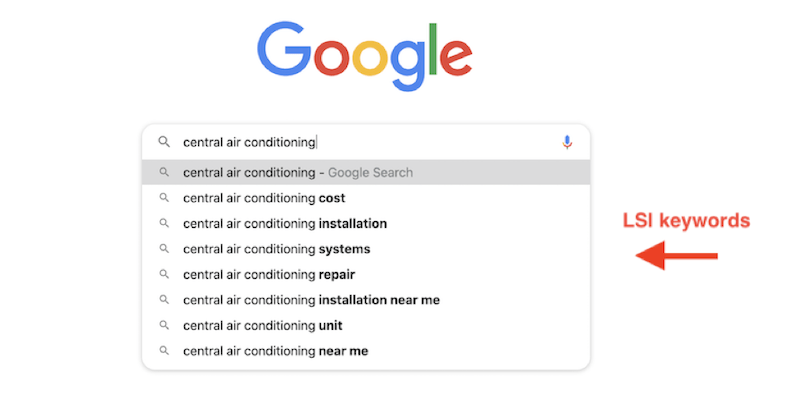
To boost understanding, scatter LSI keywords in your text to highlight the main topic for search engines. To find LSI keywords, you can use tools like LSIGraph or simply look at the “Searches related to…” section at the bottom of Google’s search results. For example, if your main keyword is “latent semantic indexing“, some LSI keywords might include:

  • Semantic analysis
  • Singular value decomposition
  • Natural language processing
  • Information retrieval
  • Semantic search

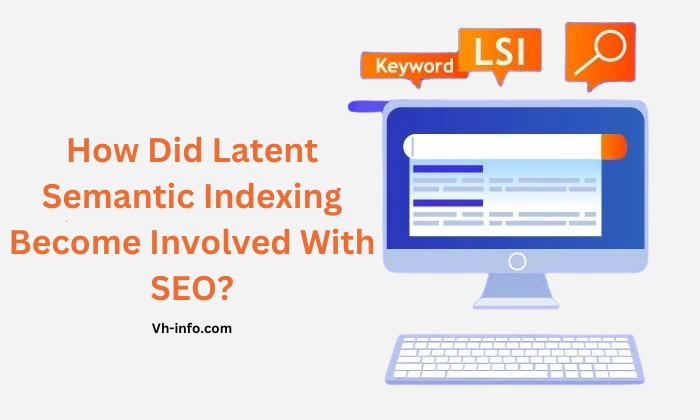
How Did Latent Semantic Indexing Become Involved With SEO?

How Did Latent Semantic Indexing Become Involved With SEO?

The concept of latent semantic indexing has been around since the late 1980s, but it wasn’t until the early 2000s that it started to gain traction in the world of SEO.

As search engines evolved and became more sophisticated, they began to move away from purely keyword-based matching and towards a more semantic understanding of content, thanks to the use of related words and the information retrieval technique of latent semantic indexing, an old technology that came years before the internet as we know it existed. This allowed for more accurate and relevant search results, making it a valuable tool for SEO.

In 2004, Google acquired a company called Applied Semantics, which had developed a technology called AdSense that used LSI and distributional semantics to improve the relevance of ads displayed on web pages.

This acquisition marked a significant shift in how Google approached information retrieval and laid the groundwork for the integration of LSI into its search algorithms and search queries.

SEO guru Bill Slawski went in-depth in a blog post about the involvement of LSI in SEO, discussing the use of semantic analysis and indexing as SEO buzzwords and how Google’s acquisition of Applied Semantics played a role in this.

Latent Semantic Indexing And SEO

Latent Semantic Indexing And SEO

What is LSI in SEO?

In the context of SEO, latent semantic indexing is used to optimize web content for semantic search.

By understanding the relationships between words and concepts, search engines can deliver more accurate and relevant results to users, even if the query doesn’t contain the exact keywords present in the content.

How Search Engines Use LSI?

Search engines like Google use LSI as part of their ranking algorithms to determine the relevance and quality of a web page.

Search engines analyze content to find main topics and subtopics, understanding user search intent for better results. Pages that cover a topic comprehensively and include semantically related terms are seen as more valuable and authoritative and are therefore more likely to rank higher in search results.

The Debate Around LSI Keywords

While the concept of LSI keywords has gained popularity among SEO practitioners, there is some debate about their effectiveness and even their existence. In 2019, Google’s John Mueller stated that Google does not have a concept of LSI keywords, leading many to question whether LSI is a viable SEO strategy.

However, it’s important to note that while Google may not explicitly use the term “LSI keywords“, the underlying principles of semantic search and the importance of context and relevance in content optimization still hold.

Do ‘LSI Keywords’ Actually Exist?

Do ‘LSI Keywords’ Actually Exist?

The short answer is no – at least not in the way that many SEO tools and marketers claim. The term “LSI keywords” has become a bit of a misnomer in the industry, often used to refer to any semantically related keywords or phrases.

In reality, latent semantic indexing is a complex mathematical method used by search engines to understand the relationships between words and concepts. It’s not a simple matter of plugging in a few related keywords and calling it a day.

That being said, the concept of using semantically related terms to reinforce the context and relevance of your content is still valid and important for SEO. It’s just a matter of using them naturally and strategically, rather than stuffing them in for the sake of some mythical “LSI Keyword Density“.

LSI and User Experience: Bridging the Gap

LSI and User Experience: Bridging the Gap

How LSI Improves Content Readability?

One of the often overlooked benefits of including LSI in your content strategy is the impact it can have on readability and user engagement.

Adding related words and ideas makes your content better, clearer, and more helpful for readers. LSI helps to provide context and depth to your content, making it more valuable and engaging for readers. This can lead to longer dwell times, lower bounce rates, and ultimately, better rankings and more organic traffic.

Enhancing User Engagement With LSI-Optimized Content

In addition to improving readability, LSI-optimized content can also help to enhance user engagement by providing a more satisfying and relevant search experience. When users find your content through semantic search, they are more likely to be looking for the specific information, products, or services that you offer.

Creating detailed posts on interesting subjects can establish your brand as a trustworthy expert in your industry. This can lead to increased sales, customer loyalty, and long-term prosperity for your online software business.

The Future of LSI in Digital Marketing

The Future of LSI in Digital Marketing

Emerging Trends in Latent Semantic Indexing

As search engines continue to evolve and become more sophisticated, the role of latent semantic indexing in SEO and digital marketing is likely to grow and change. One emerging trend is the increasing use of machine learning and artificial intelligence in semantic search.

Using these advanced technologies, search engines can improve their ability to understand why users are searching for something and provide more accurate and personalized results. This will make it increasingly important for SaaS brands to focus on creating high-quality, semantically rich content that meets the needs and expectations of their target audience and solves a specific problem.

Predictions For LSI and SEO Evolution

Looking ahead, we can expect to see latent semantic indexing become an even more integral part of search engine algorithms and SEO best practices. As Google and other search engines continue to prioritize user experience and relevance over traditional ranking factors, the ability to create quality content that is both semantically optimized and valuable to users will be key to success in the constantly evolving world of SEO and related searches.

SaaS brands that invest in understanding and leveraging LSI will be well-positioned to adapt to these changes and stay ahead of the curve in an increasingly competitive digital landscape.

FAQ’s:

Does Google Use Latent Semantic Indexing?

Yes, Google uses LSI as part of its ranking algorithms to understand the context and relevance of web content. However, they may not use the specific term “latent semantic indexing” to describe this process.

What is the Difference Between LSI and Keyword Search?

Keyword search looks for exact matches of specific words or phrases, while LSI focuses on understanding the relationships between terms and concepts to deliver more relevant results.

How Many LSI Keywords Should I Use Per Page?

There is no set number of LSI keywords to use per page. The key is to use them naturally and strategically to reinforce the main topic and context of your content.

How Often Should LSI Keywords Be Updated in Content?

LSI keywords should be updated periodically as part of your overall content optimization strategy. As search trends and user needs evolve, it’s important to ensure that your content remains relevant and semantically rich.

Conclusion

Latent semantic indexing may seem like a complex and intimidating concept, but at its core, it’s all about creating content that is valuable, relevant, and optimized for both users and search engines.

To understand LSI better, use semantic SEO strategies. This helps SaaS brands attract organic traffic, engage the audience, and grow steadily.

At VH-info, we have the expertise and experience to help you navigate the world of LSI and develop a comprehensive SEO strategy tailored to your unique needs and goals. Contact us today to learn more about how we can help you harness the power of latent semantic indexing to take your SaaS brand to the next level.

Search Engine Indexing Algorithms: Meaning, Functions, Importance

Search engines are the gateway to the vast information available on the internet.

To provide relevant search results, they rely on complex indexing algorithms that discover, analyze, and store web page data. As a SaaS company, understanding how these algorithms work is important for optimizing your website’s visibility and attracting organic traffic.

In this comprehensive guide, VH Info dives deep into the world of search engine indexing algorithms, providing actionable insights to help you improve your SaaS link-building strategy.

What is Search Engine Indexing?

What is Search Engine Indexing?

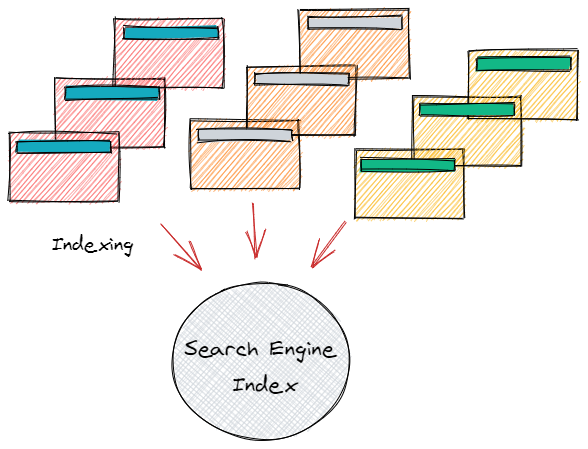
Search engine indexing is the process by which search engines organize information before a search query occurs. The purpose is to quickly and accurately identify relevant web pages for a given search query.

How Search Engines Discover and Crawl Web Pages?

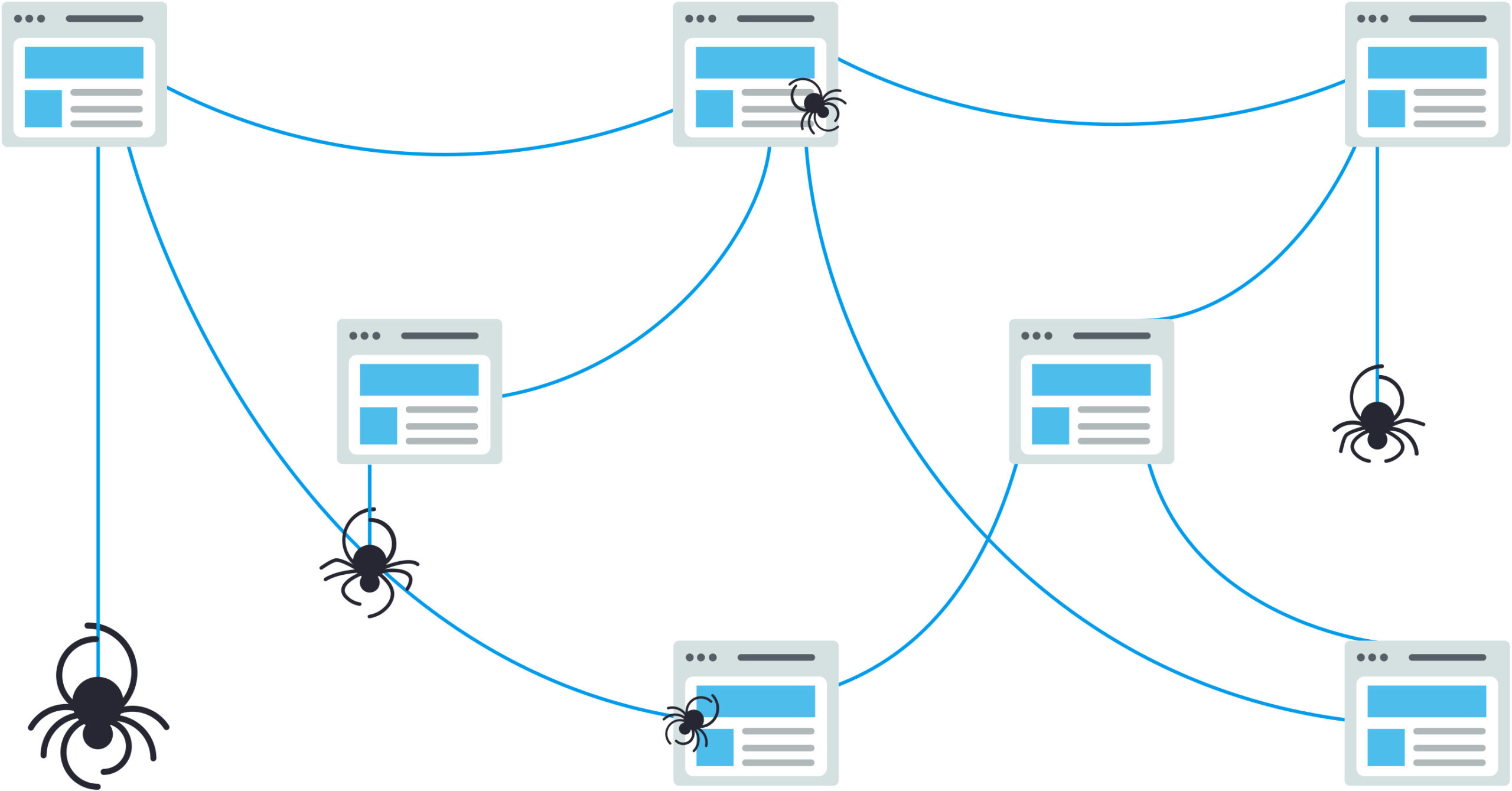
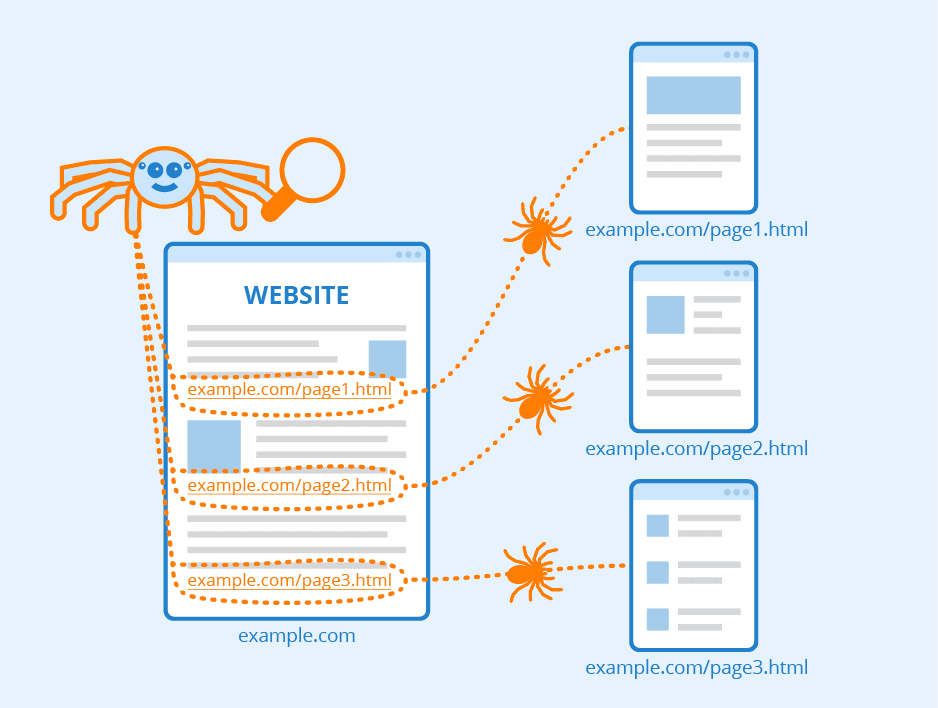
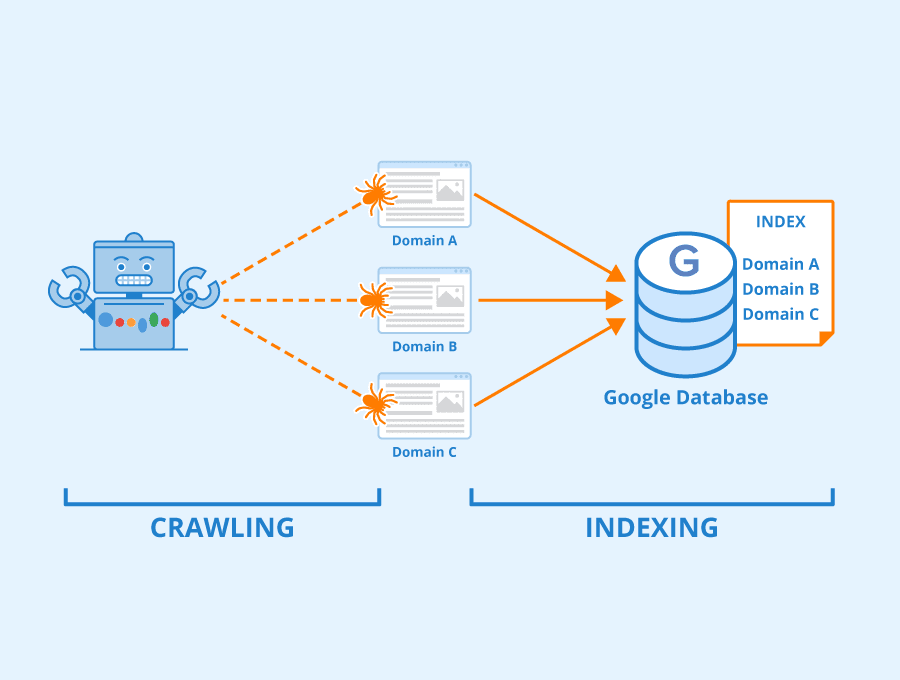
Search engines use web crawlers, also known as spiders or bots, to discover new and updated content on the internet. These crawlers follow links from one page to another, indexing the content along the way.

The Role of Web Crawlers in Search Engine Indexing Algorithms

Web crawlers are an essential component of search engine indexing algorithms. They systematically browse the internet, following links and indexing the content of each page they visit. Crawlers also help search engines update their index when a web page changes.

Challenges of Crawling the Vast Web

The internet is a massive and ever-growing entity, presenting significant challenges for web crawlers. They must navigate through billions of web pages, handle duplicate content, and determine which pages are worth indexing in the crawling process. Search engines use various techniques, such as prioritizing popular pages and limiting the crawl depth, to overcome these challenges.

How Search Engines Index Web Pages?

How Search Engines Index Web Pages?

Once a web crawler discovers a page, the search engine performs several steps to index its content.

Parsing and Analyzing Page Content

The first step in indexing a web page is parsing and analyzing its content. This involves breaking down the page into its constituent parts and identifying the key elements.

  • Text Analysis: Search engines extract and analyze the textual content of a web page, including titles, headings, and body text. They use natural language processing techniques to understand the meaning and context of the content.
  • Image and Multimedia Indexing: In addition to text, search engines also index images, videos, and other multimedia content. They use techniques like optical character recognition (OCR) and image recognition to understand and categorize visual content.
  • Handling Duplicate Content: Duplicate content is a common issue on the web. Search engines use algorithms to identify and filter out duplicate or near-duplicate pages to ensure the best user experience and maintain the quality of their index.

Storing Web Page Data in the Index

After analyzing a web page, search engines store its data in a massive database called an index. The index is designed to allow for fast and efficient retrieval of relevant pages for a given search query.

  • Inverted Index Structure: An inverted index is a data structure that allows for quick lookup of web pages containing specific keywords. It maps each keyword to a list of documents that contain it, enabling fast retrieval of relevant results.
  • Compressed Storage Techniques: To efficiently store and process vast amounts of web page data, search engines employ various compression techniques. These techniques reduce storage requirements and improve the performance of the indexing and retrieval process.

How Does a Search Engine Index a Site?

How Does a Search Engine Index a Site?

Search engines follow a multi-step process to index a website:

  1. Discovery: Web crawlers find the site through links from other sites or by directly visiting the URL.
  2. Crawling: The crawler navigates through the site’s pages, following internal links and discovering new content.
  3. Indexing: The search engine analyzes and stores the content of each page in its index.
  4. Retrieval: When a user performs a search query, the search engine retrieves relevant pages from its index and ranks them based on various factors like user behaviour, search experience etc.

4 Tools For Search Engine Indexing

Tools For Search Engine Indexing

Several tools can help website owners optimize their sites for search engine indexing:

  1. Sitemaps: A sitemap is an XML file that lists all the pages on a website. It helps search engines discover and crawl the site more efficiently.
  2. Google Search Console: Google Search Console is a free tool that allows website owners to monitor and optimize their site’s presence in Google search results. It provides valuable insights into indexing status, crawl errors, and search performance.
  3. Alternative Search Engine Consoles: Other search engines, such as Bing and Yandex, offer similar tools to help website owners optimize their sites for indexing and search visibility.
  4. Robots.txt: The robots.txt file is a text file that instructs search engine crawlers which pages or sections of a website they should or should not index. It helps control the indexing process and manage the crawl budget.

How Do Indexing Algorithms Interpret Web Content?

How Do Indexing Algorithms Interpret Web Content?

Search engine indexing algorithms use various techniques to understand and interpret web page content:

  1. Natural Language Processing (NLP): NLP techniques help search engines understand the meaning and context of textual content.
  2. Entity Recognition: Algorithms identify and extract entities, such as people, places, and things, from web pages to better understand the content.
  3. Sentiment Analysis: Sentiment analysis techniques determine the emotional tone of a web page, which can be a ranking factor.
  4. Topic Modeling: Topic modeling algorithms identify the main themes and topics of a web page, helping search engines categorize and understand the content.

Key Search Engine Indexing Algorithms

Key Search Engine Indexing Algorithms

Several key ranking algorithms form the foundation of modern search engine indexing:

PageRank Algorithm

Developed by Google co-founder Larry Page, the PageRank search engine algorithm measures the importance and authority of web pages based on the quality and quantity of links pointing to them.

How PageRank Measures Page Importance?

PageRank works on the premise that a web page is important if other important pages link to it. The algorithm assigns a score to each page based on the number and quality of inbound links.

The Mathematics Behind PageRank

PageRank uses a complex mathematical formula that takes into account factors such as the number of inbound links, the PageRank of the linking pages, and the number of outbound links on each linking page.

Term Frequency and Inverse Document Frequency Algorithm (TF-IDF)

TF-IDF is a statistical measure used to evaluate the importance of a word in a document within a collection of documents.

Calculating TF-IDF Scores

The TF-IDF score is calculated by multiplying two components:

  • Term Frequency (TF): The frequency of a word in a document.
  • Inverse Document Frequency (IDF): A measure of how rare a word is across all documents in the collection.

Words with high TF-IDF scores are considered more important and relevant to a specific document.

HITS Algorithm

The Hyperlink-Induced Topic Search (HITS) algorithm, also known as Hubs and Authorities, is a link analysis algorithm that rates web pages based on their authority and hub value.

Hubs and Authorities

  • Hubs: Web pages that link to many other relevant pages.
  • Authorities: Web pages that are linked to many relevant hubs.

The HITS algorithm assigns a hub score and an authority score to each web page based on the quality and quantity of its inbound and outbound links.

Iterative Calculations

The hub and authority scores are calculated iteratively, with each iteration updating the scores based on the scores of the linked pages. The process continues until the scores converge to stable values.

Other Important Indexing Algorithms

Several other algorithms play important roles in search engine indexing:

Suffix Trees and Arrays

Suffix trees and arrays are data structures used for efficient string searching and pattern matching. They help search engines quickly find relevant pages based on search queries.

Latent Semantic Indexing

Latent Semantic Indexing (LSI) is a technique that identifies relationships between terms and concepts in a collection of documents. It helps search engines understand the semantic meaning of web pages and improve the relevance of search results.

Measuring Search Engine Indexing Performance

Measuring Search Engine Indexing Performance

Search engines use various metrics to evaluate the performance and effectiveness of their indexing algorithms:

Index Coverage and Freshness Metrics

  • Index Coverage: The percentage of discoverable web pages that are included in the search engine’s index.
  • Index Freshness: How quickly the search engine discovers and indexes new or updated content.

Retrieval Speed and Efficiency

Search engines measure the speed and efficiency of their indexing and retrieval processes to ensure a smooth user experience. Factors such as query response time and resource utilization are closely monitored.

Evaluating Relevance of Search Results

The ultimate goal of search engine indexing is to provide users with the most relevant results for their search queries. Search engines use various techniques, such as click-through rates and user engagement metrics, to evaluate the relevance of their search results and continuously improve their algorithms.

The Future of Search Engine Indexing

The Future of Search Engine Indexing

As the internet continues to evolve, search engine indexing algorithms must adapt to new challenges and opportunities:

  1. Indexing the Rapidly Growing Web: With the exponential growth of web content, search engines need to develop more efficient and scalable indexing techniques to keep up with the increasing volume of data.
  2. Advancements in AI and Natural Language Processing: Artificial intelligence and natural language processing technologies are revolutionizing search engine indexing. These advancements enable search engines to better understand user intent, context, and the semantic meaning of web content.
  3. Personalization and User-Specific Indexing: Search engines are increasingly focusing on personalization, tailoring search results to individual users based on their search history, location, and other factors. This trend is likely to shape the future of search engine indexing, with algorithms becoming more user-centric and context-aware.

Best Practices For Optimizing Pages For Indexing

Best Practices For Optimizing Pages For Indexing

To ensure your SaaS website is properly indexed by search engines, follow these best practices:

  1. Create high-quality, original content that provides value to your target audience. Avoid duplication in content to optimize pages for indexing, and use an online plagiarism checker to spot it for timely eradication.
  2. Use descriptive, keyword-rich titles and meta descriptions to help search engines understand your page content.
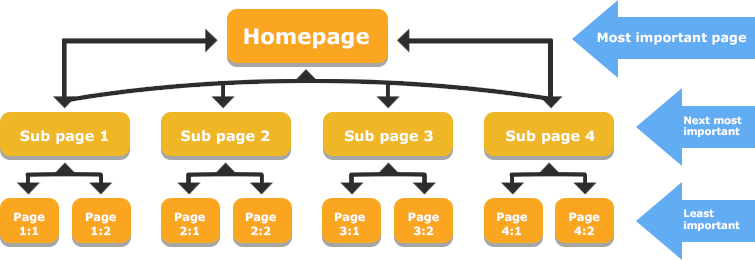
  3. Implement a clear and logical site structure with intuitive navigation and internal linking.
  4. Optimize your site’s loading speed and mobile-friendliness to improve user experience and search engine rankings.
  5. Submit an XML sitemap to search engines and use the robots.txt file to control crawling and indexing.
  6. Regularly monitor your site’s indexing status and performance using tools like Google Search Console.
  7. Build high-quality backlinks from authoritative websites to improve your site’s visibility and authority.

FAQ’s:

What is the Main Purpose of Search Engine Indexing Algorithms?

The main purpose of search engine indexing algorithms is to organize and store web page data efficiently, enabling fast and accurate retrieval of relevant results for user search queries.

How Frequently Do Search Engines Update Their Indexes?

Search engines continuously update their indexes as they discover new content or changes to existing pages. The frequency of updates varies depending on factors such as the popularity and importance of the website, the crawl budget allocated to it, and the search engine’s indexing capacity.

How Does Updating Content Affect Indexing and Rankings?

Updating your website’s content regularly can positively impact its indexing and rankings. Search engines favor fresh, relevant content and may crawl and index your site more frequently if you consistently publish high-quality updates. However, it’s essential to ensure that your content updates are meaningful and provide value to your audience.

Can Website Owners Control Which Pages Get Indexed?

Yes, website owners can control which pages are indexed by search engines using various methods:

  • Robots.txt: Use the robots.txt file to specify which pages or sections of your site should not be crawled by search engine bots.
  • Noindex meta tag: Add a noindex meta tag to the HTML head of a page to instruct search engines not to index that specific page.
  • Canonical tags: Use canonical tags to indicate the preferred version of a page when multiple versions exist, helping to avoid duplicate content issues.

How Can You Check if a Page Has Been Indexed?

You can check if a page has been indexed by searching for the page’s URL in a search engine. If the page appears in the search results, it has been indexed.

Additionally, tools like Google Search Console provide detailed information about your site’s indexing status, including the number of pages indexed, any indexing errors, and the date of the last crawl.

Another useful tool for checking indexing status is the URL Inspection tool, which allows you to see the status of individual pages and request indexing for any parts of your site that may have been removed from the index.

If you are performing local SEO (search engine optimization) work, it is important to also claim, verify, and optimize a free Google My Business Listing for the business’s physical location or service area. This can greatly improve localized search results and drive more traffic to the business.

Can Social Media Signals Impact Search Engine Indexing?

While social media signals, such as likes, shares, and comments, do not directly impact search engine indexing, they can indirectly influence your site’s visibility and authority. Social media engagement can drive traffic to your site, increasing its popularity and potentially attracting more inbound links. These factors can contribute to better search engine rankings and faster indexing of your content, resulting in higher visibility in search engine results.

Conclusion

Understanding search engine indexing algorithms is essential for SaaS companies looking to improve their online visibility and attract organic traffic. By creating high-quality content, optimizing your site structure, and leveraging tools like sitemaps and Google Search Console, you can help search engines efficiently discover, crawl, and index your web pages.

At VH Info, we specialize in providing actionable insights and strategies for SaaS link building. Our team of experts stays up-to-date with the latest developments in search engine indexing algorithms, ensuring that our client’s websites are optimized for maximum visibility and performance.

Use the tips provided in this guide, and come to VH Info for links to enhance your website’s ranking, attract additional visitors, and expand your online business.

Top 5 Customer Success Software 2024

Introduction

In today’s competitive business landscape, retaining existing customers is just as crucial as acquiring new ones. This is where customer success software comes in. These powerful tools empower businesses to proactively manage customer relationships, ensuring high levels of satisfaction, reduced churn, and ultimately, increased revenue.

The customer success software market is booming, with a projected market size of $3.1 billion by 2026. This rapid growth reflects the growing importance companies place on fostering strong customer relationships. Studies show that 74% of customers who have positive experiences are likely to continue using a service, highlighting the direct impact customer success has on business success.

But with so many options available, choosing the right customer success software can be overwhelming. This guide will explore the top 5 customer success software solutions in 2024, helping you find the perfect fit for your business needs.

What is Customer Success Software?

Customer success software is a platform designed to help businesses proactively manage and improve their customer relationships. It provides tools to monitor customer health, track interactions, and analyze data to ensure customers achieve their desired outcomes. By leveraging these insights, businesses can offer personalized support, optimize onboarding processes, and ultimately drive customer satisfaction and loyalty.

How Customer Success Software helps businesses?

1. Reduce Churn

One of the primary benefits of customer success software is its ability to reduce churn. By identifying at-risk customers and addressing their issues proactively, businesses can prevent cancellations and retain more customers.

2. Improve Customer Satisfaction

Customer success software enables companies to monitor customer interactions and feedback continuously. This allows businesses to respond to concerns promptly and ensure customers have positive experiences.

3. Improve Customer Lifetime Value

By nurturing customer relationships and providing ongoing support, customer success software helps businesses increase the lifetime value of their customers. Happy customers are more likely to make repeat purchases and invest in additional services.

4. Encourage Referral Revenue

Satisfied customers are more likely to refer others to your business. Customer success software facilitates a positive customer experience, increasing the likelihood of referrals and, consequently, boosting revenue.

5. Increase Employee Productivity

Customer success software automates routine tasks and workflows, freeing up your team to focus on high-value activities. This increases overall productivity and allows employees to provide more personalized support to customers. Using tools like employee recognition software alongside customer success platforms can further enhance employee motivation, ensuring your team remains engaged and delivers top-tier support to customers. Additionally, offering employee trophies for outstanding contributions can serve as a tangible reminder of their value and commitment, reinforcing motivation and a sense of achievement.

5 Best Feature of Customer Success Software

1. Customer Data Management

Effective customer success software centralizes all customer data, making it easy to access and analyze. This includes customer profiles, interaction history, and usage metrics, providing a comprehensive view of each customer.

2. Onboarding and Adoption Tools

Onboarding and adoption tools help ensure new customers get up to speed quickly and start seeing value from your product or service. These tools can include guided tutorials, checklists, and progress tracking.

3. Task and Workflow Automation

Automating repetitive tasks and workflows allows your team to focus on strategic activities. Customer success software can automate follow-up emails, task assignments, and other routine processes.

4. Analytics & Reporting

Advanced analytics and reporting features provide insights into customer behavior, product usage, and overall health. These insights help you make data-driven decisions and identify areas for improvement.

5. Integration and Data Syncs

Seamless integration with other business tools, such as CRM, marketing automation, and helpdesk systems, ensures that customer data is always up-to-date and accessible across your organization.

Top 5 Customer Success Software to Use in 2024

1. ChurnZero

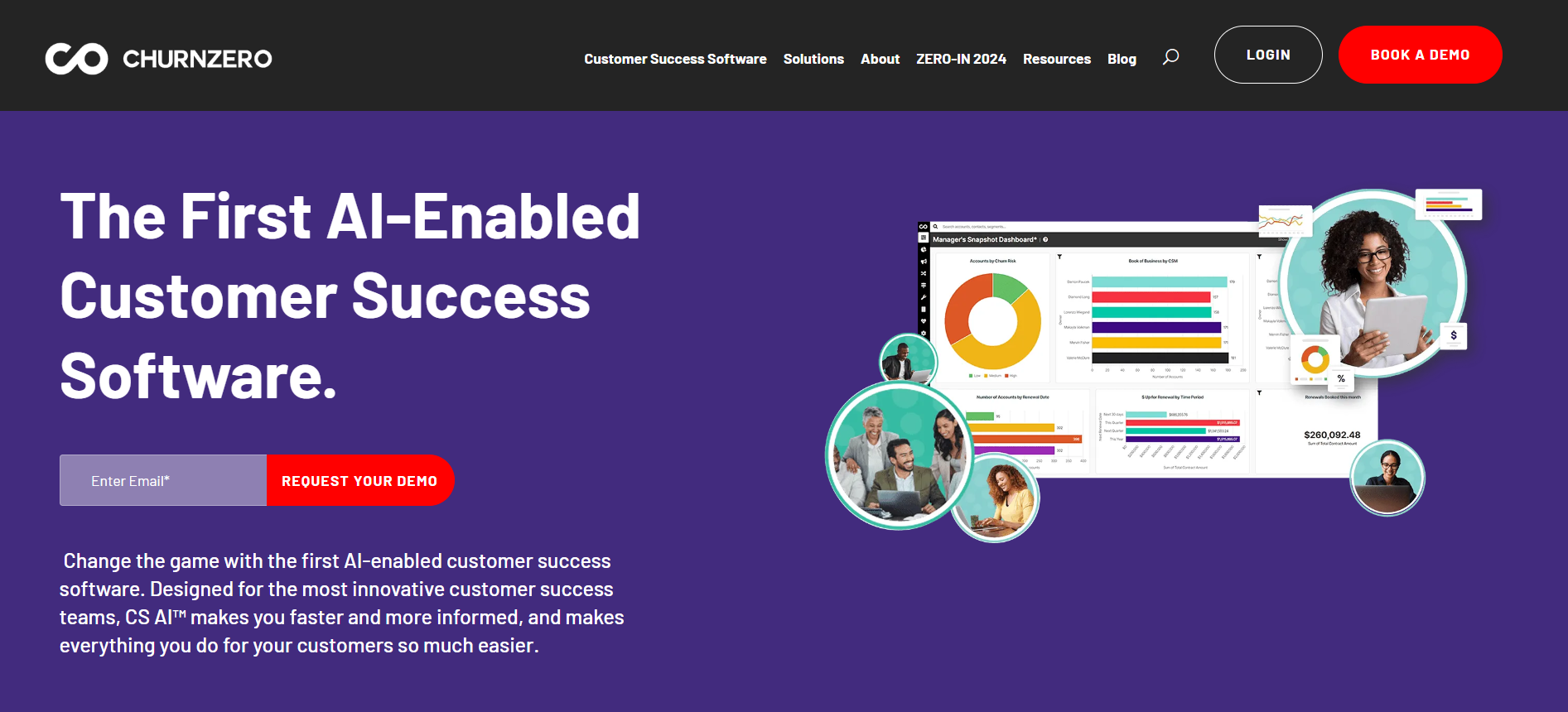
[caption id=”attachment_12737″ align=”aligncenter” width=”1893″ChurnZero - Customer Support Software ChurnZero – Customer Support Software[/caption
ChurnZero Overview

ChurnZero is a comprehensive customer success platform designed to help subscription businesses reduce churn and expand customer relationships. It offers a wide range of features, including customer health scores, automated workflows, and in-app communications.

Pros & Cons Of ChurnZero

Pros:

  • Robust automation capabilities
  • User-friendly interface
  • Detailed customer insights

Cons:

  • Steeper learning curve for new users
  • Higher cost for smaller businesses

User Satisfaction Ratio of ChurnZero

ChurnZero boasts a high user satisfaction ratio, with customers praising its powerful features and excellent support.

ChurnZero Price

Pricing varies based on the size of the business and the specific features required. Custom quotes are available upon request.

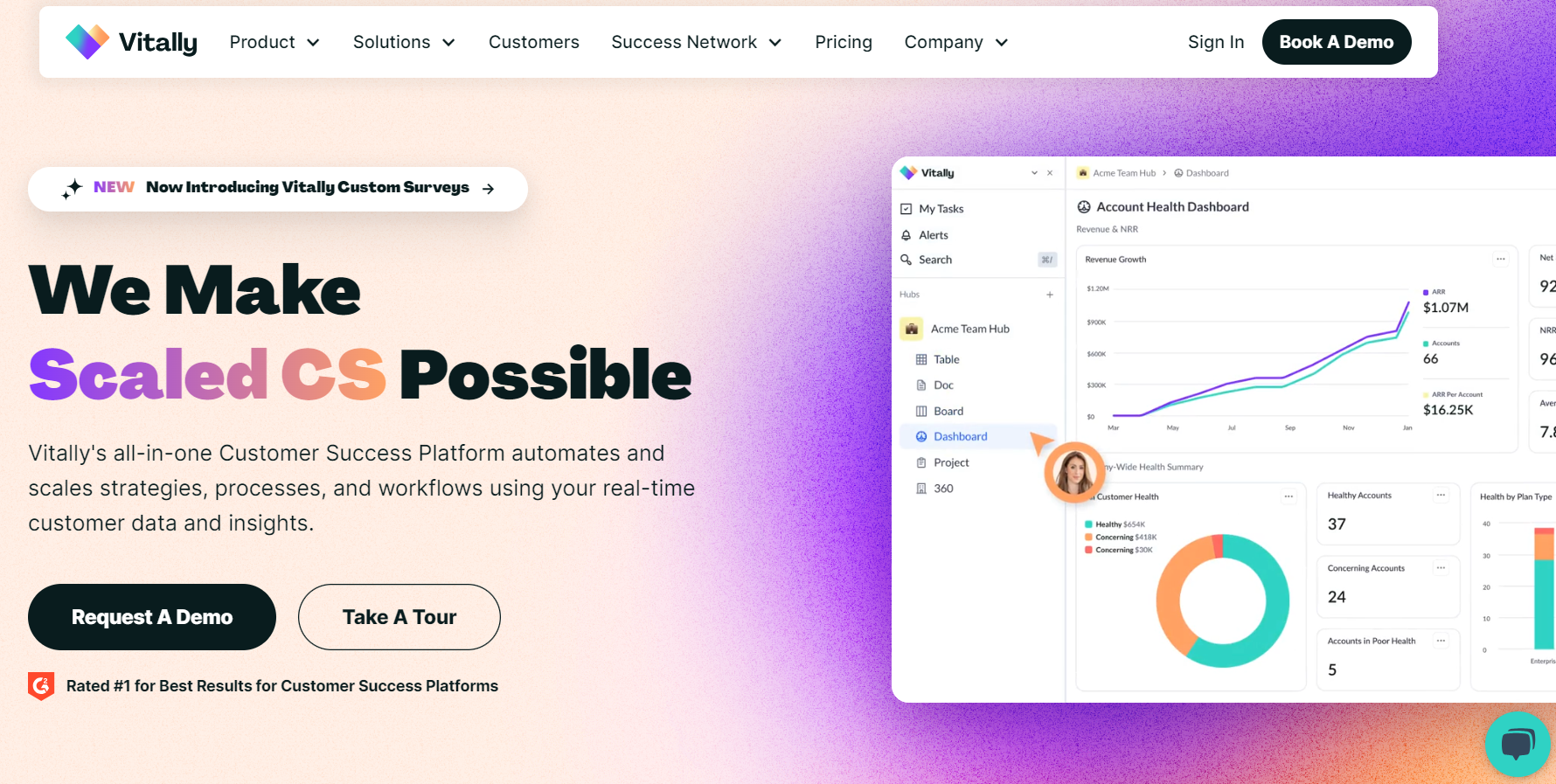
2. Vitally

[caption id=”attachment_12736″ align=”aligncenter” width=”1780″Vitally - Customer Support Software Vitally – Customer Support Software[/caption
Vitally Overview

Vitally is a customer success platform that focuses on providing actionable insights and automation for SaaS companies. Its intuitive interface and powerful analytics make it a popular choice among businesses.

Pros & Cons of Vitally

Pros:

  • Intuitive and easy-to-use interface
  • Excellent analytics and reporting tools
  • Strong customer support

Cons:

  • Limited integrations compared to competitors
  • Can be expensive for smaller businesses

User Satisfaction Ratio of Vitally

Vitally has a high user satisfaction ratio, with users appreciating its ease of use and robust analytics.

Vitally Price

Vitally offers tiered pricing plans based on the number of users and features required. Custom quotes are available.

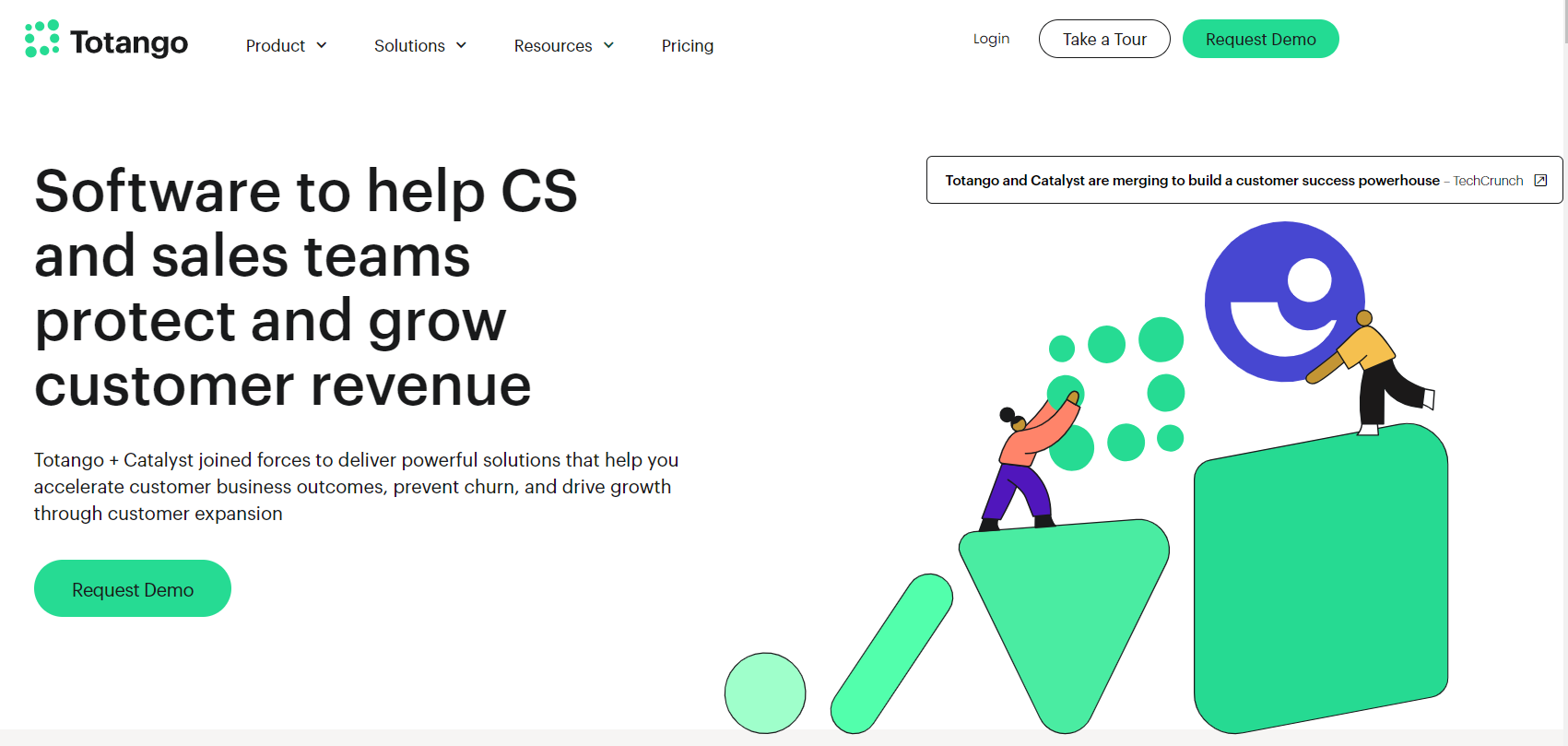
3. Totango

[caption id=”attachment_12735″ align=”aligncenter” width=”1701″Totango - Customer Support Software Totango – Customer Support Software[/caption
Totango Overview

Totango is a versatile customer success platform that caters to businesses of all sizes. It offers a wide range of features, including customer segmentation, health scoring, and journey mapping.

Pros & Cons of  Totango

Pros:

  • Flexible and customizable
  • Extensive feature set
  • Strong integration capabilities

Cons:

  • Can be complex to set up initially
  • Higher pricing tiers for advanced features

User Satisfaction Ratio

Totango enjoys a high user satisfaction ratio, with customers highlighting its flexibility and comprehensive feature set.

Price

Totango offers various pricing plans, including a free tier for small teams. Custom pricing is available for larger organizations.

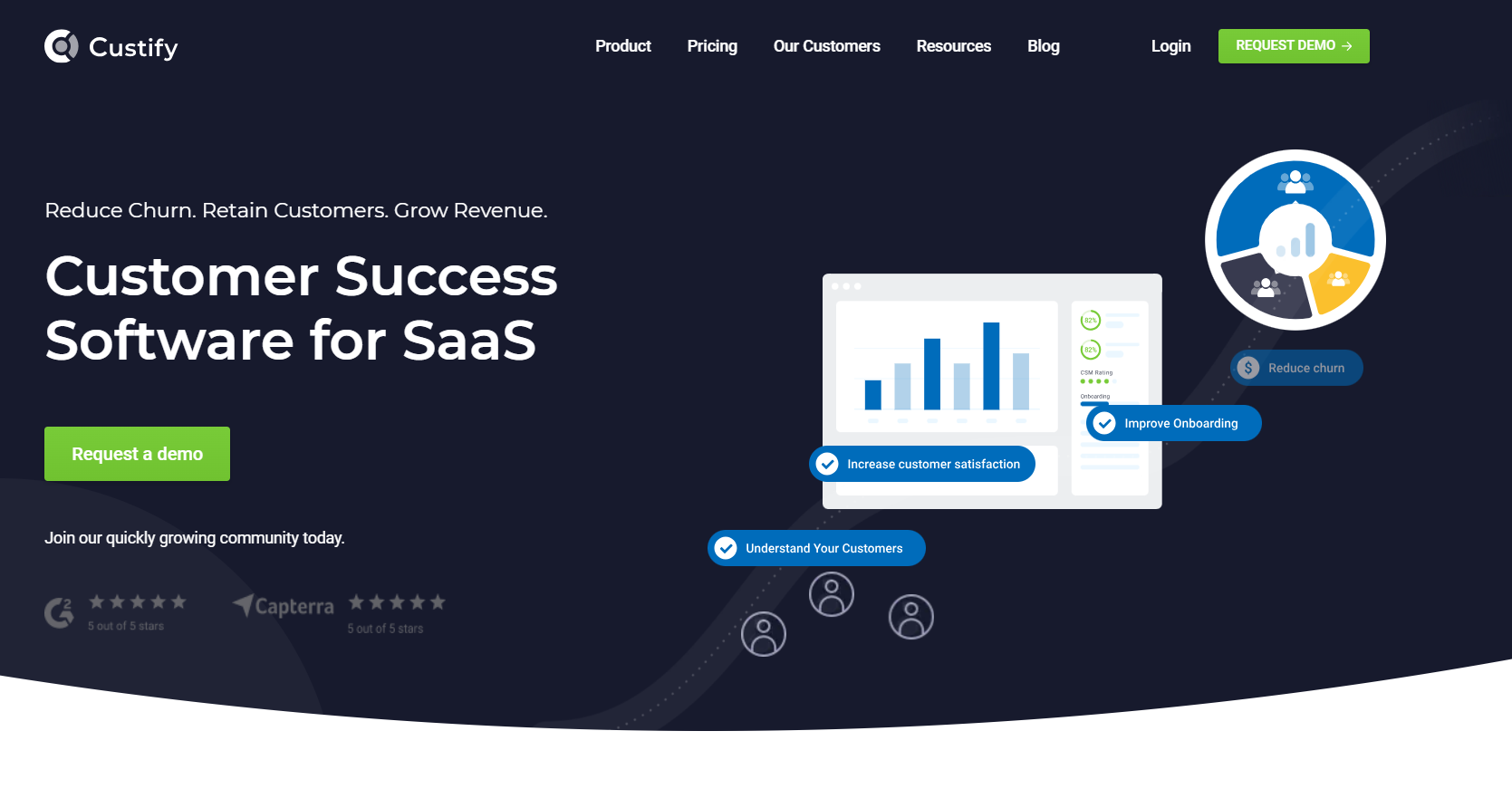
4. Custify

[caption id=”attachment_12734″ align=”aligncenter” width=”1669″Custify - Customer Support Software Custify – Customer Support Software[/caption
Custify Overview

Custify is designed specifically for SaaS businesses, providing tools to reduce churn and improve customer engagement. Its features include customer health scoring, automated workflows, and personalized communication.

Pros & Cons of Custify

Pros:

  • Easy to implement and use
  • Excellent customer support
  • Effective automation features

Cons:

  • Limited advanced features compared to competitors
  • Integration options could be improved

Custify User Satisfaction Ratio

Custify has a high user satisfaction ratio, with users praising its ease of use and responsive support team.

Price

Custify offers flexible pricing plans based on the number of users and features required. Custom quotes are available.

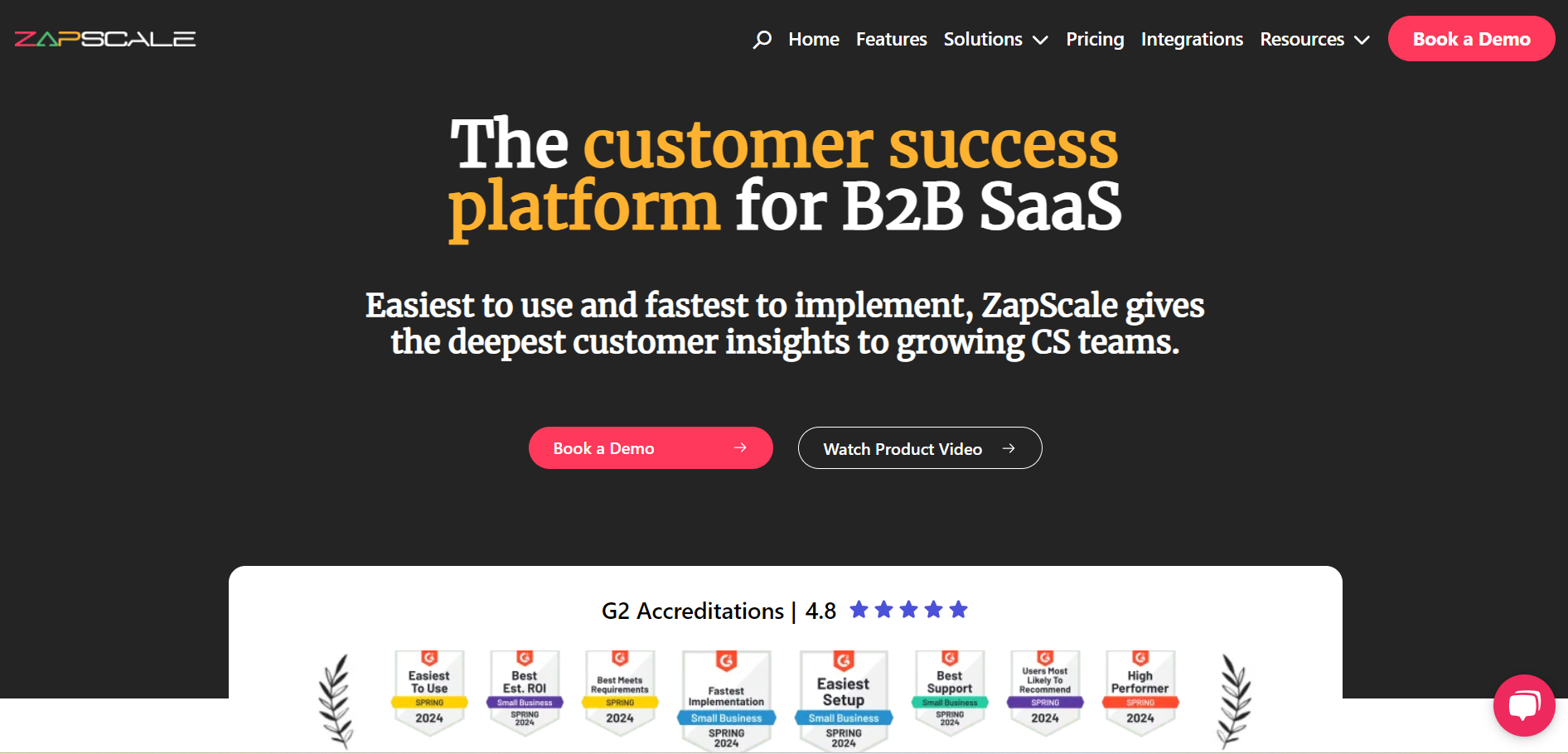
5. ZapScale

[caption id=”attachment_12733″ align=”aligncenter” width=”1892″ZapScale - Customer Support Software ZapScale – Customer Support Software[/caption
ZapScale Overview

ZapScale is a customer success platform that combines powerful analytics with intuitive workflows. It aims to help businesses reduce churn and drive customer success through actionable insights.

Pros & Cons of ZapScale

Pros:

  • Strong analytics capabilities
  • User-friendly interface
  • Effective workflow automation

Cons:

  • Limited customization options
  • Higher cost for smaller businesses

ZapScale User Satisfaction Ratio

ZapScale has a high user satisfaction ratio, with customers appreciating its robust analytics and ease of use.

ZapScale  Price

ZapScale offers tiered pricing plans based on the size of the business and specific needs. Custom quotes are available.

Conclusion

Choosing the right customer success software is crucial for any business looking to enhance customer relationships and drive growth. The top five customer success software solutions for 2024—ChurnZero, Vitally, Totango, Custify, and ZapScale—each offer unique features and benefits to help businesses achieve their customer success goals. By leveraging these powerful tools, businesses can reduce churn, improve customer satisfaction, and ultimately drive long-term success.

How to Track Backlinks For SEO Success? 101 Guide

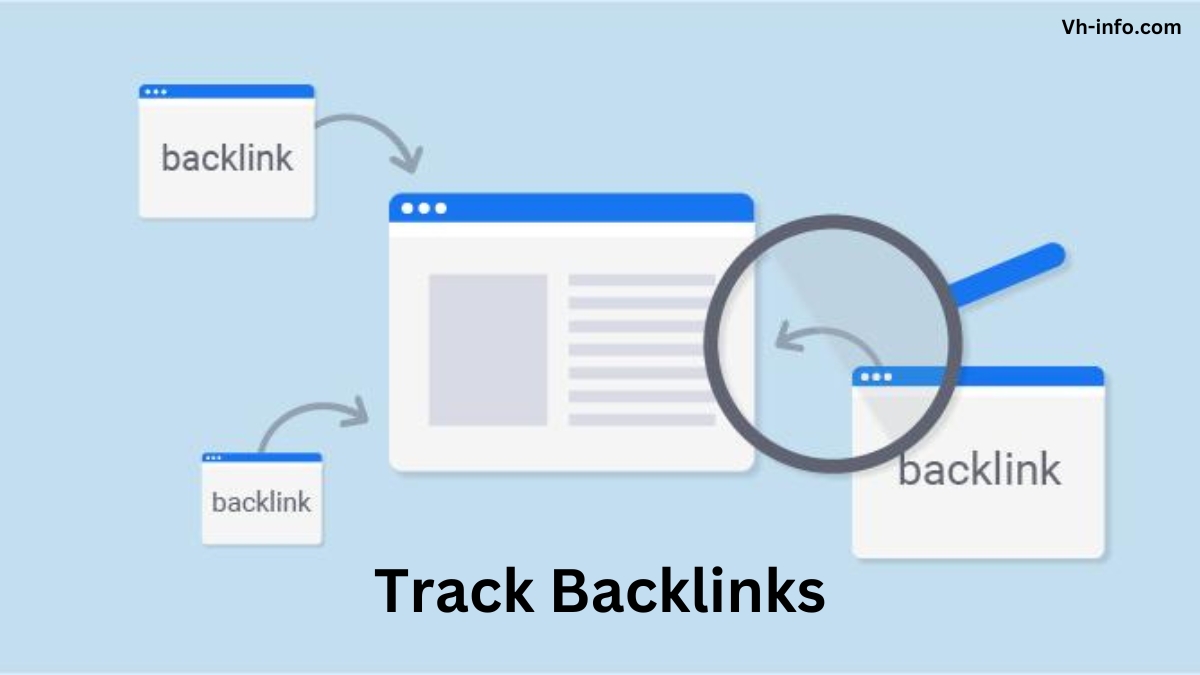
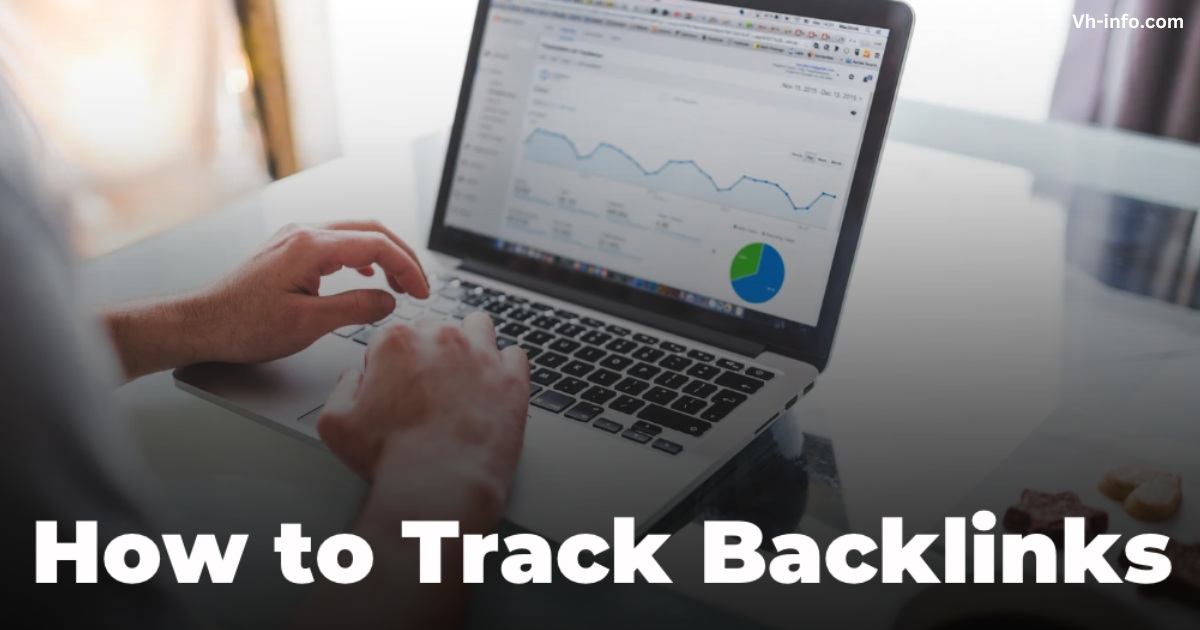
As a SaaS company, tracking your backlinks is important for SEO success. Backlinks, also known as inbound links or incoming links, are links from other websites that point to your site. They act as a vote of confidence, signaling to search engines that your content is valuable and trustworthy. The more high-quality backlinks you have, the higher your site will rank in search engine results pages (SERPs).

But simply acquiring backlinks isn’t enough. To truly leverage the power of backlinks for your SaaS SEO strategy, you need to regularly track and analyze them. This allows you to assess the quality of your link profile, identify new backlink building opportunities, and monitor your competitors’ backlink strategies.

In this comprehensive guide, we’ll dive into the best practices for tracking backlinks as a SaaS company. We’ll cover how to use backlink tracking tools, key metrics to monitor and analyze competitors’ backlinks, and strategies to improve your overall link profile.

By the end, you’ll have a clear roadmap for using backlink tracking to supercharge your SaaS SEO performance.

How to Track Backlinks?

How to Track Backlinks?

Using Backlink Tracking Tools

Backlink Tracking Tools

The first step in tracking your backlinks is using a reliable backlink checker tool. These tools crawl the web to find all the links pointing to your site and provide valuable insights into your link profile. Some popular options include:

  1. Ahrefs: Ahrefs is a comprehensive SEO tool that offers robust backlink tracking capabilities. Its Site Explorer feature allows you to see all the backlinks pointing to your site, as well as key metrics like the number of referring domains, domain rating (DR), referring traffic, external links and anchor text distribution. You can also use Ahrefs to analyze your competitors’ backlinks and find new link opportunities.
  2. SEMrush: SEMrush is another powerful SEO tool with extensive backlink tracking features. Its Backlink Analytics tool provides an overview of your link profile, including the total number of backlinks, referring domains, and the authority score of linking sites. SEMrush also offers a Backlink Audit tool to help you identify and disavow toxic backlinks.
  3. Moz: Moz’s Link Explorer is a user-friendly backlink tracking tool that provides insights into your link profile and helps you find link-building opportunities. It shows metrics like domain authority (DA), page authority (PA), and spam score to help you assess the quality of your backlinks. Moz also offers a free version of its tool with limited features.
  4. Majestic: Majestic is a dedicated backlink tracking tool known for its large link index. Its Site Explorer tool allows you to analyze your backlink profile in-depth, with metrics like Trust Flow and Citation Flow to gauge the quality and quantity of your links. Majestic also offers a unique Neighborhood Checker feature to see the backlink profiles of sites linking to you.

You can also use a free backlink checker tool like Ubersuggest or Google Search Console, but it won’t provide you with as comprehensive and indepth insights into your competitor’s backlinks and other backlink analysis.

Metrics to Monitor

Metrics to Monitor Backlinks

When tracking your backlinks, there are several key metrics to monitor. These include:

  1. Referring Domains: The number of unique domains linking to your site. Generally, it’s better to have a diverse range of high-quality referring domains rather than many links from a single domain.
  2. Domain Authority/Rating: A score that predicts how well a site will rank in search results, based on the quantity and quality of its backlinks. The higher your linking sites’ DA/DR, the more valuable those links are for your SEO.
  3. Anchor Text: The clickable text used for a link. Tracking your anchor text distribution helps ensure a natural mix and avoid over-optimization, which can trigger Google penalties.
  4. Link Type (Dofollow/Nofollow): Whether a link is dofollow (passes link equity) or nofollow (doesn’t pass link equity). While dofollow links are more valuable for SEO, a natural link profile should have a mix of both.

Analyzing Competitors’ Backlinks

Analyzing Competitors' Backlinks

In addition to tracking your backlinks, analyzing your competitors’ link profiles can provide valuable insights for your SaaS link-building strategy. By seeing where your competitors are getting their links, you can:

  1. Find Link Opportunities: Identify websites in your niche that are linking to your competitors but not yet to you. These could be potential targets for your link building outreach.
  2. Compare Link Profiles: Benchmark your backlink profile against your competitors to see where you stand and identify areas for improvement. Look at metrics like the number of referring domains, DA/DR distribution, and anchor text mix.

Importance of Tracking Backlinks

Importance of Tracking Backlinks

Beyond helping you build more high-quality links, tracking your backlinks is important for several reasons:

  1. Assess Link Quality: Not all backlinks are created equal. By regularly monitoring your link profile, you can assess the quality of your backlinks and identify any low-quality or spammy links that could hurt your SEO. Tools like Ahrefs and SEMrush provide metrics like domain rating and spam score to help you gauge link quality.
  2. Understand Your Link Profile: Tracking your backlinks gives you a clear picture of your overall link profile, including the total number of backlinks, referring domains, anchor text distribution, and more. This helps you understand your current SEO status and identify areas for improvement. Of course, a new york times backlink will be more valuable for improving your website’s SEO over a random specific domain.
  3. Detect Negative SEO Attacks: In some cases, competitors may try to sabotage your SEO by building spammy links to your site. Make sure to regularly monitor your backlink profile. Doing so can help you quickly detect any suspicious new links and take action to disavow them before they harm your search engine rankings.

Types of Backlinks and Their Significance

Types of Backlinks and Their Significance

When tracking your backlinks, it’s important to understand the different types and their significance for your SaaS SEO:

  1. Dofollow vs Nofollow Links: Dofollow links pass “link juice” and directly impact your search rankings, while nofollow links don’t pass SEO value. However, a natural link profile should have a mix of both. Too many dofollow links can look suspicious to Google.
  2. Natural vs Unnatural Links: Natural links are earned organically when other sites choose to link to your content. Unnatural links are artificially created, often through link schemes or low-quality tactics. Focus on building natural links, as unnatural links can lead to Google penalties.

Strategies to Improve Your Backlink Profile

Strategies to Improve Your Backlink Profile

Once you’ve analyzed your backlink profile, use these strategies to improve it:

  1. Conduct a Backlink Audit: Use tools like SEMrush or Ahrefs to conduct a thorough audit of your existing backlinks. Identify any low-quality, spammy, or irrelevant links that could be dragging down your SEO.
  2. Pursue High-Quality Links: Focus your link building efforts on acquiring links from high-authority, relevant websites in your industry. These links will have the biggest impact on your search rankings.
  3. Diversify Your Link Sources: Aim for a diverse mix of link sources, including guest posts, directory listings, press mentions, and more. Avoid relying too heavily on any one source.
  4. Disavow Spammy Links: If you find any spammy or low-quality links pointing to your site, use Google’s Disavow Tool to tell Google to ignore them. This can help protect your site from negative SEO attacks.
  5. Reclaim Lost Links: Use your backlink tracking tool to identify any valuable links you’ve lost over time. Reach out to the linking site to see if you can reclaim the link, either by updating the content or providing a new resource.

FAQ’s:

How Often Should You Check Your Backlink Profile?

Aim to check your backlink profile at least once a month to stay on top of any new links and identify potential issues early.

Can I Track My Competitors’ Backlinks?

Yes, tools like Ahrefs and SEMrush allow you to analyze your competitors’ backlink profiles to find link opportunities and compare your performance.

How Can Tracking Backlinks Help Improve SEO Performance?

Tracking backlinks allows you to assess the quality of your link profile, find new link opportunities, and identify any potential issues that could hurt your rankings. This helps you optimize your link building strategy for better SEO results.

How Many Backlinks Do You Need to Rank Well?

There’s no magic number of backlinks needed to rank well. It’s more about the quality and relevance of your links than the sheer quantity. Focus on building a diverse portfolio of high-quality links over time.

What Types of Backlinks Should I Avoid?

Avoid backlinks from low-quality, spammy, or irrelevant websites. These can hurt your SEO performance and even lead to Google penalties. Stick to building natural, high-quality links from reputable sources.

How Do You Identify and Deal With Toxic Backlinks?

Use a backlink tracking tool to identify any suspicious or low-quality links pointing to your site. If you find toxic backlinks, use Google’s Disavow Tool to tell Google to ignore them and protect your site from negative SEO.

Conclusion

Tracking backlinks is an essential part of any successful SaaS SEO strategy. Keeping an eye on your backlinks, checking out what your competitors are doing, and going after good quality links can really boost your search engine rankings and bring more organic traffic and visibility to your site in the long run.

Use the strategies and tools outlined in this guide to take control of your backlink tracking and optimize your SaaS link-building efforts. With a strong, diverse portfolio of high-quality backlinks, you’ll be well on your way to SaaS SEO success.

At VH-info, we specialize in helping SaaS companies like yours build authoritative link profiles that drive real results. Our expert team can guide you through the entire link-building process, from initial analysis to ongoing tracking and optimization. Contact us today to learn more about our SaaS link building services and how we can help take your SEO to the next level.

How to Check For Bad Backlinks and Protect Your Website?

As a SaaS company, your website’s search engine rankings are important for driving organic traffic and attracting potential customers.

One key factor that impacts your SEO performance is the quality of your backlink profile. While high-quality backlinks from reputable sources can boost your rankings, bad or toxic backlinks can harm your website’s reputation and even lead to Google penalties.

At VH-info, we understand the importance of maintaining a healthy backlink profile for SaaS websites. In this comprehensive guide, we’ll dive into what makes a backlink “bad,” how to identify and remove them, and best practices for preventing negative SEO attacks.

What Are Bad Backlinks?

What Are Bad Backlinks?

Bad backlinks, also known as toxic backlinks, are low-quality or link spams pointing to your website from untrustworthy or irrelevant sources. These links can be acquired through link schemes, paid links, or negative SEO attacks from competitors.

Google’s algorithm is designed to identify and devalue bad backlinks, as they don’t reflect genuine endorsements of your content. In some cases, having too many toxic backlinks can even result in a manual action or penalty from Google, causing your search rankings to plummet.

Common Characteristics of Harmful Backlinks

Common Characteristics of Harmful Backlinks

To effectively identify and remove bad backlinks, it’s important to understand their common characteristics:

  1. Spammy or Low-Quality Websites: Backlinks from websites with thin or duplicate content, excessive ads, or a high spam score are considered low-quality. Other Signs of a spammy website and link farms may include slow loading times, broken links, intrusive ads, or an unresponsive design.
  2. Irrelevant or Unrelated Sources: Links from websites that have no topical relevance or quality content to your SaaS product or industry are often seen as unnatural by search engines.
  3. Paid or Unnatural Links: Participating in link schemes or buying links can result in unnatural, toxic backlinks that violate Google’s guidelines.
  4. Over-Optimized Anchor Texts: An unnatural concentration of exact-match or keyword-rich anchor texts can signal manipulation to search engines.
  5. Negative SEO Attacks: Competitors may engage in black hat SEO tactics to point spammy links to your site, attempting to harm your search rankings.
  6. Link Networks or Link Exchanges: Engaging in reciprocal link exchanges or private blog networks (PBNs) can lead to a pattern of low-quality, manipulative links.

5 Reasons Bad Backlinks Are Harmful to Your Site

Reasons Why Bad Backlinks Are Harmful to Your Site

  1. Google Penalties: Having a significant number of toxic backlinks can trigger a manual action or algorithmic penalty from Google, causing your search rankings to drop drastically.
  2. Negative SEO: Competitors may target your website with bad referring domains, spam links as part of a negative SEO attack, attempting to harm your search engine rankings. this can have a negative impact on your search results. Best way to tackle such inbound links is using a toxic backlink checker tool and disavowing them as and when you discover them.
  3. Poor Link Quality: Low-quality links from spammy or irrelevant sources don’t pass much value to your website and can dilute the overall quality of your backlink profile.
  4. They Damage Your Brand Reputation: Being associated with low-quality or spammy websites through toxic backlinks can harm your SaaS brand’s online reputation and credibility.
  5. Poor SEO Performance: Bad backlinks can hinder your website’s ability to rank well in search engine results, limiting your organic traffic and potential customer acquisition.

How to Find and Remove Bad Backlinks?

How to Find and Remove Bad Backlinks?

Identifying Bad Backlinks

To find toxic backlinks pointing to your site, use these SEO tools:

  1. Ahrefs/Semrush: Conduct a backlink audit using Ahrefs or Semrush to analyze your link profile and identify low-quality or suspicious links.
  2. Moz Link Explorer: Use Moz’s Link Explorer tool to assess the quality of your backlinks based on factors like domain authority and spam score. Moz also has free tools for analyzing incoming link domains, link checker and keyword research.
  3. Google Search Console: Check the “Links to Your Site” report in Google Search Console to see a list of domains linking to your website and identify any suspicious sources.

Removing Bad Backlinks

Once you’ve identified toxic backlinks, take these steps to remove them:

  1. Contact the Website Owner: Reach out to the site owner or webmaster and request them to remove the bad link. Be polite and explain why the link is harmful to your website.
  2. Use Google’s Disavow Tool: If you’re unable to get a toxic link removed, use Google’s Disavow Tool to tell Google to ignore the link when assessing your site’s backlink profile. Upload a disavow file listing the bad links or domains.

Monitor Your Progress

Regularly monitor your backlink profile using tools like Ahrefs, Semrush, or Google Search Console to ensure that no new toxic backlink data appear and that your link building efforts are focused on acquiring high-quality, relevant links.

Best Practices For Maintaining a Healthy Backlink Profile

Best Practices For Maintaining a Healthy Backlink Profile

  • Regularly conduct backlink audits to identify and remove any toxic links
  • Focus on earning high-quality, relevant links from authoritative websites in your industry
  • Avoid participating in link schemes, paid links, or reciprocal link exchanges
  • Use natural, diverse anchor texts when building links to your site
  • Monitor your competitor’s backlink profiles to identify potential negative SEO attacks
  • Create valuable, linkable content assets that attract natural, high-quality links

FAQ’s:

What Makes a Backlink “Bad” or “Toxic”?

A backlink is considered bad or toxic if it comes from a low-quality, spammy, or irrelevant source, violates Google’s guidelines, or is part of a manipulative link scheme.

Can Bad Backlinks Lead to a Google Penalty?

Yes, having a significant number of toxic backlinks pointing to your website can trigger a manual action or algorithmic penalty from Google, causing your search rankings to drop.

How Often Should I Check My Backlink Profile?

It’s recommended to conduct a thorough backlink audit at least once a quarter to identify and remove any toxic links and monitor your link profile regularly for any suspicious changes.

Can a Single Bad Backlink Ruin My Website’s SEO?

A single bad backlink is unlikely to have a major impact on your website’s SEO. However, a pattern of toxic links can harm your search rankings over time.

Is it Better to Remove a Bad Link or Disavow it?

It’s always best to first attempt to remove a bad link by contacting the website owner. If removal isn’t possible, then using Google’s Disavow Tool is the next best option.

What’s the Difference Between a Low-Quality Link and a Toxic Link?

A low-quality link comes from a website with poor content or low domain authority, while a toxic link is spammy, manipulative, or violates Google’s guidelines. Both can harm your SEO, but toxic links pose a greater risk.

Is There a Way to Automatically Filter Out Bad Backlinks?

While tools like Ahrefs and Semrush can help identify potentially toxic links, there’s no foolproof way to automatically filter out all bad backlinks. A manual review is still necessary.

Will Removing Bad Backlinks Improve My Rankings?

Removing toxic backlinks can help improve your website’s overall link quality and reduce the risk of a Google penalty. However, the impact on rankings depends on the severity of your bad link problem and other SEO factors.

Conclusion

Maintaining a healthy backlink profile is essential for SaaS companies looking to improve their search engine rankings and drive organic website traffic.

To keep your website safe from harmful links, learn what makes a backlink bad. Check your links often and remove the ones that are harmful to protect your site from negative SEO and low-quality links.

At VH-info, our team of link-building experts can help you identify toxic backlinks using backlink analysis, implement a link removal strategy, and focus on acquiring high-quality, relevant links that boost your SaaS website’s google rankings.

Contact us today to learn more about our SaaS link building services , SEO for Startps and white label link building services and how we can help you achieve sustainable SEO success.

Skyscraper Link Building: What is it, Benefits & How To Do It?

Looking to take your SaaS link building to new heights? The skyscraper technique is a proven link-building tactic that can help you generate high-quality backlinks, boost organic search traffic, and outrank competitors.

At VH-info, we’re experts in skyscraper link building for SaaS brands. In this guide, we’ll break down exactly how the skyscraper method works and share actionable tips to execute this strategy effectively.

What is Skyscraper Link Building?

What is Skyscraper Link Building?

The skyscraper technique is a link-building process pioneered by Brian Dean of Backlinko. It involves three key steps:

  • Finding popular content in your niche that has earned lots of backlinks
  • Creating an even better piece of content on that topic
  • Promoting your skyscraper content to the right people to earn quality backlinks

Why Skyscraper Link Building is Effective?

Skyscraper link building works because it:

  • Targets keywords and topics with proven search demand
  • Provides exceptional content that people naturally want to link to
  • Leverages existing backlink opportunities from referring domains

Why Use the Skyscraper Technique For SEO?

Building authoritative backlinks is important for SaaS SEO success. The skyscraper technique helps you:

  • Improve search engine rankings for target keywords
  • Drive referral traffic from high-quality websites
  • Establish topical authority and brand credibility

Why Does the Skyscraper Technique Work?

Why Does the Skyscraper Technique Work?

The skyscraper method is based on a simple concept – creating content that is head and shoulders above anything else out there. Just like the world’s tallest skyscraper stands out on the skyline, your standout content can earn recognition and links.

Key Differences Between Skyscrapers and Other Types of Content

Skyscraper content is:

  • Authoritative – covers the topic in-depth with expert insights
  • Actionable – provides clear next steps and takeaways
  • High-quality – delivers an exceptional reader experience

Benefits of Skyscraper Link Building

Effective skyscraper SEO can provide major benefits:

  • Improved keyword rankings and organic search traffic
  • Highly relevant referral traffic from your backlinks
  • Increased brand reach and authority in your niche
  • Compounding SEO results as your content gains traction

How to Execute the Skyscraper Technique For SEO?

How to Execute the Skyscraper Technique For SEO?

Now that you understand the power of the skyscraper technique, here’s how to put it into action:

  • Step 1: Find Popular Content in Your Niche: Use keyword research tools to identify relevant informational keywords. Analyze the SERPs to find the top-ranking content. Plug the URLs into a backlink analysis tool to see which pages have attracted the most links.
  • Step 2: Create Superior Content: Take what’s already ranking well and make it even better. Go more in-depth, make it more actionable, and improve the user experience and design. The goal is to create the single best resource on the topic.
  • Step 3: Promote Your Content and Reach Out to Relevant Websites: Publish your skyscraper content and start email outreach to websites that link to the original pieces. Make a compelling case for why your resource is the new go-to and kindly suggest that they link to you. Track your outreach and follow up as needed.

How to Do Skyscraper Link Building?

How to Do Skyscraper Link Building?

Let’s dive deeper into the skyscraper link-building process:

1. Find Competitive Content

  • Analyze Competitors’ Content: Identify your top organic search competitors and analyze their best-performing pages. Look for relevant, high-traffic content that has generated lots of backlinks.
  • Review Backlink Opportunities: Drill down into competitors’ backlink profiles to find potential link prospects. Prioritize pages with many referring domains and high domain authority. Export the backlink data to inform your outreach later.

2. Create Skyscraper Content

  • Outdo the Competition: Your skyscraper content must be substantially better than the pages you want to outrank. Add more depth, insights, examples, visuals, and practical advice. Put real effort into creating a superior resource.
  • Optimize Content for Search: Don’t neglect on-page SEO. Include your primary keyword in the title, subheadings, meta description, and throughout the copy. Optimize your page speed, URL, and images. Make the content easy to read and share.

3. Conduct Email Outreach

  • Find Link Building Prospects: Using your backlink analysis from step 1, build a list of relevant, high-authority websites to contact. Prioritize pages that have linked to multiple competing articles – they are likely receptive to linking.
  • Identify Contacts: Track down the authors, editors, or site owners who are in the best position to add your link. Find their contact info through author pages, LinkedIn, or email lookup tools. Personalize your outreach by using their name.
  • Write and Send Pitches: Create compelling outreach emails that lead with value. Mention their existing content and explain how your skyscraper content builds on it. Highlight your most impressive upgrades. Close with a clear, low-friction request for a link. Test different subject lines and templates to optimize your success rate.

Why the Skyscraper Technique Fails and How to Improve Your Chances of Success?

Many people fail with skyscraper link building by making these mistakes:

  1. Sending Only Brian’s Email Template: Simply copying Brian Dean’s outreach email won’t cut it. Personalize your pitch and lead with what’s in it for them. Provide a clear rationale for linking to your content.
  2. Not Segmenting Your Prospects: Sending the same generic email to every site won’t be effective. Segment your prospect list by type of site, linking page, authority, etc. Tailor your outreach approach for each group.
  3. Not Reaching Out to Enough People: Skyscraper outreach is a numbers game. The more high-quality, relevant prospects you contact, the more links you’ll get. Scale up your efforts with email automation tools.
  4. Thinking Bigger Equals Better: Skyscraper content doesn’t need to be a 10,000-word mega guide. Focus on quality insights, not just quantity. Create the best page for the searcher’s needs.
  5. Not Considering Brand: Off-brand content won’t perform as well. Build skyscraper content around topics that align with your brand’s unique value proposition and audience.

Measuring the Success of Skyscraper Link Building

Track these key performance indicators (KPIs) to gauge the success of your skyscraper campaigns:

Key Performance Indicators (KPIs)

  • Number of backlinks and referring domains
  • Organic search rankings for the keyword
  • Organic traffic to the skyscraper page
  • Leads/conversions attributed to the page

Tracking Backlinks and Referral Traffic

Monitor your backlink profile in Google Search Console and link tracking tools like Ahrefs or Moz. Set up Google Analytics to track referral traffic from your links.

Monitoring Search Engine Rankings

Use rank-tracking software to monitor your keyword positions over time. Measure the impact of your skyscraper links on organic visibility and traffic.

Skyscraper Technique Examples

The skyscraper technique has worked wonders for a lot of marketers, boosting their organic traffic and helping them climb up the search engine rankings. Let’s look at some real-life success stories where this strategy made a big difference:

  • Brian Dean’s “Google’s 200 Ranking Factors: The Complete List”
  • Backlinko’s “We Analyzed 912 Million Blog Posts. Here’s What We Learned About Content Marketing”

These instances clearly show how valuable creating great content through different ways is the first step to using the skyscraper technique. You can be when aiming for higher organic traffic numbers or wanting your spot among those first few results on search engines once you publish it.

Best Practices For Skyscraper Link Building

Follow these tips to get the most out of your skyscraper link building tactic:

  1. Choosing the Right Topics and Keywords: Prioritize keywords with high search volume, low keyword difficulty, and strong commercial intent. Look for topics that influencers and industry publications are likely to link to.
  2. Ensuring Content Quality and Depth: Your skyscraper content must deliver exceptional quality and depth. Cover the topic comprehensively, include original research and insights, and make it highly actionable for readers.
  3. Optimizing For On-Page SEO: Optimize your skyscraper page for search engines as well as readers. Follow SEO best practices for page titles, subheadings, meta descriptions, image alt text, and more. Improve page speed and mobile friendliness.
  4. Scaling Your Outreach Efforts: To generate meaningful results, you need to build skyscraper links at scale. Use email automation tools to streamline your outreach. Set up follow-up sequences to maximize your conversion rates.

FAQ’s:

How Long Does It Take to See Results With Skyscraper Technique?

With a strong skyscraper campaign, you may start seeing your first backlinks within a few weeks. Organic search rankings can take several months to improve, depending on the keyword difficulty and site authority.

Can Skyscraper Technique Work For Niche Markets?

Yes, skyscraper link building can be highly effective for niche topics. You may have a smaller prospect pool, but the relevance and conversion rates will likely be higher.

Can the Skyscraper Technique Be Used For Any Type of Content?

While skyscraper content is often informational blog posts or guides, you can apply the principles to other formats like infographics, videos, or interactive tools. The key is to create a linkable asset that is significantly better than other options.

What Are Some Common Mistakes to Avoid With Skyscraper Link Building?

Common pitfalls include targeting the wrong keywords, creating content that’s too broad or shallow, sending generic outreach emails, and not tracking your KPIs. Stay focused on quality over quantity.

Is the Skyscraper Technique Still Relevant Today?

While the skyscraper technique isn’t new, it remains a highly effective link-building strategy when executed well. Focus on providing exceptional value with your content and outreach to earn links that drive real SEO results.

Conclusion

Building good backlinks is crucial for SaaS SEO, but it’s challenging. The skyscraper method helps get authoritative links. Make top-notch content and do email outreach to enhance search traffic and rankings.

At VH-info (SaaS Link building Agency), we specialize in skyscraper link-building services for SaaS brands. Our expert team can help you ideate, create, and promote skyscraper content that drives results. To learn more and get started, contact us today.

Backlinking Strategy: What is it, & Examples

Backlinking Strategy: What is it, & Examples

As a SaaS company, you know that backlinks are important for improving your search engine rankings and driving organic traffic to your website. But with so much conflicting information out there, it can be tough to know where to start with your backlinking strategy.

That’s where VH-info comes in. As experts in SaaS link building, we’re here to break down everything you need to know to create an effective, sustainable backlinking strategy that gets results. Let’s dive in.

What is a Backlinking Strategy?

What is a Backlinking Strategy?

A backlinking strategy is a plan for acquiring high-quality backlinks from other websites to your own. The goal is to improve your site’s authority and relevance in the eyes of search engines like Google, ultimately boosting your rankings for target keywords.

An effective backlinking strategy focuses on earning links naturally by creating valuable, link-worthy content and conducting targeted outreach to relevant sites in your niche. It’s a long-term approach that prioritizes quality over quantity.

Why Backlinking Strategies Are Important?

Backlinks remain one of Google’s top ranking factors. Sites with more high-quality backlinks tend to earn higher rankings and organic traffic.

But the power of backlinks goes beyond SEO:

  • Referral traffic: Backlinks help drive targeted referral traffic to your own site
  • Brand exposure: Getting mentioned on relevant, high-authority sites boosts your brand’s visibility and credibility
  • Relationships: Link building can help you build valuable relationships with influencers and sites in your industry

In short, a solid backlinking strategy is key to the long-term growth of your SaaS business. At VH-info, we specialize in helping SaaS companies like yours build links the right way.

3 Proven Tactics For Building a Content-Driven Backlink Strategy

Content is the foundation of any sustainable backlinking strategy. By creating link-worthy content assets, you naturally attract backlinks over time. Here are three of our favorite tactics:

1) Surveys

Original research, like industry surveys, is one of the most effective types of link bait. Reach out to your audience, gather unique data, and package it into an engaging report. Share your findings and watch the links roll in.

2) Research

Similar to surveys, in-depth studies, and research reports make great link magnets. Dive deep into a trending topic, or challenge in your industry. Uncover new insights and data points. Do relevant keyword research for the blog post. These content assets and resource pages are highly citable if you are able to reach the right target audience.

3) Newsjacking

Is there a hot news story or trend related to your niche? Act fast and publish a unique take or analysis. Timely, newsworthy content can earn a flurry of links, social shares, and referral traffic.

The key to any of these tactics is to create truly original, valuable content that sites will want to link to. At VH-info, our content and link-building teams can help you ideate and execute content assets that drive links.

Link Building Strategies For SEO

Link Building Strategies For SEO

Once you have link-worthy content, it’s time to build high-quality links at scale.

Here are 14 proven link-building strategies we use at VH-info:

  1. Quality > Quantity: Focus on earning a few high-quality, relevant links rather than chasing after sheer volume. One link from an authoritative site in your niche is worth more than dozens of low-quality links.
  2. Relevance > Authority: While Domain Authority is important, relevance is even more important. A link from a highly relevant site will drive more qualified traffic and carry more weight with Google.
  3. High DA > Low DA: All else being equal, links from high Domain Authority sites will have a bigger impact than those from low DA sites. Tools like Ahrefs and Moz can help you evaluate a site’s authority.
  4. Favor New Domains and IP Addresses Over Already-Linked Domains: Aim to diversify your link profile by earning links from new domains and IP addresses. Links from the same sites have diminishing returns.
  5. Link to a High-Quality, Internal Page Onsite: Don’t just link to your homepage. Build deep links to valuable pages and content assets across your site. This helps distribute authority and drive traffic to your most important pages.
  6. Add Value to User Experience, Not Just Anchor Text: Avoid stuffing exact-match anchor text into your links. Instead, focus on adding value to the user with your link placements. Use descriptive, natural anchor text that provides context.
  7. Make Sure Your Content is Relevant and Placed on Relevant Sites: Only pursue link opportunities that make sense for your brand and audience. An irrelevant link on an off-topic site won’t drive qualified traffic and could even hurt your rankings.
  8. Place Your Link Early in the Article: Links placed higher up in the content tend to carry more weight and drive more referral traffic. Aim for placements in the first few paragraphs when possible.
  9. Never Include More than One Link to Your Site in an Article: Don’t be greedy. Limit yourself to one link back to your site per article. Any more could be seen as spammy by Google and the publisher.
  10. Include Descriptive Anchor Text: Use anchor text that accurately describes the page you’re linking to. Avoid generic phrases like “click here.” But also be careful not to overdo it with exact-match keywords.
  11. Avoid Keyword Stuffing: Speaking of keywords, avoid stuffing them into your anchor text or content in an unnatural way. This is a red flag for Google and could earn you a manual penalty.
  12. Include Links to Other High-Quality Sources: Don’t make your guest post or content asset all about you. Include links to other relevant, high-quality resources as well. This shows you’re focused on adding value, not just self-promotion.
  13. Don’t Write Off the Possibility of Nofollow Link Building: While followed links are ideal, nofollow links from relevant, high-authority sites are still valuable. They drive referral traffic and help diversify your link profile. Don’t discount nofollow opportunities.
  14. Don’t Get Fixated on Link Building Quantity: It’s not a numbers game. Earning a few dozen high-quality links can move the needle more than hundreds of low-quality ones. Pace yourself and focus on the most relevant, authoritative opportunities.

At VH-info, these are the link building principles and tactics we swear by to improve brand awareness for your brand on google search. Our team can help you implement them to build a strong, diverse high quality backlink profile for your SaaS site.

14 Strategies For Building Backlinks to Your SaaS Website

Need some specific link building tactics to try? Here are 14 of our go-to strategies at VH-info:

  1. Resource Link Building: Create an in-depth resource or guide related to your niche. Reach out to sites linking to similar resources and suggest yours as an addition. This is a great way to build topically relevant links.
  2. Broken Link Building: Use tools like Ahrefs or Screaming Frog to find broken links on relevant sites in your niche. Reach out to the site owner, point out the dead link, and suggest your content as a replacement. It’s a win-win.
  3. Listicles: Listicles are link magnets. Create a “best of” or “top tools” post featuring the best resources in your niche. Reach out to the featured tools and encourage them to link back to the list. Many will oblige.
  4. Free Tools: Create a free tool or resource related to your SaaS product. This could be a calculator, template, or mini web app. Free tools are incredibly link-worthy and help drive qualified leads.
  5. Unlinked Brand Mentions: Set up Google Alerts for your brand name and monitor for unlinked mentions across the web. When you find one, reach out and politely ask for a link back to your site. Many publishers are happy to oblige.
  6. Podcasts: Get interviewed on podcasts in your niche. Most podcasts have a “links from the show” page where you can score a relevant link back to your site. Plus, it’s great exposure for your brand.
  7. Conferences: Sponsor or speak at industry conferences and events. You’ll often earn a link back to your site from the event page or recap posts. It’s a great way to build relationships and authority.
  8. Integration Partners: Integrate your SaaS tool with other popular tools in your niche. Reach out to partners and encourage them to link to your integration page or co-marketing content. It’s an easy, mutually beneficial link.
  9. Common Competitors’ Backlinks: Use tools like Ahrefs to analyze your competitors’ backlinks. Look for patterns and opportunities you can replicate like guest posting on the same sites or creating similar content assets.
  10. SaaS Directories and Review Sites: Get listed in relevant SaaS directories and on review sites like G2 Crowd or Capterra. These sites are often well-indexed by Google and can drive referral traffic. Encourage happy customers to leave reviews.
  11. SaaS Partnerships: Partner with other non-competing SaaS companies in your space on content, webinars, or co-marketing campaigns. You’ll both earn relevant links and exposure to new audiences. It’s a mutually beneficial relationship.
  12. Widget Link Building: Create a useful embed code or widget related to your SaaS tool. When other sites use your widget, they’ll often link back to you as the source. Just be sure to include a link in the embed code.
  13. Digital PR For Link Building: Create newsworthy content, like data reports or surveys, and pitch them to journalists and publications. If they cover your story, you’ll earn high-authority links and tons of brand exposure.
  14. Reviews And Testimonials: Offer to write testimonials or reviews for products you use and love. Many sites will include a link back to your site as the source. Just be authentic and disclose your relationship.

These are just a few of the many link-building strategies we use at VH-info to help our SaaS clients build high-quality links. The key is to focus on tactics that align with your brand, audience, and goals.

How to Build a Clean Backlink Strategy?

How to Build a Clean Backlink Strategy?

A clean, natural backlink profile is key to long-term SEO success. Here are a few tips for keeping your strategy above board:

  • Focus on earning editorial links from relevant, high-quality sites
  • Create link-worthy content that naturally attracts inbound links
  • Build relationships with sites in your niche and look for mutually beneficial opportunities
  • Avoid buying links or participating in link schemes
  • Regularly audit your backlink profile and disavow any spammy or low-quality links

Is it Possible to Do SEO Successfully Without Backlinks?

While it’s possible to rank for some long-tail keywords without many backlinks, it’s very difficult to be competitive in medium to high-volume keywords without a strong link profile. Backlinks are a key trust signal that Google uses to evaluate a site’s authority and relevance.

That said, backlinks aren’t everything. On-page optimization, technical SEO, and content quality all play a role in rankings as well. But if you want to be competitive in your niche, link-building needs to be a key part of your SEO strategy.

Why You Should Be Extremely Careful With Backlink Strategies?

Why You Should Be Extremely Careful With Backlink Strategies?

While backlinks are important, not all link-building tactics are created equal. Some strategies can do more harm than good.

Here’s what you need to know.

Buying Backlinks

Buying links is against Google’s Webmaster Guidelines and can result in a manual penalty. Avoid any service or scheme that offers to sell you links. It’s not worth the risk.

What’s Google’s Deal With Backlinks?

Google sees backlinks as a “vote of confidence” from one site to another. But they want these votes to be earned editorially, not bought or manipulated. Any link intended to manipulate rankings goes against their guidelines.

How Does Google Know?

Google is constantly improving its ability to detect and devalue unnatural links. They look at factors like:

  • The source and quality of the linking site
  • The context and placement of the link
  • Anchor text and other link signals
  • The scale and velocity of link acquisition

Sites with unnatural link patterns or suspicious spikes in link growth may be flagged for manual review.

What Google Wants?

Google wants to see a natural, diverse link profile that’s earned through quality content and real relationships. They want links that add value for users, not just manipulate search rankings.

Focus on creating great content, building genuine relationships, and earning links naturally over time. It’s a slower process, but it’s the only sustainable way to build links in the long run.

Consequences of the Google Penalty

Sites caught engaging in link schemes or having a high volume of unnatural links may be subject to a manual action or ranking penalty from Google. This can result in a significant drop in organic traffic and rankings.

If you’ve been hit with a link-related penalty, you’ll need to go through the process of link removal and disavowal to clean up your link profile and submit a reconsideration request. It’s a time-consuming and stressful process.

That’s why it’s so important to be proactive about your link strategy and only engage in tactics that align with Google’s guidelines. At VH-info, we can help you avoid penalties and build a clean, natural link profile that stands the test of time.

Backlink Strategy Example

Backlink Strategy Example

Wondering what an effective SaaS backlink strategy looks like in practice? Here’s a simplified example:

  • Month 1: Publish an in-depth industry survey and promote it to your email list and social media following. Earn a few high-quality links from industry publications and blogs. Make sure to write a friendly email and don’t be too pushy.
  • Month 2: Turn the survey into a downloadable PDF report and reach out to sites linking to similar research, suggesting your report as an additional resource. Secure 5-10 resource links.
  • Month 3: Publish a “Top 10 Tools” listicle featuring the best software in your niche. Reach out to featured tools and encourage them to link back to the list. Earn links from 3-5 featured companies.
  • Month 4: Guest post on 2-3 high-authority blogs in your industry, linking back to your survey or other relevant content assets. Secure 2-3 in-content links.
  • Month 5: Create a free tool or calculator related to your SaaS product. Promote it to your audience and relevant communities. Earn links from 10+ sites organically.
  • Month 6+: Rinse and repeat, focusing on a mix of content creation, targeted outreach, and relationship building. Continuously monitor and clean up your link profile as needed.

The specifics will vary based on your niche and audience, but the key principles are the same: create valuable content, build real relationships, and earn links naturally over time.

FAQ’s:

Still have questions about backlinking strategies? We’ve got answers to some of the most common ones we hear at VH-info:

What Makes a Backlink High-Quality?

A high-quality backlink comes from a relevant, authoritative site in your niche. It’s earned editorially, not through manipulation or payment. The link is placed in the context of valuable content and uses natural, descriptive anchor text.

How Often Should You Audit Your Backlink Profile?

We recommend auditing your backlink profile at least quarterly. Use tools like Ahrefs or Moz to identify and disavow any low-quality or spammy links. Staying on top of your link profile can help you avoid penalties down the road.

Which Backlink is Most Powerful?

The most powerful backlinks come from high-authority, relevant sites in your industry. A single link from a DR 80+ site will carry much more weight than multiple links from low-authority sites.

Can Backlinks From New Websites Improve SEO?

Yes, backlinks from new websites can still be valuable, as long as they’re relevant and high-quality. Don’t discount a link opportunity just because the site is new. Focus on relevance and authority over age.

What Are the Risks of Black Hat Backlinking Strategies?

Black hat backlinking tactics like buying links or participating in link schemes come with a high risk of Google penalties. These penalties can tank your organic traffic and be difficult to recover from. It’s not worth the short-term gains.

Is Guest Blogging Still an Effective Backlink Strategy?

Yes, guest blogging is still an effective way to build high-quality backlinks when done right. Focus on writing for relevant, high-authority sites in your niche and use guest posting as a way to build relationships and reach new audiences, not just as a link-building tactic.

How to Approach Influencers For Backlinking Opportunities?

Start by building genuine relationships with relevant influencers. Engage with their content, share it, and add value through comments. When you have a solid rapport, reach out with a personalized, mutually beneficial pitch for a backlink opportunity.

Can Writing Product Reviews Help in Gaining Backlinks?

Yes, writing honest and detailed product reviews can attract backlinks. If you provide valuable insights, brands, and other sites are more likely to link to your review as a helpful resource for their audience.

Is It Necessary to Remove All Negative Backlinks?

Not always. Focus on removing spammy, low-quality links that could hurt your site. But a few less-than-perfect links among many high-quality ones won’t necessarily harm your rankings. Prioritize cleaning up your overall link profile.

How Can I Build Backlinks Using Link Roundups?

Find popular link roundups in your niche. Create content that fits their theme and submit it for consideration. If featured, you’ll gain a high-quality backlink and exposure to the roundup’s audience.

How Do Social Media Links Impact Your Backlink Profile?

Social links can drive traffic and increase visibility but don’t directly impact search rankings like other backlinks. However, more social shares can indirectly lead to more backlinks from sites that discover your content through social media platforms.

What is the Significance of Internal Linking in Backlink Strategies?

Internal linking helps spread link equity to important pages on your site. Strategic internal links guide users and search engines to your most valuable content, boosting its relevance and authority in your overall link ecosystem.

How Can I Gain Backlinks From .edu or .gov Domains?

Create valuable resources that appeal to students or government employees, such as research guides, case studies, or free tools. Promote these to relevant .edu or .gov sites and build relationships with their webmasters to earn backlink opportunities.

Should I Focus on Building Links or Creating Valuable Content First?

Both are important but prioritize creating link-worthy content first. High-quality, valuable content will naturally attract links over time. Building links to thin or low-quality pages is less effective in the long run. Let your content lead the way.

Conclusion

Building a strong backlink profile is essential for any SaaS company looking to improve its search rankings and drive organic traffic.

In the SaaS industry, you can get good backlinks by creating valuable content, building real relationships, and using various strategies. Quality is more important than quantity. Follow Google’s rules, check your backlinks often, and adjust your plan based on outcomes. By adding value consistently, establish a strong backlink profile for your SaaS company to succeed.

At VH-info, we specialize in helping SaaS companies navigate the complex world of link building. Our expert team can guide you in developing a sustainable, effective backlinking strategy tailored to your unique needs and goals.

Reach out to learn more about how we can help you build the links you need to succeed.

A-Z of Internal Links | Gain Traffic with Strategic Linking

Internal linking is an important SEO strategy that helps search engines and users navigate your website.

By connecting your pages with descriptive links, you can boost your search rankings, website traffic, and user engagement.

In this ultimate guide from VH Info, we’ll dive deep into internal linking best practices and show you how to optimize your internal link structure for maximum SEO impact.

What Are Internal Links?

What Are Internal Links?

An internal link is a hyperlink that points from one page on your website to another page on the same domain. Internal links create a roadmap for search engine crawlers and help them understand your site structure and page hierarchy.

For example, let’s say you have a blog post about “SEO tips.” You could add an internal link from that post to your service page about “SEO consulting” using the anchor text “learn more about our SEO services.” This internal link transfers link equity to the target page and shows search engines and users that the two pages are related through descriptive link text.

Why Are Internal Links Important For SEO?

Why Are Internal Links Important For SEO?

Internal links are the backbone of SEO for several reasons:

  1. Internal Links Establish Relationships Between Content: By linking related pages together, you show Google that your content covers a topic in-depth. This can help you rank for more keywords and establish topical authority.
  2. Internal Links Help Search Engines Better Find Your Content: Internal links make it easier for Googlebot to crawl and index all your site’s pages. Without internal links, search engine crawlers may miss important content.
  3. Link Value: When one page links to another, it passes “link juice” or link equity to the linked page. Pages with more internal links tend to have more link value, which can translate to higher search rankings.

How is it Different From an External Link?

While internal links connect pages within your site, external links point to pages on other websites. Getting high-quality external links, or backlinks is important for SEO because they act as “votes of confidence” from other sites. However, you have complete control over your internal links, making them a powerful tool for improving your site’s search performance through link building.

Internal Links Are “Super Critical” For SEO (According to Google)

When one-page links to another, it passes “link juice” or link equity to the linked page. Pages with more internal links tend to have more link value, which can translate to higher search rankings.

Types of Internal Links

There are several types of internal links you can use on your site:

  1. Navigational Links: The links in your site’s navigation menu help users and search engines understand your site structure. Make sure your navigation links are clear and descriptive.
  2. Breadcrumb Links: Breadcrumb links show the path to a page, like Home > Blog > Category > Post. They make it easy for users to jump to higher-level pages.
  3. Footer Links: Your footer is a great place to link to important pages like your About, Contact, and Service pages. Just don’t overdo it with too many footer links.
  4. Sidebar Links: Sidebar links can highlight your most popular or recent content. They’re best used sparingly to avoid distracting from your main content.
  5. Anchor Links: Anchor links let users jump to specific sections on the same page. They’re useful for long-form content and enhancing user experience.
  6. Contextual Links: Contextual internal links are placed within your page copy and surrounded by relevant text. They carry the most SEO value because they drive targeted traffic and show search engines how pages are related.
  7. Structural Links: Structural links are part of your site’s architecture and hierarchy, like links in your navigation and categories. They ensure all your important pages are linked together.

How Do Internal Links Affect SEO?

How Do Internal Links Affect SEO?

Internal links impact SEO in a few key ways:

  • They help search engines understand your site structure and topic hierarchy.
  • They distribute link equity (PageRank) throughout your site, boosting page authority.
  • They guide users to related content, increasing engagement and reducing bounce rate.
  • They help establish contextual relevance for keywords and topics.

How to Build Your Internal Linking Strategy?

How to Build Your Internal Linking Strategy?

Now that you know why internal links matter for SEO, here’s how to create an effective internal linking strategy:

  1. Identify Your Site’s Pillar Pages: Pillar pages are your site’s most important, high-level pages that cover a core topic. Examples include your homepage, service pages, and cornerstone content. Your internal linking strategy should focus on directing link equity to these key pages.
  2. Create Topic Clusters Using Internal Links: Organize your content into topic clusters by linking related pages together. For example, if you have a pillar page about “Content Marketing,” link to it from blog posts covering subtopics like “blogging tips,” “SEO copywriting,” and “content distribution.”
  3. Choose the Right Anchor Text: When adding internal links, use descriptive, keyword-rich anchor text. Instead of generic phrases like “click here,” use anchor text that describes the linked page, like “learn SEO best practices.” This helps both users and search engines understand what the linked page is about.
  4. Support Your New Pages: Whenever you publish a new page or blog post, make sure to add internal links from relevant, existing content. This helps search engines find and index your new content faster, while also distributing link equity to it.

SEO Benefits of Internal Linking

Effective internal linking can drive major SEO results:

  1. Easier for Google to Crawl and Discover New Pages: Internal links create pathways for search engine crawlers to find all your site’s pages, ensuring your content gets indexed.
  2. Signal Relevance and Context: By linking related pages together with descriptive anchor text, you show search engines that your content is relevant and comprehensive for particular topics. This can help you rank higher for target keywords.
  3. Distribute PageRank: Internal links spread link equity, or PageRank, from your most authoritative pages to other key pages. Pages with more internal links pointing to them tend to rank higher.
  4. Help Google Understand Your Authority on a Topic: When you cover a topic in-depth and link related content together, search engines view your site as an authority on that subject. This can lead to better rankings for a wide range of keywords.

Internal Linking Best Practices

Internal Linking Best Practices

Follow these best practices to get the most SEO value from internal linking:

  1. Link To and From Content-Heavy Pages: Focus on adding internal links to and from pages with substantial, valuable content, like blog posts and articles. Avoid stuffing links into thin, low-quality pages.
  2. Create Text Links Using Anchor Text: Use descriptive, keyword-rich anchor text for your internal text links. Avoid using images as internal links, as search engines can’t understand the context.
  3. Add an Appropriate Number of Links Per Page: While there’s no strict rule, aim for a reasonable number of internal links on each page. Stuffing in too many links can look spammy and dilute the SEO value. Aim for a few links per page, where relevant.
  4. Update Old Articles With New Internal Links: While there’s no strict rule, aim for a reasonable number of internal links on each page. Stuffing in too many links can look spammy and dilute the SEO value. Aim for a few links per page, where relevant.
  5. Add Links Where It Makes Sense: Only add internal links where they fit naturally in your content. Avoid shoehorning in links just for SEO purposes, as this can hurt readability and user experience.
  6. Only Add Dofollow Links: Make sure all your internal links are “dofollow” links that pass link equity. Avoid using “nofollow” tags on internal links, as this prevents PageRank from flowing.
  7. Take Site Navigation and Information Architecture Into Consideration: Your site’s navigation and architecture play a big role in internal linking. Make sure your navigation is clear and organized, and that every important page is reachable within a few clicks.
  8. Create High-Quality Content: The best internal linking strategy starts with creating linkable content. Focus on publishing comprehensive, valuable, engaging content that naturally earns links from other pages.

Common Internal Link Problems & How to Fix Them?

Watch out for these common internal linking issues that can hurt your SEO:

  1. Broken Internal Links: Broken internal links lead to 404 error pages, creating a poor user experience and wasting link equity. Regularly check for broken links using tools like Screaming Frog or Ahrefs and fix them by updating the URLs or removing the links.
  2. Too Many Internal Links: Stuffing too many internal links on a page can dilute their SEO value and look spammy. Stick to a reasonable number of links per page and only link where relevant.
  3. Nofollow Attributes in Internal Links: Using “nofollow” tags on internal links prevents them from passing link equity. Make sure your internal links are “dofollow” so PageRank flows freely.
  4. Orphaned Pages: Orphaned pages have no internal links pointing to them, making them hard for search engines and users to find. Identify orphaned pages by looking for pages with zero internal links in your sitemap or analytics. Add relevant internal links to these pages from other related content on your site.
  5. Pages With Only One Incoming Internal Link: Pages with just one internal link pointing to them may not get enough link equity. Add a few more internal links from relevant pages to boost their authority.
  6. Crawl Depth of More Than Three Clicks: Pages that are more than 3 clicks away from your homepage may not get crawled and indexed frequently. Adjust your site architecture to make sure all important pages are within 3 clicks of your homepage.
  7. Internal Redirects: Having too many internal links pointing to redirect pages can slow down page load time. Update internal links to point directly to the final URL.
  8. Redirect Chains & Loops: Redirect chains and loops occur when there’s a sequence of redirects between pages. This wastes crawl budget and link equity. Remove any redirect chains and point internal links to the final destination page.
  9. Links on HTTPS Pages Lead to HTTP Pages: If you have an HTTPS site, make sure your internal links also point to HTTPS URLs. Linking to insecure HTTP pages can cause security warnings and hurt user experience.

How to Audit Your Site’s Internal Links For Issues?

Here’s how to check your internal linking health and spot issues:

  1. Fix Broken Internal Links to Reclaim Authority: Use tools like Screaming Frog or Ahrefs to crawl your site and identify broken internal links. Update or remove these links to reclaim lost link equity and improve user experience.
  2. Fix Orphan Pages: Identify pages with no internal links by analyzing your sitemap or using Google Analytics. Add relevant internal links to these orphaned pages from other pages on your site to help search engines and users discover them.
  3. Identify Opportunities For New Internal Links: Analyze your pages to find those with the highest authority and relevance. Look for opportunities to naturally add internal links from these pages to other important pages on your site to spread link equity and improve rankings.

Internal Links Example

Here’s an example of how you might add internal links to a blog post about “SEO tips“:

“To improve your search rankings, make sure to optimize your title tags and meta descriptions. You should also build high-quality backlinks from other relevant websites. Finally, don’t forget about on-page SEO factors like header tags and image alt text.”

In this example, the phrases “optimize your title tags,” “build high-quality backlinks,” and “on-page SEO” could be turned into internal links pointing to other relevant blog posts or pages on your site.

FAQ’s:

What is Internal Linking Vs External Linking?

Internal linking connects pages within your website, while external linking points to pages on other websites.

Are Internal Links Backlinks?

No, internal links are not considered backlinks. Backlinks are external links from other websites pointing to your site.

How Many Internal Links Are Too Many?

There’s no set rule, but having 100s of internal links on a page is likely too many. Aim for a reasonable number of links per page, based on the content.

How Many Internal Links Per Page SEO?

While there’s no strict limit, a good rule of thumb is to have no more than 100 internal links per page for SEO purposes. However, the key is to only add internal links where relevant and valuable for users.

How Do You Find Internal Linking Opportunities?

To find internal linking opportunities, start by identifying your most important and relevant pages. Look for keyword phrases in your existing content that you can turn into internal links pointing to these key pages. Whenever you publish new content, review your older related posts and pages to find natural opportunities to link to your new piece.

How Many Internal Links Should I Include Per Post?

There’s no magic number but aim for at least 2-3 internal links per post, where relevant. The key is to link naturally and not overdo it.

Can Internal Linking Affect My Site’s Load Time?

Having too many internal links on a page can potentially slow download time. Stick to a reasonable number of links and avoid linking to redirect pages.

Should I Add Internal Links to My Pages With More or Less Traffic?

Add internal links from your high-traffic, authoritative pages to other important pages you want to boost. This passes more link equity and drives targeted traffic.

How Often Should I Review My Internal Linking Structure?

It’s a good idea to audit your internal links at least every few months.

Are There Any Tools to Automate Internal Linking?

While some plugins can automatically add internal links, it’s best to manually add links to ensure they’re relevant and placed naturally.

How Do I Prioritize Pages For Internal Linking?

Focus on adding internal links to and from your most important pages, like your homepage, service pages, and cornerstone content.

Is Internal Linking Worthwhile Even on Small Sites?

Yes, internal linking is important for SEO on sites of all sizes. Even if you only have a handful of pages, linking them together helps search engines understand your content and site structure.

Conclusion

Internal linking is a powerful SEO strategy for businesses of all sizes. By connecting your pages with relevant, descriptive internal links, you can boost your search rankings, organic traffic, and conversions. Use this guide to optimize your site’s internal linking structure. With a strong internal linking foundation, you can outrank your competitors and drive more revenue for your business.