What Is A UGC Link? Guide to SEO Strategy (Sponsored & Nofollow)

For any website to succeed, it needs a smart SEO strategy. A big part of that strategy involves links. Links help search engines like Google find and rank your pages. But not all links are the same. There is more than one kind of link, and each one tells Google something different.

One important link attribute that has become more significant is the ugc link. Knowing what a ugc link is and how to use it is a key piece of modern search engine optimization. This guide will give you clear, direct advice on how to manage this kind of link for better SEO efforts.

What Is A UGC Link?

What Is A UGC Link?

To talk about a ugc link, we first have to talk about UGC itself. It’s a simple idea that affects how site owners manage their websites.

Defining User-Generated Content (UGC)

User-Generated Content, or UGC, is any content that your users or visitors create on your website, not you.

Think about blog comments where people share their thoughts, reviews they leave for a product, or messages they write in forum posts. This content is valuable because it shows your site is an active community. However, the links inside this content need special attention.

Introducing the Rel=”UGC” Link Attribute

When a user puts a link in their content, you can add a special tag to it in the website’s HTML code. This tag is rel=”ugc“. The “rel” stands for relationship, and “ugc” tells search engines that the link is from User-Generated Content.

So, a ugc link is simply an external link from a comment or forum post that has this special ugc attribute. This ugc link attribute signals to Google that the site owners did not place the link themselves.

Why Google Introduced the UGC Attribute?

Google introduced the ugc attribute to get a better picture of the web. Before this tag, search engines had a hard time telling the difference between a link you endorsed and a link someone just dropped in your comments.

This new link attribute helps Google identify which links come from users. It allows Google to better analyze link patterns and fight against manipulative practices like comment spam, which helps improve the quality of Google search results.

The Evolution of Link Attributes: From Nofollow to UGC

The Evolution of Link Attributes

The rel=”ugc” tag is part of a bigger story about how links on the internet are managed. It started with a common problem: spam.

The Original Problem: Tackling Comment and Forum Spam

Years ago, some people tried to trick search engines. They would leave hundreds of spam comments on different blogs and forums with links back to their websites. They hoped this would improve their search engine rankings.

This practice, known as comment spam, made it hard for site owners to maintain quality and created a lot of noise for search engines. A solution was needed to identify and devalue these low-quality inbound links.

The Role of the Rel=”Nofollow” Attribute Before 2019

The first solution was the nofollow attribute. When site owners added rel=”nofollow to a link, it was a clear instruction to Google: “Do not count this link. Do not pass any ranking power through it.”

For many years, the nofollow attribute was the primary tool for fighting comment spam. Most platforms, like WordPress, automatically applied these nofollow tags to all links in blog comments. These nofollow links were a core part of any good SEO strategy.

Google’s 2019 Update: Introducing Sponsored and UGC As Hints

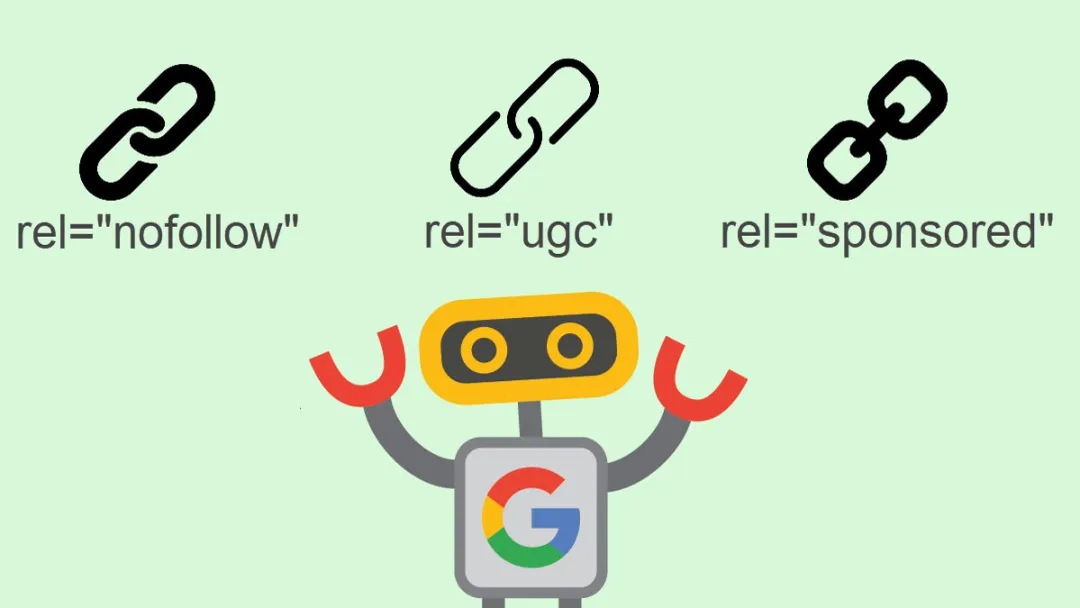
In 2019, Google changed the game. It announced two new rel values: rel=”sponsored” and rel=”ugc“.

At the same time, it said that all these attributes, including the nofollow attribute, would now work as “hints” instead of strict rules.

This means Google takes them as strong suggestions but might use its own judgment. The sponsored attribute is for paid placements, while the ugc link attribute is for user content, giving site owners more specific tools for a better link profile.

Why UGC Links Are Important For Your Website’s SEO?

Why UGC Links Are Important For Your Website's SEO?

Using the ugc link attribute correctly is more than just following rules; it directly affects your site’s health and your search engine optimization performance.

Signaling Content Origin to Search Engines

The main job of a ugc link is to tell search engines where a link came from. It says, “A user posted this, not me.”

This clarity helps Google trust your website more. When you properly label your external links, you show that you are managing your site responsibly according to Google guidelines. This signal is an important part of technical search engine optimization.

How Google Treats UGC Links Vs. Standard Links

Google treats a ugc link differently than a standard one.

A standard link, sometimes called a dofollow link, is seen as an endorsement. It passes ranking power to the linked page.

A ugc link, however, is not seen as a direct endorsement. Because it is a hint, Google might decide not to pass any value, or it might choose to pass some value if it thinks the link is from a trusted source on a relevant topic.

These are different from nofollow links, which were more of a command to ignore the link.

Preventing Penalties From Link Schemes

One of the biggest benefits of using the ugc attribute is protection. If your comment section is full of spammy, low-quality external links and you haven’t marked them as UGC, Google might think you are part of a link scheme. This could hurt your search rankings.

Correctly using ugc tags on all user-submitted links protects your site from potential penalties related to manipulative link building.

Impact on Link Equity and PageRank Flow

Link equity, or “link juice,” is the SEO value that a link passes from one page to another.

While the original nofollow attribute was designed to block this flow completely, the ugc attribute works as a hint. This means Google can, in some cases, allow a ugc link to pass some SEO value.

This is especially true if the link comes from a longtime, trusted member of your community. A healthy site has a diverse link profile with many different types of inbound links, and managing the number of ugc links is part of that.

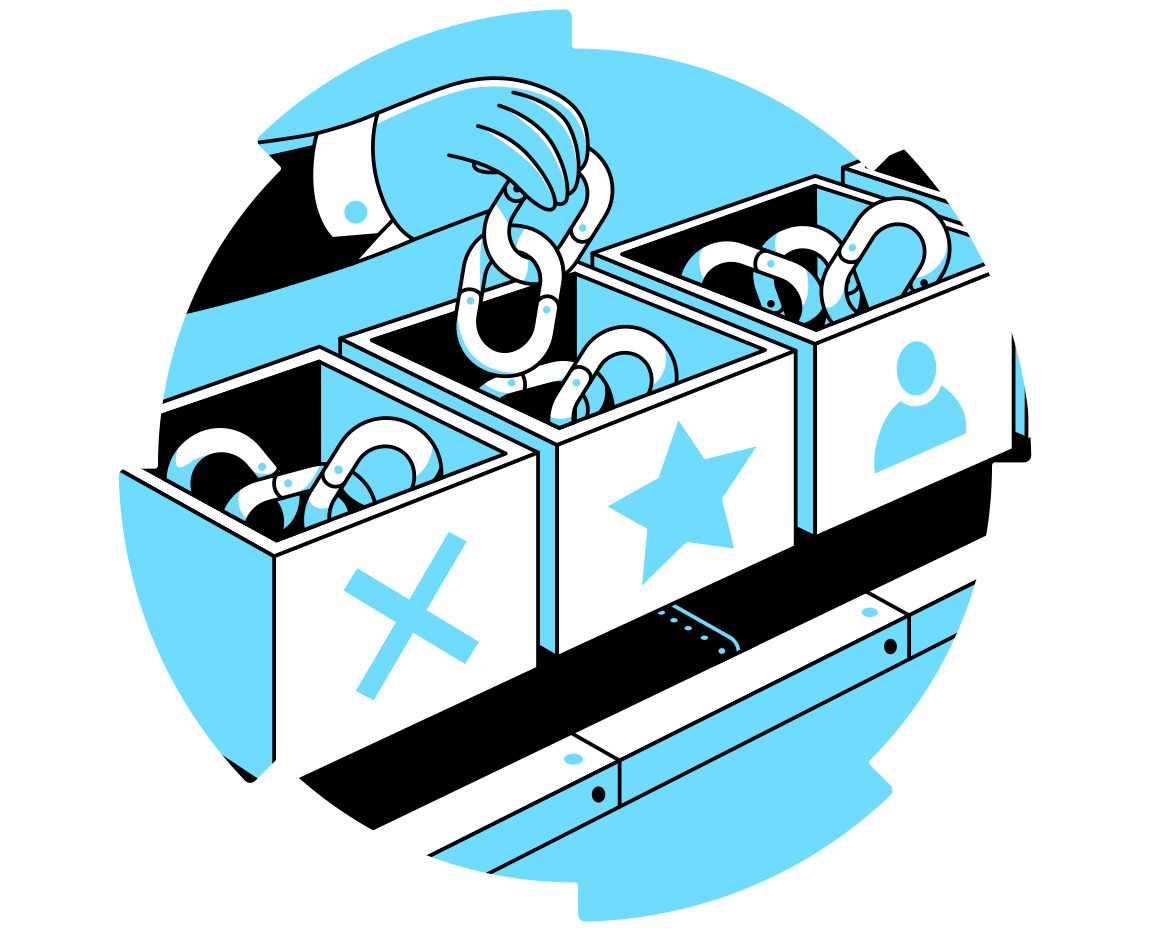
UGC Vs. Nofollow Vs. Sponsored: Key Differences

UGC Vs. Nofollow Vs. Sponsored: Key Differences

It’s important to know when to use each of the three main link attributes.

Each one serves a different purpose and sends a different signal to search engines.

  • Rel=”UGC”: For Links Within User-Created Content – Use the ugc attribute specifically for links that your visitors and users add to your site. This is the correct link attribute for links found in blog comments and forum posts. It tells search engines, “This content came from a user.”
  • Rel=”Sponsored”: For Paid Or Advertorial Links – Use the sponsored attribute for any link that you were paid to place on your site. This includes advertisements, paid reviews, or any sponsored links. A sponsored link must be marked this way to follow Google guidelines and maintain transparency with search engines.
  • Rel=”Nofollow”: The Catch-All For Untrusted Links – The nofollow attribute is now used for situations where you want to link to a page but don’t want to imply any kind of endorsement, and ugc or sponsored don’t apply. Think of it as a general “I don’t vouch for this” tag. Many site owners still use nofollow links as a general safety measure for any external link they are unsure about.

A Quick Comparison Table

Attribute When to Use It Google’s Interpretation
rel=”ugc” Links in user comments, forum posts, and reviews. Hint: Link is from user content.
rel=”sponsored” Paid links, ads, sponsored content. Hint: This is a sponsored link.
rel=”nofollow” Any link you don’t trust or endorse. Hint: Do not associate my site with this linked page.

Can You Combine These Attributes?

Yes, you can. For example, if you want to nofollow a link in a user-generated comment, you can use rel=”ugc nofollow“.

This gives search engines even more information. It’s often used as a safe default for user content, telling Google that it’s from a user and you don’t want to endorse it. Combining rel values like this is perfectly acceptable.

When and Where to Use the Rel=”UGC” Attribute (With Examples)

When and Where to Use the Rel="UGC" Attribute?

Here are the most common places where you should use the ugc link attribute.

  1. Blog Comment Sections: This is the most common use case. Any time a reader leaves a link in the comments of your blog, that link should automatically have a ugc attribute applied to it. Example: <a href=”userswebsite.com” rel=”ugc”>Check out my site!</a>
  2. Public Forum Posts and Signatures: If you run a forum, all links posted by users in their messages or in their profile signatures should be marked with the ugc attribute. This helps manage the huge number of external links that can appear in active forum posts.
  3. User Reviews With Website Links: On an e-commerce or review site, customers might leave reviews that include a link to their own blog or social media profile. These links are classic examples of user-generated content and need a ugc link attribute.
  4. Wiki Pages Or Community-Edited Content: On sites like Wikipedia, where many different people can add and edit content, links added by the community should use the ugc tag. This helps differentiate between links added by the site’s administrators and those added by the public.

How to Implement UGC Links on Your Website?

How to Implement UGC Links on Your Website?

Adding the ugc attribute can be done in a few different ways, depending on your website’s platform.

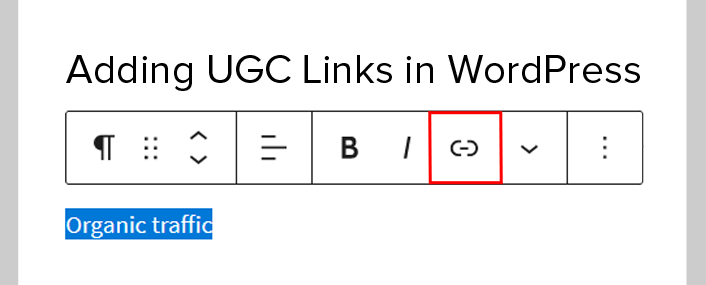
  1. Manual Implementation in HTML: If you are editing a webpage directly, you can add the attribute to the link’s HTML code. You simply add rel=”ugc” inside the anchor tag (<a>). The final HTML code will look like this: <a href=”http://example.com” rel=”ugc”>This is the link text</a>. The text between the tags is known as the anchor text.
  2. Automatic Implementation in WordPress: Good news for WordPress users: since version 5.3, WordPress automatically adds the rel=”ugc” attribute to all links in blog comments. You don’t have to do anything. This helps millions of site owners automatically follow best practices for search engine optimization.
  3. Implementation on Other CMS Platforms (Shopify, Wix, etc.): Other platforms may handle this differently. Some might apply the ugc link attribute automatically, while others may require you to install a plugin or app. Check the documentation for your specific CMS to see how it handles external links in user-generated content.
  4. Auditing Your Site For Correct UGC Link Usage: It’s a good practice to periodically check your site to make sure the attributes are being used correctly. At VH Info, when we analyze a client’s link profile, we check to see that all user-submitted links have the proper ugc tags. Making sure all your rel values are correct across your website is a key part of any technical SEO strategy and helps improve website traffic from website visitors.

Best Practices For Managing UGC Links

 Best Practices For Managing UGC Links

Just using the tag isn’t enough. You also need a strategy for managing the user content on your site.

Automatically Apply Rel=”UGC” to All User Submissions

The best way to keep your site safe is to set it up correctly. You should make sure your site adds the rel=”ugc” tag to every link a user submits. This helps stop spam comments from hurting your site.

It also makes things easier for you, so you don’t have to worry. This practice is key to a good link profile.

Moderating Your UGC Sections For Spam

The UGC tag tells Google not to trust a link. However, it does not stop people from seeing spam on your site.

You still need to check your comment sections and forums. This helps you remove clear spam comments. A clean site that is well checked gives visitors a better experience. It also helps build trust with users. This trust can help improve your search rankings.

Should You Ever Remove The UGC Tag For Trusted Contributors?

This is a tough question. Some site owners think about removing the ugc or nofollow tags. They do this for links from trusted community members. They see it as a reward. This change would make their link a dofollow link. It would pass more SEO value.

But, this can be risky and hard to manage. For most websites, the safest way is to keep the ugc tags on all user-submitted links.

FAQ’s:

Do I Need to Change My Old Nofollow Links to UGC?

No. Google has stated that you do not need to go back and change your existing nofollow links in comments to ugc. The nofollow attribute is still understood by search engines, so you can leave them as they are. Your seo efforts are better spent on new content.

What Happens If I Don’t Use the UGC Attribute on User Content?

If you don’t use the ugc attribute, Google may treat links from your users as if you endorsed them. If those links are spammy, it could negatively affect your site’s reputation and its performance in Google search. It’s a risk that is easy to avoid. This is a vital ranking factor.

Can A UGC Link Still Pass SEO Value?

Yes. Since the ugc link is a “hint,” not a directive, Google can choose to pass SEO value through it. If a highly respected expert leaves a very relevant, high-quality link in your comments, Google might see that link as valuable and count it as a positive signal for the linked page.

What Are the Risks If I Misuse UGC Link Attributes?

Misusing any link attribute can confuse search engines. For example, if you label a sponsored link as a ugc link, you are sending a wrong signal. Consistently misusing these attributes could be seen as an attempt to manipulate search rankings, which can lead to penalties.

Is Rel=”UGC” A Directive Or A Hint For Google?

It is a hint. This is a key difference from how the old nofollow attribute worked. A hint gives Google more flexibility to analyze the link based on its own systems and decide how much weight, if any, it should carry.

Can UGC Links Help Or Hurt My Link Building Strategy?

They can do both. A large number of ugc links from an active community signals a healthy, engaging website, which is good. However, if your UGC sections are full of unmoderated comment spam, it can hurt your site’s reputation.

Conclusion

The ugc link is a simple but powerful tool for modern search engine optimization.

Accurately tagging links in blog comments, forum discussions, and various user-generated content offers significant clarity to search engines.

This enhances the perception of your link profile by Google, safeguards your site, and contributes to a transparent and effective SEO approach. For site owners, managing every kind of link, from internal links to external links, is a continuous process.

Proper link building and management are fundamental to growing your SaaS brand. If you need expert guidance on refining your backlink strategy and ensuring your site follows the latest Google guidelines, the team at VH-info is here to help.

What Is A Google Ads CID? How To Find It? Its Importance & Tips

If you use Google Ads to grow your business, you have likely come across many terms and numbers. One of the most important is your Google Ads CID. Think of it as the special name tag for your advertising account.

At VH-info, we help SaaS companies build their online presence, and we know that a strong ad strategy is a key part of that growth. Your ads help you show up in a Google search and reach new people. This guide will explain everything about the Google Ads customer ID. We will show you what it is, where to find it, and why it is so important for managing your Google Ads account.

Whether you are working with a PPC agency or managing ads on your own, knowing your customer ID is the first step. This number is the key that unlocks many features and helps you connect with partners who can help you grow.

We will break it down in simple terms so you can feel confident handling your account.

What Is A Google Ads Customer ID (CID)?

What Is A Google Ads Customer ID (CID)?

A Google Ads Customer ID, often shortened to Google Ads CID, is a unique number assigned to every single Google Ads account. No two accounts have the same one. It acts as your account’s primary identifier.

When you need to talk to Google support or connect your account to other services, this is the number you will use.

It is not a secret code, but it is a vital piece of information. You can think of it like your home address. You share it with people who need to find you, like friends or the mail carrier, but you do not post it everywhere for everyone to see.

Your customer ID works in a similar way for your advertising efforts on the Google Ads platform.

The Core Function Of A Customer ID

The main job of your customer ID is to identify your specific Google Ads account. Google manages millions of advertisers, so this unique number ensures that any changes, payments, or connections are applied to the correct account—yours.

When you hire a PPC consultant or an agency, they will ask for your Google Ads CID. They use this ID to request permission to help manage your campaigns. It is also the number you give to Google support so their team can quickly pull up your account details and help you with any problems. It is the central piece of information that keeps your advertising world organized and makes sure you are always talking about the right Google Ads account. Your account customer number is fundamental for all operations.

Understanding the Unique Format (XXX-XXX-XXXX)

The format of a Google Ads customer ID is always the same, which makes it easy to recognize. It is a ten-digit number, separated by hyphens into three parts.

Here is a Google Ads customer ID example: 123-456-7890.

You will always see it written this way. This consistent format helps you and others, like your PPC agency, quickly spot the ID in emails or inside the Google Ads platform.

Knowing this format helps you avoid confusing it with other numbers related to your account, like campaign IDs or billing numbers. Whenever you see a ten-digit number in this XXX-XXX-XXXX format about your ad account, you have found your Google Ads ID.

How to Find Your Google Ads CID (Step-by-Step)

How to Find Your Google Ads CID?

Finding your Google Ads CID is simple once you know where to look. There are a few easy methods to locate this important number.

Here are three common ways to find your customer ID.

Method 1: In the Google Ads Interface (Desktop)

This is the most direct way to find your ID. When you are logged into your Google Ads account on a computer, the number is almost always visible.

  • Go to the Google Ads website and sign in.
  • Once you are signed in, look at the very top of the page.
  • You will see your Google Ads customer ID in the top right corner of the screen, right next to your account name and email address. It will also be visible on the top navigation bar on the left side when the menu is expanded.

The ID is usually displayed prominently on the main overview page as well as on most other pages within the interface. Google wants to make sure this account’s customer number is easy for you to find.

Method 2: In the Google Ads Mobile App

If you use the Google Ads mobile app to check on your campaigns, you can also find your ID there. The steps are slightly different from the desktop version.

  1. Open the Google Ads app on your phone.
  2. Tap on the “More” menu, which is usually represented by three horizontal lines (a hamburger icon) in the corner.
  3. At the top of the menu that appears, you should see your Google Ads CID.
  4. If you do not see it there, look for a “Help” or “Help & Feedback” section, as the ID is often listed there as well for support purposes.

Method 3: In Email Communications From Google

Google sends you emails about your Google Ads account for many reasons, such as performance reports, billing updates, or policy alerts. Most of these official emails will include your Google Ads customer ID.

  1. Open your email inbox that is linked to your Google Ads account.
  2. Search for emails from “Google Ads.”
  3. Open any recent email, like a payment confirmation or a campaign notification.
  4. Look in the header or footer of the email. The customer ID is typically included there for reference. It is a good practice to save one of these emails in a safe folder for quick access.

Why Your Google Ads CID Is Important: Key Use Cases

Why Your Google Ads CID Is Important?

Your Google Ads CID is more than just a number; it is a key that connects your account to other tools and people.

Here are the most common reasons why your ID is so important.

Linking To A Manager Account (MCC)

If you work with a marketing team or a PPC agency, they will likely use a Google Ads Manager Account, also known as an MCC (My Client Center). A manager account allows an agency to view and manage multiple Google Ads accounts from a single dashboard.

To give them access, you need to provide your Google Ads CID. The agency or PPC consultant will use your customer ID to send a linking request. You will then get a notification in your own Google Ads account to approve it.

This is a secure way to grant access without sharing your login password. This process is standard when bringing on a new PPC provider.

Connecting With Google Analytics 4 (GA4)

To get a full picture of how your ads are performing, you need to connect your Google Ads account with Google Analytics 4 (GA4). This link allows you to see what visitors do on your website after they click your ad.

To link the two platforms, Google uses your Google Ads customer ID to identify the correct ad account. This connection helps you track conversions, understand user behavior, and make smarter decisions about your ad spend. Without it, you are only seeing half the story.

Contacting Google Ads Support

Sooner or later, you may need help from Google support. You might have a question about billing, a disapproved ad, or a technical issue. The very first thing the support representative will ask for is your Google Ads CID.

Providing this ID allows them to quickly locate your specific Google Ads account in their system. Without it, they cannot help you. Having your customer ID ready before you call or start a chat with Google support will make the process much faster and smoother.

Using Third-Party Tools and Integrations

Many businesses use other software to help with their marketing, like reporting dashboards, call tracking software, or CRM systems. To connect these tools to your Google Ads data, you will need to authorize a link.

The authorization process almost always requires you to input your Google Ads ID.

This ensures the third-party tool pulls data from the right place. Whether it is a tool for managing leads from potential clients or for creating advanced reports, your customer ID is the key to making that connection happen.

CID Vs. Other Google Ads Identifiers

The Google Ads platform uses several different types of IDs. It is helpful to know the difference between your Google Ads CID and other common identifiers.

Customer ID Vs. Manager Account (MCC) ID

As we mentioned, a customer ID identifies a single Google Ads account. A Manager Account (MCC) ID, on the other hand, identifies an agency or manager’s account that holds multiple client accounts.

If you are a business advertising your own products, you will have a customer ID.

If you are a PPC consultant managing accounts for multiple clients, you will have a manager account ID, and each of your clients will have their own unique Google Ads customer ID. Do not mix them up; your individual Google Ads ID is for your account only.

Customer ID Vs. Conversion ID and Conversion Label

When you set up conversion tracking in Google Ads, you will work with a conversion ID and a conversion label.

These are different from your customer ID. These IDs are pieces of code that you place on your website to track actions, like a form submission or a purchase. They are specific to tracking goals, not your entire account.

Unlike the customer ID which is a simple number, these tracking IDs are part of longer code samples. Your Google Ads customer ID identifies who you are; conversion IDs track what your customers do.

Best Practices For Your CID

Best Practices For Your Customer id

Handling your Google Ads CID correctly helps keep your account secure and makes it easier to manage.

Here are a couple of simple best practices to follow.

Is It Safe to Share Your Google Ads CID?

Yes, it is generally safe to share your Google Ads CID. Sharing the ID alone does not give someone access to your account.

Think of it as a username, not a password. A person or agency can use your ID to request access, but you must approve that request from within your Google Ads account. You should only share your ID with trusted partners, like your marketing team or a reputable PPC agency. Never share your password with anyone.

Being asked for your customer ID is a normal part of working with a professional; being asked for your password is a major red flag.

Keeping A Record of Your ID For Easy Access

Since you will need your Google Ads CID for many different tasks, it is a good idea to keep it saved in a place where you can find it easily. You could save it in a password manager, a secure note-taking app, or a document with other important account information.

Having it handy saves you the trouble of having to log in to your Google Ads account every time you need it, especially when you are on the phone with Google support or setting up a new tool.

FAQ’s:

Can I Change My Google Ads Customer ID Or Recover It If I Lose Access?

No, you cannot change your Google Ads customer ID. It is a permanent, unique number assigned to your account when it is created. If you lose access to your account, you can recover your ID by looking through old emails from Google or by contacting your agency if you have one.

To regain access, you will need to go through Google’s account recovery process.

Does Each Campaign Have Its Own CID?

No, the Google Ads CID is for the entire Google Ads account.

All of your campaigns, ad groups, and ads exist within that one account and share the same customer ID. Campaigns have their own campaign IDs, but these are for reporting and management within the account, not for identifying the account itself.

What Should I Do If I Can’t Find My CID?

If you have tried looking in the top right corner of the interface and in the top navigation bar and still cannot find it, check your emails from Google. If you still have no luck, and you work with a marketing partner, ask them for your Google Ads ID. As a last resort, you can contact Google, but you will need to verify your identity in other ways, like with the email associated with your business profile.

Do I Need A CID If I Only Use Google Analytics?

No, a Google Ads customer ID is only created if you have a Google Ads account.

Google Analytics has its own set of identifiers, like a Measurement ID (for GA4) or a Tracking ID (for Universal Analytics), but it does not have a CID. You only need a Google Ads CID when you are running paid ads on the Google search and display networks.

How Do Agencies and Collaborators Safely Access My CID?

You can safely provide your customer ID to a trusted agency or collaborator directly.

They will then use their manager account to send a link request. You will receive an email and a notification inside your Google Ads dashboard. You must approve this request before they can gain any access. This system ensures you always have control.

What Privacy and Security Practices Should I Follow With My CID?

Treat your Google Ads CID as important account information. Only share it with trusted partners. Never post it in a public forum. Be cautious of phishing emails that ask for your ID along with other sensitive information.

The most important security practice is to never share your password and to enable two-factor authentication on your Google account.

Conclusion

Your Google Ads CID is a small but powerful piece of information.

It is the central identifier for your entire advertising presence on the platform. Knowing what your customer ID is, where to find it, and how to use it correctly is fundamental for managing your ad spend, working with partners, and getting help when you need it.

For SaaS businesses, a well-run Google Ads strategy can be a powerful engine for growth, bringing in new users and potential clients.

Just as a solid link-building plan from VH-info boosts your organic authority, properly managing your Google Ads account with details like your CID is vital for your paid acquisition success.

Keep your account customer number handy, share it wisely, and you will be well-equipped to manage your advertising efforts effectively.

Google Analytics 4 (GA4) Logo Files: GA4 Logo (.png & .svg)

If you work in digital marketing, you have probably heard a lot about Google Analytics 4.

This powerful tool helps website owners see how people use their sites. When you write about this tool or feature it in a presentation, using the correct ga4 logo is important. It makes your work look professional and shows you respect Google’s brand.

At VH-info, we know that small details make a big difference. We help SaaS companies grow with strong link-building strategies, and we believe that getting the basics right is the first step.

This guide will give you everything you need to use the ga4 logo correctly. We will show you where to find the logo files, how to use them, and what the design means. Think of this as your complete guide to the official logo for Google Analytics 4.

Understanding Google Analytics 4: What Is GA4?

Understanding Google Analytics 4

Before we look at the logo, let’s quickly talk about what Google Analytics 4 (GA4) is. It’s the newest version of Google’s service for tracking website visitors. It is a big change from the older version, called Universal Analytics.

The main goal of Google Analytics 4 is to help you get a better picture of your audience in today’s digital world.

Understanding the Whole Customer Journey

GA4 is built to follow a user across different devices.

For example, a person might first see your site on their phone and later visit it on their computer. Google Analytics 4 can connect these visits to show you the whole story. This is different from Universal Analytics, which often saw these as two separate visits.

This smarter tracking helps businesses see how customers really interact with them.

Contextualizing User Actions

Instead of just counting page views, GA4 focuses on “events.” An event can be anything: a button click, a video play, or a file download.

This method of data collection gives you more useful information. You can see exactly what people are doing on your site, not just what pages they are looking at. This shift makes data collection much more meaningful for any digital marketing plan.

Privacy and the Future

People care more about their privacy online, and rules about data collection are changing.

GA4 was designed with this in mind. It gives you more control over user data and is built to work even without cookies. This makes Google Analytics 4 a tool that is ready for the future of the internet, helping you gather important information while respecting user privacy.

Download the GA4 Logo (PNG & SVG)

Download the GA4 Logo

When you need the GA4 logo, you want to make sure you get the right version. Using a high-quality, official logo makes your content look sharp and trustworthy. Since we cannot provide direct download links here, we will guide you on what to look for on Google’s official brand resource website. A quick search for “Google Marketing Platform brand assets” should take you to the right place.

High-Resolution PNG Logo (Transparent Background)

A PNG file is a type of image file. The best thing about the PNG version of the ga4 logo is its transparent background. This means you can place the logo on any colored background without a white box around it. This is perfect for presentations, websites, and blog posts.

Look for a high-resolution version so it looks clear and not blurry, even on large screens.

Scalable Vector Logo (SVG & AI Formats)

Vector files, like SVG or AI, are the best choice for professional design work.

Unlike a PNG, a vector logo can be made as big or as small as you want without losing quality. If you need to put the ga4 logo on a giant banner or a tiny business card, a vector file will always look crisp. Designers almost always prefer vector files for their flexibility.

Monochrome and White Logo Variations

Sometimes, the full-color logo doesn’t fit your design. That’s why Google provides other versions.

A monochrome logo uses only one color (usually black or dark grey). A white version is also available, which is perfect for placing on dark or colorful backgrounds. Having these options ensures the GA4 logo can look good in any situation.

Official GA4 Logo Usage Guidelines

Official GA4 Logo Usage Guidelines

Google has rules for how to use its logos.

Following these rules is important to show respect for the brand. It also keeps the logo looking consistent everywhere it appears.

The Do’s: How to Correctly Display the Logo

  • Use the Official Version: Always use the official, unaltered ga4 logo that you get from Google’s brand resource center.
  • Give it Space: Leave a good amount of space around the logo. This “clear space” prevents it from looking cluttered and helps it stand out.
  • Use the Right Colors: Use the full-color version on a white or light background. Use the white logo on dark backgrounds.
  • Maintain Readability: Make sure the logo is large enough to be easily seen and read.

The Don’ts: Common Mistakes to Avoid

  • Don’t Change the Colors: Never change the colors of the logo. Don’t make the yellow triangle green or the blue bar red.
  • Don’t Stretch or Warp: Do not stretch, squash, or change the shape of the logo in any way. It should always keep its original proportions.
  • Don’t Add Effects: Do not add shadows, glows, or any other visual effects to the logo.
  • Don’t Rotate: The logo should always be straight. Do not tilt or rotate it.
  • Don’t Use Old Logos: Avoid using the old Universal Analytics logo when you are talking about Google Analytics 4.

Clear Space and Minimum Size Requirements

To make sure the logo is clear, Google asks that you leave a specific amount of space around it.

The rule is to leave a space that is at least half the height of the “G” in the logo on all sides. For size, the logo should never be so small that the text “Google Analytics” is hard to read. On digital screens, the logo’s height should be at least 24 pixels.

Understanding the GA4 Logo: Colors and Design

The GA4 logo was carefully designed to represent the tool’s purpose. Its colors and shapes have meaning and connect it to the larger family of Google products.

The Primary Full-Color Logo

The main logo features the words “Google Analytics” next to a colorful icon.

The text is in Google’s own font, called Google Sans. It is simple, modern, and easy to read. This logo is the one you should use most of the time. It clearly represents the full product, which is a key part of any modern digital marketing strategy that relies on good data collection.

The Standalone GA4 Icon

The icon is the symbol part of the logo. It has three main parts: a yellow triangle, a shorter blue bar, and a longer blue bar.

The yellow triangle points up and to the right, showing growth and progress. The blue bars look like bar charts, which are used to show data. This simple icon is a visual shortcut for Google Analytics 4 and its focus on data.

Official Google Analytics Color Palette (Hex & RGB Codes)

Colors are a big part of a brand’s identity. Google uses specific colors for the GA4 logo to keep it consistent.

For designers and marketers who need to match these colors exactly, here are the official codes:

  • Google Blue:
    • Hex: #4285F4
    • RGB: 66, 133, 244
  • Google Yellow:
    • Hex: #FABC05
    • RGB: 250, 188, 5
  • Dark Grey (for text):
    • Hex: #5F6368
    • RGB: 95, 99, 104

Using these exact colors makes sure your work looks official and professional.

The Evolution: Universal Analytics Logo Vs. GA4 Logo

Universal Analytics Logo Vs. GA4 Logo

To really appreciate the new GA4 logo, it helps to look at the logo it replaced. The change in design shows the change in the technology itself.

A Look Back At The Universal Analytics (UA) Logo

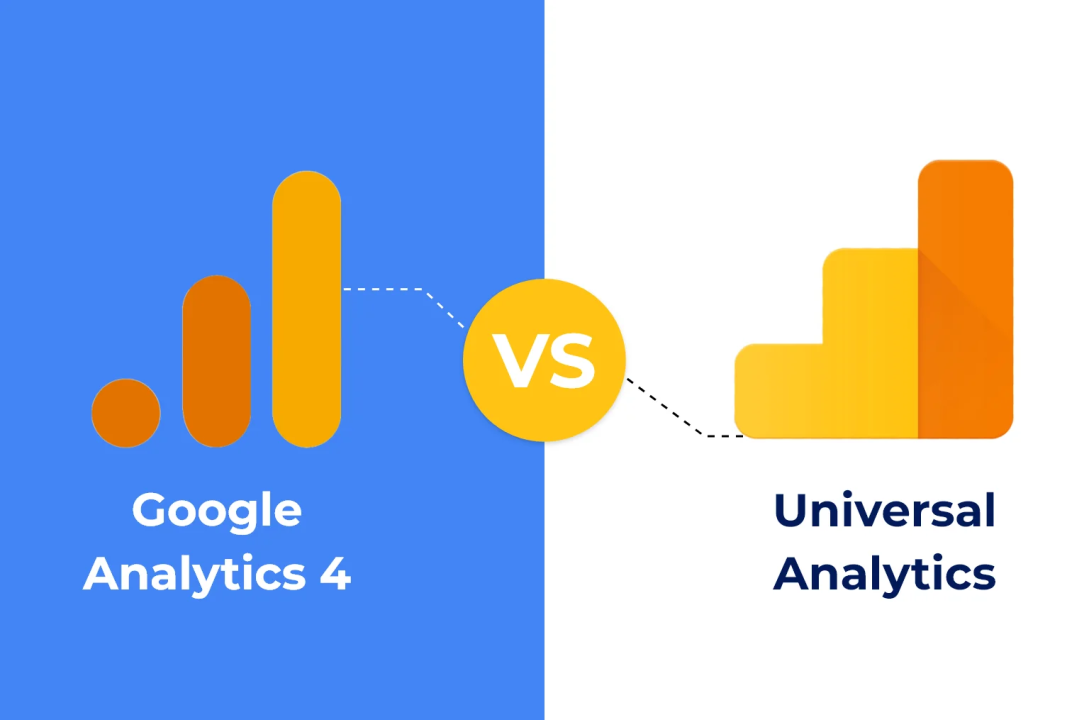
The old logo for Universal Analytics was also simple. It featured the words “Google Analytics” in a grey font. The icon was an orange box with a white chart inside. The chart showed lines going up and down, like a simple line graph. This logo served Google for many years and became very familiar to anyone working in digital marketing. It represented a time when data collection was mainly about page views and sessions.

Key Design Differences in the New GA4 Branding

The new ga4 logo is very different.

  • First, the colors have changed from orange and grey to the more vibrant blue and yellow used across many Google products. This visually connects GA4 to the larger Google family.
  • Second, the icon is more abstract. Instead of a simple line graph, it uses shapes that suggest data, growth, and the connection between web and apps. The font is also updated to the modern Google Sans, making it look cleaner.

What Does the New Design Represent?

The new design represents the big shift from Universal Analytics to Google Analytics 4. The bright, modern look shows that this is a forward-thinking tool. The icon, with its upward-pointing triangle, signals growth and improvement.

The bar chart elements remind us that this is a tool for data analysis. The change shows that Google Analytics 4 is not just an update; it is a completely new way of thinking about website data collection and analysis.

FAQ’s:

Can I Alter the Colors of the GA4 Logo?

No, you should not change the colors. Using the official colors is very important. It is a key part of the rules for use. If the full-color logo doesn’t fit your design, you can use the official black and white versions instead.

Can I Use the Logo in My Marketing Presentation?

Yes, you can use the GA4 logo in a marketing presentation, especially when you are discussing Google Analytics or showing data from the platform. It helps your audience immediately recognize the topic. Just be sure to follow the usage rules.

Can I Use the GA4 Logo Alongside My Company’s Logo on Marketing Materials?

Yes, you can. Many agencies and consultants do this. When you do, make sure to give both logos their own space. Do not place them so close that they look like one combined logo. At VH-info, when we create reports, we ensure our logo and the GA4 logo are distinct and clear.

Are There Requirements For Giving Credit Or Attribution When Using the GA4 Logo?

Usually, you need to include a tagline that says Google Analytics is a trademark of Google LLC. A common way to do this is to add a sentence at the bottom of the page or slide that says: “The Google Analytics logo is a trademark of Google LLC.”

Where Do I Find A Transparent Or Vector Version of the GA4 Logo?

You can find the official logos on the Google Marketing Platform website. This includes transparent PNGs and vector files. The brand assets or brand resource center has all these files. It is the only place to get them officially.

Where Can I Find Other Google Marketing Platform Logos?

The same Google Marketing Platform brand resource center will have logos for other Google tools, like Google Ads, Google Tag Manager, and Looker Studio. They are all kept in one place to make it easy for marketers and designers.

Conclusion

Using the GA4 logo correctly is a simple but important way to make your work look professional.

It shows that you pay attention to detail and respect the brands you work with. From its modern design to its specific color palette, the logo tells a story about what Google Analytics 4 is: a powerful, forward-thinking tool for modern digital marketing.

Whether you are creating a report, writing a blog post, or preparing a presentation, this guide has given you the key information you need.

Remember to use the official files, give the logo enough space, and never change its appearance. For businesses looking to make the most out of tools like Google Analytics, having a solid strategy is key. Here at VH-info, we specialize in building those strategies to help you grow.

Ethical SEO: Meaning, Core Principles, Good & Bad Practices of SEO

Search engine optimization, or SEO, is about helping your website show up in search results on sites like Google. When people search for things related to your business, you want them to find you. But how you get your website to the top is very important.

There are two main paths: the right way and the wrong way. The right way is called ethical SEO. This approach is about building a great website that helps people and follows the rules. The wrong way uses tricks and shortcuts that can get your site penalized.

This guide will explain what ethical SEO is and why it’s the only path for long-term success.

We will look at the best practices that build a strong online presence and the unethical practices you must avoid. A good seo strategy isn’t just about pleasing search engines; it’s about building trust with your target audience and creating a digital asset that grows in value over time.

What is Ethical SEO?

What is Ethical SEO?

Ethical SEO, also known as white hat SEO, is the practice of improving a website’s search rankings by using methods that are approved by major search engines like Google and Bing. Think of it as following the rules of the game. Instead of looking for shortcuts or using manipulative tactics, ethical SEO focuses on creating a great user experience and providing valuable content to the target audience.

The main goal is not just to please search engine algorithms, but to genuinely help the people visiting the website.

This approach involves SEO practices that are honest, transparent, and designed for long-term success. It’s about earning your spot at the top of search engine results, not tricking your way there. Good SEO efforts always prioritize the user.

Understanding the Core Principles of Ethical SEO

Understanding the Core Principles of Ethical SEO

Ethical search engine optimization is built on a few simple, powerful ideas. These principles guide every decision you make in your SEO strategy to make sure you are doing good SEO.

Prioritizing the User Experience (UX) Above All Else

The most important part of ethical SEO is the user. A positive user experience means your website is easy to use, fast, and helpful.

Ask yourself: Can visitors find what they are looking for quickly? Does the web page load fast on phones and computers?

Is the website design clean and simple? When you make your website great for people, search engines notice. A good user experience keeps people on your site longer, which signals to Google that you have quality content. This is a core part of good SEO.

Adhering to Search Engine Guidelines (Google, Bing, etc.)

Search engines like Google have rules, which they call search engine guidelines. These guidelines explain what they consider to be good and bad seo practices. Ethical SEO means reading, understanding, and following these rules.

These guidelines are not there to make things hard; they exist to protect users from low-quality and spammy websites.

Following them ensures your seo efforts are safe and effective. Ignoring these rules is the fastest way to get your website penalized or removed from search results entirely.

Creating Honest, High-Quality, and Valuable Content

Content is the heart of any seo strategy. Ethical SEO requires creating honest, original, and valuable content that answers your audience’s questions. This could be in the form of blog posts, articles, videos, or case studies.

The goal is to produce relevant content that helps people, not just to rank for relevant keywords. Avoid creating thin or duplicate content. Instead, focus on becoming a trusted resource in your industry by publishing the best, most helpful information you can.

This is what builds a loyal audience and earns quality backlinks naturally.

Aiming For Sustainable, Long-Term Results

Black hat SEO might offer quick wins, but they rarely last. Ethical SEO is a long-term strategy. It’s about making steady improvements that build on each other over time. This approach leads to sustainable growth and stable search engine rankings. Think of it like building a house.

You need a solid foundation before you can put up the walls. Rushing the job leads to problems down the road.

By investing in white hat techniques, you are building a valuable business asset that will continue to bring in organic traffic for years to come. This is the goal of a smart online marketing plan.

Why Ethical SEO Is Non-Negotiable For Your Business?

Why Ethical SEO Is Non-Negotiable For Your Business?

Choosing ethical SEO over unethical SEO is one of the most important decisions you can make for your online business. It affects everything from customer trust to your bottom line.

Builds Trust and Brand Credibility

When you use ethical practices, you show both users and search engines that you are trustworthy. A clean, fast, and helpful website makes people feel safe and valued. This process of building trust is essential for creating a strong brand reputation.

People are more likely to buy from a brand they trust, and a good reputation makes every part of your digital marketing more effective. Building trust with your audience is a key benefit.

Mitigates Risk of Ranking Penalties

Unethical SEO practices come with a huge risk: penalties from search engines.

A penalty can cause your search rankings to drop overnight, or your site could be removed from the index completely. This means all your organic traffic disappears. It can take months or even years to recover from a penalty, if ever.

Ethical SEO protects your website from these risks. By following search engine guidelines, you ensure that your hard work won’t be undone by an algorithm update or a manual penalty.

Drives Higher Quality Traffic and Conversions

Ethical SEO focuses on attracting your ideal target audience by creating relevant content that matches what they are searching for.

This means the people who land on your site are more likely to be genuinely interested in what you offer. This higher quality traffic leads to better conversion rates, whether that means more sales, sign-ups, or inquiries. You get visitors who are looking for exactly what you provide.

Creates A Future-Proof Digital Asset

Search engine algorithms are always changing.

They are getting smarter and better at spotting manipulative tactics. A website built on unethical SEO is on borrowed time. Sooner or later, the tricks will stop working. A website built using ethical SEO strategies, however, is a future-proof asset.

Because it focuses on user experience and quality content—the two things search engines will always value—it is much more likely to withstand algorithm updates. You are building a strong online presence that will last for the long run.

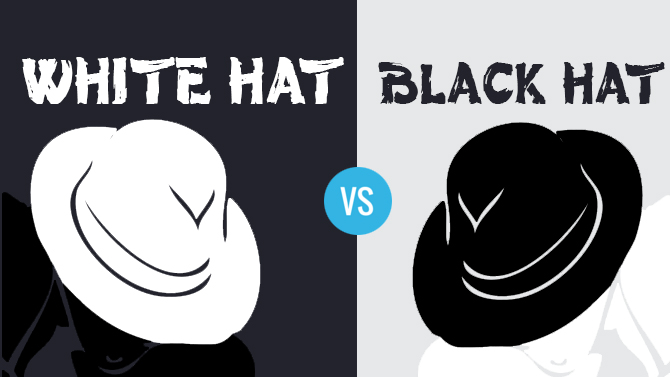
The Ethical Divide: White Hat Vs. Black Hat SEO

The Ethical Divide: White Hat Vs. Black Hat SEO

In search engine optimization, there are two main paths: the right way and the wrong way. These are known as white hat and black hat.

White Hat Techniques (The Ethical Approach)

White hat SEO is another name for ethical SEO. These are the SEO techniques that search engines recommend. They focus on providing value to humans. Some examples of white hat practices include:

  • Creating high-quality, relevant content.
  • Doing proper keyword research to find what users are searching for.
  • Improving your website’s speed and making it mobile-friendly.
  • Earning quality backlinks from other quality websites.
  • Making your website design easy for people to use.

These are the best practices for sustainable growth.

Black Hat Tactics to Avoid At All Costs

Black hat SEO involves using unethical practices to try and cheat the system. These black hat tactics are risky and violate search engine guidelines. Some common examples include:

  • Keyword stuffing: Repeating keywords over and over.
  • Hidden text: Hiding text or links so only search engines can see them.
  • Cloaking: Showing different content to search engines than to users.
  • Buying links or using link farms.

These unethical SEO tactics can lead to severe penalties.

The Dangers of “Gray Hat” SEO

Gray hat SEO sits somewhere between white hat and black hat. These are tactics that are not explicitly forbidden but are still manipulative and risky.

For example, buying old domains just for their authority or creating a network of personal blogs to link back to your main site. While it might seem like a clever shortcut, gray hat SEO is dangerous because search engine algorithms are always getting better at spotting manipulation.

What is gray hat today could be considered black hat SEO tomorrow. It’s best to stick to clean, white hat SEO for true sustainable growth.

Key Pillars of an Ethical SEO Strategy

Key Pillars of an Ethical SEO Strategy

A strong, ethical SEO strategy is built on four main pillars. Each one is important for building a powerful and sustainable online presence.

Ethical On-Page SEO: Title Tags, Content, and Intent

On-page SEO refers to all the things you do on your actual web page to improve its ranking.

This includes using relevant keywords naturally in your titles, headings, and text. Most importantly, it’s about matching your quality content to the user’s intent. Are they looking to learn something, buy something, or find a specific website? Your page should deliver exactly that.

Ethical Off-Page SEO: Earning Links, Not Buying Them

Off-page SEO mostly involves actions taken outside of your own website to impact your rankings within search engine results pages.

The most important part of this is link building. Ethical link building is about earning quality backlinks from other reputable, quality websites. This happens naturally when you create great content that other people want to share.

At VH Info, our SEO services focus on ethical practices like guest posting on relevant sites, which helps you earn these valuable links. This is the opposite of using link schemes or buying links, which are unethical practices.

Ethical Technical SEO: Accessibility and Performance

Technical SEO makes sure that search engines can find, crawl, and index your website without any problems. This includes having a fast-loading site, a mobile-friendly design, and a secure connection (HTTPS).

Ethical technical SEO ensures that your site is not just accessible to search engine bots, but also to all users, including those with disabilities. A technically sound site provides a better user experience for everyone.

Ethical Local SEO: Building Community Trust

For businesses that serve a specific geographic area, local SEO is very important.

Ethical local SEO involves creating and optimizing your Google Business Profile, getting real reviews from happy customers, and making sure your business name, address, and phone number are consistent everywhere online.

It’s about becoming a trusted part of the local community online, which helps local customers find you in search results.

Ethical SEO: Good Practices

Ethical SEO: Good Practices

Here are some of the most important ethical SEO practices to follow:

  1. Creating High-Quality Content: This is the number one rule. Your content must be original, helpful, and well-written. It should answer questions and solve problems for your target audience.
  2. Following Search Engine Guidelines: Always stay up-to-date with the guidelines from Google and other major search engines. This keeps your SEO efforts safe and effective.
  3. Conducting Keyword Research and Optimization: Use keyword research to find the terms your audience uses. Then, place these relevant keywords naturally in your content, titles, and headings without overdoing it.
  4. Building Natural Backlinks: Focus on earning links from other respected websites in your industry through great content and outreach. This is a powerful signal of trust. An experienced SEO agency can help you with this.
  5. Respecting the Intellectual Property of Other Brands: Never copy content, images, or ideas from another website. Always create your unique material or give proper credit. This helps build your brand reputation.
  6. Ensuring Transparency: Be honest with your visitors. If you are using affiliate links or sponsored content, disclose it. Transparency helps build trust.
  7. Making Websites User-Friendly: A great website design is simple, clean, and easy to navigate. This is key to a positive user experience. Website owners should prioritize this.
  8. Use an Ethical Web Analytics Solution: Track your website’s performance with tools that respect user privacy. This allows you to make data-driven decisions without compromising user trust.

Unethical SEO: Bad Practices

Unethical SEO: Bad Practices

Here are some of the most common unethical SEO practices to avoid:

  1. Keyword Stuffing: This is the act of loading a web page with keywords to manipulate search rankings. It makes the text sound unnatural and offers a poor user experience. Search engines can easily detect and penalize this.
  2. Cloaking: This is a deceptive practice where the content presented to the search engine spider is different from that presented to the user’s browser. This is a clear violation of search engine guidelines.
  3. Deceiving Functionality: This happens when a website promises one thing but delivers another. For example, a button that says “download movie” but instead installs malware. This is a major trust-breaker and a black hat tactic.
  4. Fraudulent Redirects: This involves sending a user to a different URL than the one they clicked on, without their consent. It’s a bait-and-switch tactic that is highly penalized by search engines.
  5. Negative SEO: This is the malicious practice of using black hat tactics on a competitor’s website to harm their rankings. It’s an attack that goes against the spirit of fair competition in online marketing.
  6. Hidden Text: This involves hiding text or links on a page, for example, by making the text the same color as the background. This is an old black hat tactic designed to trick search engines, but it is easily caught.

Why Ethical SEO Wins in the Long Run?

Why Ethical SEO Wins in the Long Run?

Some website owners might be tempted by the quick results promised by black hat SEO, but ethical SEO is always the winning SEO strategy for a serious business.

  1. Sustained Rankings: Rankings gained through unethical practices are temporary. Search engines will eventually find the manipulation, and the rankings will disappear. Ethical SEO practices build rankings that are stable and last over time. They are based on real value, not tricks.
  2. Trust From Users: Trust is everything online. Users who feel tricked or spammed by your website will leave and never come back. They might even share their bad experience on social media. Ethical practices build trust, which leads to loyal customers and a positive brand reputation.
  3. Avoiding Penalties: The biggest reason to choose ethical SEO is to avoid penalties. A penalty can make your website invisible on search engines, cutting off your most valuable source of organic traffic. The damage can take months or even years to fix, if it can be fixed at all. It is simply not worth the risk.

The Future of Search is Ethical  

The Future of Search is Ethical

The world of search engine optimization is always evolving. Search engine algorithms are becoming more advanced every day. They are getting better at understanding content, context, and user intent. Their goal is to provide the best and most relevant results for users.

Because of this, the future of SEO is firmly rooted in ethical practices. Tricks and loopholes will continue to disappear. The websites that will succeed in the future are the ones that focus on quality, transparency, and a great user experience.

Committing to ethical SEO today is the best way to prepare your business for tomorrow.

FAQ’s:

What is the Difference Between Ethical and Unethical SEO?

Ethical SEO (white hat) focuses on helping users and following search engine guidelines. It uses techniques like creating quality content and earning natural links. Unethical SEO (black hat) uses tricks like keyword stuffing and hidden text to manipulate search results, which violates guidelines and creates a poor user experience.

How Can Ethical SEO Benefit A Website?

Ethical SEO builds trust, improves brand reputation, drives high-quality organic traffic, and leads to sustainable growth. It protects your site from penalties and creates a future-proof digital asset that provides value for the long run.

What Are the Risks of Using Unethical SEO Practices?

The risks are severe. You can face harsh penalties from search engines, including a total removal from search engine results. This leads to a massive loss of traffic, damages your brand reputation, and can destroy your business’s online presence.

What Are Some Examples of Unethical SEO Tactics?

Some common unethical SEO tactics include keyword stuffing, cloaking (showing different content to users and search engines), using hidden text, buying links from link farms, and using fraudulent redirects.

Are Ethical SEO Results Slower Than Using Manipulative Tactics?

Yes, ethical SEO results can take more time to appear than results from black hat tactics. However, they are stable, sustainable, and safe. Manipulative tactics offer quick, risky gains that often lead to long-term failure and penalties.

Ethical SEO is an investment in long-term success.

How Can A Website Ensure It Is Using Ethical SEO Practices?

To ensure you are using ethical SEO practices, focus on creating high-quality, relevant content for your target audience.

Follow search engine guidelines, build a user-friendly website, and earn quality backlinks naturally. Partnering with a reputable SEO agency like VH Info, which specializes in white hat link building and SEO services, can also ensure your strategy is ethical and effective.

Conclusion

In the world of digital marketing, there are no sustainable shortcuts to success. Ethical SEO is not just an option; it is the only responsible way to build a lasting and profitable online presence.

Focusing on your users, producing valuable content, and following search engine guidelines establishes a strong basis for your business. This strategy fosters trust, safeguards your brand, and ensures sustainable growth that can withstand any algorithm change.

The choice between white hat and black hat is a choice between long-term success and short-term risk. For any serious business, the answer is clear. Invest in ethical SEO strategies today to secure a better ranking and a stronger brand tomorrow.

White Label Guest Posts: The Ultimate Guide to Scaling Your Agency’s SEO Services

In the digital world, getting your clients’ websites noticed by Google is a big deal.

One of the best ways to do this is through something called link building, where other trusted websites link back to yours.

This tells Google that your client’s site is important and trustworthy, which helps it show up higher in search results. A powerful method for link building is guest posting, where you write articles for other relevant sites and include a link back to your client’s website.

For digital marketing agencies, doing all this guest post outreach and content creation for every client can be a lot of work.

That’s where white label guest posts come in. It’s a smart solution that lets agencies offer top-notch guest blogging services without doing all the heavy lifting themselves.

VH Info, your trusted expert in SaaS link building, is here to break down exactly what white label guest posting is and how it can help your agency grow and boost your clients’ search engine rankings. We’ll show you how this service can free up your time so you can focus on bigger picture marketing strategies and building stronger relationships with your clients.

What Exactly Are White Label Guest Posts?

What Exactly Are White Label Guest Posts?

Let’s simplify what white label guest posts mean for your agency. It’s about getting all the benefits of guest posting for your clients, but with an expert partner doing the hard work behind the scenes, under your brand name.

Defining “Guest Posting” For Link Building and Authority

Guest posting (also known as guest blogging) is like writing an article for another blog or website.

Imagine your client sells a great software product. You write a helpful article about, say, “5 Ways to Improve Your Business with Software” and get it published on a popular business blog.

Inside that article, you include a link back to your client’s website. This link is called a backlink, and it’s a super valuable part of link building.

Why is it so valuable? Because when a well-known, authoritative website links to your client’s site, Google sees that as a vote of confidence. It helps improve your client’s domain authority, which is a score that tells you how strong and trustworthy a website is.

The higher the domain authority, the better a site tends to perform in search engine results.

So, guest posting isn’t just about getting links; it’s about getting quality backlinks from sites that really matter, which directly impacts SEO performance and online visibility. It’s a great way to get your target audience to notice your clients.

Understanding the “White Label” Model For Agencies

White label” works like this: A clothing company produces plain white t-shirts. Another company buys them, adds its label, and sells them as their own—customers only see the brand that sold it.

In digital marketing, white labeling functions similarly.

A service provider, like VH Info, handles guest posting—finding opportunities, writing content, and publishing it. When they deliver results, it appears as if your agency did all the work.

This allows you to offer robust SEO services without needing an in-house team of outreach or content experts, making it a smart choice for marketing agencies looking to expand their offerings.

How the Two Combine: Outsourced Expertise Under Your Brand

When you combine guest posting with the white label model, you get white label guest posts. This means you’re hiring an expert partner to handle all aspects of securing guest post opportunities for your clients.

They do the manual outreach to site owners and website owners, they craft the quality content (blog posts) that resonates with the host site’s audience, and they ensure the contextual links are placed naturally.

The key benefit is that all this hard work appears seamless to your clients.

The detailed reports you provide will feature your agency’s branding. This allows your agency to use specialized expertise in guest blogging services and link building strategy without investing in the extensive resources (like a full team dedicated to guest post outreach) that would otherwise be required. It’s about delivering exceptional SEO results and online presence for your clients efficiently and profitably.

It’s a great way to scale your SEO services and meet your business goals.

The Core Benefits: Why Your Agency Needs A White Label Partner?

Why Your Agency Needs A White Label Partner?

For digital marketing agencies and SEO experts, partnering for white label guest posts isn’t just about convenience; it’s about strategic growth. This approach offers significant advantages that can truly transform your business operations and client satisfaction.

Instantly Scale Your Service Offerings

Imagine being able to tell a new client that you offer comprehensive link-building and guest blogging services, even if you don’t have a team dedicated to guest post outreach in-house. With white label guest posting, you can do exactly that.

You can instantly expand your menu of SEO services without hiring more staff, training new employees, or investing in expensive SEO tools.

This means you can take on more projects and serve a wider range of clients who need help with their search engine rankings. It’s a great way to quickly scale your agency’s capabilities and attract more businesses seeking to improve their online visibility and search results.

Save Critical Time and Internal Resources

Guest post outreach is incredibly time-consuming. It involves finding suitable relevant sites, researching their audience, creating personalized emails to site owners, following up, negotiating, and then overseeing content creation.

This takes a lot of time away from your team that could be better spent on other core activities.

By using a white label guest post service, you free up your internal resources. Your team can focus on client strategy, improving client relationships, or other high-value tasks that only your agency can do.

You won’t need to dedicate staff to the tedious, repetitive tasks associated with securing guest posting opportunities. This saves your agency a lot of time and money, allowing you to become more efficient and profitable. It’s a smart allocation of resources for any marketing agency.

Access A Pre-Vetted Network of High-Quality Publishers

One of the biggest challenges in guest posting is finding the right websites. You need sites that are relevant to your clients’ industries, have a strong domain authority, and receive real organic traffic.

Building a network of these authoritative websites takes years of consistent manual outreach and relationship building.

A reputable white label guest post service provider already has this network. They’ve spent the time vetting thousands of website owners and publishers, ensuring they only work with high-quality, legitimate sites.

This means your clients will get quality backlinks from sites that actually help their SEO performance and search rankings, rather than risking links from low-quality or spammy sites that could harm their online presence.

This access to pre-vetted sites is a huge advantage for getting the best SEO results.

Increase Your Agency’s Profit Margins

When you outsource tasks like guest posting through a white label model, you often benefit from economies of scale.

The service provider can do the work more efficiently and at a lower cost than if you tried to build an in-house team to do the same volume of work. This allows you to mark up the service for your clients, increasing your agency’s profit margins.

You’re essentially using someone else’s specialized expertise and infrastructure to deliver a high-value SEO service without significant overhead costs. This makes white label services a financially smart choice for marketing agencies.

Focus on Strategy and Client Relationships, Not Tedious Outreach

As an agency, your core value proposition to clients often lies in your strategic guidance and the strong relationships you build. The day-to-day grind of guest post outreach and content creation can distract from this.

This focus on strategy and relationships ultimately leads to happier clients, better retention rates, and more referrals. It’s about playing to your strengths and letting experts handle the operational aspects of link-building strategy and guest blogging.

This is how SEO experts maintain their focus on big picture SEO results.

How Our White Label Guest Posting Process Works?

How Our White Label Guest Posting Process Works?

At VH Info, we believe in a clear, effective, and transparent process for delivering exceptional white label guest posts. Our approach ensures that your clients receive high-quality, relevant backlinks that genuinely improve their search engine rankings.

Step 1: Campaign Onboarding and Goal Setting

The first step is all about you and your client. We’ll start with a detailed discussion to understand your client’s specific needs, business goals, target audience, and the keywords they want to rank for. This helps us define the scope of the guest posting campaign.

We’ll discuss the type of relevant sites that would be most beneficial for their domain authority and SEO performance.

This includes determining the desired domain authority (DA) or Domain Rating (DR) range for target sites and understanding any specific niche requirements. This initial stage ensures that our link building strategy is perfectly aligned with your client’s digital marketing objectives. It’s how we set the foundation for successful SEO results.

Step 2: Strategic Prospecting and Site Vetting

Once we understand the goals, our team of experienced outreach specialists gets to work.

We begin thorough research to identify potential guest posting opportunities. This isn’t just about finding any site; it’s about finding authoritative websites that are relevant to your client’s industry and have genuine organic traffic.

We employ strict vetting criteria to ensure quality backlinks. This includes checking for domain authority, website traffic, audience relevance, and the overall quality of content published on the site.

We avoid sites that engage in spammy practices or are part of Private Blog Networks (PBNs). Our goal is to secure placements on relevant sites that will provide valuable contextual links and genuinely improve your client’s online visibility and search engine rankings.

Our manual outreach ensures we connect with real site owners and establish solid relationships.

Step 3: High-Quality Content Creation and Approval

Once a suitable host site is identified and an opportunity secured, our expert content team crafts a unique, quality content piece (a blog post) specifically for that site. This isn’t just any content; it’s engaging, informative, and provides real value to the host site’s audience.

We incorporate your client’s target keywords naturally and strategically place contextual links back to their website.

Before anything goes live, we provide the content to you for your review and approval. This allows you to ensure the messaging aligns with your client’s brand voice and overall content strategy.

Step 4: Secure Placement and Live Link Confirmation

After content approval, we work directly with the website owner or editor of the host site to secure the publication of the guest post. Our outreach specialists manage the entire communication process, ensuring a smooth and timely placement.

Once the article is published, we meticulously verify that the link to your client’s website is live, do-follow (meaning it passes SEO value), and correctly implemented within the article. We then provide you with the live URL of the published guest post.

Step 5: Comprehensive, Rebrandable Reporting For Your Clients

Transparency is key in our white label guest posting service.

Once a guest post is live, we compile a comprehensive report detailing the placement. This report includes information such as the host website’s domain authority, the live URL of the article, the specific anchor text used, and other relevant metrics.

The best part? This report is completely rebrandable. You can easily add your agency’s logo and branding, presenting it to your clients as if your team handled the entire process. This allows you to showcase the tangible results of your link building strategy and demonstrate the value you bring to their digital marketing efforts, without revealing our involvement.

Who Is This Service For?

Who Is This White Label Guest Posting Service For?

White label guest posting is a versatile SEO service that benefits a variety of professionals and teams looking to enhance their digital marketing efforts and improve search engine rankings without the burden of extensive in-house work.

Digital Marketing and SEO Agencies

If you run a digital marketing agency or an SEO agency, white label guest posting is a game-changer. You can expand your service offerings to include powerful link building and guest blogging services without needing to hire a full team of outreach specialists or content writers.

This allows you to take on more clients, provide a comprehensive SEO strategy, and increase your profit margins.

It’s a great way to deliver quality backlinks and improve client search rankings efficiently. Your clients benefit from improved online visibility and better search engine optimization without you having to build a new department. It helps your agency achieve significant SEO results.

SEO Freelancers and Consultants

For independent SEO freelancers and consultants, white label guest posting can dramatically increase your capacity and the scope of services you offer. Instead of spending countless hours on guest post outreach and content creation, you can partner with an expert provider.

This frees up your time to focus on strategic client advice, audits, and other specialized tasks. You can offer high-quality guest posting opportunities to your clients, helping them build domain authority and improve their search engine rankings, all under your brand.

It’s a fantastic way to scale your business and deliver more impactful SEO performance.

In-House Marketing Teams With Limited Capacity

Even if you’re part of an in-house marketing team at a SaaS company or other business, you might have limited resources for extensive link building. White label guest posts provide a solution. You can tap into expert guest blogging services without needing to hire additional staff or divert your existing team from other critical marketing strategies like social media management or product marketing.

This ensures your website continues to gain valuable quality backlinks and improve its search engine optimization, even if your internal team is stretched thin. It’s about efficiently boosting your company’s online visibility and search results through expert support.

How to Choose the Right White Label Guest Post Provider?

How to Choose the Right White Label Guest Post Provider?

Selecting the right partner for white label guest posts is a critical decision that impacts your agency’s reputation and your clients’ SEO results. Here’s what to look for to ensure you choose a provider that delivers quality backlinks and reliable SEO performance.

Assess Their Publisher Quality and Link Vetting Process

This is perhaps the most important factor. A good white label guest post service should have a rigorous process for vetting host websites.

Ask them:

  • How do they ensure sites are relevant to your client’s niche?
  • What domain authority (DA) or Domain Rating (DR) metrics do they target?
  • Do they check for real organic traffic?
  • Do they avoid Private Blog Networks (PBNs) and other risky practices?

You want a provider that prioritizes authoritative websites and relevant sites with genuine audiences. At VH Info, our outreach specialists meticulously vet every website owner and platform to ensure we secure quality backlinks from sites that move the needle for search engine optimization and search engine rankings. We focus on best practices in link-building strategy to ensure top-tier SEO results.

Evaluate Their Content Creation Standards

The quality content of the guest post itself is important. It needs to be well-written, engaging, informative, and relevant to both the host site’s audience and your client’s industry.

Ask about their content writing process:

  • Who writes the articles? Are they experienced writers?
  • Do they understand SEO best practices and how to naturally integrate keywords and contextual links?
  • Do they offer content review and approval before publication?

Demand Transparency in Process and Reporting

You need to know exactly what’s happening. A reliable service provider will be transparent about their entire guest post outreach process. They should provide detailed reports that are easy to understand and, crucially, rebrandable for your clients.

These reports should include:

  • Live URLs of published posts.
  • Metrics of the host site (DA/DR, traffic estimates).
  • Anchor text used.
  • Confirmation of do-follow links.

Look For Case Studies and Agency Testimonials

Proof of past success is a strong indicator of a provider’s capabilities. Ask for case studies that demonstrate how they’ve helped other digital marketing agencies achieve their business goals through white label guest posts.

Testimonials from other agencies or freelancers who have used their white label services can also provide valuable insights into their reliability, communication, and the quality of their work. A provider willing to showcase their successful SEO results is a good sign.

Red Flags to Avoid When Outsourcing Guest Posts

Red Flags to Avoid When Outsourcing Guest Posts

While white label guest posts offer immense benefits, it’s essential to be aware of potential pitfalls. Choosing the wrong service provider can do more harm than good to your clients’ search engine rankings and domain authority. Here are some major red flags to watch out for.

Guaranteed DA/DR Metrics Without Context

Be very wary of any white label guest post service that “guarantees” specific Domain Authority (DA) or Domain Rating (DR) metrics (e.g., “guaranteed DA 50+ links”). While metrics like DA/DR are useful, relying solely on them without considering other factors like organic traffic, relevance, and the quality of the host site’s audience can lead to poor SEO results.

Some services might use inflated metrics or get links from sites with high DA but no real traffic or relevance. A good provider will focus on the overall quality and relevance of the authoritative websites, not just a single number.

They prioritize quality backlinks that genuinely help search engine optimization.

Use of Private Blog Networks (PBNs)

A Private Blog Network (PBN) is a group of websites created solely to build links to other sites to manipulate search engine rankings. Google heavily penalizes websites that are found to be linking from or to PBNs.

If a white label guest post provider mentions using PBNs or seems evasive about their link sources, run the other way.

This is a massive red flag that can severely damage your client’s online visibility and lead to Google penalties. Always ensure your service provider uses manual outreach and secures links from legitimate, relevant sites.

Poor Communication and Lack of Transparency

Your white label partner is an extension of your agency.

If they have poor communication, are slow to respond, or lack transparency in their guest post outreach process and reporting, it will directly impact your ability to serve your clients effectively. You need clear, consistent updates and detailed reports that you can easily rebrand.

A lack of transparency might also indicate that they are hiding questionable practices.

Choose a provider that offers clear communication channels and is upfront about every step of the guest blogging services process, including their content strategy and how they secure guest posting opportunities.

Low-Quality, Spun, Or AI-Generated Content

The quality content of the guest post directly reflects on your client’s brand and your agency.

If a provider offers extremely cheap guest posts, it often means they are using low-quality, “spun” content (rewritten content that often makes little sense), or exclusively relying on poorly edited AI-generated content without human oversight.

Google can identify low-quality content, and publishing it on other sites won’t help your SEO performance; in fact, it can harm it.

Always ensure the provider emphasizes creating unique, valuable, and well-written blog posts that truly benefit the host site’s audience and enhance your client’s online presence. This is important for gaining quality backlinks and improving search rankings.

Top White Label Guest Post Services Companies

Top White Label Guest Post Services Companies

While VH Info focuses on providing expert SaaS link building services and is an ideal partner for white label guest posts, it’s helpful to be aware of other players in the market. When considering options for white label guest posting services, it’s important to evaluate their approach to guest post outreach, content creation, SEO performance, and overall link building strategy.

Here are some other companies that offer white label guest posting solutions:

  1. VH Info: We assist other businesses by providing a wide range of SEO services. This includes obtaining guest posts, where we create articles for relevant websites to secure quality backlinks for your clients. Ultimately, it’s an effective strategy to enhance your client’s online visibility.
  2. Outsource SEM: They offer a range of white label SEO and link-building help. This includes finding guest posting opportunities for your clients, which means getting their links on other websites to improve their search engine rankings.
  3. FATJOE: This is a well-known company for guest blogging services. They specialize in getting lots of white label links, especially from websites with high DA (Domain Authority), which tells Google a site is really important. They help improve SEO performance by getting quality backlinks.
  4. Click Intelligence: This big digital marketing agency also helps other businesses by offering white label solutions. They can manage getting guest posts for your clients, helping them get their website noticed and improve their search results.
  5. Outreach Monks: They are experts in blogger outreach, which means talking to blog owners to find guest posting opportunities. They work with agencies like yours to get guest posts published under your name, improving your clients’ online presence.
  6. Stan Ventures: This company helps with link-building services and getting guest post opportunities. They are a good white label partner for agencies looking to get more quality backlinks for their clients, which helps with search engine optimization.
  7. Niche Website Builders: While they focus on building links for specific types of websites, they also offer white label guest posts. This means they can help your clients get guest posts on very specific, relevant sites to boost their domain authority in their particular area.
  8. White Label SEO Lab: As their name says, they are all about providing different kinds of white label SEO help. This includes guest blogging services, making it easier for you to offer guest post opportunities to your clients and improve their search rankings.

FAQ’s:

Can I Approve the Websites Before Placement?

Yes, of course! Trust is very important in our white label guest posting service. We make sure you can trust the quality of the websites for your clients’ links. Our team finds good guest posting options based on your needs for domain strength and traffic.

After that, we will give you a list of sites to check. You can review and approve this list before we start creating content or reaching out. This way, every link fits well with your client’s online plan and goals.

Who Writes the Articles For the Guest Posts?

At VH Info, our skilled writers create top-notch white label guest posts. They write clear and interesting content for the audience of the host site. They also include your client’s keywords and links naturally. We focus on being professional and following SEO rules to get great results. You can check and approve the content before it goes live. This way, it matches your client’s brand voice and content plan.

What is the Typical Turnaround Time For A Live Link?

The time it takes to get a live guest post can vary. This depends on things like how fast the website owner replies, the topic, and how approval works. Still, we try to work quickly. Usually, after you approve the websites and content, we can get a live link in 4 to 6 weeks.

Some links may be ready faster. Others might need more talks and could take longer. Our outreach team works hard to speed up the process. They make sure to create good backlinks and improve SEO results. We also send reports to keep you informed along the way.

How Do Agencies Ensure Website Quality When Outsourcing Guest Posts?

Ensuring website quality when you hire others for guest posts is very important for good SEO.

At VH Info, we follow a strict process to check sites. Our outreach team focuses on manual outreach. They look for sites that are relevant and have real traffic, not just high authority scores. We check content quality, audience interest, and how well it fits your client’s area.

We avoid Private Blog Networks (PBNs) and tricky practices. You can approve target sites. This way, your clients get great backlinks that truly improve their SEO and online presence. This makes sure we follow the best ways to build links.

Conclusion

As an agency, your goal is to help clients get high search engine ranks and good online presence. White label guest posts are a strong tool in your digital marketing kit. They provide a smart and easy way to offer great link building services. This will boost your clients’ SEO results.

Partnering with a specialist such as VH Info for white label guest posting allows you to tap into reliable websites. Additionally, you’ll receive high-quality content and save precious time.

This strategy enables you to expand your service offerings swiftly and increase your profits. Consequently, you can dedicate more time to client strategies and nurturing relationships. The focus is on delivering genuine SEO results for your clients.

This improves their domain authority and helps them get noticed by their target audience in search results. It also builds up your agency’s brand. Don’t let the hard work of guest post outreach slow you down as an agency.

Use the power of white label guest posts to boost your SEO services. Provide high-quality links that bring long-term success for your clients. Contact VH Info today to see how our guest blogging services can fit into your agency’s work.

Together, we can help you reach your business goals in the tough world of digital marketing.

Local SEO Reseller: Boost Your Digital Marketing Agency

Are you a marketing agency, web designer, or SEO expert wanting to help more businesses? At VH-info, we specialize in local SEO to enhance online visibility and connect businesses with new customers. Many struggle to appear in local search results—this is where we step in.

At VH-info, we specialize in local SEO to enhance online visibility and connect businesses with new customers. Many struggle to appear in local search results—this is where we step in.

Our team ensures your client’s business ranks high when potential customers search for “pizza near me” or similar queries.

We offer a white-label SEO reseller program that enables you to provide exceptional local SEO services under your brand, making you the hero while we handle the details.

When partnering with a local SEO reseller program, agencies sometimes make common mistakes, such as neglecting proper communication with the reseller, not setting clear expectations for the seo service, or failing to monitor campaign results and provide client feedback.

These issues can be avoided by maintaining open communication, clearly defining goals and deliverables, and regularly reviewing performance to ensure your clients consistently reach potential customers.

Building a strong online presence is vital for small businesses. Our experts are ready to assist you in expanding your service offerings and achieving client goals through increased organic traffic and improved search rankings.

Discover how our white-label local SEO services can help grow your business and benefit your clients.

What Is A Local SEO Reseller Program?
What Is A Local SEO Reseller Program?

Imagine you have a client who needs local SEO, but you don’t have a team of SEO specialists or the right tools to do it yourself.

That’s where a local SEO reseller program steps in. It’s like having a secret weapon!

When you join our program, you sell our local SEO services to your clients, but we do all the heavy lifting. Your clients see your brand, your reports, and your excellent service. They won’t even know we’re helping you.

Our white label SEO program is crafted to ensure your success, making it an excellent option for providing additional marketing services without the major hassles.

How Our Partnership Helps You Grow?

Our partnership is built to help your business get bigger and better.

First, you can offer more to your clients. If a client needs website design, but also wants to get found in local search, you can now offer both. This makes you more valuable to them. Second, you can make more money. You set the price for your clients, and we charge you a lower, wholesale price for our SEO service. That difference is your profit! Third, you save time.

Instead of spending hours learning local SEO or hiring and training a new team, you can rely on us. We have years of experience and a proven track record of helping businesses get on the first page of search engines. We make sure your client’s website traffic goes up.

The Difference Between Reselling and Outsourcing

It’s important to know the difference between reselling and outsourcing.

When you “outsource,” you might tell your client, “Hey, we’re going to have another company help with your local SEO.”

They know someone else is involved. With “reselling” (especially white label reselling), it’s completely seamless. We work for you, behind the scenes. Your client only interacts with you. It’s like we’re part of your own team, but without you having to pay our salaries directly.

This builds trust with your client because they see you as the complete SEO company. Our white label local seo services ensure that.

True White-Labeling: Your Brand, Our Engine

White-labeling” means that everything we create and provide for your clients looks like it came directly from your company.

Our name, VH-info, won’t be anywhere on the reports, analyses, or communications we provide. It’s all branded with your logo, your colors, and your company name. You get to maintain your own brand identity and look like the expert with a full team of SEO specialists.

We are the powerful engine running in the background, helping your clients get better search engine rankings and reach more local customers. We provide the seo solutions while you take the credit.

When comparing pricing and packages of popular local SEO reseller programs, you’ll typically find a range of options tailored to the scope of services offered.

Most programs provide tiered packages, with basic plans focusing on citation building and on-page optimization for improved local search results, while premium plans may include comprehensive audits, reputation management, and more advanced reporting.

Prices can vary from as low as $100 per month for entry-level services to over $500 per month for advanced packages. It’s essential to choose a solution that aligns with your agency’s needs and your clients’ goals for local search and online visibility.

Why Partner With A Local SEO Reseller? The Benefits For Your Agency

Why Partner With A Local SEO Reseller?

Partnering with a local SEO reseller like VH-info brings many good things to your agency. It’s a smart move that can help your business grow without a lot of extra work on your part.

We focus on helping businesses get found in local search results, which means more potential customers for your clients.

Instantly Expand Your Service Offerings

Imagine being able to tell your clients, “Yes, we do website design, and we also offer fantastic local SEO to make sure your beautiful new site gets seen!” Partnering with us means you can add SEO service to your list of offerings instantly.

You don’t need to hire SEO experts or spend time training them. We have a team of SEO experts ready to go. This makes your agency more appealing to more businesses and helps you keep your current clients happy by meeting all their digital marketing needs.

We provide all the SEO solutions needed for excellent online visibility.

Increase Your Agency’s Revenue and Profit Margins

This is a big one! When you offer more services, you can make more money from each client.

Plus, with our white label local SEO program, you buy our services at a wholesale price and sell them at a retail price. The difference is your profit. This means your agency’s income goes up without a big increase in your costs. It’s an effective marketing strategy that helps you gain new customers and increase your profits from existing ones. We help improve website traffic and ultimately your bottom line.

Save Time and Reduce In-House Costs

Time is money, right? Learning all the ins and outs of local SEO, hiring a new team, buying expensive SEO tools, and keeping up with all the changes from search engines takes a lot of time and money.

When you partner with VH-info, you save all that time and cut down on those costs. Our SEO specialists handle all the SEO work, from keyword research to link building. You don’t need to pay for extra office space, employee benefits, or software subscriptions for an in-house SEO team.

This is a huge benefit, especially for a small business.

Use Our Specialized Tools and Expertise

Local SEO can be complicated. It involves many things, like understanding Google My Business, knowing how to get good search engine rankings, and doing smart content marketing.

We have all the specialized tools, the knowledge, and the years of experience to do it right. Our SEO experts stay up-to-date with the latest changes in search engine optimization so your clients always get the best results.

We focus on the technical SEO that helps businesses get on the first page of search results.

Focus on Client Relationships, Not Fulfillment

Your strength might be building great relationships with your clients, understanding their business goals, and figuring out their needs.

With us handling the SEO work, you can spend more time doing what you do best: building those relationships. You won’t be bogged down with the day-to-day tasks of fulfilling SEO campaigns. This means happier clients, more referrals, and a stronger marketing agency.

We provide the seo reports and you focus on the client.

Our Complete Suite of White-Label Local SEO Services

Our Complete Suite of White-Label Local SEO Services

At VH-info, we offer a full range of white label local SEO services designed to help businesses shine in their local market. We combine different strategies to make sure your clients get found by local customers looking for what they offer.

Our SEO experts work to improve online visibility and drive organic traffic to your client’s website.

Google Business Profile (GBP) Optimization and Management

For any local business, its Google Business Profile (formerly Google My Business) is super important. It’s that box that shows up on Google Maps and in local search results with a business’s name, phone number, address, hours, and reviews.

We make sure this profile is completely filled out, looks professional, and is updated regularly. We help your clients get more reviews and respond to them. Proper Google Business Profile optimization is the first step to getting seen in local search.

Our SEO specialists know all the best practices for this.

Localized Keyword Research and Content Strategy

Just like regular SEO, local SEO needs the right words. We do keyword research to find out what people are typing into search engines when they’re looking for businesses like your client’s in their specific area.

For example, instead of just “plumber,” we might look for “plumber in [city name].”

Then, we help create a content strategy that uses these words in blog posts, website pages, and other online content. This helps search engines understand what the client’s website is about and show it to the right target audience. Our content creation team helps with this.

On-Page SEO For Local Search

On-page SEO” means making changes directly to a client’s website to help it rank better.

For local search, this includes making sure their address and phone number are on every page, adding local keywords to their website’s text, and ensuring the website loads quickly and looks good on phones (mobile-friendly). We make sure the user experience is good too.

Our SEO specialists make sure your client’s website is optimized for search rankings and organic traffic.

Local Link Building and Citation Management

Link building is like getting votes from other websites. When other local, reputable websites link to your client’s site, it tells search engines that your client’s business is trustworthy and important.

We also help with “citation management,” which means making sure your client’s business name, address, and phone number are consistent across many online directories like Yelp, Yellow Pages, and local chambers of commerce.

This consistency is very important for local search rankings. VH-info’s expertise in link building helps your clients build a stronger online presence.

Reputation Management and Review Generation

Online reviews are critical for local business. Most potential customers read reviews before deciding to visit a business. We help your clients get more positive reviews and respond to existing ones.

We also monitor what people are saying about your client online and help them manage their reputation. A good online reputation helps attract new customers and builds trust. Our marketing services include helping your clients manage their online image.

Custom White-Label Reporting and Analytics Dashboards

You need to show your clients that their investment is paying off, right? We provide clear, easy-to-understand SEO reports that show how well their local SEO campaign is doing. These reports are completely branded with your agency’s logo.

They show things like increased website traffic, improved search engine rankings, new keywords they’re ranking for, and how many calls or directions they’re getting from Google My Business. We use data from Google Analytics and other tools to give you accurate insights.

This helps you show your clients the value of your seo service.

How Our Local SEO Reseller Program Works?
How Our Local SEO Reseller Program Works?

Our local SEO reseller program is set up to be simple and easy for you to use. We want to make sure you can quickly start offering local SEO services to your clients and see great results. We have a clear process to ensure smooth operation for your marketing agency.

Step 1: Schedule Your Partner Discovery Call

The very first step is for us to get to know each other. You’ll schedule a discovery call with our team.

On this call, we’ll talk about your agency, your clients, and your business goals. You can ask us any questions you have about our white label local SEO services and how our program works. This call helps us understand how we can best support you and helps you decide if we’re the right fit. It’s a no-pressure chat to see if our marketing services align with your needs.

Step 2: Simple Onboarding and Sales Training

Once you decide to partner with us, we make the onboarding process super simple. We’ll set up your account and get everything ready for you to start selling. We also offer sales training. This isn’t about selling our services; it’s about helping you confidently sell local SEO to your clients.

We’ll give you information, talking points, and resources so you can explain the benefits of local SEO clearly and answer your clients’ questions effectively. Our goal is to make you look like the expert. We provide the seo solutions and support you need.

Step 3: We Execute the Campaign For Your Client

This is where our team of SEO experts gets to work! Once you sign a client for local SEO, you just send us the information we need.

Our SEO specialists will then plan and carry out the entire local SEO campaign. This includes everything we talked about earlier: Google Business Profile optimization, keyword research, on-page SEO, link building, reputation management, and more.

We handle all the technical SEO and content creation necessary to boost their online visibility and organic traffic. You don’t have to worry about the day-to-day SEO work. We make sure your client’s website traffic increases and they get more local customers.

Step 4: You Present the Results Under Your Brand

As the campaign progresses, we will provide you with regular, detailed SEO reports.

These reports are completely white label, meaning they have your logo and branding on them. You can then present these reports to your clients, showing them the fantastic results you’ve achieved for them.

You’ll be able to show them improvements in their search engine rankings, increased website traffic, more local search results appearances, and new potential customers finding their business.

You’ll be their dedicated account manager, communicating the success of their seo strategy.

Who is This Reseller Program For?

Who is This Reseller Program For?

Our local SEO reseller program is perfect for a variety of businesses and individuals who want to expand their service offerings and help their clients succeed online. If you’re already working with businesses and they need better online visibility, this program is for you.

Digital Marketing & Advertising Agencies

If you run a digital marketing or advertising agency, you’re likely already helping clients with things like social media, paid ads, or website design. Adding local SEO to your services makes you a one-stop shop.

You can capture more of your clients’ marketing budget and ensure their marketing strategy is complete. Our white label local SEO services will help your agency provide comprehensive marketing services. You can help your clients get to the first page of search engines.

Web Design and Development Firms

You build beautiful websites, but what good is a beautiful website if no one can find it? For many small business clients, getting found in local search is just as important as having a great web design.

SEO Consultants and Freelancers

If you’re an individual SEO specialist or a freelancer, you might have limited time or resources.

Our program allows you to take on more clients and offer a wider range of local SEO services without getting overwhelmed.

You can focus on client relationships and high-level strategy, while we handle the detailed SEO work. This helps you scale your own business and grow your track record of success. You can offer full seo solutions without building a huge team.

Managed Service Providers (MSPs)

MSPs often provide IT and technology services to businesses. Many of these businesses also need help with their online presence.

Incorporating local SEO services into your offerings enables you to deliver a more comprehensive solution to your current clients, thereby enhancing your relationship with them while also generating an additional revenue stream for your business.

Our seo reseller program is an easy way to add valuable marketing services.

Choosing the Right Local SEO Reseller Partner
Choosing the Right Local SEO Reseller Partner

Choosing the right partner for your local SEO reseller program is a big decision. You want a partner who is reliable, effective, and truly helps your agency grow. At VH-info, we believe we are that partner. Here’s what to look for:

Look For Proven Results and Case Studies

Don’t just take a company’s word for it. Ask for proof! A good SEO company should be able to show you their track record with real examples of businesses they’ve helped.

They should have case studies that show how their SEO efforts have improved search engine rankings, increased organic traffic, and brought in new customers for their clients.

At VH-info, we have a history of helping businesses succeed in local search. We help businesses get to the first page of search results.

Ensure Seamless Communication and Support

You need a partner who is easy to work with and who you can communicate with clearly. When you have questions or need updates for your clients, you don’t want to wait days for a response.

Look for a service provider that offers a dedicated account manager or a strong support team. We pride ourselves on clear and prompt communication, ensuring you always feel supported and informed about your clients’ SEO campaigns. We are the seo experts you can rely on.

Verify Their White-Labeling Process

The whole point of white label local SEO is that it looks like your own service. Make sure your potential partner truly offers a complete white label solution. Will their name appear anywhere on reports or client communications?

Will you be able to brand everything with your logo? At VH-info, our white label process is thorough, ensuring your brand is always front and center. We make sure all seo reports are branded to you.

Scalability to Match Your Agency’s Growth

As your agency grows and you bring on more clients, your local SEO reseller partner needs to be able to keep up. Can they handle a sudden increase in demand? Do they have the resources and team to manage many SEO campaigns at once?

VH-info is built to scale with your business. Whether you have one small business client or a hundred, our team of SEO experts can deliver consistent, high-quality seo solutions. We ensure your service offerings can expand as you do.

FAQ’s:

What is the Difference Between Local & Traditional SEO?

Traditional SEO aims to get a website to rank high in search results for anyone, anywhere. Think of a big online store that sells clothes all over the country.

Local SEO, on the other hand, focuses on getting businesses to show up when people search for something near them. It’s for businesses with a physical location or that serve a specific geographic area, like a dentist in your town, a restaurant, or a plumber.

Local SEO uses things like Google My Business and local directories to get found in local search results. It’s about attracting local customers to a local business. Our SEO experts specialize in this.

What Type of Businesses Use Local SEO?

Lots of businesses need local SEO! Any small business that has a physical location or serves clients in a specific area can benefit.

This includes restaurants, coffee shops, salons, doctors’ offices, plumbers, electricians, landscapers, retail stores, real estate agents, lawyers, and many more. If a business relies on people in their community finding them, they need local SEO to improve their online visibility and get more potential customers. It’s all about getting found by local customers in the local market.

Why Does My Company Need an SEO Reseller?

Your company needs an SEO reseller like VH-info if you want to offer SEO services to your clients without becoming SEO experts yourself.

It saves you time, money, and the hassle of building an in-house SEO team. You can instantly expand your service offerings, increase your revenue, and focus on what your agency does best – client relationships. It’s a way to provide excellent seo solutions and improve search engine rankings for your clients, all under your brand, without the operational burden. It helps your marketing agencies grow.

What SEO Services Does Your SEO Agency Offer As A Reseller?

As a white label local SEO reseller partner, you can offer a comprehensive suite of local SEO services to your clients through us.

This includes Google Business Profile (GBP) optimization and management, localized keyword research and content strategy, on-page SEO specifically for local search, local link building and citation management, reputation management, and review generation.

We also provide custom, white label SEO reports and analytics dashboards. These are complete seo solutions for online visibility and driving organic traffic from local customers.

How Do You Think You Could Ensure the Quality and Effectiveness of Your SEO Strategies?

At VH-info, we ensure the quality and effectiveness of our SEO strategies through several key ways.

First, we have a team of SEO experts with years of experience and a strong track record in local SEO. We stay updated on the latest best practices and algorithm changes from search engines.

Second, our processes are data-driven; we use advanced tools for keyword research, tracking search rankings, and analyzing website traffic.

Third, we provide transparent, detailed SEO reports that show real, measurable results for your clients, demonstrating the effectiveness of our seo efforts. We focus on business goals and getting new customers.

How Do You Compete in Cities Outside Your Area?

For local SEO, “our area” (VH-info’s location) doesn’t matter much because we focus on your client’s local area. We conduct specific keyword research and build a content strategy tailored to your client’s city or region.

We optimize their Google Business Profile and local citations for their specific address and phone number. Our link-building efforts also focus on getting links from other relevant businesses and websites in their local market.

So, while our team might be located elsewhere, our SEO work is always hyper-focused on helping your client dominate their specific local search results, no matter where they are. We help businesses get found by local customers wherever they are.

Conclusion

Partnering with VH-info for local SEO reseller services is a smart choice for marketing agencies, web design firms, and SEO specialists.

We help you expand your service offerings without the usual headaches and costs, allowing you to deliver top-notch local SEO solutions under your brand. Our team of experts manages all aspects of SEO—from keyword research to content creation, link building, and Google My Business optimization—ensuring your clients achieve better online visibility and attract more local customers.

We are committed to improving search engine rankings while saving you time so you can focus on building strong client relationships. If you’re ready to enhance your offerings and drive customer growth through local search results, schedule a discovery call with VH-info today.

Let’s work together to boost organic traffic and help your clients shine in their local market with our white label local SEO services.


14 Must-Have Sales Automation Tools For Modern Sales Teams

Sales automation tools use software to help with sales tasks that are done over and over.

Instead of sales reps doing data entry or emails by hand, these tools can send email templates. They also manage lead scoring and pipeline work automatically. These tools can set up meetings, update CRM software quickly, and improve customer data without mistakes.

With marketing tools and email marketing included, sales teams can focus on talking to good leads.

They can also work on making the customer journey better. By using an automation platform, businesses of all sizes can boost their sales. They can build better relationships with customers and speed up the sales process.

VH Info gives clear tips on how to choose the right sales automation tools. They also share how to get the best from free trials and advanced features. Let’s now explore what sales automation tools are and how they work.

What Are Sales Automation Tools?

What Are Sales Automation Tools?

Sales automation tools are software programs. They help with regular parts of the sales process.

This means sales reps do not need to do these tasks by hand. These tools work with CRM software and marketing systems. They can send email campaigns and update contact information. They also manage lead generation tasks.

These tools have email templates and workflow features. They help sales teams keep track of potential customers.

They also assist in nurturing those customers. By managing data entry and common tasks, these tools free up time for sales managers and reps. They can then focus on talking to qualified leads.

Furthermore, these tools boost customer relationship management. They also lower the mistakes made by humans in the sales process.

How Does Sales Automation Software Work?

How Does Sales Automation Software Work?

Sales automation software works by linking to your existing CRM software and marketing tools, then running set workflows to handle sales tasks. First, you define trigger rules like “when a new lead fills out a form, send a welcome email.”

Next, the automation platform uses email marketing templates and sequences to follow up with leads.

As leads open emails or visit pages, the software applies lead scoring and updates customer data in real time. Teams that want to take this further can layer in an AI GTM platform to connect these real-time signals to broader go-to-market execution, ensuring sales, marketing, and revenue ops stay in sync. It can also schedule meetings and send reminders without a sales rep lifting a finger. Finally, it tracks key metrics like email campaigns’ open rates and pipeline management—and shows reports so sales leaders can see what’s working. To make these processes more adaptive and scalable, an AI workflow builder helps teams create intelligent automations that adjust to customer behavior and optimize sales performance.

The Benefits of Sales Automation

The Benefits of Sales Automation

  1. Saves Time on Repetitive Tasks: Sales automation tools handle data entry, email campaigns, and meeting scheduling for you. This means sales reps spend less time on manual tasks and more time talking to qualified leads.
  2. Improves Lead Scoring and Management: Automation software tracks customer data and behavior in real time. It scores leads automatically, so sales teams know which potential customers to focus on.
  3. Boosts Sales Productivity: With workflow automation and email templates, sales reps can send personalized messages quickly. This helps sales professionals reach more prospects without extra effort.
  4. Enhances Customer Relationships: Automation platforms send timely follow-up emails and reminders, keeping customers engaged throughout the sales funnel. Better follow-ups lead to stronger customer relationships and higher retention.
  5. Provides Clear Reporting and Insights: Sales automation tools update CRM software and generate real-time reports on pipeline management, email open rates, and meeting bookings. Sales leaders use these insights to make smart decisions and grow revenue.

14 Best Sales Automation Tools

Sales Automation Tools

Finding your way through the many automation tools for sales can help your team be more efficient.

HubSpot

HubSpot

HubSpot Sales Hub is a direct, knowledgeable automation platform built on HubSpot CRM that helps sales teams streamline repetitive tasks.

With email automation, real-time email tracking, and built-in email templates, it handles lead generation, follow-ups, and pipeline management. Native integration with marketing automation and social media tools means you can run email campaigns, score leads, and enrich customer data without manual data entry.

The built-in free trial lets teams test workflows and automation features, including meeting scheduling and live chat, before upgrading. Real-time reporting dashboards give sales managers insights into sales productivity, customer journey progress, and qualified leads.

VH Info recommends HubSpot CRM for small businesses looking to boost sales productivity and customer relationships authentically.

Salesforce

Salesforce

Salesforce Sales Cloud is a strong software for sales teams. It uses AI to help automate many tasks.

This tool keeps all contact info in one place. It helps track deals and make forecasts. With Salesforce Einstein AI, it gives scores to leads. It also shows which deals may be in trouble. This way, sales teams can focus on the best prospects.

Workflow automation takes care of boring tasks like data updates and email campaigns. It also helps with task routing efficiently.

Salesforce has great features for connecting CRM and marketing tools. This makes email marketing and lead generation work smoothly together. Users can manage their pipeline in real-time using easy Kanban views.

Drag-and-drop deal stages help with accurate forecasting, too. VH Info points out that Salesforce is ideal for sales leaders in big companies. It offers advanced automation, smart sales forecasting, and easy connections to boost revenue growth.

Calendly

Calendly

Calendly is an easy-to-use automation platform for scheduling that eliminates email back-and-forth.

It syncs with Google, Outlook, and iCloud calendars in real time, preventing double bookings. Invitees simply click your Calendly link to view available time slots and schedule meetings automatically.

Built-in buffer times and date overrides ensure smooth transitions between appointments.

With workflow automation, Calendly updates CRM software, sends reminders, and routes event data into HubSpot or Salesforce. Ideal for sales leaders and customer support teams, it supports group sessions, round-robin distribution, and SMS reminders to reduce no-shows.

VH Info recommends Calendly for businesses of all sizes to boost sales productivity and nurture qualified leads through automated scheduling.

Outreach

Outreach

Outreach is a sales tool that uses AI to help teams. It automates many ways to connect with customers.

This includes email, phone calls, SMS, and social media. The AI agents create custom messages for each customer. They also plan follow-up messages based on what they know about the customer. There is also a feature that looks at calls and emails. This helps give advice for better coaching. Smart workflows help assign tasks and log calls easily. They also update the sales process in Salesforce and other CRM tools.

Outreach’s Sales AI can spot risks in deals and suggest what to do next. It can make action lists from meeting notes too. The platform provides live reports that let sales managers see how things are going. These reports cover sales talks, pipeline work, and team success.

VH Info supports Outreach for modern sales teams that want to increase revenue through smart automation tools.

Mailchimp

Mailchimp

Mailchimp is a top email tool. It helps businesses with email and marketing tasks. This platform automates customer journeys. It has over 60 ready-made templates. These include welcome emails and cart reminders. Users can also send personalized tips to customers.

Automated workflows help nurture leads and sort contacts. The dynamic email templates make this easy.

Mailchimp collects rich contact details and user data. This information allows real-time email and SMS campaigns.

It works well with Shopify, HubSpot CRM, and Zapier, too. This integration improves customer data and saves time on data entry. A simple drag-and-drop builder makes it easy to design emails. Generative AI tools also speed up the process for sales reps.

VH Info suggests using Mailchimp for email tasks and lead generation. They offer free trials and strong automation options.

Zapier

Zapier

Zapier is a tool that helps automate work. It connects over 5,000 apps to make sales tasks easier.

Sales teams use Zapier to move leads from landing pages into CRM software. They can also start email sequences in Mailchimp or ActiveCampaign. Zapier sends alerts via Slack or SMS for new important leads.

With “Zaps,” it updates deal stages and creates tasks in project management tools. This helps avoid manual data entry. Real-time workflows help manage the sales pipeline better. They notify reps and create reports without needing code.

VH Info says Zapier is a great tool for linking contact details, CRM software, and marketing tools for smooth sales work.

Pipedrive

Pipedrive

Pipedrive is a user-friendly CRM and sales tool. It helps with managing the sales pipeline. The kanban board shows sales reps a clear view of deals at different stages. Automated reminders for follow-ups, email templates, and workflow tools cut down on manual work.

This includes tasks like entering data and setting up meetings. AI insights help to focus on leads and suggest what to do next.

Pipedrive works well with calendar and email systems. It keeps contact info updated in real time and can start email sequences automatically. Custom dashboards and live reports assist sales managers in tracking leads and sales work.

VH Info suggests Pipedrive for small businesses that need easy pipeline management and contact workflow automation.

Reply.io

reply.io

Reply.io is a sales tool that helps teams reach out to customers. It works on email, phone, SMS, and LinkedIn.

The tool uses AI to find the best times to connect with leads. It can also make messages feel personal for many people at once. Outbound campaigns use smart email templates, voice notes, and auto SMS.

This platform connects easily with HubSpot CRM, Salesforce, and Pipedrive. This makes it easy to manage leads well. You can track how well your messages work with dashboards. These show open rates, reply rates, and other details about your outreach efforts.

VH Info recommends Reply.io for growing sales teams aiming to improve lead generation and sales engagement with AI-driven personalization.

Gong.io Ltd.

Gong.io Ltd.

Gong is a smart tool that helps make sales better. It records and looks at every talk with customers. This includes video, audio, and text chats. Gong uses AI to change voice calls into text. It also finds important topics and tracks concerns from buyers.

The tool updates the CRM system and gives tips for coaching based on call notes. It helps find chances that might be lost by using smart guesses. Pipeline management shows live updates of sales progress.

VH Info supports Gong for training, call checks, and smart insights. These tools help improve sales team skills and build strong customer ties.

Cognism Limited

Cognism Limited

Cognism is a tool that helps with sales. It offers B2B contact data that is verified and legal. Its database has over 120 million contacts and 50 million mobile numbers in the US. The data is enhanced with smart signals from AI.

Sales reps can use Cognism to create lists of potential customers based on their job, industry, and place. They can also easily export this data to CRM software. Automation features help improve customer data. They can also start email sequences and update sales tasks.

VH Info suggests using Cognism for finding leads, improving contact info, and reaching out to qualified leads while staying within legal rules.

ActiveCampaign

ActiveCampaign

ActiveCampaign is a tool that mixes CRM software with email marketing. It also includes marketing automation and sales help.

Sales teams can use Sales Engagement Automation. This feature lets them send personal sales emails from their favorite email tools. They can also automate stages of their sales pipeline and score leads in real-time.

The platform provides site tracking and custom email templates. It has workflows for nurturing leads as well. AI helps to score leads and connect through email, chat, video, and voice. This keeps sales reps focused on good leads.

VH Info recommends ActiveCampaign for businesses that want a complete tool for marketing and sales tasks.

Growbots

Growbots

Growbots is a tool for sales automation. It helps with finding new leads. It’s smart programs create custom contact lists. They also send automatic emails to potential clients. The tool improves outreach based on how people respond.

Growbots has built-in databases for leads. It also works well with CRM systems for smooth data sharing. You can see how well your campaigns are doing in real time. It also takes care of follow-ups automatically.

VH Info suggests Growbots for its ability to find leads, send personal messages, and target prospects effectively.

Lemlist

Lemlist

Lemlist is a tool for email outreach and automation. It helps sales teams with personalized messages. They can make email templates that include custom images or videos. The tool also allows for automated follow-ups. LinkedIn tasks help steer prospects along their journey.

A/B testing shows how well the emails perform. It checks reply rates and click-throughs. There are dashboards to view the best content too.

VH Info supports Lemlist for its personal touch in cold outreach and sales efforts.

ZoomInfo

ZoomInfo

ZoomInfo is a complete sales tool. It helps find new leads and has a large list of business contacts. The tool also offers intent data, which shows what businesses are looking for. You can use special search filters to narrow down lists by industry, company size, and job type.

It cleans up data and syncs contacts with CRM software. This helps with email and phone outreach automatically. Intent signals show which prospects are searching for solutions right now. Org charts help you understand the companies better.

VH Info suggests using ZoomInfo for finding leads based on data. It also provides accurate contact details to help with pipeline management.

Tapistro

Tapistro is an AI-powered GTM (Go-To-Market) orchestration platform that unifies buyer signals, enriches account data, and automates multi-channel outreach for B2B sales teams.

Its TapAI agents continuously scan websites, job boards, news, and public sources to keep account and contact data accurate and ready for sales – eliminating hours of manual research. By connecting first, second, and third-party intent data sources such as CRMs, LinkedIn Ads, G2, and website visits, Tapistro builds a single, always-fresh account view for every prospect.

The Journey Canvas lets sales and marketing teams design smart, branching workflow automation using a simple drag-and-drop builder – no code needed. Campaigns branch automatically based on email opens, clicks, or pipeline stage, making outreach adaptive in real time. With 50+ integrations, it syncs enriched data directly into CRM software like Salesforce and HubSpot, keeping contact information up to date without manual data entry.

Lead scoring is powered by AI, combining fit, intent, and engagement signals to continuously refine your ideal customer profile and prioritize high-value qualified leads. Teams can scale from researching 20 accounts per week to 2,000+ without adding headcount.

VH Info recommends Tapistro for SDR, marketing, and growth teams looking to replace manual prospecting with intelligent, AI-driven pipeline automation across the full sales funnel.

How to Choose the Right Sales Automation Software?

How to Choose the Right Sales Automation Software?

Selecting the best sales automation tool means matching its automation capabilities to your sales process and team needs.

First, check that it integrates smoothly with your CRM software, email marketing, and marketing automation platforms. Look for workflow automation that connects to your contact information, lead generation forms, and pipeline management system. Make sure it offers real-time data entry, lead scoring, and reporting dashboards so your sales managers see clear insights into qualified leads and sales productivity.

Consider whether it supports email templates, appointment scheduling, and CRM updates without manual tasks. Don’t forget to test its artificial intelligence features—like predictive sales forecasting and generative AI for personalized email campaigns. Implementing appointment setter services can help streamline scheduling and ensure that leads are consistently engaged without additional manual effort.

Key Components to Look For

You want an automation platform that covers all parts of your sales funnel.

First, verify CRM integration—whether with HubSpot CRM, Salesforce, or another CRM software—so customer data syncs without duplicate data entry. Next, ensure it has email automation, including email marketing, email campaigns, and email templates for fast outreach.

Lead generation and lead scoring features help you find and prioritize potential customers.

Workflow automation tools (like Zapier integrations) let you connect forms, contact details, and phone number fields to trigger tasks automatically. Pipeline management and real-time reporting dashboards show you which deals need attention. Good automation features also include appointment scheduling, SMS reminders, and workflow rules that guide sales reps through each step of the customer journey.

What Makes A Great Sales Automation Tool?

A top sales automation tool is easy to use, even for small businesses without an IT staff.

It offers an intuitive interface for building workflows that automate repetitive tasks and manual tasks—like data entry, follow-up emails, and sales call reminders—so sales professionals stay focused on talking to qualified leads. It should provide advanced automation features such as lead nurturing, lead management, and lead scoring, plus AI-driven insights for better sales forecasting.

The best tools include marketing automation and contact enrichment to reduce human error and enrich customer data. Look for strong customer support—knowledge bases, live chat, and training webinars—to help your sales teams adopt the software.

How to Implement Sales Automation in Your Business?

How to Implement Sales Automation in Your Business?

Assess Your Current Sales Process

First, list all the steps your sales teams follow. This starts from getting a lead’s email to closing a deal.

Find out where sales reps do tasks by hand. These tasks include data entry, sending emails, or updating contact details in your CRM software. Look for tasks that are done over and over again. Also, find the points that slow down your sales process.

This will show you which parts need workflow help. It will also show where tools can make sales work better.

Select the Right Tools and Train Your Team

Choose sales automation tools that work well with your CRM software. They should also link to email marketing and other platforms. Pick a tool that has features like email templates, lead scoring, and pipeline management. These features should match how your sales team works.

Next, hold simple training sessions for your sales reps. This will help them learn to use email automation and to schedule appointments. They will also learn how to update the sales funnel. Clear guides and hands-on demos will help everyone feel sure when using new tools.

Measure and Optimize

Use real-time reports to follow key points like leads, email opens, and meeting dates.

Look at how the software adds to customer data. It also updates your CRM quickly. Check these reports often to find problems or falls in sales work. Change your workflows and email plans based on what works best. Keep improving your automation tools to get the most from them.

The Future of Sales Automation Software

The Future of Sales Automation Software

Sales automation software will use more smart tech and AI. This will help sales reps write emails, score leads, and predict deals by itself.

These platforms will connect closely with CRM and marketing tools. They will give sales teams a real-time view of the customer journey. It will also provide better contact details without needing to enter data by hand. Advanced workflow tools will suggest the best times for calls.

They will also update pipelines and qualify leads in just seconds. This boosts work speed for both small and large sales teams. Predictive features will look at past customer data and market trends. They will guide sales managers on which leads to focus on next.

As these tools get smarter, they will do repeat tasks like follow-up emails and setting meetings. This allows sales pros to spend more time on customer relationships.

Overall, the future has smarter automation that makes lead generation, pipeline management, and email marketing faster and easier.

FAQ’s:

Is Sales Automation Software Suitable For Businesses Of All Sizes?

Sales automation tools help small businesses, mid-sized teams, and big companies. Many platforms offer free trials or free plans.

This allows small teams to try email tasks, scoring leads, and managing their sales process for free. As your business gets bigger, you can choose better plans. These plans have more features for automation, smart insights, and stronger CRM software links to meet your needs.

How Can Businesses Ensure the Successful Adoption of Sales Automation Software Among Their Sales Teams?

Start by showing your current sales steps. Explain how automation tools can reduce manual work. This includes tasks like data entry and email sending. Offer easy training sessions on email templates and workflow automation. Teach them about updates in CRM too.

Provide clear guides that are easy to follow. Use hands-on demos so sales workers feel sure using the automation tool from the start.

How Do Sales Automation Tools Improve Productivity?

Automation tools help with tasks that are done often. These tasks include sending emails, logging calls, and updating contact info. They also help with scheduling meetings. This allows sales reps to save time.

With lead scoring, sales managers and reps can see which leads are best. Real-time data entry lets them keep track of information quickly.

This way, they can talk to good leads more often. It helps move deals through the sales process faster.

What Are the Costs of Implementing and Using Sales Automation Software?

Costs can change based on the tool and the plan. Some tools, such as HubSpot CRM and Mailchimp, have free plans. These free plans include basic email marketing and CRM features.

Paid plans usually cost between $20 and $300 for each user each month. These plans provide advanced automation tools, AI lead scoring, and workflow automation. It is smart to begin with a free trial.

This lets you test features like marketing automation, email marketing, and pipeline management.

How Often Is Sales Automation Software Updated Or Improved?

Most platforms update every month or every few months. They add new automation tools and improve smart systems. You will notice new email styles. There are also better ways to score leads.

Plus, they connect with other marketing tools. Turn on automatic updates. This way, you will always have the newest sales automation features.

What Kind of Customer Support and Training Options Are Available For Users Of Sales Automation Software?

Sales automation vendors offer many support options. These include knowledge bases, webinars, live chat, and community forums.

Many tools also have onboarding sessions and training courses. Paid plans often come with dedicated customer support. These resources help sales managers and reps learn how to use email marketing.

They also teach about CRM software integrations and workflow automation effectively.

Conclusion

Sales automation tools combine CRM software, email marketing, and marketing help. They make the sales process faster. These tools also reduce manual work. With workflow automation and email templates, sales reps do less data entry. They spend less time on dull tasks, too.

Lead generation, lead scoring, and pipeline management occur in real time. Sales managers can see qualified leads and sales output quickly.

Automation platforms keep contact details updated. They schedule meetings and send email campaigns with fewer errors. Many tools offer free trials and advanced features like AI insights. This helps businesses of all sizes improve customer ties and increase sales efforts.

VH Info gives clear tips to choose the right software. It also helps train your sales teams and check results often.

By using these tools, your sales staff can talk to the right prospects more easily. This helps them grow revenue faster.

15 Must Have Social Media Selling Tools for 2025 Sales Success

Social media is now a place where people shop online every day.

With the right social selling tool, any business can turn social media platforms into real sales. Social selling means using social media channels to talk to potential customers and build relationships with them.

Instead of making cold calls, sales professionals share helpful content and answer questions in a friendly way.

VH-info helps SaaS companies grow their customer base through smart link-building and social media marketing. This simple guide shows how a good social selling strategy can help your business generate more leads and fill your sales funnel with happy customers.

What is Social Selling?

What is Social Selling?

Social selling is a way for businesses to sell products by talking with potential customers on social media platforms like Facebook, Instagram, and LinkedIn.

Instead of making phone calls or sending emails, sales professionals share helpful, valuable content and build relationships with people online. They use social media channels to answer questions, give advice, and show how their products can solve problems.

Sales teams focus on being helpful first, then guiding people toward making purchase decisions. This method works well because people trust friends and experts they follow on social media networks.

How Social Selling Differs From Traditional Selling?

Traditional selling means calling people on the phone, sending emails, or meeting them at business events.

Social selling is different because it happens on social media platforms where people already spend their time every day. Old-style selling can feel pushy, but social selling focuses on building relationships and sharing relevant content that helps people make smart choices.

Sales reps using traditional methods only work during business hours, but social media posts work all day and night to reach potential buyers. Traditional selling is like knocking on doors when people don’t want visitors, while social selling is like being a helpful friend who gives good advice when people need it.

The Role of Social Selling in B2B vs. B2C

B2B (business-to-business) companies use tools like LinkedIn Sales Navigator to find and talk to business owners and decision-makers. They share thought leadership content and case studies to show they know what they’re talking about.

B2C (business-to-consumer) companies use Instagram, TikTok, and Facebook to reach regular shoppers with fun visual content and shoppable posts. B2B social selling takes longer because businesses think carefully before buying expensive things for their company. B2C social selling can happen fast with live shopping events and viral content that makes people want to buy right away.

Both types need social proof like reviews and success stories to build trust with their target audience.

Key Statistics on Social Commerce Growth

Social commerce is growing very fast around the globe. Experts believe it will reach $821 billion in sales by 2025.

Around 75% of B2B buyers now check social media sites before they buy anything for their firms. Sales workers who use social selling tools are 51% more likely to reach their sales goals than those who do not.

People spend over 2 hours each day on social media networks. This makes it a great spot for finding leads.

Companies that use strong social selling see 45% more sales chances than those that use old ways. Social media marketing now affects 87% of all buying choices. This shows how important it is for marketing teams to work on social engagement.

Why Your Business Needs Social Media Selling Tools?

Why Your Business Needs Social Media Selling Tools?

Increase Lead Generation and Sales

Social media selling tools help businesses find more customers quickly. They are much faster than doing tasks by hand. These tools can send messages to the right people automatically. They also create posts that allow buying with just one click.

When sales teams use tools like LinkedIn Sales Navigator, they can search for their ideal audience. This helps them reach the right people easily. The tools also track which social media posts get the most clicks and sales. This way, marketing teams know what works best for them.

Companies using these tools see 45% more chances to sell. They can connect with more people in less time.

Build Stronger Customer Relationships

Social selling tools help businesses talk to customers quickly and in a friendly way through social media platforms.

When someone asks a question on social media channels, these tools send alerts so sales professionals can answer questions right away. The tools also remember what each customer likes, making it easier to share relevant content that helps them make purchase decisions.

Customer service gets better because businesses can solve problems fast and show they care about building relationships.

Social selling becomes easier when tools help track conversations and remind sales reps to follow up with potential buyers, leading to stronger connections with their customer base.

Gain Competitive Insights Through Social Listening

Social listening tools help you see what people say about your business and competitors. They do this on social media in real time.

These tools find out what customers think about products. They also show what problems customers want solved. This helps marketing teams make better ads. The tools show which content ideas work best. They also reveal what gets the most attention from your target market.

Sales teams can look at viral content from competitors. They can learn from these successes to boost their own sales plans. Google Alerts and other listening tools keep businesses updated on trends in their field. These tools help find new ideas for reaching more customers.

Key Features To Look For In Social Selling Tools

Key Features To Look For In Social Selling Tools

Choosing the best social selling tool means making sure it has the right features to help you handle your sales funnel well.

  1. Multi-Platform Publishing and Scheduling: A good social selling tool lets you write one post and share it on different social media platforms like Facebook, Instagram, LinkedIn, and TikTok all at once. You can pick the best times to post and schedule content days or weeks ahead, so your sales teams never miss a moment to reach potential customers. This saves time and keeps your social media feeds active, helping with brand awareness and steady lead generation.
  2. CRM and Sales Funnel Integration: The tool should connect with your CRM (like HubSpot or Salesforce) so every message, comment, and click goes into the same system where you track deals. This shows where each potential buyer is in the sales funnel, from a first like to a closed deal. By having both social chat and sales data in one place, sales professionals can give the right content at the right moment, boosting conversions and building stronger customer relationships.
  3. AI-Powered Content and Engagement Assistance: AI features help write captions, suggest hashtags, and even reply to comments or DMs in real time. This makes sure your social selling efforts never run dry of relevant content, even on busy days. AI can also spot what topics get the most engagement, so you know what valuable content to share next. With AI help, marketing campaigns and social selling strategies stay fresh and efficient.
  4. Robust Analytics and Reporting Dashboards: Look for clear charts and reports that show clicks, shares, replies, leads, and revenue from each social selling platform. Good dashboards let marketing teams and bosses see which social media channels bring the best results and where to improve.

15 Best Social Media Selling Tools For 2025

Social Media Selling Tools

The tools you pick can help or hurt your social selling strategy. Here are 15 top platforms made to make your social selling even better.

These include both free trials and paid options. The tools come with choices for CRM integration, analytics, automation, and ways you can talk right to people. No matter if you want the best social selling platform for lead generation or something that helps manage things, these tools work for all types of businesses. They will help move your social media selling to the next level.

Sprout Social

Sprout Social

Sprout Social is a tool for managing social media. It helps sales teams plan and share content on sites like Facebook, Instagram, LinkedIn, and Twitter. The tool has a feature to listen to social media. This means you can track what people say about your brand and trends in real time. You will always know what your potential customers are discussing.

Sprout Social works with CRM systems. It brings in customer data and chat history automatically.

This makes it simple for sales staff to share useful content and respond to questions fast. Its analytics dashboard shows which posts get the most clicks, shares, and leads. This helps your marketing teams improve their campaigns.

LinkedIn Sales Navigator

LinkedIn Sales Navigator

LinkedIn Sales Navigator is the top social selling tool for B2B sales reps who want to connect with business decision-makers.

It uses advanced search filters—industry, company size, role, and more—to find the right people in your target audience. You can save leads, get real-time alerts when prospects change jobs or share updates, and send personalized InMail messages directly in LinkedIn.

The Sales Navigator dashboard shows your social selling index and helps you track how many leads and potential buyers you’ve engaged.

With seamless CRM integration, every interaction—clicks, messages, and profile views—flows into your sales funnel, making lead generation more efficient and raising your brand awareness among key contacts.

SoldLive

SoldLive

SoldLive turns Facebook and Instagram live videos into a shoppable experience. When you go live, SoldLive adds clickable product tags directly into the video window. Viewers can tap a product image or name to buy instantly—in a single click—without leaving the app.

It syncs with your online store inventory (Shopify, WooCommerce, etc.) so you never sell out-of-stock items. The tool sends automatic follow-up DMs and reminders, boosting social engagement and customer service.

With its 14-day free trial, you can test SoldLive’s live checkout, waitlists, and order management. This makes it easy for small and large brands to drive real sales from live shopping events and build a loyal customer base through social commerce.

Hootsuite

Hootsuite

Hootsuite is a well-known tool for managing social media. It helps marketing teams plan, schedule, and post on all major platforms. The drag-and-drop calendar makes it easy to set up content weeks ahead. This way, you can post when customers are most active.

Hootsuite also allows you to listen to social media. You can watch keywords, hashtags, and what competitors say in real time. This helps you come up with new content ideas and plans for your marketing.

It provides simple data on clicks, views, and how people engage with your posts. You can easily connect it to Google Alerts too. Hootsuite’s free plan supports two social profiles. This makes it a great choice for small brands that want to boost leads and raise brand awareness.

Buffer

Buffer

Buffer is a simple tool for scheduling and sharing social media posts. It works on sites like Twitter, Facebook, LinkedIn, and Instagram. Its easy design helps sales workers create useful content. They can pick the best times to post. Users can also organize posts in a tidy list.

Buffer’s analytics page shows which posts get the most clicks, likes, and shares. This way, you learn what type of content works best. The free plan allows you to link up to three social accounts. You can schedule up to ten posts for each account.

As your needs grow, paid plans let you add more accounts and get better insights. This helps your social selling stay smart and on-brand.

HubSpot

HubSpot

HubSpot’s all-in-one platform combines CRM, email marketing, ads, and social media marketing tools in one dashboard. It lets you schedule and post directly to Facebook, Instagram, and LinkedIn, while tracking every interaction—likes, comments, and shares—in the CRM.

Sales teams can see where each lead is in the sales funnel, assign tasks, and set reminders to follow up.

With HubSpot’s social listening, you get notifications when customers mention your brand or key topics. The robust analytics show ROI on each platform, feeding data into your broader marketing campaigns.

HubSpot offers a generous free plan, so even small teams can start building stronger customer relationships and generating leads.

Nimble

Nimble

Nimble is a light and cheap CRM. It pulls in social profiles for every contact. It also shows recent activity easily.

When a buyer emails or tags you on social media, Nimble displays their LinkedIn, Twitter, and Facebook details in one place. Sales teams can then share content based on interests and past talks.

Nimble provides easy social listening streams too. These streams help track talks about your brand or field. Its report dashboard shows your best leads, deals, and tasks. This makes it simple for small businesses to manage relationships with ease.

Nimble keeps things simple and helps teams boost their social selling plan without extra costs.

Seismic

Seismic

Seismic is a strong tool for sales help. It gives the right sales content like brochures, decks, and videos.

This content appears directly in social media feeds and chat apps. Sales reps can search through a shared library of content. They can also adjust materials and send them using LinkedIn, email, or chat. The tool tracks which items get the most views, downloads, and shares.

This helps you focus on visual content that influences choices. It works with CRMs like Salesforce. This means every time you send, open, or click on content, it updates the sales process.
Seismic also helps build thought leadership and brand trust. It allows teams to show polished content that builds trust and pushes deals ahead.

Google Alerts

Google Alerts

Google Alerts is a free tool for social listening. It sends you emails when your brand or keywords show up online.

This includes news sites, blogs, and forums. You can set alerts for product names and competitor brands. You can also track trending topics to help with new ideas for your content. These alerts help marketing teams find customer questions and issues.

This way, you can make useful content and improve your social selling efforts.

Although it’s not a full scheduling platform, pairing Google Alerts with tools like Hootsuite or Buffer keeps your social selling strategy informed and reactive to real-world conversations.

Vidyard

Vidyard

Vidyard is a video platform. It helps sales teams make and send custom video messages. You can send these in emails, LinkedIn InMails, or chat apps. Short and friendly videos help build good relationships. They show a face with your messages.

They also show products being used. Vidyard’s numbers show who watches your videos. They also track who re-watches and clicks your links. This gives you clear data on social engagement.

The tool connects with CRMs like HubSpot. Every view and click counts as an activity logged in the system.

This helps you know which leads are most interested in what you offer. Vidyard has a free plan that includes basic recording and sharing features. This makes it easy for teams to try video outreach and increase lead generation.

CommentSold

CommentSold

CommentSold is made for live shopping on Facebook and Instagram. It changes comments on your live video into sales.

Buyers can type “sold” under a video. The tool then sends a checkout link in a private message. Inventory sync keeps the counts of products correct. Built-in order management takes care of payments and shipping.

CommentSold has shoppable videos and live shopping tools for websites. This helps sales teams get quick buys with little fuss. Automated follow-ups remind viewers who have not checked out yet.

With CommentSold, brands, especially those in fashion and home goods, can boost social commerce sales in real time.

TikTok

TikTok

TikTok is more than just short, viral clips. It is now a full social selling platform.

It has in-app shopping links, product tags, and live shopping events. Brands can make fun videos that show products in everyday life. They can also add “Buy Now” buttons to these videos. This allows users to check out without leaving the app.

TikTok’s For You page helps you find new audiences. It does this based on interests and past interactions. The app offers analytics that show views, watch time, and click rates. This helps you understand what content works best.

TikTok is a great tool for brands. It helps them reach young buyers fast. They can use fun ads and videos to sell. This makes it easy for shoppers to buy on a whim. Sales can happen in just seconds.
Pinterest

Pinterest

Pinterest is a site for finding images and a great place for selling. It offers Rich Pins and Shop the Look ads. When users click on a pin, they see the latest prices and stock info. They can then buy items from your online store.

People use Pinterest to find ideas, so good pins with tips or images are saved and shared. This helps to grow brand awareness over time. The analytics dashboard checks saves, clicks, and views. It helps marketing teams focus on the best keywords and board ideas.

Pinterest also has Pay-Per-Click ads that let you target shoppers by what they search for. This can help increase leads and sales.

Instagram

Instagram

Instagram has many tools for social selling. These include shoppable posts and Stories with product stickers. There are also Reels that have link stickers and Live Shopping events.

Brands can tag products in their posts and stories. Users can tap on an image to see details and buy right away. Instagram gives insights on profile visits, website clicks, and action button taps. This helps you understand how well your social selling is doing.

The focus on visual content and user-made content builds trust and proof among users. Tools like Creator Studio let sales teams schedule posts easily. They can also check performance and manage comments. This makes Instagram a direct way to go from discovery to sale.

Instashop

Instashop

Instashop is an easy tool that changes your Instagram or Facebook feed into a small online store.

You can tag products in your social media posts. Users can tap to add items to their cart without leaving the app. It works well with Shopify, WooCommerce, and other online shops. This means it keeps your stock and orders in sync automatically.

Instashop also has a checkout page. Buyers only need to enter payment info once for a smooth buy process. For small businesses and influencers, this tool makes social selling fast and simple. Instashop helps you sell more with one-click buying and shoppable posts.

Developing An Effective Social Selling Strategy

Developing An Effective Social Selling Strategy

Defining and Identifying Your Target Audience

Think about who needs your product and where they hang out online.

Look at age, job, interests, and problems to create a clear picture of your potential customers. Use social listening and tools like LinkedIn Sales Navigator or Google Alerts to find groups talking about your topic.

When you know your target audience, you can share relevant content that helps them and turns views into real lead generation.

Creating and Sharing Valuable, Engaging Content

Post helpful tips, how-to videos, and stories that solve your audience’s problems. Mix in visual content like images, polls, and video content to keep feeds fun and fresh. Use your social selling tool to schedule content at the best times your target market is online.

Always include clear calls to action—like “Ask me” or “Shop now”—so followers know how to move from watching your social media posts to becoming potential buyers.

Building A Strong, Authentic Personal Brand

Show the real you by using a friendly photo, an honest bio, and a consistent voice in every post. Share success stories, behind-the-scenes looks, and talk about what you care about to boost your brand awareness.

Keep your social selling efforts focused on helping rather than selling hard—people trust experts who share valuable content without pushing too much. A strong personal brand raises your social selling index and makes sales professionals more relatable and memorable.

Actively Engaging in Relevant Conversations

Don’t just post—reply! Like, comment, and message people who ask questions or share your content. Use social listening to spot chats about your industry on social media channels, then jump in with helpful answers.

Tag the right people and use hashtags so more of your potential customers see and join the talk. Real-time replies and friendly chats build trust, making followers feel they know you, so they’ll choose you when it’s time to make purchase decisions.

Measuring the ROI of Your Social Selling Efforts

Measuring the ROI of Your Social Selling Efforts

Tracking Key Metrics: Leads, Conversions, and Revenue

First, count how many leads you get from your social media selling tools—people who show interest by clicking, messaging, or signing up. Then track how many of those leads become conversions, like booking a demo or buying a product.

Finally, add up the revenue from those sales to see real money earned. This shows which social selling efforts work best and helps your sales teams focus on top-performing social media channels.

Using Analytics to Refine Your Approach

Use the built-in tools to check which social media posts get the most clicks, comments, and shares. Look for patterns. Do videos get more likes and shares? Do posts with buy options get more leads? Then change your selling plan. Share more of what works well and stop what does not work. This cycle of testing, learning, and improving makes your marketing better. It also helps you grow your customers faster.

Aligning Social Media Efforts With Broader Marketing Goals

Make sure your social numbers connect to goals for the whole company. These goals can be site visits, email sign-ups, or sales targets. Share your social selling stats like leads, conversions, and income with the SEO, email, and ad teams.

When everyone works toward the same goals, your marketing teams can mix social posts, ads, and emails. This teamwork helps create a bigger impact. It also boosts brand awareness and lead generation. You will see steady growth on all social media platforms.

FAQs:

Is Social Selling The Same As MLM (Multi-Level Marketing)?

Social selling means sharing useful content. It also means building real relationships on social media. This is different from recruiting many sellers. MLM aims to sign up people who then find others for commissions. Social selling uses tools to help potential buyers make decisions.

In contrast, MLM focuses on growing a sales network.

Can Small Businesses Benefit From Using Social Media Selling Tools, and If So, How?

Yes. Small businesses can use tools like Buffer’s free plan. They can also use Google Alerts. These tools help them post at the best times.

They can watch for brand mentions too. Businesses can make shoppable posts. They can chat with customers in real time. These tools let them track lead generation without spending a lot of money. This helps small teams raise brand awareness.

It allows them to answer customer questions fast. In turn, this helps them grow their customer base.

What Is The #1 Most Used Social Media Platform?

Facebook is still the top site for active users. It gives a wide reach for selling on social media.

At the same time, TikTok is growing fast. It has more watch time and user engagement with video content. Many businesses use both platforms. They use Facebook for brand awareness to reach many people.

They turn to TikTok for viral videos that help generate leads quickly.

What Are Examples Of Social Selling?

Sharing a YouTube how-to video is a way to sell on social media. You can add a link for people to sign up. Using LinkedIn Sales Navigator is also helpful. You can send an InMail with a blog tip to someone who might be interested. Hosting a live shopping event on Instagram works well too. Shoppable posts make it easy for customers to buy. Replying to comments on Facebook can help turn chats into sales, too.

How Does Someone Start Social Selling?

Choose one social media site where your audience spends time.

For B2B, this could be LinkedIn. For B2C, consider Instagram. Set easy goals, like “get 10 leads this week.” Share helpful content every day. Use a tool to plan your posts ahead of time. Respond fast to comments and direct messages.

This helps you build good relationships with your audience. Invite followers who show interest to learn more or make a purchase.

How Do Social Media Selling Tools Integrate With Existing E-Commerce Platforms?

Most tools link through APIs or apps. SoldLive and CommentSold work with Shopify or WooCommerce. They help with live checkout and inventory updates. Instagram Shop connects to your product catalog.

Tools like HubSpot or Sprout Social connect back to your CRM. This keeps orders in one place. It also stores customer data and helps with purchase choices. This makes managing customer relationships easier and smoother.

What Are The 5 Cs Of Social Selling?

The 5 Cs are:

  • Connect: Find and add the right people.
  • Converse: Start real conversations through comments, DMs, or live chats.
  • Content: Share valuable content like tips, stories, and visual content.
  • Convert: Guide interested followers to take action, like signing up or buying.
  • Continue: Follow up and keep nurturing customer relationships for repeat sales.

Conclusion

Social selling helps your team change normal social media posts into real leads.

This is done by talking with possible customers on social media sites. The right tool for social selling, like LinkedIn Sales Navigator or Instashop, lets you plan your posts. It also helps you watch your sales and improve brand fame.

When you share helpful content, listen to your audience, and build real customer bonds, your salespeople can lead followers to buy.

Keep improving with data tools that show real-time info. With VH-info’s link-building skills and these tools, you will build a loyal customer base. You will fill your sales funnel too. This makes social media the easiest way to get more sales.

KeySearch Review: A Simple SEO Tool that’s Worth the Cost

KeySearch is a tool for keyword research and SEO. It helps you find the best keywords. You can also track your rank and see how you compare to others. This KeySearch review will look at what makes this tool great for getting more traffic.

We will discuss why small businesses like its starter plan. We will also see how it compares to costly tools. Additionally, we will cover KeySearch pricing and its free trial. We will look at KeySearch features too.

Lastly, we will explain why VH-info suggests using KeySearch as a helper for content and analysis in SaaS link building.

What Is KeySearch?

KeySearch

KeySearch is a tool for finding keywords online. It helps with SEO and started in 2015. This tool offers many features.

These include keyword research and checking competitors. You can also find backlinks and check your site’s health. It tracks your rank and helps with YouTube research. There is a content assistant feature too. It suggests related keywords to help you out.

KeySearch shows data like search volume and difficulty score. You can see organic keywords, URL stats, and how strong a domain is. It also gives insights on keyword difficulty and competitor gaps—all in one place.

What Can You Do With KeySearch?

What Can You Do With KeySearch?

KeySearch is a keyword research tool you can use in many ways.

Keyword Research

With KeySearch, you can find the best keyword ideas by typing in a seed keyword.

It shows search volume, search trends, and a difficulty score to help you pick easy-to-rank organic keywords. You get lists of related keywords and keyword suggestions for your blog posts or YouTube research.

The keyword difficulty score tells you how hard it is to reach the first page of Google. This makes KeySearch a great keyword research tool.

Competitor Analysis

KeySearch helps you check other sites with competitor analysis. It shows URL stats and domain power. You can see how your rivals rank and their organic keywords. You can also find gaps to learn what topics they missed. The SERP tool shows which pages rank best on Google.

This way, you know where to focus your SEO work. It is like having a digital helper for your SEO tools.

Backlink Analysis

Use KeySearch’s backlink checker to find out who links to you and your competitors. You will receive a report. This report shows referring domains, anchor text, and the strength of each site’s domain.

Checking backlinks helps you form partnerships and gain affiliate links. You can also improve your site audit. This can help increase your website traffic by finding good quality links. This tool is great for a quick review of your link profile.

Keyword Rank Tracking

KeySearch has a rank tracker. It checks your keywords every day or week. The tool keeps track of your keyword rankings. It shows you when you reach the first page on Google.

In the starter plan, you can track many terms. In the pro plan, you can watch hundreds of terms. Looking at your rank history helps you see if your work is good. It is an easy way to check your growth and improve your SEO plans.

Brainstorming

KeySearch helps you come up with ideas for content and keyword lists. You can use the opportunity finder to see search trends.

It also finds related keywords that fit your target audience. You can get keyword suggestions for new blog posts or video scripts. This makes it easier to plan content. It is much faster than just guessing.

With this tool, a blank page becomes a guide full of helpful keyword insights.

Content Optimization

The content helper in KeySearch is like a writing friend for better optimization. It tells you where to place your main keywords.

It also shows how often to use them and suggests related words. You can create clear blog posts that are good for readers and search engines. It checks your keyword density and looks at competitive data. It also reviews your site scores.

This tool makes your content better without making it confusing.

AI Writing Tool

KeySearch has an AI writing tool. It provides sentence starters and outlines for your keyword research.

The tool uses AI credits from your plan. It can create drafts or give tips with its content assistant feature. You will get help to write SEO-friendly intros, conclusions, and headings.

After that, you can change the text to fit your style. This is a fast way to beat writer’s block with good keyword ideas.

Lots Of Tutorials

KeySearch has many easy lessons and a free SEO course for new users. You can watch videos or read guides that explain the basics of keyword tools, checking competitors, and tracking ranks.

The lessons also teach you about content tips, using the backlink checker, and other features of KeySearch. Learning through these easy lessons helps you use the starter plan or pro plan well. This makes hard SEO tasks feel simple.

And More!

KeySearch has useful extras besides its main features. It includes site audit pages and coupon code discounts. There is also an API for developers. You can export lists of keywords easily. You can check search trends and get reports on URL metrics.

KeySearch helps with YouTube research, too. It allows for competitive analysis and tracking website traffic.

The tool gets regular free trial updates. New advanced features are added often, so KeySearch grows with your needs. It is a complete online tool for business that gives lasting results.

How Does KeySearch Work?

How Does KeySearch Work?

KeySearch pulls data from Google and its own database to give you search volume, difficulty score, and related keywords when you enter a seed keyword or website URL. It shows URL metrics like domain strength, backlink counts, and organic keywords for any site you analyze.

The Research page lists keyword ideas, with quick difficulty, search trends, and search volume to help pick the right keywords.

The Explorer tool lets you dive into a page’s backlink profile, referring domains, and competitor gap details.

The Content Assistant suggests where to place organic keywords and which related keywords to include. You can also track your keyword rankings over time with the rank tracker section to monitor if you hit the first page of Google.

Overall, KeySearch combines a keyword research tool, competitor analysis, backlink checker, and rank tracking in one simple seo tool.

Is KeySearch A Good Tool?

Is KeySearch A Good Tool?

KeySearch is very affordable compared to expensive tools like Ahrefs and SEMrush, making it perfect for small businesses and online business beginners.

Its interface is clean and easy, so anyone can use the keyword tool and rank tracker without trouble. You get solid competitor analysis, backlink checker, and site audit features in the starter plan, plus a free trial to test keyword searches and YouTube research.

While it lacks some high-end features of big platforms, it covers all basics: search trends, difficulty score, domain strength, and keyword suggestions. Customer reviews rate it “Excellent” for its price and ease of use, though support is email-only.

For indie publishers or those on a budget, KeySearch offers a powerful set of features without breaking the bank, making it a great analysis tool for boosting organic traffic.

My KeySearch Review

My KeySearch Review

I’ve used KeySearch since 2022 to find organic keywords and track ranks for blog posts and affiliate links.

The keyword research reports are quick: you see search volume, difficulty score, and related keywords right away, which helps me pick topics that reached the first page of Google.

The competitor analysis feature showed me competitor ranks and competitor gap, so I could target missed topics and grow website traffic.

The Content Assistant guided my writing by suggesting where to add keyword suggestions and related keywords, boosting my SEO efforts without extra cost. I also used the backlink checker to audit my link profile and build stronger partnerships.

Tracking my keyword rankings weekly with the rank tracker made it easy to see improvements and adjust content.

Overall, KeySearch’s mix of keyword research tool, backlink checker, rank tracking, and content assistant features makes it a smart, affordable starter plan for anyone looking to improve SEO.

KeySearch Pros and Cons

KeySearch Pros and Cons

KeySearch Pros

  1. Affordable Starter Plan: KeySearch starter plan costs just $17/month, making it a great way for small businesses to access an SEO tool without extra cost. You get 200 keyword searches per day, rank tracking for 80 keywords, and site audit pages. This pricing beats the most expensive tools while still offering solid features of KeySearch. It’s a budget-friendly plan for beginners learning SEO efforts.
  2. Easy-to-Use Keyword Research Tool: The keyword tool in KeySearch shows search volume, difficulty score, and related keywords in seconds. You enter a seed keyword and see quick difficulty and keyword difficulty scores to pick the right keywords. The clean interface and easy filters make keyword research simple and content creators alike. It turns keyword ideas into clear action items for blog posts or YouTube research.
  3. Built-In Competitor Analysis: KeySearch’s competitor analysis reveals URL metrics, competitor ranks, and competitor gap in one view. You can see the organic keywords your rivals rank for and use the backlink checker to find link opportunities. SERP analysis shows top pages on Google search, so you know where to focus your SEO efforts. This all-in-one analysis tool helps you plan content creation and grow organic traffic.
  4. Content Assistant Feature: The content assistant guides you to place keyword suggestions and related keywords in your text. It checks your keyword density, suggests the right keywords, and helps with content optimization for the first page of Google. Combined with AI writing tool credits, it speeds up content creation without losing quality. This makes KeySearch a handy online business tool for crafting SEO-friendly blog posts.
  5. Rank Tracking and YouTube Research: KeySearch rank tracker monitors keyword rankings daily or weekly, so you can track improvements over time. The tool also offers YouTube research to find video keyword ideas, search trends, and difficulty scores for video SEO. You can watch your keyword rankings climb in Google search and YouTube results. This dual rank tracking helps you measure success across search engines and grow website traffic.

KeySearch Cons

  1. Limited Search Volume in Free Trial: The free trial only allows 5 keyword searches per day and no rank tracking or competitor analysis. This makes it hard to test all features, like the site audit or backlink checker, before paying. For full access to the keyword research tool features of KeySearch, you need the starter plan. The free trial is useful but very limited for serious SEO efforts.
  2. Less In-Depth Backlink Data: While KeySearch includes a backlink checker, it doesn’t match the depth of premium tools like Ahrefs or SEMrush. You see referring domains and domain strength, but miss some advanced metrics. The backlink checker is good for basic analysis but lacks bulk linking data and deep link gap insights. Serious link builders may find the data basic for full competitive backlink analysis.
  3. Daily Keyword Search Limits: The starter plan caps keyword searches at 200 per day and rank tracker keywords at 80. Agencies or large projects might hit these limits and face an extra cost to upgrade. High-volume users may find the limits restrictive for bulk keyword lists and analysis tool use. You can upgrade to Pro, but that doubles the price and changes the balance of features vs. budget.
  4. No Live Chat Support: KeySearch only offers email support, with no live chat or phone help. Beginners may need faster answers when learning SEO course materials or troubleshooting. Response times can vary, which slows down urgent tasks in content optimization or site audit. For immediate help, users must rely on tutorials and community forums rather than real-time support.
  5. Missing Some Advanced Features: KeySearch covers core features but lacks extras like Google Search Console integration or advanced API access in the starter plan. You don’t get features such as clickstream data or deep keyword trends over multiple years. Power users may miss advanced features for keyword analysis, competitive analysis, or large-scale SEO reporting. The tool focuses on basics, so it may not satisfy every advanced SEO need.

Other KeySearch Reviews

Other KeySearch Reviews

Many users praise KeySearch as an affordable, easy-to-use keyword research tool.

One reviewer who used it for three years calls it the best among tools like Ahrefs and SEMrush, noting its search volume, difficulty score, and content assistant feature help boost website traffic.

On Trustpilot, most users rate it “Great,” saying the backlink checker, rank tracker, and competitor analysis make it a powerful seo tool for a low price, though a few mention billing issues.

A Reddit thread of real users highlights the competitor gap analysis, site audit, and YouTube research tabs, praising the 200 keyword searches per day and keyword suggestions lists for content planning.

Another blogger on ProductiveBlogging calls KeySearch “the most user-friendly” keyword tool, appreciating its Deep Dive metrics like trend, DA, and ranking pages for in-depth keyword analysis.

Overall, reviewers agree that KeySearch balances features of KeySearch, search trends, and organic keywords insights in one dashboard without the extra cost of expensive tools.

Who Are KeySearch’s Competitors?

Who Are KeySearch’s Competitors?

KeySearch competes with top SEO tools. These tools help with keyword study, checking rivals, and tracking ranks.

The main rival is Semrush. It is known for its Keyword Magic Tool and site check. However, it costs more than KeySearch.

Ahrefs also competes with KeySearch. It has a content gap tool and a site explorer. Ahrefs offers a big database of backlink metrics for deep competitor checks.

Moz gives domain strength, keyword difficulty, and SERP checks in its Starter plan. This plan is good for small teams. Ubersuggest provides keyword ideas, search trends, and site audits for free or low cost. This makes it a popular choice for keyword research.

Lastly, SE Ranking includes rank tracking, URL metrics, and an AI writing tool in its plans that start at around $25 a month. This targets agencies and freelancers who want all-in-one online business tools.

How Much Does KeySearch Cost?

How Much Does KeySearch Cost?

KeySearch offers three plans: a free trial, Starter plan, and Pro plan.

  1. Free Trial: Try KeySearch for 30 days with no credit card. You get 5 keyword searches per day, YouTube research, backlink checker, and the content assistant feature.
  2. Starter Plan: Costs $17/month (or $169/year). Includes 200 keyword searches, 80 rank tracker keywords, full competitor analysis, backlink checker, 2,000 site audit pages, and 5,000 AI credits for the AI writing tool.
  3. Pro Plan: Costs $34/month (or $279/year). Includes 500 keyword searches, 200 rank tracker keywords, full competitor analysis, backlink checker, 5,000 site audit pages, and 15,000 AI credits.

What’s The Difference Between KeySearch Starter and KeySearch Pro?

The Starter and Pro plans share the same core features of KeySearch—keyword research tool, competitor analysis, backlink checker, rank tracking, site audit, and content assistant feature.

The Pro plan simply doubles or triples key limits:

  • Keyword Searches: Starter 200/day vs. Pro 500/day
  • Rank Tracker: Starter 80 keywords vs. Pro 200 keywords
  • Site Audit: Starter 2,000 pages vs. Pro 5,000 pages
  • AI Credits: Starter 5,000 vs. Pro 15,000 for the AI writing tool

Choose Pro if you need more keyword searches, more rank tracking, and extra AI writing tool credits for bigger SEO efforts.

Can You Get Keysearch For Free?

Yes, KeySearch offers a free trial that lasts one month with no credit card required.

During the trial, you can do up to 5 keyword searches per day, use YouTube research, run the backlink checker, and try the content assistant. You cannot track ranks or run full site audits in the free trial, but you get enough to test keyword research, related keywords, and search trends.

After the trial, you can upgrade to Starter or Pro to unlock full features of KeySearch without extra cost surprises.

Can KeySearch Help You Find Good Keywords?

Can KeySearch Help You Find Good Keywords?

Yes. KeySearch is a top keyword research tool that shows search volume, keyword difficulty score, and related keywords in seconds. You enter a seed keyword, and it gives you a list of keywords with search trends and difficulty scores, so you pick the best organic keywords.

The competitor gap feature reveals keywords your rivals missed, while the URL metrics and domain strength data help confirm you can rank. It’s a great way to get keyword ideas for blog posts, affiliate links, or YouTube research without guessing.

Can KeySearch Help You Earn More?

Can KeySearch Help You Earn More?

Absolutely. By using KeySearch to find low-competition keywords, you can optimize your content creation and boost organic traffic to your website URL. Higher traffic often means more ad revenue or affiliate link clicks.

The rank tracker shows when you reach the first page of Google, so you know what works and can repeat it. The backlink checker helps you earn quality links to raise your domain strength.

With better search results placement and more visitors, you can earn more from your online business.

Keysearch Vs Other SEO Tools

When you look at Keysearch next to other SEO tools, it is important to see what makes it better for keyword research and analysis.

Keysearch Vs Ahrefs

KeySearch is an easy keyword research tool that shows search volume, difficulty score, and related keywords in seconds, while Ahrefs offers a much larger keyword database and deeper competitor analysis.

KeySearch’s starter plan costs $24/month and includes a backlink checker, rank tracking for 80 keywords, and site audit pages. Ahrefs starts at $129/month, giving you advanced site explorer, content gap, and historical SERP analysis features.

For a small business or blogger, KeySearch’s simple interface and free trial make it a quick way to pick organic keywords and track ranks without confusion. Ahrefs is better for big campaigns that need heavy backlink checker data and detailed URL metrics like domain strength.

KeySearch feels like a gentle guide, whereas Ahrefs is a full-blown SEO tool suite for pros.

Keysearch Vs SEMrush

KeySearch focuses on core features—keyword research tool, competitor analysis, backlink checker, and rank tracking—all for $24/month, with a 30-day free trial offering 5 daily keyword searches and YouTube research.

SEMrush starts at $139.95/month, bundling extra tools like PPC insights, social media monitoring, and an extensive Keyword Magic Tool for deep search trends analysis. While SEMrush has a steeper learning curve and higher price, it shows more search volume data, advanced site audit reports, and historical keyword performance.

KeySearch is a great content assistant for beginners, offering clear keyword suggestions and an AI writing tool. SEMrush is best for agencies needing full competitive analysis, domain strength tracking, and multi-channel marketing insights.

Is Keysearch Worth It?

Is Keysearch Worth It?

KeySearch is worth it if you want a friendly keyword research tool that won’t break your budget.

For just $24/month in the starter plan, you get 200 daily keyword searches, an easy backlink checker, and an 80-term rank tracker to watch your keyword rankings improve.

Its clean interface makes finding related keywords, checking search volume, and seeing difficulty scores simple for beginners.

The built-in content assistant feature and AI writing tool help you craft blog posts and YouTube research scripts that pull in more organic traffic. You also get a free 30-day trial to test features like competitor analysis, site audit, and search trends with no credit card.

While it lacks deep backlink data from expensive tools like Ahrefs, its core features of KeySearch cover all you need to boost website traffic and rank on the first page of Google.

For small businesses, solo bloggers, and SaaS link builders, KeySearch strikes the right balance between price and power, making it a great way to improve your SEO efforts without extra cost.

FAQ’s:

Is Keysearch Good For Beginners?

Yes. KeySearch has a simple design. It also has clear guides. This makes it easy for new users to begin using the keyword tool.

The content helper feature is useful. There are tutorials and an SEO course available too. These resources help you learn about keyword research. You can also study competitor analysis and rank tracking step by step.

Does Keysearch Offer A Free Trial?

Yes. KeySearch provides a 30-day free trial with no credit card required.

During the trial, you get up to 5 keyword searches per day, access to YouTube research, the backlink checker, and the content assistant feature. This lets you test core features of KeySearch before choosing a paid plan.

How Often Should I Analyze My Keyword Strategy Using KeySearch?

It’s good to check your keyword ranks with the rank tracker every week. This way, you can see any changes quickly. Do a full look at your competitors and find new keyword ideas once each month. This helps you discover fresh keywords and related words.

Also, running a quick site check every three months can catch SEO problems. It will help keep your SEO work on track.

Can Keysearch Be Used For Every Blogging Niche?

Yes, KeySearch’s tool helps you find keywords for any topic.

This includes tech, health, travel, and cooking. It shows search trends and difficulty scores. You can also find organic keywords for any niche. Use the seed keyword feature to get suggestions. It gives you long-tail keyword lists that match your blog’s focus.

Can KeySearch Help In Identifying Long-Tail Keywords?

Yes, KeySearch shows related keywords. It also reports on your competitors. This report shows easier, longer keyword lists. It’s fast data on difficulty and search volume helps you choose long-tail keywords. These keywords are easier to rank for.

This tool is great for finding niche keyword ideas. You can use it for blog posts or YouTube research.

Is There Any Dedicated Support For KeySearch Users?

KeySearch gives email help and has a growing list of guides. They also offer a free SEO course. There is no live chat option.However, the support team often replies in one or two days. You can join user groups and read the KeySearch blog for more help and updates on coupon codes.

Can Keysearch Help Me With My YouTube SEO?

Yes. KeySearch has a YouTube research tool. It finds ideas for video keywords. It shows the search volume too.

Each term also has a difficulty score. You can use these facts to choose titles and tags. This helps your videos get to the first page on YouTube. It can also increase your organic traffic.

Conclusion

KeySearch is an easy-to-use keyword tool. It helps with keyword research, checking rivals, and finding backlinks.

This tool is great for small teams and solo bloggers. The starter plan costs $24 per month. It gives you 200 keyword searches and an 80-term rank tracker. You also get a site audit with no extra fees like other big tools.

There is a free trial too. You can test search trends and difficulty scores. You can also do YouTube research before buying the tool. The content assistant feature helps you write clear blog posts and video scripts. These can include related keywords easily.

Tracking your keyword rankings shows when you reach the first page of Google. This helps you grow organic traffic over time. KeySearch may not have some advanced data from tools like Ahrefs. But it offers a good balance of price and power for link builders using SaaS tools.

VH-info suggests KeySearch as a smart tool for analysis and content help to improve your SEO work and get long-lasting results.

How To Become A Travel Blogger In 2025: Complete True Guide

Do you have a passion for exploring new places and sharing your adventures with others?

Starting a travel blog can be an exciting way to turn your love of travel into something meaningful. A travel blogger is someone who writes about their travel experiences, creates quality content about different destinations, and shares travel tips with readers around the world.

The best way to begin your travel blogging journey is by setting up your blog, where you can publish blog posts about your adventures.

While it takes hard work and dedication to build a successful travel blog, many travel bloggers have found great ways to make money from their passion through affiliate marketing, sponsored content, and other income streams.

Whether you want to share your travel photos, help others plan their trips, or eventually earn passive income from your blogging business, creating fresh content about your travel experiences is a great option for anyone who loves to explore.

With the right content strategy and consistent effort, you can grow your target audience and build a travel website that serves as your gateway to the exciting world of travel blogging.

What Is a Travel Blogger?

What Is a Travel Blogger?

A travel blogger is someone who writes about their travel experiences on their blog or website.

They share stories about the places they visit, take travel photos, and give travel tips to help other people plan their trips. Travel bloggers create quality content that includes destination guides, hotel reviews, travel expenses advice, and personal stories from their adventures.

Unlike social media influencers who mainly use platforms like Instagram, travel bloggers own their websites where they publish detailed articles. Many successful travel bloggers also use social media channels to share their content and build their target audience.

Key Responsibilities Of A Travel Blogger

Key Responsibilities Of A Travel Blogger

Travel bloggers have many different jobs to do:

  • Writing blog posts about destinations, hotels, restaurants, and activities
  • Taking travel photos and video content to show their experiences
  • Managing social media accounts to share content and connect with readers
  • Doing keyword research to help people find their blog on search engines
  • Working with tourism boards and travel companies on sponsored content
  • Creating landing pages and email lists to grow their audience
  • Networking with other bloggers and industry professionals

The best way to think about travel blogging is that it’s a blogging business that requires hard work and many different skills.

How To Become a Travel Blogger?

How To Become A Travel Blogger?

To start as a travel blogger follow the steps below:

Find Your Niche in Travel

The first step to becoming a successful travel blogger is to find your niche. Instead of writing about every type of travel, pick one specific area that you’re passionate about. This could be:

  • Budget travel and how to save money
  • Solo travel adventures
  • Family travel with kids
  • Adventure travel and outdoor activities
  • Food and cultural experiences
  • Luxury travel and high-end hotels

Having a clear niche helps you create better content and makes it easier to build a loyal audience. VH Info specializes in helping SaaS companies with link building, and we know that focusing on one specific area is the best way to become an expert in your field.

Set Up Your Travel Blog

To start your travel blog, you’ll need:

  • A domain name – This is your website address (like www.yourblogname.com)
  • Web hosting – This is what puts your blog on the internet
  • A blogging platform – WordPress is the most popular choice
  • A theme – This controls how your blog looks

The total cost to start a travel blog is between $35-$65 for the first year. This includes hosting, your domain name, and basic tools you’ll need. You don’t need expensive equipment to start – many successful travel bloggers began with just a smartphone camera and a basic laptop.

Create Quality Content

Quality content is what separates successful travel bloggers from the millions of other travel blogs online. Your blog posts should be:

  • Helpful – Give readers information they can use
  • Personal – Share your own experiences and stories
  • Well-researched – Make sure your information is correct
  • Easy to read – Use simple language and short paragraphs
  • Optimized for search engines – Use keywords that people search for

Start with at least three blog posts before you tell anyone about your blog. This gives new visitors something to read when they find your site.

Grow Your Audience

Building an audience takes time, but there are several ways to get more people to read your blog:

  • Social Media Marketing Share your content on Instagram, Facebook, and Pinterest
  • Guest Posting Write articles for other travel blogs
  • Email Marketing Build an email list of people who want to read your updates
  • SEO – Optimize your content so people can find it on Google
  • Networking – Connect with other bloggers and travel industry professionals

Most travel bloggers say it takes about 24 months to start seeing good results from their hard work. The key is to be consistent and keep creating fresh content regularly.

Monetize Your Travel Blog

There are many ways to make money from your travel blog:

  • Affiliate MarketingEarn commissions by recommending products and services
  • Display Ads Show ads on your website and earn money from clicks
  • Sponsored Content – Get paid to write about destinations or products
  • Selling Your Products – Create guides, courses, or other digital products
  • Freelance Writing – Write for travel magazines and other websites

The most successful travel bloggers use multiple income streams. According to recent data, travel bloggers can make anywhere from $1,000 per month to over $100,000 per year (for Instagram account with huge audiences).

Essential Skills For Aspiring Travel Bloggers

Essential Skills For Aspiring Travel Bloggers

Writing and Storytelling

Good writing is the most important skill for any travel blogger. You need to be able to tell interesting stories about your travels that make people want to read more. This means:

  • Learning to write in a conversational style
  • Describing places and experiences in vivid detail
  • Making your content easy to read and understand
  • Editing your work to fix mistakes and improve flow

Photography and Videography

While you don’t need professional equipment to start, having good travel photos is essential for a successful travel blog as told by a lot of bloggers.

Your images should:

  • Show the real experience of visiting a place
  • Be high quality and well-lit
  • Tell a story about your travels
  • Work well on social media platforms

Many travel bloggers start with just their smartphone camera and upgrade to better equipment as they grow their audience.

Social Media Marketing

Social media is important for promoting your travel blog and connecting with your target audience.

You’ll need to learn:

  • How to create engaging social media posts
  • When and how often to post on different platforms
  • How to use hashtags effectively
  • How to engage with your followers and other bloggers

How Travel Bloggers Make Money?

How Travel Bloggers Make Money?

Monetizing a travel blog gives people new ways to make money.

Affiliate Marketing

Affiliate marketing is one of the most common ways travel bloggers make money. You earn a commission when someone buys something through your affiliate link.

Popular affiliate programs for travel bloggers include:

  • Booking.com and other hotel sites
  • Travel insurance companies
  • Luggage and travel gear brands
  • Tour and activity booking platforms

The key to successful affiliate marketing is only recommending products and services you use and believe in.

Website Ads

Display ads are a common way to make money from your travel blog. Ad networks such as Google AdSense, Mediavine, and AdThrive will pay you. They pay based on how many people visit your site. The more visitors you have, the more money you can earn.

To join premium ad networks, you usually need 10,000 to 50,000 page views each month. If you don’t have this yet, start with Google AdSense. It has lower requirements to get started.

Sponsored Content

Sponsored content involves getting paid to write about specific destinations, hotels, or products. Tourism boards, hotels, and travel companies often pay bloggers to create content about their offerings.

To get sponsored opportunities, you need to:

  • Have a professional-looking blog
  • Show good engagement on social media
  • Be able to create high-quality content
  • Have enough traffic to make it worthwhile for brands

Selling Digital Products

Many successful travel bloggers create and sell their products, such as:

  • Travel guides and itineraries
  • Photography presets
  • Online courses about travel or blogging
  • Ebooks about specific destinations

Digital products can provide a steady income stream and help establish you as an expert in your niche.

UGC

User-made content (UGC) is a strong tool for brands. It helps them connect with people and show off their products.

By working with users, brands can make real social media content. This includes photos, videos, reviews, and stories. All of this builds trust and affects buying choices. UGC also builds community, loyalty, and support for the brand.

It boosts the brand’s reach and engagement online. When brands ask users to share their stories, it makes their online presence lively. This leads to valuable interactions with customers as well.

In short, using UGC is a smart way to grow naturally and connect well with buyers.

Social Media Management

Travel bloggers can help tourism boards, hotels, and travel companies with social media. They make their online presence better. This helps them connect with new customers. By creating interesting content, they show off what clients offer.

This draws travelers to new places or hotels. Good management of social media builds a loyal group of followers. These followers care about travel topics. It makes them more likely to use the services offered by these businesses.

Working together helps travel companies be seen more often. It also lets bloggers earn money through sponsored deals.

What Are The Common Challenges Faced By Travel Bloggers?

What Are The Common Challenges Faced By Travel Bloggers?

Travel blogging isn’t always as glamorous as it looks. Common challenges include:

  1. Time Management – Balancing content creation with actually enjoying your travels
  2. Inconsistent Income – Earnings can be unpredictable, especially when starting out
  3. Technical Issues – Dealing with website problems, slow internet, and equipment failures
  4. Constant Content Creation – Always needing fresh content can be exhausting
  5. Building an Audience – It takes a long time to grow a following
  6. Competition – There are millions of travel blogs online

How to Stay Motivated As A Travel Blogger?

How to Stay Motivated As A Travel Blogger?

Building a successful travel blog requires persistence and patience.

Here are ways to stay motivated:

  1. Set Realistic Goals – Don’t expect to make a lot of money right away
  2. Focus on Helping Others – Remember that your content can help people plan better trips
  3. Connect With Other Bloggers – Join blogging communities for support and advice
  4. Celebrate Small Wins – Be proud of your progress, even if it’s slow
  5. Keep Learning – Take courses and read about blogging and travel industry trends
  6. Remember Your “Why” – Think about why you started blogging in the first place

Tips For Success As A Travel Blogger

Tips For Success As A Travel Blogger

  1. Consistency is Key: The best travel bloggers share new posts often. This can be once a week or once a month. Choose a plan that you can follow for a long time. Both search engines and readers like blogs that have new content regularly.
  2. Engage With Your Audience: Answer comments on your blog and social media. It is important to build links with your readers. This helps for success in the long run. When people feel close to you, they will come back more often. They may also tell their friends about your blog.
  3. Stay Updated With Industry Trends: The travel world changes fast. It is important to stay updated on new places and travel rules. You should also keep up with news in the travel field. This way, you can make content that is timely and useful for your readers.

What is the Difference Between a Travel Blogger, Influencer, and Content Creator?

While these terms are often used interchangeably, they have different meanings:

  • Travel Blogger: Focuses on written content on their website. They create detailed articles, guides, and reviews. Bloggers own their platform and typically make money through ads, affiliate marketing, and sponsored content.
  • Travel Influencer: Primarily uses social media platforms to share content and influence their followers’ travel decisions. They focus more on visual content and personal brand building.
  • Content Creator: A broader term that includes anyone who creates content about travel, whether it’s blogs, videos, podcasts, or social media posts.

Many successful travel professionals combine all three roles, but it’s important to understand the differences when planning your strategy.

Future Trends in Travel Blogging

Future Trends in Travel Blogging

The Impact of Emerging Technologies on Travel Blogging

Technology is changing how travel bloggers work:

  • AI tools help with content creation and editing
  • Virtual reality allows people to experience destinations before visiting
  • Voice search is changing how people find travel information
  • Mobile-first design is becoming more important as more people use phones to read blogs

Adapting to Changing Travel Behaviors Post-Pandemic

Travel has changed since the pandemic, and bloggers need to adapt:

  • Health and safety content is more important than ever
  • Sustainable travel is becoming a bigger focus
  • Domestic and local travel content is in high demand
  • Flexible travel planning information is valuable to readers

Essential Tools and Resources For Travel Bloggers

Essential Tools and Resources For Travel Bloggers

Recommended Software For Content Creation and Editing

  • WordPress The most popular blogging platform
  • Canva For creating graphics and social media content
  • Grammarly For checking grammar and spelling
  • Yoast SEO For optimizing content for search engines
  • Google Analytics For tracking website traffic

Useful Online Platforms For Networking and Exposure

  • Travel Blogging Facebook Groups – For connecting with other bloggers
  • TBEX Travel blogging conferences and events
  • Pinterest For sharing travel photos and driving traffic to your blog
  • Instagram For building a visual brand and connecting with followers

At VH Info, we understand the importance of building connections and getting exposure online. Just like we help SaaS companies with link building, travel bloggers need to focus on building relationships and getting their content seen by the right people.

Is It Worth Starting A Travel Blog?

Is It Worth Starting A Travel Blog?

Starting a travel blog can be very rewarding, but it requires realistic expectations.

Here’s what you should know:

Pros:

  • Freedom to work from anywhere
  • Potential for good income (some bloggers make six figures)
  • Opportunity to help others plan better trips
  • Free travel opportunities and experiences
  • Personal growth and skill development

Cons:

  • Takes time to build an audience and income
  • Income can be unpredictable
  • Requires many different skills
  • Lots of competition in the market
  • Hard work and long hours

If you’re passionate about travel and willing to put in the hard work, starting a travel blog can be worth it. However, don’t expect to get rich quickly or have instant success.

FAQ’s:

Is It Possible To Become A Travel Content Creator In 2025?

Yes, you can become a travel content maker in 2025. The market is more crowded now than before.

To succeed, you need to find your niche. It’s also important to make good content regularly. You must be patient with the steps you take. Many travel bloggers who are successful started their blogs not long ago. They have built great businesses from their work.

How Much Does It Cost To Start A Travel Blog?

Starting a travel blog costs about $35 to $65 for the first year. This cost includes web hosting and a domain name. It also covers some basic tools you will need. You can begin with very little gear. A smartphone camera and a simple laptop are enough to get started.

How Much Can You Earn As A Travel Blogger?

Travel blogger pay can be very different. New data shows that travel bloggers earn from $1,000 a month to over $100,000 a year.

On average, a travel blogger earns about $62,000 each year. This number includes both part-time and full-time bloggers. Most bloggers begin to see good pay after working steadily for around 24 months.

Do You Need Equipment To Become A Travel Blogger?

You don’t need expensive equipment to start travel blogging. Many successful bloggers began with just a smartphone camera and basic laptop. As you grow your blog, you can invest in better equipment like:

  • A good camera for travel photos
  • A lightweight laptop for content creation
  • A smartphone with a good camera
  • Basic video equipment if you want to create video content

How To Start A Travel Blog Without Traveling?

You can start a travel blog without traveling by:

  • Writing about past trips and travel experiences
  • Creating content about your local area as a travel destination
  • Writing travel guides based on research
  • Sharing travel tips and advice
  • Creating bucket lists and travel planning content

This approach helps you build your blogging skills and audience before you start traveling more frequently.

Conclusion

Becoming a travel blogger in 2025 is still possible. It needs dedication, patience, and hard work. The best travel bloggers create quality content. They build real connections with their readers. They treat their blog like a real business.

Travel blogging is not a way to get rich quickly. It takes time to grow an audience. You will need time to earn decent money. Still, if you love travel and work hard, it can be a rewarding job. It offers freedom, adventure, and helps others explore the world.

You can start with no money or little travel experience. The key is to begin now. Write your first blog post today. Set up your social media accounts too. Share your unique view on travel.

With hard work and consistency, you can build a great travel blog. It can earn passive income and lead to amazing opportunities.

At VH Info, we value quality content and real online connections. Just as we help SaaS companies grow with smart link-building plans, travel bloggers must focus on useful content for their audience.