SaaS SEO Checklist: Best SEO Tactics For SaaS Products

As a SaaS company, driving organic traffic to your website is important for sustainable growth and attracting potential customers.

However, with the constantly evolving landscape of search engine optimization (SEO), it can be challenging to know where to focus your efforts. That’s where a comprehensive SaaS SEO checklist comes in handy.

At VH-info, we understand the unique challenges and opportunities that come with optimizing a SaaS website for search engines.

Our team of experienced SEO experts has compiled the ultimate SaaS SEO checklist to help you boost your online visibility and drive more qualified leads to your site.

What is a SaaS SEO Checklist?
What is a SaaS SEO Checklist?

A SaaS SEO checklist is a structured list of essential elements and best practices that SaaS companies should follow to optimize their websites for search engines. This checklist covers various aspects of SEO, including keyword research, on-page optimization, technical SEO, content creation, and link building.

How is SaaS SEO Different From Traditional SEO?

While the fundamental principles of SEO apply to both SaaS and traditional websites, there are some key differences to consider:

  • Focus on product-related keywords: SaaS companies should prioritize keywords that relate directly to their product page features, benefits, and use cases.
  • Emphasis on user experience: SaaS websites must provide a seamless user experience to encourage free trial sign-ups and conversions.
  • Importance of content marketing: Creating valuable, informative content is essential for attracting and engaging potential customers in the SaaS industry.

Importance of a Checklist For SaaS SEO

Importance of a Checklist For SaaS SEO

Having a well-defined SaaS SEO checklist is essential for several reasons:

  1. Ensures consistency: A checklist helps maintain consistency in your SEO efforts across all pages and content on your website.
  2. Saves time and resources: By following a structured checklist, you can streamline your SEO process and avoid wasting time on ineffective tactics.
  3. Measurable results: A comprehensive checklist allows you to track your progress and measure the impact of your SEO efforts on organic traffic and conversions.

What Should Your SaaS SEO Checklist Include?

What Should Your SaaS SEO Checklist Include?

A complete SaaS SEO checklist should cover the following key areas:

  1. High Quality Content: Creating original, informative, and engaging content is important for attracting and retaining your target audience. Your content should address the pain points and needs of your ideal customer while including relevant keywords naturally.
  2. Backlinks: Building high-quality backlinks from authoritative websites is essential for improving your domain authority and search engine rankings. Focus on creating valuable content that other sites will want to link to organically.
  3. A Fast Website: Website speed is a critical factor in both user experience and search engine rankings. Optimize your SaaS website for fast loading times by minimizing code, compressing images, and leveraging caching techniques.
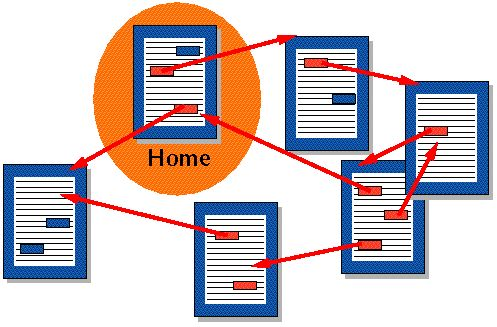
  4. Internal Linking: Implementing a strategic internal linking structure helps search engines understand your website’s hierarchy and distributes link equity throughout your pages. Use descriptive anchor text and link to relevant, high-value pages.
  5. Competitor Analysis: Regularly analyze your competitors’ SEO strategies, including their keyword targeting, content creation, and link building efforts. Identify gaps and opportunities to differentiate your SaaS website and outperform your rivals.
  6. Landing Pages That Convert: Create dedicated landing pages for each of your main product features or use cases. Optimize these pages for relevant keywords, include clear calls-to-action (CTAs), and design them to encourage conversions.

The Ultimate SaaS SEO Checklist

The Ultimate SaaS SEO Checklist

Now that we’ve covered the essential components of a SaaS SEO checklist, let’s dive into the specific steps you should follow to optimize your website for search engines.

Conduct Thorough Keyword Research

Keyword research is the foundation of any successful & a solid SEO strategy. Identify the search terms your target audience uses when looking for solutions like yours, and prioritize those keywords based on relevance, search volume, and competition level.

Types of Keywords For SaaS SEO

  • Informational keywords: These keywords relate to general information about your product, industry, or target audience’s pain points (e.g., “what is customer relationship management”).
  • Transactional keywords: These keywords indicate a user’s intent to take action, such as signing up for a free trial or purchasing a subscription (e.g., “best CRM software for small businesses”).

Optimize Your URLs For SEO

Use short, descriptive, and keyword-rich URLs for your web pages. Avoid using special characters, underscores, or excessive parameters in your URLs, as these can negatively impact your search engine rankings.

Create Compelling Meta Titles and Descriptions

Creating interesting meta titles and descriptions is very important for getting clicks from search engine results. Think of them as the signs outside your store, inviting people to check out what you have.

Optimizing Meta Titles

Create unique, keyword-rich meta titles for each page on your SaaS website. Keep your titles under 60 characters to ensure they display fully in search results.

Writing Effective Meta Descriptions

Write compelling meta descriptions that accurately summarize your page content and entice users to click through to your site. Aim for descriptions between 50-160 characters, and include your primary keyword.

Use Proper Heading Structure

Using the right heading structure is important for making your content clear and easy to navigate. This is good for both users and search engines. Headings like H1, H2, H3, and so on help break content into smaller parts. This makes it easier to read and understand.

H1 Headings

Use a single, unique H1 heading on each page that includes your main keyword and accurately reflects the content of the page.

H2 and H3 Subheadings

Break up your content into easily digestible sections using H2 and H3 subheadings. Include relevant keywords naturally into these headings to improve readability and SEO.

Create Original, High-Quality Content

Focus on creating original, in-depth content that addresses your target audience’s needs and pain points. Use a mix of content formats, such as blog posts, case studies, whitepapers, and videos, to engage your audience and showcase your expertise.

Ensure Content Readability

Make your content easy to read and scan by using short paragraphs, bullet points, and images. Aim for a readability score of 8th grade or lower to ensure your content is accessible to a wide audience.

Include Internal and External Links

Including links, both internal and external, in your SaaS content can help with SEO and user experience.

Internal Linking Best Practices

Link to relevant, high-value pages within your SaaS website to improve navigation, distribute link equity, and keep visitors engaged. Use descriptive anchor text that accurately reflects the content of the linked page.

External Linking Guidelines

Link to authoritative, relevant websites to provide additional value to your readers and demonstrate your industry knowledge. Avoid linking to low-quality or spammy sites, as this can harm your search engine rankings.

Optimize Images For SEO

Include relevant, high-quality images in your content to break up text and enhance user experience. Optimize your images for SEO by using descriptive file names, alt text, and compressed file sizes.

Include Clear Calls-to-Action (CTAs)

Include clear, compelling CTAs throughout your SaaS website to guide users toward desired actions, such as signing up for a free trial or requesting a demo. Use action-oriented language and prominent placement to maximize conversions.

Implement Schema Markup

Add schema markup to your SaaS website to provide search engines with more context about your content. This structured data can help your site appear in rich snippets, increasing visibility and click-through rates.

Prioritize Mobile-Friendliness

With more users accessing websites on mobile devices, it’s important to ensure your SaaS website is mobile-friendly. Use responsive design, optimized for touch navigation, and ensure fast loading times on mobile networks.

6-Point SaaS SEO Checklist

6-Point SaaS SEO Checklist

To help you stay organized and focused, we’ve broken down our ultimate SaaS SEO checklist into six key categories:

Basic SaaS SEO Checklist

  • Install Google Analytics and Search Console
  • Set up a sitemap and robots.txt file
  • Ensure your website is mobile-friendly
  • Optimize your website’s loading speed

SaaS Keyword Research Checklist

  • Identify your target audience and their pain points
  • Research industry-specific and product-related keywords
  • Analyze competitor keywords and content strategies
  • Prioritize keywords based on relevance, search volume, and difficulty

On-Page SEO Checklist

  • Optimize URLs, meta titles, and descriptions for each page
  • Use proper heading structure (H1, H2, H3)
  • Optimize images with descriptive file names and alt text
  • Implement schema markup for rich snippets

Content Optimization Checklist

  • Create original, high-quality content that addresses user needs
  • Include keywords naturally throughout your content
  • Ensure content readability with short paragraphs and bullet points
  • Include internal and external links to relevant, authoritative sources

Technical SaaS SEO Checklist

  • Ensure your website has a clean, crawlable structure
  • Implement SSL encryption for secure browsing
  • Optimize your website’s loading speed and performance
  • Fix any broken links or 404 errors

Off-Page SaaS SEO Checklist

  • Build high-quality backlinks from relevant, authoritative websites
  • Engage in guest blogging and content partnerships
  • Use social media to promote your content and engage your audience
  • Monitor and manage your online reputation and brand mentions

What is the Best Way to Know if My SEO Checklist is Working?

What is the Best Way to Know if My SEO Checklist is Working?

To measure the effectiveness of your SaaS SEO checklist, track the following key performance indicators (KPIs):

  1. Organic Traffic: Monitor the number of visitors coming to your website from organic search results using tools like Google Analytics.
  2. Keyword Rankings: Track your website’s rankings for target keywords using tools like Google Search Console or third-party rank tracking software.
  3. Conversion Rates: Measure the percentage of organic traffic that converts into leads or customers, and track improvements over time.

How Long Does it Take to See Results From SaaS SEO Efforts?
How Long Does it Take to See Results From SaaS SEO Efforts?

SEO is a long-term strategy, and the time it takes to see results can vary depending on factors such as your industry, competition level, and the current state of your website.

On average, it can take 3-6 months to start seeing significant improvements in organic traffic and keyword rankings.

FAQ’s:

Is the SEO Checklist Different For Every Industry?

While the fundamental principles of SEO remain the same across industries, there may be some variations in the specific tactics and priorities based on your target audience and competition level. However, the core elements of our SaaS SEO checklist are applicable to most industries.

What Are the Most Important On-Page SEO Factors For SaaS Websites?

The most critical on-page SEO factors for SaaS websites include:

  • Keyword optimization in URLs, meta titles, descriptions, and headings
  • High-quality, relevant content that addresses user needs
  • Proper heading structure and content formatting
  • Fast loading speed and mobile-friendliness

Can I Use the Same Content For Multiple SaaS Website Pages?

No, it’s essential to create unique, original content for each page on your SaaS website. Duplicate content can negatively impact your search engine rankings and lead to a poor user experience.

Can SaaS Companies Improve SEO Without a Big Budget?

Yes, many aspects of SEO can be implemented without a significant investment, such as keyword research, on-page optimization, and content creation. However, investing in tools, resources, and expertise can help accelerate your results and stay ahead of the competition.

How Does Local SEO Differ For SaaS?

Local SEO is less relevant for most SaaS companies, as their products and services are typically not tied to a specific location. However, if your SaaS business has a local presence or targets customers in specific regions, including local keywords and optimizing for local search can be beneficial.

Conclusion

Implementing a comprehensive SaaS SEO checklist is essential for driving organic traffic, attracting qualified leads, and growing your business in the competitive SaaS landscape.

Focusing on the key areas of keyword research, on-page optimization, content creation, technical SEO, and link building can help improve your search engine rankings and establish your SaaS company as an industry leader.

At VH-info, our team of SaaS SEO experts is dedicated to helping businesses like yours achieve sustainable growth through proven, data-driven strategies. Contact us today to learn more about how we can help you optimize your SaaS website and drive measurable results.

SaaS CRO: Boosting Conversions & Revenue For Your Brand’s Product

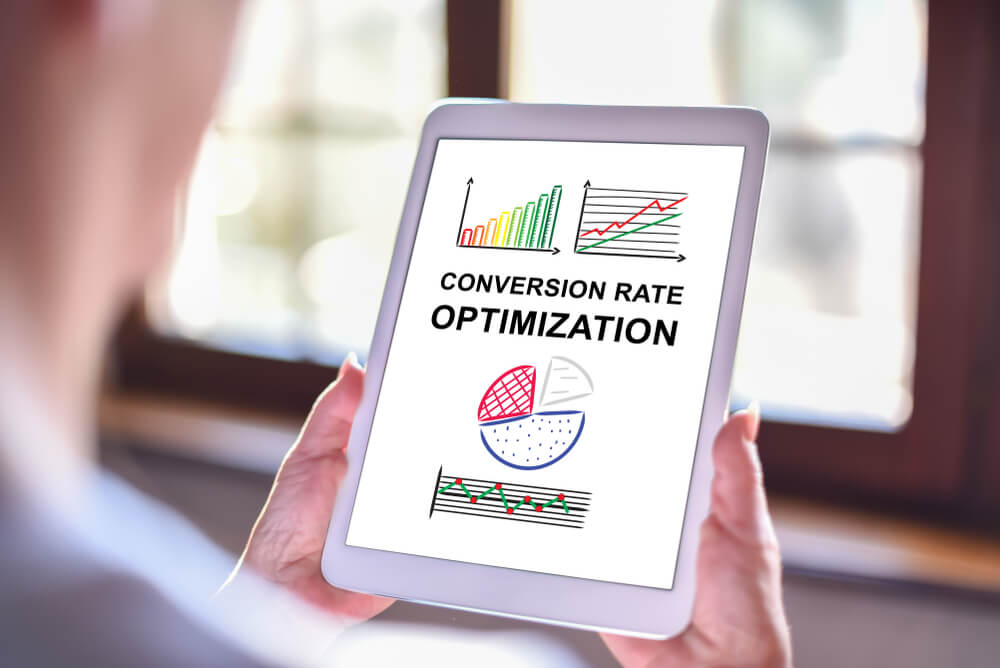
SaaS conversion rate optimization (CRO) is a critical strategy for driving growth and maximizing revenue in the competitive software-as-a-service industry.

Focusing on improving conversion rates across various touchpoints can help SaaS companies enhance their user experience, reduce customer acquisition costs, and ultimately increase their bottom line.

What is SaaS CRO?

What is SaaS CRO?

SaaS CRO is the process of optimizing a SaaS website, product, and marketing funnel to increase the percentage of visitors who take desired actions, such as signing up for a free trial, subscribing to a paid plan, or upgrading their existing subscription. This data-driven approach involves analyzing user behavior, identifying pain points, and implementing targeted improvements to boost conversions and revenue growth.

Benefits of CRO For SaaS Brands

Benefits of CRO For SaaS Brands

CRO has many benefits for SaaS companies which are as follows:

  1. CRO Increases Revenue: Effective CRO strategies can significantly impact a SaaS company’s revenue by improving conversion rates at key stages of the customer journey. This leads to more paying customers and higher customer lifetime value.
  2. CRO Lowers Acquisition Costs: By optimizing conversion rates, SaaS businesses can reduce their customer acquisition costs, as they need to attract fewer website visitors to achieve the same number of conversions.
  3. CRO Increases Organic Search Traffic: Improved user experience and engagement metrics resulting from CRO efforts can positively impact search engine rankings, leading to increased organic traffic and potential customers.
  4. CRO Improves The User Experience: CRO initiatives often focus on enhancing the user experience, making it easier for visitors to navigate the website, understand the value proposition, and take desired actions.
  5. CRO Optimizes Growth Through Testing: A/B testing and experimentation are core components of CRO, allowing SaaS companies to continuously refine their strategies and drive sustainable growth.
  6. CRO Provides Data To Improve Marketing Spend: The insights gained from CRO efforts can inform marketing decisions, helping SaaS businesses allocate their budget more effectively to channels and campaigns that deliver the best results.

SaaS Conversion Rate Benchmarks

SaaS Conversion Rate Benchmarks

Marketing Conversion Rate Benchmarks

For SaaS companies, typical marketing conversion rates range from 2-5% for website visitors to free trial signups, and 5-15% for free trial to paid conversion rates.

Sales Conversion Rate Benchmarks

Sales conversion rates for SaaS businesses often fall between 10-30% for qualified leads to closed deals, depending on factors such as pricing, target audience, and sales process complexity.

Key Areas For SaaS CRO

  1. Website and Landing Pages: Optimizing website design, content, and calls to action can significantly impact conversion rates for SaaS companies. Focus on creating a clear value proposition, addressing pain points, and streamlining the signup process.
  2. Free Trials and Freemium Conversions: Improving the free trial experience and optimizing the conversion funnel from free to paid users is important for SaaS growth. This includes providing a positive user experience, demonstrating value quickly, and implementing effective onboarding processes.
  3. Pricing Page Optimization: The pricing page is a critical conversion point for SaaS businesses. Optimize pricing structures, feature comparisons, and calls to action to maximize conversions and revenue.
  4. User Onboarding and Customer Support: Enhancing the onboarding process and providing excellent customer support can improve user activation, retention, and ultimately, conversion rates for SaaS products.

How to Measure SaaS Conversion Rates?

How to Measure SaaS Conversion Rates?

Conversion Rate Formula

The basic formula for calculating conversion rate is:

Conversion Rate = Number of conversions/ Total Number of Visitors × 100

This formula can be applied to various stages of the SaaS customer journey, such as website visitors to free trial signups or free trial users to paid subscribers.

Tracking Conversion Rates Across the Customer Journey

To gain a comprehensive understanding of SaaS CRO performance, track conversion rates at multiple touchpoints, including:

  • Website visitor to lead
  • Lead to free trial signup
  • Free trial to paid conversion
  • Paid user to renew or upgrade

Strategies For SaaS Conversion Rate Optimization

Strategies For SaaS Conversion Rate Optimization

Conversion Rate Optimization Tactics

Implement these proven CRO tactics for SaaS websites:

  • Simplify signup forms
  • Offer live chat support
  • Use social proof and customer testimonials
  • Create compelling calls-to-action
  • Optimize page load speed
  • Implement exit-intent popups
  • Personalize the user experience

Leveraging Machine Learning For CRO

Utilize machine learning algorithms to analyze user behavior, predict conversion likelihood, and personalize the user experience at scale.

Mapping Conversion Funnels and Key Moments

Identify critical touchpoints in the customer journey and optimize each stage to maximize overall conversion rates.

What Are the Best Practices For SaaS CRO?

What Are the Best Practices For SaaS CRO?

  1. Conduct regular user research and gather feedback
  2. Implement A/B testing for continuous improvement
  3. Focus on mobile optimization
  4. Streamline the onboarding process
  5. Offer a clear and compelling value proposition
  6. Use data-driven decision-making
  7. Optimize for different user segments
  8. Continuously monitor and analyze key metrics

What Are the Best Data-Driven CRO Tools For SaaS Websites?

What Are the Best Data-Driven CRO Tools For SaaS Websites?

Data-driven CRO tools are essential for SaaS companies for example Unibee that want to stand out in today’s world filled with data. Using the right CRO tools can help you understand user behavior better. They can show you where you can improve and help optimize your website and marketing efforts to get more conversions.

Google Analytics

Google Analytics

Google Analytics is an important tool for website analysis. It gives you a lot of data to understand user behavior, see how much traffic your website gets, and track conversions. It shows how people find your site, what they do there, and which channels bring the best traffic.

When you look at the data from Google Analytics, you can see which pages are popular, track how goals are met, and find out where people leave in your conversion process. For example, you can check form submissions, button clicks, and file downloads to find out which parts of your website work well and which need some tweaks.

Connecting Google Analytics with other tools helps you see your data in a better way. This gives you a complete picture of your website’s performance. It also helps make smart choices based on data for improving conversion rates.

Mixpanel

Mixpanel

Mixpanel is a product analytics tool that offers more than just basic website data. It gives you important insights into how customers engage and behave in your SaaS product. With Mixpanel, you can see how users interact with your product, track key events, and find areas that need improvement. This helps to make the user experience better and can lower the number of users who leave.

Mixpanel lets you build funnels to show the customer journey. You can see where users might be dropping off. After analyzing this data, you can test different onboarding processes, feature hints, or messages to boost user engagement and adoption.

When SaaS businesses understand and act on these insights, they can create better-targeted campaigns. They can also enhance product features based on user behavior. This leads to smarter decisions that improve customer engagement and retention.

Hotjar

Hotjar

Hotjar has special tools that help you understand how users interact with your website. It gives you visual views of their behavior. One tool, called the heatmap, is very helpful. It shows where users are clicking, scrolling, and moving their mouse on your website. This way, you can quickly see the areas people are interested in and where they might have issues.

Another great feature is session recordings. Hotjar lets you record and watch real user sessions on your website. This helps you see how users navigate your site, fill out forms, and where they might be having trouble.

With these insights, you can make your website better based on how actual users interact with it. This will help improve user experience and make the site more effective in driving conversions.

Crazy Egg

Crazy Egg

Crazy Egg is a popular tool for improving websites. It shows heatmaps, scroll maps, and click reports.

These features help you see what users are doing on your site, like what catches their attention, where they click, and how far they scroll. This information helps you find which parts need work.

Crazy Egg also has a strong A/B testing tool. This makes it easy to run tests to improve your website for better conversions. You can try out different headlines, calls to action, layouts, or even whole pages. This way, you can see what works best for your target audience and gets the most conversions.

Using Crazy Egg’s insights and testing methods, you can improve your website’s design, content, and messages. This makes for a friendlier and more convincing online experience for your visitors.

Optimizely

Optimizely

Optimizely is a powerful platform that helps businesses grow by using A/B testing, multivariate testing, and personalization.

As a top choice in conversion optimization, Optimizely helps marketing and product teams improve everything from website text and design to pricing options and product features.

With strong targeting and segmentation tools, Optimizely lets you run specific experiments for different groups of customers. It works well with popular analytics and marketing tools, which helps make getting and analyzing data easy.

Optimizely’s strong experimentation platform is a great resource for SaaS businesses. It helps them make decisions based on data, improve their customer journey, and keep getting better.

UserTesting

UserTesting

UserTesting offers a different way to do user research. This helps you get real-time feedback from customers on your website, app, or prototypes.

With UserTesting, you can find testers that fit your ideal customer profile. You can then ask them to do specific tasks while their screen and audio are recorded.

This type of data is very helpful. It helps you see how users experience your site and find any usability problems. You can see where people may have trouble during their customer journey.

For example, you can ask users to check out your SaaS pricing page or signup process while saying what they think. This shows any confusing or frustrating parts they find.

By using direct feedback from customers, you can fix usability problems and improve your site for a better user experience. This can also help you increase your conversion rates.

Microsoft Clarity

Microsoft Clarity

Microsoft Clarity is a free tool that helps you see how people use your website. It records sessions, shows heatmaps, and tracks user data.

This way, you can learn how visitors interact with your site and spot areas that need work. This tool is great for startups and small businesses that may not be able to afford paid tools.

Clarity’s session recordings give you clear visual information. You can see how users move around your site, where they click, and where they face problems. You can use this information to find usability issues, make navigation easier, and improve your site for better user experience and more conversions.

FAQ’s:

What is a Good Conversion Rate For SaaS?

A good conversion rate for SaaS companies varies depending on the specific metric and industry. Generally, a website visitor to free trial conversion rate of 2-5% and a free trial to paid conversion rate of 5-15% are considered solid benchmarks.

How Often Should Conversion Rates Be Analyzed in SaaS?

SaaS companies should analyze conversion rates regularly, ideally on a weekly or monthly basis, to identify trends and opportunities for improvement.

How Can I Improve My SaaS Free Trial Conversion Rate?

To improve free trial conversion rates:

  • Optimize the onboarding process
  • Provide clear value early in the trial
  • Offer personalized support and guidance
  • Implement targeted email campaigns
  • Use social proof and case studies
  • Simplify the upgrade process

Can You Guarantee X Number of Conversions a Week?

While CRO strategies can significantly improve conversion rates, it’s impossible to guarantee a specific number of conversions. Results depend on various factors, including traffic volume, target audience, and market conditions.

Conclusion

SaaS CRO is a powerful approach for driving growth and maximizing revenue in the competitive software-as-a-service industry.

Focusing on key areas such as website optimization, free trial conversions, and user experience can help SaaS companies improve their conversion rates, lower acquisition costs, and accelerate revenue growth.

Implementing data-driven CRO strategies and leveraging the right tools will help SaaS businesses stay ahead of the competition and achieve sustainable success.

SaaS Website Best Practices: 8 Tips to Improve UX & Great Web Design

SaaS website best practices are essential for companies looking to stand out in a competitive digital landscape. A well-designed SaaS website can significantly impact user experience, conversion rates, and overall business success.

In this comprehensive guide, we’ll explore key strategies and elements that make up an effective SaaS website, helping you optimize your online presence and drive growth.

Why You Need to Know SaaS Website Best Practices?

Why You Need to Know SaaS Website Best Practices?

  1. Competitive Advantage: Implementing SaaS website best practices gives you an edge over competitors. A well-optimized website can attract more potential customers and increase conversions, ultimately boosting your market share.
  2. Better User Experience (UX): A user-friendly website design enhances the customer journey, reducing bounce rates and increasing engagement. This leads to higher customer satisfaction and loyalty.
  3. Productive Website Architecture: An efficient site architecture improves navigation, search engine rankings, and organic traffic. It also helps ideal customers find the information they need quickly, increasing the likelihood of conversions.

Which Elements Should You Include in Your SaaS Website?

Which Elements Should You Include in Your SaaS Website?

  1. Homepage: Your home page is the first impression visitors get of your SaaS product. It should communicate your value proposition and guide users to take action.
  2. Feature & Benefit Page: Highlight the key features and benefits of your SaaS product, addressing pain points and showcasing how it solves problems for your target audience.
  3. Pricing Page: A well-designed pricing page is important for conversion. It should be transparent, easy to understand, and highlight the value of each plan.
  4. Why Us & Origin Story: Share your company’s background and unique selling points to build trust and connect with potential customers increasing demand generation.
  5. Contact Us Page: Make it easy for visitors to get in touch with your sales team or customer support. Include multiple contact options and clear contact information.
  6. Resources Section: Provide valuable content through blog posts, case studies, and whitepapers to establish your expertise and support your content strategy.

SaaS Website Best Practices to Boost Conversion Rate

SaaS Website Best Practices to Boost Conversion Rate

To make your SaaS website more effective, you should do more than just the basics. Using conversion rate optimization (CRO) tactics can greatly help you turn regular website visitors into paying customers.

Here are some important strategies you can use on your site. These can raise your conversion rate and help you get the most out of your SaaS website.

  1. Discover Your Value Proposition: Clearly communicate the unique benefits of your SaaS product and how it solves your target audience’s pain points.
  2. Frame Your User as the Hero: Focus on how your product empowers users to achieve their goals, rather than solely promoting your company.
  3. Experiment With Trial Alternatives: Consider offering alternatives to traditional free trials, such as freemium models or money-back guarantees.
  4. Embrace Testing and Experimentation: Continuously test and optimize your website elements using A/B testing and data analytics to improve conversion rates.
  5. Design a User-Friendly Experience: Create an intuitive interface that makes it easy for users to navigate and find the information they need.
  6. Focus on User Flow and Navigation: Optimize your site architecture to guide visitors through the customer journey smoothly.
  7. Show the Product: Use screenshots, videos, or interactive demos to give potential customers a deeper understanding of your SaaS product.

Homepage Best Practices

Homepage Best Practices

Your SaaS homepage is usually the first thing people notice when they come to your website. It’s very important to create an exciting top section. This can help make a good first impression on visitors and encourage them to stay longer.

Let’s look at some important homepage tips that can Change how visitors view your brand and product.

  • Above the Fold Content: Place your most important information and call-to-action (CTA) above the fold to capture visitors’ attention immediately.
  • Clear Value Proposition: Communicate your unique selling points concisely and effectively.
  • Compelling Call-to-Action: Use action-oriented language and strategically place CTAs to encourage conversions.
  • Social Proof Elements: Include customer testimonials, case studies, and success stories to build trust and credibility.

Navigation Best Practices

Navigation Best Practices

A good website navigation is key for a positive user experience. Your site’s navigation should be easy to use. It needs to help visitors find the information they want quickly.

Here are some best practices for SaaS navigation to help visitors use your website easily.

  • Intuitive Menu Structure: Create a logical and easy-to-use navigation menu that helps users find what they’re looking for quickly.
  • Prominent Contact and Demo CTAs: Make it easy for potential customers to request a demo or contact your sales team.

Product Page Best Practices

Product Page Best Practices

Your SaaS product page is the place where potential customers can find out more about what you offer. It shows them how it can help them. Creating a clear and engaging product page is very important for turning interest into sales.

Here are some key best practices for your SaaS product page to remember.

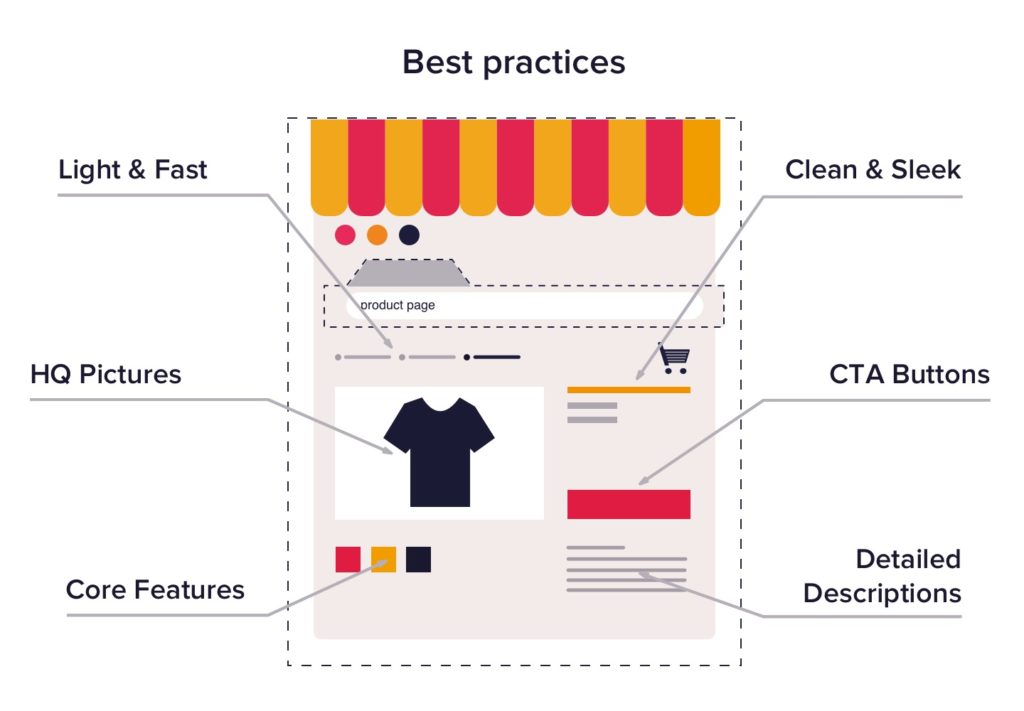
  • Highlight Key Features and Benefits: Communicate how your SaaS product solves problems and delivers value.
  • Include Engaging Visuals: Use high-quality images, videos, and infographics to showcase your product’s features.
  • Provide Clear Pricing Information: Display transparent pricing information and highlight the value of each plan.

Resources Section Best Practices

Resources Section Best Practices

Your resources section gives important information to both new and current customers. It is a great way to show your knowledge, build trust, and bring in more website visitors through organic search.

To make your resources section work better, focus on making high-quality content that meets the needs of your target audience.

  • Informative Blog Content: Publish valuable, SEO-optimized content that addresses your target audience’s pain points and interests.
  • Comprehensive Knowledge Base: Create a searchable repository of helpful articles and guides for users.
  • Useful Case Studies and Whitepapers: Showcase real-world examples of how your SaaS product has helped customers succeed.

FAQ Page Best Practices

FAQ Page Best Practices

An FAQ page is very important for any good SaaS website. It acts as a central place to answer common questions from customers. This gives people quick and easy access to useful information.

A good FAQ page can make the user experience better. It can help reduce customer support requests and improve the overall function of your website.

  • Address Common Customer Questions: Anticipate and answer frequently asked questions to reduce support inquiries.
  • Organize Content into Categories: Group-related questions for easy navigation.
  • Include a Search Function: Allow users to quickly find answers to their specific questions.
  • Keep Answers Concise and Clear: Provide straightforward, easy-to-understand responses.

Conversion Optimization Best Practices

Conversion Optimization Best Practices

Conversion rate optimization, or CRO, is very important for getting the best results from your SaaS website. It means improving different parts of your site to help visitors take the actions you want. This could be signing up for a free trial or buying something.

Let’s look at some effective best practices for CRO on SaaS websites.

  • Strategically Placed CTAs: Include clear and compelling calls to action throughout your website.
  • Optimized Landing Pages: Create targeted landing pages for specific campaigns or user segments.
  • A/B Testing Key Elements: Continuously test and refine your website elements to improve conversion rates.

Mobile Responsiveness Best Practices

Mobile Responsiveness Best Practices

In today’s world, your SaaS website must do more than just look good on a desktop. It needs to work well on all devices. Mobile responsiveness is important. This feature helps your website adjust easily to various screen sizes.

As a result, people can read your content easily. Images look good too, and navigating your site is just as simple on a mobile phone as it is on a bigger screen.

  • Responsive Design Across Devices: Ensure your website looks and functions well on all screen sizes.
  • Fast Loading Speeds: Optimize your website’s performance for quick loading on mobile devices.
  • Easy Touch-Based Navigation: Design navigation elements that are easy to use on touchscreens.

Analytics and Tracking Best Practices

Analytics and Tracking Best Practices

Set up conversion tracking to see how well your SaaS marketing campaigns are working. Check important metrics and KPIs often to evaluate your SaaS website’s performance.

  • Set Up Conversion Tracking: Use tools like Google Analytics to monitor key conversion metrics.
  • Monitor Key Metrics and KPIs: Track important performance indicators to gauge your website’s effectiveness.
  • Use Data to Inform Optimizations: Make data-driven decisions to continuously improve your website.

Are You Using These Best Practices On Your SaaS Website?

Take a critical look at your current SaaS website and identify areas for improvement based on these best practices. Implementing these strategies can lead to significant improvements in user experience, conversion rates, and overall business success.

What Are Some Examples of Effective SaaS Websites?

What Are Some Examples of Effective SaaS Websites?

  1. Dropbox: Dropbox’s website effectively communicates its value proposition and features a clean, user-friendly design.
  2. Slack: Slack’s website showcases its product features through engaging visuals and clear messaging.
  3. HubSpot: HubSpot’s website offers a wealth of resources and clear navigation, making it easy for users to find information.
  4. Mailchimp: Mailchimp’s website features a strong value proposition and intuitive user flow.
  5. Asana: Asana’s website effectively demonstrates its product’s capabilities through interactive elements and clear messaging.

FAQ’s:

What Are Some Common Design Mistakes to Avoid in SaaS Websites?

Common mistakes include cluttered layouts, unclear value propositions, and poor navigation. Focus on simplicity, clarity, and user-centered design.

How Can I Ensure My SaaS Website is Mobile-Friendly?

Use responsive design techniques, optimize images and content for mobile devices, and test your website across various screen sizes.

How Can I Include Social Proof Effectively Into My SaaS Website Design?

Include customer testimonials, case studies, and success stories throughout your website. Use real names, photos, and specific results to build credibility.

Conclusion

Implementing these SaaS website best practices can significantly improve your online presence, user experience, and conversion rates.

By focusing on clear communication, user-friendly design, and continuous optimization, you can create a website that effectively showcases your SaaS product and drives business growth.

Remember to regularly review and update your website to stay ahead in the competitive SaaS companies landscape.

SaaS Content Strategy: Step-By-Step Guide to Making a SaaS Funnel

In today’s competitive SaaS landscape, a well-created content strategy is essential for attracting and engaging your target audience, driving organic traffic, and ultimately boosting conversions.

A comprehensive SaaS content strategy goes beyond simply creating blog posts; it involves understanding your audience’s pain points, mapping content to the customer journey, and leveraging various types of content to achieve your SaaS marketing goals.

At VH Info, we specialize in helping SaaS companies develop and execute effective content strategies that drive results.

In this ultimate guide, we’ll walk you through the key components of a winning SaaS content strategy and provide actionable tips to help you optimize your SEO content topics and marketing efforts.

What is a SaaS Content Strategy?

What is a SaaS Content Strategy?

A SaaS content strategy is a comprehensive plan that outlines how you will use content to attract, engage, and convert your target audience.

It involves identifying the types of content that resonate with your audience at different stages of the buyer’s journey and creating a content calendar to ensure consistent and targeted content creation.

An effective SaaS content strategy should align with your overall business goals, such as increasing brand awareness, generating leads, or driving product adoption.

Why is a SaaS Content Strategy Important For Businesses?

Why is a SaaS Content Strategy Important For Businesses?

Implementing a robust SaaS content strategy offers numerous benefits for businesses, including:

  1. Attracting Qualified Leads: Creating content that targets specific keywords and addresses your audience’s pain points can attract high-quality leads who are more likely to convert into paying customers.
  2. Boosting Organic Traffic: A well-executed content strategy that includes SEO best practices can help improve your google search engine rankings, driving more organic traffic to your website.
  3. Establishing Thought Leadership: Consistently producing valuable content that showcases your expertise can position your brand as a thought leader in your industry, building trust and credibility with your target audience.
  4. Supporting the Customer Journey: A comprehensive content strategy ensures that you have content tailored to each stage of the buyer’s journey, from awareness to consideration to decision, helping to nurture leads and guide them toward conversion.
  5. Improving Customer Retention: Creating content that helps customers get the most out of your SaaS product, such as tutorials and best practices, can improve customer satisfaction and reduce churn.

The 7 Pillars of SaaS Content Strategy

The 7 Pillars of SaaS Content Strategy

To create a winning SaaS content strategy, focus on these seven key pillars:

  1. Identify Your Audience: The foundation of any successful content strategy is a deep understanding of your target audience. Conduct thorough research to develop detailed buyer personas that include demographics, pain points, goals, and content preferences.
  2. Identify Your Distribution Channels: Determine the most effective channels for reaching your target audience, such as your website, social media platforms, email marketing, or industry publications. Tailor your content to each channel’s unique requirements and audience preferences.
  3. Build a Growth Model: Create a content growth model that predicts the potential impact of your SaaS content marketing efforts on key metrics like organic traffic, lead generation, and revenue. Use this model to set realistic goals and allocate resources effectively.
  4. Map Out a Plan to Dominate Your Distribution Channel: Develop a content plan that uses your strengths and targets your chosen distribution channels. This may include a mix of blog posts, whitepapers, case studies, webinars, and other types of content designed to engage your audience and drive results.
  5. Promote Like Crazy: Creating great content is only half the battle; you also need to promote it aggressively to ensure it reaches your target audience. Use social media, email marketing, influencer partnerships, and paid advertising to amplify your content’s reach.
  6. Aim, Fire, Optimize: Continuously monitor and analyze your content’s performance using tools like Google Analytics. Use these insights to optimize your content strategy, doubling down on what works and pivoting away from what doesn’t.
  7. Scale, Scale, Scale: As you refine your content strategy and start seeing results, look for opportunities to scale your efforts. This may involve expanding your content team, exploring new content formats, or targeting additional distribution channels.

How to Build Your Own SaaS Content Strategy?

How to Build Your Own SaaS Content Strategy?

Now that you understand the key components of a SaaS content strategy, let’s walk through the steps to create your own:

  1. Define Key Metrics & Objectives: Start by defining the key metrics and objectives that will guide your content strategy. These may include organic traffic, lead generation, conversion rates, or customer retention. Ensure that your objectives are specific, measurable, achievable, relevant, and time-bound (SMART).
  2. Spell Out Your Brand Story and Product USPs: Clearly articulate your brand story and your SaaS product’s unique selling points (USPs). This will help ensure that your content consistently communicates your brand’s value proposition and resonates with your target audience.
  3. Complete Jobs to Be Done Exercise: Conduct a “Jobs to Be Done” exercise to identify the specific tasks, goals, and challenges that your target audience faces. This will help you create content that addresses their pain points and positions your SaaS product as the solution.
  4. Identify Your Audience and Develop Buyer Personas: Use the insights from your Jobs to Be Done exercise to develop detailed buyer personas that represent your ideal customers. Include information like demographics, job titles, goals, challenges, and content preferences.
  5. Scan Competitive Landscape: Analyze your competitors’ content strategies to identify gaps and opportunities. Look for ways to differentiate your content and provide unique value to your target audience.
  6. Conduct Keyword Research With Search Intent in Mind: Use tools like Google Keyword Planner and Ahrefs to identify the keywords and phrases that your target audience is searching for. Prioritize keywords with high search volume and low competition, and group them by search intent (informational, navigational, commercial, or transactional).
  7. Perform a SaaS Content Audit To See Where Your Gaps & Opportunities Are: Conduct a thorough audit of your existing content to identify gaps and opportunities. Look for content that can be updated, repurposed, or expanded to better align with your content strategy.
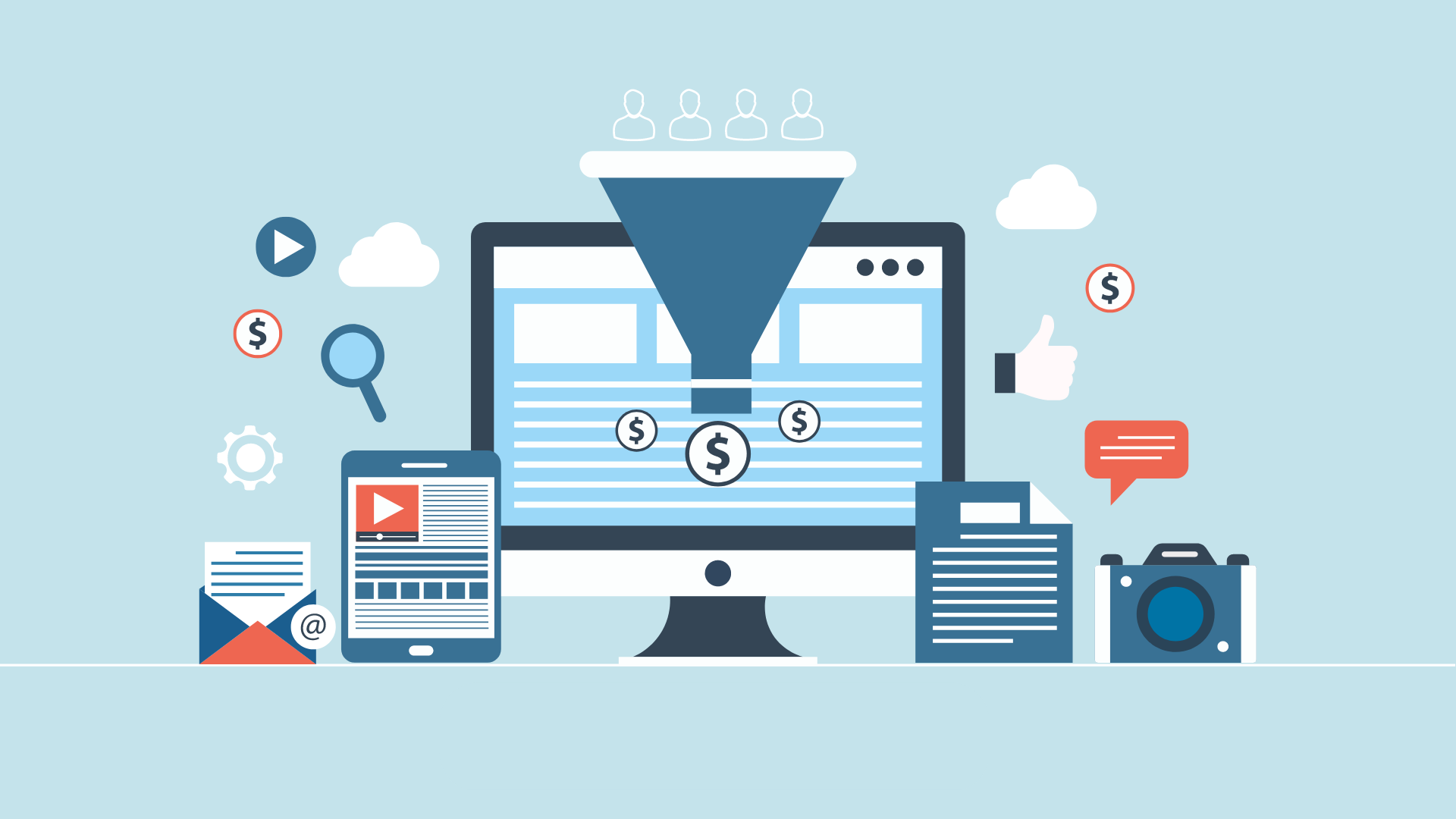
  8. Map Content to All Stages of the Funnel: Create a content map that aligns specific types of content with each stage of the buyer’s journey (awareness, consideration, decision, and retention). Ensure that you have a funnel content tailored to each stage to guide prospects towards conversion – Top of the Funnel, Middle of the funnel and bottom of the funnel content.
  9. Organize Everything in an Editorial Calendar: Use a tool like Trello, Asana, or CoSchedule to create an editorial calendar that outlines your content production schedule. Include details like topic, format, target keywords, and publication date to keep your team organized and on track.
  10. Launch Lead Nurturing Workflows: Develop lead nurturing workflows that use targeted content to guide prospects through the buyer’s journey. Use marketing automation tools to trigger personalized content based on user behavior and engagement.
  11. Build Backlinks and Boost Authority: Include link-building strategies into your content strategy to boost your website’s authority and improve your search engine rankings. Focus on creating high-quality, shareable content that naturally attracts backlinks from reputable sources.
  12. Deploy Content Promotion and Distribution: Promote your content aggressively using a mix of owned, earned, and paid channels. Share your content on social media, use email marketing, and consider paid advertising to amplify your reach.

Common Pitfalls That Can Occur Without a SaaS Content Strategy

Without a well-defined SaaS content strategy, businesses may encounter several pitfalls, including:

  1. Lack of Focus: Without a clear understanding of your target audience and their needs, your content may lack focus and fail to resonate with readers.
  2. Inconsistent Messaging: Inconsistent messaging across different piece of content can confuse your audience and dilute your brand’s value proposition.
  3. Missed Opportunities: Without a comprehensive content strategy, you may miss opportunities to create content that addresses key pain points or targets high-value keywords.
  4. Poor Content Performance: Content created without a strategic framework may fail to achieve your desired organic search results, such as driving organic traffic or generating leads.
  5. Wasted Resources: Without a clear plan and objectives, you may invest time and resources into creating marketing content and distribution strategy that doesn’t align with your business goals or target audience’s needs.

Tools to Make Working On SaaS Content Easier

Tools to Make Working On SaaS Content Easier

To streamline your content creation and promotion processes, consider using these helpful tools in your marketing funnel:

Systemizing the Production Process

  1. Trello: Trello is a visual collaboration tool that helps teams organize and prioritize their content production tasks. Use Trello boards to create content calendars, assign tasks, and track progress.
  2. CoSchedule: CoSchedule is an all-in-one content marketing platform that helps teams plan, execute, and optimize their content strategies. Features include a content calendar, task management, and social media scheduling.
  3. Asana: Asana is a project management tool that helps teams coordinate tasks, deadlines, and communication. Use Asana to create content workflows, assign tasks, and collaborate with your team.
  4. Slack: Slack is a team communication platform that allows for real-time messaging, file sharing, and integration with other tools. Use Slack to streamline communication and collaboration among your content team.

Writing and SEO

  1. Airstory: Airstory is a writing tool that helps content creators organize their research, collaborate with team members, and streamline the writing process. Features include a drag-and-drop outline builder and integration with WordPress.
  2. Google Docs: Google Docs is a free, cloud-based word processing tool that allows for real-time collaboration and commenting. Use Google Docs to draft, edit, and share your content with team members.

Tracking Results

  1. Google Campaign URL Builder: Google Campaign URL Builder is a free tool that helps you create custom URLs for tracking the performance of your content promotion campaigns. Use these URLs to measure the effectiveness of your social media, email, and paid advertising efforts.
  2. Google Analytics: Google Analytics is a powerful web analytics platform that helps you track and analyze your website traffic, user behavior, and content performance. Use Google Analytics to measure the impact of your content strategy and identify opportunities for optimization.
  3. Pipedrive: Pipedrive is a sales CRM that helps teams track and manage their leads and deals. Use Pipedrive to measure the impact of your content on lead generation and sales.
  4. Profitwell by Paddle: Profitwell is a subscription analytics platform that helps SaaS businesses track and optimize their revenue growth. Use Profitwell to measure the impact of your content on customer acquisition and retention.
  5. Mention: Mention is a media monitoring tool that helps you track mentions of your brand, competitors, and industry keywords across the web. Use Mention to measure the impact of your content on brand awareness and reputation.

Content Promotion

  1. Buffer: Buffer is a social media management platform that helps you schedule, publish, and analyze your social media content. Use Buffer to streamline your social media promotion efforts and measure the impact of your content on social engagement.
  2. Mailchimp: Mailchimp is an email marketing platform that helps you create, send, and track email campaigns. Use Mailchimp to promote your content to your email subscribers and measure the impact on engagement and conversions.
  3. Hootsuite: Hootsuite is a social media management platform that helps you schedule, publish, and monitor your social media content. Use Hootsuite to streamline your social media promotion efforts and engage with your audience across multiple platforms.

Examples of SaaS Companies With Great Content Marketing

Examples of SaaS Companies With Great Content Marketing

To inspire your own SaaS content strategy, look to these companies that excel at content marketing:

  1. HubSpot: HubSpot is a master of inbound marketing, using a mix of blog posts, ebooks, webinars, and courses to attract and engage its target audience.
  2. Moz: Moz is a leader in the SEO space, known for its informative blog posts, whitepapers, and industry reports that showcase its expertise and thought leadership.
  3. Intercom: Intercom uses a mix of blog posts, podcasts, and customer success stories to educate and inspire its audience while showcasing the value of its customer communication platform.
  4. Ahrefs: Ahrefs is a go-to resource for SEO and content marketing insights, thanks to their data-driven blog posts, tutorials, and case studies that showcase the power of their tools.
  5. Drift: Drift uses a mix of blog posts, video content, and interactive content to engage its audience and showcase the value of its conversational marketing platform.

FAQ’s:

What Are the 3Cs of Content Strategy?

The three C’s of content strategy are:

  • Creation: Develop high-quality, valuable content that resonates with your target audience and aligns with your business goals.
  • Curation: Identifying and sharing relevant, third-party content that adds value to your audience and supports your brand’s messaging and helps your reach a wider audience.
  • Collaboration: Working with internal teams, external partners, and industry influencers to create and promote content that amplifies your reach and impact.

What Does a Strong SaaS Content Strategy Plan Look Like?

A strong SaaS content strategy plan should include:

  • Clear objectives and KPIs that align with your business goals.
  • Detailed buyer personas that represent your ideal customers and their needs.
  • A content map that aligns specific types of content with each stage of the buyer’s journey.
  • An editorial calendar that outlines your content production schedule and responsibilities.
  • A promotion and distribution plan that leverages a mix of owned, earned, and paid channels.
  • A measurement and optimization framework that tracks your content’s performance and informs ongoing improvements.

What Role Does SEO Play in a Successful SaaS Content Strategy?

SEO plays an important role in a successful SaaS content strategy by:

  • Driving organic traffic to your website through targeted keyword optimization.
  • Improving your search engine rankings and visibility for key industry terms.
  • Attracting qualified leads who are actively searching for solutions to their pain points.
  • Establishing your brand’s authority and credibility through informative, high-quality content.

How Can Data Analytics Be Used to Optimize a SaaS Content Strategy?

Data analytics can be used to optimize a SaaS content strategy in several ways:

  • Identifying top-performing content in terms of traffic, engagement, and conversions.
  • Analyzing user behavior to identify opportunities for content optimization and personalization.
  • Measuring the impact of your content on key metrics like lead generation and customer retention.
  • Informing content ideation and planning based on audience interests and pain points.
  • Tracking the ROI of your content marketing efforts to justify investment and allocate resources effectively.

Conclusion

So, you know, if you want to really amp up your SaaS content strategy, you gotta follow these steps.

It’s key for getting more eyes on your stuff, connecting with your peeps, and hitting those business goals. And hey, with the right tools and tricks, you can totally nail it and show everyone that you’re the top dog in your industry.

Over at VH Info, we’ve got a killer team of SaaS link building pros who can take your strategy to the next level. We’ll hook you up with all the good stuff – finding those sweet link opps, creating killer content that gets those backlinks, content distribution and boosting your marketing sales funnel’s overall credibility. Hit us up today and let’s chat about how we can help you crush it with your content marketing game.

PPC For SaaS: What is it, Importance, Challenges & How To Build It?

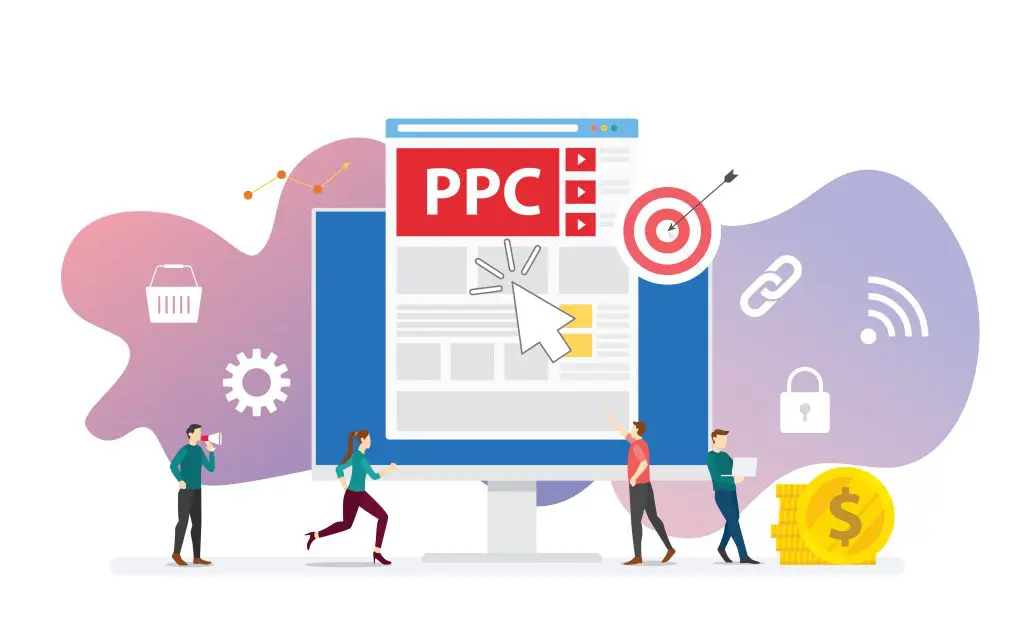
Pay-per-click (PPC) advertising is a powerful digital marketing tool for software-as-a-service (SaaS) companies looking to drive targeted traffic, generate leads, and accelerate growth.

In the competitive SaaS landscape, a well-executed PPC strategy can help you stand out, reach your ideal customers, and achieve your business goals.

At VH Info, we specialize in helping SaaS companies develop and implement effective PPC campaigns that deliver results.

In this comprehensive guide, we’ll dive into the world of PPC for SaaS, exploring its benefits, best practices, and proven strategies to help you succeed.

What is SaaS PPC?

What is SaaS PPC?

SaaS PPC is a great way to engage in a form of online advertising where SaaS companies pay each time a user clicks on one of their ads. These ads typically appear on search engine results pages (SERPs), targeting specific keywords on social media platforms, and other websites, targeting users who are searching for or interested in products or services related to the advertiser’s offering.

Why PPC is Important For SaaS?

Why PPC is Important For SaaS?

PPC is a critical component of any successful SaaS marketing strategy. Here’s why:

  1. Immediate Visibility and Traffic: PPC ads can quickly put your SaaS product in front of potential customers who are actively searching for solutions, driving targeted traffic to your website or landing pages.
  2. Perfect Harmony With SEO: While SEO is a long-term strategy focused on building sustainable organic growth, PPC allows you to reach your audience with relevant content immediately, complementing your SEO efforts.
  3. Precision Targeting and Adaptability: PPC platforms offer granular targeting options based on keywords, user behaviors, demographics, and more, ensuring your ads reach the most relevant audience. Campaigns can also be adjusted in real time based on performance data.
  4. Long Sales Cycles and Retargeting: SaaS companies often face longer sales cycles, making customer retention and engagement important. PPC excels in this area by enabling effective retargeting strategies to keep your brand top-of-mind.
  5. Cost-Effective Experimentation: PPC allows you to test different ad copy, landing pages, and offers without breaking the bank, providing valuable insights into what resonates with your target audience.

SaaS PPC: How To Build High-Converting Campaigns?

SaaS PPC: How To Build High-Converting Campaigns?

Building a successful SaaS PPC campaign requires careful planning, execution, and optimization.

Here’s a step-by-step guide:

  1. Understand Your Target Customers: Develop a deep understanding of your ideal customer profile, including their pain points, goals, and online behavior. This knowledge will inform your keyword selection, ad copy, and landing page design.
  2. Set Clear Campaign Objectives: Define specific, measurable goals for your PPC campaigns, such as generating leads, driving free trial sign-ups, or increasing brand awareness. These objectives will guide your strategy and help you measure success.
  3. Keyword Research & Selection: Identify the keywords and search terms your target audience uses when looking for solutions like yours. Focus on long-tail, intent-driven keywords that indicate a high likelihood of conversion.
  4. Create Compelling Ad Copy: Create ad copy that speaks directly to your target audience’s pain points and highlights your unique selling proposition. Use strong calls-to-action (CTAs) to encourage clicks and conversions.
  5. Design High-Converting Landing Pages: Develop dedicated landing pages for each ad group, ensuring a seamless user experience from click to conversion. Optimize your landing pages for speed, mobile responsiveness, and clear messaging.
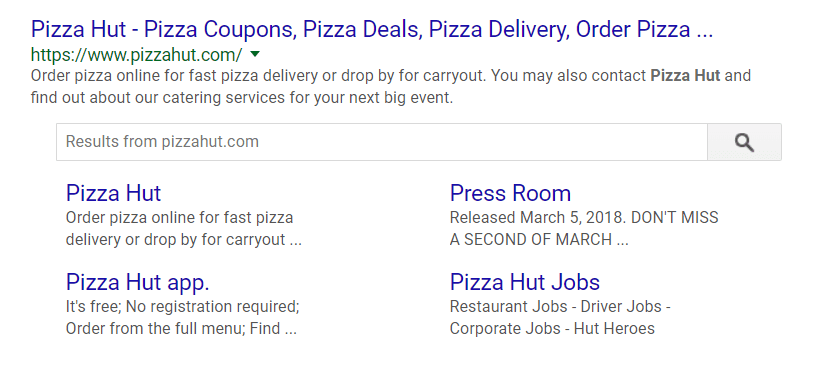
  6. Utilize Ad Extensions and Features: Take advantage of ad extensions, such as sitelinks, callouts, and structured snippets, to provide additional information and improve your ad’s visibility and click-through rate (CTR).
  7. Budgeting and Bidding Strategies: Set a realistic budget based on your goals and the competitive landscape. Experiment with different bidding strategies, such as manual CPC, target CPA, or target ROAS, to find the optimal balance between cost and performance.
  8. Measure and Analyze Campaign Performance: Regularly monitor your PPC campaigns using tools like Google Analytics and Google Ads. Track key metrics, such as CTR, conversion rate, and cost per acquisition (CPA), and use these insights to inform optimizations.
  9. Optimize For Mobile and Cross-Device Conversions: With the majority of online traffic coming from mobile devices, it’s important to ensure your PPC campaigns are optimized for mobile. Use mobile-specific ad copy, extensions, and landing pages to provide a seamless user experience.
  10. Advanced Tactics: Remarketing and Lookalike Audiences: Implement remarketing campaigns to target users who have previously interacted with your website or ads. Additionally, use lookalike audiences to reach new prospects who share similar characteristics with your best customers.
  11. Scaling Successful Campaigns: Once you’ve identified high-performing campaigns, allocate more budget to these areas to scale your success. Continuously monitor and optimize your campaigns to ensure sustainable growth.

SaaS PPC Strategy Breakdown

SaaS PPC Strategy Breakdown

To maximize the impact of your SaaS PPC campaigns, focus on these key strategies:

  1. Tailor Ads to Your Target Audience: Develop ad copy and landing pages that resonate with your ideal customer, addressing their specific pain points and highlighting the benefits of your SaaS product.
  2. Bidding On The Competition: Consider bidding on your competitor’s brand names and product keywords to capture users who are actively considering alternative solutions.
  3. Negative Keywords & Audience Exclusion: Utilize negative keywords and audience exclusion to prevent your ads from showing to irrelevant or unqualified users, improving your campaign’s efficiency and ROI.
  4. Utilize Retargeting and Remarketing: Implement retargeting campaigns to re-engage users who have shown interest in your SaaS product but haven’t yet converted. This helps keep your brand top-of-mind and increases the likelihood of conversion.
  5. Quality Score & Landing Page Optimization: Focus on improving your Quality Score by ensuring your ad copy, keywords, and landing pages are highly relevant and user-friendly. A higher Quality Score can lead to better ad positions and lower costs per click.

Why Landing Pages Are Perfect For PPC?

PPC Landing pages are an essential component of any successful SaaS PPC campaign. Here’s why:

  1. Streamlined Messaging and Customer Engagement: Dedicated landing pages allow you to tailor your messaging to specific ad groups or campaigns, providing a more relevant and engaging experience for visitors.
  2. Experimentation and Optimization: Landing pages provide an ideal testing ground for different offers, designs, and copy variations. By continuously experimenting and optimizing, you can improve your conversion rates and overall campaign performance.
  3. High-Quality Lead Generation: Well-designed landing pages help qualify leads by providing targeted information and clear CTAs, ensuring that the users who convert are more likely qualified leads who may become valuable customers.
  4. Multiple Campaigns, Multiple Opportunities: By creating multiple landing pages for different campaigns, you can target various segments of your audience and offer personalized experiences that drive conversions.
  5. Data-Driven Insights: Landing pages provide valuable data on user behavior, preferences, and conversion patterns. These insights can inform not only your PPC strategy but also your broader SaaS marketing efforts.

Challenges in SaaS PPC and How to Overcome Them?

Challenges in SaaS PPC and How to Overcome Them?

While PPC is a powerful tool for SaaS companies, it’s not without its challenges.

Here are some common obstacles and how to overcome them:

  1. Long Sales Cycles: SaaS products often have longer sales cycles, which can make it difficult to attribute conversions to specific PPC campaigns. To address this, focus on tracking micro-conversions, such as free trial sign-ups or demo requests, and use multi-touch attribution models to better understand the customer journey.
  2. Crowded Market Landscape: The SaaS industry is highly competitive, which can make it challenging to stand out in the PPC landscape. To differentiate your brand, focus on developing compelling ad copy, unique offers, and highly targeted campaigns that speak directly to your ideal customer’s needs.
  3. Evolving Search Engine Algorithms: Search engines like Google continuously update their algorithms, which can impact your PPC campaign performance. Stay up-to-date with the latest best practices and adjust your strategy accordingly to ensure your campaigns remain effective.
  4. Complex Customer Education: SaaS products often require more education and nurturing than traditional products, which can make it challenging to convert users through PPC alone. Develop a comprehensive content marketing strategy that complements your PPC efforts, providing valuable resources and guidance to help users make informed decisions.
  5. Not Aligning Your Message With Your Audience: One of the biggest mistakes SaaS companies make in their PPC campaigns is failing to align their ad copy and landing pages with their target audience’s needs and preferences. To avoid this, conduct thorough audience research and create messaging that resonates with their specific pain points and goals.
  6. Not Optimizing For Conversions: Many SaaS PPC campaigns focus too heavily on driving clicks and traffic, neglecting the importance of conversion optimization. Ensure your landing pages are designed to convert by providing a clear value proposition, compelling CTAs, and a seamless user experience.
  7. Make it Easy to Get Value From Your Product: To drive conversions and reduce churn, it’s important to make it easy for users to get value from your SaaS product. Use your PPC campaigns to highlight your product’s key benefits and provide a frictionless path to sign up for a free trial or demo.

Keeping an eye on your SaaS PPC campaigns is super important. You have to constantly measure, analyze, and tweak them to make sure they’re working their best.

It’s all about checking out what your competitors are up to, using retargeting tactics, trying out different ad platforms, reaching the right audience for your saas business and making sure you’re not spending more than you’re making from new customers.

Just keep at it, maintain your customer acquisition costs in your ad campaign’s marketing budget and you’ll see those campaigns start to pay off even with high competition.

The SaaS PPC Optimization Strategy We Implement For Client’s

The SaaS PPC Optimization Strategy We Implement For Client's

At VH Info, we follow a proven optimization strategy to help our SaaS clients achieve their PPC goals:

  1. Improve Click Through Rates (CTR): We continuously refine ad copy, extensions, and targeting to improve CTRs and drive more qualified traffic to your landing pages.
  2. Quality Score Optimization: Our team focuses on improving Quality Scores by ensuring tight keyword relevance, compelling ad copy, and user-friendly landing pages. Higher Quality Scores lead to better ad positions and lower costs per click.
  3. Continuous Ad Copy Testing & Updating: We regularly test and update ad copy to identify the messaging that resonates best with your target audience. This iterative process helps improve performance and keeps your campaigns fresh.
  4. Negative Keywords & Audience Exclusions: We proactively manage negative keywords and audience exclusions to minimize wasted ad spend and ensure your budget is allocated to the most relevant and profitable segments.

Why SaaS PPC Campaigns Underperform and How to Avoid It?

Why SaaS PPC Campaigns Underperform and How to Avoid It?

Many SaaS PPC campaigns fail to deliver the desired results due to common pitfalls.

Here’s how to avoid them:

  1. The Moving Bullseye: SaaS products often evolve rapidly, which can make it challenging to maintain a consistent PPC strategy. Regularly review your product positioning and adjust your campaigns accordingly to ensure your messaging remains relevant.
  2. Optimizing For Bottom of the Funnel Too Soon: Many SaaS companies make the mistake of focusing their PPC efforts solely on bottom-of-the-funnel conversions, neglecting the importance of building brand awareness and nurturing leads. Develop a full-funnel approach that guides users through the entire customer journey.
  3. Narrow Audience Targeting: While precise targeting is important, overly narrow audience parameters can limit your reach and growth potential. Experiment with broader targeting options and use data to refine your approach over time.
  4. Setting and Forgetting: PPC is not a set-it-and-forget-it channel. Regularly monitor your campaigns, analyze performance data, and make optimizations to ensure your ads remain effective and competitive.
  5. Not Tracking Conversions: Without proper conversion tracking, it’s impossible to measure the success of your PPC campaigns. Implement robust tracking mechanisms and use the data to inform your optimization efforts.
  6. Generic Ad Copy: Generic, uninspired ad copy fails to capture users’ attention and differentiate your brand. Create compelling, targeted ad copy that speaks directly to your audience’s needs and highlights your unique value proposition.
  7. Poor Landing Page Experience: A subpar landing page experience can negate the effectiveness of even the best PPC campaigns. Ensure your landing pages are fast, mobile-friendly, and optimized for conversions.
  8. Overlooking Mobile Users: With the majority of online traffic coming from mobile devices, neglecting mobile optimization can significantly limit your PPC success. Develop mobile-specific ads, extensions, and landing pages to provide a seamless user experience.
  9. Not Treating PPC as a Long-Term Investment: PPC is not a quick fix but rather a long-term investment in your SaaS company’s growth. Commit to continuous learning, experimentation, and optimization to achieve sustainable results.

FAQ’s:

What Makes PPC Important For SaaS Companies?

PPC is important for SaaS companies because it provides immediate visibility, complements SEO efforts, offers precise targeting, and enables effective retargeting throughout the lengthy SaaS sales cycle.

Can Small SaaS Companies Compete With Big Players Through PPC?

Yes, small SaaS companies can use PPC to level the playing field by targeting niche keywords, focusing on specific audience segments, and providing a superior user experience.

How Often Should I Optimize My PPC Campaigns?

PPC campaigns should be monitored and optimized on a regular basis, at least weekly, to ensure peak performance and adapt to changing market conditions.

How Do You Measure the Success of a SaaS PPC Campaign?

The success of a SaaS PPC campaign is measured through key metrics such as click-through rate (CTR), conversion rate, cost per acquisition (CPA), and customer lifetime value (LTV).

Does PPC Work For B2B?

Yes, PPC is highly effective for B2B SaaS companies, as it allows them to target decision-makers with intent-driven keywords and provide valuable content throughout the lengthy B2B sales cycle.

Are There Specific PPC Platforms That Work Best For SaaS?

Google Ads and Microsoft Advertising (formerly Bing Ads) are the most popular PPC platforms for SaaS companies, offering extensive reach and robust targeting options. LinkedIn Ads can also be effective for B2B SaaS.

Why Do I Need a SaaS PPC Agency?

A specialized SaaS PPC agency like VH Info brings industry expertise, proven strategies, and a track record of success to help your company navigate the complexities of PPC advertising and achieve its growth goals.

Conclusion

PPC is a powerful tool for SaaS companies looking to drive growth, generate leads, and acquire new customers.

At VH Info, we’re committed to helping SaaS companies like yours unlock the full potential of omni channel advertising. It’s way better to go with a multichannel approach. Adopting a multichannel approach lets your SaaS company reach customers where they hang out the most. Consider using Bing Ads, Facebook Ads, LinkedIn Ads – wherever your audience is likely to be.

Our team of experienced professionals combines industry expertise with a data-driven approach to deliver customized strategies that drive results.

Ready to take your SaaS PPC efforts to the next level? Contact VH Info today to learn more about our services and how we can help your business thrive in the digital age.

Rich Snippets in SEO: Meaning, Types, Examples & How to Create It?

Rich snippets are a powerful tool for enhancing your website’s visibility and click-through rate (CTR) in search engine results pages (SERPs).

By leveraging structured data markup, you can provide additional information about your content, making it more attractive and informative to potential visitors.

In this comprehensive guide, we’ll dive deep into the world of rich snippets, exploring their benefits, types, implementation, and best practices to help you optimize your SaaS website for better SEO performance.

What Are Rich Snippets and Why Are They Important?

What Are Rich Snippets and Why Are They Important?

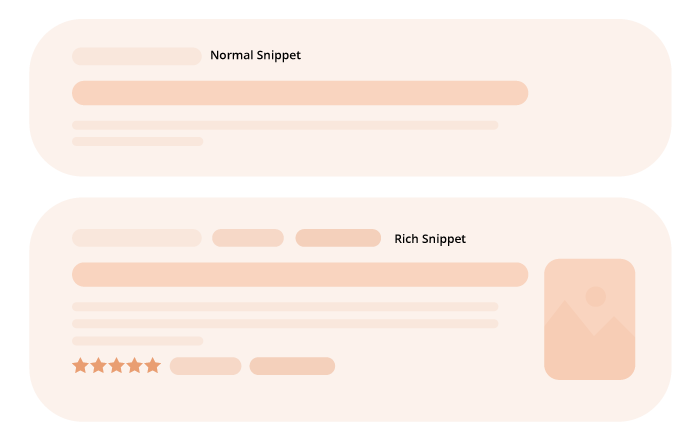
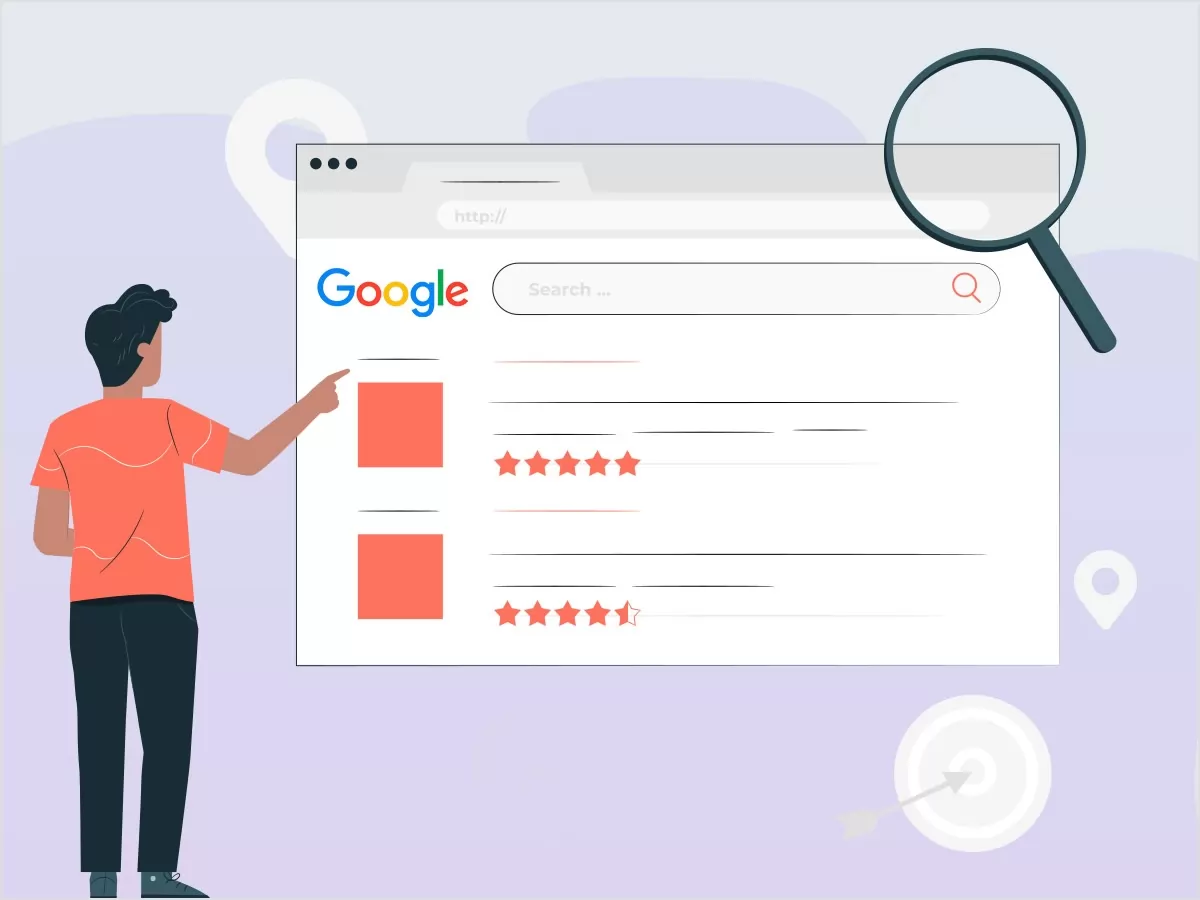
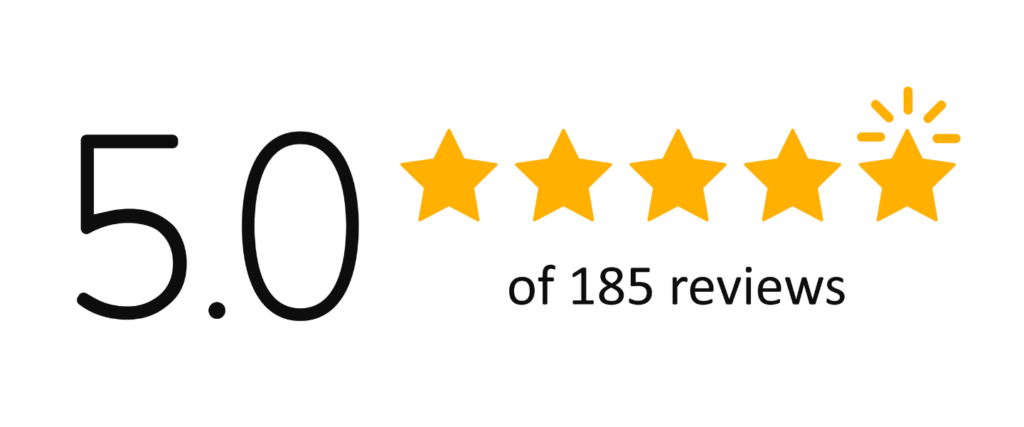
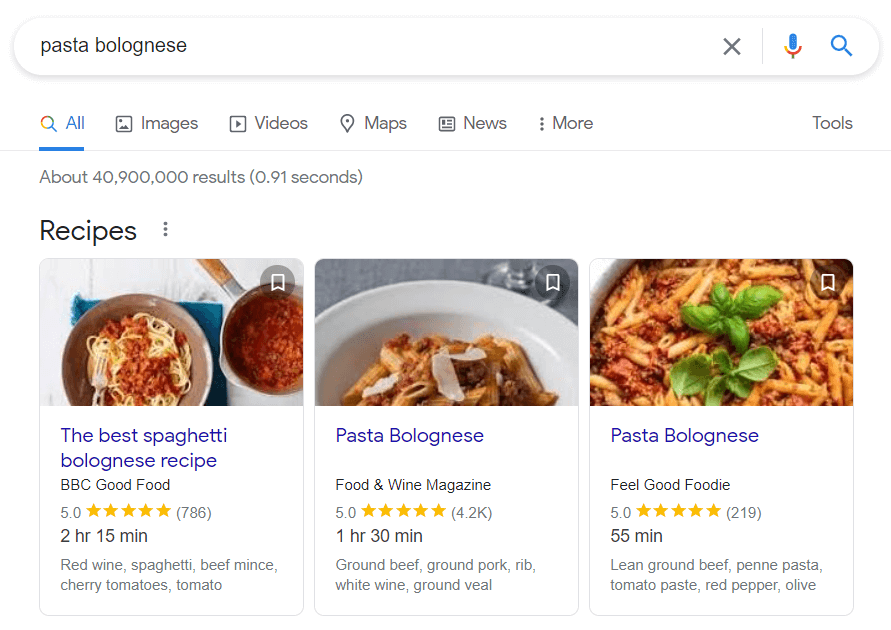
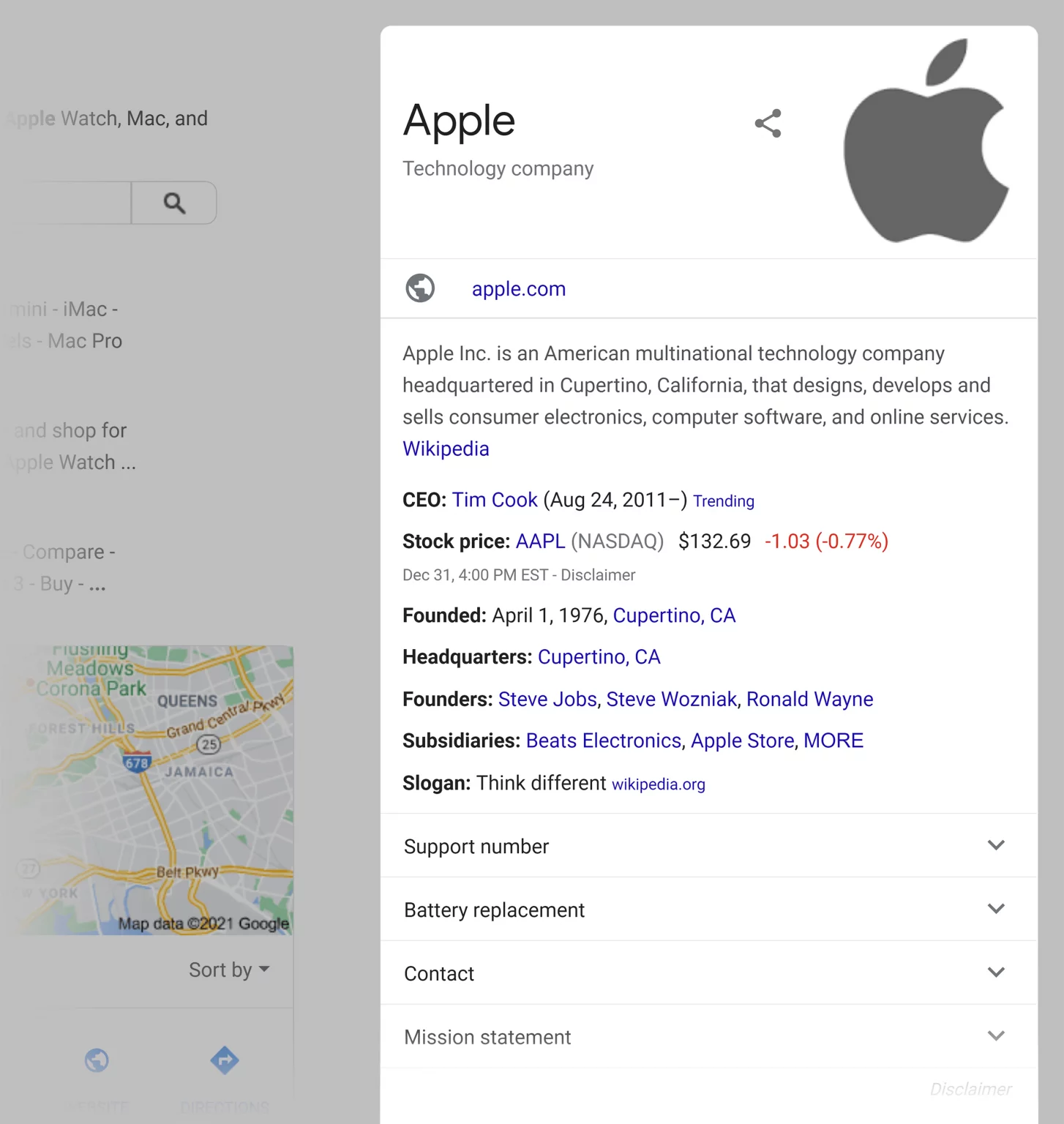
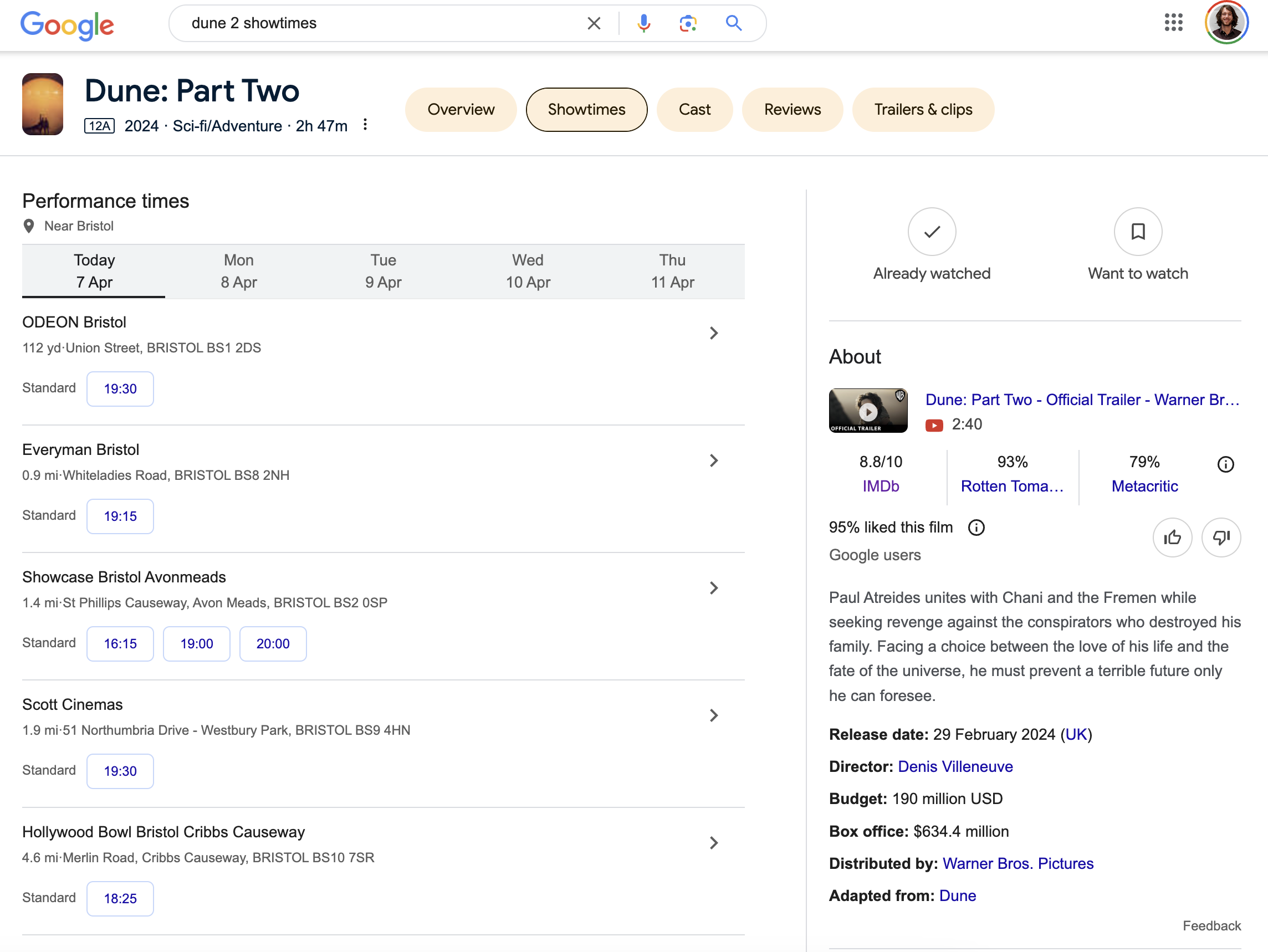
Rich snippets are enhanced search results that display extra information beyond the standard title, URL, and meta description. This additional information, such as star ratings, product prices, or event dates, is extracted from the page’s HTML structured data markup on a webpage. Rich snippets make your search listings more eye-catching and informative, increasing the likelihood of users clicking through to your site.

What Are Rich Snippets in SEO?

What Are Rich Snippets in SEO?

In the context of SEO, rich snippets are a way to provide search engines with more detailed information about your content, helping them better understand and categorize your pages. By implementing structured markup data, you can help search engines display relevant information from your site directly in the search results, improving your visibility and organic CTR.

Rich Snippets & SEO: Are They Related?

Rich Snippets & SEO: Are They Related?

Yes, rich snippets and SEO are closely related. While rich snippets are not a direct ranking factor, they can indirectly impact your SEO performance by increasing your click-through rate and driving more targeted traffic to your site through effective keyword research. Higher CTRs can send positive signals to search engines, potentially leading to improved rankings over time.

How Rich Snippets Help With SEO?

How Rich Snippets Help With SEO?

Rich snippets offer several SEO benefits:

  1. Increased Visibility: Rich snippets make your search listings stand out, attracting more attention and clicks.
  2. Higher Click-Through Rates: By providing relevant information upfront, rich snippets encourage users to click through to your site.
  3. Improved User Experience: Rich snippets help users quickly determine if your content meets their needs, leading to better engagement and lower bounce rates.
  4. Indirect Ranking Boost: Higher CTRs and user engagement can indirectly influence your search rankings over time.

Rich Snippets Vs Rich Results Vs Featured Snippets

While often used interchangeably, there are slight differences between these terms:

  • Rich Snippets: Additional information displayed in search results, extracted from structured data markup.
  • Rich Results: A broader term encompassing various types of enhanced search results, including rich snippets, knowledge panels, and carousels.
  • Featured Snippets: Concise answers to user queries, displayed at the top of search results, often extracted from webpage content.

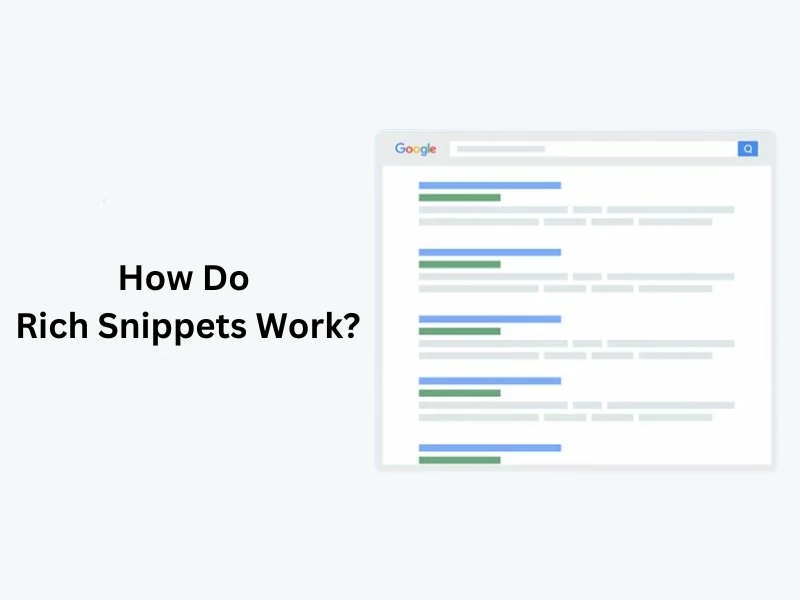
How Do Rich Snippets Work?

How Do Rich Snippets Work?

Search engines like Google use structured data markup, such as Schema.org, to extract relevant information from webpages and display it as rich snippets in search results. By adding this markup to your site’s HTML, you can help search engines better understand and present your content.

The Most Common Types of Rich Snippets

Rich snippets come in various types, each designed to highlight specific information about a webpage’s content.

By implementing the appropriate structured data markup, you can help search engines better understand your content and display relevant rich snippets in the search results.

Let’s explore some of the most common types of rich snippets.

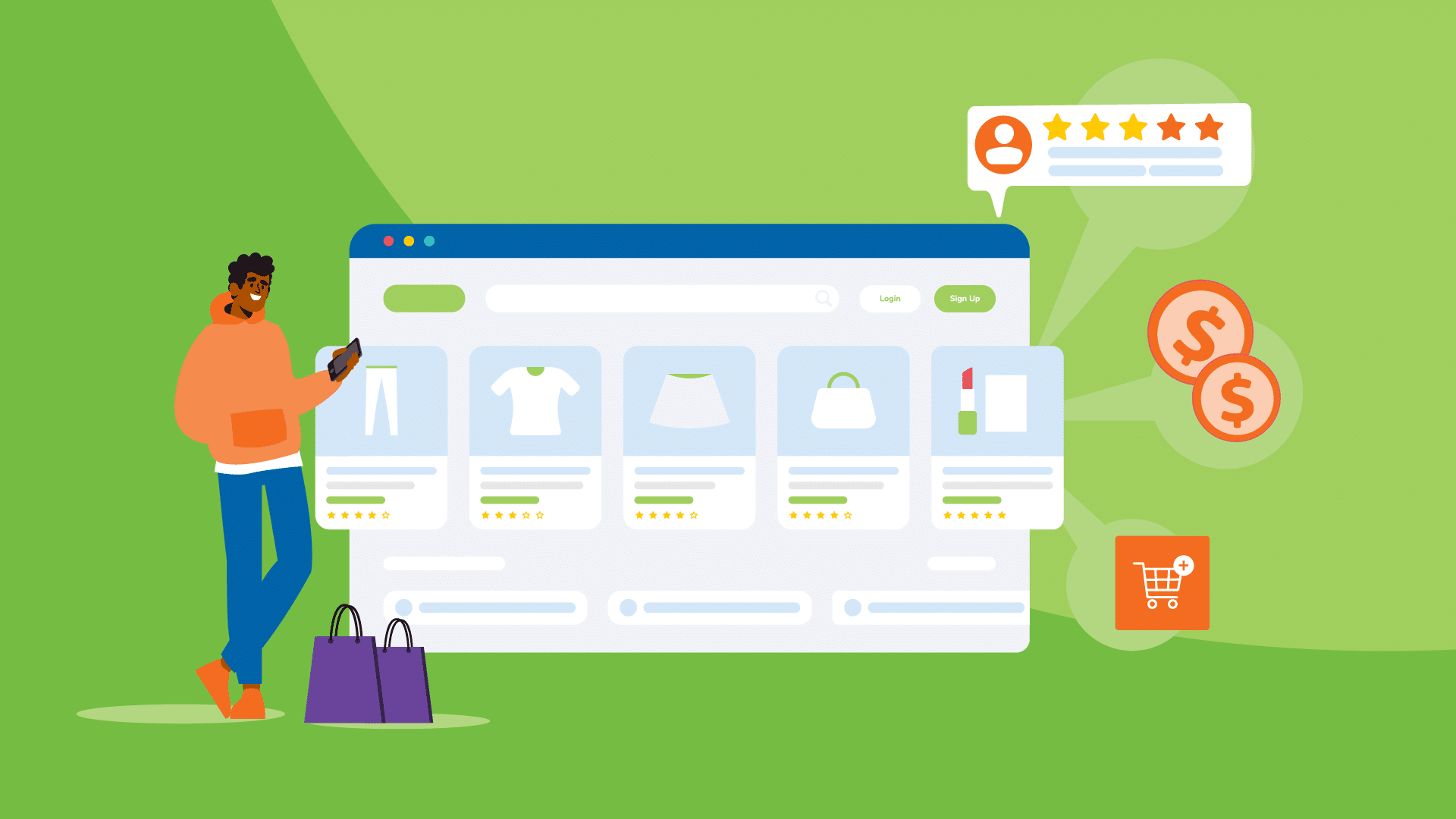
Product Markup Snippet

Product Markup Snippet

Product markup snippets are essential for e-commerce websites looking to showcase their products in search results.

By adding structured data to your product pages, you can display key information such as price, availability, reviews, and product images directly in the search listings. This extra information can entice potential customers to click through to your site, increasing your click-through rates and driving more organic traffic to your product pages.

Review Snippet

Review Snippet

Review snippets are a powerful way to build trust and credibility with potential customers. By displaying star ratings and review counts in your search listings, you can showcase the positive feedback your products or services have received.

Review snippets can be applied to various types of content, including products, recipes, events, and local businesses. Implementing review structured data can help your search listings stand out and encourage users to choose your site over competitors.

Recipe Snippet

Recipe Snippet

Recipe snippets are a must-have for food bloggers and recipe websites. By marking up your recipe content with structured data, you can display rich results that include ingredients, cooking time, calorie information, and user ratings.

These engaging snippets can attract more clicks from hungry searchers looking for their next meal inspiration. Recipe snippets can also appear in dedicated recipe carousels, giving your content additional visibility and driving more targeted traffic to your site.

Organization Snippet

Organization Snippet

Organization snippets are designed to help businesses and organizations provide key information to potential customers or clients.

By implementing organization-structured data, you can display your business name, logo, contact details, and social media profiles directly in the search results. This information can help users quickly identify and connect with your brand, increasing your online visibility and making it easier for customers to find and engage with your business.

FAQ Snippet

FAQ Snippet

FAQ snippets are a great way to provide quick answers to common questions directly in the search results.

By marking up your frequently asked questions and answers with FAQ-structured data, you can create an accordion-style list of questions that users can expand to view the answers.

This feature can help users find the information they need without having to click through to your site, while also demonstrating your expertise and authority on a given topic.

Movie Snippet

Movie Snippet

Movie snippets are designed to showcase information about films, including ratings, cast members, release dates, and trailers.

By implementing movie-structured data on your movie-related pages, you can help search engines better understand your content and display rich results that attract movie enthusiasts.

Movie snippets can appear in both regular search results and dedicated movie carousels, giving your content additional visibility and driving more targeted traffic to your site.

Event Snippet

Event Snippet

Event snippets are perfect for websites that promote or host events, such as concerts, workshops, or conferences.

By adding event-structured data to your event pages, you can display key details like event name, date, time, location, and ticket information directly in the search results. These engaging snippets can help your events stand out from the crowd and encourage users to click through to learn more about your event information or purchase tickets.
How to Create Rich Snippets?

How to Create Rich Snippets?

Creating rich snippets involves the following steps:

  1. Identify relevant details: Determine which information you want to highlight in search results.
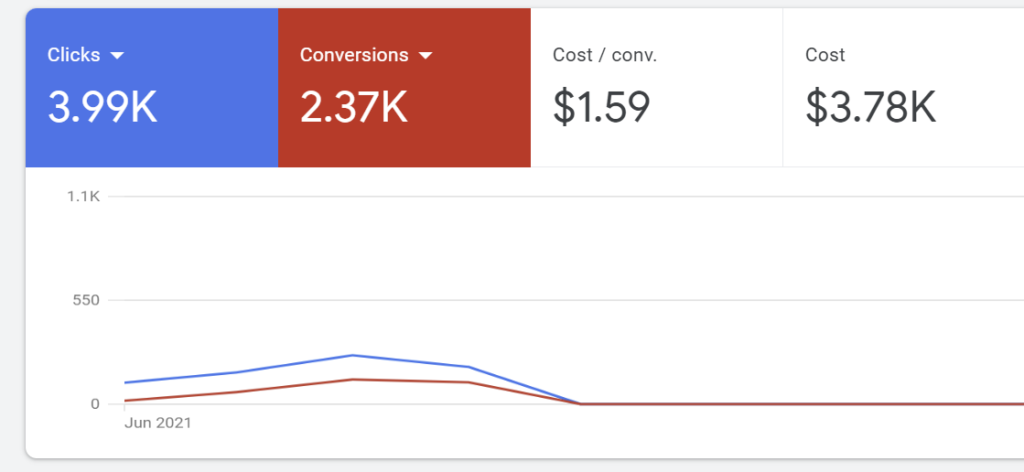
  2. Define your webpage: Use Google’s Structured Data Markup Helper to select your data type and tag relevant content.

  3. Create microdata: Generate the HTML markup for your selected data type.
  4. Integrate markup: Add the generated microdata to your webpage’s HTML.
  5. Test your snippet: Use Google’s Rich Results Test tool to validate your markup.
  6. Be patient: Allow time for search engines to crawl and process your updated content.

How to Implement Structured Data to Get Rich Snippets?

Implementing structured data involves three main steps:

  1. Choose your markup type: Select the appropriate Schema.org markup for your content type.
  2. Add structured data: Integrate the markup into your webpage’s HTML or use tools like Google’s Data Highlighter.
  3. Test your implementation: Validate your structured data using Google’s Rich Results Test tool.

Common Issues You Might Face When Adding Structured Data to Your Webpages

  1. Messy microdata: Poorly implemented markup can lead to errors and inconsistencies.
  2. Time investment: Adding structured data requires effort and resources.
  3. Plugin conflicts: Schema markup plugins may conflict with other website elements.
  4. Duplication: Using multiple schema markup tools can result in duplicate data.
  5. Wrong schema type: Implementing the incorrect schema type can lead to inaccurate rich snippets.

Best Practices For Optimizing Rich Snippets

Best Practices For Optimizing Rich Snippets

Optimizing rich snippets is like putting the final touches on a great work of art. It’s all about making them more effective and helping them stand out in search results.

Schema Markup Importance

Schema markup is a special way to help search engines understand your content. It tells them exactly what your content is about. Although it may not help directly with rankings, using schema markup is one of the best practices to make your website better for search engines.

You can think of schema markup as a translator. It helps turn your user-friendly content into a format that search engines understand. By adding this extra layer to your website’s code, you give search engines a better chance to browse and index your content accurately and quickly.

Structured Data Guidelines

Google wants to provide the best search results.

To help with this, they have set up guidelines for website owners. These guidelines are about using schema markup correctly. Following these rules is very important. It ensures that Google can understand your structured data and show it well in Google Search results.

You can see these guidelines as best practices. They help keep things organized and consistent in the growing area of structured data. It is important to check for updates often and follow Google’s advice. This way, you can stay up to date.

Choosing Relevant Rich Snippets

Choosing the right rich snippet for your content is like picking the right outfit for a special event. It should match the event and show off your best parts. Don’t try to force your content into a rich snippet type that doesn’t fit. It’s very important to focus on relevance and user experience.

Think carefully about what your content is and what information users want when they search for related topics. A search engine aims to give users the most accurate and helpful information. So, it’s very important to make sure your rich snippet strategy matches what users want.

Rich Snippets Examples

Rich Snippets Examples

Here are some examples of how rich snippets can enhance your search listings:

  1. Product pages with price, availability, and review information
  2. Recipe pages with ingredients, cooking time, and nutritional details
  3. Event listings with dates, locations, and ticket links
  4. Local business listings with contact information, hours, and directions

FAQ’s:

How Do Rich Snippets Enhance the Visibility of a Website in Search Results?

Rich snippets make your search listings more prominent and informative, attracting user attention and encouraging clicks.

What Types of Content Are Suitable For Rich Snippets?

Rich snippets can be used for various content types, including products, reviews, recipes, events, organizations, and more.

How Can Structured Data Help in Generating Rich Snippets?

Structured data markup, like Schema.org, helps search engines extract relevant information from your webpages to display as rich snippets.

How Long Does It Take For Rich Snippets to Show Up in Search Results?

It can take a few days to a few weeks for rich snippets to appear after implementing structured data, depending on search engine crawling and processing.

Can Rich Snippets Improve My Site’s SEO?

While not a direct ranking factor, rich snippets can indirectly improve your SEO by increasing click-through rates and driving more targeted traffic.

Are There Any Tools to Help Implement Rich Snippets More Efficiently?

Yes, tools like Google’s Structured Data Markup Helper and Rich Results Test can simplify the process of implementing and testing rich snippets.

How Do I Update My Rich Snippets If My Content Changes?

When your content changes, update the corresponding structured data markup and re-test using Google’s Rich Results Test tool to ensure accuracy.

Conclusion

Rich snippets are a valuable tool for enhancing your SaaS website’s visibility and performance in search results.

Using structured data markup can give search engines more detailed information about your content, resulting in more appealing and informative search listings.

Implementing rich snippets can help increase click-through rates, drive targeted traffic, and indirectly boost your SEO efforts.

To make the most of rich snippets, focus on selecting relevant types for your content, following best practices for implementation, and regularly testing and updating your structured data. Feel Free to get in touch with us.

What is Anchor Text? How Does it Matter For SEO in 2024?

Anchor text is a key player in SEO and link-building for SaaS companies.

Picking the right anchor text can help bump up your search engine rankings, bring in referral traffic, and enhance the overall user experience on your site.

In this detailed guide, we’ll dig into what anchor text is all about, why it’s important for SEO, the various types of anchor text, and some tips for rocking your anchor text game.

What is Anchor Text?

What is Anchor Text?

Anchor text refers to the clickable text in a hyperlink. It’s the visible, clickable words or phrases that link one web page to another. Anchor text helps both users and search engines understand the content of the linked page.

What Does Anchor Text in HTML Look Like?

Here’s an example of anchor text in HTML code:

anchor link text goes here

In this example, “anchor text goes here” is the anchor text that users see and can click on to visit the linked page.

Why is Anchor Text Important in SEO?

Anchor text plays a significant role in SEO for two main reasons:

  1. More Link Juice: Search engines use anchor text to understand the content and context of the linked page. Relevant, descriptive anchor text helps pass link equity (or “link juice”) to the target page, boosting its search engine rankings for related keywords.
  2. Better Clickability: Clear, enticing anchor text improves the user experience by helping visitors navigate your site and find the information they’re looking for. Descriptive anchor text encourages higher click-through rates, driving more referral traffic to your linked pages.

Internal & External Links

Internal & External Links

In addition to external links, internal linking is also important for enhancing the user experience and SEO of your website.

Internal links help spread the SEO juice from your top pages to the ones that need a little boost, making your site easier to navigate and more user-friendly. They also help search engines better crawl, index, and grasp the content on your site.

Strategically placing anchor text within your content to link to other relevant pages on your site, can help users navigate easily and improve the overall structure of your website. Internal linking can also distribute link equity across various pages, boosting their search engine visibility.

On the other side, external links send people to another website from where they started.

Different Types of Anchor Text and How to Use Them?

Different Types of Anchor Text and How to Use Them

Anchor text is a powerful tool for improving your website’s search engine rankings, but it’s important to use different types strategically.

Here are the most common types of anchor text and how to use them effectively:

  1. Exact Match Anchor Text: This is when you use the exact keyword you want to rank for as your anchor text. For example, if you want to rank for “best hiking boots“, your anchor text would be “best hiking boots“. While this can be very effective, use it sparingly to avoid exact match keyword stuffing and over-optimization penalties.
  2. Partial Match Anchor Text: A partial match includes your target keyword but with some extra words. So instead of “best hiking boots“, you might use “top-rated hiking boots for men“. This is less risky than an exact match and still helps with Search engine optimization (SEO) and ranking better in search results.
  3. Branded Anchor Text: Branded anchor text uses your company or brand name, like linking the word “Amazon” to Amazon.com. This is a natural way to build links and helps with brand recognition and brand awareness. This is just how a backlink profile naturally looks like, no surprises there.
  4. Generic Anchor Text: Generic anchor text uses phrases like “click here” or “read more“. While it doesn’t directly help with keyword rankings, it’s important for creating a natural, balanced link profile.
  5. LSI (Latent Semantic Indexing) Anchor Text: LSI stands for Latent Semantic Indexing. This type of anchor text uses synonyms or related words, like using “online advertising” to link to a page about “digital marketing“. It helps search engines understand the relevance of your content.
  6. Naked URL Anchor Text: A naked URL is just the link itself, like “www.yourwebsite.com“, without any other text. It’s another way to safely build natural-looking links.
  7. Image Anchor Text: When you link an image, search engines use the image’s alt text as the anchor text. This is a great way to diversify your link profile and make your content more visually appealing.

The key to a strong and a good anchor text strategy is using a diverse mix of all these types. This helps you get the SEO benefits while maintaining a natural balance and avoiding penalties. Focus on creating helpful, relevant links that provide value to your readers, and the right mix of keyword research, anchor text distribution will follow naturally.

How to Add Anchor Text to Your Links?

How to Add Anchor Text to Your Links?

Adding anchor text to your links is a straightforward process. Here’s how to do it:

Choose Where You Want to Link

First, decide which webpage you want to link to. This could be another page on your website or a page on a different site.

Pick the Right Anchor Text

Next, choose the words you want to turn into a link. Make sure these words are relevant to the page you’re linking to. They should give readers a good idea of what they’ll find if they click the link.

Create the Link

How you add the link will depend on what platform you’re using, like WordPress, Wix, or plain HTML. In most cases, you can just highlight the anchor text and look for a button or menu option to insert a hyperlink.

If you’re using HTML, you’ll need to use the tag. Put the anchor text between the opening and closing tags, and put the link itself in the opening tag using the href attribute, like this:

Your Anchor Text Here

In this example, “Your Anchor Text Here” is what people will see and click on, and “https://www.yourwebsite.com” is where they’ll go when they click it.

Test Your Link

After you’ve created your link, always click on it to make sure it works and goes to the right page. There’s nothing more frustrating for readers than a broken link!

Remember, optimizing your anchor text for SEO is an ongoing task. Keep an eye on how your links are performing over time and make adjustments as needed. The key is to use anchor text that’s relevant, informative, and enticing to readers. With a little practice, you’ll be a link-building pro in no time.

What is the Difference Between Internal and External Anchor Text?

Internal anchor text is used when you’re linking from one page to another within the same website.

As the owner of the site, you have complete control over the anchor text you use for these links. You can choose any words or phrases you think will be most helpful for your visitors and best for your site’s SEO.

On the other hand, external anchor text is used when you’re linking from your website to a page on a different site. In most cases, you don’t have any control over the anchor text used by other websites that link to your pages.

However, if you do have the ability to influence the external anchor text, like when you’re writing a guest post for another site, it’s important to make sure you’re not participating in any link schemes.

How to Find & Fix Anchor Text Issues?

To optimize your anchor text strategy, regularly audit your website’s link profile and look for issues like:

  • Over-optimized exact match anchor text that could trigger spam penalties
  • Broken links with missing or incorrect anchor text
  • Irrelevant or non-descriptive anchor text that doesn’t provide value

Use tools like Google Search Console, Ahrefs, or SEMrush to identify and fix these anchor text issues. Update your anchor text to be more relevant, natural, and diverse.

How to Write Really Good Friendly Anchor Text?

How to Write Really Good Friendly Anchor Text?

Here are some tips for writing effective, user-friendly anchor text that also helps with SEO:

Keep It Short and Sweet

While there’s no hard rule for anchor text length, try to keep it concise. Aim for a few words that accurately describe the page you’re linking to. Ask yourself:

  • What’s the quickest way to sum up the linked page?
  • What words would make me want to click this link?

For example, instead of “Click here to read more about the best hiking trails in Colorado“, just use “best hiking trails in Colorado“.

Make It Relevant

Your anchor text should give readers a clear idea of what they’ll find on the linked page. Irrelevant or misleading anchor text frustrates users and can hurt your SEO.

For instance, if you’re linking to a recipe for chocolate chip cookies, “click here” doesn’t tell readers much. “Easy chocolate chip cookie recipe” is more descriptive and useful.

Go Easy on the Keywords

It’s good to include relevant keywords in your anchor text, but don’t overdo it. Stuffing in too many keywords looks spammy to both readers and search engines.

Instead of “best cheap running shoes for men on sale“, something like “top budget running shoes” reads more naturally while still including useful keywords.

Avoid Generic Phrases

Generic anchor text like “click here“, “read more“, or “this website” doesn’t help readers or search engines understand what the linked page is about. Be specific instead.

Rather than “To learn more, visit this page“, try something informative like “Get more healthy meal prep tips at Cooking Light.”

The key is to write anchor text that’s concise, informative, and enticing to readers, while naturally including relevant keywords. Put yourself in your readers’ shoes – what wording would be most helpful and appealing to you? When in doubt, prioritize clarity and usability over trying to optimize for search engines.

How Search Engines See Anchor Text?

Search engines analyze several factors when crawling and indexing anchor text:

  1. Relevancy Checks: Search engines assess the relevancy of anchor text to the linked page’s content. Irrelevant or misleading anchor text can hurt your SEO.
  2. Spam Anchor Text: Excessive exact match anchor text or suspicious linking patterns may be flagged as spam. Use anchor text naturally and avoid manipulative tactics.
  3. Natural Flow and Language: Search engines favor anchor text that flows naturally within the surrounding text. Awkward or disruptive anchor text can negatively impact SEO.
  4. Link Destinations: The quality and relevance of the pages you link to also influence how search engines perceive your anchor text. Link to reputable, relevant sources.

How Does Anchor Text Affect Search Rankings?

Anchor text is one of many ranking factors search engines use to determine a page’s relevance and authority for specific keywords. Optimized anchor text helps search engines understand the context of your links and can positively impact your search rankings.

However, over-optimized or spammy anchor text can have the opposite effect and hurt your SEO performance. Strive for a natural, diverse anchor text profile that provides value to users and search engines alike.

Anchor Text Best Practices

Anchor Text Best Practices

To get the most SEO value from your anchor text, follow these best practices:

  1. Concise Anchor Text: Use short, descriptive anchor text that accurately reflects the linked page’s content. Avoid lengthy phrases that disrupt the reading experience.
  2. High Relevance to Target Page: Choose anchor text that’s highly relevant to the topic and keywords of the linked page. Irrelevant anchor text can confuse users and search engines.
  3. Anchor Text Frequency: Vary your anchor text rather than using the same phrase repeatedly. A diverse anchor text profile appears more natural to search engines.
  4. Diversify Anchor Text Types: Use a mix of anchor text types (exact match, partial match, branded, generic, etc.) to create a balanced, natural link profile.
  5. Stick to Natural Anchor Text: Write anchor text that flows naturally within the context of your content. Avoid awkward or forced keyword placements.
  6. Strategically Place Anchor Text: Position your anchor text strategically within your content to maximize its impact and visibility. Avoid clustering too many links in one area.

Anchor Text Examples

Here are some examples of effective anchor text:

FAQ’s:

What is Anchor Text Spam?

Anchor text spam refers to the manipulative practice of excessively using exact match or keyword-rich anchor text in an attempt to manipulate search rankings. This tactic can trigger Google penalties and hurt your SEO performance.

What is Rich Anchor Text?

Rich anchor text is the clickable text that provides additional context or information about the linked page, often using relevant keywords or descriptive phrases.

Can Anchor Text Be Used For Internal Links as Well as External Links?

Yes, anchor text is important for both internal and external links. Descriptive, relevant anchor text helps users and search engines navigate your site and understand the context of your linked pages.

Can Too Many Similar Anchor Texts Lead to a Google Penalty?

Yes, using the exact match anchor text excessively can be seen as a manipulative tactic and may result in Google penalties. Aim for a diverse, natural anchor text profile.

Can Using Too Many Keywords in Anchor Text Negatively Impact SEO?

Yes, stuffing your anchor text with too many keywords can appear spammy to search engines and hurt your SEO efforts. Use keywords naturally and sparingly in your anchor text.

What is the Difference Between Anchor Text and Keywords?

Keywords are the words and phrases users type into search engines to find relevant content. Anchor text is the clickable text in a hyperlink that helps describe the content of the linked page. Ideally, your anchor text should include relevant keywords naturally.

Conclusion

Optimizing your anchor text is a key component of an effective SaaS SEO and link building strategy. By using relevant, descriptive anchor text naturally within your content, you can boost your search rankings, drive targeted traffic, and improve the user experience on your website.

Remember to diversify your anchor text types, avoid spammy tactics, and prioritize anchor text that provides value to your audience. Regularly audit and refine your anchor text approach to ensure you’re getting the most SEO value from your link building efforts.

For more expert advice on SaaS link building and SEO, check out VH Info’s comprehensive guides and services. Our team can help you create a powerful anchor text strategy to take your search performance to the next level.

Hidden Links: What is it, Purpose, Types & Strategies

Hidden links have long been a tactic used by unscrupulous website owners and spammers to manipulate search engine rankings and drive traffic to their sites. These hidden links, often disguised within the HTML source code of a web page, can have a detrimental impact on a website’s SEO health and search rankings.

As a leading provider of SaaS link-building services, VH-info is committed to helping website owners identify and address hidden links to protect their online presence.

What Are Hidden Links?

What Are Hidden Links?

Hidden links are hyperlinks that are intentionally concealed within a web page’s content or source code, making them invisible to the average user browsing the site. These links are designed to be undetectable to the human eye but still crawlable by search engine bots.

Hidden links can be created using various techniques, such as:

  • Setting the link color to match the background color of the web page
  • Using CSS to position the link off-screen or with a font size of zero
  • Embedding links within punctuation marks or single characters

The purpose of this section remains to deceive users who accidentally hover their mouse over the concealed link using hidden text. Unlike a normal hyperlink that reveals its destination URL on the status bar of your web browser when hovered over, an hidden link conceals all information.

What’s the Purpose of Hidden Links?

What’s the Purpose of Hidden Links?

Hidden links are often used for three primary purposes:

  1. Manipulating Search Engines: One of the main reasons website owners and spammers use hidden links is to artificially boost their search engine rankings. By including hidden links to their web pages or those of their clients, they attempt to increase the number of inbound links and improve their site’s perceived authority and relevance.
  2. Spamming Websites: Some spammers inject hidden links into other websites or webpages without the site owner’s consent. Concealing these links within the content or source code allows them to spread their links across multiple sites on the internet, potentially misleading both search engines and users.
  3. Tricking Web Visitors into Installing Malware: In more malicious cases, hidden links may be used to trick users into downloading harmful software or malware. These links can be embedded within images or other elements of a web page, and when accidentally clicked, can initiate the installation of malicious software.

What Google Thinks – The Impact of Hidden Links On SEO

What Google Thinks – The Impact of Hidden Links On SEO

Google takes a strong stance against hidden links and considers them a violation of its SEO principles. The search engine giant actively works to detect and penalize websites that employ hidden links to manipulate search rankings.

Google’s sophisticated algorithms are designed to identify hidden links and differentiate them from legitimate, user-friendly links. Websites found to be using hidden links face penalties, including lower search rankings or even complete removal from Google’s index.

Types of Hidden Link Techniques

Types of Hidden Link Techniques

There are several techniques used to create hidden links, including:

  1. Matching link color to the background color
  2. Using CSS to position links off-screen or with a font size of zero
  3. Embedding links within punctuation marks or single characters
  4. Hiding links within images or other non-text elements
  5. Using JavaScript to dynamically insert hidden links

How To Handle Hidden Links For Maximum SEO Benefits?

To maintain a healthy website and protect your SEO efforts, it’s important to identify and remove any hidden links.

Here are three steps to handle hidden links effectively:

  1. Find Hidden Links Through an On-Site Link Audit: Conduct a thorough audit of your website’s links using tools like Google Search Console, Ahrefs, or Screaming Frog. These tools can help you identify any suspicious or hidden links within your site’s content and source code.
  2. Block Link Spammers With Antispam Plugins and Extensions: Implement antispam measures, such as plugins or browser extensions, to prevent link spammers from injecting hidden links into your website. These tools can help filter out malicious traffic and protect your site from hidden link attacks.
  3. Set Up a Strong Web Application Firewall: Deploy a web application firewall (WAF) to monitor and filter incoming traffic to your website. A WAF can help detect and block attempts to inject hidden links or other malicious code into your site.

Strategies For Uncovering Hidden Links On Your Web Pages

Strategies For Uncovering Hidden Links On Your Web Pages

To identify hidden links on your website, consider the following strategies:

Manually Inspect The Source Code

One direct approach to finding hidden links is to manually review your web page’s HTML source code. Follow these steps:

  1. Right-click on a web page and select View Page Source” (Chrome) or “View Source” (Firefox)
  2. Press Ctrl+F to open the Find function
  3. Search for “” to locate all hyperlinks within the source code
  4. Carefully examine each link to identify any that may be hidden or suspicious

Deep Dive into Ahrefs Site Audit Tool

Ahrefs’ Site Audit tool is a powerful resource for uncovering hidden links. Follow these steps to use the tool effectively:

  1. Enter your website’s URL into the Site Audit tool
  2. Once the audit is complete, navigate to the “Internal pages” report
  3. Filter the results by “Nofollow links” to identify any hidden or suspicious links
  4. Investigate each flagged link to determine if it is a legitimate hidden link or a false positive

Utilize Other SEO Tools

In addition to Ahrefs, several other SEO tools can help uncover hidden links, including:

  • Google Search Console: Use the “Links” report to identify any suspicious or low-quality inbound links
  • Screaming Frog: This desktop application can crawl your website and identify hidden links within the source code
  • Moz Link Explorer: Use this tool to analyze your website’s backlink profile and identify any hidden or spammy links

What Are Some Anti-Spam Measures I Can Implement to Protect Against Hidden Links?

To protect your website from hidden link attacks, consider implementing the following anti-spam measures:

  1. Install and regularly update antispam plugins or extensions for your content management system (e.g., WordPress)
  2. Use CAPTCHA or reCAPTCHA to prevent automated spam submissions
  3. Implement email verification for user registration and comments
  4. Regularly monitor and moderate user-generated content to identify and remove any hidden links
  5. Use a web application firewall (WAF) to filter incoming traffic and block malicious requests

Strengthening Website Security to Prevent Hidden Link Intrusions

Strengthening Website Security to Prevent Hidden Link Intrusions

In addition to anti-spam measures, strengthening your website’s overall security can help prevent hidden link intrusions.

Consider the following strategies:

  1. Regularly Update Plugins and Themes: Keep all plugins, themes, and content management systems up to date to ensure you have the latest security patches and features. Outdated software can be vulnerable to hidden link attacks.
  2. Implement Anti-Spam Measures: As mentioned earlier, implementing anti-spam measures such as CAPTCHA, email verification, and content moderation can help prevent hidden link intrusions.
  3. Set Up a Strong Web Application Firewall: A web application firewall (WAF) can monitor and filter incoming traffic to your website, blocking malicious requests and preventing hidden link injections.

FAQ’s:

Can Hidden Links Negatively Impact My Website’s SEO?

Yes, hidden links can negatively impact your website’s SEO. Google and other search engines consider hidden links a violation of their SEO principles and may penalize websites that use them.

How Can I Find Hidden Links On My Website?

You can find hidden links on your website by conducting a thorough link audit using tools like Google Search Console, Ahrefs, or Screaming Frog. These tools can help you identify suspicious or hidden links within your site’s content and source code.

What Should I Do if I Find Hidden Links On My Site?

If you find hidden links on your site, remove them immediately. You may also need to disavow any low-quality or spammy inbound links to your site using Google’s Disavow Tool.

Can Hidden Links Affect My Site’s Ranking On Google?

Yes, hidden links can negatively affect your site’s ranking on Google. The search engine may penalize your site with lower rankings or even remove it from the index entirely if it detects the use of hidden links.

How Does Google Penalize Sites With Hidden Links?

Google penalizes sites with hidden links by lowering their search rankings or removing them from the index altogether. The severity of the penalty depends on the extent and duration of the hidden link usage.

Are All Hidden Links Considered Bad For SEO?

While not all hidden links are inherently bad for SEO, it’s best to avoid them altogether. Focus on creating high-quality, user-friendly content and building legitimate, natural backlinks to improve your site’s search rankings.

How Do I Make a Hidden Hyperlink?

As an SEO best practice, VH-info strongly advises against creating hidden hyperlinks. Instead, focus on developing transparent, user-friendly content that provides value to your audience and helps build your site’s authority naturally.

Conclusion

Hidden links pose a significant threat to websites’ SEO health and search results. As a website owner, it’s important to be proactive in identifying and removing any hidden links on your site.

Conducting regular link audits, implementing anti-spam measures, and strengthening your website’s security can help protect your online presence and maintain a strong SEO foundation.

At VH-info, we specialize in providing high-quality, transparent SaaS link-building services that help our clients improve their search rankings and drive organic traffic.

Our experienced team is dedicated to helping website owners navigate the complexities of SEO and build a robust, sustainable online presence.

Contact us today to learn more about how we can help you achieve your link building goals while maintaining the highest standards of SEO best practices.

B2B SEO Audit: What is it, Benefits, Tools & How to Conduct It?

Are you struggling to improve your B2B website’s visibility in search engine results? A comprehensive B2B SEO audit is the first step to identifying and fixing issues hindering your SEO performance.

In this ultimate guide, we’ll dive into the importance of B2B SEO audits, the benefits they offer, and a step-by-step process to conduct one effectively.

What is a B2B SEO Audit?

What is a B2B SEO Audit?

A B2B SEO audit is a thorough analysis of your website’s search engine optimization (SEO) health, focusing on factors that impact your search rankings, organic traffic, and overall online presence. It involves examining various aspects of your website, including technical SEO, on-page elements, content quality, and off-page factors like backlinks.

Why B2B SEO Audits Are Important?

In the competitive B2B landscape, a strong SEO strategy is important for driving targeted traffic, generating leads, and establishing your brand as an industry leader. A B2B SEO audit helps you:

  1. Technical SEO audit: Identify technical issues preventing search engines from crawling and indexing your site effectively. Technical audit also involves things like checking the schema markup, page speed, image optimization, checking for duplicate content etc.
  2. On Page Audit: Optimize on-page elements like title tags, meta descriptions, and header tags for better search visibility. Essential an On page audit makes sure that your topic clusters are well built and whether you are focusing on quality content, internal links etc or not.
  3. Content Audit: Assess content quality and relevance to ensure you’re targeting the right keywords and satisfying user intent to diversify your SEO content marketing results. The end goal of a content audit is to streamline the sales funnel and improve your service pages, landing pages and pillar pages to get more organic search traffic to you website.
  4. Backlink Audit: Analyze your backlink profile to identify opportunities for improvement and eliminate toxic links

Benefits of Conducting a B2B SEO Audit

Investing in a B2B SEO audit offers numerous benefits for your business, including:

  1. Improved search rankings: By identifying and fixing SEO issues, you can boost your website’s search engine rankings and attract more qualified traffic.
  2. Enhanced user experience: Optimizing your site’s structure, navigation, and doing a content audit makes it easier for users to find what they need (i.e. their pain points), leading to higher engagement and conversion rates.
  3. Competitive advantage: Understanding your competitors’ SEO strategies allows you to identify gaps and opportunities to outrank them in search results.
  4. Cost-effective marketing: SEO is a long-term, cost-effective marketing strategy that supports B2B lead generation services by driving ongoing organic traffic and capturing qualified leads.

What Do You Need to Start Your B2B SEO Audit?

What Do You Need to Start Your B2B SEO Audit?

Before diving into the audit process, there are a few key things you’ll need:

Run a Competitor Analysis

Analyze your competitors’ websites to identify their target keywords, content strategies, and backlink profiles. This will give you valuable insights into industry best practices and areas where you can differentiate yourself.

Set Goals and Objectives

Clearly define what you want to achieve with your B2B SEO audit, whether it’s improving search rankings, driving more organic traffic, or increasing conversions. Setting specific, measurable goals will help guide your efforts and track progress.

What is Included in an SEO Audit?

What is Included in an SEO Audit?

A comprehensive B2B SEO audit typically includes the following elements:

  1. Technical SEO: Analyzing your website’s architecture, crawlability, indexability, site speed, and mobile-friendliness.
  2. On-page SEO: Evaluating title tags, meta descriptions, header tags, content quality, and keyword targeting for better rankings in google search results.
  3. Off-page SEO: Examining your backlink profile, identifying toxic links, and assessing your website’s authority and trust.
  4. Keyword research: Identifying high-value keywords that align with your business goals and have the potential to drive qualified traffic.
  5. Competitor analysis: Analyzing your competitors’ SEO strategies to identify opportunities for improvement and differentiation.

How to Conduct a B2B SEO Audit?

How to Conduct a B2B SEO Audit?

Now that you understand the importance and benefits of a B2B SEO audit, let’s walk through the steps to conduct one effectively.

Step 1: Crawl Your Website

The first step in your B2B site audit journey is to crawl your website. Think of this as sending a digital explorer to check every part of your site. This helps you see how a search engine views your site and find any possible problems.

Crawling your website will show you important information, like broken links, redirect issues, and pages that load slowly. These crawl errors can hurt your user experience and lower your search rankings.

Finding these problems early means you can fix them quickly. This makes your website easy to access for both users and search engines. This step is important for a successful SEO audit and sets you up for better optimization.

Step 2: Analyze Your Technical SEO

  • Check For Crawl Errors: Ensure that search engine bots can easily crawl and index your website. Look for issues like server errors, broken links, and robots.txt file problems that may be preventing search engines from accessing your content.
  • Evaluate Site Speed and Performance: Slow-loading pages can negatively impact user experience and search rankings. Use tools like Google PageSpeed Insights to assess your site’s speed and identify areas for improvement, such as optimizing images and minifying code.
  • Ensure Your Site is Mobile-Friendly: With mobile devices accounting for a significant portion of web traffic, having a mobile-friendly website is important for SEO success. Use Google’s Mobile-Friendly Test to evaluate your site’s mobile responsiveness and make necessary improvements.

Step 3: Review On-Page SEO Elements

  • Optimize Title Tags and Meta Descriptions: Title tags and meta descriptions are essential for attracting clicks from search results. Ensure that each page has a unique, relevant title tag and meta description that accurately reflects the content and includes target keywords.
  • Analyze Header Tags (H1, H2, H3): Header tags help structure your content and signal its importance to search engines. Make sure each page has a single, relevant H1 tag and that subheadings are properly nested using H2 and H3 tags.
  • Assess Content Quality and Relevance: High-quality, relevant content is the foundation of a successful SEO strategy. Evaluate your existing content to ensure it targets the right keywords, satisfies user intent, and provides value to your target audience. Identify gaps and opportunities for new content creation.

Step 4: Examine Off-Page SEO Factors

  • Analyze Backlink Profile: Backlinks from high-quality, relevant websites can significantly boost your search rankings. Use tools like Ahrefs or Moz to analyze your backlink profile, identifying opportunities for improvement and monitoring your competitors’ link-building strategies.
  • Check For Toxic Backlinks: Not all backlinks are created equal. Low-quality or spammy links can harm your search rankings and even lead to manual penalties from Google. Identify and disavow any toxic backlinks to maintain a healthy link profile.

Step 5: Identify Keyword Gaps and Opportunities

Conduct thorough keyword research to identify high-value keywords that align with your business goals and have the potential to drive qualified traffic. Analyze your competitors’ keyword strategies to find gaps and opportunities for differentiation.

B2B SEO Audit Checklist

To ensure you cover all the essential aspects of a B2B SEO audit, use this handy checklist:

  1. Crawl your website to identify technical SEO issues
  2. Analyze your site’s architecture, navigation, and internal linking structure
  3. Evaluate site speed and performance
  4. Ensure your site is mobile-friendly
  5. Optimize title tags and meta descriptions
  6. Analyze header tags (H1, H2, H3)
  7. Assess content quality and relevance
  8. Examine your backlink profile and disavow toxic links
  9. Identify keyword gaps and opportunities
  10. Conduct a competitor analysis

Is a B2B SEO Audit Worth it?

Absolutely! Investing in a B2B SEO audit is essential for any business looking to improve its online presence, drive targeted traffic, and generate leads. By identifying and fixing SEO issues, optimizing on-page elements, and developing a strong content strategy with a focus on core web vitals, you can establish your brand as an industry leader and gain a competitive edge in search results.

B2B SEO Audit Tools

B2B SEO Audit Tools

To conduct a thorough B2B SEO audit, you’ll need the right tools. Here are some of the best options:

  1. Screaming Frog: Screaming Frog is a powerful website crawler that helps you identify technical SEO issues, analyze on-page elements, and generate comprehensive reports.
  2. Semrush: Semrush is an all-in-one SEO tool that offers website auditing, keyword research, competitor analysis, and backlink monitoring capabilities.
  3. Ahrefs: Ahrefs is a popular tool for analyzing backlink profiles, identifying link building opportunities, and monitoring your competitors’ SEO strategies.
  4. Ubersuggest: Ubersuggest is a user-friendly keyword research tool that helps you identify high-value keywords, analyze search intent, and generate content ideas.
  5. Moz Pro: Moz Pro offers a suite of SEO tools, including website auditing, keyword research, and link building insights, making it an excellent choice for businesses of all sizes.
  6. Google Search Console: Google Search Console is a free tool that provides valuable insights into your website’s search performance, including keyword rankings, click-through rates, and crawl errors.
  7. Google Analytics: Google Analytics is an essential tool for tracking your website’s traffic, user behavior, and conversion rates, helping you make data-driven decisions to optimize your SEO efforts.

How Long Does A B2B Audit Take?

The duration of a B2B SEO audit depends on the size and complexity of your website, as well as the scope of the analysis. A thorough audit can take anywhere from a few days to several weeks, depending on the number of pages, the depth of the analysis, and the resources available.

How Can The Results Of A B2B SEO Audit Improve My Business?

How Can The Results Of A B2B SEO Audit Improve My Business?

The insights gained from a B2B SEO audit can help you:

  • Improve your website’s search rankings and visibility
  • Drive more targeted, qualified traffic to your site
  • Enhance user experience and engagement
  • Increase lead generation and conversion rates
  • Establish your brand as an industry authority
  • Gain a competitive advantage in your market

FAQ’s:

How Much Does a B2B SEO Audit Cost?

The cost of a B2B SEO audit varies depending on the size of your website, the complexity of the analysis, and the provider you choose. Prices can range from a few hundred to several thousand dollars.

How Often Should A B2B SEO Audit Be Conducted?

It’s recommended to conduct a comprehensive B2B SEO audit at least once a year, or whenever you make significant changes to your website. However, it’s essential to continuously monitor your SEO performance and make ongoing optimizations to stay ahead of the competition.

What Are Some Common Findings Of A B2B SEO Audit?

Common findings of a B2B SEO audit include technical issues like crawl errors and site speed problems, on-page optimization opportunities, content gaps, and backlink profile weaknesses.

Can Small B2B Businesses Benefit From SEO Audits?

Yes! Regardless of your business size, a B2B SEO audit can help you identify areas for improvement, optimize your online presence, and attract more qualified leads.

Can A B2B SEO Audit Identify Opportunities For Content Creation?

Absolutely! A thorough SEO audit will analyze your existing content, identify gaps and opportunities for new content creation, and help you develop a targeted content strategy that aligns with your business goals and target audience’s needs.

Conclusion

A comprehensive B2B SEO audit is essential for any business looking to improve its online presence, drive targeted traffic, and generate leads.

Following the steps outlined in this guide and utilizing the right tools, you can identify and fix SEO issues, optimize your website for search engines, and develop a strong content strategy that resonates with your target audience.

At VH-info, we specialize in providing actionable insights and expert guidance for B2B SEO success. Our experienced team can help you conduct a thorough SEO audit, develop a customized strategy, and implement effective tactics to boost your search rankings and drive meaningful results.

Don’t let poor SEO hold your business back. Invest in a B2B SEO audit today and take the first step towards unlocking your website’s full potential.

Link Insertion Vs Guest Post: A Comprehensive Comparison

Link building is an important aspect of SEO that helps improve a website’s search engine rankings and online presence.

Two popular link building strategies are link insertions and guest posts. While both aim to acquire high-quality backlinks, they differ in their approach and execution.

In this article, we’ll explore the differences between link insertions and guest posts, their benefits, drawbacks, and how to choose the right strategy for your SaaS business.

What Are Link Insertions?

What Are Link Insertions?

Link insertions, also known as niche edits, involve adding your link to an existing article on a relevant, high-quality website. This strategy leverages the authority of the host site to boost your backlink profile and improve your search engine rankings.

How Do You Target Link Insertions?

How Do You Target Link Insertions?

There are a few good ways to use link insertions wisely:

  • Broken Link-Building: One effective way to target link insertions is through broken link-building. This involves finding dead links on relevant websites and offering your content as a replacement. Broken link building is a great strategy when you temporarily have exhausted new guest posting opportunities. The good news also is that it helps you to restore your lost link juice.
  • Unlinked Brand Mentions: Another approach is to find unlinked brand name mentions of your company and reach out to the website owner to request a link insertion.

Benefits of Link Insertions

  1. Faster Indexing: Since the link is inserted into an existing piece of content, it can be indexed by search engines more quickly compared to a new guest post.
  2. Easy Outreach: Link insertion outreach is often simpler and less time-consuming than pitching a new guest post idea.
  3. No Content Creation Needed: With link insertions, you don’t need to create new content, saving you valuable time and resources.
  4. Targeting Any Website in Your Industry: Link insertions allow you to target any relevant website in your industry, regardless of whether they accept guest posts.

Drawbacks of Link Insertions

While link insertions offer several benefits, they also have some drawbacks. You have limited control over the context of your link (aka contextual links) and the anchor text used for the target site. Additionally, some website owners may be reluctant to add links to existing content.

What Are Guest Posts?

What Are Guest Posts?

Guest posts involve creating a new piece of content for another website in your industry. This content typically includes a link back to your own site, helping you build brand authority and drive referral traffic.

How Do You Target Guest Posts?

How Do You Target Guest Posts?

To target guest posts, start by identifying reputable websites in your niche that accept guest contributions. Create a compelling pitch that demonstrates the value you can provide to their audience.

Advantages of Guest Posts

Guest posts have special benefits that help build a strong online presence:

  1. Establish Thought Leadership: Guest posting allows you to showcase your expertise and establish yourself as a thought leader in your industry.
  2. Better Control over target keywords: Guest posts enable you to have better control over the target keywords used in your content, helping you optimize for specific search terms and enhance your SEO efforts. Additionally, guest posts provide a platform to engage with a new audience using ethical practices, expand your reach, foster relationships within your industry and helping you find newer opportunities.
  3. Generate Referral Traffic: A well-created guest post can drive targeted referral traffic to your website, potentially leading to new customers and opportunities.

Drawbacks of Guest Posts

While guest posting has many benefits, it also has some limits to think about.

  1. Time-Consuming: Creating high-quality guest posts requires a significant investment of time and effort, from ideation to writing and editing.
  2. Delayed Indexing: Since guest posts are new pieces of content, it may take longer for search engines to index and recognize the value of your backlink.

Link Insertion Vs Guest Post: What Are Their Differences?

The primary difference between link insertions and guest posts lies in their execution.

Link insertions, also known as niche edits, involve adding your link to an existing piece of content on a relevant website. This strategy uses the authority of the host site to boost your backlink profile and improve your search engine rankings.

On the other hand, guest posts require creating a new article from scratch for another website in your industry. This new content typically includes a link back to your own site, helping you build brand authority and drive referral traffic. Guest posting allows you to showcase your expertise and establish yourself as a thought leader in your industry.

When targeting link insertions, you can use tactics like broken link-building or finding unlinked brand mentions.

For guest posts, you’ll need to identify reputable websites that accept guest contributions and create a compelling pitch.

While link insertions offer faster indexing and require no content creation, guest posts provide more control over the content and can generate valuable referral traffic.

Guest Posting and Link Insertion: Factors to Consider

When deciding between guest posting and link insertions for your SEO campaign, it’s essential to consider several key factors.

First, evaluate your available resources, including time, budget, and content creation capabilities. Guest posting requires a significant investment in creating high-quality content, while link insertions can be more time-efficient.

Next, think about your target audience and SEO goals. If you aim to establish thought leadership and drive referral traffic, guest posting may be more effective. By creating valuable content for reputable websites, you can expose your brand to a new audience and build trust.

However, if your primary goal is to quickly improve your backlink profile and search engine rankings, link insertions can provide faster results.

Consider the relevance and authority of the websites you target for each strategy.

For guest posts, look for reputable sites that align with your niche and have an engaged audience. When targeting link insertions, prioritize relevant, high-quality websites that can pass valuable link equity to your site.

By carefully selecting your targets based on relevance and authority, you can maximize the impact of both guest posting and link insertion efforts on your SEO performance.

Link Insertion Vs Guest Post: Google’s Stance

Link Insertion Vs Guest Post: Google’s Stance

Both link insertions and guest posts are considered acceptable link building strategies by Google, as long as they adhere to white hat SEO practices. Google encourages creating valuable, informative content that benefits users and naturally earns backlinks.

When executing link insertions or guest posts, it’s important to avoid tactics that violate Google’s guidelines, such as link exchanges, paid links, or low-quality content. These black hat practices can lead to penalties and harm your website’s credibility.

To stay in Google’s good graces, focus on creating high-quality, relevant content that provides value to readers. When inserting links or publishing guest posts, ensure the links are contextual and enhance the user experience. By prioritizing quality and relevance over quantity, you can build a strong backlink profile that aligns with Google’s guidelines and contributes to your long-term SEO success.

Link Insertion Vs Guest Post: Choosing The Right Strategy For You

Link Insertion Vs Guest Post: Choosing The Right Strategy For You

Ultimately, the choice between link insertions and guest posts depends on your unique needs, goals, and resources. Many businesses find success by including both strategies in their overall SEO campaign.

To determine the right approach for your website, start by defining your primary objectives. Are you looking to quickly boost your search engine rankings, or do you want to build long-term brand authority and thought leadership? Consider your target audience and the types of websites they engage with regularly.

Evaluate your available resources, including time, budget, and content creation capabilities. If you have limited resources, link insertions may be a more efficient option, while guest posting can be ideal if you have a dedicated content team.

Finally, track and analyze the results of your link building efforts using tools like Google Analytics and SEO software. Monitor key metrics like organic traffic, search engine rankings, and referral traffic to gauge the success of your link insertion and guest posting strategies.

By continually assessing your performance and adapting your approach, you can refine your SEO campaign and achieve sustainable growth for your website.

FAQ’s:

Which is Better For SEO: Link Insertions Or Guest Posts?

Both link insertions and guest posts can be effective for SEO when executed properly. The best approach depends on your specific goals and resources.

Can You Use Both Link Insertions and Guest Posts Together?

Yes, many businesses use a combination of link insertions and guest posts to build a diverse and robust backlink profile.

How Do You Choose Between Link Insertions and Guest Posts?

Consider factors like your target audience, available resources, and desired outcomes when choosing between link insertions and guest posts.

Acquiring guest post backlinks is a time-consuming process and quick results should not be anticipated as you don’t have full control over the entire guest blogging process.

How Can Businesses Measure the Success of their Link Insertion or Guest Posting Strategy?

Monitor key metrics like organic traffic, search engine rankings, referral traffic, and domain rating or domain authority to gauge the success of your link building efforts.

Conclusion

Link insertions and guest posts are two powerful link building strategies that can help improve your website’s search engine rankings and online presence.

Understanding the differences between these approaches and considering your unique goals and resources can help you develop an effective SEO strategy that drives sustainable growth for your SaaS business.