A/B Testing Impact on SEO: What is it, Importance & Many More…

A/B testing, also known as split testing, is a powerful tool for conversion rate optimization and improving user experience on websites.

However, when it comes to search engine optimization (SEO), website owners must be cautious about how they implement A/B testing to avoid negatively impacting their SEO efforts.

In this article, we’ll explore the importance of A/B testing in SEO, potential issues that may arise, and best practices for conducting A/B tests without compromising your SEO performance.

What is A/B Testing in SEO?

What is A/B Testing in SEO?

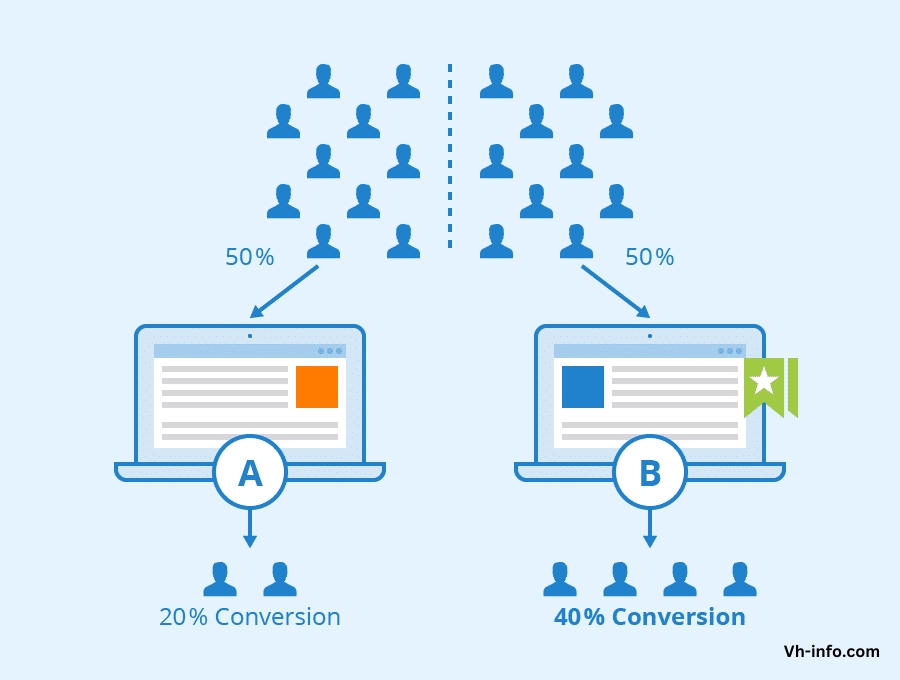
A/B testing in SEO, also known as SEO split testing, involves creating two versions of a web page with different elements and presenting them to users to determine which version performs better in terms of user engagement, conversion rate, and other key metrics.

Website owners compare two versions to improve user experience and conversion rates through data-driven decisions from SEO testing.

The primary purpose of A/B testing in SEO is to optimize a website’s performance in search engine results pages (SERPs) and enhance its overall visibility.

Importance Of A/B Testing In SEO

Importance Of A/B Testing In SEO

A/B testing plays an important role in SEO by helping website owners:

Get More Upsells:

By testing different versions of a page, you can identify which elements drive more upsells and optimize your pages accordingly.

Validate Important Projects:

A/B testing allows you to validate the impact of significant changes to your website before fully implementing them, minimizing the risk of negative SEO consequences.

Save Time:

Making data-driven decisions based on A/B test results, can help you save time and resources that would otherwise be spent on ineffective optimization initiatives.

Reduce Bounce Rates:

Testing different page elements can help you identify factors that contribute to high bounce rates and make necessary adjustments to keep users engaged.

Improve User Experience:

A/B testing enables you to fine-tune your website’s design and content to provide the best possible user experience, which can indirectly benefit your SEO.

Earn Buy-In From Higher-Ups:

Presenting data from successful A/B tests can help you gain support from stakeholders for larger SEO and conversion optimization projects.

How A/B Testing Can Affect SEO?

While A/B testing can be highly beneficial, it’s essential to be aware of potential SEO pitfalls:

Duplicate Content Issues

Running an A/B test often involves creating multiple versions of a page, which can lead to duplicate content issues if not handled properly. Duplicate content can confuse search engine bots and dilute the link equity of your pages.

Cloaking Concerns

Cloaking, or showing different content to users and search engines, is against Google’s guidelines. Improperly implemented A/B tests may be perceived as cloaking, resulting in penalties.

Impact On User Experience Signals

If the variations in your A/B test significantly alter the user experience, it can affect user engagement metrics like bounce rate and time on page, which are important signals for SEO.

How To Perform A/B Testing The Right Way In SEO?

How To Perform A/B Testing The Right Way In SEO?

To minimize the SEO impact of A/B testing, follow these best practices:

  1. Avoid Cloaking: Ensure that both users and search engine bots see the same content during the testing process.
  2. Use Rel=Canonical: Implement the rel=canonical tag to indicate the original URL and avoid duplicate content issues.
  3. Opt For 302 Redirects: Use temporary 302 redirects instead of permanent 301 redirects when directing users to test pages to maintain link equity.
  4. Test Length Considerations: Keep your tests as short as possible to minimize the impact on SEO. Aim for a duration that provides statistically significant results.
  5. Minimize Duplicate Content: Limit the number of page variations and focus on testing specific elements rather than creating entirely different pages.

How To Run A Successful A/B Test That Won’t Negatively Impact SEO?

To conduct an effective A/B test while preserving your SEO, follow these steps:

  1. Uncover Test Opportunities: Analyze user behavior, conversion rates, and other key metrics to identify areas for improvement and potential test ideas.
  2. Prioritize Testing Ideas: Rank your testing ideas based on their potential impact, ease of implementation, and alignment with your overall SEO and business goals.
  3. Create a Hypothesis: Develop a clear hypothesis for each test, outlining the expected outcome and how it will be measured.
  4. Implement the Test: Set up your A/B test using a reliable testing tool, ensuring proper implementation of rel=canonical tags and 302 redirects.
  5. Post-Test Analysis: After the test concludes, analyze the results and determine the winning variant. Implement the successful changes and document your findings for future reference.

FAQ’s:

Does A/B Testing Hurt SEO Rankings?

A/B testing itself does not inherently hurt SEO rankings. However, improper implementation, such as creating duplicate content or cloaking, can negatively impact your SEO performance.

How Long Should I Run An SEO A/B Test?

The ideal test length depends on factors such as traffic volume and the significance of the changes being tested. Aim for a duration that provides statistically significant results while minimizing the impact on SEO. Generally, tests should run for at least a week, but no longer than a few weeks.

Can A/B Testing Directly Affect My Site’s SEO Ranking?

A/B testing can indirectly affect your SEO ranking by influencing user experience signals like bounce rate and time on page. However, the direct impact on rankings is minimal if the tests are conducted properly.

Can I A/B Test Meta Tags and Titles?

Yes, you can A/B test meta tags and titles. However, be cautious when testing these elements as they can significantly impact click-through rates from search results pages.

Do I Need a Lot Of Traffic For SEO A/B Testing?

While higher traffic volumes allow for faster and more statistically significant results, you can still conduct A/B tests with lower traffic. Focus on testing high-impact pages and be prepared to run tests for a longer duration to achieve meaningful results.

Should I Use A/B Testing Tools Or Code My Own Tests?

It’s generally recommended to use established A/B testing tools like Google Optimize or Optimizely, as they provide reliable and SEO-friendly testing infrastructure. Coding your own tests can be more prone to errors and may require additional development resources.

Conclusion

A/B testing is a valuable tool for optimizing your website’s performance and user experience. However, when it comes to SEO, it’s important to implement tests carefully to avoid potential pitfalls like duplicate content issues and cloaking.

Following best practices and with strategic testing, A/B tests can boost conversion rates and user engagement while preserving SEO rankings.

At VH-info, we understand the importance of balancing A/B testing and SEO. Our team of experts can help you navigate the complexities of SEO A/B testing, ensuring that your optimization efforts drive meaningful results while maintaining your search engine visibility.

Contact us today to learn more about how our SaaS link building services and SEO expertise can help your business grow.

Link Velocity: What is it, Types & Examples

Link velocity, a critical concept in the world of search engine optimization (SEO), refers to the speed at which a website acquires backlinks over a specific period.

As a SaaS company, understanding and optimizing your link velocity is essential for improving your search engine rankings and driving targeted traffic to your site.

In this comprehensive guide, we’ll dive deep into link velocity, its importance, and how VH-info can help you achieve a healthy link-building strategy.

What is Link Velocity?

What is Link Velocity?

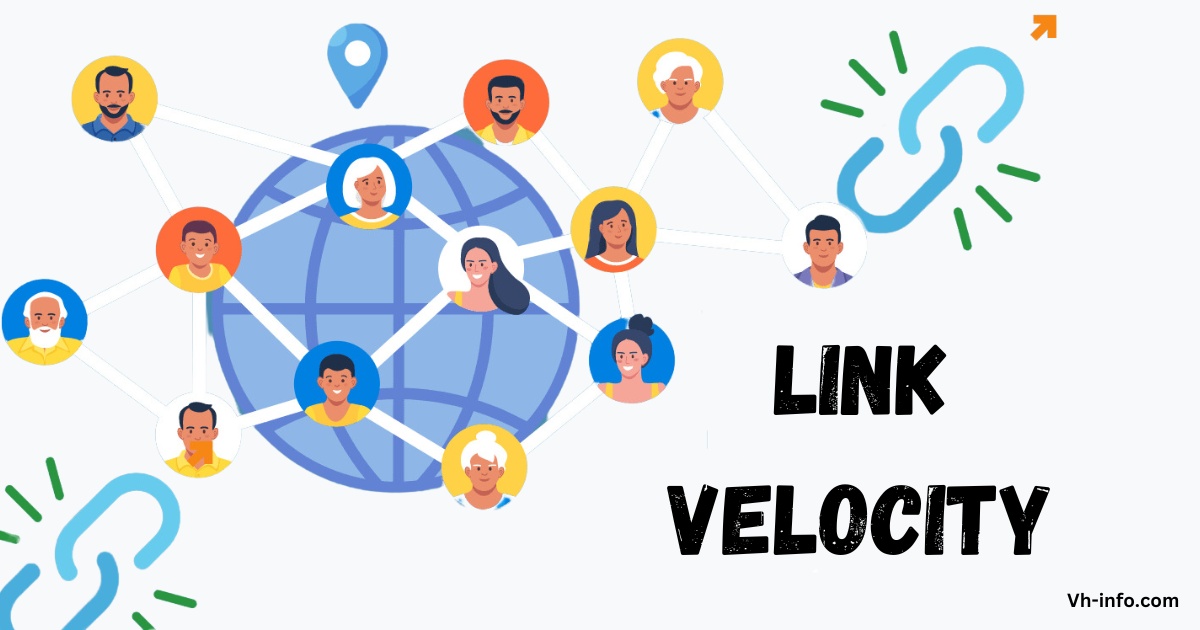
Link velocity measures the rate at which a website gains new backlinks over time. It’s an important metric that search engines like Google use to evaluate the quality and relevance of a site’s link profile.

A steady, natural link velocity indicates that a website is earning links organically, while a sudden spike or drop in link velocity may signal manipulative link-building techniques. Understanding and monitoring a site’s link velocity is important for maintaining a healthy and natural backlink profile.

Why Does Link Velocity Matter?

Link velocity matters because it provides valuable insights into the health and effectiveness of your link building efforts. A consistent, positive link velocity suggests that your content is resonating with your target audience and earning links naturally.

On the other hand, an erratic or negative link velocity may indicate issues with your SEO strategy or even a potential negative SEO attack.

Is Link Velocity Important For SEO?

Is Link Velocity Important For SEO?

Yes, link velocity is an important factor in SEO. While it may not be a direct ranking factor, it influences how search engines perceive your website’s authority and relevance.

A natural, steady link velocity can help improve your search engine rankings, drive targeted traffic, and establish your site as a trusted resource in your industry. This can ultimately lead to higher placement in search engine results pages (SERPs).

What is an Ideal Link Velocity?

What is an Ideal Link Velocity?

The ideal link speed differs based on industry, competition, and website age.

Aiming for steady growth in quality backlinks is crucial for maintaining a healthy SEO profile. Sudden spikes or drops in backlink acquisition can trigger search engine penalties, impacting your website’s ranking and visibility.

It is essential to focus on building natural and relevant backlinks over time, as this indicates to search engines that your site offers valuable content worth linking to.

Types Of Link Velocity

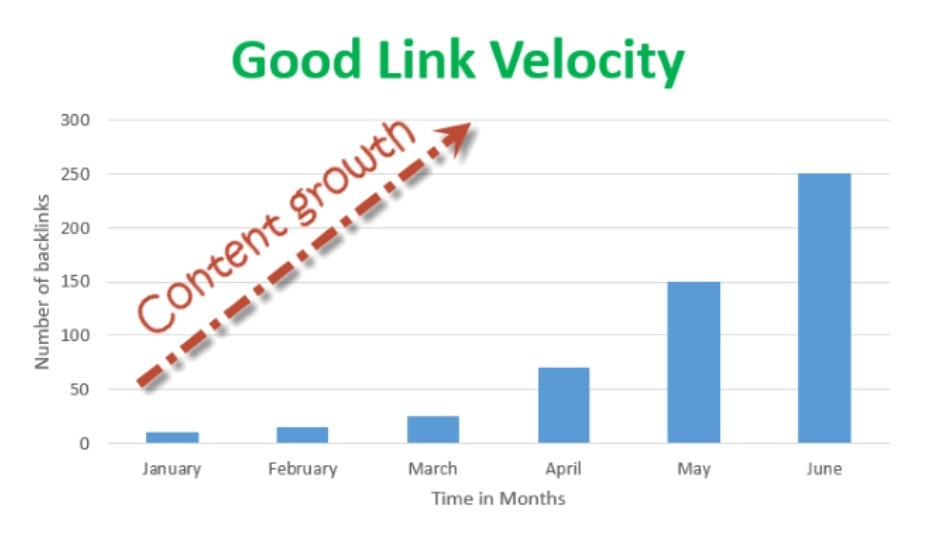
  1. Positive Link Velocity: A steady increase in high-quality backlinks over time, indicating a successful link building strategy.
  2. Negative Link Velocity: A sudden drop in backlinks, which may signal a problem with your SEO strategy or a negative SEO attack.
  3. Erratic Link Velocity: Inconsistent fluctuations in link growth, which may raise red flags with search engines and hinder your SEO efforts.

What is a Good Link Velocity?

A good link velocity is one that appears natural and organic to search engines. It should be a steady, gradual increase in high-quality backlinks from relevant, authoritative sources. The exact number of links you should aim for depends on your industry and competition, but as a general guideline, aim for a 10-20% increase in backlinks per month to find the sweet spot for optimal PageRank.

Virality & The Importance Of Quickly-Appearing Links

In some cases, a sudden spike in link velocity can be a positive sign, particularly if your content goes viral.

When a piece of content generates a lot of buzz and earns a high number of backlinks in a short period, it can significantly boost your search engine rankings. However, it’s essential to ensure that these links come from reputable sources and are relevant to your content.

PageRank

PageRank, Google’s algorithm for measuring the importance of web pages, takes into account the number and quality of links pointing to a page. A higher link velocity can positively impact your PageRank, as it indicates that your content is valuable and worth linking to.

However, it’s important to focus on earning high-quality, relevant links rather than simply aiming for a high quantity of links.

Linking Out

Linking out to other reputable websites can also contribute to a healthy link velocity.

This, in turn, can encourage other websites to link back to your content, improving your link velocity and overall SEO performance.

The Power (And Danger) Of Reciprocal Links

Reciprocal linking, or the practice of exchanging links with other websites, can be a double-edged sword when it comes to link velocity.

While reciprocal links can help increase your link velocity, they can also appear unnatural to search engines if done excessively or with low-quality websites.

Focus on building reciprocal links with reputable, relevant sites in your industry, and avoid engaging in large-scale link exchanges.

Is Link Velocity An SEO Ranking Factor?

While link velocity itself is not a direct ranking factor, it does influence how search engines perceive your website’s authority and relevance. A healthy link velocity, which can be controlled by website owners, can indirectly improve your search engine rankings by signaling to Google that your content is valuable and worth linking to. However, it’s essential to focus on building high-quality, relevant links rather than simply aiming for a high link velocity.

If I Build Backlinks Too Fast, Will My SEO Ranking Suffer?

Building backlinks too quickly can indeed negatively impact your SEO rankings. Search engines like Google are wary of websites that acquire a large number of links in a short period, as this may indicate manipulative link building practices. If your link velocity is too high, you risk triggering search engine penalties and damaging your SEO performance. When determining how to reach a higher link velocity, it’s important to look at your SEO metrics and historical data. The more links you earn, the faster you can feel comfortable building them.

Is There a “Perfect” Velocity For Building Links? The Best Strategy Around Link Velocity

There is no “perfect” link velocity that guarantees SEO success. The ideal link velocity varies depending on factors like your industry, competition, and the age of your website. However, the best strategy is to focus on building high-quality, relevant links consistently over time. Aim for a steady, gradual increase in backlinks, and avoid sudden spikes or drops in link velocity, as an optimal link velocity is one that is consistent and natural-looking.

How to Check Link Velocity For a Website or Page?

To check your website’s link velocity, you can use various SEO tools like Ahrefs, Moz, or SEMrush. These tools provide detailed insights into your backlink profile, including the number of new links acquired over a specific period.

What Does Google Say About Link Velocity?

While Google has not explicitly stated that link velocity is a ranking factor, the search engine giant has emphasized the importance of building high-quality, natural links over time.

Google’s Penguin algorithm, which targets manipulative link building practices, has been known to penalize websites with unnatural link velocity patterns. This underscores the importance of focusing on a sustainable, organic link building strategy.

What Are Some Best Practices For Maintaining a Healthy Link Velocity?

  1. Focus on creating valuable, link-worthy content that naturally attracts backlinks.
  2. Build relationships with influencers and thought leaders in your industry to earn high-quality links.
  3. Monitor your backlink profile regularly to identify and address any potential issues.
  4. Diversify your link building strategies to avoid over-reliance on any single tactic.
  5. Aim for a steady, gradual increase in backlinks over time, rather than sudden spikes or drops.

How To Avoid Google Penalties With Link Velocity?

To avoid Google penalties related to link velocity, follow these best practices:

  1. Focus on earning high-quality, relevant links from authoritative sources.
  2. Avoid engaging in manipulative link building practices like link farms or excessive reciprocal linking.
  3. Monitor your link velocity regularly and address any sudden spikes or drops.
  4. Diversify your link building strategies to maintain a natural, organic link profile.
  5. Disavow any low-quality or spammy links pointing to your website.

Examples Of Link Velocity in Action

  1. A SaaS company consistently publishes valuable, informative blog posts and earns a steady stream of high-quality backlinks over time, resulting in a positive link velocity and improved search engine rankings.
  2. An e-commerce website engages in manipulative link building practices, resulting in a sudden spike in link velocity. This triggers a Google penalty, causing a significant drop in search engine rankings and organic traffic.
  3. A startup launches a viral marketing campaign that generates a large number of backlinks in a short period. While this results in a temporary boost in search engine rankings, the link velocity eventually stabilizes, and the website maintains its improved rankings through a sustainable link building strategy.

FAQ’s:

What Are Link Velocity Trends?

Link velocity trends refer to the patterns and changes in a website’s link velocity over time. By analyzing these trends, SEO professionals can gain insights into the effectiveness of their link building strategies and identify potential issues or opportunities for improvement.

Is Link Velocity a Direct Ranking Factor?

No, link velocity is not a direct ranking factor. However, it does influence how search engines perceive your website’s authority and relevance, which can indirectly impact your search engine rankings.

Can High Link Velocity Negatively Impact SEO?

Yes, an excessively high link velocity can negatively impact your SEO performance. Search engines may interpret a sudden spike in link velocity as a sign of manipulative link building practices, which can result in penalties and a drop in rankings.

Are All Backlinks Considered in Link Velocity?

No, not all backlinks are considered equal when it comes to link velocity. Search engines place more value on high-quality, relevant links from authoritative sources, while low-quality or spammy links may have little to no impact on your link velocity.

Are There Seasonal Variations in Link Velocity?

Yes, there can be seasonal variations in link velocity depending on your industry and the nature of your content.

For example, a website that focuses on holiday gift guides may experience a spike in link velocity during the holiday season, while a website that covers summer travel destinations may see an increase in link velocity during the spring and summer months.

Can a Sudden Drop in Link Velocity Affect Website Rankings?

Yes, a sudden drop in link velocity can negatively impact your website’s search engine rankings. This may indicate a problem with your link building strategy, such as a loss of high-quality backlinks or a manual penalty from Google.

Should I Consider Hiring an Agency to Manage Link Velocity?

If you lack the time, resources, or expertise to manage your link velocity effectively, consider partnering with a reputable SEO agency like VH-info. Our team of experienced professionals can help you develop and execute a sustainable link building strategy that drives results while maintaining a healthy link velocity.

Can Link Velocity Be Used in Combination with Other SEO Metrics to Improve a Website’s Ranking?

Yes, link velocity should be used in combination with other SEO metrics to create a comprehensive, data-driven SEO strategy. By analyzing link velocity alongside factors like domain authority, keyword rankings, and organic traffic, you can gain a holistic view of your website’s SEO performance and identify areas for improvement.

How Do Search Engines Like Google Perceive Sudden Spikes in Link Velocity?

Search engines like Google are wary of sudden spikes in link velocity, as they may indicate manipulative link building practices.

If your website experiences a sharp increase in backlinks over a short period, Google may interpret this as an attempt to artificially inflate your search engine rankings, which can result in penalties and a drop in rankings.

How Can One Increase Link Velocity Organically?

To increase link velocity organically, focus on creating high-quality, valuable content that naturally attracts backlinks from authoritative sources.

Engage in outreach and relationship-building with influencers and thought leaders in your industry, and promote your content through social media and other channels to increase its visibility and reach.

Conclusion

Link velocity is a critical concept in the world of SEO, playing a significant role in how search engines perceive your website’s authority and relevance.

At VH-info, we specialize in helping SaaS companies navigate the complexities of SaaS Link building , white label link building services and SEO for startups. Our team of experienced professionals can help you develop and execute a sustainable link building strategy that drives results while maintaining a healthy link velocity.

Contact us today to learn more about how we can help you achieve your SEO goals and take your online presence to the next level.

Indexing Backlinks: What it is, How to Techniques & Best Practices

Backlinks are an important component of any successful SEO strategy.

However, simply acquiring backlinks is not enough – they need to be indexed by search engines like Google to have a positive impact on your search rankings.

As a trusted expert in SaaS link building, VH-info is here to guide you through the process of indexing your backlinks quickly and effectively.

What is an Indexed Backlink?

What is an Indexed Backlink?

An indexed backlink is a link from an external website to your own that has been discovered, crawled, and added to Google’s index. Only indexed backlinks contribute to your website’s link profile and can potentially boost your search engine rankings.

Non-indexed links, while still valuable for referral traffic, do not directly impact your SEO efforts.

It is important to regularly check and index inbound links to ensure they are contributing to your website’s SEO performance.

How to Index Backlinks?

How to Index Backlinks?

There are several techniques you can use to encourage search engines to index your backlinks:

  1. Create high-quality, relevant content that naturally attracts links
  2. Promote your content on social media platforms to increase visibility
  3. Use pinging tools to notify search engines of new links
  4. Build internal links to your new content from existing indexed pages
  5. Submit your website to relevant directories and bookmarking sites

VH-info can help you implement these strategies as part of a comprehensive link building campaign tailored to your SaaS business.

How Long Does It Take Google To Index Backlinks?

The time it takes for Google to index new links can vary widely, from a few days to several weeks or even months.

Factors that influence indexing speed include the authority of the linking site, the quality and relevance of the content, and the overall link velocity and diversity of your backlink profile.

Why Is It Necessary to Index Backlinks?

Indexing backlinks is essential for several reasons:

  1. Indexed links pass link equity and authority to your website, improving your search rankings
  2. Indexed links can drive valuable referral traffic from the linking site
  3. A higher proportion of indexed links signals a healthy, natural link profile to search engines

Factors Affecting Backlink Indexing

Factors Affecting Backlink Indexing

Several key factors can impact how quickly and consistently your backlinks get indexed:

1. Content Quality

High-quality, original, and relevant content is more likely to be indexed quickly by search engines. Focus on creating valuable resources that address your target audience’s needs and interests.

2. Backlink Quality

Links from authoritative, relevant websites in your industry tend to get indexed faster than those from low-quality or spammy sites. VH-info can help you identify and acquire high-quality backlinks for your SaaS website.

3. Website Age and Authority

Backlinks from older, more established websites are often indexed more quickly than those from newer or less authoritative sites.

4. Domain Reputation

Websites with a history of publishing spam or engaging in manipulative link schemes may have their backlinks indexed more slowly or not at all.

5. Website Loading Speed

Slow-loading websites can hinder the indexing process, as search engine crawlers may abandon the site before discovering all the links. Ensure your website is optimized for speed.

Techniques For Backlink Indexing

Techniques For Backlink Indexing

Here are some effective techniques to help get your backlinks indexed:

1. Social Bookmarking

Submitting your content to social bookmarking sites like Reddit, Twitter, and Pinterest can help drive traffic and encourage faster indexing.

2. Pinging

Using pinging tools to notify search engines of new content and links can speed up the indexing process. Popular pinging services include Ping-O-Matic and FeedShark.

3. Internal Linking

Linking to your new content from existing indexed pages on your site can help search engines discover and index your backlinks more quickly.

4. Guest Blogging

Publishing high-quality guest posts on authoritative websites in your industry can help you acquire indexed backlinks while also reaching a new audience.

5. Directory Submission

Submitting your website to relevant, high-quality online directories can provide an additional source of indexed links.

Some Advanced Techniques For Backlink Indexing

  1. Use the URL Inspection tool in Google Search Console to submit individual links for indexing
  2. Leverage social media ads to drive traffic to your linked content and encourage faster indexing
  3. Collaborate with influencers in your niche to promote your content and acquire high-quality backlinks

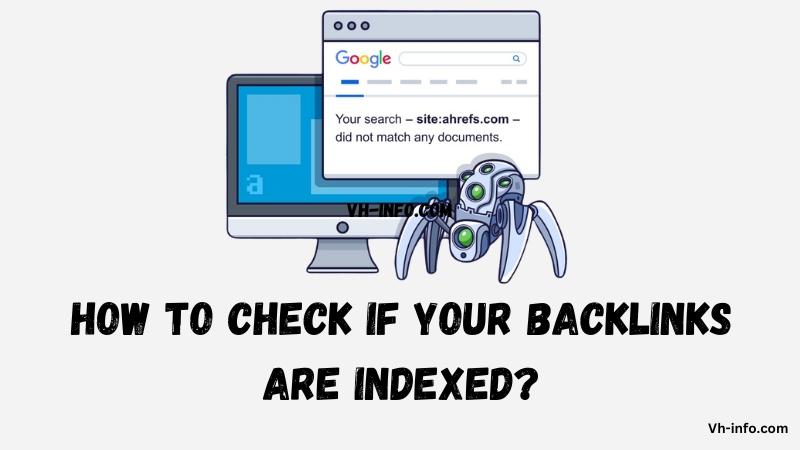
How To Check If Your Backlinks Are Indexed?

How To Check If Your Backlinks Are Indexed?

There are two main methods to check if your backlinks have been indexed by Google:

Using Google’s ‘Site:’ Operator

Enter “site:domain.com” (replace domain.com with the linking website’s URL) into Google search. If the page containing your backlink appears in the search results, it has been indexed.

Using Google Search Console

In the “Links” report, you can see a list of your website’s external links. Click on a specific link to see if it has been indexed.

Is There Any SEO Value In Non-Indexed Links?

While non-indexed links do not directly impact your search rankings, they can still provide value in the form of referral traffic and brand exposure. Additionally, a non-indexed link may eventually be crawled and indexed by search engines, especially if it is a high-quality link from a reputable source.

Best Practices For Indexability To Index Backlinks Fast

To improve the likelihood and speed of your backlinks getting indexed, follow these best practices:

Add Rich Media to the Article

Including images, videos, and other multimedia elements can make your content more engaging and shareable, potentially attracting more backlinks.

Add Schema Markup to the Article

Using schema markup to provide additional context about your content can help search engines better understand and index your pages.

Add a Self-Referencing Canonical

Including a self-referencing canonical tag tells search engines which version of a page to index, preventing duplicate content issues.

Ensure the Content is High-Quality

Creating original, valuable, and well-structured content is essential for attracting high-quality backlinks that are more likely to be indexed quickly.

Link to Other High Authority Sources Within the Article

Linking out to authoritative sources can help demonstrate your content’s credibility and relevance, potentially encouraging faster indexing.

Share the Article on Social Media or Forums

Promoting your content on social media and relevant online communities can drive traffic and increase the likelihood of your backlinks being discovered and indexed.

FAQ’s:

Is Indexing Backlinks a Good Practice?

Yes, indexing backlinks is essential for ensuring they contribute to your website’s search engine optimization and rankings.

How Long Does It Take To Index Backlinks?

The time it takes for backlinks to be indexed can vary from a few days to several weeks or months, depending on various factors such as the linking site’s authority and the quality of the content.

Can I Index My Backlinks Without Using Tools?

While tools can help speed up the process, it is possible to index backlinks without them by focusing on creating high-quality content, building internal links, and promoting your content on social media.

What to do if a Backlink is not Indexing?

If a backlink is not being indexed, you can try submitting the URL to Google Search Console, improving the quality and relevance of the linking page’s content, or reaching out to the site owner to inquire about any technical issues.

How Does the Quality of a Backlink Affect its Indexation?

High-quality backlinks from authoritative and relevant websites are more likely to be indexed quickly by search engines compared to low-quality or spammy links.

Are There Any Risks Associated With Backlink Indexing Strategies?

Some aggressive or manipulative backlink indexing tactics, such as using automated pinging tools or participating in link schemes, can potentially harm your website’s reputation and search rankings. Focus on creating valuable content and building genuine relationships to acquire indexed links naturally.

Conclusion

Indexing backlinks is a critical component of a successful link building and SEO strategy.

To make sure your backlinks get indexed fast and well, focus on factors that speed up indexing. Create good content, use social media for promotion, and tools like Google Search Console.

VH-info’s expert team is here to guide you through the process and provide tailored white label link building services and SEO for Startups to help your SaaS business achieve its SEO goals. Contact us today to learn more about how we can help you acquire high-quality, indexed backlinks that drive results.

Why Is Having Duplicate Content An Issue For SEO & How To Fix It?

Duplicate content is one of the most common technical SEO issues that can have a significant negative impact on a website’s search engine rankings and organic traffic.

As an SEO expert or website owner, it’s important for you to understand what duplicate content is, why it matters for SEO, and how to find and fix any duplicate content problems on your site.

In this comprehensive guide, the team at VH Info breaks down everything you need to know about duplicate content and SEO.

We’ll cover what counts as duplicate content, why it’s bad for SEO, common causes, how to identify duplication, and most importantly – proven strategies to resolve any duplicate content issues to improve your rankings and traffic.

What is Duplicate Content in SEO?

What is Duplicate Content in SEO?

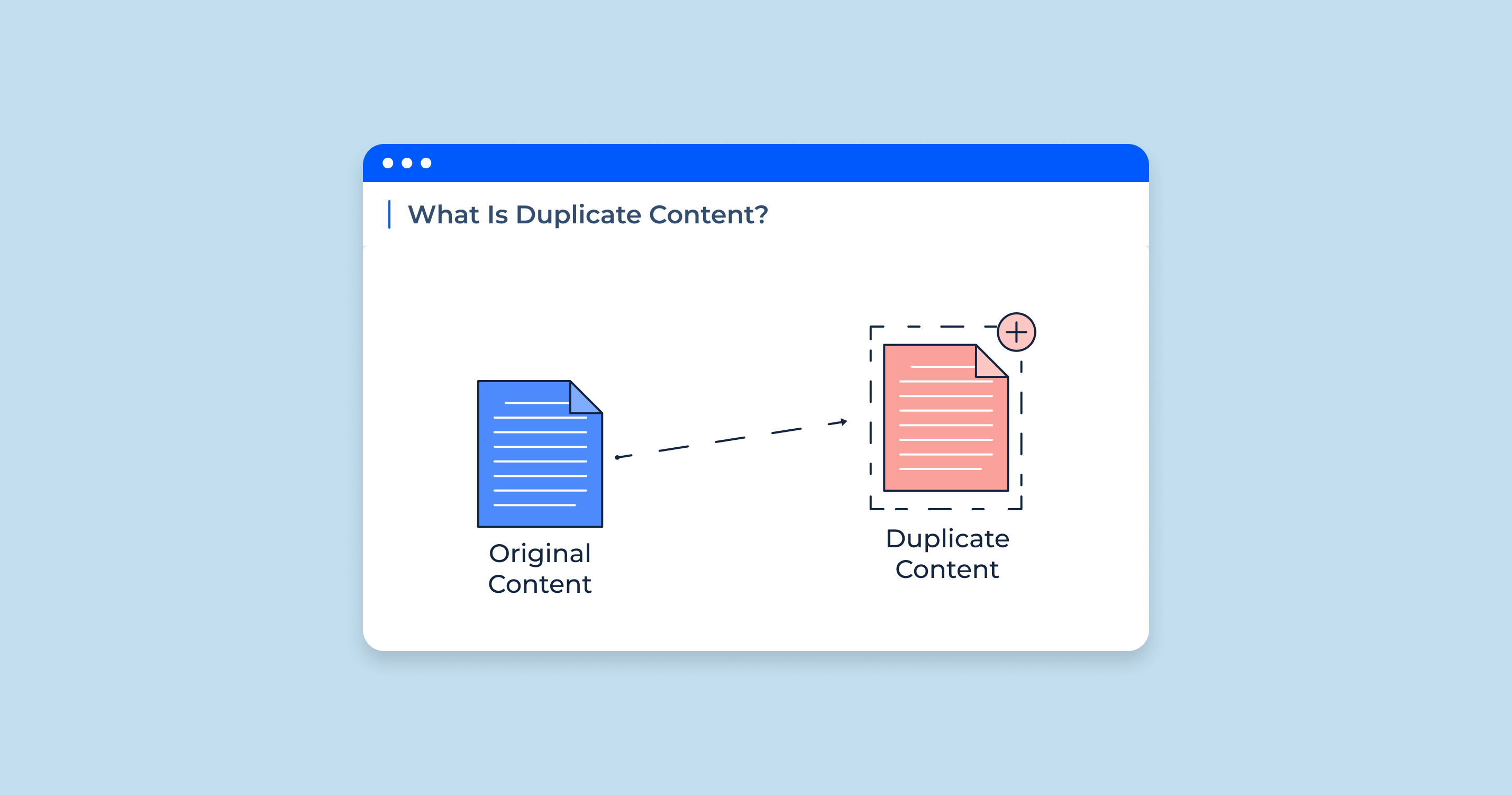
In the context of search engine optimization (SEO), duplicate content refers to substantive blocks of content within or across domains that either completely match other content or are appreciably similar. Duplicate content can occur on multiple pages within your website or across different websites.

Duplicate content is not limited to just blog posts or articles. It can also include product descriptions, meta descriptions, and any other text-based content on web pages. Even slight variations of the same content on different pages or sites can get flagged as duplicate content by search engine crawlers.

Why Does Duplicate Content Matter?

Why Does Duplicate Content Matter?

Duplicate content can negatively impact SEO in several key ways:

For Search Engines

When search engines like Google encounter duplicate content, it presents three main challenges:

  1. They don’t know which version(s) to include/exclude from their indices.
  2. They don’t know whether to direct the link equity (authority, anchor text, etc.) to one page, or keep it separated between multiple versions.
  3. They don’t know which version(s) to rank for relevant search queries.

As a result, search engines may not properly index pages with duplicate content or may rank the wrong version. This leads to lower visibility in search results.

For Site Owners

For website owners, duplicate content often leads to:

  1. Diluted visibility in search results, as search engines rarely show multiple versions of the same content. This forces them to choose a canonical version, diluting the visibility of each duplicate.
  2. Diluted link equity, as inbound links get split between the duplicates instead of pointing to one authoritative version. Since links are a key ranking factor, this dilution can significantly impact search rankings.

The net result is that the content doesn’t achieve the search visibility it otherwise would if the duplicate issue didn’t exist. Website owners may suffer lower rankings and reduced organic traffic.

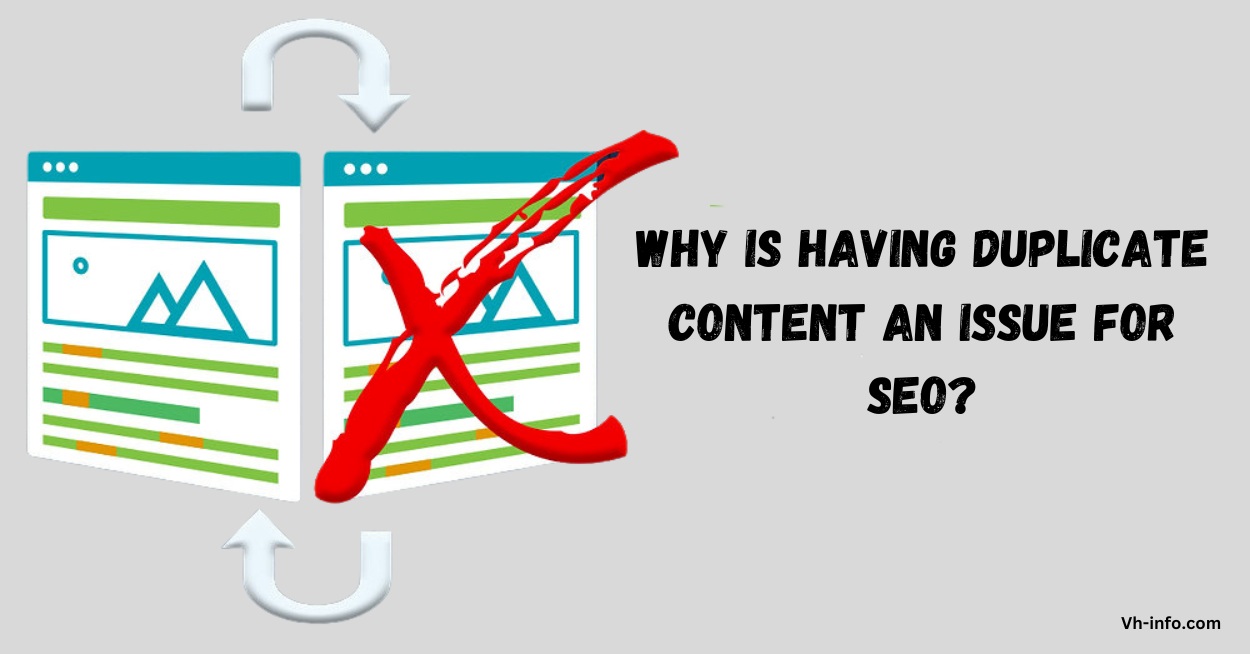
Why is Having Duplicate Content an Issue For SEO?

Why is Having Duplicate Content an Issue For SEO?

There are several reasons why having duplicate content is problematic for SEO:

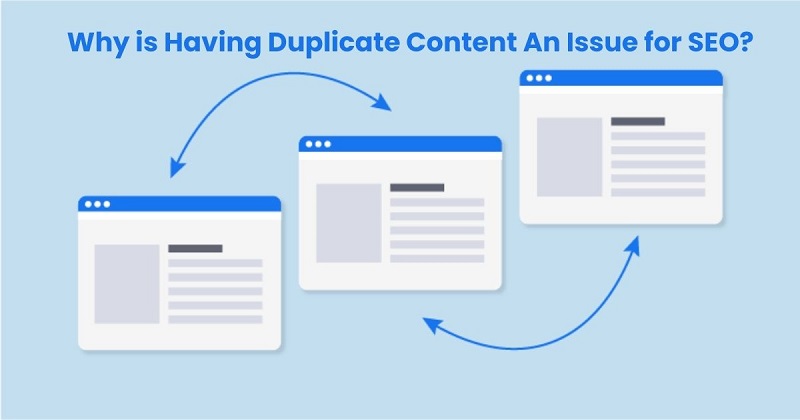
  1. It can dilute your ranking potential. When the same content appears on multiple URLs, it’s difficult for search engines to determine which version is most relevant to rank. As a result, they may not rank any of the versions as high as they would if there was a single authoritative version.
  2. It wastes crawl budget. Search engine crawlers have a limited crawl budget for each site. Duplicate content results in crawlers wasting time indexing the same content multiple times, taking away from the crawl budget for your unique content.
  3. It can cause indexing issues. In some cases, search engines may identify the duplicates and choose to index only one version, filtering the others out of search results entirely. If the version they choose isn’t the one you want to rank, it can really hurt your SEO.
  4. It makes it harder to attract links. When multiple versions of a piece of content exist, any inbound links get split between them, diluting the link equity and authority of each version. Consolidating duplicate content helps attract more links to a single authoritative URL.
  5. It provides a poor user experience. Duplicate content also negatively impacts users, leading to frustration when they encounter the same content multiple times. This can increase bounce rates and reduce time on site.

5 Common Causes Behind Accidental Duplicate Content

Most duplicate content is not created intentionally. Here are some of the most common technical causes of duplicate content:

1. Improperly Managing WWW and Non-WWW Variations

If your site is accessible with both “www” and “non-www” versions of URLs (http://example.com and http://www.example.com), search engines will see these as two separate sites with duplicate content. It’s important to choose one version and redirect the other to it.

2. Granting Access With Both HTTP and HTTPS

Similarly, if your site allows access through both HTTP and HTTPS protocols, it can create duplicate versions of each page. Always redirect HTTP to HTTPS, especially if you’ve already implemented SSL.

3. Using Both Trailing Slashes and Non-Trailing Slashes

Having URLs accessible with and without a trailing slash (like /page/ and /page) creates duplicate content. Choose one convention and stick with it.

4. Including Scraped or Copied Content

Scraped or copied content, even if it’s unintentional, counts as duplicate content. Be sure to always create original content.

5. Having Separate Mobile and Desktop Versions

Separate mobile and desktop versions of your site on different URLs (like m.example.com) can create duplication. Use responsive design instead.

Types Of Duplicate Content in SEO

Types Of Duplicate Content in SEO

Duplicate content can be categorized into a few main types:

1. Internal Duplicate Content:

When the same content appears on multiple pages within a single website.

2. External Duplicate Content:

When the same content appears across different websites.

3. Near-Duplicate Content:

Content that is very similar but not identical, often due to minor edits or changes.

4. Cross-Domain Duplicate Content:

Identical content that appears on different domains or subdomains owned by the same company.

5. Duplicate Content From URL Variations:

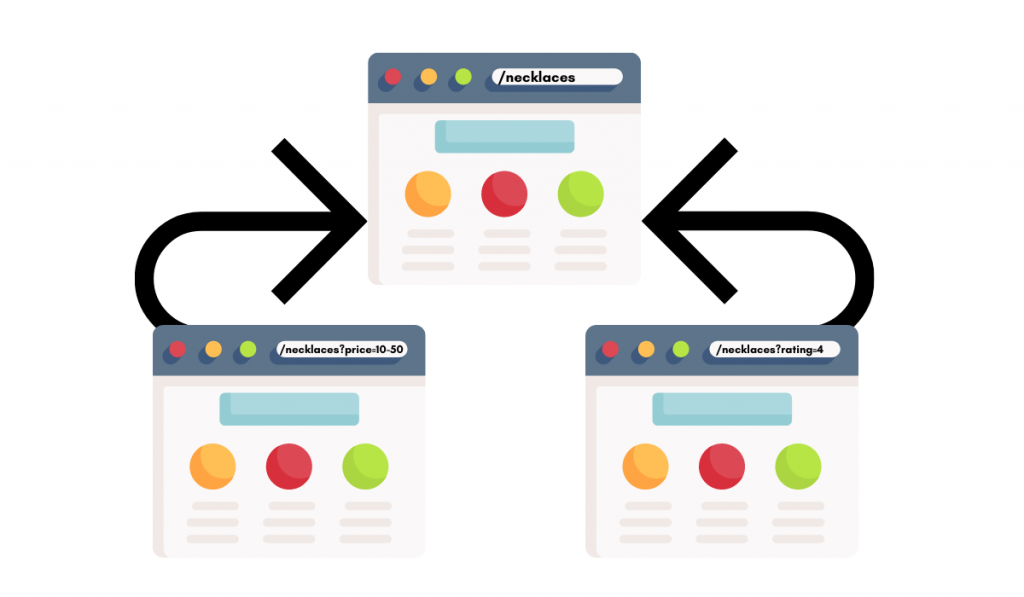
Duplicate pages created by appending certain parameters to URLs, like click tracking or session IDs.

6. Scraped Content:

Content copied or “scraped” from other sources without adding any original value.

7. Boilerplate Content:

Reused generic content like product descriptions or company information across multiple pages.

8. Syndicated Content:

Content republished on other sites through syndication, like articles or press releases.

What Does Duplicate Without User-Select Canonical Mean?

Duplicate without user-selected canonical” is a status in Google Search Console indicating that Google found duplicate content on your site but did not index it because you didn’t specify a canonical URL.

This happens when Google finds multiple identical or very similar pages on your site, but none of the pages have a canonical tag telling Google which version you want to be indexed. Without this signal, Google doesn’t know which URL to show in search results, so it may choose not to index any of the duplicates.

Does Google Penalize Duplicate Content?

Google does not have a direct penalty for duplicate content, unless it appears to be a deliberate attempt to manipulate rankings or deceive users. However, even without a penalty, duplicate content can still hurt your SEO if search engines don’t index your preferred version or split link equity between the duplicates.

While you likely won’t face a manual penalty for duplicate content, it’s still important to fix it to avoid the other negative SEO impacts. Duplicate content can hold your site back from reaching its full potential in search. Using a plagiarism checker can help you identify duplicate content and make necessary adjustments before publishing.

Finding Duplicate Content

There are two main areas where you’ll want to look for duplicate content – within your own website and externally across other sites.

Finding Duplicate Content Within Your Own Website

To find duplicate content on your own site, you can:

  1. Run a crawl of your site with a tool like Screaming Frog or Sitebulb to identify duplicate page titles, descriptions, and body content.
  2. Use Google Search Console to check for duplicate title tags, meta descriptions, and H1s under the “HTML Improvements” report.
  3. Do a site: search in Google for a unique snippet of content in quotes to see if it appears on multiple pages.
  4. Use a duplicate content checker tool like Siteliner to scan your site for internal duplication.

Finding Duplicate Content Outside Your Own Website

To check for external sites duplicating your content, you can:

  1. Do a Google search for a unique quoted snippet of your content to see if it appears on other domains.
  2. Set up Google Alerts for unique phrases to get notified of copies appearing on other sites.
  3. Use a plagiarism checker tool like Copyscape to scan the web for copies of your content.
  4. Check referral traffic in Google Analytics for suspicious sites that may have scraped your content.

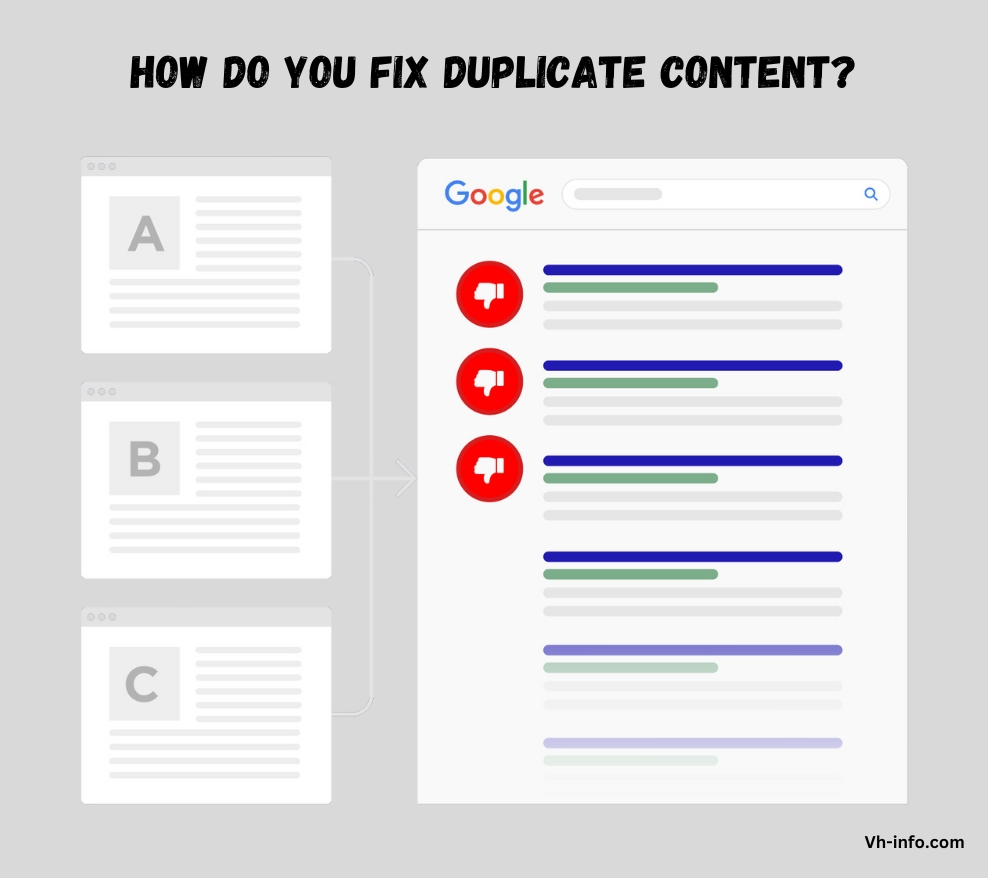
How Do You Fix Duplicate Content?

How Do You Fix Duplicate Content?

The best method to resolve duplicate content depends on the specific situation, but here are some of the most common fixes:

  1. Use 301 redirects to consolidate duplicate pages into a single canonical URL. This tells search engines which version to index while still sending any link authority to that page.
  2. Implement canonical tags to specify the preferred version when you have multiple pages with similar content that you want to keep live (like product variants).
  3. Use the parameter handling tool in Google Search Console to tell Google how to handle URLs with specific parameters, like filtering out session IDs.
  4. Block search engines from indexing duplicate content using robots.txt or meta robots tags when you don’t want those pages showing up in search at all.
  5. Rewrite and improve thin or duplicate content to make it unique and valuable. This is especially important for boilerplate or templated content.
  6. Reach out to webmasters to remove content scraped from your site. You can also file a DMCA takedown request in cases of blatant theft.
  7. Use responsive design rather than separate mobile URLs to avoid cross-device duplication.

Best Practices to Avoid Duplicate Content

Best Practices to Avoid Duplicate Content

In addition to fixing existing duplicate content issues, it’s important to put best practices in place to avoid new duplication in the future:

  1. Always use canonical tags, even on unique pages, to clearly indicate the authoritative version.
  2. Implement 301 redirects whenever you change or remove a URL to avoid leaving duplicate versions behind.
  3. Set a preferred domain (www vs. non-www) in Google Search Console.
  4. Avoid boilerplate content whenever possible and write unique copy for each page.
  5. Minimize the use of URL parameters and use the URL Parameter Handling tool in Google Search Console.
  6. Regularly audit your site with crawling tools to catch any new duplicate content issues.
  7. When syndicating or reposting content, always use canonical tags pointing back to the original version.

What Does Google Consider Duplicate Content?

What Does Google Consider Duplicate Content?

Google considers content to be duplicate when it is “appreciably similar” to content elsewhere on the same site or on another site.

Here are some common examples:

Identical Web Pages

Pages that contain the exact same content, either within the same site or across domains. This is the clearest example of duplicate content.

Template Content

Boilerplate content that is reused across multiple pages with little to no unique content on each page. Common on ecommerce sites with product descriptions.

Bad Rewrites Of Existing Pages

Attempts at rewriting content that end up being too similar to the original, often in an effort to target multiple keywords. These are seen as duplicate by Google.

Blog Articles Posted Twice

Reposting blog content in full on your own site (like moving from a subdomain), on other sites you own, or on external sites without using canonical tags.

FAQ’s:

Are Duplicate Images Bad For SEO?

While Google is primarily concerned with duplicate text content, having the same image appear multiple times across your site (like a logo or banner) isn’t ideal for SEO. It can slow down page load times and eat up crawl budget. Use canonical tags for images when possible.

Does Deleting Duplicate Pages Hurt Your SEO Results?

Deleting duplicate pages and properly redirecting them to the canonical version with a 301 redirect generally has a positive impact on SEO. It consolidates link equity and avoids keyword cannibalization. Just be sure to redirect any deleted pages to avoid 404 errors.

Is Duplicate Content On Different Domains Problematic?

Yes, duplicate content across different domains is a problem. Google indexes each unique domain separately, so cross-domain duplication can result in the same negative SEO impacts as internal duplication. Use canonical tags to specify the original source for content reposted on other domains.

How Are Canonical Tags Utilized to Fix Duplicate Content Issues?

Canonical tags (rel=”canonical”) are used to tell search engines which version of a duplicated piece of content is the “canonical” or preferred version. This consolidates ranking signals like link equity to that version, even when the content remains accessible on multiple URLs.

Can Google Search Console Provide Insights into Duplicate Content Issues?

Yes, Google Search Console offers a few reports that can surface duplicate content on your site, including:

  1. The “Duplicate without user-selected canonical” status in the Index Coverage report shows duplicate content that doesn’t have a canonical tag.
  2. The “Duplicate title tags” and “Duplicate meta descriptions” reports under “HTML Improvements” flag duplicate titles and descriptions site-wide.

Can I Get a Penalty For Having Duplicate Content?

Google has confirmed that there is no duplicate content penalty. However, it can still impact your search visibility if Google doesn’t choose the version you want to rank or splits link equity between the duplicates.

How Do You Check For Duplicate Content?

You can check for duplicate content by running a site crawl with a tool like Screaming Frog, using Google Search Console reports, doing site: searches in Google, or using duplicate content checker tools.

How Much Duplicate Content is Acceptable?

While there is no defined threshold, it’s best to keep duplicate content to a minimum. Even 20-30% duplicate content can start to impact SEO. Focus on creating unique, valuable content.

Is Duplicate Content Still Bad For SEO?

Yes, duplicate content is still bad for SEO. While Google has gotten better at handling it, duplication can still hurt your rankings and organic traffic if not properly addressed.

Is Duplicate Content illegal?

Duplicate content itself is not illegal, but copying content from other sites without permission could be considered copyright infringement in some cases.

Conclusion

Duplicate content is a common technical SEO issue that can have significant consequences for your organic search performance. It can dilute your ranking potential, waste crawl budget, cause indexing issues, and provide a poor user experience.

Understanding what is duplicate content, how to spot it, and the steps to resolve it can help. Managing duplicates correctly improves your site’s optimization and maximizes its search potential.

At VH Info, we specialize in providing actionable insights and strategies to improve your SEO and link building efforts. Our team of experts can help you identify and resolve duplicate content issues to boost your rankings and traffic.

LSI Keywords: What Is It, Benefits, Limitations & How To Use It?

As a SaaS company, we know the importance of search engine optimization (SEO) in driving organic traffic to your website.

One term that often comes up in SEO discussions with SaaS companies we talk to is “LSI keywords.”

But what exactly are LSI keywords, and how can they help your SEO strategy?

In this article, we’ll dive deep into the concept of LSI keywords and provide actionable insights to help you improve your search engine rankings.

What are LSI Keywords?

What are LSI Keywords?

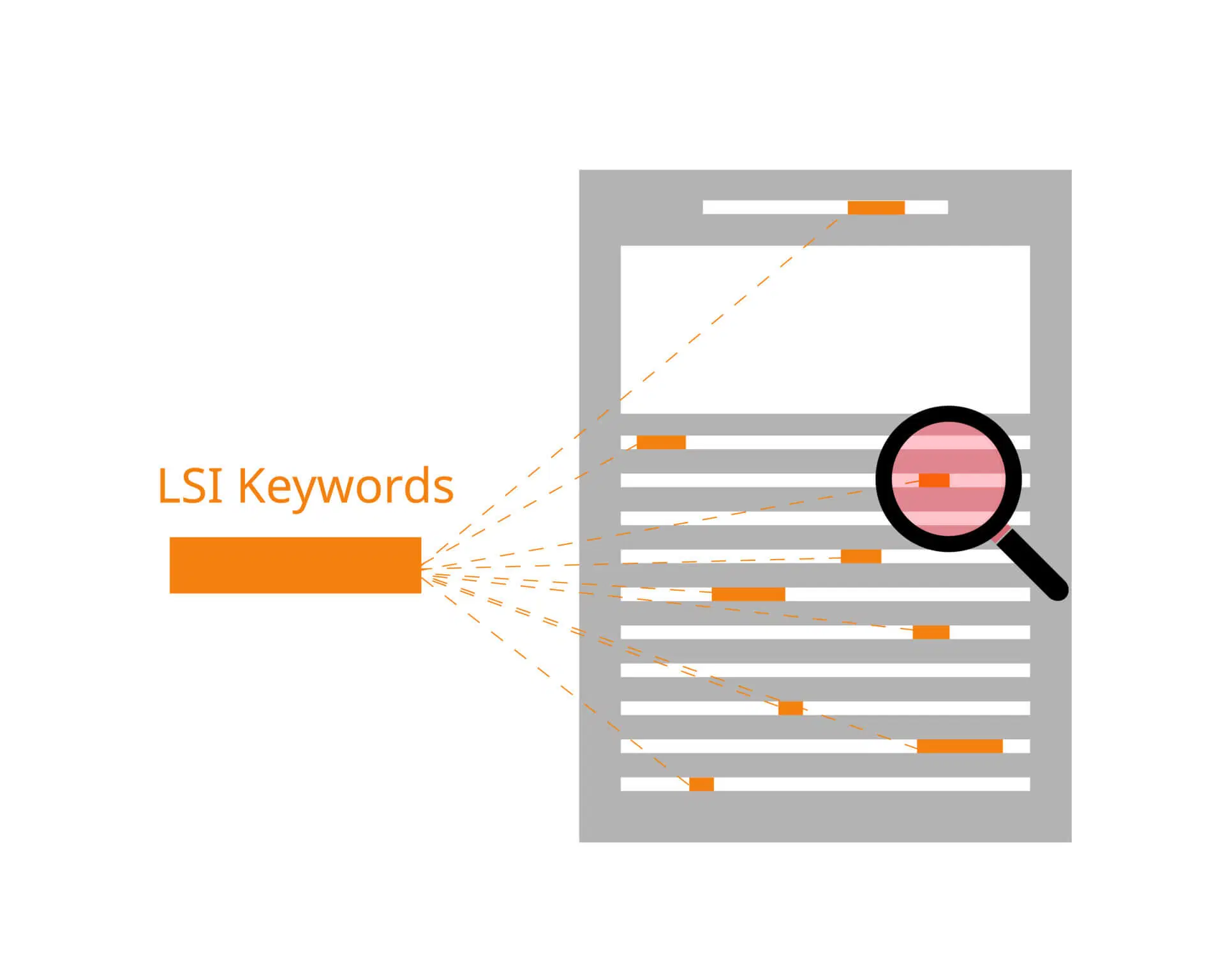
LSI stands for Latent Semantic Indexing, a mathematical method used to determine the relationship between related words, terms and concepts in content. The idea behind LSI keywords is that search engines use them to understand the context and meaning of a webpage’s content, rather than just relying on exact / target keyword matches.

What is Latent Semantic Indexing (LSI)?

Latent Semantic Indexing is an indexing and retrieval method that uses singular value decomposition to identify patterns in the relationships between terms of the primary keyword and concepts in unstructured piece of content.

What is Latent Semantic Analysis (LSA)?

Latent Semantic Analysis is a technique in natural language processing that analyzes relationships between a set of documents and the terms they contain, producing a set of concepts related to the documents and terms.

The Benefits Of Using LSI Keywords

Using LSI keywords in your content can help search engines better understand the context and meaning of your webpages.

By including related terms and phrases, you signal to search engines that your content is comprehensive and relevant to the main topic.

The Limitations Of Using LSI Keywords

While LSI keywords can be helpful, it’s important to understand their limitations. Overusing or stuffing your content with LSI keywords can actually harm your SEO efforts, as it may be seen as keyword stuffing by search engines.

Google’s Stance On Using LSI Keywords

Google's Stance On Using LSI Keywords

Contrary to popular belief, Google does not use latent semantic indexing in its search algorithm. In fact, Google’s John Mueller has stated that LSI keywords are an “SEO myth” and that there’s no such thing as “LSI keywords” used by Google.

Why Google Doesn’t Use Latent Semantic Indexing?

Google Search has moved beyond latent semantic indexing for search queries and relevant search results and now uses more advanced techniques like natural language processing and machine learning to understand the context and meaning of webpages.

None the less, Latent Semantic Index (LSI technology) is still a major part of google’s algorithm to find relevant pages by search intent.

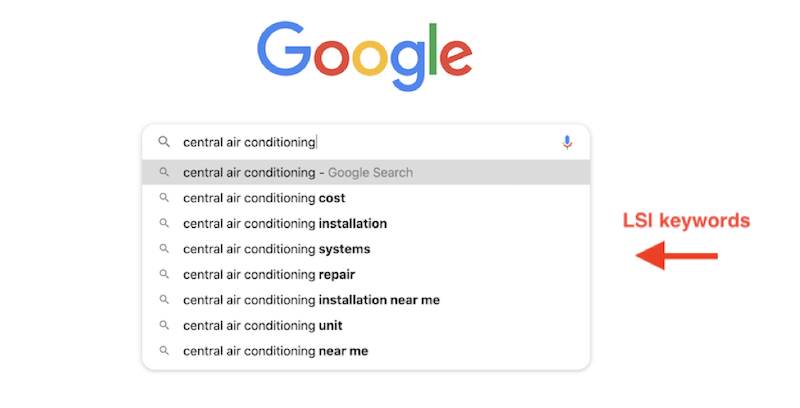
They also appear to be using LSI keyword suggestion to highlight relevant terms (bolded texts on SERP) & show relevant results & relevant keywords for the target audience at the bottom of the web page.

When Did LSI Keywords Become Relevant?

The concept of LSI keywords gained popularity in the early days of SEO, when search engines were less sophisticated and relied more heavily on exact keyword matches. However, as search algorithms have evolved, the importance of LSI keywords has diminished.

Are LSI Keywords Important For SEO?

Are LSI Keywords Important For SEO?

While LSI keywords can be a useful tool for creating comprehensive, relevant content, they are not a magic bullet for SEO success.

Here are a few reasons why:

LSI is From the 1980s

Latent Semantic Indexing is a technology from the 1980s and has largely been superseded by more advanced techniques in natural language processing and machine learning.

LSI Keywords Aren’t Patented

The term “LSI keywords” is not an official, patented term. It’s a phrase coined by the SEO community to describe words and phrases related to a main keyword.

Google Uses Modern Technology

Google’s search algorithms have evolved far beyond latent semantic indexing and now use state-of-the-art techniques like BERT and MUM to understand the context and meaning of webpages.

LSI Keywords Don’t Follow SEO Guidelines

Focusing too heavily on LSI keywords can lead to keyword stuffing and other practices that violate Google’s webmaster guidelines.

LSI keywords and Semantically Related Keywords

While LSI keywords may not be used by Google, the concept of using semantically related keywords in your content is still valid. By including related terms and phrases, you help search engines understand the context and meaning of your content.

How to Find Semantic Keywords?

There are two main approaches to finding semantic keywords for your content:

Find Semantic Keywords For New Content

When creating new content, start by identifying your main keyword or topic. Then, use keyword research tools to find related terms and phrases that are commonly searched for in relation to your main topic.

Add Semantic Keywords To Existing Content

For existing content, analyze your webpages to identify opportunities to include related keywords and phrases. Look for areas where you can naturally include semantic keywords to make your content more comprehensive and relevant.

How To Find Related Keywords With LSI Keyword Tools?

How To Find Related Keywords With LSI Keyword Tools?

While LSI keyword tools don’t actually use latent semantic indexing, they can still be useful for finding related keywords and phrases.

Here are a few popular seo tools you can use for keyword research & finding keyword ideas for your blog posts:

1. Google Autocomplete

Start typing your seed keyword into Google’s search bar and see what related phrases are suggested.

2. Google Related Searches

Scroll to the bottom of the search results page for your main keyword and look at the “Searches related to…” section for related keywords and phrases.

3. People Also Ask

Look for the “People also ask” box in the search results for your main keyword to find related questions and topics.

4. LSI Graph

LSI Graph is a free tool that generates a list of related keywords based on your main keyword.

5. Serpstat

Serpstat is an all-in-one SEO platform that includes a semantic analysis tool for finding related keywords and phrases.

How To Use LSI Keywords For SEO?

How To Use LSI Keywords For SEO?

Once you’ve identified relevant semantic keywords for your content, here are a few tips for using them effectively:

Choose LSI Keywords Best Suited For Your Topic

Select semantic keywords that are closely related to your main topic and add value to your content.

Look at the Total Monthly Search Estimate

Consider the search volume for each semantic keyword to ensure you’re targeting phrases that people are actually searching for.

Add LSI Keywords To Your Page

Include your chosen semantic keywords naturally throughout your content, including in the title, headings, and body text.

Focus On User Experience

Use semantic keywords to enhance the user experience by making your content more comprehensive and relevant to the main topic.

How To Correctly Use LSI Keywords For SEO?

The key to using semantic keywords effectively is to focus on creating high-quality, relevant content that satisfies user intent. Avoid keyword stuffing and only use semantic keywords where they naturally fit and add value to your content.

FAQ’s:

What is an Example of an LSI Keyword?

If your main keyword is “digital marketing,” some LSI keywords might include “online marketing,” “content marketing,” “social media marketing,” and “SEO“.

Why Should I Use LSI Keywords?

Using LSI keywords can help search engines better understand the context and meaning of your content, potentially leading to improved rankings and organic traffic.

Are LSI Keywords Considered Secondary Keywords?

Yes, LSI keywords are often considered secondary or supporting keywords that are related to the main keyword or topic.

Can LSI Keywords Improve My Site’s Ranking For Voice Searches?

Including LSI keywords in your content can potentially improve your site’s ranking for voice searches, as these keywords help provide context and meaning around your main topic.

How Do LSI Keywords Improve Content & SEO Ranking?

LSI keywords help improve content and SEO ranking by making your content more comprehensive, relevant, and contextually rich for both users and search engines.

What Is The Main Issue With Latent Semantic Analysis?

The main issue with latent semantic analysis is that it is an outdated technology that has largely been replaced by more advanced natural language processing techniques used by modern search engines.

Does Google Penalize Websites For Keyword Stuffing?

Yes, Google may penalize websites that engage in keyword stuffing, which is the practice of excessively using keywords in an attempt to manipulate search rankings.

Conclusion

While the concept of LSI keywords has been somewhat misunderstood and overhyped in the SEO community, the underlying principle of using semantically related keywords to improve content relevance and context is still valid.

Creating top-notch, thorough content that incorporates relevant keywords and phrases organically can boost your SaaS website’s search engine rankings and increase organic traffic.

At VH Info, we specialize in helping SaaS companies develop effective SEO for Startups, white label link building service and link building strategies to improve their online visibility and attract more qualified leads. Contact us today to learn how we can help you take your SEO efforts to the next level.

How To Get Into Marketing: Step-By-Step Guide For Success

Are you interested in a dynamic, creative career that blends strategy, communication, and technology? Marketing could be the perfect fit for you. But how do you get into marketing, especially if you don’t have a degree or experience in the field?

In this comprehensive guide, we’ll break down everything you need to know to launch a successful marketing career, from the skills and experience you need to the different types of marketing jobs available.

Whether you’re a recent graduate, a career changer, or a sales professional looking to transition into marketing, we’ve got you covered.

What Do You Need For a Marketing Career?

What Do You Need For a Marketing Career?

Skills

To succeed in a marketing job, you’ll need a diverse skill set that includes both hard skills (like data analysis and project management) and soft skills (like creativity and adaptability).

Some of the most important marketing skills include:

  1. Communication: Writing, public speaking, active listening
  2. Analytical thinking: Data analysis, market research, problem-solving
  3. Creativity: Brainstorming, storytelling, visual design
  4. Digital literacy: Social media, email marketing, search engine optimization (SEO)
  5. Business acumen: Strategic planning, budgeting, ROI analysis

The good news is that many of these skills are transferable from other fields, and you can also develop them through online learning, side projects, and on-the-job training.

Experience

While a marketing degree can give you a solid foundation, real-world experience is just as valuable (if not more so) to employers.

Some ways to gain marketing experience include:

  1. Internships: Many companies offer paid or unpaid marketing internships for students and recent grads.
  2. Freelance projects: You can build your portfolio by taking on freelance marketing projects for small businesses, nonprofits, or personal brands.
  3. Volunteer work: Offer your marketing skills to a cause you care about, like promoting a charity event or managing a community organization’s social media accounts.
  4. Personal branding: Showcase your marketing chops by building your own personal brand online through a blog, social media, or portfolio website.

Education

While a marketing degree can be helpful, it’s not always necessary to break into the field. Many successful marketers have backgrounds in other areas like psychology, English, or business.

That said, if you do want to pursue formal education in marketing, here are some options:

  1. Bachelor’s degree in marketing, communications, or a related field
  2. MBA with a concentration in marketing
  3. Professional certifications like HubSpot Inbound Marketing or Google Ads

How to Get into Marketing?

How to Get into Marketing?

Now that you know what it takes to succeed in marketing, let’s dive into some practical steps you can take to break into the field.

1. Determine Your Area Of Focus

Marketing is a broad field with many different specialties, from content marketing and social media to product marketing and analytics.

To focus your job search and skill development, think about which areas of marketing interest you most. Consider your strengths, passions, and career goals.

For example, if you love writing and storytelling, content marketing could be a great fit. If you’re more analytical and tech-savvy, you might prefer digital marketing or growth marketing.

2. Research

Once you have a sense of your desired focus area, start researching the industry and the job market. Follow marketing blogs and influencers, join online communities and forums, and attend virtual or in-person events. This will help you stay up-to-date on the latest trends, tools, and best practices, as well as connect with potential mentors or employers. Leveraging a Qooper mentoring solution can help you connect with experienced mentors, track your learning progress, and receive personalized guidance tailored to your career goals.

3. Learn New Skills

To make yourself a competitive candidate, invest in developing the skills that are most in-demand for your target marketing roles. Take advantage of free or low-cost online courses, tutorials, and certifications from platforms like HubSpot Academy, Coursera, and LinkedIn Learning. Focus on practical, hands-on learning that you can apply to real projects. In particular, learning areas like SEO, content creation, and LinkedIn management can be incredibly valuable, especially if you’re targeting digital marketing or B2B roles. With marketing trends shifting swiftly, AI digital marketing is becoming a key force in how campaigns are planned and optimized. Enrolling in an AI digital marketing course helps you gain practical exposure to these tools and stay aligned with current industry expectations.

4. Start A Blog

One of the best ways to demonstrate your marketing chops is to start your own blog. Many successful marketers have used their blogs to land remote content marketing jobs, showcasing their skills to a broader audience. Choose a niche that aligns with your interests and career goals, and commit to publishing high-quality, valuable content on a regular basis.

As you build your audience and engagement, you’ll have a tangible asset to showcase to potential employers or clients. Plus, blogging is a great way to practice essential marketing skills like writing, SEO, and analytics.

5. Look For Freelance Opportunities

To gain real-world experience and build your portfolio, consider taking on freelance marketing projects. Reach out to small businesses, startups, or nonprofits in your network and offer your services at a discounted rate or even for free at first. As you work with clients, create simple invoices or pay stubs for completed projects to stay organized and ensure you get paid on time. Keeping clear payment records also helps you look more professional and build trust with clients.

As you build your reputation and client base, you can start charging more for your work. Freelancing is also a great way to explore different areas of marketing and figure out what you enjoy most.

6. Find and Apply For Marketing Roles

When you feel ready to start applying for full-time marketing jobs, focus your search on entry-level or junior roles that match your skills and interests. Use job boards like Indeed, LinkedIn, and niche sites like AngelList or Mediabistro. Tailor your resume and cover letter to each position, highlighting your relevant skills and experiences. Don’t be afraid to apply for roles that seem like a stretch – many employers are willing to train the right candidate.

7. Get Creative On Your Resume

To stand out in a competitive job market, get creative with your resume builder and application materials. Then, AI apply for jobs to streamline the process and find marketing vacancies that best meet your needs. Instead of a traditional resume, consider creating a video resume, an infographic, or an interactive portfolio. Showcase your personality, creativity, and passion for marketing.

For example, if you’re applying for a social media role, create a mock social media campaign for the company and include it in your application.

How to Get a Marketing Job With No Experience?

How to Get a Marketing Job With No Experience?

If you’re just starting out in your marketing career and don’t have any formal experience, don’t worry – there are still plenty of ways to break into the field. Here are some tips:

1. Start a Side Project

One of the best ways to gain marketing experience is to start your own side project. This could be a blog, a YouTube channel, an Instagram account, or an e-commerce store. Choose a topic or niche that you’re passionate about and start creating content, building an audience, and experimenting with different marketing strategies. Not only will this give you hands-on experience, but it will also demonstrate your initiative and creativity to potential employers.

2. Figure Out What Field You’re More Curious About

Marketing is a broad field with many different specialties, from content creation and social media to email marketing and analytics.

To focus your job search and skill development, think about which areas of marketing interest you most. Consider your strengths, passions, and career goals.

For example, if you love writing and storytelling, content marketing could be a great fit. If you’re more analytical and tech-savvy, you might prefer digital marketing or growth marketing.

3. Take a Course (Marketing Certifications Optional)

To build your marketing skills and knowledge, consider taking an online course or earning a certification. There are many free or low-cost options available, such as HubSpot Academy, Google Analytics Academy, and Hootsuite Academy.

While certifications aren’t always necessary, they can demonstrate your commitment to learning and help you stand out to potential employers. Focus on courses that teach practical, hands-on skills that you can apply to real projects.

4. Build Up Your Resume

Even if you don’t have formal marketing experience, you can still highlight relevant skills and experiences while building your resume. Think about projects or activities where you’ve demonstrated skills like writing, creativity, data analysis, or project management.

For example, if you’ve planned events for a student organization or volunteer group, you can showcase your event marketing skills. If you’ve created content for a personal blog or social media account, include links to your best work.

5. Apply For An Internship

Internships are a great way to gain hands-on marketing experience and make connections in the industry. Many companies offer paid or unpaid marketing internships for students and recent grads. Look for opportunities that align with your interests and career goals, and be prepared to work hard and learn as much as you can. Even if an internship doesn’t lead to a full-time job offer, it can still provide valuable experience and references for your future Using AI in your job search.

6. Apply to a Job at an Agency

Marketing agencies can be a great place to start your marketing career, especially if you’re interested in working with a variety of clients and projects. Agencies often hire entry-level employees and provide on-the-job training and mentorship.

Look for agencies that specialize in your area of interest, such as digital marketing, content creation, or public relations. Be prepared to start in a junior role and work your way up as you gain experience and prove your value.

7. Apply to a Job In-House

If you prefer to focus on a single brand or product, consider applying for an in-house marketing role at a company. Many companies have their own marketing departments that handle everything from social media and email marketing to brand awareness and product marketing.

Look for entry-level roles like marketing coordinator or assistant, and be prepared to take on a variety of tasks and responsibilities. In-house roles can provide great opportunities for growth and advancement within the company.

Do I Need a Marketing Degree?

Do I Need a Marketing Degree?

While a marketing degree can provide a solid foundation of knowledge and skills, it’s not always necessary to succeed in the field.

Many successful marketers have backgrounds in other areas like psychology, English, or business. What matters most is your ability to think critically, communicate effectively, and learn quickly. Getting hands-on experience through industrial training in Chandigarh can also give you a strong start and build real-world skills. WordPress LMS plugin empowers educators to deliver engaging content that develops critical thinking and communication abilities while streamlining the learning process.

That said, if you do want to pursue formal education in marketing, here are some options:

  1. Bachelor’s degree in marketing, communications, or a related field
  2. MBA with a concentration in marketing
  3. Professional certifications like HubSpot Inbound Marketing or Google Ads

Ultimately, the decision to pursue a marketing degree depends on your career goals, learning style, and resources. If you’re not sure, consider starting with a few online courses or certifications to see if marketing is a good fit for you before committing to a full degree program. For career changers who want formal business training without leaving the workforce, a fully online MBA with flexible scheduling can help strengthen marketing, leadership, and management skills while accommodating full-time schedules. It can also complement hands-on experience for professionals pursuing long-term growth in marketing-related roles.

How Do You Become a Marketer?

How Do You Become a Marketer?

Becoming a marketer involves a combination of education, experience, and skill development.

Here are some steps you can take to launch your marketing career:

Step 1: Earn an Undergraduate Degree in Marketing

While not always required, a bachelor’s degree in marketing or a related field can provide a strong foundation for your marketing career. Look for programs that offer a mix of theoretical and practical coursework, as well as opportunities for internships or real-world projects.

Step 2: Get an Entry-Level Marketing Job

After earning your degree, look for entry-level marketing jobs that align with your interests and skills. These might include roles like marketing coordinator, social media assistant, or content writer. Be prepared to start at the bottom and work your way up as you gain experience and prove your value.

Step 3: Consider a Master of Marketing

If you want to advance your marketing career or specialize in a particular area, consider pursuing a master’s degree in marketing. This can provide advanced knowledge and skills, as well as networking opportunities and career support. A master’s program in marketing enhances your strategic thinking and equips you with advanced skills to excel in leadership roles within the industry. Programs such as the Washington D.C MBA program will help propel your career forward with the skills to drive innovation and growth.

Step 4: Get a Job in Marketing

As you gain experience and build your skills, look for opportunities to take on more responsibility and advance your marketing career. This might involve moving into a management role, switching to a new company or industry, or starting your own marketing business.

Step 5: Consider Continuing Your Education or Earning a Specialization

Marketing is a constantly evolving field, so it’s important to stay up-to-date on the latest trends and best practices. Consider pursuing continuing education opportunities like workshops, conferences, or online courses. You may also want to earn a specialization in a particular area of marketing, such as digital marketing, content marketing, or analytics. In addition, improving communication through english learning can help marketers better understand global trends and collaborate with international audiences.

Marketing Jobs

Marketing Jobs

There are many different types of marketing jobs available, depending on your skills, interests, and experience level.

Here are some of the most common roles:

1. Digital Marketing Manager

Digital Marketing Manager

Digital marketing managers oversee a company’s online marketing efforts, including website, social media, email marketing, and digital advertising. They develop and implement digital marketing strategies to drive traffic, engagement, and conversions.

2. Search Engine Optimization (SEO) / Search Engine Marketing (SEM) Specialist

Search Engine Optimization (SEO) / Search Engine Marketing (SEM) Specialist

SEO and SEM specialists focus on improving a company’s visibility and ranking on search engines like Google. They use techniques like keyword research, on-page optimization, link building, and paid advertising to drive organic and paid traffic to a website.

3. Email Marketer
Email Marketer

Email marketers create and send targeted email campaigns to a company’s subscribers or customers. They use segmentation, personalization, and automation to deliver relevant, engaging content that drives opens, clicks, and conversions.

4. Growth Marketer

Growth Marketer

Growth marketers focus on driving rapid, sustainable growth for a company through a combination of marketing, product, and data strategies. They use experimentation, optimization, and cross-functional collaboration to identify and scale high-impact growth opportunities.

5. Content Marketer

Content Marketer

Content marketers create and distribute valuable, relevant content to attract and engage a target audience. This can include blog posts, articles, ebooks, infographics, videos, and more. They use content marketing to build brand awareness, generate leads, and nurture customer relationships.

6. Marketing Copywriter / Content Writer

Marketing Copywriter / Content Writer

Marketing copywriters and content writers create written content for a variety of marketing channels, such as websites, social media, email, and advertising. They use persuasive, engaging language to communicate a brand’s message and drive action from the reader.

7. Graphic Designer

Graphic Designer

Graphic designers create visual content for marketing materials, such as logos, brochures, infographics, and social media graphics. They use design principles and software to create eye-catching, on-brand visuals that support marketing goals.

8. Content Creator

Content Creator

Content creators produce various types of content, such as videos, podcasts, and social media posts, to engage and entertain a target audience. They use creativity, storytelling, and multimedia skills to create compelling content that resonates with viewers or listeners.

9. Social Media Marketer

Social Media Marketer

Social media marketers manage a company’s presence and engagement on social media platforms like Facebook, Twitter, Instagram, and LinkedIn. They create and curate content, respond to comments and messages, run social media ads, and analyze performance metrics.

10. Community Manager

Community Manager

Community managers foster and moderate online communities around a brand or product, such as forums, Facebook groups, or Reddit threads. They engage with members, answer questions, resolve issues, and create a positive, supportive environment for fans and customers.

11. Conversion Rate Optimization (CRO) Specialist

Conversion Rate Optimization (CRO) Specialist

CRO specialists focus on improving the percentage of website visitors who take a desired action, such as making a purchase or filling out a form. They use data analysis, user testing, and experimentation to identify and remove barriers to conversion.

12. Product Marketer

Product Marketer

Product marketers are responsible for bringing new products to market and driving adoption and sales. They work closely with product, sales, and other marketing teams to develop positioning, messaging, and go-to-market strategies.

13. PR Manager

PR Manager

PR managers handle a company’s public relations efforts, including media outreach, press releases, and crisis communication. They build and maintain relationships with journalists, influencers, and other stakeholders to shape the company’s public image and reputation.

14. Brand Marketer

Brand Marketer

Brand marketers are responsible for creating and maintaining a consistent brand identity across all touchpoints, from logo and packaging to website and social media. They develop brand guidelines, messaging, and creative assets to build brand awareness and loyalty.

15. Event Marketer

Event Marketer

Event marketers plan and execute events, such as conferences, trade shows, and product launches, to engage customers and prospects in person. They handle logistics, promotion, and follow-up to ensure a successful event that drives business results.

16. Ecommerce Marketing Specialist

Ecommerce Marketing Specialist

E-commerce marketing specialists focus on driving traffic and sales to an online store through a variety of channels, such as search engine, social media, email, and affiliate marketing. They optimize product pages, run promotions, and analyze sales data to improve performance.

17. Marketing Analyst

Marketing Analyst

Marketing analysts use data and analytics to measure and optimize marketing performance. They collect and analyze data from various sources, such as web traffic, social media metrics, and sales data, to provide insights and recommendations to marketing teams.

18. Marketing Strategist

Marketing Strategist

Marketing strategists develop and oversee a company’s overall marketing strategy and plan. They conduct market research, set goals and KPIs, allocate budgets, and coordinate the efforts of different marketing teams and channels to achieve business objectives.

FAQ’s:

Can You Learn Marketing on Your Own?

Yes, it’s possible to learn marketing on your own through a combination of online resources, practical experience, and self-study.

There are many free or low-cost courses, tutorials, and certifications available online, as well as books, blogs, and podcasts that cover various aspects of marketing. The key is to be proactive, curious, and willing to experiment and learn from your mistakes.

Start by identifying the areas of marketing that interest you most, such as content marketing, social media, or email marketing.

Then, seek out resources and opportunities to learn and practice those skills, such as creating your own blog or social media account, volunteering to help with a local business’s marketing efforts, or taking on freelance projects.

Over time, you can build a portfolio of work that demonstrates your knowledge and experience to potential employers or clients.

How Do I Know if Marketing Is For Me?

If you enjoy creative problem-solving, strategic thinking, and communicating with others, marketing could be a great fit for you.

Consider your strengths, interests, and career goals, and look for opportunities to explore different aspects of marketing through coursework, internships, or side projects.

Is Marketing Hard To Get Into?

Like any competitive field, breaking into marketing can be challenging, especially if you don’t have a related degree or experience.

However, with the right combination of skills, passion, and persistence, it’s possible to launch a successful marketing career. Focus on building practical skills, networking with others in the industry, and creating a strong portfolio of work.

Which Field of Marketing Makes the Most Money?

Salaries in marketing vary widely depending on factors like location, industry, experience level, and specialization.

However, some of the highest-paying marketing jobs tend to be in areas like product marketing, brand management, and digital marketing, especially in industries like technology, healthcare, and finance.

What Skills Do You Need to Work in Marketing?

To succeed in marketing, you need a combination of hard skills (like data analysis and copywriting) and soft skills (like creativity and communication).

Some of the most important skills for marketers include:

  • Communication
  • Creativity
  • Analytical thinking
  • Digital literacy
  • Business acumen

What is the Fastest Way to Become a Marketer?

The fastest way to become a marketer is to start gaining practical experience as soon as possible.

This could involve:

  1. Taking on freelance projects
  2. Starting your own side project (like a blog or social media account)
  3. Volunteering to help with marketing efforts for a local business or nonprofit
  4. Applying for entry-level marketing jobs or internships

How Do I Become a Marketer Without a Degree?

While a marketing degree can be helpful, it’s not always necessary to launch a marketing career.

To become a marketer without a degree, focus on:

  1. Building practical skills through online courses, certifications, and self-study
  2. Gaining hands-on experience through freelance work, side projects, or internships
  3. Networking with others in the industry and building relationships
  4. Creating a strong portfolio of work that showcases your skills and results

Conclusion

Getting into marketing can be a rewarding and challenging journey, but with the right combination of skills, experience, and persistence, it’s possible to launch a successful marketing career.

Whether you’re a recent graduate, a career changer, or a sales professional looking to transition into marketing, there are many paths you can take to break into the field.

Start by identifying your strengths, interests, and goals, and then seek out opportunities to learn and gain hands-on experience.

Take advantage of online resources, network with others in the industry, and don’t be afraid to start small with freelance projects or side hustles. Over time, you can build a strong foundation of skills and a portfolio of work that will help you stand out to potential employers and clients.

Remember, marketing is a constantly evolving field, so it’s important to stay curious, adaptable, and willing to learn. With hard work, creativity, and a passion for connecting with others, you can build a fulfilling and successful career in marketing.

AI Marketing: Meaning, Benefits, Limitations & Examples

In the rapidly evolving world of digital marketing, artificial intelligence (AI) has emerged as a game-changer for SaaS companies.

AI marketing harnesses the power of machine learning, big data, and advanced analytics to revolutionize the way businesses approach customer engagement, personalization, and campaign optimization.

As a leading provider of premium link building services for SaaS companies, VH-info recognizes the immense potential of AI in marketing and is committed to helping our clients leverage this technology to achieve unparalleled success.

What is AI Marketing?

What is AI Marketing?

AI marketing refers to the use of artificial intelligence technologies, such as machine learning and natural language processing, to automate, optimize, and personalize marketing efforts.

AI algorithms can analyze extensive customer data to recognize patterns, forecast behavior, and provide precise marketing messages on different platforms like social media, email, and websites.

With AI technology, you can analyze customer behavior, predict outcomes, automate marketing tasks, and create and personalize marketing content through automation tools and other marketing activities.

Why AI is a Game Changer?

Why AI is a Game Changer?

AI is revolutionizing marketing by enabling SaaS companies to:

  1. Personalize customer experiences at scale
  2. Automate repetitive tasks and streamline workflows
  3. Make data-driven decisions based on real-time insights
  4. Optimize campaign performance and ROI
  5. Identify new market opportunities and trends

How AI will be Used in Marketing?

How AI will be Used in Marketing?

AI will be used in various aspects of marketing, including:

  1. Personalized content creation and recommendations
  2. Predictive analytics for audience segmentation and targeting
  3. Chatbots and virtual assistants for customer support
  4. Sentiment analysis for social media monitoring and reputation management
  5. Automated ad optimization and bid management

How Do I Start AI Marketing?

How Do I Start AI Marketing?

To embark on your AI marketing journey, follow these steps:

  1. Define your marketing goals and KPIs
  2. Identify the AI tools and platforms that align with your objectives
  3. Collect and organize high-quality customer data
  4. Train and test AI models using your data
  5. Integrate AI into your existing marketing tech stack
  6. Monitor, analyze, and optimize AI-driven campaigns

Benefits of AI Marketing

  1. Enhanced personalization and customer engagement
  2. Improved efficiency and productivity
  3. Data-driven insights for better decision-making
  4. Increased conversion rates and ROI
  5. Competitive advantage in the market

Limitations of AI Marketing

  1. Requires high-quality data for accurate predictions
  2. Potential for biased outcomes if trained on biased data
  3. Lack of human touch and empathy in certain contexts
  4. Dependence on technology and infrastructure
  5. Ethical concerns around data privacy and transparency

What Are The Types Of AI Marketing Solutions?

What Are The Types Of AI Marketing Solutions?

Machine Learning

Machine learning algorithms analyze vast amounts of customer data to identify patterns, predict behavior, and optimize marketing strategies. For example, machine learning solutions enable SaaS companies to personalize content recommendations, segment audiences effectively, and enhance ad targeting.

Big Data and Analytics

AI-powered big data analytics enable marketers to process and derive insights from massive volumes of structured and unstructured data. By leveraging big data, SaaS companies can gain a deeper understanding of customer behavior, preferences, and trends, leading to more informed decision-making and targeted marketing efforts. Of course, the accuracy of these insights depends on properly labeled datasets, which is where professional text annotation services become essential for preparing high-quality training data..

AI Marketing Platforms & Tools

AI marketing platforms and tools, such as Sprout Social, offer a range of capabilities, including social media management, content creation, email marketing, and customer support. These tools leverage AI algorithms to automate tasks, optimize performance, and deliver personalized experiences across multiple channels. Additionally, exploring job-matching tools like Apply IQ can demonstrate how AI can be used beyond marketing — for example, to match candidate skills to roles or analyze large volumes of applicant data to support hiring decisions. Additionally, exploring tools like a free AI avatar generator can enhance your content creation process, providing unique and engaging visuals for your marketing campaigns. For instance, you can even use AI to write a business plan, ensuring a well-structured and data-driven strategy. When evaluating these platforms, it’s important to compare them against the best AI image generation tools and other creative solutions, since visuals play a critical role in marketing success. Incorporating the right AI-powered tools ensures that your campaigns are not only automated but also visually engaging and aligned with your brand identity.

How Does AI Contribute to Personalization in Marketing Campaigns?

AI contributes to personalization in marketing campaigns by analyzing customer data, such as demographics, behavior, and preferences, to deliver tailored content, product recommendations, and offers.

How can AI in Marketing Help me Reach my Customers and Personalize their Experience?

AI in marketing can help you reach your customers and personalize their experience by:

  1. Segmenting audiences based on shared characteristics and behaviors
  2. Delivering personalized content and recommendations across channels
  3. Optimizing email campaigns with dynamic content and send times
  4. Providing 24/7 customer support through chatbots and virtual assistants
  5. Analyzing customer sentiment and feedback for proactive engagement

How Using AI in Marketing Can Improve ROI?

Using AI in marketing can improve ROI by:

  1. Optimizing ad targeting and bidding to reduce wasted spend
  2. Personalizing content to increase engagement and conversion rates
  3. Automating repetitive tasks to save time and resources
  4. Identifying high-value customers and opportunities for upselling
  5. Continuously learning and adapting to changing market trends

What is the Best AI on the Market?

The best AI marketing tools on the market include:

  1. Freepik’s AI Image Generator for the best visual content.
  2. ImagineArt AI video generator to create AI Videos, shorts and reels.
  3. Sprout Social for social media management and analytics
  4. Salesforce Einstein for CRM and marketing automation
  5. Adobe Sensei for content creation and personalization
  6. Google AI for ad optimization and customer insights
  7. IBM Watson for natural language processing and sentiment analysis

What Does the Future of AI Marketing Look Like ?

The future of AI marketing looks promising, with continued advancements in machine learning, natural language processing, and big data analytics.

As AI becomes more sophisticated and accessible, SaaS companies and business leaders will be able to deliver increasingly personalized and engaging customer experiences, automate more complex tasks, and make faster, more accurate decisions based on real-time data.

This will also lead to enhanced customer care, as AI can assist with inquiries and provide personalized support to customers throughout the entire customer journey, including content generation for marketing materials.

What Are The Generative AI Marketing Predictions And Trends?

ChatGPT is Just the Beginning

ChatGPT is Just the Beginning

ChatGPT, the AI-powered language model developed by OpenAI, has taken the world by storm with its ability to generate human-like text. However, this is just the beginning of generative AI’s potential in marketing, as more advanced models and applications emerge.

Generative AI is Growing

Generative AI is Growing

Generative AI, which creates new content based on learned patterns, is rapidly growing in popularity and sophistication. From text and images to videos and audio, generative AI will enable SaaS companies to create personalized, engaging content at scale.

Teams Will Scale Through AI

AI will empower marketing teams to scale their efforts by automating repetitive tasks, optimizing campaigns, and generating insights. Leveraging concepts like AI agent orchestration allows multiple AI agents to coordinate in parallel, streamlining workflows and maximizing efficiency. By leveraging AI, SaaS companies can achieve more with less, freeing up resources for strategic initiatives and innovation.

Generative AI in Increasing Productivity, Efficiency, and Innovation

Generative AI development services will play an important role in increasing productivity, efficiency, and innovation in marketing.
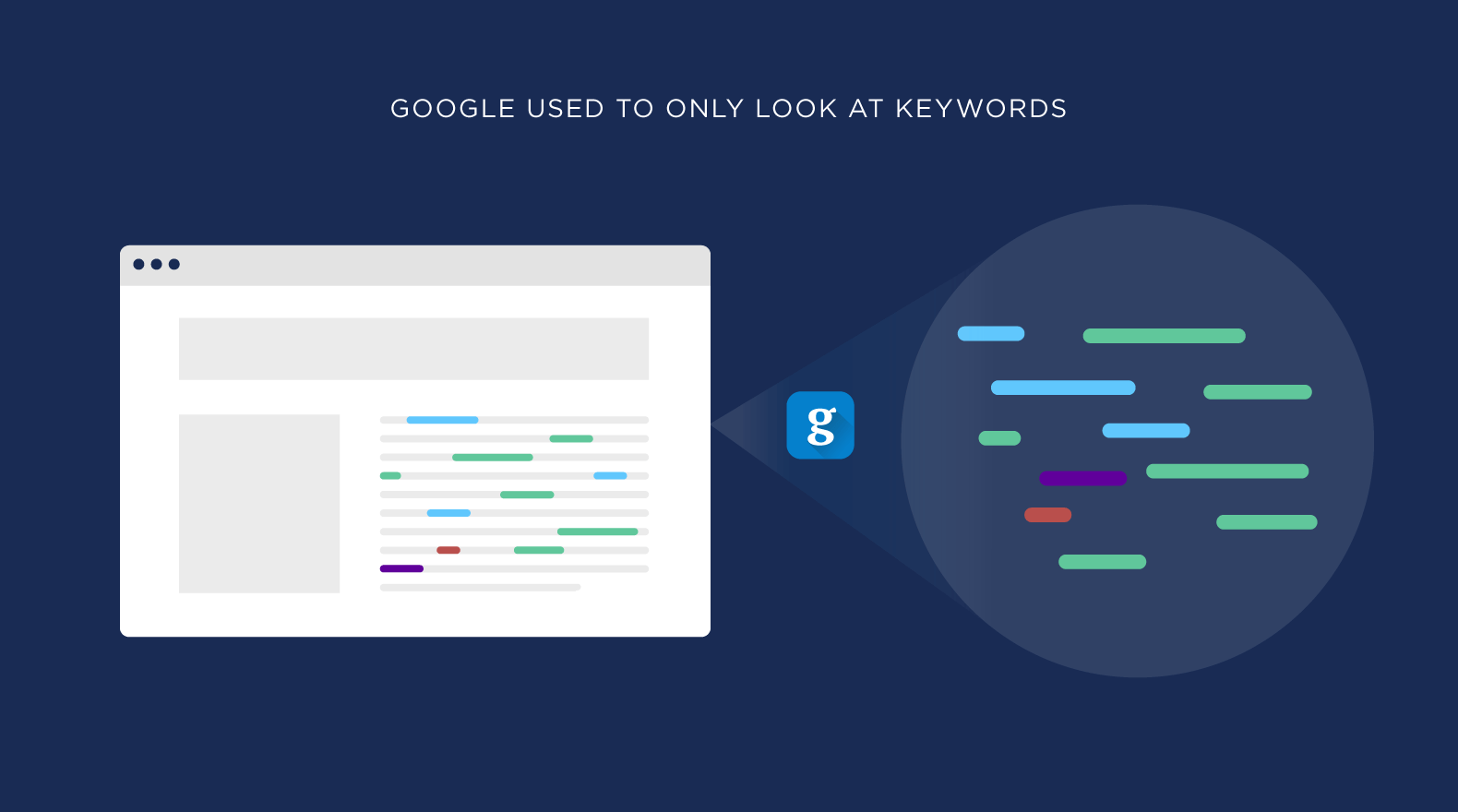
Generative AI will assist SaaS companies in staying ahead of the curve and fostering business growth through automating content creation, personalizing experiences and customer service for their target audience, and identifying new opportunities.

What are the Examples of AI in Marketing?

Examples of AI’s competitive intelligence and data analysis in marketing include:

  1. Netflix’s personalized content recommendations. Their AI can handle and sort larger datasets in real time and give actionable insights in less time.
  2. Sephora’s virtual try-on feature for makeup products helps in reaching out to more potential customers.
  3. Starbucks’ AI-powered mobile app for personalized offers and rewards
  4. Nike’s AI-driven product design and inventory management
  5. Spotify’s AI-curated playlists and music recommendations

FAQ’s:

Is AI Replacing Marketers?

No, AI is not replacing marketers. Instead, it is augmenting their capabilities and enabling them to work smarter and more efficiently. AI tools can automate repetitive tasks, provide data-driven insights, and optimize campaigns, but human creativity, empathy, and strategic thinking remain essential for successful marketing.

Will AI Take Over Digital Marketing?

AI will not take over digital marketing entirely, but it will play an increasingly important role in automating, optimizing, and personalizing marketing efforts. Marketers who embrace AI and learn to leverage its capabilities will be well-positioned for success in the digital age.

Is AI in Marketing Only for Big Businesses?

No, AI in marketing is not only for big businesses. Many AI tools and platforms are accessible and affordable for businesses of all sizes, including SaaS startups and SMEs. By leveraging AI, smaller companies can level the playing field and compete more effectively with larger rivals.

Is AI in Marketing Ethical?

AI in marketing can be ethical if used responsibly and transparently. Companies must ensure that their AI systems are trained on unbiased data, respect customer privacy, and avoid manipulative or deceptive practices.

By prioritizing ethics and transparency, SaaS companies can build trust with their customers and use AI-driven recommendation engines for the benefit of all stakeholders, including through the use of social listening to understand and respond to customer needs and concerns.

Can AI Completely Automate Marketing Campaigns?

While AI can automate many aspects of marketing campaigns, such as ad targeting, content creation, and email scheduling, it cannot completely automate the entire process. Human oversight, creativity, and strategic decision-making are still necessary to ensure that campaigns are aligned with business goals, brand values, and customer needs.

How is AI used in Marketing Strategies?

AI is used in various marketing strategies, including:

  1. Personalization: Delivering tailored content and experiences based on customer data
  2. Predictive analytics: Identifying trends, forecasting demand, and optimizing campaigns
  3. Customer segmentation: Grouping customers based on shared characteristics and behaviors
  4. Content creation: Generating personalized content, such as product descriptions and email subject lines
  5. Chatbots and virtual assistants: Providing 24/7 customer support and engagement

Conclusion

AI marketing is transforming the way SaaS companies approach customer engagement, personalization, and campaign optimization.

Businesses can enhance their competitive advantage, boost ROI, and provide outstanding customer experiences by utilizing machine learning, big data analytics, and AI tools..

Staying ahead of AI marketing trends and best practices enables us to help our clients succeed in the digital era and create enduring connections with their customers.

As a trusted partner for SaaS link building services, VH-info is committed to helping our clients harness the power of AI to achieve their marketing goals and drive sustainable growth.

Topical Authority: What is it, Benefits & How it Works?

In the competitive world of SaaS digital marketing, building topical authority has become an important SEO strategy for driving organic traffic and improving search engine rankings.

As a trusted expert in SaaS link building, VH-info is here to guide you through the concept of topical authority and share actionable insights on how to establish your brand as a subject matter expert.

What is Topical Authority in SEO?

What is Topical Authority in SEO?

Topical authority refers to a website’s perceived expertise and trustworthiness in a specific subject or niche. When a website consistently creates high-quality, relevant content around a particular topic, search engines recognize it as a valuable resource for users seeking information on that subject.

Why is Topical Authority Important for SEO?

Topical authority is a key factor in SEO because search engines, like Google, aim to provide users with the most relevant and authoritative content for their search queries. By demonstrating expertise in a specific topic, websites can improve their chances of ranking higher in search results for related keywords and phrases.

How Does Topical Authority Work?

A (Very) Brief History of Google and Authority

Over the years, Google has evolved its search algorithms to better understand the context and meaning behind search queries. With the introduction of the Hummingbird algorithm in 2013, Google began to focus more on semantic search and the relationships between concepts, rather than just individual keywords.

E-E-A-T (Experience, Expertise, Authority, and Trustworthiness)

Google’s E-E-A-T guidelines emphasize the importance of creating content that demonstrates experience, expertise, authority, and trustworthiness. Topical authority aligns with these guidelines by showcasing a website’s depth of knowledge and credibility in a specific subject matter.

What Are the Benefits of Topical Authority?

Building topical authority offers several benefits for SaaS websites:

  1. Improved search engine rankings for related keywords
  2. Increased organic traffic from relevant search queries
  3. Enhanced credibility and trust among target audiences
  4. More opportunities for quality backlinks from other authoritative websites

Does Topical Authority Increase SEO Rankings?

Yes, topical authority can significantly impact SEO rankings. Websites can boost their relevance and authority with search engines by developing in-depth, top-notch content on a particular subject, which can result in better rankings for relevant keywords.

How to Build Topical Authority?

Building topical authority requires a strategic approach and consistent effort. Here are five steps to help you build topical authority for your website:

1. Pick a Topic to Focus Your Expertise

Choose a broad topic that aligns with your SaaS product or service and offers ample opportunities for content creation.

2. Do Keyword Research to Find Topics

Use keyword research tools to identify relevant subtopics, long-tail keywords, and related searches within your chosen subject matter.

3. Cover a Wide Breadth of Topics

Create content that covers various aspects of your main topic, addressing different user intents and search queries.

4. Use Relevant Subtopics to Build Content Depth

Dive deep into specific subtopics, offering comprehensive and authoritative content that demonstrates your expertise.

5. Write High-Quality Content That Meets Search Intent

Ensure your content is well-researched, engaging, and provides value to your target audience, satisfying their search intent.

6. Build Content Clusters With Internal Linking

Organize your content into topic clusters, linking related pieces together to establish a strong internal linking structure.

7. Update Content Regularly to Maintain Freshness

Keep your content up-to-date and relevant by regularly updating and expanding upon existing pieces.

How to Measure Topical Authority?

Measuring topical authority can be challenging, as search engines do not provide a direct metric.

However, you can gauge your website’s topical authority by monitoring:

  1. Organic traffic and rankings for related keywords
  2. Backlink profile and quality of inbound links from relevant websites
  3. Engagement metrics, such as time on page and bounce rate, for topic-related content

5 Best Topical Authority Research Tools (Free & Paid)

When it comes to topic research, there are several tools available that can help you find topically relevant keywords and understand what your audience is searching for.

Here are 5 topic research tools that can assist you in your SEO efforts:

1. Keyword Research Tools

Keyword research tools are essential for discovering relevant keywords and subtopics to enhance your content strategy. Tools such as Google Keyword Planner, SEMrush, and Ahrefs can provide valuable insights into popular search terms, search volume, and competition levels.

Using these tools helps find popular keywords for your content and audience. Researching keywords uncovers related topics to broaden your content reach.

Adding data-based keywords to your content is vital for boosting website visibility and attracting search engine traffic.

2. Google People Also Ask

The “People Also Ask” section in Google search results is a valuable resource for discovering related questions and topics that users are interested in. By exploring this section, you can gain insights into the common queries and concerns that people have about a particular topic. This can help you understand the information users are seeking and tailor your content to address these questions effectively.

Moreover, analyzing the “People Also Ask” section can provide inspiration for new content ideas and help you identify gaps in existing content that you can fill. By creating comprehensive and informative content that addresses these additional questions, you can enhance the value of your website or blog and attract more organic traffic.

In addition, monitoring the “People Also Ask” section regularly can help you stay updated on evolving trends, interests, and preferences within your target audience. If you pay attention to the questions in People Also ask section, and adjust your content strategy to help them, you can build credibility in your field.

3. Google Related Searches

Scrolling to the bottom of Google search results can reveal a treasure trove of valuable information in the form of related searches. These related searches can provide insights into what users are searching for and help you expand your topic coverage.

Studying these similar searches, can help you can discover more words and topics to add to your content plan. This not only helps in increasing the relevance of your content but also enhances its visibility on search engines.

Furthermore, exploring related searches can give you a deeper understanding of user intent and preferences, allowing you to create more targeted and engaging content for your audience. Next time you conduct a Google search, don’t forget to scroll down to explore the related searches and enrich your content with relevant and comprehensive information.

4. AlsoAsked

AlsoAsked is a valuable tool that can help you discover relevant questions related to your main topic. By utilizing this feature, you can unearth common queries that users have regarding the subject matter and tailor your content to address them effectively.

Adding more questions to your content plan can make your material more comprehensive and valuable for your audience. Exploring the topic in detail and answering related questions can help you become a trusted information source and boost user interaction on your platform.

Moreover, by consistently monitoring and incorporating new questions that arise around your main topic, you can stay ahead of trends, optimize your content for search engines, and maintain relevance with your target audience. This proactive approach to content creation can drive organic traffic to your site and position you as an authority in your field.

5. Answer the Public

Answer the Public is a powerful tool that offers a visual representation of questions and phrases associated with your topic. By using this tool, you can uncover valuable insights and discover content opportunities that align with what your audience is searching for.

This visualization of data allows you to see common queries and topics related to your keyword, enabling you to create targeted content that addresses the specific needs and interests of your target audience.

Answer the Public can be instrumental in guiding your content strategy by providing you with a comprehensive overview of the questions and topics that are relevant to your industry or niche.

FAQ’s:

What is Semantic SEO?

Semantic SEO focuses on optimizing content for the meaning and intent behind search queries, rather than just targeting individual keywords.

What is Topical Relevance?

Topical relevance refers to how closely a piece of content relates to a specific topic or subject matter.

What is the Difference Between Topical Relevance, Semantic SEO, and Entity SEO?

Topical relevance focuses on content’s relevance to a specific topic, while semantic SEO considers the meaning and intent behind search queries. Entity SEO involves optimizing for specific entities (people, places, or things) and their relationships.

What is the Difference Between Topical Authority and Domain Authority?

Topical authority refers to a website’s expertise in a specific subject, while domain authority is an overall measure of a website’s strength and credibility.

Does Topical Relevance Only Work on Smaller Niche Websites?

No, topical relevance can be applied to websites of all sizes and industries. However, it may be easier for smaller, niche websites to establish topical authority in their specific area of expertise.

How Can a Website or Content Creator Establish Topical Authority?

To establish topical authority, focus on creating high-quality, comprehensive content around a specific topic, utilizing keyword research, internal linking, and content clusters.

How Long Does It Take to Build Topical Authority?

Building topical authority takes time and consistent effort. It may take several months to a year or more to establish your website as an authority in a specific topic.

What’s the Fastest Way to Build Topical Authority?

While there is no “fast” way to build genuine topical authority, you can accelerate the process by consistently creating valuable content, engaging in strategic link building, and promoting your content through social media and other channels.

Can I Improve My Topical Authority For Multiple Topics?

Yes, you can establish topical authority for multiple topics, but it’s essential to maintain focus and ensure that your content remains high-quality and relevant for each subject.

Can You Lose Topical Authority?

Yes, topical authority can be lost if a website stops creating relevant, high-quality content or if search engines detect manipulative tactics or a decline in content quality.

How Do Content Quality and Depth Affect Topical Authority?

Content quality and depth are important factors in building topical authority. Search engines reward websites that provide comprehensive, well-researched, and engaging content that satisfies user intent.

Can Guest Blogging Help Build Topical Authority?

Yes, guest blogging on relevant, authoritative websites can help build topical authority by exposing your brand to new audiences and earning quality backlinks.

Can Topical Authority Help With Local SEO?

Yes, establishing topical authority for location-specific topics can improve your website’s visibility in local search results.

How Can Topical Authority Benefit my Website or Business?

Topical authority can lead to increased organic traffic, higher search engine rankings, enhanced credibility, and more opportunities for conversions and customer acquisition.

Conclusion

Building topical authority is a powerful SEO strategy for SaaS companies looking to improve their online visibility and attract more organic traffic.

Focus on creating high-quality, comprehensive content around specific topics. Implementing the tactics outlined in this guide, can help you establish your brand as a trusted authority in your industry.

At VH-info, we specialize in helping SaaS companies build topical authority through effective link building and content strategies.

Our experienced team can guide you through the process of identifying relevant topics, creating authoritative content, and earning quality backlinks to improve your search engine rankings and drive sustainable growth for your business.

Best 10 E-commerce Platforms – Pro & Cons

The world of e-commerce is booming! In 2024, retail ecommerce sales globally reached $5.7 trillion according to Statista research and that number is only expected to rise. If you’re looking to jump into the game and start your online store, choosing the right e-commerce platform is crucial.

An e-commerce platform is essentially your online storefront’s backbone. It provides the tools you need to manage products, inventory, payments, shipping, and more. But with so many options available, selecting the perfect one can feel overwhelming.

This blog post will explore 9 best e-commerce platforms in 2024, highlighting their features, pros, and cons to help you make an informed decision.

Top 9 E-commerce Platforms 2024

#1. Shopify

The Shopify ecommerce website builder Shopify ecommerce website builder

Shopify stands out as a leading e-commerce platform, particularly for beginners and businesses looking for a user-friendly and scalable solution. Let’s take a closer look at its strengths and weaknesses to help you decide if it’s the right fit for you. If you select Printful for your print-on-demand business, getting started is quite quick and easy. The self-explanatory system explains it all. All you need to do is simply sign up and connect your shopify e-commerce store to Printful.

Pros : 

  • Drag and Drop Store Builder with No code Experience
  • Extensive app store
  • Mobile-friendly themes
  • In built Marketing Tools
  • Protect your store and your customers’ data
  • Mobile-Friendly
  • Technical Expertise

Cons :

  • Limited Customization
  • Shopify charges transaction fees on each sale
  • complex product configurations

Overall, Shopify is a powerful and user-friendly ecommerce platform that has made $1 trillion in global sales and that empowers businesses of all sizes to launch and grow their online stores. If you’re looking for a scalable solution with a robust app ecosystem and ease of use, Shopify is definitely worth considering.

#2. Wix

Wix website editor Wix website editor

Wix is a popular website creation platform known for its user-friendly drag-and-drop interface. But how does it stack up for building an online store? Let’s explore the pros and cons of Wix Ecommerce to see if it’s the right fit for your needs.

Pros : 

  • User-friendly Drag-and-drop editor 
  • beautiful design templates, 
  • built-in SEO tools.
  • Strong Marketing Features
  • Affordable Pricing
  • Ideal for Beginners

Cons : 

  • Limited ecommerce functionality on lower-tier plans 
  • less scalable for large businesses.

Overall, Wix Ecommerce is a great option for entrepreneurs and small businesses looking for a user-friendly and affordable way to create a beautiful online store. However, if you have a large product catalog, complex business needs, or ambitious growth plans, you might need a more scalable platform.

#3. BigCommerce

BigCommerce website editor BigCommerce website editor

BigCommerce stands out as a powerful and scalable e-commerce platform catering to businesses of all sizes, particularly those with high sales volume or B2B needs. Let’s delve into its strengths and weaknesses to see if it’s the right fit for your online store.

Pros: 

  • Built-in scalability
  • robust product management tools 
  • strong B2B features, 
  • powerful SEO tools.

Pros: 

  • Built to handle high sales volume and complex product catalogs
  • Robust Product Management Tools
  • Strong B2B Features

Cons: 

  • Steeper learning curve than Shopify, 
  • higher pricing plans compared to some options.

BigCommerce is a powerful e-commerce platform ideal for businesses seeking scalability, robust product management tools, and strong B2B functionalities. While it requires a bit more technical know-how and comes with higher pricing, the platform can empower your online store to handle high sales volume and complex business needs.

#4. Adobe Commerce (Magento)

Adobe e-commerce platform Adobe e-commerce platform

Pros:

  • Highly customizable platform, 
  • Extensive functionality
  • Large developer community
  • Enterprise-grade security

Cons: 

  • Most expensive option 
  • requires technical expertise to manage.

Adobe Commerce is a top-tier e-commerce platform for established businesses with the resources and technical expertise to leverage its full potential. It offers unmatched scalability, customization, and a robust feature set to power large-scale online stores. However, the high cost and technical complexity make it less suitable for small businesses or those just starting out.

#5. WooCommerce

WooCommerce stands out as a popular open-source ecommerce plugin specifically designed for WordPress websites. It empowers you to transform your existing WordPress site into a fully functional online store, offering a cost-effective and customizable solution. Let’s explore the pros and cons of WooCommerce to see if it’s the right fit for your ecommerce needs.

Pros:

  • Open-source platform (free to use), 
  • integrates seamlessly with WordPress, 
  • highly customizable with plugins, 
  • large developer community.
  • Cost-effective, 
  • Highly customizable

Cons: 

  • Requires technical knowledge for setup and maintenance, 
  • additional costs for plugins and hosting.

WooCommerce is an excellent ecommerce solution for businesses on a budget or those already invested in the WordPress ecosystem. It offers a high degree of customization, a large developer community, and seamless integration with WordPress For those looking to dive deeper into the potential of WooCommerce development and the flexibility it offers for unique store setups, exploring available WooCommerce development options can provide valuable insights. However, it requires some technical knowledge for setup and maintenance, and there can be additional costs associated with themes, plugins, and hosting.
#6. Square Online

Square Online ecommerce platform Square Online ecommerce platform

Square Online is an attractive option for businesses already using Square’s point-of-sale (POS) system. It offers a user-friendly platform to establish an online presence and seamlessly integrate your online store with your in-person sales. Let’s delve into the pros and cons of Square Online to see if it fits your ecommerce needs.

Pros : 

  • Integrates seamlessly with Square POS system 
  • Easy-to-use interface 
  • Inventory management tools 
  • customer insights.
  • simple setup 
  • good for managing inventory across channels.

Cons: 

  • Limited design customization options 
  • Fewer features compared to other platforms.

Square Online is a solid e-commerce platform for businesses already invested in the Square ecosystem. It offers a user-friendly solution for establishing an online store, streamlined inventory management, and valuable customer insights. However, if you prioritize extensive design customization, advanced features, or plan for large-scale online operations, you might need to consider a more comprehensive e-commerce platform.

#7. Volusion

Volusion - ecommerce builder Volusion – ecommerce builder

Volusion positions itself as an all-in-one e-commerce platform catering to businesses of various sizes, particularly those seeking a comprehensive solution with built-in features. Let’s explore the pros and cons of Volusion to see if it aligns with your online store’s needs.

Pros: 

  • All-in-one solution with built-in hosting 
  • SEO tools 
  • Marketing automation 
  • social media integration.
  • Easy to set up and manage 
  • comprehensive set of features 
  • Good customer support.

Cons: 

  • Less scalable for large businesses 
  • pricing can be complex compared to other options.

Volusion is a user-friendly and feature-rich e-commerce platform that can be a good fit for businesses seeking an all-in-one solution with built-in hosting and marketing tools. However, its scalability limitations and potentially complex pricing structure might necessitate exploring other platforms for very large or rapidly growing businesses.

#8. OpenCart

OpenCart stands out as a free, open-source e-commerce platform. It empowers you to build a robust online store with extensive customization capabilities, ideal for users comfortable with a more technical setup. Let’s delve into the pros and cons of OpenCart to see if it aligns with your needs.

Pros : 

  • Open-source platform (free to use), 
  • highly customizable 
  • large selection of free and paid extensions 
  • multilingual capabilities.

Cons: 

  • Requires technical knowledge for setup and maintenance 
  • potential security vulnerabilities if not updated regularly.

OpenCart is a powerful and customizable e-commerce platform ideal for users comfortable with a DIY approach. The free, open-source nature makes it cost-effective, but the technical knowledge requirement and potential security concerns mean it’s not ideal for everyone. If you have the technical expertise or resources to manage the setup and maintenance, OpenCart offers extensive customization and control over your online store.

#9. Shift4Shop

Shift4Shop - Ecommerce Platform Shift4Shop – Ecommerce Platform

Shift4Shop (formerly known as 3dcart) is an e-commerce platform aiming to provide a user-friendly experience with built-in marketing tools for businesses of all sizes. Let’s explore the pros and cons of Shift4Shop to see if it aligns with your needs.

Pros : 

  • Free plan available
  • Built-in marketing tools
  • Mobile-friendly themes 
  • Strong SEO capabilities.
  • Free plan for low-volume stores, user-friendly interface

Cons: 

  • Limited scalability on the free plan
  • transaction fees on paid plans 
  • fewer app integrations compared to some competitors.

Shift4Shop can be a good option for beginners or businesses on a tight budget who want a user-friendly platform with built-in marketing tools. The free plan allows you to experiment, and paid plans offer features for growing businesses. However, the transaction fees, limited app integrations, and scalability constraints on the free plan might necessitate exploring other platforms for high-volume businesses or those with complex needs.

#10. eWorldTrade


eWorldTrade is the worlds largest online marketplace. The inventory is vast and includes many items, making it convenient and accessible meeting the demands of different scale businesses.

What makes eWorldTrade a global choice is that no matter where the client is from, the customer support representatives are available on the lines 24/7.  All they aim is to provide a pain-free buying experience for buyers and a hassle-free listing process for suppliers. What makes it top the list? Universal Reach: Connect with suppliers and buyers from all over the world, opening up numerous opportunities for global trade.

Diversity of Products: Access a vast selection of products across various industries, making it easier to find exactly what you need.

Affordable Pricing: Enjoy the benefit of bulk buying at competitive prices, helping you to expand your business within the budget.


Conclusion

Based on vh-info suggestion choosing the right e-commerce platform requires careful consideration of your business needs, technical expertise, and budget. With so many excellent options available, there’s a perfect platform out there to help you launch and grow your online store. You can also leverage platforms like ReferralCandy to enhance your store’s growth. It allows you to reward customers for referring others, providing an easy and affordable way to increase sales through trusted recommendations.

This blog post provides a brief overview, but it’s recommended to delve deeper into each platform’s offerings to find the best fit for you. Remember, the ideal platform empowers you to focus on what matters most – selling your amazing products!

Topical Map SEO: Meaning, Importance, Types & How To Create?

In the ever-evolving world of digital marketing, staying ahead of the competition is important for SaaS companies.

One powerful strategy that can help boost your website’s visibility and organic traffic is creating a topical map.

At VH-info, we understand the importance of planning a semantic SEO strategy, topical mapping and getting links from topically relevant SaaS sites in achieving SEO success and mastering topical relevance.

What is a Topical Map?

What is a Topical Map?

A topical map is a visual representation of your website’s content, organized by main topics and subtopics. It helps you create a clear hierarchy and structure for your site, making it easier for both users and search engines to navigate and understand your content.

Why Do You Need A Topical Map?

Why Do You Need A Topical Map?

Topical maps are essential for several reasons:

  1. Improving user experience: A well-structured website with logically organized content enhances user engagement and reduces bounce rates.
  2. Establishing topical authority: By covering a topic comprehensively, you demonstrate your expertise to search engines, increasing your chances of ranking higher for related keywords.
  3. Identifying content gaps: A topical map helps you spot areas in the logical structure of a given topic where you need to create more content to cover a topic thoroughly.
  4. Content Planning: Creating a topical map is crucial for effective website’s content planning. This strategic approach not only improves your website’s structure but also guides your site’s content creation efforts towards meeting user intent needs and search engine requirements.


  5. SERP Analysis: Analyzing Search results based on your site’s content plan can provide valuable insights into the competition landscape and help refine your content strategy. This combined with site structure and proper content marketing can help you become google’s go-to source for all the search queries in your niche and ultimately get higher rankings and better indexing by search engine crawlers.

The Importance Of Topical Map SEO

Topical maps play an important role in SEO by helping search engines understand the relationships between your site’s content. When you create content that covers a topic comprehensively and links related pieces together, you signal to search engines that your site is a valuable resource for that particular subject matter.

The Role of Topical Maps in SEO Strategy

Including topical maps into your SEO strategy can help you:

  1. Plan and organize your content creation efforts
  2. Optimize your site architecture for better user navigation and search engine crawling
  3. Identify opportunities for internal linking to boost your site’s topical authority

Create A Topical Map For Holistic SEO

Create A Topical Map For Holistic SEO

Creating a topical map involves several steps:

Step 1: Topics Research and Selection

Start by identifying the main topics and subtopics relevant to your business. Use keyword research tools like Google Keyword Planner to find high-volume, low-competition keywords.

Step 2: Content Audit

Analyze your existing content to see how it fits into your topical map. Identify gaps and opportunities for improvement.

Step 3: Grouping and Organizing

Organize your topics and subtopics into a logical hierarchy, ensuring that each piece of content has a clear place within the structure.

Step 4: Creating Pillar Content

Develop comprehensive, high-quality pillar content for each main topic. This content should cover the topic in-depth and link to relevant subtopics.

Step 5: Creating Subtopic Articles

Create supporting articles for each subtopic, providing more detailed information and linking back to the main pillar content.

Step 6: Linking Strategy

Implement a strategic internal linking structure that connects related content and helps search engines understand the relationships between your pages.

Step 7: Monitoring and Updating

Regularly review your topical map and update it as needed to ensure it remains relevant and comprehensive.

How Can You Export Your Topical Map?

Once you’ve created your topical map, you can export it in various formats, such as:

  1. Spreadsheets
  2. Mind maps
  3. Flowcharts
  4. Visual sitemaps

What Are The Different Types Of Topical Maps?

There are several types of topical maps, each with its own advantages:

Bubble Map

A bubble map uses circles of varying sizes to represent topics and subtopics, with larger circles indicating more important or comprehensive content.

Tree Map

A tree map organizes topics and subtopics into a hierarchical structure, with main topics at the top and subtopics branching out beneath them.

Flowchart

A flowchart uses boxes and arrows to represent the relationships between topics and subtopics, showing how users might navigate through your content.

Mind Map

A mind map is a visual diagram that radiates out from a central topic, with subtopics and related ideas branching off from it.

Common Pitfalls and How to Avoid Them

When creating a topical map, be aware of these common pitfalls:

Overlapping Topics and Keyword Cannibalization

Ensure that your topics and subtopics are distinct and don’t compete with each other for the same keywords.

Keeping Your Topical Map Updated

Regularly review and update your topical map to ensure it remains relevant and aligned with your content strategy.

Advanced Techniques For Topical Mapping

To take your topical mapping to the next level, consider these advanced techniques:

AI and Machine Learning Applications

Use AI-powered tools to analyze your content and suggest new topics or opportunities for optimization.

Analyzing Competitor Topical Maps

Study your competitors’ content structures to identify gaps in your own topical map and find new opportunities for content creation.

What Are Some Tips For Creating an Effective Topical Map?

Creating an effective topical map requires careful planning and organization.

Here are some tips to help you create an effective topical map:

  1. Start with thorough keyword research to identify relevant topics and subtopics.
  2. Ensure your topical map aligns with your target audience’s needs and search intent.
  3. Do not ignore your existing website content and make sure it’s updated with the best practices.
  4. Also make sure to look through the related topics and related queries while planning your SEO content
  5. Create high-quality, comprehensive content for each topic and subtopic.
  6. Implement a strategic internal linking structure to reinforce topic relationships.
  7. Regularly review and update your topical map to keep it current and relevant.

FAQ’s:

How Often Should I Update My Topical Map?

It’s a good practice to review and update your topical map at least once a quarter, or whenever you make significant changes to your content strategy.

Can Small Businesses Benefit From Topical Mapping?

Yes, businesses of all sizes can benefit from topical mapping, as it helps organize content, improve user experience, and boost SEO performance.

How Does a Topical Map Improve SEO?

A topical map improves SEO by helping search engines understand the relationships between your content pieces, establishing your site’s topical authority, and providing a clear structure for users to navigate.

What Tools Can Help With Creating a Topical Map?

There are various tools available, such as mind mapping software, spreadsheets, and specialized SEO tools that can help you create and manage your topical map.

How Do I Choose The Best Data to Include in my Topical Map?

Focus on including data that is relevant to your target audience, aligns with your business goals, and has the potential to drive organic traffic to your site.

Is Topical Mapping Suitable For All Types Of Websites?

Yes, topical mapping can be beneficial for any website that aims to provide valuable information to its users and improve its search engine rankings.

Can I Use a Topical Map if I Already Have Many Posts on My Site?

Absolutely! A topical map can help you organize existing content, identify gaps, and plan future content creation efforts.

Can I Create a Topical Map Without Any Prior Mapping Experience?

Yes, you can create a topical map even if you’re new to the concept. Start with the basics and refine your map over time as you gain more experience.

How Can I Ensure The Accuracy Of My Topical Map?

To ensure accuracy, base your topical map on thorough keyword research, analyze user engagement metrics, and regularly review and update your map as needed.

How Often Should I Review and Update My Topical Map?

It’s recommended to review and update your topical map at least quarterly, or whenever you make significant changes to your content strategy.

Can Topical Maps Replace Traditional Keyword Research?

No, topical maps should be used in conjunction with traditional keyword research to create a comprehensive SEO strategy.

How to Balance Between Broad and Niche Topics in My Map?

Aim to create a balance between broad, pillar content that covers main topics and more specific, niche content that dives deeper into subtopics.

Are There Any Free Tools For Topical Map Creation?

Yes, there are several free tools available, such as mind mapping software and spreadsheet applications, that can help you create a basic topical map.

Conclusion

Understanding and utilizing knowledge graph in your website’s structure is essential for effective SEO. Planning a topical map strategy, can help you can organize your content in a user-friendly manner that also aligns with search engine algorithms. Topic maps provide a visual representation of knowledge graph, allowing for strategic placement of main topics and subtopics.

Creating a topical map is a powerful strategy for improving your website’s SEO performance, user experience, and overall content quality. Organize your content into a clear hierarchy and interlink related pieces to establish your site as an industry authority and increase organic traffic.

At VH-info, we understand the importance of topical mapping in SaaS link building and SEO success. Our team of experts can help you create a comprehensive topical map tailored to your business needs, ensuring that your content is optimized for both users and search engines.

Contact us today to learn more about how our link building services can help your SaaS company thrive in the competitive digital landscape.