How to Sell Backlinks Ethically in 2024: Best Practices & Platforms

Selling backlinks can be a lucrative way to monetize your website and help other sites boost their search engine rankings. However, it’s crucial to approach this practice ethically to avoid violating Google’s guidelines and maintain the integrity of your site.

In this comprehensive guide, we’ll explore the best practices and platforms for selling backlinks in 2024, ensuring you stay within the bounds of white-hat SEO while maximizing your revenue potential.

Why Sell Backlinks? Is It Worth The Effort?
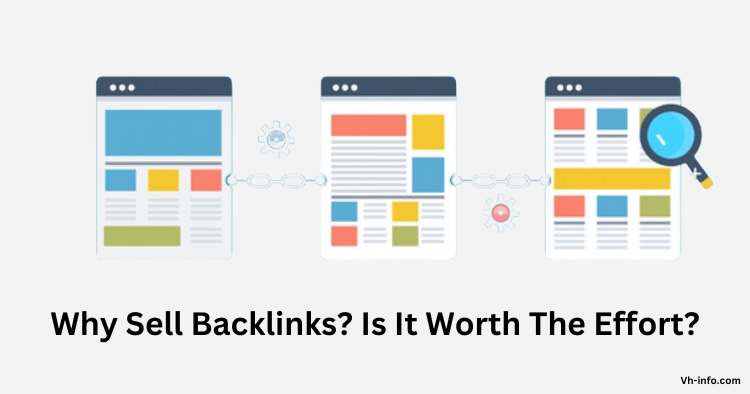
Why Sell Backlinks? Is It Worth The Effort?

Backlinks remain a key factor in search engine algorithms, with high-quality links from authoritative domains significantly impacting a site’s visibility and organic traffic.

As a result, many website owners and SEO practitioners are willing to pay for quality backlinks to improve their search engine rankings. By selling backlinks, you can tap into this demand and generate a significant revenue stream for your website.

However, selling backlinks comes with risks and responsibilities. It’s essential to understand Google’s guidelines on paid links and follow ethical practices to avoid penalties and maintain your site’s long-term health.

How to Sell Backlinks Without Violating Guidelines?
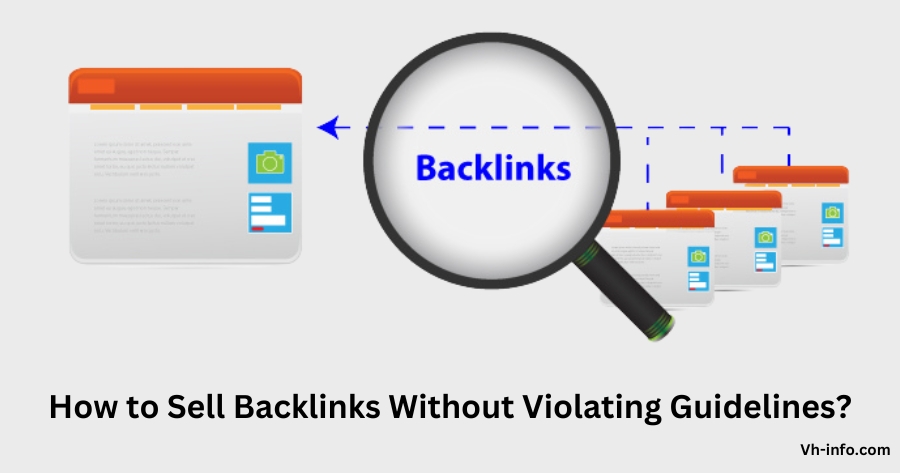
How to Sell Backlinks Without Violating Guidelines?

1. Understanding Google’s Guidelines on Paid Links

Google’s stance on paid links is clear: they should be marked with the “nofollow” or “sponsored” attribute to indicate that they are not natural, editorial links. Failing to disclose paid links can result in manual actions or algorithmic penalties that harm your site’s search engine rankings.

2. Identifying Legitimate Ways to Sell Backlinks

To sell backlinks ethically, focus on providing value to your clients through relevant, high-quality content.

Some legitimate ways to sell backlinks include:

  • Sponsored posts or product reviews
  • Directory listings or resource pages
  • Broken link building and content replacement
  • Niche edits or contextual links

3. Avoiding Spammy Backlink Practices

Steer clear of link schemes and spammy tactics that aim to manipulate search engine rankings, such as:

  • Link farms or private blog networks (PBNs)
  • Automated link building or link exchanges
  • Hidden or cloaked links
  • Excessive keyword-rich anchor text

4. Ensuring Transparency in Backlink Transactions

Always be transparent about the nature of your backlinks, both with your clients and search engines. Use the appropriate link attributes, disclose sponsored content, and maintain open communication with your partners to build trust and avoid misunderstandings.

How to Sell Backlinks Online?
How to Sell Backlinks Online?

1. Build a High Quality Website

To attract potential buyers, your website must offer value and authority in your niche. Focus on creating engaging, informative content that naturally attracts backlinks and social shares. A strong domain authority and organic traffic will make your backlinks more appealing to buyers.

2. Make use of Online Marketplaces

Online marketplaces like Fiverr, SEOClerks, and Konker connect backlink sellers with potential clients. Create a compelling listing that highlights your website’s strengths, such as domain authority, traffic, and niche relevance. Be transparent about your link placement process and pricing.

3. Offer Social Media Backlinks

If you have a strong presence on social media platforms like Twitter, Facebook, or LinkedIn, you can offer sponsored posts or shoutouts that include backlinks to your clients’ websites. This can be an effective way to leverage your social media audience and provide value to your clients.

4. Connect with SEO Communities

Engage with SEO forums, groups, and communities where website owners and digital marketers discuss link building strategies. Share your expertise, offer helpful advice, and build relationships with potential clients. Be cautious not to spam these communities with overt sales pitches.

5. Reach out to Backlink Buyers

Proactively reach out to websites in your niche that might benefit from your backlinks. Use SEO tools to identify sites with lower domain authority or fewer backlinks, and craft personalized outreach emails that highlight how your backlinks can help improve their search engine rankings.

6. Collaborate with Bloggers or Influencers

Partner with bloggers or influencers in your niche to create sponsored content or product reviews that include backlinks to your clients’ websites. This can help you tap into new audiences and provide your clients with high-quality, contextual backlinks.

7. Provide Backlinks as an Add-on Service

If you offer other digital marketing or SEO services, consider including backlinks as an add-on or upsell. This can be an effective way to bundle your services and provide more value to your clients.

8. Make SEO Packages

Create SEO packages that include a set number of backlinks along with other services like keyword research, on-page optimization, or content creation. This can help you attract clients who are looking for a comprehensive SEO solution.

9. Collaborate with SEO Agencies

Reach out to SEO agencies and offer your backlink services as a white-label solution. Many agencies outsource link building to specialists, so this can be a great way to secure a steady stream of clients.

10. Provide Limited or Exclusive Backlinks

Offer limited or exclusive backlink placements to create scarcity and increase the perceived value of your links. For example, you could offer a single sponsored post opportunity per month or limit the number of backlinks you sell in a particular niche.

11. Provide Case Studies or Testimonials

Share case studies or testimonials from satisfied clients to demonstrate the effectiveness of your backlinks. This social proof can help build trust with potential buyers and set you apart from competitors.

12. Provide Discounts or Promotions

Offer discounts or promotions to attract new clients or reward loyal customers. For example, you could offer a percentage off for first-time buyers or create a loyalty program that provides discounts for repeat purchases.

How to Sell Backlinks Ethically?
How to Sell Backlinks Ethically?

1. Produce High-Quality Content

Focus on creating valuable, informative content that naturally attracts backlinks and social shares. Avoid thin or spammy content that exists solely for the purpose of selling links.

2. Examine Your partners Carefully

Vet potential link buyers to ensure they have reputable, relevant websites that align with your niche and values. Avoid selling links to spammy or low-quality sites that could harm your reputation.

3. Collaboration with Link Building Agencies

Partner with reputable link building agencies that follow ethical practices and have a proven track record of success. This can help you access a wider pool of potential clients and ensure that your backlinks are being used in accordance with search engine guidelines.

4. Join Influencer Networks

Join influencer networks or platforms that connect brands with content creators for sponsored collaborations. These networks often have strict guidelines and vetting processes to ensure that all partnerships are transparent and comply with search engine guidelines.

5. Disclose Link Building

Always disclose your paid links using the appropriate attributes (e.g., “sponsored” or “nofollow”) to maintain transparency and avoid violating search engine guidelines.

6. Reach Out to Link Buyers

Proactively reach out to potential link buyers in your niche, focusing on those who prioritize quality content and ethical link building practices. Avoid buyers who engage in spammy or manipulative tactics.

7. Don’t Let your Website Turn into a Link Farm

Maintain a healthy balance between sponsored and organic content on your website. Avoid turning your site into a link farm by selling too many backlinks or placing them in irrelevant or low-quality content.

Link Farms are Making a Killing Selling Links
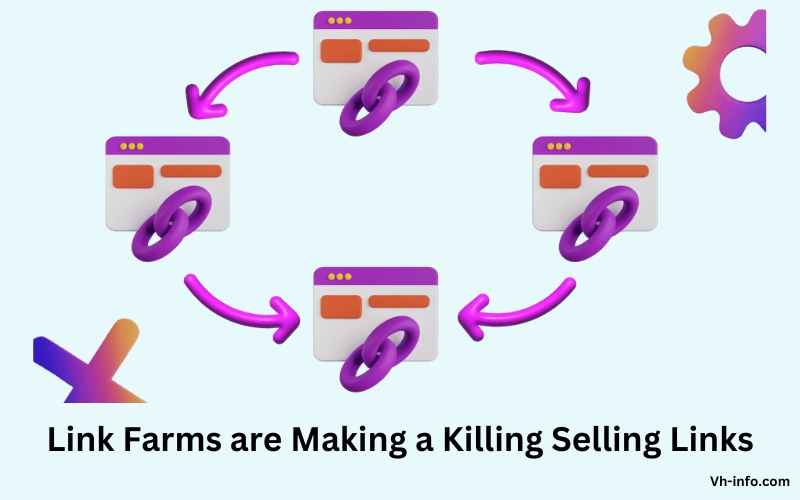
Link Farms are Making a Killing Selling Links

How One Link Farm is Earning $350,000+ per year?

Some link farms are generating significant revenue by selling large volumes of low-quality backlinks.

For example, one link farm reports earning over $350,000 per year by selling links on a network of thin, spammy websites.

High Search Volume, Low Difficulty

Many link farms target keywords with high search volume but low competition, allowing them to quickly rank and attract organic traffic. They then monetize this traffic by selling backlinks to unsuspecting buyers.

Is Selling Links Similar To Link Farming?

Selling links is not the same as link farming. Link farming involves creating a network of sites solely for link building, while selling links can be legitimate if done ethically. Understanding the distinctions is crucial for maintaining SEO integrity.

What is a Link Farm?

A link farm is a network of websites created solely for the purpose of selling backlinks. These sites often have thin, low-quality content and exist only to manipulate search engine rankings.

How It’s Different From Selling Backlinks?

Selling backlinks ethically involves providing value to your clients through relevant, high-quality content on reputable websites. In contrast, link farms focus on quantity over quality, often using spammy or manipulative tactics to artificially boost rankings.

Common Pitfalls to Avoid When Selling Backlinks

To avoid falling into the trap of link farming, steer clear of the following practices:

  • Creating thin or duplicate content solely for the purpose of selling links
  • Participating in link exchanges or reciprocal linking schemes
  • Using automated tools to generate backlinks
  • Selling links on irrelevant or low-quality websites
  • Failing to disclose paid links or use appropriate attributes

What are the Best Platforms to Sell Backlinks?

Facebook, LinkedIn, Upwork, and Fiverr are among the best platforms to sell backlinks. Utilize these popular platforms to reach a wide audience of potential buyers and maximize your backlink selling opportunities.

Facebook

Facebook

Facebook groups and pages dedicated to SEO and link building can be a great place to connect with potential clients and promote your backlink services. Engage in discussions, share your expertise, and build relationships with group members to attract buyers.

LinkedIn

LinkedIn

LinkedIn is a professional networking platform that can help you connect with SEO practitioners, digital marketers, and website owners who may be interested in your backlink services. Share informative content, participate in relevant groups, and reach out to potential clients to build your network.

Upwork
Upwork

Upwork is a freelancing platform that connects businesses with skilled professionals, including SEO experts and link builders. Create a compelling profile that showcases your backlink services, and bid on relevant projects to find clients.

Fiverr

Fiverr

Fiverr is an online marketplace where freelancers can offer a wide range of services, including link building and SEO. Create a gig that outlines your backlink services, pricing, and delivery timeline, and optimize your listing with relevant keywords to attract buyers.

FAQ’s:

Did You Only Sell Backlinks?

No, VH Info provides a range of link building and SEO for startups services, including content creation, guest posting, and broken link building. Selling backlinks is just one aspect of our comprehensive approach to helping clients improve their search engine rankings.

Is Selling Backlinks Legal?

Selling backlinks is not illegal, but it can violate search engine guidelines if done improperly. To stay within the bounds of the law and avoid penalties, it’s crucial to follow ethical practices, such as disclosing paid links and providing value through high-quality content.

How Do I Price My Backlinks?

The price of your backlinks will depend on factors such as your website’s domain authority, niche relevance, and the quality of your content. Research your competitors’ pricing and consider your target audience’s budget to determine a fair price point. Be transparent about your pricing and what’s included in each package.

Can Selling Backlinks Affect My Site’s SEO?

Selling backlinks can positively or negatively impact your site’s SEO, depending on how you approach it. If you follow ethical practices and provide value to your clients, selling backlinks can help you build relationships and attract organic traffic. However, if you engage in spammy or manipulative tactics, you risk damaging your site’s reputation and search engine rankings. It is important to understand the principles of search engine optimization when selling backlinks, as it can greatly impact your site’s visibility and credibility.

Should You Sell Backlinks in 2024?

Selling backlinks can be a lucrative way to monetize your website and help other sites improve their search engine rankings while maintaining a positive user experience. However, it’s essential to approach this practice ethically and stay up-to-date with the latest search engine guidelines. By following the best practices outlined in this guide and prioritizing quality over quantity, you can successfully sell backlinks in 2024 and beyond, whether you have a smaller blog or larger websites.

Conclusion

Selling backlinks can be a profitable way to leverage your website’s authority and help other sites boost their search engine visibility. However, it’s crucial to approach this practice ethically, focusing on providing value through high-quality content and transparent partnerships.

By knowing Google’s rules, finding good ways to sell backlinks, and avoiding spam, you can create a reliable backlink service. Follow the tips in this guide to reach customers and expand your business in 2024. Success in selling backlinks means focusing on quality, relevance, and honesty. Adhere to these principles, adapt to SEO changes, and become a trusted expert in your field to assist clients in their link building aims.
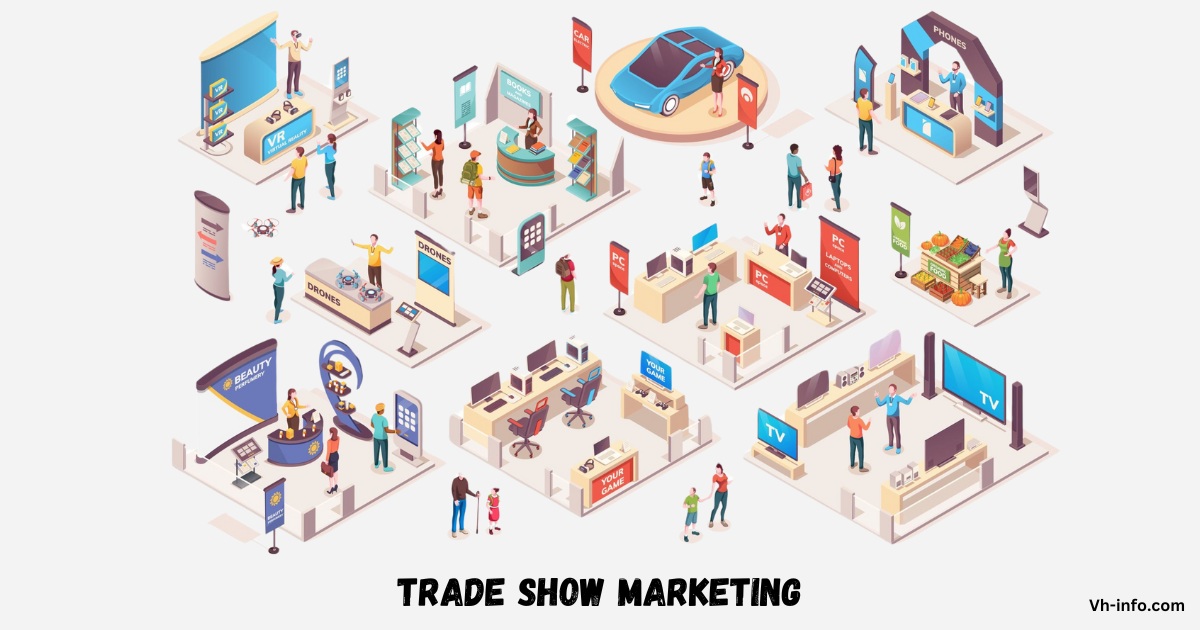

Trade Show Marketing: What it is, Benefits, Tips & Examples

Trade show marketing is a powerful way for businesses to show off their products and services, connect with potential clients, and get their brand out there. It’s all about being part of industry-specific events where you can engage with the right people and build relationships that can lead to new leads, customers, and partnerships.

For companies like Vh-info, trade shows are an awesome opportunity to meet potential clients in the software-as-a-service (SaaS) industry. As a link-building service provider, vh-info can use trade shows to show off their expertise and prove how they can boost search engine rankings and drive more traffic to their client’s websites.

In this blog, we’ll dive into the world of trade show marketing, uncovering its benefits, strategies, and best practices to help you become a pro at this marketing tactic. Whether you’re new to trade show marketing or looking to step up your game, this comprehensive guide will give you valuable insights and tips to make the most of your trade show experience.

What is Trade Show Marketing?

What is Trade Show Marketing?

Trade show marketing is all about showcasing your products or services at industry-specific events or exhibitions. You create eye-catching displays, hand out promotional materials, and interact with potential customers face-to-face. The main goals are to generate leads, build brand awareness, and establish relationships with clients or partners. It’s a valuable way for businesses to directly engage with their target audience and stand out from the competition.

Why Should You Attend a Trade Show?

Attending a trade show is like hitting multiple birds with one stone for your business. Here’s why you should definitely consider it:

  • Boost Brand Visibility: Being at a trade show gets your name out there. When people see you and learn about your company, they’re more likely to remember you when they need your products or services.
  • Customer Feedback: You get to hear directly from potential and existing customers. This feedback is like gold because it helps you understand what they like, what they don’t, and how you can improve your offerings.
  • Spy on Competitors: Trade shows are like a sneak peek into what your competitors are up to. You can check out their products, strategies, and even find potential partners.
  • Discover New Vendors: You might stumble upon vendors offering solutions that could greatly benefit your business. It’s like meeting the right people without having to search extensively.
  • Networking Galore: At a trade show, you meet a diverse range of people – vendors, customers, and even competitors. These connections can open up new opportunities for your business.
  • Lead Generation: Everyone at a trade show is a potential lead. With the right approach, you can attract people interested in your offerings and grow your customer base.

So, attending a trade show isn’t just about showing up; it’s about seizing countless opportunities to grow and improve your business.

Why Brands Should Go To Trade Shows?

Brands should definitely go to trade shows. They help connect with potential customers and partners. At these events, brands can display products to a varied audience. Joining trade shows lets brands talk, build relationships, and advertise. It’s a good way to get noticed and grow your brand.

The Benefits of Trade Shows for Your Business

The Benefits of Trade Shows for Your Business

Participating in trade shows can be a game-changer for your business, offering a multitude of benefits that can fuel growth and success:

  1. Brand Exposure: Being at a trade show puts your brand in front of a diverse audience, including potential customers, peers, and partners. This exposure boosts your brand’s visibility and makes it more memorable in the minds of potential customers.
  2. Product Launches: Trade shows provide the perfect platform to unveil new products or services. With a captive audience eager for industry innovation, you can generate excitement and immediate interest, leading to swift sales. A strategic new product introduction at a trade show allows businesses to engage key decision-makers early, gather valuable feedback, and create a strong market presence right from the start.
  3. Market Insights: Beyond showcasing your products, trade shows offer a chance to gather valuable market insights. Observing competitors, networking, and engaging with attendees helps you stay ahead of emerging trends and customer preferences.
  4. Immediate Feedback: Interacting directly with attendees allows you to receive instant feedback on your offerings. This helps you make on-the-spot adjustments, ensuring higher customer satisfaction and product refinement.
  5. Relationship Building: Trade shows are ideal for both meeting potential clients and nurturing existing relationships. Face-to-face interactions foster stronger connections, leading to repeat business and referrals.
  6. Media Exposure: Trade shows attract media attention, providing opportunities for your business to gain coverage in industry outlets. This boosts your brand’s credibility and increases its reach through publications and news stories.
  7. Cost-Effective Marketing: Despite initial expenses, trade shows often offer a high return on investment due to their focused audience. Engaging with interested individuals reduces marketing waste and can lead to significant returns.
  8. Word-of-Mouth Referrals: Positive experiences at trade shows can lead to powerful word-of-mouth referrals, enhancing your business’s reputation and growth potential.

How to Prepare for a Trade Show as an Exhibitor?

How to Prepare for a Trade Show as an Exhibitor?

Preparing for a trade show as an exhibitor involves several key steps:

  1. Set Clear Goals: Define your objectives for the trade show, such as generating leads, launching new products, or increasing brand awareness. Clear goals guide your strategy and help measure success.
  2. Develop a Budget: Allocate funds for booth rental, travel, marketing materials, and other expenses. A well-defined budget ensures resources are used effectively.
  3. Identify the Best Trade Show: Choose events that align with your target audience and industry focus. Consider factors like location and attendee demographics to maximize impact.
  4. Create a Marketing Strategy: Promote your participation through advertising, email campaigns, and social media to build anticipation and attract attendees.
  5. Utilize Social Media: Share sneak peeks and announcements to engage your audience and encourage booth visits. Video promos are effective for generating interest.
  6. Utilize Digital Signage: Use enterprise digital signage to display eye-catching visuals, promotional content, and real-time updates to attract visitors and highlight your key offerings.
  7. Finalize Vendors: Confirm arrangements with vendors for booth design and technology to ensure everything aligns with your brand’s vision.
  8. Use Technology: Enhance your booth with interactive displays, check-in apps, live streaming, and event mobile apps to engage visitors and reach a wider audience. Consider adding a badge printing kiosk to streamline visitor registration and create a seamless check-in experience.
  9. Create an Eye-Catching Booth: Design a visually appealing booth with captivating graphics, signage, lighting, and layout to stand out from the crowd. When creating banners and signage, using the right font sizes is crucial to ensure your message is clear and easily readable from a distance.
  10. Plan Engaging Presentations: Develop presentations, product demos, or activities to keep visitors interested and facilitate deeper interactions. Nowadays, one can easily create these presentations with the help of the best AI presentation makers out there.
  11. Follow Up: Implement a post-show follow-up plan to nurture leads and connections, converting them into customers through personalized emails, calls, or meetings.

Essential Trade Show Marketing Materials

Making a big impact at a trade show means having all the right tools to showcase your brand effectively. Here are the essential trade show marketing materials you’ll need:

  • Business Cards: These are your networking lifeline. Make sure they’re professionally designed with all your contact info.
  • Social Media Templates: Use pre-designed templates to create eye-catching posts that drum up excitement about your booth on social media.
  • Postcards: Catch attention with creative postcards showcasing your offerings, including QR codes to guide attendees to your booth.
  • A Stand-out Stand: Invest in a visually appealing booth design that reflects your brand’s personality and draws in visitors.
  • Lead Capture App: Streamline lead collection with an app designed to gather contact details and other info from interested attendees.
  • Branded Swag: Everyone loves freebies! Offer branded items like pens or tote bags to keep your brand top-of-mind after the event.
  • Trade Show Giveaways: Organize giveaways or contests that align with your brand message and leave a lasting impression on attendees.
  • Branded Clothing: Dress your team in branded clothing for a professional look and free advertising throughout the event. This makes it easy for attendees to identify your team and approach them for assistance.

With these essentials in hand, you’ll be well-equipped to make the most of your trade show experience and elevate your brand’s presence.

Common Trade Show Planning Mistakes to Avoid

In the whirlwind of trade show preparations, it’s easy to stumble into common pitfalls that can dampen your success. Here are some mistakes to avoid:

  • Last-Minute Planning: Don’t leave everything to the eleventh hour. Starting preparations well in advance ensures smoother execution and better options for your booth. Plus, it allows ample time for promotion.
  • Ignoring Objectives: Without clear goals, you risk wandering aimlessly. Define specific objectives like generating leads or launching a new product to guide your strategy and measure success.
  • Overlooking Budget Management: Poor budgeting can lead to overspending or inadequate allocation of funds, compromising crucial aspects like booth design and marketing materials. Plan your budget wisely to maximize impact within your means.
  • Neglecting Pre-Show Marketing: Failing to drum up excitement before the event means fewer visitors to your booth. Utilize various channels like social media, event organizers’ announcements, and email campaigns to spread the word and attract attendees.
  • Inadequate Staff Training: Undertrained booth staff can miss opportunities to engage visitors effectively. Ensure your team is well-prepared by practicing interactions, addressing common questions, and familiarizing them with booth technology.
  • Neglecting Follow-Up: Letting leads slip through the cracks after the event wastes valuable opportunities. Have a plan in place for post-show follow-up, including thanking visitors for their interest and providing further information to keep them engaged.

Avoiding these common mistakes will help you make the most of your trade show experience and leave a lasting impression on attendees.

How to Measure Trade Show Effectiveness?

How to Measure Trade Show Effectiveness?

Measuring the effectiveness of a trade show is crucial for understanding how well it worked for your business and figuring out how to do better next time. Here are some ways to measure it:

  • Lead Generation: Count how many potential customers gave you their contact information during the trade show. These leads show who’s interested in your products or services.
  • Sales Conversion: Look at how many of those leads actually turned into sales. This tells you how effective your follow-up efforts were and how much money the trade show brought in.
  • Return on Investment (ROI): Figure out if the money you spent on the trade show was worth it. Compare the total costs (like booth rental and travel expenses) to the revenue generated from sales.
  • Brand Awareness: Ask attendees if they’re more familiar with your brand after the trade show. This helps you see if being at the trade show made more people aware of your brand.
  • Booth Traffic and Engagement: Count how many people visited your booth and see how engaged they were. This tells you if your booth design and activities were appealing.
  • Social Media Engagement: Check how much people talked about your brand on social media during the trade show. More mentions, followers, and engagement mean your presence made an impact online.
  • Competitive Analysis: Look at how well you did compared to your competitors at the trade show. This helps you see where you stand and where you can improve.

Tips For a Successful Trade Show Experience And Marketing Strategy

To ensure a successful trade show experience and marketing strategy, follow these easy steps:

  • Set Clear Goals: Before attending, outline achievable and measurable goals specific to the trade show. Whether it’s boosting sales, collecting leads, or meeting vendors, having clear objectives keeps you focused and motivated.
  • Choose the Right Trade Shows: Select trade shows relevant to your industry and target audience. Ensure that the attendees align with your potential customers or partners. For example, if you’re in the kitty litter business, prioritize shows like the Annual Kitty Cat trade show.
  • Identify Your Reason for Attending: Determine your primary reason for attending the trade show, which may differ from your goals. It could be showcasing new products, networking, or exploring market trends. Align your participation with your business objectives and timelines.
  • Ensure Readiness: Prepare essential materials such as business cards, promotional swag, display boards, product samples, and informational brochures. Be ready to showcase your offerings effectively and engage with attendees.
  • Focus on Revenue Generation: Evaluate how your trade show participation will contribute to revenue generation. Consider aspects like website readiness, lead conversion strategies, and post-show follow-up plans to maximize profitability.
  • Follow-Up: After the trade show, promptly follow up with leads and contacts gathered. Send personalized emails expressing appreciation for their interest and reinforcing the connections made. Follow-up communication helps maintain engagement and converts leads into customers.

Trade Show Marketing Examples

Trade Show Marketing Examples

Here are some examples of trade show marketing strategies:

  1. Booth Design: An example of effective booth design could be a company that creates an immersive experience for attendees by incorporating interactive displays, engaging signage, and comfortable seating areas. This draws visitors in and encourages them to spend more time at the booth, increasing the likelihood of meaningful interactions.
  2. Product Demonstrations: A company might showcase its latest products through live demonstrations or hands-on experiences. For instance, a tech company could allow attendees to test out new gadgets or software, providing them with a firsthand experience of the product’s capabilities.
  3. Giveaways and Contests: Offering enticing giveaways or hosting contests is a popular trade show marketing tactic. For example, a company might raffle off a high-value product or offer branded merchandise as freebies to attract visitors to their booth.
  4. Educational Workshops or Seminars: Hosting educational workshops or seminars on relevant industry topics can position a company as an authority in its field. For instance, a software company might offer training sessions on how to optimize use of their software, attracting attendees who are interested in learning new skills.
  5. Networking Events: Organizing networking events such as cocktail parties or luncheons provides an opportunity for attendees to connect with industry peers and experts. This allows companies to foster relationships and expand their professional network.
  6. Social Media Engagement: Leveraging social media platforms before, during, and after the trade show is crucial for maximizing exposure and engagement. For example, companies can create event-specific hashtags, share behind-the-scenes content, and conduct live Q&A sessions to interact with their audience.
  7. Email Marketing Campaigns: Sending targeted email campaigns to invite prospects to visit the booth, schedule appointments, or attend special events during the trade show can help drive traffic and generate leads.
  8. Branded Merchandise: Distributing branded merchandise such as pens, notebooks, or tote bags with the company logo is a cost-effective way to increase brand visibility and leave a lasting impression on attendees.
  9. Partnerships and Sponsorships: Collaborating with other exhibitors or sponsoring key events within the trade show can enhance visibility and credibility for participating companies.
  10. Follow-up Strategies: Implementing effective follow-up strategies post-event, such as personalized emails or phone calls to nurture leads and maintain engagement, is essential for converting prospects into customers.

Is Trade Show Marketing Right for You?

Trade show marketing can be highly valuable for your business if your target audience attends industry-specific trade shows and events. It allows you to directly engage with potential customers, gain access to interested parties, build brand awareness, showcase your products or services, and gather valuable insights.

However, it requires careful planning, a well-executed strategy, and a significant investment of time and resources. Evaluate if the potential benefits of gaining new customers align with your marketing goals and budget before committing to a trade show.

FAQ’s:

What is Trade Show Strategy?

A trade show strategy refers to a well-planned approach that outlines a company’s goals, tactics, and activities for maximizing their presence and success at a trade show event. It involves thoughtful planning around booth design, promotions, lead generation, and follow-up to ensure effective use of resources and a strong return on investment. A comprehensive trade show marketing strategy is essential for promoting your participation before, during, and after the event. This could include trade show advertising, email campaigns, social media promotions, and press releases to build anticipation and attract attendees to your booth.

How Can Companies Maximize their ROI through Trade Show Marketing?

Companies can maximize their return on investment (ROI) through trade show marketing by carefully planning their strategy, creating an engaging booth experience, effectively promoting their presence before and during the event, and diligently following up with the leads generated at the trade show.

How Is Social Media Marketing Beneficial For Trade Shows?

Social media marketing is highly beneficial for trade shows as it allows companies to promote their presence before and during the event, engage with attendees in real-time, share updates and interactive content, and continue nurturing relationships with potential leads after the show.

Are Trade Shows Worth It?

Trade shows can be highly worth it for businesses if they have a clear strategy, effectively engage attendees, and diligently follow up on the leads generated. However, as the old saying goes, “You have to spend money to make money.” Attending a trade show is an investment in your company’s future and can lead to potential business benefits. Companies should carefully evaluate the potential return on investment based on their specific goals and target audience.

Are Trade Shows Still Great For Spreading The Word About Your Business?

Yes, trade shows are still an excellent way to spread the word about your business. They provide a unique opportunity to showcase your products or services to a highly targeted audience, build brand awareness, and establish your company as a thought leader in your industry.

Trade show booths also offer valuable networking opportunities, allowing you to connect with potential partners, suppliers, and customers face-to-face – increasing your businesses’ number of leads. In today’s digital age, the personal interactions and hands-on experiences provided by trade shows remain a powerful tool for generating buzz and growing your business.

Conclusion

Trade show marketing is a dynamic and effective strategy for businesses looking to boost their brand visibility, generate leads, and establish themselves as industry leaders.

By carefully planning your approach, creating an engaging booth experience, and leveraging technology and social media, you can maximize the impact of your trade show participation and achieve a strong return on investment.

Remember to set clear goals, choose the right events, and follow up diligently with the leads you generate. With a well-executed trade show marketing strategy, you can unlock new opportunities for growth and success in your industry.

What is Primary Data in Marketing? Importance, Types & Examples

In the world of marketing, data is king. Businesses rely on accurate and relevant information to make informed decisions, develop effective strategies, and gain a competitive edge. This is where primary data comes into play.

Primary data in marketing refers to the original data collected directly from the source for a specific research purpose. It provides unique insights tailored to a company’s needs, making it a valuable asset in the marketing research process.

What is Primary Data in Marketing?

What is Primary Data in Marketing?

Primary data in marketing is the firsthand information gathered directly from the target audience through various research methods.

Unlike secondary data, which is pre-existing information collected by others, primary data is collected specifically for a current research project. This data is raw, unfiltered, and directly relevant to the research objectives at hand.

Importance of Primary Data in Marketing

Primary data plays a crucial role in marketing research for several reasons:

  1. Relevance: Primary data plays a crucial role in clinical genomics marketing research by being highly relevant to specific objectives, especially in clinical genomic healthcare where accurate and up-to-date data is key to advancing patient care and treatment strategies. It provides answers to specific questions and helps businesses make informed decisions based on current market trends and consumer behavior.
  2. Accuracy: Since primary data is collected directly from the source, it tends to be more accurate and reliable than secondary data. Researchers have control over the data collection process, ensuring the quality and validity of the information gathered. To further improve data accuracy, researchers can use residential proxy servers to gather primary data from various locations while bypassing geo-restrictions, ensuring broad access and unfiltered, reliable insights.
  3. Competitive Advantage: Primary data offers valuable insights that are not readily available to competitors. By conducting original research, businesses can uncover unique opportunities and gain a competitive edge in the market.
  4. Targeted Insights: Primary research allows businesses to gather data from specific target audiences. This targeted approach provides a deeper understanding of consumer needs, preferences, and behaviors, enabling companies to develop more effective marketing strategies.

Pros and Cons of Primary Data in Marketing

While primary data offers numerous benefits, it also has some drawbacks. Here are the pros and cons of using primary data in marketing:

Pros:

  1. Provides relevant and specific information tailored to research objectives.
  2. Offers accurate and reliable data collected directly from the source.
  3. Gives businesses a competitive advantage through unique insights.
  4. Allows for targeted research on specific market segments.

Cons:

  1. Can be time-consuming and costly to collect.
  2. Requires specialized skills and resources to conduct effectively.
  3. May have limitations in terms of sample size and representativeness.
  4. Can be subject to biases and errors if not collected properly.

Types of Primary Data in Marketing

Primary data in marketing can be classified into two main categories: quantitative and qualitative data

Quantitative Primary Data

Quantitative primary data is numerical and measurable. It focuses on collecting statistical information that can be analyzed to identify patterns, trends, and relationships.

Examples of quantitative primary data for BlindStyle, an e-com store that sells made to measure blinds can include:

  1. Survey responses with closed-ended questions
  2. Sales figures and market share data
  3. Website traffic and conversion rates

Qualitative Primary Data

Qualitative primary data is non-numerical and descriptive. It focuses on gathering in-depth insights into consumer attitudes, opinions, and behaviors. Examples of qualitative primary data include:

  1. Open-ended survey responses
  2. Focus group discussions
  3. In-depth interviews

Other Types of Primary Data Used in Marketing

In addition to quantitative and qualitative data, there are other types of primary data commonly used in marketing research:

  1. Demographic data: Information about age, gender, income, education, etc.
  2. Psychographic data: Data on lifestyle, values, opinions, and interests.
  3. Behavioral data: Information about consumer actions and decision-making processes.

Primary Data Collection Methods in Marketing

There are various methods used to collect primary data in marketing research. Here are some of the most common techniques:

Surveys and Questionnaires

Surveys and questionnaires are widely used to gather primary data from a large sample of respondents. They can be conducted online, by phone, or in person, and typically include a mix of closed-ended and open-ended questions. Online surveys provide quantitative data that can be easily analyzed and compared.

Interviews

Interviews are a qualitative research method that involves one-on-one conversations with respondents. They can be structured, semi-structured, or unstructured, depending on the research objectives. Interviews allow researchers to gather detailed insights and explore topics in depth.

Focus Groups

Focus groups are a qualitative research method that brings together a small group of participants to discuss a specific topic. A moderator guides the discussion, encouraging participants to share their opinions and experiences. Focus groups provide valuable insights into consumer attitudes and behaviors.

Observation

Observation involves watching and recording consumer behavior in real-life settings. This method can be used to gather data on product usage, shopping habits, and other behavioral patterns. Observation provides unbiased insights into actual consumer behavior.

Experiments and Field Trials

Experiments and field trials involve testing specific variables in a controlled environment. This method is often used in product development to evaluate consumer responses to new products or features. Experiments provide quantitative data on cause-and-effect relationships.

Examples of Primary Data in Marketing

To illustrate the use of primary data in marketing, let’s look at a few examples:

  1. A software company conducts a survey to gather feedback on a new feature. The survey results provide insights into user preferences and help the company prioritize future product development efforts.
  2. A retail store chain interviews customers to understand their shopping habits and preferences. The insights gathered inform the store’s layout, product assortment, and customer service strategies.
  3. A food company conducts focus groups to test new packaging designs. The feedback helps the company select the most appealing design and make necessary improvements before launching the product.
  4. A market research firm observes consumer behavior at a trade show to gather data on product interactions and purchasing decisions. The insights inform exhibitors’ sales and marketing strategies.

FAQ’s:

What’s the Difference between Primary and Secondary Data in Marketing?

Primary data is collected firsthand for a specific research purpose, while secondary data is pre-existing information gathered by others for a different purpose. Primary data is more relevant and accurate but also more costly and time-consuming to collect.

When Should I Use Primary Data Vs Secondary Data?

Primary data should be used when specific, up-to-date information is needed to address unique research objectives.

Secondary data can be used as a starting point or when time and budget constraints make primary research unfeasible.

How Much Does it Cost to Collect Primary Data?

The cost of collecting primary data varies depending on the research method, sample size, and scope of the project. Generally, primary research is more expensive than secondary research due to the resources required

What Skills are Needed to Conduct Primary Research?

Conducting primary research requires skills in research design, data collection, data analysis, and project management. Researchers should have a strong understanding of research methods, statistical analysis, and data interpretation

What Makes Primary Data Crucial for Market Research?

Primary data is crucial for market research because it provides relevant, accurate, and targeted insights that are not available through secondary sources. It allows businesses to make informed decisions based on current market trends and consumer needs.

How Can Companies Ensure the Accuracy and Reliability of Primary Data in their Marketing Strategies?

To ensure the accuracy and reliability of primary data, companies should follow best practices in research design, sampling, data collection, and analysis. This includes using appropriate research methods, selecting representative samples, and minimizing bias and error.

How Can Small Businesses Conduct Effective Primary Research?

Small businesses can conduct effective primary research by starting with clear research objectives, selecting appropriate methods, and leveraging cost-effective tools like online surveys and social media listening. Partnering with market research firms can also provide access to expertise and resources.

How Can Businesses Leverage Primary Data to Gain a Competitive Advantage in the Market?

Businesses can leverage primary data to gain a competitive advantage by uncovering unique insights into consumer needs, preferences, and behaviors. This information can inform product development, marketing strategies, and customer experience improvements that set the business apart from competitors

How Can I Ensure I’m Gathering High-Quality Primary Data?

To gather high-quality primary data, researchers should follow best practices in research design, sampling, and data collection. This includes selecting appropriate research methods, ensuring sample representativeness, using clear and unbiased questions, and minimizing response bias and error

Conclusion

Primary data is a valuable asset in marketing research, providing relevant, accurate, and targeted insights that inform business decisions and strategies.

By understanding the types of primary data, collection methods, and best practices, marketers can leverage this information to gain a competitive edge and better serve their target audience.

At VH Info, we understand the importance of primary data in SaaS link building and SEO strategies. Our expert team can help you gather the insights you need to create effective content, build high-quality links, and improve your search engine rankings.

Contact us today to learn more about how we can support your SaaS marketing efforts with primary research and data-driven solutions.

Best Free Graphic Design Software 2026

The world of graphic design is booming, if we can compare of jobs, freelance work, using software, etc. How the statistics show that 66% of consumers prefer visually appealing content, and infographics are shared 3 times more than plain text on social media. If you’re looking to create stunning visuals but don’t have the budget for expensive software, don’t worry there are a wealth of free graphic design tools available in 2026, each catering to different needs and skill levels.

Below are the best free graphic design software available in 2026, empowering you to create stunning visuals without breaking the bank. Also some of them very affordable graphic design software.


Why to use Best Video Editing Services in 2026 ?


Best Free Graphic Design Software 2026

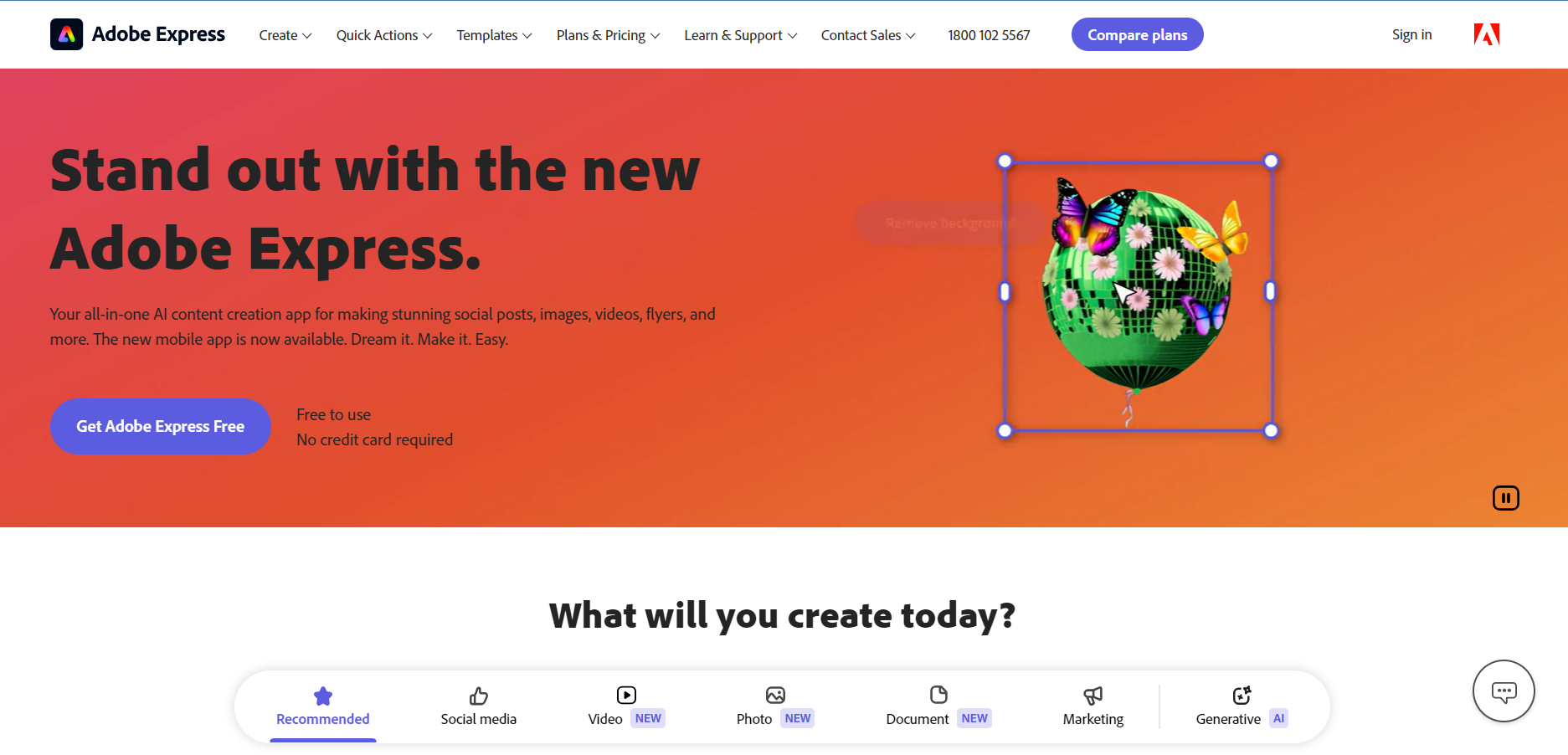
#1. Adobe Express – Best Free Graphic Design Software

Adobe - Free Graphic Designer Software

Adobe Express, formerly known as Adobe Spark, is a free graphic design tool that caters to beginners and social media enthusiasts. It offers a streamlined approach to creating various visuals without requiring extensive design knowledge.

Key Features:

  • Drag-and-drop interface: Makes creating designs effortlessly, even for those new to graphic design.
  • Template treasure trove: Get a head start with thousands of free, customizable templates for social media posts, presentations, flyers, and more.
  • Stock photo integration: Elevate your designs with access to high-quality photos from Adobe Stock (limited selection with free plan). 
  • Image Background Remover: Remove image backgrounds with precision to elevate your graphic design materials.

Pros:

  • Beginner-friendly: The intuitive interface and clear instructions make it a breeze to learn and use.
  • Adobe ecosystem integration: Seamlessly connect with other Adobe products for a more comprehensive creative workflow (if you use them).
  • Social media focus: Tailored to creating graphics specifically for various social media platforms.

Cons:

  • Limited editing capabilities: Compared to paid design software, Adobe Express offers a more basic set of editing tools.
  • Freemium model limitations: The free plan restricts access to some stock photos and templates.

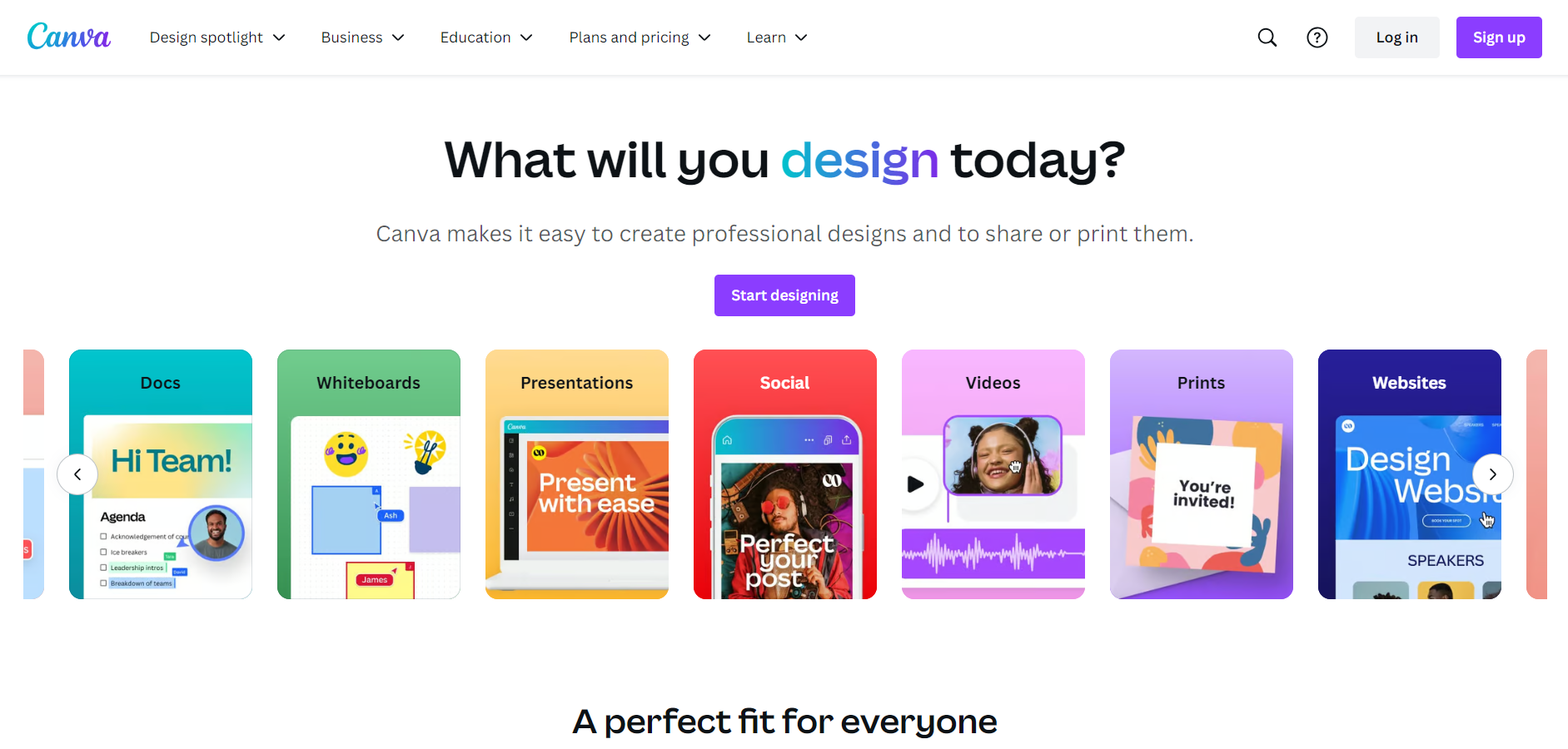
#2. Canva – Best Free Graphic Design Software

Canva - Free Graphic Designer Software

Canva has become synonymous with user-friendly graphic design, and for good reason. It offers a vast library of resources and a smooth interface, making it a top choice for both beginners and experienced designers.

Key Features:

  • Template extravaganza: Canva boasts millions of free and paid templates for virtually any design need, from social media posts and presentations to posters and infographics.
  • Drag-and-drop delight: The intuitive interface allows you to effortlessly arrange elements with a simple drag and drop, perfect for visual learners.
  • Design element bonanza: Spice up your designs with millions of free and paid icons, photos, illustrations, and other design assets.
  • Collaboration corner: Work seamlessly with teammates on projects using Canva’s collaboration features, ideal for teams and businesses.

Pros:

  • Beginner-friendly haven: The intuitive interface and plethora of templates make it easy for anyone to jump in and create stunning visuals.
  • Social media champion: Canva excels at creating graphics specifically for various social media platforms, with pre-sized templates and relevant design elements.
  • Free asset abundance: The free plan provides a vast library of templates and design elements to get you started.

Cons:

  • Customization constraints: For complex designs, the free plan might limit the level of customization you can achieve.
  • Watermarked freebies: Designs created with the free plan include a Canva watermark, requiring a paid plan for watermark removal.

Pricing

  • Free plan available
  • Pro Plan : $48 per year & $6 per month for 1 person.
  • Teams Plan : $137 per year & $14 per month for 3 person
  • Enterprise Plan : Contact to sales Team

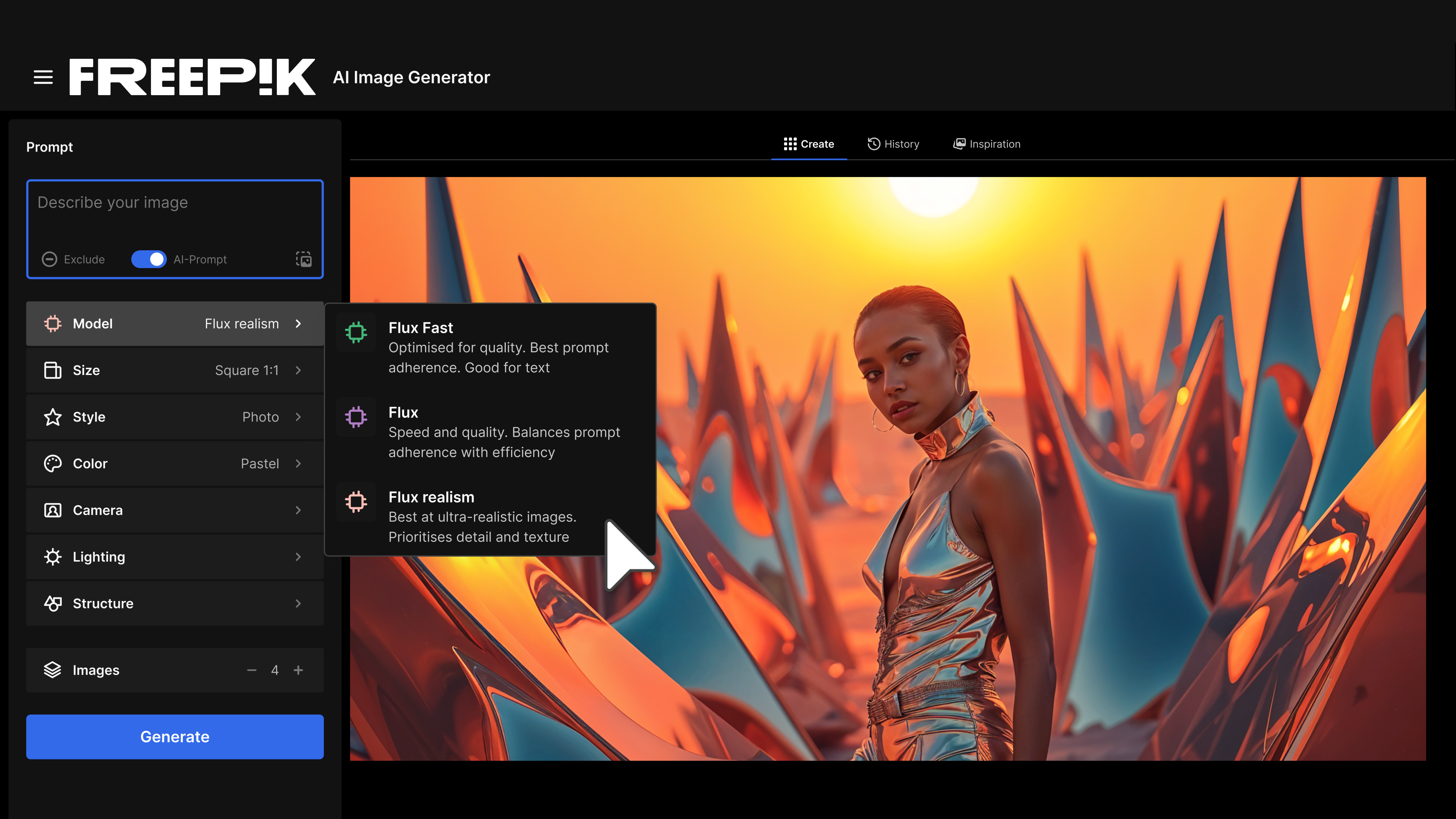
#3. Freepik – Best Free Graphic Design Software

Freepik AI Image Generator

Freepik is a leading platform in the creative industry, known for its extensive collection of design resources, including vectors, photos, PSD files, and icons. Beyond its rich library, Freepik also offers a suite of AI tools designed to simplify the creative process. These tools meet a wide range of design needs, from creating mockups to expanding images, making Freepik a resource hub and a versatile design platform.

Key Features:

  • AI Image Generator: This tool allows users to create unique images based on text descriptions using advanced AI technology.
  • AI Background Remover: A tool designed to remove backgrounds from images quickly and accurately, perfect for product photos or profile pictures.
  • AI Art Generator: Transforms doodles into an AI-generated image in seconds.
  • AI Image Editor: It’s an easy-to-use online editor.
  • Mockup Generator: This tool provides an easy way to create professional mockups, helping users visualize their designs on various products such as apparel, packaging, and more.
  • Other Tools: Freepik also offers various other utilities such as an AI image enhancer tool, template customization, and more, all integrated into the platform to improve workflow efficiency.

Pros:

  • Vast Resource Library: Freepik is home to millions of design assets, making it a one-stop shop for creative professionals.
  • User-Friendly Interface: The platform and its tools are designed to be easy to use.
  • Versatile Tools: The integrated tools cover a broad spectrum of design needs, from simple edits to more complex design tasks, allowing users to complete projects entirely within the Freepik ecosystem.
  • Regular Updates: Freepik continually adds new resources and updates its tools, ensuring that users always have access to the latest and most relevant design assets.

Cons:

  • Limited Customization in Free Tools: While the tools are powerful, some users might find the level of customization available in the free versions to be limited.
  • Dependence on Subscription for Full Features: To access the full range of tools and resources without limitations, a premium subscription is necessary, which might be a drawback for those looking for free solutions.

Pricing

Freepik operates on a freemium model. While many of its resources and tools are available for free, a premium subscription unlocks additional features and assets. The premium plans offer:

  • Monthly Plan: Priced around $12 per month, offering unlimited downloads and access to exclusive content.
  • Annual Plan: Typically priced at $119 per year, providing a discount compared to the monthly plan and offering the same benefits.

These pricing options make Freepik accessible to a wide range of users, from casual creators to professional designers, who need more robust tools and an extensive library of resources.

#4. Vectr – Best Free Graphic Design Software

Vectr- Free Graphic Designer Software

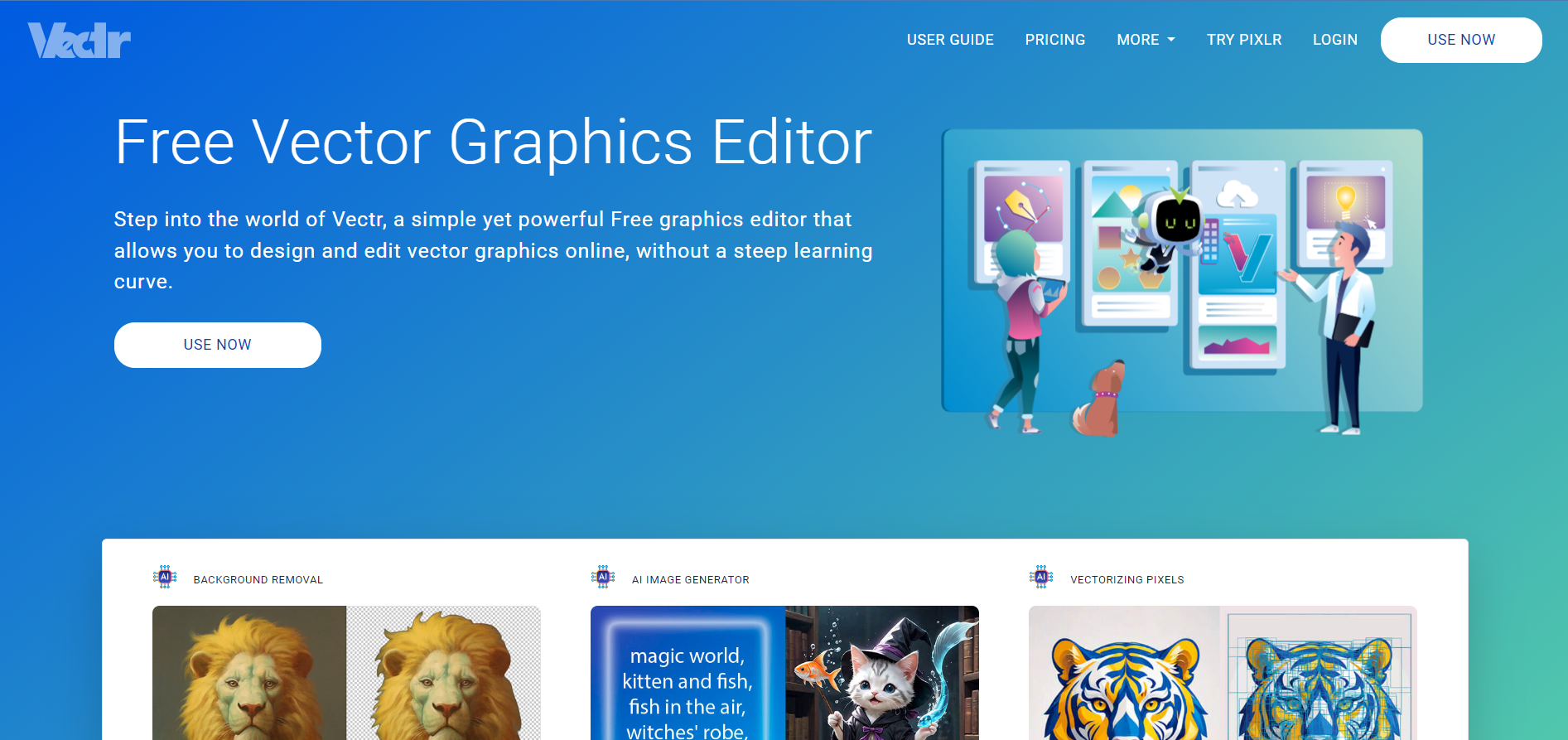
Vectr stands out as a completely free vector graphics editor, making it a fantastic choice for anyone interested in creating logos, icons, illustrations, and other scalable designs.

Key Features:

  • Intuitive vector editing: Offers a clean and user-friendly interface specifically designed for vector graphics creation.
  • Real-time collaboration: Work on projects with your team in real-time, fostering a streamlined design workflow.
  • Export flexibility: Export your designs in various formats like SVG, PNG, and JPG, ensuring compatibility with different needs.

Pros:

  • Free forever: Unlike some other free design tools, Vectr offers its core features completely free, with no hidden costs or upgrade pressure.
  • Lightweight and fast: Runs smoothly on most computers without requiring high-end hardware specifications.
  • Perfect for vector art: Well-suited for creating logos, icons, illustrations, and other scalable vector graphics.
  • Web and desktop versions: Choose between the web-based version for browser access or the downloadable desktop app for offline use.

Cons:

  • Limited photo editing: Primarily focused on vector graphics, Vectr offers fewer features for editing photographs compared to dedicated photo editing software.
  • Fewer advanced features: For highly complex vector design projects, some advanced features found in professional vector editing software might be missing.

Pricing : 

  • Free Plan Available with Limited Features
  • Premium Plan 1 : $48 Per Year
  • Premium Plan 2 : $72 Per Year

#5. Figma – Best Free Graphic Design Software

Figma - Free Graphic Designer Software

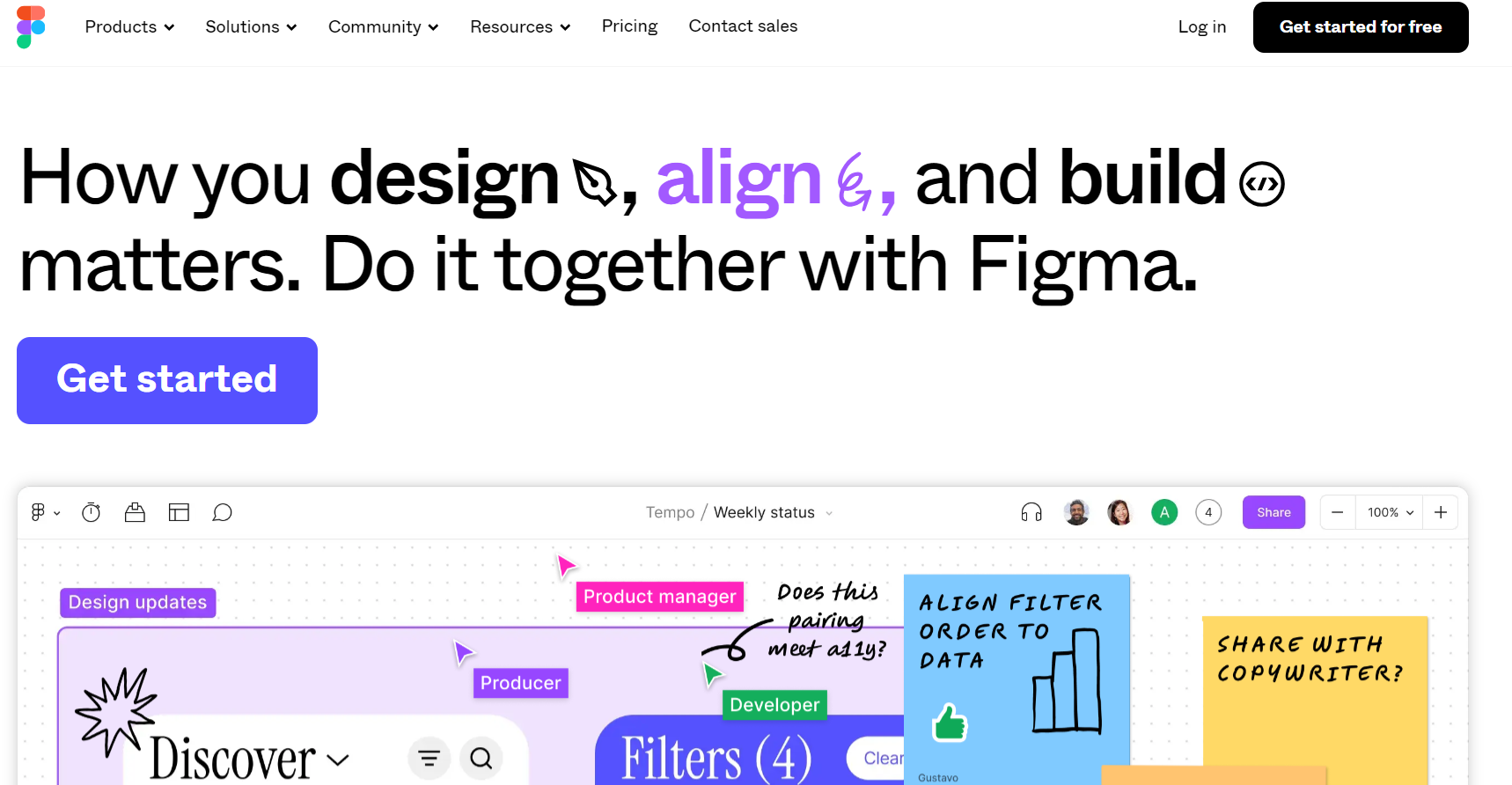
Figma has become a game-changer in the world of UI/UX design (user interface/user experience) especially when it comes to Figma to WordPress. While not strictly a photo editor or general-purpose graphic design tool, Figma offers a robust free plan with features that cater specifically to this design niche.

Key Features:

  • Prototyping playground: Bring your designs to life with Figma’s intuitive prototyping tools, allowing you to create interactive mockups that simulate real-world user interactions.
  • Plugin powerhouse: Expand Figma’s functionality with a vast library of plugins, adding features for specific design needs or integrating with other design tools.
  • Cloud-based collaboration: Work seamlessly with your team on design projects in real-time, fostering efficient communication and iteration.

Pros:

  • UI/UX design champion: Figma excels at user interface and user experience design, offering features specifically tailored to this workflow.
  • Prototyping mastery: The built-in prototyping tools allow you to create interactive mockups that showcase user flows and design functionality.
  • Collaboration cornerstone: Real-time collaboration and easy project sharing make Figma ideal for team-based design projects.

Cons:

  • Learning curve for beginners: Compared to some beginner-friendly design tools, Figma has a steeper learning curve due to its focus on UI/UX design.
  • Free plan limitations: The free plan restricts the number of projects and team members, potentially impacting larger teams or complex workflows.

Pricing

  • Free Plan Available with Limited Features
  • Professional Plan : $144 Per Year
  • Organization Plan : $540 Per Year
  • Enterprise Plan : $900 Per Year

#6. Inkscape – Best Free Graphic Design Software

Inkscape - Free Graphic Designer Software

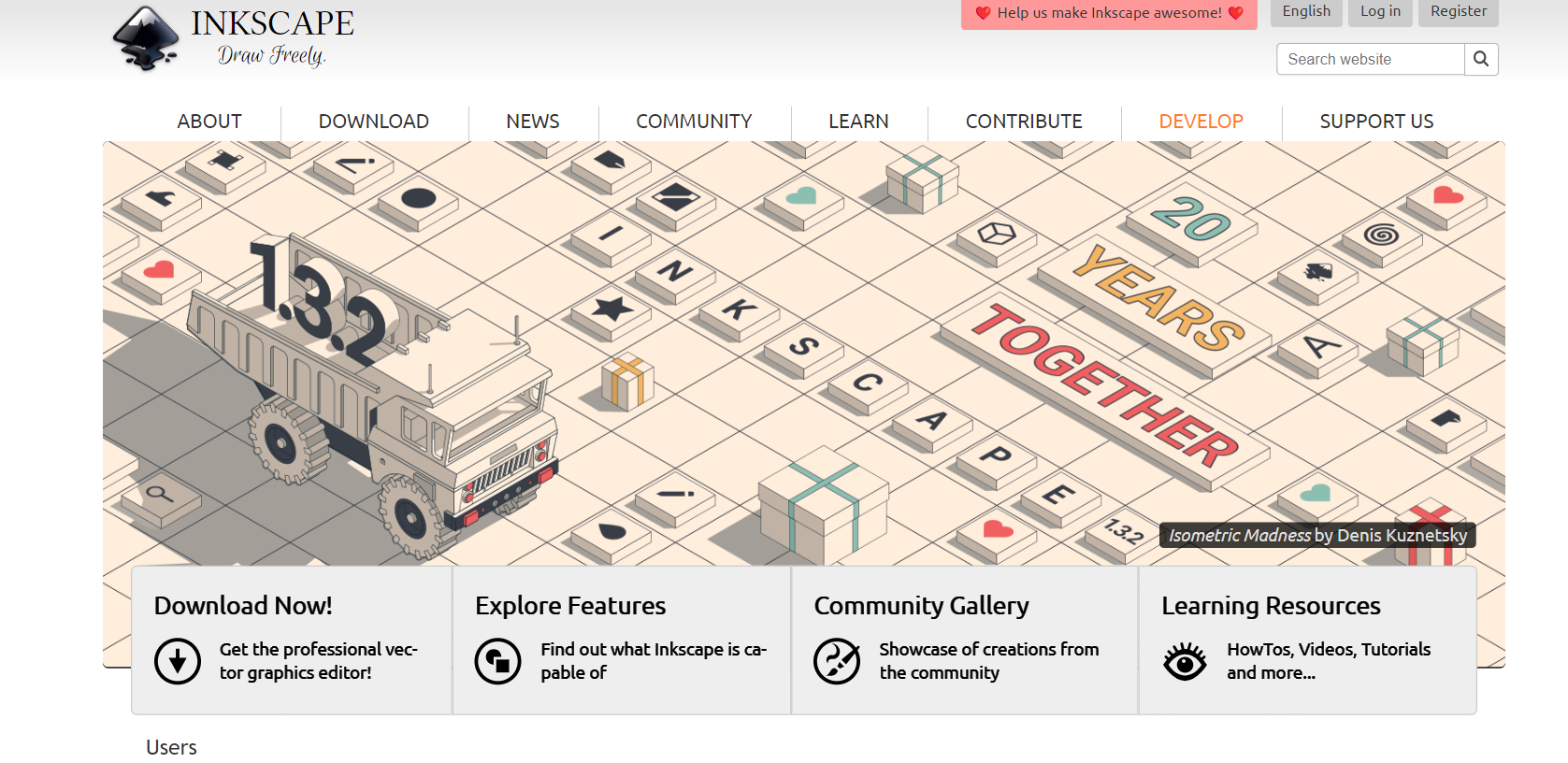
Inkscape stands out as a free and open-source vector graphics editor, making it a strong contender for professional designers and those seeking an advanced alternative to paid software.

Key Features:

  • Extensive vector editing tools: Offers a comprehensive set of tools for precise control over shapes, paths, and effects, ideal for creating complex vector artwork.
  • Customizable workspace: Tailor the interface to your preferences with customizable toolbars and keyboard shortcuts for a more efficient workflow.
  • Open-source advantage: Benefit from a vibrant community that contributes to the software’s development, including java development, and offers extensive support resources.
  • Multi-format support: Import and export your designs in various formats, including SVG, PDF, EPS, and PNG, ensuring compatibility with different needs.

Pros:

  • Free and open-source: No license fees or limitations, making it a cost-effective option for professionals and enthusiasts alike.
  • Highly customizable: The interface and tools can be adapted to your workflow preferences for a more personalized experience.
  • Powerful vector editing: Offers a broad range of features to create intricate vector graphics, illustrations, and logos.
  • Active community: Benefit from a Java large and supportive community that provides tutorials, plugins, and ongoing Outsource Java development.

Cons:

  • Learning curve for beginners: The vast number of features can be overwhelming for those new to vector graphics editing.
  • Limited user-friendliness: Compared to some beginner-friendly design tools, Inkscape has a steeper learning curve due to its advanced functionalities.
  • Lacks some photo editing capabilities: Primarily focused on vector graphics, Inkscape offers fewer features for editing photographs.

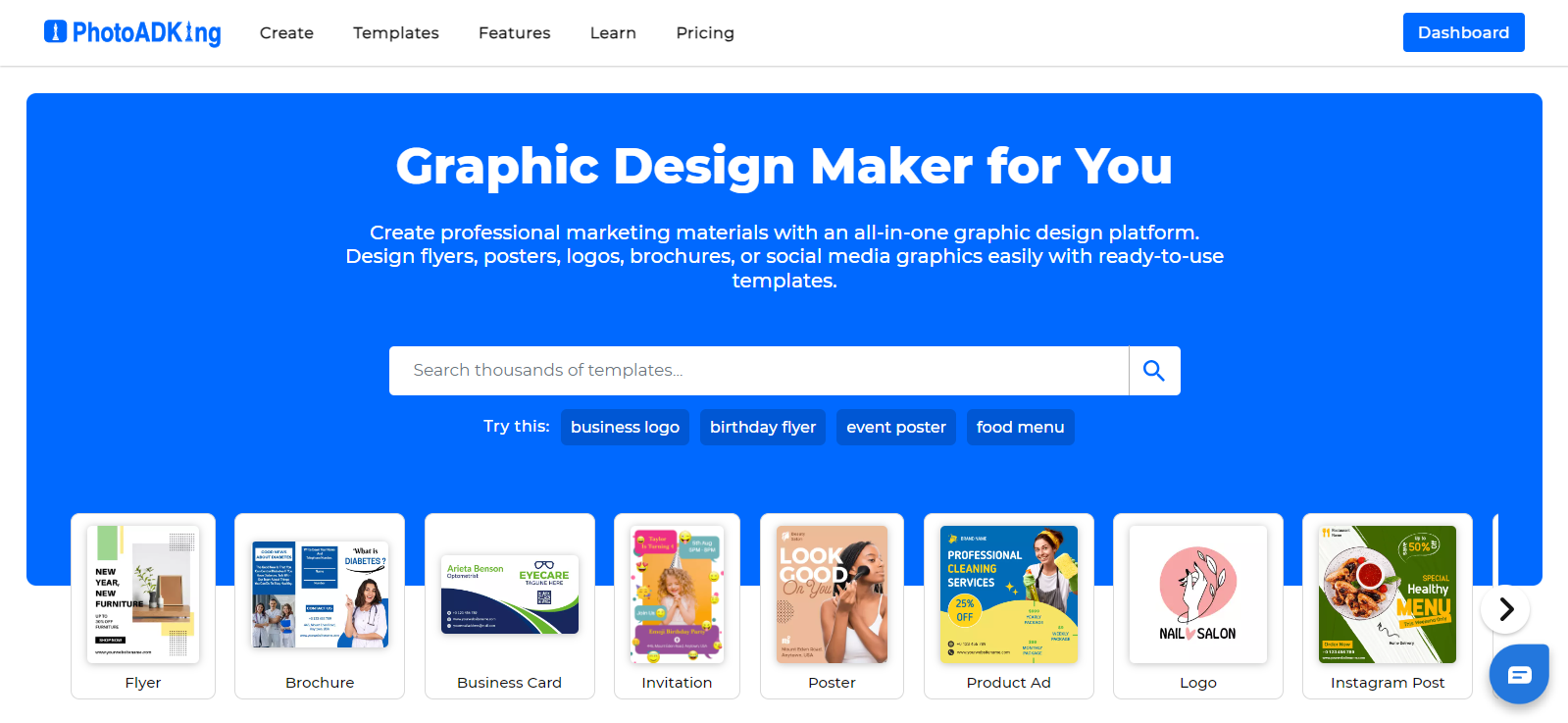
#7 PhotoADKing – Best Free Graphic Design Software

image 10

PhotoADKing stands out as a versatile graphic design tool, catering to the needs of individual marketers, freelancers, creators, and small businesses. Whether you’re creating posters, flyers, brochure, or social media graphics, PhotoADKing offers intuitive tools to bring your ideas to life. With features like a poster maker, flyer maker, brochure maker and an array of customizable templates, it provides everything you need to craft stunning visuals effortlessly. Ideal for both personal and professional projects, PhotoADKing ensures that anyone can create professional-quality designs without the need for graphic design expertise.

Features: 

  • Templates Galore: PhotoADKing boasts an extensive library of professionally designed templates for various purposes, including social media posts, flyers, posters, invitations, and more.
  • Drag-and-Drop Interface: With its user-friendly interface, PhotoADKing allows you to effortlessly customize templates by simply dragging and dropping elements onto the canvas.
  • Graphics Library: Access a vast collection of high-quality graphics, icons, shapes, and fonts to enhance your designs and make them stand out.
  • Customizable Tools: Enjoy flexible editing tools that let you adjust colors, fonts, sizes, and layouts to match your vision perfectly.

Pros:

  • Ease of Use: PhotoADKing is designed with simplicity in mind, making it accessible to beginners while still offering advanced features for experienced designers.
  • Template Variety: The platform offers a diverse selection of templates, catering to various design needs and preferences.
  • Online Accessibility: As a web-based tool, PhotoADKing can be accessed from any device with an internet connection, making it convenient for users on the go.
  • Affordability: Many of PhotoADKing’s features are available for free, with premium options for users seeking additional functionalities.

Cons:

  • Some advanced features might need you to pay a subscription fee.

#8 WatermarkRemover.ai – Best Free AI Watermark Remover 

Screenshot 2024 12 04 182706

In a world where visual content is key, WatermarkRemover.ai emerges as the ultimate solution for all your watermark removal needs. Whether you’re looking to enhance personal photos or polish professional images, this powerful AI watermark remover effortlessly eliminates unwanted elements, allowing you to showcase your visuals in their purest form. With a user-friendly interface and advanced AI technology, WatermarkRemover.ai makes watermark removal a breeze.

Key Features:

  • Full-Screen Watermarks: Automatically remove full-page watermarks for an uninterrupted viewing experience.
  • Photo Stamps: Clear date stamps, location stamps, and more to maintain your images’ original beauty.
  • Logo Watermarks: Swiftly eliminate unwanted logos for a more polished appearance.
  • Signature Removal: Remove signatures from images, ensuring a clean and professional look.
  • Text Watermarks: Easily take off text-based watermarks to preserve the integrity of your photo.
  • Preserve Image Quality: Guarantees top-notch results without any loss of detail.
  • Batch Processing: Erase watermarks from multiple images at once for efficiency.
  • Lightning-Fast Processing: Get rid of watermarks in seconds, not hours.
  • 100% Free: Sign up for unlimited free credits each day.
  • Support for All Image Formats: Works with JPG, JPEG, PNG, BMP, and TIFF files.
  • One Click Solution: Simply upload your image, click, and you’re done!

Pros:

  • Effortless removal with a user-friendly interface.
  • Maintains high-quality image resolution.
  • Fast processing speeds save you time.
  • Completely free with unlimited daily credits.
  • Supports a wide range of image formats.

Cons:

  • Requires an internet connection for use.
  • May have limitations on very complex watermarks.

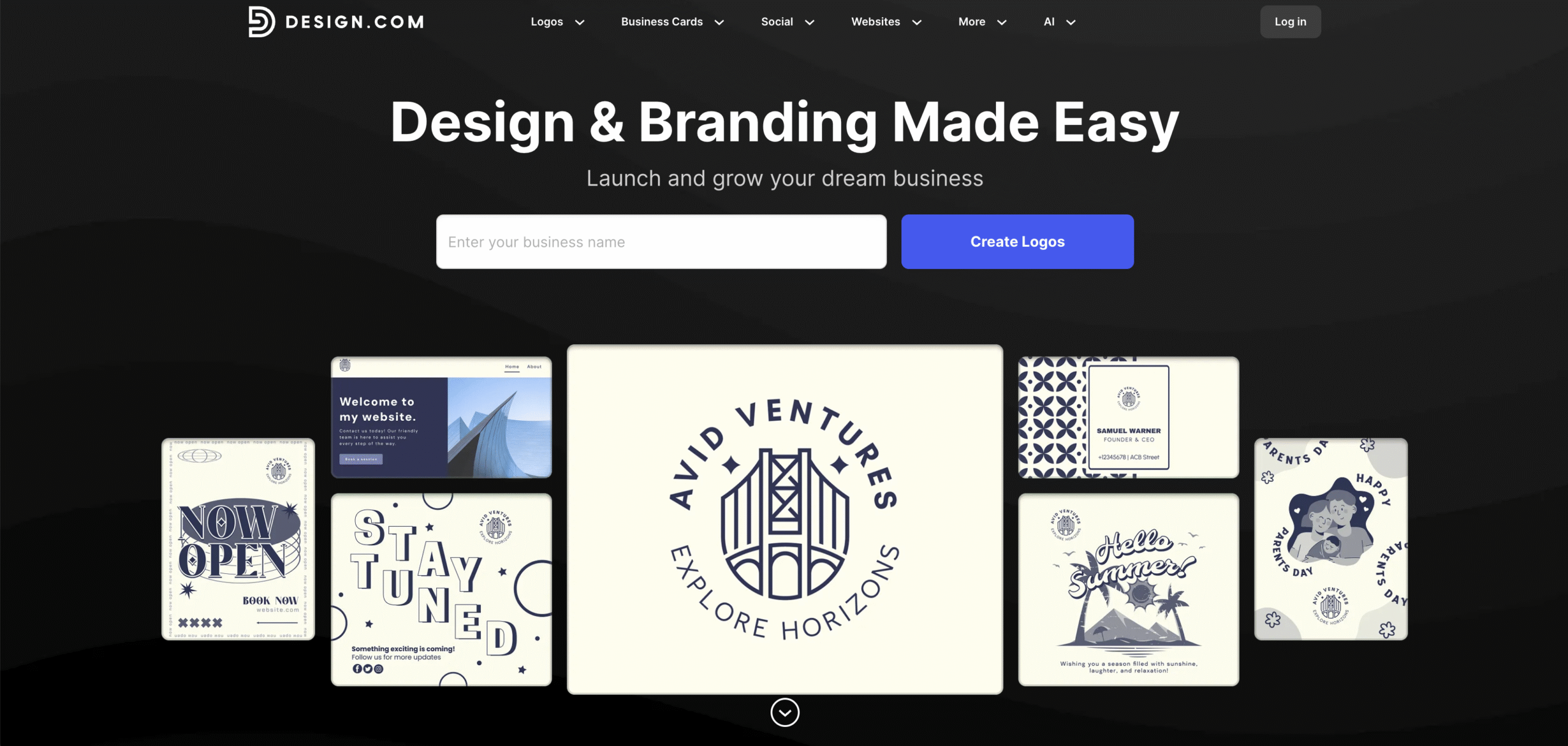
#9 Design.com – Best Free Graphic Design Software

Screenshot 2025 11 11 at 11.11.42 AM scaled

Design.com is the #1 logo company in the world that goes far beyond simple logo creation. It’s a comprehensive design ecosystem that combines AI technology with professional human expertise, offering multiple specialized tools integrated into one platform. Ideal for entrepreneurs and small businesses seeking to establish comprehensive brand identities.

Key Features:

  • Multiple AI tools in one platform: Access AI logo generator, website builder, business card maker, flyer creator, poster designer, presentation builder, business name generator, and background remover—all seamlessly integrated.
  • 50+ design capabilities: Covers everything from QR codes and menus to social media content and letterheads, providing a complete branding solution.
  • Professional designer-created templates: Every template is crafted by experienced designers, then enhanced by AI that learns your style preferences as you work.
  • Exclusive design elements: With hundreds of unique fonts and thousands of shapes and icons available exclusively on Design.com, your brand is sure to stand out.
  • Comprehensive file formats: Download in vector (SVG, EPS, PDF), raster (PNG, JPG), and animated (GIF, MP4) formats with transparent background options.
  • Extended licensing: Option to remove templates from the library for exclusive brand ownership and protection.
  • Print services with free delivery: Get your designs printed on business cards, apparel, mugs, mousepads, and more with complimentary shipping.
  • Collaboration tools: The voting poll feature allows team feedback and decision-making before finalizing designs.

Pros:

  • Most comprehensive toolkit: Eight AI tools plus 50+ design capabilities eliminate the need for multiple subscriptions and platforms.
  • AI that learns: The platform adapts to your style preferences, making more brilliant suggestions with each design you create.
  • Generous free plan: Completely free logos, business cards, websites, and other designs available for download with no watermarks.
  • Beginner-friendly: No design skills required! Its intuitive interface is built for anyone to create professional-quality designs.
  • Brand consistency: Create logos, websites, business cards, and marketing materials with automatic style matching across all designs.
  • Global accessibility: Available in five languages with nine currency payment options and 24/7 email and chat support.

Cons:

  • Premium features: Advanced capabilities beyond the free offerings require a paid subscription.

Pricing

Design.com offers a free plan with completely free logos, websites, business cards, and other designs.

Premium Plan starts at $15 per month or $5 per month with annual billing, unlocking all AI tools and advanced features.

Extended licensing is also available for exclusive brand rights.

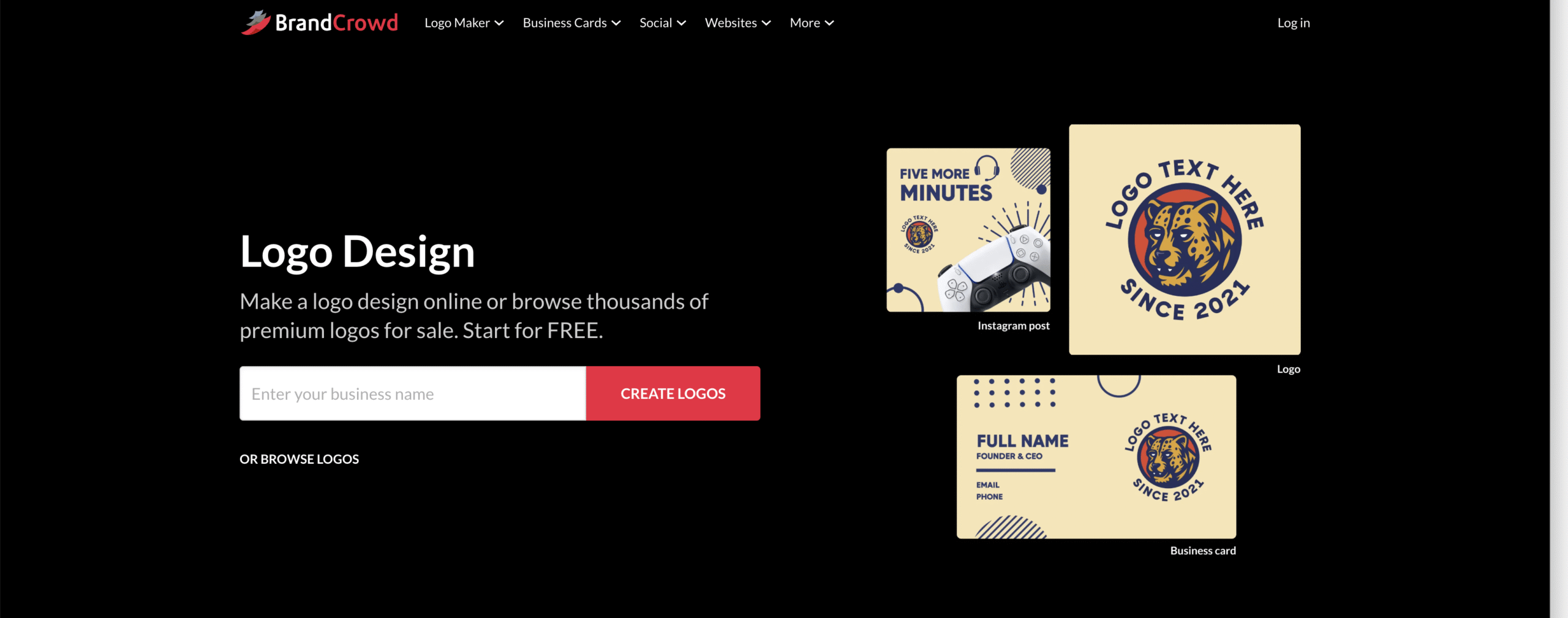
#10. BrandCrowd – Best Free Graphic Design Software

Screenshot 2025 11 11 at 11.12.21 AM scaled

BrandCrowd is the world’s most trusted logo maker, backed by an impressive 4.8 Trustpilot rating and 9.4K customer reviews. Unlike pure AI generators, BrandCrowd operates as a designer marketplace where professional designers create every template, ensuring consistent quality and creative excellence.

Key Features:

  • Designer marketplace model: Browse hundreds of thousands of professionally crafted templates created by real designers who understand color theory, typography, and brand psychology.
  • Real-time editing: See instant visual feedback as you customize colors, fonts, and layouts, making design decisions faster and more confident.
  • Try-before-you-buy approach: Browse, customize, and preview unlimited designs completely free before making any purchase commitment.
  • AI-assisted tools: Logo generator, business name generator, and background remover streamlined for efficiency without overwhelming complexity.
  • 50+ design tools: Complete branding solution including websites, business cards, digital business cards, social media content, presentations, QR codes, flyers, posters, letterheads, and menus.
  • Comprehensive file formats: Download in vector (SVG, EPS, PDF), raster (PNG, JPG), and animated (GIF, MP4) formats with transparent background options.
  • Extended licensing: Exclusive brand ownership option removes templates from the public library so only you can use them.
  • Favorites system: Organize and compare potential designs easily, helping you narrow down choices systematically.

Pros:

  • Human creativity guarantee: Every template created by professional designers, not pure algorithms, ensuring design principles are built into every option.
  • Zero financial risk: Free browsing and full customization before purchasing removes uncertainty about your final design.
  • Fresh content pipeline: Regular template updates from an active designer community keep options current and relevant.
  • Streamlined focus: Concentrates on logo creation excellence rather than spreading across too many features, resulting in an intuitive experience.
  • Global platform: Available in five languages with nine currency options and 24/7 email and chat support.

Cons:

  • Purchase required: Final downloads require payment beyond the free design offerings for premium quality files.

Pricing

Free plan available for unlimited browsing and customization of completely free logos, business cards, websites, and other designs.

Premium plan starts at $15 per month or $5 per month with annual billing.

Extended licensing available for exclusive brand ownership.

Conclusion – Is not End

The world of graphic design is no longer limited to expensive software. As we’ve explored, there’s a wealth of free design tools available in 2026, each catering to different needs and skill levels.

Whether you’re a social media enthusiast crafting eye-catching posts, a budding entrepreneur creating a logo, or a data whiz needing to present information visually, there’s a free option waiting to empower you.

What Is a Need in Marketing: Types, Importance & Examples

In the dynamic world of marketing, understanding consumer needs is the foundation upon which successful strategies are built. At the heart of this lies the concept of “needs” – the fundamental requirements that drive consumer behavior and shape market demand.

As a marketer, grasping the intricacies of needs is crucial to developing products, services, and campaigns that resonate with your target audience.

In this comprehensive guide, we’ll dive deep into the realm of needs in marketing, exploring its definition, importance, types, and the steps to identify them effectively.

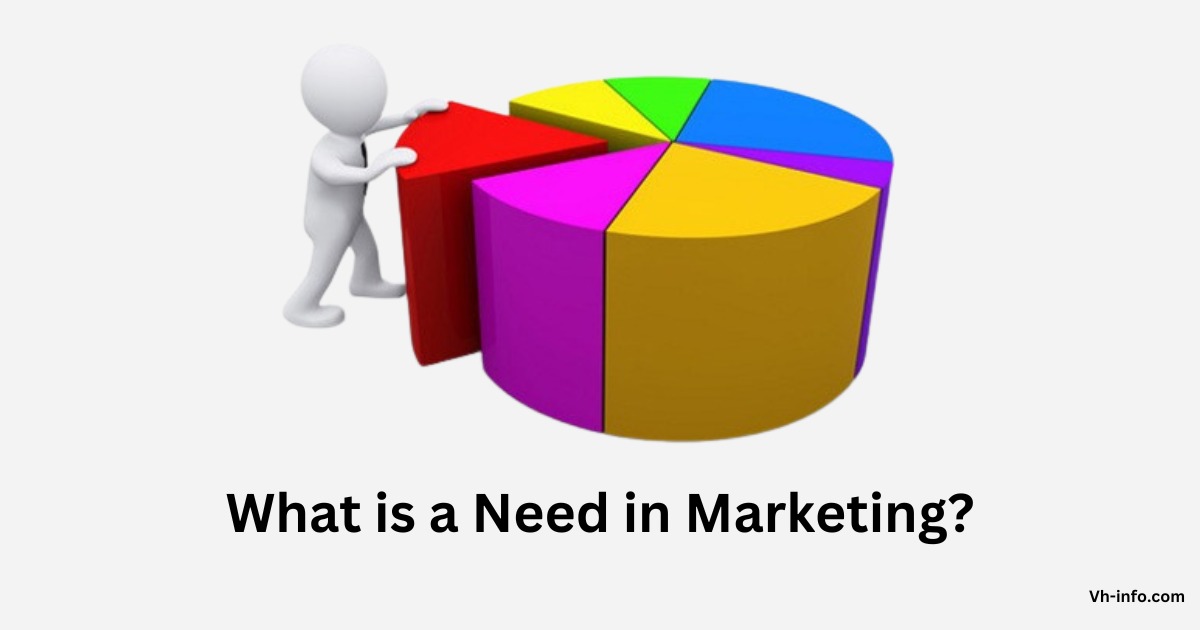
What is a Need in Marketing?

What is a Need in Marketing?

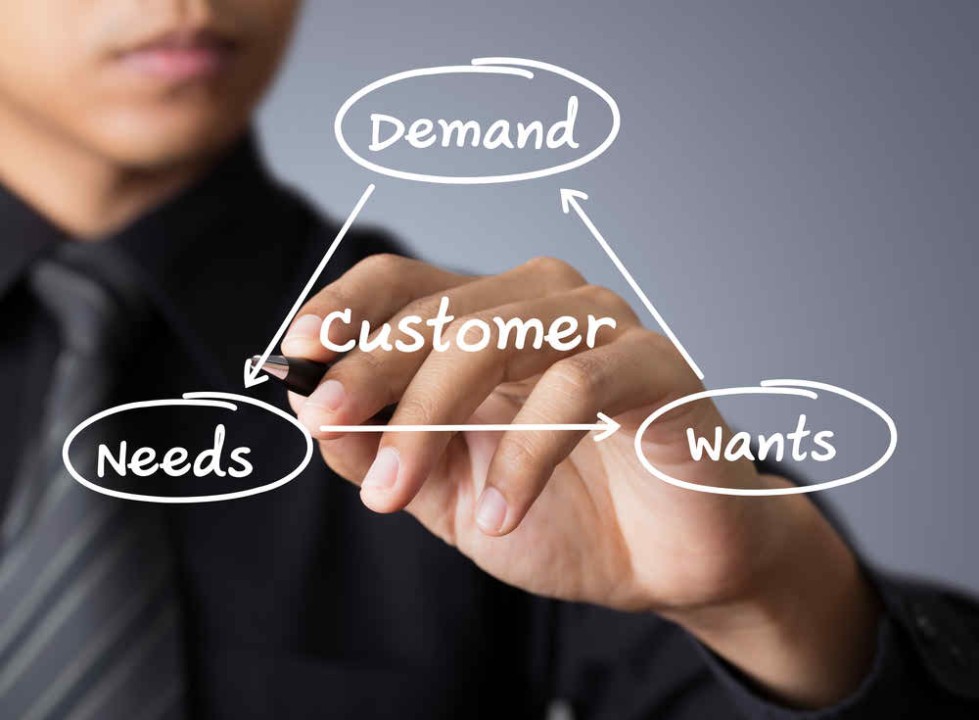
A need is a customer’s desire that leads to purchasing a product. When customers purchase products to fulfill needs, it indicates that needs drive customers to make purchases.

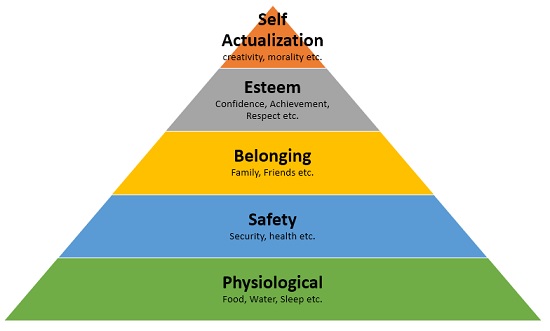
A need in marketing refers to a consumer’s fundamental requirement or desire that a product or service can satisfy. It’s an internal state of tension or lack that motivates people to take action and seek solutions. Needs can be physiological, like the need for food, water, or shelter, or they can be psychological, such as the need for belonging, esteem, or self-actualization.

For example, a consumer may need food, but their want may be a specific type of food, such as a burger. Understanding the difference between needs and wants is crucial for marketers in developing products that fulfill the needs and wants of their target audience.

In the context of marketing, needs represent opportunities for businesses to create value by offering products or services that fulfill those requirements. By understanding consumer needs, companies can develop targeted marketing strategies, design better products, and ultimately drive sales and customer loyalty.

Importance of Needs in Marketing

Importance of Needs in Marketing

Identifying and addressing consumer needs is crucial for several reasons:

  1. Product Development: Understanding needs helps businesses create products and services that directly address consumer pain points and desires, increasing the likelihood of success in the market.
  2. Market Segmentation: Recognizing different consumer needs can help companies segment their target market and tailor their marketing efforts to specific groups, improving the effectiveness of their campaigns.
  3. Competitive Advantage: Fulfilling unmet or underserved needs can give businesses a significant competitive edge, allowing them to differentiate themselves from competitors and capture a larger market share.
  4. Customer Loyalty: Consistently meeting consumer needs fosters customer satisfaction and loyalty, leading to repeat business and positive word-of-mouth.
  5. Innovation: Recognizing emerging or evolving needs can drive innovation, enabling businesses to stay ahead of the curve and introduce new products or services that resonate with consumers.

5 Steps to Find a Need in the Market

Identifying consumer needs is a crucial step in the marketing process, but it can be challenging.

Here are five steps that can help you uncover real needs in the market:

1. Understand the Jobs to Be Done Theory

The Jobs to Be Done theory suggests that people don’t simply buy products or services; they “hire” them to get a specific job done. By understanding the jobs that consumers are trying to accomplish, you can gain insights into their underlying needs and motivations.

For example, people don’t buy a drill because they need a drill; they buy a drill because they need holes in the wall. The job to be done is creating holes, and the drill is the solution they hire to get that job done.

2. Be Introspective

One of the best ways to understand consumer needs is to look inward and reflect on your own experiences. What problems or frustrations do you face in your daily life? What solutions do you wish existed? By tapping into your own needs and desires, you can often uncover potential opportunities in the market.

3. Conduct Interviews

Talking directly to consumers is one of the most effective ways to understand their needs. Conduct in-depth interviews, focus groups, or surveys to gain insights into the challenges, pain points, and aspirations of your target audience. Ask open-ended questions that encourage participants to share their thoughts and experiences freely.

4. Identify and Examine Competitors

Analyzing your competitors can provide valuable insights into the needs they are addressing and the gaps they may be leaving unfulfilled. Study their product offerings, marketing strategies, and customer feedback to identify potential areas of opportunity or unmet needs in the market and use staff augmentation when needed to support this analysis

5. Be Ever-Observant

Consumer needs can often be uncovered through careful observation of people’s behaviors, routines, and interactions. Pay attention to how people use products or services, the workarounds they employ, and the frustrations they express. These observations can reveal hidden needs that consumers themselves may not be aware of or able to articulate.

Also try monitor things people don’t say, as this can also provide valuable insights into their needs and preferences. Consider approaching them in person to gather feedback and understand their perspectives.

Types of Needs in Marketing

In marketing, needs can be categorized into different types, each requiring a different approach to address effectively:

Stated Needs

Stated needs are those that consumers explicitly express or articulate.

For example, a consumer might say, “I need a reliable car with good gas mileage.” These needs are relatively straightforward to identify and address through product development and marketing efforts.

Real Needs

Real needs are the underlying motivations or drivers behind a consumer’s stated needs.

In the car example, the real need might be the desire for cost-effective transportation or a sense of independence and freedom. Addressing real needs often requires a deeper understanding of consumer psychology and behavior.

Unstated Needs

Unstated needs are those that consumers may not explicitly express but still expect or desire.

For instance, a consumer buying a new car might expect a certain level of customer service or after-sales support, even if they don’t directly state it as a need. Identifying and addressing unstated needs can help businesses differentiate themselves and exceed customer expectations.

Delight Needs

Delight needs are those that go beyond basic requirements and provide an element of surprise, joy, or excitement for consumers. These needs are often not explicitly stated but can significantly enhance the customer experience and foster brand loyalty.

For example, a car manufacturer might include unexpected features or amenities that delight customers and create a memorable experience.

Secret Needs

Secret needs are the underlying, often subconscious motivations that drive consumer behavior. These needs can be deeply personal or emotional, such as the need for status, belonging, or self-expression. Addressing secret needs requires a deep understanding of consumer psychology and the ability to tap into emotional drivers.

Example of Needs in Marketing

Maslow’s hierarchy of needs provides a framework for understanding the different levels of needs that consumers have.

Let’s explore some examples of brands targeting different levels of needs:

Level of Need

Examples of Brands

Physiological Needs

Food companies (Nestle, Coca Cola)

Safety Needs

Insurance companies (USAA, Allstate)

Social Needs

Social networking sites (Facebook, Twitter, Instagram)

Esteem Needs

Luxury brands (iPhone, Mercedes, Estee Lauder)

Self-actualization Needs

Non-Profit organizations and NGOs (UNICEF)

Let’s consider the smartphone industry to illustrate how needs manifest in marketing:

  1. Physiological needs: Communication, access to information
  2. Safety needs: Secure data storage, privacy protection
  3. Social needs: Social media connectivity, instant messaging
  4. Esteem needs: Brand prestige, latest features and designs
  5. Self-actualization needs: Creativity tools, personal productivity apps

Smartphone manufacturers like Apple and Samsung develop products and marketing campaigns that address these multi-layered needs, from the basic requirement of communication to the aspirational desires for status and self-expression

FAQ’s:

What is the Difference Between a Need and a Want?

The difference between a need and a want lies in their essentiality and necessity. A need refers to something essential for survival, such as basic human requirements like shelter, clothes, food, water, etc, which are essential for human beings to survive. On the other hand, a want is a desire for something that is not necessary for survival but is desired by an individual.

How Can Marketers Effectively Identify Consumer Needs?

Marketers can identify consumer needs through various methods, including market research, customer feedback, observational studies, and data analysis. Techniques like surveys, focus groups, and in-depth interviews can provide direct insights into consumer needs, while analyzing consumer behavior, purchasing patterns, and online activities can reveal implicit or unstated needs.

Why is it Important to Understand Consumer Needs?

Understanding consumer needs is crucial for businesses to develop products and services that resonate with their target audience, differentiate themselves from competitors, and foster customer loyalty. By addressing real consumer needs, businesses can create value, drive sales, and establish a competitive advantage in the market.

Can Marketing Create New Needs?

While marketing cannot create entirely new physiological or psychological needs, it can influence consumer perceptions and desires. Through effective marketing strategies, businesses can highlight existing needs that consumers may not have been aware of or create a perceived need for a specific product or service by positioning it as a solution to a problem or desire. This is known as the marketing mix, which includes considerations such as which products to sell and which channels to sell on.

How Do Needs Differ Across Cultures and Demographics?

Needs can vary significantly across different cultures, geographic regions, and demographic groups. Cultural values, societal norms, and economic factors can shape the priorities and perceptions of needs.

For example, the need for status or social acceptance might be more pronounced in certain cultures, while the need for convenience or time-saving solutions might be more prevalent in urban areas or among working professionals.

Conclusion

At VH-info, we understand the critical role that needs play in successful marketing and link building services, White label Link Building Service and SEO for startups for SaaS companies.

By deeply understanding consumer needs – whether stated, real, unstated, delight, or secret – businesses can develop products, services, and marketing strategies that truly resonate with their target audience.

Through our expertise and actionable insights, we empower SaaS brands to uncover the core needs driving consumer behavior, build high-quality content and backlinks that address those needs, and ultimately improve their search engine rankings and online visibility.

Join us on this journey of uncovering and fulfilling consumer needs, and unlock the full potential of your SaaS business.

What is Production in Marketing? Importance, Strategies & Examples

At VH Info, we understand that this is a critical question for SaaS companies looking to build links and drive growth.

After all, production and product marketing are essential components of any successful marketing strategy.

In this comprehensive guide, we’ll break down what production means in marketing, why it’s so important, and how it differs from other marketing roles.

We’ll also dive into actionable tips for creating and measuring an effective product marketing strategy, complete with real-world examples.

By the end, you’ll have a clear understanding of how to leverage production and product marketing to take your SaaS business to the next level.

What is Production in Marketing?

Production Concept in Marketing

In marketing, production refers to the process of creating a product or service to meet the needs and wants of a target audience. It involves transforming raw materials or inputs into a finished product that provides value to customers.

Production is one of the key components of the marketing mix, also known as the “4 Ps” – product, price, place, and promotion.

The product itself is the foundation of any marketing strategy. Without a well-designed, high-quality product that solves a real customer problem, even the best marketing efforts will fall flat.

Why is Production Important in Marketing?

Production is crucial in marketing because it directly impacts a company’s ability to satisfy customer needs and generate revenue.

Here are a few key reasons why production matters:

  1. Meeting customer demands: By producing products that align with customer preferences and needs, companies can build a loyal customer base and drive repeat purchases.
  2. Competitive advantage: High-quality, innovative products can help differentiate a brand from competitors and establish market leadership.
  3. Revenue generation: Efficient production processes enable companies to bring products to market quickly and cost-effectively, maximizing profitability.
  4. Brand reputation: Consistently delivering well-made, reliable products enhances a company’s reputation and builds trust with customers.

At VH Info, we understand the critical role production plays in SaaS marketing success. That’s why we provide expert guidance and AI tools to help you optimize your product development and link-building strategies for maximum impact.

What is Product Marketing Actually Responsible For?

Product marketing sits at the intersection of product, sales, and marketing. It’s a multifaceted role that spans the entire product lifecycle, from development to launch and beyond.

Here are some of the core responsibilities of a product marketer:

1. Product Messaging and Positioning

One of the product marketer’s main responsibilities is defining how to communicate the product’s value proposition to the target audience. This involves crafting compelling messaging that highlights the product’s unique features and benefits, and positioning it effectively against competitors.

2. Managing Product Launches

Product marketers are the driving force behind successful product launches. They develop the go-to-market strategy, coordinate cross-functional teams, and execute launch activities to generate buzz and drive adoption.

3. Creating Sales Collateral

To enable the sales team to effectively sell the product, product marketers create a range of collateral such as sales decks, demo scripts, battle cards, and case studies. These assets help salespeople communicate the product’s value and handle objections.

4. Customer and Market Research

Product marketers conduct extensive research to gain deep insights into target customers, market trends, and competitive landscape. This research informs product development, messaging, and marketing strategies.

5. Reporting on Product Marketing Success

Product marketers are responsible for tracking and reporting on key metrics related to product adoption, usage, and revenue. They analyze data to identify opportunities for optimization and demonstrate the impact of their efforts.

6. Content Marketing

Many product marketers manage content marketing efforts like blogs, whitepapers, webinars, and social media to engage and convert their audience. A solution like Flipsnack interactive lead generation tool helps turn static content into personalized, clickable experiences that capture qualified leads and improve conversion rates.

7. Managing the Website

The website is often a key touchpoint for potential customers to learn about a product. Product marketers may be responsible for ensuring the website effectively communicates the product’s value proposition and drives conversions.

8. Product Roadmap Planning

While product management typically owns the product roadmap, product marketing provides valuable input based on customer feedback and market research. They help prioritize features and enhancements that will have the greatest impact on customer adoption and satisfaction.

9. Onboarding Customers

Product marketers may also play a role in onboarding new customers and ensuring they have a positive first experience with the product. This can involve creating onboarding materials, welcome emails, and in-app guides to help users quickly see value.

Does The Perfect Product Marketer Exist?

The “perfect” product marketer is a mythical creature – in reality, the role requires a diverse skill set and the ability to adapt to the unique needs of each product and company. However, there are some key qualities that the most successful product marketers tend to possess:

  • Deep customer empathy and understanding
  • Strong communication and storytelling skills
  • Analytical mindset and data-driven approach
  • Collaborative attitude and ability to influence cross-functional teams
  • Creativity and strategic thinking
  • Flexibility and adaptability in a fast-paced environment

While no product marketer will have all these qualities in equal measure, the most effective ones are constantly learning and developing their skills to meet the evolving demands of the role.

How Does Product Marketing Help Sales?

Product marketing is a critical partner to sales, providing the insights, content, and tools that enable salespeople to effectively communicate the product’s value and close deals. Some of the key ways product marketing supports sales include:

  • Developing sales collateral and training materials
  • Providing competitive intelligence and battle cards
  • Conducting win/loss analysis to identify areas for improvement
  • Aligning messaging across marketing and sales touchpoints
  • Enabling salespeople to demo the product effectively
  • Gathering customer feedback to inform product enhancements

What is the Most Important Part of Product Marketing?

While every aspect of product marketing is important, many experts argue that deep customer understanding is the foundation of success. Our Co-founder Vishal Ambani says,

“In this day and age, it’s all too easy for companies to quickly spin up products and features without truly understanding the customer and the problem they’re trying to solve.”

That’s why we’re focused on creating narratives that draw on customer insights so that buyers will see our products as a way to solve their challenges and reach their goals. The most important part of product marketing is doing the hard work upfront to gain that deep customer empathy and ensure you’re building something that truly meets their needs.”

Without a keen understanding of the target audience, it’s impossible to create effective messaging, position the product correctly, or enable sales to close deals. That’s why the best product marketers invest heavily in customer research and use those insights to guide every aspect of their strategy.

How is Product Marketing Different From Other Marketing Roles?

Product marketing is a unique role that combines elements of product management, marketing, and sales. While there is often overlap with other marketing functions, product marketing has some distinct characteristics:

  • Focus on a specific product: While other marketers may promote the brand as a whole, product marketers are laser-focused on driving success for an individual product or product line.
  • Deep product knowledge: Product marketers need an in-depth understanding of the product’s features, benefits, and technical details in order to effectively position it in the market.
  • Collaboration with product and sales: Product marketers work closely with product management to shape the product roadmap and with sales to enable them to sell effectively.
  • Ownership of go-to-market strategy: Product marketers are responsible for developing and executing the plan to bring a new product to market, from messaging to launch activities.

While product marketing may share some tactics and channels with other marketing roles, such as content marketing or digital marketing, the focus on a specific product and the close collaboration with product and sales teams set it apart.

How Do You Get Into Product Marketing?

There is no one set path to becoming a product marketer, but to break into product marketing, consider:

  • Gaining experience in related roles, such as content marketing or product management
  • Building your skills in areas like market research, data analysis, and storytelling
  • Networking with other product marketers and staying up-to-date on industry trends
  • Seeking out mentorship or training opportunities, such as courses or certifications

What Is a Product Marketing Strategy?

A product marketing strategy is a comprehensive plan for bringing a product to market and driving its growth and success over time. It encompasses all the activities and tactics involved in positioning, promoting, and selling the product to the target audience.

An effective product marketing strategy aligns the product with the needs and preferences of the target customer, differentiates it from competitors, and communicates its unique value through compelling messaging and content. It also includes the go-to-market plan for launching the product and the ongoing efforts to drive adoption, usage, and loyalty by effectively conveying the product’s value.

Some key components of a product marketing strategy include:

  • Target audience definition and segmentation
  • Product positioning and messaging
  • Pricing and packaging
  • Launch plan and timeline
  • Sales enablement and training
  • Customer onboarding and education
  • Demand generation and lead nurturing
  • Customer feedback and insights gathering
  • Metrics and performance tracking

A well-crafted product marketing strategy ensures that all the various elements of product, marketing, and sales are working together in a coordinated way to achieve the business’s goals for the product.

How Do You Create a Product Marketing Strategy?

Creating a product marketing strategy is a multi-step process that requires deep customer understanding, market research, and cross-functional collaboration.

Here’s a high-level overview of the key steps:

Step 1: Research and Develop the Product

The first step in any product marketing strategy is to ensure that the product itself is solving a real customer need and delivering value. This involves:

  • Conducting market research to identify customer pain points and preferences
  • Defining the target audience and creating detailed buyer personas
  • Collaborating with product management to shape the product roadmap and prioritize features
  • Testing and validating the product concept with potential customers

Step 2: Formulate the Product Story

Once the product is defined, the next step is to craft a compelling narrative around it. This includes:

  • Developing the product positioning and key messaging points
  • Identifying the product’s unique value proposition and differentiators
  • Creating a messaging hierarchy and pillars to ensure consistency across touchpoints
  • Testing and refining the messaging with target customers

Step 3: Create Content with a Well-Honed Narrative

With the product story in place, the next step is to bring it to life through various types of content, such as:

  • Website copy and landing pages
  • Product videos and demos
  • Sales collateral and battle cards
  • Blog posts and thought leadership content
  • Social media posts and ads
  • Email marketing campaigns

All of these content pieces should align with the core product narrative and messaging pillars to create a cohesive story across channels.

Step 4: Launch The Product

The product launch is a critical moment in any product marketing strategy. Key activities in this phase include:

  • Developing the go-to-market plan and timeline
  • Coordinating cross-functional teams (product, marketing, sales, support)
  • Executing pre-launch buzz-building activities, such as teaser campaigns and influencer outreach
  • Preparing sales and support teams with training and enablement materials
  • Launching the product across key channels and touchpoints
  • Monitoring and optimizing launch performance in real-time

A successful product launch sets the stage for ongoing growth and adoption of the product.

Step 5: Review the Launch and Continue to Iterate

After the launch, the product marketing strategy shifts into a mode of continuous improvement and optimization. This involves:

  • Gathering and analyzing customer feedback and usage data
  • Identifying areas for improvement in messaging, positioning, or tactics
  • Iterating on the product itself based on customer insights
  • Developing ongoing marketing and sales programs to drive adoption and loyalty
  • Tracking and reporting on key metrics to measure success over time

How Do You Measure a Product Marketing Strategy?

Measuring the success of a product marketing strategy involves tracking a range of metrics across the customer journey, from awareness to adoption and loyalty.

Some key metrics to consider include:

  • Product awareness and consideration: Metrics like website traffic, social media engagement, and brand search volume can indicate how well the product is resonating with the target audience.
  • Lead generation and conversion: Tracking the number and quality of leads generated through product marketing efforts, as well as the conversion rate from lead to customer, can help measure the effectiveness of demand generation tactics.
  • Product adoption and usage: Metrics like sign-ups, activations, and feature usage can provide insight into how well customers are adopting and deriving value from the product.
  • Customer retention and loyalty: Tracking metrics like customer churn, renewal rate, and Net Promoter Score (NPS) can help gauge the long-term success of the product and identify areas for improvement.
  • Sales enablement: Metrics like sales cycle length, win rate, and average deal size can indicate how well product marketing is supporting the sales team and driving revenue growth.
  • Marketing ROI: Calculating the return on investment for various product marketing tactics, such as content marketing or paid advertising, can help optimize the marketing mix over time.

Product Marketing Examples

To bring the concepts of product marketing to life, let’s look at a few real-world examples of companies that have executed effective product marketing strategies.

Apple

Apple is known for its sleek, innovative products and its ability to create buzz and anticipation around each new release.

Some key elements of Apple’s product marketing strategy include:

  • Focusing on the user experience and benefits, rather than just technical specs
  • Creating a sense of exclusivity and desirability around its products
  • Leveraging influencers and early adopters to generate word-of-mouth buzz
  • Executing highly choreographed product launches with keynote events and media coverage

Billie

Billie is a direct-to-consumer razor brand that has disrupted the traditional shaving industry with its affordable, high-quality products and inclusive messaging.

Some key elements of Billie’s product marketing strategy include:

  • Developing a strong brand identity and voice that resonates with its target audience of millennial women
  • Using social media and influencer marketing to build awareness and credibility
  • Offering a subscription model to drive recurring revenue and customer loyalty
  • Addressing social issues and taboos around women’s body hair in its messaging

Pepsi Cola

Pepsi Cola is a classic example of a company that has used product marketing to differentiate itself in a crowded market.

Some key elements of Pepsi’s product marketing strategy include:

  • Positioning itself as the “choice of a new generation” and aligning with youth culture and music
  • Leveraging celebrity endorsements and sponsorships to build brand awareness
  • Developing memorable advertising campaigns and slogans, such as “The Pepsi Challenge
  • Constantly innovating with new product variations and limited-edition flavors

Uber

Uber is a ride-sharing app that has revolutionized the transportation industry with its convenient, on-demand service.

Some key elements of Uber’s product marketing strategy include:

  • Focusing on the user experience and making the app as seamless and intuitive as possible
  • Leveraging word-of-mouth and referral marketing to drive adoption
  • Partnering with local events and venues to build brand awareness and loyalty
  • Constantly expanding into new markets and services, such as food delivery with Uber Eats

McDonald’s

McDonald’s is a global fast-food chain that has used product marketing to build a strong brand identity and loyal customer base.

Some key elements of McDonald’s product marketing strategy include:

  • Developing iconic products and menu items, such as the Big Mac and Happy Meal
  • Using consistent branding and messaging across all touchpoints, from packaging to advertising
  • Leveraging partnerships and sponsorships, such as the Olympics and Disney, to reach new audiences
  • Constantly innovating with new menu items and promotions to keep customers engaged

MailChimp

MailChimp is an email marketing platform that has used product marketing to stand out in a crowded market and build a loyal customer base.

Some key elements of MailChimp’s product marketing strategy include:

  • Developing a quirky, memorable brand voice and visual identity
  • Focusing on ease of use and creating a seamless user experience
  • Offering a freemium pricing model to drive adoption and upgrades
  • Partnering with other tools and platforms to expand its reach and functionality

The Role of Text Marketing in Product Marketing

As part of a well-rounded product marketing strategy, text marketing can be a powerful tool for direct and timely communication. SMS boasts high open rates and fast response times, making it ideal for product updates, onboarding, and promotional campaigns.

Falkon SMS is a strong solution for SaaS businesses looking to scale their business texting efforts. It offers easy integration, automation features, and analytics that help teams engage customers, drive adoption, and boost retention, all while staying compliant with regulations.

By incorporating text marketing software tools like Falkon SMS, product marketers can ensure their messaging reaches users where it matters most: their phones.

Conclusion

At VH Info, we’re passionate about helping SaaS businesses master the art and science of product marketing. Our team of experts has years of experience developing and executing product marketing strategies for a range of SaaS products, from early-stage startups to enterprise solutions.

Whether you’re looking to launch a new product, reposition an existing one, or optimize your product marketing efforts for maximum impact, VH Info has the resources and expertise you need.

From customer research and messaging development to launch planning and sales enablement, we can support you at every stage of the product marketing journey.

So if you’re ready to take your SaaS product marketing to the next level, we invite you to explore our range of resources and services at VH Info. From in-depth guides and templates to personalized consulting and training, we have everything you need to develop and execute a winning product marketing strategy.

Visit us at vh-info.com to learn more and start your product marketing journey today.

Selling in Marketing: Definition, Process, Importance, Types & Examples

In today’s competitive business landscape, selling plays a pivotal role in the success of any organization.

As an integral part of the marketing process, selling involves a wide range of strategies and techniques aimed at persuading customers to purchase products or services.

At VH Info, we understand the importance of effective selling in marketing and how it can drive growth for SaaS companies.

In this comprehensive guide, we’ll dive deep into the concept of selling, its role in marketing, and provide actionable insights to help you optimize your sales efforts.

What is Selling in Marketing?

What is Selling in Marketing?

Selling in marketing refers to the process of persuading potential customers to buy a product or service. It involves communicating the value proposition of an offering and convincing the target market to make a purchase decision. The selling process is a critical component of the overall marketing strategy, as it directly impacts revenue generation and business growth.

Selling vs Marketing

Selling vs Marketing

While selling and marketing are closely related, they are distinct concepts.

Marketing encompasses a broad range of activities aimed at identifying customer needs, developing products or services to meet those needs, and promoting them to the target market.

Selling, on the other hand, focuses specifically on the act of persuading customers to make a purchase.

In essence, selling is a subset of the marketing process.

Role of Selling in the Marketing Process

Selling plays a crucial role in the marketing process by converting potential customers into actual buyers. It bridges the gap between the marketing efforts that generate leads and the final purchase decision. Effective selling helps businesses build relationships with customers, understand their needs, and provide solutions that address their pain points.

How Selling Works?

The selling process typically involves several stages, including prospecting, qualifying leads, presenting the product or service, handling objections, and closing the sale. Sales representatives engage with potential customers through various channels, such as face-to-face meetings, phone calls, email, and social media, to guide them through the sales funnel.

Importance of Selling in Marketing

Selling is essential for the success of any business, as it directly impacts revenue generation and profitability.

Effective selling helps companies:

  1. Increase market share and customer base
  2. Build strong customer relationships and loyalty
  3. Gain a competitive edge in the market
  4. Drive innovation and product development based on customer feedback

Different Types of Selling

Different Types of Selling

Based on Target Audience:

There are several different types of selling, each with its own characteristics and objectives. Understanding these types of selling can help businesses tailor their sales approach to meet the specific needs of their target audience.

  1. Personal Selling: Personal selling involves face-to-face interaction between a sales representative and a potential customer. It requires building relationships and providing personalized solutions to meet the customer’s needs. This type of selling is often used for high-value products or services that require a more in-depth understanding and explanation.
  2. Outside Sales: Outside sales involves sales representatives physically visiting customers or potential customers at their location. This can include in-person meetings, product demonstrations, or sales presentations. Outside sales representatives may travel extensively to meet with clients and build relationships.
  3. Direct Sales: Direct sales involve selling products or services directly to consumers without the involvement of a middleman. This can include door-to-door sales, telemarketing, or selling through a company’s website or online platform. Direct sales allow for direct communication and relationship-building with customers.
  4. Consultative Selling: Consultative selling involves acting as a consultant to the customer, understanding their needs, and offering customized solutions. This type of selling requires deep product knowledge, the ability to ask probing questions, and a focus on building long-term relationships.
  5. Inside Sales: Inside sales involve selling products or services remotely, often through phone calls or online communication channels. Inside sales representatives may use video conferencing or other remote communication tools to engage with customers and close sales.

Each type of selling has its own advantages and requires different skill sets. Businesses can choose the approach that best aligns with their products, target audience, and overall sales objectives.

Based on Approach & Techniques:

There are various types of selling, each with its own approach and techniques:

  1. Transactional selling: Focuses on short-term sales and quick transactions
  2. Consultative selling: Emphasizes understanding customer needs and providing tailored solutions
  3. Solution selling: Identifies customer challenges and offers products or services as solutions
  4. Relationship selling: Prioritizes building long-term relationships with customers

What are Some Best Practices for Selling in Marketing?

To excel in selling, businesses should adopt the following best practices:

  1. Understand your target market and their needs
  2. Develop a clear value proposition for your products or services
  3. Train your sales team on effective selling techniques
  4. Leverage technology and sales software to streamline the selling process
  5. Focus on building genuine relationships with customers
  6. Continuously gather feedback and adapt your selling strategies

Selling Strategies and Techniques

Effective selling requires a combination of strategies and techniques, such as:

  1. Active listening to understand customer needs and pain points
  2. Asking open-ended questions to gather valuable insights
  3. Demonstrating the value of your products or services through storytelling and case studies
  4. Handling objections with empathy and providing solutions
  5. Utilizing social proof and testimonials to build trust and credibility

How can Selling in Marketing be Integrated with other Strategies?

Selling in marketing can be seamlessly integrated with other strategies to create a holistic approach:

  1. Content marketing: Develop relevant content that educates and nurtures leads throughout the sales funnel
  2. Email marketing: Use targeted email campaigns to engage prospects and guide them towards a purchase decision
  3. Social media marketing: Leverage social platforms to build brand awareness, engage with potential customers, generate leads, and manage multiple accounts.
  4. Marketing automation: Streamline the selling process by automating repetitive tasks and personalizing customer interactions

Examples of Selling in Marketing

  1. A SaaS company using consultative selling to understand a client’s business challenges and recommending a customized software solution
  2. A real estate agent leveraging relationship selling to build trust with potential buyers and sellers
  3. An e-commerce store using email marketing to nurture leads and encourage them to make a purchase
  4. A B2B company using social media to engage with decision-makers and showcase their expertise in the industry

FAQ’s:

What are the Key Skills Required for Effective Selling?

Effective selling requires a combination of skills, including active listening, empathy, communication, persuasion, and adaptability. Sales representatives must be able to understand customer needs, articulate the value proposition of their products or services, and build trust with potential buyers.

How can Businesses Improve their Selling Efforts?

To improve selling efforts, businesses should focus on:

  1. Providing comprehensive training and support to their sales team
  2. Leveraging technology and sales software to streamline processes and gain insights
  3. Continuously gathering customer feedback and adapting selling strategies accordingly
  4. Fostering a customer-centric culture that prioritizes building genuine relationships

How has Selling Evolved in the Digital Age of Marketing?

In the digital age, selling has become more dynamic and data-driven. Sales teams now rely on channels like social media, email, and video conferencing to connect with prospects in real time. Using an interactive lead generation tool online enables more personalized outreach by transforming static content into engaging experiences that capture high-quality leads and drive conversions.

What Role does Technology Play in Modern Selling?

Technology plays a crucial role in modern selling by enabling sales teams to:

  1. Automate repetitive tasks and streamline processes
  2. Gain valuable insights into customer behaviour and preferences
  3. Enhance outreach and follow-up through AI SDR.
  4. Personalize interactions and deliver targeted content
  5. Collaborate effectively across teams and geographies

How can Selling Contribute to Long-Term Customer Relationships?

Selling, when done right, can contribute to long-term customer relationships by:

  1. Focusing on understanding and addressing customer needs rather than just closing a sale
  2. Providing exceptional customer service and support throughout the sales process and beyond
  3. Continuously engaging with customers and gathering feedback to improve products and services
  4. Building trust and credibility through transparent and ethical selling practices

Is Personal Selling Still Relevant in Today’s Marketing Landscape?

Yes, personal selling remains relevant in today’s marketing landscape. While digital channels have transformed the way businesses reach customers, personal selling allows for more targeted and personalized interactions. Face-to-face meetings, phone calls, and video conferences enable sales representatives to build rapport, address specific concerns, and provide tailored solutions

Conclusion

Selling is a vital component of the marketing process, directly impacting the success and growth of businesses.

By understanding the importance of selling, adopting best practices, and leveraging the right tools and techniques, companies can effectively persuade customers to make a purchase decision.

At VH Info, we specialize in helping SaaS companies optimize their selling efforts through our comprehensive SaaS link building services, White Label Link building service and SEO for Startups.

By creating high-quality content, securing guest posts on authoritative websites, and fixing broken links, we enable our clients to improve their search engine rankings, drive targeted traffic, and ultimately, boost their sales.

Contact us today to learn how VH Info can help you take your SaaS selling strategies to the next level.

What is GMB in Marketing: Benefits, How To Use & Many More….

As a business owner, you know how crucial it is to have a strong online presence, especially on Google. One of the most powerful tools for local businesses is a Google My Business (GMB) listing, now known as a Google Business Profile (GBP).

In this comprehensive guide, we’ll dive into what GMB/GBP is, how it can benefit your business, and provide step-by-step instructions on setting up and optimizing your Google My Business listing to improve local visibility in search results and online marketing efforts. Let’s get started!

What is Google My Business (Now Known as Google Business Profile)?

What is Google My Business?

Google My Business, now known as Google Business Profile, is a free tool provided by Google that allows businesses to manage their online presence across Google, including Search and Maps.

By creating a GBP listing, also known as a Google Business account, you can showcase your business name, location, hours of operation, photos, and more. This information appears when potential customers search for your business or businesses like yours on Google, increasing your visibility in local search results and driving traffic to your business’s website.

It is highly recommended to create a Google Business account, also known as a Google My Business account, to take full advantage of the features offered by Google My Business for optimizing your local business.

What are the Benefits of Google My Business?

What are the Benefits of Google My Business?

Having a well-optimized Google Business Profile offers numerous benefits for local businesses:

  1. Increased Visibility: Your business information appears in Google Search, Google Maps, and the Google Local Pack, making it easier for potential customers to find you.
  2. Better Local SEO: A complete and accurate GBP listing can improve your local search rankings, helping you appear higher in search results when people look for businesses like yours in their area.
  3. Improved Trust and Credibility: Displaying your business information, photos, and customer reviews on your GBP builds trust and credibility with potential customers.
  4. Insights and Analytics: GBP provides valuable insights into how customers find and interact with your listing, including search queries, phone calls, and direction requests.
  5. Direct Communication: Customers can message you directly through your GBP listing, making it easy to connect and engage with them.

How to use Google My Business for Local Marketing?

How to use Google My Business for Local Marketing?

1. Engage with Consumers

Respond to customer reviews, both positive and negative, to show that you value their feedback. Use Google Posts to share updates, promotions, and events directly on your GBP listing.

2. Highlight your Business

Add high-quality photos and videos to showcase your products, services, and business interior/exterior. Use the Products and Services sections to feature your offerings.

3. Gain Insights

Regularly check your GBP Insights to see how customers find and interact with your listing. Use this data to make informed decisions about your local marketing strategies.

4. Perform Local SEO

Include relevant keywords in your business description, posts, and responses to reviews. Encourage customers to leave reviews and respond to them promptly.

Local SEO Insights:

Local SEO Insights

What is GMB/GBP in Digital Marketing?

In digital marketing, Google My Business/Google Business Profile is an important tool for local Search engine optimization. It helps businesses improve their online visibility, attract new customers, and manage their reputation.

What Should I put on Google My Business?

Your google my business page should include accurate and up-to-date information about your business name, address, phone number, website, business address, business category, products/services, logo, cover photo, business’s website, business hours, and business photos/videos.

What are GMB/GBP Attributes?

Attributes are special features or amenities that you can add to your GMB listing, such as “wheelchair accessible,” “outdoor seating,” or “free Wi-Fi.” These help potential customers learn more about your business and what sets you apart.

How to Set Up Your Google Business Profile From Scratch?

How to Set Up Your Google Business Profile From Scratch?

Setting up your Google Business Profile from scratch is a straightforward process.

Here are the steps you need to follow:

Step 1: Go to Google Maps and Add Your Business

Search for your business on Google Maps. If it doesn’t appear, click on “Add your business.”

Step 2: Create Your Business Account

Sign in to your Google Account or create a new one for your business.

Step 3: Fill Out Your Business Name and Category

Enter your business name and select the most accurate category that describes your business.

Step 4: Add Your Location

If you have a physical location that customers can visit, add your address. If you serve customers at their location, you can skip this step.

Step 5: Choose Your Service Area

If you serve customers at their location, specify your service area by adding the cities, counties, or regions you cover.

Step 6: Add Your Contact Information

Enter your business phone number and website URL.

Step 7: Opt In to Updates and Recommendations

Choose to receive updates and recommendations from Google to help you improve your GBP listing.

Step 8: Verify Your Listing

Google will send you a verification code by mail, phone, or email to confirm that you are the rightful owner of the business. Follow the instructions to verify your listing.

How to Claim an Existing, Unverified Listing?

If you come across an existing, unverified listing for your business on Google, you can claim and take control of it by following these steps:

Step 1: Search For Your Business on Google Maps

If your business appears but is marked as “Claim this business,” it means your listing is unverified.

Step 2: Look for the “Claim this Business” Button

Click on the “Claim this business” button to start the claiming process.

Step 3: Click “Manage Now”

After clicking “Claim this business,” a window will appear. Click on the “Manage now” button to proceed.

Step 4: Verify Your Business

Google will send you a verification code to confirm that you are the rightful owner of the business. Follow the instructions to verify your listing.

How to Request Access to a GBP Managed by Someone Else?

If your Google Business Profile (GBP) is managed by someone else and you need access, you can request access by following these steps:

Step 1: Go to the Create Page

Visit the Google Business Profile page and click on “Request Access.”

Step 2: Request Access

Enter the email address associated with your Google Account and click “Request Access.”

Step 3: Fill Out the Form

Provide your contact information and explain why you should be granted access to the GBP listing. Submit the form and wait for a response from the current listing owner.

How To Optimize Your Google My Business Profile?

How To Optimize Your Google My Business Profile?

  1. Complete all sections of your GBP listing, including business description, products/services, and attributes.
  2. Add high-quality photos and videos showcasing your business, products, and services.
  3. Encourage customers to leave reviews and respond to them promptly, both positive and negative.
  4. Use Google Posts to share updates, promotions, and events.
  5. Monitor your GBP Insights regularly to track your listing’s performance and make data-driven decisions.

FAQ’s:

Is Google My Business Completely Free?

Yes, creating and managing a Google Business Profile is completely free.

How can I Access my Google Business Profile Account?

You can access your GBP account by signing in to Google Maps or Google Search with the Google Account associated with your business.

Who can use Google Business Profile?

Any business that has a physical location or serves a specific geographic area can use Google Business Profile.

How do I use Google Business Profile?

To use GBP, create or claim your listing, verify your business, and then manage your profile by adding and updating information, responding to reviews, and creating posts.

Where do Google Business Profile Listings appear?

GBP listings appear in Google Search, Google Maps, and the Google Local Pack when users search for businesses like yours.

Is Google My Business Still Active?

Yes, Google My Business is still active, but it has been rebranded as Google Business Profile.

Do You Need to Have a Physical Address to Use GBP?

No, businesses that serve customers at their locations, such as plumbers or mobile dog groomers, can use GBP without a physical address.

What to Do If You Don’t Want to Display Your Address in GBP

If you don’t want to display your address, you can choose to hide it in your GBP settings. However, you’ll still need to provide an address for verification purposes.

How to List More Than One Location on Google My Business Profile?

If your business has multiple locations, you can create a separate GBP listing for each one. Manage them all under a single Google Account for convenience.

How to Change an Address on Your Google My Business Profile?

To change your address, sign in to your GBP account, click on the “Info” tab, and then click on the address field to edit it. Follow the prompts to verify your new address.

What to Do When Your Business Category Isn’t Available on GBP?

If your specific business category isn’t available, choose the closest available category that accurately represents your business. You can also suggest a new category to Google.

What Are Labels in GBP and Why Are They Important?

Labels are tags you can add to your GBP listing to help you organize and filter your locations if you manage multiple listings. They are for internal use only and are not visible to the public.

What is the Difference between Google Business Profile, Google Listings, and Google Places for Business?

These terms all refer to the same thing – the free tool provided by Google to help businesses manage their online presence. Google Places for Business was the original name, which was later changed to Google My Business, and most recently, to Google Business Profile.

Conclusion

Google My Business, now known as Google Business Profile, is a powerful tool for local businesses looking to improve their online visibility, attract more customers, and manage their reputation.

By setting up and optimizing your GBP listing, you can showcase your business information, engage with customers, and gain valuable insights to inform your local marketing strategies.

At VH-info, we understand the importance of a strong online presence for SaaS businesses. Our team of experts can help you navigate the world of local SEO and make the most of your Google Business Profile. Visit our website to learn more about our services and how we can help your business grow.

Best 21 HR Software Pricing 2024 [Guide]

What is Human Resource Management?

Human Resource Management (HRM) is the department of a company that deals with all aspects of its employees. In short, it’s about getting the best people, keeping them happy, and making sure they’re able to do their jobs well.

Here are some of the key things HR departments typically do:

  • Recruit and hire new employees
  • Train and develop employees
  • Manage employee benefits and compensation
  • Maintain employee relations
  • Ensure compliance with labor laws

An effective HR department can help a company achieve its goals by creating a positive work environment, attracting and retaining top talent, and improving employee productivity, often supported by external HR consultants when internal capacity is limited..

Factor that matters HR Software Pricing

The cost of HR software can vary significantly depending on several factors. Here are some of the key things to consider when budgeting for HR software:

  • Number of Users
  • Features and Functionality: 
  • Customization: 
  • Deployment Type: 
  • Support and Maintenance: 
  • Compliance and Security Features:
  • Training and Implementation: 
  • Vendor Reputation and Market Position: 
  • Contract Length: 
  • Integration with Other Systems: 

By considering these factors, you can get a better idea of how much HR software will cost for your business. It’s important to carefully evaluate your needs and budget before making a decision. For companies managing international teams, using an Employer of Record service can streamline HR and payroll processes, ensuring compliance across borders.


8 Best Super CRM Tool For Startup – To Use Anyway in 2024


HRIS Pricing

HRIS-PRICING HRIS-PRICING

HRIS stands for Human Resources Information System. It’s a software solution that acts as a central hub for all your HR data and streamlines many of the tasks within the HR department.

Best 5 HRIS Software

#1 Monday.com HR

Monday HR Monday HR

Monday.com offers an HR management solution built on their existing work management platform. It provides a flexible system for managing various HR functions but isn’t a fully-fledged HRIS.

Top Features:

  • Streamlined recruitment & onboarding processes with templates and automations.
  • Employee directory with permission-based access.
  • Performance review templates and competence management models.
  • Integration with other HR software for specific needs.

Pricing Structure:

  • Free Plan Available Upto 2 Users
  • Basic Plan : 3 Users / 36$ Per Month
  • Standard Plan : 3 Users / 42$ Per Month
  • Pro Plan : 3 Users / 72$ Per Month
  • Enterprise Plan : Contact to Sales

#2 OrgaNice

123

OrgaNice

OrgaNice presents an AI-powered HR management solution tailored for Slack-first teams. Enhance your workplace culture with a focus on active listening, ensuring your Slack-based teams stay organized, recognized, synchronized, and engaged.

Top Features:

  • Build your org chart with AI based on Slack data.
  • Celebrate birthdays and anniversaries in your Slack workspace.
  • Manage time offs and vacations without leaving Slack.
  • Kickstart a culture of recognition in your Slack workspace.
  • Make employee feedback your superpower – right in Slack.

Pricing Structure:

  • Free Plan Available < 36 members in Slack workspace
  • Professional Plan : $1.25. Billed monthly per employee
  • Enterprise Plan : Contact to Sales

#3 Rippling

[caption id=”attachment_11850″ align=”aligncenter” width=”1592″Rippling Rippling

Rippling is a cloud-based HRIS designed for small and medium-sized businesses, offering a user-friendly experience for both HR professionals and employees, with Rippling Integrations enabling seamless connections across payroll, benefits providers, and other HR tools.

Top Features:

  • Employee onboarding, PTO tracking, and document management.
  • Payroll processing and benefits administration (integrations with providers).
  • Performance management tools and applicant tracking system (additional features).
  • Easy-to-use interface with mobile app access.

Pricing Structure:

Rippling offers a transparent pricing structure based on a monthly fee per user.

#4 Workday

[caption id=”attachment_11851″ align=”aligncenter” width=”1881″Workday Workday[/caption

Workday is a leading cloud-based HRIS designed for large enterprises. It offers a comprehensive suite of HR functionalities with strong reporting and analytics capabilities.

Top Features:

  • Core HR features like employee self-service, organizational management, and time tracking.
  • Talent management including recruitment, onboarding, and performance management.
  • Financial management features like payroll, benefits administration, and expense management (integrations or additional modules).
  • Advanced reporting and analytics tools.

Pricing Structure:

  • 30 Day Free Trial Available
  • Workday utilizes a quote-based pricing model. The cost typically depends on the number of users, features required, and implementation complexity.

#5  FactoHR

factorhr

FactoHR

FactoHR is a leading Human Resource Information System (HRIS) software designed to streamline HR processes and empower businesses to make data-driven decisions. With its comprehensive features, factoHR offers a one-stop solution for managing various HR functions, from employee onboarding to performance management and payroll processing.

Top Features:

  • Centralize employee data, manage records, and track employee lifecycle information.
  • Streamline the hiring process with applicant tracking, job postings, and automated onboarding workflows.
  • Accurately track employee hours, manage leave, and calculate overtime.
  • Automate payroll calculations, and deductions, and generate payslips, ensuring compliance with labor regulations.
  • Empower employees with a mobile app for self-service and on-the-go access to HR information.

Pricing Structure: Contact the vendor

Payroll Software Pricing

[caption id=”attachment_11844″ align=”aligncenter” width=”2240″Payroll-Software-Pricing Payroll-Software-Pricing[/caption

This software automates the process of calculating and distributing employee salaries and wages. It takes into account factors like hours worked, pay rates, taxes, and deductions. Payroll software can also handle direct deposit, generate pay stubs, and file payroll taxes.

Best 3 Payroll Software

While OnPay, Gusto, and Justworks all touch on aspects of HR, their primary focus is on payroll processing and related features. Here’s a breakdown of each:

#1 OnPay

[caption id=”attachment_11852″ align=”aligncenter” width=”1677″OnPay OnPay[/caption

OnPay is an online payroll processing service designed for growing businesses. It focuses on ease of use and affordability.

Top Features:

  • Streamlined payroll processing for salaried, hourly, and contract employees.
  • Automated tax filing and direct deposit.
  • Integration with popular accounting software.
  • Mobile app access for employees and payroll managers.

Pricing Structure:

OnPay offers a flat-rate pricing model per paycheck processed, with discounts for higher volume.

#2 Gusto

[caption id=”attachment_11853″ align=”alignnone” width=”1684″Gusto Gusto[/caption

Gusto is a comprehensive payroll and HR platform designed for small and medium-sized businesses. They offer a wider range of HR features compared to OnPay.

Top Features:

  • All features of OnPay, plus:
  • Benefits administration (health insurance, etc.) with automated deductions.
  • Time tracking and project management tools (additional plan).
  • Onboarding tools and employee self-service portal.
  • Basic talent management features like performance reviews.

Pricing Structure: Gusto offers tiered pricing based on features and number of employees. Basic plans cover payroll, while higher tiers include additional HR functionalities.

#3 Justworks

[caption id=”attachment_11854″ align=”aligncenter” width=”1762″JustWorks JustWorks[/caption

Justworks is a Professional Employer Organization (PEO) that combines payroll, HR administration, and employee benefits into a single package. They handle many employer responsibilities, making them ideal for companies that want to outsource HR tasks.

Top Features:

  • All features of OnPay, plus:
  • Employer health insurance and other benefit options (potentially lower cost due to Justworks’ buying power).
  • Dedicated HR support team to handle tasks like compliance and new hire paperwork.
  • Workers’ compensation insurance.

Pricing Structure:

Justworks uses a per-employee, per-month pricing model. The cost varies depending on the plan and number of employees.

Recruitment Software Pricing

[caption id=”attachment_11845″ align=”alignnone” width=”2240″Recruitment-Software-Pricing Recruitment-Software-Pricing[/caption

Applicant Tracking Systems (ATS) streamline the recruitment process by helping you manage job postings, applications, and candidate information. They allow you to source candidates, screen resumes, schedule interviews, and track the progress of applicants throughout the hiring process.

Best 3 Recruitment Software

#1 JazzHR

[caption id=”attachment_11855″ align=”aligncenter” width=”1765″JazzHR JazzHR[/caption

JazzHR is a user-friendly ATS that caters to small and medium-sized businesses. It offers core recruitment features and integrates with various HR tools.

Top Features:

  • Job posting and multi-channel distribution to job boards.
  • Easy-to-use interface for managing applications and candidate profiles.
  • Automated workflows for scheduling interviews and sending emails.
  • Talent pool management to track potential candidates.
  • Integrations with popular HRIS, payroll, and productivity tools (may require additional fees).

Pricing Structure:

JazzHR offers tiered pricing based on features and number of users.

#2 Breezy HR

[caption id=”attachment_11856″ align=”aligncenter” width=”1728″Breezy HR Breezy HR[/caption

Breezy HR is a modern and affordable ATS known for its ease of use and mobile-friendly design.

Top Features:

  • Simple job posting and social media sharing.
  • Conversational interview scheduling with candidates.
  • Collaborative hiring tools for teams.
  • Candidate scorecards and ranking system.
  • Strong reporting and analytics to track recruitment metrics.
  • Free plan available with limited features.

Pricing Structure: Breezy HR offers a free plan with basic features, along with paid tiers with additional functionalities based on number of users.

#3 Zoho Recruit

[caption id=”attachment_11857″ align=”aligncenter” width=”1888″Zoho Recruit Zoho Recruit[/caption

Zoho Recruit is a comprehensive ATS with a robust feature set, ideal for businesses of all sizes. It’s part of the Zoho suite, offering integrations with other Zoho applications.

Top Features:

  • All features of JazzHR and Breezy HR (paid plans).
  • Advanced sourcing tools like social recruiting and career page management.
  • Customization options for workflows and candidate assessments.
  • Mobile app for managing recruitment on the go.
  • Integrates with other Zoho applications like CRM and project management tools.

Pricing Structure: Zoho Recruit offers tiered pricing based on features and number of users.

HR Onboarding Software Pricing

[caption id=”attachment_11842″ align=”aligncenter” width=”2240″HR-Onboarding-Software-Pricing HR-Onboarding-Software-Pricing
HR Onboarding software helps automate and improve the process of integrating new hires into your company. It can be used to collect new employee information, assign training modules, complete paperwork, and help them get acquainted with the company culture and expectations.

Best 3 Onboarding Software

#1 Namely HR

Namely HR Namely HR

 Namely HR is a cloud-based HRIS designed for mid-sized businesses. It offers a user-friendly interface and focuses on employee engagement features.

Top Features:

  • Core HR features like payroll, benefits administration, and time tracking.
  • Applicant tracking system (ATS) for recruitment management.
  • Performance management tools with goal setting and feedback.
  • Employee self-service portal and mobile app access.
  • Built-in social newsfeed to foster employee communication and engagement.
  • Integrations with other business tools (may require additional fees).

Pricing Structure: Namely HR uses a custom quote-based pricing model. The cost typically depends on the number of employees, features required, and implementation complexity.

#2 Paycor

Paycor Paycor

Paycor is a cloud-based HRIS designed for businesses of all sizes. They offer a modular approach, allowing companies to choose the specific HR features they need.

Top Features:

  • Core HR features like payroll, benefits administration, and time & attendance tracking.
  • Talent management tools including onboarding, applicant tracking (ATS), and learning management.
  • Performance management with feedback and goal tracking.
  • HR analytics and reporting to measure key metrics.
  • Compliance tools to help manage regulations and tax filings.
  • Scalable platform to accommodate business growth.

Pricing Structure: Paycor offers tiered pricing based on features and number of employees. They also have a modular pricing option where you can choose the specific HR functionalities you need.

#3 ADP Workforce Now

ADP Workforce Now ADP Workforce Now

ADP Workforce Now is a cloud-based HRIS from a leading payroll provider, ADP. It’s a comprehensive solution that caters to businesses of all sizes.

Top Features:

  • Core HR features like payroll, benefits administration, and time & attendance.
  • Talent management with applicant tracking (ATS), onboarding, and performance management.
  • Compliance tools and tax filing assistance.
  • Learning management system (LMS) for employee training.
  • HR reporting and analytics with customizable dashboards.
  • Strong integrations with other ADP solutions.

Pricing Structure:

ADP Workforce Now uses a custom quote-based pricing model. The cost typically depends on the number of employees, features required, and implementation complexity.

Performance Management Software Pricing

Performance-Management-Software-Pricing Performance-Management-Software-Pricing
Performance Management software helps you set performance goals for employees, track their progress, provide feedback, and conduct performance reviews. It can also be used to identify areas for development and create training plans.

Best 3 Performance Management Software

#1 Bamboo HR

Bamboo HR Bamboo HR

BambooHR is a cloud-based HRIS designed for small and medium-sized businesses. It focuses on core HR functionalities with a user-friendly interface.

Top Features:

  • Streamlined employee onboarding and offboarding processes.
  • Centralized storage for employee information and documents.
  • Time off tracking and leave management.
  • Employee self-service portal for accessing personal data and requesting leave.
  • Basic reporting and analytics on HR metrics.
  • Integrations with payroll providers and other business tools (may require additional fees).

Pricing Structure:

BambooHR offers tiered pricing based on the number of employees.

#2 Paycor

Paycor Paycor

Paycor is a cloud-based HRIS designed for businesses of all sizes. They offer a modular approach, allowing companies to choose the specific HR features they need.

Top Features:

  • Core HR features like payroll, benefits administration, and time & attendance tracking.
  • Talent management tools including onboarding, applicant tracking (ATS), and learning management.
  • Performance management with feedback and goal tracking.
  • HR analytics and reporting to measure key metrics.
  • Compliance tools to help manage regulations and tax filings.
  • Scalable platform to accommodate business growth.

Pricing Structure: Paycor offers tiered pricing based on features and number of employees. They also have a modular pricing option where you can choose the specific HR functionalities you need.

#3 Synergita

Synergita Synergita

Synergita is a cloud-based HRIS designed for mid-sized and larger businesses. It offers a comprehensive suite of HR functionalities with strong reporting and analytics capabilities.

Top Features:

  • All features of BambooHR, plus:
  • Applicant Tracking System (ATS) for recruitment management.
  • Performance management with goal setting, feedback, and reviews.
  • Learning management system (LMS) for employee training.
  • Advanced reporting and analytics with customizable dashboards.
  • Talent management tools like succession planning and skills gap analysis (may require higher tiers).
  • Strong compliance features to help manage regulations.

Pricing Structure:

Synergita uses a custom quote-based pricing model. The cost typically depends on the number of employees, features required, and implementation complexity.

Time and Attendance Software Pricing

Time-and-Attendance-Software-Pricing Time-and-Attendance-Software-Pricing
This software tracks employee hours worked. It can be used with clocking in/out systems, mobile apps, or time cards. Time and attendance software can help ensure accurate payroll calculations and identify trends in employee work patterns.

Best Time and Attendance Software 

#1 Clockify

Clockify Clockify

Clockify is a freemium cloud-based time tracking software with basic project management features. It’s suitable for small businesses and teams.

Top Features:

  • Free plan with unlimited users for basic time tracking.
  • Easy-to-use interface for clocking in/out, managing breaks, and adding project codes.
  • Web app, desktop app, and mobile app for tracking time on the go.
  • Timesheet reports and project profitability insights (paid plans).
  • Integrations with popular project management and accounting tools (paid plans).

Pricing Structure:

Clockify offers a free forever plan with limited features. Paid plans unlock additional features like timesheet approvals, project budgeting, and integrations, with costs based on user count and features.

#2 OnTheClock

OnTheClock OnTheClock

OnTheClock is a cloud-based time and attendance software with workforce management features like scheduling and payroll integration. It caters to businesses of all sizes.

Top Features:

  • Time tracking with clock in/out via web app, mobile app, or physical kiosk.
  • GPS location tracking for mobile timekeeping (optional).
  • Employee scheduling with shift templates and overtime tracker.
  • Leave management tools for requesting and tracking time off.
  • Payroll integrations to streamline payroll processing (may require additional fees).
  • Reporting and analytics on employee hours, projects, and productivity.

Pricing Structure:

OnTheClock offers tiered pricing based on features and number of employees.

#3 Deputy

Deputy Deputy

Deputy is a cloud-based workforce management software with advanced scheduling, communication, and compliance features. It’s ideal for businesses with hourly workforces or those needing complex scheduling rules.

Top Features:

  • Powerful employee scheduling with drag-and-drop interface, availability management, and shift templates.
  • Time and attendance tracking with clock in/out options and award rate calculations (for some regions).
  • Task management and communication tools for assigning tasks and keeping teams informed.
  • Leave management with customizable leave policies and accrual tracking.
  • Compliance tools for timesheet approvals, recordkeeping, and labor law adherence.
  • Mobile app for employees to access schedules, request leave, and track time.
  • Integrations with payroll providers and other business tools.

Pricing Structure: Deputy uses a custom quote-based pricing model. The cost typically depends on the number of employees, features required, and complexity of your needs.

Employee Scheduling Software Pricing

Employee-Scheduling-Software-Pricing Employee-Scheduling-Software-Pricing
This software helps you create and manage employee work schedules. It can take into account employee availability, skills, and labor costs. Scheduling software can also help you track employee hours and overtime, and ensure compliance with labor laws.

Best Employee Scheduling Software

#1 7Shifts 

7Shifts  7Shifts

7Shifts is a cloud-based workforce management software designed for businesses with hourly workforces, particularly in the retail and hospitality industries.

Top Features:

  • Powerful employee scheduling with availability management, shift templates, and drag-and-drop interface.
  • Time tracking with clock in/out options and labor cost forecasting.
  • Team communication tools for messaging, task lists, and announcements.
  • Employee mobile app for viewing schedules, swapping shifts, and communication.
  • Payroll integrations to streamline payroll processing (may require additional fees).
  • Reporting and analytics on labor costs, employee performance, and scheduling efficiency.

Pricing Structure:

7Shifts offers tiered pricing based on features and number of employees.

#2 ZoomShift

ZoomShift ZoomShift

ZoomShift is a cloud-based workforce management software designed for businesses of all sizes, especially those in service industries like healthcare and cleaning.

Top Features:

  • Easy-to-use scheduling with customizable templates, overtime management, and availability management.
  • Time tracking with clock in/out functionality and labor cost tracking.
  • Team communication tools for messaging, task management, and shift updates.
  • Employee self-service portal for viewing schedules, requesting time off, and swapping shifts.
  • Compliance tools to help manage timesheet approvals and labor laws.
  • Reporting and analytics on employee hours, scheduling efficiency, and labor costs.

Pricing Structure:

ZoomShift offers tiered pricing based on features and number of employees.

#3 Connecteam

Connecteam Connecteam

Connecteam is a cloud-based all-in-one platform that combines employee scheduling, communication, and task management functionalities. It’s suitable for businesses of all sizes.

Top Features:

  • Simple scheduling with drag-and-drop interface, availability management, and shift templates.
  • Team communication tools for messaging, announcements, and task discussions.
  • Task management features for assigning tasks, setting deadlines, and tracking progress.
  • Timesheet tracking with clock in/out options (limited in free plan).
  • Employee mobile app for viewing schedules, communicating with teams, and accessing tasks.
  • Training modules and knowledge base for onboarding and employee training (higher tiers).

Pricing Structure:

Connecteam offers a free plan with limited features, along with paid tiers with additional functionalities based on the number of users.

Manual Link Building: What is it, Types, Strategies & Tips

In the world of search engine optimization (SEO), link building plays an important role in improving a website’s visibility, authority, and organic traffic. For SaaS companies, manual link-building is particularly important as it helps establish credibility and build trust with potential customers.

In this ultimate guide, we’ll dive deep into the concept of manual link building, its importance, techniques, benefits, and challenges. We’ll also discuss how to choose the right manual link-building service provider and provide tips for maximizing the effectiveness of your link building efforts.

What is Manual Link Building?

What is Manual Link Building?

Manual link building is the process of actively acquiring high-quality backlinks from authoritative websites through human effort and outreach.

Overall, manual link building means obtaining good backlinks from trusted websites using personal strategies instead of automation. It aims to improve search rankings and attract relevant visitors by forming authentic connections.

Unlike automated link building, which relies on software and bots, manual link building involves personalized strategies tailored to your target audience and niche. The goal is to create genuine, relevant, and valuable connections that boost your search engine rankings and drive targeted traffic to your website.

The Importance of Manual Link Building

Search engines like Google consider backlinks as a significant ranking factor, as they indicate the popularity, relevance, and trustworthiness of a website. Manual link building helps you acquire high-quality links from reputable sources, which can greatly impact your search engine rankings.

Building a strong backlink profile can help you:

  1. Increase your website’s domain authority and credibility
  2. Drive targeted referral traffic to your website
  3. Improve your search engine visibility and organic traffic
  4. Establish your brand as an authority in your niche

Types of Manual Link Building Techniques

There are various manual link building techniques that you can employ to acquire high-quality backlinks.

Some of the most effective ones include:

  1. Guest posting: Creating valuable content for other websites in your niche and including a relevant link back to your site.
  2. Broken link building: Identifying broken links on relevant websites and offering your content as a replacement.
  3. Resource link building: Creating helpful resources, such as guides, tools, or infographics, that other websites would want to link to.
  4. Influencer outreach: Collaborating with influencers in your niche to gain exposure and backlinks.
  5. Testimonials and reviews: Providing testimonials or reviews for products or services you use and including a link to your website.

Benefits of Manual Link Building

Benefits of Manual Link Building

Manual link building offers several benefits that can help your SaaS company grow and succeed online:

  1. Quality over quantity: Manual link building focuses on acquiring high-quality, relevant links rather than a large number of low-quality ones.
  2. Targeted referral traffic: By securing links from websites in your niche, you can drive targeted traffic that is more likely to convert into customers.
  3. Long-term results: Unlike automated link building, manual link building provides long-lasting results that can withstand algorithm updates.
  4. Relationship building: Manual outreach helps you build genuine relationships with other websites and influencers in your industry.

Challenges and Risks of Manual Link Building

While manual link building is highly effective, it also comes with its own set of challenges and risks:

  1. Time-consuming: Manual link building requires significant time and effort to research, outreach, and secure quality backlinks.
  2. Resource-intensive: You may need to invest in content creation, outreach tools, and skilled personnel to execute a successful manual link building campaign.
  3. Rejection: Not all websites will be willing to link back to your content, and you may face rejection during your outreach efforts.
  4. Risk of penalties: Engaging in manipulative or spammy link building tactics can result in Google penalties and harm your search engine rankings.

How to Implement Manual Link Building?

How to Implement Manual Link Building?

To implement a successful manual link building strategy for your SaaS company, follow these steps:

  1. Define your target audience and identify relevant websites and influencers in your niche.
  2. Create high-quality, valuable content that addresses your target audience’s pain points and provides solutions.
  3. Conduct outreach to relevant websites and influencers, offering your content as a valuable resource.
  4. Monitor your backlink profile and track the success of your link building efforts using tools like Google Analytics and Ahrefs.
  5. Continuously refine your strategy based on performance data and industry trends.

Difference Between Automated and Manual Link Building

Automated Link Building

Automated link building relies on software and bots to generate a large number of backlinks quickly. While this approach may seem appealing, it often results in low-quality, irrelevant links that can harm your search engine rankings. Automated link building also carries a higher risk of Google penalties, as it may involve spammy tactics like link farms and private blog networks (PBNs).

Manual Link Building

Manual link building, on the other hand, involves human effort and personalized outreach to acquire high-quality, relevant backlinks. This approach focuses on creating genuine relationships and providing value to your target audience. While manual link building is more time-consuming and resource-intensive, it yields long-lasting results and helps establish your brand as an authority in your niche.

Is Manual Link Building Hard?

Manual link building can be challenging, as it requires significant time, effort, and resources.

Some of the difficulties you may face include:

  1. Finding relevant, high-quality websites to acquire links from
  2. Creating valuable content that other websites would want to link to
  3. Conducting personalized outreach and dealing with rejection
  4. Tracking and measuring the success of your link building efforts

However, with the right strategy, tools, and persistence, manual link building can be a highly effective way to improve your search engine rankings and drive targeted traffic to your website.

Why Automated Link Building is Not What You Need?

Automated link building may seem like a quick and easy solution, but it can actually do more harm than good for your SaaS company.

Here’s why:

  1. Low-quality links: Automated link building often results in a large number of low-quality, irrelevant links that can harm your search engine rankings.
  2. Increased risk of penalties: Automated link building tactics, such as link farms and PBNs, violate Google’s guidelines and can result in severe penalties.
  3. Lack of control: With automated link building, you have little control over where your links appear and how they are used, which can damage your brand’s reputation.
  4. Short-term results: Automated link building may provide a temporary boost in rankings, but the results are often short-lived and can be quickly nullified by algorithm updates.

Google Penalties: Reasons to Avoid in Manual Link Building

Google Penalties Reasons to Avoid in Manual Link Building

While manual link building is generally safer than automated link building, there are still certain practices you should avoid to minimize the risk of Google penalties:

  1. Buying Links: Purchasing backlinks is a violation of Google’s guidelines and can result in severe penalties.
  2. Excessive Link Exchanges: Engaging in excessive link exchanges with other websites can be seen as a manipulative tactic and may trigger a penalty.
  3. Keyword Stuffing: Overusing targeted keywords in your anchor text can be seen as spammy and may harm your search engine rankings.
  4. Low-Quality Directory Submissions: Submitting your website to low-quality, irrelevant directories can be seen as a spammy tactic and may result in a penalty.

Why You Should Take On Manual Link Building?

Despite the challenges and risks involved, manual link building is a worthwhile investment for your SaaS company.

Here’s why:

  1. Improved search engine rankings: High-quality backlinks are a significant ranking factor, and manual link building can help you acquire them naturally and organically.
  2. Increased referral traffic: By securing links from relevant websites in your niche, you can drive targeted traffic that is more likely to convert into customers.
  3. Enhanced brand authority: Manual link building helps establish your brand as an authority in your industry, increasing trust and credibility among your target audience.
  4. Long-term results: Unlike automated link building, manual link building provides long-lasting results that can withstand algorithm updates and changes in the SEO landscape.

Manual Link Building Strategies

To truly move the needle for your SaaS company, you need to go beyond the basics. Here are some of the most effective, modern manual link-building strategies that yield high-quality, authoritative backlinks:

Data-Driven Digital PR

Digital PR

Digital PR involves creating highly linkable, newsworthy content, such as original industry surveys, data studies, or trend reports and pitching it to journalists and bloggers. Because data is inherently linkable, securing just one placement in a top-tier publication can lead to a snowball effect of organic backlinks as other sites reference your original research.

Connectively (Formerly HARO) and Qwoted

HARO Link Building

Help a Reporter Out (HARO) recently transitioned to a new platform called Connectively, but the premise remains the same.

Platforms like Connectively, Qwoted, and Help a B2B Writer connect journalists with expert sources. By consistently answering relevant queries with deep, valuable insights, you can secure high-authority media mentions and backlinks from top-tier publications in your niche.

Strategic Guest Podcasting

Guest Podcasting

While traditional guest posting is still valuable, guest podcasting is a rapidly growing link-building goldmine for SaaS founders. By appearing as a guest on industry-relevant podcasts, you not only get a high-quality backlink in the show notes, but you also build direct brand awareness and establish strong E-E-A-T (Experience, Expertise, Authoritativeness, and Trustworthiness) with a highly engaged audience.

Value-First Guest Posting

Guest Posting

Guest posting remains effective, provided you prioritize quality over quantity.

Instead of mass-pitching generic articles, focus on contributing deep, highly actionable content to authoritative websites in your exact niche. A well-placed, value-driven guest post brings in a strong backlink while positioning your brand in front of a highly relevant audience.

Reclaiming Unlinked Brand Mentions

Reclaiming Unlinked Brand Mentions

This is often the lowest-hanging fruit in manual link building. Use brand monitoring tools (like Google Alerts, Ahrefs, or Mention) to find websites that have mentioned your SaaS product or brand but haven’t linked to you.

A simple, polite outreach email thanking them for the mention and asking them to make it clickable has a very high conversion rate.

Skyscraper Technique

Skyscraper Technique

The skyscraper technique involves finding popular content in your niche, creating a better version of it, and then promoting it to websites that have linked to the original content. This strategy can help you acquire high-quality backlinks and establish your content as a valuable resource.

Broken Link Building

Broken Link Building

Broken link building involves identifying broken links on relevant websites and offering your content as a replacement. This strategy helps you acquire backlinks while also providing value to the linking website by fixing their broken links.

List Your Site In Trustworthy Citations Sites

Listing your website in trustworthy citation sites, such as industry directories and review platforms, can help you acquire backlinks and improve your local SEO. Be sure to choose high-quality, relevant directories to avoid any potential penalties.

Influencer and Partner Outreach

Collaborating with industry influencers or integrating with other non-competing SaaS platforms opens the door to cross-promotional backlinks. Whether it’s co-authoring a webinar, building an integration directory, or securing product reviews, partner outreach results in highly relevant, traffic-driving links.

Writing Positive Reviews

Writing positive reviews for products or services you use and including a link to your website can help you acquire backlinks and build relationships with other businesses in your industry. Be sure to provide genuine, valuable feedback in your reviews.

How To Choose The Right Manual Link Building Service Provider?

How To Choose The Right Manual Link Building Service Provider?

If you decide to outsource your manual link building efforts, it’s important to choose the right service provider.

Here are some factors to consider:

  1. Experience and Expertise: Look for a provider with a proven track record of success in manual link building for SaaS companies.
  2. Quality of Links: Ensure that the provider focuses on acquiring high-quality, relevant links from authoritative websites.
  3. Communication and Transparency: Choose a provider that maintains open communication and provides regular updates on your link building progress.
  4. Customized Strategies: Look for a provider that offers customized link building strategies tailored to your specific needs and goals.

At VH Info, we specialize in providing high-quality manual link building services, White label Link building service and SEO for Startups for SaaS companies. Our team of experienced link building experts focuses on creating personalized strategies that drive results and help you achieve your SEO goals. With our proven track record and commitment to transparency, you can trust VH Info to deliver the best manual link building solutions for your business.

Tips For Maximizing The Effectiveness Of Manual Link Building

Tips For Maximizing The Effectiveness Of Manual Link Building

To maximize the effectiveness of your manual link building efforts, follow these tips:

  1. Focus on quality over quantity: Prioritize acquiring high-quality, relevant links from authoritative websites in your niche.
  2. Create valuable content: Develop high-quality, informative content that addresses your target audience’s pain points and provides solutions.
  3. Personalize your outreach: Tailor your outreach messages to each website or influencer, highlighting the value your content can provide to their audience.
  4. Monitor your progress: Use tools like Google Analytics and Ahrefs to track your link building progress and measure the impact on your search engine rankings and referral traffic.
  5. Stay up-to-date with best practices: Keep abreast of the latest manual link building best practices and adapt your strategy accordingly to avoid potential penalties and maintain a strong backlink profile.

FAQ’s:

How Can a Business Find High-Quality, Authoritative Websites For Manual Link Building?

To find high-quality, authoritative websites for manual link building, you can:

  • Conduct competitor analysis to identify websites linking to your competitors
  • Use tools like Ahrefs and Moz to find websites with high domain authority in your niche
  • Search for industry-specific directories, resource pages, and review platforms
  • Monitor social media and online communities to identify influencers and thought leaders in your industry

How Long Does it Take to See Results From Manual Link Building?

The time it takes to see results from manual link building varies depending on factors such as the competitiveness of your niche, the quality of your content, and the effectiveness of your outreach efforts.

Generally, it can take several weeks to a few months to start seeing improvements in your search engine rankings and referral traffic. However, the long-term benefits of manual link building can continue to compound over time.

How Can a Business Measure the Success of its Manual Link Building Efforts?

To measure the success of your manual link building efforts, you can track the following metrics:

  • Number and quality of acquired backlinks
  • Improvements in search engine rankings for targeted keywords
  • Increase in referral traffic from linking websites
  • Engagement metrics, such as time on site and bounce rate, for referral traffic
  • Conversions and revenue generated from referral traffic

Tools like Google Analytics, Ahrefs, and Moz can help you monitor these metrics and assess the impact of your link building efforts.

Can Manual Link Building Help in Competitive Niches?

Yes, manual link building can be particularly effective in competitive niches.

By focusing on creating high-quality, valuable content and conducting targeted outreach to authoritative websites, you can differentiate your brand and acquire the backlinks needed to improve your search engine rankings.

However, it’s important to note that manual link building in competitive niches may require more time, effort, and resources to achieve the desired results.

Conclusion

Manual link building is a powerful strategy for improving your SaaS company’s search engine rankings, referral traffic, and brand authority.

While manual link building can be challenging and time-consuming, the long-term benefits make it a worthwhile investment for your business. By partnering with a reputable manual link building service provider like VH Info, you can use the expertise and resources needed to achieve your SEO goals and drive sustainable growth for your SaaS company.

Remember to focus on quality more than quantity. Monitor your progress regularly and be adaptable to SEO changes. With a good manual link building plan, maximize your online presence and position your SaaS company as an industry leader.