How to Calculate Annual Income: A Step-by-Step Guide

Knowing how to calculate annual income is a key part of managing your money. It helps you understand your financial situation and plan for the future. Your yearly earnings are a big piece of your financial puzzle. This guide will show you how to figure out your total annual income, whether you get paid by the hour or have a fixed monthly salary. We will break down the steps in a simple way.

This process is important for making smart financial decisions. It affects everything from creating a budget to applying for a loan. We will look at different pay schedules, like how to calculate annual income biweekly and before taxes.

Understanding your total earnings is the first step toward reaching your financial goals. At VH-info, we believe that clear information helps you make better choices, whether for your business or your personal finances. This guide is designed to give you that clarity.

Understanding the Basics of Your Yearly Earnings

Understanding the Basics of Your Yearly Earnings

Before you can calculate your income, it’s helpful to know some basic terms. This will make the annual income calculation process much easier.

What is Annual Income?

So, is annual income monthly or yearly? Your annual income is the total amount of money you earn in one calendar year.

This includes your main job’s salary and any other money you get from different sources of income. It could be from a side job, rental income from a property, or even business income if you own a company.

Think of it as the grand total of your earnings over 12 months. This figure is a starting point for all your financial planning.

Gross Annual Income Vs. Net Annual Income

It’s important to know the difference between gross and net income.

  • Gross Annual Income: This is the full amount of money you earn before anything is taken out. When a company offers you a new job with a certain yearly salary, they are talking about your gross annual income. It’s the top-line number before any deductions.
  • Net Annual Income: This is your take-home pay. It’s the actual amount of money you have left after all deductions are made from your gross pay. These deductions include things like federal income tax, state and local taxes, Social Security, and Medicare taxes. They might also include payments for health insurance premiums, contributions to retirement accounts like a 401(k), or other voluntary deductions like child support. Your net pay is what you can use for your daily expenses and savings account.

Why is Calculating Your Annual Income Important?

Knowing your annual income is necessary for many reasons. It gives you a clear picture of your financial health.

When you know how much money you make, you can create a realistic budget, set financial goals, and plan for big purchases. It’s also needed when you apply for a loan, a mortgage, or a credit card. Lenders use your total income to see if you can afford to make payments.

Furthermore, understanding your taxable income is key to figuring out your tax liability and making sure your tax payments are correct. It empowers you to take control of your financial future.

How to Calculate Annual Income?

How to Calculate Annual Income?

The way you calculate your annual earnings depends on how you get paid. Here are the simple formulas for different pay periods.

If Your Payment Is Hourly

If you are paid an hourly wage, your income can change based on how many hours you work.

  • Find your hourly pay rate on your pay stub.
  • Determine the number of hours you work each week. Include any regular overtime pay.
  • Multiply your hourly rate by the number of hours you work per week to get your weekly pay.
  • Multiply your weekly pay by 52 (the number of weeks in a year) to get your gross annual income.

Formula: (Hourly Rate x Number of Hours Worked Per Week) x 52 = Gross Annual Income

For example, if your hourly wage is $20 and you work 40 hours a week, your total earnings for the year would be ($20 x 40) x 52 = $41,600.

If Your Payment Is Daily

If you receive a set pay rate for each day you work:

  • Find your daily pay rate.
  • Multiply that rate by the number of days you work in a year.

Formula: Daily Pay Rate x Number of Days Worked Per Year = Gross Annual Income

If your pay rate is $150 per day and you work 250 days a year, your annual gross income is $150 x 250 = $37,500.

If Your Payment Is Once A Week

For those who receive a regular weekly salary:

  • Find the amount of your weekly paycheck before taxes.
  • Multiply that amount by 52.

Formula: Weekly Pay x 52 = Gross Annual Income

A weekly gross pay of $1,000 means your annual salary is $1,000 x 52 = $52,000.

If Your Payment Is Biweekly (Every Other Week)

Many people are paid biweekly, which means they get 26 paychecks a year. Here is how to calculate annual income biweekly:

  • Find the gross pay amount on your paycheck.
  • Multiply that number by 26 (the number of pay periods).

Formula: Biweekly Pay x 26 = Gross Annual Income

If your biweekly gross income is $2,000, your total annual income is $2,000 x 26 = $52,000.

If Your Payment Is Semimonthly

Semimonthly pay means you get paid twice a month, usually on the 15th and the last day of the month. This results in 24 paychecks a year.

  • Find your gross pay for one pay period.
  • Multiply that figure by 24.

Formula: Semimonthly Pay x 24 = Gross Annual Income

If you earn $2,200 each semimonthly pay period, your gross annual income is $2,200 x 24 = $52,800.

If Your Payment Is Once A Month

If you are a salaried employee who receives a monthly salary:

  • Find your monthly pay before deductions.
  • Multiply it by 12.

Formula: Monthly Income x 12 = Gross Annual Income

A monthly salary of $4,500 adds up to a yearly salary of $4,500 x 12 = $54,000.

Tools and Tips For Accurate Income Calculation

Tools and Tips For Accurate Income Calculation

Calculating your income can sometimes feel tricky, especially if you have multiple income streams.

Here are some tips to help you get the actual amount right.

Using Online Annual Income Calculators

An online income calculator or salary calculator can do the math for you. You just enter your pay rate and how often you get paid, and it will estimate your gross annual income. These tools are a great starting point and can save you time.

They make the annual income calculation simple and fast.

Common Mistakes to Avoid

  • Mixing Gross and Net: Always start with your gross income (the amount before tax deductions) for the most accurate picture of your total earnings. Your net pay is what’s left after taxes and other deductions.
  • Forgetting Other Income Sources: Don’t forget to include additional income from freelance work, a side business, or rental income. All these sources contribute to your total income.
  • Miscalculating Pay Periods: A common mistake is multiplying biweekly pay by 24 instead of 26. Remember, biweekly is every two weeks (26 paychecks), while semimonthly is twice a month (24 paychecks).

When to Consult A Financial Professional?

If your financial situation is complex, it might be a good idea to talk to a professional. This is especially true if you have your own business, deal with lots of investment or rental income, or have complicated tax rates.

A financial advisor can help you understand your total amount of money, plan for retirement contributions, and make sure your tax payments are accurate. They can guide you toward a secure financial future.

FAQ’s:

What is the Difference Between Gross and Net Annual Income?

Gross annual income is your total earnings for the year before any money is taken out. Net annual income is the amount you actually take home after deductions like federal taxes, Medicare taxes, and health insurance are subtracted from your gross pay.

What Formula Should I Use to Estimate My Yearly Income Before Taxes?

To estimate your income, how to calculate your annual income before taxes you need to use the formula that matches your pay schedule. For example, if you are paid an hourly wage, use: (Hourly Pay Rate x Hours Worked Per Week) x 52.

This gives you your annual gross income, which is your income before taxes.

How Can I Calculate My Expected Annual Income For Insurance Applications?

For insurance applications, you typically need to report your gross annual income. Calculate this using the formulas described above based on your pay schedule. Be sure to include all consistent sources of income, such as your main salary and any reliable additional income.

How Do I Calculate Annual Income If I Work Multiple Jobs?

If you have multiple jobs or income streams, calculate the annual income for each one separately. Then, add them all together to get your total annual income. For example, add the annual salary from your main job to the business income from your side hustle.

What Documents Do I Need to Calculate My Annual Income?

Your pay stub is the most important document. It shows your gross pay, net pay, and all deductions. For a full-year review, your W-2 form or your most recent tax return is very helpful. These documents list your total earnings and the taxes you’ve paid for the calendar year.

Conclusion

Figuring out your annual income is a fundamental skill for managing your financial life.

Whether you are a salaried employee or get paid an hourly rate, knowing how to calculate your yearly earnings is essential.

It helps you set financial goals, manage debt, and plan for your future. By understanding the difference between gross and net income and using the correct formula for your pay periods, you can get a clear view of your financial situation.

Be sure to include every source of income and steer clear of frequent errors; if your situation is straightforward, using an income calculator can be extremely useful.

For more complex finances, a professional can provide guidance. Taking the time to understand your annual income calculation is a powerful step toward making informed financial decisions and building a secure future for yourself and your family.

How Long Is 3 Business Days? How Many Working Days Between Dates?

Have you ever been told something will take “3 business days” and wondered what that really means? It’s a common phrase used for shipping, banking, and many other services. The main keyword here is how long 3 business days. This guide will explain it all in simple terms. We will look at how long 3 business days are in weeks and figure out what 3 business days are from today.

We’ll also help you understand how long 2-3 business days is from today and what to expect for 3 business days of shipping.

At VH-info, we have years of experience helping businesses, and we want to help you understand this important concept. Knowing about business days helps with time management and setting realistic expectations.

Defining What “3 Business Days” Really Means?

Defining What "3 Business Days" Really Means?

When a company says something will take three business days, they are talking about a specific period of time. This is not the same as three regular calendar days. The concept of business days is important for many business operations.

What is a Business Day?

A business day is a day when normal business activities happen.

For most places, especially in western countries, this means Monday through Friday. A work day is often the same as a business day.

The length of a business day usually lines up with standard business hours, like 9 AM to 5 PM. It is a day when most companies and banks are open. This is the standard in the United States and many other places. The first business day of the week is usually Monday.

The Role of Weekends (Saturday and Sunday)

Saturdays and Sundays are usually not considered business days. These weekend days are when most offices are closed.

So, if you are counting three business days, you must skip the weekend.

For example, if something is supposed to happen in three business days starting from a Thursday, the timeline will be Thursday (day 1), Friday (day 2), and the following Monday (day 3). Saturday and Sunday are not counted in the total number of days.

How Do Public Holidays Affect the Calculation?

Public holidays are special days when businesses are closed. These are also known as federal holidays in the United States or national holidays in other countries. Examples include New Year’s Day, Martin Luther King Jr. Day, and Labor Day.

When you calculate a period of business days, you have to skip these holidays just like you skip weekends.

If a public holiday falls in the middle of your three-day period, you add an extra day to the timeline. It’s also important to be aware of local holidays, which might affect business operations in a specific area.

How to Accurately Calculate How Long 3 Business Days Are?

How to Accurately Calculate How Long 3 Business Days Are?

Knowing how to count business days is a useful skill. It helps in financial planning and understanding delivery timelines. A day’s calculator or a business days calculator can be very helpful for this.

A Step-by-Step Guide to Counting Business Days

Here’s a simple way to count business days:

  • Identify your start date or starting date. This is the day the clock begins.
  • Count the first day as one business day, as long as it’s not a weekend or public holiday.
  • Continue counting the following days, but skip any Saturdays, Sundays, or public holidays.
  • Stop when you reach the required number of business days. The day you land on is the end date.

For example, if your start date is Wednesday, three business days would be Wednesday (day 1), Thursday (day 2), and Friday (day 3). If your start date is Friday, it would be Friday (day 1), the following Monday (day 2), and Tuesday (day 3).

The Importance of Transaction Cut-Off Times

Many businesses have a cut-off time each day. This typically occurs in the late afternoon, around 5 PM Eastern Time.

If you make a request or place an order after this time, the start date for counting business days will be the next business day. This is a common practice in banking and shipping. These cut-off times can be affected by different time zones.

Practical Examples Of A 3-Business-Day Period

  • Online Order: You order a product on Tuesday morning. The company promises delivery in three business days. You would count Tuesday, Wednesday, and Thursday. You should expect your package on Thursday.
  • Bank Transfer: You transfer money on a Friday afternoon after the bank’s cut-off time. The three-business-day count will start on the following Monday. The transfer would likely be completed by Wednesday. The day of the week you start the transaction matters a lot.

Business Days Vs. Working Days: What’s the Difference?

Business Days Vs. Working Days: What’s the Difference?

The terms business day and working day are often used to mean the same thing.

They both usually refer to the days of the work week (Monday to Friday). The term working week itself describes this period. However, in some contexts, a workday could mean any day an employee works, which might include weekends.

For official purposes like contracts and financial transactions, “business day” is the more standard term.

Common Scenarios Where “3 Business Days” Applies

The three-business-day timeframe is common in many industries. It plays a critical role in managing expectations and ensuring smooth operations.

  1. Shipping and E-commerce Delivery Times: When you buy something online, you will often see delivery times quoted in business days. This helps companies manage their supply chain and provide realistic delivery dates. Knowing this helps with customer satisfaction, as you know when to expect your order. Shipping times are heavily dependent on business days.
  2. Banking and Financial Transaction Processing: Banks use business days to process transactions like checks, transfers, and loan applications. This is because the banking system relies on a network that operates during the standard business days. A date calculator is a handy tool for tracking these timelines.
  3. Legal and Contractual Deadlines: In legal matters, deadlines are often set in business days. This ensures that all parties have enough time to complete business activities without worrying about weekends or holidays. This is important for meeting project deadlines and avoiding penalties. Project management heavily relies on these timelines.

How Business Owners Can Keep Up With Business Day Trends?

How Business Owners Can Keep Up With Business Day Trends?

For business owners, understanding business days in different countries is important for international trade.

For example, some Middle Eastern countries like the United Arab Emirates and Saudi Arabia have a different working week, often from Sunday to Thursday. Being aware of the number of holidays and the specific official holidays in different regions is key.

Following these practices is a good rule of thumb for global business.

Big Confusion: Is Friday A Business Day?

Is Friday A Business Day?

Yes, in most Western countries, Friday is a standard business day.

The confusion sometimes comes from countries in the Middle East where the weekend often includes Friday. But for businesses in the United States, Europe, and many Asian countries, Friday is part of the regular business week.

FAQ’s:

What Does “3 Business Days” Mean in Terms of Calendar Days?

Three business days can be anywhere from three to five or even more calendar days. It depends on when the period starts and if it includes any weekends or public holidays. For example, if it starts on a Monday with no holidays, it will be three calendar days.

If it starts on a Thursday, it will be five calendar days (Thursday, Friday, Monday).

Do Shipping Companies and Banks Count Business Days Differently?

Generally, they count them in the same way, from Monday to Friday, excluding public holidays.

However, their daily cut-off times might differ, which can change the start date. Some shipping companies in places like New York might offer special Saturday services, but this is not the standard business day definition.

Why Do Companies Use Business Days Instead of Regular Days For Processing Times?

Companies use business days because their business operations are typically closed on weekends and holidays. Using business days provides a more accurate estimate for tasks that require staff to be working.

This helps in managing project timelines and ensuring tasks are completed on a specific date.

How Many Business Days Are In A Week?

Usually, there are five business days in a business week: Monday, Tuesday, Wednesday, Thursday, and Friday. The total number of days in a week is seven, but only five are counted for business purposes.

Do Business Days Differ By Country?

Yes, they do. While many countries follow the Monday-to-Friday model, it’s not universal.

For example, some countries in the Middle East have a Sunday-to-Thursday work week. It’s important to know the local customs, especially when dealing with international business. The Gregorian calendar is widely used, but local practices can vary.

Conclusion

Understanding how long is 3 business days is straightforward once you know the rules. It’s all about counting the days that businesses are typically open—Monday through Friday—while skipping weekends and public holidays.

Whether you’re waiting for a package, a bank transfer, or a project to be completed, knowing how to calculate business days is very useful. It helps set clear expectations and ensures that you know the last date for your important tasks.

This knowledge is key to effective planning and can improve your interactions with businesses everywhere. The next time you see a timeframe given in business days, you’ll know exactly what to expect.

Microsoft Layoffs 2025: A Full Guide to the Employee Job Cuts

In 2025, Microsoft, a major software company, announced significant job cuts, a move that was noticed across the global tech industry. These workforce reductions are part of a larger trend affecting many tech companies.

For the thousands of Microsoft employees impacted, and for those watching the tech sector, this news brings up many questions. This article provides a clear, direct guide to the Microsoft layoffs 2025.

We will break down why these layoffs are happening, which teams are affected, and what this means for the future.

Our goal is to offer helpful information on these recent events, as many people look for answers about their job security. This is one of the biggest tech layoffs of the year, and we will look at the details behind this major decision from CEO Satya Nadella.

Understanding the Scope of the Microsoft Layoffs 2025

Understanding the Scope of the Microsoft Layoffs 2025

The news of the Microsoft layoffs has spread quickly, causing concern among tech workers worldwide. To get a clear picture, we need to look at the numbers, the specific departments involved, and the timing of these events.

This was not a single event but a series of layoffs that happened over several weeks.

Official Announcements and Numbers Released

The first news came from an internal memo sent to all staff, which was later confirmed by a regulatory filing with government officials.

In these communications, Microsoft confirmed it was reducing its total workforce by several thousand roles. While the exact number is hard to pin down, media reports suggest that the initial round of layoffs impacted nearly 5% of its global workforce.

The announcement from CEO Satya Nadella stated the decision was difficult but necessary to align the company’s resources with its main business priorities. The company is making these changes at the start of its new fiscal year.

Departments and Regions Most Affected

The job cuts were not spread evenly across the company. Certain areas of the business were hit harder than others.

The Microsoft Gaming division saw a large number of layoffs, particularly within teams from the recently acquired Activision Blizzard. Studios like ZeniMax Online Studios and teams working on games like Perfect Dark were also affected by the closure of studios.

Beyond gaming, the customer service department experienced a significant reduction in staff. The company also cut job roles in its hardware divisions, including those working on virtual reality projects. Geographically, a large portion of the layoffs occurred in the United States, especially in Washington state, where the company’s main office is. Employees in North America and other global offices were also impacted.

Timeline of the 2025 Layoff Announcements

The layoffs did not happen all at once. The process began with a major announcement last month, which outlined the company’s plans.

The first major wave of layoffs happened shortly after.

Then, just last week, another round of cuts was announced, which came as a surprise to many. This staggered approach, with multiple rounds of layoffs, has created an atmosphere of uncertainty within the company, with many employees sharing their concerns on social media.

The company explained in an internal email that these changes were part of a larger restructuring plan for the year.

Key Factors Driving the Microsoft Layoffs 2025

Key Factors Driving the Microsoft Layoffs 2025

So, why is a successful company like Microsoft cutting so many jobs? Several key factors are behind this decision. It is a mix of outside economic pressures, a strategic shift inside the company, and adjustments after a period of rapid growth.

Economic Pressures and Market Conditions

The global economy has been facing challenges. Rising interest rates have made it more expensive for companies to borrow money, and many are preparing for slower economic growth. These economic pressures have pushed tech giants to become more cautious with their spending.

Wall Street investors are also putting pressure on companies to improve profits and show they can be efficient.

For Microsoft, this meant looking at all parts of its business to find ways to cut costs, leading to these workforce reductions. This situation is not unique to Microsoft; the entire tech sector has been feeling this pressure in recent months.

Strategic Shifts Towards AI and Cloud Computing

One of the biggest reasons for the layoffs is Microsoft’s intense focus on artificial intelligence (AI). The rise of artificial intelligence, especially generative AI, is changing the tech world. Microsoft is investing billions of dollars in building its AI infrastructure, including massive data centers to power these new technologies. Its Azure Cloud Services continue to be one of its most important strategic growth areas.

To fund this major shift, the company is moving money and people away from other areas.

This means they need fewer people in departments that are no longer a top priority. The company wants to hire more experts in AI, meaning it is trading some old roles for new ones. This focus on AI is a clear signal of the company’s direction for the future.

Post-Pandemic Workforce Adjustments

During the pandemic years, tech companies like Microsoft hired aggressively to meet the demand for digital services. The company’s size grew very quickly. Now, as the world has settled into new routines, Microsoft is adjusting its workforce to match current needs.

This involves improving operational efficiency, which means making sure the company has the right number of people to get the job done without extra costs. This adjustment period has led to a decrease work in some departments, especially those that grew rapidly over the past few years. It is a course correction that many large companies have made in recent years.

Impact of the Microsoft Layoffs 2025 on the Tech Industry

Impact of the Microsoft Layoffs 2025 on the Tech Industry

The Microsoft layoffs are not just news for the affected employees; they send ripples throughout the entire tech industry. What happens at one of the biggest tech giants often signals broader trends and affects how competitors behave.

Broader Trends in Tech Sector Employment

These job cuts are part of a wider pattern of tech layoffs.

For the past year, many big names in the tech sector have announced similar rounds of layoffs. This has created a challenging environment for tech workers, who once enjoyed strong job security.

The hiring freezes and layoffs at major companies mean there is more competition for available jobs.

The news, often reported by sources like Business Insider and the Seattle Times, shows that even the most successful companies are not immune to economic challenges and strategic changes. This has been a consistent story for the industry since last year.

How Competitors Are Responding?

When a leader like Microsoft makes a big move, other tech companies pay close attention.

Some competitors might see this as an opportunity to hire talented former Microsoft employees who are now looking for work. They might try to attract these skilled workers to strengthen their own teams.

Other companies might follow Microsoft’s lead, announcing their own workforce reductions to improve operational efficiency and please investors on Wall Street. The response varies, but no major player in the tech world ignores a move like this from its main rival.

Market and Stock Performance Analysis

It may seem strange, but a company’s stock price often goes up after announcing layoffs.

When Microsoft made its regulatory filing about the job cuts, its stock saw a positive reaction. This is because investors on Wall Street often see layoffs as a sign that a company is being serious about controlling costs and focusing on its most profitable areas, like generative AI.

For them, it is a sign of strong management that is making tough choices for long-term health, even if it is painful news for employees in the short term. The performance during the March quarter will be closely watched.

Resources and Next Steps For Affected Employees

Resources and Next Steps For Affected Employees

For employees who have lost their jobs, the main focus is on what comes next. Microsoft has provided a set of resources and support systems to help them through this difficult transition.

Details on Severance Packages and Benefits

Microsoft has a reputation for providing solid severance packages.

Affected employees generally receive several weeks or months of pay, depending on how long they worked for the company. The package also includes continued health benefits for a period and other financial support.

These details are communicated directly to the employees who are part of the layoffs.

Company Support and Outplacement Services

In addition to financial support, Microsoft is offering outplacement services. These services are designed to help former employees find new jobs. They can include resume-building workshops, interview coaching, and access to job search platforms.

For some roles in the United States, the company also works with unions like the Communications Workers of America under a labor neutrality agreement to make sure the process is fair for workers.

Job Market Outlook For Former Microsoft Staff

Losing a job is never easy, but the outlook for former Microsoft employees is generally positive.

They often have valuable skills and experience from working at a top software company. While the tech sector is competitive right now, there are still many companies with open positions looking for talented tech workers.

The skills in areas like cloud computing and software development are still in high demand.

How Many Employees Did Microsoft Lay Off In 2025?

How Many Employees Did Microsoft Lay Off In 2025?

Based on media reports and internal communications, the series of layoffs in 2025 has affected thousands of employees, estimated to be around 5% of the company’s global workforce.

The exact number can be hard to track as the rounds of cuts have been happening over a period of time.

Are the Microsoft Layoffs in 2025 Permanent Or Will Roles Return Later?

Most of the eliminated job roles are considered permanent.

The layoffs are tied to a shift in the company’s business priorities, especially its major investment in artificial intelligence. While Microsoft will continue hiring in strategic growth areas, it is unlikely that the specific roles that were cut will be brought back.

Why is Microsoft Laying Off Employees Despite Record Profits?

This is what some call the enigma of success.

A company can be very profitable but still lay off employees to become even stronger in the future. The reasons are to improve operational efficiency, reassure Wall Street investors, and free up money to invest heavily in new areas like generative AI and AI infrastructure.

It’s a strategic move to ensure long-term growth by focusing resources on what they believe will be the most successful parts of the business.

Will There Be More Layoffs At Microsoft In 2025?

It is difficult to say for sure. A Microsoft spokesperson often states that the company is always evaluating its business needs. Future rounds of layoffs could happen if economic pressures continue or if the company decides to make further strategic changes.

Employees continue to watch for any new internal memo that might signal more changes.

FAQ’s:

How Can Affected Employees Access Microsoft’s Support Resources?

Affected employees should check the internal email they received from HR.

It contains detailed information and links to access severance information, healthcare benefits, and outplacement services. They can also access these resources through the company’s official employee portal.

Which Departments Were Most Affected By the Layoffs?

The Microsoft Gaming division, which includes teams from Activision Blizzard and ZeniMax Online Studios, saw significant cuts.

Other heavily impacted areas include customer service, marketing, and hardware teams, especially those working on projects related to real estate and virtual reality.

How is AI Connected to the 2025 Layoffs?

The rise of artificial intelligence is a primary driver behind the layoffs. Microsoft is shifting its focus and financial resources to dominate the field of generative AI. This means the company is reducing its investment and workforce in older or less critical areas of the business to pour more money and talent into building its AI infrastructure and services.

Conclusion

The Microsoft layoffs 2025 reflect a period of major change for the company and the broader tech industry.

Driven by economic pressures and a bold strategic pivot towards artificial intelligence, these job cuts are reshaping one of the world’s most influential tech companies. The impact is felt deeply by the thousands of Microsoft employees whose jobs were eliminated, from its headquarters in Washington state to offices across the globe.

For the tech sector, this is a reminder that even the most successful players are constantly adapting.

As companies like Microsoft continue to invest in strategic growth areas like Azure Cloud Services and AI infrastructure, the skills and roles needed in the industry will also continue to evolve. For professionals in tech, staying informed about these shifts is more important than ever.

At VH Info, we provide actionable insights to help you make sense of these industry-shaping trends.

Keyword Terms: Do They Really Matter For SEO In 2025?

Keyword terms are words or groups of words that people type in when they search for things online. People use them to find answers, products, or helpful information on the web. Picking the right keywords can help websites appear higher in search results.

This means more people may click and visit those sites. It also helps bring new buyers to their main pages. If a business wants to run ads with Google or get better at free search, choosing strong keyword terms is very important.

It is the first step for getting more visitors from Google Search. VH Info has a team that helps software companies find special keywords. These keywords have less competition, so their writing gets seen by real people and new buyers.

What Are Keyword Terms?

What Are Keyword Terms?

Defining Core Keyword Concepts

A keyword term is any word or set of words people use to look for something in search engines like Google. For example, “running shoes” is a keyword term, and so is “cheap running shoes for kids”.

Keywords help search engines match your website page to what people want to see in their search results. Some keywords are just one word, like “shoes,” while others are longer phrases, like “best shoes for hiking”.

Understanding User Search Intent

Search intent means what a person wants when they type a search term on a website or in the Google Ads account search box.

Some want simple answers, some want to buy something, and some want to read or learn more. The search engine uses keyword terms to figure out their search intent and decides which landing page or product page to show.

The Role of Keyword Terms in Search Engines

Search engines use keyword terms to connect people’s search queries with the right website, blog posts, or product pages.

If you use relevant keywords and keyword suggestions in your title tag, meta description, headers, and image alt text, search engine optimization (SEO) becomes easier so your content strategy shows up higher on the first page.

Why Are Keyword Terms Important For Your Website?

Why Are Keyword Terms Important For Your Website?

  1. Driving Relevant Organic Traffic: Choosing the right keywords brings organic traffic from Google Search to your site. Specific queries, like long tail keywords, mean people are searching for something special, and your blog posts can answer that need for potential customers. High-quality relevant keywords in your keyword list help more people find your content, and Google ads keywords can attract paid visitors by showing search ads for related keywords.
  2. Improving Search Engine Rankings: Websites need keyword terms that match what people are actually typing, or their search results will not show up on the first page. Using keyword research tools like Google Keyword Planner lets you see monthly search volume, related keywords, and keyword ideas so you can update and improve your SEO content and product pages.
  3. Understanding Your Target Audience: If you want better ad campaigns and ppc campaigns, learn what your target audience is searching for using a keyword research tool. The more you match your keyword terms to their search intent, the more likely your Google ads account will generate a list of keywords that reaches potential customers who care about your products or services.

The Main Types of Keyword Terms to Target

The Main Types of Keyword Terms to Target

Short-Tail Vs. Long-Tail Keywords

Short-tail keywords are short, like “shoes” or “seo tools,” and lots of people search for them. They have high search volume but usually lots of competition, so it can be hard to get on the first page of Google Search with only head terms.

Long-tail keywords are longer phrases, like “best shoes for flat feet” or “free keyword research tool for beginners.” These attract people looking for something specific, often with less competition, so they are great for seo content and blog posts.

Informational, Navigational, Commercial, and Transactional Keywords

  • Informational keywords answer questions, like “how to write a meta description” or “search trends in 2025”.
  • Navigational keywords help people find a specific website or landing page, like “VH-info SaaS link-building”.
  • Commercial keywords show buying interest, like “best keyword tool reviews”.
  • Transactional keywords point to buying actions, like “buy Google Ads keywords” or “sign up for PPC strategies”.

Branded, Competitor, and Product-Related Keywords

Branded keywords include company names, like “VH-info link building”.

Competitor keywords have other company names, like “compare SaaS link-building agencies.” Product-related keywords target special product pages, like “keyword planner software features.”

Negative and Locational Keywords Explained

Negative keywords help filter out traffic that isn’t right for your ad campaigns, so your Google ads account does not waste money showing broad match keywords that won’t convert. Locational keywords use places, like “SaaS link-building agency in New York,” so your google ads campaigns focus on the right geographic target audience.

Seed, LSI, Evergreen, and Low-Competition Keywords

  • Seed keywords are starting ideas, like “content marketing” or “search engine optimization”.
  • LSI (Latent Semantic Indexing) keywords are similar keywords related to your main topic, helping search engines understand your page better.
  • Evergreen keywords always get search traffic, like “how to do keyword search.”
  • Low-competition keywords have less monthly search volume but are easier to rank for in organic search and advertising campaigns.

How to Conduct Research For Valuable Keyword Terms?

How to Conduct Research For Valuable Keyword Terms?

  1. Brainstorming Initial Seed Keywords: Begin with a keyword list of seed keywords that fit your business or blog posts. Ask teammates what search terms or search queries potential customers might use in Google’s search box. Note down popular keywords and related keyword ideas.
  2. Utilizing Keyword Research Tools: Use a keyword research tool or a free tool like Google Keyword Planner or Google Ads Keyword Planner. These show monthly search volume, keyword suggestions, and match type options like phrase match, broad match, and exact match for each target keyword.
  3. Analyzing Your Competitors’ Keywords: Look at competitor websites to see what new keywords, long tail phrases, and negative keywords they target in their Google Ads campaigns or seo content. Tools like Google Search Console help you see which search terms bring visitors to your pages.

Best Practices For Implementing Keyword Terms

Best Practices For Implementing Keyword Terms

  1. Placing Keywords in Titles, Headers, and URLs: Put the main keyword in your page’s title tag, URL, and headers (H1, H2, H3). Use relevant keywords so your content strategy matches key search intent, and SEO tools can help you track first page rankings.
  2. Writing Natural, Keyword-Rich Content: Write simple, clear paragraphs with a good mix of keyword terms, so search engines and people both understand your page. Add similar keywords and related keywords to strengthen your SEO content and help your content marketing reach more readers.
  3. Optimizing Meta Tags and Image Alt Text: Don’t forget to use specific keywords in your meta description and image alt text. That way, search engines show your blog posts, product pages, and landing pages to more people as part of search trends and advertising campaigns.

FAQ’s:

What is the Difference Between Keyword and Subject Searching?

Keyword searching means typing words or phrases in the search box to find specific queries and related keywords. Subject searching groups lots of similar keywords and search terms into big topics, so users get broad results.

What is the Main Purpose of Keyword Research?

Keyword research helps websites, advertising campaigns, and blog posts find the right keywords to attract relevant traffic, improve organic search rankings, and reach their target audience with a strong content strategy and ppc strategies.

Should You Target Keywords With Very Low Or No Search Volume?

Sometimes it helps to target long tail or low-competition keywords in ppc campaigns, especially if they fit your product pages or bring new keywords with less competition. But most traffic comes from popular keywords with decent monthly search volume.

How Do Keywords Impact Search Engine Rankings?

The better keywords match a user’s search intent, the higher your web pages and ad campaigns can show in Google Search results. Using a list of keywords, placing them naturally, and matching phrase match or exact match types all make a strong difference.

What Is Meant By A ‘Keyword Universe’ In SEO?

A keyword universe is a big list of every keyword search, related keyword, and search term your website might target for all its landing pages, product pages, blog posts, and Google ads keywords in search campaigns or advertising campaigns.

Conclusion

Finding and using the right keyword terms helps websites, blog posts, and product pages attract the right target audience, climb higher in Google Search results, and improve Google Ads campaigns by showing the right ads to people with commercial intent.

VH Info specializes in helping SaaS companies find powerful keyword ideas, strong keyword lists, and valuable keyword suggestions. We use modern content marketing and SEO strategies so every landing page and ad campaign converts more potential customers.

For anyone serious about keyword research, google ads keywords, and SaaS link-building, VH Info is the trusted partner to help your site rank better and grow faster in organic search.

What is SERPs Rank? A Guide to Getting on the First Page

When you look for something on a search engine like Google, you get a list of websites.

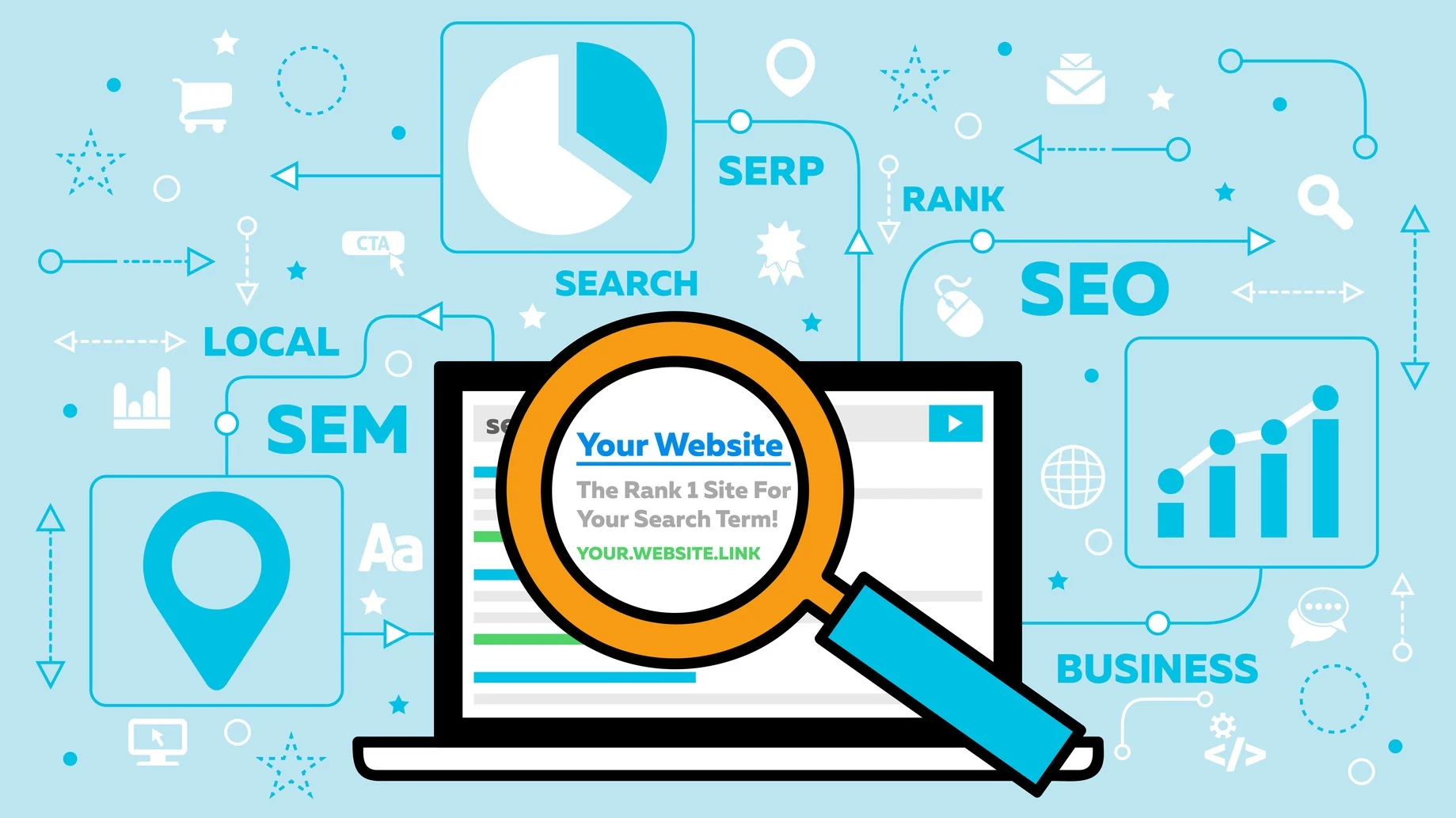
This list is called the search engine results page, or SERP for short. Your serps rank is where your website shows up on that list.

Being on the first page, especially near the top, is very important. It means more people will see and visit your website. This guide will explain what a serp meaning is and how you can improve your position on these important results pages.

Getting a good rank is key to your digital marketing and SEO success.

What is SERP’s Rank?
What is SERP's Rank?

A serps rank is your web page’s position on the search engine results page. When you type a search query into Google, the search engine shows you a list of what it thinks are the most helpful and relevant results. Your rank is simply your spot in that lineup.

If you are the first one, your rank is #1. If you are the tenth, your rank is #10. Most people click on the first few results, so a higher rank means more visitors to your web page. Getting on the first page of Google is the main goal of search engine optimization (SEO).

A good ranking in the Google search results indicates that your SEO efforts are paying off, driving more organic traffic to your site.

What Do SERPs Stand For?
What Do SERPs Stand For?

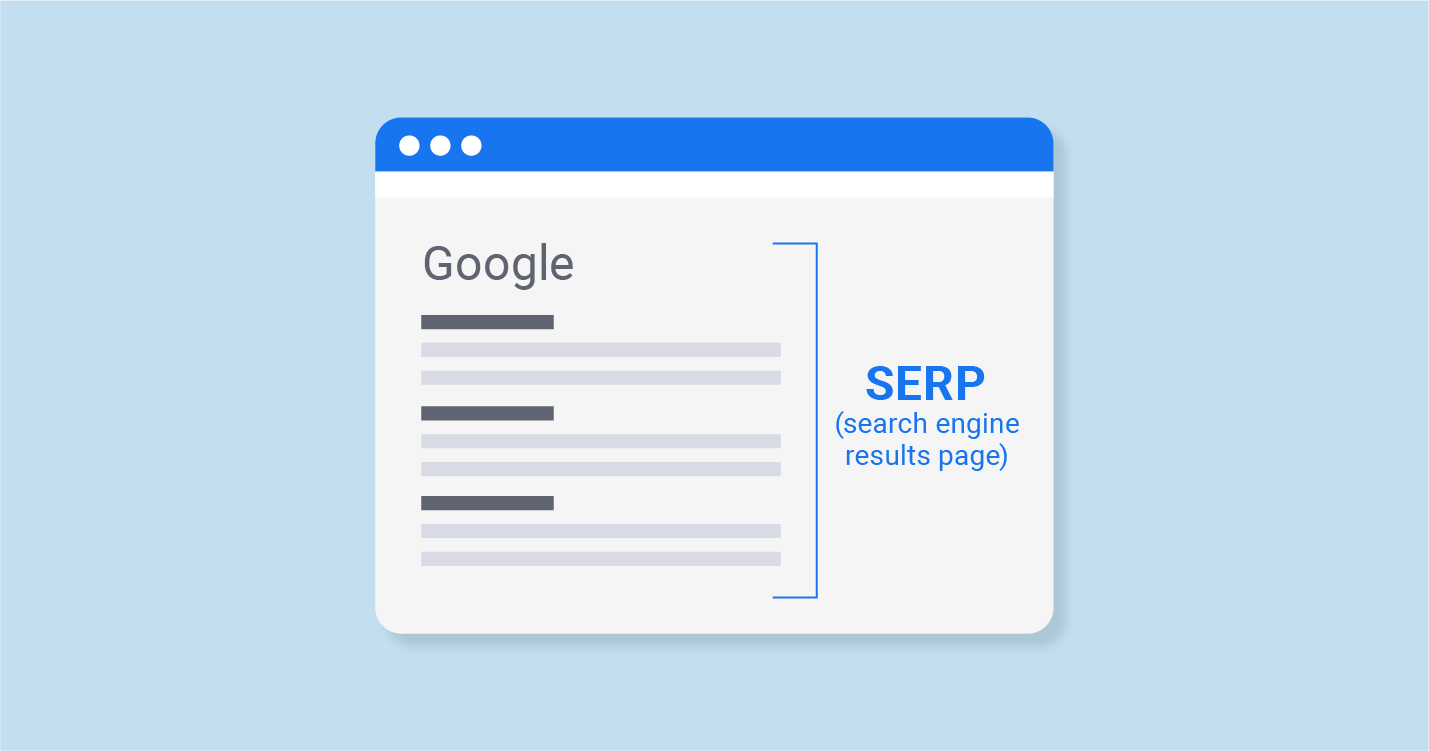
SERP stands for Search Engine Results Page. It’s the page you see after you search for something online. Each time you use a search engine, it provides a SERP filled with various types of results. You might see regular website links, ads, images, or videos.

Even if two people search for the same thing, their SERPs might look a little different.

That’s because search engines like Google show results based on things like your location and what you have searched for before. The look of the search engine result pages is always changing as Google tries to give people the best answers to their questions.

Why Are SERPs Important For Search Engine Optimization (SEO)?
Why Are SERPs Important For Search Engine Optimization?

SERPs are very important for SEO because they decide how many people see your website. If you are not on the first page of results, most people will never find you. A good serps rank builds trust and brings more visitors, which can lead to more business.

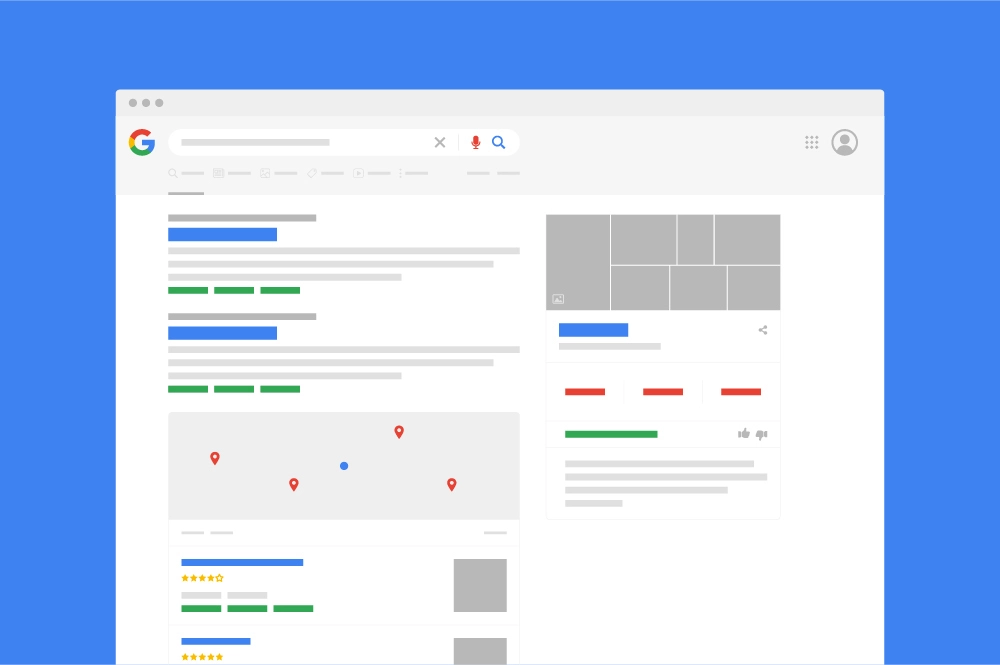
Let’s look at the different parts of a Google SERP that you can appear in.

Organic Search Results

Organic search results are the main listings that appear on a search engine results page because they are the most relevant to the search query, according to Google’s algorithm. These are often called the “natural” or “earned” results because you can’t pay to be here.

They are the classic blue links, each with a title and a short description. The goal of all SEO efforts is to get your web page to rank as high as possible in these organic listings. A high rank brings valuable organic traffic to your site, as users trust these results more than ads.

This is where strong search engine optimization and following best practices truly pays off for long-term SEO success.

Paid Search Results

Paid search results are advertisements that businesses pay to place at the top of the page or the bottom of the page. These are managed through platforms like Google Ads, where advertisers bid on target keywords.

You can easily spot them because they are marked with a “Sponsored” label. While they are a quick way to get on the first page of Google, they are not part of organic search. They are a key component of digital marketing that works alongside SEO.

The main difference is that paid results cost money every time someone clicks, while traffic from organic results is free. These ads compete with organic listings for a user’s attention on the search results page.

Featured Snippets

A featured snippet is a special box that appears at the very top of the SERP, even above the #1 organic result. It provides a direct, summarized answer to a search query, pulled directly from a web page.

Because of its prominent position, it’s often called “position zero.” Getting your content into a featured snippet can significantly increase your visibility and establish your site as an authority. It directly addresses the user intent by providing a quick answer.

However, it can sometimes result in a “no-click search,” where the user gets their answer without needing to visit your page. Still, securing a featured snippet is a major goal for many SEO strategies to dominate the first page of results.

Direct Answer Box

A Direct Answer Box is a type of result where Google provides a single, quick answer to a straightforward factual question, like “how tall is the Eiffel Tower?” or “what’s 2+2?“. These answer boxes give you the information instantly, without requiring you to click on any link.

Unlike a featured snippet, the information in an answer box often comes from Google’s own licensed data or public domain information, and it usually doesn’t include a link to a source web page.

This feature is designed to provide the best possible user experience by satisfying a simple search query immediately on the search engine results page, showing how Google aims to resolve user intent as fast as possible.

Knowledge Graph and Knowledge Panel

The Knowledge Graph is Google’s system for understanding facts about people, places, and things and the connections between them. This information is often displayed in a Knowledge Panel, which is the large box that appears on the right side of the Google search results.

If you search for a famous person or a company, this panel will show pictures, key facts, dates, and related information. For businesses, having a Knowledge Panel is great for brand visibility and helps you control the information users see on the search engine result pages. It makes your business look official and trustworthy, which is a big part of building a strong online presence beyond just traditional blue links.

Local Packs

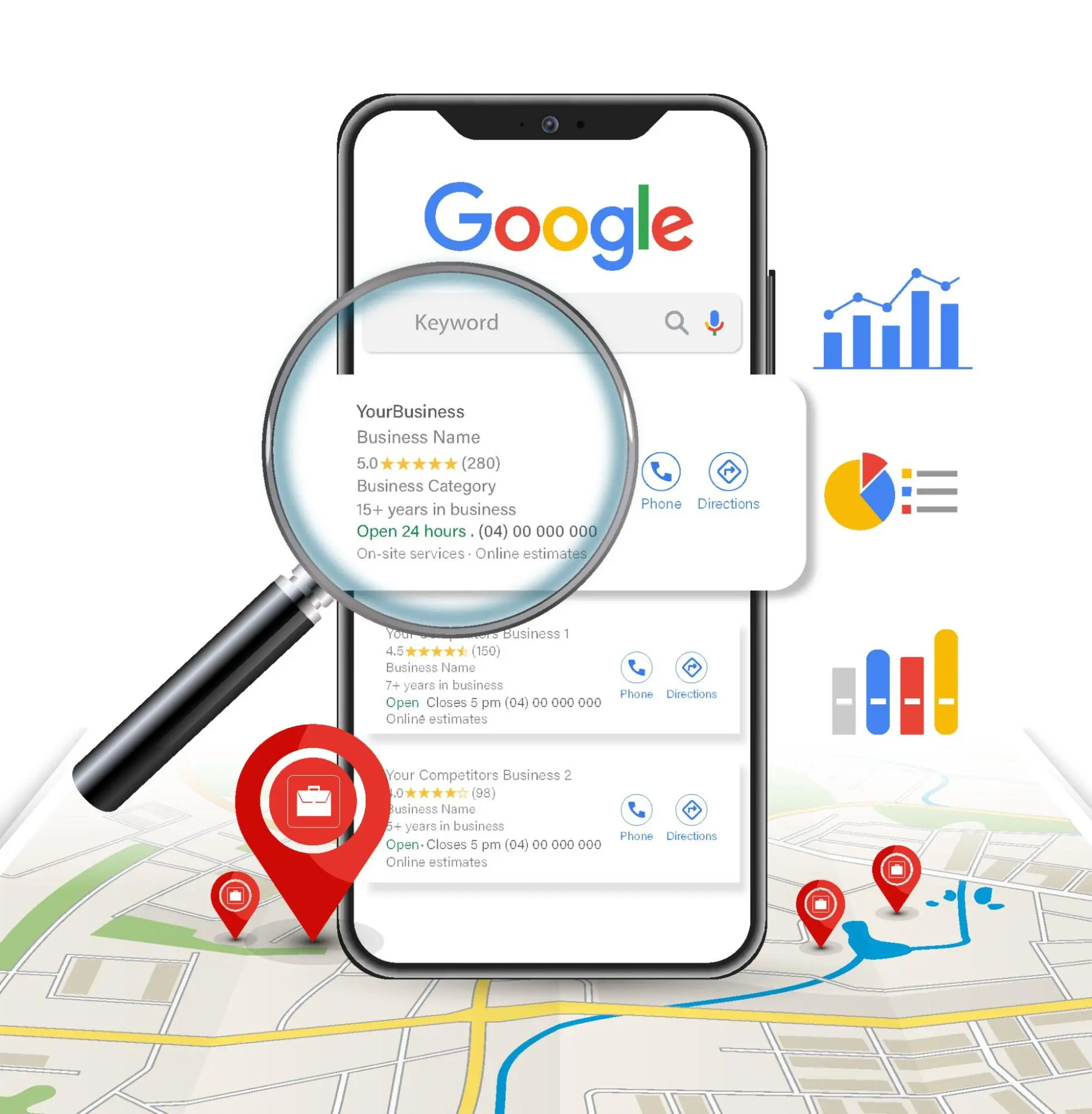
The Local Pack is a special feature that appears for local searches with a geographic intent, such as “coffee shops near me.” It shows a map from Google Maps and a list of three local businesses, along with their address, phone number, and customer ratings.

This is one of the most important features for local SEO. For a local business, appearing in this pack on the first page of results is a huge win, as it drives both online traffic and actual foot traffic to your store.

To show up here, your Google Business Profile must be complete and optimized, and your website must be relevant to the search query.

Google Image Results

Google Image results are a group of images that appear within the main search results when visual content is a relevant answer to the search query. For example, if you search for “cute puppies,” you will see a block of pictures near the top of the page.

Optimizing the images on your web page with descriptive filenames and alt text can help them appear in these image packs. This can drive a surprising amount of organic traffic from Google Images to your site, especially if you are in a visual industry like fashion, food, or design.

It’s another way to capture valuable space on the first page of Google and attract users.

Video Results

Video results often appear in the Google search results, especially for “how-to” queries, reviews, or entertainment topics. These results usually feature a thumbnail image from the video, which encourages clicks.

Most of the videos shown are from YouTube, which is also a search engine. Including video results helps Google provide a richer, more engaging user experience that matches the user intent for visual learners.

For businesses, creating helpful video content is a powerful SEO strategy. It allows you to claim more real estate on the search engine results page and connect with your audience in a different format, driving traffic to your brand.

People Also Ask

The “People Also Ask” (PAA) box is a dynamic feature that shows a list of questions related to your original search query.

Each question can be clicked to reveal a short answer, which is a snippet of text from a web page, similar to a featured snippet. This feature is very useful for both users and SEO professionals. For users, it helps them explore a topic more deeply.

For your SEO efforts, creating content that directly answers these questions can get you featured in the PAA box, increasing your visibility on the results pages. It also gives you great ideas for content by showing you what other questions people have about your target keywords.

Twitter Results

When you search for hot or new topics, Google may show a list of new tweets from Twitter (now called X). This list gives fresh news right in the search results. For example, if you look up a live game or urgent news, you will likely see a row of tweets about it.

This makes it clear that having active social media can help people find you on Google for some searches. It is a good thing to remember that smart online marketing is more than just your website; it is also about joining talks happening across the internet.

Being part of these talks can help boost your spot in search results.

Top Stories

The “Top Stories” section is a special block that appears at the top of the page for searches related to news and current events.

This feature displays recent articles from approved news publications, showing a headline, the publisher’s name, and an image. Getting into Top Stories can drive a massive amount of organic traffic in a short period.

However, it is generally reserved for established news websites that meet Google’s strict guidelines.

For businesses, it highlights the importance of creating timely and relevant content, although most will not qualify for this specific feature. It’s a key part of how the Google SERP delivers fresh, up-to-the-minute information.

Google Shopping Results

Google Shopping results are a type of paid results that appear for product-related searches. They are highly visual, showing an image of the product, its price, the seller’s name, and sometimes reviews.

These ads typically show up in a carousel at the top of the page or in a separate “Shopping” tab.

For any e-commerce business, being present in Google Shopping results is a core part of their digital marketing strategy. It allows you to get your products directly in front of people who have a clear intent to buy.

While these are ads you pay for, they are a powerful way to compete on the first page of Google and drive sales.

Key Factors That Directly Influence Your SERPs Rank

Key Factors That Directly Influence Your SERPs Rank

Several key factors determine your position in the search engine results. A good SEO strategy addresses all of them to improve your SERP rank.

On-Page SEO: Content, Keywords, and Meta Tags
On-Page SEO

On-page SEO includes everything you do on your actual web page to help it rank higher.

The most important part is your content. You need to create high-quality, helpful information that directly answers the questions your audience is asking. This means doing thorough keyword research to find the exact words and phrases people use in a search query.

Once you have your target keywords, you must use them naturally in your page title, headings, and throughout your text. You should also optimize your meta tags—especially the title tag and meta description—which are the bits of text that show up in the search results.

A good meta description encourages people to click on your link, which tells the search engine your page is a good result.

Off-Page SEO: Backlinks and Domain Authority
Off-Page SEO

Off-page SEO refers to all the actions you take outside of your website to improve your serps rank. The biggest factor here is backlinks.

Backlinks are links from other websites pointing to your page. Think of them as votes of confidence.

When a reputable website links to you, it tells a search engine like Google that your content is trustworthy and valuable. The more high-quality backlinks you have, the higher your domain authority becomes.

Domain authority is a score that predicts how well your website will rank.

For SaaS businesses especially, building these authoritative backlinks is essential for growth. That’s why many partner with a specialized service like VH-info to strategically build a strong backlink profile that boosts their position on the search engine results page.

Technical SEO: Site Speed, Mobile-Friendliness, and Crawlability
Technical SEO

Technical SEO is about making sure your website has a strong foundation, so search engines can find, crawl, and index your content without any problems. A major factor is site speed; if your web page loads slowly, both users and search engines will get frustrated. Another key element is mobile-friendliness. Since most Google searches now happen on phones, your site must look and work great on mobile devices.

Finally, crawlability means making sure that search engine bots can easily move through your site and understand its structure. This involves having a clean site map and avoiding broken links.

Good technical SEO ensures there are no barriers preventing you from reaching the first page of results.

User Experience Signals: Bounce Rate and Dwell Time

User experience (UX) signals are clues that tell Google whether visitors are having a good time on your site.

Two important signals are bounce rate and dwell time. Bounce rate is the percentage of visitors who leave your website after viewing only one page. A high bounce rate might suggest your content didn’t match the user intent of their search query.

Dwell time is the amount of time a person spends on your page before returning to the search results.

A longer dwell time is a positive signal that your content is engaging and helpful. Google wants to show its users the most useful and relevant results, so it pays close attention to these behaviors to determine your SERP rank.

How to Appear in SERPs?
How to Appear in SERPs?

There are two main ways to get your website to appear on a search engine results page: organically through SEO or by paying for ads.

  1. Search Engine Optimization: Search engine optimization is the process of making your website better for both users and search engines. The goal is to earn a high rank in the organic search results. This involves all the on-page, off-page, and technical SEO work we talked about. Good SEO leads to long-term visibility without paying for every click.
  2. Search Ads: Search ads, or pay-per-click (PPC) ads, let you pay to appear at the top of the page for specific keywords. You bid on terms with Google Ads, and your ad shows up in the sponsored section of the search results. This is a fast way to get seen but requires a budget, as you pay whenever someone clicks your ad.

A Step-by-Step Guide to Improving Your SERPs Rank

A Step-by-Step Guide to Improving Your SERPs Rank

Improving your serps rank takes time and consistent effort. Following these steps will help you climb up the page of results and achieve your SEO goals.

  • Step 1: Conduct A Comprehensive SEO Audit – Start by checking your website’s current health. An SEO audit helps you find technical problems, on-page issues, and content gaps. Use tools like Google Search Console to see how your site is performing and identify areas for improvement. This gives you a clear starting point for your SEO efforts.
  • Step 2: Perform In-Depth Keyword Research – Keyword research is about finding the words and phrases your potential customers are searching for. Look for target keywords that are relevant to your business and have a good search volume. Understanding the search intent behind these keywords helps you create content that truly answers the user’s question.
  • Step 3: Create and Optimize High-Quality Content – Content is king in SEO. Create helpful, well-written articles, blog posts, and pages that address your chosen keywords and user intent. Make sure your content is better than what is currently on the first page of results. Follow on-page best practices to optimize your titles, headings, and text for your main keywords.
  • Step 4: Build A Strong Backlink Profile – Backlinks are a powerful signal to Google that your site is a trusted resource. Focus on earning links from reputable websites in your industry. This can be done through guest posting, creating link-worthy content, or outreach. For SaaS businesses looking to scale their authority, a specialized link-building service like VH-info provides the expertise to secure backlinks that drive meaningful rank improvements.
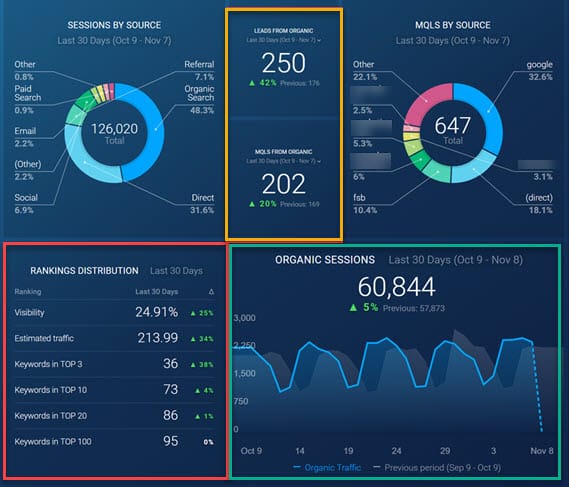
  • Step 5: Monitor and Analyze Your Performance – SEO is an ongoing process. You need to track your SERP rank to see if your work is paying off. Use a serp checker tool to monitor your position for your target keywords in real time. Also, use Google Search Console and Google Analytics to watch your organic traffic, click-through rates, and other key metrics. This data will help you adjust your strategy for continued SEO success.

Top Tools For Monitoring SERPs Rank
Top Tools For Monitoring SERPs Rank

Keeping an eye on your SERP rank is essential. There are many tools available to help you track your position in the search engine results.

Free Tools For Rank Tracking

For those just starting, a free serp checker is a great option. Google Search Console is a must-have tool that shows you what keywords you rank for and your average position. It provides valuable insights directly from Google.

Some companies also offer free versions of their rank-tracking tools with limited features.

Advanced Paid Solutions For SERPs Analysis

For more detailed analysis, paid tools like Ahrefs, SEMrush, and Moz offer advanced serp checker features. These tools let you track a large number of keywords across different locations and devices, see your ranking history, and analyze competitors.

They provide a deep look into the Google SERP landscape.

Using Google Search Console to Understand Your Rankings

Google Search Console is one of the most powerful free tools available for understanding your performance in organic search.

It shows you which queries bring users to your site, your average click-through rate, and your average rank for each query. You can use this data to find pages that are ranking but have low clicks and optimize their titles to attract more visitors.

FAQ’s:

How Often Should I Monitor My SERPs Rank?

It’s a good idea to check your most important keywords weekly. For a broader list of keywords, checking monthly is often enough. Daily changes are normal, so focus on the long-term trend rather than small, day-to-day shifts.

How Long Does It Take to Improve SERPs Rank?

Improving your SERP rank takes time. You might see small changes in a few weeks, but significant improvements usually take 4 to 12 months of consistent SEO efforts. The time it takes depends on your industry’s competition, your website’s authority, and the quality of your SEO work.

Can I Pay to Get A Better SERPs Rank?

You cannot pay Google to get a better rank in the organic search results. The organic listings are earned through quality SEO. However, you can use Google Ads to pay for a sponsored placement at the top of the page, which appears in the paid results section.

Why Does My SERP Rank Keep Changing?

Your SERP rank can change for many reasons. Google’s algorithm is constantly being updated. Your competitors are also working on their SEO, which can affect your position. Other factors include changes in user intent, new content being published on the web, and even personalized search results based on a user’s location and history.

Is There A Difference Between SERPs Rank and Regular Search Ranking?

No, there isn’t a difference. SERPs’ rank is just a more technical term for search ranking. It refers to your website’s specific position on a search engine results page for a particular search query. Both terms mean the same thing: where you show up in the search results.

Conclusion

Your SERP rank is one of the most important measures of your online visibility.

Getting to the first page of Google requires a smart and steady approach to search engine optimization.

By focusing on creating high-quality content, building a strong technical foundation, and earning authoritative backlinks, you can improve your position in the organic search results.

Utilize resources such as Google Search Console and a SERP checker to monitor your progress, as consistent SEO efforts will eventually result in increased organic traffic, enhanced audience trust, and sustained SEO achievement.

For SaaS companies looking to accelerate this growth, building high-quality backlinks is essential. At VH-info, we specialize in providing expert link-building services that earn these authoritative links, helping you improve your rank and drive meaningful results.


What is Local Citation & How to Build Them? Local SEO Guide 2025

If you are a business owner with a physical location, you want local customers to find you. When people search online for businesses near them, you want your shop to appear in the search results. This is where local SEO comes in.

A big part of local SEO is something called a local citation. This article will explain what a local citation is and why it is so important for local businesses. We will provide a simple guide to help you use them to improve your online presence.

At VH-info, our expertise lies in building powerful online authority through strategic SaaS link building, which begins with a solid foundation of accurate local citations. We are dedicated to breaking down complex topics into clear, direct advice to help your business grow.

This guide offers the actionable insights you need to strengthen your local visibility and build a trustworthy brand.

What Is A Local Citation?

What Is A Local Citation?

A local citation is any online mention of your business’s name, address, and phone number.

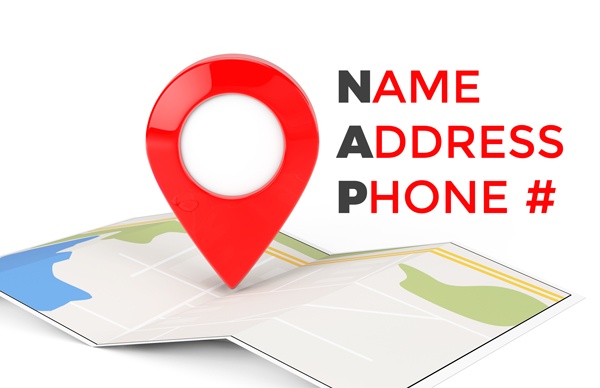
This set of information is often called “NAP” (Name, Address, Phone Number). Think of it like your business’s contact information listed on the internet. These mentions can be on different websites, not just your own.

For example, a listing on the Yellow Pages or a mention on a local blog are both considered SEO citations.

Search engines like Google use this information to confirm that your business is real and located where you say it is.

When different websites have the same business information for your company, it tells search engines that they can trust your business data. This trust helps your business show up in local search results when potential customers are looking for services you offer.

Why Are Local Citations Important For SEO?

Why Are Local Citations Important For SEO?

Local citations are a key ranking factor for any local SEO strategy. When Google’s algorithm decides which businesses to show for a local search, it looks at how relevant and well-known a business is. Having many accurate online mentions helps with both.

Consistent NAP data across many trusted citation sites proves to search engines that you are a legitimate local business. Every time your business name, address, and phone number appear correctly on a new website, it acts like a vote of confidence.

This improves your chances of appearing in the local pack, which is the box with a map and three businesses shown at the top of Google search results. A strong online visibility built through building citations means more people can find your business.
Types of Local Citations

Types of Local Citations

There are two main types of local citations: structured and unstructured. Both are important for your local visibility.

Structured Citations: Listings in Business Directories

A structured citation is when your business information is listed in a formal, organized way in online directories. These are websites specifically designed to be a business directory. You or someone on your team usually submits your business details to these sites.

Examples of popular local business directories where you can get structured citations include:

  • Google Business Profile (formerly Google My Business)
  • Yelp
  • Bing Places
  • Apple Maps
  • Facebook
  • Yellow Pages

These listing sites often allow you to create a full business profile with your business’s name, address, email address, and more.

Unstructured Citations

Unstructured citations are times when your business is talked about, but not in a set way. These can show up in blog posts, news stories, or even on social sites. For instance, if a news site writes about your shop and says where it is, that counts as an unstructured citation.

These mentions are still very useful for your business. They let search engines see that your business belongs to the local area. When a local chamber of commerce website or a well-known local blogger talks about you, it can be helpful too.

These unstructured citations can boost how high your business appears in search results.
What Are the Core Components of Local Citations?

What Are the Core Components of Local Citations?

For a local citation to be effective, it needs to have accurate and consistent information. The core parts of a citation are your NAP data.

  • Business Name: This must be the official, registered business name. It should be the same on every website.
  • Address: This is your physical street address. It tells search engines and customers where to find you. Be consistent with details like “Street” vs. “St.
  • Phone Number: This should be your primary local phone number.

Having consistent NAP information is very important. If one directory lists a different address or phone number than another, it can confuse both search engines and potential customers. This can hurt your local search rankings.

Some listings also include your website URL, which helps drive traffic and adds credibility.

Why Building Local Citations is Important For Your Business?

Why Building Local Citations is Important For Your Business?

Citation building is a key task for any business that wants to succeed in local search. It offers several major benefits for small businesses and large ones alike.

  1. Improve Your Visibility in Local Search Results: The main reason to focus on local citation building is to improve your online visibility in local search. The more accurate and consistent citations you have on quality citation sources, the more likely search engines will show your business to people searching nearby. This can help you get into the valuable local pack, which gets a lot of clicks.
  2. Build Trust and Authority With Search Engines: Consistent business listings across the web build trust. When Google sees the same NAP information on your Google Business Profile, on Yelp, and on a local blog, it becomes confident that your business is real and your data is correct. This trust is a major ranking factor that helps improve your search engine rankings.
  3. Help Customers Find Your Business Information: Finally, building citations helps real people. When a customer wants to visit your store or call you, they need accurate information. If they find an old address or a wrong phone number on a directory site, you might lose them as a customer. Clean and consistent citations make it easy for potential customers to connect with you.

How to Build Local Citations? (Step-by-Step Guide)

How to Build Local Citations?

A good local SEO strategy includes a plan for citation building. Here is a step-by-step guide to help you get started.

  1. Auditing Your Existing Online Citations: First, you need to see where your business is already listed online. Search for your business name on Google and see what comes up. Check for wrong information or duplicate listings. As an agency specializing in SaaS link building, VH-info can provide the strategic support needed to audit your existing online mentions and build a strong foundation for your SEO.
  2. Create A Consistent NAP: Decide on one official version of your business’s name, address, and phone number. Make sure this NAP data is written the same way everywhere. This is the foundation of your local citation building effort.
  3. Claim and Optimize Listings: Claim your profiles on major platforms like Google Business Profile (Google My Business), Bing Places, and Apple Maps. Fill out every part of your business profile completely. Add photos, your business hours, and a description of what you do. An optimized profile is more useful to both users and search engines.
  4. Submit to Local Directories: Find relevant business directories for your industry and location and submit your business information. You can do this manually or use data aggregators like Data Axle. These services send your business data to hundreds of online directories at once, saving you time. Also, look for citation opportunities on websites of organizations like your local chamber of commerce.
  5. Optimize Social Media Profiles: Your social media profiles on sites like Facebook are also important citation sources. Make sure your NAP information is correct and matches what you have on other business listings.
  6. Seek Customer Reviews: Encourage your customers to leave positive reviews on review sites like your Google Business Profile and Yelp. Good reviews are a strong signal to search engines that your business is trusted and popular. This can have a big impact on your local rankings.
  7. Monitor and Update: Citation management is an ongoing process. You need to regularly check your listings for accuracy. If your business moves or changes its phone number, you must update your citations everywhere. This is where management tools can be very helpful.
  8. Build Quality Backlinks: While building local citations, also look for opportunities to get backlinks. A backlink is a clickable link from another website to yours. When a citation site also links to your website, it passes more authority and helps your overall SEO strategy.

How to Check Your Local Citations?

How to Check Your Local Citations?

It is important to check your local business listings to make sure they are correct. There are two ways to do this.

  1. Manually: You can check your citations by hand. Go to Google search and type in your business name. You can also search for your phone number or address. Look at the search results to see what information appears on different listing sites. This can take a lot of time, especially if your business has been around for a while.
  2. Automated Local Business Directories Checks: A much faster way is to use management tools. Many services can automatically check hundreds of local business directories for you. These tools find incorrect NAP data, identify duplicate listings, and show you new citation opportunities. While these tools are useful, the process can be complex. As a specialized agency, VH-info provides expert services to manage your citation management strategy, helping a business owner keep their online presence strong without spending hours on manual checks.

Tools to Help Manage Citations

Tools to Help Manage Citations

Managing your local citations across many websites can be a big job. Luckily, several helpful management tools can make this process much easier for any business owner. These tools are designed to handle the hard work of listing management for you. Here are a few top choices:

  1. BrightLocal: Think of BrightLocal as an all-in-one toolbox for your local SEO strategy. It helps you build new citations, fix incorrect NAP data, and remove duplicate listings. It also lets a business owner track their local rankings and manage customer reviews all in one place, which is great for strengthening their online presence.
  2. Whitespark: Whitespark is famous for its “Local Citation Finder” tool. It’s like a detective that finds all the citation sources your competitors are using, so you can get listed there too. This is a great way to find new citation opportunities and improve your visibility in local search results.

  3. Moz Local: Moz Local is great for keeping your business information consistent without a lot of effort. It automatically sends your correct NAP information to major local business directories and data aggregators. This constant syncing helps ensure your business listings stay accurate everywhere, which is very important for your search engine rankings.
  4. Birdeye: Birdeye is a platform that’s strong in both citation management and managing your business’s reputation. It helps you keep your business listings accurate across many citation sites. At the same time, it provides tools to gather and respond to customer reviews, helping you build a positive online presence and attract more potential customers.

Common Mistakes to Avoid With Local Citations

Common Mistakes to Avoid With Local Citations

When you are building citations, it is easy to make mistakes that can hurt your local SEO. Here are a few common problems to watch out for.

  1. Inconsistent Name, Address, and Phone Number: The biggest mistake is having inconsistent NAP information. If one directory lists you on “Main St.” and another lists you on “Main Street,” this can confuse search engines. This makes them less likely to trust your business and show it in local search results.
  2. Creating Duplicate Business Listings: Sometimes, a business ends up with more than one listing on the same directory. This often happens by accident. Duplicate listings split your authority and can confuse customers. It is important to find and remove them. Listing management tools can help you spot these duplicates.
  3. Neglecting to Update Outdated Information: If your business moves or gets a new phone number, you must update this information everywhere online. Old, incorrect information can lead to lost customers and can seriously damage your search engine rankings. Regular monitoring is key to keeping your online presence accurate.

Trends in Local SEO Citation Practices

Trends in Local SEO Citation Practices

Local SEO is always changing. Here are some trends in local citation practices for 2025.

  1. Google Algorithm Changes: Google often updates how it ranks local businesses. Staying informed about these changes helps you adjust your SEO strategy. Recently, Google has put more importance on the quality of citations over just the quantity.
  2. New Citation Platforms: New apps and websites where customers look for local businesses appear all the time. It is a good idea to see if it makes sense for your business to have a profile on these new platforms.
  3. Schema Markup For Local SEO: Schema markup is a type of code you can add to your website. It helps search engines understand your business details, like your address and hours, even better. Using it can give you an edge in search results.
  4. Voice Search Optimization: More people are using voice assistants like Siri and Alexa to find businesses. They might say, “Hey Google, find a pizza place near me.” Voice searches often pull information directly from business listings, making accurate citations more important than ever.
  5. Reviews and Reputation Management: Positive reviews are a huge part of local SEO. Search engines see lots of good reviews as a sign of a quality business. Actively managing your reputation by responding to reviews is now a core part of citation management.
  6. Localized Content Optimization: Creating content on your website that is specific to your local area helps your local rankings. This could be a blog post about a local event or a page about a service you offer in a specific neighborhood. This helps show search engines that you are truly a part of the community.

FAQ’s:

What is the Difference Between A Citation and A Backlink?

A local citation is a mention of your NAP (business’s name, address, phone number). A backlink is a clickable link from one website to another. A citation can include a backlink, but it doesn’t have to. Both are valuable for your SEO strategy, but they serve different functions.

How Many Citations Do I Need For My Business?

There is no perfect number of citations. The goal is to have accurate and consistent citations on high-quality, relevant business directories. Start with the major platforms like Google Business Profile, Facebook, and Apple Maps.

Then, look for top citation sites in your country and industry.

Are Local Citations Still Important For SEO In 2025?

Yes, absolutely. Local citations remain a fundamental ranking factor in local SEO. They are one of the primary ways search engines verify your business’s existence and location. A strong citation profile is necessary to compete in local search.

Can I Build Local Citations For Free?

Yes. Many of the most important online directories, including Google Business Profile and Bing Places, allow you to create a business listing for free. While some data aggregators and management tools cost money, a business owner can do a lot of local citation building without a budget.

How Do Local Citations Work For Multiple Locations?

If your business has more than one location, each one needs its own unique set of local citations.

Every location should have its own specific NAP data (name, address, and phone number). You will need to create a separate Google Business Profile and other local business listings for each office or store.

Conclusion

Local citations are a basic but powerful part of any local SEO strategy. They are the online mentions that prove to search engines and customers that your business is real, located where you say it is, and ready to serve them.

Enhancing your online presence, fostering trust, and attracting more potential customers to your business can be achieved by ensuring your citations are both precise and uniform across various citation platforms.

The process of citation building and citation management takes time, but it is a worthwhile investment for any local business.

If you need expert help managing your local SEO citations and ensuring your business information is correct everywhere, our team at VH-info provides the strategic services to get it done right.

As a SaaS link-building agency, we ensure you have a strong online foundation so you can focus on running your business.

Linkable Assets: Meaning, Types, Steps & How to Effectively Promote It In 2025?

Creating great content is key to growing your business online. But to really get noticed by search engines, you need a special piece of content that other websites want to link to. In the field of digital marketing, this is known as a linkable asset.

The process of getting these links, called link building, helps tell Google that your site is important and trustworthy.

At VH-info, we specialize in helping SaaS companies with this exact process.

A good content strategy that includes linkable assets can bring a lot of free organic traffic to your website. This guide will explain what a linkable asset is, show you the different types you can create, and teach you how to build one to boost your site’s success.

What Is A Linkable Asset?

What Is A Linkable Asset?

A linkable asset is more than just a standard article. It is a piece of valuable content created with the specific goal of earning links from other websites. Think of it as the star player on your website’s content team.

The Core Definition of a Linkable Asset in Digital Marketing

In digital marketing, a linkable asset is defined as any piece of content on your website that provides so much value that other content creators and website owners want to reference it by linking to it.

This type of content is usually very detailed, provides unique data, or offers a useful tool. The main purpose of this content marketing effort is link acquisition. It is a strategic way to improve your website’s authority. Creating linkable content is a foundational part of modern SEO.

Why Linkable Assets Are Important For Your SEO Strategy?

Linkable assets are vital for your SEO because they are the main driver for earning quality backlinks.

When other sites link to your own content, they are casting a vote of confidence. Search engines count these votes. The more high-quality votes you have, the higher your search engine rankings will be.

Higher rankings in Google search lead to more organic traffic, which means more potential customers visiting your site.

A strong backlink profile, built by earning links from many relevant websites, makes your entire website more powerful and helps all your pages rank better. Without building links, it’s very difficult to compete in crowded search results.

Key Characteristics of High-Value Linkable Content

Not all content is created equal. A good linkable asset has specific qualities that make it stand out.

  • It provides immense value. The content must be extremely helpful, educational, or entertaining. It should solve a problem or answer a question better than anyone else.
  • It contains unique information. This could be original research, a new study, or unique data from your company. If you are the only source for a piece of information, people have to link to you when they mention it.
  • It is well-presented. The content should be easy to read and visually appealing. Good design can help people understand complex data and make them want to share your work.
  • It is trustworthy and credible. The information must be accurate and well-researched. Citing your sources and showing your expertise on the subject matter helps build trust. This is what makes it quality content.

The Difference Between A Linkable Asset and A Standard Blog Post

A standard blog post and a linkable asset serve different purposes.

A blog post is often shorter and might cover news, an opinion, or a simple update. Its main goal might be to keep your audience engaged or to target a very specific keyword. Many businesses write a blog post weekly to keep their site fresh.
A linkable asset, on the other hand, is a much larger investment. It is a comprehensive piece of content designed to be the definitive resource on a particular topic. While a blog post might get a few social shares, a linkable asset is built to earn a large number of links over time.

It is a long-term part of your content strategy for building links and increasing your site’s domain authority.

12 Types of High-Performing Linkable Assets

Types of High-Performing Linkable Assets

There are many different types of linkable assets you can create. Choosing the right format depends on your audience and your industry.

Here are some of the most effective types of linkable assets.

In-Depth Guides and Tutorials

These are long articles that teach readers how to do something from start to finish.

A good example would be a complete guide to using a certain software or a step-by-step tutorial for a complex process. Because these guides are so thorough, they become the go-to valuable resource for anyone looking to learn about that particular topic.

Other bloggers will link to your guide instead of trying to explain the topic themselves.

Original Research, Data, and Industry Studies

Creating new knowledge is a powerful way to get links. This involves doing your own market research, surveying people, or analyzing data to find new trends. You can then publish your findings as research reports or studies.

This unique research provides original data that no one else has. Journalists, bloggers, and other content creators will link to your study when they report on your findings. Many software companies use this tactic effectively.

Free Online Tools and Calculators

Free online tools that solve a specific problem are magnets for links. These interactive tools can be simple calculators, content generators, or checkers that provide instant value to the user.

For instance, an SEO agency might create a tool that checks a website’s loading speed. Because these tools are so useful, people will link to them repeatedly. They are a great way to create a valuable resource that people bookmark and share.

Comprehensive Resource Pages and Glossaries

A resource page gathers all the best links, tools, articles, and information about a subject matter in one place. A glossary defines all the important terms for a specific industry. These pages save people time, so they become a one-stop shop for information.

Other websites will link to your resource page as a helpful destination for their own readers.

Compelling Infographics and Data Visualizations

Infographics turn boring numbers or complex data into beautiful, easy-to-understand images.

They are highly shareable on social media platforms and are a favorite among bloggers looking for visual content. A good infographic can tell a story with data, making it a very effective type of linkable asset for earning both links and social shares.

Expert Roundup Posts and Interviews

An expert roundup involves asking a single question to many experts in your field and compiling their answers into one big post.

This type of content is valuable because it brings together wisdom from many respected voices. The experts you feature will often share the post with their audiences and link to it from their own sites, bringing you a lot of attention and quality backlinks.

Detailed Case Studies With Proven Results

Case studies are stories that show how your product or service helped a customer achieve success. They provide real-world proof of your value. For potential customers, case studies build trust and show them what’s possible.

For other websites, they serve as a good example of a strategy in action, making them a good source to link to when discussing that strategy.

Interactive Quizzes and Assessments

Quizzes are fun and engaging. People love to test their knowledge and share their results with friends on social media. A quiz can be a lighthearted personality test or a more serious assessment of professional skills.

Either way, they are a great way to create a linkable asset that gets a lot of engagement and social shares.

Video Content and Webinars

Video is a very popular type of content. You can create tutorials, interviews, or webinars that provide huge value. Videos can be embedded in other websites, and when they are, they often come with a link back to the source.

A high-quality webinar can establish you as an expert and become a valuable resource for your industry.

Downloadable Ebooks and Whitepapers

Ebooks and whitepapers are long-form content assets that cover a particular topic in great detail. They are usually offered as a free download in exchange for an email address, which is great for email marketing.

Because they are so comprehensive, other sites will link to your landing page as the place to get the definitive guide on the subject matter.

Award and “Best Of” Lists

Creating a “best of” list or an award for your industry can generate a lot of links.

For example, you could create a “Top 50 SaaS Blogs” list. The blogs and software companies that you feature will be proud of the recognition and will likely link back to your list from their websites. It is a powerful form of flattery that aids link acquisition.

Unique Image Galleries and Collections

If you have access to high-quality, unique images, you can compile them into a gallery.

This could be photos from an event, pictures of a rare product, or historical images. If your collection is the best or only one of its kind, people looking for those images will have to link to your page as the source.

A Step-by-Step Guide to Creating Your Next Linkable Asset

A Step-by-Step Guide to Creating Your Next Linkable Asset

The content creation process for a linkable asset is more involved than for a simple blog post. It requires careful planning and execution.

  • Step 1: Brainstorm Topics With High Link Potential: Start by thinking about what your audience is interested in. What problems do they have? What questions do they ask? Use keyword research tools to find topics that people are searching for on Google search. Look for subjects where you can provide a truly definitive answer or a valuable resource.
  • Step 2: Conduct Competitor Analysis to Find Content Gaps: Once you have a topic, search for it online. Look at the top-ranking pages in the search results. What do they do well? What are they missing? Your goal is to create something ten times better than what already exists. At VH-info, our SaaS link-building service can help with this. We analyze competitors’ content assets and their backlink profiles to find these content gaps, giving you ideas on how to create something superior.
  • Step 3: Select the Optimal Format For Your Asset: Based on your topic and competitor analysis, choose the best type of linkable asset to create. Is the topic best explained in a long guide, a video, or an interactive tool? Choosing the right format from the many types of content is key to making your asset a success.
  • Step 4: Gather Unique Data and Expert Insights: To make your piece of content truly special, you need information that can’t be found elsewhere. This might mean conducting your own survey to gather original data, interviewing experts for their opinions, or digging into your company’s own information for unique research. This is what makes your content a good linkable asset.
  • Step 5: Design and Develop Your Content For Maximum Impact: How your content looks is almost as important as what it says. Invest in good design to make your linkable asset easy to read and visually appealing. Use charts, images, and graphics to break up text and explain complex data. If you are building a tool, make sure it is easy to use.
  • Step 6: Implement On-Page SEO Best Practices: Finally, optimize your page for search engines. Use your main keyword in the title, URL, and headings. Write a compelling meta description. Add internal links to other relevant pages on your site. This helps Google understand what your page is about and improves its chances of achieving high search engine rankings.

How to Effectively Promote Your Linkable Asset?

How to Effectively Promote Your Linkable Asset?

Creating a linkable asset is only half the battle. You also need to promote it to get it in front of the right people.

  1. Creating A Personalized Email Outreach Campaign: Email outreach is a core part of link building. Make a list of relevant websites, bloggers, and journalists who have written about your topic or linked to similar content. Send them a personalized email, introduce your new valuable resource, and explain why their audience would find it helpful. This is more effective than simple guest posting.
  2. Sharing Your Content on Social Media and in Online Communities: Share your linkable asset on all your social media platforms. Create custom images and videos to promote it. Also, share it in relevant online communities like Reddit, Facebook groups, or industry forums where your potential customers hang out. A great piece of linkable content can get a lot of social shares.
  3. Using Digital PR For Media Mentions: Digital PR is about getting your content featured in online publications. If your asset contains original research or unique data, you can write a press release and send it to journalists. Getting a mention in a major publication can result in a powerful backlink and a huge amount of traffic. This is a key part of modern link acquisition.
  4. Using Broken Link Building Tactics: This strategy was made popular by SEO expert Brian Dean. It involves finding a broken link on a website that points to a resource that no longer exists. You then email the site owner, let them know about the broken link, and suggest they replace it with a link to your own content on the same topic. This is a very effective and helpful way of building links.

Measuring the Success of Your Linkable Asset

Measuring the Success of Your Linkable Asset

After you’ve created and promoted your asset, you need to track its performance.

  1. Tracking Inbound Links and Referring Domains: The primary goal of a linkable asset is to earn links. As part of our link-building services, VH-info can monitor your backlink profile to track your progress. It’s important to track the total number of links and the number of unique websites (referring domains) that link to you. We pay close attention to the quality of these links because a link from a high domain authority site is much more valuable.
  2. Monitoring Organic Traffic Growth and Keyword Rankings: A successful linkable asset should lead to an increase in organic traffic. Use Google Analytics to see how many visitors the page is getting from organic search. Also, use an SEO tool to track your search engine rankings for your target keywords. Over time, you should see both metrics improve.
  3. Analyzing Social Shares and Engagement Metrics: Look at how often your content is being shared on social media. A high number of social shares on platforms like Twitter, Facebook, and LinkedIn indicates that your content is resonating with people. Also, check metrics like time on page and bounce rate to see if people are actually reading and engaging with your content.
  4. Assessing the Overall Impact on Business Goals: Ultimately, your content marketing efforts should help your business grow. Try to connect your linkable asset to business goals. Did it generate new leads? Did it attract potential customers who later made a purchase? A great content strategy aligns content performance with business outcomes.

FAQ’s:

What Makes Content “Link-Worthy”?

Content becomes “link-worthy” when it is the best resource available on a subject matter.

This means it is either the most comprehensive, has the most unique data, is the most entertaining, or is the most useful. Valuable content that provides a solution or fresh insight that other content creators want to cite for their own audiences is what earns links.

How Long Does It Take For A Linkable Asset to Start Earning Backlinks?

Earning quality backlinks is not an overnight process. It can take several weeks or even months for a linkable asset to gain traction. The speed depends on how well you promote it and the quality of the asset itself. Be patient and consistent with your outreach efforts.

Link building is a long-term strategy.

Can I Update an Old Piece of Content to Turn It Into A Linkable Asset?

Absolutely. This is a very smart strategy. Look through your old content for a blog post that has some potential but is outdated or not detailed enough. You can expand it, add original research or new data, improve the design, and turn it into a brand-new, comprehensive linkable asset.

This is a great way to get more value from your existing content assets.

Should I Invest In Paid Promotion For My Linkable Asset?

Paid promotion can be a good idea, especially when the asset is new.

Using paid ads on social media platforms or Google search can help get your content in front of a larger audience quickly. This initial push can help it get noticed by the right people, who may then decide to link to it organically.

Conclusion

Creating a linkable asset requires more effort than writing a standard blog post.

It is a significant investment in your content strategy, but the rewards are well worth it. A single good linkable asset can earn valuable backlinks for years, continuously improving your domain authority and driving organic traffic to your website.

At VH-info, we specialize in creating these robust link acquisition systems for our SaaS clients.

By concentrating on producing genuinely valuable content and promoting it effectively, you can fortify your website’s SEO base, enhance your search engine rankings, and draw in more potential customers. For any business, especially software companies, making linkable assets a core part of your digital marketing plan is key to long-term success. Let VH-info be your trusted guide in that process.

What Is Keyword Stuffing and How Does It Harm SEO? Avoid It!

Welcome to the world of search engine optimization (SEO). You want your website to show up on the first page of Google search results.

To do this, you need to use keywords. But there is a right way and a wrong way to use keywords.

Using them the wrong way can hurt your site. One wrong way is called keyword stuffing. This guide will teach you what keyword stuffing is in SEO, why it’s bad, and how to do things the right way. We will help you make helpful content that both people and search engines will love.

What Is Keyword Stuffing?

What Is Keyword Stuffing?

Keyword stuffing is the practice of filling web pages with a target keyword to try and trick the search engine. The goal is to make the page rank higher in search results. Instead of creating quality content, the focus is on repeating the main keyword over and over again.

This makes the text sound unnatural and hard to read.

The Official Definition of Keyword Stuffing

Google’s official definition calls keyword stuffing the practice of loading a web page with keywords or numbers to manipulate rankings in Google web search. This is against Google’s spam policies. It is considered a black hat SEO tactic, which means it is a dishonest way to try and get higher rankings. The focus is not on providing a good user experience, but on gaming the system.

Visible Vs. Invisible Keyword Stuffing

There are two main types of keyword stuffing: visible and invisible.

Visible keyword stuffing is when the repeated keywords can be seen by the reader. This includes:

  • Repeating the same word or phrase unnaturally. For example: “We sell the best custom widgets. Our custom widgets are the best on the market because we specialize in custom widgets.”
  • Listing keywords without any real sentences. For example: “custom widgets, best widgets, cheap widgets, widgets for sale.”
  • Using the keyword in every single sentence, even when it doesn’t make sense.

Invisible keyword stuffing involves hiding keywords on the page so users can’t see them, but search engines can. This is done by:

  • Using text that is the same color as the white background.
  • Hiding text behind an image.
  • Putting keywords in the code of the page, like in comment tags.

Both methods are against Google’s guidelines and can get your site into trouble.

History of Black Hat SEO Tactics

In the early days of the internet, search algorithms were much simpler.

They often counted how many times a primary keyword appeared on a page to decide what it was about. Because of this, keyword stuffing used to work. Site owners could fill their pages with their target keyword and see their search engine rankings climb.

However, search engines like Google quickly got smarter.

They realized that pages using SEO keyword stuffing often provided a bad user experience and were not helpful. They released algorithm updates, like the Panda update, to find and penalize low-quality sites. Today, these old tricks don’t work and are considered spam.

How Keyword Stuffing Affects SEO?

How Keyword Stuffing Affects SEO?

Keyword stuffing is very bad for your SEO efforts. Modern search engines are designed to understand the meaning and context of your content, not just count keywords. When you stuff keywords, you are creating a negative user experience.

People who visit your page will find it hard to read and will likely leave quickly. This tells the search engine that your page is not useful.

As a result, your search rankings can drop significantly.

Instead of getting higher rankings, you might find your site pushed down in the Google search results, or even removed completely. It hurts your site’s reputation and makes it harder to build trust with your target audience.

Why Websites Use Keyword Stuffing?

Why Websites Use Keyword Stuffing?

Some people still use keyword stuffing because they think it’s a shortcut to better search engine rankings.

They might not know that search algorithms have changed. They focus only on getting the search engine to notice their target keyword. They believe that the more they use keywords, the more relevant their page will appear for a specific search query.

This is a misunderstanding of how modern search engine optimization works. While keyword usage is important, the focus should always be on creating valuable information for the user. Tricking the system might seem easy, but it always leads to problems in the long run.

The goal of a search engine is to provide the best possible results to its users, and low-quality, stuffed content does not help them do that.

Is Keyword Stuffing A Ranking Factor?

Is Keyword Stuffing A Ranking Factor?

No, keyword stuffing is not a positive ranking factor. In fact, it is a spam factor that can harm your ranking.

In the past, keyword frequency was important, but that is no longer true. Today’s search algorithms look at hundreds of factors to rank web pages. These include the quality of the content, the user’s search intent, and how helpful the page is.

Using a keyword stuffing strategy tells Google that you are trying to manipulate search results, which violates their spam policies.

Instead of helping you rank, it can lead to lower rankings or a penalty. The correct approach is to focus on natural keyword placement within high-quality and helpful content.

Common Examples of Keyword Stuffing

Common Examples of Keyword Stuffing

It’s important to recognize what keyword stuffing looks like so you can avoid it. Here are some common examples.

Unnatural Repetition in Body Content

This is the most common form of visible keyword stuffing. The body of the text is filled with the main keyword or secondary keywords in a way that sounds robotic and is difficult to read.

  • Bad Example: “If you are looking for the best emergency AC repair, you have found the best emergency AC repair service. We offer emergency AC repair 24/7. Contact us for emergency AC repair.”

This text provides a poor user experience because the repetition makes it hard to understand the actual message.

Listing Keywords in Meta Titles and Descriptions

The title tag and meta descriptions are important for SEO, but they can also be stuffed.

  • Bad Example Title: Best Plumber | Top Plumber | Local Plumber Near Me
  • Bad Example Meta Description: We have the best plumber, a top plumber, and a local plumber near you. Call our plumbers for the best plumbing service.

This looks spammy in the search engine results and can discourage users from clicking on your link.

Stuffing Keywords in Image Alt Text

Alt text is meant to describe an image for visually impaired users and for search engines. It should be descriptive, not just a list of keywords.

  • Bad Example Alt Text: <img src=”puppy.jpg” alt=”dog puppy pet cute puppy fluffy puppy for sale”>

This does not help the user and is a clear sign of trying to manipulate the search engine. Proper alt text would be something like, “A small golden retriever puppy playing in the grass.”

Overusing Keywords in Header Tags

Headers (H1, H2, H3, etc.) help structure your piece of content and are important for SEO. However, repeating your primary keyword in every header is a form of keyword stuffing.

  • Bad Example:
  • H1: The Ultimate Guide to Blue Widgets
  • H2: Why You Need Blue Widgets
  • H3: How to Choose the Best Blue Widgets
  • H3: Where to Buy Blue Widgets

A better approach is to use keyword variations and related terms to make your headers natural and informative.

Why Google Penalizes Keyword Stuffing?

Why Google Penalizes Keyword Stuffing?

Google works hard to make sure that the quality of search results is high. Keyword stuffing goes against this goal, which is why it is penalized.

Negative Impact on User Experience

When content is stuffed with keywords, it becomes almost unreadable. This creates a negative user experience.

Users who land on such a page are likely to leave right away. This high bounce rate is a signal to Google that the page is not helpful, which can lead to lower rankings. Google wants to show its users pages that answer their questions and provide valuable information.

Violation of Search Engine Guidelines

Keyword stuffing is a direct violation of Google’s spam policies. These policies are in place to protect the integrity of search results and prevent manipulation. By trying to game the system, you are breaking the rules that every site owner should follow.

This can lead to serious consequences for your website.

How Algorithms Detect Unnatural Keyword Use?

Modern search algorithms are very advanced. They use natural language processing to understand the context and meaning of a page.

They can easily tell the difference between natural keyword usage and forced repetition. They look at keyword density, placement, and the use of related keywords and synonyms to judge the quality of a piece of content.

Potential For Manual Action Penalties

If Google’s algorithm detects severe SEO keyword stuffing, it might flag your site for a human reviewer. This can result in a manual action.

A manual action is a penalty applied directly to your site by a Google employee. This can cause your site to be completely removed from Google search, making it invisible to potential visitors. Fixing a manual action can be a long and difficult process.

How to Avoid Keyword Stuffing and Write Better Content?

How to Avoid Keyword Stuffing and Write Better Content?

The key to avoiding keyword stuffing is to shift your focus from search engines to your audience. Here’s how you can create quality content that ranks well without breaking the rules.

  1. Focus on Topic Relevance and Natural Language: Instead of obsessing over a single target keyword, think about the topic as a whole. Write naturally, as if you were explaining the subject to a friend. When you write high-quality, comprehensive content, you will naturally use keywords and their variations. This helps create helpful content that fully answers the user’s search query.
  2. Use Synonyms and Latent Semantic Indexing (LSI) Keywords: Don’t repeat your main keyword over and over. Instead, use synonyms and related terms. These are often called LSI keywords. For example, if your primary keyword is “car repair,” you can also use terms like “auto maintenance,” “vehicle service,” and “mechanic shop.” This shows the search engine that you have a deep understanding of the topic and improves the content’s readability.
  3. Write For Your Audience First, Not Search Engines: The golden rule of modern SEO is to write for your target audience first. Think about their questions, problems, and what they want to learn. When you focus on helping the user and satisfying their user intent, you will create genuinely valuable content. This is what Google wants to rank. At VH-info, we help businesses understand that connecting with an audience is the key to sustainable growth.
  4. Aim For A Natural Keyword Density: Keyword density refers to how often a keyword appears on a page compared to the total number of words. There is no magic number for “safe” keyword density, and focusing too much on it can lead you back to stuffing. A good rule of thumb is to keep it low, generally around 1-2%. The best way to check is to read your content out loud. If it sounds unnatural, you have probably used the keyword too many times.

Best Practices to Replace Keyword Stuffing

Best Practices to Replace Keyword Stuffing

Instead of using outdated black hat tactics, focus on these modern best practices for search engine optimization.

  1. Create In-Depth, High-Quality Content: The best way to rank high in Google search results is to create the best resource on a given topic. This means writing long, detailed articles that cover every aspect of the subject. In-depth, quality content naturally includes your main keyword, secondary keywords, and many related keywords, all while providing immense value to the reader.
  2. Optimize For Semantic SEO: Semantic SEO is about optimizing for topics, not just keywords. It involves understanding the search intent behind a query and creating content that covers all the related subtopics. When you do good keyword research, you will find many keyword variations and questions that users are asking. Answering these questions in your content is a powerful way to improve your search rankings.
  3. Improve On-Page SEO Elements Holistically: Great content is just one part of the puzzle. You also need to optimize other on-page elements. This includes writing clear title tags and meta descriptions, using headers to structure your content, optimizing your images with descriptive alt text, and using clean URLs. A tool like a page SEO checker can help you find areas for improvement. As a SaaS link-building agency, VH-info provides the expertise to guide you through optimizing all your on-page elements effectively.
  4. Focus on Building Topical Authority: Topical authority means your website is seen as an expert on a particular subject. You can build this by consistently publishing high-quality, helpful content about your topic. Link your related articles together using anchor texts. This helps both users and search engines navigate your site and understand that you are a go-to source for that topic. Building authority takes time, but it leads to stable, long-term higher rankings.

FAQ’s:

Does Keyword Stuffing Still Work For SEO Today?

No, keyword stuffing does not work for modern SEO. It is an outdated black hat tactic that will harm your search engine rankings and can lead to penalties from Google. Instead of risky shortcuts, sustainable growth comes from quality content paired with authoritative link-building strategies, which is the focus of our services at VH-info.

How Can I Check My Content For Keyword Stuffing?

Read your content out loud. If it sounds unnatural or repetitive, you may have a problem. You can also use a word frequency counter to check your keyword density. Tools like the Hemingway Editor can also help check your content’s readability.

For a more comprehensive audit, the experts at VH-info can help ensure your content is optimized for both users and link-building success.

Is Using Keywords in Page Titles Considered Keyword Stuffing?

Using your primary keyword in the title tag is a good SEO practice.

However, repeating it or listing multiple keywords is considered stuffing. Your title should be natural and descriptive. Getting these on-page details right is a critical first step before starting a successful link-building campaign with a service like VH-info.

What Is A Safe Keyword Density?

There is no “safe” keyword density. Experts often suggest a range of 1-2%, but the real focus should be on natural language and readability. Don’t chase a number; write for people. At VH-info, we advise our SaaS clients to focus on creating valuable information first, as this is the foundation for earning the high-quality backlinks we build.

Can Using the Same Keyword Multiple Times Be Considered Stuffing?

Yes, if the repetition sounds unnatural and doesn’t add value, it can be considered keyword stuffing.

It’s better to use synonyms and keyword variations to keep your language fresh and readable. Great content that avoids these issues is far more likely to attract the high-authority links that VH-info helps secure for its clients.

How Do You Fix A Page That Has Been Penalized For Keyword Stuffing?

To fix a penalty, you must remove all instances of keyword stuffing. Rewrite the content to be natural, helpful, and user-focused. Remove hidden text and clean up your meta tags and alt text.

Once your on-page issues are resolved, building a healthy backlink profile with a trusted partner like VH-info can help accelerate your recovery and rebuild authority. If you received a manual action, you can then submit a reconsideration request to Google.

Conclusion

Keyword stuffing is a relic of the past. It offers no benefits for modern search engine optimization and can seriously damage your website’s performance in search results.

Instead of trying to trick search algorithms, the path to higher rankings is through creating high-quality, valuable information that serves your target audience. This focus on quality is a core part of the sustainable growth strategies we implement at VH-info. Sustainable success can be attained by prioritizing user experience, integrating keywords naturally, and adhering to established SEO guidelines.

At VH-info, our SaaS link-building services are designed to complement your quality content, building the authority needed to secure top search rankings. Remember, the goal of a search engine is to connect users with the best content. Make sure your piece of content is worthy of that top spot. For expert guidance on link building that helps your content rank and drives real growth, partner with VH-info today.

What Does NAP Stand For? A Guide For Local SEO Success

If you have a local business, you want people in your area to find you easily.

One key part of making your business show up in local search results on Google is something called NAP. But what does NAP stand for? It is a simple acronym that holds big power for your business’s online presence. Think of it as your business’s digital signature.

This article will explain this important concept in simple English. We will break down what each letter in the NAP acronym means. You will learn why having correct and matching information everywhere online is so important for local SEO.

We will also give you steps to check and fix your business’s details. Getting your NAP right helps search engines trust your business and show it to more people. It also helps customers find and contact you without confusion.

At VH-info, we help businesses improve their online marketing. A solid NAP strategy is a basic step we always recommend. Let’s look at what this abbreviation means and how you can use it to help your business grow.

Unpacking the Acronym: Exactly What Does NAP Stand For?

Unpacking the Acronym: Exactly What Does NAP Stand For?

NAP is a short way of saying Name, Address, and Phone Number. These three pieces of information are the most basic details about your business. When this information is listed on a website, it is called a citation. These citations appear in many places online, like on your website, on social media, and in online business directories such as Yelp. Let’s look at each part of the acronym NAP.

N For Name: Your Official Business Identity

The ‘N‘ in NAP stands for your business’s official Name. This might seem simple, but it is very important to get it right. Your business name should be exactly the same everywhere it is listed online.

For example, if your business is called “Mike’s Pizza Shop LLC,” you should not list it as “Mike’s Pizza” in one place and “Mike’s Pizzeria” in another. These small differences can confuse search engines like Google. They might see “Mike’s Pizza Shop LLC” and “Mike’s Pizza” as two different businesses. This splits your SEO power. To build a strong online identity, you must use your full and official business name on all listings and platforms. This creates consistency and helps Google see your business as a single, legitimate entity.

A For Address: Your Physical Location

The ‘A‘ in NAP stands for Address. This is your business’s physical, real-world location.

For businesses that serve customers at a specific spot, like a store, restaurant, or office, the address is very important. It tells search engines where you are, so they can show your business to people searching for services “near me“.

Just like your name, your address must be consistent across all online listings. Every detail matters, including the street name, suite number, and zip code. For example, if your address is “123 Main Street,” you should avoid using “123 Main St.” on a different website.

While some search engines are smart enough to know these are the same, perfect consistency removes all doubt. A consistent address helps prove to Google that your business is real and located exactly where you say it is.

P For Phone Number: Your Primary Contact Line

The ‘P‘ in NAP stands for your main business Phone Number.

This is the primary number you want customers to use to contact you. It is a direct line of communication between you and your potential customers. Having a correct and consistent phone number listed online is vital for good customer service.

Imagine a customer finds your business on Google and tries to call, but the number is wrong.

They get frustrated and may call a competitor instead. This is a lost opportunity. To avoid this, your main business phone number should be the same on your website, your Google Business Profile, your Yelp page, and every other online directory.

This consistency makes it easy for customers to reach you and signals to search engines that your business information is reliable.

Why Understanding What NAP Stands For Is Important For Local SEO?

Why Understanding What NAP Stands For Is Important For Local SEO?

Knowing what NAP stands for is the first step. The next is knowing why it is so important for local SEO.

NAP information acts as a cornerstone for your local online marketing efforts. When search engines like Google can verify your business’s name, address, and phone number, they are more likely to show your business to local customers.

Correct and consistent NAP builds trust, improves visibility, and helps you get more customers.

Boosting Your Visibility in Local Search Results

One of the biggest goals of local SEO is to appear in the “Local Pack.”

This is the box with a map and three business listings that often shows up at the top of Google’s search results for local queries, like “pizza near me“. Search engines use NAP information as a key factor to decide which businesses to show in the Local Pack.

When your NAP is consistent across many trusted websites, it sends a strong signal to Google that your business is legitimate and relevant to a specific area. This increases your chances of ranking in those valuable top spots. More visibility means more people see your business, which can lead to more website clicks, calls, and foot traffic. Strong NAP consistency is a powerful way to climb the local search rankings.

Building Credibility With Search Engines

Search engines want to give their users the most accurate and trustworthy information possible.

When they crawl the web, they are constantly collecting data about businesses. If they find the same NAP for your business on your website, on Yelp, on Facebook, and in many other online directories, it confirms that your business is real and your information is correct.

This consistency builds credibility. It tells Google that your business is an established entity at a specific location. As a result, the search engine gains confidence in your business and is more likely to rank it higher in search results. Think of each consistent citation as a vote of confidence. The more votes you have, the more credible your business appears to search engines, which is a huge plus for your SEO efforts.

Improving Customer Trust and User Experience

Inconsistent NAP information is not just bad for SEO; it is also bad for customers. If a potential customer finds one address for your business on Google Maps and a different one on your Facebook page, they will be confused. If they find two different phone numbers, they will not know which one to call. This creates a poor user experience and can make your business seem unprofessional or untrustworthy.

On the other hand, when your NAP is consistent everywhere, customers can be confident that they have the right information. They can easily find your location, call you without issues, and trust that your business is legitimate.

A positive user experience is a major factor in whether a customer chooses your business over a competitor. Correct NAP makes things simple for your customers, which helps build trust from their very first interaction with your brand.

Preventing Duplicate Listings and Data Confusion

A common problem that arises from inconsistent NAP is the creation of duplicate business listings. This happens when search engines find different versions of your business’s name, address, or phone number and create separate listings for each one.

For example, “Joe’s Garage” at “123 Main St” and “Joe’s Auto Repair” at “123 Main Street” might be treated as two different businesses.

These duplicates can harm your local SEO. They can split your online reviews, confuse customers, and dilute the authority of your real listing.

It creates a messy online presence that hurts your credibility with both search engines and users. By maintaining strict NAP consistency, you prevent these duplicates from appearing and ensure that all your SEO power is focused on a single, accurate listing for your business.

The Importance of NAP Consistency Across All Platforms

The Importance of NAP Consistency Across All Platforms

We have mentioned consistency a lot, and for good reason. NAP consistency is the practice of ensuring your business’s name, address, and phone number are identical everywhere they appear online. This is one of the most fundamental parts of a successful local SEO strategy.

It is not enough to just know what NAP stands for; you must apply it with perfect consistency.

What is NAP Consistency?

NAP consistency means that every single detail of your business’s name, address, and phone number matches across all websites, directories, and platforms. This includes your own website, social media profiles, and business listings on sites like Yelp, Bing Maps, and your Google Business Profile. The goal is to create a single, uniform online identity.

For example, if your official name is “Clean & Clear Window Washing Inc.“, it must appear that way everywhere. Variations like “Clean and Clear Windows” or “Clean & Clear WW” should not be used.

Similarly, if your address includes “Suite 4B,” that detail should be present in every citation. This level of detail shows search engines that all these citations refer to the same business.

Common Causes of Inconsistent NAP Information

Inconsistent NAP data can happen for many reasons. Often, it is not intentional. Some common causes include:

  • Business Moves: If your business moves to a new location, you might update your website but forget to update all your online listings.
  • New Phone Number: Changing your business phone number can easily lead to inconsistencies if you do not update it everywhere.
  • Rebranding: If you change your business name, the old name might still exist on many directories.
  • Typos: Simple human errors when entering data can lead to variations in your name or address.
  • Automated Data Aggregation: Some websites automatically pull business data from other sources, which can spread old or incorrect information without your knowledge.

Tracking down and fixing these issues is a key part of managing your local SEO.

The Negative Impact of Inaccurate NAP Data

Inaccurate NAP data can seriously harm your business.

First, it confuses search engines. When Google finds conflicting information, its trust in your business decreases, which can cause your rankings to drop. You might not appear in the Local Pack or even in standard local search results.

Second, it frustrates customers. If someone drives to an old address or calls a disconnected phone number, you have likely lost them as a customer forever. That negative experience can also lead to bad reviews, further damaging your reputation.

In short, bad NAP data leads to less visibility, lost customers, and a damaged brand image.

Examples of Consistent Vs. Inconsistent NAP

To make this clear, let’s look at an example. The word “consistent” is a noun that means staying the same. You want your NAP to have this quality.

Consistent NAP:

  • Listing 1 (Website): QuickFix Plumbing LLC, 100 Main Street, Suite 200, Anytown, USA 12345, (555) 123-4567
  • Listing 2 (Google): QuickFix Plumbing LLC, 100 Main Street, Suite 200, Anytown, USA 12345, (555) 123-4567
  • Listing 3 (Yelp): QuickFix Plumbing LLC, 100 Main Street, Suite 200, Anytown, USA 12345, (555) 123-4567

Inconsistent NAP:

  • Listing 1 (Website): QuickFix Plumbing LLC, 100 Main St, Ste 200, Anytown, USA 12345, (555) 123-4567
  • Listing 2 (Google): QuickFix Plumbing, 100 Main Street, Anytown, USA 12345, 555-123-4567
  • Listing 3 (Yelp): Quick-Fix Plumbers Inc, 100 Main Street #200, Anytown, USA 12345, 1-555-123-4567

In the inconsistent example, the name, address format (St vs. Street, Ste vs. #), and phone number format are all different. This creates confusion. The consistent example shows perfect alignment, which is the goal for strong local SEO.

How to Audit and Correct Your Business’s NAP Information?

How to Audit and Correct Your Business's NAP Information?

Fixing your NAP information involves a careful audit and update process. You need to find all the places your business is mentioned online and make sure the information is correct. Here is a simple, four-step process to manage your NAP citations. For businesses that find this task too time-consuming, VH-info offers services to manage local SEO and ensure your NAP is perfectly consistent.

Step 1: Establish Your One True NAP

Before you start checking your listings, you must decide on one official NAP. This will be your “master” version that you will use for everything. Write it down and save it somewhere safe.

  • Name: Your full, official business name. Include “LLC” or “Inc.” if it is part of your legal name.
  • Address: Your complete physical address. Decide if you will write out “Street” or use the abbreviation “St.” and stick with it.
  • Phone Number: Your primary local phone number. Choose a format like (555) 555-5555 and use it every time.

This single, correct NAP is your source of truth. All your online citations must match it exactly.

Step 2: Manually Check Major Online Directories

Start by checking the most important online platforms. These are the places most customers and search engines look first.

They include:

  • Google Business Profile
  • Bing Places for Business
  • Yelp
  • Facebook
  • Apple Maps

Log in to each of these platforms and check the NAP information listed for your business. If it does not match your one true NAP, correct it immediately. These major sites carry a lot of weight, so getting them right is a top priority for your local SEO.

Step 3: Use Automated Tools For A Comprehensive Audit

Manually checking every single website for your NAP would take forever. There are hundreds of online directories where your business could be listed. This is where automated tools can help.

Services like Moz Local, Yext, or BrightLocal can scan the web for mentions of your business and create a report showing where your NAP is consistent and where it is not.

These tools can identify incorrect listings you never knew existed. They give you a clear picture of your online presence and provide a to-do list of citations that need fixing. Using a tool saves a huge amount of time and ensures you do not miss anything.

While these tools are powerful, the process of auditing and correcting these citations still requires expertise. At VH-info, we help our clients build a strong online foundation, ensuring that the high-authority backlinks we secure for them deliver maximum SEO value.

Step 4: Claim and Update Your Business Listings

Once you have a list of incorrect listings, the final step is to fix them. For many directories, you will need to “claim” your business listing. This usually involves creating an account and verifying that you are the business owner, often by phone or mail.

After you have claimed your listing, you can edit the information. Go through each incorrect listing and update the name, address, and phone number to match your one true NAP.

This process can be slow, as some directories take time to approve changes. However, it is an essential action for ensuring long-term NAP consistency and supporting your SEO efforts. The verb ‘to claim‘ in this context means to assert ownership.

FAQ’s:

What is the Difference Between NAP and NAPW?

NAPW is a variation of the NAP acronym. The ‘W‘ stands for Website.

So, NAPW means Name, Address, Phone Number, and Website. Including your website URL in your business listings is also very important. It gives customers and search engines a direct link to your online home. While NAP is the traditional term, most local SEO experts agree that your website should be included in all your citations, making NAPW the new standard.

A strong online presence starts with consistent NAPW and is supported by quality backlinks, which is where a service like VH-info can help.

How Should I Handle NAP For A Business With Multiple Locations?

If your business has more than one location, each location needs its own unique NAP. You should create a separate, dedicated page on your website for each location. This page should clearly list the name, address, and phone number for that specific office or store.

Then, for each location, you must build separate business listings on directories like Google and Yelp.

Do not lump all your locations under one listing. Keeping the NAP for each location separate and consistent helps search engines show the correct location to customers who are searching nearby. Managing this for many locations can be complex, but getting the foundation right is essential before investing in other strategies like link building.

Does A Suite Number Matter For NAP Consistency?

Yes, a suite number absolutely matters. Every part of your address contributes to your unique location identity.

If your official address includes a suite number, you should include it in all your NAP citations.

Forgetting it on some listings creates an inconsistency that could confuse search engines. To achieve the best consistency, be as detailed as possible and make sure every citation matches your official address exactly. This attention to detail shows search engines that your business is legitimate, which is a key trust signal that VH-info uses when building high-authority links for our clients.

Can I Use Call-Tracking Numbers In My NAP Citations?

Using call-tracking numbers in NAP citations is a tricky subject in SEO.

Call-tracking numbers are special phone numbers that help you track where your calls are coming from. While they are useful for marketing analytics, using them as your primary phone number in major NAP citations can hurt your local SEO.

This is because it creates an inconsistency with your real business phone number. Search engines may see the tracking number as a different number and lose trust. A safer approach is to use your main, real phone number in all your core NAP citations (like on Google and Yelp).

You can use call-tracking numbers more dynamically on your website or in specific ad campaigns.

Conclusion

So, what does NAP stand for? It stands for Name, Address, and Phone Number—the three pillars of your business’s identity online.

This simple acronym is a fundamental concept in local SEO. By ensuring your NAP information is accurate and consistent across all online listings, you build trust with search engines like Google and with your customers.

Correct NAP helps you rank higher in local search results, improves your online visibility, and prevents the customer frustration that comes from incorrect data. It is a simple but powerful way to strengthen your online presence and attract more local business.

Managing your NAP citations takes time and attention to detail, but the payoff for your SEO is huge. If you need help auditing and correcting your business listings, the experts at VH-info are here to guide you. We can help you build a strong and consistent online foundation.

Referring URL: What is Tracking Referred? Explained For 2025

Imagine you have a popular lemonade stand. At the end of the day, you want to know how your customers found you. Did they see a flyer at the library? Did a friend tell them about it? Knowing where your customers come from helps you decide where to put up more flyers.

On the internet, websites work similarly. A referring URL is a piece of information that tells you which web page a visitor was on right before they came to your site. This information is very important for growing your website.

It helps with search engine optimization (SEO) by showing you who is linking to you. This article will explain what a referring URL is, why it matters, and how you can use it to get more visitors.

What Is A Referring URL?

What Is A Referring URL?

A referring URL is the address of the last web page a person was on before they clicked a link to your web page. Think of it as a digital footprint. If someone is reading a blog and clicks a link on that blog to visit your site, the blog’s address is the referring URL. The specific link they clicked is sometimes called a referral url. This information is automatically sent by a person’s browser to your web server.

This piece of referrer data is very useful. It lets you see which other websites are sending people your way.

For example, if you see that a lot of people are coming from a specific social media post, you know that post was a success. The referring page gives you a clue about what content people find interesting.

Every time someone clicks a link, this transfer of information happens behind the scenes. It’s a fundamental part of how the internet connects one webpage to another. Without the referring URL, it would be much harder to know how people find your content online.

The Role of the HTTP Referer Header

When your browser asks a web server for a web page, it sends a request. This request is part of the HTTP protocol, which stands for Hypertext Transfer Protocol. Think of HTTP as the mail service of the internet.

Along with the request for the new page, your browser sends extra information inside something called an HTTP header. This header is like the outside of an envelope; it has information for the server receiving the request.

One piece of information inside this header is the “Referer.” This part of the header holds the referring URL. So, when you click a link, your browser takes the URL of the current web page and puts it into the “Referer” header of the request for the new page.

The destination web server can then read this header to see where you came from. This process is automatic and happens almost every time you click a link to go from one site to another. This is how tools like Google Analytics get their referrer information.

Referring URL Vs. Destination URL

It is helpful to know the difference between a referring URL and a destination URL. They are two sides of the same coin.

  • A Referring URL is the address of the web page where the visitor came from. It is the source of the click.
  • A destination URL is the address of the web page where the visitor is going. This is the page they land on, and its address appears in the browser’s address bar.

For example, let’s say you are on a social media site and you see a link to an interesting blog post. The social media page you are on is the referring page, and its address is the referring URL.

When you click the link, you are taken to the blog post. That blog post is the destination, and its address is the destination URL. One tells you the past (where you were), and the other tells you the present (where you are now).

The “Referer” Misspelling and Its Origin

You might notice that in technical documents and in the HTTP header itself, the word is spelled “referer” (with one ‘r’).

This is not a typo you are making; it is a famous mistake in the history of the internet. The computer scientist who first wrote the official rules for the HTTP protocol misspelled the word “referrer” in the original document.

Because this spelling was part of the original code and specifications, it stuck. Computer systems and web servers were built to look for the “referer” header. Changing it would have broken many parts of the early internet.

So, even though “referrer” is the correct spelling in English, the technical term within the HTTP specification remains “referer.” When you look at web analytics reports or read articles, you will usually see the correct spelling, “referrer.”

But in the code and network logs, the mistake lives on.

Why Is Your Referring URL Data Important?

Why Is Your Referring URL Data Important?

Referring URL data is important because of the following reasons:

Impact on SEO and Backlink Analysis

Search engine optimization, or SEO, is the practice of making your website more visible on search engines like Google.

One of the biggest factors in SEO is the number and quality of backlinks your site has.

A backlink is a link from another website to your site. Search engines see backlinks as votes of confidence. If a reputable site links to you, Google thinks your site must be valuable, which can help you rank higher for important keywords. This is where the referring URL comes in.

Your list of referring URLs is essentially a list of your backlinks. By analyzing this referrer data, you can see:

  • Which websites are linking to you.
  • Which of your pages they are linking to.
  • How much traffic these external links are sending you.

This information is gold for SEO. You can identify your most valuable backlinks and try to get more links from similar sites.

At VH Info, we know that analyzing your backlinks is the best way to build a strong link-building strategy. Your referrer data shows you which referring sources are not just linking to you but also sending engaged visitors.

This is key for SaaS businesses that need to attract the right kind of audience.

Tracking Marketing Campaign Effectiveness

Imagine you are running several marketing campaigns at once. You might have an influencer marketing campaign, some ads on social media, and an email sent to your mailing list. How do you know which one is working best? The referring URL gives you the answer.

When you set up a campaign, you can track the links you share.

For example, if you pay an influencer to promote your product on their blog, you can check your analytics to see if their blog’s URL shows up as a top referring page. If it sends a lot of traffic, the campaign was a success.

If it sends very little, you know not to work with that influencer again. The same goes for social media. You can see which posts and which platforms are sending you the most visitors. This allows you to focus your time and money on the strategies that provide the best results.

Without tracking the referral url, you would just be guessing about your campaign’s performance.

Understanding User Behavior and Traffic Patterns

Your referrer data gives you deep insight into your audience. It shows you the path people take to find you.

By analyzing this data in a web analytics tool, you can answer important questions:

  • Where does most of my traffic come from? Is it from search engines, social media, or other blogs?
  • What kinds of websites link to me? Are they news sites, hobbyist blogs, or corporate pages?
  • What are people interested in right before they visit my site?

For example, if you notice a lot of traffic coming from a blog that reviews software, it tells you that your audience is likely interested in technology and software comparisons. You could then create more content on your own webpage that speaks to this interest.

Analyzing traffic patterns from referring sources helps you create a better user experience because you have a clearer picture of who your visitor is and what they want. It is a key part of any good content strategy.

How to Find and Analyze Referring URL Information?

How to Find and Analyze Referring URL Information?

You do not need to be a technical expert to find your referring URL data.

Many tools are available that make it simple to see where your traffic is coming from. The most popular of these is Google Analytics, but there are others like Adobe Analytics. You can also access this information with a bit of code if you need more custom solutions.

However, it’s also important to know that this data can have some limitations.

Finding Referrers in Google Analytics

Google Analytics is a free and powerful web analytics application from Google. It is the most common tool used to track website traffic.

Finding your referral traffic report is straightforward.

  • Log in to your Google Analytics account.
  • On the left-hand menu, go to the “Reports” section.
  • In the reports menu, click on “Acquisition,” and then “Traffic acquisition.”
  • The report will show you traffic sources. You can look for the channel group called “Referral.”

This report will show you a list of every website domain name that has sent visitors to your site. You can click on each domain name to see the specific referring URL (the exact web page on that site) that sent the traffic.

This report is the starting point for any analysis of your backlinks and referral traffic. You can see how many users came from each referrer, how long they stayed, and if they completed any important actions on your site.

Accessing the Referring URL Programmatically

For those who are comfortable with code, you can access the referring URL directly. This is useful for creating dynamic content on your website. You can use a simple line of JavaScript code to get the referrer information from the user’s browser.

The command is document.referrer.

When this code runs on your webpage, it returns the referring URL of the user. You could use this to customize the user experience.

For example, you could show a special welcome message to visitors who come from a partner’s website. You could write code that says, “If the referrer is from website X, show banner Y.”

In addition to client-side JavaScript, server-side languages can also access this information.

Your web server can read the HTTP “Referer” header directly from the incoming request. This can be used for logging, redirects, or blocking traffic from certain sources before the page even loads. This method gives you more control over how you handle incoming traffic.

Common Limitations and Discrepancies

While referrer data is very useful, it is not always 100% accurate or complete. There are several reasons why a referring URL might be missing or incorrect.

  • Direct Traffic: If a user types your URL directly into their address bar or clicks a bookmark, there is no referring page. This is categorized as “direct” traffic in your analytics.
  • Privacy Settings: Many modern browsers and security tools give users the option to block the HTTP referrer header from being sent. When this happens, the referring URL will be empty.
  • Secure to Non-Secure: If a user clicks a link on a secure site (HTTPS) that leads to a non-secure site (HTTP), most browsers will not pass the referrer information as a security measure. The default setting is to protect user privacy.
  • Non-Web Sources: If someone clicks a link in a desktop email client, a mobile app, or a PDF document, the referring URL is often not passed along. This traffic may also show up as “direct.”

It’s good to keep these limitations in mind when you analyze your referrer data. It provides great clues, but it does not always paint the complete picture.

Best Practices For Managing Referring URL Traffic

Best Practices For Managing Referring URL Traffic

Once you have access to your referring URL data, the next step is to use it effectively.

This means digging into the data to find opportunities, cleaning up messy information, and using your insights to guide your content and SEO strategy. Proper management of your referral traffic can have a big impact on your website’s growth.

Identifying High-Value Referral Sources

Not all referral traffic is created equal. A visit from one referring site might be more valuable than a hundred visits from another. A high-value referral source sends you visitors who are genuinely interested in your content, products, or services.

In your analytics report, look for referrers that have:

  • High engagement rates (e.g., visitors who stay on your site for a long time).
  • Low bounce rates (e.g., visitors who view more than one page).
  • High conversion rates (e.g., visitors who sign up for your mailing list or buy a product).

When you find a blog, social media profile, or forum that sends you this kind of quality traffic, you have found a valuable partner.

You should consider reaching out to them to build a stronger relationship. This is a core practice at VH Info, where we help SaaS companies identify and partner with these high-value referral sources to build powerful backlinks.

How to Filter Out Referral Spam?

Sometimes, you might see strange or irrelevant websites in your referral traffic report. This is often “referral spam.” Spam bots visit your site just to get their own URL to show up in your public analytics reports, hoping you will click on it.

This spam can mess up your referrer data and make it hard to see your real traffic sources.

The best way to deal with this is to filter it out.

In Google Analytics, you can create filters that exclude traffic from known spammy domain names. You can find lists of common referral spammers online. By setting up these filters, you ensure that your reports are clean and accurate.

Keeping your data clean is important for making good decisions and for maintaining a healthy search engine optimization profile.

Using Referring URLs For Content Strategy

Your referring URLs can be a great source of inspiration for new content. Don’t just look at the domain name of the referrer; look at the full URL of the specific web page that is sending you traffic.

Visit that web page and ask yourself a few questions:

  • What is this page about?
  • What keywords are used on this page?
  • In what context is my site being linked?

For example, if you find that a popular blog post about “The Best Tools for Remote Teams” is sending you traffic, it gives you a big clue.

Your audience is interested in remote work tools. You could then create more blog posts on your own site about remote work, productivity, and collaboration tools. This helps you create content that you already know your target audience is looking for.

Using your backlinks as a guide is a smart way to plan your content calendar.

FAQ’s:

Can A Referring URL Be Empty Or Blocked?

Yes, a referring URL can be empty or blocked for several reasons.

If a user types your website’s address directly into their browser, uses a saved bookmark, or clicks a link from a non-web source like an email application, there is no referring page to report. In these cases, the referrer field will be empty, and this traffic is usually counted as “direct.”

How Is A Referring URL Different From A Canonical URL?

A referring URL and a canonical URL serve completely different purposes.

A referring URL is about user traffic; it tells you where a visitor came from. A canonical URL is a technical SEO instruction for search engines. It tells Google’s web crawler which version of a page is the “master” copy when you have multiple pages with similar content.

This helps prevent duplicate content problems and consolidates your page authority for better search engine optimization.

What is “Direct” Traffic in the Context of Referrers?

Direct” traffic is a category in web analytics for visitors who arrive at your site without a referring URL.

As mentioned, this happens when there is no referrer to pass along. The most common causes are a user typing your URL into the address bar, clicking a bookmark, or clicking a link from an offline source.

Sometimes, traffic that should have a referrer is miscategorized as direct because of technical issues or privacy settings.

Which HTTP Header Contains Referring URL Information?

The information is contained within the HTTP “Referer” header.

This header is part of the request that a browser sends to a web server when it asks for a web page. Despite the misspelling, this is the official name of the header that the entire internet uses to pass referring URL data from one server to another.

How Can I Stop My Website From Sharing Referring URLs?

If you do not want your website to be listed as a referring URL in other websites’ analytics, you can control this.

You can add a special meta tag to the HTML of your web page. The tag <meta name=”referrer” content=”no-referrer”> instructs the browser not to send the “Referer” header when a user clicks on any external links on that page. This can be done for privacy reasons or if you have links that involve sensitive information, such as those related to password resets or authentication.

Conclusion

The referring URL is a simple way to know where your website visitors come from. It helps you understand web traffic. This idea is important in web tools, like Google Analytics or Adobe Analytics. You can see which websites send people to yours.

Looking at referrer data often shows what works best in your ads or search plans. You also learn more about the people who visit your site. Managing links and referral visits helps your website grow steadily over time.

Checking your sources lets you find good partners and pick better content ideas. At VH Info, we give you easy tools and help to use this data well. We show you how to build strong outside links and grow your SaaS company by making smart choices from good data.

Start looking at your referral reports now to learn what your website traffic says about your business.