Our Best SaaS Analytics Tools To Help You Build A Better Business

In the fast-paced world of SaaS businesses, data is the backbone of decision-making. Harnessing the power of SaaS analytics tools allows companies to gain actionable insights, track user behavior, and optimize their strategies for growth.

Whether you’re managing subscription data, improving user engagement, or analyzing marketing campaigns, the right analytics platform can transform complex data into valuable insights that drive success.

This guide explores the best tools, metrics, and strategies to help SaaS companies use analytics for better performance, customer retention, and revenue growth.

What is SaaS Analytics?

What is SaaS Analytics?

SaaS analytics refers to the process of collecting, analyzing, and interpreting data specific to Software-as-a-Service businesses.

Unlike traditional analytics, it focuses on metrics like monthly recurring revenue (MRR), customer churn, and user behavior to provide a holistic view of a SaaS company’s performance.

These platforms enable businesses to track key performance indicators (KPIs) such as customer lifetime value (CLV) and conversion rates, ensuring they make informed decisions based on accurate data.

What Should You Look For in SaaS Analytics Tools?
What Should You Look For in SaaS Analytics Tools?

Choosing the right saas analytics tool involves assessing various factors that align with your business needs.

Key considerations & benefits include:

  1. Data Integration and Unification: Seamlessly combining data from multiple data sources to provide a comprehensive view. SaaS companies can respond quickly to changing trends with real-time data analysis. For example, monitoring user interactions on a mobile app or website helps product teams optimize features based on usage patterns.
  2. Enhanced Customer Retention Through Data Analysis: Analyzing customer feedback and segmentation data helps businesses identify pain points in the customer journey, leading to improved user experiences and higher retention rates.
  3. User Experience: Ensuring the tool is easy to use and offers intuitive data visualization. These needs also vary depending on whether a company operates in horizontal software or niche-focused models like vertical SaaS, which often require more industry-specific analytics integrations.
  4. Cost Efficiency and Scalability: Modern analytics platforms are designed for scalability, making them suitable for both startups and established enterprises. They help reduce costs by automating processes like tracking traffic sources, analyzing subscription data, and identifying potential churn risks.
  5. Customizable Dashboards: Allowing you to tailor reports and dashboards to focus on key performance indicators (KPIs) relevant to your goals.
  6. Security and Compliance: Maintaining robust security features to protect customer data and ensure compliance with industry standards.

What Types Of SaaS Analytics Software Do SaaS Companies Need?

What Types Of SaaS Analytics Software Do SaaS Companies Need?

SaaS companies require a diverse range of analytics software to address various aspects of their business. Key types include:

  1. Web Analytics: Tools like Google Analytics track website traffic and user interactions, providing insights into traffic sources and conversion rates.
  2. Product Analytics: Platforms such as Mixpanel and Amplitude monitor product performance and user engagement, helping teams optimize features and improve the user experience.
  3. Customer Analytics: Tools like Baremetrics and ChartMogul focus on subscription data, monthly recurring revenue (MRR), and customer lifetime value (CLV), aiding in financial forecasting and customer retention strategies.
  4. Marketing Analytics: Solutions like Optimizely and Hotjar analyze the effectiveness of marketing campaigns, A/B testing, and customer feedback to refine marketing efforts.
  5. Business Intelligence: Comprehensive platforms such as Tableau and Looker provide advanced data analysis and business intelligence capabilities, supporting strategic decision-making across departments.

The 20 Best SaaS Analytics Tools to Use in 2025

Best SaaS Analytics Tools

ProfitWell

ProfitWell

ProfitWell is an analytics tool for subscription businesses seeking precise profitwell metrics and a clear picture of their monthly recurring revenue. It helps saas companies monitor payments, track the churn rate, and analyze customer retention.

Teams also benefit from insights into pricing models and growth potential. The platform’s ease of use means you can quickly track each data point, while real-time updates keep you current with ongoing changes in customer behavior.

ProfitWell provides an option for a free trial on many features, letting you test the system’s key performance indicators without a big investment.

Looker

Looker Studio

Looker is a robust analytics platform designed for saas companies that want seamless data integration and advanced data analysis. It gives product teams rich data visualization while offering a user-friendly dashboard.

This platform stands out for its ease of use, letting business and product marketing teams drill into complex data without heavy code. Secure workflows enhance trust, and machine learning integrations open new insights.

Looker helps align various departments on a single source of truth, promoting actionable insights and consistent metrics across the organization. VH Info views it as a strong option for those who want clarity in large-scale data integration processes.

Chartio

Chartio

Chartio is a business intelligence solution built to unify data platform dashboards and manage marketing campaigns smoothly. It combines multiple data sources through flexible data integration, so you can see all your key performance indicators in one place.

Its interface is intuitive, allowing teams to produce custom charts, reduce complex data, and measure outcomes instantly. Chartio’s drag-and-drop system suits non-technical users, making it simpler to move straight from raw info to workable conclusions.

At VH Info, we admire Chartio’s balanced approach to data analytics: it respects beginners’ needs while supplying advanced users with the control they want for saas business growth.

Tableau

Tableau

Tableau is a popular choice for handling complex data with sophisticated machine learning add-ons that shine in data visualization tasks. Users can connect to many data sources and interpret data points through interactive dashboards.

Its interface tends to boost user engagement while also helping track major saas metrics like revenue or churn. Tableau offers multiple tiers to fit different team sizes and skill levels, making it flexible for large or small saas companies.

VH Info appreciates how Tableau encourages interactive reporting, which can help leadership teams respond to market trends with sure-footed data analysis that supports real revenue growth.

Hotjar

Hotjar

Hotjar emphasizes user behavior insights on websites or mobile apps, providing heatmaps and recordings that capture how visitors click, scroll, and navigate.

It helps identify bottlenecks to improve the user experience and boost the conversion rate. In addition, Hotjar’s customer feedback polls show why some visitors abandon pages or features, whether it’s an unclear button or a complicated funnel.

The platform also reveals how website traffic flows across pages in real time.

Optimizely

Optimizely

Optimizely is an industry-standard solution for b testing, product performance tracking, and marketing automation.

Its main strength is testing different site elements—like page layouts, calls to action, or sign-up flows—and reporting on which variations yield better key saas metrics.

With analytics-driven insights, you can accelerate growth by targeting important metrics and nimbly adjusting campaigns. Optimizely also integrates with various third-party tools to streamline data across your saas business.

Google Analytics
Google Analytics

Google Analytics is a classic web analytics service widely used by saas companies. It spots traffic sources that drive site visits, monitors customer behavior, and evaluates how individuals move through your pages.

Since it integrates with Google’s marketing ecosystem, you can link campaigns, measure conversion rate, and pivot accordingly. Google Analytics offers a broad suite of metrics with best saas analytics features at a basic level, making it practical for a subscription business that’s scaling.

Adobe Analytics

Adobe

Adobe Analytics brings saas analytics to the next level through intelligent analysis and actionable insights. It covers the customer journey across channels—web, mobile, and offline—offering a complete look at interactions.

Built with advanced features that can spot market trends, it helps teams estimate annual recurring revenue and gauge user loyalty. Adobe uses predictive modeling to find patterns in customer segmentation. The platform’s adaptability suits both enterprise and mid-range saas companies.

Thanks to robust security and integration across the Adobe suite, you gain a stable environment for turning raw data into revenue-driving steps. VH Info suggests it for bigger teams needing thorough oversight.

HockeyStack

HockeyStack

HockeyStack tracks user behavior and transforms it into direct insights on your product and site usage.

You can track user behavior across channels, identifying which interactions push subscriptions, sign-ups, or upgrades. It’s especially good as a product analytics tool, combining data from each data source to map out funnel performance.

Teams can see how certain pages, features, or campaigns link with revenue growth. The tool also supports product teams wanting to unify marketing and product data for coordinated strategies.

Baremetrics

Baremetrics

Baremetrics focuses on your saas metrics like monthly recurring revenue, churn rate, and annual recurring revenue, touting the ability to transform raw subscription data into accurate data for strategic sales decisions.

It segments new sign-ups, offering details on each cohort’s preferences, while highlighting spots where churn or revenue dips might happen. You can also track how new customers come in and how they shift between different plan tiers.

Because of its specialized analytics, Baremetrics stands out for subscription business operators who want clarity on user lifecycles. VH Info calls it a strong partner for those seeking to keep churn under control and expand revenue channels.

Quantcast

Quantcast

Quantcast specializes in customer segmentation and real-time analytics features, often used for optimizing marketing campaigns. This platform captures data on site visitors, revealing patterns related to customer acquisition and ad performance.

If you want to refine targeting or see if email outreach matches audience expectations, it lets you slice segments by demographics or behavior. Built-in tools can store leads’ email addresses and measure if paid placements send the right traffic.

ChartMogul

ChartMogul

ChartMogul centralizes all your subscription and billing info, turning them into comprehensive saas analytics. It highlights key saas metrics such as customer lifetime value, churn, and MRR expansions.

With advanced data analytics, you can dissect user movements, check product engagement, and measure each plan’s performance to guide your pricing options. The dashboards are straightforward, allowing multiple ways to filter or group data.

Integrating popular billing platforms will show you each user’s subscription path.

Kissmetrics

Kissmetrics

Kissmetrics focuses on funnel tracking and letting you track user behavior in detail. By showing user interactions at every stage, you can identify where sign-ups or payments drop. It pairs well with e-commerce or saas companies looking to boost conversion rate.

Kissmetrics breaks down data points by segment, such as new vs. returning. This helps teams detect customer churn signals early and prevent them. The robust event-based system is flexible enough for custom retention campaigns.

Mixpanel

Mixpanel

Mixpanel excels at measuring user behavior within web and mobile products, highlighting how visitors engage and letting you refine user engagement strategies. It’s known for strong product analytics, analyzing user funnels and segmenting audiences quickly, which helps with precise customer retention plans.

Real-time monitoring shows the direct impact of improvements. Because of its usage-based model, you can start with a free trial to test new features. Teams can combine data from multiple sources for a broader look.

Amplitude

Amplitude

Amplitude fits saas analytics tool needs by providing event-based monitoring for product usage. Teams can gather valuable insights into how new or existing users navigate a site or mobile app, ensuring that updates align with real-world patterns.

The platform’s advanced data science applies machine learning to highlight user flows that drive or hinder growth. You can track important metrics like expansions or churn events for deeper data analysis.

Because the interface is intuitive, product managers and product teams can independently explore the data, leading to better synergy.

Crazy Egg

Crazy Egg

Crazy Egg offers snapshot-based analytics to visualize website user experience.

Heatmaps, scrollmaps, and mouse-tracking features sharpen your view of how visitors interact with your pages, revealing pathways to raise the conversion rate. The platform also provides customer feedback surveys and supports basic b testing so you can try variations quickly.

As changes become clearer, you can keep an eye on website traffic patterns to see if you’re capturing audience interest. The platform works well for both new and established sites that want ongoing clues to keep visitors moving through funnels.

Woopra

Woopra

Woopra prides itself on delivering a holistic view of customer data from marketing, support, and product usage.

Synchronizing user interactions across channels supports robust funnel designs and real-time event streaming. Its focus on customer support helps unify email, messaging, and ticketing data into centralized analytics.

Woopra’s business intelligence layer supplies cameo metrics on conversions, retention, and segmentation. On top of that, the tool’s ease of use means you can launch with minimal development overhead.

Intercom

Intercom

Intercom merges customer experience with analytics, providing live chat, help desk, and customer feedback loops. It ties into marketing automation features that can lead prospects down tailored funnels, making your product marketing more effective.

Alongside user messaging, the platform logs usage stats, so you see how messages affect sign-ups or conversions. The advanced segmentation helps with customer acquisition as well, revealing who interacts with specific content or services.

These integrated data points inform upsell or cross-sell messages.

Heap

Heap

Heap collects all user events automatically so you can track user behavior without extra tagging. By having data integration across channels, it serves as a robust product analytics tool, capturing each digital gesture so you can spot hidden patterns in complex data.

Teams can design funnels or analyze user flows to reach vital key performance indicators, like sign-ups or expansions. You can also measure product performance on web or mobile. Its suite of reports fosters deeper user engagement analytics.

UserTesting

UserTesting

UserTesting is designed for in-depth customer feedback and customer experience reviews. It shows real stories of users interacting with your product or site, capturing their user behavior and raw responses through video or tasks.

With each test, you can measure the effect on product engagement and refine design or messaging. The platform yields valuable insights to uncover the best path forward, so you can focus on important metrics that matter to long-term loyalty.

A free trial is often available, and recruit features help you collect testers’ email addresses quickly. VH Info sees it as a key asset for teams that want honest user opinions and real-time test data.

At VH Info, our goal is to provide knowledge and support for every saas business committed to scaling effectively.

These 20 best saas analytics platforms each handle a different aspect of growth, whether it’s track user behavior, refining the user experience, or viewing advanced customer segmentation. Combining the data analytics capabilities of these tools with your unique goals can help your team increase product engagement, reduce customer churn, and deepen loyalty.

We hope this rundown informs your search for the right analytics tool.

Putler

WhatsApp Image 2025 12 17 at 11.13.02

Putler focuses on giving SaaS businesses a unified view of revenue, customers, and subscriptions across multiple data sources.

By synchronizing payment, transaction, and customer data from platforms like Stripe, PayPal, and Braintree, Putler eliminates data silos and presents business-critical metrics in a single dashboard. This helps teams analyze customer behavior, revenue trends, and subscription performance without manual data stitching.

Putler’s analytics layer delivers clear visibility into MRR, churn, customer lifetime value, cohort behavior, and product performance. Combined with forecasting, segmentation, and goal tracking, the platform enables data-driven decisions without heavy setup or engineering effort.

Key SaaS Metrics and KPIs to Track Through Your SaaS Analytics

Key SaaS Metrics and KPIs to Track Through Your SaaS Analytics

Tracking the right metrics is essential for understanding your business’s health:

Average Revenue Per User (ARPU)

ARPU measures the average revenue a saas business brings in from each user account within a specific timeframe. It’s useful for saas companies aiming to understand how pricing options, marketing campaigns, and product enhancements affect user behavior.

Many teams rely on an analytics platform or saas analytics tool to track data points such as active subscribers, plan tiers, and upgrades. Google Analytics and other web analytics solutions often help break down traffic sources and user engagements.

Monthly Recurring Revenue (MRR)

Monthly recurring revenue (MRR) indicates predictable income generated from customers each month.

For a subscription business, MRR is a central key performance indicator that measures revenue growth, helps forecast cash flow, and influences product or marketing automation decisions.

Many saas analytics solutions let teams track user behavior related to upgrades, downgrades, or cancellations to ensure accurate data collection.

Monitoring MRR clarifies how well customer acquisition efforts convert into paying subscribers and whether pricing strategies attract new customers. High MRR usually signals strong product engagement and, in turn, strengthens customer retention rates.

Annual Recurring Revenue (ARR)

Annual recurring revenue (ARR) is the year-long perspective of recurring income. It’s especially meaningful for saas companies with annual subscriptions, letting them standardize saas metrics over longer periods.

ARR combines elements like customer data, renewals, and expansions to calculate total value. This metric often shows market trends more effectively than shorter-term models.

Many product teams rely on a robust analytics tool to monitor ARR and align their product marketing strategies.

Expansion MRR Rate

Expansion MRR rate measures how much extra monthly recurring revenue existing customers add—through upsells, cross-sells, or add-ons—compared to the previous month. It reveals whether people see more value over time, which boosts customer lifetime value.

Tracking this rate within a saas analytics platform helps highlight user interactions tied to growth within your existing client base. A positive trend often signals a healthy user experience, as customers willingly spend more.

Teams can set up b testing or customer feedback loops to pinpoint popular product elements. Expansion MRR rate also indicates where product analytics and customer segmentation can drive deeper product performance.

Churn MRR Rate

Churn MRR rate captures how much monthly recurring revenue is lost when subscribers downgrade or cancel.

It exposes gaps in customer support, product features, or customer experience. A saas analytics tool monitors churn triggers, such as slowed user engagement or repeated issues during the customer journey.

Understanding this rate helps refine both marketing campaigns and onboarding flows to keep the conversion rate high. Many businesses also focus on cost efficiency by anticipating churn triggers with customer behavioral clues.

Customer Lifetime Value (CLV or LTV)

Customer Lifetime Value (CLV or LTV) sums up the total revenue a customer is expected to generate during their entire relationship with a saas business. A high CLV indicates that customer acquisition efforts are paying off with consistent renewals and upgrades. Useful for planning marketing campaigns and expansions, CLV aligns with saas analytics solutions that track user behavior and financial returns.

By analyzing customer behavior through web analytics or a dedicated product analytics tool, companies see how well they’re meeting client needs. Higher CLV boosts revenue growth, reduces customer churn, and enhances business intelligence strategies.

Customer Lifetime Value (LTV) to Customer Acquisition Cost (CAC) Ratio

This ratio compares how much revenue is expected from a customer (LTV) to the investment made in acquiring them (CAC). A healthy ratio often sits around 3:1, meaning you earn three times more than you spend to secure that user.

Since it links costs to user behavior and product engagement, a strong analytics platform can reveal if marketing automation or pricing options need adjusting. If the ratio falls short, consider a free trial or personalized customer segmentation to attract the right audience.

An elevated ratio confirms you’re harnessing valuable insights from your saas analytics and driving revenue growth effectively.

Customer Retention Rate (CRR)

Customer Retention Rate (CRR) shows how many existing customers stay active over a given time. Maintaining a high CRR means your subscription business is holding on to its user base and improving user experience.

Monitoring it with saas analytics or google analytics helps you identify any drop-off patterns, measure product performance, and detect where customer support or the customer journey might improve.

CRR often correlates with ease of use, guiding teams to refine complex data or incorporate better data visualization. A robust CRR promotes consistent monthly recurring revenue, stable churn rate, and better customer retention outcomes for long-term stability.

How to Choose the Right SaaS Analytics Tool For Your Business?

How to Choose the Right SaaS Analytics Tool For Your Business?

Think about what your business needs. Look at the features and prices. Make sure to focus on how well the tool can grow with you and how it can connect with other tools. Choose a SaaS analytics tool that matches your goals. This will help you get the best performance possible.

  1. Assessing Your Business Needs: Identify the specific data points and key performance indicators that are important for your business. Assess whether you need comprehensive product analytics, detailed customer segmentation, or robust business intelligence capabilities.
  2. Comparing Features and Pricing: Evaluate the features offered by different analytics tools against your requirements. Consider pricing options and ensure the tool provides a free trial to test its functionality before committing.
  3. Importance of Scalability and Integration: Choose a tool that can scale with your business growth and seamlessly integrate with your existing data sources and marketing automation platforms. This ensures that your saas analytics infrastructure remains robust and adaptable.

FAQ’s:

What Makes SaaS Analytics Tools Indispensable?

They supply an analytics tool framework that uncovers actionable insights for growth, helping you track core data points like monthly recurring revenue and the churn rate. They also streamline business intelligence by syncing customer data, making it simpler to spot ways to boost user engagement and refine marketing campaigns.

How Can Small Businesses Benefit From SaaS Analytics?

Small operations gain a holistic view of their subscription business, tracking customer feedback and conversion rate in real time. This approach reduces guesswork, allowing them to spot market trends, tailor marketing automation, and strengthen customer retention without needing large budgets.

How Can Businesses Use SaaS Analytics For Customer Retention?

They analyze user behavior, customer churn, and product analytics to show where customers slip away. Focusing on churn rate signals helps teams build more personalized customer experience strategies, keep new customers longer, and preserve revenue growth.

How Do SaaS Analytics Tools Improve Business Performance?

They transform complex data into easy insights, tracking metrics like profitwell metrics and highlighting effective traffic sources. This simplifies data analysis, driving product engagement, cost efficiency, and helping sustain annual recurring revenue through steady data integration and clear decision-making.

Are There Free Options For SaaS Analytics Tools?

Yes. Many platforms, including Google Analytics and ProfitWell, offer a free trial or free plan . These let you monitor mobile app usage, watch customer acquisition costs, and gauge key saas metrics without steep fees, making it easier to start capturing valuable insights.

Conclusion

Selecting the right saas analytics tool is pivotal for any saas business aiming to thrive in a competitive market. With the right analytics platform, companies can gain valuable actionable insights, improve user engagement, and drive revenue growth.

Focusing on essential saas metrics and using advanced analytics features can help businesses optimize their customer journey, enhance customer retention, and achieve sustained success in 2025 and beyond.


What is a Search Query? Importance, Usage, Types & Examples

Search queries are at the heart of every online discovery. People type them into a search box or a search bar, hoping to get relevant results about a topic, product, or service.

For SaaS businesses and marketing teams, search queries are essential because they reveal the needs of searchers, the topics they care about, and the products they want.

Creating a strategy around this concept results in more targeted traffic, higher conversions, and better brand awareness.

At VH Info, we work with SaaS brands that want to strengthen their online presence. We see each search query as an opportunity to deliver quality content and address what users genuinely want.

Through proper optimization, it is possible to guide your target audience to landing pages that match their intentions, ultimately leading to better outcomes in search marketing.

Below, we discuss what a search query is, why it matters, how to use different types of searches to your advantage, and how to select keywords based on user queries.

What is a Search Query?

What is a Search Query?

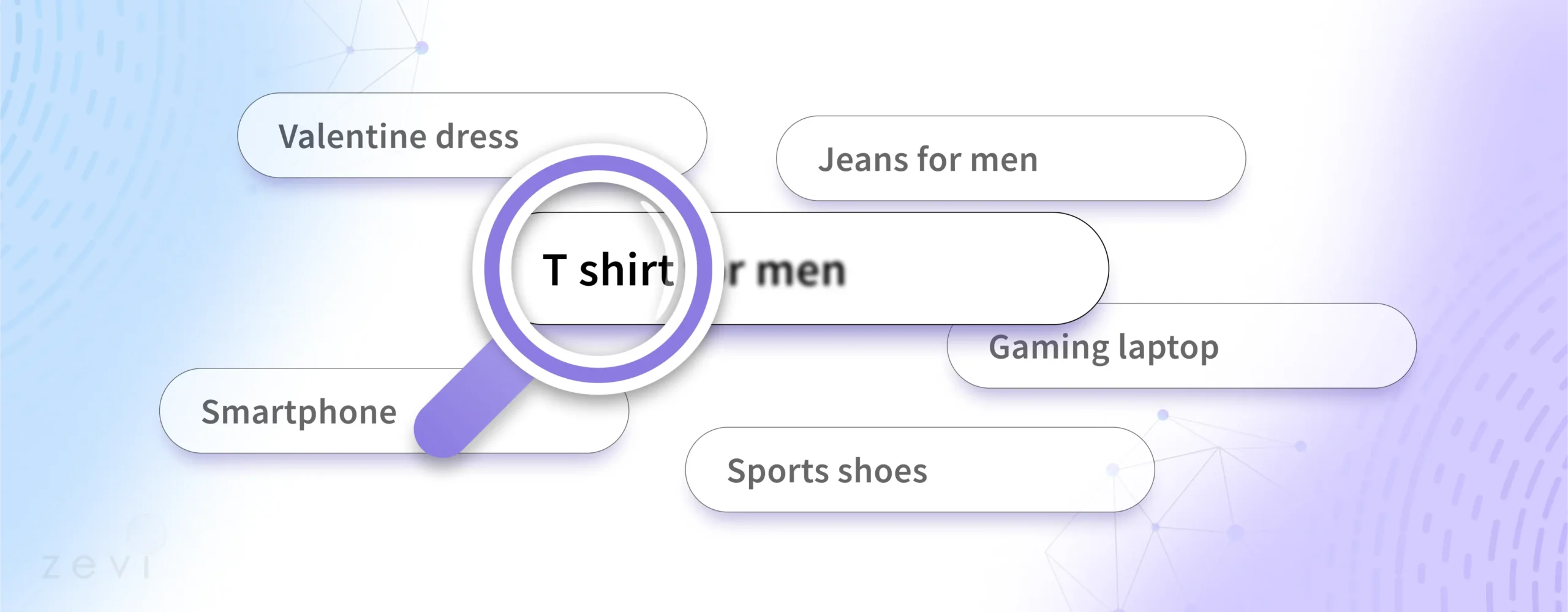
A search query is any search term or a set of words entered into a search engine to find specific information, products, or services.

Whether it is a short phrase or a detailed sentence, the search query itself represents a user’s intention—often referred to as search intent—to learn, compare, buy, or reach a particular website.

When searchers enter these terms, the search engine analyzes them to return the most relevant results.

Every search query can have different meanings, which is why search engine optimization efforts rely on analyzing query data. A query might reference a brand name, a product name, or an interest like “los angeles coffee shops.”

Each scenario reveals how vital it is to match user queries with the correct web page. If you focus on aligning your content with the intent behind these search queries, you increase the odds of appearing in the search results that matter most.

Importance of Search Queries in SEO and Digital Marketing

Importance of Search Queries in SEO and Digital Marketing

Search queries serve as a guide for search marketers to develop targeted strategies. By examining queries and their context, you can create content and optimize it so users find you when they need you.

This leads to:

  1. Improved Visibility: Having your web page show up at the right time boosts brand awareness.
  2. Higher Organic Search Traffic: Ranking for queries that are relevant to your specific industry can drive consistent traffic at no direct cost, aside from production of quality content.
  3. Better User Satisfaction: If your web page matches user intent, visitors remain on your site longer, which sends positive signals to the search engine.
  4. Enhanced Conversions: Aligning transactional queries with your product listings can increase the rate at which visitors take action, whether that is subscribing or purchasing.

For search marketers, mastering how people use queries also helps you refine PPC ads, improve local searches, and determine which vertical search segments might be most relevant. From a search marketing standpoint, focusing on user queries—and categorizing them properly—sets the foundation for meeting the needs of searchers.

Types of Search Queries

Types of Search Queries

Many experts break down search queries into different types based on user goals.

Here are four primary categories you should be aware of when shaping your strategy:

Branded Queries

A branded query includes a brand name, such as “VH Info link building services.” Often, the user wants to locate a particular website or research a specific brand. This type of search query is valuable for brand awareness and for securing top positions in relevant results. You can appear in both organic search and PPC ads, ensuring you are the first link people see when they type your name.
Informational Queries

Informational queries, sometimes referred to as informational search queries, indicate that a user wants information. The user might be typing something like “how to start a SaaS link campaign” or “best practices for on-page search engine optimization.”

They are not necessarily looking to purchase; they are researching to find relevant information on a topic. Informational searches are common when people want advice, instructions, or details.

Creating resources that address these queries fosters trust, brand credibility, and site authority.

Navigational Queries

Sometimes labeled navigational search queries, these searches occur when a user already knows the specific website or page they want. Rather than entering a URL directly, they type the name in a search bar.

For instance, a search query like “VH Info blog” is navigational. The best way to handle navigational queries is to ensure you own the top organic search spot for your brand or name.

If people are trying to reach you by your brand name, they should see your site sitting comfortably at the top of the search results.

Transactional Queries

Transactional queries signal that the user intends to do something immediate, such as buying, signing up, or downloading. These are often called transactional search queries.

Examples might include “buy link building services,” “order new SaaS software,” or “purchase CRM tools for small businesses.”

Since transactional search indicates high conversion potential, it is wise to create product listings or landing pages that match these queries. Additionally, you can use PPC ads or google ads to capture these ready-to-buy users who are on the verge of taking an action.

How to Use Different Types of Search Queries?

How to Use Different Types of Search Queries?

Once you recognize that people use different types of searches, you can cater to each type of search query effectively. This means aligning the content and structure of your site with each user’s intentions.

Long-Tail Keywords

Long-tail keywords are phrases that are more detailed and specific. They often have lower competition but higher intent.

For instance, “link building strategies for SaaS startups” is more specific than a generic phrase like “link building.” If your content focuses on these specific long-tail queries, you can attract a smaller but highly targeted audience looking for particular information.

How to Find Long-Tail Keywords?

Tools and analytics provide a starting point. You can check your own search query report in Google Search Console to see which user queries bring people to your site. Social media platforms can also reveal the types of questions people ask repeatedly in your industry.

By looking at the queries with moderate traffic or minimal competition, you can discover hidden gems that lead to higher conversions and more consistent growth.

Check the Competition

Investigate how other sites rank for key long-tail queries. Look at their on-page elements such as title tags, meta descriptions, and headings. Then include similar or improved strategies into your own content.

You can analyze their landing pages, observe whether they use images or video, and figure out what gaps you can fill. Sometimes, a competitor misses a related phrase or fails to provide relevant information to the target audience, opening the door for your site to stand out.

Difference Between Keywords and Search Queries

Difference Between Keywords and Search Queries

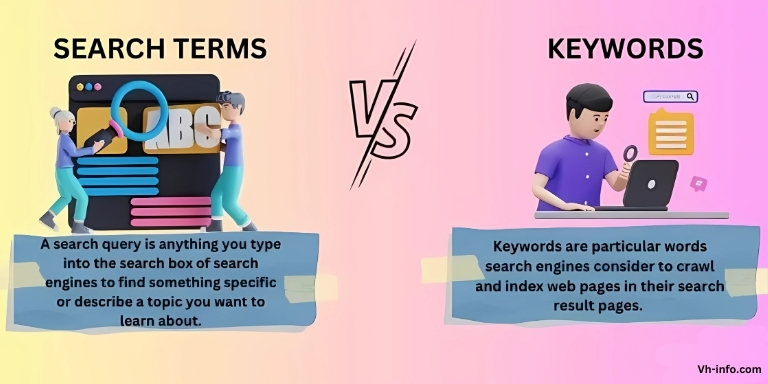
While “keywords” and “search queries” often mean the same thing, they have different roles in SEO. Knowing the difference is key for a good digital marketing plan.

Understanding Keywords

In SEO, “keywords” typically refer to the terms or topics you want your content to rank for. You research which words people use in search engines and then optimize your web page or landing pages around them.

Keywords might be short phrases like “SaaS link building” or more detailed variants like “white-hat link building strategies for SaaS companies.”

How Keywords Relate to Search Queries?

While keywords provide a focus for your optimization, search queries are the actual phrases typed into a search box.

For instance, your keyword might be “SaaS link building platform,” but a common search query type from a user could be “best SaaS link building platform in Los Angeles.”

Each user can phrase their request differently, and your SEO approach should cover these variations. If you only optimize for the base keyword, you might miss all the related user queries that contain additional details.

On the flip side, merging keywords with the precise queries users make is how you match their search intent with your content.

The more alignment there is, the more likely you are to appear in relevant results and meet user needs. That alignment leads to a win-win: the user finds the answer or product they want, and your site gains more engaged visitors.

How to Select Keywords Based On Search Queries?

How to Select Keywords Based On Search Queries?

Choosing the right keywords is like tuning an instrument. It takes time to understand the details of language, what users want, and how search engines work. A good keyword plan depends a lot on the data from real search queries. This data gives you helpful hints about what users are looking to find.
Identify the Search Queries that Bring Users to Your Site

Consult your data sources like Google Search Console, Google Analytics, and any search query report you have available.
Pinpoint the user queries that actually generate traffic. These might already match your core product name or brand name keywords, or they could be random questions that produce surprising visits.

By spotting which search query type yields clicks or conversions, you can see where your brand is already strong or where you might have hidden strengths.

Find New Search Queries Based On Your Current Keywords

Sometimes, your existing keyword focus might only capture the surface. You can expand by researching synonyms, variations, or related terms used by the target audience.

This might involve local searches if you serve a specific area, or it might involve vertical search terms if you operate in a specialized sector.

For example, if your main keyword is “SaaS link building,” related queries could be “SaaS link building expert,” “link building for B2B SaaS,” or “how to scale SaaS backlinks.”

Use This Information to Improve Your Keyword Strategy

Once you identify potential queries, weave them into your meta descriptions, headings, and product listings. You could also create new category pages or blog posts that address these topics directly.

For instance, if you notice that people often search “how link building works for a CRM tool,” launching a dedicated blog post to answer that specific information can yield a valuable traffic source.

This approach helps your SEO by expanding your content library to address more user queries with relevant information.

How to Optimize For Search Queries?

How to Optimize For Search Queries?

Optimizing your website to match user search queries is like knowing how to talk to your target audience. It goes beyond just putting keywords in your content. You need to understand what users really want and need.

Remember, search engines try to connect users with the best and most useful information.

Matching Content to User Intent

Start by analyzing the needs of searchers for each query. People who type informational queries typically want helpful explanations, guides, or tutorials. On the other hand, transactional queries indicate readiness to purchase or subscribe.

Therefore, your web page content should reflect these different types:

  • Informational searches: Provide how-to tutorials, detailed explanations, or educational posts.
  • Transactional search: Present product listings, straightforward pricing, and a clear call to action.
  • Navigational queries: Help people reach a particular website or page quickly.
  • Branded queries: Ensure official pages rank first so that people find your site or your brand swiftly.

Using Keywords Effectively in SEO

Integrate relevant queries and keywords into your title tags, headings, meta descriptions, and throughout your copy.

However, avoid spammy repetition. The aim is to create a natural flow that addresses user queries while letting search engines parse your content accurately. This increases your chance of showing up for both short-tail and long-tail searches.

Be mindful of local references if you have a location-based offering, and remember that sometimes users might specify something like “SaaS link building agency Los Angeles,” so mention local details if it applies.

Another point is to keep best practices in mind. Write your content for humans first, ensuring clarity and depth, then weave in your relevant keywords to help search engines connect you with the correct search queries. Because user queries shift over time, your strategy should adapt. Refreshing older content or adding new posts ensures you stay current with search query trends.

Are There Tools to Help Categorize Different Types of Search Queries?

Are There Tools to Help Categorize Different Types of Search Queries?

Yes. Many SEO platforms and analytics tools can segment queries by search intent.

Some solutions might label them as informational queries, navigational queries, or transactional search queries automatically. Others allow custom tags so you can mark queries that appear to be brand-focused or interest-focused.

Here are a few commonly used resources:

  • Google Search Console: Offers insight into queries that lead to clicks on your site.
  • Third-Party SEO Software: SEMrush, Ahrefs, or Moz can reveal queries, show search volumes, and indicate competition levels.
  • Search Engine Keyword Planner: For instance, Google Ads Keyword Planner can reveal potential traffic from specific search terms.

Using these tools consistently lets you see the search query type, refine your approach, and check if the results match your goals.

Search Query Examples

Search Query Examples

Below are some simplified search query examples and how they might categorize:

  1. “VH Info Homepage”: Navigational search query, as the user is looking for a particular website.
  2. “why SaaS link building is important”: Informational search query, showing the user wants more knowledge on a topic.
  3. “buy CRM software for sales teams”: Transactional search query, indicating readiness to purchase.
  4. “testimonials for VH Info link building”: Branded query, referencing a specific brand name plus a specific request.
  5. “list of top SEO blogs in Los Angeles”: Informational searches, with a slight local angle. Could also be partially navigational if they are thinking of a certain site but cannot recall it.
  6. “how to manage ppc ads for SaaS”: Informational queries, focusing on best practices or processes around paid advertising.

Each example highlights how user queries often contain clues about search intent. Paying attention to findings like these is an essential part of refining your approach.

FAQ’s:

How Do Search Queries Impact SEO?

Search queries reveal the language people use and what they hope to find. By matching your content and metadata to user queries, you boost your ranking potential in organic search.

Also, search queries show you where to expand your content, such as creating new category pages or blog posts addressing popular questions. These strategies help you deliver relevant results to your target audience.

Can I Optimize My Site For All Types of Search Queries?

It is possible to structure your site so each query type receives an appropriate response.

  • For navigational search queries, ensure your brand site appears at the top.
  • For informational queries, create high-value guides or articles.
  • For transactional queries, develop user-friendly product listings or landing pages.

Although you can cover various types of queries, focus on the ones that align with your goals and your specific industry niche.

How to Find Search Queries That Will Generate Sales?

Review your Google Search Console data, check your current keywords, and cross-reference them with business metrics like conversions or signups. Identify queries that include words like “purchase,” “order,” “buy,” or “subscription.”

These are strong indicators of transactional search. In addition, you can use Google Ads data or PPC Ads metrics to see which queries lead to immediate actions. Once found, optimize your pages to capture those searchers more effectively.

Which Types of Queries Help You Improve the Findability?

Informational searches can boost your visibility when you provide high-quality resources that people share. Transactional queries can help you show up for individuals ready to make a purchase. Navigational queries can secure your brand name position in search results.

Overall, combining all these types helps you improve findability across an array of user needs.

How Can I Identify the Search Intent Behind a Query?

Look for contextual clues in the search term. Words like “buy,” “subscribe,” or “order” hint at transactional search. Phrases like “how to” or “what is” generally belong to informational search queries.

Queries with a brand name or product name plus some navigational terms can signal navigational queries. If the query is specifically referencing your brand or a competitor brand, that is typically a branded query.

Some tools automate this analysis, labeling user queries automatically so you can see the likely intent.

Conclusion

Search queries are crucial for search marketing success. They reveal user intent, guiding content optimization and product offerings.

Understanding different query types and using strategic keywords can help boost conversions and brand awareness.

Modern tools simplify query categorization and site optimization, ensuring a steady flow of traffic and revenue. Success lies in aligning with user intent, providing valuable answers, and adapting to new data for sustainable growth in search rankings.

Onsite Optimization: Meaning, Importance, Checklist, Tools & Examples

In the competitive digital landscape, optimizing your website is essential to achieve higher search engine rankings and attract organic traffic.

Onsite optimization, also known as on-page SEO, involves enhancing individual web pages to rank better and earn more relevant traffic from search engines. At VH Info, we understand the intricacies of onsite optimization and are dedicated to providing actionable insights to help your SaaS business thrive.

What is Onsite Optimization?

What is Onsite Optimization?

Onsite optimization refers to the practice of refining various elements within your website to improve its visibility and ranking on search engine results pages (SERPs).

This includes optimizing content, HTML source code, and website structure to align with search engine algorithms and user intent.

Effective onsite optimization ensures that your website meets both the technical and content-related standards required for better search engine performance.

Importance of Onsite Optimization in SEO

Importance of Onsite Optimization in SEO

Onsite optimization plays a critical role in your overall SEO strategy.

It directly influences how search engines interpret and rank your web pages.

Focusing on page SEO factors enhances your website’s ability to match user search queries, leading to increased organic traffic and improved user experience.

Moreover, onsite optimization helps in building quality content that addresses the needs and intent of your target audience, establishing your site as a trusted authority in your industry.

Key Elements Of Onsite Optimization

Key Elements Of Onsite Optimization

Keyword Research and Placement

Effective keyword research is the foundation of onsite optimization.

Identifying the right keywords and strategically placing them throughout your content helps search engines understand the relevance of your pages to specific search queries.

Include your target keywords in titles, headers, meta descriptions, and within the body copy to enhance visibility.

Meta Tags Optimisation (Title and Description)

Meta tags, including the title tag and meta description, are important for SEO.

They provide search engines with information about your web pages and influence click-through rates from SERPs. Ensure that your meta descriptions are concise, include relevant keywords, and accurately reflect the content of the page to attract more visitors.

Header Tag Usage (H1, H2, H3, etc.)

Proper use of header tags (H1, H2, H3, etc.) helps structure your content, making it easier for both users and search engines to navigate.

The H1 tag should contain your primary keyword and clearly indicate the main topic of the page. Subheaders (H2, H3) should organize content into logical sections, enhancing readability and SEO.

Internal Linking Strategy

An effective internal linking strategy connects related pages within your website, facilitating easier navigation for users and helping search engines crawl your site more efficiently.

Use anchor text that includes relevant keywords to link to other pages, distributing link juice and improving the overall authority of your website.

Content Quality and Relevance

Creating quality content that is both informative and relevant to your target audience is paramount. Content should address search intent, provide valuable information, and be regularly updated to maintain its relevance.

High-quality content not only engages visitors but also encourages other sites to link back to yours, enhancing your link building efforts.

Image Optimisation (Alt Text and Compression)

Optimizing images involves using descriptive alt text and compressing images to improve page speed. Alt tags help search engines understand the content of images, which can contribute to image search traffic.

Compressed images reduce loading times, enhancing the user experience and positively impacting your search rankings.

URL Structure Best Practices

A clean and descriptive URL structure is essential for both SEO and user experience.

URLs should include relevant keywords, be easy to read, and reflect the hierarchy of your website’s content. Avoid using unnecessary parameters or lengthy URLs, as they can hinder search engine crawlers and confuse users.

How to Perform Onsite Optimization?

How to Perform Onsite Optimization?

Performing onsite optimization involves a systematic approach to enhancing various aspects of your website.

Start with comprehensive keyword research to identify the most relevant terms for your audience. Optimize meta tags, headers, and content with these keywords, ensuring they align with search intent.

Implement a robust internal linking strategy and ensure all images are optimized with appropriate alt text and compression. Additionally, focus on improving page speed, maintaining a responsive design, and structuring your URLs effectively.

Regularly conduct SEO audits to identify and rectify any issues, keeping your website aligned with the latest SEO trends and search engine algorithms.

Utilizing SEO tools can aid in tracking performance, analyzing keyword density, and managing your overall onsite optimization efforts at scale.

6 Important Onsite SEO Factors

Important Onsite SEO Factors

  1. Create Valuable, In-Depth Content to Keep Leads On Your Page: Developing comprehensive and informative content keeps visitors engaged and reduces bounce rates. Quality content that thoroughly covers a topic addresses user needs and encourages longer site visits, which are positive signals to search engines.
  2. Optimize Title Tags to Appear in More Relevant Results: Creating title tags that accurately describe the page content and include primary keywords improves your chances of appearing in relevant search results. Titles should be compelling to increase click-through rates from SERPs.
  3. Use Internal Links On The Page to Keep Leads On Your Site Longer: Including internal links within your content directs visitors to related pages, enhancing their journey through your website. This not only improves user experience but also strengthens your site’s overall SEO by distributing authority across multiple pages.
  4. Improve Your Page Load Time To Keep Your Leads Happy: A fast-loading website enhances user experience and is a important ranking factor for search engines. Optimize your page speed by minimizing code, using browser caching, and using content delivery networks (CDNs) to ensure quick load times.
  5. Create SEO-Friendly URLs: Developing SEO-friendly URLs that include relevant keywords and are easy to read helps both users and search engines understand the content of each page. Simple and descriptive URLs contribute to better search engine rankings.
  6. Ensure Your Site Includes Responsive Design to Keep Your Audience Happy: A responsive design ensures that your website is accessible and functional across all devices, including desktops, tablets, and smartphones. Mobile responsiveness is a significant ranking factor and essential for providing a seamless user experience.

Common Mistakes in Onsite Optimization

Common Mistakes in Onsite Optimization

While optimizing your website is important for better rankings, you can make mistakes that slow your progress. It is essential to know these mistakes so you can avoid them. This helps keep your website on the right path.

  1. Overstuffing Keywords: Keyword stuffing involves excessively using keywords in your content, which can lead to penalties from search engines. Focus on natural keyword integration that maintains readability and relevancy.
  2. Ignoring Mobile Responsiveness: Failing to optimize your website for mobile devices can result in a poor user experience and negatively impact your search engine rankings. Ensure your site is fully responsive and performs well on all screen sizes.
  3. Neglecting Page Load Speed: Slow-loading pages frustrate users and contribute to higher bounce rates. Prioritize page speed optimization to enhance user experience and improve your site’s standing with search engines.

On-Page SEO Checklist

On-Page SEO Checklist

On-page SEO is an important part of search engine optimization (SEO). It means improving individual web pages. The goal is to boost their search engine rankings and get more organic traffic. This includes many elements, from technical details to content updates. All these parts work together to make the page easier to find and more attractive to both search engines and users.

A clear on-page SEO checklist can help you make sure your pages are set up right for search engines and users.

  1. Make Sure Your Keyword is in Your URL
  2. Optimize Your Page Title
  3. Use Headers
  4. Include Keywords in Your Body Copy
  5. Include Images, Graphics, And Other Visuals
  6. Add a Meta Description
  7. Optimize Visuals With Alt-Text
  8. Add Internal Links
  9. Add External Links

Following this checklist ensures that all essential SEO elements are addressed, providing a solid foundation for your onsite optimization efforts.

How To Manage On-Page SEO At Scale?

How To Manage On-Page SEO At Scale?

Managing on-page SEO is very important for big websites or those with a lot of content. It helps keep SEO performance strong and boosts visibility online. This means sticking to SEO best practices, like using the right keywords and doing technical SEO audits.

  1. Crawl Your Website: Regularly crawl your website to identify and fix any issues that may hinder search engine crawlers. Tools like SEO crawlers can help automate this process, ensuring comprehensive coverage.
  2. Conduct an SEO Audit and Define Your Site Architecture: An in-depth SEO audit examines various aspects of your site, from technical SEO to content quality. Define a clear site architecture that logically organizes your content, making it easier for users and search engines to navigate.
  3. Update URLs, Page Titles, and Meta Descriptions: Consistently update URLs, page titles, and meta descriptions to reflect changes in content and to include new target keywords. This maintains relevance and improves search visibility.
  4. Track Keywords and Topics For Each Page: Monitor the performance of keywords and topics associated with each page to identify opportunities for optimization and growth. Use keyword tracking tools to stay informed about your rankings and adjust strategies accordingly.
  5. Establish Value Propositions For Each Page: Clearly define the value proposition for each page, ensuring that it addresses the needs of your target audience. This clarity enhances user experience and supports your overall SEO goals.
  6. Define Your Target Audience: Understanding your target audience allows you to create content that resonates with their needs and preferences. Tailor your on-page optimization efforts to attract and engage your ideal customers.
  7. Plan New Page Titles: Develop compelling and descriptive page titles that include relevant keywords and accurately reflect the content. Well-created titles boost click-through rates and improve search rankings.
  8. Add New Meta Descriptions: Create unique and engaging meta descriptions for each page, including primary and related keywords. Effective meta descriptions entice users to click on your links in search engine results.
  9. Review and Edit Page Content as Needed: Regularly review and update your page content to ensure it remains accurate, relevant, and optimized for current SEO standards. Fresh content keeps your site dynamic and appealing to both users and search engines.
  10. Include Visual Content: Include visual content such as images, videos, and infographics to enhance user experience and make your pages more engaging. Visuals can also improve SEO by increasing time spent on page and encouraging shares.
  11. Add Relevant Links: Strengthen your internal linking and include authoritative external links to provide additional value to your readers. Well-placed links enhance the credibility and SEO of your content.
  12. Optimize For Conversions: Ensure that your optimized pages are not only search-friendly but also designed to convert visitors into leads or customers. Conversion optimization works hand-in-hand with on-page SEO to achieve overall business goals.

Tools For Effective Onsite Optimization

Tools For Effective Onsite Optimization

  1. Google Analytics: Google Analytics is a must-have SEO tools platform for analyzing user behavior and measuring organic traffic on your website. It’s a great way to see how visitors respond to your page content, which can help you refine your main keyword plan and maintain a high-quality user experience. Detailed data on search queries, bounce rates, and conversions reveal where adjustments are needed so you can align with search engine results. As a starting point for deeper search engine optimization, Google Analytics integrates with Pagespeed Insights to track page speed, a ranking factor that strongly influences your core web vitals.
  2. SEMrush: SEMrush is a powerful keyword research platform that assists with page SEO by highlighting the right keywords and analyzing their competition. It also reveals anchor text patterns for improved link building, helping you optimize your title tag and meta description across individual web pages. Semrush includes robust site audit features to pinpoint technical SEO areas to fix and climb the google search results. It detects featured snippet opportunities, checks keyword density, and suggests where schema markup might produce rich snippets, helping you gain more organic traffic. It also provides features to track social media mentions, building synergy between multiple channels.
  3. Ahrefs: Ahrefs excels at scanning backlinks, analyzing search intent, and unveiling on-page optimization possibilities. You can uncover inbound external links, monitor internal link distribution, and evaluate your url structure for each web page. The built-in site audit function spots seo elements like header tags or missing image alt tags so search engine crawlers can interpret your content accurately. It’s also a great way to check if your page content aligns with search queries for better search engine rankings. By comparing domains side by side, you can refine your ranking factor approach and include structured data effectively.
  4. Yoast SEO: Yoast SEO is a WordPress plugin that guides you through optimizing each blog post or single page for search engine results. It checks if your title tag and meta description include your target keyword and ensures they suit your target audience. The plugin flags issues such as keyword stuffing, missing alt text, or sloppy structure so that user experience stays high. Yoast also refines anchor text, internal linking, and lazy loading of visual content, ensuring you address important information and SEO basics on all individual pages while covering related keywords.
  5. Screaming Frog: Screaming Frog streamlines technical SEO by crawling your website pages and exposing problems that hurt page speed or affect search engine optimization. It locates broken links, missing canonical tags, or oversights in schema markup, delivering a concise SEO checklist for your site. The tool also checks alt tags for improved image search and shows how search engine crawlers see each type of content, letting you fix issues before they become a Google ranking factor risk. Thanks to advanced crawling, Screaming Frog is a starting point for evaluating core web vitals so your site remains fast and efficient.

On-Page Optimization Examples

On-Page Optimization Examples

Zapier

What they did: Zapier focused on creating content around relevant keywords and topics that resonated with their target audience. They optimized page titles, meta descriptions, and URLs to ensure maximum visibility on search engines. Additionally, they regularly updated their website to keep the content fresh and engaging.

Results: Their efforts led to a 190% increase in organic traffic and an 18.6% click-through rate, demonstrating the effectiveness of their on-page SEO strategy.

Healthspan

What they did: After being penalized by Google’s algorithm (Penguin update), Healthspan worked with an agency to recover rankings. They optimized key product pages, analyzed backlinks to resolve penalty issues, and created high-quality content tailored to their audience.

Results: Organic revenue increased by 144% within a year, allowing the brand to reduce its reliance on paid search campaigns.

BankBazaar

What they did: BankBazaar focused on creating high-quality, user-centric content that answered common queries about financial services. They optimized this content for search engines by using relevant keywords and improving user experience. Additionally, they used social media campaigns to drive traffic.

Results: This strategy resulted in 22.6 million monthly organic visits, significantly boosting brand visibility and customer loyalty.

FAQ’s:

What is the Difference Between Onsite and Offsite Optimisation?

Onsite optimization involves enhancing elements within your website, such as content, meta tags, and internal links, to improve search engine rankings. Offsite optimization, on the other hand, focuses on activities outside your website, like link building and social media marketing, to boost your site’s authority and credibility.

How Often Should I Update My Onsite Optimisation Efforts?

Regular updates are essential to maintain and improve your search engine rankings.

Conduct an SEO audit quarterly and review your on-page optimization strategies whenever you add new content or make significant changes to your website. Staying consistent ensures your site remains aligned with the latest SEO trends and algorithm updates.

Can Onsite Optimisation Improve My Website Ranking Alone?

While onsite optimization is a vital component of SEO, combining it with offsite optimization strategies, such as link building, yields the best results. Both onsite and offsite factors work together to enhance your website’s authority, relevance, and overall visibility in search engine results.

How Does Onsite Optimisation Impact User Experience?

Effective onpage optimization improves user experience by making your website more navigable, faster, and easier to understand.

Enhancing page speed, ensuring mobile responsiveness, and providing high-quality, relevant content all contribute to a better experience for visitors, encouraging longer site visits and higher engagement rates.

Conclusion

Onsite optimization is a fundamental aspect of search engine optimization that directly influences your website’s performance and visibility.

By focusing on key elements such as keyword research, meta tags, content quality, and internal linking, you can significantly enhance your site’s search engine rankings and attract more organic traffic.

At VH Info, we specialize in providing actionable insights and strategies tailored to your SaaS business, ensuring that your website not only meets but exceeds SEO standards.

Implementing effective onsite optimization techniques will not only improve your user experience but also establish your site as a trusted authority in your industry, driving sustained growth and success.

The Role Of A SaaS CMO: Responsibilities, Skills, And Strategies

In the fast-paced SaaS industry, where innovation drives growth, the role of a Chief Marketing Officer (CMO) has become indispensable.

A SaaS CMO is not just another marketing executive; they are a pivotal part of the company’s leadership team, bridging the gap between product development, marketing efforts, and revenue growth.

This article delves into the responsibilities, skills, and strategies that define a successful SaaS CMO.

What is a SaaS CMO?

What is a SaaS CMO?

A SaaS Chief Marketing Officer (CMO) is a senior marketing leader responsible for overseeing all marketing activities within SaaS companies.

Unlike CMOs in other industries, a SaaS CMO focuses on demand generation, customer acquisition, retention strategies, and aligning marketing initiatives with the unique business model of subscription-based software services. Their role requires extensive experience in product marketing, performance marketing, and social media strategies tailored specifically for SaaS marketers.

Why is a SaaS CMO Important?

Why is a SaaS CMO Important?

  1. Strategic Vision and Business Alignment: A SaaS CMO plays a critical role in aligning the marketing function with the company’s overall business strategy. They collaborate with the executive team to ensure that marketing campaigns support the product roadmap and revenue goals.
  2. Customer Acquisition and Retention: Customer acquisition is at the heart of SaaS marketing. A skilled SaaS CMO develops inbound marketing strategies to attract new users while working closely with customer success teams to reduce churn rates and improve user experience.
  3. Revenue Growth Through Marketing: Using data-driven decision-making and targeted marketing strategies, a SaaS CMO directly impacts revenue growth. They optimize lead generation efforts and ensure that every marketing dollar spent contributes to measurable results.

What Does a SaaS CMO Do?

What Does a SaaS CMO Do?

The responsibilities of a SaaS CMO extend beyond traditional marketing roles. They oversee brand strategy, content marketing initiatives, social media campaigns, and product positioning.

Additionally, they work with sales teams to align on lead generation goals and collaborate with product teams to refine the value proposition.

Key tasks include:

  1. Developing comprehensive marketing strategies.
  2. Managing the marketing budget to maximize ROI.
  3. Leading content creators in creating compelling messaging.
  4. Monitoring key performance indicators (KPIs) like Customer Acquisition Cost (CAC) and conversion rates.

Key Skills and Traits of a Successful SaaS CMO

Key Skills and Traits of a Successful SaaS CMO

  1. Leadership and Communication Skills: A successful SaaS CMO must inspire their marketing team while effectively communicating with the leadership team. Their ability to articulate a clear vision ensures alignment across different roles within the company.
  2. Expertise in Analytics and Data-Driven Decision-Making: In today’s data-rich environment, knowledge of analytics tools is non-negotiable. A SaaS CMO uses metrics such as retention rates and lead generation performance to guide their decisions.
  3. Adaptability to Technological Changes: The SaaS industry is evolving rapidly. A competent CMO stays ahead of trends in social media marketing, inbound strategies, and emerging technologies to maintain a competitive edge.

How to Hire The Best SaaS CMO?

How to Hire The Best SaaS CMO?

To hire the best SaaS CMO follow these:

  1. Defining Your Business Needs: Before hiring a SaaS Chief Marketing Officer, it’s essential to identify your company’s specific needs. Are you looking for expertise in content marketing or someone who excels in performance marketing?
  2. Creating an Effective Job Description: A well-created job description should highlight the desired skill set, years of experience required, and familiarity with key areas like demand generation and brand identity development.
  3. Interview Process and Key Questions to Ask: During interviews, focus on assessing candidates’ ability to handle budget constraints while driving growth. Questions about their approach to KPIs like CAC or their experience working with sales teams can provide valuable insights.

Strategies For SaaS CMOs

Strategies For SaaS CMOs

  1. Building Relationships With Stakeholders: Collaboration is key for a SaaS CMO. Building strong relationships with sales teams, product teams, and other stakeholders ensures cohesive execution of marketing initiatives.
  2. Developing Effective Marketing Campaigns: From social media campaigns to content-driven inbound marketing efforts, creating targeted strategies is important for reaching the right audience.
  3. Using Data For Decision-Making: A data-driven approach allows CMOs to refine their strategies based on measurable outcomes such as lead conversion rates or customer lifetime value.

Metrics and KPIs For a SaaS CMO

Metrics and KPIs For a SaaS CMO

Customer Acquisition Cost (CAC)

Customer Acquisition Cost (CAC) measures how much a SaaS company spends on marketing efforts, sales team activities, and other marketing functions to acquire a new customer. A SaaS CMO uses this set of metrics to evaluate the efficiency of their marketing budget. Keeping CAC low while ensuring high-quality leads is critical for sustainable growth in the SaaS business model.

Retention and Churn Rates

Retention rates show how well a SaaS company keeps its customers over time, while churn rates measure the percentage of customers who stop using the product.

A SaaS Chief Marketing Officer collaborates with customer success teams to improve user experience and reduce churn. High retention rates indicate strong customer satisfaction, which directly impacts revenue and brand loyalty.

Lead Generation and Conversion Rates

Lead generation tracks how effectively a SaaS marketing team attracts potential customers through inbound marketing, content marketing, and social media campaigns. Conversion rates measure how many of those leads turn into paying customers.

A SaaS CMO ensures that the marketing strategies align with the sales team’s goals to drive conversions, making these metrics a direct impact on revenue growth.

Challenges Faced By SaaS CMOs

Challenges Faced By SaaS CMOs

  1. Evolving Customer Behavior: Customer behavior in the SaaS industry is constantly changing due to technological advancements and the increasing influence of social media. SaaS CMOs must adapt their marketing strategies to meet shifting preferences, such as the demand for personalized user experiences and instant gratification. Managing large sets of customer data and extracting actionable insights is essential for staying relevant and improving customer success.
  2. Competition in the SaaS Market: The SaaS market is highly competitive, with numerous companies offering similar products. To stand out, SaaS CMOs must focus on innovative marketing strategies, clear product positioning, and building a strong brand identity. Collaborating with the product and sales teams is important to differentiate offerings and create a compelling value proposition that resonates with the target audience.
  3. Balancing Budget Constraints With Growth Goals: SaaS CMOs face the challenge of achieving ambitious growth goals while managing limited marketing budgets. They must prioritize cost-effective marketing activities like inbound marketing and performance marketing to optimize lead generation and customer acquisition. The efficient allocation of resources ensures that every marketing initiative contributes directly to revenue growth without overspending.

FAQ’s:

How Does a SaaS CMO Differ From Other CMOs?

A SaaS Chief Marketing Officer focuses specifically on the unique business model of subscription-based software.

Unlike CMOs in other industries, a SaaS CMO prioritizes metrics like retention rates, churn rates, and recurring revenue. They also work closely with product teams and customer success teams to align marketing strategies with the product roadmap and user experience.

What Are The Top Metrics a SaaS CMO Should Focus On?

Key metrics for a SaaS CMO include Customer Acquisition Cost (CAC), retention rates, churn rates, and lead generation performance.

These metrics help measure the effectiveness of marketing campaigns, customer satisfaction, and overall revenue growth. Monitoring these KPIs ensures that marketing efforts directly impact the company’s success.

How Important is Data Analytics For a SaaS CMO?

Data analytics is essential for a SaaS CMO to make informed decisions about marketing strategies and performance marketing efforts.

Analyzing metrics like conversion rates and customer behavior allows them to refine campaigns and allocate the marketing budget effectively. A data-driven approach ensures that every marketing initiative aligns with business goals.

Can You Succeed As a SaaS CMO Without a Technical Background?

While having a technical background can be helpful, it’s not mandatory to succeed as a SaaS CMO. Strong leadership skills, extensive experience in SaaS marketing trends, and the ability to collaborate with product development teams are more critical. A good understanding of the target audience and the ability to adapt to technological changes are key to excelling in this role.

Conclusion

The role of a SaaS Chief Marketing Officer is critical in driving growth and aligning marketing efforts with the unique needs of SaaS companies.

From managing customer acquisition costs and improving retention rates to collaborating with sales teams and product teams, a SaaS CMO ensures the marketing function delivers measurable results.

Their focus on data-driven decision-making, brand strategy, and product positioning helps SaaS businesses stand out in a competitive market.

Despite challenges like evolving customer behavior and budget constraints, skilled SaaS CMOs use their extensive experience to create impactful marketing strategies.

Whether it’s refining the product roadmap, optimizing inbound marketing, or leading content creators, their contributions have a direct impact on revenue growth and brand awareness.

For SaaS startups or large enterprises looking to scale, having strong marketing leadership at the executive level is essential to achieve long-term success.

Mastering Core Web Vitals: A Guide to LCP, FID, And CLS

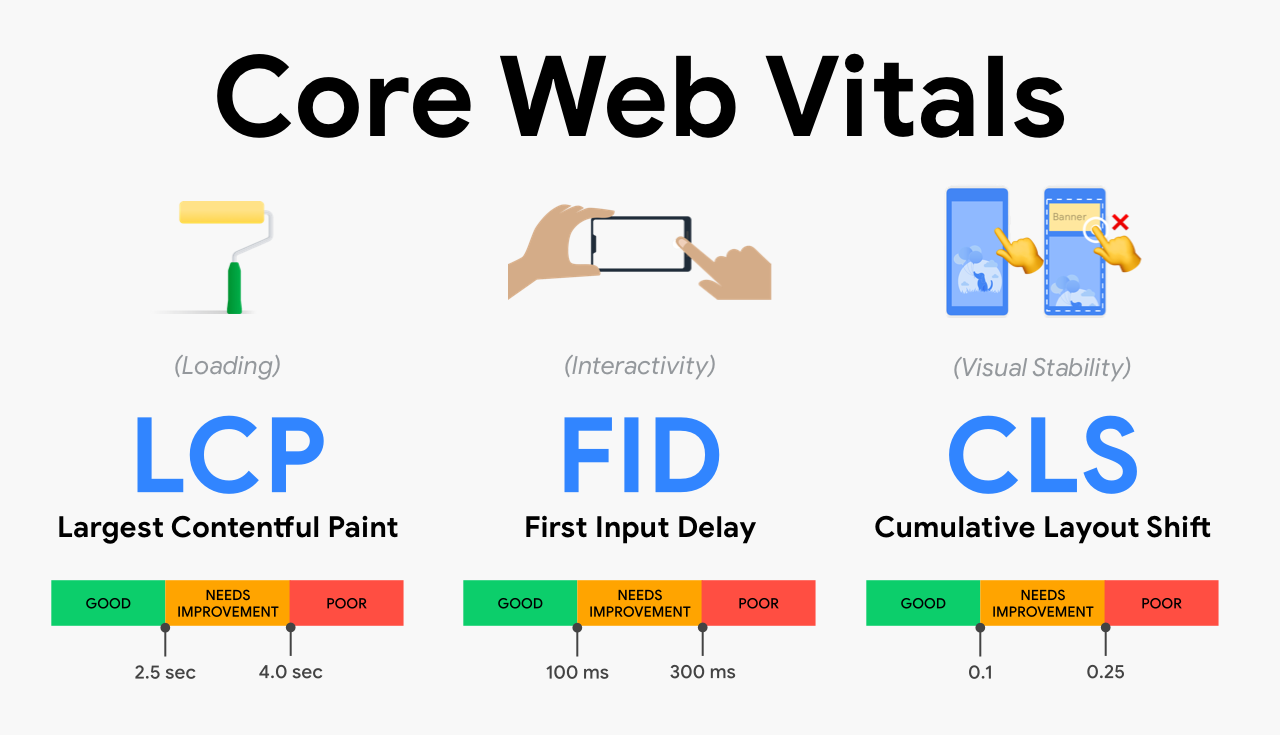
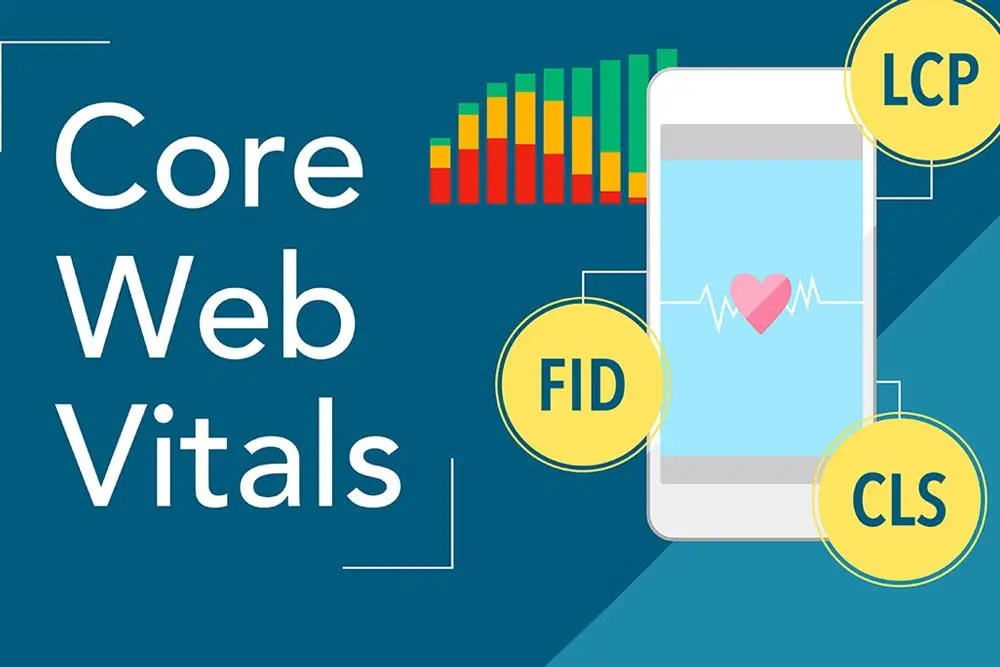
In the competitive landscape of digital performance, Core Web Vitals have emerged as critical metrics for evaluating a website’s user experience.

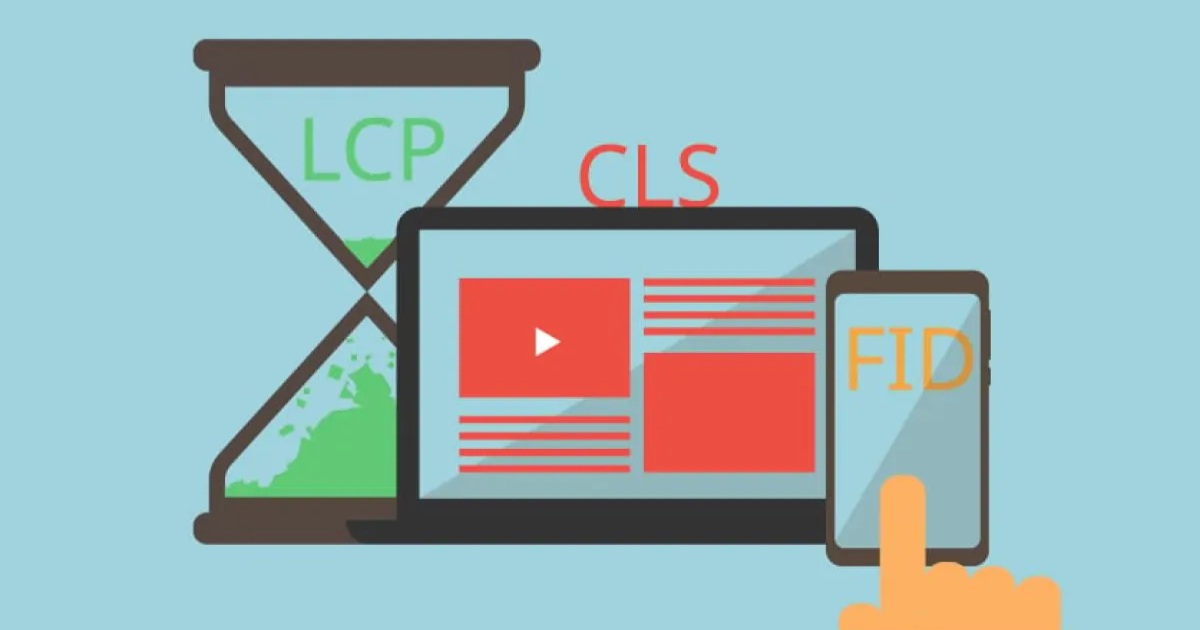
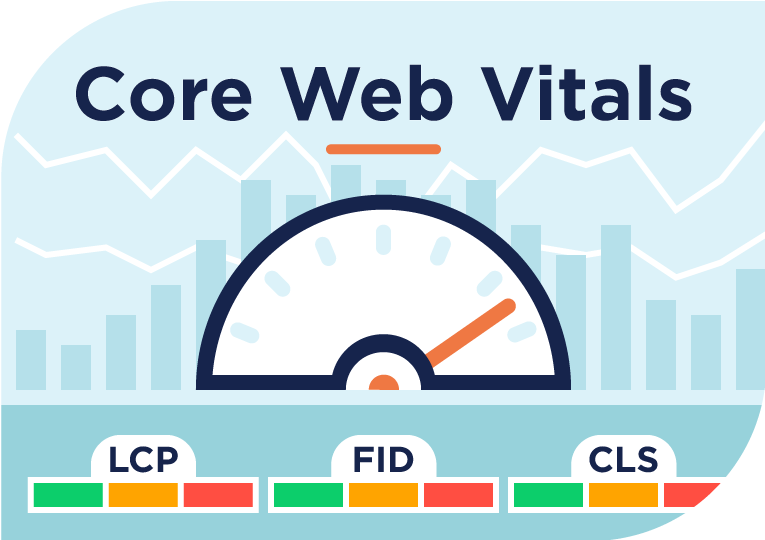
These metrics—Largest Contentful Paint (LCP), First Input Delay (FID), and Cumulative Layout Shift (CLS)—are essential components of Google’s page experience update. For site owners aiming to optimize their search engine rankings and deliver a great user experience, understanding and improving these metrics is non-negotiable.

This guide will break down Core Web Vitals, their significance, and actionable steps to improve your scores.

Whether you’re using tools like PageSpeed Insights, Google Search Console, or Chrome DevTools, this article will equip you with the knowledge to enhance your site’s performance.

What Are Core Web Vitals And Their Importance

What Are Core Web Vitals And Their Importance?

Core Web Vitals are a set of performance metrics introduced by Google to measure the quality of a website’s user interaction and page load experience.

They focus on three key aspects:

  • Loading Performance: Measured by Largest Contentful Paint (LCP).
  • Interactivity: Measured by First Input Delay (FID).
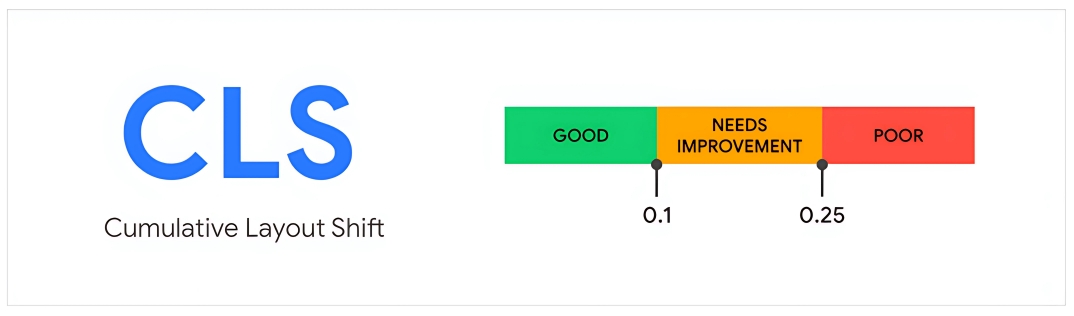
  • Visual Stability: Measured by Cumulative Layout Shift (CLS).

These metrics directly impact your site’s page speed, usability across different devices, and ultimately your position in search results. Websites that meet the thresholds for Core Web Vitals gain an advantage in Google’s ranking algorithm, making it a vital part of any SEO strategy.

Why Should You Care About Core Web Vitals?

Why Should You Care About Core Web Vitals?

Improving Core Web Vitals is not just about meeting Google’s standards; it’s about delivering a good user experience.

A poor score can lead to:

  • Higher bounce rates due to slow load times or unstable layouts.
  • Reduced engagement because of delayed responses to user input.
  • Lower search rankings as Google prioritizes sites with better performance data.

For businesses, this translates into lost conversions and diminished trust. By addressing these metrics, you ensure your site provides a seamless experience for users across all kinds of devices.

Largest Contentful Paint (LCP)

Largest Contentful Paint (LCP)

What is LCP?

Largest Contentful Paint (LCP) is a metric that measures how long it takes for the largest visible content element on a web page, such as an image, video, or block of text, to fully load and become visible in the user’s viewport.

It is an important part of the Core Web Vitals because it reflects how quickly users can see the main content of your page, which directly impacts their first impression of your site.

How to Interpret Your LCP Score?

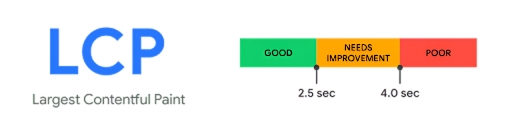
Google categorizes LCP scores as follows:

  • Good: ≤ 2.5 seconds
  • Needs Improvement: 2.5–4 seconds
  • Poor: > 4 seconds

A good LCP score ensures that users can access your site’s primary content without unnecessary delays.

What Could Be Causing a Poor LCP Score?

Several factors can negatively impact your LCP score:

  • Slow server response times (server response time).
  • Render-blocking resources like JavaScript and CSS.
  • Large images or videos without proper optimization.
  • Lack of critical CSS or improperly defined size attributes for images.

Improving Your LCP Score

To enhance your LCP score:

  • Optimize server response times by upgrading hosting or reducing time to first byte (first byte).
  • Use lazy loading for non-critical images.
  • Compress images and define proper size attributes.
  • Minimize render-blocking resources through techniques like critical CSS extraction.

First Input Delay (FID)

First Input Delay (FID)

What is FID?

First Input Delay (FID) measures the time it takes for a web page to respond when a user interacts with it for the first time. This interaction could be anything like clicking a button, tapping on a link, or typing into a form field.

A low FID score means that your website is responsive and provides a smooth user interaction, which is critical for a good user experience. High FID scores are often caused by heavy JavaScript code or tasks that block the browser’s main thread, delaying the response to user input.

How to Interpret Your FID Score?

Google’s benchmarks for FID are:

  • Good: ≤ 100 ms
  • Needs Improvement: 100–300 ms
  • Poor: > 300 ms

A low FID score ensures users can interact with your site without frustrating delays.

What Could Be Causing a Poor FID Score?

Common causes include:

  • Heavy JavaScript execution.
  • Long tasks blocking the main thread.
  • Inefficient third-party code.

Improving Your FID Score

To improve FID:

  • Minimize unused JavaScript and reduce its execution time.
  • Break up long tasks into smaller chunks.
  • Use web workers for complex code execution.

Cumulative Layout Shift (CLS)

Cumulative Layout Shift (CLS)

What is CLS?

Cumulative Layout Shift (CLS) measures how much the visible content on a web page unexpectedly shifts during loading. These shifts can occur when elements like images or ads load without predefined space or when fonts load late, causing text to move around. A high CLS score indicates poor visual stability, which can frustrate users and lead to a bad page experience.

For example, if a button moves just as someone tries to click it, this creates a negative impression. To achieve a low CLS score, it’s essential to define proper size attributes for images and videos, reserve space for dynamic content, and use efficient fonts.

How to Interpret Your CLS Score?

Google’s thresholds are:

  • Good: ≤ 0.1
  • Needs Improvement: 0.1–0.25
  • Poor: > 0.25

A low CLS score ensures high visual stability, making your site more user-friendly.

Improving Your CLS Score

To reduce layout shifts:

  • Reserve space for images using size attributes or CSS aspect ratio boxes.
  • Avoid inserting content above existing content unless necessary.
  • Use fonts that load efficiently to prevent shifts during rendering.

How to Measure Core Web Vitals?

How to Measure Core Web Vitals?

Measuring Core Web Vitals is essential for understanding your website’s user experience and identifying areas for improvement.

You can use tools like PageSpeed Insights, Google Search Console, and Chrome DevTools to analyze key metrics such as Largest Contentful Paint (LCP), First Input Delay (FID), and Cumulative Layout Shift (CLS). These tools provide both lab data (simulated tests) and field data (real-world user data from the Chrome User Experience Report).

For example, PageSpeed Insights offers a detailed breakdown of your site’s performance, including recommendations to improve metrics like site speed, visual stability, and response to user input. If you prefer real-time monitoring, tools like the Web Vitals Extension or custom scripts using the web-vitals.js library can also track these metrics directly in your browser.

Where Can I See My Website Core Web Vitals Report?

You can view your website’s Core Web Vitals report in tools like Google Search Console and PageSpeed Insights.

In Google Search Console, navigate to the “Core Web Vitals” tab under the “Experience” menu. This report groups URLs into categories like “Good,” “Needs Improvement,” or “Poor” based on their performance in metrics such as LCP, FID, and CLS.

It uses real-world data from the Chrome User Experience Report (CrUX) to give you insights into how users experience your site on both mobile and desktop devices.

Similarly, PageSpeed Insights provides both field data and lab data for individual pages, showing whether your site passes Google’s thresholds for a good user experience.

These reports highlight issues like slow load times or unstable layouts and offer actionable suggestions for improvement.

How Do I Know If My Website Passes The Core Web Vitals?

How Do I Know If My Website Passes The Core Web Vitals?

To check if your website passes the Core Web Vitals assessment, you need to ensure that all three metrics—LCP, FID, and CLS—meet Google’s thresholds. A “Good” score means LCP is ≤ 2.5 seconds, FID is ≤ 100 ms, and CLS is ≤ 0.1.

Tools like PageSpeed Insights or the Core Web Vitals report in Google Search Console will clearly indicate whether your site passes or fails.

The Search Console report groups URLs by performance status (“Good,” “Needs Improvement,” or “Poor”) and provides detailed insights into problematic areas such as high LCP times or excessive CLS values.

If your site meets these thresholds for at least 75% of user visits (based on CrUX data), it will pass Google’s Core Web Vitals assessment, improving your site’s rankings in search results and delivering a better overall page experience.

Improving Core Web Vitals Metrics

Improving Core Web Vitals Metrics

Upgrade Your Hosting

A slow server response time can negatively impact your Largest Contentful Paint (LCP) and overall site speed. Upgrading to a better hosting provider ensures faster delivery of your website’s content to users.

Look for hosting options with low latency and high reliability, as this will improve your page load time and enhance the user experience. Faster servers mean your site responds quicker, reducing delays in loading the main content.

Use a Content Delivery Network

A Content Delivery Network (CDN) helps distribute your website’s content across multiple servers worldwide, ensuring faster delivery to users based on their location. This reduces the time it takes for the largest content element to load and improves metrics like LCP score.

By using a CDN, you can also reduce server load and improve performance for users accessing your site from different regions, contributing to a better page experience.

Optimize Your Images

Large or unoptimized images can slow down your website and hurt your LCP score. Compressing images, using modern formats like WebP, and defining proper size attributes can significantly improve your site’s load time.

Optimized images not only enhance the visual stability of your page but also ensure that the largest contentful paint happens quickly, providing a smoother experience for users.

Use Page Caching

Page caching stores a static version of your web page, allowing it to load faster for returning visitors. This reduces the time needed to generate the page dynamically, improving both your site’s server response time and overall performance.

By implementing caching, you can enhance metrics like LCP and provide a faster, more reliable experience for users across all kinds of devices.

Reduce the Impact of Third-Party Code

Third-party code, such as ads or analytics scripts, can block important tasks and delay responses to user input, affecting metrics like First Input Delay (FID). Minimizing or deferring non-essential third-party scripts ensures that your site’s core functionality isn’t slowed down.

This optimization improves both interactivity and overall performance, contributing to better scores in tools like Google’s PageSpeed Insights and a more seamless browsing experience for users.

Tools to Measure Your Core Web Vitals

Tools to Measure Your Core Web Vitals

ContentKing

ContentKing

ContentKing is a powerful real-time monitoring tool that tracks your website’s performance, including Core Web Vitals like Largest Contentful Paint (LCP), First Input Delay (FID), and Cumulative Layout Shift (CLS).

It continuously audits your site, alerting you to issues such as poor page experience or changes in web vital metrics. With its user-friendly dashboard, you can view detailed insights and track performance trends over time.

The tool also integrates with platforms like Google Search Console, allowing you to manage multiple domains efficiently. ContentKing is especially helpful for identifying and prioritizing areas that need optimization to improve your site’s user experience and search rankings.

PageSpeed Insights (PSI)

PageSpeed Insights

PageSpeed Insights (PSI) is a free tool from Google that analyzes both lab data and real-world field data to assess your site’s performance. It focuses on key metrics like LCP, FID, and CLS to provide a comprehensive Core Web Vitals assessment.

The tool color-codes results as “Good,” “Needs Improvement,” or “Poor” and offers actionable suggestions to improve metrics like site speed, visual stability, and response to user input. PSI also displays data for mobile and desktop separately, helping site owners optimize their pages for different kinds of devices.

By addressing the recommendations in PSI reports, you can enhance your site’s overall performance and pass Google’s Core Web Vitals thresholds.

Google Search Console

Google Search Console

Google Search Console (GSC) provides a dedicated report for monitoring your site’s Core Web Vitals, using real-world data from the Chrome User Experience Report (CrUX). It categorizes URLs as “Good,” “Needs Improvement,” or “Poor” based on their LCP, FID, and CLS scores.

The report highlights specific issues affecting your site’s performance, such as high LCP times or excessive CLS values, and groups affected URLs for easier prioritization.

GSC’s timeline feature allows you to track improvements over time, making it an invaluable tool for site owners aiming to enhance their site’s page experience and meet Google’s ranking requirements.

FAQ’s:

How Big of an SEO Impact Do Core Web Vitals Have?

Core Web Vitals have a significant impact on SEO as they are an official ranking factor in Google’s algorithm.

Metrics like Largest Contentful Paint (LCP), First Input Delay (FID), and Cumulative Layout Shift (CLS) directly affect your site’s page experience, which influences how Google ranks your site in search results.

While content quality and relevance remain important, passing the Core Web Vitals assessment gives your website a competitive edge by improving both user experience and search visibility.

Why Are Lab Data and Field Data Scores So Different?

The difference between lab data and field data lies in how they are collected. Lab data is generated in a controlled environment using tools like PageSpeed Insights, simulating ideal conditions such as fast internet and powerful devices.

On the other hand, field data comes from real users via the Chrome User Experience Report (CrUX), capturing performance across various network speeds and devices. This is why field data often reflects more variability and real-world challenges, while lab data is more consistent.

Why is There No Field Data For My URL Or Origin Summary?

If there’s no field data for your URL or origin summary, it likely means your site doesn’t have enough traffic to generate data in the Chrome User Experience Report (CrUX).

Field data relies on real-world user interactions, so low-traffic pages or new sites may not have sufficient performance data collected yet.

In such cases, you can rely on lab data from tools like Google’s PageSpeed Insights or Web.dev Measure to analyze and improve your site’s performance.

Do Non-Indexable Pages Impact My Core Web Vitals?

No, non-indexable pages do not directly impact your site’s overall Core Web Vitals assessment since they are not included in Google’s ranking calculations. Only indexable pages that appear in search results contribute to your site’s performance metrics in tools like the Search Console Core Web Vitals report.

However, optimizing all pages, even non-indexable ones, is still a good idea to ensure a consistently good user experience for visitors navigating throughout your site.

Conclusion

Improving your website’s Core Web Vitals—Largest Contentful Paint (LCP), First Input Delay (FID), and Cumulative Layout Shift (CLS)—is essential for delivering a great user experience and boosting your rankings in search results. These metrics directly impact how users perceive your site’s page speed, visual stability, and responsiveness to user input.

Tools like PageSpeed Insights, Google Search Console, and Chrome DevTools make it easier to measure and optimize these metrics.

Addressing issues like slow server response time, unoptimized images, and heavy JavaScript can help you pass the Core Web Vitals assessment and ensure your site performs well across all kinds of devices.

Remember, a fast, stable, and interactive website not only improves your SEO but also builds trust with users, keeping them engaged and satisfied. For site owners, focusing on Core Web Vitals is a smart strategy to enhance both performance and long-term success.

SaaS Product Marketing: Meaning, Pre-Launch & Post-Launch Strategies

SaaS product marketing has become a core focus for many SaaS companies striving to stand out in a competitive landscape. A SaaS product can live or die based on how effectively its value is communicated to the target audience.

Product marketers identify pain points, refine product positioning, and shape marketing efforts that drive customer acquisition and customer retention. The goal is to get qualified leads, turn them into new customers, and guide them along a smooth customer journey.

In this article, we share a direct, knowledgeable, and helpful set of insights to strengthen your SaaS marketing strategies.

What is SaaS Product Marketing?

What is SaaS Product Marketing?

SaaS product marketing involves creating and executing a marketing plan that focuses on promoting subscription-based software.

It differs from traditional marketing because it concentrates on a continuous sales funnel—rather than a one-time purchase—and emphasizes long-term customer success.

It also requires a keen focus on the entire lifecycle of a saas product, from the first step of awareness through renewal or upgrade.

Role of Product Marketing Teams in a SaaS Business

A product marketing team drives communication between the product team, sales team, marketing agency partners, and customer success departments.

Product marketing efforts align the internal and external views of a product. Product marketers convey features and benefits to the potential customer base in a concise, relatable way.

They work closely with a product marketing manager who coordinates tasks including market research, designing the onboarding process, creating a saas marketing plan, and collaborating with sales enablement professionals to create messaging for relevant channels.

Such teams also assist with marketing automation, which helps scale efforts across social media, email marketing, and other marketing channels. Product marketing teams track key metrics such as churn rate, monthly recurring revenue, customer acquisition cost, and lifetime value. By measuring success, they ensure that marketing strategies remain on track toward clear goals.

Importance of SaaS Product Marketing

Importance of SaaS Product Marketing

SaaS marketing plays a pivotal role in acquiring new users and retaining them throughout the entire customer journey. Unlike one-off software sales, subscription models rely heavily on recurring revenue, making customer retention a top priority.

If users do not see the continuous value of a saas product, the churn rate soars. Hence, targeted marketing efforts and best practices in promotion help keep brand awareness high, educate potential and existing users, and maintain momentum.

Also, competition in the saas industry is fierce. A well-structured marketing plan ensures you stand out by addressing specific user needs with case studies, video content, blog post insights, and a compelling landing page.

Product demos, free trial offers, and strong marketing strategies can also accelerate growth by converting more leads into paying customers.

Key Components of SaaS Product Marketing

Key Components of SaaS Product Marketing

The key components of saas product marketing revolve around addressing pain points, developing consistent messaging, and working to retain existing customers. Product marketers must create a cohesive approach to build interest, inspire confidence, and demonstrate unique value.

Understanding The Target Audience

The first step is to clarify who your target customers are. Conducting market research helps identify your ideal customer profile.

Companies often invest in buyer persona creation, which leads to clearer marketing messages that highlight benefits directly relevant to each customer. This approach increases the likelihood of generating qualified leads.

Go-To-Market Strategy

A go-to-market strategy sets the framework for how a saas product is presented to the market.

It specifies your marketing channels, key performance indicators, pricing model, and sales cycle approach. A strong go-to-market plan also outlines how the marketing team, product marketers, and sales team collaborate on shared business goals.

Defining a measurable path for lead generation across social media, email marketing, and search engine optimization is vital.

Pre-Launch SaaS Product Marketing Strategies

Pre-Launch SaaS Product Marketing Strategies

Before you roll out a new product, your marketing team must create awareness, tap into potential user pain points, and highlight the unique benefits of a saas product.

Building Awareness and Interest

Building brand awareness starts long before a product goes public. You can launch a marketing campaign on social media that includes thought leadership and relevant content on trending topics.

Running digital marketing ads or publishing a strategic blog post can attract the right target audience, ready to learn more about your offering. The aim is to secure the interest of new customers well in advance of launch day.

Creating a Value Proposition

A strong value proposition pinpoints how a SaaS solution addresses the target audience’s core needs. By focusing on the specific pain points of your prospective users, you can create messaging that speaks to their career or business goals.

In a pre-launch phase, make sure your marketing plan highlights how your software:

  • Saves time for users
  • Minimizes costs
  • Eases daily workflows
  • Offers specialized features

Proving that your software aligns with a customer’s business goals ensures that buyers see it as a valuable investment, rather than an extra expense.

Using Content Marketing

Content marketing is an invaluable way to generate buzz before your official product launch. Blog posts, case studies, and video content can educate interested readers, spark conversation, and shape perceptions.

Whether you are focusing on search engine optimization for organic traffic or distributing a blog post across social media channels, content marketing is a low-cost yet highly effective tool to boost brand awareness during the pre-launch stage.

For maximum impact, use consistent product positioning that resonates with buyer personas, while highlighting unique benefits and best practices in language your audience immediately grasps.

Post-Launch SaaS Product Marketing Strategies

Post-Launch SaaS Product Marketing Strategies

Once your SaaS product hits the market, your marketing team’s job evolves from creating anticipation to sustaining momentum, driving customer retention, and laying the groundwork for upsells or cross-sells.

Post-launch, the marketing plan must guide the user onboarding process, and measure success with key metrics, and missteps need to be corrected swiftly to ensure satisfaction.

User Onboarding and Retention

An efficient onboarding process is critical to keep new users engaged. If the experience is unclear, the churn rate may spike. A friendly interface, in-app guidance, and helpful tutorials can keep the user journey smooth.

The product marketing team collaborates with the customer support group to determine user pain points that arise within the first phases. By addressing them promptly, you cultivate positive brand awareness, minimize early dissatisfaction, and preserve monthly recurring revenue.

Retention strategies should also include a free trial approach where new users get hands-on experience, reducing friction in the decision-making process. Properly executed, this leads to fast customer acquisition and fosters long-term loyalty.

Customer retention also hinges on consistent communication. Periodic check-ins, targeted email marketing, and improvements based on feedback keep users from looking elsewhere.

Customer Engagement and Feedback Loops

Customer engagement does not stop after initial adoption. Collecting feedback is an ongoing endeavor.

Surveys, user interviews, or direct outreach through customer service channels let your product marketing manager learn which features work best, what new pain points have emerged, and where upgrades or fixes are needed.

Integrating feedback loops into your marketing strategies ensures that the software evolves based on actual user requirements.

Upselling and Cross-Selling

When users are satisfied, they become prime candidates for upselling or cross-selling. These tactics expand the customer base’s total value without necessitating a new wave of lead generation.

Segmenting existing users according to their needs can help propose product add-ons or premium tiers that address advanced requirements. This builds deeper product adoption and boosts monthly recurring revenue.

The marketing team can run targeted campaigns via email marketing or social media to gently introduce new features, focusing on measurable benefits like increased time savings or stronger results.

How is SaaS Product Marketing Different From Traditional Marketing?

How is SaaS Product Marketing Different From Traditional Marketing?

Traditional marketing frequently focuses on a single transaction or product sale.

SaaS product marketing, however, must nurture an ongoing relationship. A new saas product may update overnight, and a marketing campaign must keep track of new features while retaining existing customers.

Additionally, subscription models make revenue streams more predictable but also raise barriers to retention.

The continuous nature of SaaS models demands an equal focus on both acquisition and avoiding churn rates. The product marketing efforts must be agile enough to adapt to changing metrics and user feedback while creating consistent brand messaging.

How Do SaaS Product Marketers Collaborate With Different Departments?

Collaboration is a must for SaaS product marketers. They coordinate across multiple internal functions, ensuring business goals overlap and that each team receives relevant context to fulfill its responsibilities.

How Do SaaS Product Marketers Work With The Product Development Team?

Product marketers partner with development teams by relaying real-world feedback, so software updates align with actual customer pain points. They also maintain a continuous dialogue around user data, technical feasibility, and future roadmaps. This ensures that each product iteration has a clear user-focused rationale, enhancing the product positioning in the market.

How Do SaaS Product Marketers Work With The Marketing Team?

SaaS product marketers collaborate closely with the broader marketing team to plan digital strategies, produce blog post content, create sales enablement materials, and optimize lead generation sequences.

This alignment helps produce consistent messaging across multiple marketing channels.

Product marketing managers recommend angles, highlight new features, and emphasize best practices, freeing the marketing team to create relevant content for social media, search engine ads, or landing pages. This synergy keeps brand awareness consistent.

How Do SaaS Product Marketers Work With The Sales Team?

Connecting product marketing and sales ensures that potential buyers receive coherent, accurate information.

Once product marketers articulate the product’s benefits, the sales team can run effective demos, address pain points, and follow up with qualified leads. Product marketing teams also prepare data sheets, competitor comparisons, and other materials that shorten the sales cycle.

Clear alignment with the sales team improves the conversion rate from interest to purchase.

How Do SaaS Product Marketers Work With The Customer Experience/Success Team?

When new customers have trouble during onboarding, the customer success team receives immediate alerts. Product marketers stay informed about these issues, modifying product messaging or clarifying features to improve the next user’s journey.

They also collaborate on creating tutorials and email marketing flows to train or re-engage existing users. This partnership helps reduce churn rate, promotes cross-selling opportunities, and builds a strong customer base.

How Do SaaS Product Marketers Work with the Executive Leadership Team?

Product marketers hold vital market insights that inform strategic choices made by executive leadership. These insights extend to competitor analysis, potential markets for expansion, and the viability of new features.

In return, product marketers gain clarity on the long-term vision and clear goals for the software. This continuous exchange ensures that the marketing plan remains aligned with top-level business goals.

How To Create A SaaS Product Marketing Team?

How To Create A SaaS Product Marketing Team?

Building a product marketing team goes beyond simply hiring talented people. It demands a systematic approach to shaping workflows, defining roles, and maintaining an environment that embraces constant iteration.

Gather Customer Data and Create a Buyer Persona

The first step is to understand who your ideal customer is. Gather data about user demographics, job roles, pain points, and decision-making processes. Analyze how people stumble upon your content marketing pieces, search for competitive solutions, or interact on social media. This data shapes your buyer persona, which informs decisions about your marketing channels and marketing campaigns.

Research Your Competitor’s

A thorough competitor analysis reveals the strengths, weaknesses, and marketing strategies of products similar to yours.

Evaluating competitor landing pages, social media presences, and case studies uncovers patterns and opportunities. It also helps you differentiate your saas product marketing angle by emphasizing unique value propositions.

Define Your Marketing Channels

SaaS product marketing thrives on engaging with users through multiple touchpoints. Decide which digital marketing platforms suit your potential audience.

Some products may see better success on LinkedIn if targeting B2B customers, while other ventures find traction on Twitter or Instagram. Choosing the right marketing channels ensures you communicate where your ideal customer is most active.

Set Goals and KPIs

Without key performance indicators, it is difficult to track the success of your marketing strategies. Goals like growing monthly recurring revenue, reducing churn rate, raising customer retention rate, or lowering customer acquisition cost can anchor your decisions.

KPIs might also include new users gained within a certain timeframe, leads generated through content marketing, or the click-through rate on social media ads. Setting clear goals provides direction for your marketing plan.

Monitor Your Performance

Measuring results is essential for ongoing optimization. Product marketing teams typically track metrics like organic traffic, email open rates, conversion from free trial to paid subscription, and shifts in churn rate.

Continuous monitoring lets you pivot if certain tactics underperform. It also provides evidence for scaling campaigns that resonate best with your potential customer base.

4 SaaS Product Marketing KPI

SaaS Product Marketing KPI

Though there are many metrics, these four key metrics capture essential elements of a strong SaaS marketing strategy.

  1. Monthly Recurring Revenue: Monthly recurring revenue is a foundational metric for any subscription-based business. It reflects your predictable monthly income stream, revealing whether your marketing campaign and sales funnel are translating to consistent revenue growth.
  2. Customer Acquisition Cost: Customer acquisition cost shows how efficiently you are using your marketing channels to convert qualified leads into new customers. If your customer acquisition cost becomes too high, you may need to streamline campaigns, refine messaging, or adjust your channel focus.
  3. Churn Rate: Churn rate is the percentage of users who cancel subscriptions over a given period. It has a direct impact on revenue. A high churn rate indicates that efforts to address user pain points or maintain customer satisfaction need improvement. The product marketers, customer success team, and marketing team should all collaborate to reduce this figure.
  4. Customer Retention Rate: Customer retention rate is the opposite of churn. It measures your ability to hang on to paying customers. Strong retention proves the product’s long-term value. High retention also grows your customer base without requiring repeated lead generation. A healthy retention rate highlights that your onboarding process and marketing strategies effectively meet user expectations.

Effective SaaS Marketing Channels

Effective SaaS Marketing Channels

Successful SaaS product marketing commonly spans multiple digital marketing channels, using each to reach distinct buyer personas in diverse ways.

Content Marketing and SEO

Content marketing and search engine optimization are potent combinations for attracting organic traffic.

Consistency and SEO tactics, like keyword placement and link building, keep your brand top-of-mind and drive consistent traffic.

Social Media and Paid Advertising

Social media channels offer a direct route to large audiences, letting you speak directly to target customers.

Platforms like LinkedIn, Twitter, and Facebook let you showcase blog post content, product updates, and promotions. Paid advertising on these sites can boost brand awareness among targeted user groups, generating leads quickly.

Combined with solid remarketing efforts, paid ads often deliver a strong return on investment.

Email Marketing and Automation

Email marketing retains its value for nurturing leads, onboarding new users, and engaging existing customers. Automated sequences can welcome trial sign-ups, share product tips, or highlight relevant content.

If well-coordinated with product updates, you can bridge knowledge gaps promptly and address potential concerns. Automation ensures the right message is sent to the right customer profile at the right time, fostering deeper loyalty and fueling cross-sells or upsells.

Metrics to Measure Success in SaaS Product Marketing

Metrics to Measure Success in SaaS Product Marketing

In addition to the previous KPIs, you can gauge success through a broader set of measures.

  1. Customer Acquisition Cost (CAC): Customer acquisition cost is vital for understanding if your marketing spend is proportionate to results. All marketing activity—social ads, influencer partnerships, email marketing, or content marketing—contributes to CAC. Monitoring CAC helps refine campaign budgets and confirm if your marketing plan is yielding profitable outcomes.
  2. Lifetime Value (LTV) of Customers: Lifetime value calculates the revenue you can expect from a single user over the entire span of their subscription. This figure is extremely useful for forecasting revenue and setting budgets. If your LTV outstrips your customer acquisition cost by a healthy margin, your business is on solid ground.
  3. Churn Rate Analysis: Taking an in-depth look at why customer churn helps improve your product and marketing approach. Whether triggered by limited product capabilities, poor customer support, or budget constraints, identifying root causes can inspire feature updates, improved onboarding, and more targeted messaging.

FAQ’s:

How is Product Marketing Different For SaaS Companies?

Product marketing for SaaS companies involves continuous engagement with users rather than one-time transactions. Strategies revolve around retaining customers, minimizing churn, and enhancing recurring revenue.

How Do I Determine the Right Pricing Model For My SaaS Product?

Research your target audience, assess competitor offerings, and match pricing models to your product’s value. Models vary from per-user to tier-based. Sometimes, a free trial or freemium plan helps demonstrate value before people commit.

What is the Best Way to Market a New SaaS Product?

The most effective way is a multi-channel approach. Combine content marketing, social media promotions, email marketing, and search engine optimization. Address user pain points, segment your audience, and track key metrics to refine tactics.

What Role Does Customer Feedback Play in Product Marketing?

Customer feedback acts as a real-time guide for product updates and marketing messages. It highlights lingering pain points, shapes new features, and steers marketing campaigns to address user priorities.

Conclusion

SaaS product marketing requires a holistic view of the entire user journey, combining lead generation, clear product positioning, and robust customer retention tactics.

Highlighting benefits that fit the needs of your target audience, adopting a well-structured marketing plan, and fostering synergy between teams can help you establish a powerful presence in the saas industry.

VH Info encourages businesses to refine their SaaS marketing strategies, define achievable business goals, and align all marketing efforts toward generating sustainable growth.

With a balanced focus on pre-launch awareness, post-launch retention, and cooperative teamwork, a saas product can truly thrive.

SaaS Inbound Marketing: 7+ Strategies & Benefits to Know in 2025!

In the competitive SaaS industry, attracting and retaining customers requires a strategic approach.

SaaS inbound marketing is an essential methodology that focuses on delivering valuable content to your target audience, addressing their pain points, and guiding them through the marketing funnel.

This article explores the strategies, benefits, and tools that make SaaS inbound marketing a game-changer for SaaS companies.

What is SaaS Inbound Marketing?

What is SaaS Inbound Marketing?

SaaS inbound marketing is a customer-centric approach that attracts potential customers by providing valuable content and experiences tailored to their needs.

Unlike outbound marketing, which pushes messages to a broad audience, inbound marketing draws in prospects organically through channels like search engines, social media, and email.

Why Inbound Marketing Works For B2B SaaS?

  1. Targeted Approach: It aligns with the long sales cycles of B2B SaaS by nurturing leads over time.
  2. Cost-Effective: Inbound marketing delivers higher ROI by focusing on organic traffic and lead generation than outbound methods.
  3. Builds Trust: Addressing customer pain points and offering solutions establishes credibility.

Inbound Marketing Funnel For B2B SaaS

Inbound Marketing Funnel For B2B SaaS

The inbound marketing funnel consists of four key stages:

Top of the Funnel (TOFU)

At this stage, the focus is on creating brand awareness and attracting organic traffic.

Strategies include:

  1. Publishing SEO-optimized blog posts.
  2. Sharing engaging social media content.
  3. Offering free resources like infographics or webinars.

Middle of the Funnel (MOFU)

Here, prospects are educated about your SaaS product’s value.

Effective tactics include:

  1. Offering gated content like whitepapers or eBooks in exchange for contact details.
  2. Hosting webinars to showcase your expertise.
  3. Sending personalized email campaigns.

Bottom of the Funnel (BoFu)

This stage focuses on converting leads into customers.

Key strategies include:

  1. Providing free trials or demos of your SaaS product.
  2. Sharing case studies and testimonials to build trust.
  3. Offering discounts or limited-time offers.

Post-Purchase (Delight)

Customer retention is critical in SaaS.

Delight your customers with:

  1. Exceptional customer support.
  2. Regular product updates and feature enhancements.
  3. Personalized communication to foster loyalty.

How Does SaaS Inbound Marketing Differs From Traditional Marketing?

How Does SaaS Inbound Marketing Differs From Traditional Marketing?

Aspect Inbound Marketing Traditional Marketing
Approach Pulls in Leads Organically Pushes Messages Through Ads
Content Focus Valuable and Educational Promotional
Cost Cost-Effective in the Long Run High Upfront Costs
Customer Interaction Builds Long-Term Relationships Often Transactional
Metrics Focuses On Engagement and Retention Primarily Measures Reach

Benefits of SaaS Inbound Marketing

Benefits of SaaS Inbound Marketing

  1. Increased Brand Awareness: Optimized content boosts visibility on search engines.
  2. Cost Efficiency: Lower customer acquisition costs compared to outbound efforts.
  3. Higher Lead Quality: Attracts prospects genuinely interested in your solution.
  4. Improved Customer Retention: Builds long-term relationships through consistent value delivery.
  5. Scalability: Easily adapt as your business grows.
  6. Measurable Results: Analytics tools provide insights into campaign performance.

How to Create an Effective Inbound Marketing Strategy?

How to Create an Effective Inbound Marketing Strategy?

  1. Define Your Ideal Customer Profile (ICP): Understand the demographics, pain points, and goals of your target audience.
  2. Perform Keyword Research: Identify search terms relevant to your SaaS product using tools like SEMrush or Ahrefs.
  3. Develop a Content Strategy: Map out content for each stage of the marketing funnel.
  4. Use Social Media Channels: Promote blog posts, videos, and webinars on platforms like LinkedIn and Twitter.
  5. Analyze and Optimize: Use analytics tools to track performance and refine your strategy.

Key Components of a SaaS Inbound Marketing Strategy

Key Components of a SaaS Inbound Marketing Strategy

  1. Content Creation: Blogs, videos, case studies, and more tailored to customer needs.
  2. SEO Strategy: Optimize for search engine ranking using targeted keywords.
  3. Social Media Marketing: Engage with your audience on platforms like LinkedIn and Twitter.
  4. Email Marketing: Nurture leads with personalized campaigns.
  5. Landing Pages: Design user-friendly pages optimized for conversions.

7 Effective Inbound Marketing Strategies For SaaS Companies

Inbound Marketing Strategies For SaaS Companies

Inbound marketing is essential for SaaS companies to attract, engage, and retain customers. These strategies focus on delivering valuable content and building trust with your target audience.

Here’s how each strategy works:

Earn Their Attention With SEO (TOFU)

Search Engine Optimization (SEO) is important for attracting organic traffic to your website.

Conducting thorough keyword research and optimizing your blog posts, landing pages, and web design can ensure your SaaS product appears in search engine results when potential customers are searching for solutions.

Building high-quality backlinks and creating topic clusters further enhance your visibility, helping you capture the attention of users at the top of the funnel.

Educate Your Audience With Blogs (TOFU)

Blogs are a cornerstone of content marketing for SaaS companies. They help educate your target audience about their challenges and how your SaaS solution can solve them.

Publishing SEO-optimized blog posts that address specific pain points helps establish yourself as a trusted authority in the SaaS industry. Blogs also guide potential customers through the early stages of the buyer journey, making them an integral part of your inbound marketing efforts.

Offer Whitepapers, eBooks, & Courses In Exchange For Contact Details (MOFU)

At the middle of the funnel, gated content like whitepapers, eBooks, and online courses can be used to generate leads. These resources provide in-depth insights into customer challenges while showcasing your expertise.

Offering these materials in exchange for contact details, SaaS companies can collect valuable information about their audience and nurture leads with personalized email campaigns.

Create Content For All Stages Of The Buyer’s Journey

Your content strategy should address every stage of the buyer journey:

  1. Awareness Stage: Create blogs, videos, or guides that highlight common challenges.
  2. Consideration Stage: Offer webinars or case studies demonstrating how your SaaS product solves specific problems.
  3. Decision Stage: Provide free trials or detailed product demos to help prospects make informed decisions.

This approach ensures that potential customers find relevant content no matter where they are in the marketing funnel.

Promote Your Content With Social Media and Email Marketing

Social media platforms like LinkedIn, Twitter, and Facebook are excellent channels for sharing your content and engaging with your audience.

Combine this with targeted email marketing campaigns to nurture leads by delivering personalized content directly to their inboxes. Both tactics help amplify your reach, drive traffic to your website, and keep prospects engaged throughout their customer journey.

Use Competitor Research to Help Inform Future Content

Analyzing competitors’ strategies can provide valuable insights into what works in your niche. Study their blogs, keywords, and social media activity to identify gaps in their content or areas where you can offer a unique perspective.

This research not only helps refine your SEO strategy but also ensures that your content stands out in a crowded market.

Celebrate Your Success (BOFU)

At the bottom of the funnel, showcasing success stories like case studies or testimonials builds credibility and encourages conversions.

Highlight how your SaaS solution has helped other businesses overcome challenges or achieve goals. Sharing these stories through blogs, videos, or email campaigns reassures prospects that they’re making a sound investment by choosing your product.

Implementing these seven strategies effectively can help SaaS companies attract new customers, nurture leads through the sales funnel, and build long-term relationships that drive sustainable growth.

Inbound Marketing Platforms For B2B Companies

Inbound Marketing Platforms For B2B Companies

Here’s a breakdown of six powerful platforms that can help B2B companies streamline their inbound marketing efforts, improve lead generation, and enhance the customer journey.

HubSpot

HubSpot

HubSpot is an all-in-one inbound marketing platform that integrates tools for CRM, email marketing, content creation, and data analytics. It helps SaaS businesses manage the entire marketing funnel—from attracting visitors to nurturing leads and retaining loyal customers.

With features like landing page creation, marketing automation, and reporting, HubSpot simplifies the implementation of a comprehensive inbound marketing strategy. Its user-friendly interface makes it ideal for businesses of all sizes.

ActiveCampaign

ActiveCampaign

ActiveCampaign excels in marketing automation and creating personalized customer experiences.

It offers tools for targeted email marketing, lead scoring, and segmentation based on user behavior. With its drag-and-drop builder, businesses can create automated workflows to nurture leads through the sales funnel.

ActiveCampaign also supports A/B testing, ensuring campaigns are optimized for better engagement and conversions.

SEMRush / Ahrefs

SEMRush

Ahrefs

Both SEMrush and Ahrefs are powerful platforms for SEO strategy and content marketing.

SEMrush offers features like keyword research, backlink analysis, and competitor insights, making it ideal for optimizing your website’s visibility on search engines. Ahrefs specializes in backlink analysis and provides tools like Content Explorer to identify high-performing content.

These platforms are essential for driving organic traffic and improving search engine rankings.

Adobe Marketo Engage

Adobe

Marketo Engage is a robust platform for marketing automation that supports omnichannel campaigns across email, web, mobile, and more.

It allows businesses to create personalized content, segment audiences, and track engagement throughout the buyer journey. With AI-powered tools, Marketo helps SaaS companies optimize their campaigns and align sales with marketing efforts to convert leads more effectively.

WordPress

WordPress

WordPress serves as a flexible platform for creating and managing content that drives organic traffic. Its extensive library of plugins supports everything from SEO optimization (e.g., Yoast SEO) to lead generation (e.g., WP Forms).

WordPress is an affordable option for businesses starting with inbound marketing, offering tools to create blogs, landing pages, and CTAs that align with your content strategy.

Pardot (Salesforce Marketing Cloud Account Engagement)

Pardot

Pardot is a B2B-focused platform that aligns marketing automation with sales goals. It offers features like lead scoring, email drip campaigns, and CRM integration to streamline the sales process.

Pardot helps SaaS companies nurture leads through personalized communication while providing insights into lead behavior to improve conversion rates. It’s particularly effective for managing long sales cycles typical in B2B industries.

These platforms empower SaaS companies to optimize their inbound marketing strategies, enhance the user experience, and drive sustainable growth by attracting new customers and retaining loyal ones. Each tool caters to different aspects of the marketing funnel, making them invaluable assets for any B2B business looking to scale its efforts effectively.

Challenges in SaaS Inbound Marketing and How to Overcome Them?

Challenges in SaaS Inbound Marketing and How to Overcome Them?

While SaaS inbound marketing can be very effective, it also comes with problems.

Creating Consistent Quality Content

Creating high-quality content regularly can be overwhelming, especially in the fast-paced SaaS industry. The pressure to maintain a steady flow of valuable content often leads to burnout or a decline in quality.

This is particularly challenging because SaaS companies must produce content that resonates with their target audience, addresses pain points, and aligns with the marketing funnel.

Solution: Develop a robust content calendar to plan and organize your content creation process. This ensures consistency without sacrificing quality. Additionally, repurpose existing materials like blog posts into video content, infographics, or case studies to maximize their value.

Tools like HubSpot and Trello can help streamline this process, ensuring your team stays on track.

Measuring ROI of Inbound Efforts

Determining the return on investment (ROI) for inbound marketing campaigns can be tricky due to the complexity of tracking multiple metrics like organic traffic, lead conversions, and customer retention.

Without clear insights, it’s difficult to justify the marketing budget or optimize strategies.

Solution: Use analytics tools like Google Analytics or HubSpot to monitor key performance indicators (KPIs) such as customer acquisition cost (CAC), trial sign-ups, and lifetime value (LTV). These tools provide actionable insights into the effectiveness of your inbound marketing efforts.

For example, HubSpot’s reporting features allow you to attribute ROI to specific campaigns, helping you refine your marketing approach.

Aligning Sales With Marketing

Misalignment between sales and marketing teams can lead to inefficiencies in the sales funnel. Marketing may generate leads that sales teams find unqualified, while sales may fail to follow up effectively on leads nurtured by marketing efforts.

Solution: Foster collaboration through shared goals and integrated tools. Regular sync-ups between teams can help align strategies for lead generation and nurturing.

For instance, marketing can use feedback from sales to refine their content strategy, while sales can use marketing materials like case studies or whitepapers during the sales process.

Platforms like Salesforce Pardot or HubSpot CRM enable seamless communication and data sharing between teams.

Examples Of Great Inbound Marketing Campaigns In SaaS

Examples Of Great Inbound Marketing Campaigns In SaaS

  1. Hubspot: Content Marketing- HubSpot used SEO-optimized blog posts as part of its content marketing strategy to dominate search engine rankings. Their focus on creating relevant content tailored to each stage of the buyer journey helped them attract and convert leads effectively.
  2. Notion: Storytelling Campaigns- Notion built a strong community by using a storytelling approach that highlighted real-life use cases. Their campaigns focused on customer needs and created an emotional connection with their audience through engaging social media marketing and influencer partnerships.
  3. Zapier: Programmatic SEO- Zapier implemented a unique SEO strategy by creating thousands of landing pages optimized for specific integrations with partner apps. This approach drove significant organic traffic and positioned Zapier as a leader in automation solutions.
  4. Shopify: Personalized Email Marketing- Shopify excelled in email marketing by sending personalized recommendations based on user behavior. Their strategy not only improved customer engagement but also increased conversions at the bottom of the funnel.

FAQ’s:

How Can SaaS Companies Create Compelling Content For Inbound Marketing?

SaaS companies can create compelling content by focusing on their ideal customer profile and addressing specific pain points through valuable content. This includes writing blog posts, creating video content, and offering resources like eBooks or case studies that provide solutions to customer needs. A strong content strategy ensures the content is relevant to each stage of the buyer journey, helping convert leads and retain loyal customers.

What Role Does SEO Play in Inbound Marketing For SaaS?

SEO (Search Engine Optimization) is essential for driving organic traffic to your website by ensuring your content ranks high on search engines. Performing keyword research and optimizing your blog posts, landing pages, and web design can attract your target audience.

SEO helps SaaS businesses build brand awareness and position themselves as trusted experts in their field, which is critical for long-term growth marketing.

How Does Email Marketing Fit Into The Inbound Marketing Strategy For SaaS?

Email marketing is a powerful tool in inbound marketing efforts because it allows SaaS companies to nurture leads with personalized messages throughout the marketing funnel.

From sharing blog posts at the top of the funnel to offering free trials or product updates at the bottom of the funnel, email campaigns keep your audience engaged.

Tools like HubSpot or ActiveCampaign make it easier to automate emails and improve the overall user experience.

What Metrics Should SaaS Businesses Track to Measure The Success of Their Inbound Marketing Efforts?

To evaluate the success of your inbound marketing strategy, track metrics like:

  1. Organic Traffic: Measures how well your SEO strategy is working.
  2. Lead Conversion Rates: This shows how effectively you’re turning visitors into leads.
  3. Customer Acquisition Cost (CAC): Helps manage your marketing budget.
  4. Lifetime Value (LTV): Indicates how much revenue a customer generates over time.

These metrics provide insights into your sales process and help refine future marketing campaigns.

Conclusion

Mastering SaaS inbound marketing requires a strategic blend of valuable content creation, targeted outreach, and data-driven optimization.

Implementing these strategies effectively can help SaaS companies attract new customers, retain loyal users, and achieve sustainable growth in an increasingly competitive landscape.

For actionable insights tailored to your business needs, VH Info remains your trusted partner in navigating the complexities of SaaS inbound marketing efforts!

SaaS Branding: Strategies & Guide To A Powerful Brand For Startups

In the competitive SaaS industry, having a strong brand is no longer optional—it’s essential. A well-defined SaaS branding strategy not only sets your software company apart in a crowded market but also builds trust, fosters customer loyalty, and drives business growth.

Whether you’re a startup or an established SaaS business, creating a cohesive brand identity, tone of voice, and customer experience is pivotal to achieving long-term success.

This article will guide you through the fundamentals of SaaS branding, its importance, challenges, and actionable strategies to help your SaaS product stand out.

What is SaaS Branding?

What is SaaS Branding?

SaaS branding is the process of creating a unique identity for your software-as-a-service company that resonates with your target audience.

It encompasses everything from your visual identity—such as your logo, color palette, and typography—to your brand messaging, tone of voice, and customer experience.

Effective SaaS branding helps communicate your core values, establish credibility, and create a lasting impression on potential customers.

A successful SaaS brand goes beyond aesthetics. It represents your mission statement, solves customer pain points through your SaaS solution, and builds an emotional connection with users.

In short, it’s how your SaaS business positions itself in the market and differentiates itself from competitors.

The Pillars of a Strong SaaS Branding

The Pillars of a Strong SaaS Branding

A strong SaaS brand is built on several key pillars that work together to create a cohesive and impactful identity.

Let’s break down each of these pillars:

Brand Identity

Your brand identity is the foundation of your SaaS branding. It includes the visual elements, tone of voice, and personality that define how your software company is perceived by your target audience.

A strong brand identity helps your SaaS product stand out in a crowded market while creating a lasting impression on potential customers.

Visual Identity (Logo, Color Palette, Typography)

Visual identity refers to the design elements that represent your SaaS brand, such as your logo, color palette, and typography.

A perfect logo acts as the face of your brand, while a consistent color scheme and typography ensure uniformity across all touchpoints. These visual cues are essential for building brand recognition and making your SaaS business memorable. Using a reliable logo maker can help you create a professional, scalable logo that aligns with your brand identity even without advanced design skills ensuring your visual branding remains cohesive from the start.

Brand Voice and Tone

Your tone of voice reflects the personality of your SaaS brand and how you communicate with your target audience.

Whether it’s professional, friendly, or authoritative, maintaining consistency in your tone across platforms builds trust and strengthens your brand image. A clear tone of voice also ensures that your messaging aligns with your core values and resonates with potential customers.

Brand Messaging

Brand messaging is how you communicate the value of your SaaS solution to your audience. It includes the words, phrases, and ideas you use to convey what makes your software company unique and why customers should choose it.

Creating a Unique Value Proposition (UVP)

A unique value proposition (UVP) is a clear statement that explains what sets your SaaS product apart from competitors. It highlights how your solution solves specific pain points for your target audience and delivers unique benefits. A strong UVP is central to effective SaaS branding because it communicates why potential customers should trust and invest in your product.

Consistent Messaging Across Platforms

Consistency in brand messaging is critical for building trust and recognition. Whether it’s your website design, social media posts, or email campaigns, your message should remain uniform across all touchpoints.

This ensures that potential customers understand your SaaS product’s value proposition clearly and reliably, no matter where they interact with your brand. Consistent messaging reinforces your core values and strengthens your overall brand positioning.

Customer Experience

Customer experience is a vital pillar of SaaS branding because it directly impacts how users perceive and interact with your SaaS product. A seamless and positive experience can turn potential customers into loyal advocates for your software company.

User Interface (UI) and User Experience (UX)

An intuitive user interface (UI) and exceptional user experience (UX) are essential for creating a user-centric SaaS product. Your visual language, navigation design, and functionality should make it easy for users to achieve their goals without frustration.

A well-designed UI/UX not only enhances customer satisfaction but also leaves a lasting impression, helping you build a strong SaaS brand that stands out in the competitive market.

Customer Support and Onboarding

Providing exceptional customer support and onboarding is important for fostering a loyal customer base.

A smooth onboarding process helps new users quickly understand how to use your SaaS solution effectively, while responsive customer support addresses their pain points in real time.

These interactions play a pivotal role in reinforcing your brand values, improving customer retention, and building trust in your software company.

How to Build a Strong SaaS Brand?

How to Build a Strong SaaS Brand?

Building a strong SaaS brand takes time and requires focusing on customers. I think you need to understand your audience well. It helps you create messages and visuals that they connect with. This connection is important for increasing sales and keeping your brand in their minds.

#1 Define Your Brand Identity

Your brand identity is the foundation of your SaaS branding. It includes your core values, mission statement, visual elements, and tone of voice.

Start by identifying what makes your SaaS product unique and how it solves customer pain points. Use a brand style guide to ensure consistency in your branding elements, such as your logo, color palette, and typography, across all platforms.

A strong brand identity helps create a lasting impression on your target audience.

#2 Know Your Target Audience

Understanding your target audience is essential for building a successful SaaS brand. Research their needs, preferences, and challenges to align your SaaS solution with their expectations.

Identifying the pain points of potential customers can help you create messaging and visuals that resonate with them. Knowing your audience also helps in tailoring your marketing efforts and creating a customer base that connects with your brand values.

#3 Create a Compelling Brand Message

Your brand message should clearly communicate your unique value proposition (UVP) and what sets you apart in the crowded market. Focus on addressing customer pain points while highlighting the benefits of your SaaS product.

Consistent messaging across different touchpoints, such as social media, website design, and email campaigns, builds trust and strengthens brand recognition.

A clear and compelling brand message ensures that potential customers understand why they should choose your software company.

#4 Design a Memorable Brand Logo and Visuals

Visual identity plays a pivotal role in creating a strong SaaS brand. Invest in designing a perfect logo that reflects your core values and stands out in the SaaS industry.

Use a consistent color palette and typography that aligns with your brand style guide to create cohesive visuals across different platforms. Designing an AI generated logo can also help startups quickly establish a professional identity. Memorable visual elements make it easier for potential customers to recognize and recall your brand.

#5 Build a User-Centric Product

A user-centric product focuses on delivering an exceptional user experience (UX) through an intuitive user interface (UI). Your SaaS solution should address customer pain points efficiently while being easy to navigate.

Prioritizing UI/UX design creates a seamless experience that leaves a lasting impression on users. A strong SaaS product not only attracts new customers but also fosters loyalty among existing ones.

#6 Provide Exceptional Customer Support

Customer support is a critical aspect of effective SaaS branding. Ensure that customer interaction is smooth by offering responsive support through multiple channels like live chat, email, or phone.

A well-structured onboarding process helps new customers understand how to use your SaaS product effectively. Exceptional customer support builds trust, enhances the overall customer experience, and creates a loyal customer base.

#7 Consistency Across All Touchpoints

Consistency is key to building trust and recognition for your SaaS business.

From website design to social media posts and email campaigns, ensure that all branding elements—such as tone of voice, visual language, and messaging—are uniform across platforms.

A consistent approach reinforces your brand image and creates a cohesive experience for potential customers at every interaction.

#8 Content Marketing and Thought Leadership

Content marketing is an effective strategy for positioning yourself as an authority in the SaaS industry. Share valuable content like blogs, case studies, or whitepapers that address customer pain points or provide insights into industry trends.

Thought leadership builds credibility for your software company while attracting potential customers who see you as a trusted expert. A solid content strategy also supports long-term business growth.

#9 Test and Iterate

Building a strong SaaS brand requires regular testing and iteration based on customer feedback. Analyze how customers interact with your product and branding elements to identify areas for improvement.

Whether it’s refining your value proposition or updating visual cues like color schemes or typography, iterating ensures that your branding stays relevant in the dynamic SaaS industry.

#10 Employee Advocacy

Your employees are powerful ambassadors of your SaaS brand. Encourage them to share their experiences with the company on social media or during customer interactions.

When employees genuinely represent the core values of your software company, it adds authenticity to your branding efforts. Employee advocacy can amplify your reach and strengthen connections with both existing and potential customers.

#11 Community Engagement

Engaging with communities related to your target audience fosters emotional connections with potential customers. Participate in forums, host webinars, or create online groups where users can discuss their challenges and how your SaaS solution addresses them.

Community engagement not only builds trust but also positions you as an approachable and helpful brand within the SaaS industry.

What is the Importance of SaaS Branding?

What is the Importance of SaaS Branding?

In the competitive SaaS world, having a strong brand is very important. Your brand is what makes you different from others. It helps you leave a lasting impression on your audience.

Building Credibility and Trust

SaaS branding plays a pivotal role in establishing credibility and trust among potential customers. A strong brand identity, supported by consistent messaging and visual elements, reassures users that your SaaS product is reliable and professional.

When your brand communicates its core values clearly, it creates confidence in your software company, making it easier to attract and retain a loyal customer base.

Trust is especially important in the SaaS industry, where customers rely on your solution to address their pain points effectively.

Improves Recognition and Recall

A well-created SaaS brand improves recognition and recall in a crowded market. Consistent use of branding elements like your logo, color palette, and tone of voice ensures that your software company stands out across different touchpoints.

When potential customers repeatedly encounter your visual identity and brand messaging, they are more likely to remember your SaaS product when making purchasing decisions. This recognition builds familiarity, which is key to converting new customers.

Fostering Customer Loyalty

Strong SaaS branding fosters emotional connections with your target audience, leading to long-term customer loyalty.

Consistently delivering on your value proposition and aligning with your mission statement helps create a brand story that resonates with users. Loyal customers not only continue using your SaaS solution but also recommend it to others, expanding your customer base organically.

A loyal customer base is invaluable for sustainable business growth.

Driving Growth and Market Differentiation

Effective SaaS branding helps differentiate your software company from competitors, giving you a competitive edge.

Emphasizing what makes your SaaS product unique—whether it’s innovative features, exceptional user experience, or superior customer support—positions you as a leader in the market.

This differentiation drives growth by attracting new customers who see your brand as the best solution for their needs.

Customer Acquisition and Retention

A strong SaaS brand simplifies customer acquisition by making it easier for potential customers to trust and choose your product. At the same time, consistent branding elements like a user-friendly website design and exceptional customer interaction improve retention rates.

When customers feel connected to your brand values and have positive experiences with your SaaS solution, they are more likely to remain loyal over time.

Reduces Marketing Costs in the Long run

Investing in SaaS branding can reduce marketing costs over time by building organic recognition and loyalty. A recognizable brand requires less effort to attract new customers because people already associate it with trust and quality.

Additionally, a loyal customer base generated through effective branding reduces the need for constant marketing efforts, allowing you to allocate resources more efficiently.

Communicating Brand Values and Mission

Your SaaS branding serves as a platform for communicating your core values and mission statement to both potential customers and existing users.

When people understand what your software company stands for—whether it’s innovation, reliability, or excellent customer support—they are more likely to connect with your brand on a deeper level.

This alignment strengthens customer relationships while reinforcing your position as a trusted leader in the SaaS industry.

Competitive Advantage

In the highly competitive SaaS industry, strong branding provides a significant competitive advantage. A well-defined brand identity helps you stand out by highlighting what makes your SaaS product better than others in the market.

Whether it’s through innovative features, consistent messaging across platforms, or memorable visual elements like a perfect logo, effective branding ensures that potential customers choose you over competitors.

This advantage drives business growth while solidifying your position as a successful SaaS business.

Challenges in SaaS Branding

Challenges in SaaS Branding

Building a SaaS brand can bring great benefits, but it also comes with some challenges.

Let’s explore two key challenges SaaS companies often face:

Maintaining Consistency Across Channels

One of the biggest challenges in SaaS branding is maintaining consistency across different touchpoints, such as social media, website design, email campaigns, and customer support.

A successful brand relies on uniformity in visual identity, tone of voice, and brand messaging to build trust and recognition.

However, with multiple teams or platforms involved, it can be difficult to ensure that every interaction reflects your brand style guide. Inconsistent branding elements can confuse potential customers and weaken your overall brand image.

Adapting to Market Changes and Customer Feedback

The SaaS industry is highly dynamic, with customer needs, market trends, and technologies constantly evolving. Adapting your branding strategies to align with these changes while staying true to your core values is a significant challenge.

Additionally, customer feedback plays a pivotal role in shaping your SaaS product and brand positioning. Balancing innovation with consistency requires agility and a deep understanding of your target audience’s pain points.

Ignoring market changes or feedback can make your SaaS business appear outdated or disconnected from its customer base.

Addressing these challenges thoughtfully can help SaaS companies strengthen their branding efforts and maintain a competitive edge in the crowded market.

Strategies For Effective SaaS Branding

Strategies For Effective SaaS Branding

Building a strong SaaS brand requires thoughtful strategies that resonate with your target audience and set your software company apart.

Here are three effective approaches:

Using Content Marketing and Thought Leadership

Content marketing is a powerful way to establish your SaaS business as a trusted authority in the industry.

Sharing valuable content such as blogs, case studies, whitepapers, and guides can help you address customer pain points and showcase your expertise.

Thought leadership strengthens your brand positioning by demonstrating that your SaaS solution is backed by deep knowledge and innovative ideas. A solid content strategy also builds trust with potential customers and supports long-term SaaS growth.

Building Emotional Connections With Customers

Creating emotional connections with your target audience is essential for fostering a loyal customer base. Share your brand story in a way that reflects your core values and mission statement, making it relatable to potential customers.

Use a consistent tone of voice and visual cues across all touchpoints to build trust and familiarity. When customers feel connected to your SaaS product on a personal level, they are more likely to remain loyal and recommend it to others.

Differentiating Your Brand Through Innovation

In the crowded SaaS industry, innovation is key to standing out. Highlight what makes your SaaS solution unique—whether it’s cutting-edge features, exceptional user experience, or superior customer support.

Continuously improving your product and staying ahead of market trends reinforces your unique value proposition. Differentiating through innovation not only attracts new customers but also strengthens your competitive advantage in the market.

FAQ’s:

What is The Role of Branding in SaaS Startups?

Branding plays a pivotal role in helping SaaS startups establish credibility and stand out in a crowded market. A strong brand identity, including a clear value proposition and consistent messaging, helps attract potential customers and build trust.

For startups, effective SaaS branding also communicates their mission statement and core values, making it easier to connect with their target audience and create a loyal customer base.

How Much Should I Invest in Branding For My SaaS Company?

The amount you should invest in branding depends on your SaaS business’s size, goals, and stage of growth.

For startups, allocating resources to develop a strong brand identity, including a perfect logo, color palette, and tone of voice, is essential for long-term success.

While the initial investment may seem significant, effective SaaS branding reduces marketing costs in the long run by improving brand recognition and customer loyalty.

How Can I Maintain Brand Consistency Across Platforms?

Maintaining brand consistency requires using a comprehensive brand style guide that outlines your visual identity, tone of voice, and messaging guidelines.

Ensure that all branding elements—such as your website design, social media content, and customer interaction—align with your core values and visual language.

Consistency across different touchpoints builds trust with potential customers and reinforces your SaaS product’s unique value proposition.

What Are The Key Metrics to Measure Branding Success?

Key metrics to measure branding success include customer acquisition cost (CAC), customer retention rates, net promoter score (NPS), and branded search traffic.

Additionally, tracking social media engagement rates and customer feedback can provide insights into how well your SaaS brand resonates with your target audience. These metrics help evaluate the effectiveness of your branding efforts and guide future strategies for business growth.

Conclusion

In today’s competitive landscape, effective SaaS branding plays a pivotal role in driving business growth.

Focusing on building a strong brand identity, creating compelling messaging, delivering exceptional user experiences, and maintaining consistency across touchpoints can help position you as a successful SaaS business.

At VH Info, we specialize in helping SaaS companies achieve their branding goals through tailored strategies designed for long-term impact.

Let us help you take your software company’s branding efforts to the next level!

SaaS Reporting (2025): Meaning, Types, Metrics, Tips, Tricks

In the fast-paced realm of SaaS business, every choice matters. You can have a stellar SaaS product, but without effective SaaS reporting, it’s hard to track your recurring revenue, monitor your churn rate, or see where your marketing campaigns might be underperforming.

At VH Info, we’ve seen how consistent analysis of critical metrics can make the difference between high churn and sustainable revenue growth. Focusing on accurate data, total revenue insights, and user behavior patterns can help SaaS companies uncover game-changing opportunities.

This article dives into how to set up your reporting, which important metrics to track, and the best practices for turning raw data into actionable insights.

What is SaaS Reporting?

What is SaaS Reporting?

SaaS reporting is the structured process of collecting, analyzing, and presenting information about key metrics in a software-as-a-service environment.

It deals with monthly recurring revenue (MRR), annual recurring revenue (ARR), customer lifetime value, and other items that help you assess your business performance.

Essentially, any SaaS report involves looking at the total number of paying users, evaluating how well marketing efforts convert potential customers into new customer sign-ups, and measuring the revenue growth over a specific period.

Beyond measuring broad financial metrics like the total amount of money earned, it also helps with deeper insights into user engagement, customer behavior, and the success of different marketing strategies. SaaS analytics typically includes data from multiple sources, such as payment systems, CRM tools, and web analytics services like Google Analytics.

That consolidated view influences strategic decisions on everything from acquisition costs to product improvements.

Why is SaaS Reporting Important For SaaS Companies?

Why is SaaS Reporting Important For SaaS Companies?

  1. Informs Decision-Making: Accurate reporting provides clarity on metrics such as churn rate, conversion rate, and average revenue per account. A high churn rate signals a product or service issue while analyzing churn in detail can reveal trends in your customer base that you can address. If you want to reduce acquisition costs or adjust pricing, SaaS analytics shines a light on both short-term and long-term consequences.
  2. Aids Forecasting and Budgeting: Financial metrics like annual recurring revenue (ARR), monthly recurring revenue (MRR), and total revenue trends highlight your cash flow trajectory. Along with your average purchase value, average customer lifespan, and conversion rate, you can see how much you’ll earn over a given period and plan your sales expenses. Forecasts serve as strong guides for resource allocation, enabling better planning for marketing strategies or expansions.
  3. Updates Stakeholders: Whether you’re tracking the total cost of operations or the customer lifetime value relative to the customer acquisition cost, a well-structured SaaS report can streamline communication with internal teams, investors, and executives. Everything from net promoter score to average revenue per user helps investors gauge whether the business objectives are on track.
  4. Optimizes User Experience: SaaS reporting reveals user behavior and customer interactions that might otherwise remain hidden. You might recognize that a certain feature has high usage but is causing friction in the sales funnel. This data can guide improvements in customer success strategies to support your target audience more effectively.
  5. Identifies Growth Opportunities: Accurate reporting helps zero in on the number of customers who upgrade. It also tracks overall user engagement, including the possibility of upselling or cross-selling. Observing revenue growth patterns reveals where new spikes of potential customers are emerging, helping you refine marketing campaigns, product roadmaps, or both.

How to Get Started With SaaS Reporting?

How to Get Started With SaaS Reporting?

Starting with SaaS reporting can feel overwhelming. However, having a clear plan can make it easier and very beneficial.

Decide On The Scope Of Your Reporting

Determine whether you’ll focus on a specific period for tracking, such as a monthly or quarterly view of your churn rate and total revenue.

Clarity about your time frame simplifies data gathering. A short time frame may help you monitor recent marketing efforts, while a longer one is better for spotting lower-frequency patterns like user engagement declines that lead to high churn.

Decide On The SaaS Reporting Metrics You Want to Track

Pick critical metrics that align with your business goals.

For instance, if you need to reduce acquisition costs, then the customer acquisition cost metric sits at the top of your list. If you aim to pinpoint whether you have a profitable customer base, you may prioritize monthly recurring revenue and revenue growth.

Focusing on the right data will help you avoid drowning in numbers that don’t move the needle.

Use An Omnichannel Approach to Have Multiple Data Sources

A robust SaaS report involves data from CRM platforms, subscription billing systems, support tickets, and website analytics solutions such as Google Analytics.

Combining data from each data source yields accurate reporting that can reveal correlations between the sales funnel and product usage. With multiple inputs, you end up with more accurate data and fewer blind spots in the process.

Choose a Reporting Software to Collect Data

Countless reporting tools software exist for SaaS analytics, each with distinct key features. Some integrate seamlessly with Google Sheets, while others configure the entire pipeline with advanced predictive analytics.

Consider cost, user interface, and how well a particular reporting tool aligns with your business objectives. If you’re motivated to set up customizable dashboards for real-time viewing, confirm that the solution offers that capability.

Visualize Data With Interactive Dashboards

Data visualization goes well beyond static charts. Customizable dashboards allow you to see monthly recurring revenue patterns side by side with marketing campaigns or time frame comparisons.

Interactive features—such as the capacity to drill down into raw data—make it easier to derive actionable insights. Color-coding user engagement or labeling top acquisition sources can highlight pressing issues at a glance.

Key Metrics to Track in SaaS Reporting

Key Metrics to Track in SaaS Reporting

SaaS companies use different metrics to check their performance. Tracking the right metrics is important for getting useful business insights.

Customer Acquisition Cost (CAC)

CAC measures the total cost involved in attracting a new customer. It includes marketing expenses, sales expenses, and any overhead dedicated to acquiring that user.

Divide your total acquisition spending by the number of new sign-ups in a specific period to figure out your CAC. Compare it with your customer lifetime value to see whether your sales funnel is profitable.

Customer Lifetime Value (CLV)

Customer lifetime value (CLV) puts a dollar figure on how much the average user pays throughout the entire average customer lifespan.

Calculating this metric involves the average purchase value, the conversion rate of upsells, the likely total number of months or years they remain active, and the presence of recurring revenue.

If CLV is lower than acquisition costs, that indicates a flawed business model or high churn.

Monthly Recurring Revenue (MRR) and Annual Recurring Revenue (ARR)

MRR and ARR both demonstrate recurring revenue for your SaaS business.

MRR is popular for short-term insights, while ARR is great for a bigger-picture approach. Tracking MRR helps measure small fluctuations in any given period, while ARR is useful for forecasting if you prefer annual snapshots.

Both highlight the stability of your income stream from the current customer base.

Churn Rate

The churn rate is the percentage of customers who cancel or fail to renew over a time frame. High churn can stem from product issues, poor onboarding, or ineffective marketing strategies.

In many SaaS companies, even a small rise in churn can undermine revenue growth. Tracking churn rate monthly or quarterly reveals whether changes in feature sets or pricing address underlying problems.

Conversion Rate

Your conversion rate determines the percentage of potential customers who become paying accounts. Evaluating your conversion rate can highlight bottlenecks in usability, messaging, or the marketing funnel.

Often, a strong conversion rate results from a well-targeted offering and a clear path to subscription within your website or app.

Retention Rate

The retention rate is the counterpart to the churn rate. High retention indicates your product is valuable enough for users to keep paying.

This metric ties directly to healthy recurring revenue and a stable customer base. If you lack robust retention, your average revenue might rely too much on short-lived sign-ups.

Revenue Growth Rate

The revenue growth rate tracks how much your total revenue increases from one specific period to another. It helps you identify trends in your sales funnel, marketing campaigns, and potential changes in user behavior.

An accelerating growth rate suggests your marketing efforts are working, while a slowdown might reflect an increase in competition or insufficient product evolution.

Net Promoter Score

NPS is a measure of overall satisfaction, derived from survey responses to the question: “How likely are you to recommend us to a friend?

A high NPS often corresponds to lower churn, better customer interactions, and strong word-of-mouth marketing. Include NPS in your reports to gauge brand loyalty.

Customer Satisfaction Score

CSAT is a simpler measure of customer satisfaction with a product or feature.

By checking CSAT across various touchpoints, you can see if dissatisfaction is concentrated in a specific area. Monitoring this can help reduce churn rate, boost user engagement, and improve the overall customer success experience.

Activation Rate

Activation rate looks at how quickly and effectively your new customer is onboarded. A poorly executed onboarding process might result in a user failing to see the product’s value, leading to a high churn rate.

Track activation to improve your initial user experience and keep new accounts from leaving.

Types Of SaaS Reports

Types Of SaaS Reports

SaaS reports come in different types. Each type gives valuable information about different parts of a SaaS business.

Financial Report

Financial reports revolve around revenue data, including monthly recurring revenue, annual recurring revenue, average revenue per user, and the distribution of your total revenue. Using the best financial reporting software can help organize and analyze these figures more efficiently, ensuring accuracy and clarity in decision-making.

This set of documents details whether the amount of money earned over a given period meets expectations, how much cash flow you have, and if your overall finances are stable enough to invest in growth.

Product Usage Report

A product usage report reveals user behavior, showing which features get used, how frequently customers log in, and at what point they might experience friction.

This helps you identify if there are hidden barriers or inefficiencies hurting user engagement or leading to an unexpected churn rate.

Customer Success Report

A customer success report ties metrics like net promoter score, customer satisfaction score, and retention rate into a single snapshot. It monitors whether your support or product enhancements have improved the overall customer experience.

This is also helpful if you’re attempting to strengthen brand loyalty as part of your strategic decisions.

Sales and Marketing Report

Sales and marketing reports highlight your marketing campaigns, cost per lead, customer acquisition cost, and conversion rate results.

They verify whether your marketing efforts are attracting the right target audience and where your leads drop off in the sales funnel. They also monitor whether your marketing strategies effectively reach potential customers.

Support and Service Report

Support and service reports analyze incoming requests, resolution times, and user feedback. You can tie them closely to your customer interaction metrics (like CSAT scores).

Ensuring timely resolution of problems reduces frustration, aids retention, and can ultimately elevate your total revenue.

Challenges in SaaS Reporting and How to Overcome Them?

Challenges in SaaS Reporting and How to Overcome Them?

SaaS reporting gives important insights, but it’s essential to deal with challenges to use it fully.

Data Accuracy Issues

When your data comes from multiple sources (CRM, payment processors, or marketing platforms), small discrepancies can lead to big confusion for your entire SaaS analytics approach. Inaccurate data skews any conclusion about churn rate or conversion rate.

Ensure that everything is standardized and validated so you can rely on accurate reporting. You might also deploy automated scripts to remove duplicates and confirm your raw data matches your expected format.

Overwhelming Amount of Data

Having too many metrics can be as unproductive as having none.

A typical SaaS business can track user engagement, MRR, high churn rate, average purchase value, and more, yet not all of these are equally valuable for your business goals. Identify only the critical metrics that align with your strategic decisions, and focus on them. Less is more when you want clarity on your best path forward.

Lack of Technical Expertise

Some reporting tools are more intuitive, while others demand advanced knowledge of data engineering or predictive analytics.

If your team doesn’t have the required people with years of experience in analytics, consider software that offers a user-friendly interface with customizable dashboards and a robust knowledge base. Alternatively, seek external partners who can help you set up a streamlined system.

Best SaaS Reporting Tools

Best SaaS Reporting Tools

Numerous tools can collect and visualize data from different data sources. Each has key features designed to handle distinct use cases.

Below is a brief look at some popular ones.

Userpilot

Userpilot

Userpilot is a powerful platform for saas reporting. It helps you track churn rate and measure customer lifetime value in real-time. The software allows you to examine your conversion rate to identify friction points and boost average revenue from your user base.

Many saas companies rely on it to maintain recurring revenue by gathering feedback through in-app surveys. Its in-app analytics present detailed snapshots that highlight what drives user satisfaction and where product-led adjustments can keep customers from leaving.

This kind of deep insight allows product teams to move confidently and refine features to match user expectations.

Hubspot

Hubspot

HubSpot offers dashboards that measure monthly recurring revenue and track revenue growth. It also supports workflows that focus on customer retention throughout your saas business, making it easier to spot patterns in total revenue.

By following user behavior at each funnel stage, the platform reveals trends in the number of customers who convert to your pages. You get the convenience of logging every interaction in a single environment, so your team always has the right data to adjust messaging or pricing.

HubSpot’s CRM integrates naturally with marketing tools and gives you a straightforward way to keep your pipeline organized.

Databox

Databox

Databox serves as a centralized solution to track customer acquisition costs and spot areas with high churn.

Its broad integrations span multiple marketing strategies, unlocking a simple view of annual recurring revenue so you can compare progress across a saas report during any specific period.

Automated alerts notify you when customer success benchmarks need attention, giving you the flexibility to pivot tactics early.

The data unification capabilities also reduce guesswork, letting you visualize how each metric contributes to company-wide performance. For leaders seeking clarity on why churn spikes or dips, Databox brings helpful details to the surface.

Looker Studio

Looker Studio

Looker Studio stands out as a reporting tool that consolidates raw data from multiple locations, including details on marketing campaigns and critical metrics, into dynamic dashboards.

Teams transform those numbers into actionable insights that guide each new customer toward activation.

Its user-friendly layout allows you to shape important metrics around your core objectives. Thoughtful features, such as drag-and-drop chart building, help your organization maintain transparency across projects.

Whether you’re seeking top-line stats or deeper trend analysis, Looker Studio aligns visualizations with the exact scope you choose.

Zoho Analytics

Zoho Analytics

Zoho Analytics creates a unified environment that ties all aspects of your saas product into one framework.

It follows best practices for data integration, allowing you to build customizable dashboards that highlight the total number of subscribers and other variables critical to strategic decisions.

With advanced saas analytics and predictive analytics, you can watch for shifts in demand or usage before they influence your bottom line.

The interface aggregates payment processes, feature usage, and support logs in a single view so teams can close feedback loops more efficiently. This streamlined approach offers a consistent look at your progress and internal processes alike.

Atlassian Analytics

Atlassian Analytics

Atlassian Analytics merges data from Google Sheets and Google Analytics into a consolidated overview of performance during any given period. You can segment your customer base to see which activities produce the best business performance.

Whether your team has years of experience with data or is new to it, the platform also connects with Looker Studio for extended deep dives.

Teams track tasks, backlog, and root causes of delays in one interface, reducing the need to jump across different apps. This centralized approach brings shared visibility to everything from project sequences to product roadmap execution.

Klipfolio

Klipfolio

Klipfolio emphasizes key features like real-time dashboards and lets you try them with a free trial. Its analytics pinpoint where customer behavior shifts, ensuring your business objectives remain aligned with customer needs.

You gain a clear picture of acquisition costs and can evaluate user engagement from each data source at a glance.

Klipfolio’s layout eases the steps of building visual breakdowns, so you can quickly share them with your team or clients. This collaboration helps everyone gauge the health of your brand and focus resources where they matter most.

Sisense

Sisense

Sisense helps identify your target audience and see how potential customers progress through your marketing efforts.

Its analysis alerts you to a high churn rate among particular segments so you can take measures to protect your cash flow. You also get clarity on the amount of money each channel contributes, guaranteeing accurate reporting for stakeholders.

By handling large datasets, Sisense streamlines connections between sales, product usage, and customer satisfaction figures. This level of detail helps you spot missing links in your funnel and shape your retention playbook at the earliest signs of trouble.

Tableau

Tableau

Tableau supports interactive dashboards that keep your data accurate across the sales funnel. You can examine any financial metric or track how small changes in customer interactions influence business goals.

The system calculates average purchase value and average customer lifespan, enabling your team to refine feature sets or aim new marketing at high-value users.

With layered visual stories, you can share the big picture across departments and make data-backed decisions quickly. Its resources suit organizations of any size aiming to harness analytics for planning product rollouts or expansions.

Power BI

Power BI

Power BI organizes the metrics you might import from Zoho analytics or other platforms into clear data visualization. Many consider it among the best saas solutions for reporting without driving up the total cost of infrastructure.

It draws multiple spreadsheets into a single window that sums the total amount of money generated in a chosen time frame, making it easy to manage sales expenses in real time. You can bring together leads, product usage, and financials to see if your brand is on target.

Because of its compatibility with Microsoft products, Power BI tends to integrate quickly into most workflows.

SaaS Reporting Best Practices

SaaS Reporting Best Practices

  1. Define Your Key Metrics and KPIs: Prioritize the metrics that speak directly to your business goals. If you’re concerned about high churn, then churn rate, net promoter score, and average customer lifespan should headline your reports. If your aim is boosting recurring revenue, monthly recurring revenue, and annual recurring revenue will be prominent.
  2. Consolidate Data From All Sources: An accurate view comes from merging numbers in a centralized location. Whether you track user engagement via Google Analytics, marketing campaigns in Hubspot, or someone manually updates spreadsheets in Google Sheets, unify those sources to streamline your process. This step guarantees accurate data.
  3. Use Data Visualization For Clarity: A chart that highlights changes in churn rate or monthly recurring revenue is often more effective than reading lines of text. Well-designed visuals can immediately point out spikes or dips in your high churn rate. This is why data visualization is key for quickly capturing attention and leading to timely corrective moves.
  4. Automate Reporting For Efficiency: Automation removes much of the manual labor. Many best SaaS solutions, from Zoho Analytics to Looker Studio, have scheduling options that email or message updates to relevant team members. Because your raw data automatically updates, you reduce rework, and your leadership remains well-informed.
  5. Regularly Review and Adjust KPIs: Your product, target audience, and marketing strategies evolve. Revisit your metrics to confirm they’re still aligned with your primary business objectives. You might need to track new metrics if you add a new customer segment or pivot your SaaS product to additional markets.
  6. Prioritize Data Security: Take steps to protect user data. By implementing secure authentication and role-based access for your reporting tool, you maintain user trust. Many SaaS companies gather a large amount of money in subscription fees from a robust customer base, so ensuring privacy and compliance is non-negotiable.

FAQ’s:

What is The Difference Between SaaS Reporting and Traditional Reporting?

SaaS reporting focuses heavily on recurring revenue metrics, subscription-based data, and user engagement for cloud-hosted products.

Traditional reporting may center more on one-time sales and offline transactions. The continuous nature of a SaaS model generally requires more frequent updates and attention to metrics like monthly recurring revenue, churn rate, and customer lifetime value.

Can Small Businesses Benefit From SaaS Reporting Tools?

Yes. Even if you have a smaller customer base, tracking the right metrics can reveal patterns in user behavior and highlight fast fixes for revenue growth. Many solutions offer a free trial and can scale with your business, easing the transition as you grow.

How Often Should I Review My SaaS Reports?

Most businesses benefit from a monthly review for items like churn rate, new customer acquisitions, and monthly recurring revenue. But if you run intensive marketing campaigns or foresee spikes in user engagement, you might adopt weekly or even daily reviews for certain metrics.

Are There Free SaaS Reporting Tools Available?

Some providers do offer free tiers with limited functionality.

Tools like Google Analytics and Looker Studio might be suitable if you’re on a tight budget. However, for more advanced analytics—such as predictive analytics or complex dashboards—premium or enterprise plans typically deliver deeper capabilities.

Conclusion

SaaS reporting is the lifeline for modern subscription-driven companies. It consolidates data from multiple sources, including user behavior analytics and financial KPIs, to power strategic decisions.

Monitoring monthly recurring revenue, annual recurring revenue, and key user engagement metrics helps you detect issues early, plan new features, and target specific marketing strategies.

With years of experience studying SaaS companies at VH Info, we understand how vital accurate reporting is to success.

Using a robust reporting tool, setting up customizable dashboards, and ensuring your entire team has access to reliable data can help you maintain steady revenue growth, reduce churn, and build a thriving SaaS business in the long run.

LinkedIn Ads For SaaS: The Ultimate Guide For 2025

For SaaS companies, LinkedIn advertising has emerged as a powerful tool to reach the right audience, generate high-quality leads, and drive measurable results.

With its unique ability to target decision-makers and professionals based on job title, industry, and company size, LinkedIn ads have become a cornerstone of SaaS marketing strategies.

This article dives into the essentials of LinkedIn ads for SaaS businesses, offering valuable insights into their effectiveness, types, and best practices for maximum impact.

What Are LinkedIn Ads For SaaS Companies?

What Are LinkedIn Ads For SaaS Companies?

LinkedIn ads are paid promotions on the LinkedIn platform designed to connect businesses with their target audience.

For SaaS companies, these ads are particularly effective because they leverage LinkedIn’s extensive professional data to target specific companies, buyer personas, and industries.

Whether you’re looking to increase brand visibility, drive website visits, or capture new leads through lead generation forms, LinkedIn advertising offers unparalleled targeting options.

Do LinkedIn Ads Work For SaaS?

Do LinkedIn Ads Work For SaaS?

Yes, LinkedIn ads work exceptionally well for SaaS businesses. The platform’s professional user base makes it ideal for targeting B2B audiences.

By focusing on pain points and aligning ad messaging with the needs of decision-makers in the SaaS industry, brands can achieve high-quality lead generation and improved campaign performance.

Case studies consistently show that SaaS marketers using LinkedIn ads see better ROI compared to other social media platforms.

Why Does Every SaaS Brand Need LinkedIn Ads?

Why Does Every SaaS Brand Need LinkedIn Ads?

LinkedIn ads are essential for SaaS brands because they:

  1. Reach the Right People: Targeting options allow you to connect with professionals based on job title, skills, and company size.
  2. Boost Lead Quality: Lead gen forms integrated into the platform help capture accurate contact details from potential clients.
  3. Enhance Brand Visibility: Sponsored content and video ads improve brand awareness at the top of the funnel.
  4. Drive Customer Acquisition: Tailored ad campaigns help move prospects through the sales funnel efficiently.

How Brands Are Using LinkedIn Ads?

How Brands Are Using LinkedIn Ads?

LinkedIn Ads have become a critical tool for SaaS companies looking to achieve specific marketing goals.

Here’s how SaaS brands are using LinkedIn Ads effectively:

Account-Based Marketing

Account-Based Marketing is a highly targeted strategy where SaaS companies focus on specific companies or accounts that align with their ideal customer profile.

Using LinkedIn’s advanced targeting features, such as company size, industry, and job title, brands can serve personalized ad campaigns directly to decision-makers within these organizations.

This approach ensures maximum relevance and higher conversion rates by addressing the specific pain points of high-value accounts.

Targeting Decision Makers In Core Industries

LinkedIn’s robust targeting options allow SaaS marketers to reach professionals in key roles, such as CEOs, CTOs, or procurement officers, within industries critical to their business.

By tailoring ad messaging to these decision-makers’ needs and challenges, SaaS brands can position themselves as the go-to solution for industry-specific problems. This precise targeting helps improve lead quality and campaign performance while driving meaningful engagement.

Recruiting New Employees

LinkedIn isn’t just for marketing—it’s also a powerful platform for talent acquisition. SaaS companies use LinkedIn Ads to attract top-tier professionals by promoting job openings directly to candidates with relevant skills and experience.

By targeting individuals based on their LinkedIn profile data, such as job titles and expertise, brands can ensure they’re reaching the right people to join their teams.

Upselling & Cross-Selling

Beyond acquiring new customers, LinkedIn Ads are also effective for increasing revenue from existing clients.

Using retargeting features, SaaS companies can promote new features, premium plans, or complementary products to current users.

These ads often work in tandem with email marketing and sales team efforts, ensuring consistent messaging across channels and driving customer lifetime value.

How to Grow Your SaaS Business With LinkedIn Ads?

How to Grow Your SaaS Business With LinkedIn Ads?

LinkedIn Ads can be a game-changer for growing your SaaS business if you focus on the right budgeting, targeting, and content strategies. Here’s how:

Budgeting

Start with a clear budget based on your goals, whether it’s brand awareness, lead generation, or driving website visits.

For SaaS marketers new to LinkedIn advertising, it’s best to begin with a smaller budget, monitor ad performance metrics like cost per click (CPC), and scale up once you see positive results. Allocating funds wisely ensures you get maximum impact without overspending.

Targeting

LinkedIn’s targeting options are perfect for reaching the right audience. You can refine your ad campaigns by selecting criteria like job title, industry, company size, or even specific companies.

This helps SaaS companies connect with decision-makers and potential clients who fit their buyer persona. Using LinkedIn profile data ensures your ads reach the right people at the right time.

Content

Your ad content should address specific pain points of your target audience while showcasing your SaaS product’s value proposition.

Use engaging ad formats like video ads or carousel ads to grab attention and drive website visits. Clear ad messaging combined with lead generation forms can help capture new leads seamlessly while guiding them through the sales funnel.

By balancing these three elements—budgeting, targeting, and content—you can create LinkedIn campaigns that deliver valuable insights and drive growth for your SaaS business.

Types of LinkedIn Ads For SaaS

Types of LinkedIn Ads For SaaS

LinkedIn offers various ad formats, each tailored to meet specific goals for SaaS companies. Choosing the right type of LinkedIn ad can significantly enhance campaign performance and help achieve objectives like lead generation, brand visibility, or audience engagement.

Here’s a breakdown of the most effective LinkedIn ad formats for SaaS businesses:

Sponsored Content

Sponsored Content appears directly in users’ LinkedIn feeds, blending seamlessly with organic posts. This format is ideal for increasing brand visibility, driving website visits, and sharing valuable insights like blog posts, case studies, or whitepapers. Brands can also use tools that help to edit photos and make eye-catching visuals, enhancing the appeal of their content.

SaaS companies often use Sponsored Content to target decision-makers and generate new leads while keeping their messaging highly relevant.

Video Ads

When you create video ads, they become a powerful way to engage your target audience through storytelling. They allow SaaS marketers to showcase product features, explain complex solutions, or highlight customer success stories

With metrics like video views and engagement rates, you can measure how well your content resonates with potential clients. Video ads are particularly effective for building brand awareness and nurturing mid-funnel leads.

Carousel Ads

Carousel ads use multiple swipeable images or slides to tell a story or highlight various aspects of your SaaS product.

Each slide can have its headline and call-to-action (CTA), making it perfect for showcasing multiple features or solutions in one ad. This format works well for driving website visits and engaging users who want more detailed information about your offerings.

Dynamic Ads

Dynamic ads personalize content based on LinkedIn profile data, such as a user’s name or job title.

These ads are highly engaging and effective for grabbing attention in a crowded feed. SaaS companies can use Dynamic Ads to promote webinars, free trials, or demo sign-ups while creating a tailored experience for each viewer.

Direct Messaging (Message Ads)

Direct messaging allows you to send personalized messages directly to users’ LinkedIn inboxes. This format is great for promoting exclusive offers, product demos, or events like webinars.

By targeting specific job titles or industries, SaaS marketers can ensure their messages reach the right audience at the right time. Including a professional headshot in outreach or profile pages can build trust and credibility, making prospects more likely to engage with your message.

Lead Generation Forms

Lead Gen Forms simplify the process of capturing new leads by allowing users to submit their contact details directly within LinkedIn without leaving the platform.

These forms are pre-filled with LinkedIn profile data, ensuring accuracy and reducing friction in the lead capture process. SaaS companies often use this format to collect high-quality leads for their sales team while offering something valuable in return, like an eBook or free trial.

Best Practices For SaaS LinkedIn Ads (With Examples!)

Best Practices For SaaS LinkedIn Ads (With Examples!)

To make the most of LinkedIn Ads for your SaaS business, following best practices is essential. These strategies ensure your LinkedIn campaigns are optimized for lead generation, audience engagement, and campaign performance.

Here are some key practices:

Have a High-Level Overview of Budgets & Expectations

Before launching your LinkedIn ad campaign, set a clear budget and realistic expectations. Understand how much you’re willing to spend on cost-per-click (CPC) or lead generation while considering your SaaS marketing goals.

For example, if your goal is to drive website visits or capture new leads, allocate enough budget to test ad performance over time and adjust as needed.

Look At Your Targeting Options

LinkedIn’s targeting options are one of its biggest strengths. Use filters like job title, industry, company size, and LinkedIn profile data to reach the right audience.

For instance, if your SaaS product is designed for HR professionals, target decision-makers in HR departments at mid-to-large-sized companies. Precise targeting ensures your ads reach potential clients who are more likely to convert.

Focus On Pain Points

Your ad messaging should address the specific pain points of your ideal customer.

For example, if your SaaS product helps automate manual tasks, highlight how it saves time or reduces errors. By focusing on what matters most to your audience, you can create ad copy that resonates and encourages them to take the next step in the sales funnel.

Think of The Full Funnel

Create ads that guide prospects through every stage of the sales funnel—from brand awareness at the top to conversions at the bottom.

For example, use Sponsored Content or video ads to build brand visibility at the top of the funnel and Lead Gen Forms or message ads for nurturing mid-funnel leads or driving conversions. A full-funnel approach ensures no potential client is left behind.

Use LinkedIn’s Lead Gen Forms

Lead Gen Forms are a game-changer for SaaS marketers looking to capture high-quality leads. These forms are pre-filled with LinkedIn profile data like contact details, making it easy for users to submit their information without leaving the platform.

For example, offer a free trial or an eBook in exchange for filling out a Lead Gen Form to attract new leads while improving lead quality.

How to Find the Perfect LinkedIn Ad Type For Your SaaS Campaign?

How to Find the Perfect LinkedIn Ad Type For Your SaaS Campaign?

Selecting the right LinkedIn ad type for your SaaS campaign becomes easier when you align it with your campaign goals. Whether your focus is on brand awareness, audience engagement, or lead generation, each ad format serves a specific purpose.

Here’s how to match your goals with the best ad type:

Identify the Goal of Your Ad Campaign

Start by defining what you want to achieve with your LinkedIn campaign. Are you looking to increase brand visibility, drive website visits, or capture new leads? Having a clear goal helps you choose the right ad format and messaging strategy.

For example, if your goal is lead generation, using Lead Gen Forms would be more effective than video ads.

Building Brand Awareness

If your goal is to make more people aware of your SaaS product, use Sponsored Content or video ads. These formats are great for reaching a wide audience and showcasing your value proposition.

For example, a SaaS company offering a project management tool could use video ads to highlight how their product simplifies workflows, driving brand visibility at the top of the funnel.

Boosting Engagement

To encourage audience engagement, Carousel Ads and Dynamic Ads are ideal. These formats allow you to tell a story or personalize content using LinkedIn profile data.

For instance, a SaaS marketer could create a carousel ad showcasing multiple features of their software and include CTAs like “Learn More” or “Start Free Trial” to drive clicks and interactions.

Nurturing Mid-Funnel Leads

For leads who are already familiar with your brand but not ready to convert, Message Ads are highly effective. You can send personalized messages directly to potential clients’ inboxes, offering solutions tailored to their specific pain points.

For example, invite them to attend a webinar or download a case study that provides valuable insights into how your SaaS product solves their challenges.

Increasing Conversion Rates

When the goal is to turn prospects into paying customers, Lead Generation Forms or Direct Messaging work best.

Lead Gen Forms simplify capturing contact details without disrupting the user experience, while Direct Messaging allows for one-on-one communication with high-intent prospects.

For example, offer a free trial or demo via these formats to encourage conversions at the bottom of the sales funnel.

FAQ’s:

Do LinkedIn Ads Work For B2B?

Yes, LinkedIn Ads work exceptionally well for B2B businesses. With over 80% of B2B social media leads coming from LinkedIn, the platform is ideal for targeting decision-makers and professionals based on job title, industry, and company size.

Its precise targeting options and professional audience make it a powerful tool for generating high-quality leads and enhancing brand visibility.

What Budget Should Beginners Allocate to LinkedIn Ads?

Beginners should start with a minimum budget of $500–$1,000 per month to see meaningful results. This allows for enough testing and data collection to optimize ad performance.

For smaller budgets, focus on retargeting campaigns to maximize ROI. If your goal is to build a standalone LinkedIn campaign, a higher budget of $3,000–$5,000 per month is recommended for better reach and lead generation.

How Long Should I Run My LinkedIn Ad For Optimal Results?

A LinkedIn ad campaign should run for at least 4–6 weeks to achieve optimal results.

This duration allows enough time to reach your target audience, gather performance data, and refine your ad messaging or targeting options if needed. Shorter campaigns may not provide sufficient insights or conversions due to LinkedIn’s higher cost-per-click (CPC) compared to other platforms.

Can LinkedIn Ads Help in Lead Generation For SaaS?

Absolutely! LinkedIn Ads are one of the best tools for lead generation in the SaaS industry. Features like Lead Gen Forms make it easy to capture accurate contact details directly from potential clients without them leaving the platform.

Targeting professionals who match your buyer persona can help SaaS companies generate high-quality leads that align with their sales funnel objectives.

Conclusion

LinkedIn Ads have proven to be a highly effective tool for SaaS companies to grow their business and achieve measurable results.

With advanced targeting options, SaaS marketers can connect with decision-makers and professionals in specific industries, boosting lead quality and campaign performance.

Using ad formats like Sponsored Content, Video Ads, and Lead Generation Forms can help businesses boost brand visibility, drive website visits, and capture high-quality leads.

Focusing on strategies like budgeting wisely, addressing pain points in ad messaging, and aligning campaigns with the sales funnel ensures maximum impact.

Whether the goal is building brand awareness or increasing conversion rates, LinkedIn offers valuable insights and tools to reach the right audience. For SaaS companies aiming to generate new leads and nurture potential clients, LinkedIn Ads are a reliable and impactful part of any digital marketing strategy.