Which Social Media Platform Pays the Most in 2025? 10 Best Ones

If you make videos or posts online, you may ask, “Which site pays the most money?” The easy answer is YouTube. YouTube often gives more direct money to creators than other sites. Still, what works best for one person may not work for another.

The best site for you depends on what you share and who watches it. It also depends on how you plan to earn money from your work. Earning a lot from social media takes more than just picking one site. You need a smart plan for sharing your work on many sites.

This helps reach more people and can help you make more money in the end.

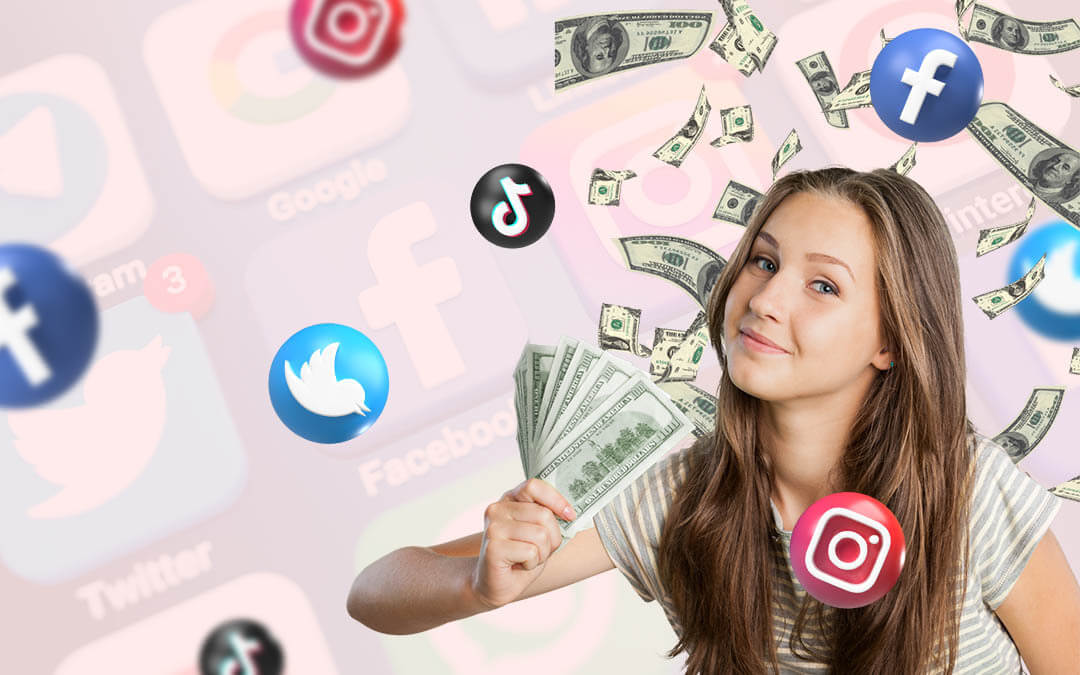
Answering “Which Social Media Platform Pays the Most?” in 2025
Answering "Which Social Media Platform Pays the Most?" in 2025

How much you earn is not about a single social network. It’s a mix of different factors that work together. Your earning potential depends on how you choose to make money and who your audience is.

Direct Platform Payouts Vs. Brand Deals

There are two main ways to earn. The first is direct monetization, where a social media platform pays you. This includes ad revenue sharing or money from a creator fund. The second way is through brand deals or brand partnerships. This is when a company pays you to show their product in your content. Brand deals can often pay more than direct platform payouts, but they require you to build a strong brand first.

The Importance of Niche and Audience

The topic you make content about, known as your content niche, is very important.

Some niches, like finance or technology, attract advertisers who are willing to pay more per ad view. The people who watch your content, your target audience, also matter. If your audience is in a country where advertisers spend a lot of money, your ad revenue will be higher.

Building a connection with your audience is key for long-term creator earnings.

Short-Form Vs. Long-Form Content Earnings

The length of your video content also changes how much you can earn.

Short videos, like Instagram Reels or YouTube Shorts, are great for reaching new audiences quickly. However, long-form videos, like those on YouTube, usually have more monetization options. They allow for more ads, which leads to higher ad revenue.

A good content strategy often includes both types of content to grow your audience and your income streams.

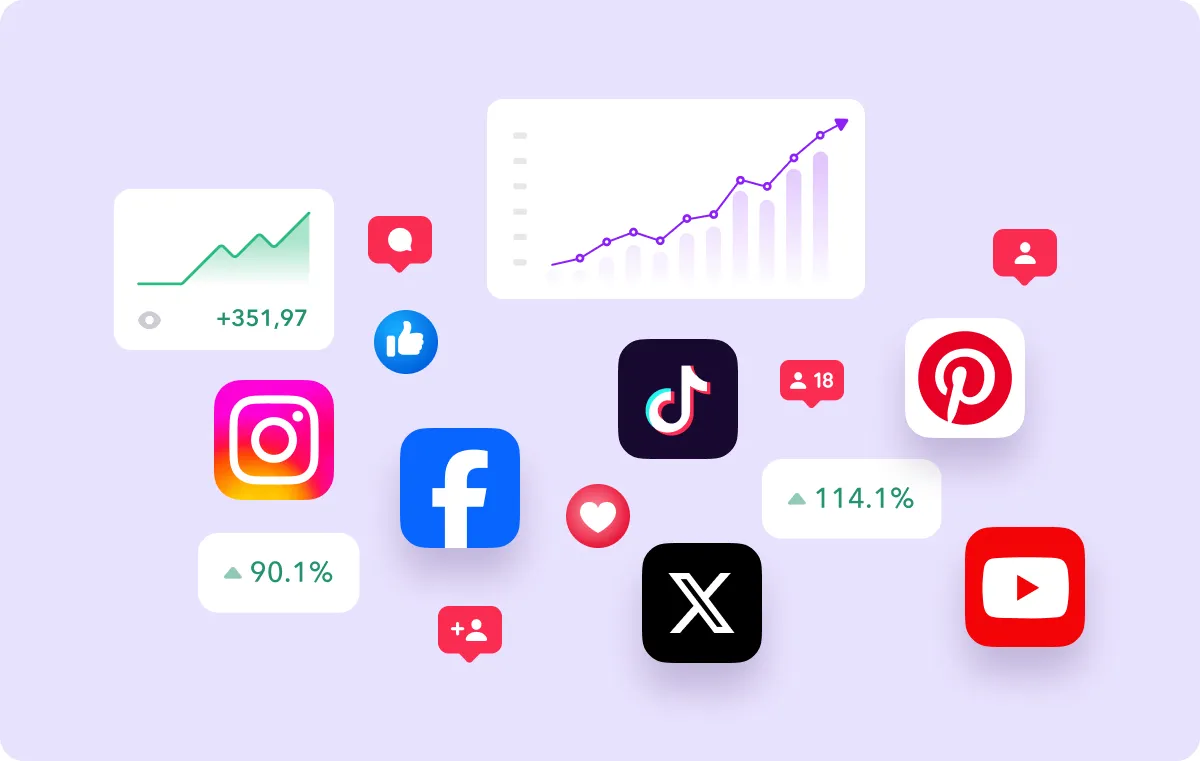
Top 10 Platforms That Pay Creators the Most in the United States
Platforms That Pay Creators the Most in the United States

Every social app has its own way for users to make money. Here are the main social apps. These apps have different ways for people to earn cash. Each one helps creators get paid in its own way.

YouTube

YouTube

YouTube is a top choice for many creators looking for a steady income. Through the YouTube Partner Program, you can earn money from ad revenue sharing on your long-form videos and YouTube Shorts. To join, you need a certain number of subscribers and watch hours.

Once in the program, you have many monetization tools, including Super Chats and Super Stickers, where fans can pay to have their comments highlighted during live streams.

You can also offer channel memberships for exclusive content and sell products through YouTube Shopping.
Facebook

Facebook

Facebook has many users. It gives content makers many ways to earn money. You can make ad money from videos. Your video needs to be at least one minute long. When you do a live video, you can get money from Stars.

Stars are like gifts that people send to you while you are live. Facebook also lets fans pay each month for special things, called fan subscriptions. This means your best fans can support you with a small fee every month.

Facebook is also good for working with brands and doing deals with them.

Instagram

Instagram

Instagram is a powerhouse for influencer marketing and brand deals. While its direct monetization options are growing, many creators make the most money through brand partnerships. The platform has tested bonuses for Instagram Reels, rewarding creators for popular short-form video content. You can also use affiliate marketing by placing affiliate links in your bio or on Instagram Stories.

During live streams, viewers can buy Badges to support you, which work like live gifts.

Snapchat

Snapchat

Snapchat gives money to creators with its Spotlight program.

If you make a short video that lots of people like, you can get paid. Snapchat shares millions of dollars with those who make popular videos on the Spotlight tab. You may earn money if your video does very well and goes viral.

This way of earning is not as steady as other platforms’ partner programs. But it gives you a chance to earn a lot from just one good video.

TikTok

TikTok

TikTok is now a very popular social app. It changed from the TikTok Creator Fund to the TikTok Creator Rewards Program.

In this new program, creators with 10,000 or more followers can earn money from their videos. The videos must be longer than one minute. The pay depends on how many people watch and like the video. TikTok is well known for live gifts, too.

During live shows, people watching can send fake gifts that turn into real cash for the creator. TikTok helps you get lots of followers in a short time. It is a great place to grow fast and make money online.

Pinterest

Pinterest

Pinterest is a visual search engine that offers unique ways to earn. Many creators use it for affiliate marketing, creating Pins that link to products using affiliate links. When someone clicks and buys, the creator earns a commission, leading to affiliate sales.

Pinterest also has its own Creator Rewards program, which pays creators for making original content based on specific prompts. It’s also a good platform for securing brand partnerships, especially in niches like home decor, fashion, and food.

X (Formerly Twitter)
X

X now lets people make money from ads. To do this, you must pay for X Premium. This plan was called Twitter Blue before. You also need lots of people to see your posts. X gives you some money from ads in replies to your posts.

There is one more way to earn on X. It is called Subscriptions. It used to be called Super Follows before. With this, you can ask fans to pay each month. Fans who join get special posts from you. They can also talk with you more than others if they join.
LinkedIn

LinkedIn

LinkedIn is good for people with many types of jobs. It helps you earn money in an indirect way. You can post useful things and create a name for yourself as someone others trust. This may help you get jobs, short jobs, or paid talks.

LinkedIn also has a mode for creators. This mode has tools to help you get more fans. Most of what you gain comes from new job offers it brings you. This makes LinkedIn very helpful for some work groups. There are many ways people use it to improve their careers.

Twitch
Twitch

Twitch is the leading platform for live streaming, especially for gamers. The Twitch Partner Program allows creators to earn money in several ways. You can get a revenue share from ads shown on your stream. Viewers can subscribe to your channel for a monthly fee, unlocking exclusive emotes and other perks. Fans can also cheer with Bits, a virtual currency that works like live gifts.

Twitch is the best bet for anyone serious about a career in live streaming.

OnlyFans

OnlyFans

OnlyFans uses a simple way to make money. People who make content can hide their posts behind a paywall. Fans must pay each month to see this special content. This helps creators share private posts with their chosen group.

While many know OnlyFans for adult posts, it is not just for that. Many people in other fields, such as fitness and music, use it too. They use OnlyFans to earn steady money straight from their fans. They do not have to depend on ads to get paid.

Monetization Models Explained
Monetization Models Explained

Social media monetization can seem complex. Here are some of the most common content monetization methods broken down.

How Ad Revenue Sharing Works?

Ad revenue sharing is a common way to earn money. A social media platform places ads on your video content.

The money from the advertiser is then split between the platform and you, the content creator. Your revenue share is the percentage you get. The amount you earn depends on factors like the number of ad view events and what advertisers pay.

What Are Creator Funds and Bonuses?

A creator fund is a large pool of money that a social platform sets aside to pay creators.

The old TikTok Creator Fund was a famous example. Now, platforms like TikTok have a Creator Rewards Program that pays based on video performance. These funds encourage content creation on the platform by offering direct financial rewards.

Using Fan Subscriptions and Memberships

Fan subscriptions and channel memberships help you earn money each month. Loyal fans pay a small fee to support you. You give them special videos, cool badges, or a private group in return. This way, fans feel close to you and your work.

You also get paid regularly without worry. This model makes both fans and creators happy. It is great for building trust and steady earnings.

The Power of Affiliate Marketing

Affiliate marketing is when you promote a product or service. You share special affiliate links, and when someone makes a purchase through your link, you earn a commission. It’s a popular monetization strategy because you don’t need to create your own product.

Success depends on trust and recommending products that your audience will actually like.

Securing Sponsored Content and Brand Partnerships

Sponsored content is when a brand pays you to create content that features their product.

This can be a single post, a video, or a series of Instagram Stories. These brand collaborations are a major source of creator earnings. Securing good brand deals often depends on your engagement rate and the quality of your content, not just your audience size.

Factors Influencing Your Social Media Earnings
Factors Influencing Your Social Media Earnings

Several key things affect how much money you can make from your social media content.

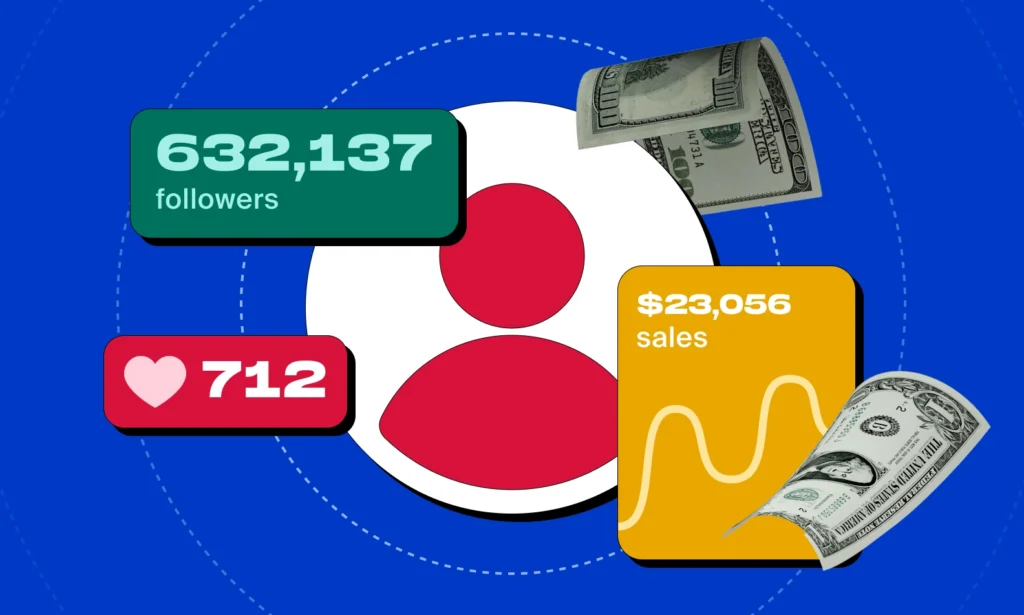
The Role of Follower Count and Engagement Rate

While a large follower count can help, a high engagement rate is often more important.

Engagement shows that your audience is active and interested in your content. Brands look for high engagement when choosing creators for influencer marketing campaigns. A smaller, highly engaged community can be more valuable than a huge, passive audience size.

Impact of Content Niche on Ad Rates

The topic you pick can change how much money you make. Some topics like money, tech, or business get more ad cash. This is because companies in these areas spend a lot on ads. The kind of topic you choose will change your ad money.

It also changes which brands want to work with you and what deals you can get.

Consistency and Quality of Your Content

To grow your fans and make steady money, you should post good content often.

Posting on a set plan helps your fans return again and again. Good posts also help you get noticed by more brands that pay well.

Having a strong plan for your posts is one of the top ways to do well. If you keep sharing great work, you will have more chances to earn money from social media. A simple posting plan can help you stay on track and reach your goals easily.

Geographic Location of Your Audience

Where your fans are is important. Companies pay extra to show ads to people in richer countries like the United States, Canada, and the United Kingdom. If two creators have the same number of viewers, one with fans in the U.S. will usually get more ad money.

This is because ads aimed at people in wealthier places often cost more.

So, a creator with fans from these countries can earn more, even if their views are equal to someone else’s views from other places.

FAQ’s:

How Many Followers Do You Need to Start Earning?

There is no single number. For a partner program like YouTube’s, you need at least 500 subscribers and 3,000 watch hours. However, you can start earning from affiliate marketing or small brand deals with just a few thousand engaged followers.

Which Social Media Platform is Best For Beginners to Start Earning?

TikTok and YouTube Shorts are good for beginners because their algorithms can help new creators get views quickly. This can lead to earnings through a creator rewards program. However, the best platform depends on the type of content you want to create.

Can You Rely On A Single Platform For Income?

It’s risky to rely on just one social platform for your income. Algorithms change, and a platform’s monetization tools can be updated or removed. The smartest approach is to build multiple revenue streams across different social media platforms.

What Types of Content Earn the Most Money?

Video content, particularly long-form videos on YouTube, generally has the highest earning potential because of its multiple monetization options like ad revenue, memberships, and Super Chats. Content in high-value niches like finance, tech, and education also tends to earn more.

Are There Any New Platforms Trending For Higher Creator Payouts in 2025?

The social media world is always changing. While the biggest social media platforms like YouTube and Instagram remain top earners, it’s a good idea to watch for new apps that are trying to attract creators with generous payout programs.

However, building a presence on established platforms is still the safest bet for a steady income.

Conclusion

So, which social media site pays the most? YouTube often gives more money from ads.

But, the best site for you is the one that fits your own work, style, and fans. How much you earn depends on how well you make your posts and use smart plans. You should also use many ways to earn money.

It is good to have income from more than one site. This helps you build a strong job that lasts a long time. Having your own website is very important too. Your site is your own place online, and you control it fully.

At VH Info, we help by giving tips and tools. These can help your site and posts get more views and likes.

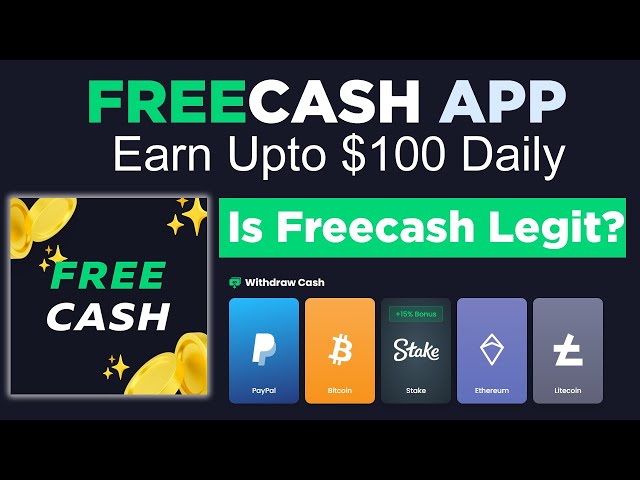
Is Freecash Legit? A Legit Way to Earn? Complete 2025 Review

Have you ever wondered if you could make some extra money just by using your phone or computer in your free time?

There are many websites and apps out there that claim you can earn extra cash by doing things like playing games, completing surveys, or trying out new apps. One of the most talked-about platforms is Freecash.

But with so many sites online, it’s hard to know which ones are real and which are not.

This article will give you a complete and honest Freecash review for 2025. We will look at how it works, what real users are saying, and help you decide if it is a legitimate way to make a little extra income.

What is Freecash and How Does It Work?

What is Freecash and How Does It Work?

Freecash is a popular “Get-Paid-To” or GPT site where users can earn rewards for completing various online tasks. The platform partners with market research companies and advertisers who need people to test new apps, take surveys, and engage with their products.

In return for your time and effort, you receive Freecash coins, which can be exchanged for real money or gift cards.

Understanding the Get-Paid-To (GPT) Model

GPT platforms act as middlemen between companies and consumers.

Companies want feedback on their products or need more users for their games and apps. They pay sites like Freecash to find people willing to do these things. You, the user, sign up for these GPT platforms and get a share of that money for each task you complete.

It’s a great way to turn your spare time into a productive side hustle. The idea is not to promise free money but to reward you for your work.

Signing Up and Getting Started on Freecash

Getting started with Freecash is straightforward. You can sign up using your Google or Steam account or simply with an email address.

Once you create your account, you can immediately start looking for tasks to complete. The platform has a user-friendly layout that shows you all the available offers and how many coins you will earn for each one. There is no fee to join, and you can begin earning right away.

Types of Tasks You Can Complete to Earn Coins

Freecash offers a wide range of tasks, so you can choose what works best for you. This variety of tasks helps keep things interesting.

The most common activities include:

  • Playing Games: Download and play new mobile games. You usually have to reach a certain level to get your reward. This is often the highest-paying option.
  • Completing Surveys: Share your opinions on different topics. These tasks are provided by market research firms that want to know what consumers think. You can complete surveys on many subjects.
  • Signing Up for Services: Register for new websites or services. Some might be for free trials, while others might require a small deposit.
  • Downloading New Apps: Install an Android app or iOS app and use it for a few minutes. This is a very simple task that pays a small amount.

How Freecash Coins Translate to Real Money?

Everything you do on the platform earns you Freecash coins. The conversion rate is simple: 1,000 Freecash coins equal $1.00 USD. So, if a task offers 5,000 coins, you will earn $5.00 for completing it. You can track your coin balance in your account dashboard. Once you have enough coins, you can cash them out for real money or other rewards. This system makes it easy to see your earning potential for each task.

So, Is Freecash Legit? Analyzing User Reviews and Payment Proof

Is Freecash Legit?

One of the most important questions people ask is, “Is Freecash legit 2025?

To answer this, we looked at user reviews and other information. The general opinion is that Freecash is a legitimate platform that pays its users. However, like any GPT site, there are both positive and negative comments.

  1. Examining Ratings on Trustpilot and Reddit: Freecash has a high rating on Trustpilot, with thousands of reviews. Many users praise the platform for its fast payouts and the wide range of offers available. On Reddit, users on subreddits about earning money online often recommend Freecash as a reliable GPT site. They share tips on the best offers and how to maximize earnings.
  2. Investigating Payment Proof and User Testimonials: A quick search on social media or YouTube shows many users posting payment proof from Freecash. These testimonials often show screenshots of their earnings received through PayPal, cryptocurrency, or as a gift card. Seeing that other people are successfully cashing out their free cash provides strong evidence that the platform is legitimate.
  3. Common Complaints and Potential Red Flags: While most reviews are positive, there are some common complaints. Some users report that they did not receive coins after completing a task. Others mention that their accounts were banned without a clear reason. It is important to have realistic expectations; the amount of money you make depends on the amount of time you spend and the offers you choose. Always read the terms of service for each offer carefully to make sure you complete it correctly.
  4. Official Company Information and Background: Freecash is operated by a registered German company. Having official company information available adds a layer of trust. Legitimate companies are more likely to have clear terms of service and a structure for handling payments and customer issues. This information suggests that Freecash is a serious business and not a temporary operation.

Key Features and Earning Potential on Freecash

Key Features and Earning Potential on Freecash

Freecash has several features designed to help you boost your earnings. Your total earning potential depends on how you use the platform and how much time you dedicate to it.

A Breakdown of Offerwalls and Surveys

You can earn on Freecash mostly by using offerwalls.

Offerwalls show many tasks from different ad partners. You can take surveys from research groups. You can also pick easy jobs like downloading new apps. These small jobs help you get Freecash coins often. This way, you can keep earning coins without much trouble.

The Freecash Leaderboard and Bonus System

Freecash has daily and monthly boards that give more coins to the top users. If you use the site often, you can earn more by joining these boards. This is a good way to add to your money from Freecash. The site also gives other small bonuses.

You can get coins from a free-coin game every day. You can also get rewards if you follow Freecash on their social pages.

How Much Can You Realistically Earn?

Your money from Freecash changes. Some people say they make a few dollars each day when they have free time.

Users who spend more time and work harder can earn more money. Freecash will not take the place of a full-time job. It is best used to make some extra cash on the side. You should set goals that you can reach. How much you make depends on how much time and work you give it.

Exploring the Freecash Mobile App Experience

Freecash has an app for Android users. You can find it on the Google Play Store.

The app lets you do tasks and earn money from any place. It is simple to use and looks nice. The app has all the same tools as the website. This means you can earn while moving or when you are not at home. People who like to use their phones will find this very helpful.

Cashing Out Your Earnings: Methods and Speed

Once you have earned enough Freecash coins, you will want to cash out.

Freecash offers several payout options, making it easy to get your real money.

Available Withdrawal Options (PayPal, Crypto, Gift Cards)

Freecash has many ways to pay you. You can send your money to your PayPal account. A lot of people like PayPal.

If you want, you can choose to get paid with Bitcoin. You may also pick Ethereum or Litecoin if you use crypto. You can use your coins for gift cards, too. These gift cards work at big stores like Amazon. You can also use them for your Google Play account.

There are plenty of choices for how to get your money from Freecash.

Understanding Minimum Payout Thresholds

One great thing about Freecash is its small cash-out rule.

For some ways to get paid, like crypto, you can take out your money when you reach just $0.50. If you use PayPal, the least you need is usually $5.00. So, you can get your money fast and do not need to wait a long time. This makes many people feel happy and eager to use Freecash.

How Long Does It Take to Receive Your Money?

Freecash pays people very fast. Most times, you get your money right away after you ask for it. When you request a payout, the cash or gift card code usually comes in just a few minutes. This makes Freecash much better than other sites like it.

Other GPT sites can take days or even weeks to send your money.

A Step-by-Step Guide to Cashing Out

Cashing out your earnings is a simple process:

  • Go to the “Cashout” page on the website or in the app.
  • Choose your preferred payment method from the available payout options.
  • Enter the amount you want to withdraw.
  • Provide your payment details, such as your PayPal email or crypto wallet address.
  • Confirm the withdrawal and wait for your free cash to arrive.

Safety, Security, and Customer Support

When using any GPT site, it is important to think about your safety and security.

Freecash has measures in place to protect its users, but you should also take steps to stay safe.

Is Your Personal Data Safe With Freecash?

Freecash says it cares about user privacy. All online sites need some data to work. You should read their privacy rules and terms so you know what happens with your information. Do not share things like your card number unless you trust the offer and have looked into it.

It is best to be careful with what you share online. Always make sure the site is safe before giving out any private details.

How to Avoid Scams and Suspicious Offers?

While Freecash checks its partners, you still need to be careful. Only choose offers that are on the site itself. If an offer looks too good, it is likely not real. Be careful with tasks that want a lot of your personal details or ask for a big payment.

Always use care when picking offers on Freecash.

Contacting Freecash Customer Support

If you have a problem, you can talk to Freecash help.

They have a ticket system on their site. You can send your message there. The time it takes to get a reply can be different. But they often help people with lost coins or account trouble. You should use the support if you need help. The team tries to fix problems for users.

Tips For A Safe Experience On GPT Sites

To stay safe on Free-cash or other GPT platforms, follow these tips:

  • Use a unique and strong password.
  • Read the requirements for each offer carefully.
  • Do not give out unnecessary personal information.
  • Consider using a separate email address for GPT sites to avoid spam.

Freecash Alternatives: How Does It Compare?

Freecash Alternatives

Freecash is a strong contender in the GPT space, but it is not the only option. Here is how it compares to other popular platforms.

  • Freecash Vs. Swagbucks: Swagbucks is one of the oldest and most well-known GPT sites. It offers a similar variety of tasks, including surveys, watching videos, and shopping online. Swagbucks has more ways to earn, but many users report that Freecash has higher-paying offers and faster payouts.
  • Freecash Vs. InboxDollars: InboxDollars is another popular site, especially in the United States. It is known for paying you in cash instead of points, which some users prefer. However, its payout threshold is higher than Freecash’s, and payments can be slower.
  • Other Reputable Platforms to Consider: If you want to try other sites, Survey Junkie is a great option that focuses solely on surveys. You can find a Survey Junkie review online to see if it fits your needs. Using multiple GPT sites can help you find more high-paying offers and increase your overall extra income.

FAQ’s:

Is Freecash A Scam Or A Legitimate Way to Make Money?

Freecash is a real way to earn some extra money online. It does not trick people, and it pays users for doing simple tasks on the internet. But you should know that Freecash is only good as a side job. It will not make you rich fast.

Who Should Use Freecash?

Freecash is good for people who want to make more money in their free time. Students can use it to earn cash when they are not busy with school. Moms or dads who stay at home can also use Freecash to get extra money.

Anyone who has some free hours each day can gain from using this site.

What is the Fastest Way to Earn on Freecash?

The fastest way to earn is typically by completing high-paying game offers. These tasks require more time but offer the biggest rewards. Using your referral link to invite friends through the referral program is another great way to earn passive income.

How Much Can I Realistically Make On Freecash?

You can earn a bit of money each day if you have fair hopes. How much you make will depend on your time. It also depends on which offers you decide to try. Some people work hard and make more than $100 each month.

Is Freecash Available in Every Country?

Freecash can be used in many places all over the world. The number of offers you see may not be the same everywhere.

In some places, you may get more offers than in others. This happens because companies like to focus on some countries. They may pick where to share their deals based on what they want. So, your country plays a big part in the offers you get from Freecash.

Are There Better Sites Than Freecash For Earning Rewards?

If one site is “better” for you depends on what you want. Sites like Swagbucks and Survey Junkie are good too. You can try them as well. It may help to use a few sites to find which one suits you best. This way, you can pick the one you like most.

Conclusion

So, after looking at everything, is Freecash the real deal? Yes, it is a legitimate Get-Paid-To (GPT) site that actually pays you for your time. It has a lot to offer, including a wide variety of tasks to choose from, so you’re not just stuck doing the same thing over and over.

One of the best parts is how quickly you can get your money through options like PayPal, cryptocurrency, or gift cards.

Plus, you don’t need to earn a lot before you can cash out. While you won’t get rich using Freecash, it’s a dependable way to earn some extra cash during your free moments. If you’ve been looking for a straightforward side hustle, Freecash is definitely worth checking out.

What’s A Digital Creator? How to Get Started? #1 Guide For 2025

Have you ever watched a fun video on YouTube, read a helpful blog post, or listened to an interesting podcast?

The person who made that is a digital creator. In today’s digital world, these individuals play a big role in what we see and do online. They create the digital content we enjoy every day on social media and other websites.

This article will explain what a digital creator is, the different kinds of creators there are, and how you can become one.

At VH-info, we specialize in helping businesses grow, and we see firsthand the power of quality content. A digital content creator can build online communities and create a strong personal brand. This guide will give you a clear path to starting your own journey in digital creation.

What’s A Digital Creator?

What’s A Digital Creator?

A digital creator, also called a content creator, is someone who makes original material for the internet.

This online content can be anything from videos and photos to articles and music. They come up with ideas and turn them into things that people can watch, read, or listen to on their computers and phones.

The main difference between a digital creator and someone who just posts on social media is the focus on creating original content.

Instead of just sharing posts from others, a digital content creator produces their own work to entertain, teach, or connect with a specific target audience. They are storytellers who use different platforms to share their unique views with the world.

This is a great way to build a following and even turn a passion into a job.

Exploring the Different Types of Digital Creators

Exploring the Different Types of Digital Creators

The world of digital content creation is vast, with many different kinds of creators. Each type of content attracts a different target audience. Here are a few digital creator examples:

  1. Video Creators (YouTubers, TikTokers, Vloggers): Video creators make moving pictures. They might film their daily lives, teach a skill, review products, or create short, funny clips. Platforms like YouTube and TikTok are very popular for this type of content. Successful creators in this space, like MrBeast and Wisdom Kaye, often use good video editing to make their work stand out. Many people enjoy watching live streams, where creators broadcast in real-time.
  2. Writers and Bloggers: Writers and bloggers create written digital content. They might run their own websites where they write about topics like cooking, travel, or technology. This form of content creation is perfect for those who love to write and share information. Their work helps people learn new things and is a key part of content marketing.
  3. Podcasters and Audio Specialists: Podcasters create audio shows that people can listen to. They might interview guests, tell stories, or discuss news and trends. This type of content allows the target audience to listen while doing other things, like driving or exercising. It’s a growing area of digital creation.
  4. Photographers and Visual Artists: These creators focus on making beautiful images. They share their work on social media platforms like Instagram. Their online content might include portraits, landscapes, or artistic shots. A strong visual style helps them build a unique personal brand and attract followers who appreciate their art.
  5. Graphic Designers and Animators: Graphic designers and animators create visuals like logos, infographics, and animated videos. Their technical skills are used in many areas of digital marketing and content creation. They help make online content more eye-catching and easier to understand.

How To Become A Digital Creator?

How To Become A Digital Creator?

Becoming a digital creator is an exciting journey. Here at VH-info, we know that a good content strategy is key to success.

Here are the steps to get started:

  1. Find Your Niche: First, decide what you want to create content about. This is your niche. It should be something you are passionate about and know a lot about. Whether it’s gaming, baking, or finance, choosing a specific topic helps you connect with a dedicated target audience that shares your interests.
  2. Get Your Gear: You don’t need expensive equipment to start. A modern smartphone is often enough for creating quality content. As you grow, you can invest in better cameras, microphones, or software for tasks like video editing. The most important thing is to start with what you have.
  3. Brainstorm Ideas: Think about what makes your perspective unique. What kind of digital content can you create that is different from others in your niche? Keep a list of ideas for videos, blog posts, or photos. Paying attention to what your target audience wants to see is a great way to come up with fresh, original content.
  4. Start Creating and Sharing: The best way to grow is to start making and publishing your work. Don’t worry about it being perfect at first. Post your online content on the right social media platforms for your niche. Consistency is important for building momentum and keeping your audience coming back.
  5. Music creators: planning a new release? Get your tracks distributed to Spotify, claim your Spotify for Artists profile, and line up marketing assets ahead of launch. Running Spotify pre-save campaigns can build hype, collect fan emails, and trigger algorithmic momentum on release day. Learn step-by-step how to upload your songs, enable pre-saves via a smart link, customize Canvas, and ensure high-quality audio delivery so your first 24 hours count.
  6. Foster A Sense of Community: Building a relationship with your audience is a big part of the job. Respond to comments, ask for feedback, and create a space where people feel connected. This sense of community is what turns casual viewers into loyal fans. Strong online communities are a huge asset for any content creator.
  7. Monetize Your Work: Once you have a steady following, you can start earning money from your content creation. There are many ways to do this, from ad revenue to selling your own digital products. We will cover this more in the next section.

How Digital Creators Monetize Their Work?

How Digital Creators Monetize Their Work?

A successful creator often uses several methods to make money. This is a key part of the creator economy.

Here are some common ways a digital content creator earns an income:

  1. Ad Revenue: Many social media platforms, like YouTube and Facebook, share a portion of their ad revenue with creators. When ads are shown on or next to your digital content, you earn a small fee. This can add up as your audience grows.
  2. Fan Subscriptions: Some platforms allow fans to pay a monthly fee to support their favorite creators. In return, they might get exclusive content, early access, or other perks. This creates a reliable income stream for the content creator.
  3. Affiliate Marketing: Affiliate marketing is a popular monetization strategy. A digital creator promotes a product or service and includes special links, called affiliate links. When someone in their target audience purchases through that link, the creator earns a commission. It’s a great way to earn money by recommending things you genuinely like.
  4. Selling Merchandise Or Products: Many creators sell their own products. This could be merchandise like t-shirts and mugs with their logo, or it could be digital products like e-books, presets, or online courses. This gives them more control over their income and strengthens their brand awareness. Some also engage in brand partnerships for sponsored content.

Essential Skills Every Digital Creator Needs

Essential Skills Every Digital Creator Needs

To be a successful creator, you need more than just good ideas. Certain skills are very important for making quality content and growing your personal brand.

  1. Mastering the Art of Storytelling: Every piece of digital content should tell a story. Good storytelling captures your audience’s attention and makes your work memorable. It helps you connect with people on an emotional level and build a loyal following.
  2. Technical Skills: Editing and Production: Knowing how to use editing software is a valuable technical skill. Whether it’s video editing for a YouTube channel or photo editing for Instagram, the ability to polish your work makes it look more professional. These technical skills help improve the quality of your online content.
  3. Audience Engagement and Community Building: A digital creator needs to be good at talking to people online. Responding to comments, hosting live streams, and creating interactive content help build a strong sense of community. This turns followers into a supportive network.
  4. Personal Branding and Marketing: Your personal brand is how people see you. It’s the look, feel, and voice of your digital content. A strong personal brand helps you stand out. You also need basic digital marketing skills to promote your work and increase your brand awareness. This is a core part of any good content strategy.
  5. Understanding Analytics and Data: Most social media platforms provide data on how your content is performing. Learning to read these analytics helps you understand what your target audience likes. This information is key to refining your content strategy and growing your channel.

What Does A Digital Creator Do On Different Social Media Platforms?

What Does A Digital Creator Do On Different Social Media Platforms?

The role of a digital creator can change depending on the platform they use. Each has its own style and audience.

What Is A Digital Creator On Facebook?

On Facebook, a digital creator is someone who regularly posts original content to build an audience.

This can include long-form videos, short Reels, articles, and photos. The “Digital Creator” label on a Facebook profile gives access to special tools for analytics and monetization, like ad revenue from videos.

The main difference from a regular user is the focus on consistent content creation for a public audience. For the question, “What does digital creator mean on Facebook?“, it simply means someone focused on creating original content for a community.

What Is A Digital Creator On Instagram?

An Instagram digital creator primarily uses visuals like photos and videos to connect with their audience.

They build a following by sharing high-quality images, Reels, and Stories about a specific niche, such as fashion, food, or travel.

What is a digital creator on Instagram?” refers to someone who uses their creative and technical skills to produce visually appealing online content. Many use it for influencer marketing and brand partnerships.

What Is A Digital Creator On TikTok?

A TikTok creator specializes in short-form video content. This platform is known for its trends, challenges, and creative effects. Successful creators on TikTok are often great at making entertaining and shareable videos that capture attention quickly.

The platform’s algorithm can help a new content creator reach a large target audience very fast.

The Future of Digital Creation

The Future of Digital Creation

The digital world is always changing, and so is digital content creation. Here are some trends shaping the future.

The Impact of AI on Content Generation

Artificial intelligence (AI) is becoming a powerful tool for creators. It can help with brainstorming ideas, writing scripts, and even video editing. While AI can assist with content creation, the unique voice and perspective of a human digital creator remain very important.

The Growth of the Creator Economy

The creator economy—the business of being a content creator—is bigger than ever.

More people are turning their passion into full-time jobs. As more tools for monetization and audience management become available, the creator economy will continue to expand, offering more opportunities for successful creators.

Emerging Platforms and New Opportunities

New social media platforms are always appearing, offering fresh ways to connect with a target audience. Creators who are open to trying different platforms can find new audiences and stay ahead of the curve. The best way to succeed is to adapt to the changing digital world.

Beyond social media, many creators are now expanding their reach to OTT platforms, where they can share content without being restricted by algorithms or shifting platform policies. This move gives them greater control over their audience, branding, and monetization opportunities. A modern custom OTT provider can help creators launch their own apps across devices like Smart TVs, mobile, and streaming boxes, making their content accessible everywhere. For digital creators, this is a powerful way to future-proof their brand and build a more sustainable income stream.

FAQ’s:

Can Anyone Become A Digital Creator?

Yes, anyone with a passion and a willingness to create original content can become a digital creator.

Platforms like Facebook have made it easier than ever. When asking, “Can anyone be a digital creator on Facebook?”, the answer is yes, by turning on Professional Mode and starting to post regularly.

How Do Digital Creators Make Money?

Creators make money in many ways. This includes ad revenue, sponsorships, affiliate marketing, selling merchandise, and offering digital products like online courses. Combining several income streams is a great way to build a stable career.

What’s the Average Income For A Digital Creator?

A digital creator’s income can change a lot depending on their work.

While some earn a small amount when they start, many full-time creators make between $50,000 and $80,000 a year. Your actual earnings will depend on things like your experience level, what type of content you create, and the size of your audience.

Do I Need A Big Audience Before Becoming A Digital Creator?

No, you don’t need a big audience to start. Every digital creator starts with zero followers. The key is to focus on creating quality content for a specific target audience. Your following will grow over time as you build a sense of community.

Is It Worth Becoming A Digital Creator Today?

Yes, it is still a great time to become a digital creator. The creator economy is growing, and there are more tools and platforms available than ever before. If you have a passion you want to share, digital content creation is a rewarding path.

Conclusion

A digital creator is a key figure in the modern digital world.

They are the storytellers, teachers, and entertainers who produce the online content we enjoy daily. By finding a niche, creating quality content, and building online communities, anyone can embark on the path of digital content creation.

The journey requires creativity, dedication, and a good content strategy. As we’ve shown at VH-info, with the right approach to content marketing and brand awareness, you can build a strong personal brand and join the ranks of successful creators. Whether you want to make videos, write articles, or start a podcast, the opportunities in the creator economy are waiting for you. The best way to start is to simply begin.

What is UR (URL Rating) Scale in Ahrefs?

In the world of Search Engine Optimization (SEO), we use special numbers called metrics to check how well a website is doing. One of the most important numbers for SEO professionals is the URL Rating, or UR. Think of it as a score for a single page on your website.

A higher score can mean a better chance of appearing high up in search results.

This guide will break down the UR scale in Ahrefs in very simple terms. We will look at what this metric means, how it is calculated, and how you can improve it. Improving your URL Rating is a key part of any successful SEO strategy, as it directly relates to the strength of a page’s backlink profile and can lead to more organic traffic. Following these steps will help boost your search engine visibility.

What is URL Rating (UR) in Ahrefs?

What is URL Rating (UR) in Ahrefs?

At VH Info, we help SaaS companies improve their SEO performance, and a big part of that is focusing on the right SEO metrics. URL Rating is one of the most useful. It’s a metric created by the SEO tool Ahrefs to score the strength of a specific page.

The Core Definition: A Page-Level Authority Metric

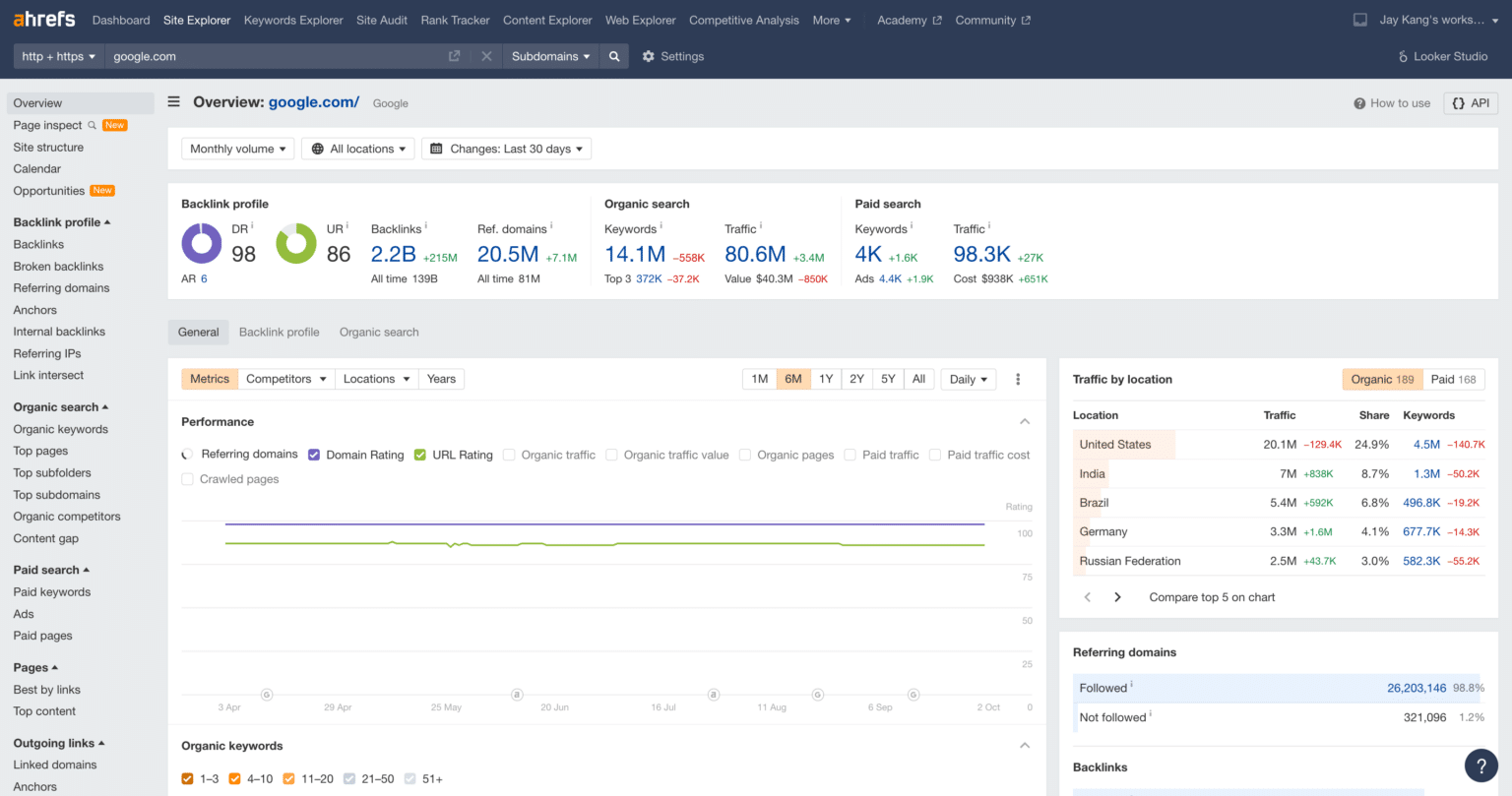
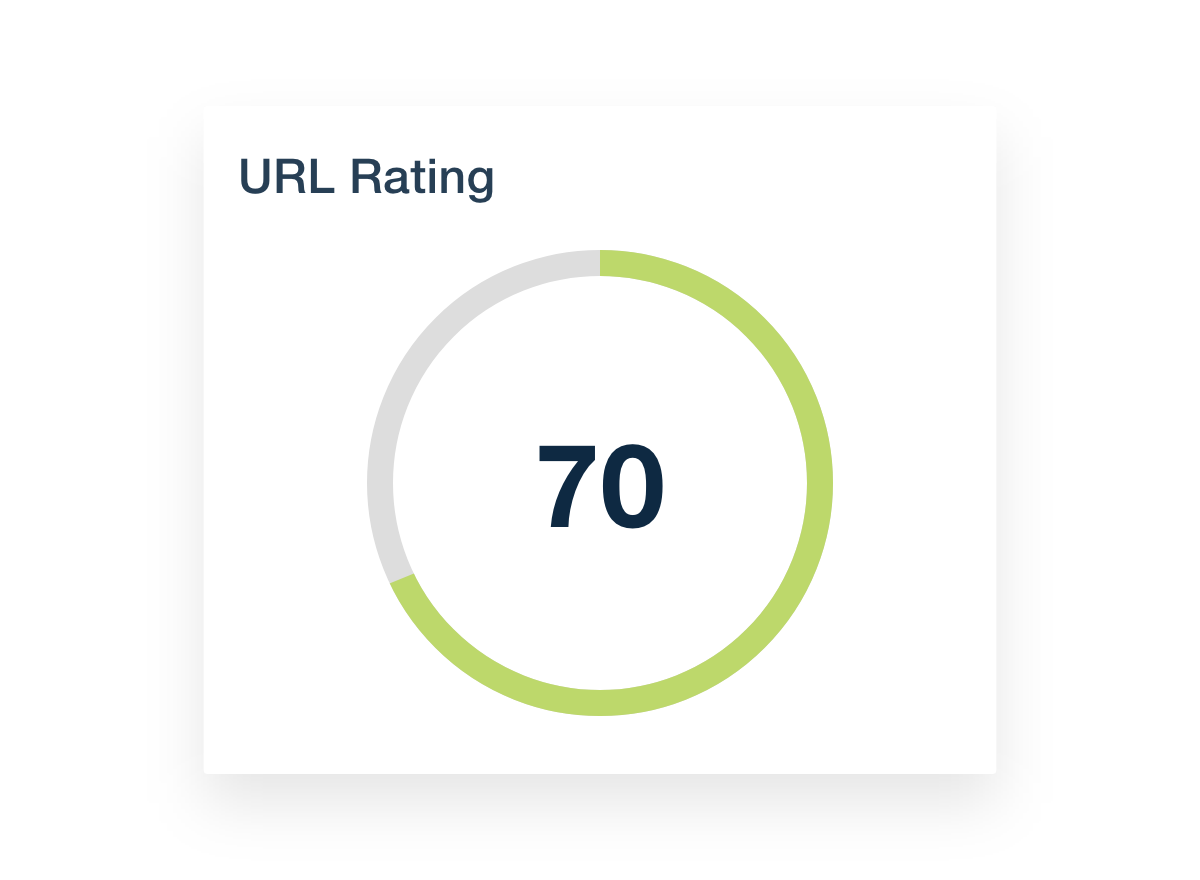
URL Rating (UR) is a score from 0 to 100 that shows the strength of a specific page based on its backlink profile.

A backlink profile is simply the collection of all the links pointing to that page from other websites. The more strong and trustworthy links a page has, the higher ur it will get. It is a direct measure of a page’s authority and its ability to rank in search engines.

Why UR Focuses on Individual Pages, Not the Whole Domain?

Search engines like Google do not rank websites as a whole. Instead, they rank individual web pages for different search queries.

For example, your blog post about “SaaS Sales Funnels” will rank, not your entire website. Because of this, it is vital to know the strength of each specific page. While the overall strength of a website is important, the power of individual pages often determines your success in the organic search results. Focusing on the UR of a specific page allows you to fine-tune your SEO efforts for better results.

Understanding the Ahrefs UR Scale (0-100)

Understanding the Ahrefs UR Scale (0-100)

The UR scale in Ahrefs runs from 0 to 100. A score of 0 means a page has few or no links pointing to it, while a score closer to 100 means it has a very strong page’s backlink profile. However, the scale is not as simple as it looks. It works on a logarithmic scale.

What the Logarithmic Scale Means in Practice?

The logarithmic scale means that as you go up the scale, it gets much harder to improve your score. Think of it like a video game. Going from Level 10 to Level 20 is pretty easy.

But going from Level 70 to Level 80 is extremely difficult and takes a lot more work and powerful items. The URL Rating scale works the same way. The difference in link strength between a UR of 70 and 80 is much, much bigger than between 10 and 20.

Interpreting Different UR Ranges (Low, Medium, and High)

  • Low UR (0-30): This is common for new pages or pages on smaller websites. These pages have a weak link profile and will find it hard to rank for competitive keywords.
  • Medium UR (31-60): These pages have a decent backlink profile with some good links. They can rank for moderately competitive keywords and are seen as having some authority.
  • High UR (61-100): Pages in this range are powerhouses. They are often on major websites and have many high-quality external links. They have a very strong link profile and can rank for highly competitive terms, driving significant search traffic.

Is It Harder to Go From UR 70 to 80 Than From 10 to 20?

Yes, absolutely. Because of the logarithmic scale, jumping from UR 70 to 80 requires a massive number of new, high-quality backlinks.

You need links from very authoritative sources to make that jump. In contrast, going from UR 10 to 20 can often be achieved with just a few decent links. This is a key concept to remember when setting goals for your link-building campaigns.

A higher ur in the top tiers signals immense page authority.

How Ahrefs Calculates URL Rating?

How Ahrefs Calculates URL Rating?

Ahrefs calculates UR in a way that is similar to how Google’s PageRank algorithm works. It looks at the links pointing to a page to figure out its strength, or link equity.

The Important Role of Backlinks (Quantity and Quality)

The calculation for the ur score depends heavily on backlinks. However, it’s not just about the number of links.

The quality of backlinks is far more important. One link from a very high-UR page (like a major news site) is worth more than hundreds of links from low-UR pages. Ahrefs looks at the entire website’s backlink profile to pass value.

Getting a link from a page with a strong page’s backlink profile will give your page a bigger UR boost.

The Impact of Internal and External Links

Both types of links affect your URL Rating:

  • External Links: These are links from other websites. They are the most powerful factor in building a higher UR. They act as votes of confidence from other sites.
  • Internal Links: These are links from other pages on your own website. You can use internal linking to pass link equity from your strong pages (like your homepage with a high UR) to other pages you want to boost. An effective internal linking strategy can spread strength across your entire domain.

How the ‘Nofollow’ Attribute Affects UR Calculation?

Sometimes, a link has a “nofollow” tag on it. This tag tells search engines not to pass any authority or link equity through that link. Ahrefs follows this rule. While “dofollow” links (the standard type) pass strength and increase UR, “nofollow” inbound links generally do not.

This is an important detail for SEO professionals to consider during link building activities.

UR Vs. DR (Domain Rating): What’s the Key Difference?

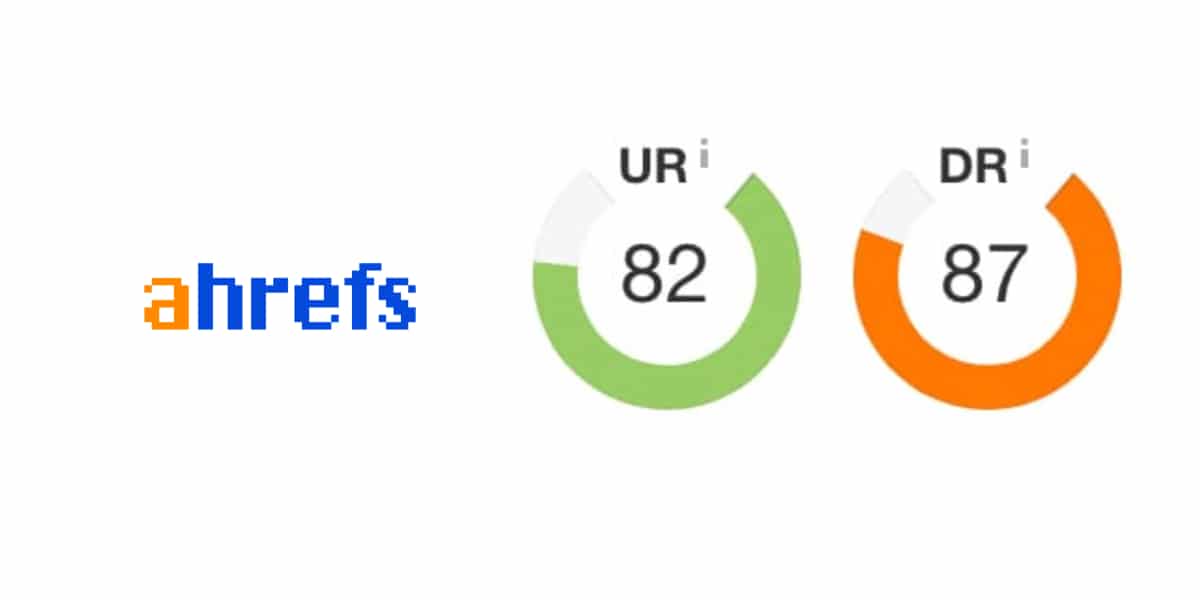
Domain Rating vs URL Rating

People often mix up URL Rating (UR) and Domain Rating (DR). Both are key SEO metrics from Ahrefs, but they measure different things.

URL Rating (UR) Vs. Domain Authority (DR)

The main difference is the scope:

  • URL Rating (UR): Measures the strength of a single, specific page.
  • Domain Rating (DR): Measures the overall strength of a website based on its complete website’s backlink profile.

Think of it this way: Domain Rating is the reputation of an entire university, while URL Rating is the reputation of a single star professor at that university. A strong university (high DR) is likely to have strong professors (high UR), but you can also have a star professor working at a lesser-known university.

When to Focus on UR and When to Focus on DR?

You should look at both, but for different reasons.

  • Focus on DR when you want to assess the overall strength and authority of a potential link building partner. A higher DR generally means the site is more trustworthy.
  • Focus on UR when you want to improve the ranking of a specific blog post or product page. Increasing the UR of that page will directly impact its potential to show up in organic search. It’s also a great metric for finding strong pages to get links from.

What Is A Good URL Rating Score?

There is no single “good” URL Rating score. A good ur score is all about context and competition.

It’s All Relative: Comparing UR to Your Competitors

A good UR is higher than your direct competitors in the search results.

If you want to rank for a keyword, use Ahrefs’ Site Explorer to check the UR of the top-ranking web pages. If they all have a UR between 25 and 35, your goal should be to get your page’s UR to 35 or higher.

Your SEO efforts should be based on real-world data from the organic search results.

Setting Realistic UR Goals For Your Pages

Don’t aim for a UR of 80 if your page is new and your competitors are at UR 15. Set achievable goals.

Start by performing keyword research to find topics with a good traffic potential. Then, analyze the top results. Aim to build a page’s backlink profile that is slightly stronger than the average for the pages you want to outrank.

This focused approach will improve your SEO performance over time.

How to Check the URL Rating of Any Page?

How to Check the URL Rating of Any Page?

Checking a page’s UR is simple if you have Ahrefs. Here are two easy ways to do it.

Using Ahrefs’ Site Explorer Tool

Ahrefs’ Site Explorer is the main tool for deep analysis.

  • Log in to Ahrefs and go to the Site Explorer tool.
  • Enter the full URL of the page you want to check.
  • The dashboard will immediately show you the URL Rating (UR) and Domain Rating (DR) at the top, along with the number of keywords it ranks for and its Ahrefs Rank. This tool provides valuable insights into any website’s backlink profile.

Using the Ahrefs SEO Toolbar For Quick Checks

For quick checks, the Ahrefs SEO Toolbar is great. It is a tool that works with your browser.

This tool shows you SEO numbers for any page you look at. While you surf the web, you can quickly see the UR and DR of each page. This feature helps you look at potential link targets right away. It also helps you boost your search traffic.

Actionable Strategies to Increase Your URL Rating (UR)

Actionable Strategies to Increase Your URL Rating (UR)

Increasing your URL Rating is all about improving your page’s backlink profile.

At VH Info, we specialize in building the authority of SaaS websites. Here are three core strategies we use.

Build High-Quality Backlinks to the Specific Page

This is the most direct way to increase UR. Your goal is to get external links from pages that are relevant to your topic and have a high UR themselves. A single link from an authoritative page can provide more value than dozens of links from weak pages.

Effective link building is the foundation of a higher ur and better Google rankings. This is a long-term process that requires consistent effort.

Optimize Your Internal Linking to Funnel “Link Juice”

Don’t forget the power of your own website. Use internal links to connect your pages.

If you have a page with a very high UR (like your homepage or a popular blog post), add links from that page to other important pages that have a lower UR. This practice helps spread link equity across your site and can give your other pages a helpful boost.

Create Link-Worthy Content Assets

Make content that people in your field will want to link to.

This can be new research, a free tool, a detailed guide, or an interesting case study. When you make something useful, other sites are more likely to mention it. This helps you get good inbound links naturally. These links boost your UR score and also bring in organic search traffic.

Why URL Rating Matters For Your SEO Strategy?

URL Rating is more than just a vanity metric. It plays a direct role in your ability to generate organic traffic and achieve your business goals.

  1. Assessing A Page’s Link Equity and Strength: UR is the quickest way to judge the link equity of a page. Pages with a higher UR are generally seen as more authoritative by search engines and have a better chance of ranking well. There is often a clear positive correlation between a page’s UR and its position in the search results.
  2. Evaluating Potential Link Building Targets: When you are looking for websites to get links from, UR is a critical metric. You want to get links from pages that have a strong URL Rating themselves. A link from a high-UR page will pass more authority to your page, making your link-building efforts much more effective.
  3. A Word of Caution: Correlation Is Not Causation With Rankings: While a higher ur often correlates with better rankings, it is not a guarantee. Google uses hundreds of ranking factors. A page with a lower UR can outrank a page with a higher UR if it has better content, a better user experience, or is more relevant to the search query. UR is a powerful guide, but it is just one piece of the larger SEO puzzle.

Conclusion

The UR scale in Ahrefs is a fundamental metric for anyone serious about improving their SEO performance. It gives you a clear score for a specific page’s authority based on the quality of backlinks it has earned.

To enhance your UR, concentrate on developing a robust backlink profile through effective link building and strategic internal linking.

A higher URL Rating tells search engines that your page is useful. This can help your page rank better and get more traffic from searches. If you run a SaaS company, you want to boost your page’s power. You also want real results from your SEO work.

VH Info can assist you with this. We create quality links that raise your URL Rating and support your growth.

Apollo.io Login: B2B Sales Platform Secure Access Guide

If you work in sales or want to grow your business, you need great tools to find and connect with new customers. Apollo.io is a powerful sales platform designed to help you with prospecting and outreach. It gives you the information you need to build relationships and close deals.

At VH-info, we know that having the right tools is just as important as having the right strategy. This guide will walk you through everything you need to know about the Apollo.io login so you can improve your sales process.

We will explain each step in a simple way to help you get started.

What is Apollo.io Login?

What is Apollo.io Login?

Think of the Apollo.io login as the key that unlocks a treasure chest of information. When you log in, you get access to The Apollo platform, a tool packed with features to help your business grow. It’s more than just a website; it’s a workspace for your sales team.

Once you are inside, you can access the full power of the Apollo platform. This includes a huge database of contact information for millions of people and companies. You can find a person’s email address or phone number, get valuable sales intelligence on potential customers, and use accurate date data to make smart decisions.

The login is your entry point to a world of powerful tools that can transform your sales workflow. Whether you have a paid plan or a free account, the login is the first step to improving your outreach efforts.

Step-by-Step Guide to Apollo.io Login

Getting into your Apollo account is simple. Here is a breakdown of the steps to make your login experience smooth and quick.

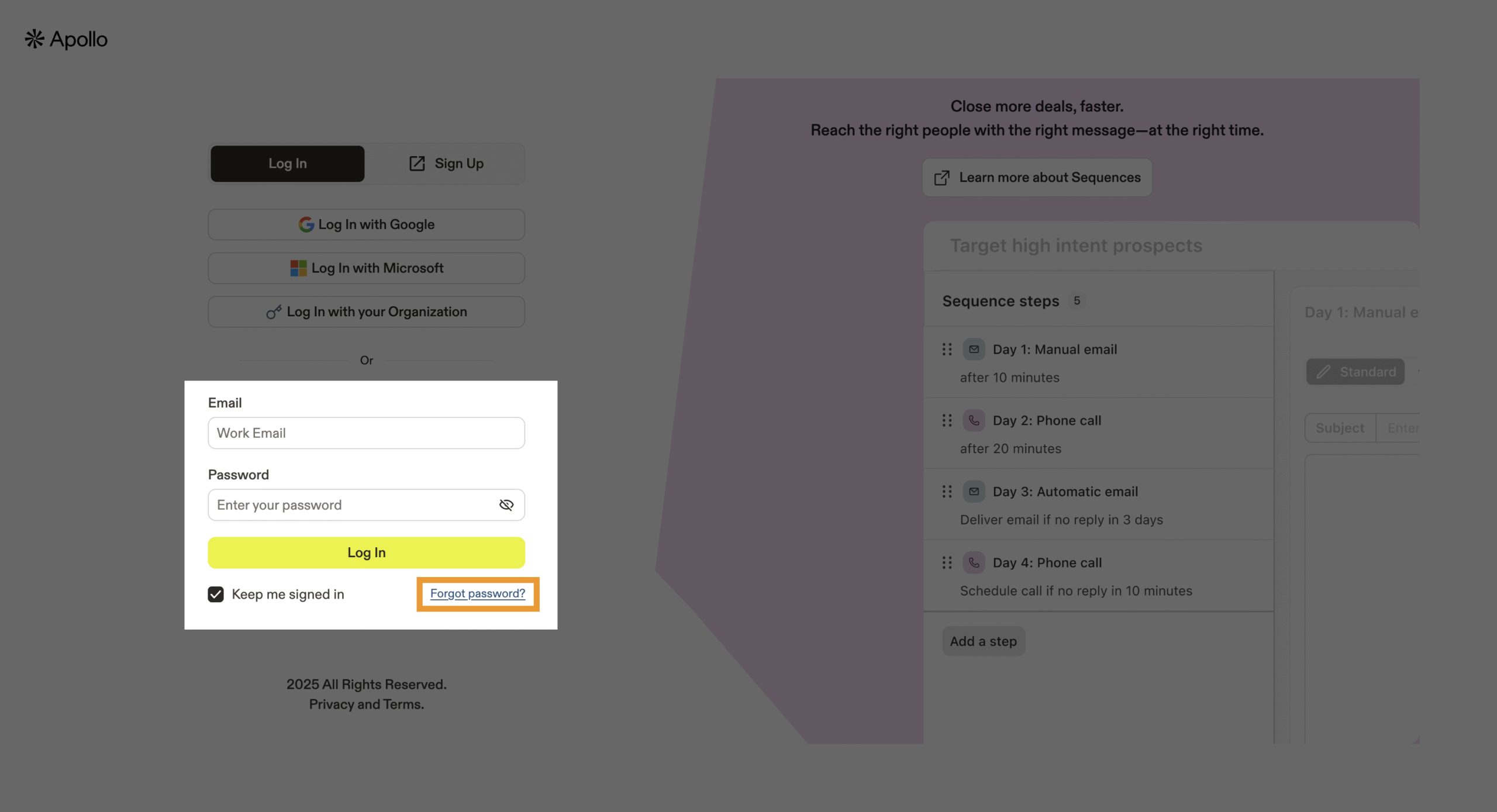
Navigate to the Apollo.io Login Page

First, you need to go to the official Apollo.io website. Open your web browser, like Chrome, Firefox, or Safari.

In the address bar at the top, type apollo.io and press Enter. On the homepage, look for a “Login” or “Sign In” button, which is usually in the top-right corner. Click on it to go to the login page. It’s a good idea to bookmark this page for faster access in the future.

Entering Your Email and Password

On the login page, you will see two boxes. One is for your email address, and the other is for your password.

Type the email you used to sign up for your Apollo account in the first box. Then, type your password in the second box. Be careful with capital letters and special characters, as passwords are case-sensitive.

After entering your details, click the “Login” button to access your account.

Using Google Or SSO For Login

Apollo.io offers easier ways to log in if you don’t want to type your password every time. You can use your Google account to sign in. Just click the “Sign in with Google” button. A new window will pop up asking you to choose your Google account and give permission.

This connects your accounts for a one-click login.

Some companies use Single Sign-On (SSO), which lets employees use one set of login details for many applications. If your company uses SSO, you can log in through that system. This method adds extra security and makes managing logins easier for teams.

Troubleshooting Invalid Credentials

Sometimes, you might see an “invalid credentials” error message.

This usually means the email address or password you entered is incorrect. First, double-check for any typos. Make sure your Caps Lock key is off. If you recently changed your password and forgot the new one, you will need to reset it.

If you’re certain your details are correct, try clearing your browser’s cache and cookies, as this can sometimes fix login problems.

Enabling Two-Factor Authentication (2FA)

For better security, you should turn on Two-Factor Authentication (2FA). This adds a second step to your login process. After entering your password, Apollo will ask for a special code, which is usually sent to your phone.

This makes it much harder for someone else to access your account, even if they have your password. You can enable 2FA in your account security settings. It’s one of the best practices for protecting your valuable data.

Contacting Apollo.io Support For Login Help

If you have tried everything and still can’t log in, it’s time to contact Apollo.io support. You can usually find a “Help” or “Support” link on the login page or the main website. Explain your problem clearly, and their team will help you regain access to your account.

They can assist with technical issues, locked accounts, or other login-related problems.

Managing Your Apollo.io Account Settings

Once you are logged in, take some time to look at your account settings. Here, you can change your password, update your personal information, and manage your notification preferences. You can also set up integrations with other tools you use, like your CRM.

Keeping your account settings up-to-date helps maintain a smooth workflow and ensures your information is secure.

Common Apollo.io Login Issues and Fixes

Even with a great sales platform like Apollo, you might run into login issues. Here are some common problems and how to solve them:

  1. Forgotten Password: This is the most common issue. If you can’t remember your password, use the “Forgot Password?” link on the login page. You will receive an email with instructions to create a new one.
  2. Account Locked: For security reasons, your account might get locked after too many failed login attempts. You may need to wait a short period before trying again or contact Apollo support to unlock it.
  3. Browser Problems: Sometimes your web browser can cause issues. Try clearing your browser’s cache and cookies or logging in from a different browser or an incognito window. This can solve many login problems.
  4. SSO or Google Login Not Working: If you use Google or SSO to log in, make sure you are logged into the correct Google account. For SSO issues, you may need to speak with your company’s IT department to make sure the connection is set up correctly.

Benefits of Logging Into Apollo.io

Benefits of Logging Into Apollo.io

Logging into Apollo unlocks many benefits that can boost your sales efforts. With access to the platform, you gain a massive advantage in your sales process.

One of the biggest benefits is access to a rich database of contact information and sales intelligence. You can find verified email addresses and phone numbers for millions of contacts, which is key for effective prospecting.

The platform uses AI to provide you with insights about leads, helping you personalize your outreach.

Another major benefit is automation. You can automate parts of your sales process, like sending follow-up emails, which saves you time and lets you focus on building relationships. This improved workflow means you can connect with more people in less time.

The Apollo platform also connects with other tools you already use. You can link it to your CRM, such as Salesforce or HubSpot, to keep all your customer data in one place. It also integrates with LinkedIn and LinkedIn Sales Navigator, making it easy to find and connect with prospects on that platform. This seamless API integration ensures that your sales tools work together perfectly.

How to Reset Your Apollo.io Password?

How to Reset Your Apollo.io Password?

Forgetting a password happens to everyone. Luckily, resetting your Apollo.io password is a simple process.

  1. Go to the apollo.io login page.
  2. Below the password field, click the “Forgot Password?” or “Reset Password” link.
  3. You will be taken to a new page where you need to enter the email address associated with your Apollo account.
  4. After entering your email address, click the “Send Reset Link” button.
  5. Check your email inbox. Apollo will send you a message with a special link to reset your password.
  6. Click the link in the email and follow the instructions to create a new, strong password.
  7. Once you have set your new password, you can return to the login page and sign in.

Apollo.io Login For Mobile App Users

Apollo.io Login For Mobile App Users

For sales professionals who are always on the move, Apollo offers a mobile app. The app gives you access to the power of the sales platform right from your phone. The login process for the mobile app is very similar to the website.

You just need to download the app, open it, and enter your email address and password. You can also use your Google account to log in on mobile. The app lets you manage your contacts, track your outreach campaigns, and continue your prospecting work from anywhere.

Apollo.io Login Security Best Practices

Apollo.io Login Security Best Practices

Protecting your account is very important, as it contains sensitive contact information and date data.

Here are some security best practices to keep your Apollo account safe.

  1. Creating A Strong and Unique Password For Apollo.io Login: Your password is your first line of defense. Create a password that is long and complex. Use a mix of uppercase and lowercase letters, numbers, and symbols. Avoid using common words or personal information like your name or birthday. A strong password for your Apollo.io login makes it much harder for others to guess.
  2. Regularly Updating Your Password For Enhanced Security of Apollo io Login: It is a good habit to change your password every few months. Regularly updating your password for your Apollo.io login adds another layer of security. This makes sure that even if your old password was somehow exposed, your account remains safe. You can change your password anytime in your account settings.
  3. Being Aware of Phishing Attempts Targeting Apollo.io Users: Phishing is a trick where bad actors send fake emails that look like they are from a real company, like Apollo. These emails often ask you to click a link and enter your login details. Always be careful. Never click on links in suspicious emails. To be safe, always type apollo.io directly into your browser to log in. This protects you from giving your password to a fake website.

FAQ’s:

What Should I Do If I Can’t Remember My Apollo.io Password During Apollo.io Login?

If you forget your password, simply use the “Forgot Password?” link on the apollo.io login page. Enter your email address, and Apollo will send you a link to create a new password so you can regain access to your account.

How Can I Enable Two-Factor Authentication (2FA) For My Apollo.io Account to Enhance Security?

You can enable 2FA in the security section of your account settings after you log in. The platform will guide you through the process of linking your account to an authenticator app on your phone. This is highly recommended for all users.

How Often Should I Update My Apollo.io Password to Maintain Optimal Account Security?

Following security best practices, you should update your Apollo password every 60 to 90 days. Regular updates reduce the risk of unauthorized access to your account and the valuable sales intelligence and data it holds.

Can I Connect My Apollo.io Login With My CRM Or Other Accounts?

Yes, you can. The Apollo platform is designed to work with other tools. You can connect it with popular CRM systems like Salesforce and HubSpot, as well as with your Google and LinkedIn accounts.

These integrations help create a seamless workflow and centralize your sales activities.

Conclusion

The Apollo.io login is your gateway to a platform full of tools that can change your sales process.

From prospecting for new leads to managing your outreach and analyzing data, the Apollo platform gives you everything you need to succeed. By following this guide, you can log in easily, solve common problems, and keep your account secure.

At VH-info, we believe that using powerful tools like Apollo combined with a strong strategy is the key to growth. Just as Apollo streamlines your sales workflow, our link-building services can boost your website’s authority and visibility.

When you combine great technology with expert strategy, you set your business up for long-term success.

Ramita Login: Seamless Access & LinkedIn Navigation Guide

Getting into your online tools should be easy. When you use powerful software to help with your work, the first step is always signing in.

At VH Info, we know how important it is to access your tools quickly so you can get your tasks done. This guide is all about the Ramita login process. We will show you exactly how to get into your Ramita account without any trouble.

We will walk through the steps for signing in on a computer or a phone. We will also help you solve common problems, like when you forget your password. This guide will make sure you can use the Ramita dashboard and all its features to help your business grow.

Think of us as your helpful partner, making sure your software works for you, starting with a simple login.

What is Ramita Login?

What is Ramita Login?

The Ramita login is your personal gateway to the Ramita platform.

Think of it like a key to a special room. Inside that room are all the tools Ramita offers to help you connect with people and grow your business. To use this key, you need your special login credentials: your username and your secret password.

When you first join, you go through a registration process where you create your Ramita account. This is when you choose the username and password that you will use every time you want to access the platform.

The main goal of the Ramita login page is to check that you are who you say you are. It’s a security step to keep your information safe.

Once you successfully enter your credentials on the login page, you are taken to your personal Ramita dashboard. The dashboard is your main control center where you can see all your information and use all of Ramita’s tools.

A successful login is the start of every productive session on the platform.

Step-by-Step Guide to Ramita Login

Getting into your Ramita account is a direct process. Whether you are using a computer or your phone, these steps will guide you.

How to Log in Via Web Browser?

Using a web browser on your computer is one of the most common ways to access your Ramita account. A browser is a program like Chrome, Firefox, or Safari that you use to go on the internet.

  1. Open Your Web Browser: Start by opening your favorite web browser.
  2. Go to the Ramita Website: In the address bar at the top, type the official Ramita website address and press Enter. This will take you to the homepage.
  3. Find the Login Button: Look for a button that says “Login” or “Sign In.” It is usually in the top-right corner of the page. Click on it.
  4. Enter Your Credentials: You will now see the Ramita login page. There will be two boxes. In the first box, type your username or the email address you used for registration. In the second box, carefully type your password. Make sure you type it correctly, as passwords are often case-sensitive.
  5. Click to Log In: After entering your details, click the “Login” button. If your credentials are correct, you will be taken directly to your Ramita dashboard. You can keep a record of your activities from there.

That’s it! You have completed the Ramita login process using a web browser.

How to Log in Via Mobile App?

If you prefer to work on the go, Ramita may offer a mobile app for your smartphone. Using the app can be even faster.

  1. Download the App: First, go to your phone’s app store (like the Apple App Store or Google Play Store). Search for “Ramita” and download the official app.
  2. Open the App: Find the Ramita app icon on your phone’s screen and tap it to open.
  3. Go to the Login Screen: The app will likely open directly to the login page. If not, there will be a clear button to take you there.
  4. Type Your Login Information: Just like on the website, you will see fields for your username (or email) and password. Type your login credentials into these fields.
  5. Tap the Login Button: Once you have entered your information, tap the “Login” or “Sign In” button. You will then have access to your Ramita dashboard right from your phone.

Using the mobile app makes it easy to manage your Ramita account from anywhere.

Troubleshooting Common Ramita Login Issues

Sometimes, things don’t go as planned. If you have trouble with your Ramita login, don’t worry.

Here are solutions to the most common problems.

Resolving Forgotten Passwords and Usernames

Forgetting a password is very common. The Ramita login page has a simple way to fix this.

  1. Look for “Forgot Password”: On the login page, near the password field, you will see a link that says “Forgot Password?” or something similar. Click this link.
  2. Enter Your Email: You will be asked to enter the email address associated with your Ramita account. This is the same email you used during registration.
  3. Check Your Email: Ramita will send you an email with a special link or a code. Open your email inbox and find this message.
  4. Create a New Password: Click the link in the email. It will take you to a page where you can create a new, secure password. Choose a password that is easy for you to remember but hard for others to guess.

If you forget your username, the process is similar. Some systems allow you to use your email as your username. If you still cannot remember, try the “Forgot Username” link if available, or contact Ramita support.

Addressing Account Lockouts and Error Messages

Sometimes, after too many wrong password attempts, your Ramita account might get locked for security reasons. This is to protect your account from someone trying to guess your password.

If your account is locked, you usually have to wait for a short period (like 15-30 minutes) before you can try to log in again. You might also receive an email notification about this.

If you see an error message like “Invalid Credentials” or “Username not found,” double-check that you have typed your username and password correctly. Pay attention to capital letters and spaces.

Browser Compatibility For A Smooth Ramita Experience

Sometimes, login problems can be caused by your web browser. For the best experience, make sure your browser (like Chrome, Firefox, or Edge) is updated to the latest version. An old browser might not work well with modern websites.

If you are having trouble on one browser, try a different one.

For example, if your login fails on Safari, try using Chrome. You can also try clearing your browser’s cache and cookies, as this can solve many strange website issues. A good browser ensures a smooth path to your Ramita dashboard.

Maximizing Your Ramita Platform Experience

Once you master the Ramita login, you can start getting the most out of the platform. Your dashboard is your command center.

Exploring the Ramita Dashboard and Features

Your Ramita dashboard is the first thing you see after a successful login. It gives you a quick look at your most important information. You might see recent activity, new messages, or your performance metrics. Take some time to look around the dashboard.

Click on the different menu items to see what they do. A well-organized dashboard helps you work faster. The ramita log can show you a history of your actions, which is helpful for tracking your work.

Seamlessly Integrating Ramita With LinkedIn

One of the powerful features of Ramita may be its ability to connect with other platforms, like LinkedIn. Connecting your Ramita account with your LinkedIn profile can save you a lot of time.

To do this, look for a “Settings” or “Integrations” section in your Ramita dashboard. There, you should find an option to connect to LinkedIn. You will be asked to log in to your LinkedIn account to give Ramita permission. Once connected, you can manage your professional contacts more efficiently. This link between Ramita and LinkedIn is a great way to boost your networking efforts.

Personalizing Your Ramita Settings For Optimal Workflow

Make Ramita work for you by customizing its settings. In the settings area of your dashboard, you can change your profile information, notification preferences, and other options.

For example, you can choose to receive an email for important updates but turn off less important ones. Personalizing your Ramita account helps you focus on what matters most and creates a workflow that fits your style.

Ensuring Security For Your Ramita Account

Ensuring Security For Your Ramita Account

Keeping your Ramita account safe is very important. Your account contains valuable information, so you should protect it.

Implementing Two-Factor Authentication (2FA)

Two-Factor Authentication, or 2FA, adds an extra layer of security to your Ramita login. Even if someone steals your password, they won’t be able to get into your account without a second piece of information.

This second piece is usually a code sent to your phone. To turn on 2FA, go to the security settings in your Ramita dashboard. The platform will guide you through the setup process. Using 2FA is one of the best ways to protect your Ramita account.

Identifying and Avoiding Phishing Attempts

Phishing is a type of scam where criminals try to trick you into giving them your login credentials. They might send you a fake email that looks like it’s from Ramita. This email will ask you to click a link and login.

The link will take you to a fake login page that looks real, but it is designed to steal your username and password. Always be careful. Check the sender’s email address. Never click on suspicious links.

The safest way to login is to type the official Ramita website address directly into your browser.

Best Practices For Protecting Your Ramita Login Information

Here are a few simple rules to keep your login information safe:

  1. Create a Strong Password: Use a mix of uppercase letters, lowercase letters, numbers, and symbols. Don’t use simple words like “password” or “123456.”
  2. Don’t Share Your Password: Never tell anyone your password. Ramita staff will never ask you for it.
  3. Log Out on Public Computers: If you use a computer at a library or school, always log out of your Ramita account when you are finished.
  4. Be Cautious of Wi-Fi: Avoid using public Wi-Fi networks for logging into important accounts if you can.

Following these practices will help keep your Ramita account secure.

FAQ’s:

How Do I Reset My Ramita Password If I Can’t Access My Account?

If you cannot access your Ramita account because you forgot your password, go to the Ramita login page. Click the “Forgot Password?” link. You will need to enter the email address connected to your account. Ramita will send you instructions on how to set a new password.

Can I Use My Mobile Phone or an App to Log in to Ramita?

Yes, you can typically log in to Ramita from your mobile phone. You can either use the web browser on your phone to visit the login page or you can download and use the official Ramita mobile app for a more streamlined experience.

Is It Possible to Link Ramita With LinkedIn Or Other Platforms?

Yes, many platforms like Ramita are designed to connect with other tools. You can usually link your Ramita account with platforms like LinkedIn through the “Settings” or “Integrations” section of your Ramita dashboard.

Conclusion

The Ramita login is the first step to using a powerful tool for your business. We have shown you how to sign in through a browser or mobile app, and what to do if you run into problems.

By keeping your login credentials safe and setting up your account correctly, you can make the most of what Ramita has to offer.

A smooth login process means you spend less time trying to get in and more time working on your goals from the Ramita dashboard.

At VH Info, we believe that understanding your tools is key to success. This guide provides the foundation you need for a great experience with Ramita, starting with a secure and simple login.

What Is A UGC Link? Guide to SEO Strategy (Sponsored & Nofollow)

For any website to succeed, it needs a smart SEO strategy. A big part of that strategy involves links. Links help search engines like Google find and rank your pages. But not all links are the same. There is more than one kind of link, and each one tells Google something different.

One important link attribute that has become more significant is the ugc link. Knowing what a ugc link is and how to use it is a key piece of modern search engine optimization. This guide will give you clear, direct advice on how to manage this kind of link for better SEO efforts.

What Is A UGC Link?

What Is A UGC Link?

To talk about a ugc link, we first have to talk about UGC itself. It’s a simple idea that affects how site owners manage their websites.

Defining User-Generated Content (UGC)

User-Generated Content, or UGC, is any content that your users or visitors create on your website, not you.

Think about blog comments where people share their thoughts, reviews they leave for a product, or messages they write in forum posts. This content is valuable because it shows your site is an active community. However, the links inside this content need special attention.

Introducing the Rel=”UGC” Link Attribute

When a user puts a link in their content, you can add a special tag to it in the website’s HTML code. This tag is rel=”ugc“. The “rel” stands for relationship, and “ugc” tells search engines that the link is from User-Generated Content.

So, a ugc link is simply an external link from a comment or forum post that has this special ugc attribute. This ugc link attribute signals to Google that the site owners did not place the link themselves.

Why Google Introduced the UGC Attribute?

Google introduced the ugc attribute to get a better picture of the web. Before this tag, search engines had a hard time telling the difference between a link you endorsed and a link someone just dropped in your comments.

This new link attribute helps Google identify which links come from users. It allows Google to better analyze link patterns and fight against manipulative practices like comment spam, which helps improve the quality of Google search results.

The Evolution of Link Attributes: From Nofollow to UGC

The Evolution of Link Attributes

The rel=”ugc” tag is part of a bigger story about how links on the internet are managed. It started with a common problem: spam.

The Original Problem: Tackling Comment and Forum Spam

Years ago, some people tried to trick search engines. They would leave hundreds of spam comments on different blogs and forums with links back to their websites. They hoped this would improve their search engine rankings.

This practice, known as comment spam, made it hard for site owners to maintain quality and created a lot of noise for search engines. A solution was needed to identify and devalue these low-quality inbound links.

The Role of the Rel=”Nofollow” Attribute Before 2019

The first solution was the nofollow attribute. When site owners added rel=”nofollow to a link, it was a clear instruction to Google: “Do not count this link. Do not pass any ranking power through it.”

For many years, the nofollow attribute was the primary tool for fighting comment spam. Most platforms, like WordPress, automatically applied these nofollow tags to all links in blog comments. These nofollow links were a core part of any good SEO strategy.

Google’s 2019 Update: Introducing Sponsored and UGC As Hints

In 2019, Google changed the game. It announced two new rel values: rel=”sponsored” and rel=”ugc“.

At the same time, it said that all these attributes, including the nofollow attribute, would now work as “hints” instead of strict rules.

This means Google takes them as strong suggestions but might use its own judgment. The sponsored attribute is for paid placements, while the ugc link attribute is for user content, giving site owners more specific tools for a better link profile.

Why UGC Links Are Important For Your Website’s SEO?

Why UGC Links Are Important For Your Website's SEO?

Using the ugc link attribute correctly is more than just following rules; it directly affects your site’s health and your search engine optimization performance.

Signaling Content Origin to Search Engines

The main job of a ugc link is to tell search engines where a link came from. It says, “A user posted this, not me.”

This clarity helps Google trust your website more. When you properly label your external links, you show that you are managing your site responsibly according to Google guidelines. This signal is an important part of technical search engine optimization.

How Google Treats UGC Links Vs. Standard Links

Google treats a ugc link differently than a standard one.

A standard link, sometimes called a dofollow link, is seen as an endorsement. It passes ranking power to the linked page.

A ugc link, however, is not seen as a direct endorsement. Because it is a hint, Google might decide not to pass any value, or it might choose to pass some value if it thinks the link is from a trusted source on a relevant topic.

These are different from nofollow links, which were more of a command to ignore the link.

Preventing Penalties From Link Schemes

One of the biggest benefits of using the ugc attribute is protection. If your comment section is full of spammy, low-quality external links and you haven’t marked them as UGC, Google might think you are part of a link scheme. This could hurt your search rankings.

Correctly using ugc tags on all user-submitted links protects your site from potential penalties related to manipulative link building.

Impact on Link Equity and PageRank Flow

Link equity, or “link juice,” is the SEO value that a link passes from one page to another.

While the original nofollow attribute was designed to block this flow completely, the ugc attribute works as a hint. This means Google can, in some cases, allow a ugc link to pass some SEO value.

This is especially true if the link comes from a longtime, trusted member of your community. A healthy site has a diverse link profile with many different types of inbound links, and managing the number of ugc links is part of that.

UGC Vs. Nofollow Vs. Sponsored: Key Differences

UGC Vs. Nofollow Vs. Sponsored: Key Differences

It’s important to know when to use each of the three main link attributes.

Each one serves a different purpose and sends a different signal to search engines.

  • Rel=”UGC”: For Links Within User-Created Content – Use the ugc attribute specifically for links that your visitors and users add to your site. This is the correct link attribute for links found in blog comments and forum posts. It tells search engines, “This content came from a user.”
  • Rel=”Sponsored”: For Paid Or Advertorial Links – Use the sponsored attribute for any link that you were paid to place on your site. This includes advertisements, paid reviews, or any sponsored links. A sponsored link must be marked this way to follow Google guidelines and maintain transparency with search engines.
  • Rel=”Nofollow”: The Catch-All For Untrusted Links – The nofollow attribute is now used for situations where you want to link to a page but don’t want to imply any kind of endorsement, and ugc or sponsored don’t apply. Think of it as a general “I don’t vouch for this” tag. Many site owners still use nofollow links as a general safety measure for any external link they are unsure about.

A Quick Comparison Table

Attribute When to Use It Google’s Interpretation
rel=”ugc” Links in user comments, forum posts, and reviews. Hint: Link is from user content.
rel=”sponsored” Paid links, ads, sponsored content. Hint: This is a sponsored link.
rel=”nofollow” Any link you don’t trust or endorse. Hint: Do not associate my site with this linked page.

Can You Combine These Attributes?

Yes, you can. For example, if you want to nofollow a link in a user-generated comment, you can use rel=”ugc nofollow“.

This gives search engines even more information. It’s often used as a safe default for user content, telling Google that it’s from a user and you don’t want to endorse it. Combining rel values like this is perfectly acceptable.

When and Where to Use the Rel=”UGC” Attribute (With Examples)

When and Where to Use the Rel="UGC" Attribute?

Here are the most common places where you should use the ugc link attribute.

  1. Blog Comment Sections: This is the most common use case. Any time a reader leaves a link in the comments of your blog, that link should automatically have a ugc attribute applied to it. Example: <a href=”userswebsite.com” rel=”ugc”>Check out my site!</a>
  2. Public Forum Posts and Signatures: If you run a forum, all links posted by users in their messages or in their profile signatures should be marked with the ugc attribute. This helps manage the huge number of external links that can appear in active forum posts.
  3. User Reviews With Website Links: On an e-commerce or review site, customers might leave reviews that include a link to their own blog or social media profile. These links are classic examples of user-generated content and need a ugc link attribute.
  4. Wiki Pages Or Community-Edited Content: On sites like Wikipedia, where many different people can add and edit content, links added by the community should use the ugc tag. This helps differentiate between links added by the site’s administrators and those added by the public.

How to Implement UGC Links on Your Website?

How to Implement UGC Links on Your Website?

Adding the ugc attribute can be done in a few different ways, depending on your website’s platform.

  1. Manual Implementation in HTML: If you are editing a webpage directly, you can add the attribute to the link’s HTML code. You simply add rel=”ugc” inside the anchor tag (<a>). The final HTML code will look like this: <a href=”http://example.com” rel=”ugc”>This is the link text</a>. The text between the tags is known as the anchor text.
  2. Automatic Implementation in WordPress: Good news for WordPress users: since version 5.3, WordPress automatically adds the rel=”ugc” attribute to all links in blog comments. You don’t have to do anything. This helps millions of site owners automatically follow best practices for search engine optimization.
  3. Implementation on Other CMS Platforms (Shopify, Wix, etc.): Other platforms may handle this differently. Some might apply the ugc link attribute automatically, while others may require you to install a plugin or app. Check the documentation for your specific CMS to see how it handles external links in user-generated content.
  4. Auditing Your Site For Correct UGC Link Usage: It’s a good practice to periodically check your site to make sure the attributes are being used correctly. At VH Info, when we analyze a client’s link profile, we check to see that all user-submitted links have the proper ugc tags. Making sure all your rel values are correct across your website is a key part of any technical SEO strategy and helps improve website traffic from website visitors.

Best Practices For Managing UGC Links

 Best Practices For Managing UGC Links

Just using the tag isn’t enough. You also need a strategy for managing the user content on your site.

Automatically Apply Rel=”UGC” to All User Submissions

The best way to keep your site safe is to set it up correctly. You should make sure your site adds the rel=”ugc” tag to every link a user submits. This helps stop spam comments from hurting your site.

It also makes things easier for you, so you don’t have to worry. This practice is key to a good link profile.

Moderating Your UGC Sections For Spam

The UGC tag tells Google not to trust a link. However, it does not stop people from seeing spam on your site.

You still need to check your comment sections and forums. This helps you remove clear spam comments. A clean site that is well checked gives visitors a better experience. It also helps build trust with users. This trust can help improve your search rankings.

Should You Ever Remove The UGC Tag For Trusted Contributors?

This is a tough question. Some site owners think about removing the ugc or nofollow tags. They do this for links from trusted community members. They see it as a reward. This change would make their link a dofollow link. It would pass more SEO value.

But, this can be risky and hard to manage. For most websites, the safest way is to keep the ugc tags on all user-submitted links.

FAQ’s:

Do I Need to Change My Old Nofollow Links to UGC?

No. Google has stated that you do not need to go back and change your existing nofollow links in comments to ugc. The nofollow attribute is still understood by search engines, so you can leave them as they are. Your seo efforts are better spent on new content.

What Happens If I Don’t Use the UGC Attribute on User Content?

If you don’t use the ugc attribute, Google may treat links from your users as if you endorsed them. If those links are spammy, it could negatively affect your site’s reputation and its performance in Google search. It’s a risk that is easy to avoid. This is a vital ranking factor.

Can A UGC Link Still Pass SEO Value?

Yes. Since the ugc link is a “hint,” not a directive, Google can choose to pass SEO value through it. If a highly respected expert leaves a very relevant, high-quality link in your comments, Google might see that link as valuable and count it as a positive signal for the linked page.

What Are the Risks If I Misuse UGC Link Attributes?

Misusing any link attribute can confuse search engines. For example, if you label a sponsored link as a ugc link, you are sending a wrong signal. Consistently misusing these attributes could be seen as an attempt to manipulate search rankings, which can lead to penalties.

Is Rel=”UGC” A Directive Or A Hint For Google?

It is a hint. This is a key difference from how the old nofollow attribute worked. A hint gives Google more flexibility to analyze the link based on its own systems and decide how much weight, if any, it should carry.

Can UGC Links Help Or Hurt My Link Building Strategy?

They can do both. A large number of ugc links from an active community signals a healthy, engaging website, which is good. However, if your UGC sections are full of unmoderated comment spam, it can hurt your site’s reputation.

Conclusion

The ugc link is a simple but powerful tool for modern search engine optimization.

Accurately tagging links in blog comments, forum discussions, and various user-generated content offers significant clarity to search engines.

This enhances the perception of your link profile by Google, safeguards your site, and contributes to a transparent and effective SEO approach. For site owners, managing every kind of link, from internal links to external links, is a continuous process.

Proper link building and management are fundamental to growing your SaaS brand. If you need expert guidance on refining your backlink strategy and ensuring your site follows the latest Google guidelines, the team at VH-info is here to help.

What Is A Google Ads CID? How To Find It? Its Importance & Tips

If you use Google Ads to grow your business, you have likely come across many terms and numbers. One of the most important is your Google Ads CID. Think of it as the special name tag for your advertising account.

At VH-info, we help SaaS companies build their online presence, and we know that a strong ad strategy is a key part of that growth. Your ads help you show up in a Google search and reach new people. This guide will explain everything about the Google Ads customer ID. We will show you what it is, where to find it, and why it is so important for managing your Google Ads account.

Whether you are working with a PPC agency or managing ads on your own, knowing your customer ID is the first step. This number is the key that unlocks many features and helps you connect with partners who can help you grow.

We will break it down in simple terms so you can feel confident handling your account.

What Is A Google Ads Customer ID (CID)?

What Is A Google Ads Customer ID (CID)?

A Google Ads Customer ID, often shortened to Google Ads CID, is a unique number assigned to every single Google Ads account. No two accounts have the same one. It acts as your account’s primary identifier.

When you need to talk to Google support or connect your account to other services, this is the number you will use.

It is not a secret code, but it is a vital piece of information. You can think of it like your home address. You share it with people who need to find you, like friends or the mail carrier, but you do not post it everywhere for everyone to see.

Your customer ID works in a similar way for your advertising efforts on the Google Ads platform.

The Core Function Of A Customer ID

The main job of your customer ID is to identify your specific Google Ads account. Google manages millions of advertisers, so this unique number ensures that any changes, payments, or connections are applied to the correct account—yours.

When you hire a PPC consultant or an agency, they will ask for your Google Ads CID. They use this ID to request permission to help manage your campaigns. It is also the number you give to Google support so their team can quickly pull up your account details and help you with any problems. It is the central piece of information that keeps your advertising world organized and makes sure you are always talking about the right Google Ads account. Your account customer number is fundamental for all operations.

Understanding the Unique Format (XXX-XXX-XXXX)

The format of a Google Ads customer ID is always the same, which makes it easy to recognize. It is a ten-digit number, separated by hyphens into three parts.

Here is a Google Ads customer ID example: 123-456-7890.

You will always see it written this way. This consistent format helps you and others, like your PPC agency, quickly spot the ID in emails or inside the Google Ads platform.

Knowing this format helps you avoid confusing it with other numbers related to your account, like campaign IDs or billing numbers. Whenever you see a ten-digit number in this XXX-XXX-XXXX format about your ad account, you have found your Google Ads ID.

How to Find Your Google Ads CID (Step-by-Step)

How to Find Your Google Ads CID?

Finding your Google Ads CID is simple once you know where to look. There are a few easy methods to locate this important number.

Here are three common ways to find your customer ID.

Method 1: In the Google Ads Interface (Desktop)

This is the most direct way to find your ID. When you are logged into your Google Ads account on a computer, the number is almost always visible.

  • Go to the Google Ads website and sign in.
  • Once you are signed in, look at the very top of the page.
  • You will see your Google Ads customer ID in the top right corner of the screen, right next to your account name and email address. It will also be visible on the top navigation bar on the left side when the menu is expanded.

The ID is usually displayed prominently on the main overview page as well as on most other pages within the interface. Google wants to make sure this account’s customer number is easy for you to find.

Method 2: In the Google Ads Mobile App

If you use the Google Ads mobile app to check on your campaigns, you can also find your ID there. The steps are slightly different from the desktop version.

  1. Open the Google Ads app on your phone.
  2. Tap on the “More” menu, which is usually represented by three horizontal lines (a hamburger icon) in the corner.
  3. At the top of the menu that appears, you should see your Google Ads CID.
  4. If you do not see it there, look for a “Help” or “Help & Feedback” section, as the ID is often listed there as well for support purposes.

Method 3: In Email Communications From Google

Google sends you emails about your Google Ads account for many reasons, such as performance reports, billing updates, or policy alerts. Most of these official emails will include your Google Ads customer ID.

  1. Open your email inbox that is linked to your Google Ads account.
  2. Search for emails from “Google Ads.”
  3. Open any recent email, like a payment confirmation or a campaign notification.
  4. Look in the header or footer of the email. The customer ID is typically included there for reference. It is a good practice to save one of these emails in a safe folder for quick access.

Why Your Google Ads CID Is Important: Key Use Cases

Why Your Google Ads CID Is Important?

Your Google Ads CID is more than just a number; it is a key that connects your account to other tools and people.

Here are the most common reasons why your ID is so important.

Linking To A Manager Account (MCC)

If you work with a marketing team or a PPC agency, they will likely use a Google Ads Manager Account, also known as an MCC (My Client Center). A manager account allows an agency to view and manage multiple Google Ads accounts from a single dashboard.

To give them access, you need to provide your Google Ads CID. The agency or PPC consultant will use your customer ID to send a linking request. You will then get a notification in your own Google Ads account to approve it.

This is a secure way to grant access without sharing your login password. This process is standard when bringing on a new PPC provider.

Connecting With Google Analytics 4 (GA4)

To get a full picture of how your ads are performing, you need to connect your Google Ads account with Google Analytics 4 (GA4). This link allows you to see what visitors do on your website after they click your ad.

To link the two platforms, Google uses your Google Ads customer ID to identify the correct ad account. This connection helps you track conversions, understand user behavior, and make smarter decisions about your ad spend. Without it, you are only seeing half the story.

Contacting Google Ads Support

Sooner or later, you may need help from Google support. You might have a question about billing, a disapproved ad, or a technical issue. The very first thing the support representative will ask for is your Google Ads CID.

Providing this ID allows them to quickly locate your specific Google Ads account in their system. Without it, they cannot help you. Having your customer ID ready before you call or start a chat with Google support will make the process much faster and smoother.

Using Third-Party Tools and Integrations

Many businesses use other software to help with their marketing, like reporting dashboards, call tracking software, or CRM systems. To connect these tools to your Google Ads data, you will need to authorize a link.

The authorization process almost always requires you to input your Google Ads ID.

This ensures the third-party tool pulls data from the right place. Whether it is a tool for managing leads from potential clients or for creating advanced reports, your customer ID is the key to making that connection happen.

CID Vs. Other Google Ads Identifiers

The Google Ads platform uses several different types of IDs. It is helpful to know the difference between your Google Ads CID and other common identifiers.

Customer ID Vs. Manager Account (MCC) ID

As we mentioned, a customer ID identifies a single Google Ads account. A Manager Account (MCC) ID, on the other hand, identifies an agency or manager’s account that holds multiple client accounts.

If you are a business advertising your own products, you will have a customer ID.

If you are a PPC consultant managing accounts for multiple clients, you will have a manager account ID, and each of your clients will have their own unique Google Ads customer ID. Do not mix them up; your individual Google Ads ID is for your account only.

Customer ID Vs. Conversion ID and Conversion Label

When you set up conversion tracking in Google Ads, you will work with a conversion ID and a conversion label.

These are different from your customer ID. These IDs are pieces of code that you place on your website to track actions, like a form submission or a purchase. They are specific to tracking goals, not your entire account.

Unlike the customer ID which is a simple number, these tracking IDs are part of longer code samples. Your Google Ads customer ID identifies who you are; conversion IDs track what your customers do.

Best Practices For Your CID

Best Practices For Your Customer id

Handling your Google Ads CID correctly helps keep your account secure and makes it easier to manage.

Here are a couple of simple best practices to follow.

Is It Safe to Share Your Google Ads CID?

Yes, it is generally safe to share your Google Ads CID. Sharing the ID alone does not give someone access to your account.

Think of it as a username, not a password. A person or agency can use your ID to request access, but you must approve that request from within your Google Ads account. You should only share your ID with trusted partners, like your marketing team or a reputable PPC agency. Never share your password with anyone.

Being asked for your customer ID is a normal part of working with a professional; being asked for your password is a major red flag.

Keeping A Record of Your ID For Easy Access

Since you will need your Google Ads CID for many different tasks, it is a good idea to keep it saved in a place where you can find it easily. You could save it in a password manager, a secure note-taking app, or a document with other important account information.

Having it handy saves you the trouble of having to log in to your Google Ads account every time you need it, especially when you are on the phone with Google support or setting up a new tool.

FAQ’s:

Can I Change My Google Ads Customer ID Or Recover It If I Lose Access?

No, you cannot change your Google Ads customer ID. It is a permanent, unique number assigned to your account when it is created. If you lose access to your account, you can recover your ID by looking through old emails from Google or by contacting your agency if you have one.

To regain access, you will need to go through Google’s account recovery process.

Does Each Campaign Have Its Own CID?

No, the Google Ads CID is for the entire Google Ads account.

All of your campaigns, ad groups, and ads exist within that one account and share the same customer ID. Campaigns have their own campaign IDs, but these are for reporting and management within the account, not for identifying the account itself.

What Should I Do If I Can’t Find My CID?

If you have tried looking in the top right corner of the interface and in the top navigation bar and still cannot find it, check your emails from Google. If you still have no luck, and you work with a marketing partner, ask them for your Google Ads ID. As a last resort, you can contact Google, but you will need to verify your identity in other ways, like with the email associated with your business profile.

Do I Need A CID If I Only Use Google Analytics?

No, a Google Ads customer ID is only created if you have a Google Ads account.

Google Analytics has its own set of identifiers, like a Measurement ID (for GA4) or a Tracking ID (for Universal Analytics), but it does not have a CID. You only need a Google Ads CID when you are running paid ads on the Google search and display networks.

How Do Agencies and Collaborators Safely Access My CID?

You can safely provide your customer ID to a trusted agency or collaborator directly.

They will then use their manager account to send a link request. You will receive an email and a notification inside your Google Ads dashboard. You must approve this request before they can gain any access. This system ensures you always have control.

What Privacy and Security Practices Should I Follow With My CID?

Treat your Google Ads CID as important account information. Only share it with trusted partners. Never post it in a public forum. Be cautious of phishing emails that ask for your ID along with other sensitive information.

The most important security practice is to never share your password and to enable two-factor authentication on your Google account.

Conclusion

Your Google Ads CID is a small but powerful piece of information.

It is the central identifier for your entire advertising presence on the platform. Knowing what your customer ID is, where to find it, and how to use it correctly is fundamental for managing your ad spend, working with partners, and getting help when you need it.

For SaaS businesses, a well-run Google Ads strategy can be a powerful engine for growth, bringing in new users and potential clients.

Just as a solid link-building plan from VH-info boosts your organic authority, properly managing your Google Ads account with details like your CID is vital for your paid acquisition success.

Keep your account customer number handy, share it wisely, and you will be well-equipped to manage your advertising efforts effectively.

Bounce Rate GA4: What’s Changed? Track in Google Analytics 4 Fast

If you use Google Analytics, you have probably heard about bounce rate. For years, it was a key number that showed how many people left your website after looking at just one page.

But with the new version of Google Analytics, called GA4, things have changed. Many digital marketers were confused when they couldn’t easily find the bounce rate metric. Instead, Google introduced a new metric: engagement rate.

This shift has led to many questions. What is the new bounce rate GA4 metric? How does it work? And is it still important for your digital marketing strategy?

At VH-info, we help SaaS companies make sense of data to improve their website’s performance. This guide will explain everything you need to know about bounce rate in GA4. We will break down what it is, how it’s different from the old Universal Analytics metric, and how you can use it to get actionable insights into your user engagement. We want to give you a clearer picture of your user behavior.

What is Bounce Rate in Google Analytics?

What is Bounce Rate in Google Analytics?

The meaning of bounce rate has changed in GA4. It is now directly connected to engagement rate, which measures positive user interaction. Let’s look at the official definition.

Bounce Rate Definition in Google Analytics 4

In GA4, the bounce rate definition is very simple: it is the percentage of sessions that were not an engaged session. A session is the period of time a user is active on your site.

So, if a visitor comes to your site and leaves without interacting in a meaningful way, that session is counted as a bounce.

The definition of bounce rate in GA4 is clearer than before. It focuses on the lack of user engagement, rather than just looking at if someone visited a single page. This helps you better judge your website’s performance.

What Was the Bounce Rate in Universal Analytics (UA)?

In the old Universal Analytics (UA), the bounce rate calculation was different. A bounce was counted any time a person visited one page on your site and then left without clicking on anything else. These were called single-page sessions.

This created problems. Imagine someone lands on your blog from a Google search. They read your entire article for five minutes, find the answer they needed, and then close the tab.

In Universal Analytics, this was a bounce. This could lead to a high bounce rate, even if your content was very helpful. It did not give a good picture of the actual user experience or user activity. It was a common issue with the old bounce rate metrics.

The Big Shift: From Bounce Rate to Engagement Rate in GA4

the Big Shift: From Bounce Rate to Engagement Rate in GA4

Google knew the old bounce rate metric was flawed. That’s why they shifted the focus to a new, more positive measurement in GA4: engagement rate.

Why Google Moved Away From Session-Based Metrics?

The old metric in UA didn’t tell the whole story. It punished websites for having effective single-page content that gave users everything they needed quickly. Google wanted a better idea of what users were doing on a site. They needed a new metric that showed positive user interaction, not just a quick exit. This shift helps measure content relevance more accurately.

Introducing “Engaged Sessions”: A More Positive Measurement

Instead of focusing on negative actions (bounces), GA4 focuses on positive ones. This is where the engaged session comes in. An engaged session is a visit where the user actively shows interest in your website.

This is a much better way to measure user engagement because it rewards you for keeping a visitor interested, even if they stay on one page. It provides a better look at your website’s bounce rate in a new light.

What is Engagement Rate in GA4?

What is Engagement Rate in GA4?

Engagement rate is now a primary metric in GA4. It is the main way to measure how well your website keeps visitors interested.

The Official Definition: How GA4 Defines an Engaged Session?

The official definition is straightforward. Engagement rate is the percentage of total sessions that were an engaged session.

So, if you had 100 sessions and 70 of them were engaged, your engagement rate would be 70%. These engagement metrics give you a clear view of your website’s health.

The 3 Criteria For Engagement (Duration, Conversion, Or Pageviews)

So, what makes a session “engaged“? A visit becomes an engaged session if the user does one of these three things:

  • Stays on your website for more than 10 seconds. This is the default engagement time, but it can be changed in your settings with Google Tag Manager.
  • Triggers a conversion event. A conversion event is an important action you want users to take, like signing up for a newsletter or making a purchase.
  • Looks at more than one page (has at least one additional page view).

If a user does any of these, GA4 counts it as positive user activity. The average engagement time is another useful metric to watch alongside this.

Why Engagement Rate Provides Deeper User Insights?

Engagement rate gives digital marketers a much better picture of website’s performance. A high engagement rate shows that your content is interesting, your site is easy to use, and you are meeting user needs. It helps you see which pages and traffic sources are bringing in the most interested visitors. This provides truly actionable insights into user behavior, which the old bounce rate could not do as well.

So, Does Bounce Rate Exist in GA4?

Does Bounce Rate Exist in GA4?

With all this talk about engagement rate, you might wonder if bounce rate is gone for good. The good news is, it’s still here.

Yes, But It’s Calculated Differently

You can still find bounce rate in GA4, but it’s not shown by default in most reports. More importantly, the bounce rate calculation is entirely new. It is no longer about single-page sessions. The new bounce rate is now based on engagement.

How GA4 Calculates Bounce Rate (The Inverse of Engagement Rate)

The new bounce rate calculation is very simple: it is the inverse of the engagement rate. This means it is the opposite of your engagement rate.

Here is the formula: Bounce Rate = 100% – Engagement Rate

So, if your engagement rate is 80%, your bounce rate ga4 is 20%. This direct link makes the two metrics two sides of the same coin. A low bounce rate means a high engagement rate, which is what you want.

A Practical Example: UA Bounce Rate Vs. GA4 Bounce Rate

Let’s look at an example to see the difference.

  • Scenario: A user clicks on your landing page from a Google Ads campaign. They spend two minutes reading the content but don’t click on any other pages before leaving.
  • In Universal Analytics: This was a bounce. The user interaction was not counted, and it would contribute to a high bounce rate.
  • In GA4: Because the user stayed for more than 10 seconds, this is an engaged session. Therefore, it is not a bounce. This shows a much better picture of user engagement. The new bounce rate gives you a more useful number.

How to Find and Analyze Engagement & Bounce Rate in GA4?

How to Find and Analyze Engagement & Bounce Rate in GA4?

GA4 is a powerful tool, but you need to know where to look to find the right data. While engagement rate is easy to find, you have to do a little work to see your bounce rate.

Finding Engagement Rate in Standard GA4 Reports

Engagement rate is included in many standard GA4 reports.

For example, you can find it in the Traffic Acquisition report. This report shows you where your users are coming from. You can easily compare the engagement rate from different sources, like organic search, social media, or email campaigns.

The report data is available right away.

How to Add Bounce Rate to Your GA4 Reports?

If you want to find bounce rate and add it to your reports, you need to customize report settings. It’s easy to do.

  • Go to a report, like the “Pages and screens” report.
  • In the top right corner, click the pencil icon. This lets you edit the current report.
  • In the menu that appears, click on “Metrics.”
  • Click “Add metric” and start typing “Bounce rate.” Select it from the list.
  • You can drag and drop it to where you want it to appear in the table.
  • Click “Apply” and then “Save” the changes to the current report.

Now, bounce rate will appear in that report every time you view it.

Analyzing Engagement by Channel, Landing Page, and Audience

Once you have the data, you can analyze your website’s performance. Look at which channels have the highest engagement rate. Is traffic from Google Ads more engaged than from Facebook? Check which landing page has the lowest bounce rate.

This can tell you which pages are doing a great job. Analyzing this report data helps you make better decisions.

Strategies to Improve Engagement Rate (and Lower Bounce Rate)

Strategies to Improve Engagement Rate (and Lower Bounce Rate)

Your goal should be to increase user engagement, which will naturally lower your bounce rate.

Here are some strategies that we at VH-info recommend to our SaaS clients.

  • Optimizing Content For User Intent and Quality: Make sure your content directly answers the questions your visitors have. The content relevance is key. If a user searches for something specific and your page delivers the answer, they are more likely to stay. Use clear headings, short paragraphs, and helpful images to improve the user experience.
  • Improving Page Load Speed and Core Web Vitals: Nobody likes a slow website. If your pages take too long to load, visitors will leave before they even see your content. A fast site is essential for a good user experience and a low bounce rate.
  • Enhancing Internal Linking and Clear Calls-to-Action (CTAs): Guide your visitors to other useful pages on your site. This encourages them to get a second page view, which automatically makes their visit an engaged session. Also, tell users what to do next with clear CTAs like “Sign Up for a Free Trial” or “Contact Us for a Demo.” This can lead to a valuable conversion event.
  • Ensuring Your Website is Mobile-Friendly: Many of your visitors will be using a phone or a mobile app. Your website must look good and be easy to use on a small screen. A poor mobile experience is a common reason for a high bounce rate.

FAQ’s:

How Reliable is Bounce Rate in GA4 Compared to Traditional Analytics?

The bounce rate in GA4 is more reliable for showing a true lack of engagement. The old bounce rate metrics in Universal Analytics were often misleading because they counted engaged readers as bounces. The new bounce rate in this version of Google Analytics provides a clearer picture of user interaction, making it a more trustworthy metric for web analytics.

Can Bounce Rate in GA4 Help Improve Conversion Rates?

Yes. Analyzing your website’s bounce rate can help you spot problems. For example, if a critical landing page has a high bounce rate, you know there’s an issue. It could be slow load times, confusing content, or a broken button. Fixing these problems can improve user engagement and encourage more users to complete a conversion event, boosting your conversion rates.

Is Bounce Rate Still A Relevant Metric For Modern Website Analysis?

While engagement rate is now the main focus, bounce rate is still a useful metric. It’s a good idea to look at it along with other engagement metrics, like average engagement time.

The average bounce rate across your site, which you can calculate from the total number of sessions, can give you a quick check on your site’s health. Knowing what is a good bounce rate in GA4 (often much lower than in UA) can help you set performance benchmarks.

A good bounce rate is a positive signal.

Conclusion

The shift from the old bounce rate in Universal Analytics to the new engagement rate in GA4 is a big step forward for web analytics. The new metric system offers a more meaningful way to measure user engagement and your website’s performance.

Remember, the bounce rate GA4 is now simply the inverse of engagement rate.

Concentrating on delivering an excellent user experience, offering pertinent content, and promoting user engagement will inherently enhance your engagement rate and lead to a reduced bounce rate. Such metrics serve as a significant asset for any business.

At VH-info, we specialize in building strategies that not only drive traffic but also keep users engaged. Understanding your analytics is the first step. Using these actionable insights to improve your digital marketing efforts is how you grow.

Google Analytics 4 (GA4) Logo Files: GA4 Logo (.png & .svg)

If you work in digital marketing, you have probably heard a lot about Google Analytics 4.

This powerful tool helps website owners see how people use their sites. When you write about this tool or feature it in a presentation, using the correct ga4 logo is important. It makes your work look professional and shows you respect Google’s brand.

At VH-info, we know that small details make a big difference. We help SaaS companies grow with strong link-building strategies, and we believe that getting the basics right is the first step.

This guide will give you everything you need to use the ga4 logo correctly. We will show you where to find the logo files, how to use them, and what the design means. Think of this as your complete guide to the official logo for Google Analytics 4.

Understanding Google Analytics 4: What Is GA4?

Understanding Google Analytics 4

Before we look at the logo, let’s quickly talk about what Google Analytics 4 (GA4) is. It’s the newest version of Google’s service for tracking website visitors. It is a big change from the older version, called Universal Analytics.

The main goal of Google Analytics 4 is to help you get a better picture of your audience in today’s digital world.

Understanding the Whole Customer Journey

GA4 is built to follow a user across different devices.

For example, a person might first see your site on their phone and later visit it on their computer. Google Analytics 4 can connect these visits to show you the whole story. This is different from Universal Analytics, which often saw these as two separate visits.

This smarter tracking helps businesses see how customers really interact with them.

Contextualizing User Actions

Instead of just counting page views, GA4 focuses on “events.” An event can be anything: a button click, a video play, or a file download.

This method of data collection gives you more useful information. You can see exactly what people are doing on your site, not just what pages they are looking at. This shift makes data collection much more meaningful for any digital marketing plan.

Privacy and the Future

People care more about their privacy online, and rules about data collection are changing.

GA4 was designed with this in mind. It gives you more control over user data and is built to work even without cookies. This makes Google Analytics 4 a tool that is ready for the future of the internet, helping you gather important information while respecting user privacy.

Download the GA4 Logo (PNG & SVG)

Download the GA4 Logo

When you need the GA4 logo, you want to make sure you get the right version. Using a high-quality, official logo makes your content look sharp and trustworthy. Since we cannot provide direct download links here, we will guide you on what to look for on Google’s official brand resource website. A quick search for “Google Marketing Platform brand assets” should take you to the right place.

High-Resolution PNG Logo (Transparent Background)

A PNG file is a type of image file. The best thing about the PNG version of the ga4 logo is its transparent background. This means you can place the logo on any colored background without a white box around it. This is perfect for presentations, websites, and blog posts.

Look for a high-resolution version so it looks clear and not blurry, even on large screens.

Scalable Vector Logo (SVG & AI Formats)

Vector files, like SVG or AI, are the best choice for professional design work.

Unlike a PNG, a vector logo can be made as big or as small as you want without losing quality. If you need to put the ga4 logo on a giant banner or a tiny business card, a vector file will always look crisp. Designers almost always prefer vector files for their flexibility.

Monochrome and White Logo Variations

Sometimes, the full-color logo doesn’t fit your design. That’s why Google provides other versions.

A monochrome logo uses only one color (usually black or dark grey). A white version is also available, which is perfect for placing on dark or colorful backgrounds. Having these options ensures the GA4 logo can look good in any situation.

Official GA4 Logo Usage Guidelines

Official GA4 Logo Usage Guidelines

Google has rules for how to use its logos.

Following these rules is important to show respect for the brand. It also keeps the logo looking consistent everywhere it appears.

The Do’s: How to Correctly Display the Logo

  • Use the Official Version: Always use the official, unaltered ga4 logo that you get from Google’s brand resource center.
  • Give it Space: Leave a good amount of space around the logo. This “clear space” prevents it from looking cluttered and helps it stand out.
  • Use the Right Colors: Use the full-color version on a white or light background. Use the white logo on dark backgrounds.
  • Maintain Readability: Make sure the logo is large enough to be easily seen and read.

The Don’ts: Common Mistakes to Avoid

  • Don’t Change the Colors: Never change the colors of the logo. Don’t make the yellow triangle green or the blue bar red.
  • Don’t Stretch or Warp: Do not stretch, squash, or change the shape of the logo in any way. It should always keep its original proportions.
  • Don’t Add Effects: Do not add shadows, glows, or any other visual effects to the logo.
  • Don’t Rotate: The logo should always be straight. Do not tilt or rotate it.
  • Don’t Use Old Logos: Avoid using the old Universal Analytics logo when you are talking about Google Analytics 4.

Clear Space and Minimum Size Requirements

To make sure the logo is clear, Google asks that you leave a specific amount of space around it.

The rule is to leave a space that is at least half the height of the “G” in the logo on all sides. For size, the logo should never be so small that the text “Google Analytics” is hard to read. On digital screens, the logo’s height should be at least 24 pixels.

Understanding the GA4 Logo: Colors and Design

The GA4 logo was carefully designed to represent the tool’s purpose. Its colors and shapes have meaning and connect it to the larger family of Google products.

The Primary Full-Color Logo

The main logo features the words “Google Analytics” next to a colorful icon.

The text is in Google’s own font, called Google Sans. It is simple, modern, and easy to read. This logo is the one you should use most of the time. It clearly represents the full product, which is a key part of any modern digital marketing strategy that relies on good data collection.

The Standalone GA4 Icon

The icon is the symbol part of the logo. It has three main parts: a yellow triangle, a shorter blue bar, and a longer blue bar.

The yellow triangle points up and to the right, showing growth and progress. The blue bars look like bar charts, which are used to show data. This simple icon is a visual shortcut for Google Analytics 4 and its focus on data.

Official Google Analytics Color Palette (Hex & RGB Codes)

Colors are a big part of a brand’s identity. Google uses specific colors for the GA4 logo to keep it consistent.

For designers and marketers who need to match these colors exactly, here are the official codes:

  • Google Blue:
    • Hex: #4285F4
    • RGB: 66, 133, 244
  • Google Yellow:
    • Hex: #FABC05
    • RGB: 250, 188, 5
  • Dark Grey (for text):
    • Hex: #5F6368
    • RGB: 95, 99, 104

Using these exact colors makes sure your work looks official and professional.

The Evolution: Universal Analytics Logo Vs. GA4 Logo

Universal Analytics Logo Vs. GA4 Logo

To really appreciate the new GA4 logo, it helps to look at the logo it replaced. The change in design shows the change in the technology itself.

A Look Back At The Universal Analytics (UA) Logo

The old logo for Universal Analytics was also simple. It featured the words “Google Analytics” in a grey font. The icon was an orange box with a white chart inside. The chart showed lines going up and down, like a simple line graph. This logo served Google for many years and became very familiar to anyone working in digital marketing. It represented a time when data collection was mainly about page views and sessions.

Key Design Differences in the New GA4 Branding

The new ga4 logo is very different.

  • First, the colors have changed from orange and grey to the more vibrant blue and yellow used across many Google products. This visually connects GA4 to the larger Google family.
  • Second, the icon is more abstract. Instead of a simple line graph, it uses shapes that suggest data, growth, and the connection between web and apps. The font is also updated to the modern Google Sans, making it look cleaner.

What Does the New Design Represent?

The new design represents the big shift from Universal Analytics to Google Analytics 4. The bright, modern look shows that this is a forward-thinking tool. The icon, with its upward-pointing triangle, signals growth and improvement.

The bar chart elements remind us that this is a tool for data analysis. The change shows that Google Analytics 4 is not just an update; it is a completely new way of thinking about website data collection and analysis.

FAQ’s:

Can I Alter the Colors of the GA4 Logo?

No, you should not change the colors. Using the official colors is very important. It is a key part of the rules for use. If the full-color logo doesn’t fit your design, you can use the official black and white versions instead.

Can I Use the Logo in My Marketing Presentation?

Yes, you can use the GA4 logo in a marketing presentation, especially when you are discussing Google Analytics or showing data from the platform. It helps your audience immediately recognize the topic. Just be sure to follow the usage rules.

Can I Use the GA4 Logo Alongside My Company’s Logo on Marketing Materials?

Yes, you can. Many agencies and consultants do this. When you do, make sure to give both logos their own space. Do not place them so close that they look like one combined logo. At VH-info, when we create reports, we ensure our logo and the GA4 logo are distinct and clear.

Are There Requirements For Giving Credit Or Attribution When Using the GA4 Logo?

Usually, you need to include a tagline that says Google Analytics is a trademark of Google LLC. A common way to do this is to add a sentence at the bottom of the page or slide that says: “The Google Analytics logo is a trademark of Google LLC.”

Where Do I Find A Transparent Or Vector Version of the GA4 Logo?

You can find the official logos on the Google Marketing Platform website. This includes transparent PNGs and vector files. The brand assets or brand resource center has all these files. It is the only place to get them officially.

Where Can I Find Other Google Marketing Platform Logos?

The same Google Marketing Platform brand resource center will have logos for other Google tools, like Google Ads, Google Tag Manager, and Looker Studio. They are all kept in one place to make it easy for marketers and designers.

Conclusion

Using the GA4 logo correctly is a simple but important way to make your work look professional.

It shows that you pay attention to detail and respect the brands you work with. From its modern design to its specific color palette, the logo tells a story about what Google Analytics 4 is: a powerful, forward-thinking tool for modern digital marketing.

Whether you are creating a report, writing a blog post, or preparing a presentation, this guide has given you the key information you need.

Remember to use the official files, give the logo enough space, and never change its appearance. For businesses looking to make the most out of tools like Google Analytics, having a solid strategy is key. Here at VH-info, we specialize in building those strategies to help you grow.