Near Me SEO Strategy: How to Rank For Near Me Keywords?

Have you ever pulled out your phone when you are hungry and typed “pizza near me“? Most of us do this all the time. When you hit the search button, a magic list of pizza places shows up right away. But that list is not really magic.

It is the result of a strong near me SEO strategy.

If you own a business, you want your name to show up when people search for things nearby. You want to be the first choice they see.

At VH-info, we spend our days as a SaaS Link Building Agency. We know how to get websites to show up higher in search rankings. Even though we focus a lot on software companies, we know that getting noticed in your local area takes a very specific plan.

We want to share our clear, honest advice to help you win at local searches. If you want to know how to rank for near me keywords, you have come to the right place. Let us look at what it takes to show up at the top of the list.

What Is A Near Me SEO Strategy and Why Is It Important?

What Is A Near Me SEO Strategy and Why Is It Important?

A near me SEO strategy is a plan to make sure your website shows up when people look for things close to their physical location.

It is a big part of digital marketing. When someone needs a quick coffee, a plumber, or a store, they tell their phone to find one “near me.” If your online presence is set up the right way, your local business will pop up first.

This brings you more potential customers without you having to pay for big ads.

The Rise of Hyper-Local Search Intent

People do not want to drive far anymore. They want things fast, and they want them close. This feeling is called local intent.

When a person types in local search terms, they are usually ready to buy something right then and there.

They are not just looking around for fun. They want to spend money today. Search queries have changed a lot over the years. A long time ago, people typed the name of their city into the search bar. Now, they just say “near me” into their phones using voice search.

Because of this, search engines had to get smarter. They look at the exact spot the person is standing to show the best search results. If you do not have a strong local SEO strategy, those ready-to-buy shoppers will go to the store down the street instead of yours.

How Search Engines Determine “Near Me” Results

Google and other search engines act like super-smart librarians. When someone asks for a local result, the librarian looks at three main things.

First is distance. How close is the business to the person searching? Second is relevance. Does this business actually sell what the person is looking for? Third is prominence. Is this business famous and trusted in the local area?

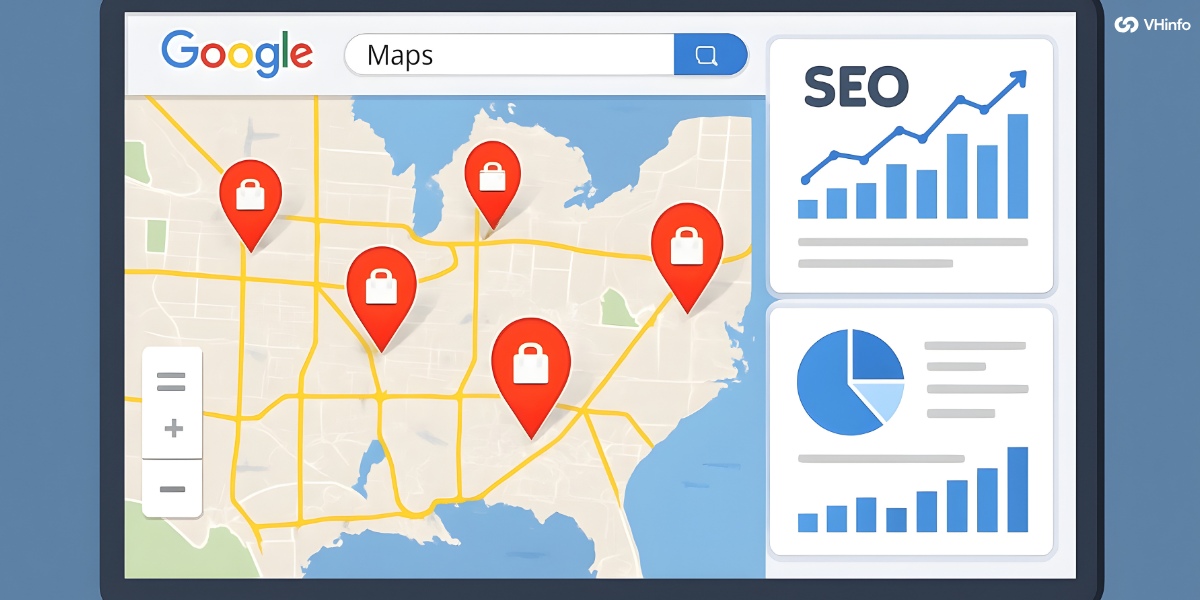
When you do a google search, the search engine looks at your google business profile. It checks to see if other websites trust you. It reads your customer reviews. Then, it puts the best choices in a special box at the top of the page. This box is called the local pack.

Getting into this local pack is the main goal of local SEO.

The Impact of Mobile Searching on Local Business

Most local searches happen on mobile devices. People are walking down the street or sitting in their cars. They look at google maps or Apple Maps on their screens to find the closest open shop. Mobile searching has completely changed how small shops get foot traffic.

If your website works great on a tiny screen, people will stay and read about you.

If it takes too long to load, they will close the page. Mobile phones are the key to bringing local traffic to your front door. You have to make sure your site runs fast and looks good on every phone model out there.

Core Components Of A Winning Near Me SEO Strategy
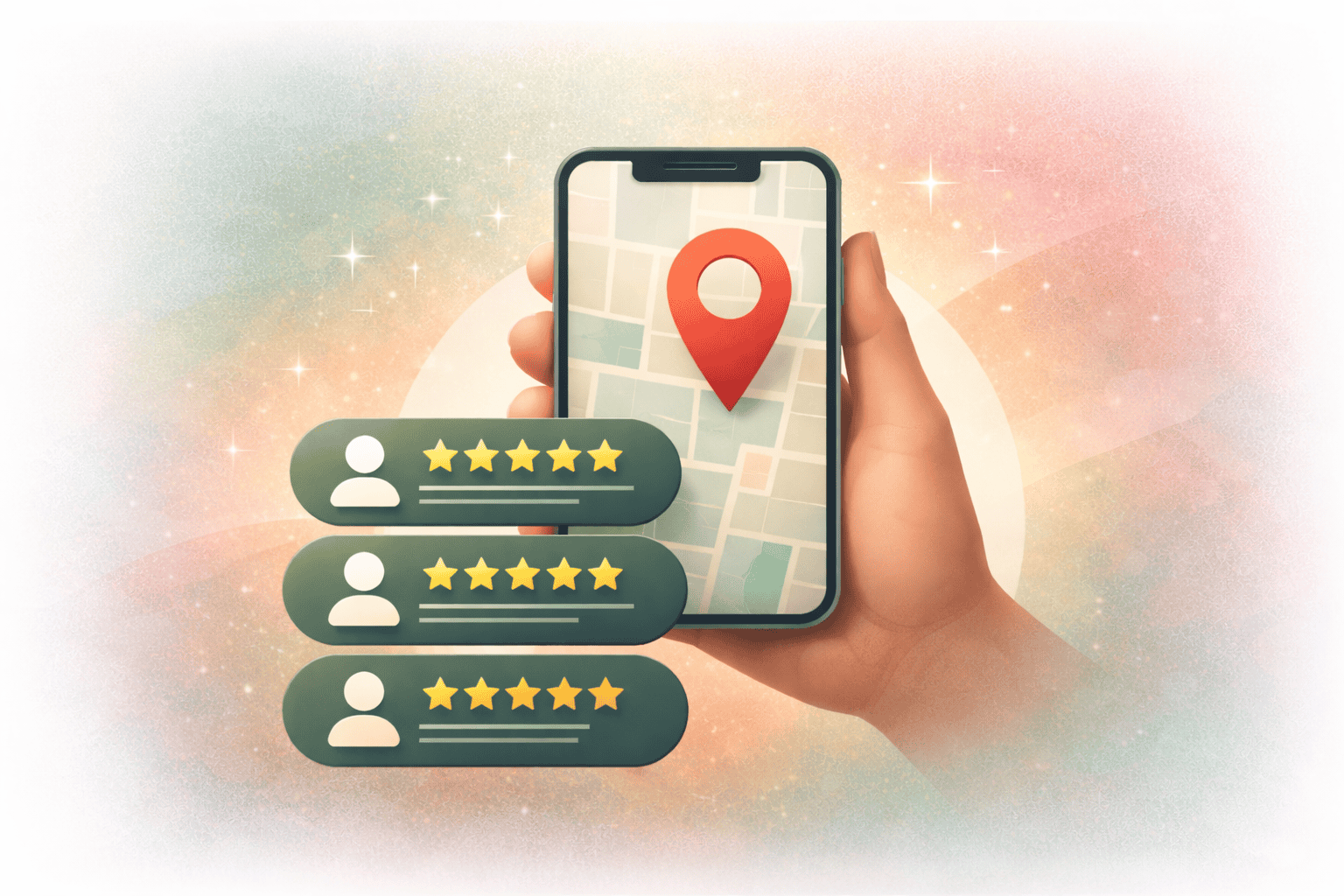
Core Components Of A Winning Near Me SEO Strategy

To be the best in your local area, you need to build a strong foundation. You cannot just put a website on the internet and hope people find it. You need to take control of your business information. Here are the main parts of a winning plan.

Claiming and Optimizing Your Google Business Profile (GBP)

The most important step you can take is setting up your Google Business Profile. Sometimes people still call this Google My Business. It is a free tool from Google. It lets you tell Google exactly who you are, what you do, and where you are located.

When you fill out your Google Business Profile, do not skip anything. Write a clear business description that tells people exactly why they should pick you. Add your hours of operation. Make sure to add special holiday hours so people know if you are open on Thanksgiving or New Year’s Day. Add bright, happy photos of your store or your team. A fully filled-out profile gets way more clicks than an empty one.

N.A.P. Consistency (Name, Address, Phone Number)

There is a simple rule in local SEO called N.A.P. This stands for Name, Address, and Phone Number. Your business name, physical location, and phone number must look exactly the same everywhere on the internet. Imagine if you tell a friend to meet you at “123 Main Street,” but you tell another friend “123 Main St.” Humans know this is the same place. But search engines might get confused.

If your contact information is written differently on your website, your social media, and your business directories, search engines will not trust you. They might drop your local search rankings because they think your information is fake. Always keep your details exactly the same.

The Power of Authentic Customer Reviews

People trust what other people say. That is why online reviews are a massive part of a near me SEO strategy. Getting lots of positive reviews tells search engines that you are a great place to visit. It builds trust.

You should always ask your happy shoppers to leave google reviews. But review management is not just about getting good stars. You also have to handle negative reviews nicely. If someone leaves a bad comment, answer them politely. Fix their problem if you can.

Showing that you care about your shoppers makes you look very professional. Search engines notice this kind of good behavior.

Local Link Building and Community Outreach

Link building means getting other websites to put a link on their page that points to your website.

Here at VH-info, we are a SaaS Link Building Agency. We do not use any automated tools. We build relationships with real people to get strong links for software companies. For a local shop, link building works the same way.

If the local newspaper writes a story about you and puts a link to your site, that is a huge win. When another site links to you, it acts like a giant vote of trust. You can get these links by helping out with community events or local events.

Good SEO services always include getting local links.

On-Page Optimization For Your Near Me SEO Strategy
On-Page Optimization For Your Near Me SEO Strategy

On-page optimization means making changes directly on your own website. You have full control over these changes. You want to make sure your website content tells search engines exactly where you are and what you do.

Naturally Integrating “Near Me” and Location-Based Keywords

When you do keyword research, you will find out what words people type into the computer. These are your local keywords.

You should use these words in your website content. But you have to be careful. You do not want to sound like a robot. If you are a baker in Dallas, you should talk about being a “Dallas baker.” Do not stuff the words “bakery near me” onto the page fifty times.

Instead, write naturally. Mention your city and your neighborhood. Make sure to use good meta descriptions. A meta description is the short bit of text that shows up on search engine results. Tell the reader exactly what they will get if they click your link.

Creating Dedicated Location Pages For Multiple Service Areas

Some businesses do not just stay in one spot. A plumber might drive to five different towns to fix pipes.

If this is you, you need to tell search engines about your whole service area. The best way to do this is to build separate location pages or service pages for each town. Treat each page like a special landing page for that specific city.

Write unique local content for every page. Talk about the local area. Tell a story about a job you did in that town. Do not just copy and paste the same words on every page. Search engines love fresh, unique writing.

Implementing Local Schema Markup (Structured Data)

This part sounds a bit tricky, but it is just a special code. Schema markup is like a secret sticky note you put on the back of your website.

Regular visitors cannot see it, but search engines read it perfectly.

By adding local business schema, you hand the search engine your exact address, phone number, and opening hours on a silver platter. It takes away all the guesswork. When search engines can easily read your details, they are much happier.

They are more likely to put you in the local pack.

Optimizing For Mobile Speed and Core Web Vitals

We talked about how much people use their mobile devices. Because of this, your website must be lightning fast. If your page takes ten seconds to load, the person will click the back button and go to your rival.

Providing a great user experience is one of the biggest ranking factors today. Keep your pictures small so they load fast. Make sure your buttons are big enough to tap with a thumb. When your site works smoothly, visitors stay longer.

This long visit tells search engines that your site is helpful.

Off-Page Tactics to Boost Your Near Me SEO Strategy
Off-Page Tactics to Boost Your Near Me SEO Strategy

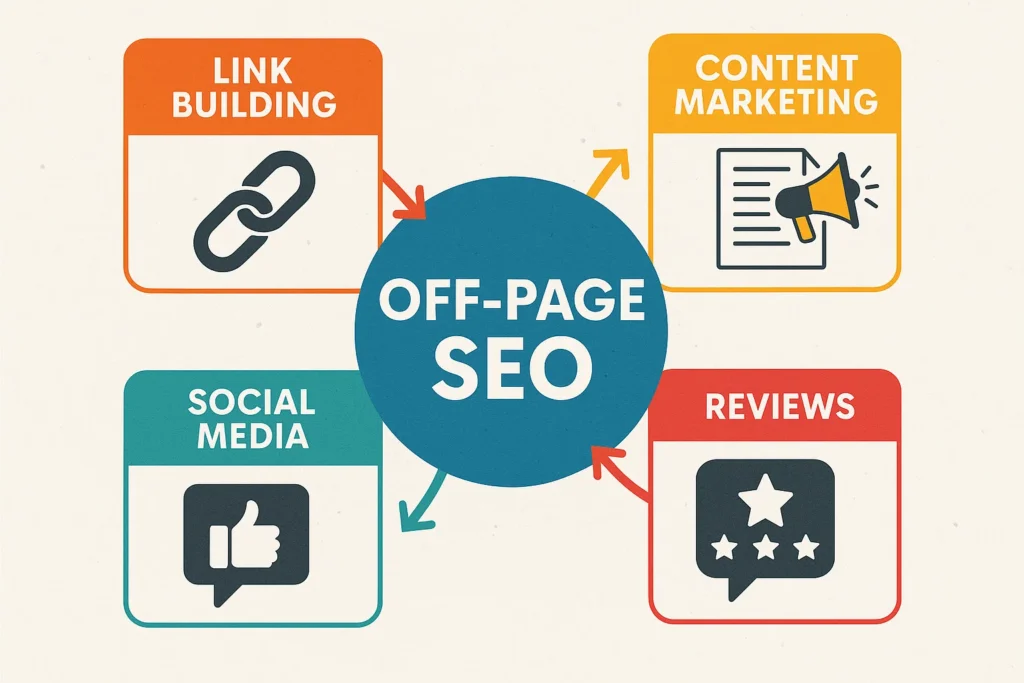
Off-page tactics are the things you do outside of your own website to get more famous. You need other places on the internet to talk about you. This boosts your local visibility.

Building High-Quality Local Citations and Directory Profiles

Local citations are simply mentions of your business on other websites. Think of big websites like Yelp, Yellow Pages, or the Better Business Bureau. These are called directory listings.

You need to make sure your business profile is set up on all the major directories. Just like we talked about with N.A.P. consistency, your details must match perfectly everywhere. These directory profiles help prove to search engines that you are a real, active business.

Securing Backlinks From Local News, Blogs, and Partners

As a SaaS Link Building Agency, VH-info knows that strong links move the needle. When high-quality websites link back to you, your local rankings go up. But how do you get them locally?

You can reach out to people who write local blog posts. Ask them to mention your shop in their next story. If you sponsor a local Little League baseball team, ask them to put a link to your site on their sponsor page. When they do, pay attention to the anchor text. Anchor text is the blue, clickable word that holds the link. If the blue words say “best Dallas baker,” that sends a really strong signal to search engines.

Engaging in Local Social Media Communities

Social media is a fun way to talk directly to your shoppers. You can post pictures of your work, share local news, and remind people about your business hours. When you post on social media, you show that your business is alive and active.

People might share your posts with their friends in the same city. While social media links might not count the same as regular website links, they still bring real people to your page. Real visitors reading your pages is always a good thing for your SEO strategy.

Measuring the Success of Your Near Me SEO Strategy

Measuring the Success of Your Near Me SEO Strategy

You cannot just guess if your plan is working. You have to check the numbers. Looking at the data tells you if you are winning or if you need to change your plan.

Tracking Local Keyword Rankings and Grid Trackers

To know how to rank for near me keywords, you must watch your search rankings over time. You can use tools that show exactly where you show up when someone types in a keyword.

A grid tracker is a neat tool. It shows a map of your city. It tells you what rank you hold in different neighborhoods. You might be number one right next to your physical location, but number five on the other side of town. Knowing this helps you see where you need to work harder.

Analyzing Google Business Profile Insights and Metrics

Your Google Business account gives you a lot of free data. You can look at the “Insights” tab to see exactly how people find you.

It will tell you how many people clicked on your phone number to call you. It will show you how many asked for directions on Google Maps. It even shows what words they typed in to find your business profile.

If you see that people are searching for a service you do not talk about much, you can add more information about it to your site.

Monitoring Organic Foot Traffic and Lead Conversions

The best way to know if your local SEO strategy is working is to look at your cash register. Are more people walking through your front door?

Are you getting more phone calls?

If your local traffic on your website goes up, and your store gets busier, your plan is a success. Keep asking your new shoppers how they found you. If they say “I searched on my phone,” you know your hard work is paying off.

FAQ’s:

Should I Put the Exact Phrase “Near Me” in my Page Titles and Headings?

No, you really do not need to do this. Writing “plumber near me in my town” looks very silly to humans who visit your page. Search engines are smart enough to know where your business is located. Just use your actual city and neighborhood names naturally in your writing.

How Long Does It Take For A Near Me SEO Strategy to Show Results?

It usually takes a few months to see big changes.

Search engines need time to find your new updates, read your new links, and see your new reviews. If you fix your profile and stay consistent, you will likely notice more calls in about three to six months. Be patient and keep working at it.

What Are Overlooked Tactics That Help Boost Rankings For Near Me SEO?

Many people forget to add special holiday hours to their profiles. They also forget to reply to every single review they get. Another forgotten trick is adding fresh pictures every month. Search engines love to see that an owner is active and keeping everything totally up to date.

Do I Need A Physical Storefront to Rank For “Near Me” Searches?

No, you do not need a shop where people walk in. If you are a cleaner who drives to houses, you are called a service-area business. You can set up your profile to hide your home address and show the towns you travel to instead. You can still rank very well this way.

How Important Are Online Reviews For Ranking Locally?

They are hugely important. Search engines want to send people to great businesses. Lots of good reviews tell them you are trusted and liked by the community. They act like a giant thumbs-up, pushing your name higher up the list on the search results page.

What Mistakes Should I Avoid in my Near Me SEO Strategy?

Never use a fake address just to look closer to a big city. Do not let your phone number be different on different websites. Also, never ignore your bad reviews. Always stay honest, keep your details exactly the same everywhere, and treat your online shoppers with respect.

Can I Use A P.O. Box to Set Up My Google Business Profile?

No, Google does not allow P.O. Boxes for business profiles. They want to see a real physical location or know that you are a real person who travels to customers. If you try to use a P.O. Box, your profile will get suspended or deleted completely.

Conclusion

Building a strong near me SEO strategy is the best way to make sure local shoppers find you first.

By taking control of your google business profile, getting great customer reviews, and keeping your details perfect across the web, you will climb the local search rankings. It takes a little bit of time and steady work, but the extra foot traffic is completely worth it.

Do not let the shop down the street steal the spotlight.

How to Improve SEO Fast: The Ultimate Guide to Quick Rankings

Everyone wants to see their website at the top of Google right now. We get it. You spend time building a site, and you want people to visit it.

When you look for SEO fast, you are looking for shortcuts to get more organic traffic without waiting for years. While search engine optimization (SEO) is usually a long game, there are smart moves you can make to speed things up.

At VH-info, we talk to website owners every day who are frustrated. They have great products, but their search engine rankings are low. The good news is that you don’t need to be a computer wizard to fix this. You just need a solid plan.

In this guide, we will show you exactly how to improve SEO fast. We will cover keyword research, how to fix your content, and the power of link building. Whether you run a small blog or a big SaaS company, these tips will help you climb the search rankings.

Let’s get started on your journey to the first page of Google.

Understanding How to Get SEO Fast Results

Understanding How to Get SEO Fast Results

Before we jump into the “how-to,” we need to understand how a search engine like Google works. Think of Google as a giant library. When you put a new book (your website) in the library, the librarian (Google) needs to read it, categorize it, and put it on the right shelf.

This process takes time, but you can help the librarian work faster.

Setting Realistic Timelines For Ranking

If anyone tells you they can get you to number one in a day, they are lying. SEO strategy takes patience.

However, “fast” in the SEO world usually means a few weeks to a few months, rather than a year.

New websites often sit in a “sandbox.” This is a waiting period where Google tests if your site is trustworthy. If you have an older site, you might see results in a few weeks after making changes. For a brand new site, seeing real organic search growth might take 3 to 6 months.

But don’t worry, the tips in this article are designed to cut that time down as much as possible.

The Difference Between Quick Wins and Long-Term Strategy

There are two ways to play the SEO game.

  • Quick Wins: These are small fixes that give you a boost right away. This includes fixing broken links, changing your title tag, or speeding up your website. These actions tell Google, “Hey, I fixed up my house, come take a look!
  • Long-Term Strategy: This involves creating quality content and getting external links from other sites. This builds your reputation over time.

To learn SEO fast, you need to mix both. You grab the quick wins today while you start working on the long-term stuff.

Why Indexed Pages Matter First?

You cannot rank if you are not in the system. “Indexing” is when Google adds your web pages to its list.

If your page isn’t indexed, it does not exist in search results.

Sometimes, a page SEO problem stops Google from reading your site. If you fix this, your SEO fast results can happen almost overnight. Making sure your pages are open and easy for Google to read is the very first step to getting website traffic.
How to Get SEO Results Faster?

How to Get SEO Results Faster?

Now, let’s look at the actual work. These are the steps you can take today to push your site up.

Ensure Your Pages Are Crawled and Indexed

The best way to talk to Google is through Google Search Console. It is a free tool that tells you how Google sees your site.

  • Log in to Search Console.
  • Submit your “sitemap” (a map of your website).
  • Check for errors.

If you have a new article, you don’t have to wait for Google to find it. You can paste the link into Search Console and click “Request Indexing.” This is like raising your hand and asking the teacher to grade your paper right now.

It is a great way to get your new content seen quickly.

New Website? Use Long-Tail Keywords to See SEO Results Faster

If you have a new site, do not try to rank for big words like “shoes” or “software.” The big companies already own those spots. Instead, use target keywords that are longer and more specific. These are called long-tail keywords.

For example:

  • Hard Keyword: “SaaS Marketing”
  • Long-Tail Keyword: “Best SaaS marketing tips for small startups”

Fewer people search for the long one, but the people who do are looking for exactly what you have. This implies less competition. You can reach the first page much faster with these terms. Use Google Keyword Planner or other SEO tools to find these specific phrases.

Create and Promote High-Quality Content

Content is king. But not just any content—it must be quality content. This means writing helpful, easy-to-read articles that answer the user’s questions. When you write, think about search intent. What does the person want? Are they looking to buy something or just learn?

If your blog posts help them, they will stay on your page longer. This lowers your bounce rate (the number of people who leave immediately), which is a good sign to Google.

Also, share your work! Post it on social media. While Facebook likes don’t directly boost SEO, they bring traffic.

Real humans visiting your site sends positive signals to search engines.

Set up Your On-Page and Technical SEO Foundations

You need to make sure your house is clean. Technical SEO sounds scary, but the basics are simple.

  • Page Speed: Your site must load fast. If it takes too long, people leave. This hurts your ranking.
  • Mobile Devices: Most people use phones to search. Your site must look good on a mobile screen.
  • Meta Tags: Every page needs a unique title tag and meta descriptions. These are the short previews people see in Google. Make them catchy so people click!
  • Alt Text: Describe your images using descriptive alt text. This helps blind people understand your photos and helps image SEO.

Get Backlinks (the Right Way)

This is the most important part of ranking high. A backlink is when another website links to yours. It counts as a vote of confidence. The more “votes” (links) you have from high-quality sites, the higher you rank. However, getting links is hard work. You cannot just ask anyone.

You need links from relevant sites in your industry. This is where link building comes in.

At VH-info, we specialize in this. We know that digital marketing teams are busy.

Building relationships with other sites to get these links takes hours of work. As a SaaS Link Building Agency, we handle this heavy lifting. We help you get those powerful external links so your site builds authority while you focus on your business.

Content Tactics For Doing SEO Fast

Content Tactics For Doing SEO Fast

You don’t always need to write new stuff. Sometimes, working with what you have is faster.

Repurposing Your Best-Performing Assets

Do you have a YouTube video that did well? Turn it into a blog post. Do you have an old article with good traffic? Update it with new information.

Google loves fresh content. By updating an old piece of content with the current year, new stats, and fresh images, you can see a quick jump in search rankings. It requires less work than writing from scratch but gives great results.

Utilizing Internal Linking to Pass Authority Quickly

Internal linking is connecting one page of your site to another page on your site.

Imagine you have a very popular page that gets lots of organic traffic. That page has “authority” or power. If you link from that popular page to a new page you just wrote, you pass some of that power to the new page. It helps Google find the new page faster and ranks it higher.

Make sure you use good anchor text (the clickable words). Instead of “click here,” use “read our guide on SEO efforts.”

Answering “People Also Ask” (PAA) Queries

When you search on Google, you often see a box called “People Also Ask.” It has questions related to your search.

These are gold mines. Google is literally telling you what people want to know.

  • Look at your target keywords.
  • Check the PAA box in the search results.
  • Write new sections in your articles that answer these questions directly.

This increases your chances of showing up in that box, which is a featured snippet. This gets you to the very top of the results—position zero!

Black Hat Traps to Avoid When Doing SEO Fast

Black Hat Traps to Avoid When Doing SEO Fast

When you want SEO fast, it is tempting to cheat. In the SEO world, cheating is called “Black Hat SEO.” Do not do it. It might work for a week, but then Google will catch you and ban your site.

The Dangers of Buying Cheap Backlinks

You might see ads saying, “Buy 1000 backlinks for $5.” Run away. These are spam links from bad websites. Google knows they are fake.

Using them will hurt your SEO performance.

Always focus on quality over quantity. One link from a good news site is worth more than 1000 junk links. This is why working with a trusted agency like VH-info is safer; we focus on real, high-quality connections, not spam.

Why Keyword Stuffing No Longer Works?

Years ago, you could write the word “pizza” 100 times on a page and rank for “pizza.” That is called keyword stuffing. Today, Google is smart. If you stuff relevant keywords where they don’t make sense, Google will think your site is garbage.

Write for humans first. Use your target keywords naturally. If it sounds weird when you read it out loud, change it.

Avoiding AI-Spam and Low-Quality Content Generation

AI tools are great for ideas, but don’t just copy and paste. Google wants helpful, original content. If you flood your site with hundreds of low-quality AI articles, Google might ignore them. You need to add your own experience and facts. Make sure the information is true.

Quality content wins every time.

How to Monitor Your SEO Results [Step-By-Step]

How to Monitor Your SEO Results?

How do you know if your SEO quick tactics are working? You need to track them.

  • Step 1: Get Your Pages Indexed: Go to Google Search Console. Check if your number of “Indexed Pages” is going up. If your pages are not indexed, no one can find them. This is the foundation of your SEO strategy.
  • Step 2: Check If Your Website Shows Up in the SERPs: SERP means Search Engine Results Page. You can use a tool or just search Google in “Incognito mode” to see where you stand. Are you on page 5? Page 2? Moving from page 10 to page 2 is huge progress.
  • Step 3: Are Your Rankings Improving? Look at your specific search queries. Are you ranking higher for your main keywords? If you were in position 50 last week and position 20 this week, your SEO efforts are working.
  • Step 4: Are Searchers Clicking Through?: Ranking is good, but clicks are better. In Search Console, look at your “CTR” (Click-Through Rate). If you are on page 1 but no one is clicking, you might need to change your title tag or meta descriptions to make them more exciting.
  • Step 5: Conversions: Finally, are these visitors doing what you want? Are they signing up for your email list or buying your product? Website traffic is vanity; sales and leads are sanity. You can track this in Google Analytics.

Top Tools to Help You Execute SEO Fast

Top Tools to Help You Execute SEO Fast

You don’t need to do this alone. There are tools to help.

Google Search Console (For Instant Indexing)

We mentioned this before, but it is vital. Google Search Console is the only way to get data directly from Google. It helps you find broken links, check mobile issues, and see exactly what search queries bring people to your site. Plus, it is a free tool.

Ahrefs and Semrush (For Quick Competitor Gaps)

These are paid SEO tools, but they are powerful. They let you spy on your competitors. You can see what keywords they rank for and what websites link to them.

  • Find competitive keywords you missed.
  • See who links to them and ask those sites to link to you, too.
  • Many offer a free trial so you can test them out.

Screaming Frog (For Rapid Technical Audits)

This is a tool that crawls your website just like Google does. It looks at your HTML code and finds errors. It will tell you if your images are too big, if you are missing schema markup, or if you have duplicate pages. It is great for a fast technical checkup.

FAQ’s:

How Long Does It Actually Take to See SEO Results?

It usually takes between three and six months to see significant results. However, if you fix technical errors or update old content, you can sometimes see changes in a few weeks. It depends on how much work you put in and how competitive your industry is.

Is It Possible to Rank on Page 1 Of Google In A Week?

It is very rare to rank on page 1 in a week for a popular keyword. It might happen if you target a very specific, low-competition phrase that no one else has written about. But for most normal keywords, you need patience and consistent effort.

Can I Improve SEO If I Only Have an Hour A Week?

Yes, you can improve your SEO with limited time by focusing on high-impact tasks. Spend that hour updating one old blog post or fixing technical errors in Search Console. Small, consistent actions add up over time to improve your rankings.

What is the Fastest Way to Get High-Quality Backlinks?

The fastest way is to create content that people want to share, like data studies or free tools. Alternatively, you can hire a reputable agency like VH-info to handle the outreach for you. We connect you with relevant sites to build trust and authority quickly.

Does Website Speed Affect How Fast My SEO Improves?

Yes, website speed is a very important ranking factor. If your site is slow, Google will not rank it high because it provides a bad user experience. Speeding up your site is one of the quickest ways to boost your SEO performance.

Can I Improve My SEO Fast Without Spending Money on Expensive Tools?

Absolutely. You can use free tools like Google Search Console, Google Analytics, and Google Keyword Planner. You can also check your competitors manually. Expensive tools make things faster, but you can do great SEO for free with some hard work.

Conclusion

Improving your SEO fast is about working smarter, not just harder.

By targeting the right relevant keywords, fixing your technical issues, and getting quality backlinks, you can speed up your journey to the top.

Remember, SEO is a mix of quick fixes and long-term growth.

Use internal linking and social media to give your posts a boost. Monitor your progress with Google Search Console. And most importantly, always focus on the user. If your site helps people, Google will eventually reward you.

If the world of link building feels overwhelming, remember that VH-info is here to help.

As a dedicated SaaS Link Building Agency, we guide website owners through the complex process of building authority. We handle the hard work of connecting with other sites so you can focus on creating great products.

Start with your first step today. Fix one page, write one great article, or get one new link. Your future traffic is waiting!

Top Free AI SEO Tools In 2026: Boost Rankings Fast

Getting your website to show up on Google is a big goal.

We call this search engine optimization, or SEO. When you do this right, more people visit your site. This is called organic traffic. But doing SEO can be hard work. There is so much to write and check. This is where artificial intelligence helps you.

In 2026, free AI SEO tools are smarter than ever. They help you find the right words, write stories, and fix broken parts of your site. You do not always need a credit card to start. Many tools have a free version or a free plan that works great for beginners.

At VH-info, we know that tools are helpful. They act like a smart assistant. However, tools cannot do everything.

For things like link building, you often need real experts like us to help build trust for your site. But for tasks like keyword research and content creation, these AI helpers are amazing. In this guide, we will look at the best free AI SEO tools you can use right now.

We want you to succeed in search results without spending a lot of money. Let’s look at how these tools can change your SEO strategy.

Why You Should Integrate Free AI SEO Tools Into Your Strategy?

Using AI SEO tools is a smart move. They make your work easier and faster. If you are a beginner or even one of the pro SEO professionals, these tools help you get more done in less time.

Efficiency

Time is very important. Writing a blog post or finding keyword ideas takes hours if you do it alone. An AI tool works very fast. It can scan the web and give you answers in seconds.

For example, if you need to write meta descriptions for ten pages, a human might take an hour. An AI writer can do it in one minute. This helps you focus on other big SEO tasks, like planning your content strategy or talking to your customers.

Efficiency means you stop wasting time on small things and start growing your business.

Actionable Insights

Sometimes, it is hard to know what to do next. You might look at your website and wonder, “Why is nobody visiting?” Free AI SEO tools give you actionable insights. This means they tell you exactly what to fix. They might tell you that your content quality needs work.

Or they might say you need more internal links between your pages. Tools can look at search intent, which means understanding what users want when they type in Google. When you know what is wrong, you can fix it. This helps you climb up the search rankings.

Cost-Effectiveness

SEO software can be very expensive. Some tools cost hundreds of dollars every month. But not everyone has that budget.

Free AI SEO tools are great because they save you money. You can get keyword suggestions, check for technical issues, and write content briefs without paying. This cost-effectiveness allows small businesses and new content creators to compete with big companies.

You get powerful help for free. While you might pay for link building services like VH-info later to boost authority, starting with free tools keeps your costs low while you learn.

Best Free AI SEO Tools in 2026

Best Free AI SEO Tools

There are many tools out there. It can be confusing to pick one. We have made a list of the best free AI SEO tools for you. These tools help with writing, checking your site, and finding topics.

Perplexity AI

Perplexity AI is a very smart tool that acts like a mix between a chatbot and a search engine. It is one of the best free AI tools for seo because it finds facts fast. When you want to write a blog post, you need correct information.

Perplexity searches the live internet and gives you answers with sources. This is great for content creation.

You can ask it to find topic clusters for your website. For example, if you sell shoes, it can tell you all the questions people ask about shoes. It helps you understand search intent better than many other tools.

You can also use it to research your competitor analysis. You just ask, “What are the main topics my competitor covers?” and it tells you. It is very easy to use and helps content marketers gather research quickly without opening fifty tabs.

Google Gemini (Free Tier)

Google Gemini is an amazing AI tool made by Google itself. Since Google is the biggest search engine, using their tool makes sense. The free version is very powerful. You can use it as a content editor to fix your grammar or make your sentences flow better.

It is also great for generating keyword ideas. You can ask Gemini, “Give me 20 related keywords for a bakery website.”

It understands how Google thinks. You can also use it to analyze text. If you paste a competitor’s article, Gemini can summarize it and tell you what keywords to use. It helps you with on-page SEO by suggesting titles and headers. It can even help draft emails for link-building outreach, though VH-info recommends using a personal touch for that. Gemini is a must-have for your SEO efforts.

Semrush (Free Account Features)

Semrush

Semrush is a famous name in the industry. It is usually a paid SEO platform, but they offer a free account that is very useful.

Even with the free version, you can do basic keyword research. You can type in a word and see its search volume.

This tells you how many people search for that word. It also allows you to run a small site audit. This checks your web pages for technical SEO issues. It might tell you if a page is loading too slowly or if a link is broken. You can also track a few search rankings to see where you stand.

While it has limits compared to the paid version, it gives you professional data. It is great for checking domain authority and seeing where your competitors get their traffic. It helps you build a solid foundation for your SEO strategy.

ChatGPT (Free Tier)

ChatGPT is the most popular AI writer in the world. The free version is very smart and helpful for many SEO tasks. You can use it to brainstorm blog post titles that make people want to click. It is excellent for creating content briefs.

You just tell it, “Make an outline for an article about dog food,” and it gives you headers and points to cover. It helps with content optimization, too. You can paste your text and ask it to add specific keywords naturally. It can also write meta descriptions and title tags in seconds.

While it does not have live data like Perplexity, it is the best for creative writing and structure. It helps content creators break writer’s block. Just remember to check the facts, as it can sometimes make mistakes. It is a vital part of any SEO content plan.

Claude

Claude is an AI that is very good at writing in a natural, human-like way. This is important because Google likes content quality. If your text sounds too robotic, it might not rank well. Claude is great for writing long articles that sound friendly and professional.

You can use Claude to summarize long documents or analyze search results. It is very safe and refuses to write bad or harmful things. For SEO, you can feed it your existing content and ask, “How can I improve this for my target audience?

It gives great advice on tone and style. It can also help you group keywords into topic clusters. If you need to write a lot of content fast but want it to sound good, Claude is one of the best AI SEO tools to use. It helps you maintain a consistent brand voice.

AIOSEO Analyzer

AIOSEO is a famous plugin for WordPress, but they also have a free analyzer tool. This is a pure SEO checker. You do not need to install anything. You just put your website URL into their box, and it gives you a score.

It checks your on-page SEO. It looks at your titles, images, and code. It tells you if your meta descriptions are too long or too short. It also checks if you are using your target keyword enough times.

This tool is very good for beginners because it gives you a checklist. It tells you exactly what to fix to improve your search visibility. It breaks down complex technical SEO into simple steps. It is like a teacher grading your homework and telling you how to get an A+.

Google Search Console AI Insights

Google Search Console is a free tool from Google that every website owner must use. Recently, they added AI features to help you understand your data. It shows you exactly which search queries brought people to your site.

The AI insights help you spot opportunities. For example, it might show you a page that is ranking on page 2 of Google. You can then update that page to get it to page 1. It warns you about technical issues like pages that don’t work on mobile phones.

It is the most accurate source because the data comes straight from Google. It helps you monitor your organic traffic and see if your SEO efforts are working. It is essential for SERP analysis (Search Engine Results Page).

Writesonic

Writesonic

Writesonic is an AI tool built specifically for marketing and writing. They have a free trial that lets you test their power. It is designed to create content that ranks on search engines. It has features to write landing pages, articles, and even ads.

One cool feature is the built-in SEO checker in the writer. As you write, it scores your content. It suggests words to add to boost your search rankings. It integrates with data to ensure your content is relevant.

It helps content marketers produce high-quality articles much faster than writing from scratch. It creates SEO content that reads well. It helps you target specific keywords without stuffing them unnaturally. It is a great assistant for keeping your blog active.

Rankscale.ai

Rankscale

Rankscale.ai helps with the technical side of SEO. One of the biggest problems for new sites is getting Google even to see their pages.

Rankscale helps with indexing. Indexing means Google adds your page to its library.

It uses AI to scan your web pages and ensure they are ready for Google. It can generate schema markup, which is a special code that helps search engines understand your content better. This can help you get those special boxes in search results, like star ratings or recipe cards.

It simplifies technical SEO tasks that usually require a developer. By using this, you ensure that your hard work in writing is actually seen by the search engine. It is a helpful tool to ensure your site is healthy.

Frase GEO

Frase

Frase is excellent for creating content that answers questions. Their “GEO” feature stands for Generative Engine Optimization. This is a new way of thinking about SEO for AI search engines. Frase helps you research what the top-ranking pages are saying.

It looks at the search results for your keyword and builds a content brief based on what is winning. It tells you which subheadings to use and which questions to answer. This ensures your article is comprehensive.

It helps you cover a topic completely, which Google loves. It is great for content optimization. It highlights gaps in your content that your competitors have covered but you missed. Using Frase ensures your content is better than what is already out there.

Key Features of the Best Free AI SEO Tools

Key Features of the Best Free AI SEO Tools

When you look for the best free AI SEO tools, you need to know what they can actually do. These tools have different superpowers.

Here are the main features you should look for.

AI-Powered Keyword Research Capabilities

Keyword research is the foundation of SEO. This means finding the words people type into the search engine. AI tools make this easy.

Instead of guessing, the AI looks at data. It gives you keyword suggestions that you might not think of. It shows you the search volume (how popular a word is) and how hard it is to rank for it. Good AI tools also help you find related keywords.

These are words that mean the same thing or are close to your topic. Using the right words helps your target audience find you. This feature ensures you are writing about things people actually want to read.

Automated Content Optimization Suggestions

Once you write an article, you want to make it perfect for Google. This is called content optimization. AI tools scan your text and act like a strict editor. They check if you used your target keyword in the right places. They look at your headings and sentence length.

If your sentences are too hard to read, the tool will tell you to make them simpler.

They also check for keyword stuffing, which is using a word too many times. They suggest changes to improve your content quality. This helps your web pages rank higher because they are easier for both humans and robots to read.

Technical Site Audit and Issue Detection

Technical SEO sounds scary, but it is just checking if your website is broken. AI tools can run a site audit automatically. They crawl your website like a spider. They look for technical issues like broken links (links that go nowhere) or pages that load very slowly.

They check if your site works well on mobile phones. They also check for missing meta descriptions or title tags. Finding these SEO issues is important because Google does not like broken websites. Fixing them helps you maintain good site health.

User Interface and Ease of Use for Beginners

If a tool is too hard to use, it is not helpful. The best free ai tools for SEO have a simple interface. This means the buttons and menus are easy to understand. A good tool should look clean. It should explain things in simple language. You should not need to be a computer coder to use it. Ease of use is vital for small business owners who do their own marketing. You want to spend time fixing your site, not learning how to use the software. Good tools use clear charts and traffic light colors (red for bad, green for good) to show you what to do.

Reporting and Analytics in Free AI SEO Tools

You need to know if your hard work is paying off. Reporting and analytics features show you the numbers. They track your organic traffic over time. Free tools often give you basic charts. They show you how many people visited your site and which keywords brought them there.

They can track your search rankings to see if you are moving up or down. Google Analytics is the most famous example, but other AI tools simplify this data. They give you a summary of your success. This helps you decide what to do next in your SEO strategy.

Comparing the Best AI SEO Tools – Free Vs Paid Options

Comparing the Best AI SEO Tools – Free Vs Paid Options

You might wonder if you should pay for tools or stay with the free ones. There is a big difference between a free tool and a paid one.

Let’s compare them so you can decide.

Feature Comparison: Free Vs Paid AI SEO Tools

Free AI SEO tools give you a taste of the power. They are great for basics. You get limited keyword research, basic content optimization, and small audits. Paid tools give you everything. They give you unlimited data. They let you track thousands of keywords and audit huge websites.

Paid tools often have advanced features like historical data (what happened years ago) and deep competitor analysis. However, for a beginner or a small site, the free plan is often enough. You can combine different free tools to get a full suite of features without paying.

Accuracy and Reliability of Free AI SEO Recommendations

Can you trust a free robot? Mostly, yes. The AI in free tools is usually the same smart AI used in paid versions. Google Gemini and ChatGPT are very smart. However, free tools might use older data. Paid tools often have “live” data that is updated every minute.

For keyword research tool data, paid is sometimes more accurate regarding exact numbers. But for writing and content strategy, free AI is very reliable. You should always use your own brain too. If an AI suggests a keyword that makes no sense, do not use it.

Trust the tool, but check the work.

Limitations and Workarounds When Using Free AI SEO Tools

Free tools have limits. They might only let you search for 10 keywords a day.

Or they might stop you after writing 500 words. This can be annoying. The workaround is to use multiple tools. Use Semrush for keywords until you hit the limit, then switch to Google Keyword Planner. Use ChatGPT for outlines and Claude for writing.

By mixing different tools, you can build a powerful system without spending money. Also, remember that while tools help with content, link building is something they cannot do fully. That is where agencies like VH-info come in to help you overcome the limitations of software.

FAQ’s:

Are Free AI SEO Tools Actually Effective?

Yes, free AI SEO tools are very effective. They help you find the right keywords and fix errors on your site quickly. While they have some limits compared to paid tools, they are perfect for beginners to start growing their organic traffic.

Can AI SEO Tools Completely Replace A Human SEO Expert?

No, an AI tool cannot replace a human expert. Humans understand strategy, emotion, and how to build real relationships for link building. AI is a great assistant for tasks, but you need a human to plan the big picture and make final decisions.

Will Google Penalize Content Created By Free AI SEO Tools?

Google does not punish content just because it is made by AI. Google cares about content quality. If your content is helpful, correct, and answers the user’s question, it will rank well. Always check and edit AI work to make sure it is high quality.

Do Free AI SEO Tools Have Usage Limits?

Yes, most free tools have limits. They might restrict how many searches you can do per day or how many words you can generate. This is how they encourage you to buy the paid version, but the free limits are often enough for small tasks.

What is the Best Free AI SEO Tool For A Beginner?

For a beginner, Google Gemini or ChatGPT are the best choices. They are very easy to talk to and can help with many tasks like writing, planning, and fixing simple errors. Ubersuggest or AIOSEO are also good for seeing simple scores and checklists.

Conclusion

In 2026, growing your website is easier with free AI SEO tools.

You have access to amazing technology that helps you with keyword research, content creation, and fixing technical SEO issues. Tools like Perplexity AI, Google Gemini, and Semrush give you the power to compete in search results without spending money.

Remember, these tools are helpers. They can write and analyze, but they cannot build the relationships needed for long-term success. Link building remains a human task that requires trust and authority. This is where VH-info shines.

We take the actionable insights from these tools and apply expert strategies to boost your site’s power.

Start using these best free AI SEO tools today. Experiment with them. Find the ones that fit your workflow. By combining these smart tools with a solid SEO strategy, you will see your search rankings climb and your traffic grow. The future of SEO is here, and it is available for free.

Safe Guide to SEO Services Link Exchange For Better Traffic

When you build a new website, you want people to visit it. Getting people to find your site is a big part of digital marketing. One of the best ways to get noticed is through an SEO services link exchange. This is a simple but powerful way to grow your online presence. Think of the internet as a huge city. Your website is a brand new store in this huge city. If there are no roads leading to your store, no one will visit you.

Links from other websites act like roads leading right to your front door. Search engines like to see that other sites trust your site. When other sites link to you, it acts like a vote of confidence. This process is called link building.

It helps you get more organic traffic without paying for ads. Here at VH-info, we are a SaaS link-building agency. We help you find the right sites to trade links with. We do not use software tools to trick the system. Instead, our team does the hard work for you by hand.

We focus on getting quality backlinks that bring real value. A good SEO strategy takes time, but it is totally worth it.

By working with us, you can improve your search engine rankings and get more people to read your content. We guide you step by step so your website traffic grows safely. If you do this right, your small store becomes a very busy place.

Understanding Our SEO Services Link Exchange Process

Understanding Our SEO Services Link Exchange Process

What is a Strategic Link Exchange?

A strategic link exchange is like a friendly trade. Let us say you run a website about baking cakes.

You find another site that talks about making coffee. You agree to put a link to the coffee site on your page. In return, the coffee site puts a link to your baking page. This is called a link swap. It creates a mutual benefit for both website owners.

Both of you get to share your audiences with each other. We call this reciprocal linking. In the past, people traded reciprocal links with anyone just to get high numbers. Now, site owners must be very careful. You only want to trade with relevant sites.

If you run a baking blog, a link from a car repair site makes no sense at all. The trade must make perfect sense to the people reading your pages. When you set up a smart SEO services link exchange, you give your readers more helpful information.

The trade must feel normal and highly helpful. A good trade makes the internet a better place for everyone. It helps potential partners find exactly what they are looking for without getting confused.

How Quality Backlinks Drive Organic Traffic?

Not all links are the same. Quality backlinks come from good, trusted websites. When a trusted site links to you, it passes on something called link juice. This is a fun way to say it shares its good reputation with you.

Imagine a famous chef telling people your cake is the best. People will believe the chef and come try your cake. When search engines see this link juice, they push your site higher up in the search engine results.

When you sit higher up, you get more organic traffic. This means people click on your site for free. You do not have to pay for these visitors as you do with normal ads. Quality links act like big, bright signs on a highway pointing directly to your store.

Better signs mean more visitors every single day. When your search rankings go up, more people trust your business. They read your blog posts carefully. They click your links eagerly. A solid SEO services link exchange helps you earn these high-quality links.

Good links also bring in direct website traffic. If someone reads an article on another site and clicks your link, they come right to your page. This helps your online presence grow very fast and stay strong.

The Evolution of Link Building: From Reciprocal to Multi-Way

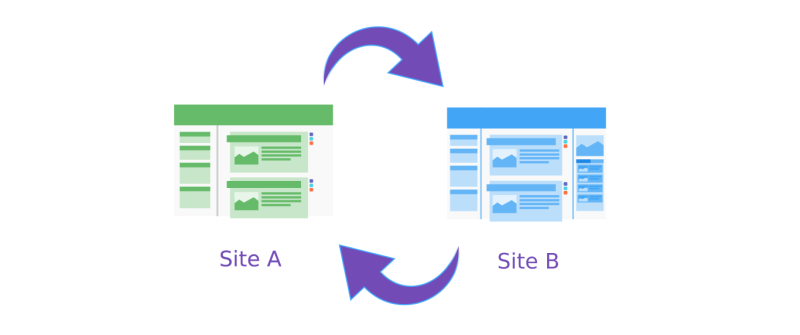
Link building has changed a lot over the years. A long time ago, a simple trade worked great. Site A is linked to Site B, and website b linked to Site A. Everyone was happy. But soon, search engines got much smarter. They wanted to see more natural links instead of simple two-way trades. Today, a good link exchange strategy uses different types of trades. For example, we might use a three-way trade. Site A links to Site B.

Site B links to Site C. Then, site C links back to site A. This makes your link profile look very natural in the eyes of search engines. Multi-way trades help keep your site safe from any trouble. They stop search algorithms from thinking you are cheating the system.

At VH-info, our team sets up these smart multi-way trades for you. We make sure the trades look perfect and totally normal. Our SEO services link exchange gives you the best results without breaking any rules. We use smart, modern methods for building links safely.

We always stay up to date with the latest changes in how search engines work.

The Core Benefits of a Managed Link Exchange Strategy

The Core Benefits of a Managed Link Exchange Strategy

Boosting Domain Authority (DA) and Trust Flow

Think of domain authority like a grade on a report card in school. A high score means search engines trust your website a lot. A low score means they are still not sure about you. When you get links from authoritative sites, your website’s authority goes up.

Site authority is very important for your success. When your site has a high score, every single page on your site can rank higher. Trust flow is a very similar idea. It measures how trustworthy your site is based on who links to you.

A managed SEO services link exchange focuses on boosting both of these scores.

At VH-info, we find high-score sites for you. We only connect you with the best places online. When we link your site to these great sites, your scores improve quickly. The search engine algorithms notice this improvement right away.

These SEO benefits mean your site becomes a trusted leader in your topic. As you get more inbound links from trusted places, your grade keeps going up. This is a very safe way to grow your business online and look like an expert.

Generating Highly Targeted Referral Traffic

Most people focus only on a Google search to get visitors. But links bring another great thing: referral traffic.

This happens when a person clicks a link on another site and lands right on your page. Let us say someone is reading a blog about dog training. They see a link to your site about dog food. They click it. That is referral traffic. This traffic is highly targeted. The person already wants what you have to offer. Because they are highly interested, you get better user engagement. They stay on your site much longer.

They read more pages and learn about your brand. This creates a great user experience for them. A managed SEO services link exchange brings you this targeted traffic every month. Our agency makes sure your links sit on pages that make complete sense. Good referral traffic also improves your brand visibility in a huge way. People start seeing your brand name everywhere they look online. They might even share your link on social media with their friends. This helps you reach far more people than just waiting for search engine traffic to show up.

Accelerating Keyword Ranking Improvements

Keywords are the words people type into a search box when they want to find something. If you want to rank for “best red shoes,” that phrase is your keyword. To climb the search engine rankings, you need a smart SEO strategy. One secret weapon is anchor text.

Anchor text is the clickable, colored word in a link. If the anchor text says “best red shoes,” it tells the search engine exactly what your page is about. Our seo services link exchange focuses on picking the exact right anchor text for your site. When we do this correctly, we accelerate your keyword ranking improvements. You start climbing the search results much faster than before. Good search engine optimization needs a very careful mix of words. You cannot use the same word every single time. That looks fake to the computers.

Our team at VH-info builds quality backlinks with safe, mixed anchor words. We make sure everything looks real and perfectly natural. This careful planning helps you reach the very top of the search results safely and quickly.

It puts you in front of the people who want to buy your products.

Safe Vs. Risky Link Exchanges: Keeping Your Site Penalization-Free

Safe Vs. Risky Link Exchanges: Keeping Your Site Penalization-Free

Google’s Guidelines on Link Schemes

Google wants to show people the most helpful web pages every time they search.

Because of this, they have very strict rules. These rules are known as Google’s guidelines. Sometimes people call them Google’s webmaster guidelines or search engine guidelines. If you try to trick the system, Google will punish your website severely.

A trick designed to cheat the system is called a link scheme. One common trick is buying thousands of cheap, bad links. This is known as link spam. When you use these black hat tricks, your site can totally disappear from search results. This is a huge risk for any business.

A safe SEO services link exchange always follows all the rules. At VH-info, we read the guidelines carefully every day. We make sure every trade is clean, fair, and honest. We never try to cheat the search engines. We want your site to be 100 percent penalization-free forever.

Following the strict rules keeps your business safe for a very long time. It helps you sleep well at night knowing your site is protected.

Why White-Hat Outreach Matters?

There are two main ways to do SEO: black hat and white hat.

Black hat means breaking the rules to get fast, risky results. White hat means following all the best practices. White hat takes much more work, but the results last far longer. When we talk to other site owners, we use white-hat outreach. This means we write nice, polite emails to real people. We talk to smart SEO professionals and honest link builders. We offer them quality content in trade for a link.

We only build links that offer real value to the people reading the page. A white-hat SEO services link exchange keeps your site totally safe from penalties. You do not have to worry about Google punishing your hard work.

Our VH-info agency focuses only on clean, white-hat methods. We believe that honest, hard work brings the best search rankings over time. We build real relationships that help your site grow the right way.

The Dangers of Automated Link Farms

A link farm is a big group of websites made just to trade links with each other. These sites usually have absolutely no real readers. They have terrible, boring articles that no one wants to read. They exist only to sell outbound links to people who want a quick fix.

Search engines really hate link farms. They can spot these bad networks very easily now. Getting links from these bad places is full of red flags. It looks very suspicious to the computer programs. When you get irrelevant links from a farm, your site’s trust score drops very fast.

Automated link swapping with fake sites is incredibly dangerous for your business. You must stay far away from these bad neighborhoods on the internet. A good SEO services link exchange strategy completely avoids link farms.

At VH-info, we check every single site by hand. We make sure it is a real website with real human visitors. We never use automated software to trade links for you. We protect your site from the huge dangers of fake link networks. We keep your link profile clean and shiny.

Why Choose Us For Your SEO Services Link Exchange Needs?

Why Choose Us For Your SEO Services Link Exchange Needs?

Strict Vetting of Partner Websites

Finding good websites to trade with is very hard work. You cannot just pick any random site on the internet. You need to find the absolute best potential partners. At VH-info, we do all this heavy lifting for you so you can relax. We have a very strict vetting process. This means we check every single site very carefully before we agree to a link exchange. We look for relevant sites that have a very good reputation online.

We make sure they have real human readers and good, solid traffic. We look for only the safest link exchange opportunities available.

Our agency does not use automatic tools to do this important job. Real human beings read the websites. We check their history. We make sure they do not use any form of spam. Because we are so incredibly careful, your SEO services link exchange brings you the greatest results.

You can relax knowing your site is in very safe hands. We treat your website like it is our very own.

Niche-Relevant Content Integration

A link is only as good as the article it lives in. If your link is put into a boring, badly written page, it will not help you very much.

Search engines look closely for relevant content. They want to see your link resting nicely inside an article that makes total sense.

This is called content marketing. One great way to do this naturally is through guest posting. We help you place a highly helpful guest post on a partner’s site. The article is written carefully for their specific audience. Your link fits naturally inside the text like it belongs there.

Our SEO services link exchange makes sure the article actually helps the reader learn something new. We do not just shove links into random, messy places. We blend them beautifully into great stories. This gives your links a completely natural home.

When natural links look good, they pass much more power to your site. This helps your website grow much faster.

Transparent Monthly Backlink Reporting

When you pay an agency for a service, you always want to see the results. You want to know exactly what hard work was done for your money. At VH-info, we firmly believe in total honesty with our clients. We give you clear, highly transparent monthly reports.

These reports show you every single link we built for you that month. You will see the exact web pages where your new links live. You will clearly see the anchor text words we used for them. You will see the authority scores of the websites we happily worked with.

We make our reports very easy to read and digest. A 5th grader could read our reports and know exactly what happened!

A truly great SEO services link exchange must have excellent reporting. We want you to see exactly how your money is helping your business grow stronger. We never hide anything from you. You will always know the true status of your campaign.

FAQ’s:

Are Link Exchanges Safe For SEO?

Yes, they are very safe if you do them the proper way with care.

You must only trade links with good websites that share your exact topic. If you trade with bad sites or use fake computer networks, it is not safe at all. Following the rules carefully keeps your website completely safe from any penalties.

We always make sure to follow every rule to protect your valuable business.

How Do You Find Relevant Websites For A Link Exchange?

We find excellent websites by searching carefully for sites that talk about similar topics to yours. We look very closely for sites that have real human readers and share good information. Our team checks each site by hand to make sure it is a safe partner. We never use cheap computer programs to pick our partners because humans do a better job. This careful check ensures your site only gets the best links.

How Long Does It Take to See SEO Results From Link Exchanges?

It usually takes a few months to see big, lasting changes in your search rankings.

Search engines need plenty of time to find the new links, crawl them, and start to trust them. SEO is a slow, careful process, much like growing a large garden from small seeds. If you are patient and keep building good links, you will see a nice increase in organic traffic.

What is the Difference Between A 1-Way Backlink and A Reciprocal Link?

A 1-way backlink means another site links to you, but you do not place a link back to them.

A reciprocal link means you and the other site kindly link directly to each other. Both types can be very helpful for your site if they are done correctly. We use a smart mix of both types to keep your link profile looking completely natural.

Will I Get A Report of the Links Built For My Website?

Yes, you will get a full, detailed report from us every single month. We will show you exactly where we placed your links and what specific words we used for them. We make the report very simple to read so you can easily track your amazing progress.

You will always know exactly what we are doing for your site and how it helps you.

Conclusion

Growing your website traffic does not have to be a hard job. A smart SEO services link exchange is one of the very best ways to get more people to visit your site. When you trade links with good, related websites, everyone involved wins.

You get much better search engine rankings, more free organic traffic, and a much stronger online presence. The secret key is to always play nicely by the rules and focus on earning quality backlinks. You must stay far away from bad tricks and ugly link farms.

At VH-info, our SaaS link building agency is right here to help you every step of the way. We find the perfect partners, check every single site by hand, and build links that look completely natural.

Our dedicated team provides the real value your business needs to grow safely and strongly. We believe deeply in clear reporting and totally honest work. If you are ready to improve your site traffic today, a managed link strategy is the perfect step forward for you.

How to Do SEO Yourself: A Step-By-Step DIY Guide For Beginners

Can you really do seo yourself? The answer is a big yes. Many people think search engine optimization is magic or rocket science. They believe you need to be a computer genius to get your website to show up in Google search.

But that is not true. DIY SEO is something any website owner can learn. You do not need to hire an expensive SEO agency right away. With some time and effort, you can improve your search rankings and get more people to visit your site.

When you start to do SEO yourself, you are taking control of your business. You will learn how search engines work and what your customers are looking for. The goal is to get organic traffic.

This means people click on your website from the search results without you paying for ads. This guide will walk you through every step you need to take. We will look at keyword research, content creation, technical SEO, and link building.

At VH-info, we know that getting started can feel big. We are here to break it down.

We want to show you how to do SEO on your own website using simple methods. Whether you have a blog or a store, these tips will help. You will learn about free tools, Google Analytics, and how to fix technical issues. By the end of this, you will have a clear plan for your SEO efforts.

Let’s start learning how to do SEO for my website, free of cost.

Why You Should Do SEO Yourself Instead of Hiring an Agency?

Why You Should Do SEO Yourself Instead of Hiring an Agency?

Many small businesses wonder if they should pay an expert or try to do it alone. There are good reasons to try it yourself first. It helps you understand your own marketing strategy much better.

Saving Money on Marketing Costs

The biggest reason to do SEO yourself is to save money. Hiring a professional SEO expert or a big agency can cost thousands of dollars every month. For a new business, that is a lot of money. When you focus on DIY SEO, your only cost is your time.

You can use many free tools like Google Search Console and Google Keyword Planner to get the job done.

You do not need to pay for expensive software right away. You can write your own blog posts, fix your own meta descriptions, and track your website traffic for free. This allows you to put your money into other parts of your business while you grow your organic search presence.

Gaining Full Control Over Your Strategy

When you handle your own SEO tasks, you have full power. You know your business better than anyone else. You know who your potential customers are and what they want. When you hire an agency, sometimes they might not understand your exact voice or goals.

By doing it yourself, you choose the target keywords that matter to you. You decide what new content to write.

You can move fast and change your SEO strategy whenever you want. If you see a new trend, you can write about it that same day. You do not have to wait for an agency to approve it. This control helps you build a strong foundation before you ever need outside help.

Step 1: The Foundation – Keyword Research

The Foundation – Keyword Research

Keyword research is the most important part of SEO. It tells you what words people type into search engines. If you do not know these words, you cannot write the right content.

How to Find the Right Search Terms?

To find the right search terms, think like your customer. What would they type into Google to find you? These are your keyword ideas. You want to find words that have a good amount of search volume. This means enough people are searching for them.

Start by making a list of topics related to your business. Then, type those topics into a keyword tool. Look for specific phrases. Instead of just “shoes,” look for “best running shoes for men.” These longer phrases are often easier to rank for.

Check the keyword difficulty too. If a keyword has great difficulty, it means many big websites are already using it. As a beginner, try to find keywords with lower difficulty, so you have a better chance of appearing in search engine results.

Understanding User Search Intent

Search intent is the reason why someone searches for something. Do they want to buy something? Do they want to learn something? Or do they just want to find a specific website? Google search is very smart. It wants to show results that match what the user wants.

If someone searches “buy red shoes,” they want to shop. If you write a long history of shoes, that does not match their intent.

You need to make sure your web pages match what the user is looking for. If your content optimization matches the intent, Google will like your page more. Always ask yourself: “Does this page help the user do what they want to do?” This is key for good user experience.

Free Keyword Research Tools to Get Started

You do not need to pay for tools to find target keywords. There are great keyword research tools available for free.

  • Google Keyword Planner: This is a free tool inside Google Ads. It shows you search volume and new keyword ideas.
  • Google Search: Just start typing in the search bar. Google will suggest endings to your sentence. These suggestions are what real people search for.
  • AnswerThePublic: This tool shows you questions people ask about your topic. It is great for finding ideas for blog posts.

Using these tools gives you a list of primary keyword options and secondary keywords to use in your text.

Step 2: On-Page Optimization When You Do SEO Yourself

On-Page Optimization When You Do SEO Yourself

On-page optimization means fixing the things that are on your actual website. This helps search engines read your content better.

Creating Click-Worthy Title Tags and Meta Descriptions

Your title tag is the headline that shows up in search results. It is the first thing people see. It needs to be catchy so people want to click it.

Make sure your primary keyword is in the title. Keep it short and clear.

The meta description is the small paragraph under the title. It does not directly help you rank, but it helps get clicks. Think of it as a small ad for your page. Describe what is on the page and tell the user why they should read it.

If your title and description are good, your organic traffic will go up because more people will click your link.

Structuring Your Content with Proper Headings (H1, H2, H3)

A wall of text is hard to read. You need to break up your content with headings. This is good for readers and for Google search. Your main title is the H1. You should only have one H1 per page. Use H2s for your main sections and H3s for sub-points.

This structure helps Google understand what your main points are. It also helps readers skim your quality content. When you use SEO elements like proper headings, you show search engines that your content is organized and valuable.

Try to put keywords in your headings naturally if they fit.

Image Optimization and Alt Text

Images make your content look good, but Google cannot “see” images. It reads text. You need to tell Google what is in the picture.

This is called alt text. Alt text is a short description of the image.

For example, instead of “image1.jpg,” use “man-walking-dog-in-park.”

This helps with SEO efforts because it gives Google more context. Also, make sure your images are not too big. Big images slow down your page speed. You should compress images before you upload them. Fast images improve user experience and keep people on your site longer.

Step 3: Tackling Technical SEO (No Coding Required)

Tackling Technical SEO (No Coding Required)

Technical SEO sounds scary, but the basics are simple. It is about making sure your website works well for users and robots.

Improving Your Website’s Loading Speed

Page speed is a huge ranking factor. If your site takes too long to load, people will leave. Google also prefers fast sites. You can check your speed using Google Pagespeed Insights. This tool will tell you how fast your site is and give you tips to fix it.

Usually, you can improve site speed by making image file sizes smaller, as we discussed. You can also use a simple caching plugin if you use WordPress. You do not need to code this yourself; plugins handle the hard work. A fast site makes your SEO performance much better.

Ensuring Mobile-Friendliness

Most people search on their phones today. Your website must look good on mobile devices. If your text is too small or buttons are too close together on a phone, Google will not rank you well.

Check your site on your phone. Is it easy to read? Is it easy to click? This is called being mobile-friendly. Google uses “mobile-first indexing.” This means it looks at your mobile site first to decide where to rank you.

Making your site mobile-friendly is a vital step in your SEO checklist.

Setting Up Google Search Console and Analytics

You cannot fix what you cannot measure. You need to set up google search console and google analytics.

Google Search Console is a free tool from Google. It tells you how Google sees your site. It warns you about technical issues like broken links or security problems. It also shows you what search query people used to find you.

Google Analytics tells you what people do once they are on your site. It shows which web pages they visit and how long they stay. Setting these up is the first step in tracking your success. They are the best free tools for any website owner.

Step 4: Off-Page SEO and Building Authority

Off-Page SEO and Building Authority

Off-page SEO is everything that happens outside of your website. The biggest part of this is link building.

How to Build High-Quality Backlinks?

A backlink is when another website links to your site. Google sees this as a vote of confidence.

If a trusted site links to you, Google thinks your site is trusted too. This improves your domain authority.

Getting high-quality backlinks is hard work. You can start by asking partners or friends to link to you. You can write guest posts for other blogs. The best way is to create amazing content marketing pieces that people want to share. However, for SaaS companies, this is very competitive. This is where VH-info comes in. While you can handle on-page tasks, link building takes a lot of time and connections.

At VH-info, we specialize in getting these trusted links for SaaS brands. But for a beginner doing DIY SEO, start small. Focus on quality over quantity. One link from a good site is better than ten links from bad sites.

Using Local SEO and Google Business Profile

If you have a local shop, you need local SEO. This helps you show up when people search for “shops near me.” The most important tool here is your Google Business Profile. Claim your profile and fill out all the details.

Add your address, phone number, and hours. Add photos of your business. Ask happy customers to leave reviews. This helps you appear in the map pack in search results. It is a free and powerful way to get organic traffic from people nearby.

Using Social Media to Boost Visibility

Social media does not directly improve your Google rankings, but it helps a lot. When you share your blog posts on social media, more people see them. If people like your content, they might share it or link to it from their own websites.

This drives website traffic. It also helps build your brand. Being active on social media shows that your business is alive and helpful. It connects you with your target audience and gets more eyes on your new content.

The Best Free Tools to Help You Do SEO Yourself

The Best Free Tools to Help You Do SEO Yourself

You need the right tools to do a good job. Luckily, the best SEO tools are often free.

Google Analytics & Search Console

We mentioned these before, but they are essential. Google Analytics helps you understand your audience.

You can see where they come from and what they like. Google Search Console is your direct line to Google. It helps you submit your sitemap and check for technical issues. You should look at these tools every week to see how your SEO strategy is working.

Free Chrome Extensions For SEO Audits

There are browser extensions that help you check any webpage instantly.

  • SEO Minion: This helps you check on-page SEO data, check for broken links, and preview how your site looks in search.
  • Keywords Everywhere: This shows you keyword ideas and search volume right in your browser.
  • Lighthouse: This is built into Chrome. It audits your page speed and performance.

Using these free tools makes performing a quick SEO audit very easy.

FAQ’s:

Can You Do SEO Yourself, Or Do You Really Need an Agency?

You can absolutely do SEO yourself. It requires time to learn the basics like keyword research and writing content. Agencies are great when you need to scale up or do complex link building, but for most beginners, DIY SEO is the best way to start.

Is It Hard to Do SEO Yourself Without Any Prior Experience?

It is not too hard if you are willing to learn. The concepts of search engine optimization are logical. You just need to follow a guide, use the right SEO tools, and be consistent. You do not need a degree to understand search intent or update meta descriptions.

How Long Does It Take to See Results When Doing SEO Yourself?

SEO is a long-term game. It usually takes 3 to 6 months to start seeing real movement in search rankings. It depends on how much quality content you create and how competitive your keywords are. Do not give up; organic traffic builds up slowly over time.

Can I Completely Do SEO For Free?

Yes, you can do almost everything for free.

You can use Google Search Console, Google Keyword Planner, and free versions of other keyword research tools. Writing content costs only your time. The only thing that usually costs money eventually is advanced link-building services or premium tools.

Do I Need to Know How to Code to Do SEO?

No, you do not need to know how to code. Most modern website builders manage the code for you. You can handle technical SEO tasks like site speed and mobile-friendliness using plugins or simple settings. You focus on the content and structure, not the raw code.

When Should I Stop Doing SEO Myself and Hire A Professional?

You should hire a professional when your business grows too big for you to manage alone. If you have the budget and need to compete for very hard keywords, an expert helps. Also, for specialized tasks like massive link-building campaigns, agencies like VH-info are very helpful.

What Are the Top Mistakes to Avoid When Doing Your Own SEO?

A big mistake is trying to trick Google with too many keywords (keyword stuffing). Another mistake is ignoring mobile-friendliness or having a slow site. Also, do not forget to write for humans first, not just for search engines. User experience is very important.

What Are the Best Free Tools For DIY SEO?

The best tools are Google Search Console, Google Analytics, and Google Keyword Planner. For checking your site, Google PageSpeed Insights is great. These tools come directly from Google, so the data is accurate and helps your SEO efforts effectively.

Conclusion

Learning how to do seo on your own website is a journey. It starts with a single step. By understanding keyword research, writing helpful content, and fixing technical issues, you are building a strong asset. You are saving money and learning a valuable skill.

Remember, search engine optimization does not happen overnight. It takes patience. Keep creating blog posts that answer your customers’ questions. Keep checking your Google Search Console to see how you are doing.
Fix your internal links and optimize your images. Every small change helps your search rankings.

While you can manage your content and on-page changes, remember that building authority through links is tough. As you grow, you might need help with that specific part. That is where we at VH-info can step in to support your growth.

But for now, trust yourself. You have the tools and the knowledge. Start your SEO tasks today and watch your organic traffic grow. You can do SEO yourself, and you can be successful at it.

The Best Low Cost SEO Tools to Grow Your Organic Website Traffic

Getting more people to visit your website does not have to be super expensive. Many people think they need to spend hundreds of dollars every single month on just one SEO tool, but that is simply not true. At VH Info, we are a SaaS link-building agency.

This means we spend a lot of time helping software companies get high-quality links to grow their organic traffic. Because we work closely with many different small businesses, we know that finding the best SEO tools that fit a tight budget is very important.

In this guide, we will look very closely at low-cost SEO tools that actually work perfectly.

Whether you are doing simple keyword research, fixing broken links and technical issues, or planning new content creation, these budget options will help you see better search results without emptying your wallet. Building a strong online presence takes time, but with the right search engine optimization plan and the right free tools, any business owner can succeed in the world of digital marketing.

Why Using Low Cost SEO Tools Is A Smart Strategy?

Why Using Low Cost SEO Tools Is A Smart Strategy?

If you are running a business, saving money while still getting great results is always a smart move to make. Paying a very high price for premium SEO software is not always needed, especially when you are just starting your search engine optimization journey.

You can do great things with smaller tools.

Essential SEO Features You Actually Need

When you look at any SEO platform, you really only need a few main things to get started safely. First, you need a solid keyword research tool to find good keyword ideas that people search for. Next, you need help with site audits to fix bad links or clean up messy duplicate content.

Finally, checking your website traffic and keeping an eye on your search engine rankings with a good rank tracker are absolute must-haves. You do not always need all the fancy, extra buttons that cost top dollar.

How to Avoid Overpaying For Enterprise Software?

Many big software companies charge very high prices because they offer huge tools with lots of extra tools you might never use.

To avoid overpaying, start by looking for a free trial or a completely free plan.

Test the SEO tool for yourself first. Ask yourself if you really need the extra advanced features right now. Sometimes, a simple tool that only does basic competitor analysis or easy rank tracking is all your business needs to grow steadily.

Top Categories of Low Cost SEO Tools to Build Your Stack

Top Categories of Low Cost SEO Tools to Build Your Stack

Building a good SEO toolkit means putting together different tools that do specific jobs very well. Think of it like building a toolbox for a house.

  1. Keyword Research & Competitor Analysis: Finding the exact right words to use on your website is step number one. Tools for this specific job help you check the exact search volume, look closely at keyword difficulty, and run deep competitor research. A really good keyword tool will show you exactly what people type into a Google search, so you can plan your daily SEO strategies correctly and get more clicks.
  2. Technical SEO and Site Auditing: Your website needs to run very fast and be super easy for computers to read. Tools in this special group help you run a complete SEO audit to find big SEO issues. They check for broken links, very slow pages, and bad computer code, making sure your technical SEO is perfectly clean and runs nicely.
  3. On-Page Optimization and Content Briefs: When you are writing articles, you want to make sure your SEO content is set up right from the start. These tools help heavily with content optimization. They give you smart content ideas, tell you the absolute best word count, and help you write much better meta descriptions for your web pages.
  4. Backlink Monitoring: Getting good links from other websites is what we do best at our SaaS link-building agency, VH Info! To easily keep track of who links to you, you need tools that carefully watch your domain authority and help you use a clear site explorer feature. Watching your links closely helps you naturally get more organic traffic over a long time.

The Best Low Cost SEO Tools on the Market Today

The Best Low Cost SEO Tools on the Market Today

Google Search Console

Google Search Console

Google Search Console is a completely free tool, but it acts like one of the very best SEO tools you can ever get for your business.

This special tool lets you see exactly how your website shows up in the normal search results. It tells you exactly which pages get the most clicks and what exact words people typed into a normal Google search to find your website.

Because this information comes straight from Google itself, the search data is totally correct and safe to use.

You can also use it to quickly fix big SEO issues and handle basic technical SEO tasks, like asking Google to read your brand-new pages. Every single business owner must use this powerful free version of a tool to grow their important organic traffic and run simple daily site audits.

Google Analytics

Google Analytics

Just like Search Console, Google Analytics is totally free and is a giant helper in the entire digital marketing world.

It tracks all your daily website traffic and shows you exactly what people do once they land on your actual site. You can look at clear SEO metrics to see which pages keep people reading for a long time and which ones make them leave very quickly.

This helps you highly improve the total user experience a lot. It also shows if people come from a social media site, a paid ad, or a normal search engine. It is an amazing SEO tool that gives you all the clear numbers you need to make much better choices for your website.

Ubersuggest

Ubersuggest

Ubersuggest is a highly popular choice when looking for great low cost SEO tools for many small businesses.

It offers a truly great mix of easy features inside one simple dashboard. You can easily use it as a deep keyword research tool to get highly fresh keyword ideas and easily check the daily search volume for each word.

It also lets you happily run a very quick SEO audit on your entire site to find errors. The competitor analysis feature is very helpful, directly showing you what exact keywords other companies are using to win clicks today. There is a great free plan you can try first, making it a perfectly safe and smart choice for safely handling your everyday SEO tasks without spending big money at all.

SE Ranking

SE Ranking

SE Ranking is a truly fantastic SEO platform that does not cost a huge fortune to use. It acts as an extremely excellent rank tracker, giving you highly accurate daily rank tracking for your very top keywords across many different countries.

But it is certainly not just for checking keyword positions. You can also easily use SE Ranking for very detailed competitor research and safely managing your daily social media posts. It is an amazing all-in-one SEO software that is totally perfect for smaller teams.

They offer a very good free trial so you can easily test their cool advanced features before paying any money. If you want a truly complete SEO toolkit in just one place, this is simply one of the top choices available.

Screaming Frog SEO Spider

Screaming Frog SEO Spider

When we talk about doing a really deep check on a website, Screaming Frog is always mentioned by experts.

It is a smart computer program you download directly to look for hidden technical issues. You can run a great SEO audit to quickly find broken links, missing page titles, and even bad duplicate content that can hurt your rankings.

The simple free version lets you check up to 500 pages, which is plenty for most very small sites. If your site grows bigger, the paid version is still a cheap SEO tool compared to big online software.

It is an absolute must-have for making sure your technical SEO is perfectly clean and totally error-free all year long.

Mangools (KWFinder, SERPChecker, SERPWatcher)

Mangools

Mangools is a bright set of very easy-to-use low cost SEO tools. Their main tool, KWFinder, is very famous for being an amazing keyword tool. It helps you very quickly check the exact keyword difficulty and find hidden keyword suggestions that are extremely easy to rank for.

You also get SERPChecker for deep SERP analysis and SERPWatcher for clean daily keyword tracking.

Because the computer screens are so simple and bright, the learning curve is very short for anyone. It is a really fun SEO software to use every single day, especially when you are planning out totally new content marketing campaigns and want highly accurate keyword data fast.

AnswerThePublic

AnswerThePublic

AnswerThePublic is a deeply unique tool that is super helpful for all your content creation.

Instead of just giving you boring numbers, it shows you the exact questions real people type directly into a search engine. This directly gives you amazing content ideas for your new blog posts. You can find tons of smart related keywords to naturally add directly to your writing.

While you can use it for free a few times a day, their paid plans act as very cheap SEO tools. It is perfectly built for building highly rich SEO content that directly answers real questions, which deeply helps improve your total organic traffic and your overall SEO strategies.

Keysearch

Keysearch

Keysearch is often called a hidden gem when looking for the best SEO tools on a very tight budget. It has everything you need to start ranking much higher. It gives you very solid keyword analysis, easily checks exact search volume, and offers totally clean rank tracking.

It even has a very small site explorer to directly help you check your own domain authority and easily plan out some basic link building.

Many famous bloggers and small businesses love Keysearch because it directly gives you the strong power of huge premium tools for a very small fraction of the price. It is truly an outstanding SEO tool for anyone wanting to save lots of cash.

Keywords Everywhere

Keywords Everywhere

Keywords Everywhere is a really small add-on that easily lives right inside your computer web browser.

Whenever you do a completely normal google search, it easily shows you the exact search volume, the real cost per click, and highly rich keyword data right on the very search page. It is safely one of the easiest free SEO tools to start with, though you buy super cheap credits to see the real numbers. It saves you so much daily time because you do not have to open a completely separate keyword research tool to get highly quick keyword ideas. It is absolutely perfect for getting really fast search data while you are simply reading the internet safely.

Keyword Surfer

Keyword Surfer

Very similar to Keywords Everywhere, Keyword Surfer is a completely free browser add-on. When you search for something online, it safely shows you the exact search volume and easily gives you good keyword suggestions right next to the normal search results.

But it goes a step further by directly showing the exact word count of the top-ranking pages. This is extremely helpful for smart content optimization. When you are happily doing new content creation, you know exactly how long your article needs to be.

It is a very handy piece of SEO software that makes carefully planning your totally new SEO content fast, super easy, and totally free to do.

Google Keyword Planner

Google Keyword Planner

Google Keyword Planner is a truly free tool found inside your very own Google Ads account.

Even if you do not want to ever run paid Google Ads, you can still easily use it. It is widely considered the absolute original keyword planner.

It directly gives you massive lists of great keyword ideas, completely directly from Google. It is especially great for smart local SEO because you can search for words specifically used in very specific cities or tiny towns. While it sometimes shows a range of numbers instead of an exact search volume, it is still one of the very best free tools for clearly finding out what real people are searching for today.

Frase

Frase

Frase is a highly modern tool totally built to properly help you write perfectly tuned SEO content. You easily give it a word, and it happily reads the very top twenty sites to tell you exactly what to write about. It helps deeply with huge content optimization tasks.

It will smartly suggest nice related keywords to include and even help you write incredibly catchy meta descriptions.

While it is slightly pricier than some super basic tools, it directly acts as safely one of the best low cost SEO tools if writing is your very main goal. It has lots of great advanced features that highly speed up the whole writing process, directly bringing you highly more organic traffic.

Combining Free Google Software with Low Cost SEO Tools

Combining Free Google Software with Low Cost SEO Tools

Using completely cheap tools is a very great idea, but safely mixing them deeply with Google’s completely free tools is a genius move for any highly smart digital marketing plan.

Setting Up Your Free Foundation

First, you absolutely must safely set up Google Search Console and Google Analytics. These two directly give you the most trusted search data directly from the very main source. Also, carefully add to Google Trends to clearly see what exact topics are popular right now, safely.

These totally free SEO tools build a very strong and safe base, so you clearly know exactly what is happening on your real website.

Bridging the Data Gap with Your Budget Tools

Once your free tools are safely running, you easily use your highly smart, low-cost SEO tools to fill in the highly missing pieces.

For example, Google absolutely will not tell you your exact keyword difficulty or easily let you do any deep competitor analysis. That is exactly when you safely open a cool tool like SE Ranking or Ubersuggest to totally get that exact missing info.

This totally smart mix nicely creates a deeply full SEO toolkit.

How to Choose the Right Low-Cost SEO Tool For Your Business?

How to Choose the Right Low-Cost SEO Tool For Your Business?

Picking the correctly exact SEO platform totally does not have to be scary or extremely hard. You just truly need to know what you are looking for deeply.

Assessing Your SEO Needs and Business Goals

Clearly think about what you really need to properly do. Are you totally heavily focused on safely writing highly rich blogs? Then you absolutely need a highly good keyword tool and a smart tool that heavily helps with great content ideas.

If your actual site is very broken, you highly need something safely like Screaming Frog for highly deep site audits.

Comparing Features Vs. Pricing in Budget SEO Tools

Always highly look at what you safely get for the actual price. Some super smart tools easily offer totally great keyword tracking, but their total site explorer might be completely weak. Clearly decide which exact SEO tasks are most important to you directly, and safely pick the software that does those totally specific jobs perfectly.

Free Vs. Cheap SEO Tools: What’s the Real Difference?

Completely free tools often totally limit exactly how many times you can safely search per single day. Totally cheap tools usually give you totally much safer freedom, safer, deeper keyword analysis, and total access to totally better advanced features.

A safely cheap tool is almost always completely better for saving your highly precious daily time.

Evaluating User-Friendliness and Learning Curve

If a smart tool is too hard to use, you will never actually safely open it. Strongly look for clear tools that easily have a completely simple, super clean, bright design and a very short learning curve. Your total SEO tool should make your total work much faster, not slower.

Checking Customer Support and Community Resources

Even with the very easy tools, you might completely need safe, smart help. Strongly check if the smart tool highly offers a safe, nice free trial so you can completely see if they have highly good help guides or a fast support safe team.

Totally good support clearly makes a huge difference.

Limitations of Cheap Or Free SEO Tools

Limitations of Cheap Or Free SEO Tools

While saving money is great, you should know that budget tools do have some limits.

Feature Gaps Compared to Premium Industry Leaders

Big expensive tools have massive databases for competitor research and massive historical keyword data. Cheap tools might have smaller lists of words, or their domain authority scores might update less often. You might not get every tiny detail.

Data Accuracy and Update Frequency Concerns

Sometimes, a low-cost SEO tool might not update its search volume numbers every single day. The data is usually correct enough to make smart choices, but it might not be perfect to the exact minute like expensive SEO software is.

Risks of Using Group Buy SEO Services

You might see offers to share expensive tools with other people for a cheap price. We strongly warn against this. These are often unsafe, go against rules, and can get accounts shut down. It is better to buy real low-cost SEO tools.

When to Consider Upgrading to Paid Plans

When your website traffic grows a lot, and your free version tools run out of daily searches, it is time to upgrade. When you start making money from your search engine optimization efforts, spending a little more on better tools becomes very easy.

FAQ’s:

What is the Best All-in-One Low Cost SEO Tool?

Ubersuggest and SE Ranking are wonderful choices for a great platform. They both offer a solid mix of keyword research, clean site audits, and smart rank tracking for a fair price. These options give a business owner everything needed to grow safely.

Can I Do SEO Effectively Using Only Free Tools?

Yes, you certainly can start with only free options! Using tools like Google Search Console, Google Analytics, and Google Keyword Planner gives you a very strong base. As your site grows, adding a cheap SEO tool makes daily tasks faster.

Are Low Cost SEO Tools As Accurate As Premium Platforms?

For most small businesses, cheap tools are perfectly accurate enough to get great results. While huge premium tools have larger databases for deep competitor analysis, budget tools provide reliable keyword data for your everyday SEO strategies.

Which Budget SEO Tool Is Best For Keyword Research?

Mangools (specifically KWFinder) and Keysearch are fantastic for this job. They both act as a simple keyword research tool with accurate keyword difficulty scores. They help you find great related keywords without any confusion.

How Much Should I Expect to Spend On A Basic SEO Tool Stack?

You can build a great basic stack for under $30 to $50 a month. By using free tools for your technical SEO and mixing in one paid budget tool for keyword tracking, you keep costs low. This is a smart way to handle digital marketing.

Conclusion

Growing your online presence is totally possible without breaking the bank.

By picking the right low cost SEO tools, you can easily run good keyword research, fix your website, and create content that people love to read. At VH Info, as a SaaS link building agency, we see companies succeed all the time using these exact budget-friendly options.

Start with free programs like Google Search Console, test a few cheap tools, and watch your organic traffic start to climb.

Is Google SEO Free? The Truth About Organic Search Costs

Many people who start a website ask one big question: is Google SEO free?

If you have a business or a blog, you want people to find you online. When you look at your digital marketing plan, you might wonder if you have to pay to get your web pages to show up on Google. The idea of getting free visitors sounds amazing. But is it really free?

Search engine optimization is the process of making your website better so that Google likes it more. When Google likes your site, it puts your pages higher up in the search results. This brings more people to your website. These people are your potential customers. When people visit your site without you paying for an ad, we call that organic traffic. Getting organic traffic is a big part of having a good online presence.

To give you the best answer, we need to look closely at how Google search works. We also need to talk about the tools you use, the time you spend, and the help you might need. Sometimes, getting free traffic takes a lot of hard work.

As a website owner, you have to write great things, fix broken parts of your site, and build trust.

At VH-info, we know a lot about building trust. We are a SaaS link building agency. We help websites get strong links from other sites so they can rank higher. We know what works and what takes up too much time.

In this guide, we will break down the true costs of search engine optimization. We will look at free tools, hidden costs, and simple steps you can take today. We will explain everything in easy words so you know exactly what to do.

The Short Answer: Is Google SEO Free Or Paid?

The Short Answer: Is Google SEO Free Or Paid?

The short answer is both yes and no. You do not have to pay Google to show up in the normal search results. Getting into the organic search spots does not cost any cash directly. You can not buy those spots. So, in that way, Google SEO is free.

However, doing the actual work to get there is not always free. You might need to buy special SEO tools. You might need to pay someone to write your content. Or, you might need help from SEO professionals to fix your website.

Even if you do all the work yourself, you are spending your own time. And as the old saying goes, time is money.

To really see how this works, we need to look at the different parts of a Google search page.

Difference Between Organic Rankings and Google Ads

When you type a word into a search engine, you see a page full of links. These are the Google search results. But not all the links on that page are the same.

At the very top and sometimes at the bottom of the page, you will see links that have the word “Sponsored” next to them.

These are Google Ads. Businesses pay Google money to put their links there. Every time someone clicks on one of those ad links, the business pays Google a small fee. This is a paid way to get website traffic. If you stop paying, your ad disappears right away.

The links in the middle of the page are different. These are the organic search results. Google puts these links here because it thinks they are the best answers to what the person searched for. You do not pay Google a fee when someone clicks on your organic link.

This is where search engine optimization comes in. Your SEO strategy is all about doing the right things to earn those free organic spots. Earning those spots takes time, but the traffic stays longer even if you stop working on it for a few days.

Google’s Official Stance on Selling Rankings

Google has a very strict rule. They do not sell spots in their regular search rankings. No matter how much money a huge company has, they cannot give Google a check to jump to the number one organic spot.

Google wants its search engine to be fair. They want to show people the most helpful and relevant content. If Google let people buy the normal search results, then bad websites could just buy their way to the top. People would stop trusting Google search.

Because of this, every single website has to earn its spot. Google uses hundreds of rules to decide who ranks highest. These rules are called ranking factors. A ranking factor might be how fast your website loads. Another ranking factor might be if your site is safe.

Because no one can buy their way in, search engine optimization is very important for every business.

When Is Google SEO Free? (The Zero-Cost Elements)

When Is Google SEO Free? (The Zero-Cost Elements)

There are many parts of search engine optimization that you can do without spending a single penny. Google actually wants you to succeed. Because of this, they offer many free ways to help you build your online presence.

If you have time and are willing to learn, you can do a lot of good things for your website.

Free Google Tools You Should Be Using (GSC, Analytics)

You do not need to buy expensive software right away. Google gives you powerful SEO tools for free. Every website owner should use these.

First, there is Google Search Console. This is an amazing free Google SEO tool. Search console helps you talk directly to Google. You can see your performance report to learn what words people type to find you.

If Google has trouble reading your site, search console will show you crawl errors. You can also use the URL inspection tool to ask Google to look at a new page you just made. Using Google Search Console is a must for checking your search performance.

Next is Google Analytics. While Search Console shows you how people find your site on Google, Google Analytics shows you what people do after they click your link. You can see how long they stay, what web pages they look at, and where they live.

This helps you track your organic traffic.

If you have a local shop or office, you need a Google Business Profile.

Setting up a Google Business account is completely free. This helps you show up in local search results and on Google Maps. You can add your business hours, your phone number, and a link to your website. Local SEO is very powerful for finding potential customers in your town.

To find the right words to use on your site, you can use the Google Keyword Planner. The keyword planner is a tool inside Google Ads, but you can use it for free to do keyword research. It helps you find search volumes and gives you keyword ideas. You can find out what search terms your target audience is looking for. You can also use Google Trends to see if a topic is getting more popular over time.

Finally, Google gives you tools to check your website performance. You can use Google PageSpeed Insights to check your page speed and site speed. This tells you if your site loads fast enough. You can also use the Rich Results Test to see if your structured data is working.

Structured data helps you get special search results, like stars next to your name, which are called rich results.

No-Cost Strategies: Content, Technical Fixes, and DIY Optimization

Besides using free tools, there are many actions you can take for free.

The biggest one is content creation. Writing articles, guides, and answering questions costs nothing but your time. When you write relevant content that helps people, Google notices.

A good SEO strategy always starts with good content marketing. You can look at the specific keywords you found in your keyword research and write pages about them. You should put these relevant keywords in your text so Google knows what your page is about.

You can also fix technical issues on your own. This is called technical SEO. For example, you can write good title tags for all your pages. Title tags are the blue links people click on in the search results. Making them clear and helpful is a great first step.

You can also make sure your website is easy to read on a mobile phone. A good user experience is a big ranking factor.

If your Google PageSpeed Insights report says your site is slow, you can make your pictures smaller. This improves your site speed and helps you pass the Core Web Vitals test. Core Web Vitals are a set of tests Google uses to see if your page is fast and smooth.

You can also use social media to share your web pages for free. When people share your links, it brings more website traffic.

The Hidden Costs: Why “Free” SEO Often Requires A Budget?

The Hidden Costs: Why "Free" SEO Often Requires A Budget?

We just talked about many free tools and actions. So, why do people spend money on an SEO campaign? The truth is, getting to the very top of Google is hard. There is a lot of competition. To beat the other websites, you often hit hidden costs.

The Cost of Time Vs. Money in SEO

The highest hidden cost is time. You might not pay cash to do keyword research, but finding the right search terms takes hours. Writing a great article for your content creation plan can take a whole day. Fixing technical issues can take weeks if you have to learn how to code.

If you run a business, your time is valuable. Every hour you spend trying to learn technical SEO is an hour you are not helping your customers. You have to balance time and money. Some people have more time than money, so they do everything themselves.

Other people have more money than time, so they pay for help. Waiting is also a cost. Organic traffic does not happen overnight. It can take months for your search rankings to go up. During that time, you might miss out on potential customers.

Paid SEO Tools Vs. Free Alternatives

While a free Google SEO tool like Search Console is great, it has limits. It mostly shows data about your own website. It does not show you exactly what your rivals are doing.

To really win, many people buy paid SEO tools. Paid tools give you more details. They show you exact search volumes, give you thousands of new keywords, and track your search traffic every day. They also show you deep SEO metrics about other websites.

These paid tools can cost anywhere from one hundred to several hundred dollars a month. You do not strictly need them to start, but they make the work much faster. They help you build a better SEO strategy because you have better information.

Hiring Experts Vs. Doing It Yourself

Another big cost comes when you decide you need help. SEO is a big job. It includes content marketing, fixing website performance, and getting other sites to link to you. Doing all of this yourself is a huge task.

Many businesses choose to hire SEO professionals. They pay for SEO services. An expert knows all the best practices. They know how to find the best relevant keywords. They know how to fix a bad user experience. They can make sure your Core Web Vitals are perfect.

One of the hardest parts of SEO is link building. Link building means getting other websites to put a link on their page that points to your page. Google looks at these links like votes. The more good votes you have, the higher your search rankings go.

But getting other people to link to you is very difficult and takes a lot of reaching out.

This is exactly what we do at VH-info. We are a SaaS link building agency. We do the hard work of getting high-quality links for your website.

Instead of spending hundreds of hours sending emails and asking for links, you can let our team handle it. We focus on building your authority so you get more organic traffic. We know the right steps to take to boost your search traffic safely.

So, Is Google SEO Free Worth the Effort?

So, Is Google SEO Free Worth the Effort?

You might be thinking that this sounds like a lot of work. If search engine optimization takes so much time and might cost money for tools or help, is it still worth it? Yes, it is very much worth it.

When you do SEO the right way, the results last a long time. If you run a Google Ads campaign, your website traffic stops the second you stop paying. But if you earn a top spot in the organic search results, you can get free clicks every single day for years.

Even if you pay an agency like VH-info for link building, or if you buy some SEO tools, the return you get is huge. The people who find you through organic search are usually looking exactly for what you sell. They are highly interested potential customers.

By using the free Google tools, following best practices, and maybe getting a little help when you need it, you build a strong foundation. You build trust with Google and with your target audience.

In the long run, having great search rankings is one of the best things you can do for your business.

FAQ’s:

Can I Pay Google to Rank My Website Higher?

No, you cannot pay Google to change your organic search results.

Google does not sell the normal ranking spots because they want the search engine to be fair for everyone. You can only pay for Google Ads, which will show up as sponsored links, but those are completely separate from your organic rankings.

Is Doing SEO Yourself Completely Free?

Doing the work yourself does not cost any cash, but it costs a lot of your time and energy. You will need to spend hours learning best practices, writing content, and fixing your website.

Since your time is valuable, doing it yourself is an investment of your hours rather than your money.

What Are the Best Free Tools For Google SEO?

Google gives you many great free tools to help your website grow.

You should use Google Search Console to check your performance and find errors. You should also use Google Analytics to watch your website traffic, and the Google Keyword Planner to find new keywords and search terms.

How Much Does Professional SEO Usually Cost?

Hiring SEO professionals can cost a few hundred to a few thousand dollars every month.

The price changes based on how much work your site needs to perform better. Tasks like technical fixes, regular content creation, and active link building all add up to the total cost of the SEO services.

How Long Does It Take to See Results From Free SEO Methods?

SEO takes time, and most people start to see real changes in three to six months. It is not like paid ads where you see instant traffic right away. You have to wait for Google to find your web pages, test your content, and slowly move you up in the search rankings.

Conclusion

So, let us go back to the main question: is Google SEO free?

The spots on the search results page are free to earn. You never have to pay Google a fee for someone clicking your organic link. The tools to start, like Google Search Console, Google Business Profile, and PageSpeed Insights, are also totally free.

You can do a lot of keyword research, fix technical issues, and improve your page speed without spending cash.

But true success in search engine optimization requires an investment. You have to invest time to create helpful content for your target audience. You have to work hard to fix crawl errors and improve your user experience.

And as your site grows, you might need to invest money in better SEO tools or expert SEO services to keep up with the competition.

Building a strong online presence takes patience. One of the most time-consuming parts is link building. Getting those important votes from other websites is a big job. If you feel stuck trying to get links, remember that VH-info is here to help.

As a dedicated SaaS link-building agency, we help you gain the right links to push your organic search rankings higher.

Whether you do it all yourself for free or you pay for expert help, SEO is a powerful way to grow. Stick to the best practices, keep your website performance high, and watch your search traffic climb.

Google Translate SEO: Best Practices For High Search Rankings

Hello! Do you want more people to visit your website? Reaching a global audience is a very smart way to grow your business.

But, if your whole site is just an English website, you might miss out on millions of readers who speak different languages. This is where you might think about using a tool to change your words. A very popular automated tool is Google Translate.

But does using Google Translate work well for search engine optimization? Can it really help you get more visitors from other countries?

At VH Info, we are a SaaS link building agency. We do not sell software tools, but we know how to help websites grow. We help site owners get good links and rank higher on a search engine. We see many people try to use automatic translation to reach different markets.

In this big guide, we will talk all about Google Translate SEO. We will look at what happens when you use translation technology to build a multilingual website. We will share the best practices to help you get more organic traffic.

Let us look closely at how you can share your special kind of content with the whole world.

What Is Google Translate SEO and How Does It Work?

What Is Google Translate SEO and How Does It Work?

Google Translate SEO means using Google’s machine translation to change your website’s words into a new target language, hoping to rank high on Google. You might want to reach people who speak Spanish, French, or Japanese.

To do this, you need translated content. You use an automated tool to change your original language into the native language of your new readers. The goal is to show up in the search results when people look for things in their own language.

The Mechanics of Widget-Based Translation

Years ago, Google offered a free Google Translate widget. You could put this small widget right on your website.

When a reader visited your site, they could click a button on the widget. Then, the widget changed the words on the screen into their language. It was very fast and easy to use. You did not need professional translators. The tool changed the text right then and there.

People thought this was a great way to do website translation. But this translation technology mostly changed what the user saw on their screen. It did not create a new, saved page on your website server. It only changed the words for that one moment.

When the user left, the translated text went away.

How Google Indexes Translated Content?

If you want more organic traffic, a search engine needs to read and save your pages. This saving process is called indexing.

If you only use a simple Google Translate widget that changes text live, Google bots do not save those translated versions. The bot only reads the original language of the page. So, your search rankings in the new target language will not improve.

To get real search rankings in different languages, you need actual translated pages saved forever on your website. Each page needs its own web address. Only then can Google read them, index them, and show them in search results.

If the bot cannot save the page, no one will find your site when they search in their native language.

The Pros and Cons of Using Google Translate For SEO

The Pros and Cons of Using Google Translate For SEO

Using Google Translate has good points and bad points. It is very important to know both sides before you start your international SEO journey. You want to make sure you protect your main site while trying to reach new people.

Advantages: Speed and Cost-Effectiveness

The good news is that automatic translation is very fast. You can paste a lot of words and get a quick translation back in just a few seconds.

It is also very cheap or even completely free. If you run a small business, paying professional translators for a big project can cost a lot of money. Using Google Translate helps you save your budget. It helps you launch a multilingual website very quickly.

You can test different markets without spending thousands of dollars. If you want to see if people in France like your products, you can use translation tools to make a quick test page. This speed is a huge benefit for busy site owners.

Disadvantages: Accuracy and Contextual Nuances

The bad news is often the quality of the translated text. Machine translation often gives a simple literal translation. It reads word-for-word like a robot. It misses local expressions and deep cultural nuances.

For example, if you sell software and your words must sound smart, a literal translation might sound silly. If the tool makes a bad joke because it does not know the cultural nuances, your readers will leave your site quickly.

This creates a very poor user experience. A poor user experience hurts your search engine rankings. People will not trust your brand or your SEO content if the words sound like a computer wrote them.

The Risk of “Spammy” Generated Content

Search engines like Google want to show the best high-quality content to people. If you only use an automated tool and do not fix the words, Google might think your site is spam. Google says that bad automatic translation is spam.

If your translated content makes no sense to the local audience, Google will not like it. It can badly hurt your SEO performance. This is why just clicking a translate button is very risky for your long-term SEO strategy. If your pages look like spam, other websites will not link to you.

At VH Info, we know that getting good links needs great words. Spammy words do not earn links.

Does Google Penalty Apply to Auto-Translated Content?

Does Google Penalty Apply to Auto-Translated Content?

Many site owners worry and ask: “Will Google punish my site if I use auto-translation?” The answer is yes, sometimes they will. You have to be very careful.

Google’s Guidelines on Automatically Generated Content

Google has strict rules for websites. John Mueller, a famous Google expert, has said that auto-translated text that makes no sense is bad.

Google’s rules say that using automated text just to trick search results is spam.

If you publish raw ai translations without checking them, Google might drop your translated pages from the search results. They want to show good, helpful pages to the user. If your pages are just a mess of robot words, you might get a penalty.

A penalty means your site will stop showing up when people search for your business.

The Role of Human Review in Automated Translation

To avoid a penalty, you must use human review. Human oversight means a real person reads the translated text before you show it to the world. They fix the bad grammar. They make sure the cultural nuances are completely correct. They check if the local expressions sound natural and friendly. When you add careful human review, you turn bad machine translation into great quality content.

Strict quality control is how you stay safe from Google penalties. Quality control keeps your search engine rankings high. It ensures your potential customers trust you when they read your words.

Best Practices For Implementing Google Translate SEO Strategies

Best Practices For Implementing Google Translate SEO Strategies

If you decide to use translation tools, you need a very strong SEO strategy. At VH Info, when we do SaaS link building for global sites, we see that taking careful steps brings the best results. Here are the very best practices you should follow.

Using Hreflang Tags Correctly

Hreflang tags are tiny pieces of hidden code. You put them on your new translated pages. These tags tell a search engine exactly what language the page uses. They also tell the search engine which country the page is made for.

For example, you can tell Google: “Show this page to people in Mexico who speak Spanish.”

Using hreflang tags is the best way to stop duplicate content issues. It helps Google sort out your pages. It ensures Google shows the correct language versions to the right global audience. If you skip these tags, Google might get confused.

Why You Should Edit Auto-Translated Metadata?

Your meta tags and title tags are super important. These are the blue links and descriptions people see first in the search results. If you only translate your main text but forget the meta tags, you will get much less organic traffic. You must translate your title tags very carefully.

Also, you must do proper keyword research in the new target language. Do not just translate English keywords word-for-word. Find the relevant keywords that potential customers actually type into Google in their native language.

Put these exact relevant keywords in your meta tags. This helps you win the click.

Combining Neural Machine Translation with Human Editing (Post-Editing)

Today, tools use neural machine translation. This is much smarter than older tools. It learns how whole sentences fit together. But it is still not perfect. The smartest way to work is a mix of man and machine.

First, use neural machine translation to do the heavy work fast. Then, use human translators to read and edit the work. This method is called post-editing. It gives you the speed of an automated tool and the accurate translation of professional translators.

This teamwork protects your SEO performance. It ensures a great user experience for everyone who visits your site.

Alternatives to Google Translate For International SEO

Alternatives to Google Translate For International SEO

Google Translate is not the only option you have. There are other, sometimes better, ways to build a strong multilingual SEO plan.

Professional Localization Services

The best way to get perfect quality content is to hire professional translation teams.

These are expert human translators. They do not just change words; they adapt your whole message. They really know the target audience well. They deeply understand the cultural nuances of the area.

At VH Info, we always tell our SaaS link building clients that good content gets good links.

If you want high-quality backlinks from foreign websites, you need perfectly translated content. People only link to pages they trust. Professional translation costs more money, but it brings the best global reach. It gives the highest return on your SEO efforts.

Hybrid Translation Plugins (e.g., WPML, Weglot)

If you build your site on WordPress, you can use hybrid plugins like WPML or Weglot. These tools are amazing for website translation. They let you use automatic translation first to build the pages.

Then, they give you an easy dashboard where you or your human translators can log in and fix the words. They also handle the hard technical stuff for you. They put in the hreflang tags automatically. They create separate web links for all your language versions. This is much better than the old Google Translate widget. It gives you total control over the quality of the words while keeping the tech side easy.

Final Verdict: Should You Rely on Google Translate For SEO?

So, should you use Google Translate for your SEO efforts? The simple answer is: not by itself. Relying totally on raw, unchecked machine translation is a bad idea. It can cause a poor user experience and badly hurt your search engine rankings.

However, using Google Translate as a fast starting point is a great idea. If you mix it with human review, proper keyword research, and strong quality control, it becomes a powerful helper. You can reach a large global audience much faster.

Remember, to win in international SEO, your main goal must be providing real value to your local audience in their own language. Do not cut corners. Treat your new readers with respect, and your site will grow.

FAQ’s:

Does Google Index Pages Translated by the Google Translate Widget?

No, a search engine usually does not index pages that change live using the old Google Translate widget. This widget only changes the words on the screen for the user for a short time. To get your pages saved by Google, you need separate, permanent translated pages that have their own distinct web links.

Is Google Translate Accurate Enough For SEO-Friendly Website Translation?

By itself, it is definitely not accurate enough to create a winning seo strategy. It very often gives a literal translation that sounds strange and completely misses local expressions. You must add human oversight to fix the translated text and make it sound natural so it ranks well and pleases your readers.

Can Google Translate-Generated Content Help With Increasing International Search Traffic?

It can only help if you edit it carefully before publishing. If you post raw, unedited translated text, Google might see it as spam, dropping your search rankings. Edited, high-quality translated content will definitely help you get much more international search traffic.

Is Using Google Translate Considered Duplicate Content?

Translating your own language into different languages is not usually seen as duplicate content by Google. However, to be perfectly safe from duplicate content issues, you must use proper hreflang tags to tell Google exactly what each new page is built for.

Can I Rank High Globally Just by Using Auto-Translation?

It is very hard to rank high globally with just auto-translation alone. Search engines want to give the user the best quality content available. Without proper keyword research and careful human review in the target language, your pages will likely perform very poorly.

What is the Best URL Structure For Translated Content?

The best URL structure uses special folders for each language. For example, using “yoursite.com/es/” for Spanish and “yoursite.com/fr/” for French. This clear setup helps a search engine easily read and organize your different language versions in the Google Search Console.

Do I Need Hreflang Tags If I Use Google Translate?

Yes, you absolutely need hreflang tags if you are creating new pages for different languages. These tags firmly tell the search engine which language is written on the page. This ensures the right potential customers see the right page in their search results.

Are There Better Alternatives to Google Translate For Multilingual SEO Optimization?

Yes, there are many better alternatives available.

Using professional translators gives the very best quality for your SEO content. Also, using translation plugins like Weglot or WPML is better because they combine automatic translation with easy human editing and handle technical steps easily.

Conclusion

Building a huge global reach takes time, care, and hard work. Using a tool to help with your website translation is a smart first step.

But remember, the real secret to international SEO is caring deeply about your target audience. You must give them an accurate translation that feels completely natural in their native language. Do not just rely on an automated tool to do everything for you.

Always use careful human review, fix your title tags, and do your keyword research properly.

Here at VH Info, as a busy SaaS link-building agency, we know that getting amazing backlinks from all over the world requires great SEO content. You cannot earn trust and powerful links with a poor user experience.

Take the time to polish your multilingual content. When you provide real value to different markets, your search rankings will climb high. Your daily organic traffic will grow fast, and you will find new, happy potential customers globally.

How To Write Catchy Blog Titles For SEO And Gain More Traffic

Writing a new blog post takes a lot of time. You put in the hard work to make sure you have great content. But what happens if no one clicks on it to read it? This is why you need to write good blog titles for SEO. The title is the very first thing a person sees in a google search.

It is also the first thing they see when you share your link on social media. If the title is boring, people will scroll right past it.

Here at VH Info, we are a SaaS link building agency. We help SaaS companies get better search rankings through smart link building.

But we also know that a strong SEO strategy starts with the words on your page. Getting backlinks is great, but getting people to click your blog headline is just as important. Your title needs to catch the eye of your target audience.

It also needs to tell a search engine exactly what your page is about. In this guide, we will look at how to write the best blog titles for seo so you can get more organic traffic. We will keep it simple, so you can easily use these tips in your own digital marketing plan.

Blog Post Titles – What’s in a Blog Title?

Blog Post Titles – What’s in a Blog Title?

A blog title is the name of your piece of content. It shows up at the top of your page. It is also what shows up as a blue link in the search engine results. When you write a blog post title, you are making a promise to the reader. You are telling them what they will learn if they click.

At VH Info, we remind our clients that a good title does two jobs. First, it talks to a search engine. Second, it talks to a human being. A good SEO title includes your primary keyword. But it also uses interesting words to make people want to read more. Every single page titles on your website must be clear. It must show the value of the post. If you write a complete guide about web design, the title must say exactly that.

Why Are Blog Titles For SEO So Important?

Why Are Blog Titles For SEO So Important?

Writing good blog titles for SEO brings you many SEO benefits. Let’s look at why they matter so much for your website.

The Role of CTR (Click-Through Rate) in Rankings

Click-Through Rate, or CTR, is how many people click your link after seeing it in a search result. A high CTR is a very big sign to Google that your piece of content is helpful. When more people click your SEO headlines, your search rankings go up.

Google sees that users like your blog post title, so it moves you up in search results. If your SEO performance is low, you should look at your Google Search Console to see if your CTR is bad. Changing your title is a great way to get more clicks and boost your organic traffic.

How Titles Communicate Relevance to Search Engines?

A search engine uses robots to read your site. These robots look at your title tag and your SEO title to learn what your page is about.

When a user types a search query into Google, the search engine wants to show the best match. If your blog title contains the exact relevant keywords the user typed, you have a better chance of showing up. This is a big part of basic search engine optimization. This is why doing proper keyword research is a must. If you pick the right target keyword, the search engine will connect you to the right readers.

Balancing Search Intent with User Engagement

Search intent is what a person really wants when they search online. Do they want to buy something? Do they want to learn something?

Your blog title must match their user intent.

If someone wants a beginner’s guide, your title should say it is for beginners. If your title promises a complete guide but only gives a few tips, the reader will leave. This causes high bounce rates. High bounce rates hurt your SEO strategy.

At VH Info, we always tell our link-building clients to balance search intent with a good user experience. Give the reader what they expect.

Best Practices For Creating Blog Titles For SEO

Best Practices For Creating Blog Titles For SEO

If you want your content marketing to work well, you need to follow best practices. Here are the best tips for making your blog titles for SEO stand out.

Front-Loading Your Primary Keyword

Front-loading means putting your main keyword at the very beginning of your post title.

For example, instead of writing “10 Great Tips for Blog SEO,” you should write “Blog SEO: 10 Great Tips.” Putting the primary keyword first is a great way to catch a reader’s attention fast.

It also helps a search engine see your main topic right away. When you use tools like Google Keyword Planner to find your focus keyword, plan to put it at the start of your blog title. This simple trick can improve your SEO performance.

Optimal Title Length: Avoiding Truncation in SERPs

The ideal length for an SEO title is between 50 and 60 characters.

If your title is too long, Google will cut it off in the search engine results. This is called truncation. When your title gets cut off, the reader might miss important words. They might skip your link. You want your full message to be seen. You can use a tool like Yoast SEO to check if your title tag fits well. Keeping your blog titles for SEO at the ideal length makes your site look clean and professional.

Using Power Words to Trigger Emotion

Words have power. Power words and action words make people feel something.

Words like “Secret,” “Free,” “Easy,” or “Proven” make people want to click. A good content strategy mixes a target keyword with strong power words. This makes your blog headline much more exciting.

Many business owners write boring titles that no one wants to read. Do not be like them. Use action words to grab the reader and invite them to learn more. It is a smart way to get more social shares and more readers.

Including Brackets and Numbers For Visibility

Numbers stand out in a sea of letters.

When you use numbers in your blog post title, it tells the reader exactly what to expect. A list of “7 Easy Steps” is very clear. It is also smart to use brackets like [Updated] or [Template]. Brackets draw the eye.

They break up the normal look of a google search page. We highly recommend you use numbers and brackets as part of your search engine optimization plan. It is one of the easiest SEO tips you can use today.

Proven Formulas to Create Better Blog Titles For SEO

Proven Formulas to Create Better Blog Titles For SEO

Sometimes you just need a simple formula to get good title ideas. Here are a few formats that always work well for blog titles for SEO.

The “How-To” Guide Strategy

People use the internet to learn how to do things. The “How-To” format is a perfect match for this type of user intent. When you write a “How-To” blog post, you promise to teach the reader something useful.

For example, “How to Build Backlinks for SaaS” is a title that works well for us at VH Info. This format is a great way to bring steady organic traffic to your site over time. It is perfect for a beginner’s guide or any helpful piece of content.

The Listicle Format (Top X Lists)

List articles, or listicles, are very popular. They are easy to read and easy to skim. When you use numbers in your SEO title, like “10 Best Ways to Grow a Small Business,” you promise a fast read.

Small business owners love quick lists. This format often gets a lot of social shares on social media. The listicle format breaks down a big topic into easy steps. Just make sure the main keyword is still in the title so the search engine knows what the list is about.

The “Vs.” Comparison Title

People often compare two things before they buy. They search for “Tool A vs Tool B” or “Option 1 vs Option 2“. Writing a “Vs.” blog title helps answer these specific questions. It perfectly matches the search query of someone trying to make a choice.

This format works great for bottom-of-the-funnel content marketing. You can do A B test or an a/b testing setup to see which comparison brings more traffic. It is a smart way to capture highly targeted organic traffic.

The Ultimate Guide Framework

An ultimate guide is a very long, detailed blog post.

When you write an ultimate guide, your title should tell the reader that they do not need to read any other post. A title like “The Ultimate Guide to Blog SEO” is very strong. It shows authority.

Readers love a complete guide because it saves them time. It provides a good user experience. At VH Info, we believe that being an expert helps build trust. Writing an ultimate guide is a fantastic way to show that your brand is a true expert.

Top Tools to Generate Catchy Blog Titles For SEO

Top Tools to Generate Catchy Blog Titles For SEO

You do not have to write blog titles for SEO all by yourself. There are many SEO tools out there to help you. While VH Info does not have its own tools—we focus on expert SaaS link building—we love recommending these helpful options.

CoSchedule Headline Analyzer

The CoSchedule Headline Analyzer is a very popular tool. It gives your blog headline a score based on the words you use.

It checks for power words, emotional words, and common words. This headline analyzer tells you if your title is too long or too short. It is a great help when you want to make sure your SEO title is ready for publishing.

Many business owners use it to get quick feedback on their ideas.

Sharethrough Headline Improver

Another excellent tool is the Sharethrough Headline Improver. This tool acts a lot like a blog title generator. It tests your blog post title to see how well it will grab attention. It focuses on the user experience and how humans react to your words.

It will give you tips on how to add better action words to your title. Adding this tool to your SEO strategy is a smart move.

AI-Powered Title Generators

Sometimes you get stuck and cannot think of any good title ideas. This is when an AI title generator comes in handy. You just type in your focus keyword and a short description. The title generator will spit out dozens of fun and catchy blog titles for SEO.

You can use these ideas as a starting point. Then, you can tweak them to perfectly fit your brand name and voice. Just be sure to pick the one that best matches the search intent of your audience.

Common Mistakes to Avoid When Writing Blog Titles For SEO

Common Mistakes to Avoid When Writing Blog Titles For SEO

Even smart marketers make mistakes. Here are some bad habits you should avoid when writing your SEO headlines.

Keyword Stuffing Your Headlines

Keyword stuffing means putting too many keywords into one title. An example is “Blog Titles For SEO, SEO Titles, Best SEO Tips.” This looks terrible to a human reader. It also looks bad to a search engine.

Google is smart. It knows what keyword stuffing is and might lower your search rankings because of it. Always pick one primary keyword and write a title that sounds natural. Do not cram extra relevant keywords into the title tag if they do not fit smoothly.

Writing Clickbait That Doesn’t Deliver

Clickbait is a title that promises something amazing, but the piece of content is actually terrible.

A title like “The One Secret That Will Make You a Millionaire Today!” is clickbait. If your great content does not match the loud title, people will leave your site immediately. This creates huge bounce rates. High bounce rates hurt your search engine optimization.

Always be honest in your blog post title. Make sure your meta description and your title accurately describe what the reader will find.

Ignoring Search Intent

We talked about search intent earlier, but ignoring it is a huge mistake.

If your search query targets people looking to buy, do not give them a history lesson. If they want a beginner’s guide, do not use super complicated terms. Knowing your target audience is the most important part of blog SEO. If your blog titles for SEO do not answer the real problem the user has, they will find another search result. Always think about what the user really wants to see next time you write a title.

FAQ’s:

How Long Should Blog Titles For SEO Be?

The ideal length for your blog titles for SEO is between 50 and 60 characters. If your title is longer than 60 characters, Google might cut it off in the search results. Keeping it under this limit ensures your full SEO title is seen.

Should My Blog Post’s H1 Title Match the SEO Title Tag?

Yes, it is a best practice to keep your H1 tag and title tag very similar. They do not have to be the same, but they should use the same primary keyword. This helps both the user and the search engine know they are in the right place.

Are There SEO Benefits to Using Title Case in Blog Titles?

There are no direct SEO benefits from a search engine for using title case. However, title case makes your blog headline look much more professional and easier to read. A neat title gets a better click-through rate, which does help your SEO performance.

Can I Change My Blog Title After Publishing For Better SEO?

Yes, you can change your blog post title later if it is not getting clicks. Doing an a/b testing on your titles is a good SEO strategy. Just try not to change the actual URL link, because that can break your current search rankings.

What Keywords Should I Include In My Blog Titles For Best SEO Results?

You should always include your main keyword or target keyword in the title. It is best to place it as close to the beginning as possible. You should also add power words or action words to make it interesting.

What is the Difference Between the H1 tag and the Title Tag?

The title tag is what shows up in the Google search results and the browser tab. The H1 tag is the main heading that shows up on the actual webpage. Both should tell the user what the piece of content is about.

Do Numbers In Blog Titles Help With SEO?

Yes, when you use numbers in your SEO headlines, it catches the reader’s eye quickly. Lists and numbers stand out among normal text results. This can lead to more clicks and improved organic traffic for your website.

Conclusion

Writing great blog titles for SEO is a skill that takes practice.

But it is worth the hard work. Your post title is the gateway to your great content. If you use the right SEO strategy, pick a strong primary keyword, and think about user intent, your search rankings will grow. Remember to use action words, stick to the ideal length, and avoid bad habits like keyword stuffing. You can always use a headline analyzer to help you find the best title ideas.

At VH Info, we know that a strong foundation in digital marketing helps any small business or big brand succeed.

While we do not offer SEO tools of our own, we are experts in SaaS link building. We help your amazing content get the authority it deserves. When you write a catchy title and pair it with strong backlinks, your brand name will shine across social media and search engine results.

Next time you write a post, take a few extra minutes on the title. It will make a massive difference.

SEO Map Optimization: Boost Your Google Maps Ranking Today

When you are hungry or need to fix a broken pipe, what is the first thing you do? You grab your phone, type what you need into the search bar, and look at the map on your screen. You pick a place that looks close and open. If you own a shop or an office, you want people to find your business right there. Making your shop show up at the top of that list is called SEO map planning.

At VH-Info, we help software companies grow fast. As a SaaS link building agency, our main job is building strong, high-quality links so software websites get more traffic. We do not sell any magic tools. Instead, we share clear, trusted facts to help you succeed. We know that visibility matters everywhere. Whether you sell software on the web or sell coffee in a small town, you need people to see you.

For a small shop, focusing on your SEO Google Maps ranking is the best way to grow.

In this article, you will learn the exact steps to get your local business to show up when people search. We will talk about simple digital marketing steps. We will show you how to set up your profile and talk about big mistakes to avoid.

Let us get started and build your map presence.

What is SEO Map Optimization and Why Does It Matter?

What is SEO Map Optimization and Why Does It Matter?

If you run a place with a physical location, you want local customers to walk through your doors.

SEO map optimization is the work you do to make your online profiles perfect so search engines pick you first. When people type in a search bar, they want fast answers. They want to see your business hours and phone number without digging around. Good google maps SEO helps your shop stand out from the rest. You will earn higher local search rankings, which means more sales for your local business.

Understanding the Google Map Pack (The Local 3-Pack)

When you type a need into the search bar, the very first thing you see is often a map. Under that map, there is a special box showing three business listings. This box is called the map pack or the local pack.

Getting your shop inside this box is the biggest goal of any local SEO strategy.

Why is it so big? Because most people only click on those top three spots in the google search. They do not scroll down. They check the business hours, read a few google reviews, and decide to visit right away.

The map system acts like a judge. It looks at your google business profile to see if your accurate information is the best match. If you set up your SEO map perfectly, you get a spot in this local 3-pack. This leads to massive foot traffic.

The Difference Between Organic SEO and Map SEO

It is easy to get mixed up between traditional SEO and map SEO.

Traditional SEO is when you try to make your actual website pages rank high on a normal web search list. This means working on lots of website content and building nice landing pages. Map SEO is completely different.

Map SEO is all about your google maps listing. It focuses heavily on your physical location and your google business profile account. With map SEO, the system wants to know exactly where you are standing.

At VH-Info, our SaaS link-building agency does a lot of traditional SEO for software sites. But we always tell small businesses that map ranking is their fastest way to reach people today. You still need good website content, but your primary category and Google Maps visibility will bring local people to your door right now. Both types of search engine optimization are great, but they have different rules.

How to Set Up Your SEO Map Profile For Maximum Visibility?

How to Set Up Your SEO Map Profile For Maximum Visibility?

You cannot win if you do not have a strong home base. Your Google Business Profile is your home base for map SEO. It holds every important fact about your shop. Setting this account up takes a short amount of time, but the rewards are huge. Clear business information brings clear local visibility. Every small detail helps you look better to the search engine. Let us look at how you can build this base the right way.

Claiming and Verifying Your Google Business Profile (GBP)

The very first step is to get your official profile. Before, people called it google my business.

Today, it is simply called a google business profile. You need a free google account to begin. You log in and type your shop’s name in the search bar. Sometimes, your shop is already listed. If it is, you click to claim it. If not, you add it yourself.

But you are not done yet. You must prove to the system that you are the real owner. This is called verifying. The system might mail a paper postcard to your physical location with a secret code.

Sometimes, they call your phone number with the code. Until you verify, your SEO map profile is locked. You cannot do proper Google Business Profile optimization until you enter that code. Once verified, you have full control over your online presence.

Selecting the Right Primary and Secondary Categories

Choosing your categories is like hanging a giant sign above your door. When you make your profile, you have to pick one primary category.

This is the most important tag you will choose. It tells the map exactly what your main job is.

For example, if you sell houses, you must pick real estate as your main tag. It is a huge ranking factor. After you pick the main one, you can pick secondary categories. These are extra tags that describe other things you do.

These extra tags help you show up in many relevant searches.

Business categories help the computer match you quickly with potential customers. When someone does keyword research on their phone for food or help, the map checks your categories first. Picking the right ones gives your Google Maps ranking a very strong push.

Writing A Keyword-Rich Business Description

Your business description is a small text box where you get to talk to your local customers. You get a few sentences to tell people why your shop is great. This is the perfect place to use your local keywords.

If you fix cars in your town, write ‘we are the best car fixers in [your town].’

Do not just stuff words together like a robot. Write it nicely, like you are talking to a friend. Talk about your wonderful customer service.

A clear business description helps your SEO Google Maps ranking because it gives the search engine extra clues about what you do. It acts just like strong website content. Using relevant keywords naturally in this box connects you to the right local search results.

Critical Factors That Influence SEO Map Rankings

Critical Factors That Influence SEO Map Rankings

After your profile is running, you must think about what pushes it to the very top. Many signals tell the map to pick you over the shop next door. We call these signals ranking factors. Fixing them builds a solid foundation for your local search rankings. The system is smart.

It reads what people say about you and checks if your details match perfectly across the web.

The Importance of NAP Consistency (Name, Address, Phone)

NAP stands for Name, Address, and Phone number.

These three things are the heartbeat of your business information online. For a strong SEO map plan, your NAP must be exactly the same everywhere. Your website, your social media, your google business profile, and local directories must all match perfectly.

If your phone number is old on one site, search engines get confused.

When they are confused, they drop your local ranking fast. They only want to give potential customers accurate information. Consistent details build deep trust. They prove that your online visibility is real and safe.

Check your details today and fix any old mistakes you find in local directories.

How Customer Reviews Impact Your Map Position?

Customer reviews are like pure online gold. They change your map position very fast. When you earn many positive reviews, the search engine trusts you. It sees that real people love your shop. This trust makes the map place you much higher in the local search results.

People always read google reviews before they spend money. Good feedback brings in more potential customers.

Always ask your happy visitors to leave a note about your great customer service. What happens when you get negative reviews? Stay calm. Write a nice reply, say you are sorry, and try to fix the problem. The system rewards you when you show you care.

Getting steady, honest customer feedback is one of the best ways to keep long-term google maps visibility.

The Role of Proximity and Distance in Search Results

The map is totally built around location.

Proximity means how close your physical location is to the person holding the phone. The search engine always tries to give the fastest, closest answer. If a person wants coffee, the map shows coffee spots right next to them. This is a very big ranking factor.

You cannot change where your building is. But you can make sure your local area is clearly marked in your profile. If your SEO map setup uses strong local keywords, you have a better chance to be seen even if you are a bit further away.

To fight against distance, you need a powerful local SEO strategy. You must be the most trusted shop in town so your excellent google maps ranking pulls you onto their screen anyway.

Advanced Strategies to Boost Your SEO Map Presence

Advanced Strategies to Boost Your SEO Map Presence

Once the basic rules are done, you can push a little harder.

At VH-Info, as a SaaS link building agency, we know that doing a little extra work makes a huge difference. You do not need expensive tools to do this. You just need to follow a few smart SEO strategies. These extra steps connect your website tightly to your map.

Building High-Quality Local Citations

A citation is anytime another website mentions your shop online. When a site lists your Name, Address, and Phone number, you get a local citation. Building lots of local citations is a smart move for small businesses. At VH-Info, we build links for SaaS companies.

For a software company, a web link is powerful. For a local place, local citations act just like powerful links.

They tell the search engine that your shop is real. The more correct citations you have, the higher your local search rankings climb. You must make sure your accurate information matches your main Google Maps listing exactly.

Clean, matching citations build a massive web of trust for your digital marketing.

Embedding A Google Map on Your Website Contact Page

Here is a very fast trick you can do right now. You can take your Google Maps listing and stick it right onto your website.

Most people put it on their contact page. This connects your website content straight to your map profile. It makes it super simple for visitors to see exactly where your physical location is without leaving your page. When the search engine visits your landing pages, it sees this embedded map. It likes this a lot. It proves to the system that your site and your map belong to the same local business.

It is a fantastic boost for your Google Maps SEO. It also helps your local customers get fast driving directions.

Optimizing Images and Posts For Local Relevance

Your map profile does not have to be a boring wall of text. You can make it look alive. Adding nice pictures helps a ton.

Local customers want to see the outside of your shop so they can find it easily. You can also write Google posts. These are short messages that look like social media updates. You can tell people about a sale or post your special holiday hours. Using Google posts keeps your profile active. Search engines love active profiles. When you write these posts, try to use your relevant keywords. Doing light keyword research shows you what words people type in the search bar. Putting these words in your posts catches the eye of potential customers.

Common SEO Map Mistakes That Hurt Your Ranking

Common SEO Map Mistakes That Hurt Your Ranking

Making simple mistakes can quickly ruin all your hard work. Knowing what to avoid is just as helpful as knowing what to do. If you skip these bad habits, your Google Maps ranking will stay strong and steady. Let us talk about the common traps that pull down your local visibility.

Duplicate Listings and Inconsistent Information

Having more than one profile for the same shop is a big problem. We call these duplicate business listings.

Sometimes this happens by accident. But it confuses the search engine deeply. The system does not know which profile is real, so it might hide your business totally. You must find and delete any extra profiles.

Inconsistent information hurts just as much. If a local directory says you close at 5 PM, but your Google Business says 6 PM, the system gets mad. Search engines hate mixed-up business hours. You must look at every place your shop is mentioned online.

Make sure every single fact matches. This cleans up your online presence and stops your SEO map progress from sinking.

Neglecting Your Profile Activity and Updates

A forgotten profile will fall down the list very fast.

Many owners set up their google business profile account once and then totally forget about it. This is a very bad idea. You must log in regularly. If your business hours change for a holiday, you must put in your correct holiday hours.

If you ignore your account, customers will drive to your shop when it is closed. Mad customers will go home and write negative reviews. An active, fresh profile proves to the search engine that you care about your local area. Reply to all customer reviews quickly.

Keep your digital marketing active to protect your local search rankings.

FAQ’s:

How Long Does It Take to Rank on the SEO Map?

It normally takes a few weeks to a few months to see a big change in your local ranking. The search engine needs time to read your fresh google business profile optimization and your new local citations.

If you keep your business information accurate and get a steady stream of positive reviews, you will see your spot move up faster.

Is Google Maps SEO Free to Do?

Yes, setting up your google business profile and doing google maps SEO is completely free.

You do not have to pay google to show up in the local search results. You only spend your time writing your business description, picking your primary category, and talking to your local customers.

Why Is My Business Not Showing Up On the SEO Map?

Your shop might not show up if your Google account is not verified yet. Another reason could be that your physical location is too far from where the person is searching. You also might have inconsistent business listings on the web that deeply confuse the system.

Do Reviews Really Affect My SEO Map Ranking?

Yes, customer reviews heavily change your local search rankings. The search engine reads your Google reviews to see if people actually like your shop. Having many positive reviews pushes you up in the map pack easily.

Always answer negative reviews kindly to show great customer service.

Is It Better to Use Multiple Map Ranking Tools Or Focus On One?

You really do not need a bunch of expensive tools to do well with your Google Maps visibility. As a SaaS link-building agency, VH-Info does not use or sell tools for this because the best results come from simple, hard work. Stick to the basic best practices to win.

How Often Should I Check My Local Search Map Ranking?

You should look at your online visibility about once a week. This lets you catch any wild changes in your search results right away. You can also log in to your profile to reply to fresh customer feedback and make sure your business hours are still correct.

Can I Rank in the SEO Map Without A Physical Website?

Yes, you can get a good spot on the map even without a regular website. Your Google Business Profile acts like a mini website for your online presence. However, having website content helps a lot.

Things like schema markup and good landing pages give the search engine much more trust in your shop.

Conclusion

Getting to the very top of the map takes simple, smart steps. You do not need to be a computer wizard to master your SEO map. You just need to care about your local customers and give them clear details. Set up your Google Business Profile the right way.

Make sure your business hours and phone number are correct on every website. Ask your happy visitors to leave kind customer reviews. Add nice photos and write regular updates. All these little things add up to a huge boost in your local search results.

At VH-Info, we spend our days as a dedicated SaaS link-building agency. We help websites grow strong without ever selling any tools. We know that real growth always comes from trust and steady hard work. For local places, your Google Maps ranking works the same way.

It is all about trust. When the search engine fully trusts your accurate information, it shares your shop with everyone in the local area. Start updating your details today. Keep a close eye on your local pack progress.

With patience and good habits, you will turn those fast online searches into real people walking through your front doors.