Imagine your website is a candidate in a big election. In this election, the votes are linked from other websites. If a lot of people vote for you, you win. In the world of the internet, winning means showing up at the top of search engines like Google. But here is the catch: not all votes are equal. Some votes count for more, and some votes can actually hurt you. This is why you need a backlink quality checker.
At VH-info, we know that link building is the most important part of growing a SaaS business.
But you cannot just get any link. You need quality backlinks. A backlink quality checker helps you see which links are good and which ones are bad. It looks at your backlink profile to make sure your site is healthy.
If you have many bad links, Google might think your site is bad, too. This article will guide you on how to check your links.
We will explain anchor text, domain authority, and how to check your backlink data easily. We want to be your trusted partner in this process. We will break down complex SEO tools into simple steps that anyone can understand. Let us fix your SEO strategy together.
Why You Must Use A Backlink Quality Checker?
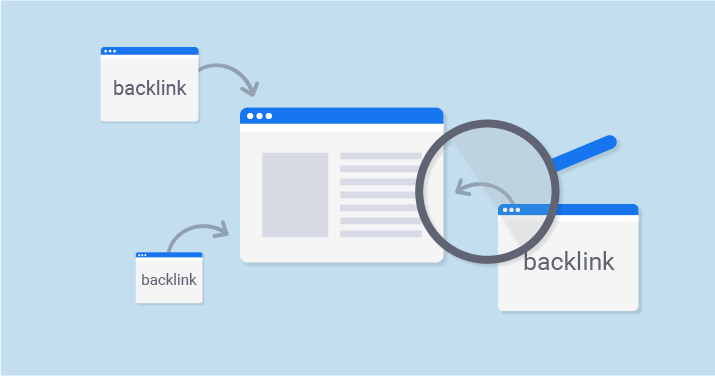
You might wonder, “Why do I need to check my links?” Think of it like a health checkup for your website. You go to the doctor to make sure your body is working right. A backlink quality checker does the same for your website.
It checks the quality of backlinks pointing to your pages.
If you ignore your backlink profile, you are flying blind. You might have thousands of links, but if they are from bad places, your organic traffic will drop. Search engine rankings care deeply about link quality. Using a backlink checker tool is the best way to see what is happening behind the scenes. It gives you the power to improve your search results and beat your competition.
How Low-Quality Links Hurt Your SEO?
Not all links are friends. Some are enemies. A low-quality link comes from a spammy or unsafe website. When search engines crawl the web, they look at who is linking to you. If they see a referring domain that looks suspicious, they might think your website is suspicious, too.
These bad links are like bad neighbors. If you hang out with them, people think you are one of them. This can ruin your SEO performance.
Your search rankings will fall, and people will stop finding your site. Low-quality links stop the flow of link juice, which is the power that helps you rank higher. Instead of helping, they act like an anchor, dragging your web page down in the search engine results.
Identifying Toxic Links Before A Penalty
The scariest thing for a website owner is a Google penalty. This happens when Google decides your site is breaking the rules. Often, this is because of toxic backlinks. These are links from sites that exist only to spam or trick search engines.
A backlink quality checker works like a security guard. It spots these toxic links before they cause real trouble. You need to find spammy links early. If you wait too long, Google might remove your site from the search results entirely. That means zero visitors.
By analyzing your backlink data, you can spot danger signs. You can see if a referring page is unrelated to your topic or if it looks fake.
Catching these early saves your SEO efforts.
Understanding Your Full Link Profile
Your link profile is the collection of all links pointing to your site. It includes good links, bad links, nofollow links, and follow links.
To have a strong SEO strategy, you need to understand the whole picture.
A backlink analysis shows you the total number of backlinks. But numbers are not everything. You need to know where they come from.
Are they from relevant websites? Do they come from news sites or blogs? A backlink quality checker helps you see the mix. It shows you the anchor text distribution, which describes the words people use to link to you. It also checks the domain rating of the sites linking to you.
Knowing your full profile helps you plan how to get more valuable backlinks in the future.
How to Use Our Backlink Quality Checker Tool?
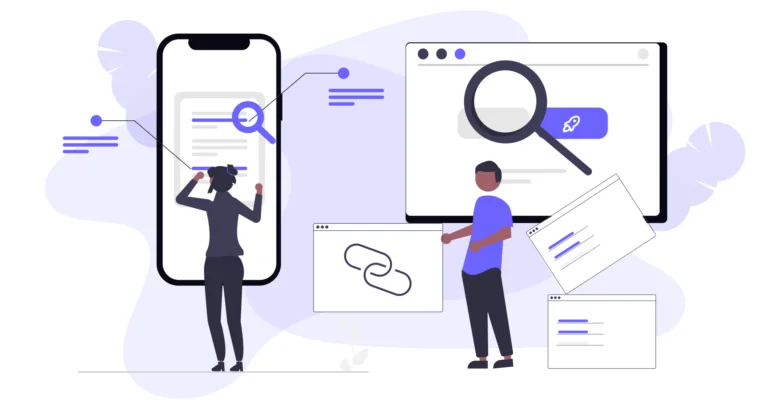
At VH-info, we believe in making things simple.
While we are a SaaS Link Building Agency that focuses on expert services, we know that using a free backlink checker is often the first step for our clients. We want to show you how a standard backlink checker tool works so you can understand the data we analyze for you.
Using a backlink analysis tool does not have to be hard. It is usually just three simple steps. Whether you are using a free tool or a paid one, the process is very similar. Here is how you can start checking your website’s backlink profile.
Step 1: Enter Your Domain or URL
The first step is very easy. You will see a search box. In this box, you need to type your website address. You can enter your main homepage (like vh-info.com) or a specific page you want to check.
Make sure you type it correctly. Once you enter the URL, you might need to select if you want to check the whole domain or just that exact URL. Then, click the button that usually says “Check” or “Analyze.”
The backlink checker will then start scanning the internet. It looks for every time another website mentions your URL. This is the start of your backlink audit. It might take a few seconds to gather all the inbound links.
Step 2: Analyzing Your Results Dashboard
After the scan is done, you will see a dashboard. This is where all the backlink data lives. It can look like a lot of numbers at first, but do not worry. We will help you read it. Look for the total number of backlinks. This tells you how many times people linked to you.
Next, look at the number of referring domains. This is often more important. If one website links to you 100 times, it is not as good as 100 different websites linking to you once. You will also see metrics like domain authority or authority score.
These numbers tell you how strong your backlink profile is. You can also see a list of the actual links. You can click on them to see the referring page. This helps you see if the quality of your backlinks is high or low.
Step 3: Exporting Your Backlink Report
Once you see the data, you will want to keep it. Most SEO tools allow you to export the report. This usually means downloading a file, like a spreadsheet. Why should you do this? Because backlink analysis is something you should do regularly.
By saving the report, you can compare it later. You can see if you have gained new backlinks or lost old ones. This file is also very useful for SEO professionals like us at VH-info. When we work with you, we look at this data to build a custom plan. We use the list to find broken link opportunities or to spot toxic links that need removal. Exporting your data is a smart habit for better search engine optimization.
Key Metrics Our Backlink Quality Checker Analyzes
When you look at the results from a backlink quality checker, you will see specific terms. These are SEO metrics. Understanding them is the key to fixing your search rankings. Let’s break down the most important ones.
Domain Authority (DA) and Page Authority (PA)
Think of Domain Authority (DA) as a reputation score for your whole school. Page Authority (PA) is the reputation score for just one student in that school. These scores usually go from 1 to 100. A higher number is better. Search engines trust websites with high DA more.
If a website with a high DA links to you, it passes a lot of trust to your site. This helps your page authority go up. When we do link building at VH-info, we try to get links from high DA sites. This is the best way to boost your SEO performance.
However, do not obsess over the number too much. Focus on getting quality links from real businesses.
Spam Score / Toxicity Risk
This is a very important metric. The backlink quality checker will look at the sites linking to you and give them a “Spam Score” or “Toxicity Score.” This score tells you how dangerous a link is. If a site has a high spam score, it means Google likely does not trust it.
It might be a site full of ads, viruses, or stolen content. These are toxic backlinks. You want this score to be low. If you see a lot of links with high toxicity, your search engine rankings are at risk. We use this metric to decide which links we need to clean up to protect your website.
Anchor Text Distribution
Anchor text is the clickable word in a link. For example, if a link says “click here,” the anchor text is “click here.” If it says “best shoes,” the anchor text is “best shoes.” Google looks at these words to understand what your page is about. This is called anchor text distribution.
If 100% of your links use the same keyword, like “cheap pizza,” Google thinks you are cheating. That looks unnatural.
A healthy backlink profile has a mix. You want some brand names (like “VH-info”), some generic words (like “visit website”), and some target keyword terms. The backlink checker tool shows you this mix so you can see if it looks natural.
Referring Domains and IP Addresses
A referring domain is the website that the link comes from.
If cnn.com links to you, that is one referring domain. The tool also checks IP addresses. Every website lives on a server with an IP address. If you have 100 links, but they all come from the same IP address, it looks suspicious.
It looks like one person owns all those sites and is trying to trick the system. You want links from many different referring domains and many different IP addresses. This proves to search engines that many different people all over the world trust your content.
Follow Vs. Nofollow Link Ratio
There are two main types of links: “Dofollow” and “Nofollow.”
A “Dofollow” link tells Google, “I trust this site, give them some of my power.” This passes link juice. A nofollow link tells Google, “I am linking to this site, but I do not vouch for them.” Nofollow links do not help your rankings as much, but they are still natural.
A natural backlink profile has both.
If you only have Dofollow links, it looks fake. You often get nofollow links from social media or blog comments. The backlink quality checker shows you the ratio. We check this to make sure your profile looks organic and safe for google search.
What to Do After Using A Backlink Quality Checker?
So, you used the backlink checker and you have your data. Now what? Checking is only the first step. The real work begins now. This is where SEO professionals really help. At VH-info, we take this data and turn it into action. Here is what you should do next.
Creating A Disavow File For Google
If you found toxic backlinks or spammy links in your report, you need to tell Google to ignore them. You do this with a “Disavow File.”
A Disavow File is just a text list of the bad domains. You upload this file to Google Search Console. It is like giving Google a list of people you do not want to be friends with. Once you upload it, Google will stop counting those bad links against you.
This can help recover your search rankings if they dropped. Be careful, though. If you disavow good links by mistake, you can hurt your SEO performance. This is why expert backlink analysis is so important before you upload anything.
Manual Link Removal Outreach
Sometimes, disavowing is not enough. You might want to try to get the link removed completely. This is called manual outreach.
You have to find the contact email of the website owner who linked to you. You send them a polite email asking them to remove the link. This takes a lot of time. Many people will not reply. However, cleaning up your website’s backlinks is worth the effort.
It makes your site stronger in the long run.
Building A Strategy For High-Quality Links
Removing bad links is defensive. You also need to play offense. You need to build new backlinks that are high quality. This is the core of what we do at VH-info. Use your backlink audit to see what is missing.
We can help you look at your competitor analysis, too. We see where your rivals are getting links and help you get them too. By focusing on building links from trusted sites, you will increase your domain authority and get more referral traffic.
FAQ’s:
What Is A Backlink Quality Checker?
A backlink quality checker is a tool that scans the internet to find all the links pointing to your website. It evaluates the quality of backlinks by looking at metrics like domain authority, toxicity, and relevance. It helps you understand your backlink profile.
Why Is Checking Backlink Quality So Important?
Checking backlink quality is vital because search engines like Google use links as a major ranking factor. Good links boost your search engine rankings, while toxic links can cause penalties and drop your traffic. You need to know what links you have to protect your SEO efforts.
How Often Should I Check My Backlinks?
You should check your backlinks regularly. For a small site, once a month is good. For a large site, you might want to check every week. Link building is an ongoing process. New backlinks appear all the time, and you need to monitor them to keep your link profile healthy.
What Makes A Backlink “Low-Quality” Or “Toxic”?
A backlink is “low-quality” or “toxic” if it comes from a spammy site, a gambling site, or a site that has nothing to do with your topic. Links from sites with a high spam score or those that sell links are also considered toxic. These hurt your quality links ratio.
Conclusion
Using a backlink quality checker is one of the smartest moves you can make for your website. It gives you the vision you need to succeed in Google search. By understanding your backlink data, checking for toxic links, and monitoring your anchor text, you take control of your SEO strategy. Remember, the goal is not just to have a high number of links. The goal is to have quality backlinks that build trust.
Search engine optimization is a long game. It requires patience, quality content, and smart analysis.
At VH-info, we are experts in interpreting this data. We do not just look at the numbers; we build a plan to help you grow. Whether it is through guest blogging, fixing broken link issues, or strategic outreach, we are here to help you get the search rankings you deserve.
Start by analyzing your profile today, and let’s build a stronger web presence together.

 Share
Share