
TL;DR
Fix crawling and indexing first: Search Console, one HTTPS domain, and no leftover no-index tags.
Give every page one keyword. Start with long-tail terms a new domain can actually win.
Hit Google’s Core Web Vitals targets: LCP within 2.5 seconds, INP of 200 ms or less, CLS of 0.1 or less.
Start earning links after launch, from partners, integrations, founder stories, and real editorial coverage.
Track referring domains, impressions, and rankings every month. Expect clear results around the 4 to 6 month mark.
Most new pages never reach page one in their first year. Ahrefs sampled 1 million new URLs and found only 1.74% reached Google’s top 10 within a year. Back in 2017, that figure was 5.7%.
So a launch with gaps can cost you months. A stray no-index tag, slow pages, or zero links can keep a good product invisible.
This SEO checklist for new websites covers pre-launch setup, launch day, and your first 90 days. It’s written for startup and SaaS founders in the US. It also covers the part most checklists skip: how to earn your first backlinks safely.
A complete SEO checklist for new websites covers three phases: pre-launch setup, launch-day checks, and post-launch growth. Each phase has its own goal, so it helps to work through them in order.
| Phase | When | Main goal | Key tasks |
|---|---|---|---|
| Before launch | 2 to 4 weeks before go-live | Make the site crawlable and clear | Search Console, HTTPS, keyword map, titles, speed, sitemap |
| Launch day | Day 0 | Let Google in | Remove no-index, submit sitemap, inspect key URLs, test redirects |
| First 90 days | Weeks 1 to 12 | Get indexed and start ranking | Publish content, add internal links, fix errors, earn first links |
| Months 4 to 6 | Ongoing | Grow authority and traffic | Track link metrics, refresh pages, scale links |
Rather not run your startup SEO all on your own?
See how VH Info handles growth and link building for early-stage teams.
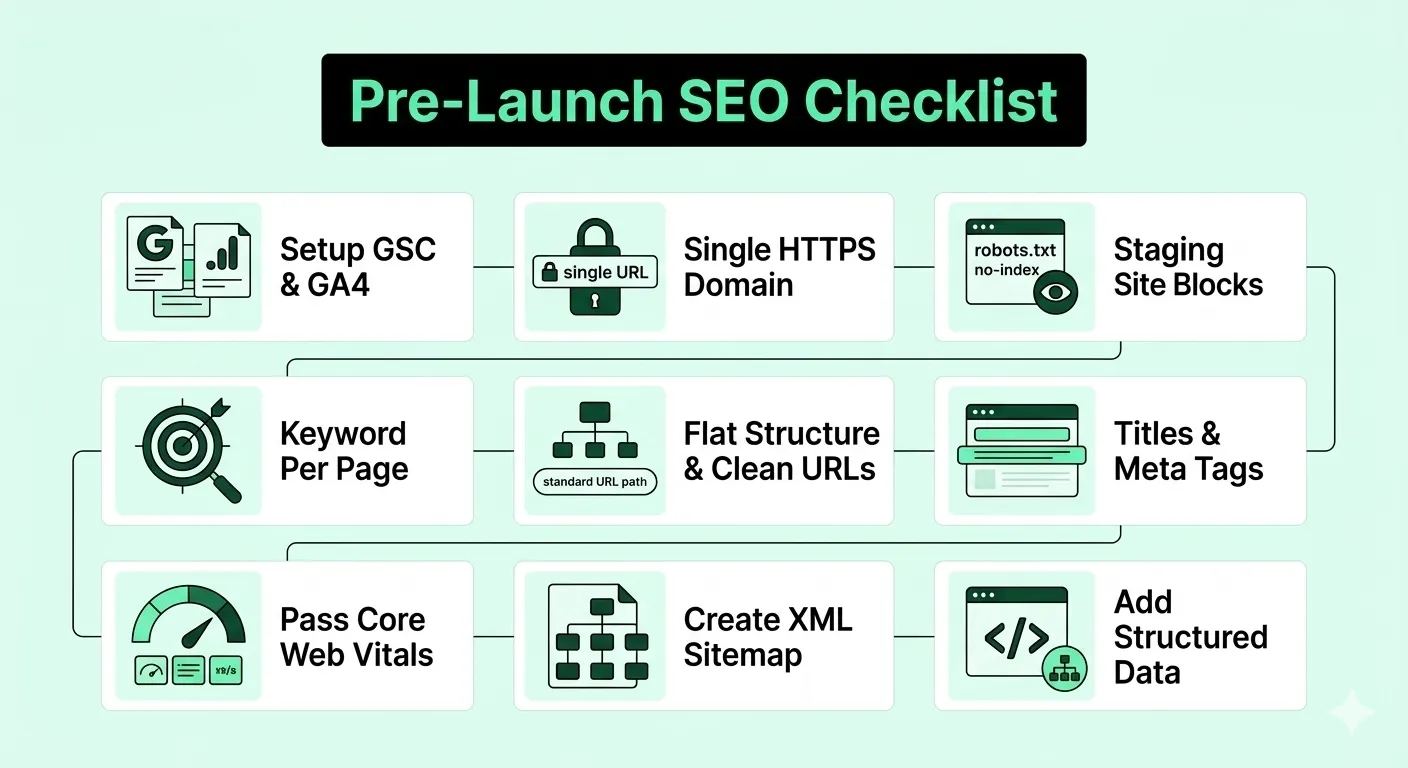
Before launch, remove anything that stops Google from crawling, understanding, or trusting your site. These nine tasks form the core of any SEO checklist for new websites.
Verify your domain in Google Search Console before you go live. It shows which pages Google has indexed and why others were left out.
Next, add Google Analytics 4. That way, you track visits and sign-ups from day one instead of guessing later.
Choose one version of your domain, such as https://www.example.com. Then redirect every other version to it with a 301 redirect.
Otherwise, Google may see several copies of each page. For pages that exist at more than one URL, use canonical tags.
Many sites launch with staging settings still switched on. Usually that’s a sitewide no-index tag or a robots.txt rule blocking crawlers.
However, Google says robots.txt is not a mechanism for keeping a page out of Google. To keep staging private, use a no-index tag or password protection instead. Then add “remove both” to your launch-day list.
Give each important page one primary keyword and one search intent. Two pages chasing the same term can end up in keyword cannibalization.
For a new domain, start with long-tail keywords. These are longer, specific searches with less competition. For example, target “SOC 2 software for startups” before “compliance software.”
The data backs this up. In Ahrefs’ study of search traffic, pages that got traffic without backlinks were almost all about low-competition topics. Our guide to SaaS keyword research shows how to find these terms.
Keep key pages a few clicks from the homepage. Group related pages, such as /features/, /integrations/, and /blog/, so Google sees how they connect.
Also, keep slugs short and readable, like /pricing/ instead of /page?id=482. Our guide to URL structure for SEO covers the details.
Every page needs a unique title tag, a unique meta description, and a single H1. Put the main keyword near the start of the title.
For more examples, follow these title tag best practices.
Google’s web.dev team sets three targets for a good page experience. They’re measured at the 75th percentile of page loads, on mobile and desktop.
| Metric | What it measures | Good target |
|---|---|---|
| Largest Contentful Paint (LCP) | Loading speed | 2.5 seconds or less |
| Interaction to Next Paint (INP) | Responsiveness | 200 ms or less |
| Cumulative Layout Shift (CLS) | Visual stability | 0.1 or less |
Source: web.dev, Web Vitals. Test on mobile first, since Google relies on mobile-first indexing.
Google mainly finds new pages by following links from pages it already knows. A brand-new site has almost no links pointing to it yet.
That’s why a sitemap helps. Google’s SEO Starter Guide calls it optional, but it gives Google a list of the URLs you care about.
Add Organization schema to your homepage and Article schema to blog posts. This helps Google understand who you are and what each page is.
In some cases, it can also earn rich snippets in search, which make your result stand out.
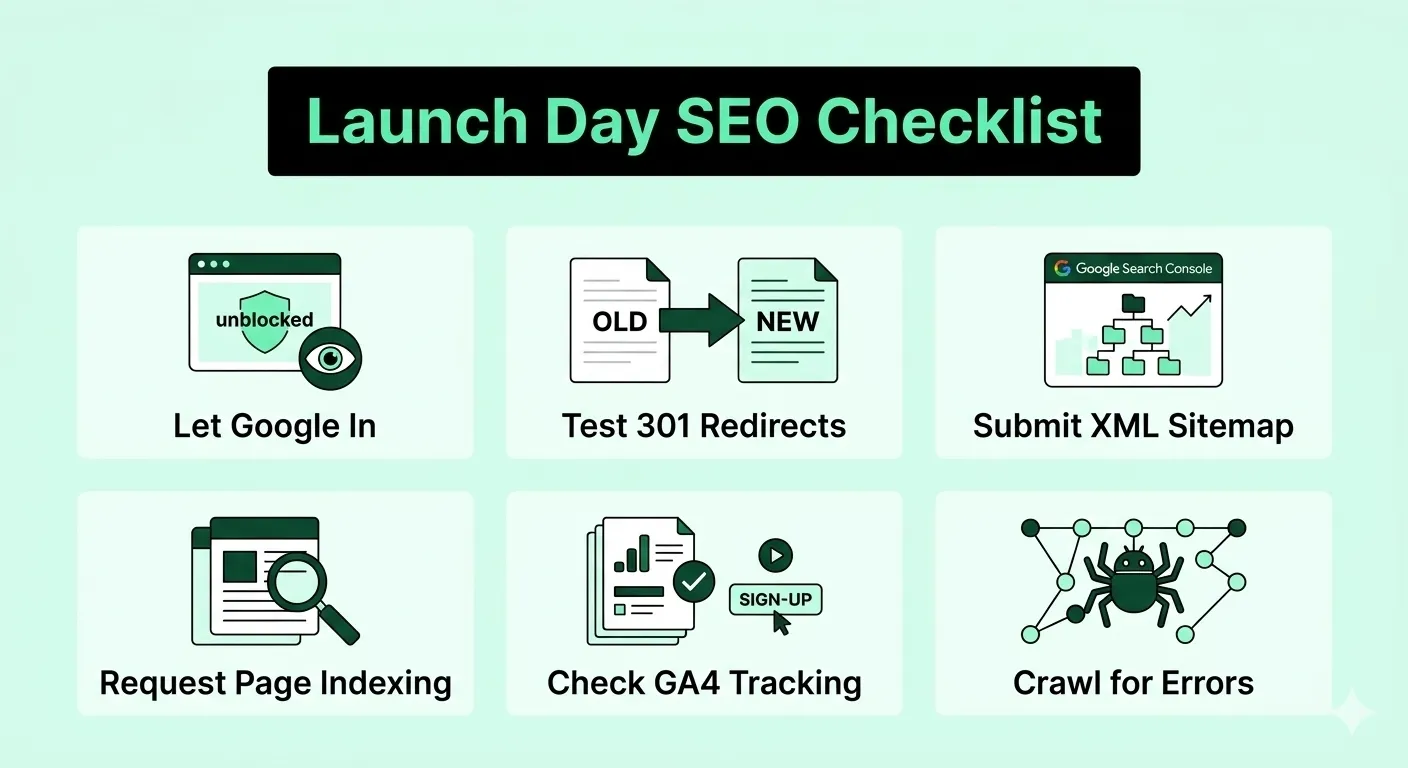
Launch day has one job: let Google in. Work through these checks in the first few hours after the site goes live.
That last check matters. According to Google’s SEO Starter Guide, if results point to your site, you’re in the index. If nothing shows up, recheck steps 1 and 3.
For a deeper review after launch, use our website audit checklist.
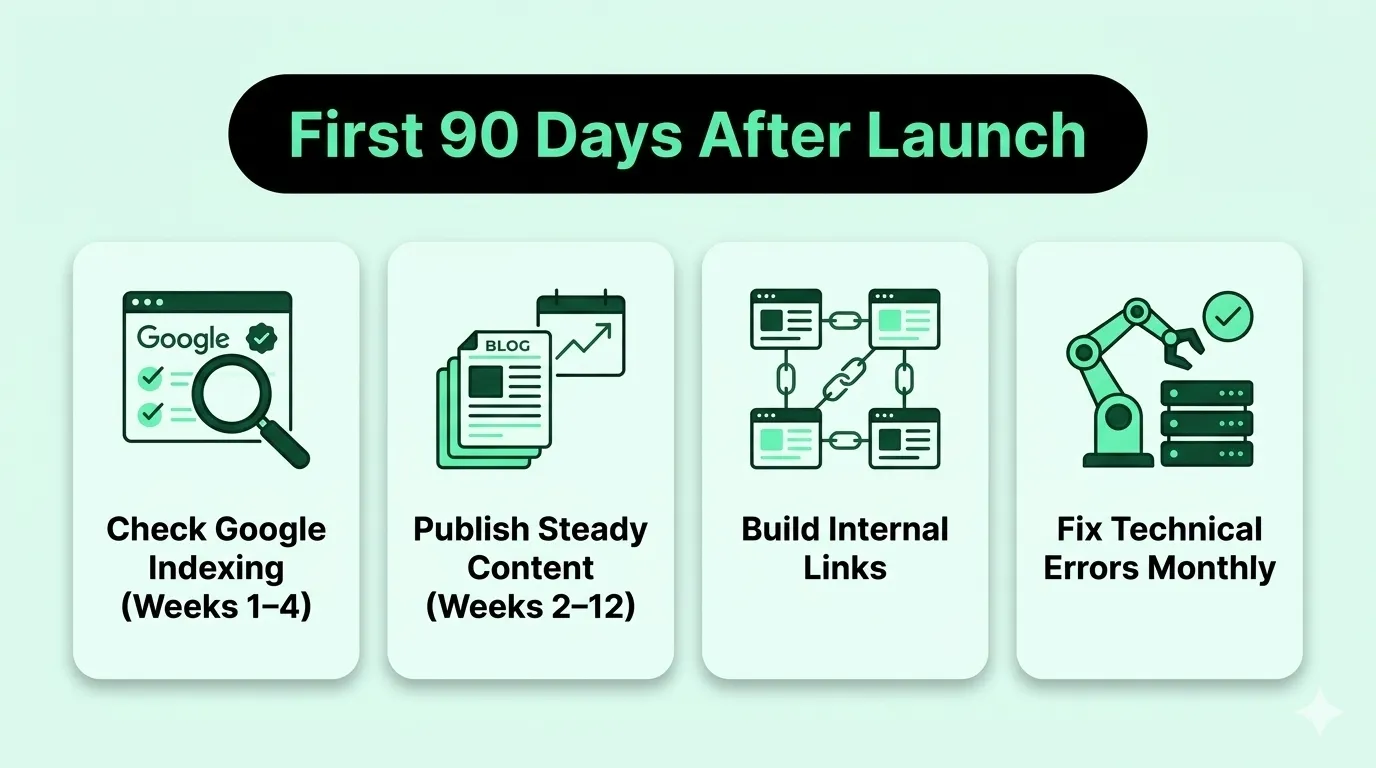
The first 90 days are for getting indexed and sending early signals. Judge this period by impressions and indexed pages, not by revenue.
Open the Pages report in the Search Console every week. Look for pages marked “Crawled, currently not indexed” or “Discovered, currently not indexed.”
If key pages sit there, check them first. Thin content, near-duplicate pages, and weak internal links are common causes.
Publish pages that answer what your buyers actually search for. For a SaaS startup, that often means use-case pages, comparison pages, and how-to guides tied to your product.
Also, be patient with each change. Google’s SEO Starter Guide says some changes take effect in hours, while others take several months. It suggests waiting a few weeks before judging whether a change worked.
Link every new post to at least one related page, and link back from older pages too. This helps Google find new URLs faster and shows how topics connect.
Our guide to internal linking for SEO explains how to plan these links.
Re-crawl the site once a month. Then fix 404s, redirect chains, and missing titles before they pile up.
This step on the SEO checklist for new websites is easy to skip. Yet small errors grow quickly as you publish more pages.
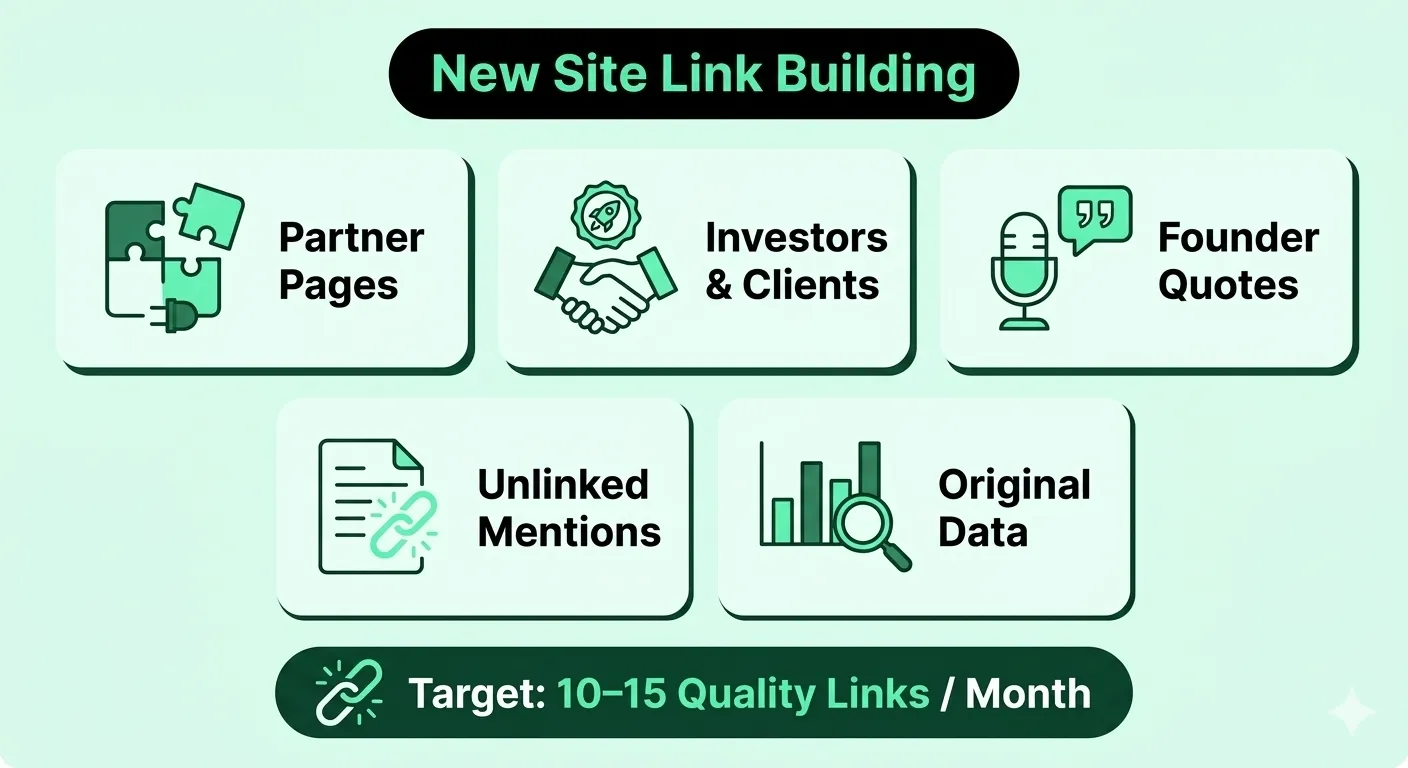
Start right after launch, once your key pages are indexed and worth linking to. Competitive topics rarely rank without links.
The numbers show why. Ahrefs found about 20 million pages with no referring domains in its index. Yet only 2,997 of them got more than 1,000 search visits a month. That’s roughly 1 page in 6,671.
Your first links should come from people who already know you. These are easier to get, and they’re relevant by nature.
On the other hand, skip the shortcuts. Google’s spam policies list automated link-building programs as link spam. The same goes for keyword-rich links spread across footers and widgets. Also stay away from PBN backlinks.
There’s no fixed number. VH Info typically recommends 10 to 15 high-quality backlinks per month.
Treat that as a target range, not a launch-week quota. If you earn three strong, relevant links in month one, that’s a solid start.
For context, Ahrefs studied 200,000 top-ranking pages. It found most #1 pages gain followed links from new referring domains at +5% to +14.5% per month. On a base of 20 referring domains, that’s only 1 to 3 new domains a month.
Our guide on how many backlinks you need goes deeper. In short, relevance beats volume.
Not the way many SEOs claim. The term means the speed at which a site gains new links.
Google’s John Mueller was asked about building 200 links in two days. He said “it is not the number in the period of time” that matters, but the type of activity. Google’s Gary Illyes has also called link velocity a made-up term.
So a spike after a product launch or press mention is normal. A spike from hundreds of links on unrelated sites is the real warning sign. For more, read our guide to backlink growth rate.
Track a few link building KPIs every month, and ignore total backlink counts. Referring domains tell you far more.
| KPI | What it tells you | Where to check | How often |
|---|---|---|---|
| Net new referring domains (new minus lost) | Whether authority is growing | Your backlink tool | Monthly |
| Links still live and indexed | Whether your links still count | Backlink tool, plus spot checks | Monthly |
| Key pages with external links | Whether links reach pages that convert | Your backlink tool | Monthly |
| Impressions for target keywords | Early signs of ranking lift | Google Search Console | Weekly |
| Keywords in the top 10 | Ranking progress | Search Console or a rank tracker | Monthly |
| Organic sign-ups or demo requests | Business impact | GA4 | Monthly |
For more detail, see our guide to link building metrics.
Your link building budget depends on your niche and how fast you need results.
In Editorial.Link’s survey of 518 SEO professionals, $508.95 was the average acceptable price for one high-quality link. Respondents also named $8,406 a month as the minimum for highly competitive niches. Keep in mind these are what SEOs consider acceptable, not audited spend.
A simple way to plan:
Our breakdown of link building pricing covers what drives these costs. If you’d rather hand the work off, see our SaaS link building services.
Most early SEO problems come from skipped setup steps, not bad content. Here are the ones we see most often, with a fix for each.
| Mistake | What happens | Fix |
|---|---|---|
| Launching with no-index still on | Pages stay out of Google | Remove it, then request indexing |
| Hiding staging with robots.txt only | Staging URLs can still get indexed | Use no-index or a password |
| Two pages targeting one keyword | They compete, and neither ranks well | Give each page its own keyword |
| Chasing broad head terms first | No rankings for months | Start with long-tail keywords |
| Using PBNs or automated link programs | Links get ignored, or a manual action follows | Earn links from relevant sites |
| No tracking at launch | You can’t tell what’s working | Set up Search Console and GA4 first |
| Judging results at month two | Good work gets dropped too early | Review progress at 4 to 6 months |
For more pitfalls, read our list of common SEO mistakes.
Expect significant results around the 4 to 6 month mark, with early movement in impressions before that. That’s the range we set with startup clients.
Still, some pages move fast. Ahrefs found that 40.82% of pages that reached the top 10 got there within a month. Those pages are the exceptions, though, not the rule.
Be careful with anyone who promises a date or a position. Google’s own advice is plain: “No one can guarantee a #1 ranking on Google.”
Instead, measure progress in stages:
A new site doesn’t need tricks to rank. It needs clean setup, one clear keyword per page, fast pages, and a steady flow of relevant links.
So use this SEO checklist for new websites before launch, on launch day, and every month after. Then review your progress at the 4 to 6 month mark.
Want help earning your first high-quality links?
Talk to VH Info. We’ll build a tailored outreach plan to grow your new site’s authority.
An SEO checklist for new websites is a step-by-step list of tasks to complete before and after launch. It covers technical setup, keyword mapping, on-page basics, speed, and early link building. Following it in order helps Google crawl, index, and understand a new site from day one.
Set up Google Search Console and Google Analytics 4 before launch. Then confirm your site isn’t blocked by a leftover no-index tag or robots.txt rule. Without these steps, Google may not index your pages, and you won’t have the data to see what’s working.
VH Info typically recommends 10 to 15 high-quality backlinks per month. A brand-new site can start smaller and build toward that range. What matters most is relevance. Google’s John Mueller has said the type of links matters, not how many you get in a period.
There’s no evidence that it is. Google’s Gary Illyes has called it a made-up term. John Mueller has said the type of link activity matters, not the number of links over time. A natural spike after a launch or press mention is normal.
Track net new referring domains, links that are still live, and how many key pages have external links. Then connect them to results: impressions in Search Console, keywords in the top 10, and organic sign-ups in GA4. Review most of these monthly and impressions weekly.
It depends on your niche and goals. In Editorial.Link’s survey of 518 SEOs, $508.95 was the average acceptable price for one high-quality link. At that rate, 10 links a month costs about $5,090. Highly competitive niches may need $8,406 a month or more, according to the same survey.
VH Info sets expectations for significant results around the 4 to 6 month mark. Early signs, like indexed pages and Search Console impressions, show up sooner. Competitive keywords can take longer. Ahrefs found only 1.74% of new pages reach Google’s top 10 within a year.
Get a free backlink gap analysis for your SaaS site. We'll show you the placements your competitors are winning and how to close the gap.
Book My Free Strategy Call →20,000+ white-hat links built for SaaS brands
Every article dives deep into what works, why it works, and how to use it.

TL;DR Cybersecurity SEO helps security vendors show up in search and AI answers while buyers research. Trust decides…
 Vishal ambani
November 11, 2026
Your founder gets quoted in an industry newsletter. A review site adds your tool to its “best software” roundup. Both…
Vishal ambani
November 10, 2026

The best FatJoe alternative for a SaaS brand isn’t always the cheapest one. It’s the one that puts your links…
Vishal ambani
October 27, 2026

Find quick answers to your questions.
Questions and answers will appear here soon.
 Share