

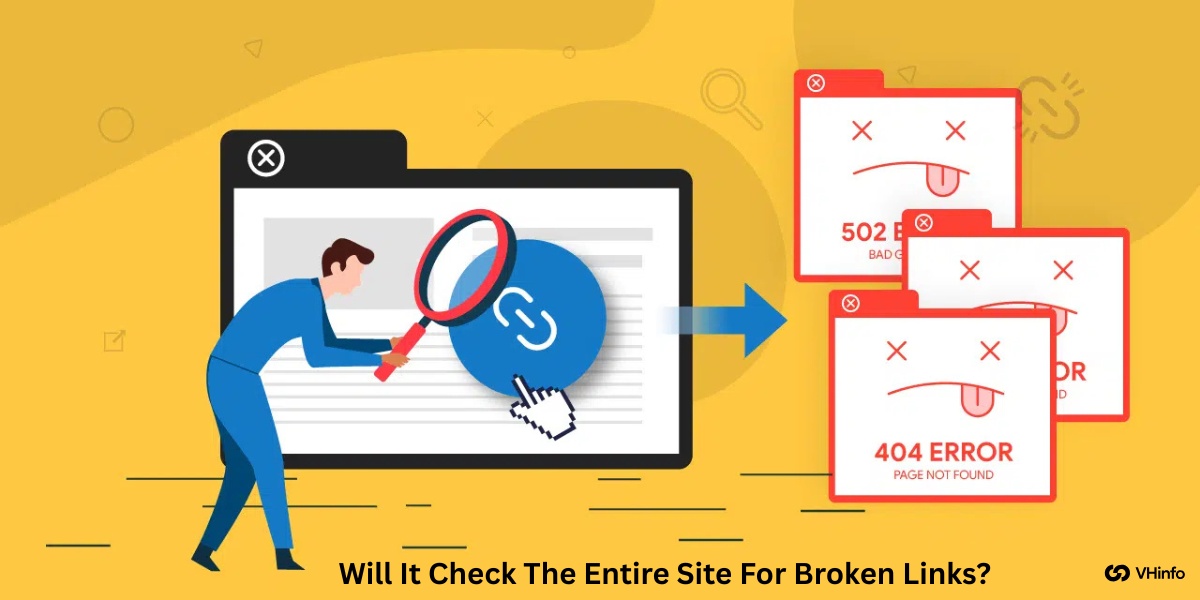
Have you ever clicked on a link and seen a message that says “404 Not Found“? That’s an error page.
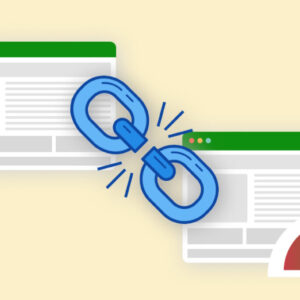
It means you found a broken link, which is also called a dead link. It’s frustrating, right? This bad user experience is not just annoying for people visiting a website. It’s also bad for the site itself. A search engine, like Google Search, sees these bad links as a sign that a website is old or not taken care of. As a website owner, you need to find and fix these dead links. To do this, you might use a broken link checker.
But this brings up a big question we hear a lot of time at VH-info: Will it check the entire site for broken links? Keeping your website in top shape is a key part of search engine optimization.
Let’s look at the answer and find out how you can make sure you find every broken link on your site.
Understanding “Will It Check The Entire Site For Broken Links?”: The Short Answer
The Short Answer: It Depends on the Tool
The simple, direct answer is: it depends.
Not all broken link checker tool options are a great job at scanning everything. A free version of a free broken link checker will almost certainly have limits. It might only check a small number of pages. Powerful, paid SEO tools are much more likely to check the entire site, but even they can have limits. The tool you choose, and the settings you use, will decide if your entire site gets checked for bad links.
There isn’t one simple “yes” or “no” answer for all the tools out there.
What “The Entire Site” Really Means (Crawlable Vs. Non-Crawlable)
What do we mean by “the entire site“? You might think it means every single file and page you have. But to a link checker, it means “every crawlable page.” A link checker uses a robot, often called an SEO spider or HTTP server spider, to “crawl” your site. It starts on your homepage and follows every single link it finds. It goes from Page 1 to Page 2, and from Page 2, it follows links to Pages 3, 4, and 5.
- Crawlable pages are the web pages this spider can find and follow.
- Non-crawlable pages are pages the spider can’t reach. This might be because no other page links to them (they are individual webpages floating alone), or they are blocked on purpose.
So, when a tool says it checks the “entire site,” it really means “all the crawlable parts of the site.”
Why A Full Site Check is Critical For SEO and User Experience?
Finding every broken link is very important.
- First, think about your visitors. A good user experience is key. If people keep clicking links that lead to an error page, they will get frustrated and leave. They won’t trust your site.
- Second, think about Search Engine Optimization (SEO). Google Search wants to give people the best, most helpful search results. If your site is full of dead links and bad links, Google thinks your site is not helpful. This can hurt your search engine rankings, making it harder for people to find you.
This problem is often called link rot, which just means links breaking over time. Doing regular broken link checking finds these issues. It checks both your internal links (links on your own site) and external links (links to other sites, also called outbound links).
A full site check is the only way to find all the dead links and keep your site healthy.
Broken Link Checker Tools
There are many SEO tools that can help you find a broken link. Some are simple free SEO tools, and others are big, paid programs.
Here’s a breakdown of the best broken link checker options.
Ahrefs
Ahrefs is a very large and powerful SEO tool. It is not just a broken link checker; it is famous for helping with keyword research and seeing who links to your site. It has a feature called “Site Audit” that will crawl your entire site.
This audit finds all internal broken links and broken external links. It’s not a free link checker—it costs money. But it is very strong and gives you a list of all bad links and their response codes (like 404).
Many professional internet projects use Ahrefs to find every invalid URL. It does a great job of scanning big websites.
Semrush
Semrush is another famous, professional SEO tool, very similar to Ahrefs. It is also not a free broken link checker. It has a “Site Audit” tool that does a deep broken link check. This tool scans all your web pages for bad links that could be hurting your search engine optimization.
A website owner can use Semrush to get a full report on dead links, internal links, and outbound links. It is a heavy-duty tool and might be confusing for a first use of this website. However, it is very good at doing a full broken link checking scan on the entire site.
Google Search Console
This tool is a must-have for every website owner. Google Search Console is a free service from Google. It’s not a link checker you “run” on demand. Instead, it shows you what Google’s own SEO spider finds when it crawls your site.
It has a “Pages” report that will show you all the “Not Found (404)” errors. This means Google tried to find a page but found a broken link. This is an invaluable addition to your toolbox because it’s 100% free and shows you exactly what the world’s biggest search engine sees.
Screaming Frog
This is a very popular SEO spider tool. You download the Screaming Frog SEO Spider to your computer (it works on any operating system). You type in your website, and this HTTP server spider crawls your site just like Google does.
It has a free version that is excellent, but it has a limit of 500 URLs.
If your site is bigger, you need the paid version, which has higher limits. This Frog SEO Spider is a favorite for technical SEO experts because it finds everything: internal broken links, bad external links, response codes, and more.
It is one of the best broken link checker tools for a deep, technical check.
Dead Link Checker

This is a good example of a simple online tool.
As the name suggests, this dead link checker is a free website scanner. You go to the website, type in your site’s URL, and it starts checking. This free URL checker tool will scan your web pages and give you a report of any dead weblinks it finds.
Because it’s a free service, it might have limits. It might not check thousands of pages. But for a small WordPress site or for a quick scan, this kind of online broken link checker can be a great little tool.
Online Broken Link Checker
This is another name for a simple online tool. Just like the Dead Link Checker, Online Broken Link Checker is often a free link checker website. You do not need to download anything. These free features are very handy for a quick broken link check.
You paste in your URL, and it gives you a list of bad links. This type of excellent tool is great for a fast checkup, but it may not be the best broken link checker for a very large or complex entire site. It’s a good place to start if you just need to check a few individual webpages.
Sitechecker

Sitechecker is another online tool that helps with search engine optimization.
It is more than just a free broken link checker; it is a full SEO tool that can audit your entire site. It looks for broken link problems, issues with internal links and external links, and many other SEO problems.
It helps you keep your site in top shape. It is not a free version for its most powerful free features, but it gives you a clear report. It helps you find and fix bad links that hurt your user experience and search engine rankings.
W3C Link Checker

The W3C is a group that helps make standards for the internet.
They offer a free service called the W3L Link Checker. This is a very technical online tool. It is great for checking individual webpages one by one. It’s not really designed to scan an entire site all at once. But it is very thorough. It checks every single anchor text and link on a page.
It can be a bit slow, but it’s a good, free way to do a deep dead link checker scan on your most important pages.
Common Reasons A Tool Might Not Check the Entire Site
Even if you use the best broken link checker, it might miss parts of your site. Here are the common reasons.
Crawl Depth and Page Limits
Think of your site as a tree with branches. The homepage is the trunk. The links are branches.
“Crawl depth” is how many branches deep the SEO spider will go. A free version of a link checker might have a “crawl depth” of 3. It will check the homepage, all links on the homepage, and all links on those pages.
But if you have pages 10 “clicks” deep, the tool will never see them. Also, many free SEO tools have a page limit, like 500 web pages.
If your site has 5,000 pages, the tool stops long before it has checked the entire site.
Restrictions From Your robots.txt File
Your website has a file called “robots.txt“. This file gives rules to “robot” crawlers, like the Screaming Frog SEO Spider or Google Search. You might use this file to block robots from “staff only” parts of your site. A good broken link checker tool will obey these rules.
This means it will not check any pages or folders you have blocked, even if they have a broken link.
Pages Behind A Login Or Paywall
If a visitor has to type a password to see a page, your link checker cannot see it either.
The SEO spider is not a person; it cannot log in. It will stop at the login page. This means your broken link check will completely miss any internal links or external links on your “members only” pages.
JavaScript-Rendered Links
This is a technical one. Some websites use a code called JavaScript to make links appear on a page.
Many simple html crawlers or a basic http server spider cannot “see” these links. They only read the simple HTML code. More advanced SEO spider tool options (like the paid Screaming Frog SEO Spider) can be set to “render” JavaScript.
This means they act like a real person’s browser and can see these links. A free link checker almost never does this.
“Noindex” Or “Nofollow” Directives
These are small code instructions on your web pages. “Noindex” tells a search engine, “Please don’t put this page in your search results.” “Nofollow” tells a spider, “Please don’t follow any of the outbound links on this page.”
Some link checker tools will obey these commands.
If a page has a “nofollow” tag, the crawler might stop right there, missing a broken link on the very next page.
How to Ensure You Check Your Entire Site For Broken Links?
So, how do you make sure you find every dead URL? Here are a few expert tips.
Configuring Your Crawler Settings
When you use a powerful SEO spider tool like Screaming Frog, don’t just use the default settings.
Go into the settings (the “configuration”). You can tell it to ignore robots.txt, to follow “nofollow” links (for your own site check), and to render JavaScript. You can set the crawl depth to “unlimited” and give it higher limits for memory.
This tells the Frog SEO Spider to be as aggressive as possible in finding every invalid URL.
Using Multiple Tools For Cross-Verification
Do not rely on just one broken link checker tool. The best plan is to use a few.
- Use a fast online broken link checker for a quick scan.
- Use your Google Search Console report. This is not optional! It’s what Google sees.
- Use a deep SEO spider like the Screaming Frog SEO Spider (even the free version is great for small sites).
If one tool misses a broken link, another one will catch it. This fixes the problem of a lack of adequate problem detection tools in any single free version.
Creating and Submitting an XML Sitemap
An XML sitemap is a list of all the pages on your website, made just for search engines. It’s like a map for your entire site. You should create one (most WordPress site platforms do this for you) and submit it to Google Search Console. This helps Google find all your pages.
This is also helpful for your broken link check. Many advanced tools (like Screaming Frog) let you start a crawl from a sitemap. This tells the tool, “Here is a list of all my pages. Please check every single one,” making it less likely to miss individual webpages.
FAQ’s:
Why Are Broken Links Bad For My Website?
Broken links are bad for two main reasons.
- People: When a person clicks a link, they want to find an answer. A dead link takes them to an error page. This is a very bad user experience. It makes them mad, and they will leave your site.
- Search Engines: Google Search wants to show its users the best websites. A site with many bad links looks old and messy. This can hurt your search engine rankings over time.
How Often Should I Check My Site For Broken Links?
This depends on your site. If you have a big WordPress site and you add new blog posts every day, you should do a broken link check more often, like once a month. If you have a small site that doesn’t change much, checking every 3-6 months is probably fine.
Setting up a regular check is a key part of keeping your site in top shape.
What’s the Difference Between an Internal and an External Broken Link?
An internal link (or internal broken links) is a link from one page on your site to another page on your site. A broken link here is 100% your fault, and you must fix it. An external link (or outbound link) is a link from your site to a different website.
These can also break if the other site moves or deletes a page. These are also bad for user experience. You should remove them or update them. (You can use the Wayback Machine to see what used to be on that dead URL and try to find a new link for it.)
Will Fixing Broken Links Improve My Google Ranking?
Yes, it can help. Fixing bad links is partly important for basic website health.
Google likes to see that a website owner is taking care of their site. While it won’t make you the #1 result overnight, having a site full of dead links will definitely hurt your search engine rankings. Fixing them is a smart and necessary part of good search engine optimization.
Conclusion
So, back to our big question: will it check the entire site for broken links? As we’ve learned, the answer is “it depends.”
A simple free broken link checker is a good start, but it will almost certainly miss things. A powerful SEO spider tool like the Screaming Frog SEO Spider can get much closer, but only if you set it up correctly. Your best plan is to use multiple tools. Check your Google Search Console reports, use a deep SEO spider tool, and do a quick scan with an online tool. This combination will help you find almost every dead link.
At VH-info, we know that keeping your site healthy is a big job. We’ve seen clients do a great job cleaning up their bad links, and it makes a real difference. Finding every dead URL takes a lot of time, but it’s the foundation for a strong site.
Fixing broken links is like cleaning your house before you throw a party. Once your site is in top shape, the next step is to invite people in. That’s where broken link building and SaaS link building come in. We are experts at building your site’s authority by getting high-quality links to your site. A clean site is the first step. Growing your authority is the next. If you’re ready for that next step, VH-info is here to help.


 Vishal ambani
  Share
Share
 VH Info