Have you ever pasted a link to your brand new blog post on Facebook, only to see a blank box, a weird picture, and cut-off text? You worked so hard on that post, but the link looks broken. When your links look bad, nobody wants to click on them.
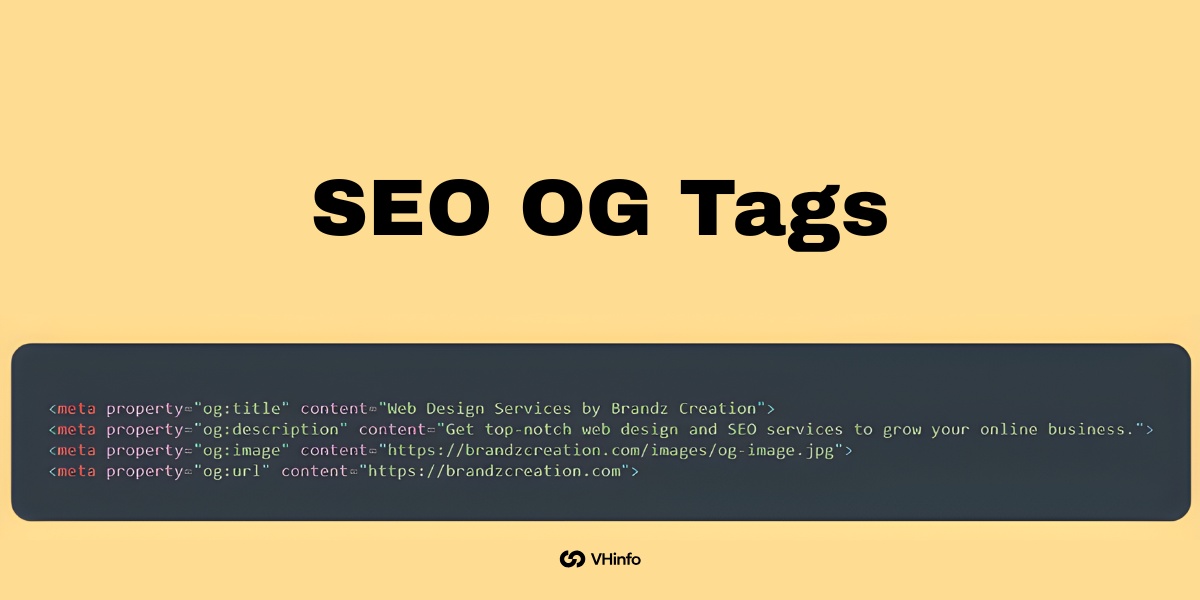
This happens when your web pages are missing something very important: SEO OG tags.
Here at VH-info, we are a SaaS link-building agency. We spend all day helping software companies get great links from other websites.
But getting a link is only half the job. When people share those links on social media, you want the links to look perfect. You want a big, clear picture and a catchy title. That is exactly what Open Graph tags do.
They control how your links look when people share them on different platforms.
In this easy guide, we will talk about what these tags are, how they help your digital marketing, and how you can fix them. We will talk about tools like an Open Graph tags generator and an Open Graph checker to make your life easier.
We will keep things simple, so you can quickly set up your tags and get back to growing your business.
What Are SEO OG Tags?

SEO OG tags are tiny pieces of HTML code that sit hidden behind the scenes of your website. You do not see them when you read a page, but social media sites see them when you share a link. These tags act like an instruction manual.
They tell sites like Facebook, LinkedIn, and X (formerly Twitter) exactly which picture, title, and short description to show to the world.
Understanding the Open Graph Protocol
To really know how this works, we need to talk about Facebook’s open graph protocol. Many years ago, Facebook created the open graph protocol so that websites could talk to Facebook more easily. Facebook wanted a way to turn a normal HTML page into a rich, clickable card.
They called this a rich object in a social graph. Soon, other major platforms saw how great this was.
Now, almost all social media platforms use open graph meta tags to pull information from a website. When you add the necessary open graph code to the head section of a webpage, you are speaking the exact language that these social networks want to hear.
How Open Graph Tags Differ From Standard Meta Tags
You might already know about regular SEO tags, like a normal title tag or a basic meta tag. You use these for search engine optimization. A regular title meta tag tells a search engine like Google what your page is about. Google uses that information to rank you in search results.
Open graph tags are different. While standard SEO tags talk to a search engine, open graph meta talks to various social media platforms.
For example:
- Your regular page’s title might be super long to help you rank on Google.
- Your OG tags title might be shorter and punchier to get people to click on Facebook.
They do two different jobs. Both are highly needed for your site. The regular tags help your technical SEO, while the graph tags help your social media previews.
Why SEO OG Tags Are Important For Your Website?

At VH-info, we help SaaS companies build strong links to grow their business. But what good is a link if it looks ugly when someone shares it? Having the right snippets of code set up means your links look professional.
Let us look at the big reasons why you need these tags on every single page.
Skyrocketing Social Media Click-Through Rates (CTR)
The biggest reason to use open graph tags is to get more clicks. When a link has a great picture, a bold title, and a clear description, it grabs attention. People scrolling on their phones will stop and look at it. This leads to higher user interaction.
If you share a product page without these tags, the social platform might just grab a random logo or even a picture of a blank space. It might grab the wrong text. People do not click on confusing links. By taking control of your social sharing cards, you make the links highly clickable.
This directly increases your social media traffic.
The Indirect Impact on SEO and Brand Visibility
Do SEO OG tags directly improve your search engine rankings? No. Google has clearly stated that they do not use social graph tags to rank web pages.
However, they do have a massive indirect impact on your SEO performance. Here is how it works:
- You use an open graph tags generator to create perfect social media snippets.
- You share the link.
- Because it looks great, tons of people click on it and read your amazing content.
- Because more people read it, more website owners might link to it from their own blogs.
- Those new backlinks are exactly what improve your SEO rankings!
Plus, clean and professional links simply look better. They increase your brand visibility and make your company look like a trusted expert. This creates a better user experience for everyone who finds you online.
The Core SEO OG Tags Every Page Needs
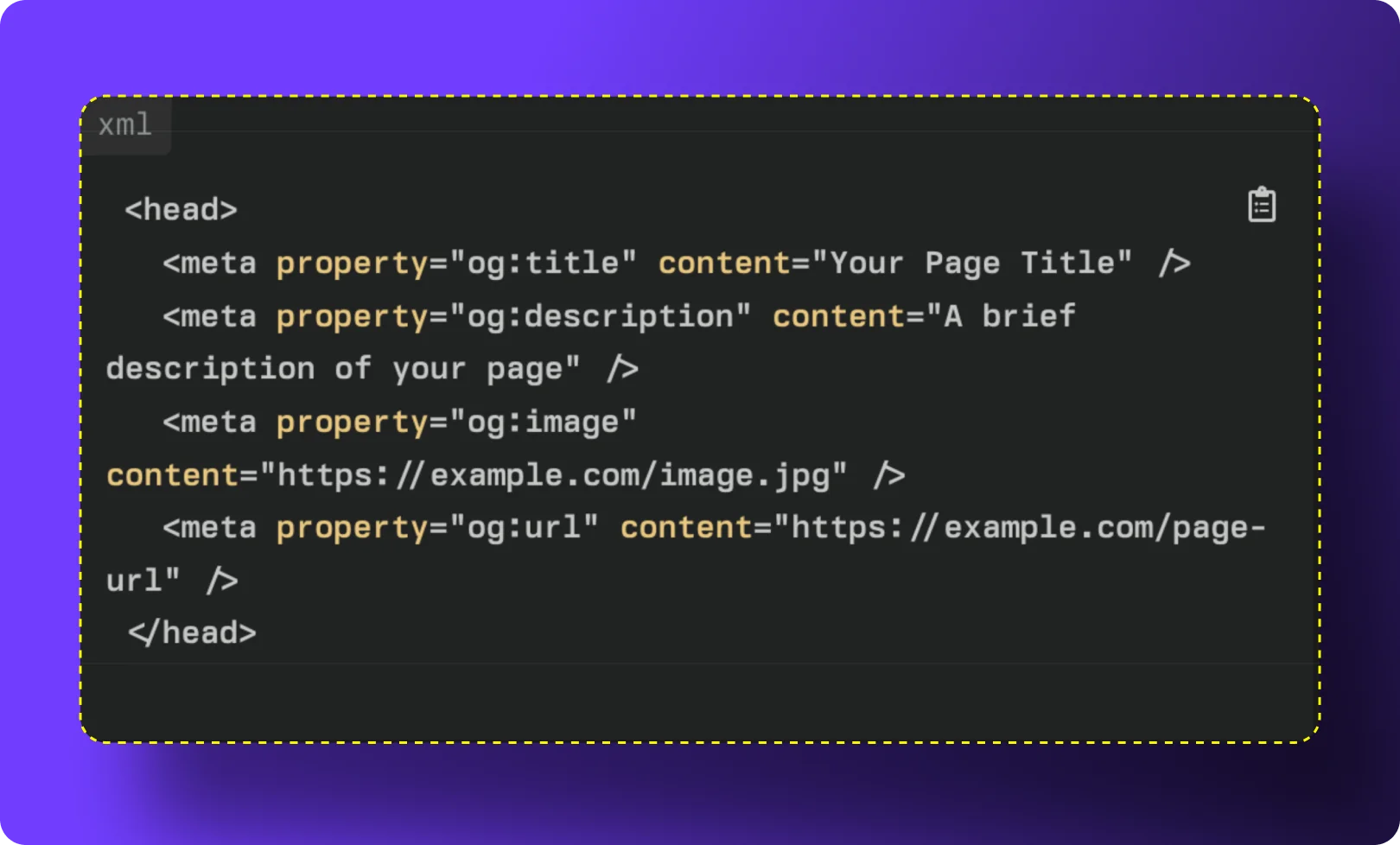
You do not need to be a computer genius to use these tags. There are only a few main pieces of HTML code that you really need to care about.
Here are the core tags for strong content optimization.
og:title (Creating the Perfect Headline)
The og:title tag is the headline of your social card. It acts just like the title of the page.
When you set this tag, you are telling the social platform exactly what to print in bold letters. You want this title to be catchy and easy to read. Do not just stuff it with keywords. Write it for human beings. Keep it under 60 characters so it does not get cut off on smaller phone screens.
This is your one chance to make a great first impression.
og:description (Hooking the Reader)
Next is the og:description tag. This is a short description of the content of the page. Think of it as a tiny summary. It sits right under the title on your social card. You should write one or two sentences that tell the reader exactly why they should click.
Make it exciting. You do not need to worry about keyword stuffing here either, because this tag does not affect your SEO performance on Google. Focus purely on getting the reader interested in what you have to say.
og:image (Making A Visual Impact)
The og:image is an image tag that is arguably the most important tag of all. A picture is worth a thousand words.
If your link has a bright, clear, and relevant picture, your social media engagement will skyrocket.
You must provide a direct image URL so the platform knows exactly where to find the picture. Always use a high-quality picture. The recommended image size is 1200 x 630 pixels. This size looks perfect on almost all different platforms, from Facebook to LinkedIn.
og:url (Setting the Canonical Link)
The og:url tag tells the social platform the main, official web address for your page.
Sometimes, your website might have different links that point to the same page. This tag tells the system which link is the “boss.” It keeps all your social likes, shares, and comments tied to one single address.
This keeps your data clean and helps prevent any confusing syntax errors when the platform tries to read your page.
og:type (Categorizing Your Content)
The og:type tag tells the platform what type of content you are sharing. Is it a standard website? Is it a video? Is it a specific product page?
For most pages, you will simply use “website.” But if you wrote a great new article, you can set the type to “article.” This helps the platform know how to display your link properly. It is a very basic tag, but it keeps things organized in the social graph.
How to Implement SEO OG Tags Across Different Platforms?

Now that you know what these tags are, how do you put them on your site? At VH-info, many of the SaaS clients we build links for use tools to make this easy. You usually do not have to write the code yourself.
Setting Up OG Tags in WordPress (Using Yoast Or RankMath)
If you use WordPress, you are in luck. You do not need to mess with any raw code. You can use popular SEO plugins. Yoast SEO and Rank Math are two of the best plugins out there.
Here is how you do it with Yoast SEO:
- Open the post you want to edit.
- Scroll down to the Yoast box.
- Click on the “Social” tab.
- You will see boxes to type in your Facebook title, description, and an upload button for your image. Fill them in!
If you use Rank Math:
- Open your post.
- Click the Rank Math button in the top right corner.
- Click the “Social” tab.
- Fill in your details. You can even see a live preview of how it will look.
Both plugins act as a great markup generator tool built right into your site.
Adding OG Tags in Shopify
If you run an online store on Shopify, things are also quite simple. Most modern Shopify themes automatically pull your product titles, descriptions, and main product images to create Open Graph tags for you.
To make sure it looks right:
- Go to your Shopify admin panel.
- Click on “Online Store” and then “Preferences.”
- Look for the “Social sharing image” section.
- Upload a great image of your logo or store banner. This will be the fallback image if a specific product does not have one.
Shopify handles the rest of the social previews automatically.
Manual HTML Implementation For Custom Sites
If you have a completely custom website built from scratch, you might need to add the code manually. You will go into the <head> section of a webpage and add the tags.
It looks like this:
<meta property="og:title" content="Your Catchy Title Here" /><meta property="og:description" content="Your short description goes here." /><meta property="og:image" content="https://www.yourwebsite.com/image.jpg" /><meta property="og:url" content="https://www.yourwebsite.com/page" />
If you are not sure how to write the code, you can search for a free open graph tags generator online. You just type in your text, and the tool writes the code for you to copy and paste.
Best Practices For Optimizing Your SEO OG Tags

Knowing how to add the tags is a great start. But you also need to know how to use them well. Follow these simple tips to get the best results.
The Ideal OG Image Size and Format
As we mentioned before, your image tag needs the right picture.
If the picture is too small, it will look blurry. If it is too big, the platform might shrink it and make it look weird.
The best recommended image size is 1200 pixels wide and 630 pixels tall. Save your image as a JPEG or PNG file. Keep the file size under 5MB so it loads fast. A fast-loading, clear picture creates a better user experience when people are scrolling through their feeds.
Character Limits For Titles and Descriptions
Keep your words short and sweet. If you write too much, the social platform will cut your words off with three little dots (…).
- For your og tags title, try to stay between 40 and 60 characters.
- For your description, try to stay between 50 and 90 characters.
Get straight to the point. Tell the reader exactly what they will get when they click your link.
Keeping Brand Consistency Across Platforms
When you share your link on Facebook, LinkedIn, or other social media sites, you want your brand to look the same. Use the same colors and fonts in your images. Use the same site name.
Some platforms also use Twitter cards. X (Twitter) has its own special tags called Twitter card tags. Luckily, if you do not have specific Twitter cards set up, X will normally just read your standard Open Graph meta tags.
By keeping your tags clean and simple, you ensure your SaaS brand looks highly professional everywhere.
Top Tools to Test and Debug SEO OG Tags

Sometimes, you do all the work, but the link still looks wrong when you share it. Maybe there is an old picture stuck in the system. To fix this, you need to use a tool to check your links before you post them. There are many great web code tools available.
Facebook Sharing Debugger
Facebook has an amazing, free tool called the Sharing Debugger. It is the most popular open graph debugger on the internet.
You simply paste your link into the tool and click “Debug.” The tool will show you exactly what Facebook sees.
If it sees the wrong picture, you can click a button that says “Scrape Again.” This tells Facebook to look at your site fresh and update its memory. It also warns you if you have any syntax errors in your code.
LinkedIn Post Inspector

LinkedIn has its own version of an open graph checker. It is called the Post Inspector. Since LinkedIn is a very important place for business and SaaS companies, you always want your links to look perfect here.
Paste your link into the Post Inspector. It will show you a big preview. If something is missing, it will tell you exactly which tag you need to fix.
X (Twitter) Card Validator
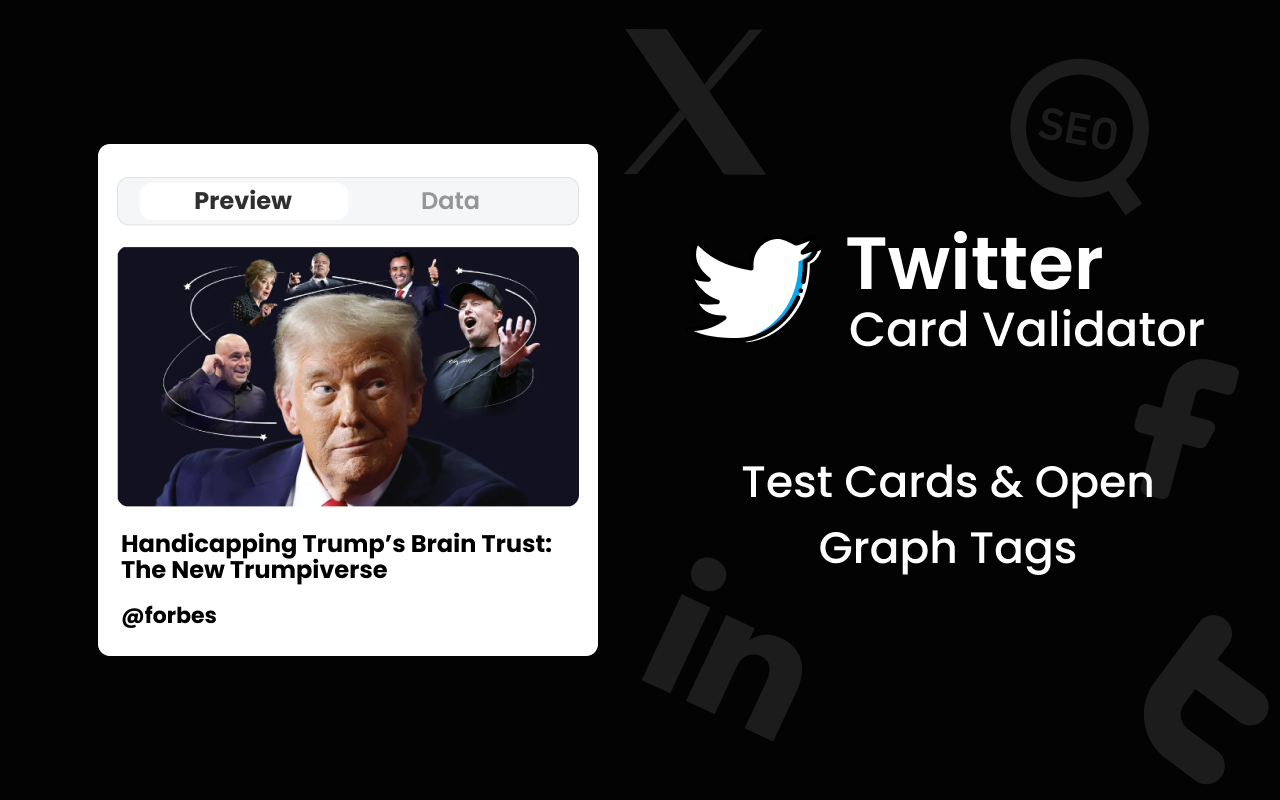
If you want to make sure your links look good on X, you should use their Twitter card validator.
This tool acts as an open graph tester specifically for X. Just like the other tools, you paste your link. The validator will read your Twitter card tags or your regular open graph tags and show you a preview. If your image is not showing up, the validator will help you figure out why.
You can also look for a handy Chrome extension that lets you check tags right from your browser window!
FAQ’s:
Do SEO OG Tags Directly Impact Google Search Rankings?
No, they do not directly change where you rank on Google. Google mostly looks at normal SEO tags and schema markup for rankings. However, good OG tags get you more social clicks, and that extra attention can lead to more people linking to your site, which does help SEO.
What is the Best Image Size For an SEO OG Tag?
The best size is 1200 pixels wide and 630 pixels tall. This size works perfectly on almost all major platforms like Facebook, X, and LinkedIn. It makes sure your picture looks big, sharp, and highly professional without getting stretched.
How Often Should I Update My OG Tags For SEO?
You only need to update them when you change the main information on your page. If you write a new headline or create a better main picture for a blog post, you should update the tags to match. Otherwise, you can just set them once and leave them alone.
Do I Need Twitter Cards If I Already Have SEO OG Tags?
Not always. X (Twitter) is smart enough to read your standard open graph meta tags if you do not have specific Twitter card tags set up. But, if you want total control over how things look on X, setting up both is a very good idea.
How Do I Fix A Broken Thumbnail When Sharing My Link on Social Media?
First, check that your image URL is correct and the picture is the right size. Then, run your link through an Open Graph checker like the Facebook Sharing Debugger. Click the “Scrape Again” button to force the platform to find your new, fixed picture.
Are SEO OG Tags Required For Every Single Page On My Website?
Yes, it is highly recommended to have them on every page. You never know when a happy customer might decide to share one of your web pages on social media. If every page has rich snippets ready to go, you will always look great.
Which Tools Are Best For Checking and Generating Open Graph Tags?
For checking, the Facebook Sharing Debugger and the Twitter Card Validator are the absolute best free tools. For generating them, using WordPress plugins like Yoast SEO or Rank Math is the easiest way. You can also search for a free online Open Graph tags generator.
Conclusion
Making sure your links look great when shared is a huge part of your digital success.
By setting up your SEO OG tags, you tell social platforms exactly how to display your hard work.
You get better pictures, cleaner titles, and a lot more clicks. More clicks mean more traffic and better chances to grow your SaaS business. Take a few minutes to check your site with an open graph checker, update your images, and watch your social engagement grow!

 Vishal ambani
  Share
Share
 VH Info