In the world of digital marketing, being honest is very important.
Whether you are a site owner running a blog or a brand looking for more potential customers, you need to play by the rules. One of the biggest rules involves how we handle links and paid content. This is where the sponsored tag comes into play.
If you look at search results on Google or scroll through social media, you have likely seen posts labeled “Sponsored” or “#ad.” But do you know what that really means for search rankings and link building?
At VH-info, we specialize in SaaS link building. We help companies get the right audience to their site through high-quality strategies. We know that getting links is good, but getting the wrong kind of links—or not labeling them correctly—can hurt your website.
This guide will take a closer look at the sponsored tag. We will explain why it is a key role in your SEO strategy and how to use it to keep search engines happy. We will keep things simple so you can understand exactly how to manage your backlink profile without confusion.
What is a Sponsored Tag and Why Does It Matter?

When we talk about links on the internet, not all links are the same.
A particular link might be there because the writer truly loves a product. Another link might0 be there because a company paid for it. To help search engines like Google understand the difference, we use a link attribute known as the sponsored tag.
Defining the Sponsored Tag in Influencer Marketing
In simple terms, a sponsored tag is a label. It tells Google and your readers that money, free products, or services were exchanged for that link or post. It is an HTML attribute added to the code of a link, or a visual label on a social post.
When a link is part of a paid promotion, it is not an organic vote for that website. It is an ad. If you do not mark these links, search engines might think you are trying to trick them to get better search engine rankings.
For example, if you are doing affiliate marketing, you earn money when someone clicks your link and buys something. Because this is a business relationship, these are affiliate links. Google requires you to mark these with a sponsored attribute.
This keeps the organic search results fair for everyone.
The Difference Between A Sponsored Tag and A Standard Ad
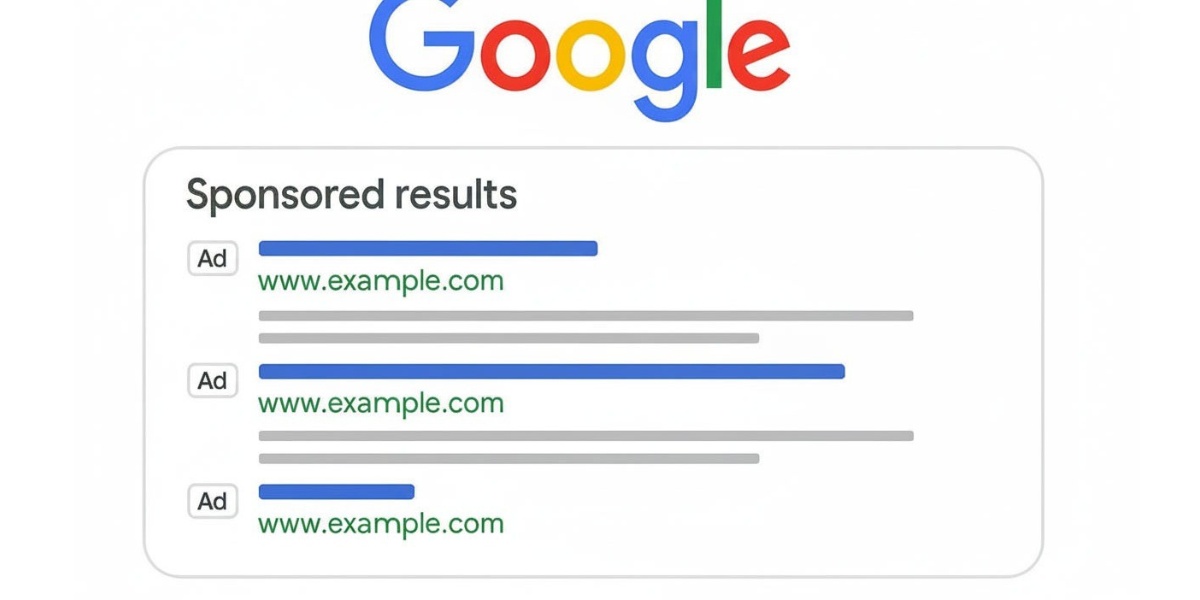
You might see Google Ads at the top of a search page. Those are standard ads.
Everyone knows they are paid for because they have a big “Ad” sticker on them. A sponsored tag is different because it often appears in blog posts, social media stories, or guest post content. It looks like regular content.
Without the tag, a reader might think a blogger is recommending a shoe just because they like it, not because they were paid.
Using the sponsored tag makes sure that part of the advertisements inside the content is clear. It helps distinguish between a natural editorial link (which is earned freely) and a link that was bought.
At VH-info, we always advise our clients to be transparent. It helps build brand recognition the right way.
Why Brands and Creators Must Use the Sponsored Tag?
Using this tag isn’t just a suggestion; it is necessary. Whether you are a big brand or a solo creator, using the sponsored link attribute protects you and helps your marketing goals.
Complying with FTC Guidelines and Legal Requirements
In many countries, there are strict laws about advertising. In the United States, the Federal Trade Commission (FTC) watches over this. They say you must tell people if you are part of sponsorships.
If you hide the fact that a post is part of an advertisement, you can get in legal trouble. The sponsored tag acts as a clear signal. It tells the eyes of search engines and the law that you are following the rules.
Building Trust and Transparency with Your Audience
Think about your friends. You trust them because they are honest with you. The same is true for the target audience of a website.
If you recommend a product to your readers but don’t tell them you were paid to do it, they might feel tricked later. When you use the sponsored tag or state clearly that a post is a sponsored link, your audience respects you more.
They know that even though it is an ad, you are being honest. Transparency puts you in front of potential customers as a trustworthy source. This improves user experience because readers know exactly what they are looking at.
Avoiding Penalties and Account Bans
Search engines like Google want to show the best results. They do not want people buying their way to the top.
If Google sees that you have many external links that are paid for but not marked as sponsored links, they might punish your site. This is called a “Manual Action” or a penalty. It can cause your search engine rankings to drop significantly.
In social media, platforms like Instagram, your account if you can hide paid partnerships.
At VH-info, we help website owners build a clean backlink profile. We ensure that when we build links, we focus on quality and relevance, keeping your site safe from these penalties.
Sponsored Tag Vs. Nofollow and UGC Tags
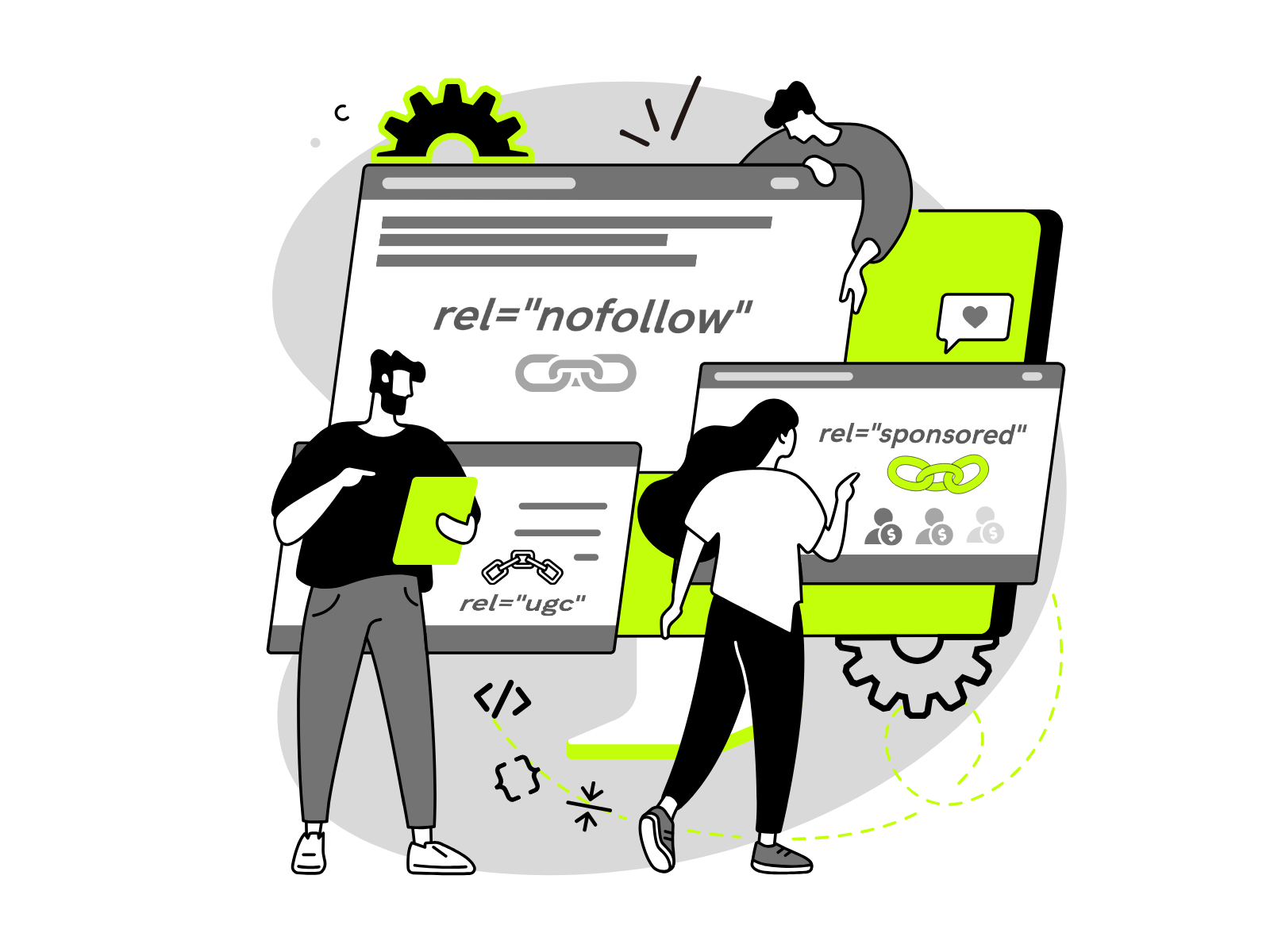
In the world of SEO, there are different ways to tag a link. These are called rel values. The most common ones are rel=”sponsored”, rel=”nofollow”, and rel=”ugc“. It can be confusing, but let’s break it down.
Key Differences Between Sponsored, Nofollow, and UGC Attributes
Here is how these types of links differ:
- Sponsored Attribute (rel=”sponsored”): You use this for any link that involves money or compensation. This includes affiliate links, paid reviews, and sponsorships. It tells Google, “I was paid for this link.”
- UGC Attribute (rel=”ugc”): UGC stands for User Generated Content. You use this for blog comments and forum posts. Since the site owner didn’t write this content (a visitor did), you use this tag. It helps stop comment spam from hurting your rankings.
- Nofollow Attribute (rel=”nofollow”): This is the old way to handle these links. It tells Google, “Do not follow this link or give it credit.” Before the new attributes came out in 2019, everyone used nofollow links for ads. You can still use it, but the sponsored attribute is more specific.
When Should You Use Each Tag For Links and Content?
Knowing the right time to use each tag is a key part of best practices.
- Use Sponsored: When you are posting a guest post that you paid for, or using affiliate links. If money or gifts changed hands, use rel=”sponsored”.
- Use UGC: If you have a comments section on your blog. UGC links tell Google that the linked page was shared by a user, not necessarily endorsed by you.
- Use Nofollow: If you link to a page, but you don’t want to support it or pass link juice. Link juice is a term for the value or authority a link passes from one site to another.
At VH-info, when we create a link-building plan, we look at the nature of the link. If it is a true editorial link (earned because the content is great), it shouldn’t have these tags. But if it is paid, it must be marked to protect your SEO strategy.
How to Correctly Use the Sponsored Tag on Instagram and TikTok?
The sponsored tag isn’t just for websites. It is very important on social media apps too. This helps you reach the right people without breaking platform rules.
Step-by-Step: Adding the “Paid Partnership” Label on Instagram
Instagram has a built-in tool for this. When you create a post:
- Go to your “Advanced Settings” before you post.
- Look for “Branded Content.”
- Turn on “Add Paid Partnership Label.”
- Tag the brand partner.
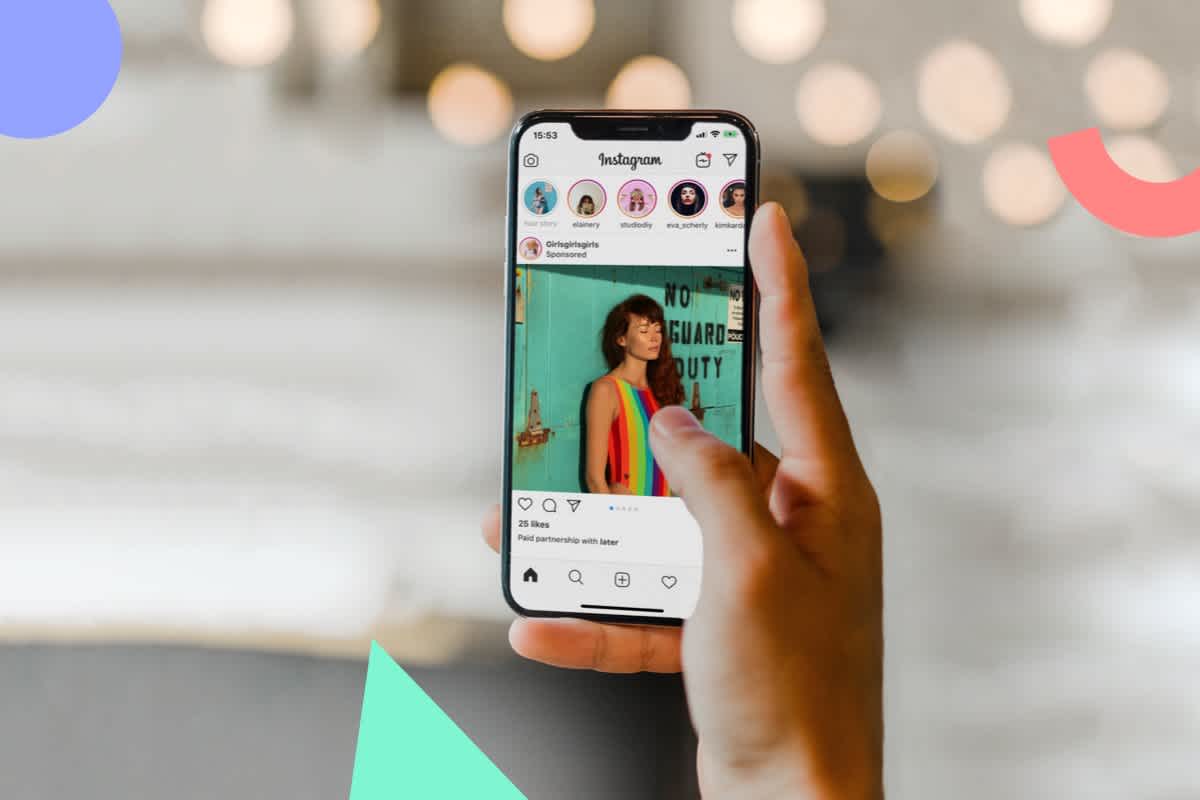
This puts a clear label at the top of your post that says “Paid Partnership.” This is much better than just hiding a hashtag. It ensures brand awareness is clear and legal.
Enabling the Content Disclosure Setting on TikTok
TikTok also has a specific setting.
- Create your video.
- On the post screen, tap “More Options.”
- Tap “Content Disclosure and Ads.”
- Toggle on “Disclose video content.”
- Select “Brand Content.”
This puts a “Paid Partnership” badge on your video. It helps you keep your organic content separate from your ads.
Using Text Overlays and Hashtags (e.g., #ad, #sponsored)
Sometimes the built-in tools aren’t enough, or you want to be extra safe. You should also use text on the screen or hashtags.
Common tags are #ad, #sponsored, or #partner. These should be easy to see. Do not hide them. Put them at the beginning of your caption so the specific audience sees them immediately. This transparency is vital for maintaining organic endorsements from your true fans.
Common Mistakes to Avoid When Using A Sponsored Tag
Even smart marketers make mistakes. Here are common errors we see at VH-info that you should avoid.
- Burying the Tag in a Sea of Hashtags: Some people try to hide the #ad tag. They put it after 30 other hashtags like #summer #fun #happy. This is bad. When you hide the disclosure, it looks like you are trying to trick the right audience. The disclosure needs to be distinct. It should be one of the first things people see.
- Using Vague Language (e.g., “Thanks to [Brand]” Vs. “Sponsored”): Saying “Thanks to Nike for the shoes” is not enough. It does not clearly say you were paid or that this is an ad. It is too vague. You must use clear language like “Ad,” “Sponsored,” or “Paid Partner.” Vague language confuses potential customers and can lead to issues with the FTC. The specific purpose of the tag is clarity.
- Failing to Tag Gifted Products: Many influencers think they only need a sponsored tag if they got cash. This is wrong. If a brand sends you a free dress, free makeup, or a free trip, that has value. It is a payment. You must disclose it. If you link to that product, that particular link should be treated as a sponsored link. This ensures that the nature of the link is honest.
FAQ’s:
Does Using the Sponsored Tag Affect SEO Performance?
Yes and no. A sponsored tag tells Google not to pass link juice through that link. This means the link won’t directly boost the ranking of the other site in the same way a normal link does. However, it keeps your site safe from penalties.
If you don’t use it on paid links, your site can get punished, which hurts your SEO strategy severely.
Is It Necessary to Use the Sponsored Tag For Affiliate Programs Or Paid Partnerships?
Yes, absolutely. Affiliate links are commercial. You earn money from them. Therefore, they fall under the category of paid links. Search engines require you to mark them. It is a fundamental part of best practices.
Can Incorrect Use of the Sponsored Tag Lead to Issues with Google?
Yes. Google considers unmarked paid links as a link scheme. A link scheme is when you try to manipulate search engine results. This can lead to a drop in rankings or even removal from search results. Using the sponsored link attribute prevents this.
Do I Need to Use A Sponsored Tag If I Wasn’t Paid Money But Received Free Products?
Yes. As mentioned before, free products count as compensation. In the eyes of search engines and the law, a gift is a form of payment. You must disclose it to your target audience.
Does Using the Sponsored Tag Lower My Engagement Rates?
Data shows that users appreciate honesty. While some worry that an “Ad” label scares people away, it actually builds trust. When you have high-quality content, your specific audience will engage with it, whether it is sponsored or not. Trust leads to better long-term engagement.
Is Writing “#ad” Enough, Or Do I Need the Official Platform Tag?
On platforms like Instagram and TikTok, you should use the official tag (like “Paid Partnership”) and #ad in the caption. The official tag is what the algorithms look for. The #ad hashtag is for the user experience of your readers.
Can I Add the Sponsored Tag After I Have Already Posted?
Yes, most platforms let you edit your post to add the tag. For blog posts, you can go into your HTML and add the rel=”sponsored” HTML attribute to the link at any time. It is better to fix it late than never.
Who is Responsible For the Sponsored Tag: The Brand Or The Influencer?
Both are responsible. The brand should tell the influencer to use it. The influencer should know to use it. However, the FTC often goes after the brand if the rules are broken. At VH-info, we advise our clients to make this a clear requirement in any partnership.
Conclusion
The sponsored tag is a small piece of code or text, but it plays a massive role in digital marketing. It keeps the internet honest. It helps search engines separate paid ads from organic content. And it helps website owners and brands build real trust with their potential customers.
Whether you are dealing with affiliate links, guest post opportunities, or social media campaigns, using the correct link attribute is vital. It protects your search rankings and keeps your backlink profile healthy.
Remember, the goal is to get your content in front of the right audience without breaking the rules. If you are ever confused about link building, inbound links, or how to grow your authority safely, VH-info is here to guide you.
We are your partners in SaaS link building. We focus on getting you high-quality, editorial links that move the needle. We handle the technical details—like knowing when to use a sponsored attribute versus a nofollow links attribute—so you can focus on your business.
By following these best practices, you ensure your SEO strategy is built on a solid foundation, ready for long-term success in the google search results. Using the sponsored tag correctly isn’t just about following rules; it’s about being a good citizen of the web. It ensures that when you get a particular link, it adds value without risk. So, check your links, be transparent, and build your brand with confidence.
 Share
Share