


Links are like votes on the internet. When one site points to another, it gives a vote of confidence. We call these votes inbound links. They help your site grow. Many site owners want to know how to find backlinks of a website using Google.
It is a very common question for anyone who makes a web page. At VH-info, we are a SaaS link-building agency.
We do not have any software tools of our own, but we use our expert skills to help companies get more links. We know that getting quality backlinks takes a lot of time and hard work. Before you start building new links, you must know what links you already have.
This article will teach you how to look at your link profile. You do not always need to pay for an expensive backlink checker right away.
You can start with a free tool from Google.
In this guide, we will look at different ways to check your backlink data. It is important to know your website’s performance. You will learn to see your list of backlinks quickly. You will also see how to check external websites that link to you.
Let’s look at the exact steps to do this. We will make everything very easy to read.
Even if you are a beginner, you will learn how to find this data. Knowing your links is the best way to make your website better and stronger. It helps you get more people to visit your site. Let us start with the very first and easiest method to find this important information.
The Best Methods on How to Find Backlinks of A Website Using Google
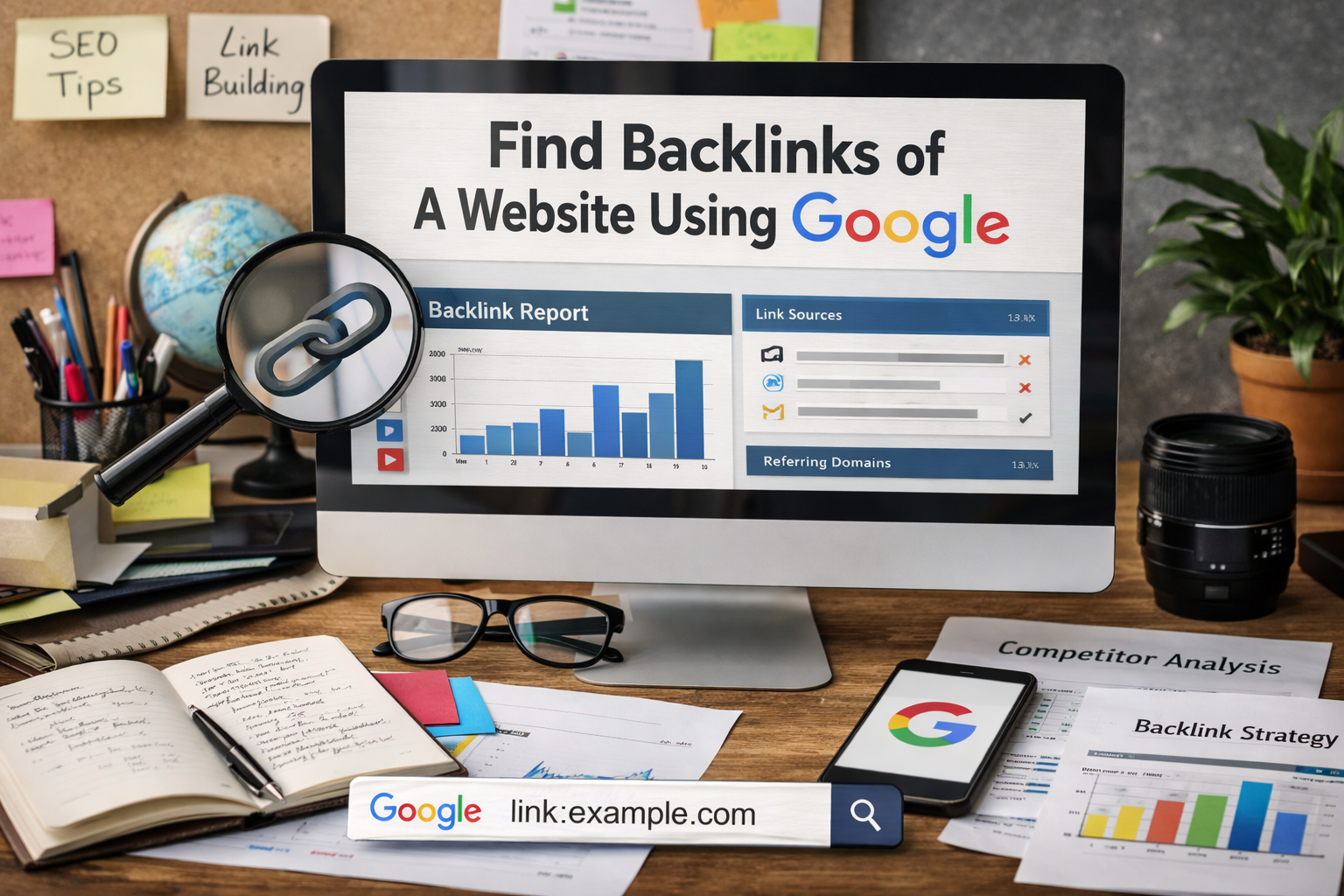
We will look at three great methods today. These methods show you how to find backlinks of a website using Google step by step.
The first method looks at your own site. The second method looks at other sites. The third method helps you catch new links when they happen in real time. All of these use a free tool that anyone can get.
Method 1: Use Google Search Console For Your Own Site
Google Search Console is the best free tool for your own site. It gives you detailed information about your website from the eyes of search engines. Every site owner should have a Google Search Console account. This tool talks directly to search engines to get the facts.
It shows you the exact number of backlinks you have on your whole site. It also shows you your internal links.
Internal links are links that go from one page on your site to another page on your site. You can also clearly see your external links.
External links come from outside your site. When you want to see the backlinks of a website, this is the very first step. You get to see your top linking sites. These are the websites that link to you the most often. You can also see your anchor text.
Anchor text is the clickable word that holds the link. If you want a comprehensive backlink analysis of your own site, this tool is perfect. It gives you a complete backlinks report. We always tell our clients at VH-info to check this data often.
As a SaaS link building agency, we know how much this backlink data helps you make a good SEO strategy.
When you click on these links, they take you to another site. Google counts this. Every time a new site links to you, your number of backlinks goes up. You want this number to go up. But you only want it to go up with good links. Checking this data helps you stay safe and strong.
Method 2: Try Google Search Operators For Competitor Sites
You cannot look at a competitor’s Google Search Console account. That is private for the site owner. But, you can still find out who links to them. You can do this right in the normal google search bar. You just type special commands called search operators.
Advanced search operators tell Google exactly what to look for on the internet. They help you filter the google search results perfectly.
For example, you can search for the competitor’s brand name. You can tell Google to ignore the competitor’s own website URL. This leaves you with external websites that talk about the competitor. This is a very smart way to get valuable insights into what others are doing.
You can see their guest posts easily. You can see where they get their referring domains. You get a good idea of their link profile. It helps you see their quality backlinks. It is not exactly a backlink checker tool, but it works very well. You can find a lot of additional information this way. When you know what search operators to type, you become very fast. It is like having a secret code to the search engines.
You can find exactly what you want. You do not have to click through hundreds of pages. The google search results become very clean.
They only show you the exact things you asked for. This saves you many hours of hard work.
Method 3: Set Up Google Alerts For New Links
Google Alerts is another wonderful free tool. It helps you track your online presence easily. You can tell Google to send you an email every time someone mentions your brand. When someone writes your brand name on a new web page, Google finds it for you.
Often, when people mention your name, they give you a link too. This helps you watch your new inbound links every single day. It is a very easy way to keep track of your backlink data. You do not have to run a new google search every day. The detailed information comes straight to your email inbox. You can set google alerts for your own brand. You can also set google alerts for your competitors.
This shows you how they build their list of links. It is a great habit for good link building. You can choose how often you get these emails. You can get them once a day. You can get them once a week. It is a very peaceful way to check your links.
You just open your email and read the list of links. You can see if a very famous website linked to you today. If they did, you can send them a polite thank you message. This builds good relationships with other site owners.
Step-by-Step: Getting Your Link Data From Google Search Console
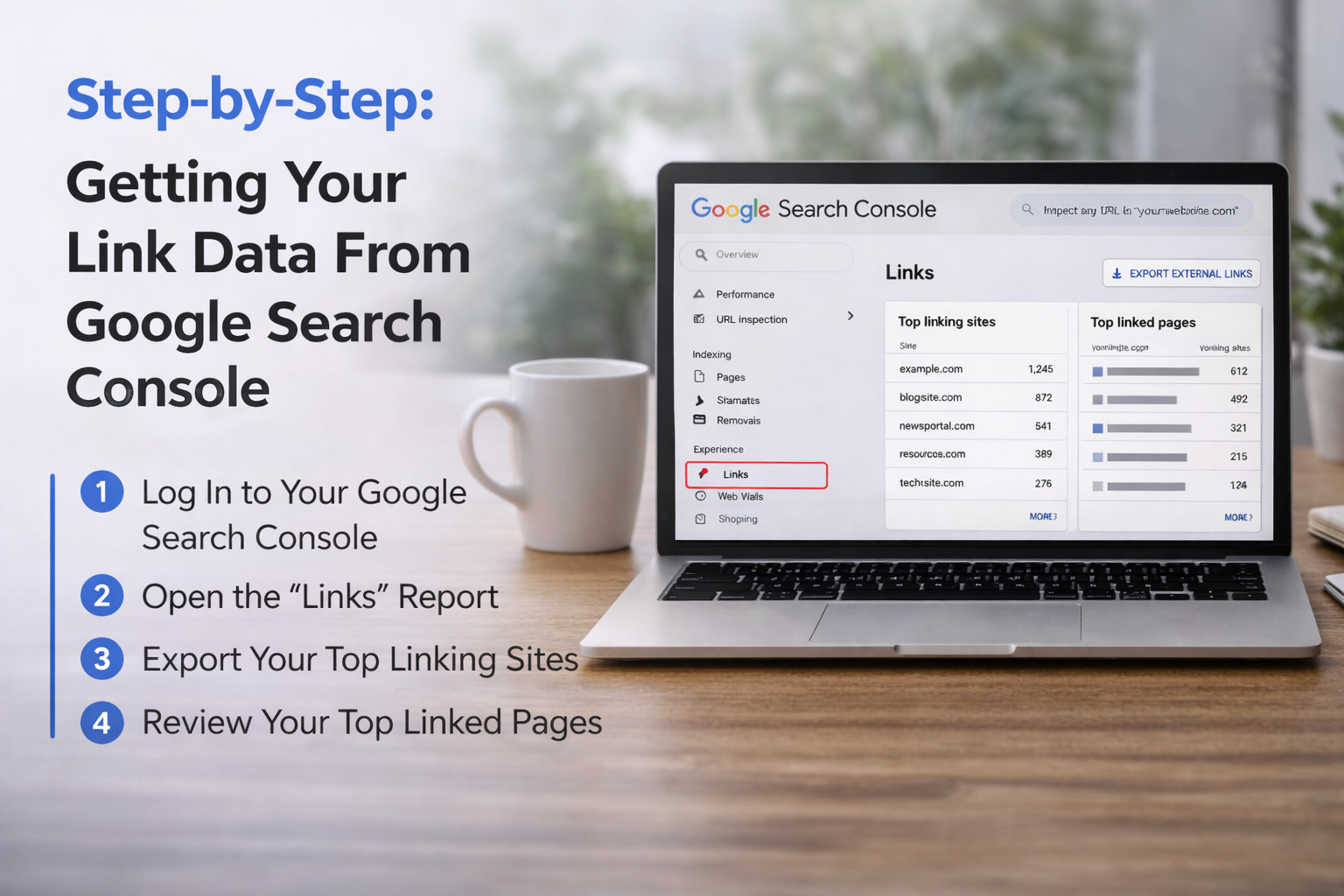
Let’s talk about the exact steps you need to take right now. Getting your link data is very easy. You just need to look in the right place. We will walk through the whole process together. These simple steps will show you how to get your links report.
The links report has all the detailed information you need to succeed. You will see your top linking sites. You will see the total number of links. You will see your anchor text very clearly. Let’s start with the first step right away.
Step 1: Log Into Your Dashboard
The first step is to log into your Google Search Console account. This free tool helps website owners check their website’s performance and organic traffic easily. Just put in your website URL to prove you are the site owner.
Then, the dashboard opens so you can start looking at your backlink data.
Step 2: Open the “Links” Report
Look at the menu on the left side and click on the links section to open your full links report.
Here, you will see a full list of backlinks and your internal links right in the eyes of search engines. You can easily check the total number of backlinks and see the external websites that link to you. It is the best place to check your link profile.
Step 3: Export Your Top Linking Sites
To make your comprehensive backlink analysis simple, you can download your backlinks report to your computer. Just click export to save your list of links directly into google sheets. This lets you sort your referring domains and look closely at your anchor text.
You can then easily find your top linking sites and organize all the detailed information.
Step 4: Review Your Top Linked Pages
Click on “Top linked pages” to see which target page gets the most inbound links from other places.
If a particular page has many high quality links, it will bring you more referral traffic. You can also check for broken links or bad backlinks that might hurt your site. Always focus on building quality backlinks to help your website’s SEO grow stronger.
Finding Competitor Backlinks with Google Search Tricks
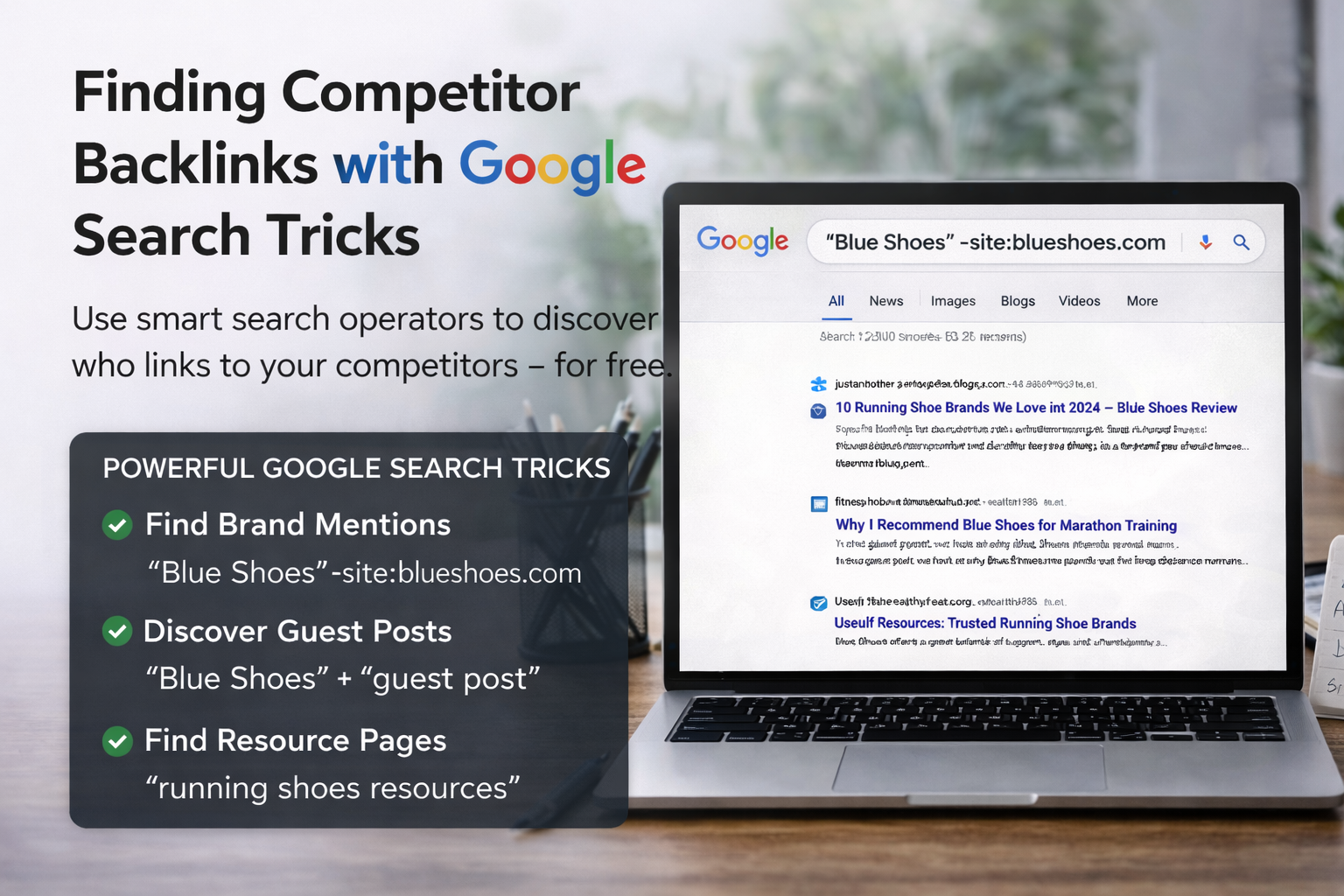
We looked at your own site. Now, let’s look at other sites on the internet. You might ask, how to find backlinks of a website using google when you do not own the site? You cannot use a google search console account for this. You need different ways to look. You can use the normal google search for this. You just need to know how to type the right things in the search bar. We call these tricks search operators.
They change how the search engines work for you. They help you find specific things. Let’s look at some best practices for doing this today.
How to Search For Exact Brand Mentions
You can use advanced search operators to find brand mentions online. A brand mention is when someone writes a company’s name.
Let’s say your competitor is named “Blue Shoes“. You can type “Blue Shoes” in the google search bar. You must use the quote marks.
This tells Google to find those exact words only. But, this will show the competitor’s own website URL too. You do not want that. You want to see external websites. So, you use the minus sign. You type: “Blue Shoes” -site:blueshoes.com. This removes their own web page from the Google search results completely. Now, you will only see other sites talking about them. You can click on these search results.
You can read the linked page. You can see if they have a link. This is a great way to manually check a competitor’s list of backlinks. It shows you their referring domains. It helps you see their online presence. It is a slow process, but it works like a free backlink checker.
You can also try different words in the search bar. You can search for the names of the people who work at the competitor’s company. Sometimes, the company name is not mentioned. But the owner’s name is mentioned. This is another way to find hidden inbound links.
It is a very clever trick. Always try many different words in the search bar. The more you try, the more detailed information you will find.
Finding Guest Posts and Resource Pages
Another great trick is finding guest posts. Guest posts are articles you write for someone else’s blog. They are great for your SEO strategy. You can find where your competitors write guest posts.
In the search bar, type your competitor’s name and the words “guest post“. You can also type “written by” and their name. The search engines will show you their articles on other sites. You can also find resource pages this way.
A resource page is a web page that lists helpful links for people. Type your competitor’s topic and “resources” or “useful links“. You can see if your competitor is on that list of links. If they are, you can ask the site owner to add you too. This is a very smart way to get high-quality links.
It improves the quality of backlinks pointing to you. It will also help your website’s SEO. When you get links from these pages, it acts as a strong vote of confidence. You can reach out to the site owner easily. You can send them a nice email. You can say you like their web page.
Then, you can ask if they will add your link too. Many times, they will say yes. This is how you grow your number of links. It is a very friendly way to do link building. It helps everyone. They get a good link for their page, and you get a vote of confidence.
Free Google Tools Vs. Paid SEO Software
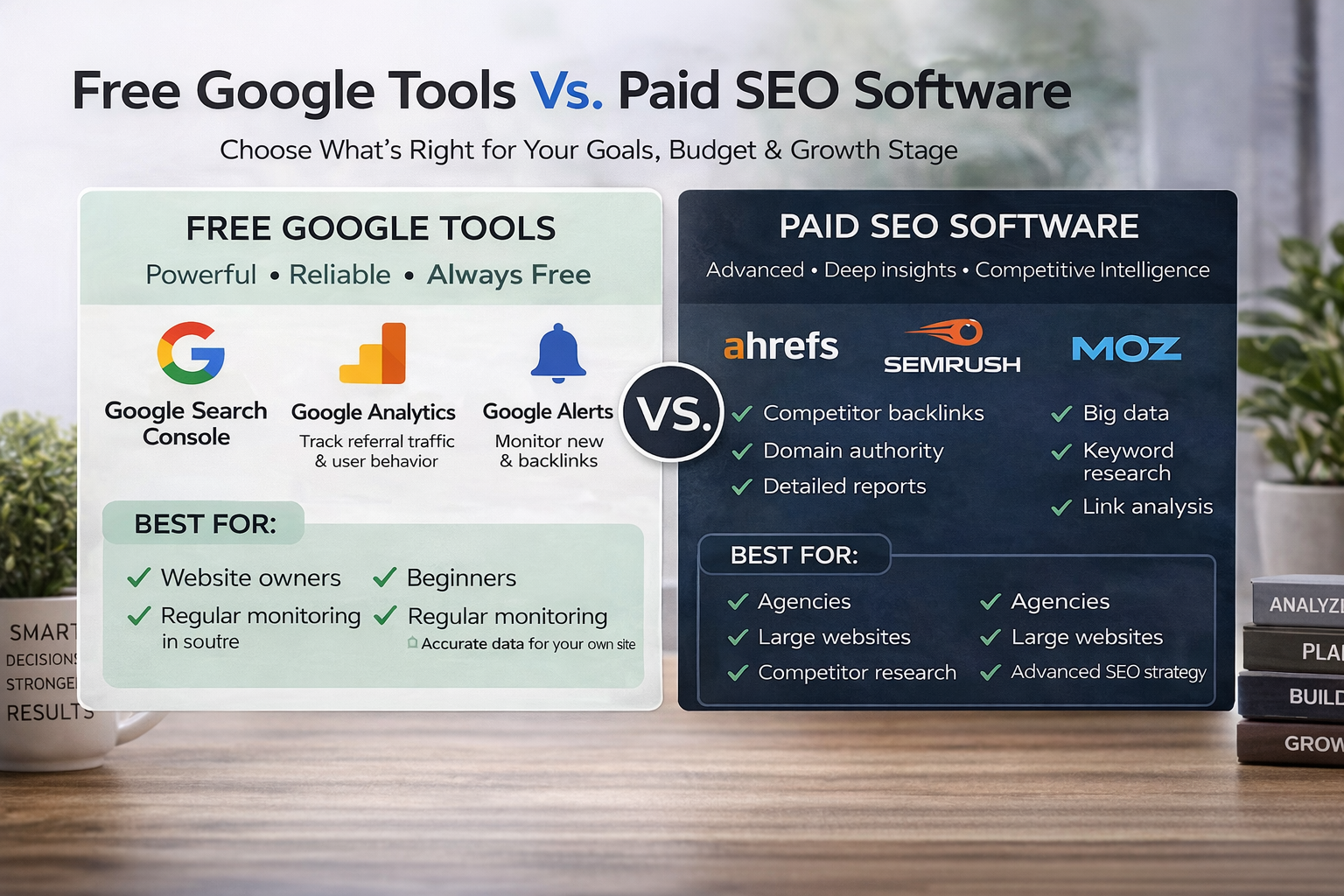
There are many SEO tools out there for you to try. Some are a free tool. Some cost a lot of money every month. You must choose what is best for you and your budget. Google gives you many free tools to use.
Google Analytics and Google Search Console are completely free. Paid tools like Ahrefs or Semrush are very expensive.
Let’s look at the big differences. Let’s see what you really need for a comprehensive backlink analysis.
When to Stick with Free Google Tools
If you are just starting, free tools are the very best. They give you the basic backlink data you need to learn.
Google Search Console is the most accurate tool for your own site. It gives you the exact number of backlinks Google sees. It shows your true link profile. You can also use Google Analytics. In Google Analytics, you can look at the default channel group.
This shows your referral traffic very clearly. It shows you exactly which external websites bring you real visitors. You can see the session source to know exactly where people come from.
For most small website owners, this is enough data. You get valuable insights without paying any money. You can track your organic traffic. You can monitor your website’s performance easily. You can check your social media traffic too.
You do not need to spend hundreds of dollars. Google Analytics shows you your default channel group perfectly. It shows you the session source for every single person who visits your site. You can see if they came from Google. You can see if they came from a link on another site.
This is real data. It is not a guess. It is the exact truth about your website’s performance. For a small site owner, this truth is all you need.
When You Might Need Advanced SEO Software
Sometimes, you need a lot more detailed information. Free tools cannot show you a competitor’s exact number of links. They cannot easily show the domain authority of an external web page. Domain authority is a score that guesses how strong a site is.
Paid SEO tools show you all of this big data. They work like a massive backlink checker for the whole internet. They show you nofollow links very clearly. Nofollow links are links that do not pass much power to you. Paid tools help you deeply check the quality of backlinks pointing to any site in the world. If you want to beat big competitors, you might need this data.
However, at VH-info, we know how hard this can be. We are a SaaS link building agency. We do not sell any tools.
We use our own deep expertise to build links for our clients. If you hire an agency like us, you do not need to buy expensive software. We handle the SEO strategy for you. We find the top linking sites for your niche. We help you build a strong online presence.
These big tools give you numbers like domain authority. Domain authority is just a guess, but it is a helpful guess. It tells you if a site is strong or weak. Free tools cannot do this easily. But remember, tools are just tools. They do not do the work for you. You still have to talk to people.
You still have to write good things. At VH-info, we do all this hard work for you.
FAQ’s:
Can I See A Competitor’s Backlinks For Free Using Google?
You cannot see a complete list of links for a competitor inside Google’s free tools. Google Search Console only shows data for a site you own, not someone else’s. But, you can use the google search bar to find many of their links for free. You do this by typing their brand name and taking away their website URL with a minus sign. This smart trick will show you many external websites that mention them and link to them.
What is the Best Google Tool to Check My Own Backlinks?
The very best tool for your own site is Google Search Console. It is completely free to use for any website owner. It gives you a dedicated links report that shows your internal links and external links clearly. You can see exactly which target page gets the most links from other people.
It is the most trusted source because the data comes straight from Google itself. This means you can trust the backlink data completely.
Is Google Search Console the Most Accurate Way to Find All Backlinks?
For your own website, yes, it is the most accurate source you can look at today. It shows you the links that Google actually knows about and counts for your website’s SEO. Sometimes, paid SEO tools show links that Google ignores or throws away. So, looking at your Google Search Console account tells you exactly what matters in the eyes of search engines. It is the truest view of your link profile.
Does the Old “Link:” Search Operator Still Work in Google?
Many years ago, you could type “link:” and a website URL into the search bar to see all its links easily. Sadly, Google turned this feature off a long time ago. It does not work anymore to give you a reliable list of backlinks. You must use other advanced search operators or a proper backlink checker tool to get that kind of detailed information today. It is better to use the new ways we talked about.
How Often Does Google Update Its Backlink Data?
Google is always crawling the internet to find new pages and new links every single minute. They update the information in your links section very often, usually every few days. When you get a new link, it might take a little time to show up in your backlinks report.
You just need to be patient and check your data every week to see the changes. The number of backlinks will slowly go up.
Can I Find Backlinks For Any Website, Not Just My Own, Using Google?
You cannot get a full backlinks report for just any site using Google’s free tools easily. To see every single link a competitor has, you usually need a paid backlink checker tool. But you can still do a lot of manual research using Google search results to find their biggest mentions.
You can look at their social media and see where they post links. This takes time, but it gives you good ideas.
Why Do Some Of My Backlinks Not Show Up In Google Search Console?
Sometimes Google has not crawled the linked page yet, so it does not know the link exists. Other times, Google might think the link is from a very low-quality site, so they ignore it completely. If you have nofollow links, they might still show up, but they will not pass a vote of confidence to your site. You only want to worry about high quality links that help your organic traffic grow.
Conclusion
Learning how to find backlinks of a website using google is a very good skill to have. It helps you see how well your site is doing on the internet. You can look at your backlink profile to see your daily growth. The best way to start is with your own Google Search Console account.
It gives you all the basic facts about your inbound links for free. You can see your top linking sites easily. You can study your anchor text.
You can make a smart plan to get better links. You can also use the google search bar to look at other companies. You can see what different ways they use to get links. Always focus on getting high quality links from good places. Do not waste time on bad backlinks.
Link building takes a lot of hard work and time. It is a slow process to build trust with search engines. If you need help with this hard work, remember VH-info. We are a SaaS link building agency. We do not have our own tools, but we have the amazing skills to help you grow.
We can plan your SEO strategy for you. We can help you build an amazing online presence. We focus on real results that bring you more referral traffic. Start checking your links today. Look at your backlinks of a website closely.
Then, make a plan to make your website’s SEO even stronger tomorrow.


 Vishal ambani
  Share
Share
 VH Info